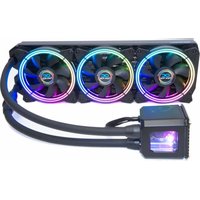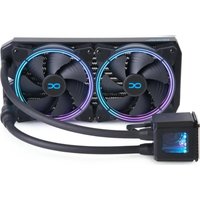
Eisbaer 280 - Computer cooling system Alphacool - Free user manual and instructions
Find the device manual for free Eisbaer 280 Alphacool in PDF.


User questions about Eisbaer 280 Alphacool
0 question about this device. Answer the ones you know or ask your own.
Ask a new question about this device
Download the instructions for your Computer cooling system in PDF format for free! Find your manual Eisbaer 280 - Alphacool and take your electronic device back in hand. On this page are published all the documents necessary for the use of your device. Eisbaer 280 by Alphacool.
USER MANUAL Eisbaer 280 Alphacool
SAFETY INSTRUCTIONS 23
MOUNTING MATERIAL 24
TECHNICAL DETAILS 25
COOLER 25
PUMP 25
RADIATORS 26
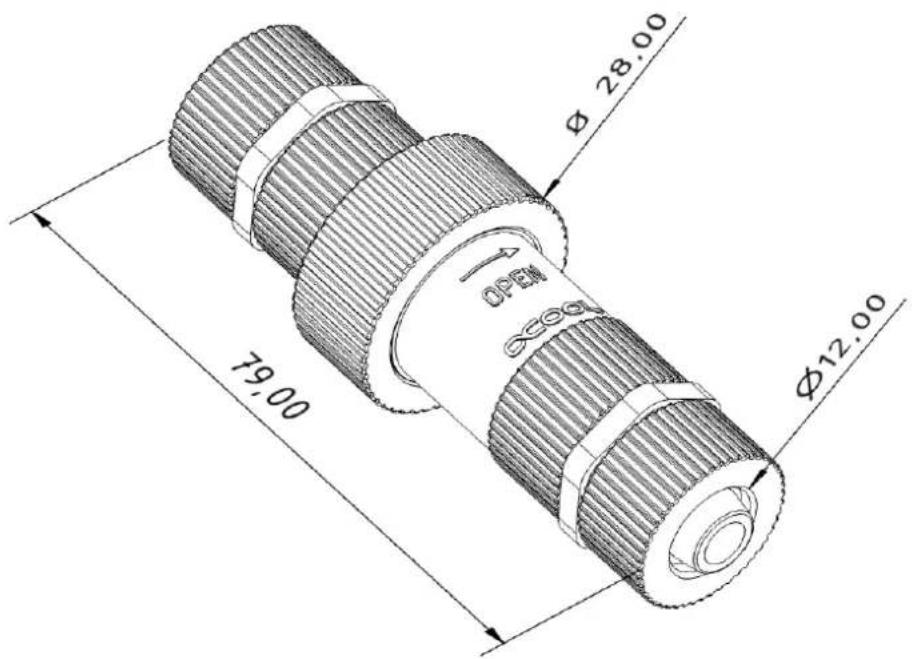
QUICK COUPLING 26
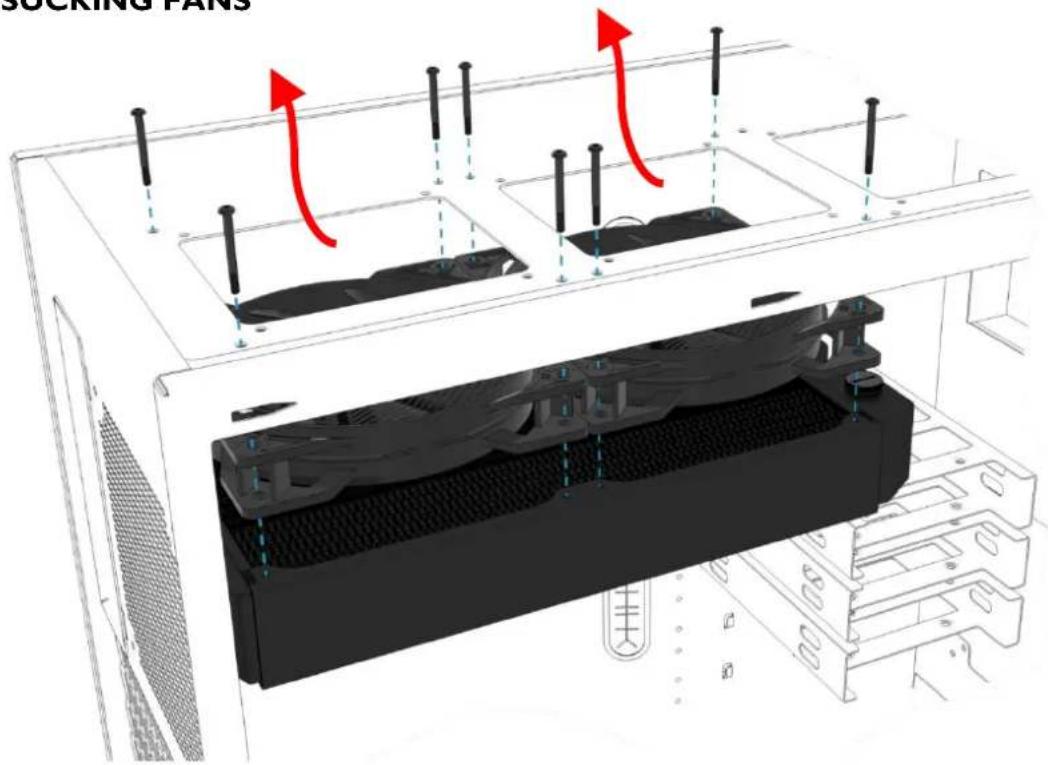
MOUNTING THE RADIATOR 27
PUSHING FANS 27
SUCKING FANS 27
PREPARATION CPU 28
CPU COOLER ASSEMBLY 29
INTEL 1156/1155/1151/1150/1200/1700 29
INTEL 2011/2011-3/2066 31
AMDAM3+/AM3 33
AMD AM5/AM4 35
CONNECTING FANS & PUMP 37
INITIAL START-UP 38
USING QUICK RELEASE CONNECTORS 38
FILLING UP COOLANT 39
FRANÇAIS 40
INSTRUCTIONS DE SECURITE 40
MATERIALD INSTALLATION 41
DETAILS TECHNIQUES 42
BLOC DE REFROIDISSEMENT 42
POMPE 42
RADIATEURS 43
RACCORDS RAPIDES 43
MONTAGE DE RADIATEUR 44
VENTILATEURSPOUSSER 44
VENTILATEURSPOMPER 44
PREPARATION CPU 45
INSTALLATION DE REFROIDISSEUR PROCESSEUR 46
INTEL 1156/1155/1151/1150/1200/1700 46
INTEL 2011/2011-3/2066 48
AMD AM3+ / AM3 50
AMD AM5/AM4 52
BRANCHEMENT DES VENTILATEURS ET DE LA POMPE 54
MISE EN SERVICE 55
UTILISATION RACCORDS RAPIDES 55
REMPILIR RESERVOIR 56
PUCCKN 57
YKA3AHINI NO 6E3ONACHOCTN. 57
AKCECCYAPbl MOHTAXA 58
TEXHnueCKNE DAHHbIE 59
IOMIA 59
PAIINATOPbl 60
БыICTPOP43bEMHAR CNTEMA 60
MOHTAX PAIATOPA 61
BEHTNIAITOPBI IPOTALIKNAIOT BO3dYX 61
BEHTIJIATOPbI BblCACbIBAIOT BO3JyX 61
IIOITOTOBKA CPU 62
MOHTAXOxIaIITeJIaCPU 63
INTEL 1156/1155/1151/1150/1200/1700 63
INTEL 2011/2011-3/2066 65
AMD AM3+ / AM3 67
AMD AM5/AM4 69
IIOKJIIOUHTb IOMNv N BEHTNIArTOPA. 71
IEPBOE BKJIIOUcHHe 72
6bICTPOPA3bEMHAR CNTCTEMA. 72
ДОЛВATьЖИДКOSTь 73
日本語 74
安全上的注意 74
取付部品 75
技術的詳細 76
78
吹きottage式フア. 78
準備 CPU 79
CPUKUERA-RA-180
INTEL 1156/1155/1151/1150/1200/1700 80
INTEL 2011/2011-3/2066 82
AMD AM3+ / AM3 84
AMD AM5 / AM4 86
Franon 88
運転開始 89
1156/1155/1151/1150/1200
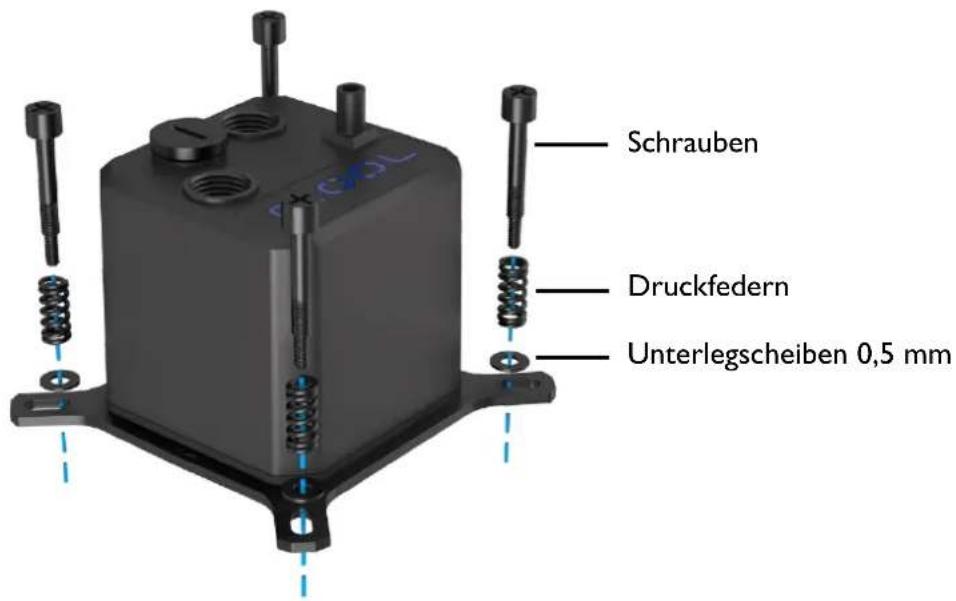
1700
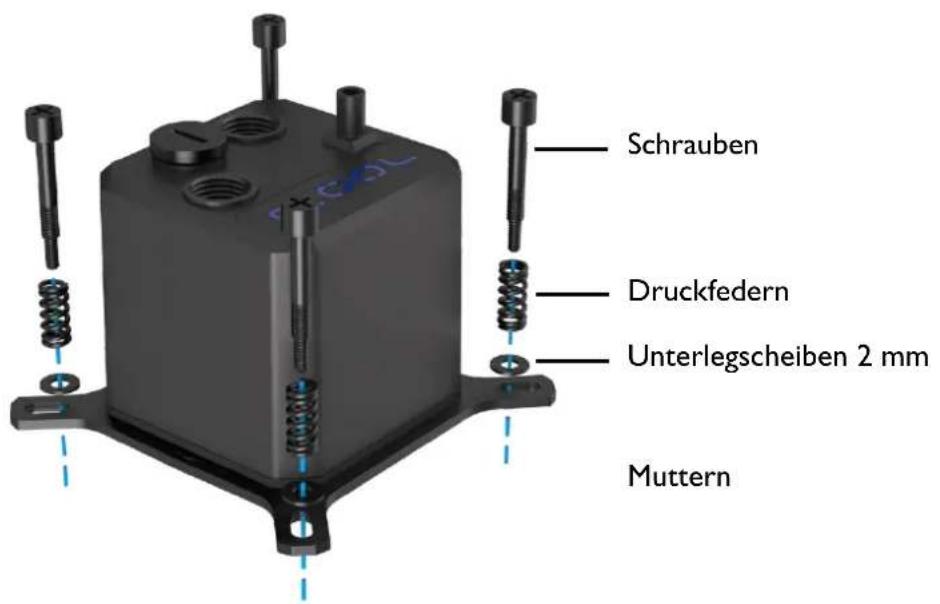
Not suitable for children under 6 years. (contains small parts which could be swallowed).
- Do not run any cooling components without ensuring that cooling liquid is flowing through the cooling system. Coolers operated without coolant can become very hot. Caution: Burn Hazard!
- Coolers that have no coolant flowing through them can destroy the computer hardware. When switching on the hardware, always make sure that the pump is working.
- Please note when tightening the connectors or fittings, no tools such as screwdrivers, pliers, or wrenches should be used. All plastic products or metal threaded connections, which are linked with plastic parts, are easily over-loaded with tools. Cracking or other damages incurred in this way, as well as damage from leaking coolant, are not covered under the warranty!
- Use only connectors with a sealing o-ring. When using a sealing ring a firm tightening with the hand is enough. Your instruction manual will clearly refer to the use of tools in exceptional cases.
If you have not done so yet, please check your hardware and cooling system (tightness, pump function and fans). This will minimize time spent searching for possible problems. ALPHACOOL INTERNATIONAL GMBH accepts no liability on the warranty of the manufacturer of the electronic components. The assembly of the cooling system takes place at your own risk.
- The screws should not be tightened too firmly. If you tighten the screws excessively, the knurled nuts can loosen and the cooler's uniform pressure is no longer guaranteed.
- Fasten the connections of your choice to the cooler. Do not use tools such as wrenches for fastening the connections. Connectors with 8mm long threads may stop the flow.
- We recommend a tightness test before assembling/installing the cooler. The water pressure in the water cooling loop can be at a maximum of 0.8 bar. DO NOT use tools on the connectors.
- Ensure that the cooler is touching all components to be cooled through thermal grease and thermal pads.
- Only use distilled water or ALPHACOOL CAPE KELVIN CATCHER in your cooling circuit. Damage caused by unsuitable coolant is not covered by the warranty!
Specified normal operation
All ALPHACOOL INTERNATIONAL GMBH cooling components are constructed and licensed for ALPHACOOL INTERNATIONAL GMBH computer construction parts. The warranty expires in case of misuse.
Warranty
- Data, designs, illustrations, technical data, weight, measurement and specifications, contained in folders, catalogues, circulars, announcements or price lists, have a purely informative character. We do not undertake warranty for the correctness of these data. As to the kind and the range of delivery, the data contained in the order and confirmation of order alone are decisive.
- If there is a lack of warrantor, you are entitled, on the basis of the legal regulations to require subsequent delivery, to withdraw from the contract or reduce the purchase price. If you are a consumer, the limitation period of warranty claims for the supplied commodity amounts to two years starting from receipt of goods (§ 13 BGB). If you are an entrepreneur, in accordance with legal conditions the limitation period amounts to only one year (§ 14 BGB).
- The warranty claim is valid only in combination with the original invoice, the sales slip or an ALPHACOOL confirmation on warranty claim.
- It is ALPHACOOL INTERNATIONAL GMBHs own discretionary authority to replace or repair the defective product or defective component. The replaced product or component changes into property of ALPHACOOL INTERNATIONAL GMBH.
- All warranty claims are accomplished by ALPHACOOL INTERNATIONAL GMBH or its authorized dealers. If the repair is carried out by a non-authorized or assigned person, ALPHACOOL INTERNATIONAL GMBH does not take over either costs or liability, unless the repair has been previously agreed upon with ALPHACOOL INTERNATIONAL GMBH.
-
All costs resulting from refitting of the products are not taken over by ALPHACOOL INTERNATIONAL GMBH.
-
ALPHACOOL INTERNATIONAL GMBHs warranty excludes the following points:
7.1. Regular controls maintenance and repair or the replacement of parts subject to regular wear and tear.
7.2. Improper manipulation or defects caused by incorrect installation.
7.3. Damages caused by storm, water, fire, overvoltage, acts of God, war, incorrect connection to the net, insufficient or incorrect ventilation or other reasons over which ALPHACool INTERNATIONAL GMBH has no influence.
7.4. Damages resulting from transportation or improper packaging.
- Consumer's rights are valid in the respective country; demands made to the salesman, as explained and laid down in the sales contract, will not be covered by this warranty. ALPHACOOL INTERNATIONAL GMBH, Its Branch Office and Distributors, are not responsible for direct or indirect damage or losses, as far as the
compelling legal regulations do not oppose it.
- ALPHACOOL INTERNATIONAL GMBH does not take over the warranty of the manufacturer of the electronic construction units and components. The assembly of the cooler takes place at your own risk.

Contact an authorized waste management company in your country. A waste removal with the municipal waste (unsorted garbage) or similar mechanisms for the collection of local wastes is not permissible!
MOUNTING MATERIAL
| RADIATOR & FANS | number varies depending on the product version | number varies depending on the product version | varies depending on the product version you purchased | |
| M3x5 | M3x30 | Y-adaptor 4-Pin PWM | ||
| EISBAER CPU COOLER | ||||
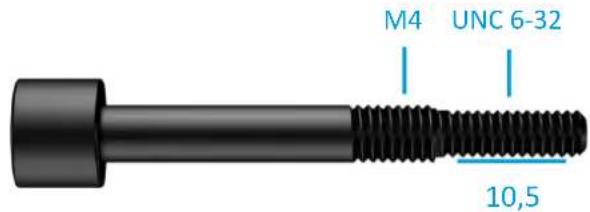
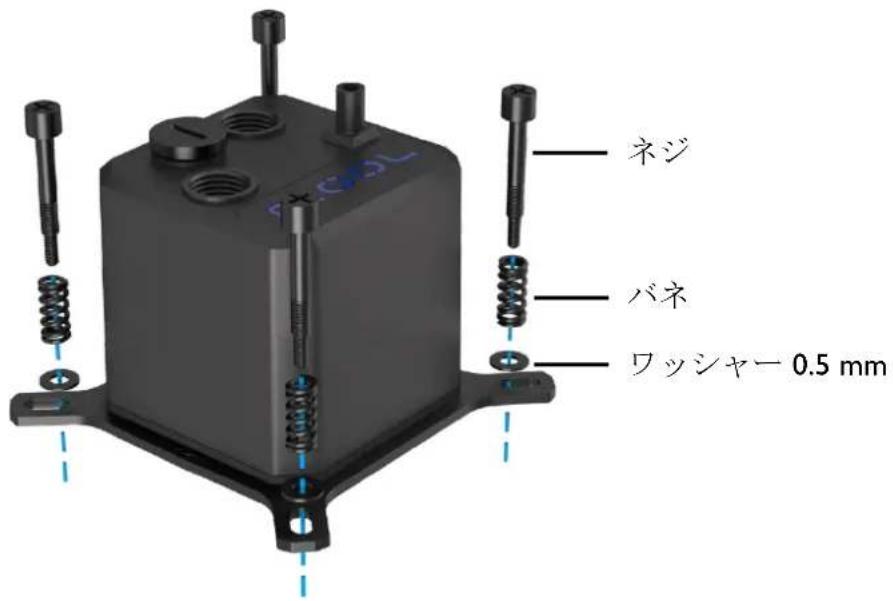
| 1x thermal grease | 4x springs | 4x 0.5 mm washers | ||
| AMD | ||||
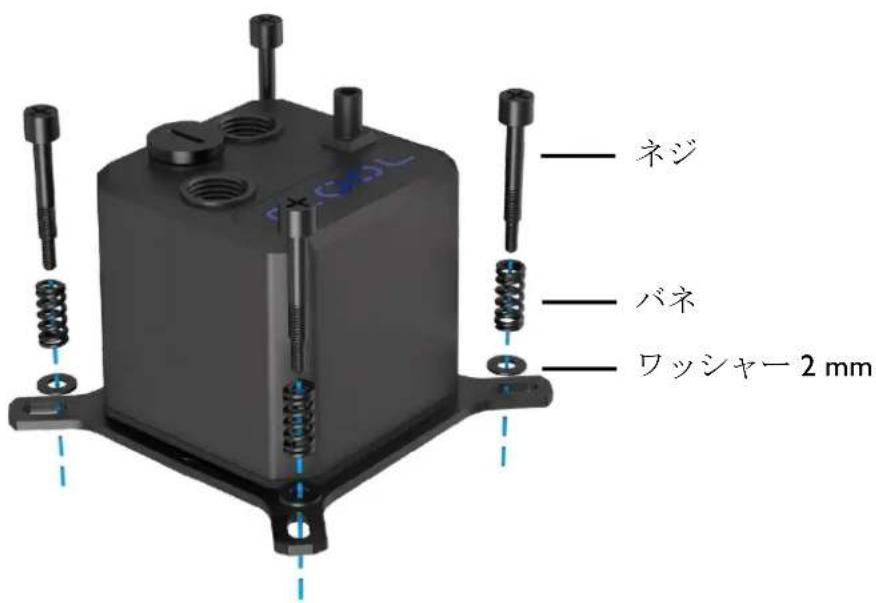
| 1x bracket set | 4x AMD screws | 4x 2.0 mm washers | ||
| INTEL | ||||
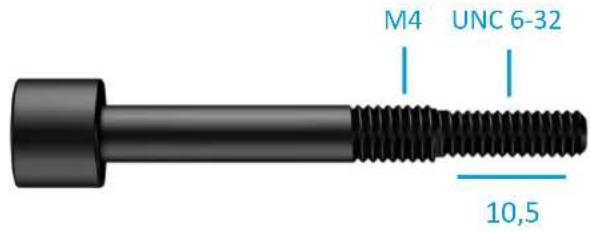
| 1x bracket set | 4x 1150 screws | 4x 2011 screws | 1x backplate | |
TECHNICAL DETAILS
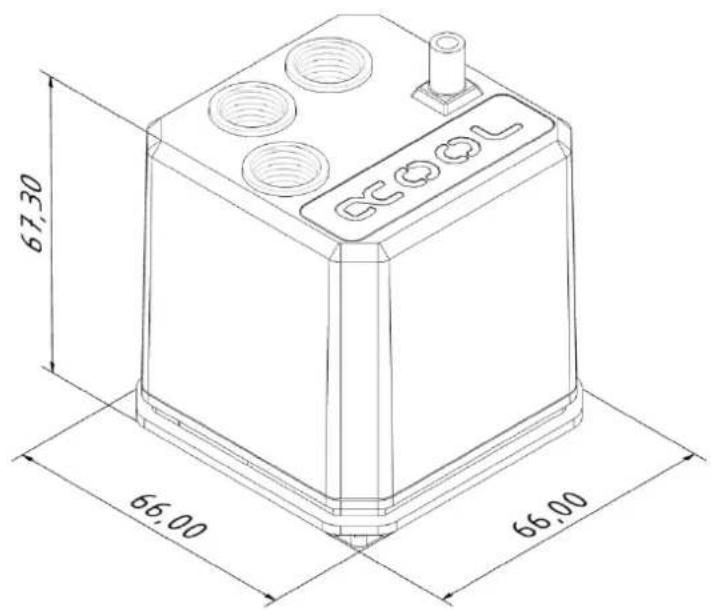
COOLER Eisbaer
AMD:AM5/AM4/AM3+/AM3
INTEL: 2011/2011-3/2066/1156/1155/1151/
1150/1200/1700
Mounting kits for TR4 (Art. No.: 12875) & 2011-3 Narrow ILM (Art. No.: 12531) are available separately.
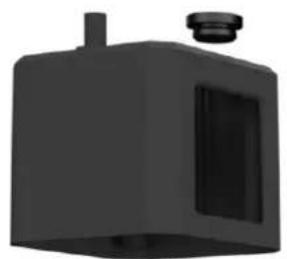

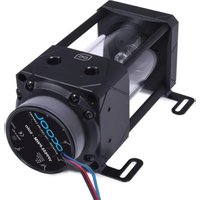
PUMP DC-LT 2
Power consumption: 4 W
Voltage: 12 V DC
Maximum flow rate: 75~l/h
Maximum head: 0,95 m
Power connector: 3-Pin

RADIATORS NexXxos Series
Material: Copper
Model variants:XT45120
dimension: 160mm× 124mm× 45mm
ST30140
dimension: 178mm× 144mm× 30mm
ST30240
dimension: 278mm× 124mm× 30mm
ST30280
dimension: 316mm× 144mm× 30mm
ST30 360
dimension: 397mm× 124mm× 30mm
ST30 420
dimension: 459mm× 144mm× 30mm
QUICK COUPLING Compatibility: 11/8 mm tubes
Material: Nylon
MOUNTING THE RADIATOR

PUSHING FANS
SUCKING FANS
PREPARATION CPU
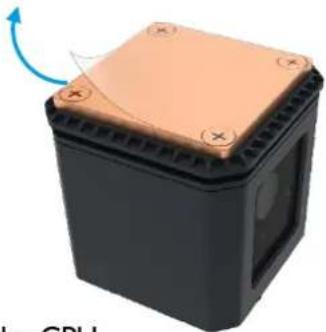
- Remove the protective film from the cooling plate.
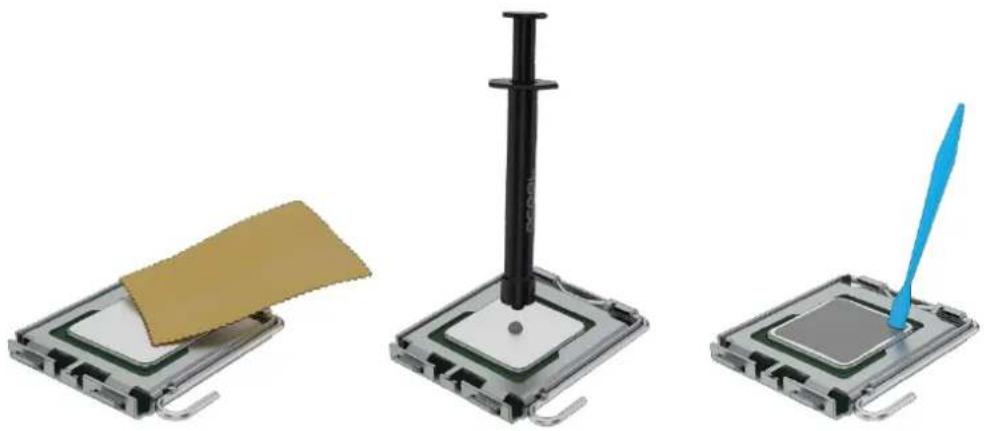
- Remove any remaining thermal paste from the CPU.
- Apply a pea-sized blob of thermal paste to the center of the CPU.
- Spread the paste using a spatula, or similar to an even, thin layer ( < 0.5 ~mm layer thickness).
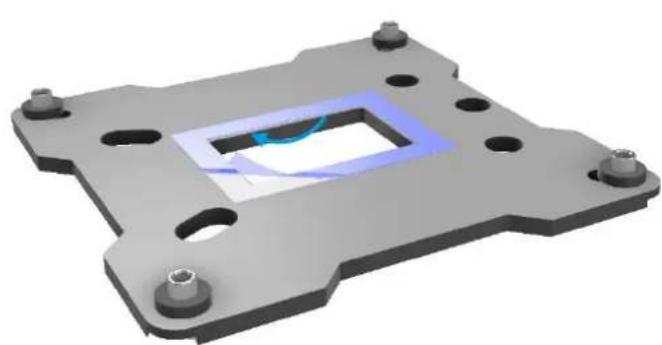
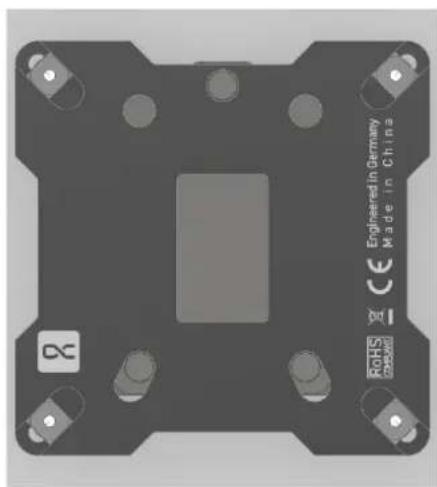
- Remove the protective film from the adhesive strips of the included backplate. Please note the correct alignment of the backplate:
CPU COOLER ASSEMBLY
INTEL I156 / I155 / I151 / I150 / I200 / I700
- Select the appropriate bracket and screws.
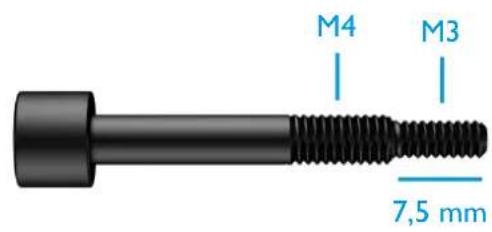
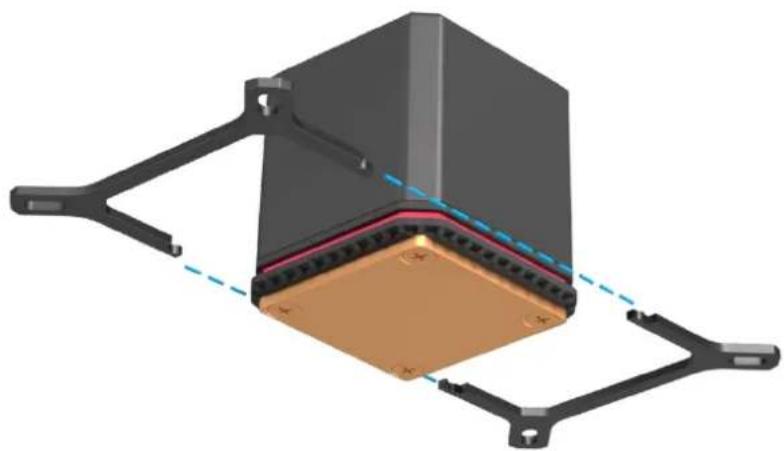
- Plug the bracket together as shown.
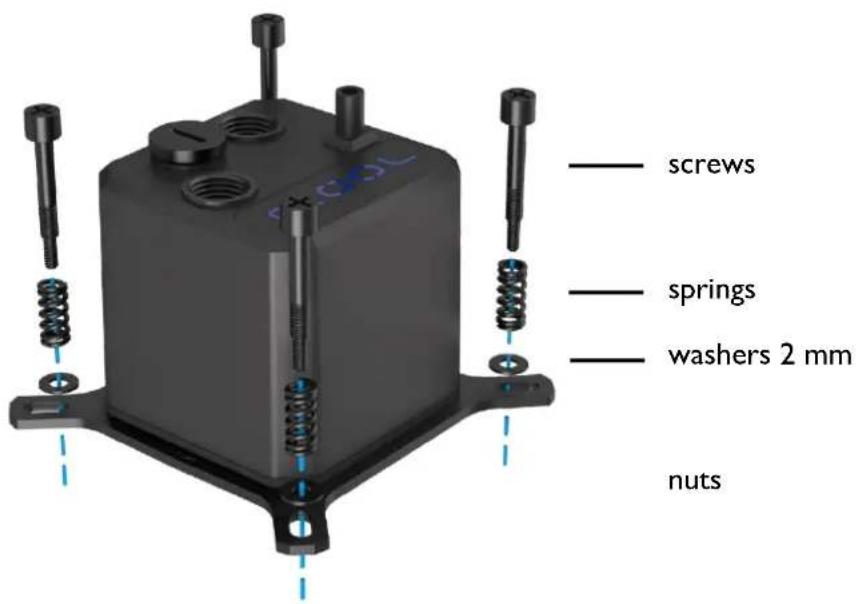
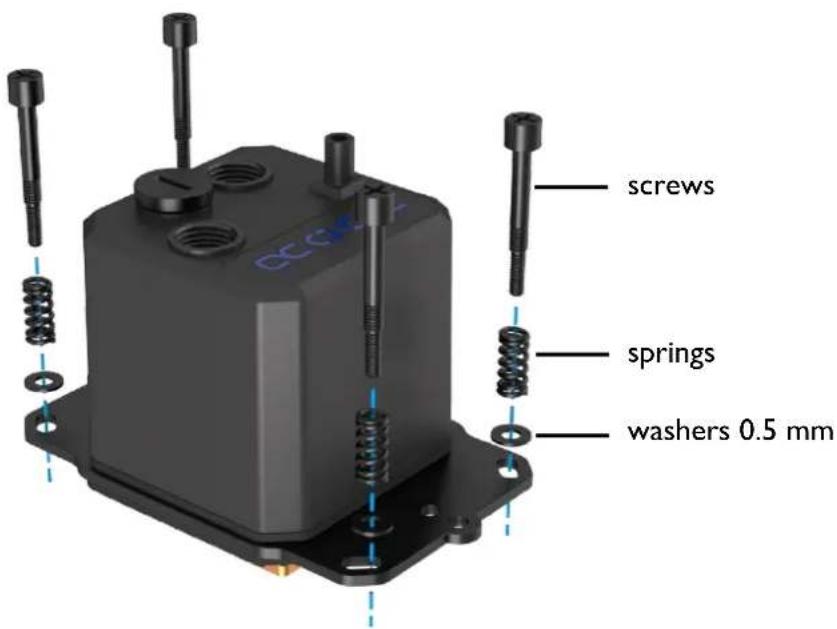
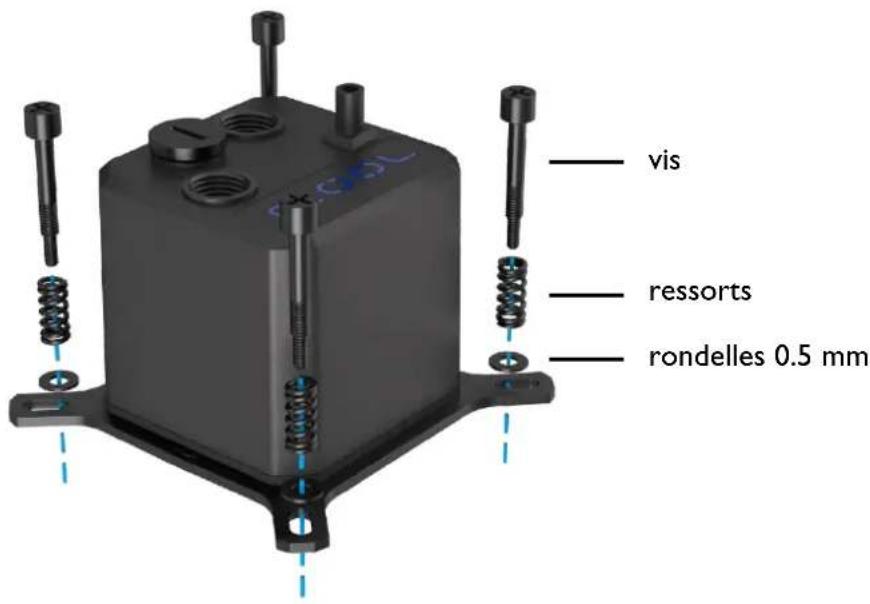
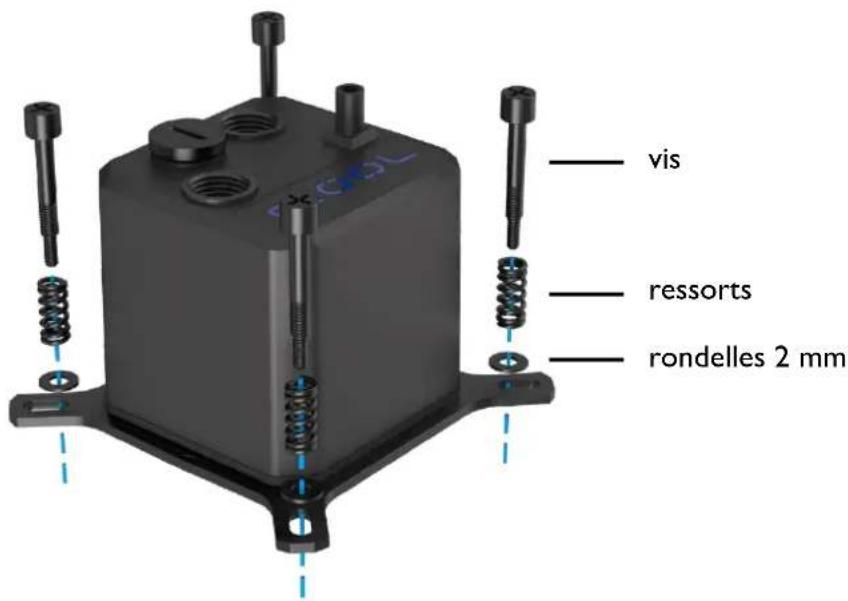
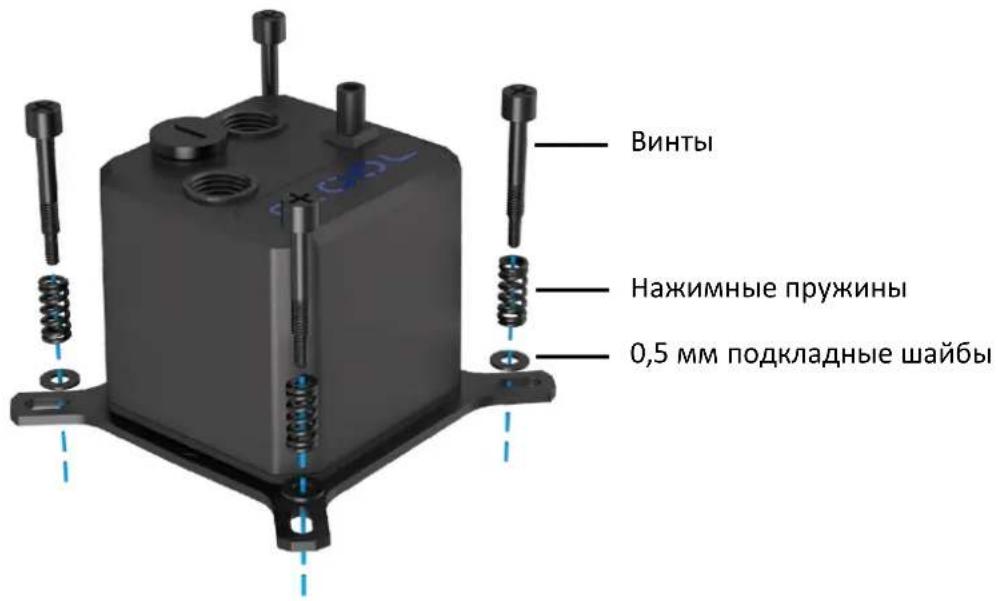
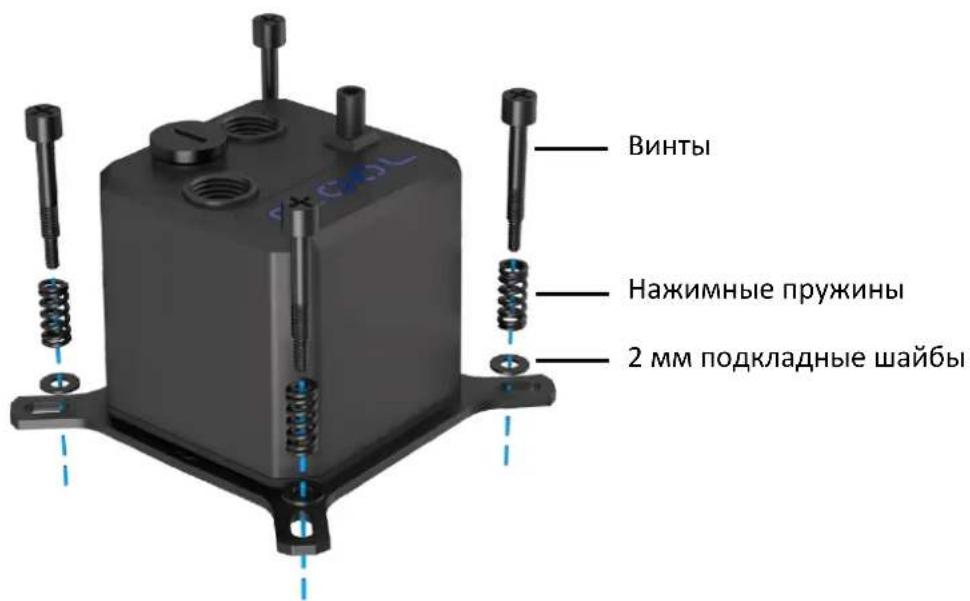
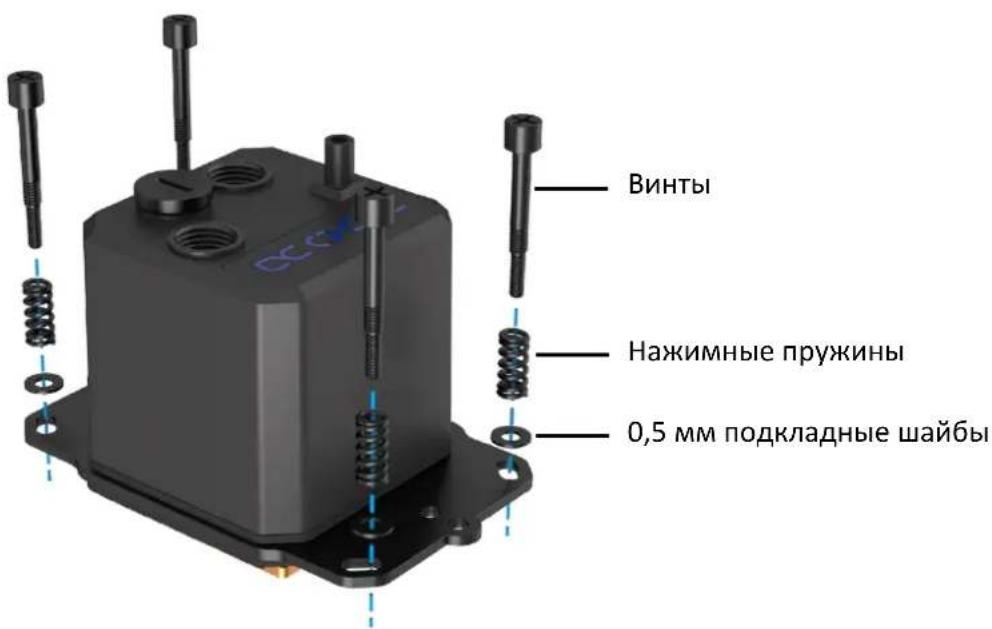
- Slide the compression springs and washers onto the screws and fix them to the bracket.
- Remove any remaining thermal paste from the CPU.
1156/1155/1151/1150/1200
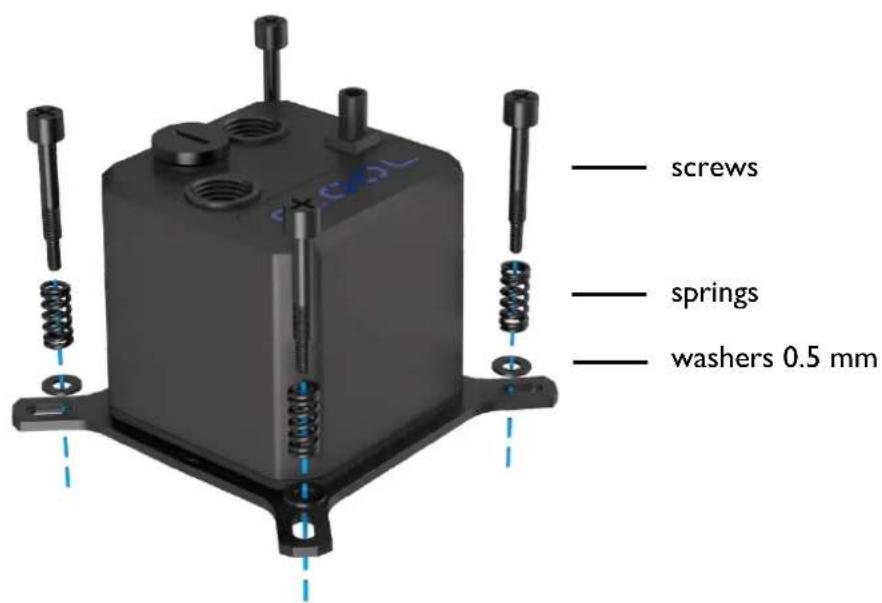
1700
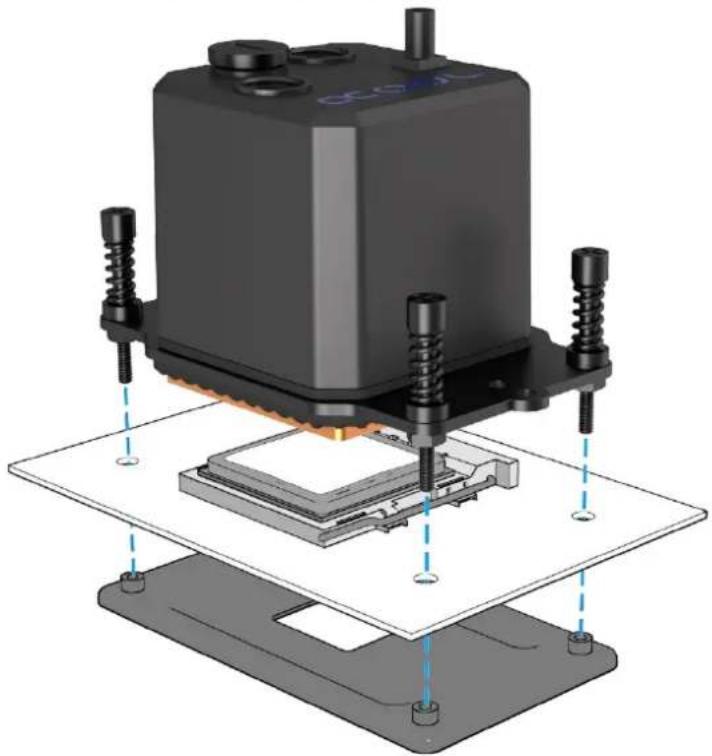
- Attach the cooler to the socket using the backplate. Tighten the screws crosswise, hand-tight.
- Make sure that the window is facing upwards (or that the Alphacool logo can be read from the front). This design ensures that the pump does not run dry.
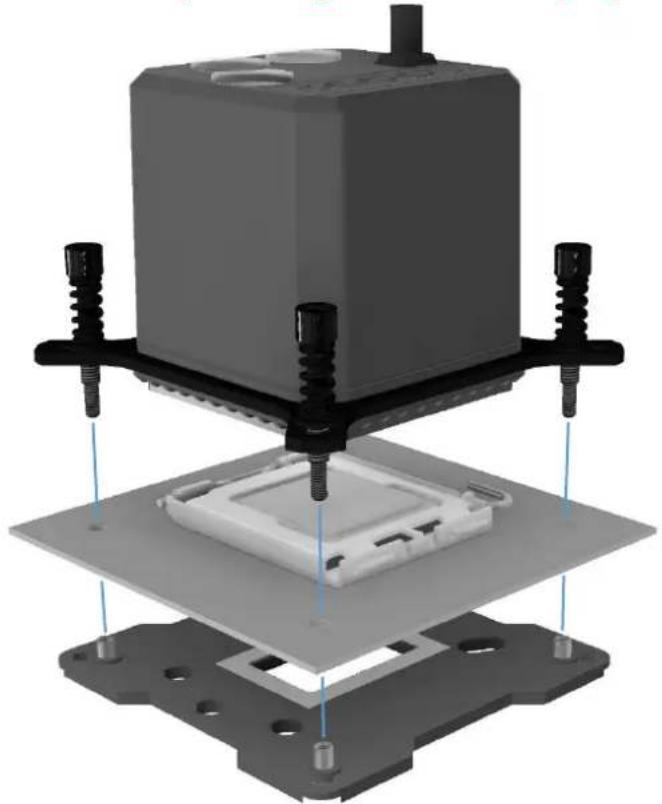
Do not use tools.
Tighten only by hand!!
INTEL 2011/2011-3/2066
- Select the appropriate bracket and screws.
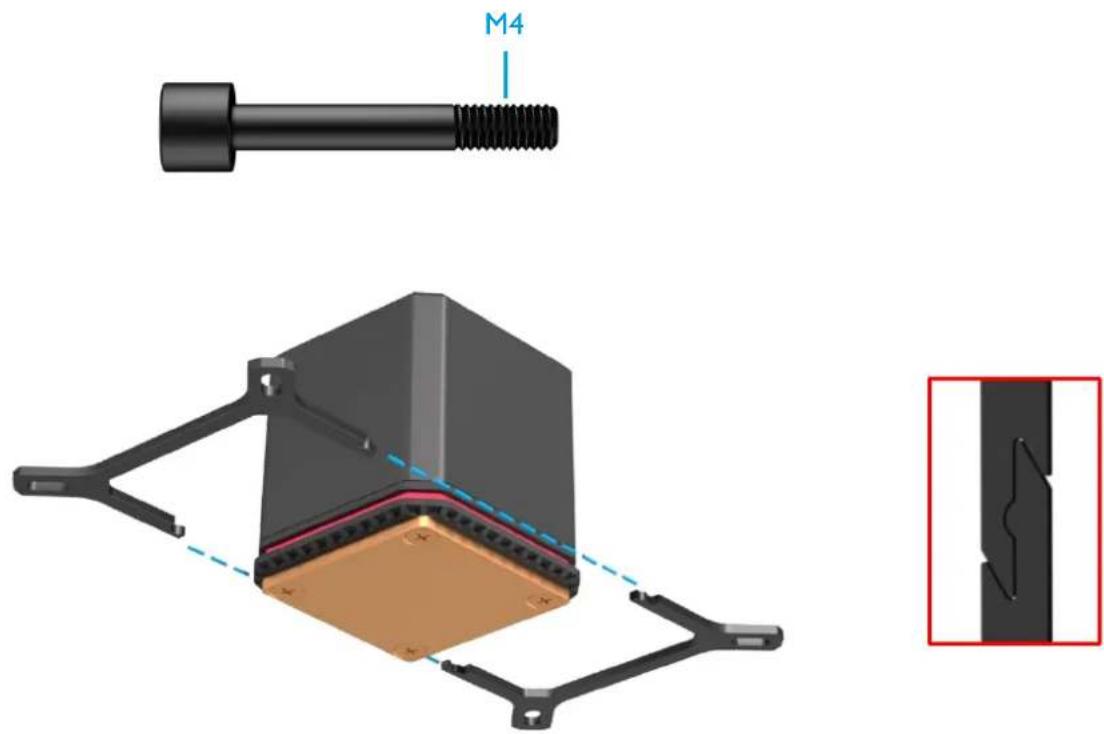
- Plug the bracket together as shown.
- Slide the compression springs and washers onto the screws and fix them to the bracket.
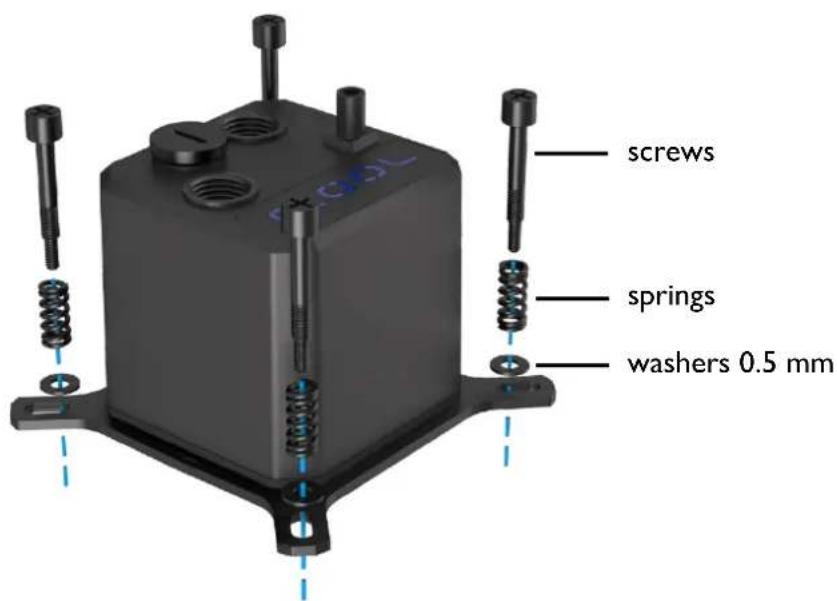
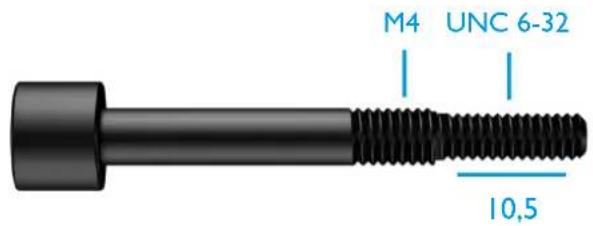
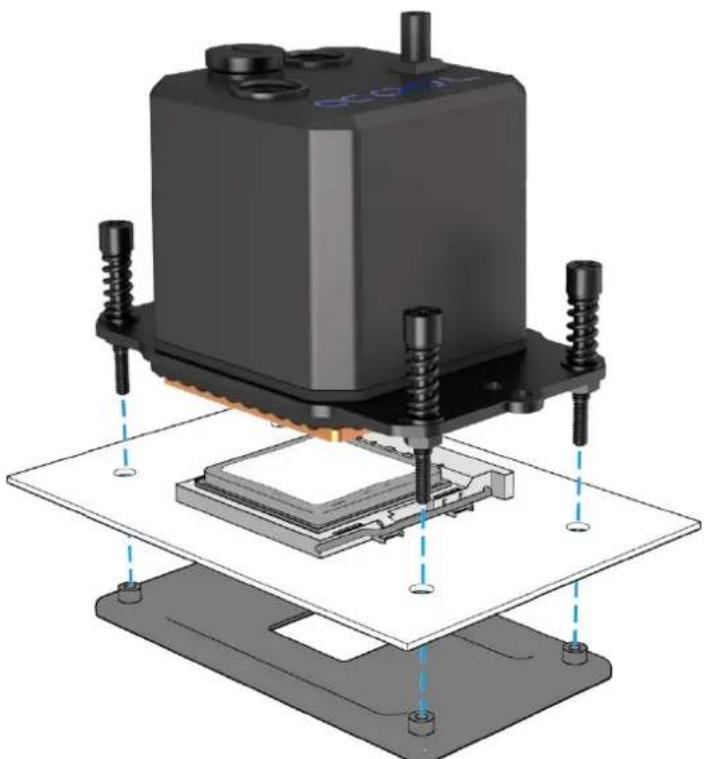
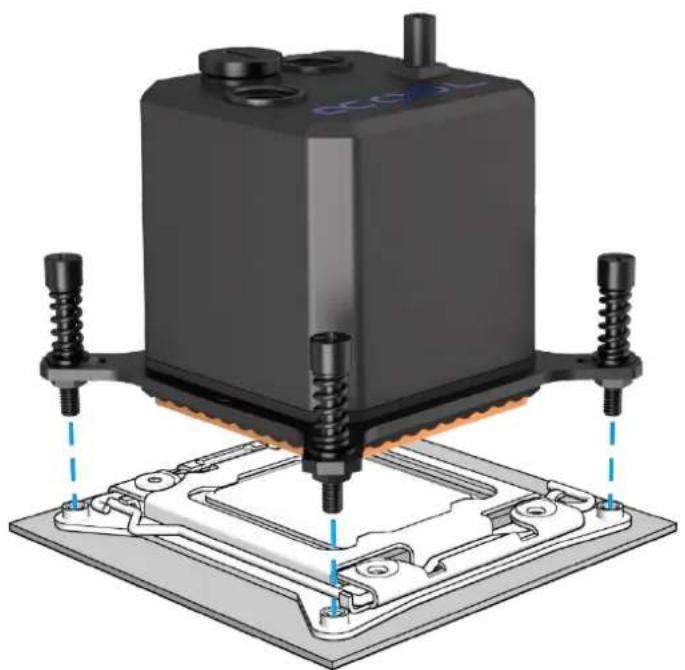
- Attach the cooler to the socket as shown. Tighten the screws crosswise, hand-tight.
- Make sure that the window is facing upwards (or that the Alphacool logo can be read from the front). This design ensures that the pump does not run dry.
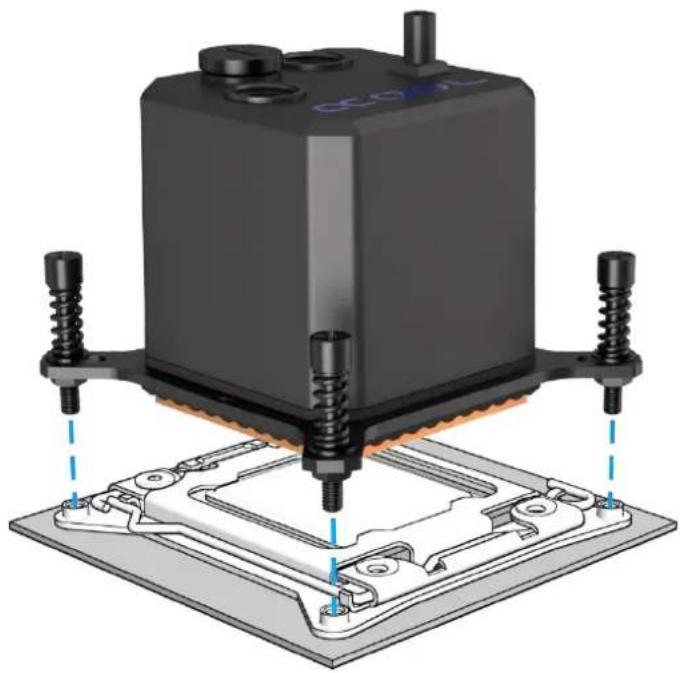
Do not use tools. Tighten only by hand!!
Note: Some 2011/- 3 Socket motherboards have continuous threaded mounting holes in the base. In this case, do not tighten the screws more than 4mm .
AMD AM3+ / AM3
- Select the appropriate bracket and screws.
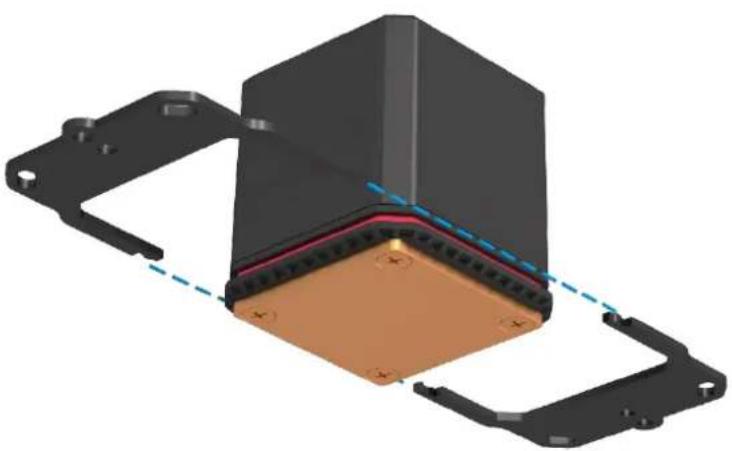
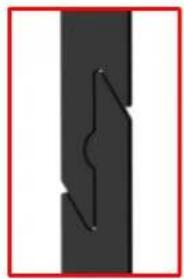
- Plug the bracket together as shown.
- Slide the compression springs and washers onto the screws and fix them to the bracket.
For the mounting on the socket you need the original backplate of the mainboard.
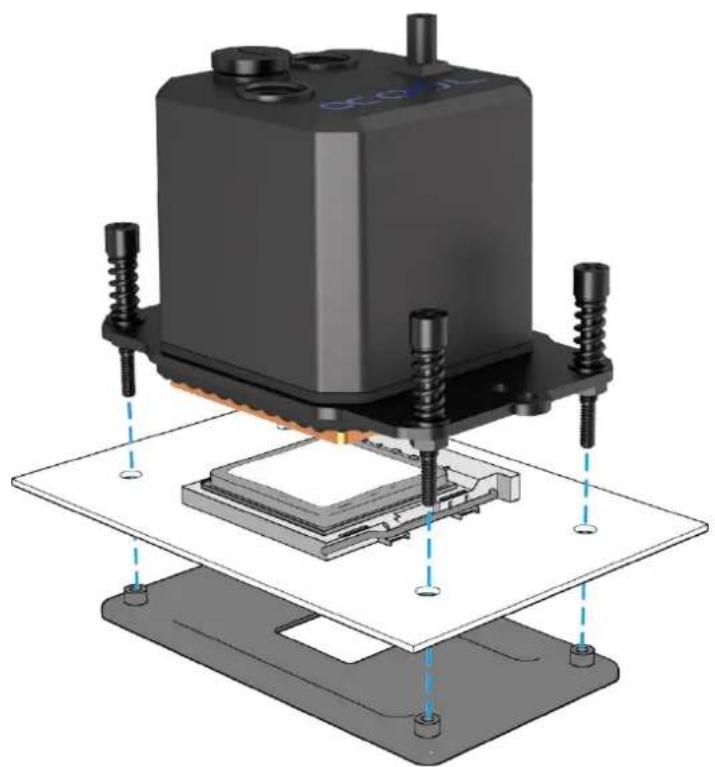
- Attach the cooler to the socket as shown. Tighten the screws crosswise hand-tight.
- Make sure that the window is facing upwards (or that the Alphacool logo can be read from the front). This design ensures that the pump does not run dry.
Do not use tools.
Tighten only by hand!!
AMD AM4 / AM5
- Select the appropriate bracket and screws.
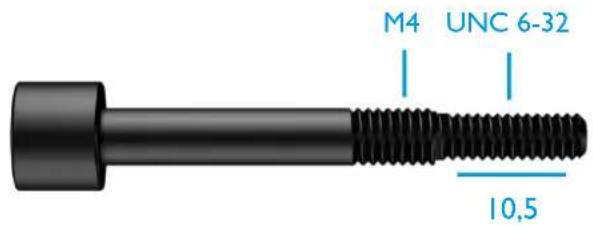
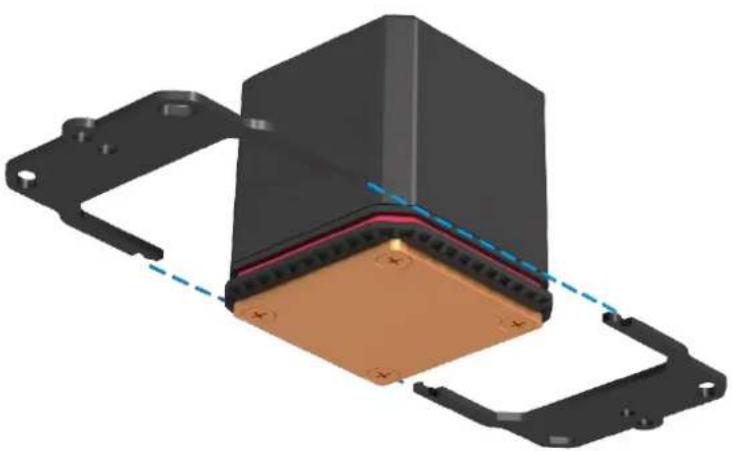

- Plug the bracket together as shown.
- Slide the compression springs and two different washers onto the screws and fix them to the bracket.
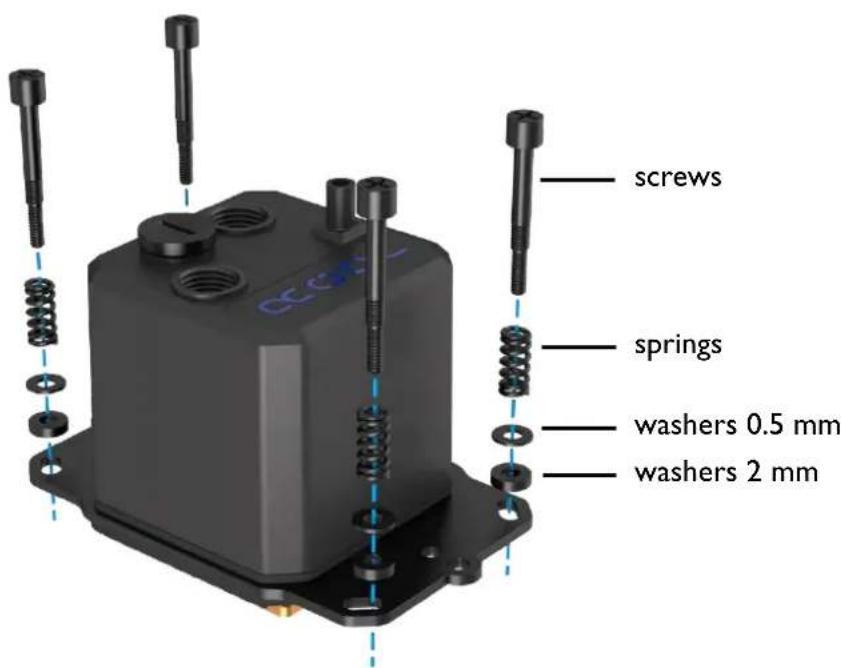
- For the mounting on the socket you need the original backplate of the mainboard.
- Attach the cooler to the socket as shown. Tighten the screws crosswise hand-tight.
- Make sure that the window is facing upwards (or that the Alphacool logo can be read from the front). This design ensures that the pump does not run dry.
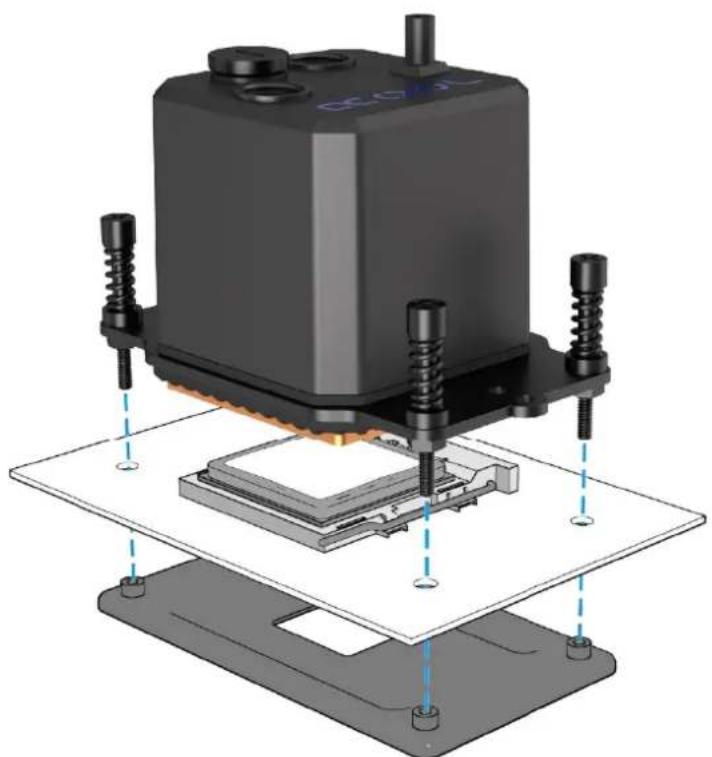

Do not use tools.
Tighten only by hand!!
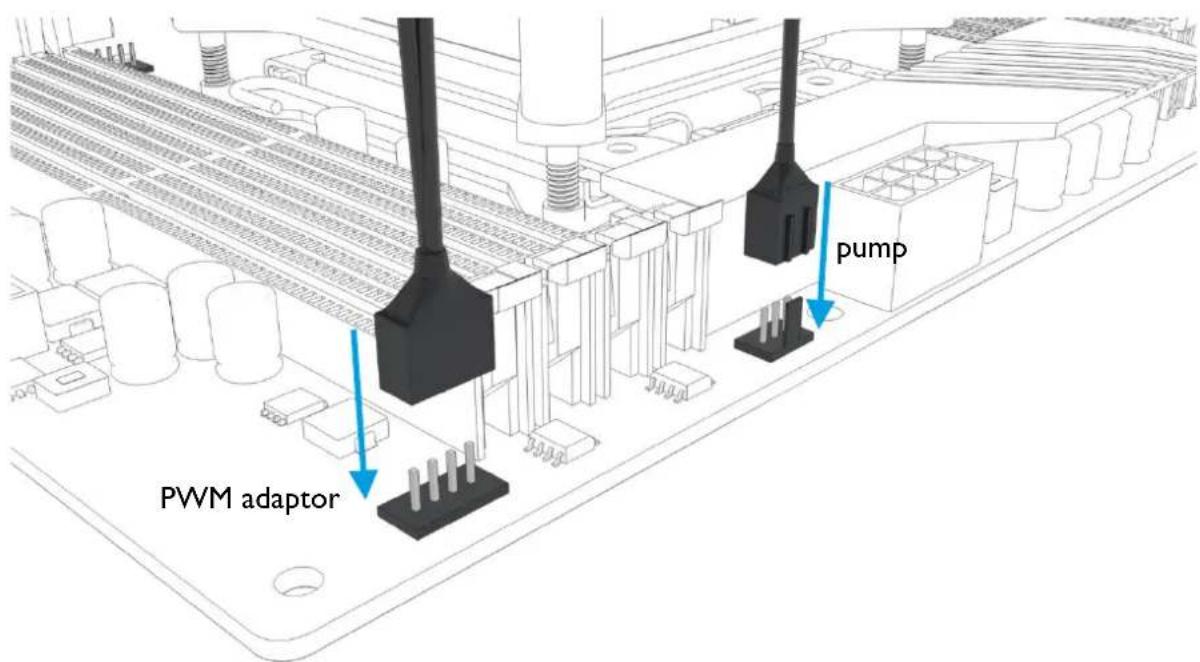
- Connect the fan cables with the included PWM adapter.
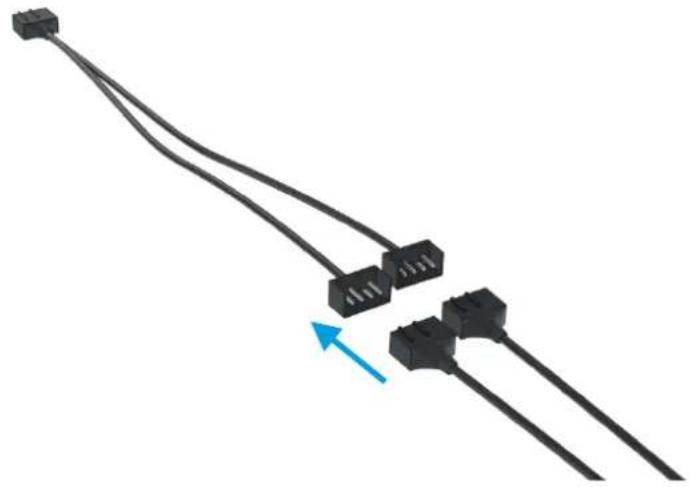
- Connect the PWM adapter and the 3-pin connector of the pump to your mainboard.
INITIAL START-UP
If your Eisbaer AiO is unusually loud during initial operation, tipping the entire PC case back and forth a little can help. The higher volume level of the pump occurs due to air bubbles in the closed system. These bubbles form during transport or due to movement during installation.
Double-check that the radiator is mounted above the water block. This setup helps de- aerate the system. After around 12 hours of operation any air in the system should be eliminated and the pump should run quietly as usual.
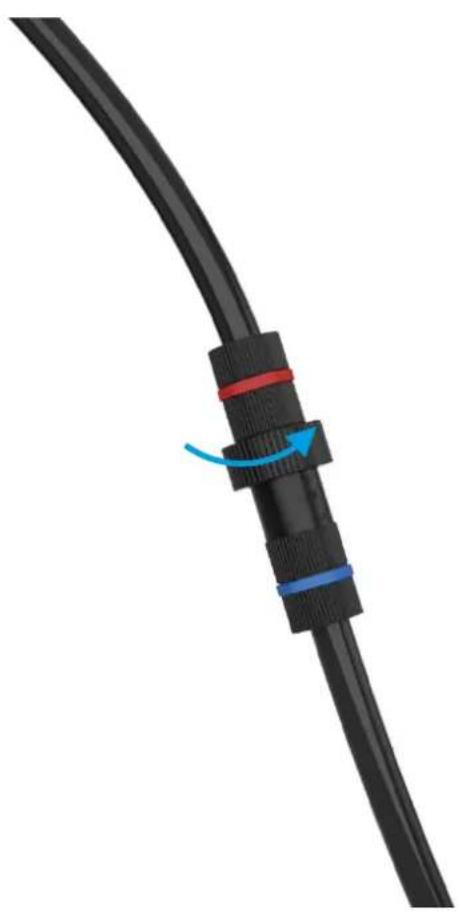
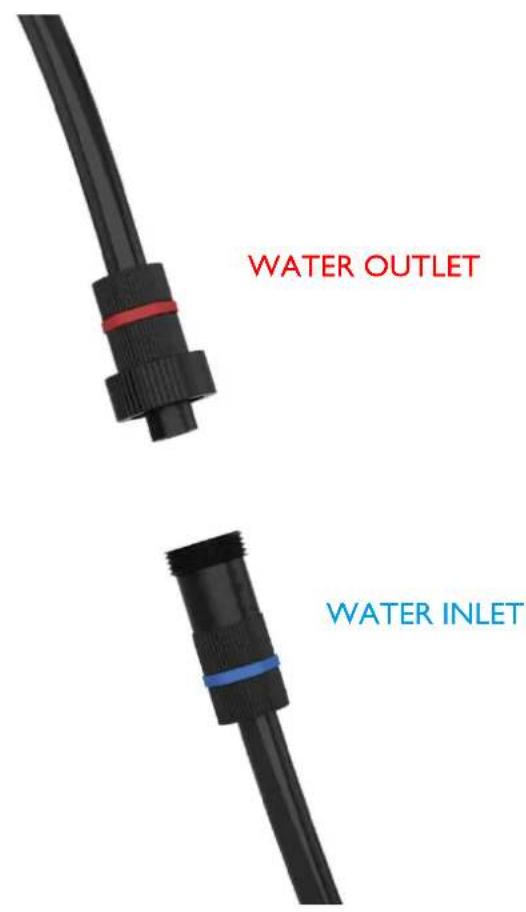
USING QUICK RELEASE CONNECTORS
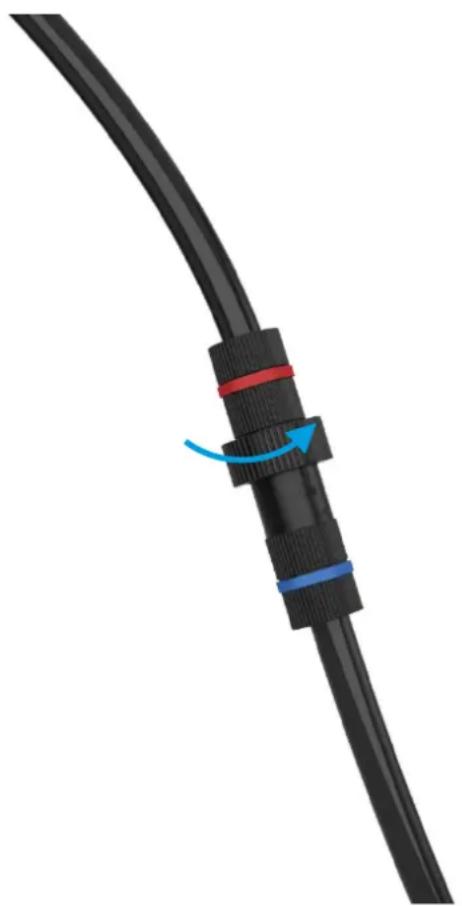
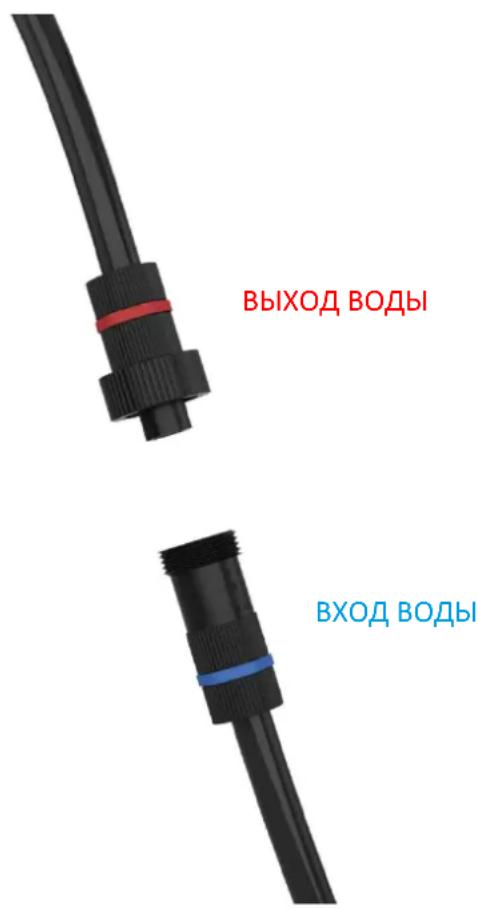
The pre-installed quick-release fastener offers the possibility of expanding the Eisbaer loop quickly and easily. The connector is compatible with many other products from our range. Attention: 2 - 3 drops of water can escape when unscrewing the quick release mechanism – This is normal.
FILLING UP COOLANT
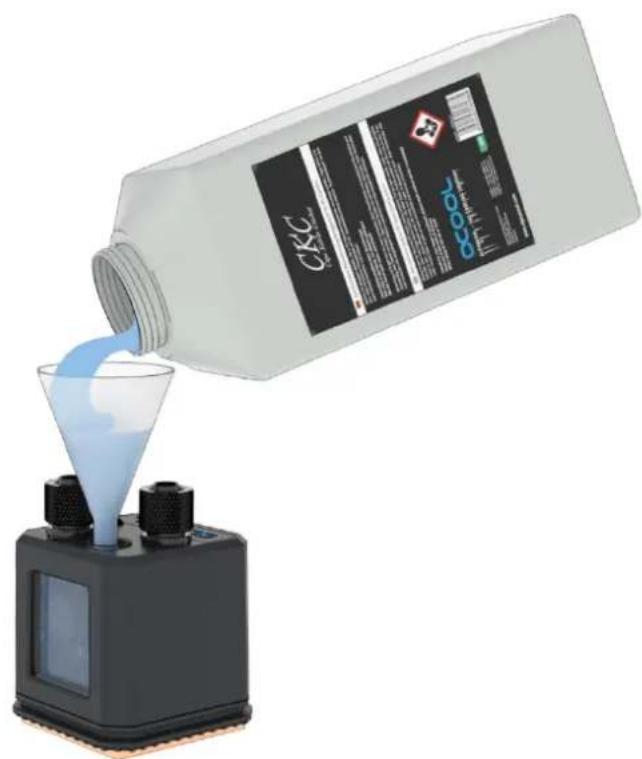
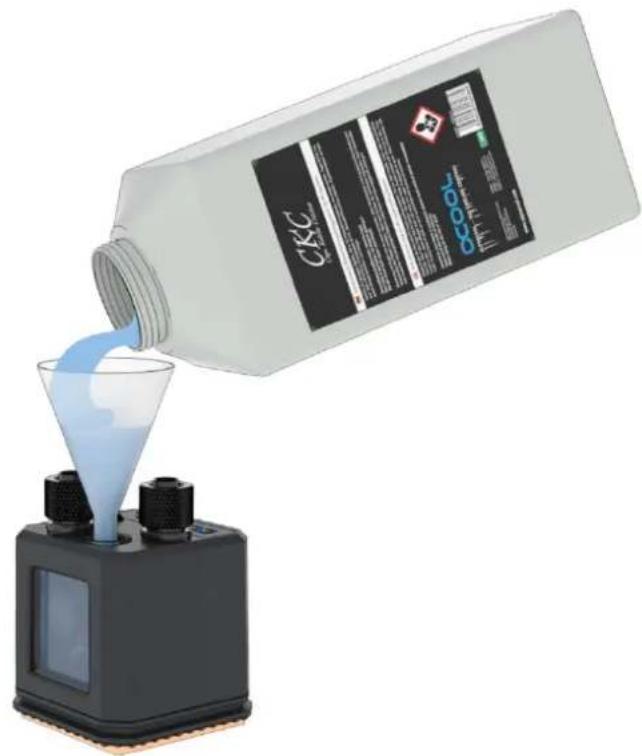
The Eisbaer All-in-One is prefilled and normally it is not necessary to top up the coolant. If you want to expand your circuit, e.g. with a GPX Eiswolf graphics card cooler, it is advisable to check the water level. If the pump is running unsusually loud, liquid should be topped up urgently. We only recommend clear coolants from our own production (CKC or Eiswasser Crystal - no UV!) or pure distilled or osmosis filtered water.
A fillport on the cooler is provided for filling. We recommend using a funnel or a filling bottle:
FRANÇAIS
INSTRUCTIONS DE SECURITE

LIZEZ LES INSTRUCTIONS DE SECURITE AVANT DE COMMENCER L'INSTALLATION.

1156/1155/1151/1150/1200
1700
1156/1155/1151/1150/1200
1700
3akpenTe oxlaIteIb c nOmoIbIO npNlaeMoI pIaCTnHbI Ha COkeTe. 3aTraBaIte BnHTbl KpeCT-HaKpeCT OT pyKn.
- Y6eHntecb, yTO OKHO o6paueHo BBepx (nINyTO lorotn Alphacool BInen cnepei). TakaJ KOHCTpyKunra paANTpyet, yTO HAcOC He 6yDet pa6oTaTb BCxyU.
He nCnoJb3yIte HNCTpyMeHtbl. Tolbko pykamn 3aTAHNTe!
INTEL 2011/2011-3/2066
- BbI6epnte noXoJusn Ha6Op + BNHTbl.
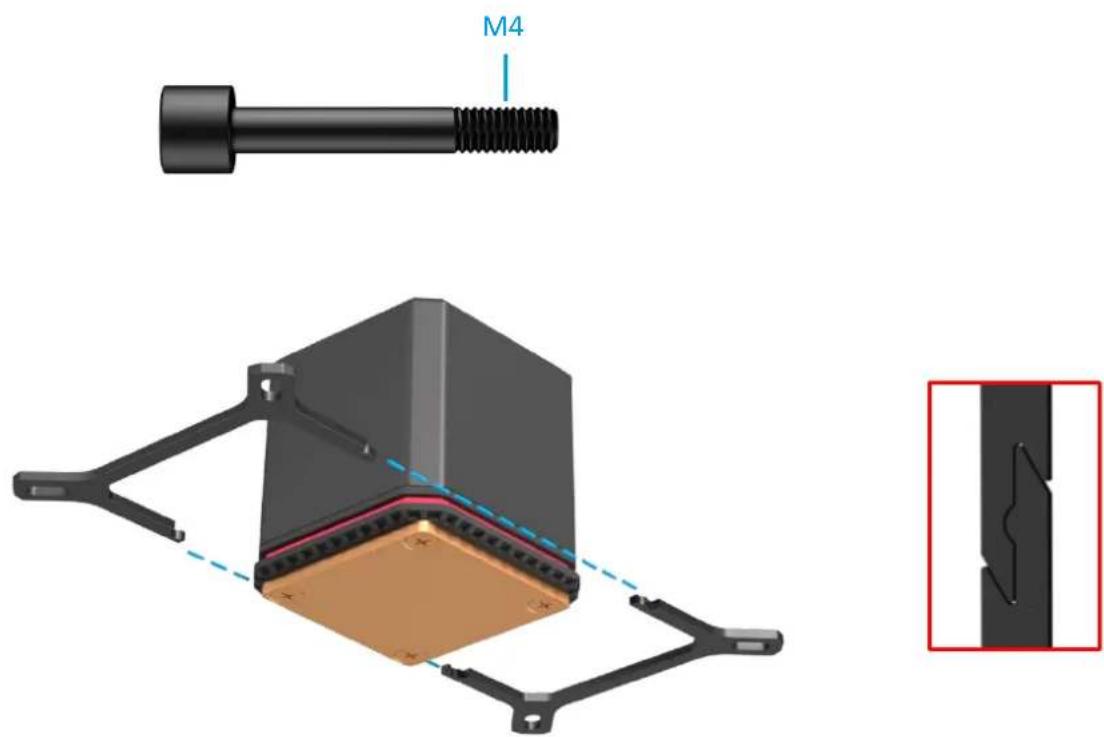
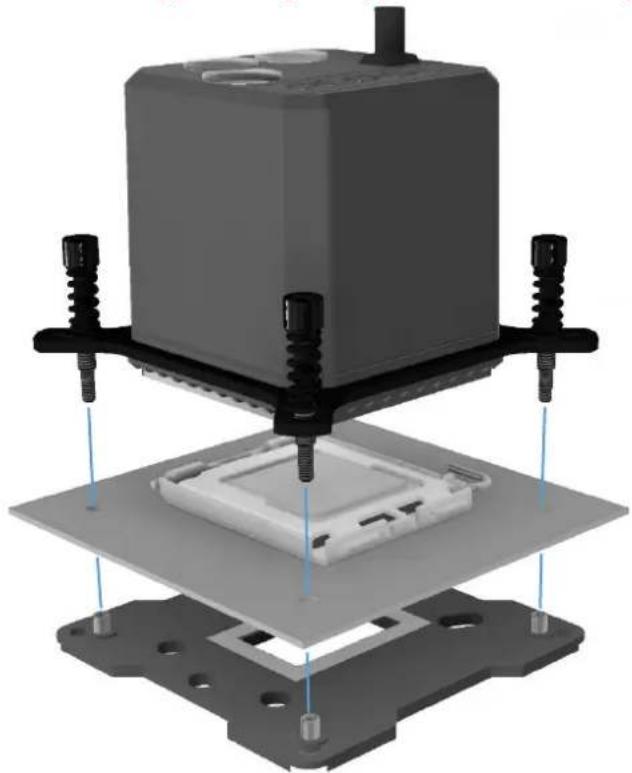
CLOXHTeHa6Op,KaK NOKa3aHo Ha pncyHKe.
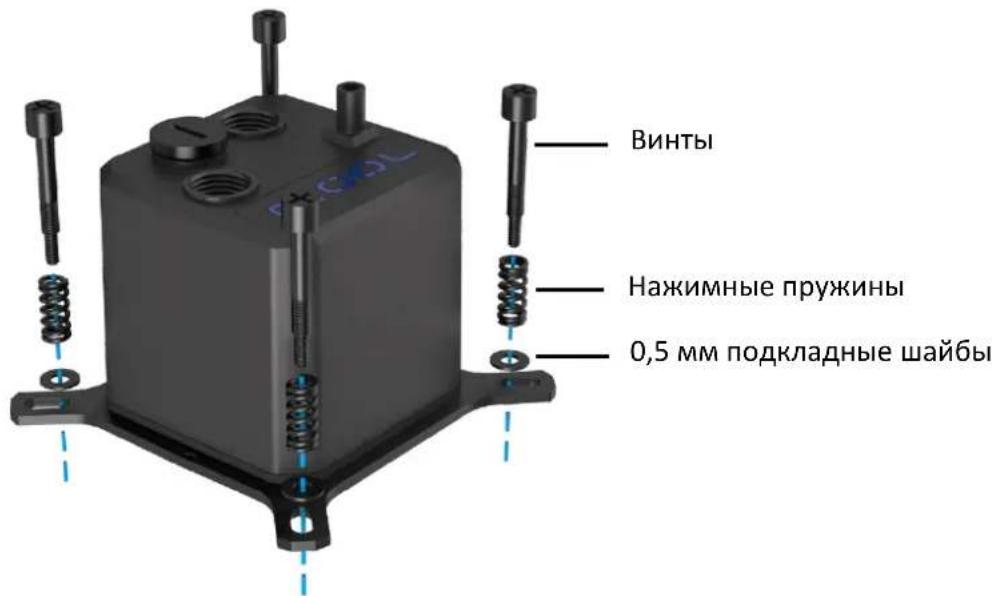
- HanaheTpnyKnHbCkataHa 1wa6bHa BnHTbN 3aKpenTeHX Ha KpoHtTeHe.
3akpennte oxnaDntelb Ha cokete. 3aTnBaTe BnHtI KpeCT-HakpeCT OT pyKn.
- Y6eIntecb, yTO OKHO o6paueHo BBepx (nHn yTo Iorotn Alphacool BndeH cnepei). TakaJ KOHCTpyKuIN rapaHTnpyET, yTO HAcOC He 6yDet pa6oTaTb BCxyU.
He nCnoJb3yIte HnCTpyMeHtbl. ToIbko pykamn 3aTAHnTe!
Оьразе вимане: HeKOTOpbIe MaTePNHcKHe ПlaTbI COKeTbI 2011/- 3 He IMeIOT MOHTaXHbIX OTBepCTn B O6laCTn COKeTa. B aTOM clyuae He 3aTЯrNbaIte BInTbI 6OJIee Yem Ha 4 MM.
AMD AM3+ / AM3
- BbIbepnte noJxoJaun Ha6op + BNHTbl.
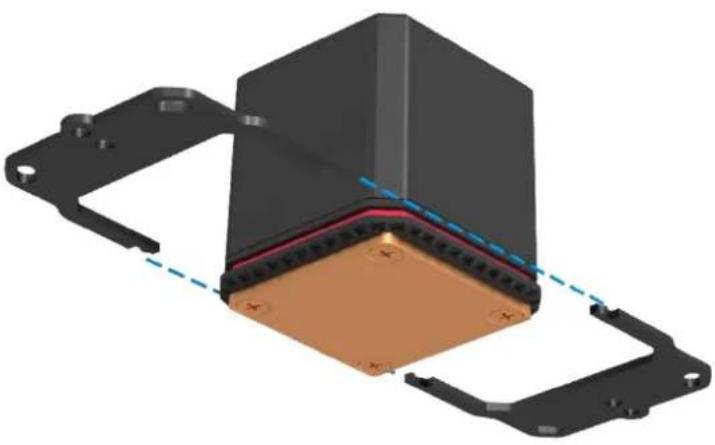
- CLOKHTe Ha6op, KaK NOKa3aHo Ha pncyHke.
- Hanahe npyknHb CkataH naa6bl Ha BnHTb n 3akpennte nx Ha KpoHtTeHne.
-Дя MOHTaKa Ha COkeTe Bam NOHaIObUcTc OpIrHaJIbHЯ ПlaCTHa MaTePnHcKoI PJIaTbl.
3aKpeNte OXlaNDteJb Ha COkeTe. 3aTgNBaIe BnHTbl KpeCT-HaKpeCT OT pyKN.
- Y6eHntecb, yTO OKHO o6paueHo BBepx (nIy uTo lorotun Alphacool BUnen cnepeDi). TaKaY KOHCTpyKUNI rapaHTnpVET, yTO HAcOC He 6vET pa6oTaB BCvXvO.
He nCnoIb3yIte HnHCTpyMeHTbl. TOnbKO pykAMN 3aTaNHTe!
AMD AM4 / AM5
- BbI6epnte noxOaun Ha6op + BuHTbl.
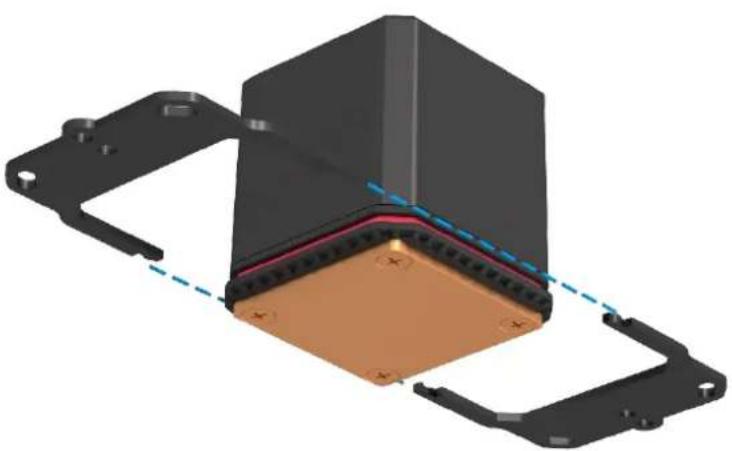
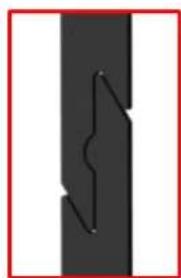
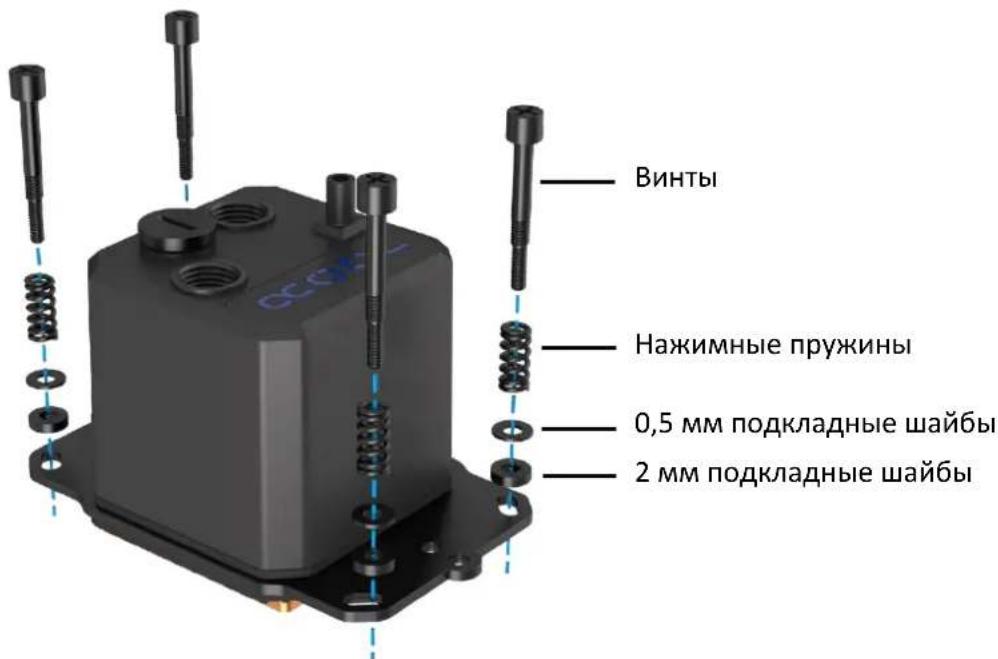
- CLOXnTe Ha6op, KaK nOKa3aHo Ha pncyHke.
HaedeHbTe npyKnHbI CxKatna I DBe pa3HbI Ha BnHTbI 3aKpeNte nx Ha KPOHSTeHe.
-Дя MOHTaKa Ha COkeTe Bam NOHaIooCTcOpINHaJIbHaNЯ ПlaCTnHa MaTePNHCKoI nlaTbl.
3aKpeNte OXlaNDteJb Ha COkeTe. 3aTgNBaTe BnHTbl KpeCT-HaKpeCT OT pyKN.
- Y6eHntecb, yTO OKHO o6paueHo BBepx (nIy TTO IorotIn Alphacool BnDeH cnepeDi). TaKaJ KOHCTpyKunra papaHTnpvET, yTO HAcOC He 6yDet pa6oTaB BCXYHO.
He nCnoIb3yIte HnCTpyMeNTbl. ToIbKO pykAMn 3aTaNHTe!
NODKJIIOUOTb NOMNY IN BEHTNIAITOPA
BbICTPOPA3bEMHAR CNUCTEMA
IpeBapntelbNo yctahOBLeHHbIe pa3bEmbl o6ecneuHbAET BO3MOxHocTb 6bICTporo I npocToR paacwnpeHnBeI oxlaJdeHnra. Pa3bE M deJaet erO COBmecTmblm Co MHOrIMN dpYrIMN npoDyKTamn n3 HaWeero accOpTmMeHTa.
BHHMaHHe: npn OTBnHcNbAHn pa3bEMa MoKeT BblTeKaTb 2-3 KaJIIN BOIbl.
DOJIHBATbXnIDKoCTb
Eisbaer All-in-One (Bc-0dHOM) npedBapntelbNo 3aOpHeH n npn CTAHApTHoN 3KcNlyatau nn DOJIbAusbT KNDKOCTb He Tpe6yeTc. Ecn Bbl XOTnTe pauchnPrtb CBOIO cnCTeMy, HApnpMep, c NOMOsbIO OxlaNTeR BnDEOKapTb GPX Eiswolf, pekomehdyetc npOBepntb ypoBeHb 3aOpHHeHry. Ecn Hacoc pa6oTaet Heo6bUaHno rPOMK, Heo6xOaMo KaK MInHMym B CpOHyOM nopAKe Do3AnpaBtB KNDKOCTb. Mbl pekomehdyem NCnOJb3OBAbT ToIbKO XNDKOCTb CO6CTBeHHoro pOn3BODcTBA (CKC nII Eiswasser Crystal, Ho 6e3 YΦ-KpacnteHa!) nll nuctyO dNCTnllnPoBaHHU O nll ocmotueckyo - fNltpoBaHHU O body.
Ha oxlaIteIe npEynCMOTpeH O TBepCTne Ira 3aONHeHn. Mbl peKOMeHnyem nCNoIb3OBAtB BOpOHky:
日本語
安全上的注意

取付开开始的前二、之安全上的注意为读

1156/1155/1151/1150/1200
1700
https://www.alphacool.com
General Manager: Fabian Noelte