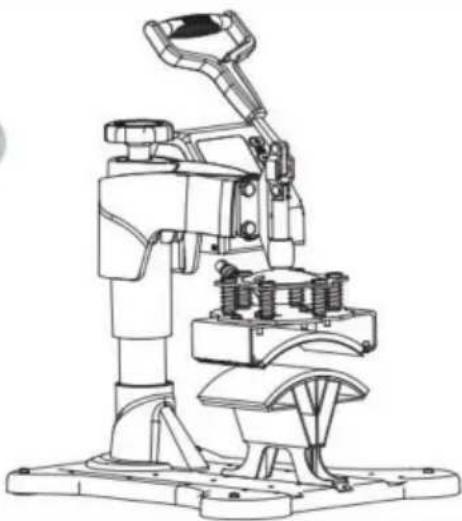
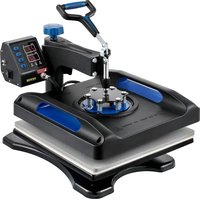
Vevor TL-FY8001 - Heat press

TL-FY8001 - Heat press Vevor - Free user manual and instructions

Find the device manual for free TL-FY8001 Vevor in PDF.
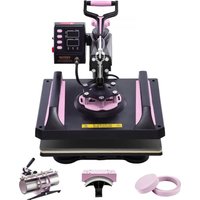
📄 224 pages English EN Download 💬 AI Question
Notice Vevor TL-FY8001 - page 3
Pick your language and provide your email: we'll send you a specifically translated version.

User questions about TL-FY8001 Vevor

0 question about this device. Answer the ones you know or ask your own.

Ask a new question about this device

The email remains private: it is only used to notify you if someone responds to your question.

No questions yet. Be the first to ask one.

Download the instructions for your Heat press in PDF format for free! Find your manual TL-FY8001 - Vevor and take your electronic device back in hand. On this page are published all the documents necessary for the use of your device. TL-FY8001 by Vevor.

USER MANUAL TL-FY8001 Vevor

Technical Support and E-Warranty Certificate www.vevor.com/support

HEAT PRESS MACHINE

We continue to be committed to provide you tools with competitive price. "Save Half", "Half Price" or any other similar expressions used by us only represer estimate of savings you might benefit from buying certain tools with us compared to top brands and does not necessarily mean to cover all categories of tools offered by are kindly reminded to verify carefully when you are placing an order with us if yo actually saving half in comparison with the top major brands.

VEVOR®

TOUGH TOOLS, HALF PRICE

HEAT PRESS MACHINE

MODEL:TL-FY8001
Vevor TL-FY8001 - VEVOR® - 1

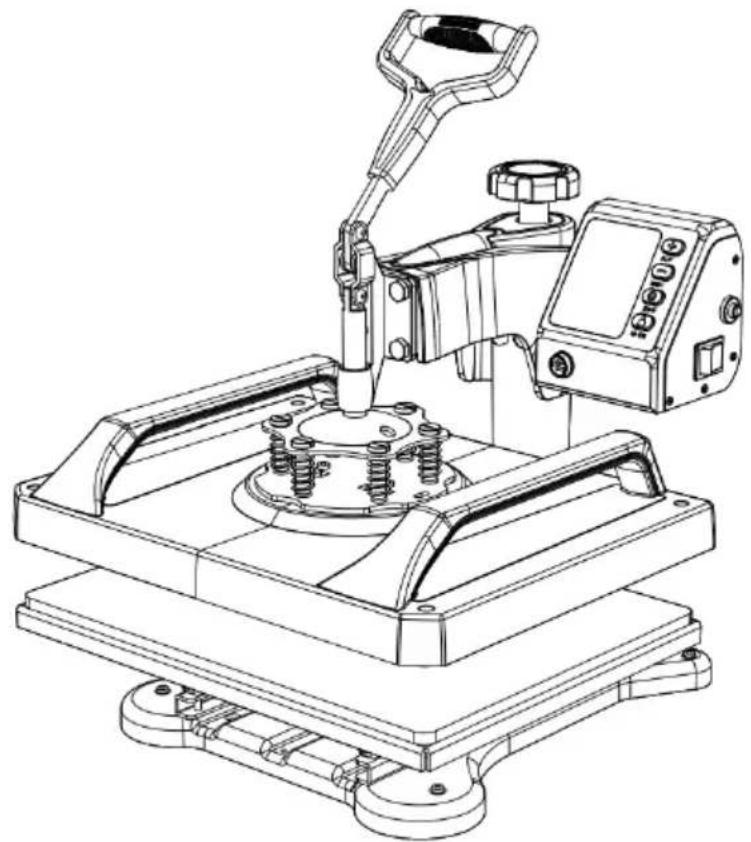
natural_image Technical line drawing of a mechanical device with no visible text or symbols

NEED HELP? CONTACT US!

Have product questions? Need technical support? Please feel free contact us:

Technical Support and E-Warranty Certificate www.vevor.com/support

This is the original instruction, please read all manual instructions carefully before operating. VEVOR reserves a clear interpretation of user manual. The appearance of the product shall be subject to the product you received. Please forgive us that we won't inform you there are any technology or software updates on our product.

SymbolSymbol Description
Vevor TL-FY8001 - NEED HELP? CONTACT US! - 1Warning: To reduce the risk of injury, the user must read the instructions manual carefully.
Vevor TL-FY8001 - NEED HELP? CONTACT US! - 2This symbol, placed before a safety comment, indicates a kind of precaution, warning, or danger. Ignoring this warning may lead to accident. To reduce the risk of injury, fire, or electrocution, please always follow the recommendations shown below.
Vevor TL-FY8001 - NEED HELP? CONTACT US! - 3CORRECT DISPOSAL: This product is subject to the provision of European Directive 2012/ 19/EC. The symbol showing a wheelie bin crossed through indicates that the product requires separate refuse collection in the European Union. This applies to the product and all accessories marked with this symbol. Products marked as such may not be discarded with normal domestic waste, but must be taken to a collection point for recycling electrical and electronic devices.

WARNING

  1. Warnings must be followed carefully to avoid body injury. Improper use may result in electric shock, fire, personal injury and other damage:

1) Keep unplug when moving the machine.

2) Keep unplug when installing accessories.

3) Place on a If at and stable platform and operate under ventilated conditions.

4) Wear special protective equipment when operating the machine.

5) Do not use this machine in a hazardous-location.

6) Do not use when the machine is not working properly.

7) Do not disassemble and repair this machine.

8) Do not use an unsuitable AC Outlet.

9) Do not touch the heating plate when the machine is heating

10) Do not use in humid environment or contact with water. Do not infiltrate liquid in the machine to prevent fire or electric shock caused by short circuit.

11) Do not use the power supply that does not meet the rated voltage. The power

supply that does not meet the specified voltage may cause fire or electric shock.

12) Ensure that the machine is grounded so as not to cause harm to body. 13) Do not touch the rotating rod or bearing part with y ur fingers during use in case of injuries.
14) If the machine is not in use for a long time, please unplug the power cord from the socket.
15) Do not use the machine during thunderstorms or lighting to avoid damage to the machine.
16) Place the machine smoothly on the flame-retardant table and keep away from flammable and explosive items.
17) Please stop using it if the machine smokes, emits a peculiar smell, or becomes noisy and other abnormal conditions.
18) This appliance can be used by children aged from 8 years and above and persons with reduced physical, sensory or mental capabilities or lack of experience and knowledge

if they have been given supervision or instruction concerning use of the appliance in a safe way and understand the hazards involved. Children shall not play with the appliance. Cleaning and user maintenance shall not be made by children without supervision

19) Type X attachment: If the supply cord is damaged, it must be replaced by a special cord or assembly available from the manufacturer or its service agent.
20) In order to avoid a hazard due to inadvertent resetting of the thermal cutout, this appliance must not be supplied through an external switching device, such as a timer, or connected to a circuit that is regularly switched on and off by the utility.

Vevor TL-FY8001 - WARNING - 1
Warning

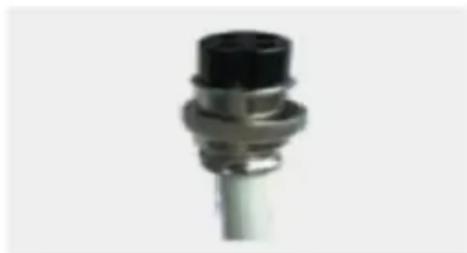
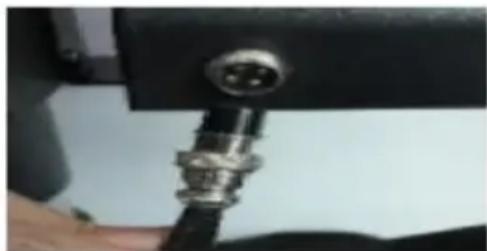
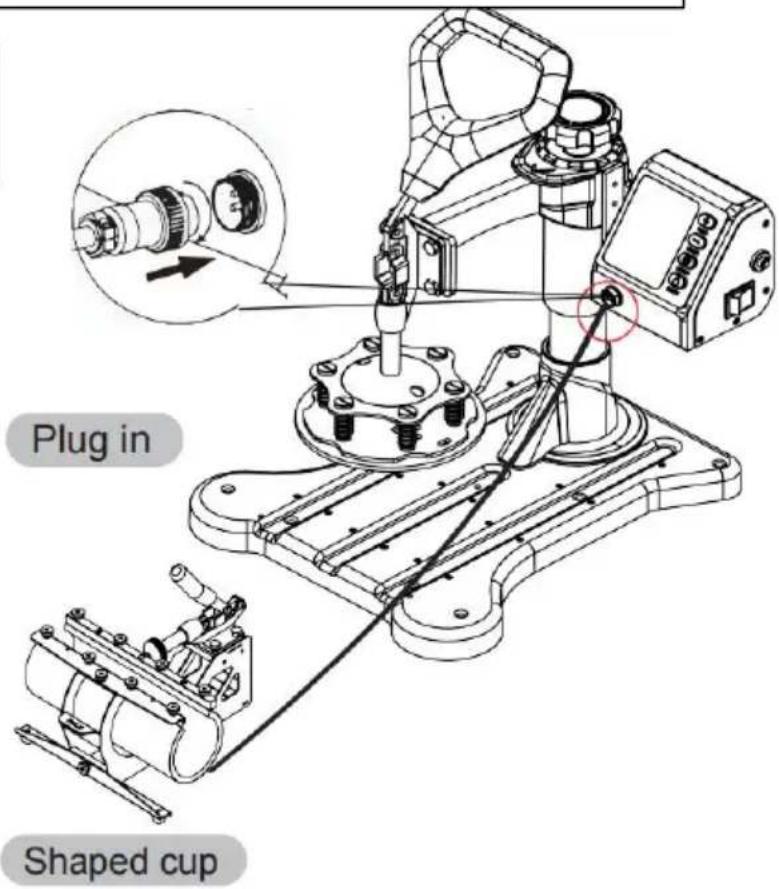
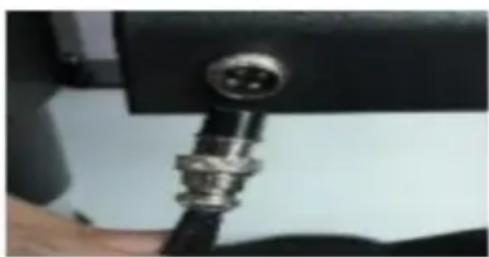
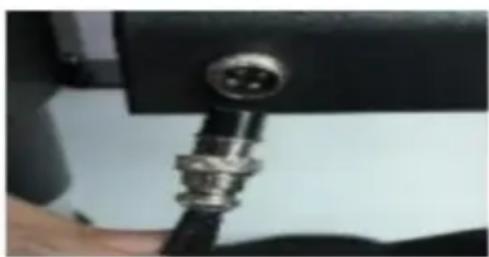
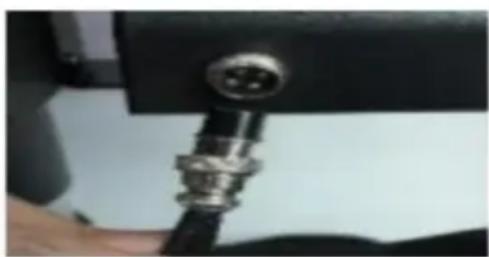
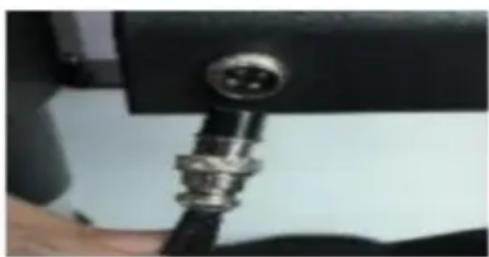
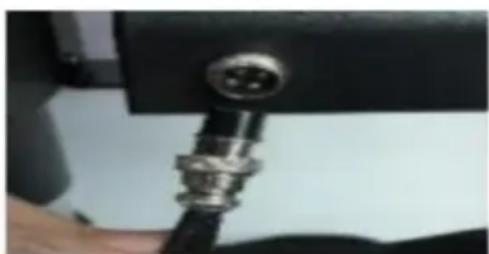
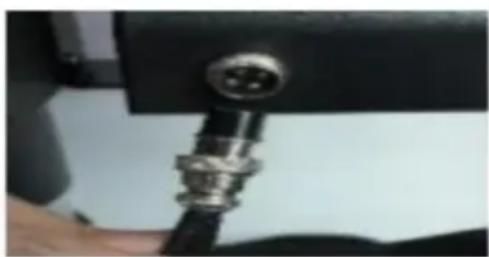
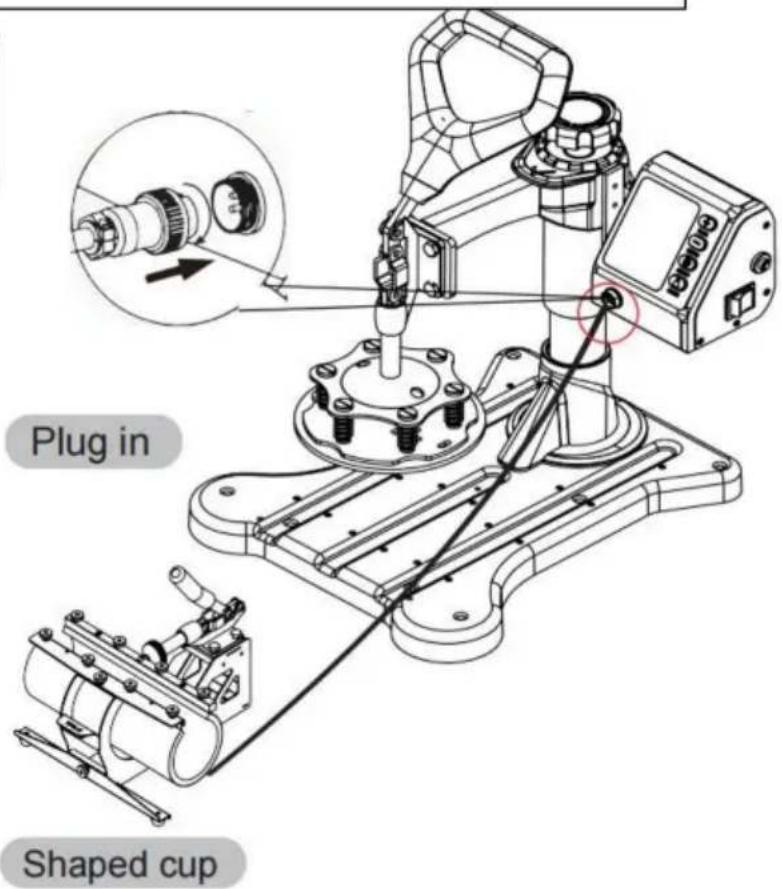
Please turn off the power when plug or unplug the connector.

Vevor TL-FY8001 - WARNING - 2

natural_image Close-up of a metallic connector with black cap and flange (no text or symbols visible)

Vevor TL-FY8001 - WARNING - 3

natural_image Close-up of a metallic connector with a circular port, mounted on a black mechanical base (no visible text or symbols)

FCC INFORMATION

CAU TI ON : Changes or modifications not expressly approved by the party responsible for compliance could void the user's authority to operate the equipment!

This device complies with Part 15 of the FCC Rules. Operation is subject to the following two conditions:

1) This product may cause harmful interference.
2) This product must accept any interference received, including interference that may cause undesired operation.

WAR NING : Changes or modifications to this product not expressly approved by the party responsible for compliance could void the user's authority to operate the product.

Note: This product has been tested and found to comply with the limits for a Class B digital device pursuant to Part 15 of the FCC Rules. These limits are designed to provide reasonable protection against harmful interference in a residential installation.

This product generates, uses and can radiate radio frequency energy, and if not installed and used in accordance with the instructions, may cause harmful interference to radio communications. However, there is no guarantee that interference will not occur in a particular installation. If this product does cause harmful interference to radio or television reception, which can be determined by turning the product off and on, the user is encouraged to try to correct the interference by one or more of the following measures.

  • Reorient or relocate the receiving antenna.
  • Increase the distance between the product and receiver.
  • Connect the product to an outlet on a circuit different from that to which the receiver is connected.
  • Consult the dealer or an experienced radio/TV technician for assistance.

SPECIFICATION

ModelTL-FY5001, TL-FY8001
Heat Size12x15inch
Temperature Range32-450°F(0-232°C)
Time Range0-999 Seconds
Voltage120V~ 60Hz220-240V~ 50Hz
Power900W1250W

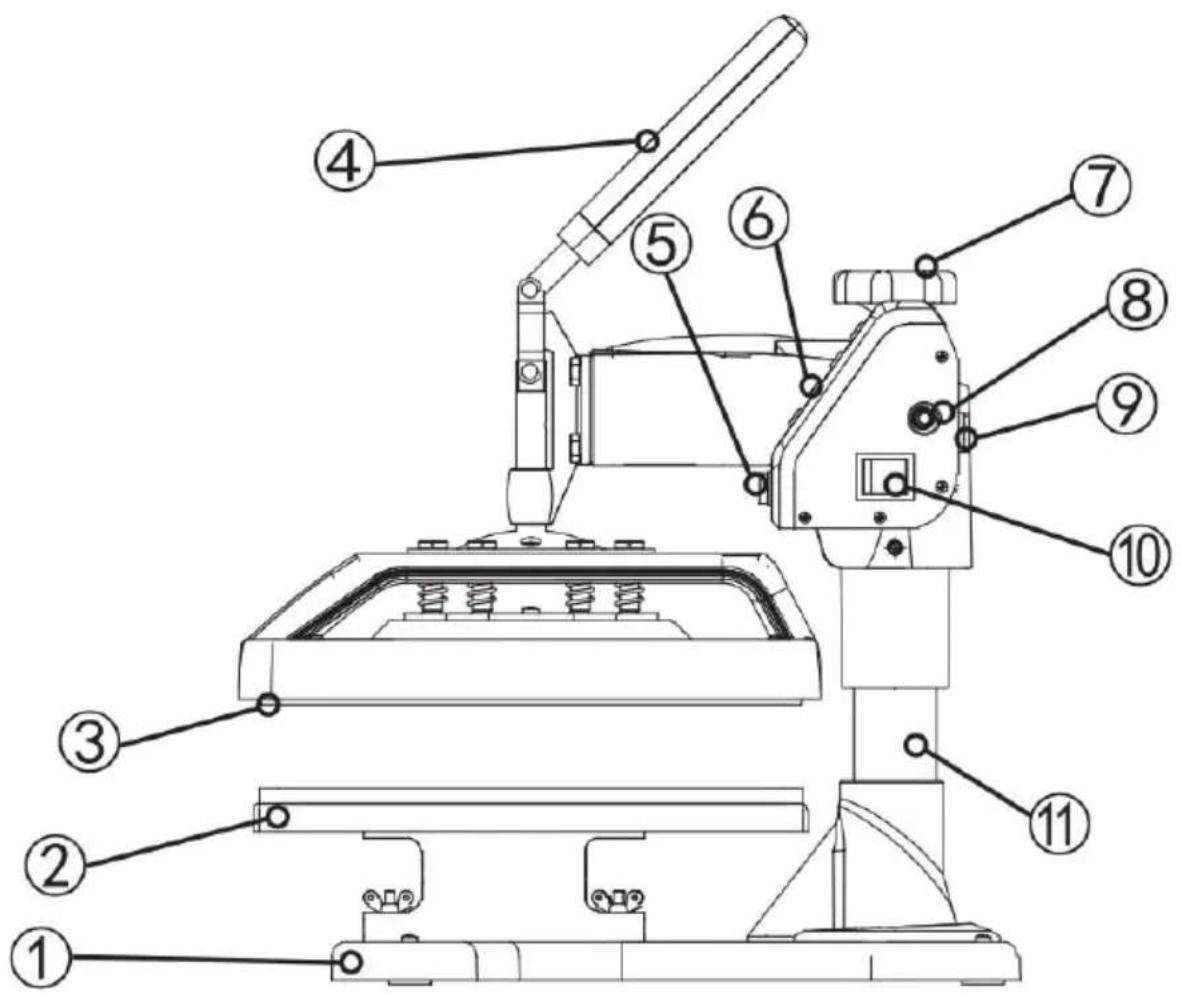
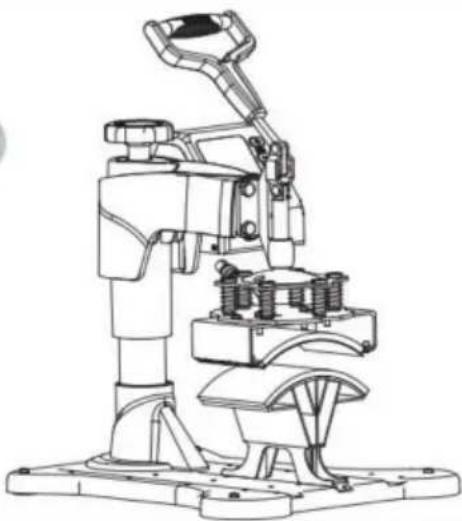
HEAT PRESS MACHINE PARTS INTRODUCTION

Vevor TL-FY8001 - HEAT PRESS MACHINE PARTS INTRODUCTION - 1

text_image Technical diagram of a mechanical device with numbered parts for identification
NumberPart nameNumberPart name
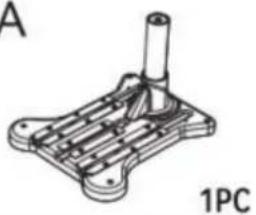
1Pedestal7Lift knob
2Placement8Overload protector
3Heating plate9Power socket
4Handle10Power switch
5Aviation connector11Column
6Button12

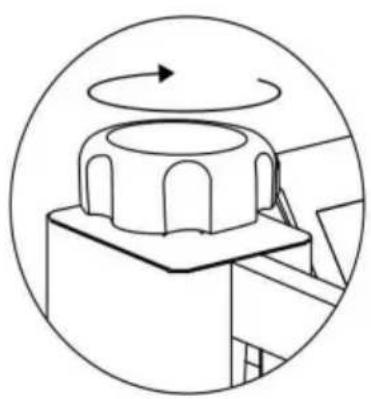
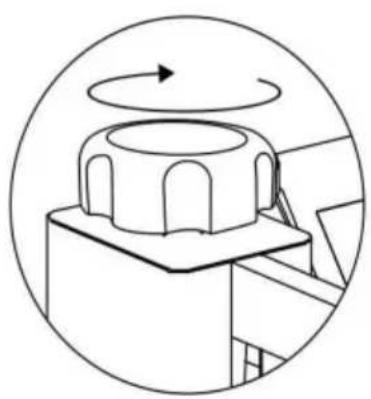
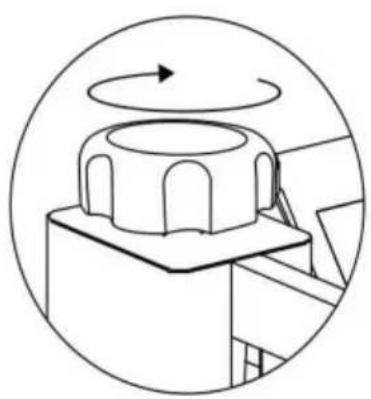
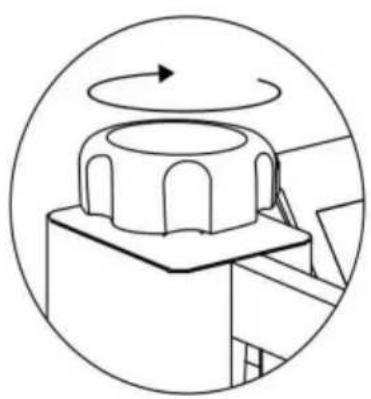
The pressure Adjustment knob controls the amount of force that will be used to push the transferred image into the fibers of the garment.

Clockwise increases pressure. Counterclockwise decreases it.

The Control Panel on the right upper face of the casing is where you will set the heat and time requirements for your project. These will vary depending on the vinyl or transfer paper used.

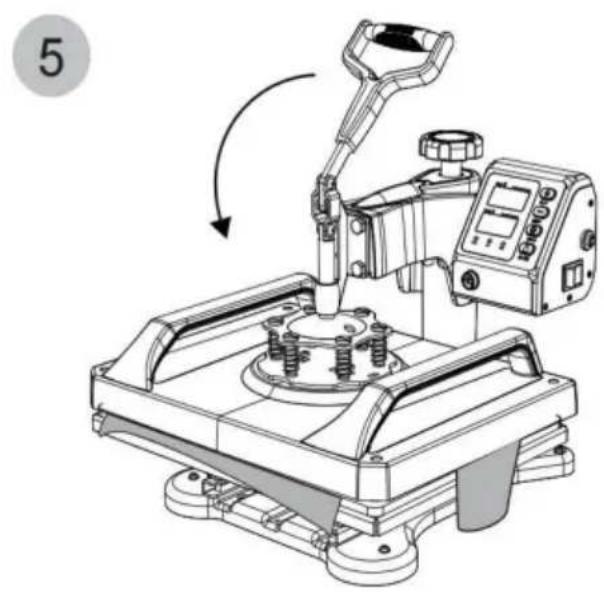
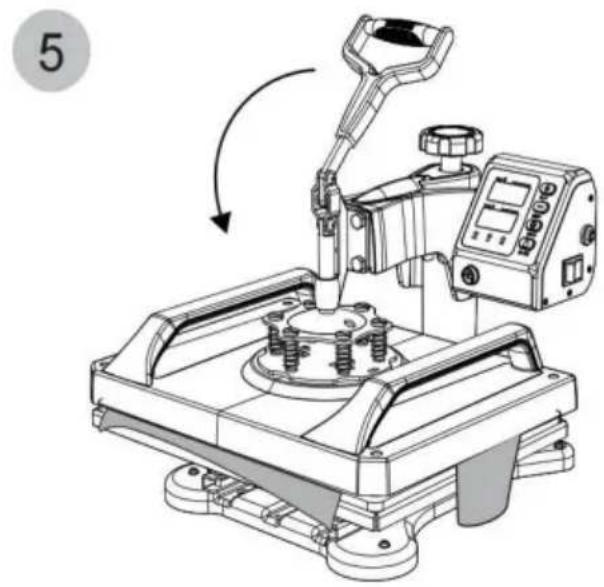
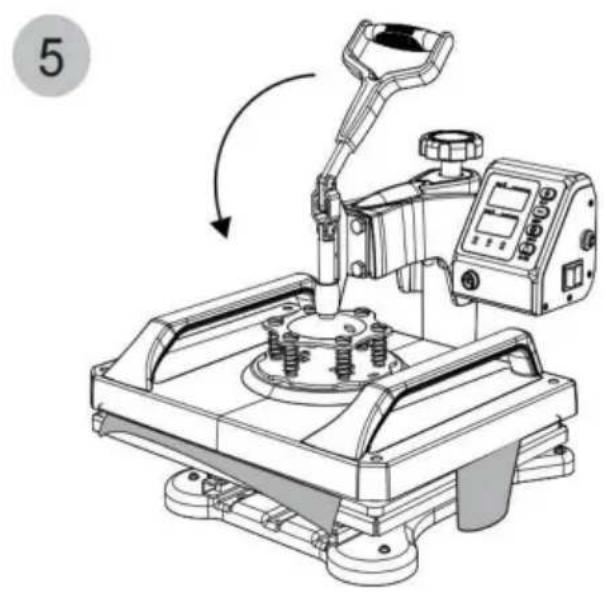
The handle opens & closes the top & bottom Heated Platens of the revolve press.

The overload protector is a breaker. It will pop out when there is an overload of electricity.

Press it in to reset.

The Power switch must be set to the on position and the Cord must be plugged in before pressing.

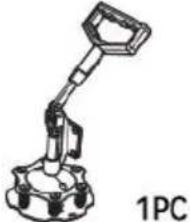
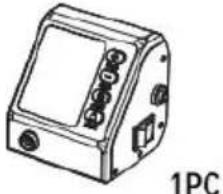
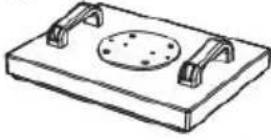
PARTS LIST
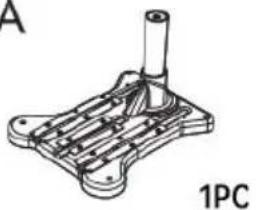
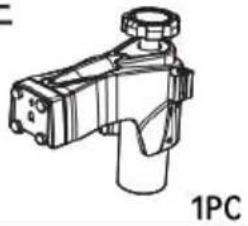
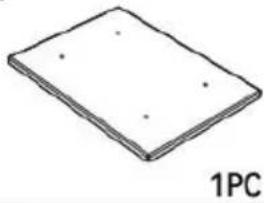
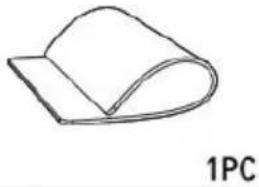
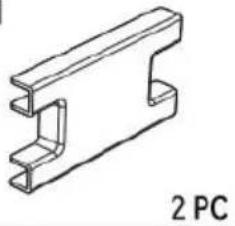
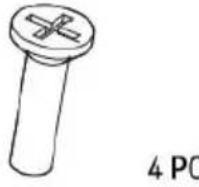
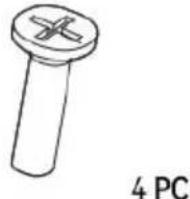
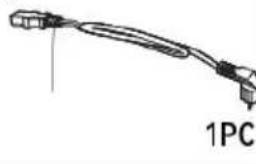
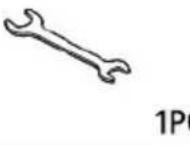
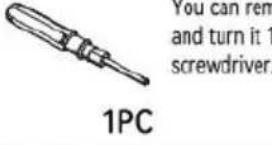
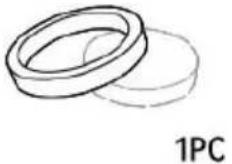
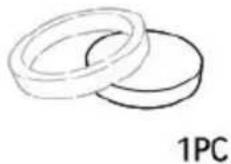
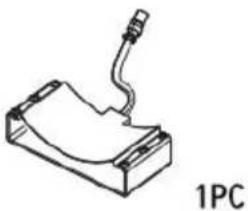
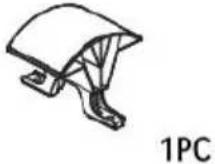
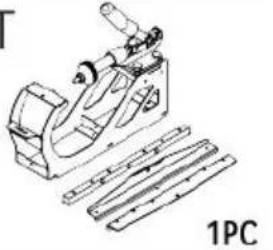
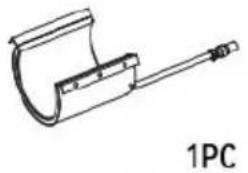
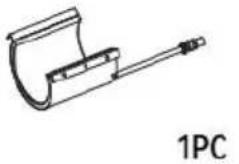
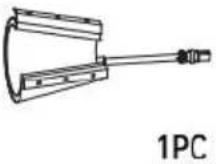
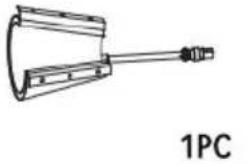
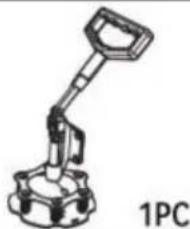
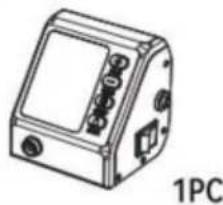
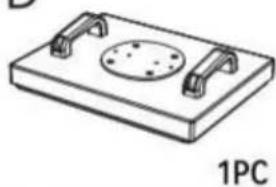
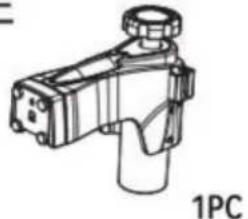
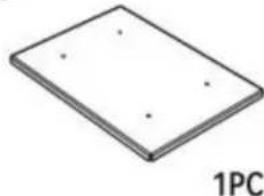
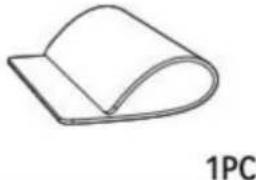
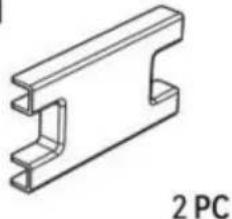
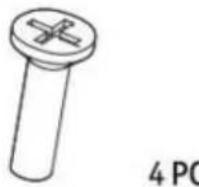
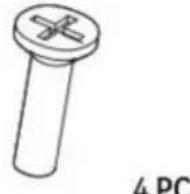
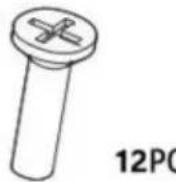
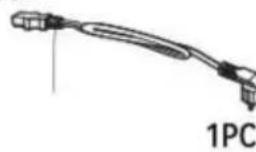
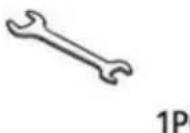
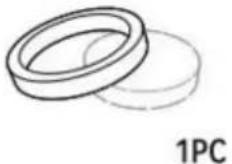
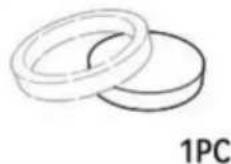
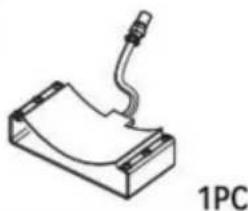
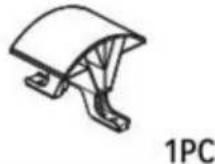
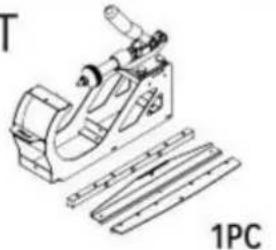
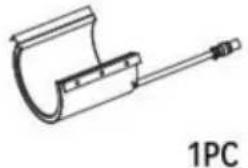
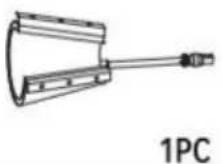
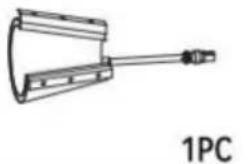
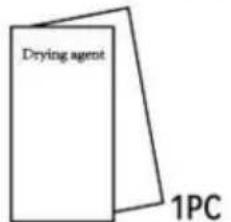
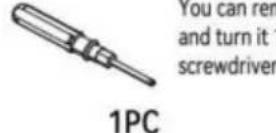
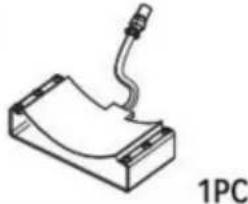
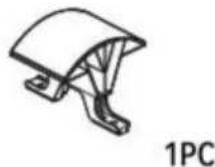
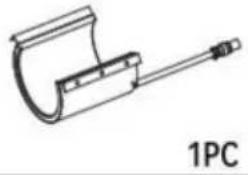
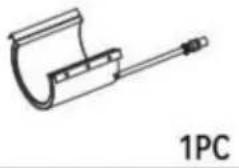
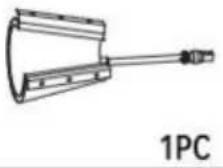
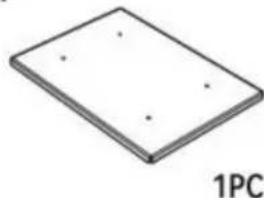
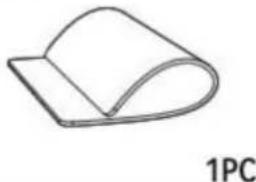
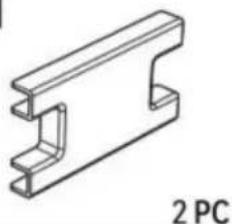
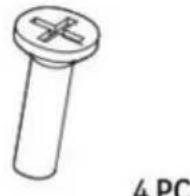
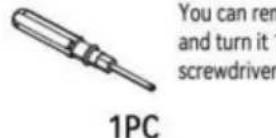
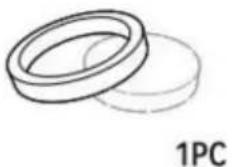
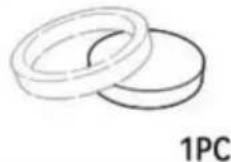
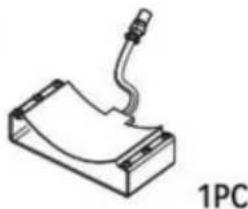
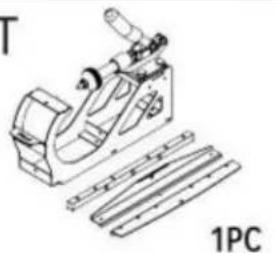
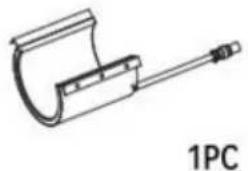
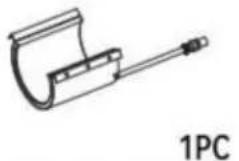
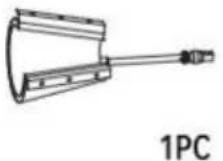
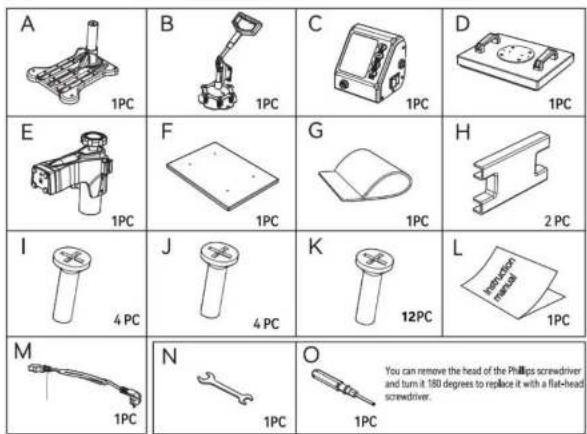
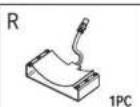
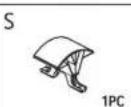
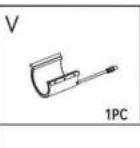
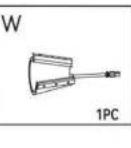
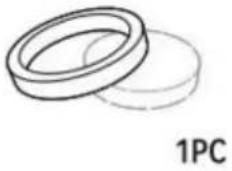
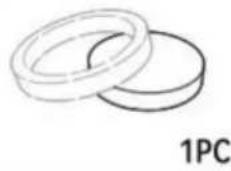
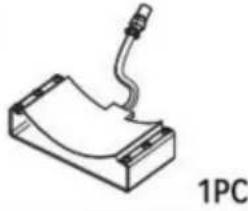
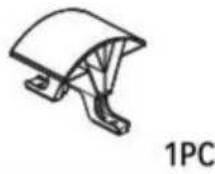
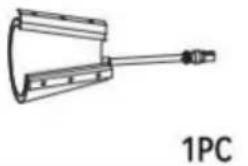
Vevor TL-FY8001 - PARTS LIST - 1BVevor TL-FY8001 - PARTS LIST - 2CVevor TL-FY8001 - PARTS LIST - 3DVevor TL-FY8001 - PARTS LIST - 41PC
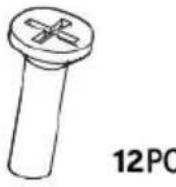
Vevor TL-FY8001 - PARTS LIST - 5FVevor TL-FY8001 - PARTS LIST - 6GVevor TL-FY8001 - PARTS LIST - 7HVevor TL-FY8001 - PARTS LIST - 8
Vevor TL-FY8001 - PARTS LIST - 9JVevor TL-FY8001 - PARTS LIST - 10KVevor TL-FY8001 - PARTS LIST - 11LVevor TL-FY8001 - PARTS LIST - 12
Vevor TL-FY8001 - PARTS LIST - 13NVevor TL-FY8001 - PARTS LIST - 14OVevor TL-FY8001 - PARTS LIST - 15
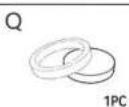
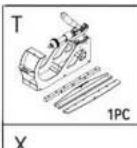
PVevor TL-FY8001 - PARTS LIST - 16QVevor TL-FY8001 - PARTS LIST - 17RVevor TL-FY8001 - PARTS LIST - 18SVevor TL-FY8001 - PARTS LIST - 19
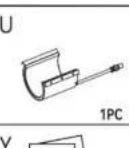
Vevor TL-FY8001 - PARTS LIST - 20UVevor TL-FY8001 - PARTS LIST - 21VVevor TL-FY8001 - PARTS LIST - 22WVevor TL-FY8001 - PARTS LIST - 23
Vevor TL-FY8001 - PARTS LIST - 24YVevor TL-FY8001 - PARTS LIST - 25
PartABCDEFGHIJKLM
5IN1
PartNOPQRSTUVWXY
5IN1
PartABCDEFGHIJKLM
8IN1
PartNOPQRSTUVWXY
8IN1
  1. Turn the pressure knob counterclockwise a few times to lower pressure on the platens.
  2. Place a piece of paper onto bottom of the platen.
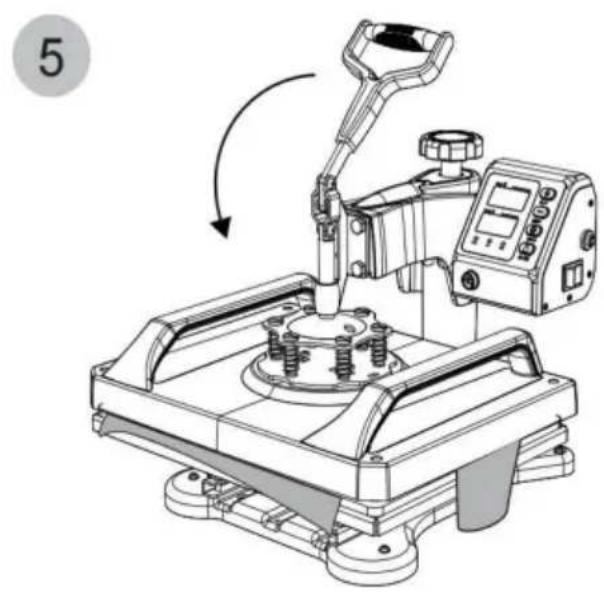
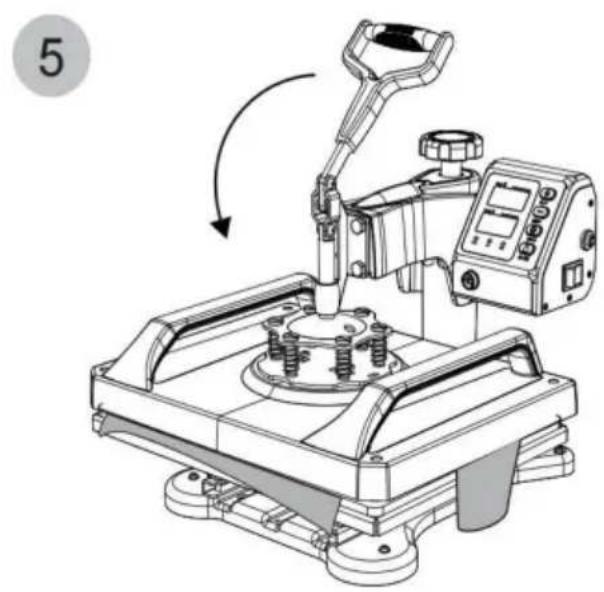
  3. Close the revolve press using the handle.
    4.Pull on the paper.
  4. If the paper moves at all, turn the knob clockwise and try again.
  5. Try again and repeat until the paper doesn't move at all. This is your "Medium" pressure.

From the “Medium” setting, high pressure will be Clockwise one to two turns. Low pressure will be counterclockwise one to two turns. (The number of turns will depend on the thickness of the garment).

SETTING TEMPERATURE & TIME

Vevor TL-FY8001 - SETTING TEMPERATURE & TIME - 1

PLUS

Vevor TL-FY8001 - SETTING TEMPERATURE & TIME - 2

MINUS

Vevor TL-FY8001 - SETTING TEMPERATURE & TIME - 3

SETUP

Vevor TL-FY8001 - SETTING TEMPERATURE & TIME - 4

START

Vevor TL-FY8001 - SETTING TEMPERATURE & TIME - 5

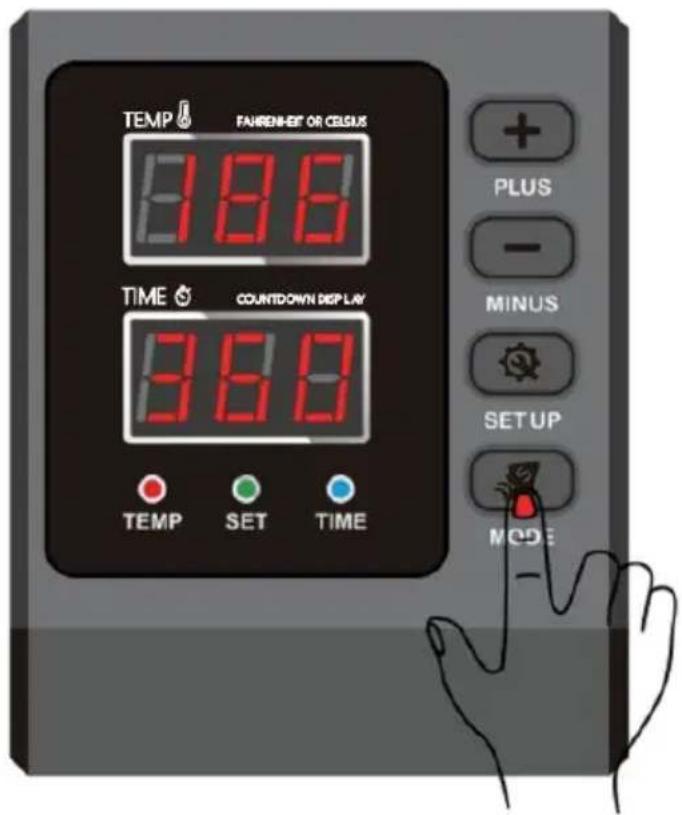
text_image TEMP FAURENEF OR CELSUS 188 TIME COUNTDOWN DISPLAY 360 TEMP SET TIME PLUS - MINUS SETUP MODE
  1. How to turn on/off and how to start?

Press the switch button on the side of the temperature control box to turn it on.

Countdown start button, press once to start the countdown; press again to reset.

  1. How to set the temperature/time?

Press once to set the temperature, press twice to set the time and press again to exit. (It will automatically exit the temperature/time setup state in case of no operation within 5sec.).

  1. How to set the temperature/time to increase or decrease?

+ Set the time/temperature increase

- Set the time/temperature decrease

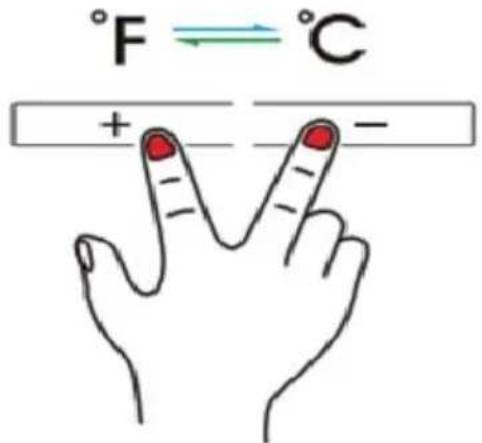
  1. How to change the temperature unit from ^ C to ^ F?

In the power-on state, press "+" and "-" at the same time to change the temperature unit between ^ C and ^ F .

Vevor TL-FY8001 - SETTING TEMPERATURE & TIME - 6

text_image °F ⇌ °C + -
  1. Tips: The max. set temperature of this machine is 232^ C and the longest time is 999sec.

Assembly and Disassembly of the Machine
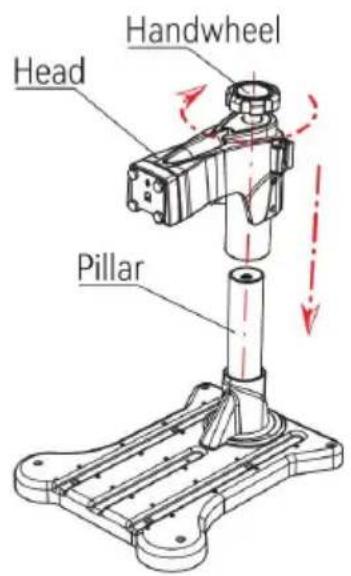
Vevor TL-FY8001 - Assembly and Disassembly of the Machine - 1

text_image Head Handwheel Pillar

Fig 1

Vevor TL-FY8001 - Assembly and Disassembly of the Machine - 2

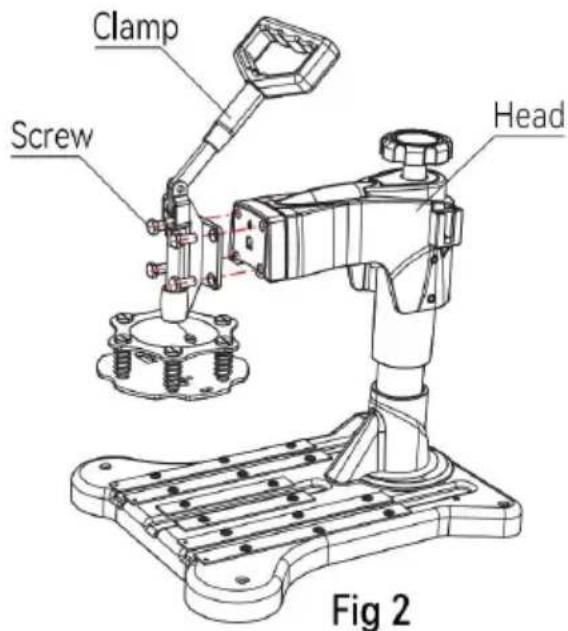
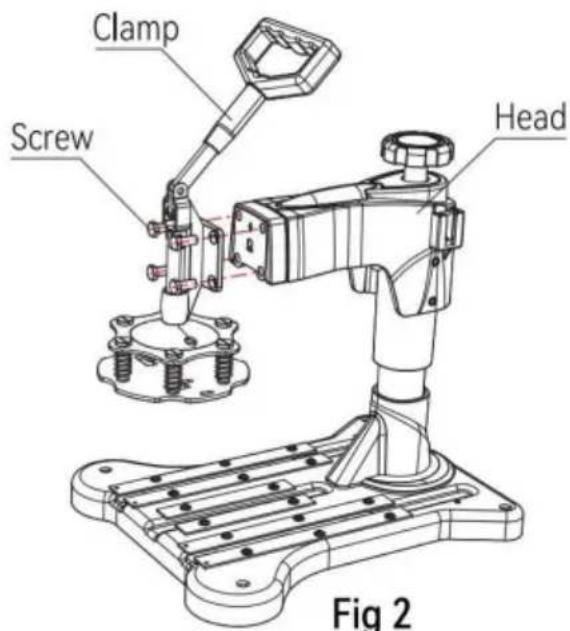
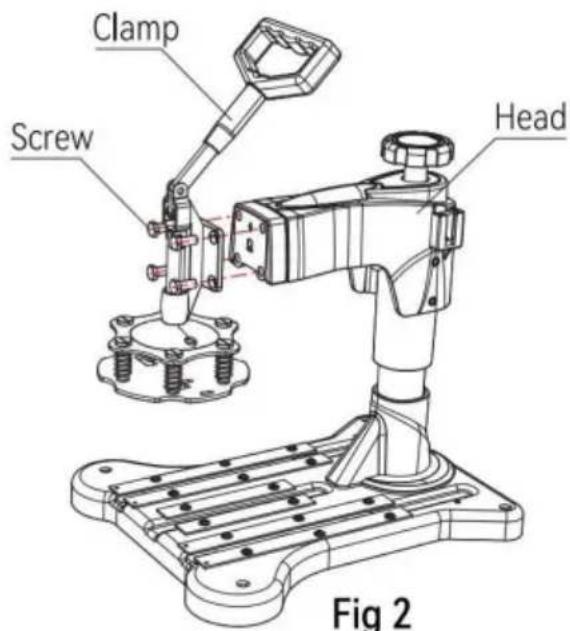
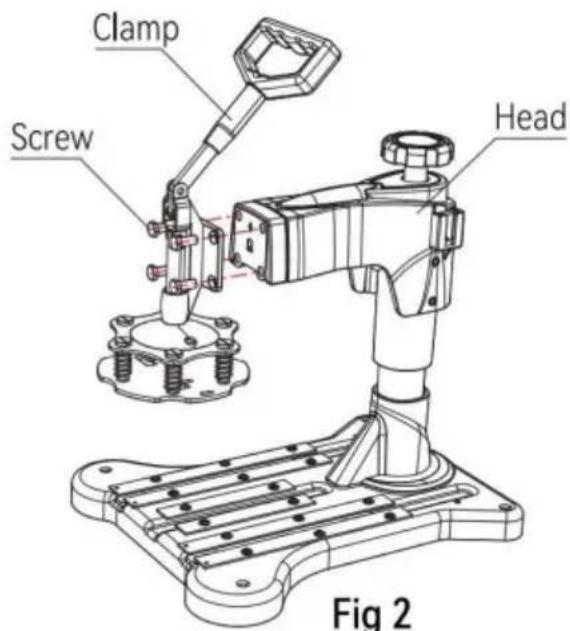
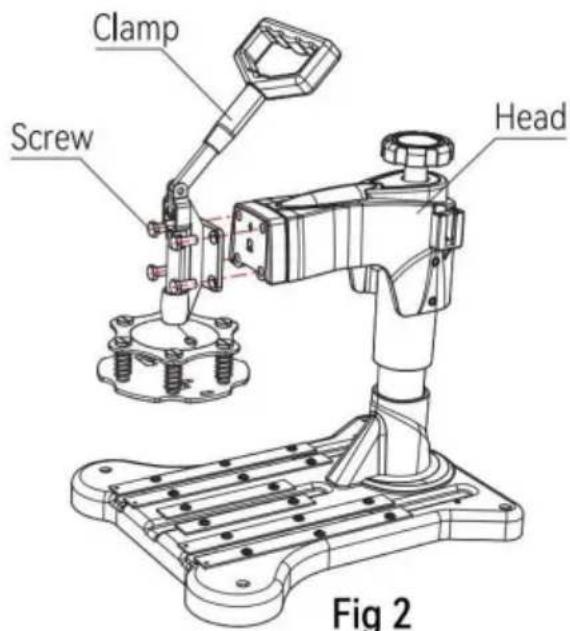
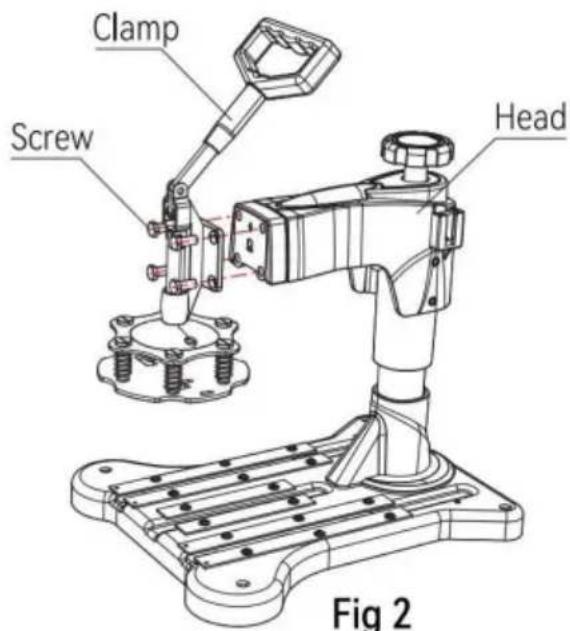
text_image Clamp Screw Head Fig 2
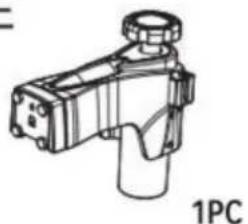
  1. Put the head into the pillar and rotate the handwheel 10 times clockwise, which indicates that the head is installed (as shown in fig1).

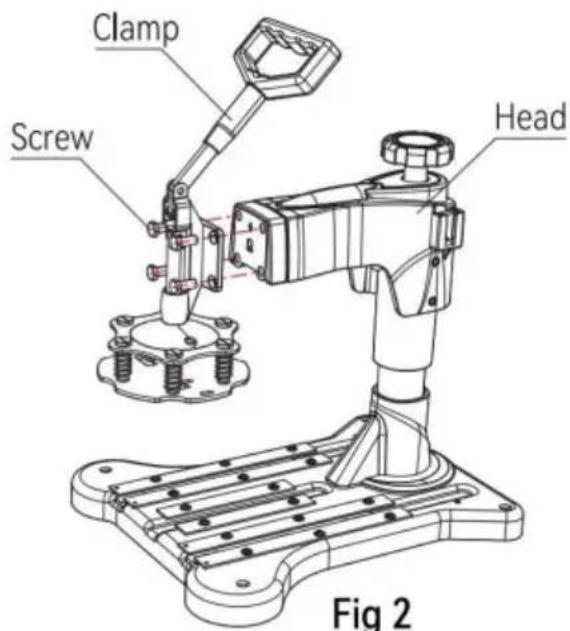
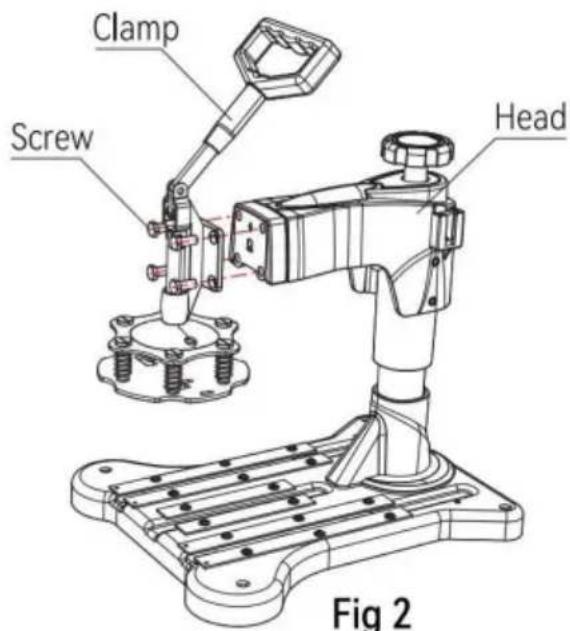
  2. Pass the four screws through the quick clip and adapter, then screw them securely to the machine head and use a wrench to lock the screws (as shown in figure2).

  3. Use 4 screws from the bottom up, through the bearing bar from the back of the backplane, and then lockit with hand screws (as shown in figure3).
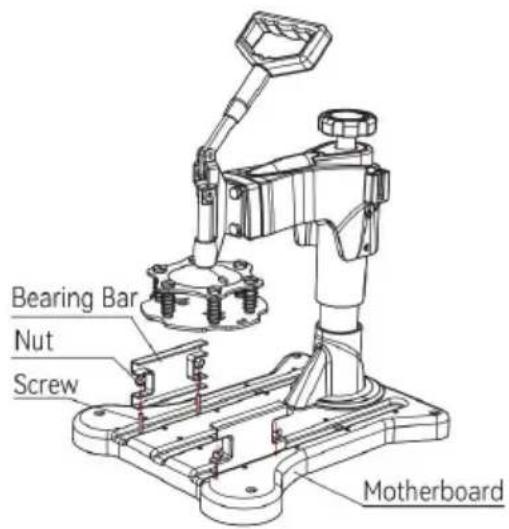
Vevor TL-FY8001 - Assembly and Disassembly of the Machine - 3

text_image Bearing Bar Nut Screw Motherboard

Fig 3

Vevor TL-FY8001 - Assembly and Disassembly of the Machine - 4

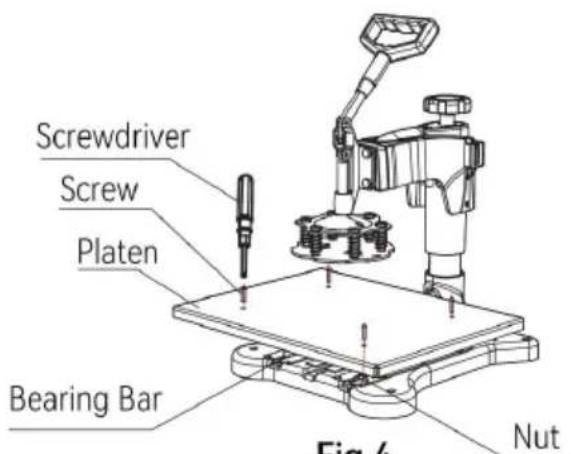
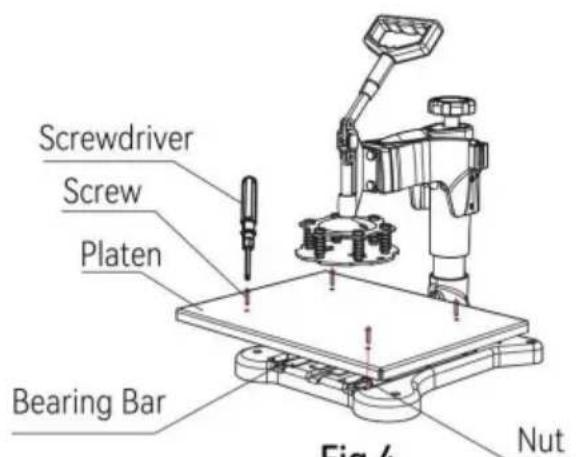
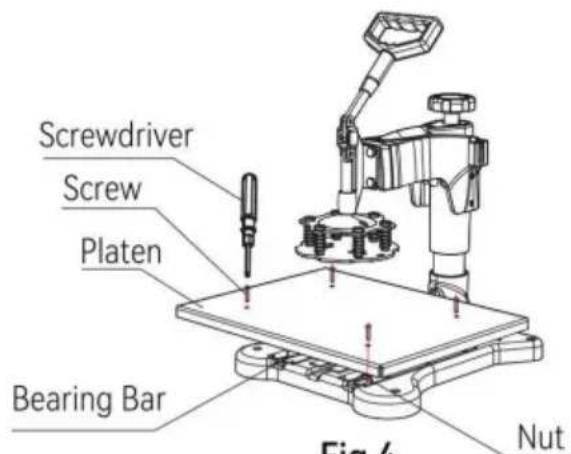
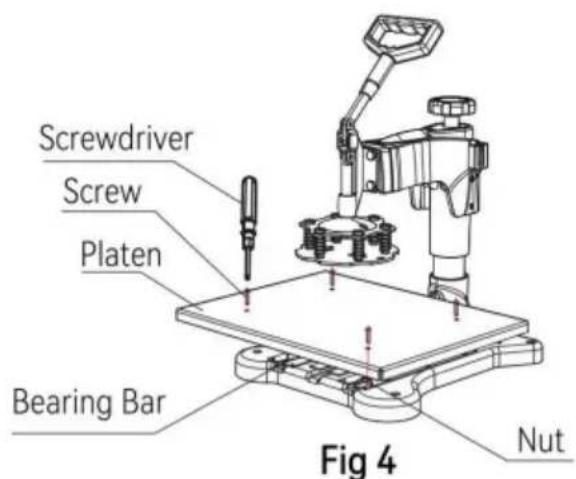
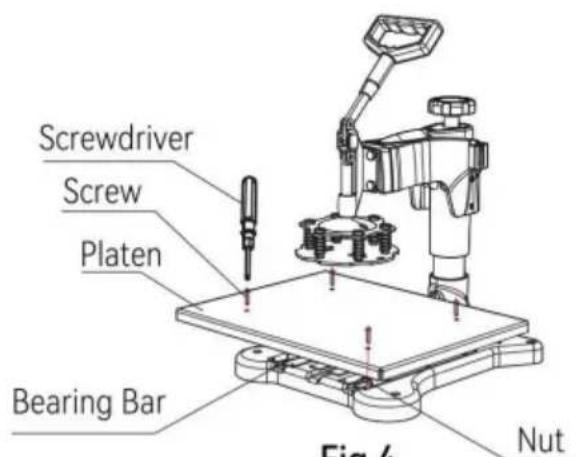
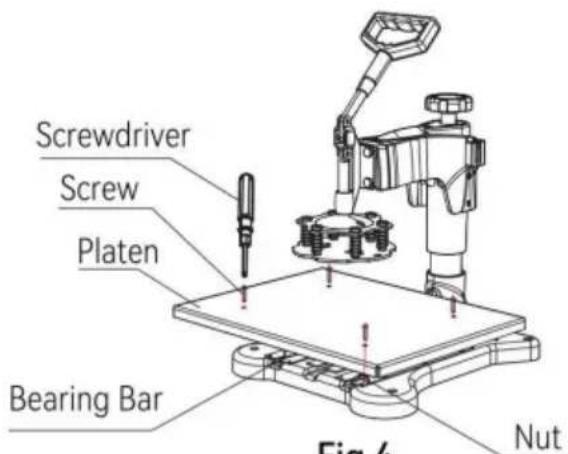
text_image Screwdriver Screw Platen Bearing Bar Fig 4 Nut

Fig 4

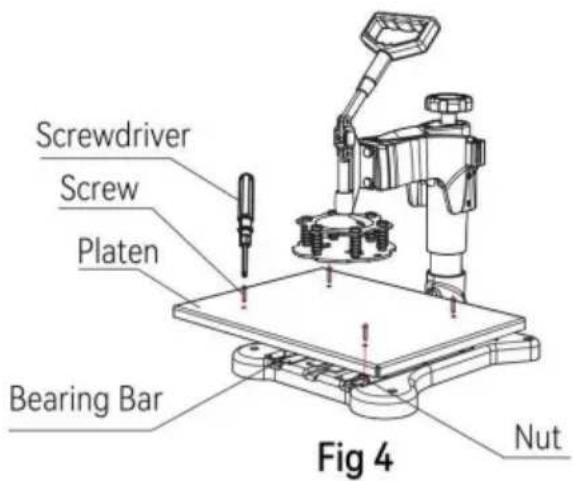
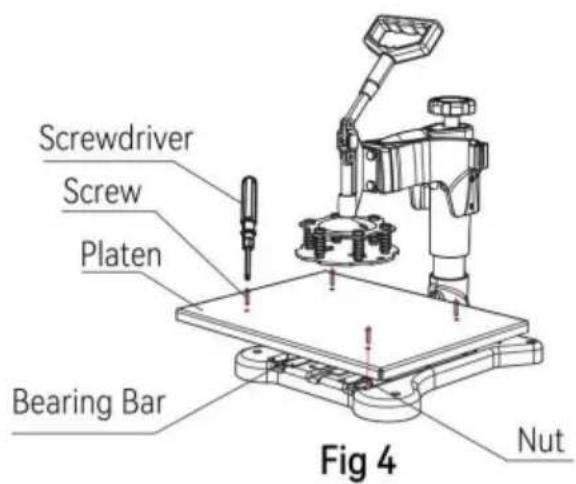
  1. Place the table platen flat on the bearing bar, align the platen with the hole in the bearing bar, place the screw, and lock it with a screwdriver (as shown in figure4).
Vevor TL-FY8001 - Assembly and Disassembly of the Machine - 5

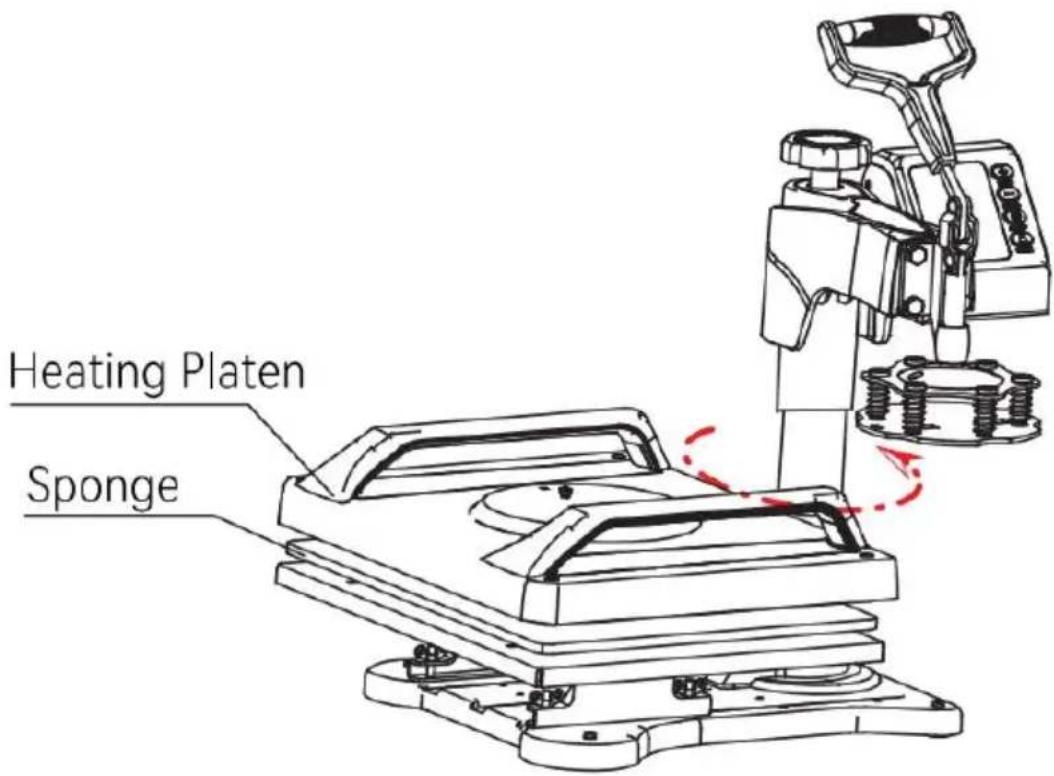
text_image Heating Platen Sponge

Fig 5

  1. Swing the head away and put the sponge and the heating platen on the top of the table platen in order.(as shown in figure5)

Vevor TL-FY8001 - Assembly and Disassembly of the Machine - 6

text_image Screwdriver Cup Head Screw Flat Head Screw Heating Platen Pressure Platen Fig 6 Cup Head Screw Flat Head Screw Heating Platen
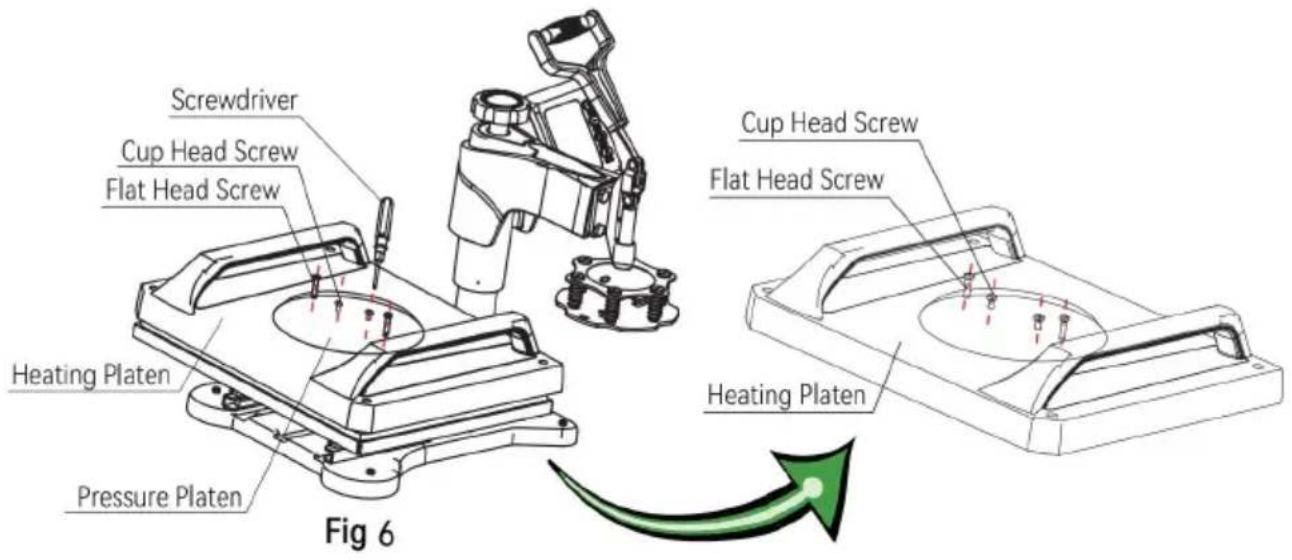
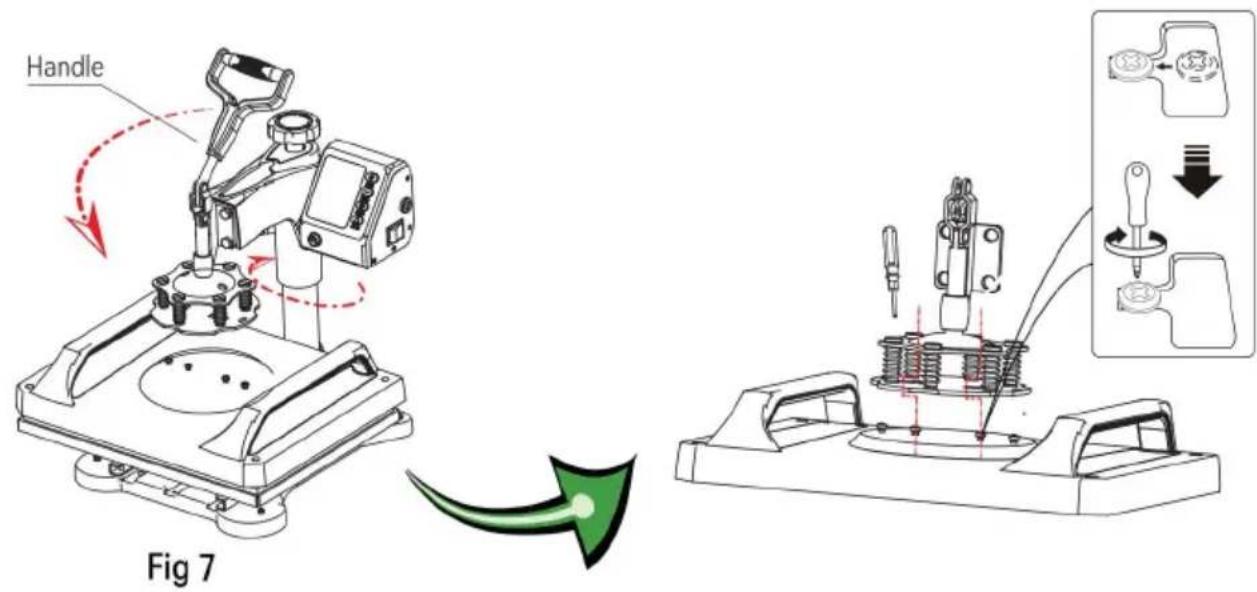
  1. Place the pressure platen flat on the heating platen, align it with the hole. Take 4 fat head screws and tighten them with a screwdriver.

Take 2 cup head screws and lock them to the hole in the middle of the pressure platen. At this time, do not lock the cup head screws: reserve 5-7mm for the next installation step (as shown in figure6).
Vevor TL-FY8001 - Assembly and Disassembly of the Machine - 7

text_image Handle Fig 7
  1. Rotate the head back to the original position and gently press down the handle so that the cup cap of the cup head screw above the pressure platen snaps into the slot and then lock it in place with a screwdriver (as shown in fig7)
Vevor TL-FY8001 - Assembly and Disassembly of the Machine - 8

natural_image Technical line drawing of a mechanical device with red motion arrows indicating rotation or movement (no text or symbols)

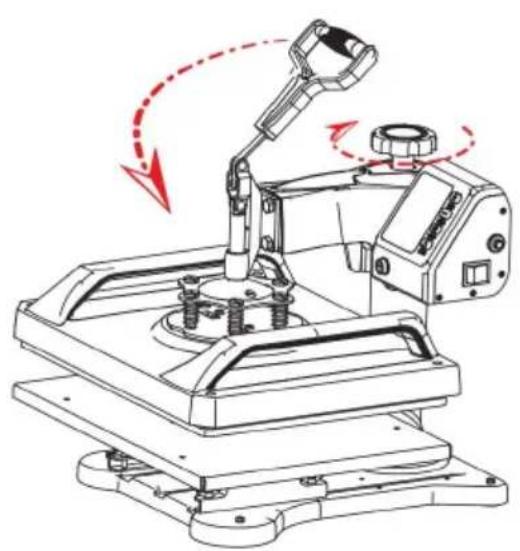
Fig 8

Vevor TL-FY8001 - Assembly and Disassembly of the Machine - 9

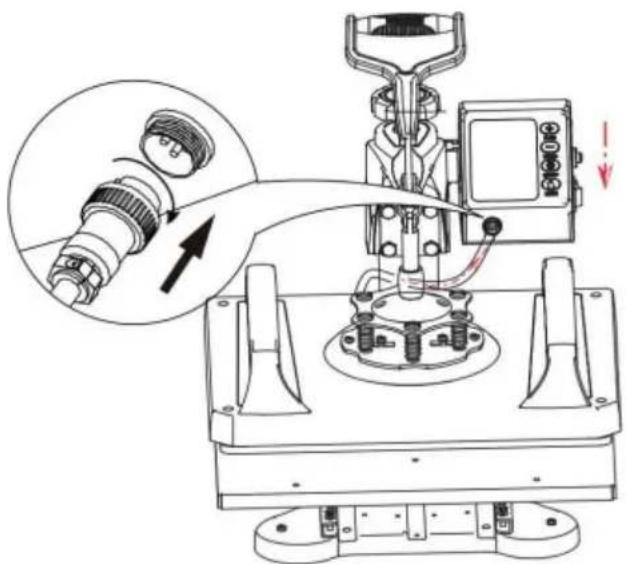
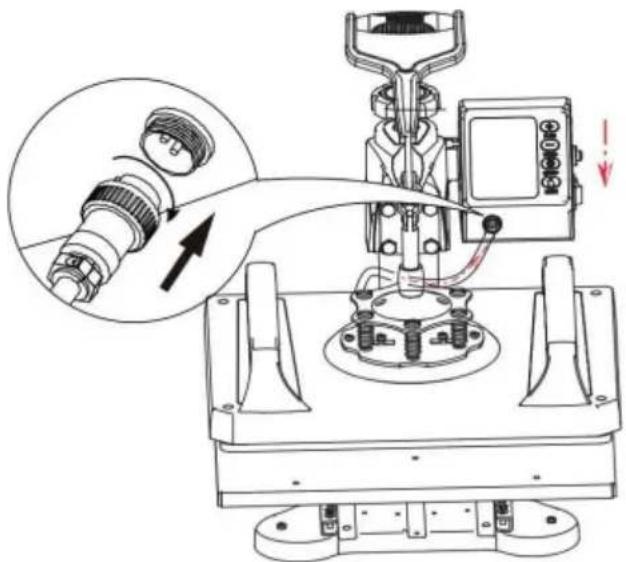
natural_image Technical line drawing of a mechanical assembly with a magnified inset showing a connector detail (no text or symbols)

Fig 9

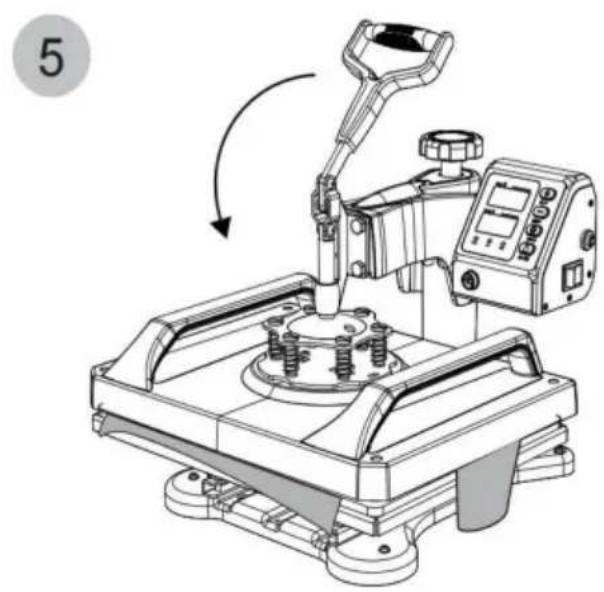
  1. Rotate the handwheel and try to press the handle several times until it is adjusted to the appropriate pressure(as shown in figure8).
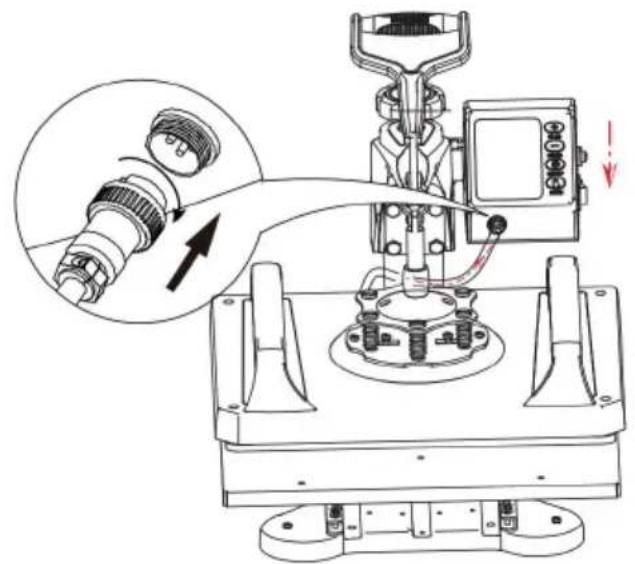
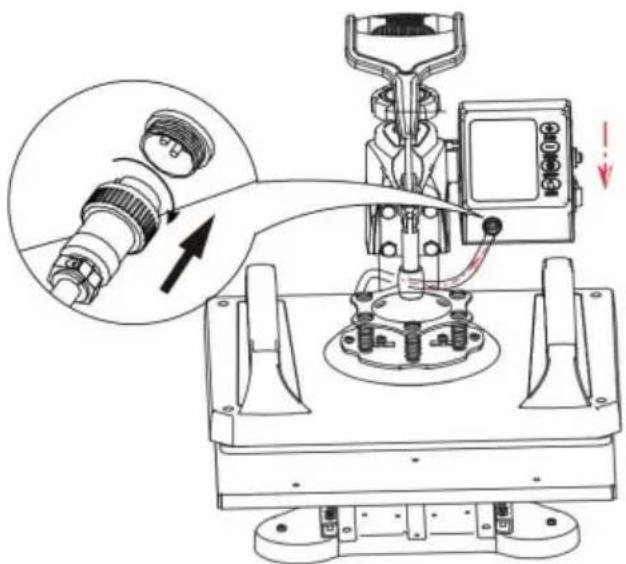
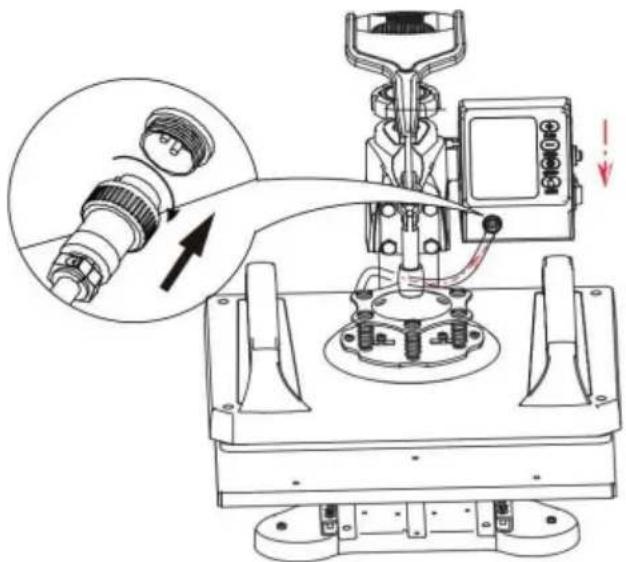
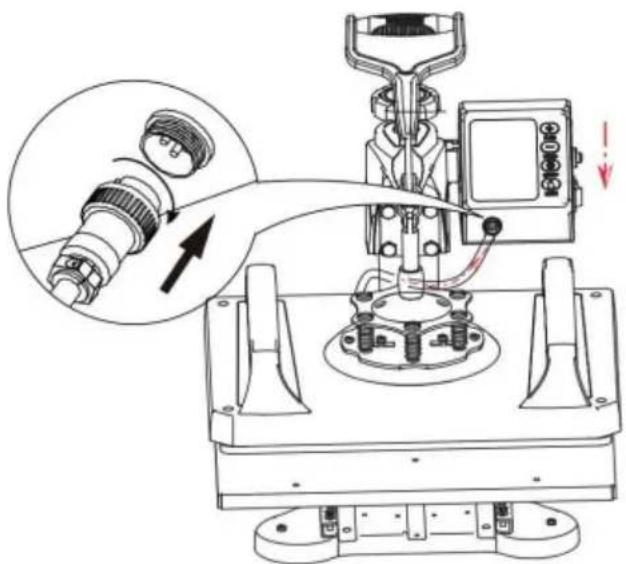
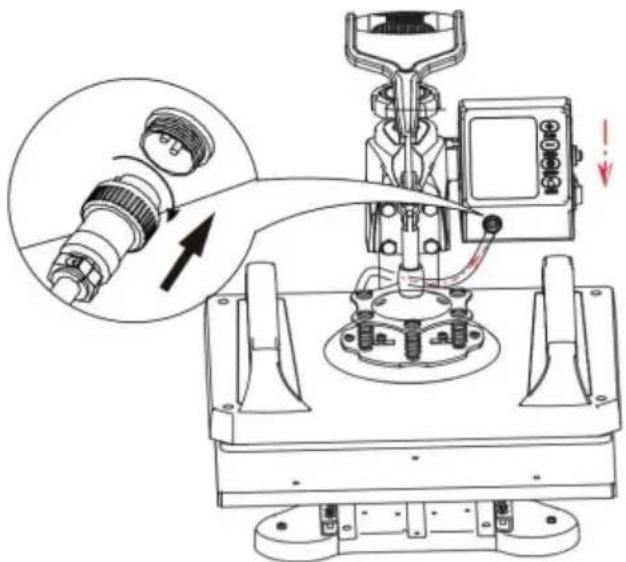
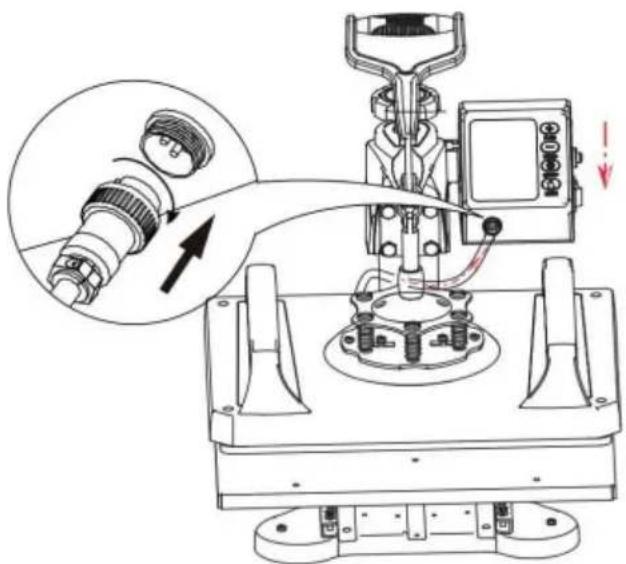
  2. Clip the controller into the head slot from top to bottom, connect the male head of the heating platen with the female head of the control

controller, and lock the nut to complete the installation (as shown in figure 9).

How to press T-shirts
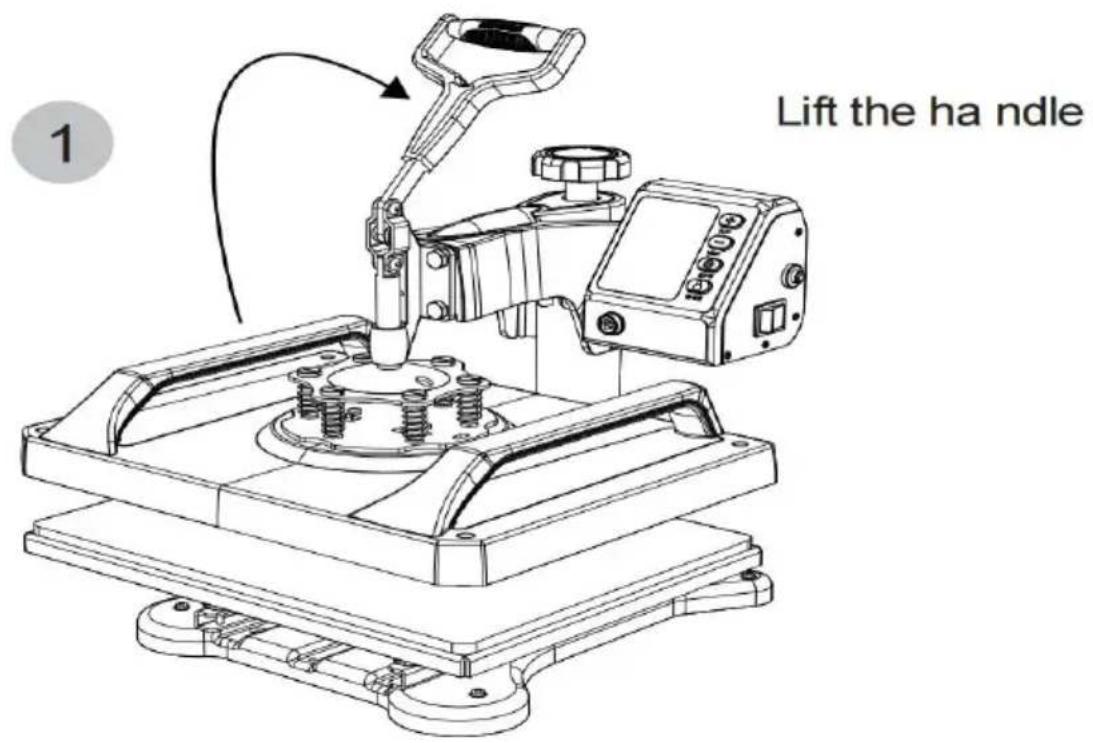
Vevor TL-FY8001 - How to press T-shirts - 1

text_image 1 Lift the ha ndle

Vevor TL-FY8001 - How to press T-shirts - 2

natural_image Technical line drawing of a robotic arm with articulated joints and mounting base (no text or symbols)

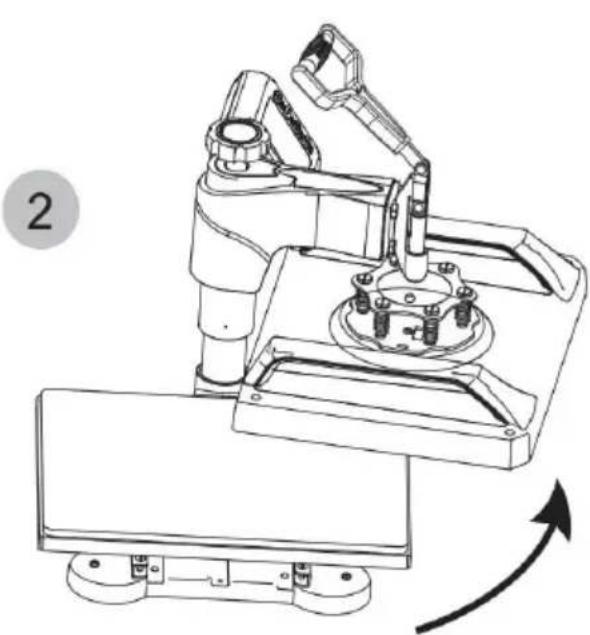
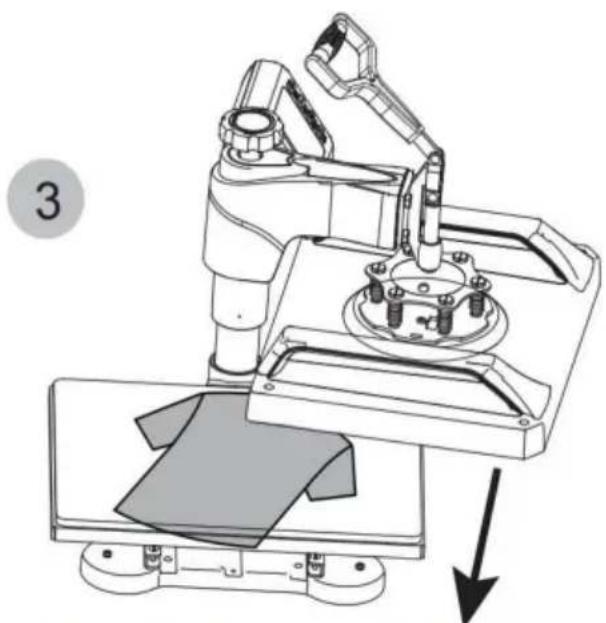
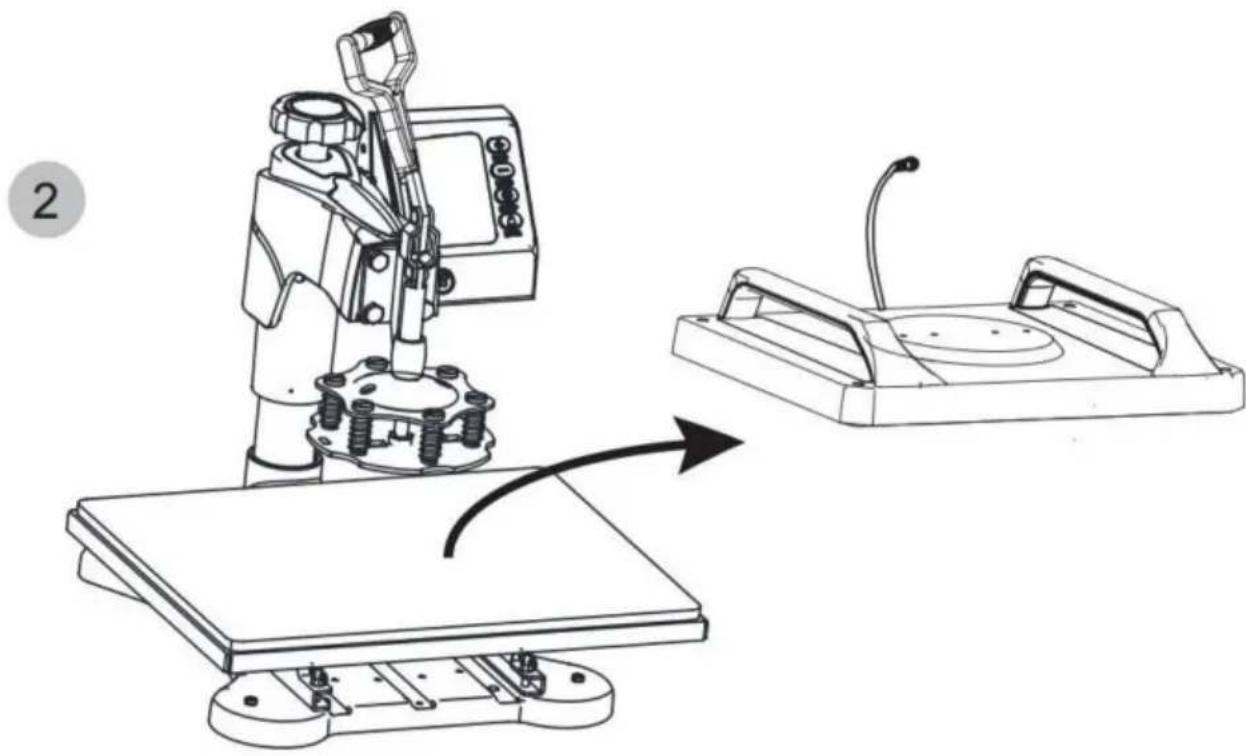
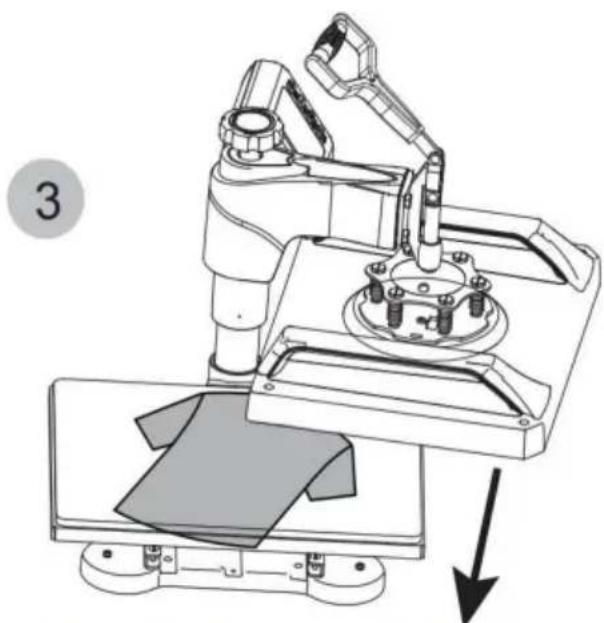
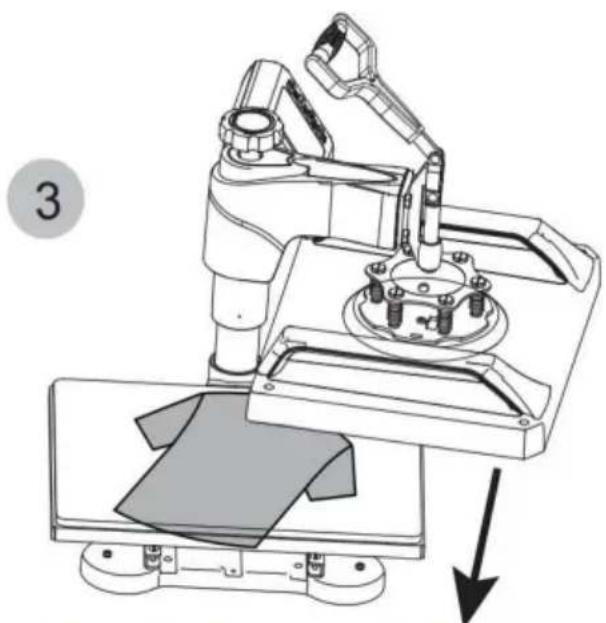
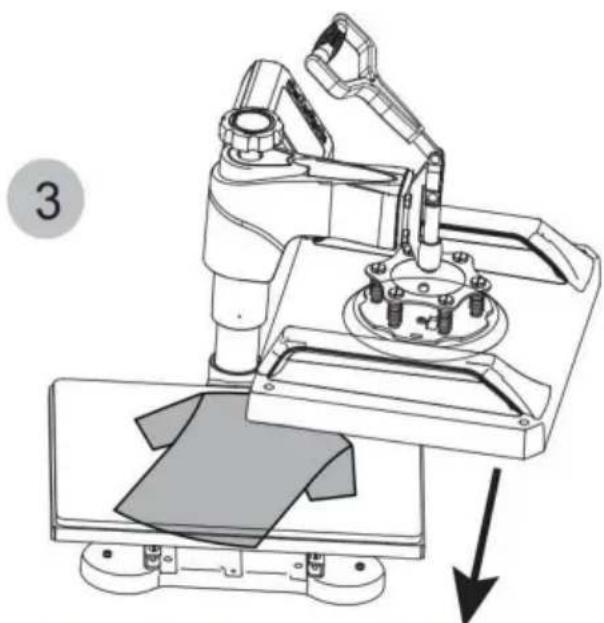
Rotate the heating platen to one side

Vevor TL-FY8001 - How to press T-shirts - 3

natural_image Technical line drawing of a robotic arm with a mechanical base and mounting bracket, showing a downward force arrow (no text or symbols present)

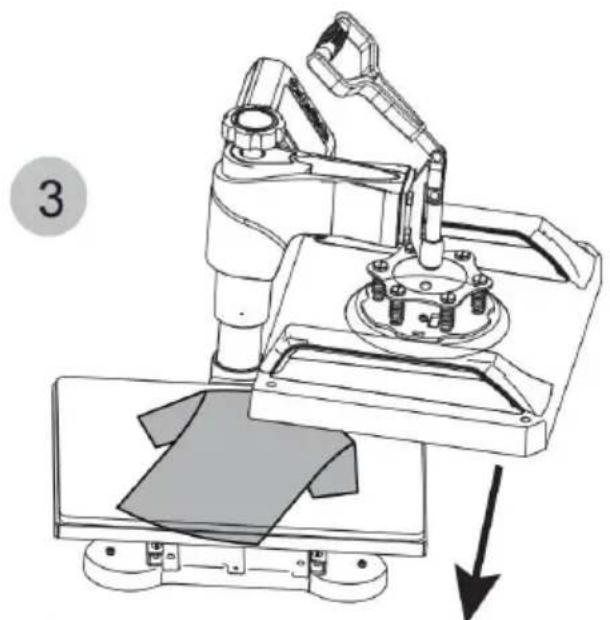
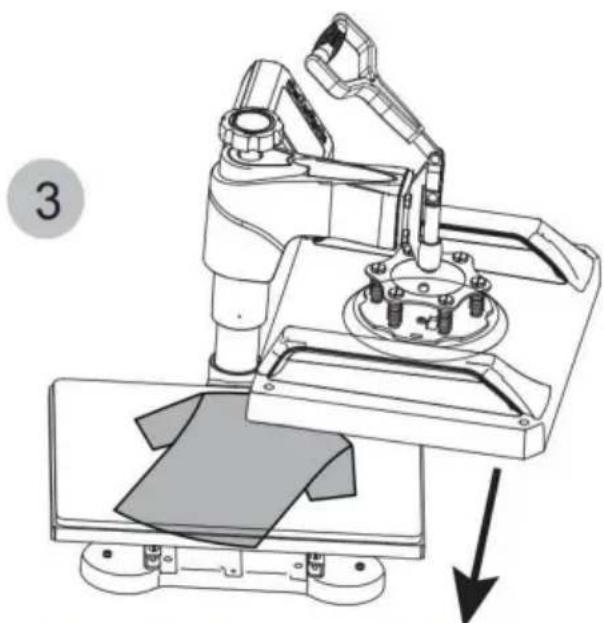
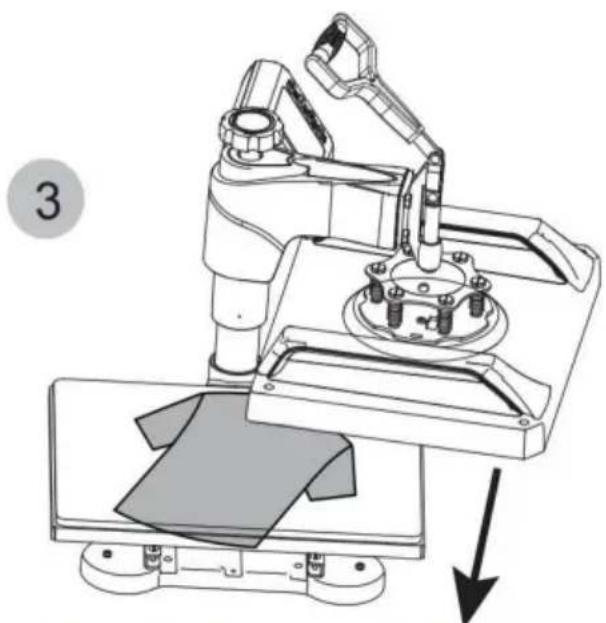
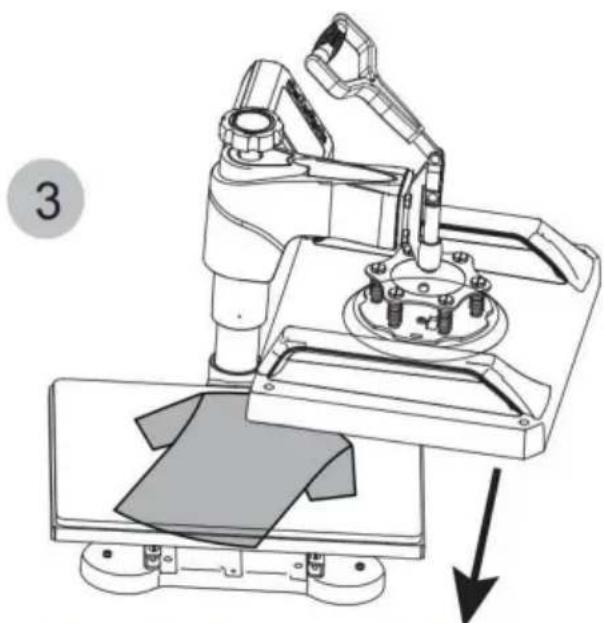
Pull out the lower panel, place the clothes flat on the platen, and place the pattern on the clothes.

4
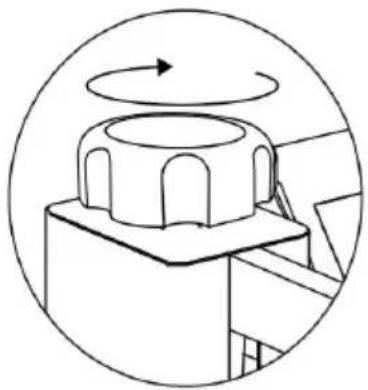
Vevor TL-FY8001 - How to press T-shirts - 4

natural_image Technical diagram of a mechanical component with rotational arrow, no visible text or symbols

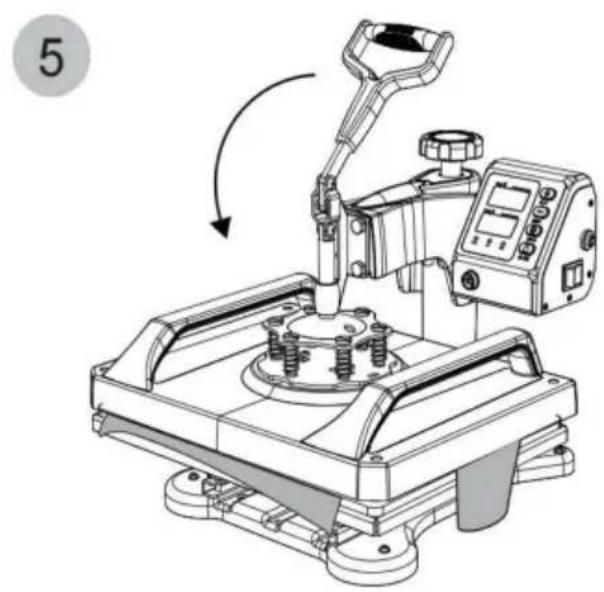
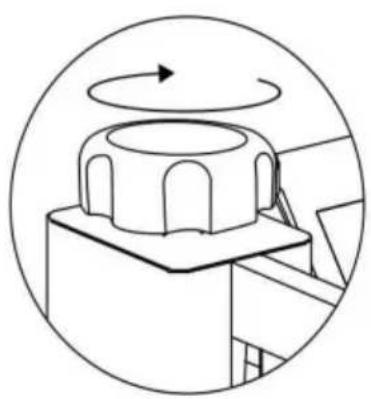
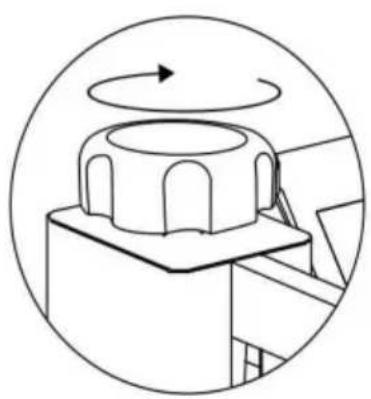
Rotate this switch to adjust pressure

Vevor TL-FY8001 - How to press T-shirts - 5

natural_image Technical line drawing of a mechanical device with a lever and control panel (no text or symbols)

I. Preparation before Using:

  1. Check the connection between the power plug and the electrical socket of the electrical cabinet.

Be sure to operate with safe ground wire!!!

  1. Heat press element must be securely plugged into the machine before you switch the machine on. Plug your electrical cord into the machine. Plug electrical socket into wall plug. Turn the power on by flipping the on/off Switch on.

II. Set temperature required

Set the temperature and time according to the table below and get the Specific corresponding temperature and timing setting.(Temperature is Measured in Degrees Fahrenheit.)

Press ObjectInitial TemperatureHighest TemperatureProper Heating Time(s)
Mugs23033040
Tiles23033040
Metal board23033040
Plate230355150
T-shirt230355Sublimation paper:30-50s
T-shirt Paper:10-20s

A. Initial Temperature Setting(Range:200-450F)

Press the "MODE" button ONCE, and see the "set light" turning red. Then press the "plus/minus key" to set the initial heating temperature.

B.Highest Temperature Setting(Range:93-232C)

Press the "MODE" button for THE SECOND TIME; see the "temperature light" turning red. Then press the "plus or minus key" set the highest Heating temperature.

C. Proper Heating Time Setting (Range: 0-999sec.)

Press the "MODE" button for THE THIRD TIME; see the "time light turning red. Then press the"plus or minus key"to set the proper heating time.

After turning on the hot stamping machine, press the + and - buttc Simultaneously for about five seconds. When PAE is displayed, press the MODE key to display(F-C), and change F to C in the tir display gear, so that Fahrenheit is converted to Celsius.

E. Finish the Setting and Stand by to Work

Press the "MODE" button for THE FOURTH TIME; finish the setting. The set light is on, and the temperature will continue to rise. When the set Maximum temperature is reached, the countdown starts.

After the countdown ends, the "BEEF" sound will be emitted, the

indicator light will turnoff, and the operation is complete. And the machine stands by to work.
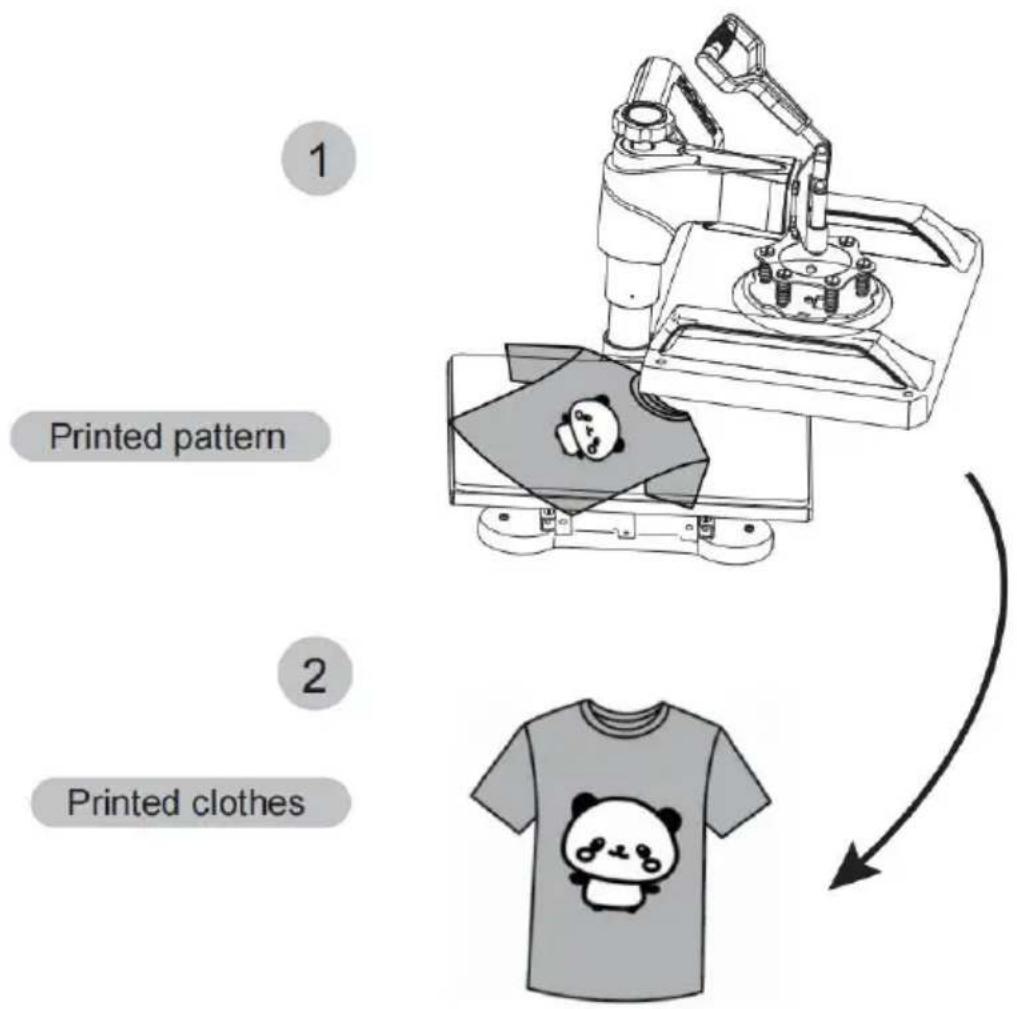
Vevor TL-FY8001 - How to press T-shirts - 6

text_image 1 Printed pattern 2 Printed clothes

Vevor TL-FY8001 - How to press T-shirts - 7

Turn off the power and pull out the mat. It is recommended to wear heat-resistant gloves when removing clothes or remove them after 2-3 minutes. Be careful of hot heat.

Note

The machine has a self-locking function for temperature setting. ---If the starting temperature is set to 340^ , the machine will automatically limit the maximum temperature setting range from 340 to 430^

---Conversely, if setting the maximum temperature is 250^ F at first, the machine will automatically limit the starting temperature setting range from 200 to 250^ F.

Initial heating temperature always=<Highest heating temperature

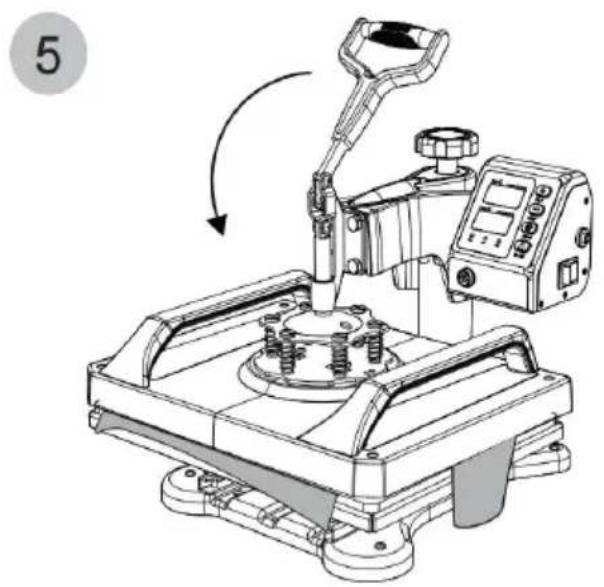
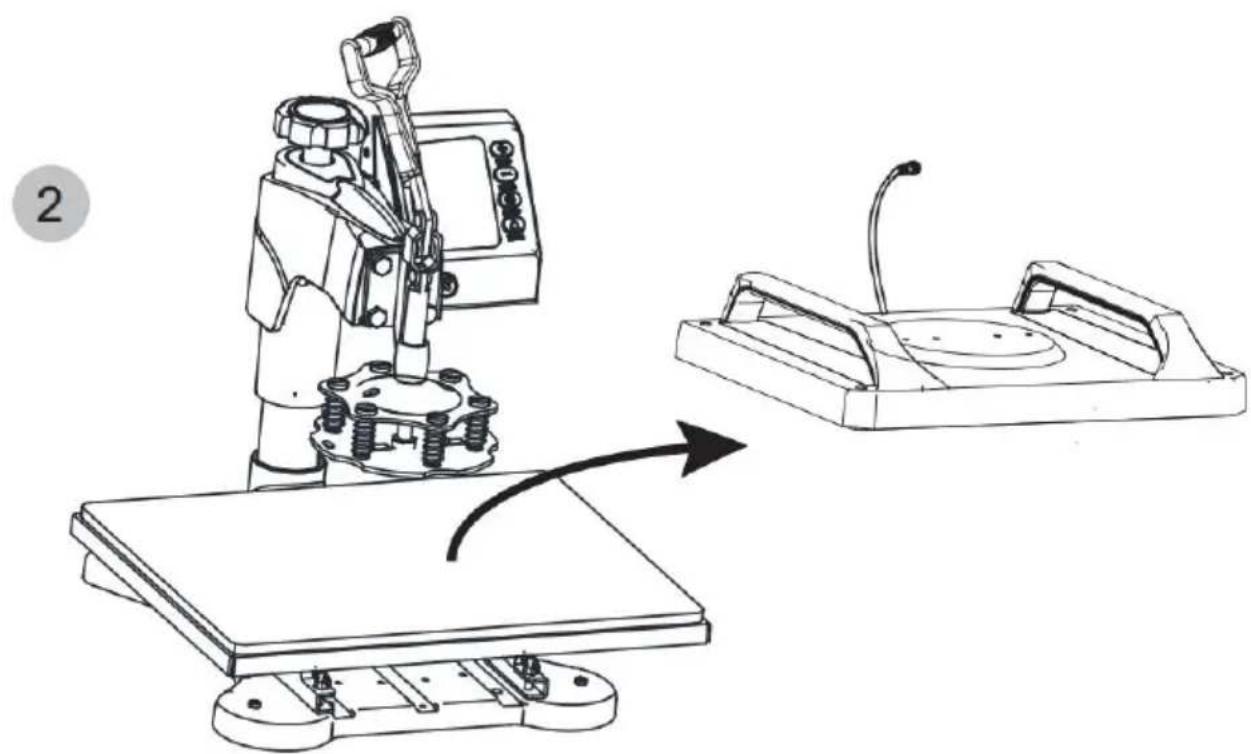
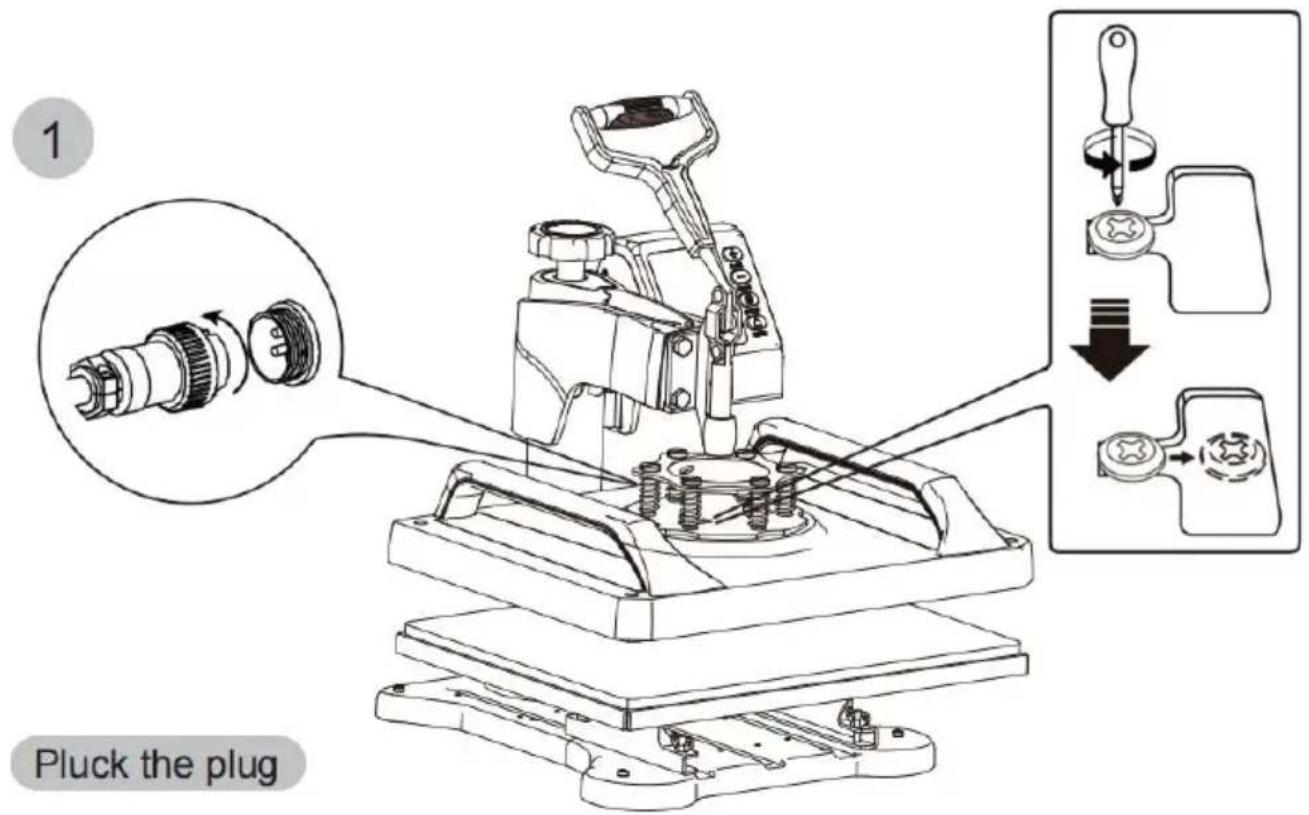
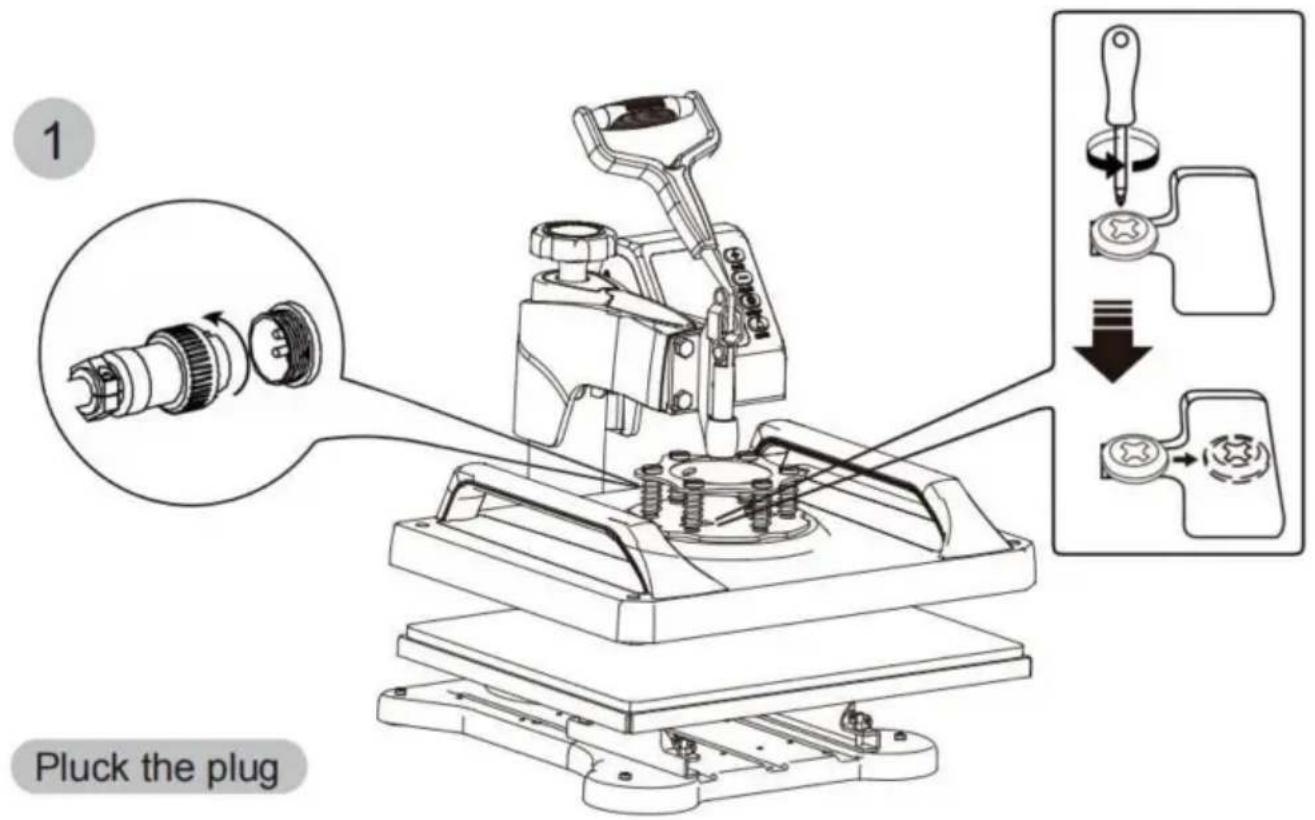
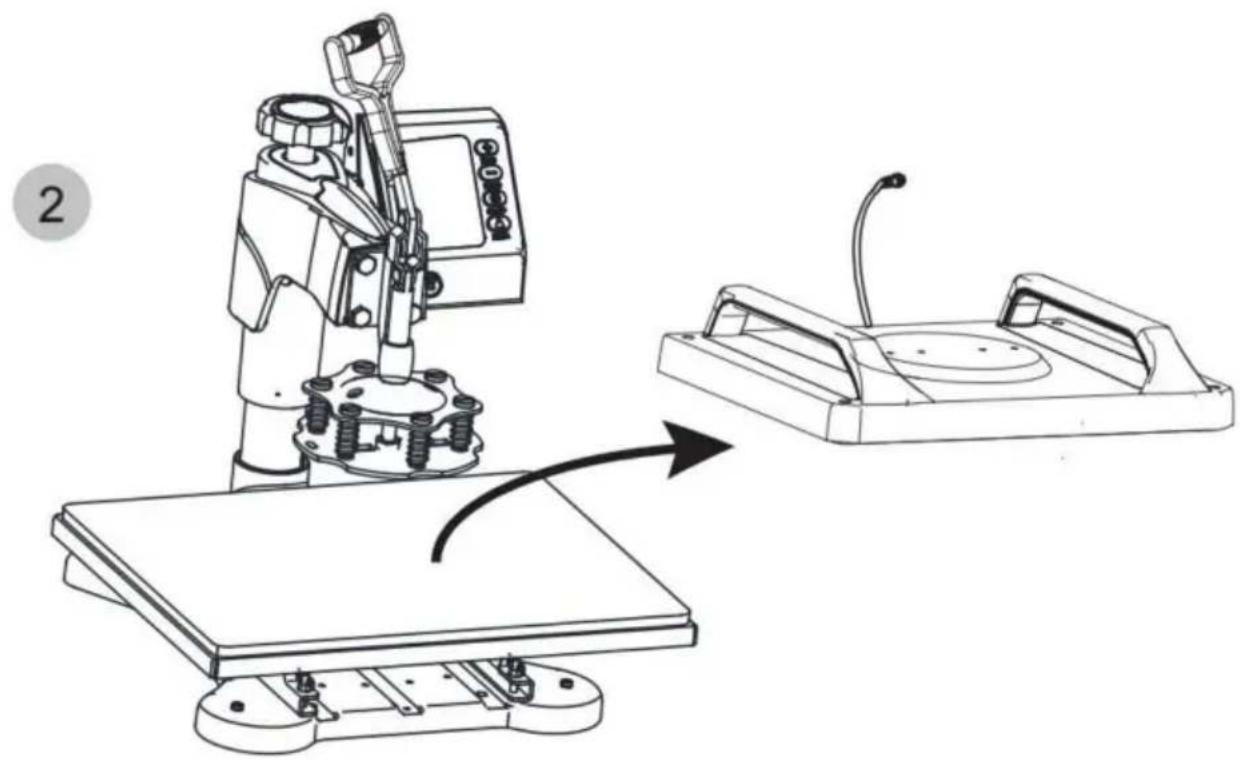
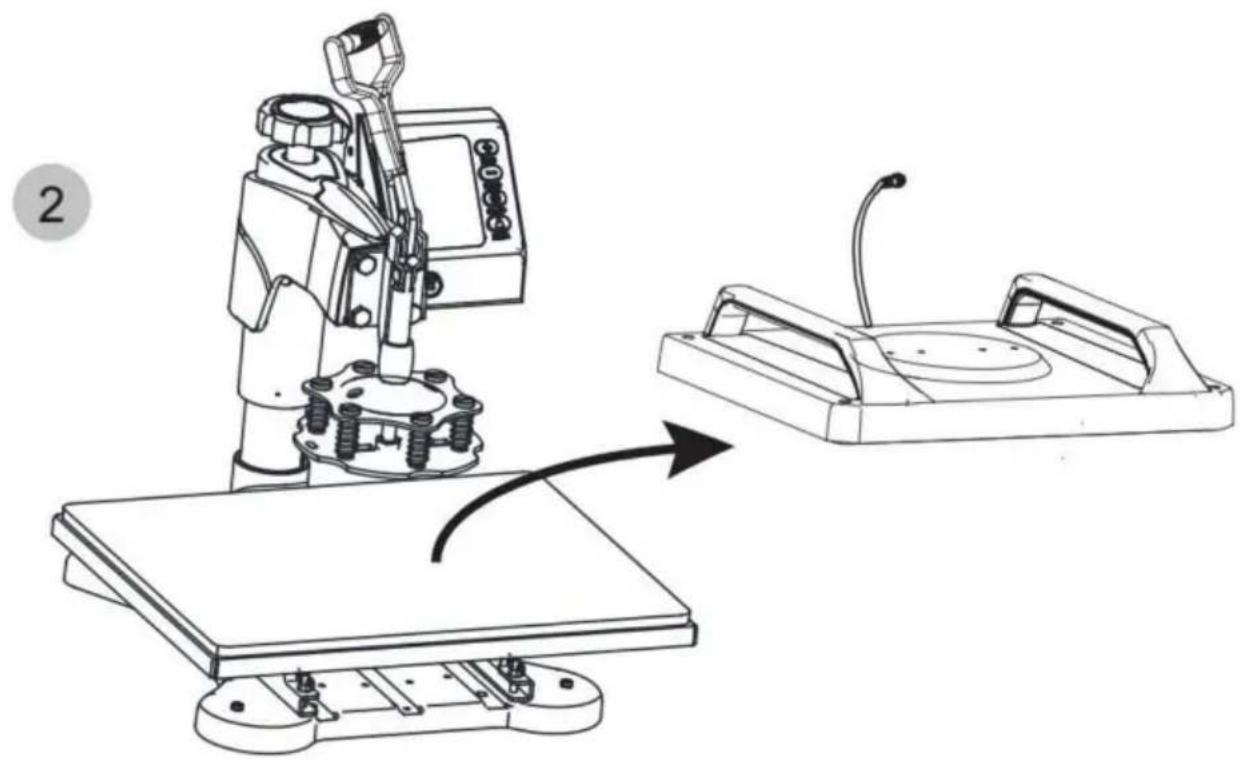
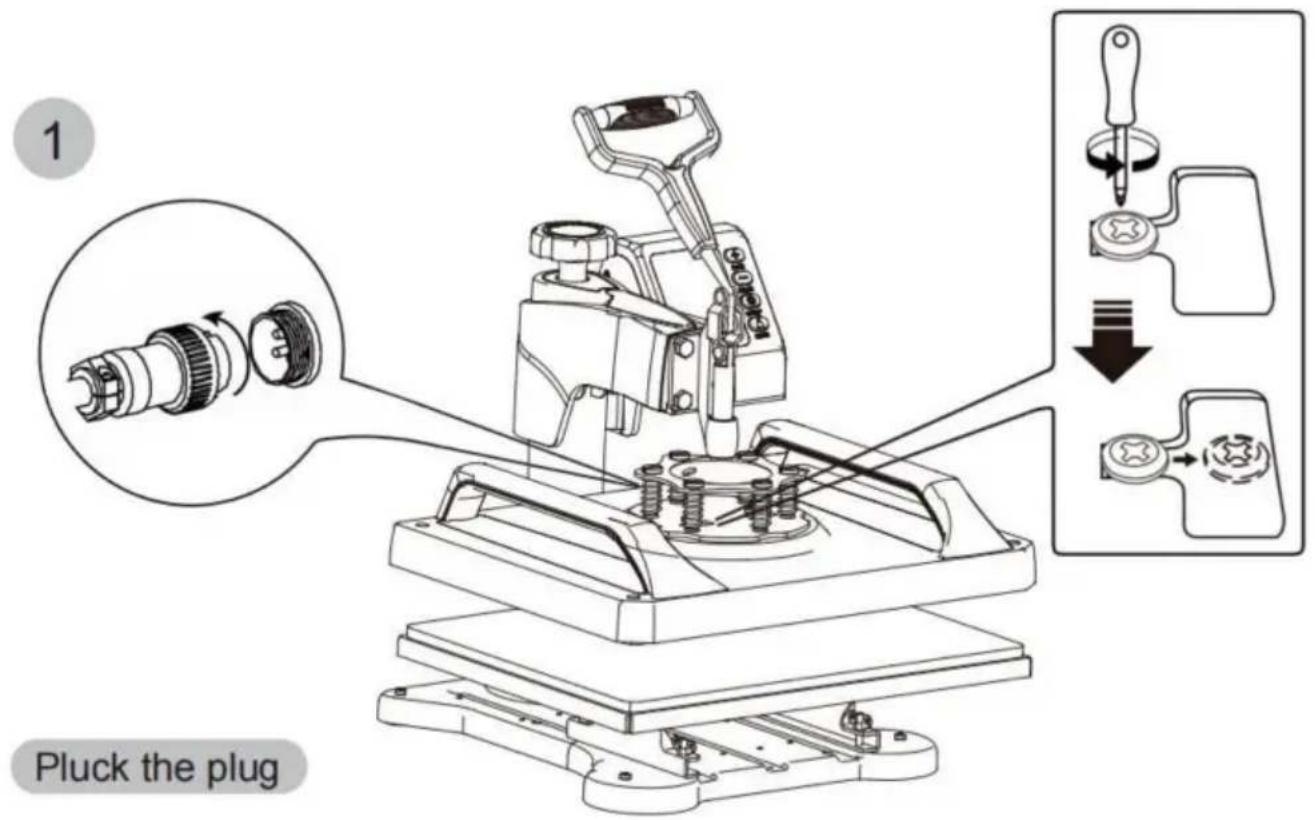
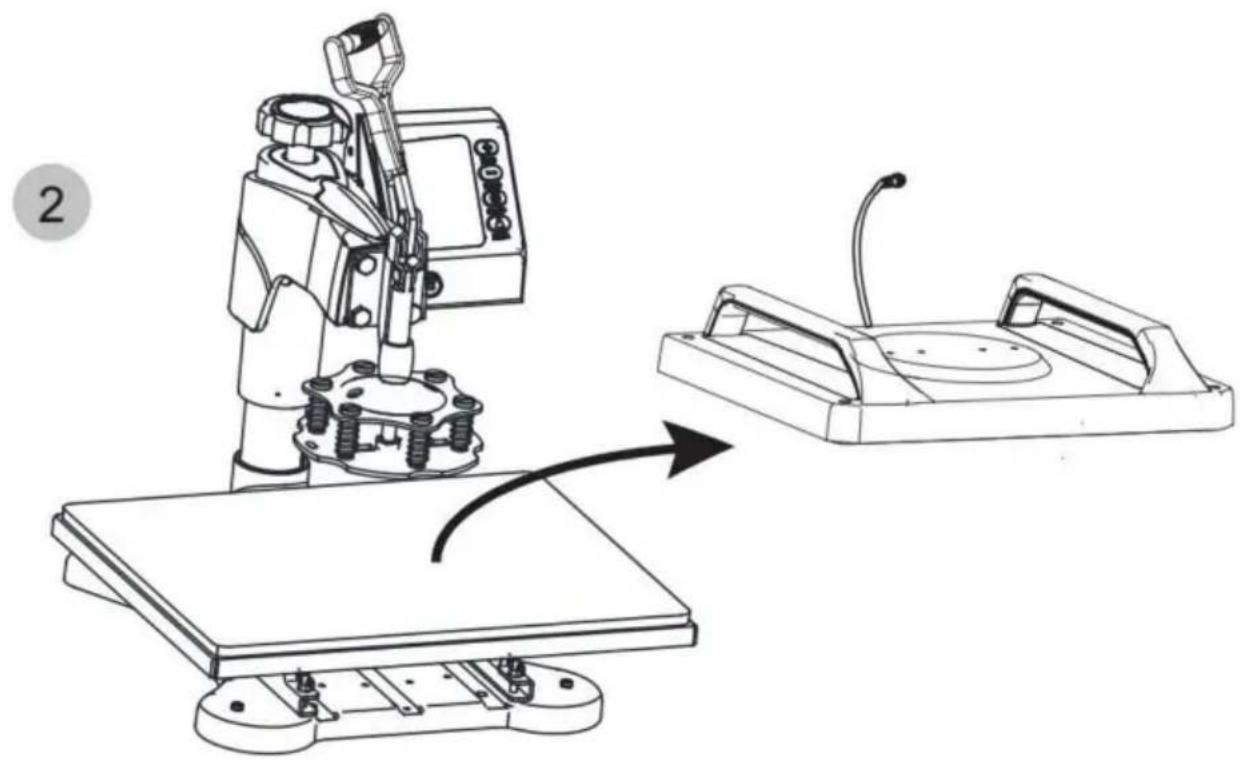
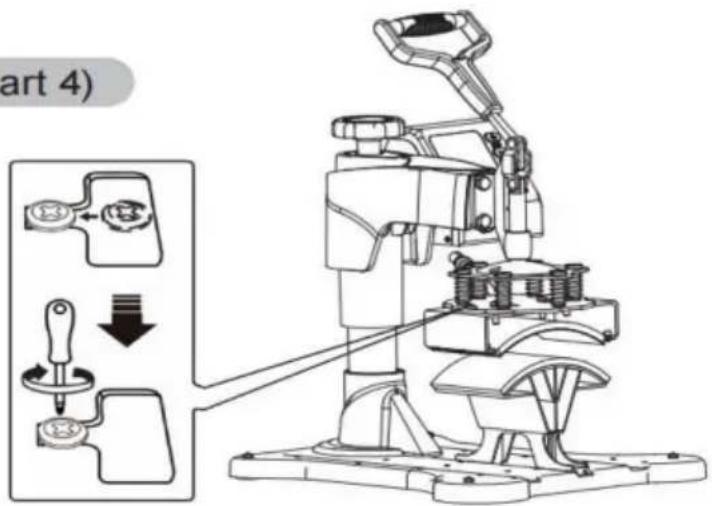
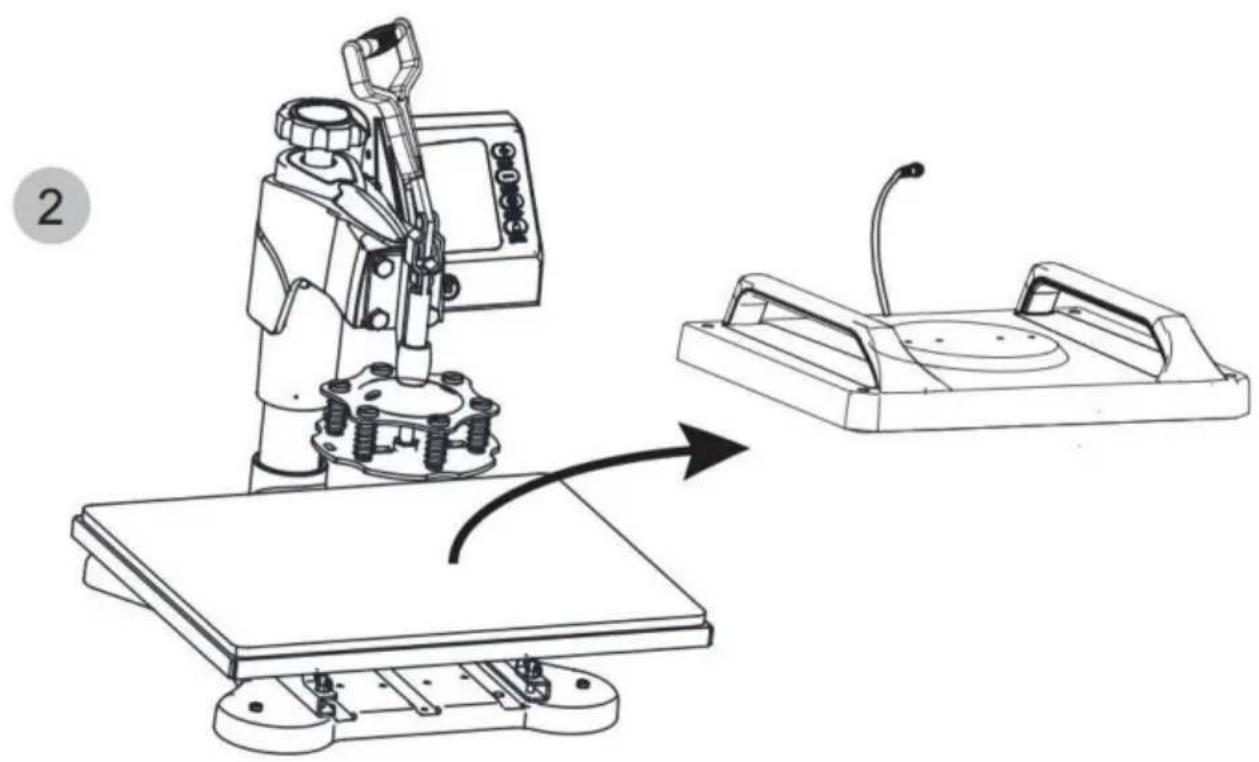
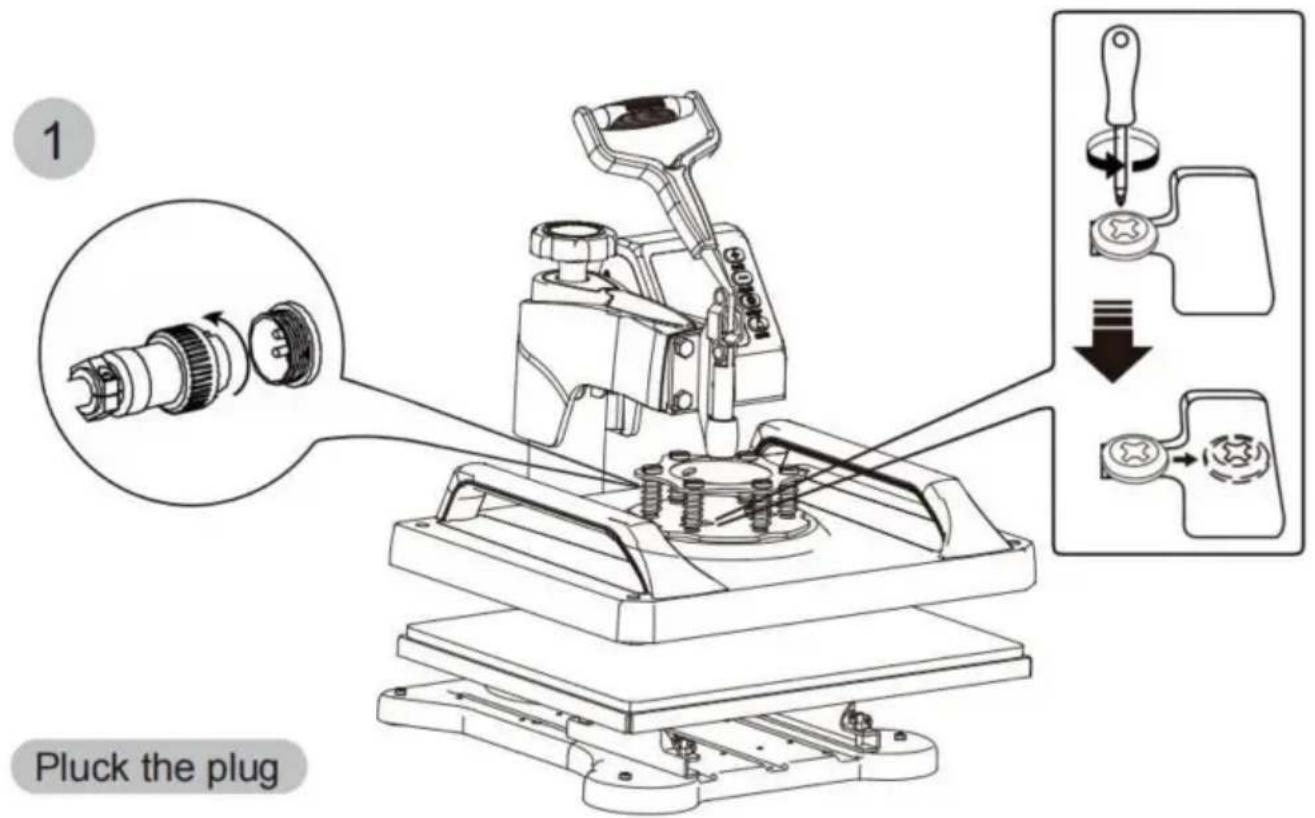
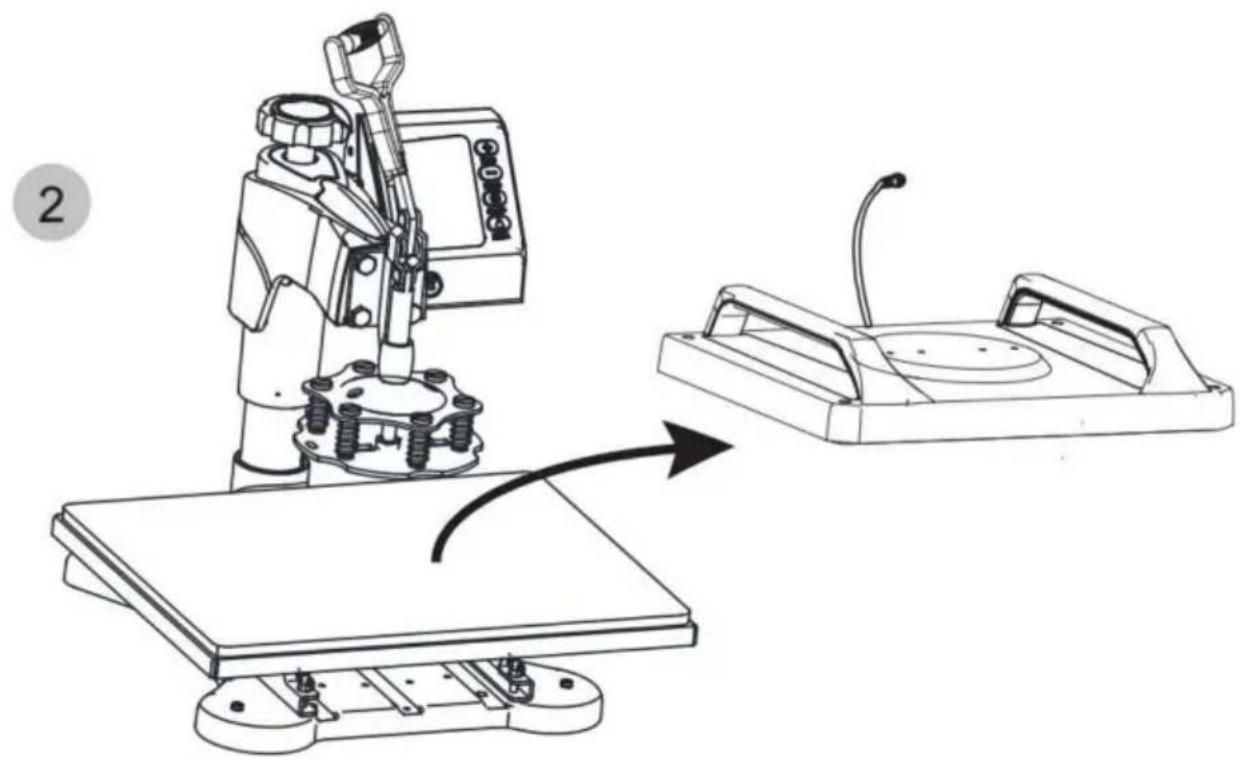
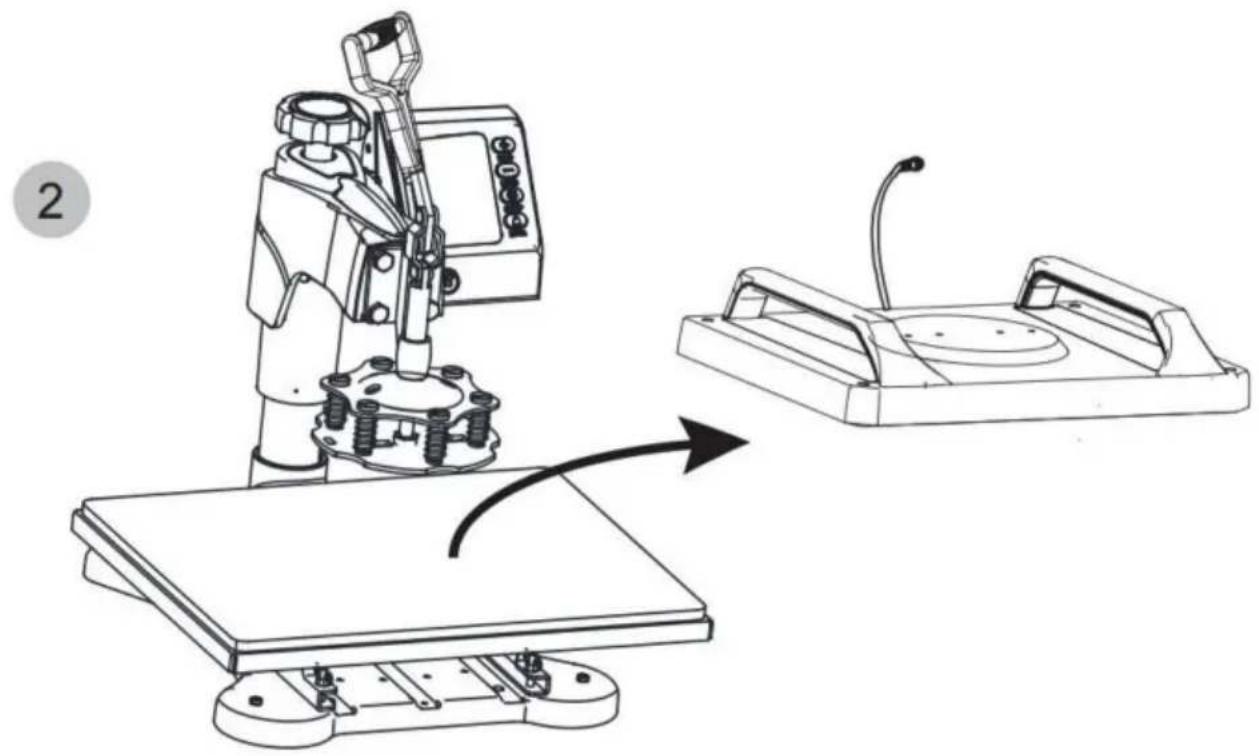
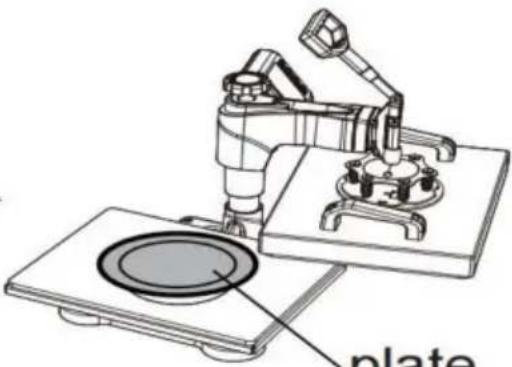
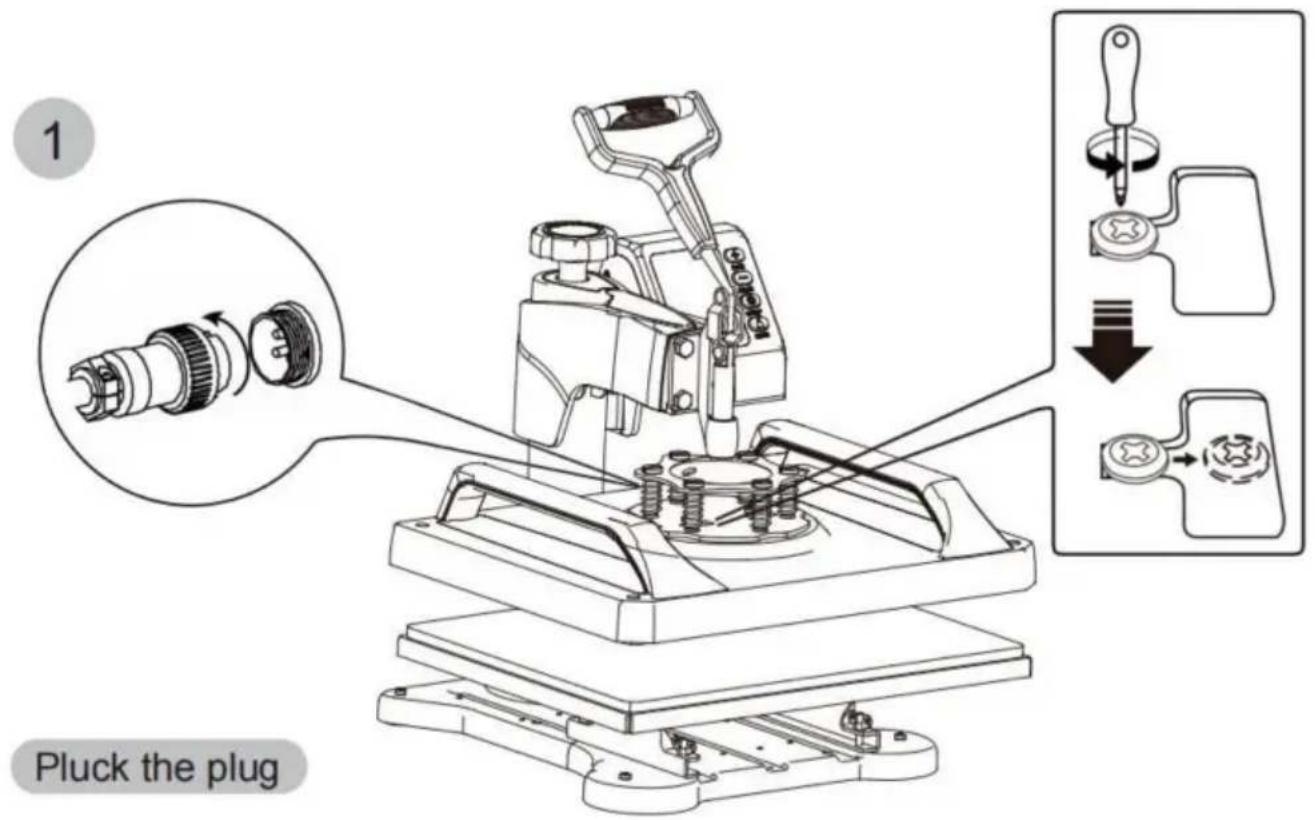
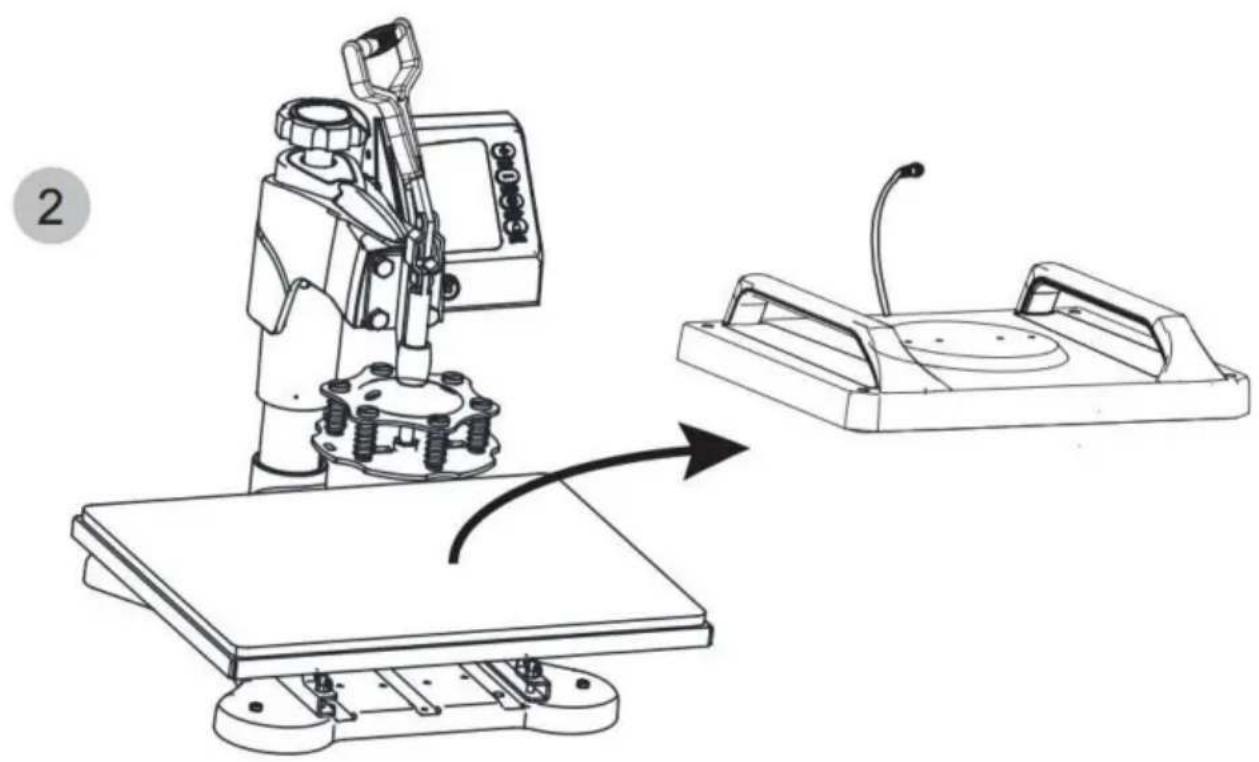
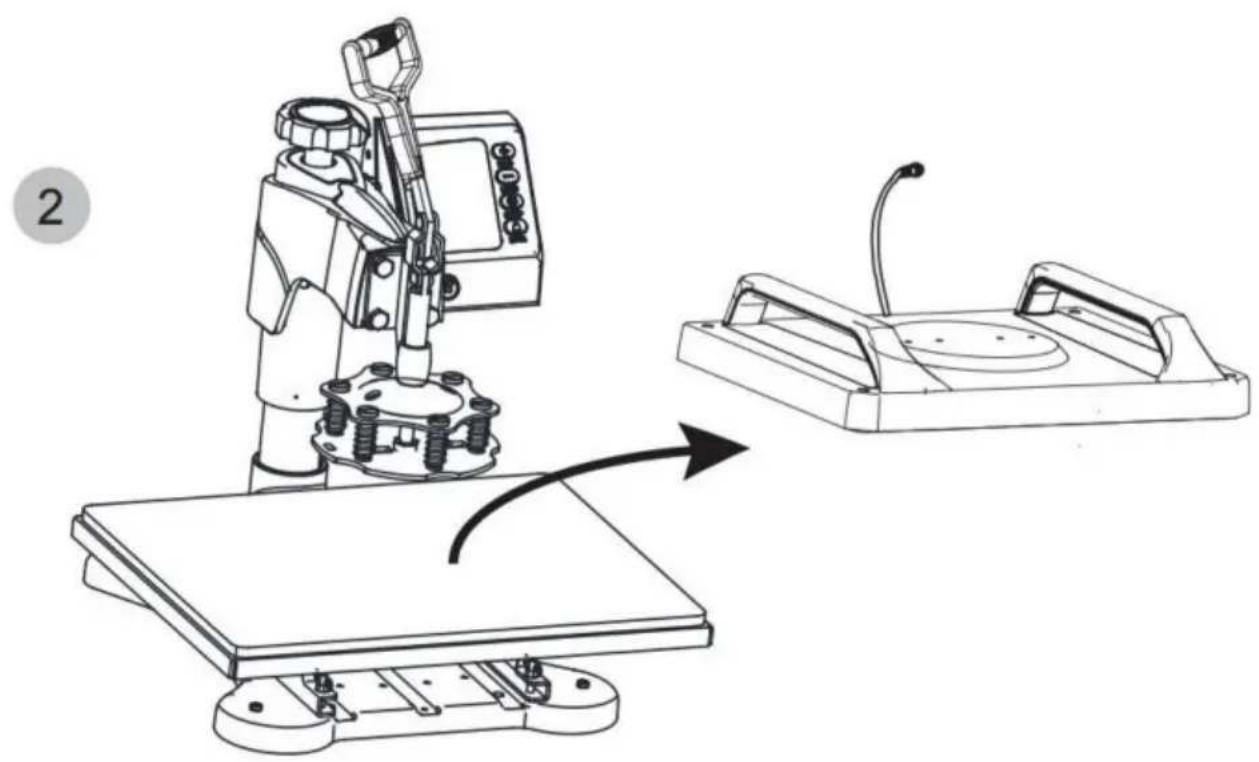
Use a Phillips screwdriver to unscrew the screws in the two holes the pressure plate to replace the accessories.
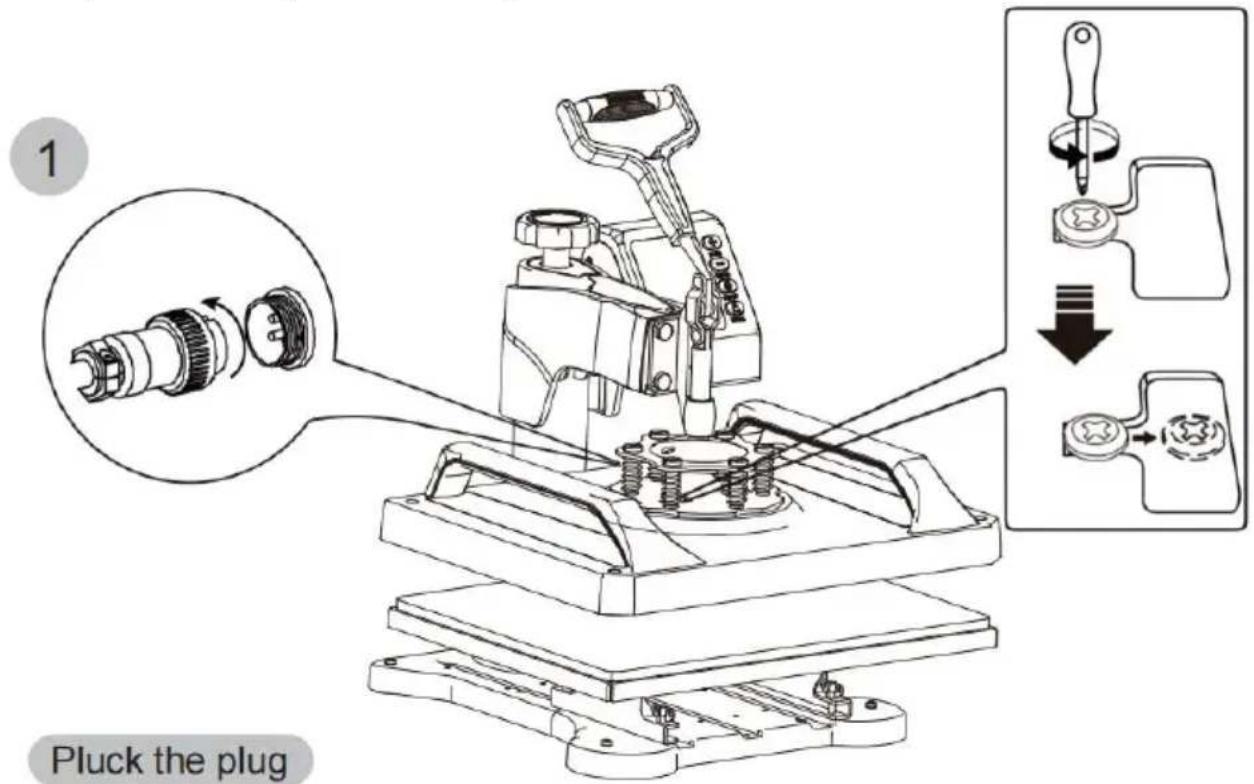
Vevor TL-FY8001 - Note - 1

text_image

1 Pluck the plug

Vevor TL-FY8001 - Note - 2

natural_image Technical line drawing of a robotic machine with a control panel and a close-up view of its mechanical component (no text or symbols)

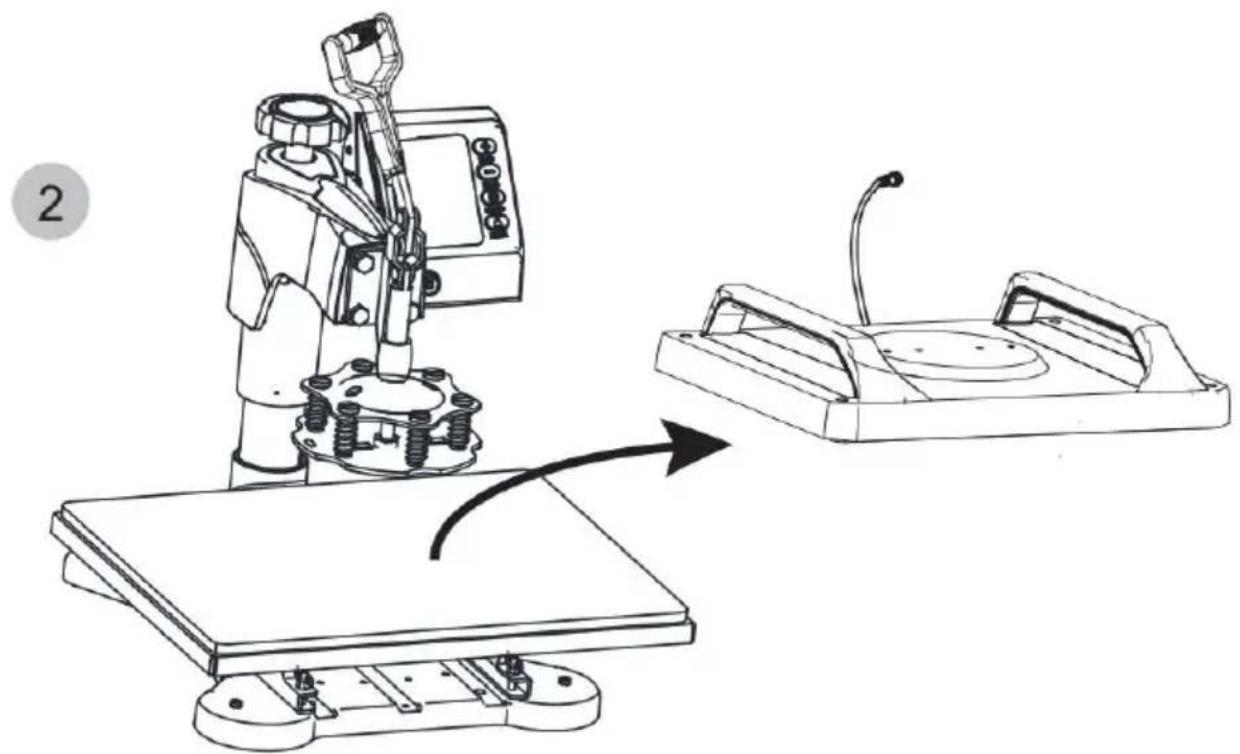
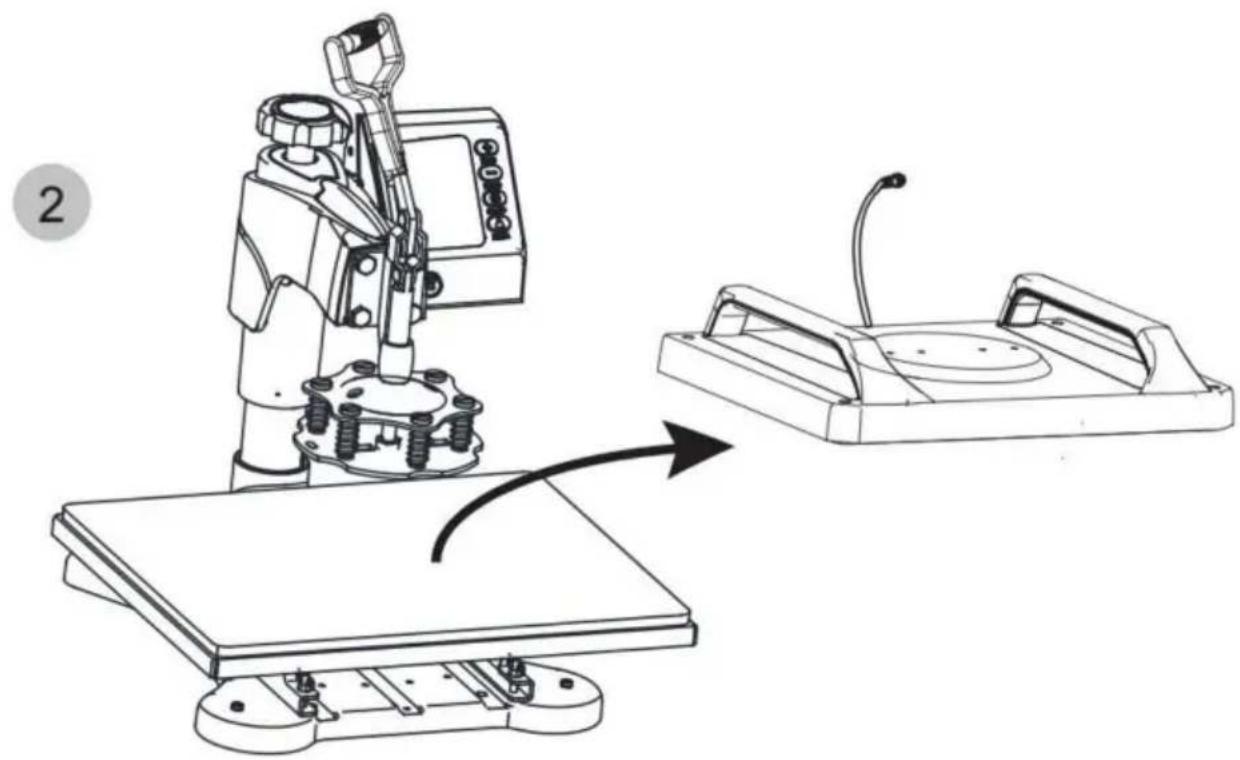
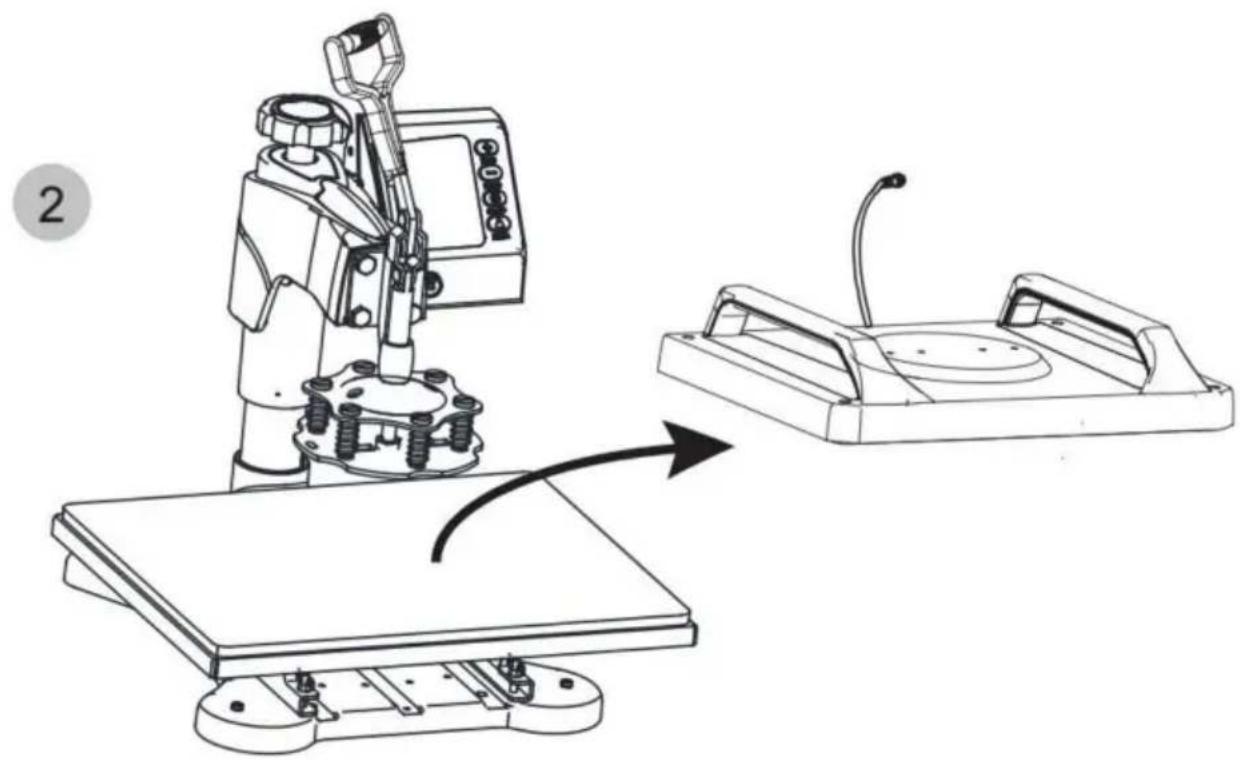
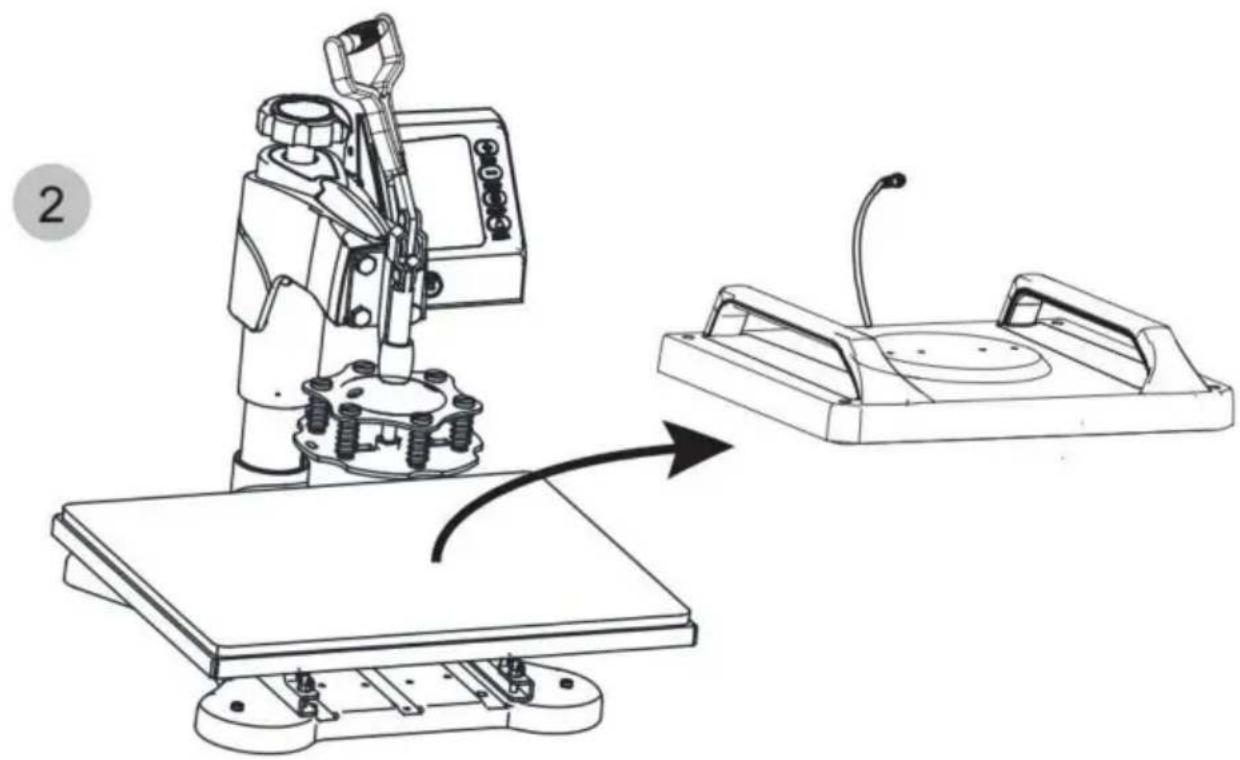
Rotate the heat transfer board to the side

3
Vevor TL-FY8001 - Note - 3

natural_image Simple line drawing of two overlapping rings (no text or symbols)

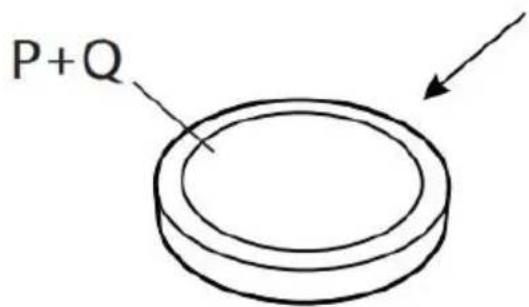
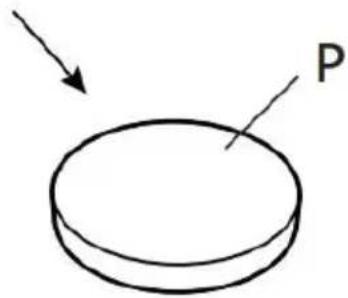
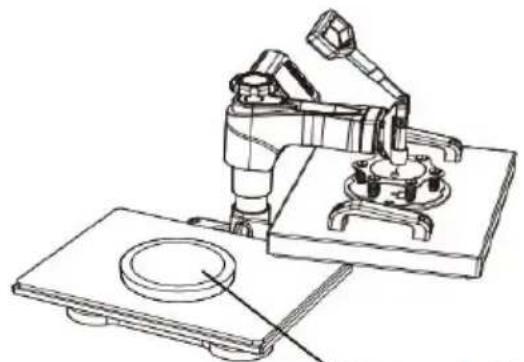
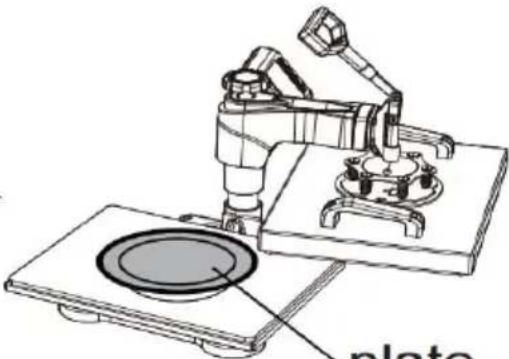
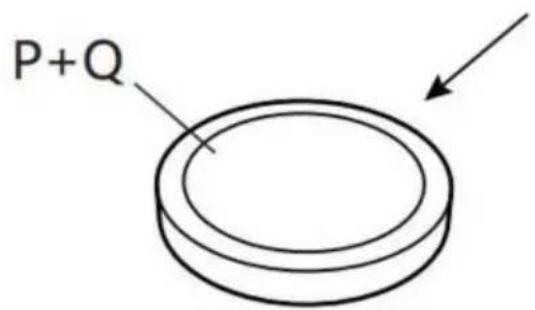
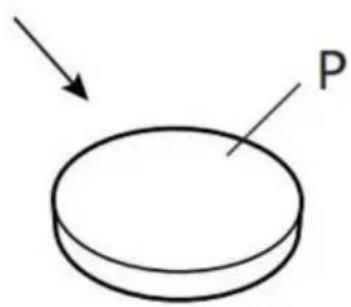
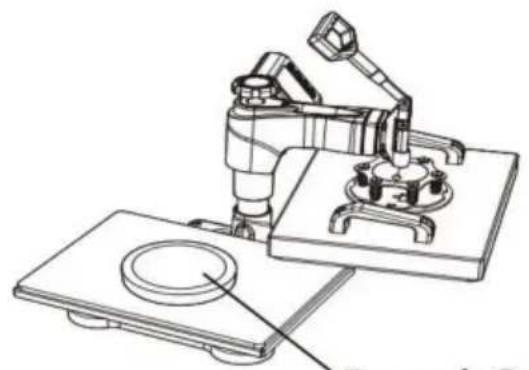
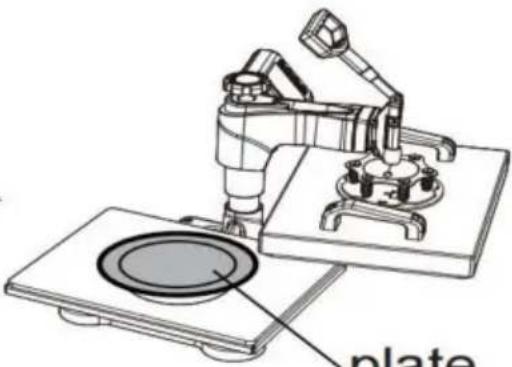
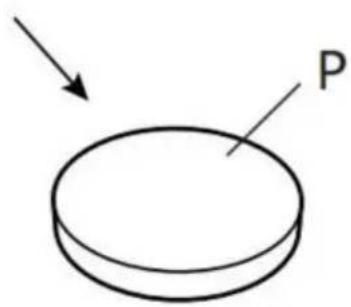
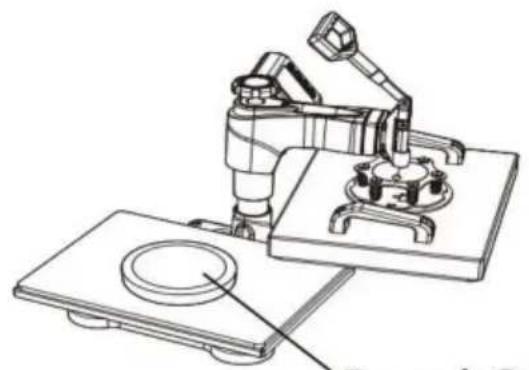
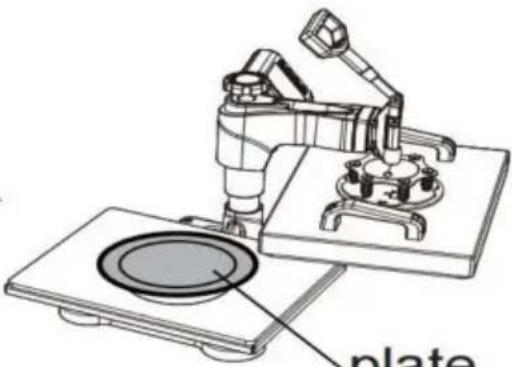
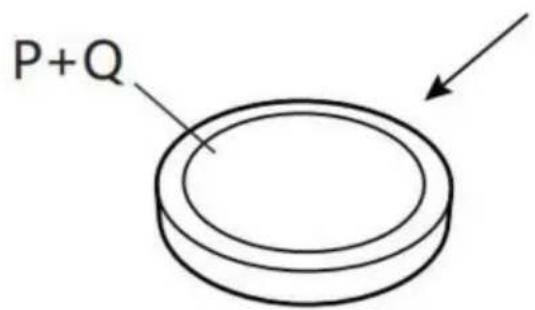
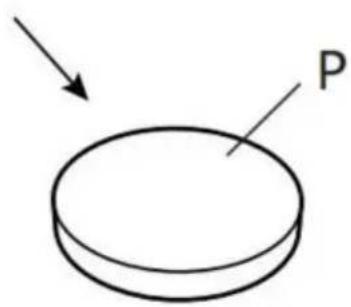
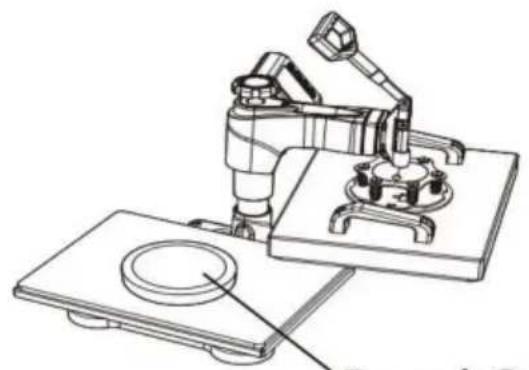
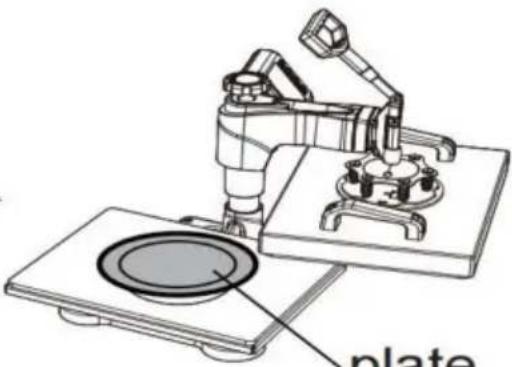
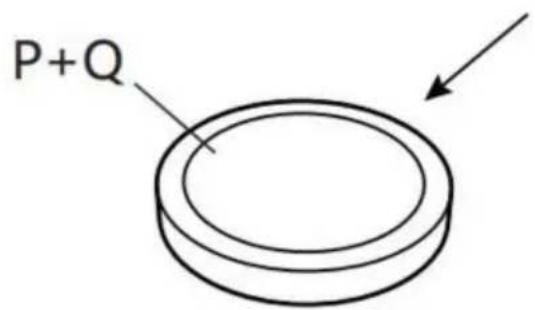
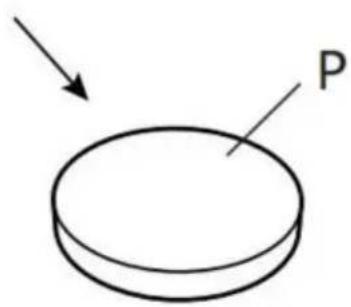
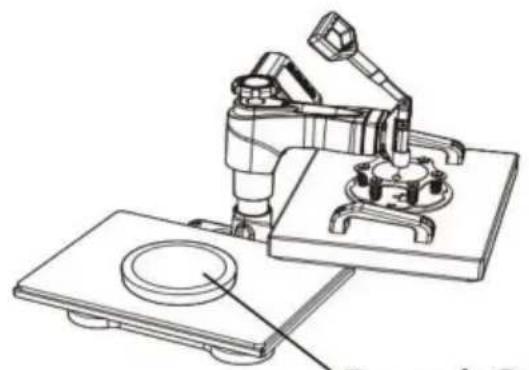
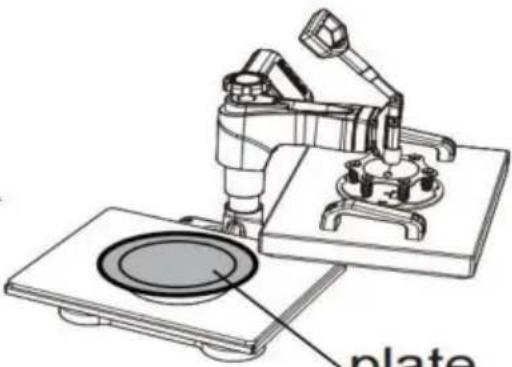
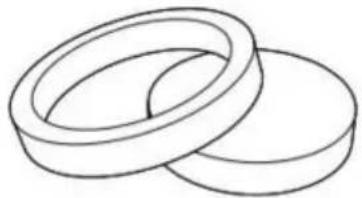
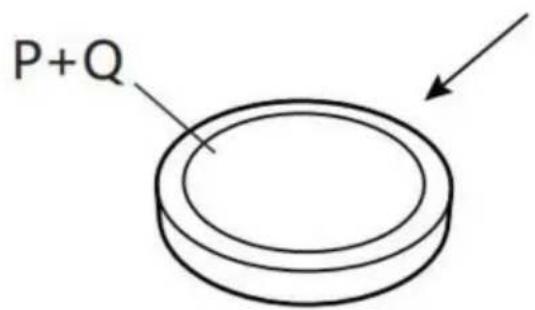
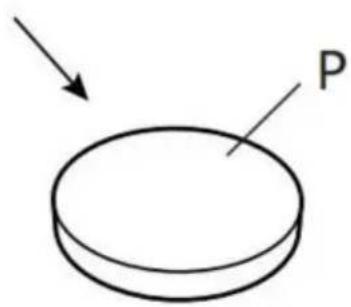
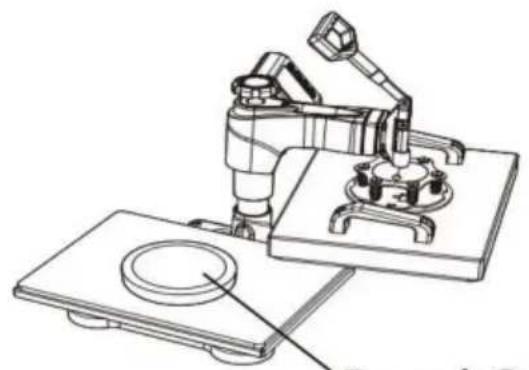
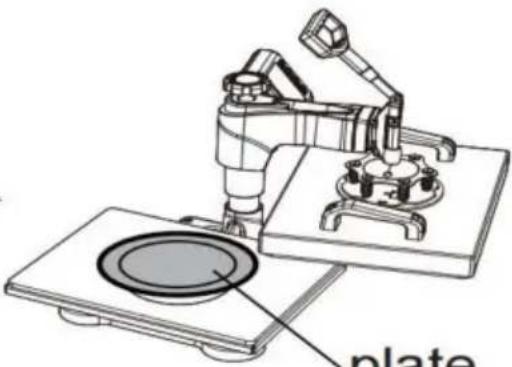
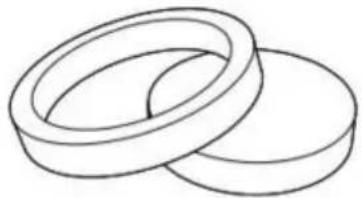
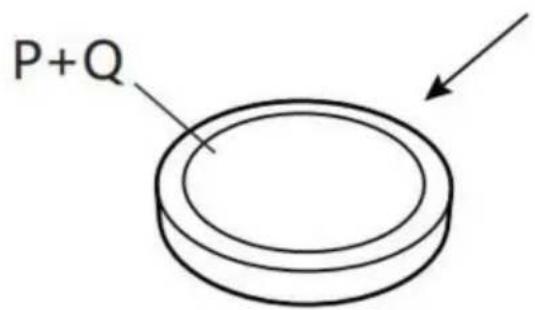
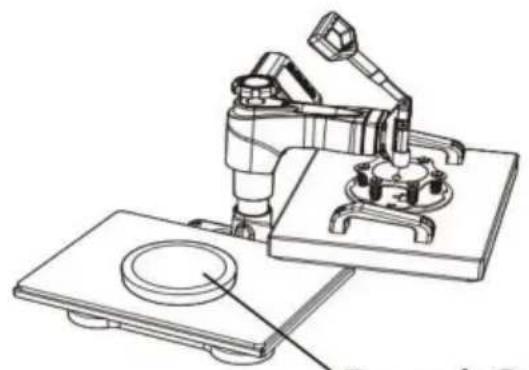
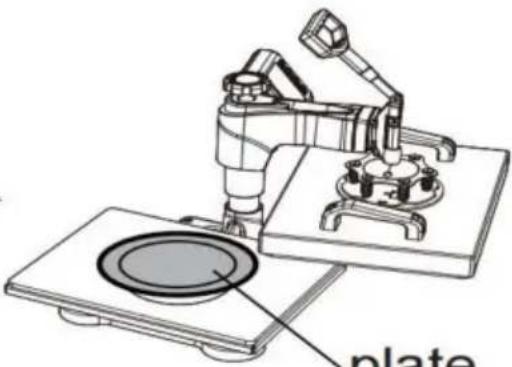
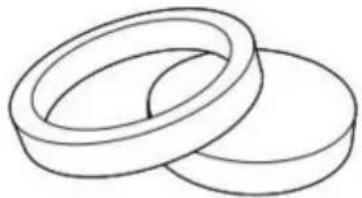
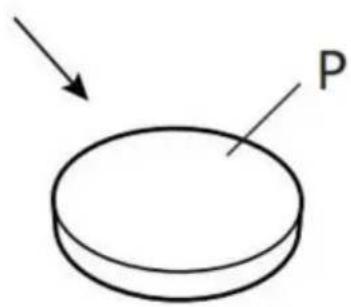
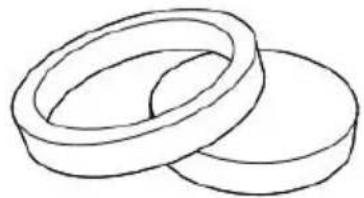
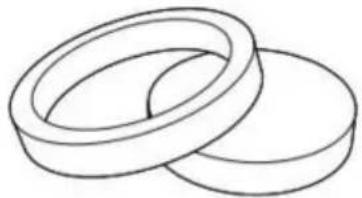
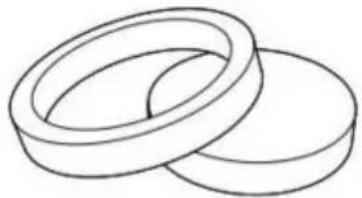
Choose the right size Plate Press.

Vevor TL-FY8001 - Note - 4

text_image P+Q

combination

Vevor TL-FY8001 - Note - 5

text_image P

separate

4

Vevor TL-FY8001 - Note - 6

natural_image Technical line drawing of a mechanical device with a cylindrical component and base plate (no text or symbols)

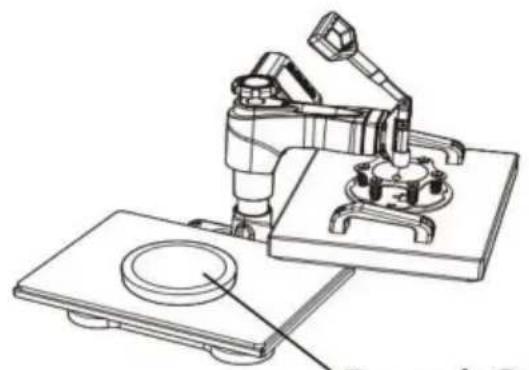
P and Q

Vevor TL-FY8001 - Note - 7

Vevor TL-FY8001 - Note - 8

natural_image Technical line drawing of a robotic arm operating on a plate (no text or symbols)

plate

Vevor TL-FY8001 - Note - 9

natural_image Cute cartoon panda inside a circular frame with stars (no text or symbols)

Patterned plate

Vevor TL-FY8001 - Note - 10

text_image 1 Pluck the plug

Vevor TL-FY8001 - Note - 11

natural_image Technical line drawing of a robotic machine with a control panel and a close-up view of its mechanical component (no text or symbols)

Rotate the heat transfer board to the side

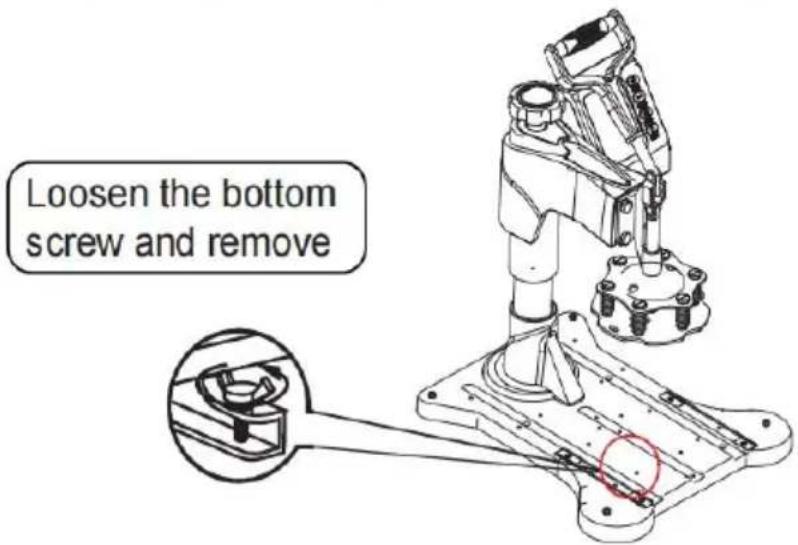
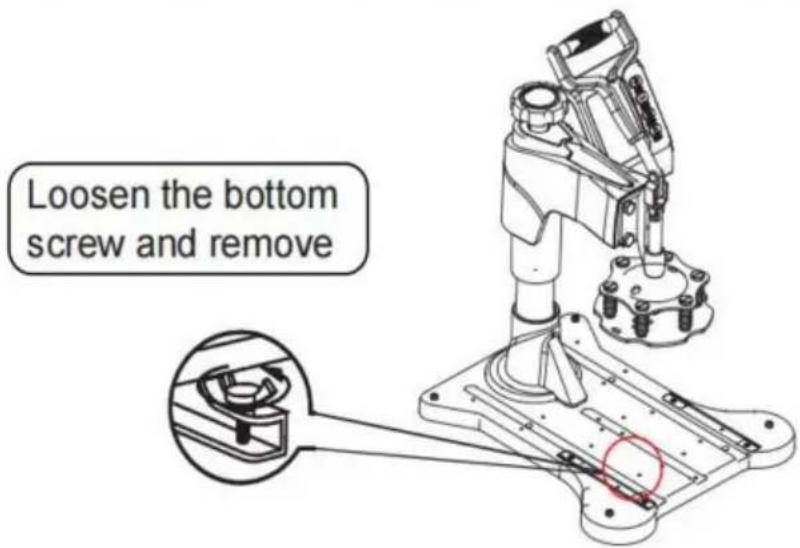
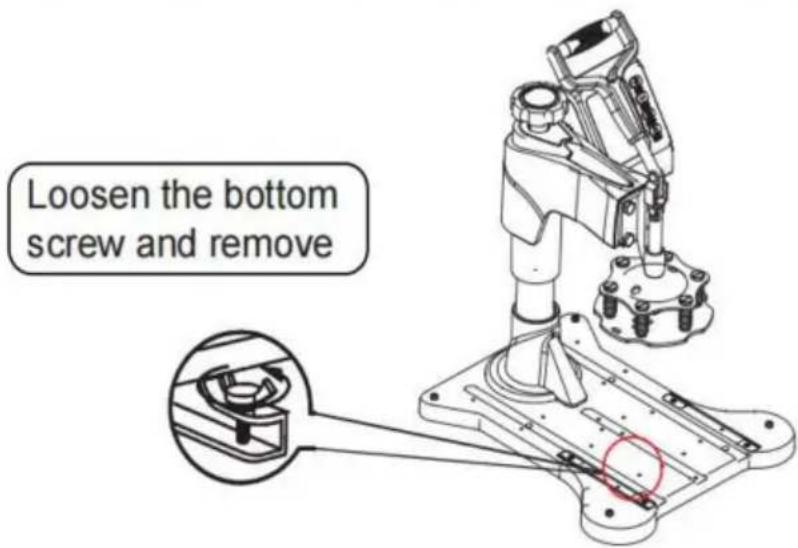
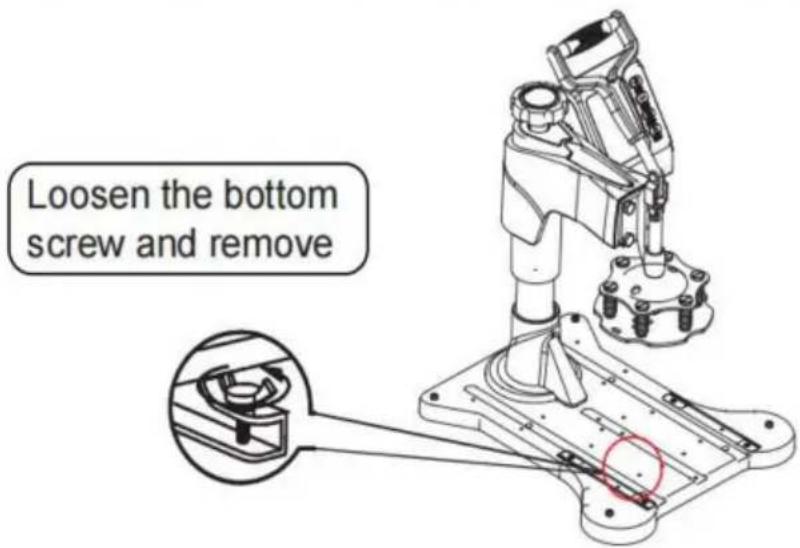
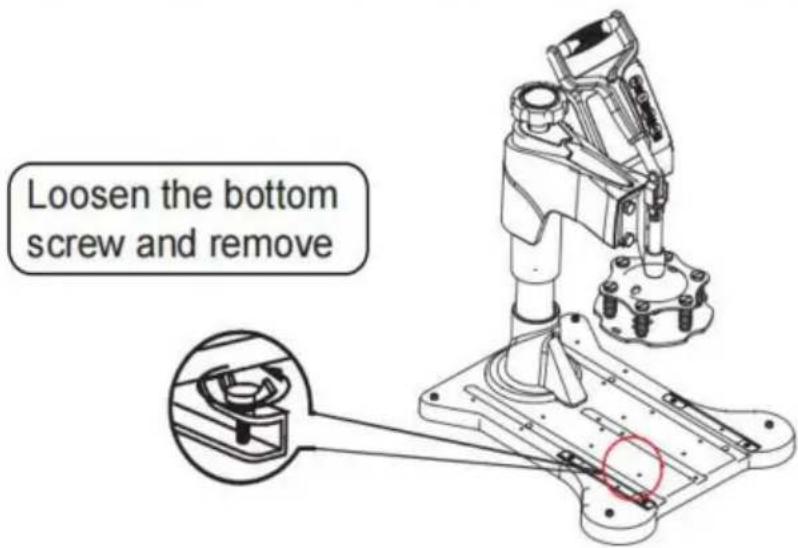
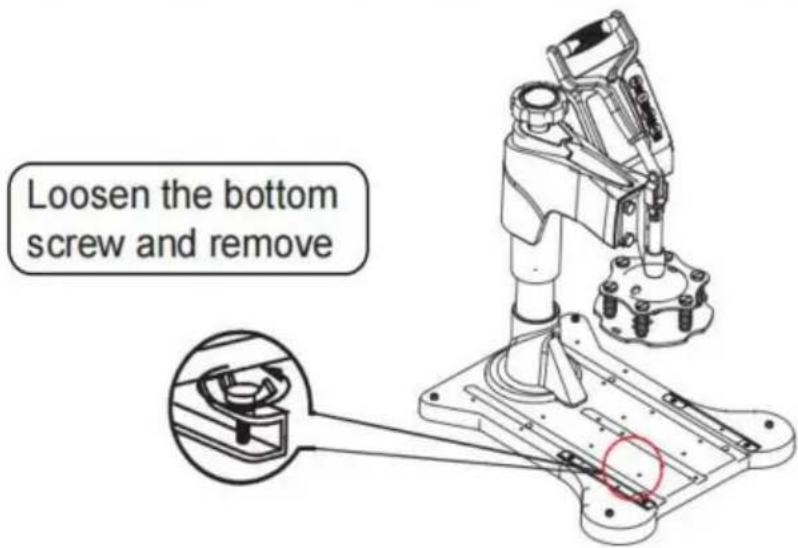
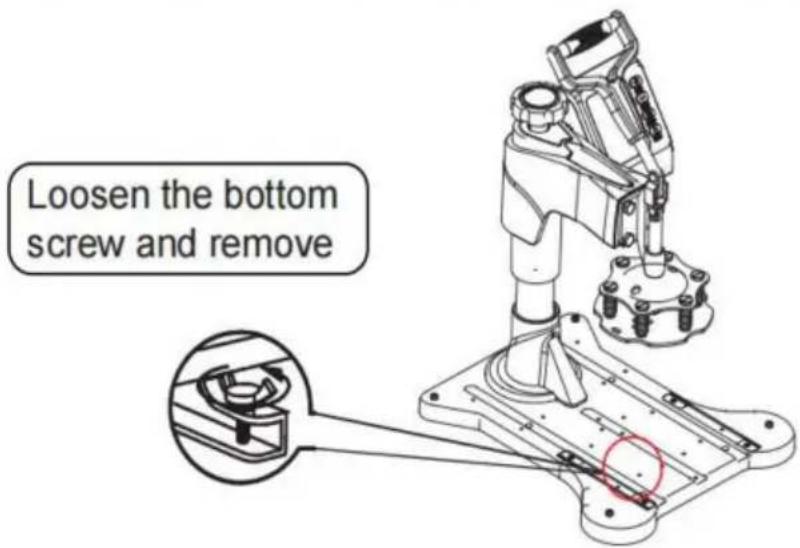
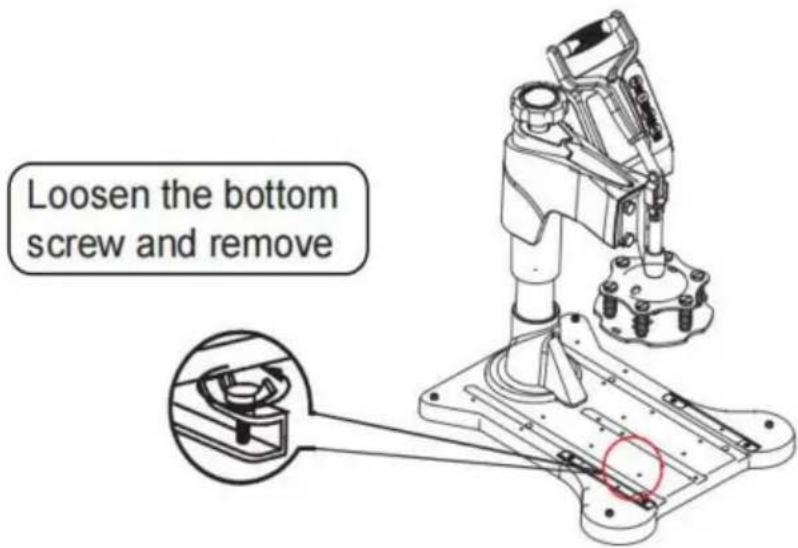
3 Unscrew the four butterfil screws.at bottom

Vevor TL-FY8001 - Unscrew the four butterfil screws.at bottom - 1

text_image Loosen the bottom screw and remove

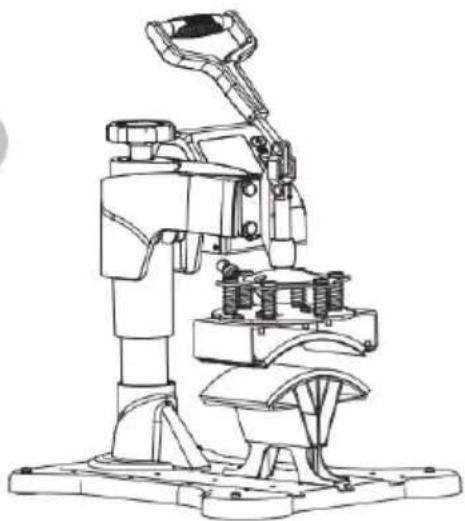
4
Vevor TL-FY8001 - Unscrew the four butterfil screws.at bottom - 2

natural_image Technical line drawing of a mechanical device with no visible text or symbols

Lift the cushion up

5
Vevor TL-FY8001 - Unscrew the four butterfil screws.at bottom - 3

natural_image Technical line drawing of a mechanical clamp or bracket with mounting holes (no text or symbols)

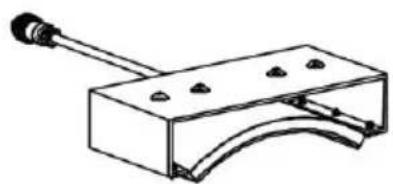
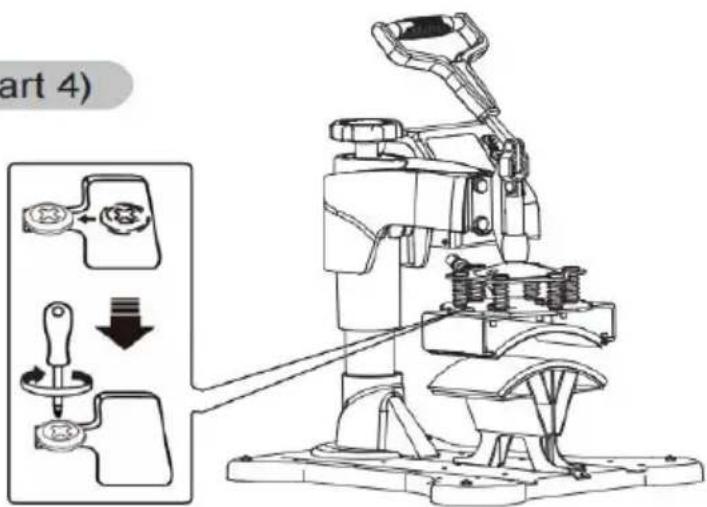
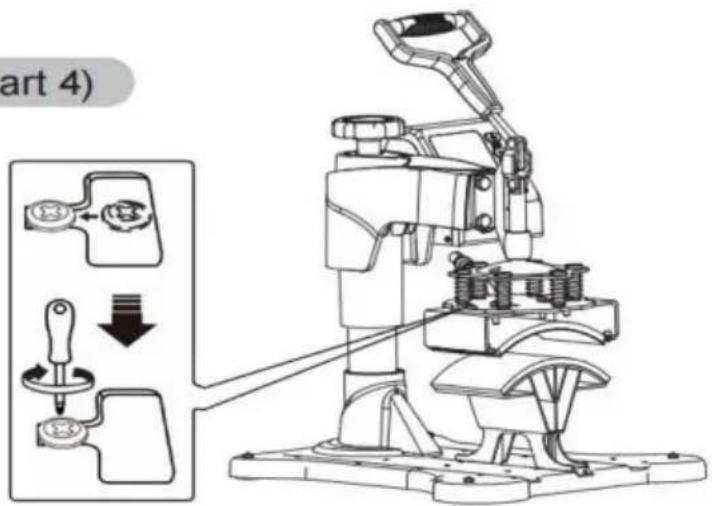
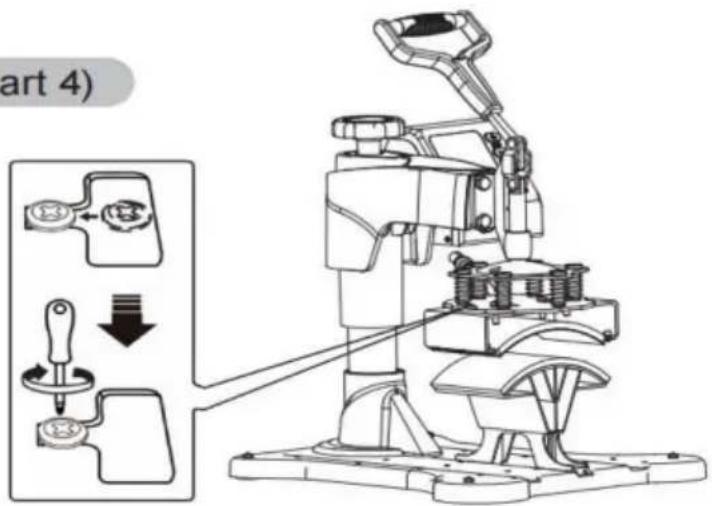
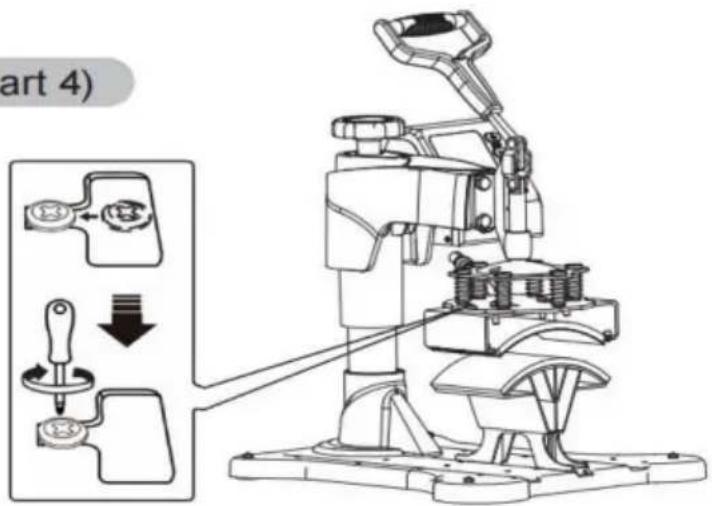
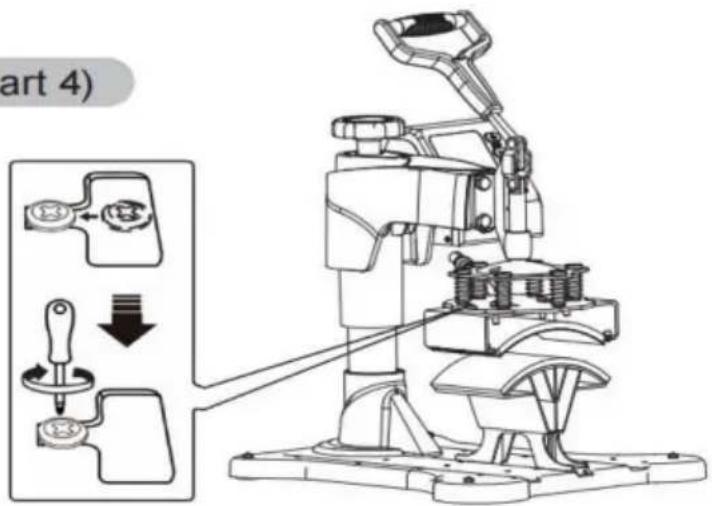
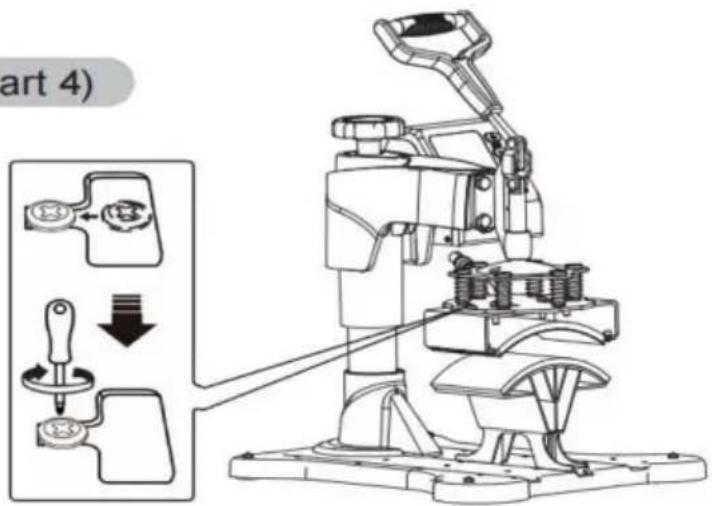
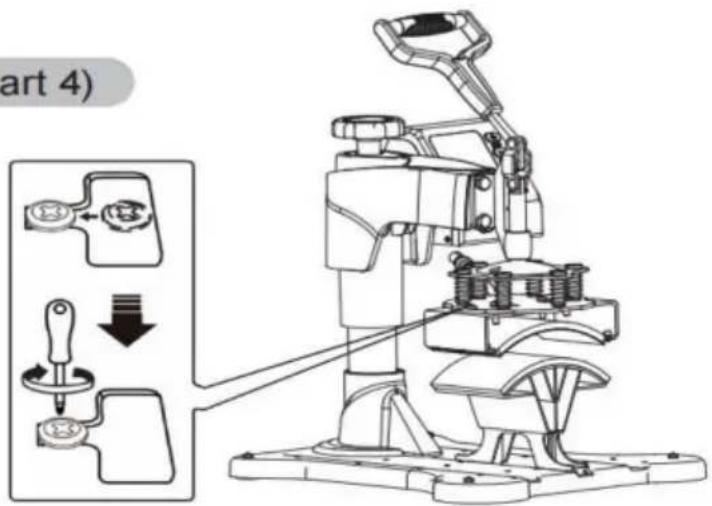
Install the backing pad (part 4)
6
Vevor TL-FY8001 - Unscrew the four butterfil screws.at bottom - 4

text_image art 4)

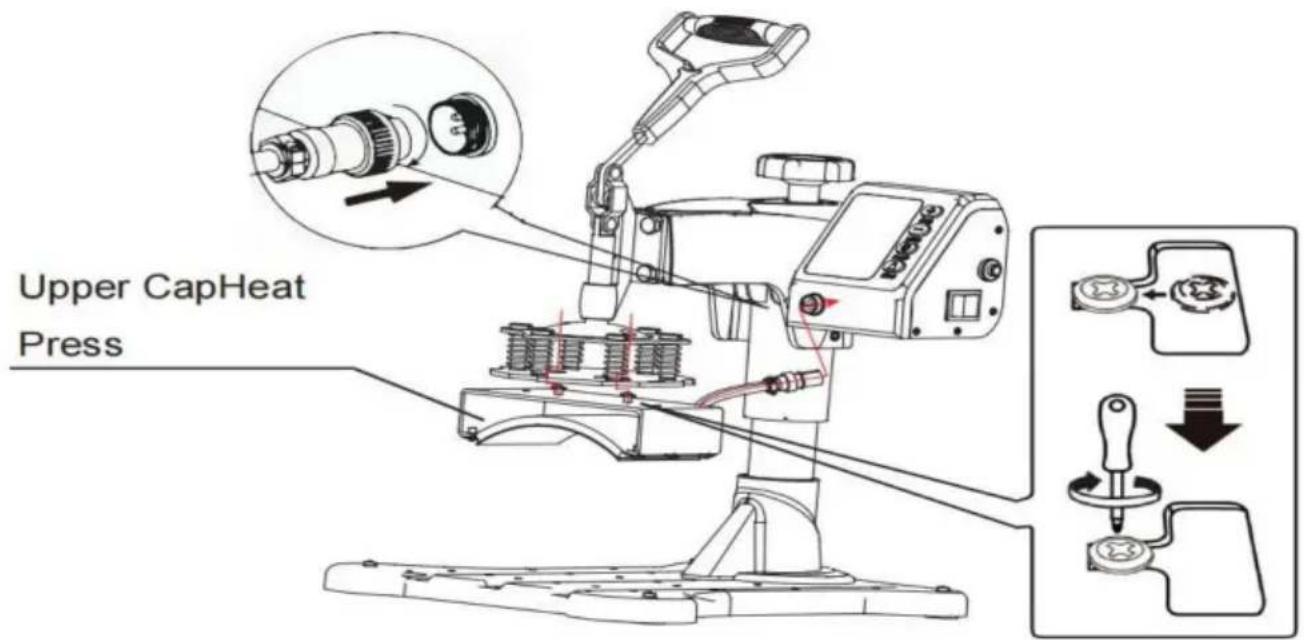
Use the screwdriver 4 to tighten the 2 screws just removed and put the cap on

Vevor TL-FY8001 - Unscrew the four butterfil screws.at bottom - 5

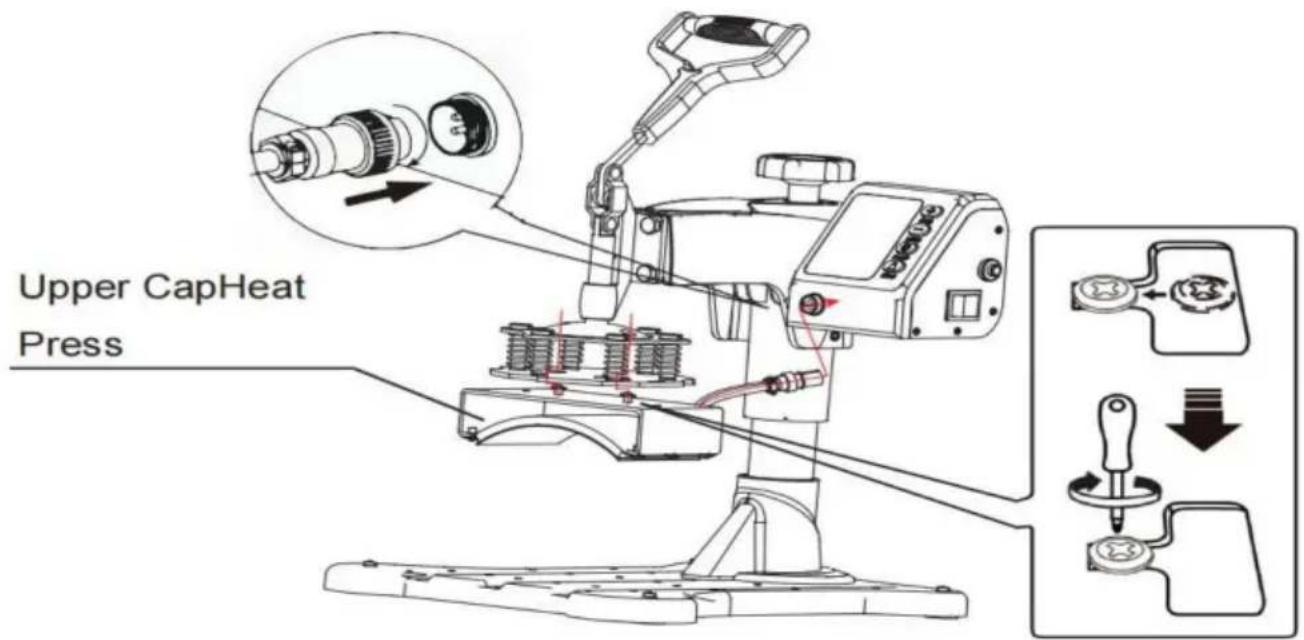
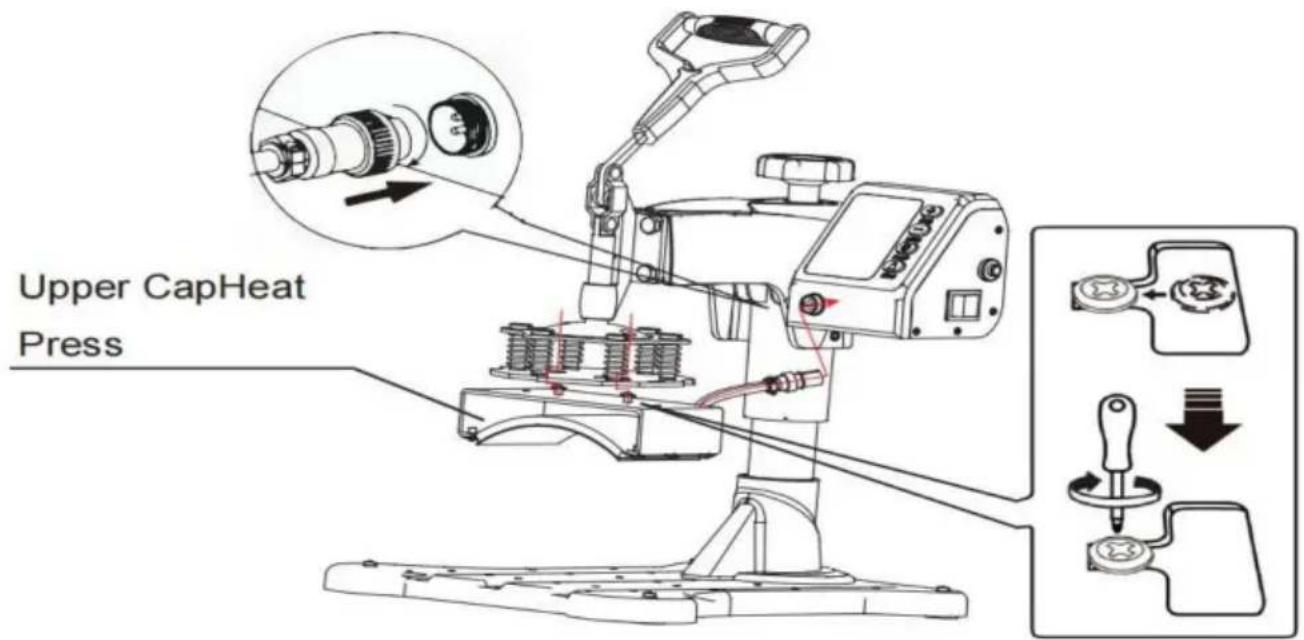
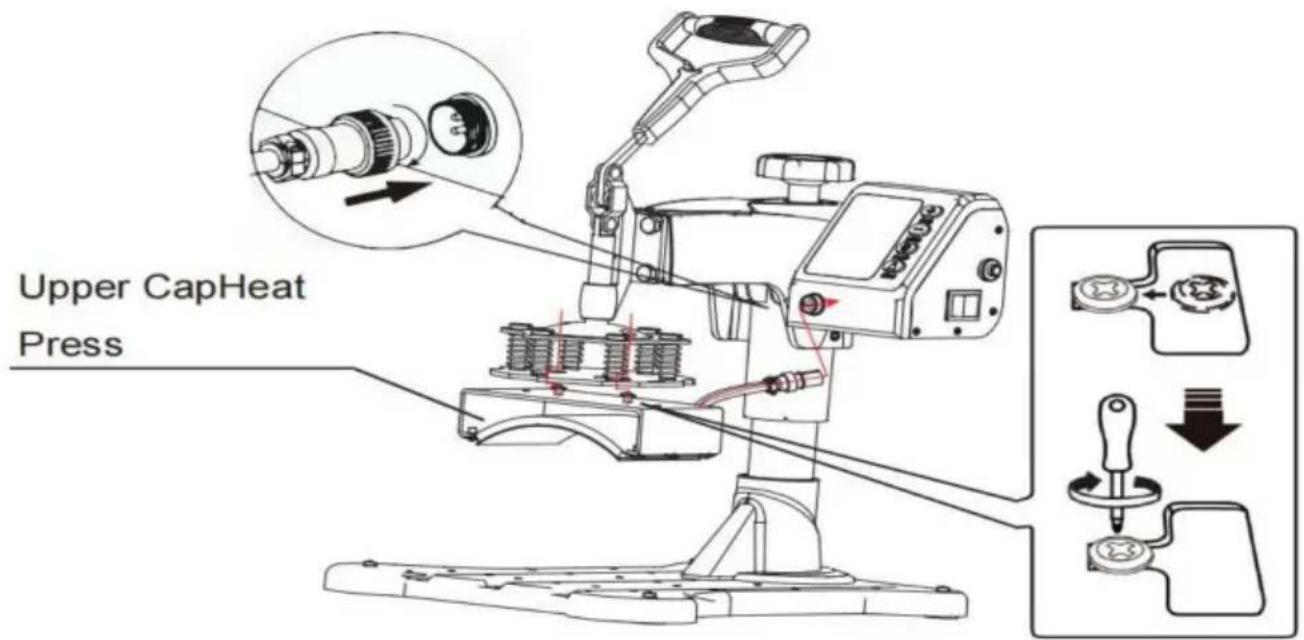
text_image Upper CapHeat Press
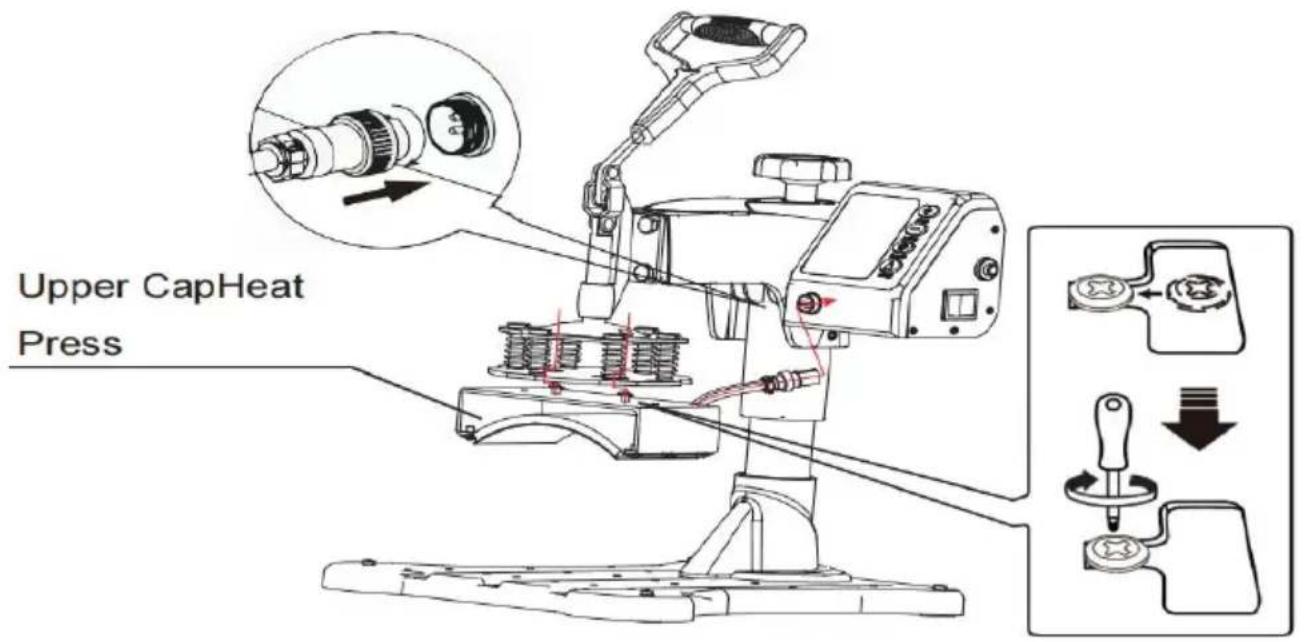
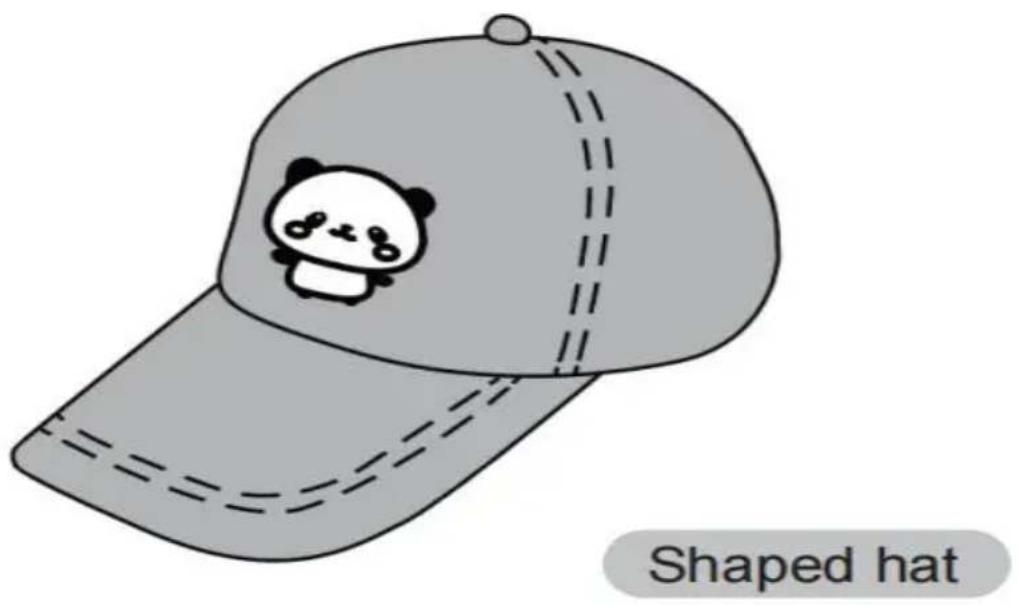
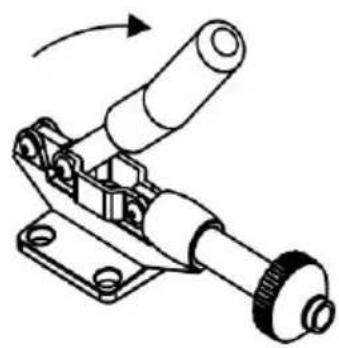
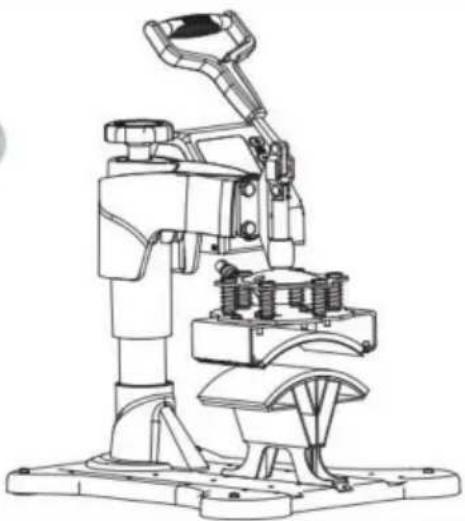
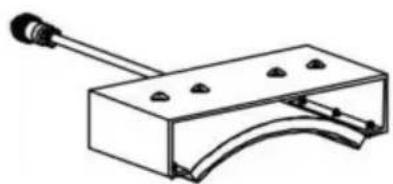
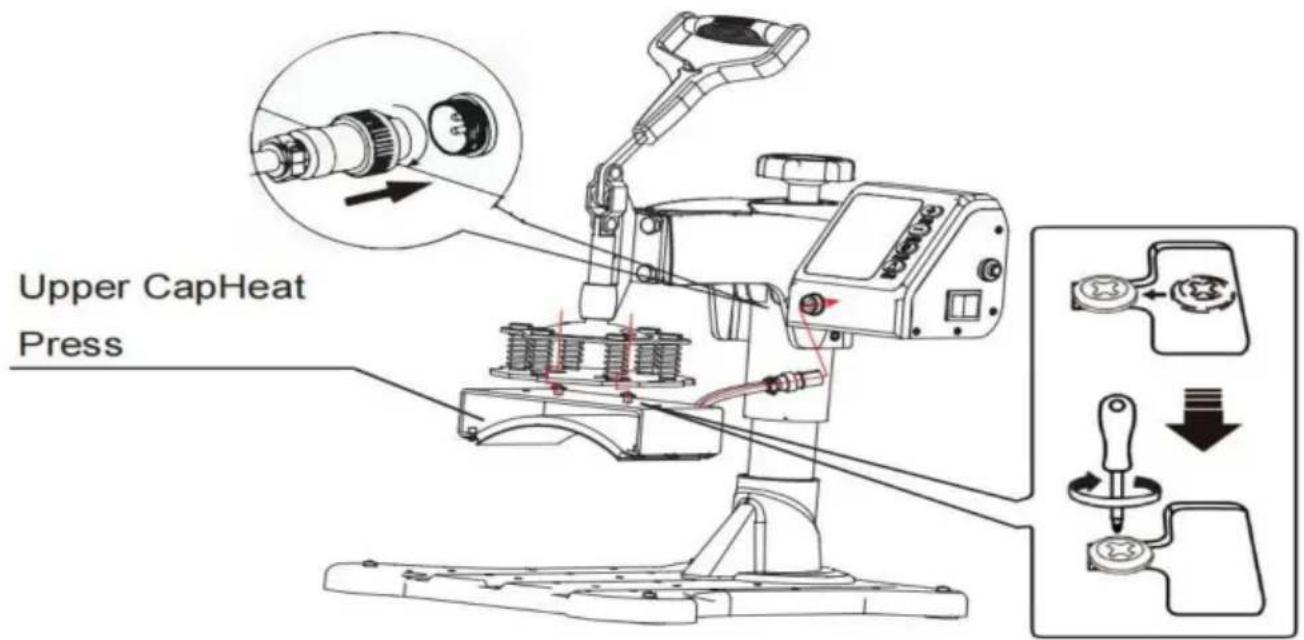
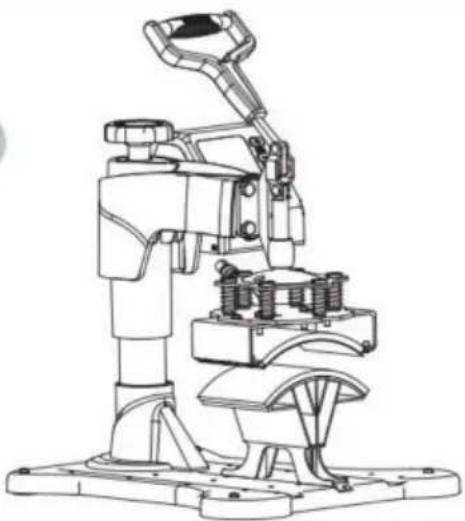
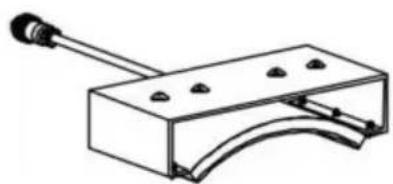
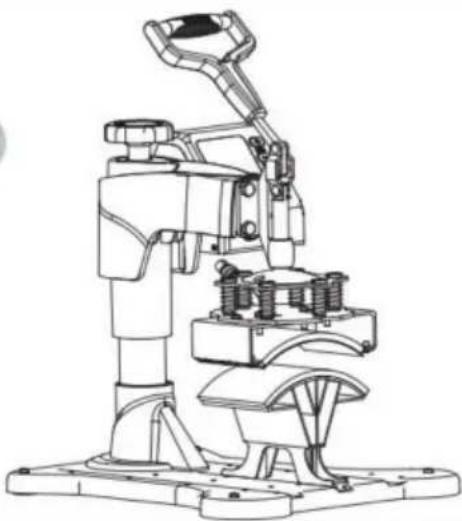
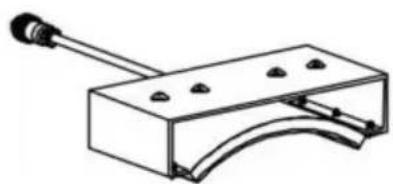
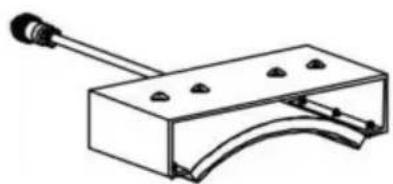
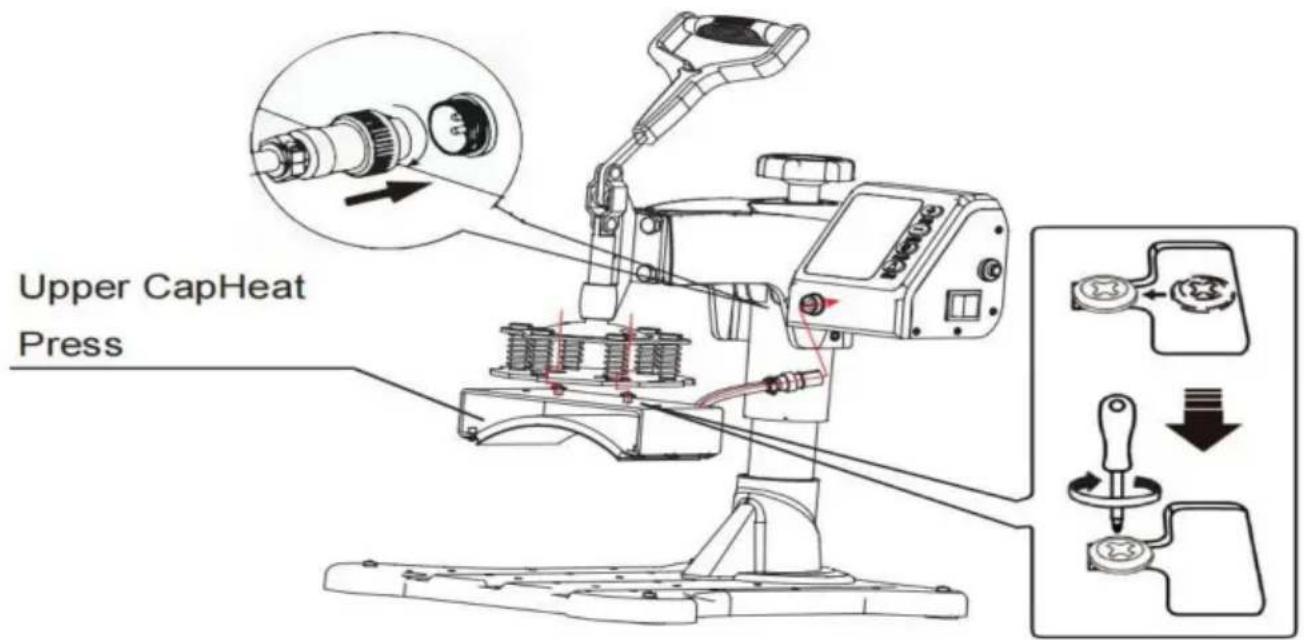
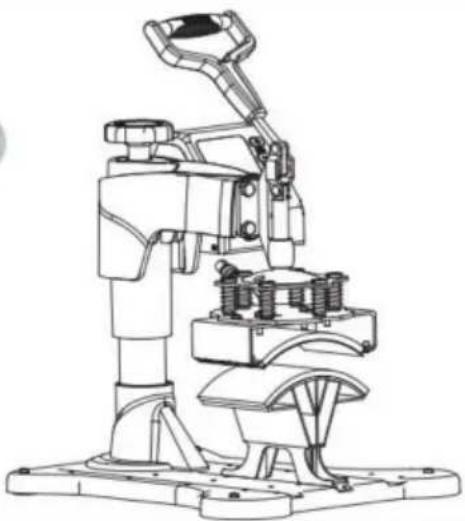
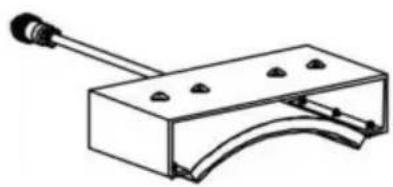
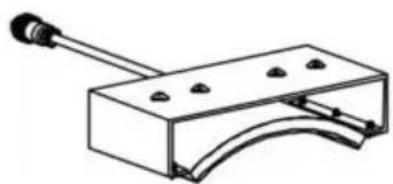
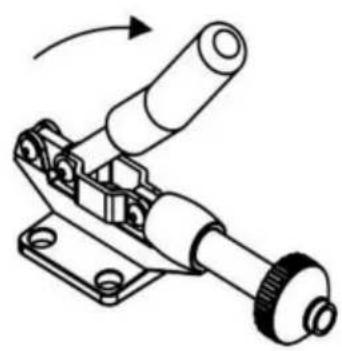
  1. Take 2 cup head screws and lock them into the hole in the mid of the cap press. Do not lock the cup head screws, leave 5-7mm, the clip the cup head screw into the slot along the indicated route and lock it with a screwdriver. Insert the male head of the cap press p into the female head of the controller and tighten nut.

Vevor TL-FY8001 - Unscrew the four butterfil screws.at bottom - 6

text_image Shaped hat

Vevor TL-FY8001 - Unscrew the four butterfil screws.at bottom - 7

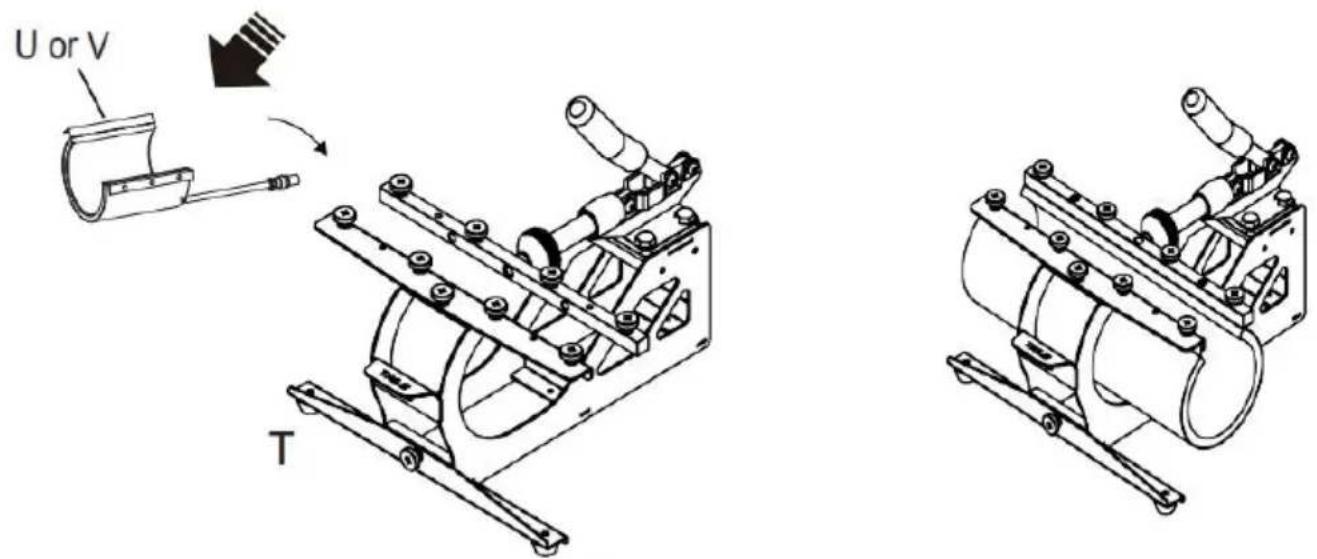
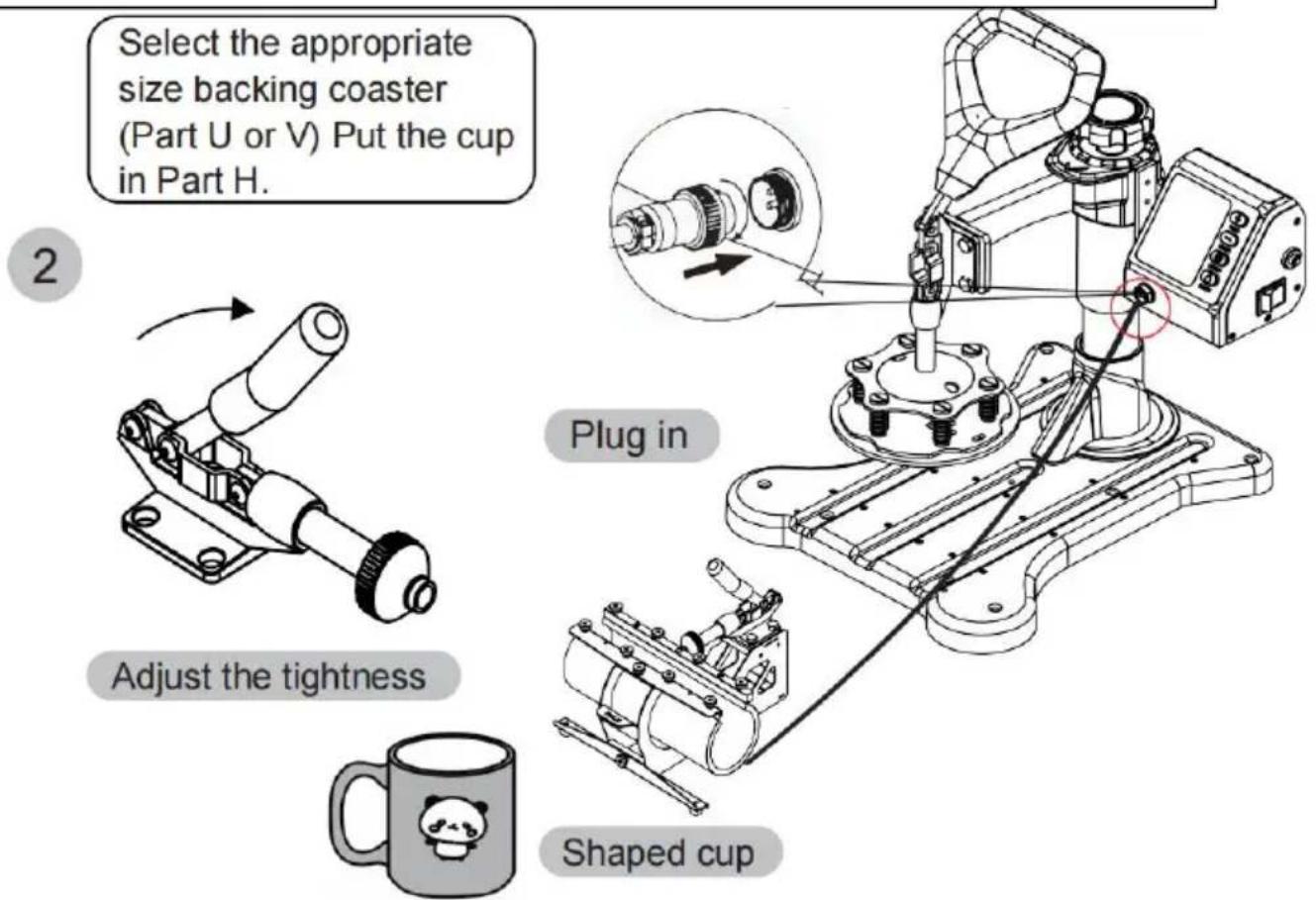
Install H to Part T.

(Tighten the screws on both sides.We suggest to tighten the screws

the ① side first, and then tighten the screws on the ② side)

Vevor TL-FY8001 - Unscrew the four butterfil screws.at bottom - 8

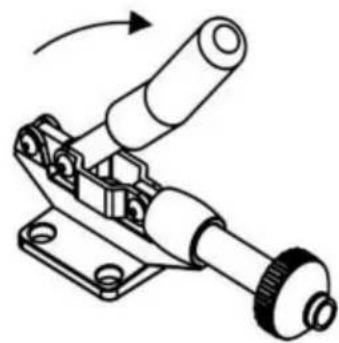
text_image Select the appropriate size backing coaster (Part U or V) Put the cup in Part H. 2 Plug in Adjust the tightness Shaped cup

Vevor TL-FY8001 - Unscrew the four butterfil screws.at bottom - 9

natural_image Mechanical assembly diagram showing a lever mechanism with no text or symbols

Vevor TL-FY8001 - Unscrew the four butterfil screws.at bottom - 10

Vevor TL-FY8001 - Unscrew the four butterfil screws.at bottom - 11

text_image Plug in Shaped cup

TROUBLE SHOOTING FOR TRANSFER QUALITY

  1. Light Color or Faded Image: Insufficient Temperature / Incorrect pressure / Insufficient Time.
  2. Fuzzy Image: pressing time is too long.
  3. Part of the pattern Blurred: The heat is not being distributed correctly through the heating plate, so the working time can be increased appropriately. It may also be the cause of uneven pressure distribution, which can be set on four board regulators. Please note that the four board regulators have been set up before they leave the factory and should not need to be adjusted normally.
  4. Dim Pattern: Too much pressure or temperature.
  5. Scarred Pattern: Transfer time is too long.
  6. Different Pattern Colors: Incorrect pressure or poor quality of transfer paper.
  7. Scorched Pattern: High temperature or poor ink.

Manufacturer:Shanghaimuxinmuyeyouxiangongsi

Address: Shuangchenglu 803nong11hao1602A-1609shi, baoshanqu, shanghai 200000 CN.

Imported to AUS: SIHAO PTY LTD. 1 ROKEVA STREETEASTWOOD NSW 2122 Australia

Imported to USA: Sanven Technology Ltd. Suite 250, 9166 Anaheim Place, Rancho Cucamonga, CA 91730

ECREP

E-CrossStu GmbH

Mainzer Landstr.69, 60329 Frankfurt am Main.

UKREP

YH CONSULTING LIMITED.

C/O YH Consulting Limited Office 147, Centurion House,

London Road, Staines-upon-Thames, Surrey, TW18 4AX

VEVOR®

TOUGH TOOLS, HALF PRICE

Technical Support and E-Warranty Certificate www.vevor.com/support

VEVOR®

TOUGH TOOLS, HALF PRICE
natural_image Technical line drawing of a mechanical device with a lever and base platform (no text or symbols)
natural_image Close-up of a metallic connector with black cap and flange (no text or symbols visible)

Vevor TL-FY8001 - TOUGH TOOLS, HALF PRICE - 1

natural_image Close-up of a metallic connector with a circular port, mounted on a black surface (no visible text or symbols)

INFORMAZIONI FCC

text_image Technical diagram of a mechanical device with numbered parts for identification
Vevor TL-FY8001 - INFORMAZIONI FCC - 1BVevor TL-FY8001 - INFORMAZIONI FCC - 2CVevor TL-FY8001 - INFORMAZIONI FCC - 3DVevor TL-FY8001 - INFORMAZIONI FCC - 4
FVevor TL-FY8001 - INFORMAZIONI FCC - 5FVevor TL-FY8001 - INFORMAZIONI FCC - 6GVevor TL-FY8001 - INFORMAZIONI FCC - 7HVevor TL-FY8001 - INFORMAZIONI FCC - 8
IVevor TL-FY8001 - INFORMAZIONI FCC - 9JVevor TL-FY8001 - INFORMAZIONI FCC - 10KVevor TL-FY8001 - INFORMAZIONI FCC - 11LVevor TL-FY8001 - INFORMAZIONI FCC - 12
MVevor TL-FY8001 - INFORMAZIONI FCC - 13NVevor TL-FY8001 - INFORMAZIONI FCC - 14cOnove the head of the Phillips screwdriver180 degrees to replace it with a flat-head
PVevor TL-FY8001 - INFORMAZIONI FCC - 15QVevor TL-FY8001 - INFORMAZIONI FCC - 16RVevor TL-FY8001 - INFORMAZIONI FCC - 17SVevor TL-FY8001 - INFORMAZIONI FCC - 18
Vevor TL-FY8001 - INFORMAZIONI FCC - 19UVevor TL-FY8001 - INFORMAZIONI FCC - 20VVevor TL-FY8001 - INFORMAZIONI FCC - 21WVevor TL-FY8001 - INFORMAZIONI FCC - 22
XVevor TL-FY8001 - INFORMAZIONI FCC - 23YVevor TL-FY8001 - INFORMAZIONI FCC - 24

COME CALIBRARE LA TUA NUOVA PRESSA A CALDO

text_image Head Handwheel Pillar

Fig 1

Vevor TL-FY8001 - COME CALIBRARE LA TUA NUOVA PRESSA A CALDO - 1

text_image Clamp Screw Head Fig 2
text_image Bearing Bar Nut Screw Motherboard

Fig 3

Vevor TL-FY8001 - COME CALIBRARE LA TUA NUOVA PRESSA A CALDO - 2

text_image Screwdriver Screw Platen Bearing Bar Nut Fig 4

Fig 4

text_image Screwdriver Cup Head Screw Flat Head Screw Heating Platen Pressure Platen Fig 6 Cup Head Screw Flat Head Screw Heating Platen
text_image Handle Fig 7
natural_image Technical line drawing of a mechanical device with red motion arrows indicating rotational movement (no text or symbols)

Fig 8

Vevor TL-FY8001 - COME CALIBRARE LA TUA NUOVA PRESSA A CALDO - 3

natural_image Technical diagram of a mechanical assembly with a magnified inset showing a connector and directional arrows (no text or symbols)

Fig 9

natural_image Technical line drawing of a robotic arm with rotating base and mounting base (no text or symbols)

Rotate the heating platen to one side

Vevor TL-FY8001 - COME CALIBRARE LA TUA NUOVA PRESSA A CALDO - 4

natural_image Technical line drawing of a robotic arm with a base and mounting base, showing mechanical components and a downward arrow indicating motion (no text or symbols present)

Pull out the lower panel, place the clothes flat on the platen, and place the pattern on the clothes.

4
Vevor TL-FY8001 - COME CALIBRARE LA TUA NUOVA PRESSA A CALDO - 5

natural_image Diagram of a mechanical component with a rotating arrow, enclosed in a circular frame (no text or symbols)

Rotate this switch to adjust pressure
Vevor TL-FY8001 - COME CALIBRARE LA TUA NUOVA PRESSA A CALDO - 6

natural_image Technical line drawing of a mechanical device with a control panel and digital display (no text or symbols)
text_image 1 Printed pattern 2 Printed clothes

Vevor TL-FY8001 - COME CALIBRARE LA TUA NUOVA PRESSA A CALDO - 7

Turn off the power and pull out the mat. It is recommended to wear heat-resistant gloves when removing clothes or remove them after 2-3 minutes. Be careful of hot heat.

Nota

text_image 1 Pluck the plug

Vevor TL-FY8001 - Nota - 1

natural_image Technical line drawing of a robotic machine with a control panel and a close-up view of its base (no text or symbols)

Rotate the heat transfer board to the side

3
Vevor TL-FY8001 - Nota - 2

natural_image Simple line drawing of two overlapping rings (no text or symbols)

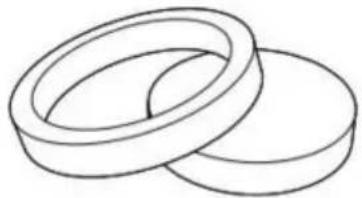
Choose the right size Plate Press.

Vevor TL-FY8001 - Nota - 3

text_image P+Q

combination

Vevor TL-FY8001 - Nota - 4

text_image P

separate

4
Vevor TL-FY8001 - Nota - 5

natural_image Technical line drawing of a robotic arm and base platform assembly (no text or symbols)

P and Q

Vevor TL-FY8001 - Nota - 6

Vevor TL-FY8001 - Nota - 7

natural_image Technical illustration of a robotic arm operating on a plate (no text or symbols present)

plate

Vevor TL-FY8001 - Nota - 8

natural_image Cute cartoon panda inside concentric circles with stars (no text or symbols)

Patterned plate

SOSTITUIRE IL TAPPETINO DELLA TEGLIA DA COTTURA

Vevor TL-FY8001 - SOSTITUIRE IL TAPPETINO DELLA TEGLIA DA COTTURA - 1

text_image 1 Pluck the plug

Vevor TL-FY8001 - SOSTITUIRE IL TAPPETINO DELLA TEGLIA DA COTTURA - 2

natural_image Technical line drawing of a robotic machine with a control panel and a close-up view of its mechanical component (no text or symbols present)

Rotate the heat transfer board to the side

3 Unscrew the four butterfil screws.at bottom

Vevor TL-FY8001 - Unscrew the four butterfil screws.at bottom - 1

text_image Loosen the bottom screw and remove

4
Vevor TL-FY8001 - Unscrew the four butterfil screws.at bottom - 2

natural_image Technical line drawing of a mechanical device with no visible text or symbols

Lift the cushion up

5
Vevor TL-FY8001 - Unscrew the four butterfil screws.at bottom - 3

natural_image Simple line drawing of a mechanical clamp or bracket with a handle and mounting holes (no text or symbols)

Install the backing pad (part 4)
6
Vevor TL-FY8001 - Unscrew the four butterfil screws.at bottom - 4

text_image (art 4)

Use the screwdriver 4 to tighten the 2 screws just removed and put the cap on
Vevor TL-FY8001 - Unscrew the four butterfil screws.at bottom - 5

text_image Upper CapHeat Press
natural_image Technical line drawing of a mechanical assembly with no visible text or symbols
text_image Select the appropriate size backing coaster (Part U or V) Put the cup in Part H. 2 Adjust the tightness Plug in Shaped cup

Importato in AUS: SIHAO PTY LTD. 1 ROKEVA STREETEASTWOOD

Nuovo Galles del Sud 2122 Australia

natural_image Technical line drawing of a mechanical device with a lever and base platform (no text or symbols)

POTRZEBUJESZ POMOCY? SKONTAKTUJ SIĘ Z NAMI!

natural_image Close-up of a metallic connector with black cap and flange (no text or symbols visible)

Vevor TL-FY8001 - Unscrew the four butterfil screws.at bottom - 6

natural_image Close-up of a metallic connector with a circular port, mounted on a black surface (no visible text or symbols)

INFORMACJE FCC

text_image Technical diagram of a mechanical device with numbered parts for identification
Vevor TL-FY8001 - INFORMACJE FCC - 1B Vevor TL-FY8001 - INFORMACJE FCC - 2C Vevor TL-FY8001 - INFORMACJE FCC - 3D Vevor TL-FY8001 - INFORMACJE FCC - 4
F Vevor TL-FY8001 - INFORMACJE FCC - 5F Vevor TL-FY8001 - INFORMACJE FCC - 6G Vevor TL-FY8001 - INFORMACJE FCC - 7H Vevor TL-FY8001 - INFORMACJE FCC - 8
I Vevor TL-FY8001 - INFORMACJE FCC - 9J Vevor TL-FY8001 - INFORMACJE FCC - 10K Vevor TL-FY8001 - INFORMACJE FCC - 11L Vevor TL-FY8001 - INFORMACJE FCC - 12
M Vevor TL-FY8001 - INFORMACJE FCC - 13N Vevor TL-FY8001 - INFORMACJE FCC - 14O Vevor TL-FY8001 - INFORMACJE FCC - 15nove the head of the Phillips screwdriver 180 degrees to replace it with a flat-head
P Vevor TL-FY8001 - INFORMACJE FCC - 16Q Vevor TL-FY8001 - INFORMACJE FCC - 17R Vevor TL-FY8001 - INFORMACJE FCC - 18S Vevor TL-FY8001 - INFORMACJE FCC - 19
Vevor TL-FY8001 - INFORMACJE FCC - 20U Vevor TL-FY8001 - INFORMACJE FCC - 21V Vevor TL-FY8001 - INFORMACJE FCC - 22W Vevor TL-FY8001 - INFORMACJE FCC - 23
X Vevor TL-FY8001 - INFORMACJE FCC - 24Y Vevor TL-FY8001 - INFORMACJE FCC - 25

JAK SKALIBROWAĆ NOWA PRASA TERMICZNA

text_image Head Handwheel Pillar

Fig 1

Vevor TL-FY8001 - JAK SKALIBROWAĆ NOWA PRASA TERMICZNA - 1

text_image Clamp Screw Head Fig 2
text_image Bearing Bar Nut Screw Motherboard

Fig 3

Vevor TL-FY8001 - JAK SKALIBROWAĆ NOWA PRASA TERMICZNA - 2

text_image Screwdriver Screw Platen Bearing Bar Nut Fig 4

Fig 4

text_image Screwdriver Cup Head Screw Flat Head Screw Heating Platen Pressure Platen Fig 6 Cup Head Screw Flat Head Screw Heating Platen
text_image Handle Fig 7
natural_image Technical line drawing of a mechanical device with no visible text or symbols

Fig 8

Vevor TL-FY8001 - JAK SKALIBROWAĆ NOWA PRASA TERMICZNA - 3

natural_image Technical diagram of a mechanical assembly with a magnified inset showing a connector and directional arrows (no text or symbols)

Fig 9

natural_image Technical line drawing of a robotic arm with rotating base and mounting base (no text or symbols)

Rotate the heating platen to one side

Vevor TL-FY8001 - JAK SKALIBROWAĆ NOWA PRASA TERMICZNA - 4

natural_image Technical illustration of a robotic arm with mechanical components and a downward arrow indicating motion (no text or symbols)

Pull out the lower panel, place the clothes flat on the platen, and place the pattern on the clothes.

4
Vevor TL-FY8001 - JAK SKALIBROWAĆ NOWA PRASA TERMICZNA - 5

natural_image Diagram of a mechanical component with a rotating arrow, enclosed in a circular frame (no text or symbols)

Rotate this switch to adjust pressure
Vevor TL-FY8001 - JAK SKALIBROWAĆ NOWA PRASA TERMICZNA - 6

natural_image Technical line drawing of a mechanical device with a rotating arm and control panel (no text or symbols)

INTELIGENTNY SPOSÓB DZIAŁANIA REGULATORA TEMPERATURY

text_image 1 Printed pattern 2 Printed clothes

Vevor TL-FY8001 - INTELIGENTNY SPOSÓB DZIAŁANIA REGULATORA TEMPERATURY - 1

Turn off the power and pull out the mat. It is recommended to wear heat-resistant gloves when removing clothes or remove them after 2-3 minutes. Be careful of hot heat.
text_image 1 Pluck the plug

Vevor TL-FY8001 - INTELIGENTNY SPOSÓB DZIAŁANIA REGULATORA TEMPERATURY - 2

natural_image Technical line drawing of a robotic machine with a control panel and a close-up view of its mechanical component (no text or symbols)

Rotate the heat transfer board to the side

3
Vevor TL-FY8001 - INTELIGENTNY SPOSÓB DZIAŁANIA REGULATORA TEMPERATURY - 3

natural_image Simple line drawing of two overlapping rings (no text or symbols)

Choose the right size Plate Press.

Vevor TL-FY8001 - INTELIGENTNY SPOSÓB DZIAŁANIA REGULATORA TEMPERATURY - 4

text_image P+Q

combination

Vevor TL-FY8001 - INTELIGENTNY SPOSÓB DZIAŁANIA REGULATORA TEMPERATURY - 5

text_image P

separate

4
Vevor TL-FY8001 - INTELIGENTNY SPOSÓB DZIAŁANIA REGULATORA TEMPERATURY - 6

natural_image Technical line drawing of a robotic arm and base platform assembly (no text or symbols)

P and Q

Vevor TL-FY8001 - INTELIGENTNY SPOSÓB DZIAŁANIA REGULATORA TEMPERATURY - 7

Vevor TL-FY8001 - INTELIGENTNY SPOSÓB DZIAŁANIA REGULATORA TEMPERATURY - 8

natural_image Technical illustration of a robotic arm operating on a plate with a circular base (no text or symbols)

plate

Vevor TL-FY8001 - INTELIGENTNY SPOSÓB DZIAŁANIA REGULATORA TEMPERATURY - 9

natural_image Cute cartoon panda inside concentric circles with stars (no text or symbols)

Patterned plate

WYMIANA PODKŁADKI DO PIECZENIA

Vevor TL-FY8001 - WYMIANA PODKŁADKI DO PIECZENIA - 1

text_image 1 Pluck the plug

Vevor TL-FY8001 - WYMIANA PODKŁADKI DO PIECZENIA - 2

natural_image Technical line drawing of a robotic machine with a control panel and a close-up view of its mechanical component (no text or symbols present)

Rotate the heat transfer board to the side

WYMIANA MATY DO PIECZENIA

3 Unscrew the four butterfil screws.at bottom

Vevor TL-FY8001 - Unscrew the four butterfil screws.at bottom - 1

text_image Loosen the bottom screw and remove

4
Vevor TL-FY8001 - Unscrew the four butterfil screws.at bottom - 2

natural_image Technical line drawing of a mechanical device with no visible text or symbols

Lift the cushion up

5
Vevor TL-FY8001 - Unscrew the four butterfil screws.at bottom - 3

natural_image Simple line drawing of a mechanical clamp or bracket with a handle and mounting holes (no text or symbols)

Install the backing pad (part 4)
6
Vevor TL-FY8001 - Unscrew the four butterfil screws.at bottom - 4

text_image (art 4)

Use the screwdriver 4 to tighten the 2 screws just removed and put the cap on

Vevor TL-FY8001 - Unscrew the four butterfil screws.at bottom - 5

text_image Upper CapHeat Press
natural_image Technical line drawing of a mechanical assembly with no visible text or symbols
text_image Select the appropriate size backing coaster (Part U or V) Put the cup in Part H. 2 Adjust the tightness Plug in Shaped cup

ROZWIAZYWANIE PROBLEMÓW Z JAKOŚCIĄ TRANSFERU

C/O YH Consulting Limited Biuro 147, Centurion House, London Road, Staines-upon-Thames, Surrey, TW18 4AX

VEVOR®

TOUGH TOOLS, HALF PRICE
natural_image Technical line drawing of a mechanical device with a lever and base platform (no text or symbols)
natural_image Close-up of a metallic connector with black cap and flange (no text or symbols visible)

Vevor TL-FY8001 - VEVOR® - 1

natural_image Close-up of a metallic connector with a circular port, mounted on a black surface (no visible text or symbols)

FCC-INFORMATIONEN

text_image Technical diagram of a mechanical device with numbered parts for identification
Vevor TL-FY8001 - FCC-INFORMATIONEN - 1BVevor TL-FY8001 - FCC-INFORMATIONEN - 2CVevor TL-FY8001 - FCC-INFORMATIONEN - 3DVevor TL-FY8001 - FCC-INFORMATIONEN - 4
FVevor TL-FY8001 - FCC-INFORMATIONEN - 5FVevor TL-FY8001 - FCC-INFORMATIONEN - 6GVevor TL-FY8001 - FCC-INFORMATIONEN - 7HVevor TL-FY8001 - FCC-INFORMATIONEN - 8
IVevor TL-FY8001 - FCC-INFORMATIONEN - 9JVevor TL-FY8001 - FCC-INFORMATIONEN - 10KVevor TL-FY8001 - FCC-INFORMATIONEN - 11LVevor TL-FY8001 - FCC-INFORMATIONEN - 12
MVevor TL-FY8001 - FCC-INFORMATIONEN - 13NVevor TL-FY8001 - FCC-INFORMATIONEN - 14cOVevor TL-FY8001 - FCC-INFORMATIONEN - 15nove the head of the Phillips screwdriver180 degrees to replace it with a flat-head
PVevor TL-FY8001 - FCC-INFORMATIONEN - 16QVevor TL-FY8001 - FCC-INFORMATIONEN - 17RVevor TL-FY8001 - FCC-INFORMATIONEN - 18SVevor TL-FY8001 - FCC-INFORMATIONEN - 19
Vevor TL-FY8001 - FCC-INFORMATIONEN - 20UVevor TL-FY8001 - FCC-INFORMATIONEN - 21VVevor TL-FY8001 - FCC-INFORMATIONEN - 22WVevor TL-FY8001 - FCC-INFORMATIONEN - 23
XVevor TL-FY8001 - FCC-INFORMATIONEN - 24YVevor TL-FY8001 - FCC-INFORMATIONEN - 25

SO KALIBRIEREN SIE IHRE NEUE TRANSFERPRESSE

TeilABCDEJKLMFGHI
ÿÿÿÿÿÿÿÿÿ5IN1ÿÿÿÿ
TeilNOPQRSTÜVWXY
5IN1ÿÿÿÿÿÿÿÿÿ
Teil ABCDEFGHIJKLM
ÿÿÿÿÿÿÿÿÿÿ8INÿÿ
Teil NOPQRSTUVWXY
8IN1ÿÿÿÿÿÿÿÿÿÿÿÿ
text_image Head Handwheel Pillar

Fig 1

Vevor TL-FY8001 - SO KALIBRIEREN SIE IHRE NEUE TRANSFERPRESSE - 1

text_image Clamp Screw Head Fig 2
text_image Bearing Bar Nut Screw Motherboard

Fig 3

Vevor TL-FY8001 - SO KALIBRIEREN SIE IHRE NEUE TRANSFERPRESSE - 2

text_image Screwdriver Screw Platen Bearing Bar Fig 4 Nut
text_image Heating Platen Sponge Fig 5
text_image Screwdriver Cup Head Screw Flat Head Screw Heating Platen Pressure Platen Fig 6 Cup Head Screw Flat Head Screw Heating Platen
text_image Handle Fig 7
natural_image Technical line drawing of a mechanical device with red motion arrows indicating rotational movement (no text or symbols)

Fig 8

Vevor TL-FY8001 - SO KALIBRIEREN SIE IHRE NEUE TRANSFERPRESSE - 3

natural_image Technical diagram of a mechanical assembly with a magnified inset showing a component being inserted (no text or symbols present)

Fig 9

natural_image Technical line drawing of a robotic arm with rotating base and mounting base (no text or symbols)

Rotate the heating platen to one side

Vevor TL-FY8001 - SO KALIBRIEREN SIE IHRE NEUE TRANSFERPRESSE - 4

natural_image Technical line drawing of a robotic arm with a base and mounting base, showing mechanical components and a downward arrow indicating motion (no text or symbols present)

Pull out the lower panel, place the clothes flat on the platen, and place the pattern on the clothes.

4
Vevor TL-FY8001 - SO KALIBRIEREN SIE IHRE NEUE TRANSFERPRESSE - 5

natural_image Diagram of a mechanical component with a rotating arrow, enclosed in a circular frame (no text or symbols)

Rotate this switch to adjust pressure

Vevor TL-FY8001 - SO KALIBRIEREN SIE IHRE NEUE TRANSFERPRESSE - 6

natural_image Technical line drawing of a mechanical device with a control panel and digital display (no text or symbols)

FUNKTIONSMETHODE DES INTELLIGENTEN TEMPERATURREGLERS

text_image 1 Printed pattern 2 Printed clothes

Vevor TL-FY8001 - FUNKTIONSMETHODE DES INTELLIGENTEN TEMPERATURREGLERS - 1

Turn off the power and pull out the mat. It is recommended to wear heat-resistant gloves when removing clothes or remove them after 2-3 minutes. Be careful of hot heat.
text_image 1 Pluck the plug

Vevor TL-FY8001 - FUNKTIONSMETHODE DES INTELLIGENTEN TEMPERATURREGLERS - 2

natural_image Technical line drawing of a robotic machine with a control panel and a close-up view of its mechanical component (no text or symbols)

Rotate the heat transfer board to the side

3
Vevor TL-FY8001 - FUNKTIONSMETHODE DES INTELLIGENTEN TEMPERATURREGLERS - 3

natural_image Simple line drawing of two overlapping rings (no text or symbols)

Choose the right size Plate Press.

Vevor TL-FY8001 - FUNKTIONSMETHODE DES INTELLIGENTEN TEMPERATURREGLERS - 4

text_image P+Q

combination

Vevor TL-FY8001 - FUNKTIONSMETHODE DES INTELLIGENTEN TEMPERATURREGLERS - 5

text_image P

separate

4
Vevor TL-FY8001 - FUNKTIONSMETHODE DES INTELLIGENTEN TEMPERATURREGLERS - 6

natural_image Technical line drawing of a robotic arm and base platform assembly (no text or symbols)

P and Q

Vevor TL-FY8001 - FUNKTIONSMETHODE DES INTELLIGENTEN TEMPERATURREGLERS - 7

Vevor TL-FY8001 - FUNKTIONSMETHODE DES INTELLIGENTEN TEMPERATURREGLERS - 8

natural_image Technical illustration of a robotic arm operating on a plate with a circular base (no text or symbols)

plate

Vevor TL-FY8001 - FUNKTIONSMETHODE DES INTELLIGENTEN TEMPERATURREGLERS - 9

natural_image Cute cartoon panda inside concentric circles with stars (no text or symbols)

Patterned plate

text_image 1 Pluck the plug

Vevor TL-FY8001 - FUNKTIONSMETHODE DES INTELLIGENTEN TEMPERATURREGLERS - 10

natural_image Technical line drawing of a robotic machine with a control panel and a close-up view of its mechanical component (no text or symbols)

Rotate the heat transfer board to the side

3 Unscrew the four butterfil screws.at bottom

Vevor TL-FY8001 - Unscrew the four butterfil screws.at bottom - 1

text_image Loosen the bottom screw and remove

4
Vevor TL-FY8001 - Unscrew the four butterfil screws.at bottom - 2

natural_image Technical line drawing of a mechanical device with no visible text or symbols

Lift the cushion up

5
Vevor TL-FY8001 - Unscrew the four butterfil screws.at bottom - 3

natural_image Simple line drawing of a mechanical clamp or bracket with a handle and mounting holes (no text or symbols)

Install the backing pad (part 4)
6
Vevor TL-FY8001 - Unscrew the four butterfil screws.at bottom - 4

text_image (art 4)

Use the screwdriver 4 to tighten the 2 screws just removed and put the cap on

Vevor TL-FY8001 - Unscrew the four butterfil screws.at bottom - 5

text_image Upper CapHeat Press
natural_image Technical line drawing of a mechanical assembly with no visible text or symbols

Select the appropriate size backing coaster (Part U or V) Put the cup in Part H.

2
Vevor TL-FY8001 - Unscrew the four butterfil screws.at bottom - 6

natural_image Mechanical assembly diagram showing a lever mechanism with no visible text or symbols

Adjust the tightness
Vevor TL-FY8001 - Unscrew the four butterfil screws.at bottom - 7

Vevor TL-FY8001 - Unscrew the four butterfil screws.at bottom - 8

text_image Plug in Shaped cup

C/O YH Consulting Limited Office 147, Centurion House, London Road, Staines-upon-Thames, Surrey, TW18 4AX

VEVOR®

TOUGH TOOLS, HALF PRICE

natural_image Technical line drawing of a mechanical device with a lever and base platform (no text or symbols)

BESOIN D'AIDE? CONTACTEZ-NOUS!

natural_image Close-up of a metallic connector with black cap and flange (no text or symbols visible)

Vevor TL-FY8001 - BESOIN D'AIDE? CONTACTEZ-NOUS! - 1

natural_image Close-up of a metallic connector with a circular port, mounted on a black surface (no visible text or symbols)

INFORMATIONS FCC

text_image Technical diagram of a mechanical device with numbered parts for identification
Vevor TL-FY8001 - INFORMATIONS FCC - 1B Vevor TL-FY8001 - INFORMATIONS FCC - 2C Vevor TL-FY8001 - INFORMATIONS FCC - 3D Vevor TL-FY8001 - INFORMATIONS FCC - 4
F Vevor TL-FY8001 - INFORMATIONS FCC - 5F Vevor TL-FY8001 - INFORMATIONS FCC - 6G Vevor TL-FY8001 - INFORMATIONS FCC - 7H Vevor TL-FY8001 - INFORMATIONS FCC - 8
I Vevor TL-FY8001 - INFORMATIONS FCC - 9J Vevor TL-FY8001 - INFORMATIONS FCC - 10K Vevor TL-FY8001 - INFORMATIONS FCC - 11L Vevor TL-FY8001 - INFORMATIONS FCC - 12
M Vevor TL-FY8001 - INFORMATIONS FCC - 13N Vevor TL-FY8001 - INFORMATIONS FCC - 14O Vevor TL-FY8001 - INFORMATIONS FCC - 15nove the head of the Phillips screwdriver 180 degrees to replace it with a flat-head
P Vevor TL-FY8001 - INFORMATIONS FCC - 16Q Vevor TL-FY8001 - INFORMATIONS FCC - 17R Vevor TL-FY8001 - INFORMATIONS FCC - 18S Vevor TL-FY8001 - INFORMATIONS FCC - 19
Vevor TL-FY8001 - INFORMATIONS FCC - 20U Vevor TL-FY8001 - INFORMATIONS FCC - 21V Vevor TL-FY8001 - INFORMATIONS FCC - 22W Vevor TL-FY8001 - INFORMATIONS FCC - 23
X Vevor TL-FY8001 - INFORMATIONS FCC - 24Y Vevor TL-FY8001 - INFORMATIONS FCC - 25

COMMENT CALIBRER VOTRE NOUVELLE PRESSE À CHAUD

text_image Head Handwheel Pillar

Fig 1

Vevor TL-FY8001 - COMMENT CALIBRER VOTRE NOUVELLE PRESSE À CHAUD - 1

text_image Clamp Screw Head Fig 2
text_image Bearing Bar Nut Screw Motherboard

Fig 3

Vevor TL-FY8001 - COMMENT CALIBRER VOTRE NOUVELLE PRESSE À CHAUD - 2

text_image Screwdriver Screw Platen Bearing Bar Fig 4 Nut

Fig 4

text_image Screwdriver Cup Head Screw Flat Head Screw Heating Platen Pressure Platen Fig 6 Cup Head Screw Flat Head Screw Heating Platen
text_image Handle Fig 7
natural_image Technical line drawing of a mechanical device with no visible text or symbols

Fig 8

Vevor TL-FY8001 - COMMENT CALIBRER VOTRE NOUVELLE PRESSE À CHAUD - 3

natural_image Technical diagram of a mechanical assembly with a magnified inset showing a connector and directional arrows (no text or symbols)

Fig 9

natural_image Technical line drawing of a robotic arm with rotating base and mounting base (no text or symbols)

Rotate the heating platen to one side

Vevor TL-FY8001 - COMMENT CALIBRER VOTRE NOUVELLE PRESSE À CHAUD - 4

natural_image Technical illustration of a robotic arm with mechanical components and a downward arrow indicating motion (no text or symbols)

Pull out the lower panel, place the clothes flat on the platen, and place the pattern on the clothes.

4
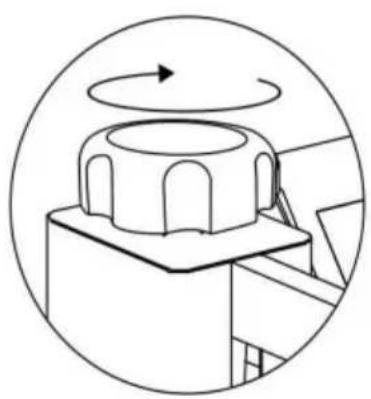
Vevor TL-FY8001 - COMMENT CALIBRER VOTRE NOUVELLE PRESSE À CHAUD - 5

natural_image Diagram of a mechanical component with a rotating arrow, enclosed in a circular frame (no text or symbols)

Rotate this switch to adjust pressure
Vevor TL-FY8001 - COMMENT CALIBRER VOTRE NOUVELLE PRESSE À CHAUD - 6

natural_image Technical line drawing of a mechanical device with a rotating arm and control panel (no text or symbols)

METHODE DE FONCTIONNEMENT DU CONTROLEUR DE TEMPERATURE INTELLIGENT

text_image 1 Printed pattern 2 Printed clothes

Vevor TL-FY8001 - COMMENT CALIBRER VOTRE NOUVELLE PRESSE À CHAUD - 7

Turn off the power and pull out the mat. It is recommended to wear heat-resistant gloves when removing clothes or remove them after 2-3 minutes. Be careful of hot heat.
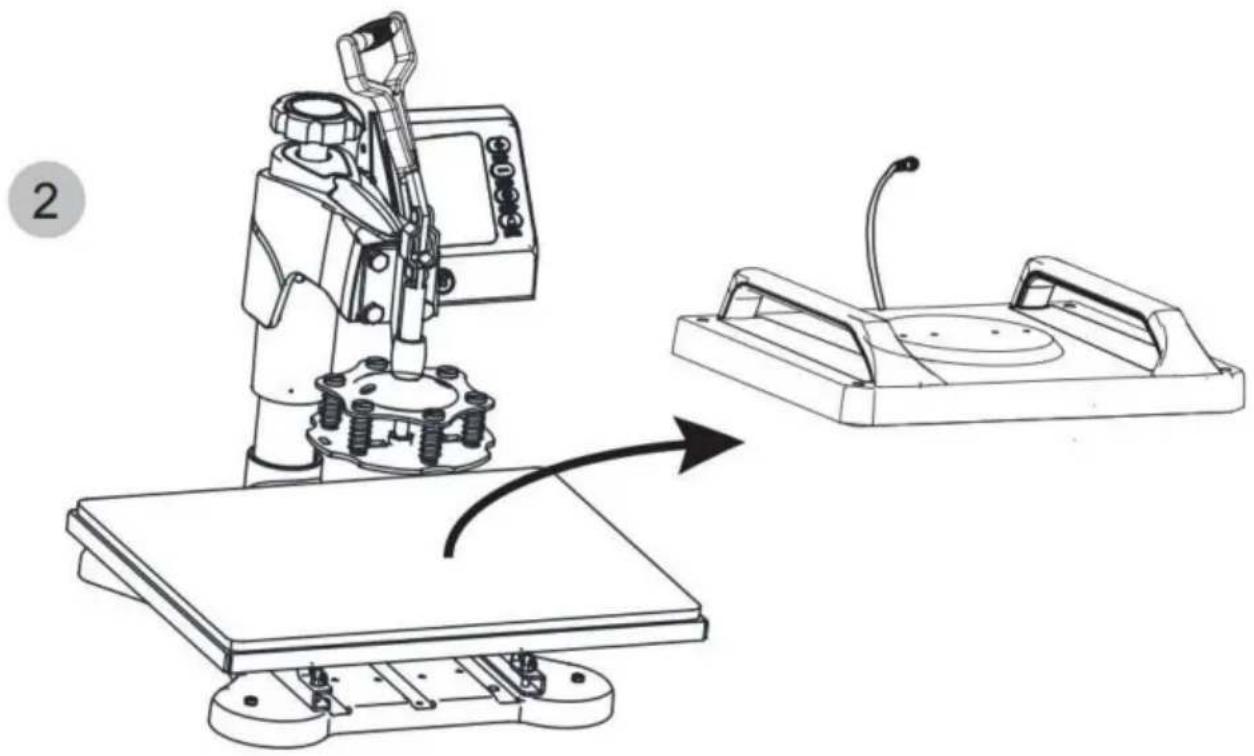
text_image 1 Pluck the plug

Vevor TL-FY8001 - COMMENT CALIBRER VOTRE NOUVELLE PRESSE À CHAUD - 8

natural_image Technical line drawing of a robotic machine with a control panel and a close-up view of its base (no text or symbols)

Rotate the heat transfer board to the side

3
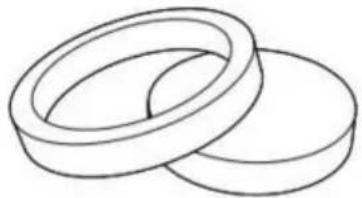
Vevor TL-FY8001 - COMMENT CALIBRER VOTRE NOUVELLE PRESSE À CHAUD - 9

natural_image Simple line drawing of two overlapping rings (no text or symbols)

Choose the right size Plate Press.

Vevor TL-FY8001 - COMMENT CALIBRER VOTRE NOUVELLE PRESSE À CHAUD - 10

text_image P+Q

combination

Vevor TL-FY8001 - COMMENT CALIBRER VOTRE NOUVELLE PRESSE À CHAUD - 11

text_image P

separate

4
Vevor TL-FY8001 - COMMENT CALIBRER VOTRE NOUVELLE PRESSE À CHAUD - 12

natural_image Technical line drawing of a robotic arm and base platform assembly (no text or symbols)

P and Q

Vevor TL-FY8001 - COMMENT CALIBRER VOTRE NOUVELLE PRESSE À CHAUD - 13

Vevor TL-FY8001 - COMMENT CALIBRER VOTRE NOUVELLE PRESSE À CHAUD - 14

natural_image Technical illustration of a robotic arm operating on a plate with a circular base (no text or symbols)

plate

Vevor TL-FY8001 - COMMENT CALIBRER VOTRE NOUVELLE PRESSE À CHAUD - 15

natural_image Cute cartoon panda inside concentric circles with stars (no text or symbols)

Patterned plate

REEMPLACER LE TAPIS DE LA PLAQUE DE CUISSON

Vevor TL-FY8001 - REEMPLACER LE TAPIS DE LA PLAQUE DE CUISSON - 1

text_image 1 Pluck the plug

Vevor TL-FY8001 - REEMPLACER LE TAPIS DE LA PLAQUE DE CUISSON - 2

natural_image Technical line drawing of a robotic machine with a control panel and a close-up view of its mechanical component (no text or symbols present)

Rotate the heat transfer board to the side

REEMPLACER LE TAPIS DE CUISSON

3 Unscrew the four butterfil screws.at bottom

Vevor TL-FY8001 - Unscrew the four butterfil screws.at bottom - 1

text_image Loosen the bottom screw and remove

4
Vevor TL-FY8001 - Unscrew the four butterfil screws.at bottom - 2

natural_image Technical line drawing of a mechanical device with no visible text or symbols

Lift the cushion up

5
Vevor TL-FY8001 - Unscrew the four butterfil screws.at bottom - 3

natural_image Technical line drawing of a mechanical clamp or bracket with mounting holes (no text or symbols)

Install the backing pad (part 4)
6
Vevor TL-FY8001 - Unscrew the four butterfil screws.at bottom - 4

text_image (art 4)

Use the screwdriver 4 to tighten the 2 screws just removed and put the cap on
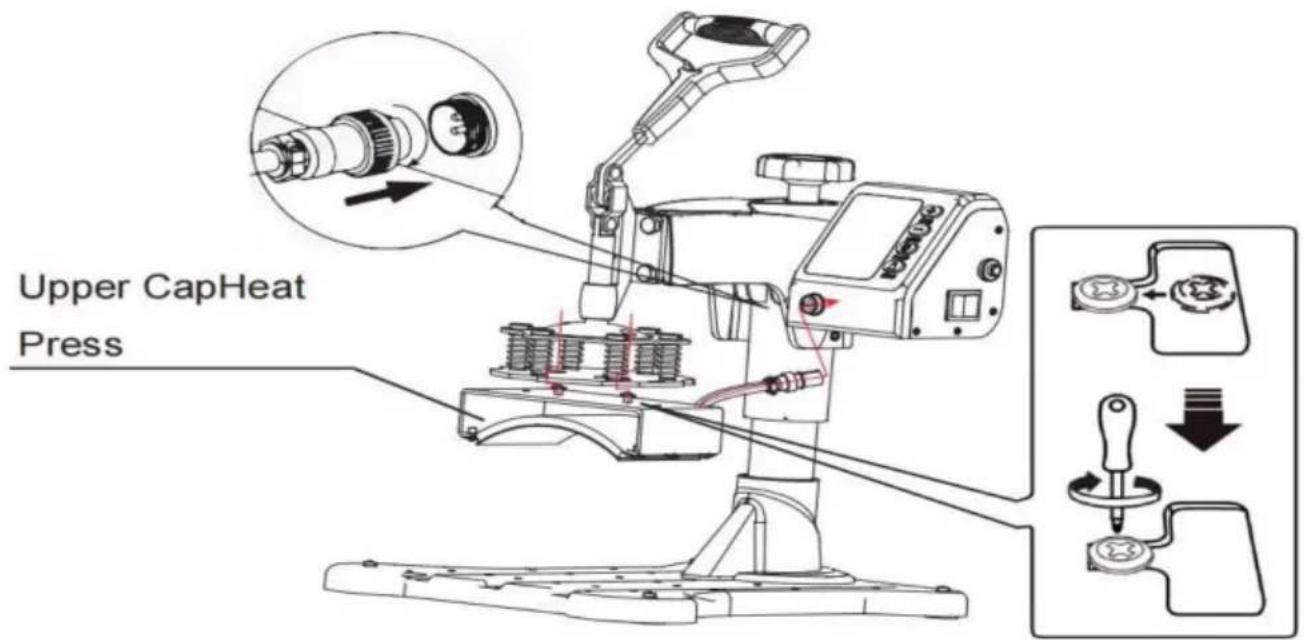
Vevor TL-FY8001 - Unscrew the four butterfil screws.at bottom - 5

text_image Upper CapHeat Press
text_image Select the appropriate size backing coaster (Part U or V) Put the cup in Part H. 2 Adjust the tightness Plug in Shaped cup

Vevor TL-FY8001 - Unscrew the four butterfil screws.at bottom - 6

natural_image Mechanical clamp device with lever mechanism and rotation arrow (no text or symbols)

Vevor TL-FY8001 - Unscrew the four butterfil screws.at bottom - 7

Vevor TL-FY8001 - Unscrew the four butterfil screws.at bottom - 8

text_image Plug in Shaped cup

DÉPANNAGE POUR LA QUALITÉ DU TRANSFERT

C/O YH Consulting Limited Bureau 147, Centurion House,

Route de Londres, Staines-upon-Thames, Surrey, TW18 4AX

VEVOR®

TOUGH TOOLS, HALF PRICE

natural_image Technical line drawing of a mechanical device with a lever and base platform (no text or symbols)

HULP NODIG? NEEM CONTACT MET ONS OP!

natural_image Close-up of a metallic connector with black cap and flange (no text or symbols visible)

Vevor TL-FY8001 - HULP NODIG? NEEM CONTACT MET ONS OP! - 1

natural_image Close-up of a metallic connector with a circular port, mounted on a black surface (no visible text or symbols)

FCC-INFORMATIE

text_image Technical diagram of a mechanical device with numbered parts for identification

Machine Translated by Google

ONDERDELENLIJST

Vevor TL-FY8001 - ONDERDELENLIJST - 1

Vevor TL-FY8001 - ONDERDELENLIJST - 2

Vevor TL-FY8001 - ONDERDELENLIJST - 3

Vevor TL-FY8001 - ONDERDELENLIJST - 4

Vevor TL-FY8001 - ONDERDELENLIJST - 5

Vevor TL-FY8001 - ONDERDELENLIJST - 6

Vevor TL-FY8001 - ONDERDELENLIJST - 7

Vevor TL-FY8001 - ONDERDELENLIJST - 8

Vevor TL-FY8001 - ONDERDELENLIJST - 9

HOE U UW NIEUWE HITTEPERS KALIBREERT

DeelABCDEJKLMFGHI
5IN1
DeelNOPQRSTUVWXY
5IN1
DeelABCDEFGHIJKLM
8IN1ÿÿÿÿÿÿÿÿÿÿÿÿ
DeelNOPQRSTUVWXY
8IN1ÿÿÿÿÿÿÿÿ
text_image Head Handwheel Pillar

Fig 1

Vevor TL-FY8001 - HOE U UW NIEUWE HITTEPERS KALIBREERT - 1

text_image Clamp Screw Head Fig 2
text_image Bearing Bar Nut Screw Motherboard

Fig 3

Vevor TL-FY8001 - HOE U UW NIEUWE HITTEPERS KALIBREERT - 2

text_image Screwdriver Screw Platen Bearing Bar Nut Fig 4

Fig 4

text_image Screwdriver Cup Head Screw Flat Head Screw Heating Platen Pressure Platen Fig 6 Cup Head Screw Flat Head Screw Heating Platen
text_image Handle Fig 7
natural_image Technical line drawing of a mechanical device with red motion arrows indicating rotational movement (no text or symbols)

Fig 8

Vevor TL-FY8001 - HOE U UW NIEUWE HITTEPERS KALIBREERT - 3

natural_image Technical diagram of a mechanical assembly with a magnified inset showing a component being inserted (no text or symbols present)

Fig 9

natural_image Technical line drawing of a robotic arm with rotating base and mounting base (no text or symbols)

Rotate the heating platen to one side

Vevor TL-FY8001 - HOE U UW NIEUWE HITTEPERS KALIBREERT - 4

natural_image Technical line drawing of a robotic arm with a base and mounting base, showing mechanical components and a downward arrow indicating motion (no text or symbols present)

Pull out the lower panel, place the clothes flat on the platen, and place the pattern on the clothes.

4
Vevor TL-FY8001 - HOE U UW NIEUWE HITTEPERS KALIBREERT - 5

natural_image Diagram of a mechanical component with a rotating arrow, enclosed in a circular frame (no text or symbols)

Rotate this switch to adjust pressure

Vevor TL-FY8001 - HOE U UW NIEUWE HITTEPERS KALIBREERT - 6

natural_image Technical line drawing of a mechanical device with a control panel and digital display (no text or symbols)

INTELLIGENTE TEMPERATUURREGELAAR BEDIENINGSMETHODE

text_image 1 Printed pattern 2 Printed clothes

Vevor TL-FY8001 - INTELLIGENTE TEMPERATUURREGELAAR BEDIENINGSMETHODE - 1

Turn off the power and pull out the mat. It is recommended to wear heat-resistant gloves when removing clothes or remove them after 2-3 minutes. Be careful of hot heat.

Let

text_image 1 Pluck the plug

Vevor TL-FY8001 - Let - 1

natural_image Technical line drawing of a robotic machine with a control panel and a close-up view of its mechanical component (no text or symbols)

Rotate the heat transfer board to the side

3
Vevor TL-FY8001 - Let - 2

natural_image Simple line drawing of two overlapping rings (no text or symbols)

Choose the right size Plate Press.

Vevor TL-FY8001 - Let - 3

text_image P+Q

combination

Vevor TL-FY8001 - Let - 4

text_image P

separate

4
Vevor TL-FY8001 - Let - 5

natural_image Technical line drawing of a robotic arm and base platform assembly (no text or symbols)

P and Q

Vevor TL-FY8001 - Let - 6

Vevor TL-FY8001 - Let - 7

natural_image Technical illustration of a robotic arm operating on a plate with a circular base (no text or symbols)

plate

Vevor TL-FY8001 - Let - 8

natural_image Cute cartoon panda inside concentric circles with stars (no text or symbols)

Patterned plate

text_image 1 Pluck the plug

Vevor TL-FY8001 - Let - 9

natural_image Technical line drawing of a robotic machine with a control panel and a close-up view of its mechanical component (no text or symbols)

Rotate the heat transfer board to the side

Vervang de bakdopmat

3 Unscrew the four butterfil screws.at bottom

Vevor TL-FY8001 - Unscrew the four butterfil screws.at bottom - 1

text_image Loosen the bottom screw and remove

4
Vevor TL-FY8001 - Unscrew the four butterfil screws.at bottom - 2

natural_image Technical line drawing of a mechanical device with no visible text or symbols

Lift the cushion up

5
Vevor TL-FY8001 - Unscrew the four butterfil screws.at bottom - 3

natural_image Simple line drawing of a mechanical clamp or bracket with a handle and mounting holes (no text or symbols)

Install the backing pad (part 4)
6
Vevor TL-FY8001 - Unscrew the four butterfil screws.at bottom - 4

text_image (art 4)

Use the screwdriver 4 to tighten the 2 screws just removed and put the cap on
Vevor TL-FY8001 - Unscrew the four butterfil screws.at bottom - 5

text_image Upper CapHeat Press
natural_image Technical line drawing of a mechanical assembly with no visible text or symbols
text_image Select the appropriate size backing coaster (Part U or V) Put the cup in Part H. 2 Adjust the tightness Plug in Shaped cup

PROBLEMEN OPLOSSEN VOOR OVERDRACHTKWALITEIT

C/O YH Consulting Limited Kantoor 147, Centurion House, Londen Road, Staines-upon-Thames, Surrey, TW18 4AX

VEVOR®

TOUGH TOOLS, HALF PRICE

Technische ondersteuning en e- garantiecertificaat www.vevor.com/support

VEVOR®

TOUGH TOOLS, HALF PRICE

natural_image Technical line drawing of a mechanical device with a lever and base platform (no text or symbols)

BEHÖVER HJÄLP? KONTAKTA OSS!

natural_image Close-up of a metallic connector with black cap and flange (no text or symbols visible)

Vevor TL-FY8001 - BEHÖVER HJÄLP? KONTAKTA OSS! - 1

natural_image Close-up of a metallic connector with a circular port, mounted on a black surface (no visible text or symbols)

FCC-INFORMATION

text_image Technical diagram of a mechanical device with numbered parts for identification
Vevor TL-FY8001 - FCC-INFORMATION - 1BVevor TL-FY8001 - FCC-INFORMATION - 2CVevor TL-FY8001 - FCC-INFORMATION - 3DVevor TL-FY8001 - FCC-INFORMATION - 4
FVevor TL-FY8001 - FCC-INFORMATION - 5FVevor TL-FY8001 - FCC-INFORMATION - 6GVevor TL-FY8001 - FCC-INFORMATION - 7HVevor TL-FY8001 - FCC-INFORMATION - 8
IVevor TL-FY8001 - FCC-INFORMATION - 9JVevor TL-FY8001 - FCC-INFORMATION - 10KVevor TL-FY8001 - FCC-INFORMATION - 11LVevor TL-FY8001 - FCC-INFORMATION - 12
MVevor TL-FY8001 - FCC-INFORMATION - 13NVevor TL-FY8001 - FCC-INFORMATION - 14OVevor TL-FY8001 - FCC-INFORMATION - 15nove the head of the Phillips screwdriver180 degrees to replace it with a flat-head
PVevor TL-FY8001 - FCC-INFORMATION - 16QVevor TL-FY8001 - FCC-INFORMATION - 17RVevor TL-FY8001 - FCC-INFORMATION - 18SVevor TL-FY8001 - FCC-INFORMATION - 19
Vevor TL-FY8001 - FCC-INFORMATION - 20UVevor TL-FY8001 - FCC-INFORMATION - 21VVevor TL-FY8001 - FCC-INFORMATION - 22WVevor TL-FY8001 - FCC-INFORMATION - 23
XVevor TL-FY8001 - FCC-INFORMATION - 24YVevor TL-FY8001 - FCC-INFORMATION - 25

HUR DU KALIBRERAR DIN NYA VÄRMEPRESS

Del ABCDE JKLMFGHI
ÿÿÿÿÿÿÿÿÿ5IN1ÿÿÿÿ
Del NOPQRSTUVWXY
5IN1ÿÿÿÿÿÿÿÿÿ
Del ABCDEFGHIJKLM
8IN1ÿÿÿÿÿÿÿÿÿÿÿÿÿÿ
Del NOPQRRSTUVVWXY
8IN1ÿÿÿÿÿÿÿÿÿ
text_image Head Handwheel Pillar

Fig 1

Vevor TL-FY8001 - HUR DU KALIBRERAR DIN NYA VÄRMEPRESS - 1

text_image Clamp Screw Head Fig 2
text_image Bearing Bar Nut Screw Motherboard

Fig 3

Vevor TL-FY8001 - HUR DU KALIBRERAR DIN NYA VÄRMEPRESS - 2

text_image Screwdriver Screw Platen Bearing Bar Nut Fig 4

Fig 4

text_image Screwdriver Cup Head Screw Flat Head Screw Heating Platen Pressure Platen Fig 6 Cup Head Screw Flat Head Screw Heating Platen
text_image Handle Fig 7
natural_image Technical line drawing of a mechanical device with red motion arrows indicating rotational movement (no text or symbols)

Fig 8

Vevor TL-FY8001 - HUR DU KALIBRERAR DIN NYA VÄRMEPRESS - 3

natural_image Technical diagram of a mechanical assembly with a magnified inset showing a component being inserted (no text or symbols present)

Fig 9

natural_image Technical line drawing of a robotic arm with rotating base and mounting base (no text or symbols)

Rotate the heating platen to one side

Vevor TL-FY8001 - HUR DU KALIBRERAR DIN NYA VÄRMEPRESS - 4

natural_image Technical line drawing of a robotic arm with mechanical components and a downward arrow indicating motion (no text or symbols)

Pull out the lower panel, place the clothes flat on the platen, and place the pattern on the clothes.

4
Vevor TL-FY8001 - HUR DU KALIBRERAR DIN NYA VÄRMEPRESS - 5

natural_image Diagram of a mechanical component with a rotating arrow, enclosed in a circular frame (no text or symbols)

Rotate this switch to adjust pressure

Vevor TL-FY8001 - HUR DU KALIBRERAR DIN NYA VÄRMEPRESS - 6

natural_image Technical line drawing of a mechanical device with a lever and control panel (no text or symbols)

INTELLIGENT TEMPERATURREGLERINGSMETOD

text_image 1 Printed pattern 2 Printed clothes

Vevor TL-FY8001 - INTELLIGENT TEMPERATURREGLERINGSMETOD - 1

Turn off the power and pull out the mat. It is recommended to wear heat-resistant gloves when removing clothes or remove them after 2-3 minutes. Be careful of hot heat.

text_image 1 Pluck the plug

Vevor TL-FY8001 - INTELLIGENT TEMPERATURREGLERINGSMETOD - 2

natural_image Technical line drawing of a robotic machine with a control panel and a close-up view of its mechanical component (no text or symbols)

Rotate the heat transfer board to the side

3
Vevor TL-FY8001 - INTELLIGENT TEMPERATURREGLERINGSMETOD - 3

natural_image Simple line drawing of two overlapping rings (no text or symbols)

Choose the right size Plate Press.

Vevor TL-FY8001 - INTELLIGENT TEMPERATURREGLERINGSMETOD - 4

text_image P+Q

combination

Vevor TL-FY8001 - INTELLIGENT TEMPERATURREGLERINGSMETOD - 5

text_image P

separate

4
Vevor TL-FY8001 - INTELLIGENT TEMPERATURREGLERINGSMETOD - 6

natural_image Technical line drawing of a robotic arm and base platform assembly (no text or symbols)

P and Q

Vevor TL-FY8001 - INTELLIGENT TEMPERATURREGLERINGSMETOD - 7

Vevor TL-FY8001 - INTELLIGENT TEMPERATURREGLERINGSMETOD - 8

natural_image Technical illustration of a robotic arm operating on a plate with a circular base (no text or symbols)

plate

Vevor TL-FY8001 - INTELLIGENT TEMPERATURREGLERINGSMETOD - 9

natural_image Cute cartoon panda inside concentric circles with stars (no text or symbols)

Patterned plate

BYT BAKBÄTTMATTA

Vevor TL-FY8001 - BYT BAKBÄTTMATTA - 1

text_image 1 Pluck the plug

Vevor TL-FY8001 - BYT BAKBÄTTMATTA - 2

natural_image Technical line drawing of a robotic machine with a control panel and a close-up view of its mechanical component (no text or symbols)

Rotate the heat transfer board to the side

BYT BAKKLÄPSMATTA

3 Unscrew the four butterfil screws.at bottom

Vevor TL-FY8001 - Unscrew the four butterfil screws.at bottom - 1

text_image Loosen the bottom screw and remove

4
Vevor TL-FY8001 - Unscrew the four butterfil screws.at bottom - 2

natural_image Technical line drawing of a mechanical device with no visible text or symbols

Lift the cushion up

5
Vevor TL-FY8001 - Unscrew the four butterfil screws.at bottom - 3

natural_image Technical line drawing of a mechanical clamp or bracket with mounting holes (no text or symbols)

Install the backing pad (part 4)
6
Vevor TL-FY8001 - Unscrew the four butterfil screws.at bottom - 4

text_image (art 4)

Use the screwdriver 4 to tighten the 2 screws just removed and put the cap on

Vevor TL-FY8001 - Unscrew the four butterfil screws.at bottom - 5

text_image Upper CapHeat Press
natural_image Technical line drawing of a mechanical assembly with no visible text or symbols

Installera H till del T.

text_image Select the appropriate size backing coaster (Part U or V) Put the cup in Part H. 2 Adjust the tightness Plug in Shaped cup

FELSÖKNING FÖR ÖVERFÖRINGSKVALITET

C/O YH Consulting Limited Office 147, Centurion House,

London Road, Staines-upon-Thames, Surrey, TW18 4AX

VEVOR®

TOUGH TOOLS, HALF PRICE

natural_image Technical line drawing of a mechanical device with a lever and base platform (no text or symbols)
natural_image Close-up of a metallic connector with black cap and flange (no text or symbols visible)

Vevor TL-FY8001 - VEVOR® - 1

natural_image Close-up of a metallic connector with a circular port, mounted on a black surface (no visible text or symbols)
text_image Technical diagram of a mechanical device with numbered parts for identification
Vevor TL-FY8001 - VEVOR® - 2BVevor TL-FY8001 - VEVOR® - 3CVevor TL-FY8001 - VEVOR® - 4DVevor TL-FY8001 - VEVOR® - 5
FVevor TL-FY8001 - VEVOR® - 6FVevor TL-FY8001 - VEVOR® - 7GVevor TL-FY8001 - VEVOR® - 8HVevor TL-FY8001 - VEVOR® - 9
IVevor TL-FY8001 - VEVOR® - 10JVevor TL-FY8001 - VEVOR® - 11KVevor TL-FY8001 - VEVOR® - 12LVevor TL-FY8001 - VEVOR® - 13
MVevor TL-FY8001 - VEVOR® - 14NVevor TL-FY8001 - VEVOR® - 15OVevor TL-FY8001 - VEVOR® - 16nove the head of the Phillips screwdriver180 degrees to replace it with a flat-head
PVevor TL-FY8001 - VEVOR® - 17QVevor TL-FY8001 - VEVOR® - 18RVevor TL-FY8001 - VEVOR® - 19SVevor TL-FY8001 - VEVOR® - 20
Vevor TL-FY8001 - VEVOR® - 21UVevor TL-FY8001 - VEVOR® - 22VVevor TL-FY8001 - VEVOR® - 23WVevor TL-FY8001 - VEVOR® - 24
XVevor TL-FY8001 - VEVOR® - 25YVevor TL-FY8001 - VEVOR® - 26

CÓMO CALIBRAR SU NUEVA PRENSA TÉRMICA

ParteABCDE JKLMIGFHI
5 EN1 √√√ √√√√√
ParteNOPQRSTUVWXY
5 EN 1√√√√√
ParteABCDEFGHI JKLM
8 EN1 √√ √√ √√ √√√
ParteNOPQRSTUVWXY
8 EN1 √√ √ √√√
text_image Head Handwheel Pillar

Fig 1

Vevor TL-FY8001 - CÓMO CALIBRAR SU NUEVA PRENSA TÉRMICA - 1

text_image Clamp Screw Head Fig 2
text_image Bearing Bar Nut Screw Motherboard

Fig 3

Vevor TL-FY8001 - CÓMO CALIBRAR SU NUEVA PRENSA TÉRMICA - 2

text_image Screwdriver Screw Platen Bearing Bar Fig 4 Nut
text_image Screwdriver Cup Head Screw Flat Head Screw Heating Platen Pressure Platen Fig 6 Cup Head Screw Flat Head Screw Heating Platen
text_image Handle Fig 7
natural_image Technical line drawing of a mechanical device with red motion arrows indicating rotational movement (no text or symbols)

Fig 8

Vevor TL-FY8001 - CÓMO CALIBRAR SU NUEVA PRENSA TÉRMICA - 3

natural_image Technical diagram of a mechanical assembly with a magnified inset showing a connector and directional arrows (no text or symbols)

Fig 9

natural_image Technical line drawing of a robotic arm with rotating base and mounting base (no text or symbols)

Rotate the heating platen to one side

Vevor TL-FY8001 - CÓMO CALIBRAR SU NUEVA PRENSA TÉRMICA - 4

natural_image Technical line drawing of a robotic arm with mechanical components and a downward arrow indicating motion (no text or symbols)

Pull out the lower panel, place the clothes flat on the platen, and place the pattern on the clothes.

4
Vevor TL-FY8001 - CÓMO CALIBRAR SU NUEVA PRENSA TÉRMICA - 5

natural_image Diagram of a mechanical component with a rotating arrow, enclosed in a circular frame (no text or symbols)

Rotate this switch to adjust pressure
Vevor TL-FY8001 - CÓMO CALIBRAR SU NUEVA PRENSA TÉRMICA - 6

natural_image Technical line drawing of a mechanical device with a control panel and digital display (no text or symbols)
text_image 1 Printed pattern 2 Printed clothes

Vevor TL-FY8001 - CÓMO CALIBRAR SU NUEVA PRENSA TÉRMICA - 7

Turn off the power and pull out the mat. It is recommended to wear heat-resistant gloves when removing clothes or remove them after 2-3 minutes. Be careful of hot heat.

Nota

text_image 1 Pluck the plug

Vevor TL-FY8001 - Nota - 1

natural_image Technical line drawing of a robotic arm operating a machine, with an arrow indicating motion (no text or symbols present)

Rotate the heat transfer board to the side

3
Vevor TL-FY8001 - Nota - 2

natural_image Simple line drawing of two overlapping rings (no text or symbols)

Choose the right size Plate Press.

Vevor TL-FY8001 - Nota - 3

text_image P+Q

combination

Vevor TL-FY8001 - Nota - 4

text_image P

separate

4
Vevor TL-FY8001 - Nota - 5

natural_image Technical line drawing of a robotic arm and base platform assembly (no text or symbols)

P and Q

Vevor TL-FY8001 - Nota - 6

Vevor TL-FY8001 - Nota - 7

natural_image Technical illustration of a robotic arm operating on a plate with a circular base (no text or symbols)

plate

Vevor TL-FY8001 - Nota - 8

natural_image Cute cartoon panda inside concentric circles with stars (no text or symbols)

Patterned plate

REEMPLAZO DE LA BANDEJA PARA HORNEADO

Vevor TL-FY8001 - REEMPLAZO DE LA BANDEJA PARA HORNEADO - 1

text_image 1 Pluck the plug

Vevor TL-FY8001 - REEMPLAZO DE LA BANDEJA PARA HORNEADO - 2

natural_image Technical line drawing of a robotic machine with a control panel and a close-up view of its mechanical component (no text or symbols present)

Rotate the heat transfer board to the side

REEMPLAZO DE LA TAPETE DE HORNEADO

3 Unscrew the four butterfil screws.at bottom

Vevor TL-FY8001 - Unscrew the four butterfil screws.at bottom - 1

text_image Loosen the bottom screw and remove

4
Vevor TL-FY8001 - Unscrew the four butterfil screws.at bottom - 2

natural_image Technical line drawing of a mechanical device with no visible text or symbols

Lift the cushion up

5
Vevor TL-FY8001 - Unscrew the four butterfil screws.at bottom - 3

natural_image Simple line drawing of a mechanical clamp or bracket with a handle and mounting holes (no text or symbols)

Install the backing pad (part 4)
6
Vevor TL-FY8001 - Unscrew the four butterfil screws.at bottom - 4

text_image (art 4)

Use the screwdriver 4 to tighten the 2 screws just removed and put the cap on
Vevor TL-FY8001 - Unscrew the four butterfil screws.at bottom - 5

text_image Upper CapHeat Press
natural_image Technical line drawing of a mechanical assembly with no visible text or symbols
text_image Select the appropriate size backing coaster (Part U or V) Put the cup in Part H. 2 Adjust the tightness Plug in Shaped cup

C/O YH Consulting Limited Oficina 147, Centurion House,

Carretera de Londres, Staines-upon-Thames, Surrey, TW18 4AX

VEVOR®

TOUGH TOOLS, HALF PRICE
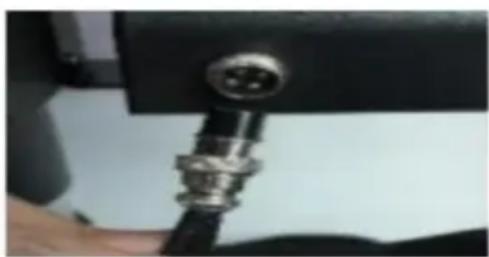
Table of contents Click a title to access it
Manual assistant
Powered by Anthropic
Waiting for your message
Product information

Brand : Vevor

Model : TL-FY8001

Category : Heat press