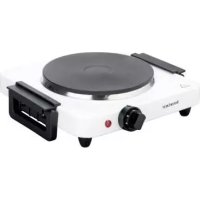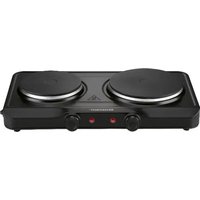
SDK 2500 E1 - Electric cooktop SILVERCREST - Free user manual and instructions
Find the device manual for free SDK 2500 E1 SILVERCREST in PDF.


User questions about SDK 2500 E1 SILVERCREST
0 question about this device. Answer the ones you know or ask your own.
Ask a new question about this device
Download the instructions for your Electric cooktop in PDF format for free! Find your manual SDK 2500 E1 - SILVERCREST and take your electronic device back in hand. On this page are published all the documents necessary for the use of your device. SDK 2500 E1 by SILVERCREST.
USER MANUAL SDK 2500 E1 SILVERCREST
Last Information Update
Operating instructions and safety instructions
M. HF
DUBBELE KOOKPLAAT
Hardeising en voigbeidzaanwijingen
①
DVOU PLOTYNKOVÝ VARIČ
Sívond k chlure a herpelnoutni nakov
natural_image
Technical line drawing of an electronic device interior with labeled components (no text or symbols beyond part numbers)https://www.targa.gmbh/downloads/conformity/502841_2407.pdf
3.1 Energy consumption.... 20
- Safety instructions .... 21
- Copyright....25
- Before initial use....26
6.1 Switching on/off 26
6.2 Setting up/initial use.... 26
6.3 How the indicator lights (6, 7) work....26
- Initial use 27
7.1 Energy-efficient cooking.... 27
7.2 Operation.... 27
- Cleaning 28
8.1 Storing the device when not in use.... 28 - Troubleshooting....29
- Environmental and waste disposal information 29
- Marks of conformity 30
- Warranty information .... 31
Congratulations!
By purchasing the SilverCrest SDK 2500 E1 double induction hob, hereinafter referred to as induction hob, you have opted for a high-quality product.
Familiarise yourself with the induction hob before using it for the first time and read this operating manual carefully. Observe the safety instructions and only use the induction hob in the manner described in this operating manual and for the indicated fields of application.
Keep this operating manual in a safe place. Hand over all documents in the event that you pass on the induction hob to a third party.
1. Intended use
This induction hob is used exclusively for warming up foodstuffs. It must not be used outside of closed rooms or in regions with a tropical climate. The induction hob is not intended for business or commercial use. Use the induction hob solely for private purposes in living areas; any other use is deemed improper. This induction hob meets the requirements of all relevant standards related to CE conformity. Compliance with these standards is no longer guaranteed if a change is made to the induction hob without the authorisation of the manufacturer. The manufacturer shall not be liable for any damages or faults arising as a result.
Please observe the national regulations and/or laws in the respective country of use.
2. Package contents
Unpack the induction hob and all of the accessories. Remove all packaging materials and check all of the components for completeness and signs of damage. If any parts are missing or damaged, please contact the manufacturer.
• SilverCrest SDK 2500 E1 double induction hob
- Quick start guide (the complete operating manual is available online)
The inside of the cover to this operating manual provides a schematic of the induction hob and all controls. The numbers identify the following parts/functions:
| 1 | Large cooking plate |
| 2 | Power cable |
| 3 | Small cooking plate |
| 4 | ON/OFF switch |
| 5 | Temperature dial (small cooking plate) |
| 6 | Indicator light (small cooking plate) |
| 7 | Indicator light (large cooking plate) |
| 8 | Temperature dial (large cooking plate) |
3. Technical data
Device:
| Manufacturer TARGA GmbH | |
| Designation SilverCrest SDK 2500 E1 | |
| Power supply | 220-240 V~, 50/60 Hz |
| Total power consumption | 2,500 W |
| Power consumption of large cooking plate | 1,500 W |
| Power consumption of small cooking plate | 1,000 W |
| Diameter of large cooking plate | 185 mm |
| Diameter of small cooking plate | 155 mm |
| Protection class | I |
The specifications and design are subject to change without notice.
3.1 Energy consumption
(tested according to Regulation (EU) No. 66/2014, Annex I, section 2 and 2.2)
| Symbol | Value | Unit | ||
| Model name SDK 2500 E1 | ||||
| Hob type - | Domestic induction hob | - | ||
| Number of cooking plates and/or zones | - | 2 | - | |
| Heating technology (induction hobs and cooking zones, convection hobs, cooking plates) | - | Cooking plates | - | |
| For round cooking plates or zones: Diameter of the usable area per cooking plate, rounded to the nearest 5 mm | Diam. 185 | 155 mm | ||
| For non-circular cooking plates or zones: Length and width of the usable area per electrically heated cooking plate or zone, rounded to the nearest 5 mm | L | N/A | cm | |
| B | N/A | cm | ||
| Energy consumption per cooking plate or zone, calculated per kg | ECElectric cooking | 193 | 192.2 | Wh/kg |
| Energy consumption of the cooking plate per kg | ECCooking plate | 192.6 | Wh/kg | |
4. Safety instructions
Before using the device for the first time, please read the following instructions carefully and observe all warnings, even if you are familiar with using electronic and household devices. Keep this operating manual in a safe place for future reference. If you give the device away or sell it, please ensure that you also pass on this operating manual. It is part of the product.
Key to symbols

DANGER! This signal word indicates a hazard involving a high level of risk, which if not avoided, may result in severe injury or death.

WARNING! This signal word indicates a hazard involving a medium level of risk, which if not avoided, may result in severe injury or death.

CAUTION! This warning indicates danger involving a low level of risk, which if not avoided, may result in minor or moderate injury.

CAUTION! This warning indicates important information for protection against damage to property.
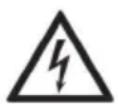
DANGER! This symbol indicates hazards to health and/or property posed by an electric shock, potentially including risk of death.

DANGER! This symbol indicates health hazards due to burns.

This symbol indicates that under no circumstances may the cooking plate be immersed in water or other liquids.

This symbol indicates further information on the topic.
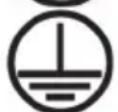
Protective conductor
AC voltage
Manufacturer's address
Foreseeable misuse
- Use the induction hob as intended. Misuse of the device may result in injury.
- The induction hob must not be operated using an external timer or a separate remote-control system.
- The induction hob cannot be used with an extension cable.
Personal safety
- This device may be used by children aged eight and over and by people with reduced physical, sensory or mental abilities or who lack experience and knowledge, provided that they are supervised or have been instructed in the safe use of the device and understand the resulting dangers.
• Children must not play with the device. - Children must not clean or carry out maintenance on the device unless they are over eight years of age and supervised by an adult.
- Children under eight years of age are to be kept away from the device and the power cable (2).

DANGER! The packaging material is not a toy.
Children must not play with plastic bags. There is a risk of suffocation.
Store the device out of reach of children.
General safety instructions
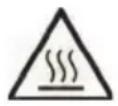
DANGER of burns
- Never touch the housing of the cooking plates (1, 3) during and immediately after operation.
- Only clean the induction hob once it has cooled down completely. The cooking plates (1, 3) will still be hot after use.
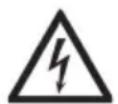
DANGER of electric shock
- If the device's power cable is damaged, it must be replaced by the manufacturer, their service department or by a similarly qualified person in order to prevent any hazards.
- Never open the housing of the induction hob, as this does not contain any parts to be maintained. If the housing is open, there is a risk of electric shock.
- If you notice any smoke, unusual noises or smells, switch the induction hob off immediately and remove the plug from the power socket. If this happens, you must stop using the induction hob until it has been checked by a technician. If the device catches fire, do not inhale any resulting smoke. If you do inhale any smoke, seek medical attention. Inhaling smoke can be harmful to your health.
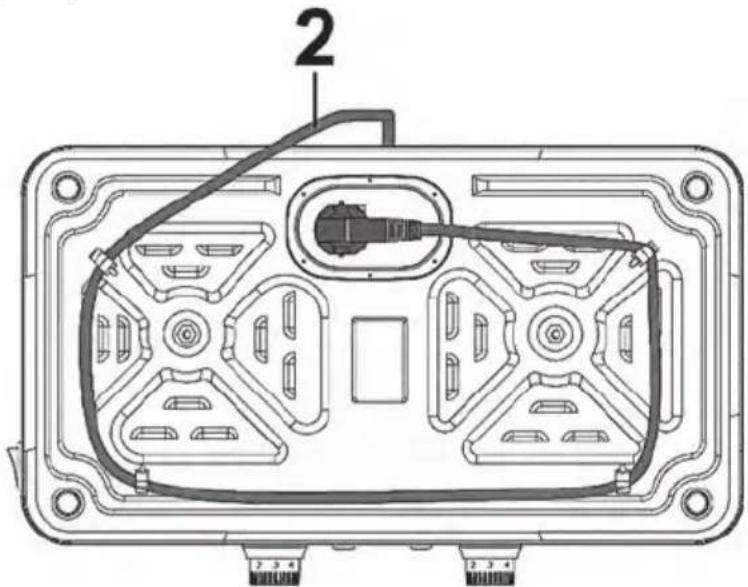
- Make sure the power cable (2) cannot be damaged by any sharp edges or hot surfaces. Always wrap the power cable (2) around the cable rewind under the base of the induction hob after use.
- Make sure the power cable (2) is not jammed or squashed.
- The device must always be disconnected from the mains network if left unattended, prior to assembly and disassembly or cleaning.
- Always unplug the device from the power socket by pulling on the plug, and never by tugging on the power cable (2).
- Do not use the device near a bath/shower or over a filled sink. Close proximity to water represents a hazard, even when the device has been switched off.
- If you find visible damage on the induction hob or the power cable (2), switch off the device immediately, remove the plug from the power socket and contact the service department.
- Only plug the induction hob into a power socket that is properly installed and easily accessible, and whose mains voltage matches the specification on the rating plate. The user does not have to do anything to switch the product between 50 and 60 Hz. The product is suitable for both 50 and 60 Hz supplies. Once the device is plugged in, the power socket must be kept easily accessible so that the plug can be pulled out quickly in an emergency.

RISK of fire
- Never leave the device unattended during operation.
- Keep the induction hob at least 50 cm away from flammable and combustible materials. There is a risk of fire.
- If you do not want to use the induction hob for a long period of time, disconnect it from the mains network. The induction hob is only completely free of electric current when you pull the plug out of the power socket.

WARNING - potential damage to property
- Do not store any objects on the induction hob.
- Only operate the induction hob on a flat, stable and fire-proof surface.
- Never leave the induction hob unattended when in use.
- Remove the plug out of the power socket whenever the induction hob is unattended.
5. Copyright
All contents of this operating manual are subject to copyright law and are provided to the user solely as a source of information. Any form of copying or reproduction of data and information without the express written permission of the author is prohibited. This also concerns commercial use of the content and data. The text and illustrations correspond to the technical standards at the time of printing. Subject to alterations.
6. Before initial use
Remove the induction hob and all accessories from the packaging and check the completeness of the delivery. Remove any protective films. Keep the packaging material away from children and dispose of it in an environmentally-friendly manner.
6.1 Switching on/off
- Switch the ON/OFF switch (4) on the side of the appliance to 'I' to switch on the double induction hob.
- Switch the ON/OFF switch (4) on the side of the appliance to '0' to switch off the double induction hob.
- Turn the corresponding dial (5, 8) clockwise from 'MIN' to switch on the corresponding cooking plate (1, 3). The 'MAX' position on the corresponding dial (5, 8) indicates the hottest temperature setting. The corresponding indicator light (6, 7) lights up.
- Turn the corresponding dial (5, 8) anticlockwise to 'MIN' to switch off the corresponding cooking plate (1, 3). The corresponding indicator light (6, 7) goes out.
6.2 Setting up/initial use
- Place the induction hob on a flat, stable and fire-proof surface.
- Insert the plug into an easily accessible power socket.
- Switch on the induction hob at maximum temperature for approx. 3 minutes without a pan on top before using it for the first time to remove any production residues. To do so, turn both temperature dials (5, 8) clockwise to 'MAX' (hottest temperature setting). In rare cases, a small amount of smoke may develop. For this reason, you must ensure adequate ventilation and open a window if necessary.
- After approx. 3 minutes, switch off both cooking plates (1, 3) by turning both temperature dials (5, 8) anticlockwise to 'MIN'. Allow the cooking plates (1, 3) to cool down.
- The induction hob is now ready for use.
6.3 How the indicator lights (6, 7) work
• The indicator light (6, 7) indicates which of the two cooking plates (1, 3) is heating up.
- When the cooking plate (1, 3) has reached the desired temperature (1/2/3/4/5/MAX), the respective indicator light (6, 7) goes out.
- The respective indicator light (6, 7) lights up again when the temperature falls below the desired temperature (1/2/3/4/5/MAX) and a new heating phase begins. It is possible that the indicator light (6, 7) will switch off and on again multiple times while you are cooking. This does not indicate a malfunction.
7. Initial use
7.1 Energy-efficient cooking
• Use pots or pans that have the same diameter as the respective cooking plate (1, 3):
| Cooking plate (1, 3) | Diameter |
| Large cooking plate (1) | 18.5 cm |
| Small cooking plate (3) | 15.5 cm |
You will lose a lot of energy when using pots or pans with a diameter smaller than that of the cooking plate (1, 3).
- Use high-quality pots and pans with a thick base that lies flat on the respective cooking plate (1, 3). For one, the heat is transferred well from the cooking plate (1, 3) to the pot/pan, and for another, the heat is stored in the base for longer.
- Do not use pots or pans with a dented or uneven base.
- A high-quality pot or pan with a good base retains the heat for longer periods of time, meaning that the cooking plate (1, 3) can be switched off before the end of the cooking time in many cases. The residual heat from the cooking plate (1, 3) and the base of the pot or pan is usually sufficient to finish cooking the dish.
7.2 Operation
- Place the pot or pan with food on the selected cooking plate (1, 3)
- Switch on the cooking plate (1, 3) by turning the temperature dial (5, 8) and select a setting between '1' and 'MAX'. The higher the temperature setting, the faster and hotter the food is heated.
| Temperature setting Description | |
| MIN | Stop warming up |
| -4 | Cook slowly |
| 4 - MAX | Cook quickly |
| Indicator lights (6, 7) Status | |
| On Cooking plate (1, 3) preheats or heats up again. | |
| Off The desired temperature has been reached. | |
• The corresponding indicator light (6, 7) lights up while the cooking plate is heating up.

The indicator light (6, 7) may switch on and off during operation. This is not a malfunction, but an indication that the cooking plate is being reheated from time to time to maintain the desired temperature.
- When the cooking process is complete, switch off the cooking plate (1, 3) by turning the temperature dial (5, 8) to 'MIN'.
Remove the plug from the power socket if you are not going to use the induction hob for a longer period of time.
8. Cleaning
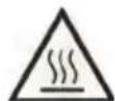
DANGER of burns
Wait until the induction hob has cooled down completely before cleaning it. Otherwise you could burn yourself.
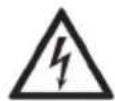
DANGER of electric shock
Always remove the plug from the power socket before cleaning commences. Otherwise, there is a risk of electric shock.
Do not pour or spray any liquids onto the induction hob or immerse it into water or any other liquids. Otherwise, there is a risk of electric shock and a fire hazard due to short circuits.

WARNING - potential damage to property
Do not use any scratching or abrasive cleaning agents or abrasive objects (such as a metal scourer) for cleaning purposes. Otherwise the induction hob may be damaged.
- Wipe down the induction hob with a damp cloth. For more stubborn or greasy stains, apply a mild washing-up liquid to the cloth.
- Then remove all residues from the washing-up liquid with a damp cloth.
• After each cleaning, allow the cooking plate to dry completely before using it again.
8.1 Storing the device when not in use
If the induction hob will not be used for a longer period of time, store it in a clean and dry place.
- Let the induction hob cool down fully before you put it away.
- Wrap the power cable (2) around the cable rewind under the base of the induction hob after use. Use the following figure for reference. You can secure the plug of the power cable (2) in the holder provided (arrow).
natural_image
Technical line drawing of an electronic device casing with internal components and wiring (no text or symbols)- Store the induction hob in a safe, dust-free place.
9. Troubleshooting
If your induction hob does not work as usual, use the following instructions to try and solve the problem. If working through the following tips does not eliminate the fault, please contact our hotline.
The induction hob is not working
• The plug is not inserted. Insert the plug into a power socket.
- The power socket is faulty. Try the device in another power socket that definitely works.
- The ON/OFF switch (4) is not switched on. Switch the ON/OFF switch (4) to 'I'.
- The desired cooking plate (1, 3) is not switched on. Turn the corresponding temperature dial (5, 8) clockwise to switch on the desired cooking plate (1, 3). The corresponding indicator light (6, 7) lights up.
10. Environmental and waste disposal information
 | Devices marked with this symbol are subject to the European Union Directive 2012/19/EU. Electrical and electronic devices may not be put in the household waste, but must be disposed of via designated public disposal centres. By properly disposing of the old device, you can avoid environmental damage and hazards to health. Further information regarding proper disposal of the old device can be obtained from your local authority or the shop where you purchased the device. |
 | Make sure that the packaging is disposed of in an environmentally friendly manner. Cardboard packaging can be put out for waste-paper collection or taken to public collection points for recycling. The plastic packaging used for your device will be collected by your local waste management company and disposed of in an environmentally friendly manner. |
 ES/PT ES/PT | |
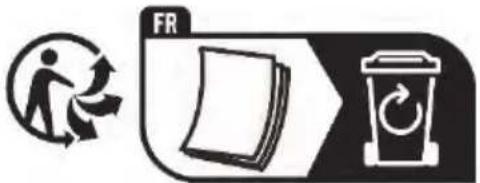
| Relevant for France only: | |
 |   |
 | 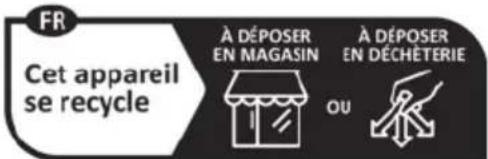 Points de collecte sur www.quefairedemesdechets.frPrivilégiez la réparation ou le don de votre appareil! Points de collecte sur www.quefairedemesdechets.frPrivilégiez la réparation ou le don de votre appareil! |
| 'Sorting made easier'This product, including all accessories, its printed material and packaging components, can be recycled. They are subject to an extended producer responsibility and are sorted and collected separately. | |
'Sorting made easier'
| Only relevant for Spain and Portugal:Please separate the packaging material and dispose of it in the relevant collection containers according to the symbols on the packaging: | 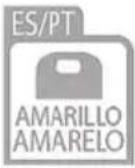 | 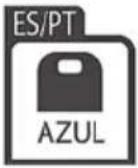 |  | |
| Please pay attention to the labels on packaging materials when you separate waste; these are marked with abbreviations (a) and numbers (b) that mean the following:1-7: Plastics/20-22: Paper and cardboard/80-98: Composite materials. | ||||
| Symbol | Material This product contains the following packaging components | |
 | Low-density polyethylene | |
 | Polypropylene Sticker to seal the packaging | |
 | Other cardboard Inner carton | |
 | Corrugated cardboard Sales packaging, online outer packaging, master carton | |
11. Marks of conformity

This product fulfils the requirements specified in the applicable European and national policies. This product's conformity has been verified. The declarations and documents are stored with the manufacturer.
This product fulfils the requirements specified in the applicable national policies for the Republic of Serbia.
You can download the full EU declaration of conformity at the following link:
https://www.targa.gmbh/downloads/conformity/502841_2407.pdf
Contact address in accordance with 2023/988 Product Safety Regulation: ce@targa.de
12. Warranty information
Warranty of TARGA GmbH
Dear Customer,
This device is sold with three years warranty from the date of purchase. In the event of product defects, you have legal rights towards the seller. These statutory rights are not restricted by our warranty as described below.
Warranty conditions
The warranty period commences upon the date of purchase. Please keep the original receipt in a safe place as it is required as proof of purchase. If any material or manufacturing faults occur within three years of purchase of this product, we will repair or replace the product free of charge as we deem appropriate.
Warranty period and legal warranty rights
The warranty period is not extended in the event of a warranty claim. This also applies to replaced and repaired parts. Any damage or defects discovered upon purchase must be reported immediately when the product has been unpacked. Any repairs required after the warranty period will be subject to charge.
Scope of warranty
The device was carefully manufactured in compliance with stringent quality guidelines and subjected to thorough testing before it left the works. The warranty applies to material and manufacturing faults. This warranty does not cover product components which are subject to normal wear and which can therefore be regarded as wearing parts, or damage to fragile components such as switches, rechargeable batteries or components made of glass. This warranty is void if the product is damaged, incorrectly used or serviced. To ensure correct use of the product, always comply fully with all instructions contained in the user manual. The warnings and recommendations in the user manual regarding correct and incorrect use and handling of the product must always be observed and complied with. The product is solely designed for private use and is not suitable for commercial applications. The warranty is rendered void in the event of incorrect handling and misuse, if it is subjected to force, and also if any person other than our authorised service technicians interfere with the device. No new warranty period commences if the product is repaired or replaced.
Submitting warranty claims
To ensure speedy handling of your complaint, please note the following:
- Before using your product for the first time, please read the enclosed documentation carefully. Should any problems arise which cannot be solved in this way, please call our hotline.
- Always have your receipt, the product article number as well as the serial number (if available) to hand as proof of purchase.
- If it is not possible to solve the problem on the phone, our hotline support staff will initiate further servicing procedures depending on the fault.
- You can find this and many more manuals, product videos and installation software available for download at www.lidl-service.com. This QR code takes you directly to the LIDL service page (www.lidl-service.com). There, you can enter the item number (IAN) to access your operating manual.

Service
Phone: 0800 404 7657
E-Mail: targa@lidl.co.uk

Phone: 1800 101010
E-Mail: targa@lidl.ie

Phone: 800 62230
E-Mail: targa@lidl.com.mt
Phone: 8009 4241
E-Mail: targa@lidl.com.cy
IAN: 502841_2407

Manufacturer
Please note that the following address is not a service address. First contact the service point stated above.
TARGA
GmbH
Coesterweg 45
59494 Soest
GERMANY
Table des matières
natural_image
Technical line drawing of an electronic device casing with internal components and wiring (no text or symbols)https://www.targa.gmbh/downloads/conformity/502841_2407.pdf
Cher client, chère cliente,
Cher client, chère cliente,
natural_image
Technical line drawing of an electronic device casing with internal components and labeled parts (no text or symbols beyond basic labels)https://www.targa.gmbh/downloads/conformity/502841_2407.pdf
Contactadres overeenkomstig Verordening 2023/988 inzake productveiligheid: ce@targa.de
12. Garantiebepalingen
https://www.targa.gmbh/downloads/conformity/502841_2407.pdf
natural_image
Technical line drawing of an electronic device casing with internal components and wiring (no text or symbols)https://www.targa.gmbh/downloads/conformity/502841_2407.pdf
natural_image
Technical line drawing of an electronic device casing with internal components and labeled parts (no text or symbols beyond basic labels)- Elektrický varič odložte na bezpečné miesto, kde nesadá prach.
https://www.targa.gmbh/downloads/conformity/502841_2407.pdf
natural_image
Technical line drawing of an electronic device casing with internal components and labeled parts (no text or symbols beyond basic labels)https://www.targa.gmbh/downloads/conformity/502841_2407.pdf
natural_image
Technical line drawing of an electronic device interior with labeled components (no text or symbols beyond part number 2)https://www.targa.gmbh/downloads/conformity/502841_2407.pdf
natural_image
Technical line drawing of an electronic device interior with labeled components (no text or symbols beyond part numbers)https://www.targa.gmbh/downloads/conformity/502841_2407.pdf
natural_image
Technical line drawing of an electronic device interior with labeled components (no text or symbols beyond part numbers)https://www.targa.gmbh/downloads/conformity/502841_2407.pdf