
BK-BM07 - Electric bike SHARP - Free user manual and instructions
Find the device manual for free BK-BM07 SHARP in PDF.
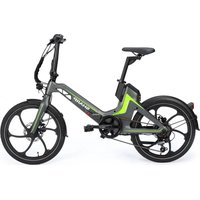


| Product type | Folding electric bike |
| Brand | Sharp |
| Model | BK-BM07 |
| Available colors | Dark gray / Green |
| Frame size | M |
| Bike weight | 24 kg |
| Maximum supported load | 100 kg |
| Wheel size | 20 inches |
| Motor type | Rear hub motor 36 V 250 W |
| Assistance type | Pedal assist, 5 levels (0-5) |
| Maximum assisted speed | Approximately 25 km/h |
| Battery | Lithium 36 V 10.4 Ah / 374 Wh, removable with lock |
| Charger | AC 100-240 V, output DC 42 V / 2 A |
| Charging time | 5 hours |
| Claimed range | Up to 60 km on medium assistance on flat terrain |
| Transmission | Shimano REVOSHIFT 6-speed |
| Brakes | Hydraulic disc brakes |
| Display | Color LCD screen with battery indicator, speed, odometer |
| Lighting | Integrated front headlight and rear light, controlled from the display |
| Folding system | Magnesium folding frame with central lock |
| Cleaning and maintenance | Soft cloth, non-abrasive detergent; regular chain lubrication |
| Safety instructions | Helmet mandatory, obey traffic laws, do not use in bad weather |
| Warranty | Legal warranty; wear parts (tires, chain, brakes) not covered |
| Error code | Codes E02 to E10 for brake, sensor, motor, etc. (see manual) |
Frequently Asked Questions - BK-BM07 SHARP
User questions about BK-BM07 SHARP
0 question about this device. Answer the ones you know or ask your own.
Ask a new question about this device
Download the instructions for your Electric bike in PDF format for free! Find your manual BK-BM07 - SHARP and take your electronic device back in hand. On this page are published all the documents necessary for the use of your device. BK-BM07 by SHARP.
USER MANUAL BK-BM07 SHARP
User Manual
BK-BM07
Electric Bike

*Product images are for illustration purposes only. Actual product may vary.
Use this Quick Guide to set up and start using your e-bike. For more detailed information on your model of e-bike, please refer to the online manual, which can be found by following the link below or scanning the QR code and searching by model name BK-BM07.
https://www.sharpconsumer.com/support/
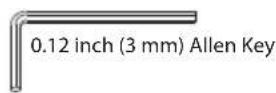
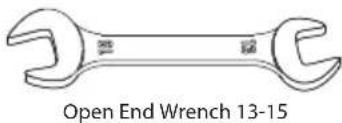
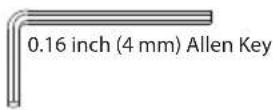
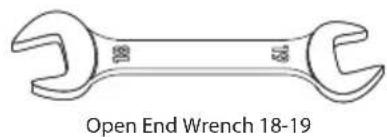
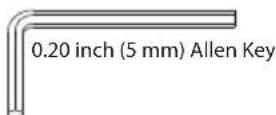
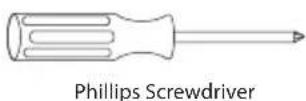
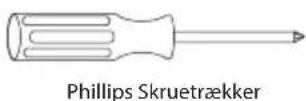
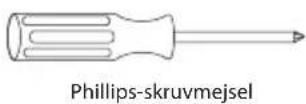
Useful tools for assembling and using the bike (not included). Accessories (included).
Battery locking keys
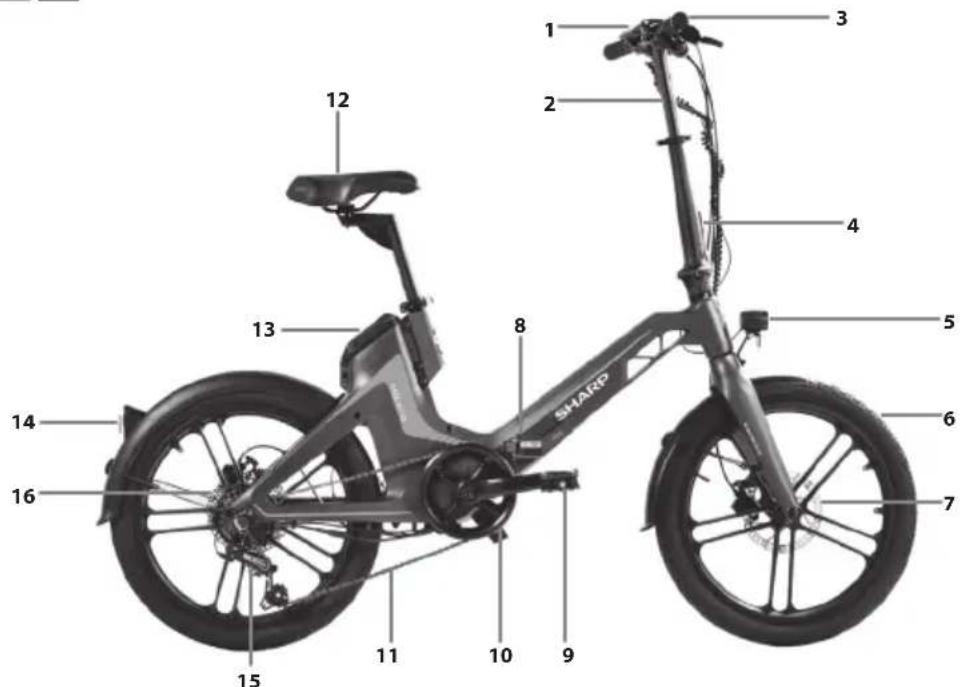
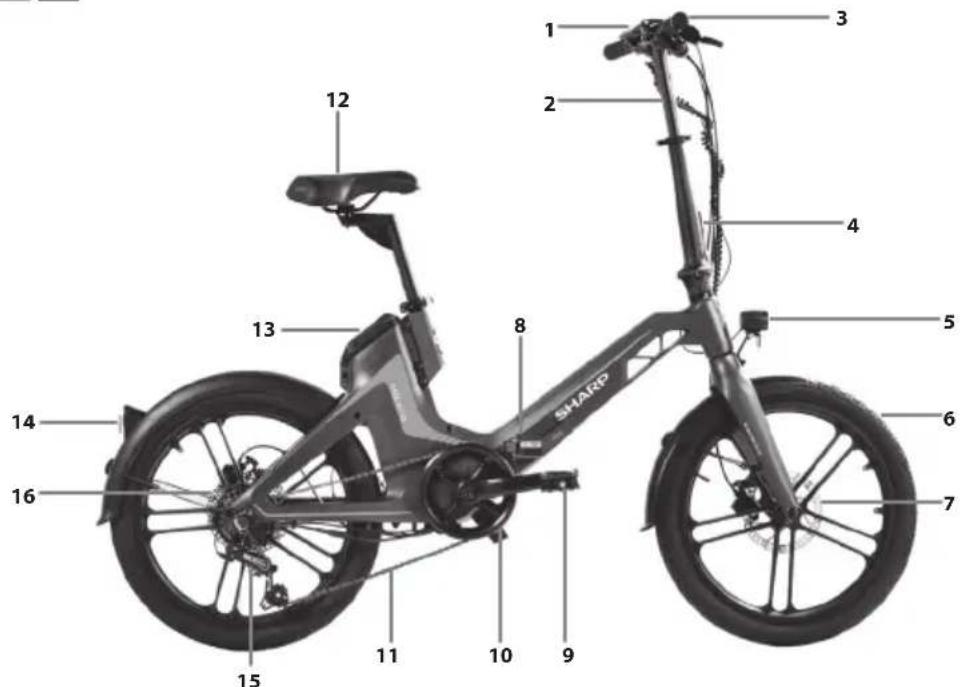
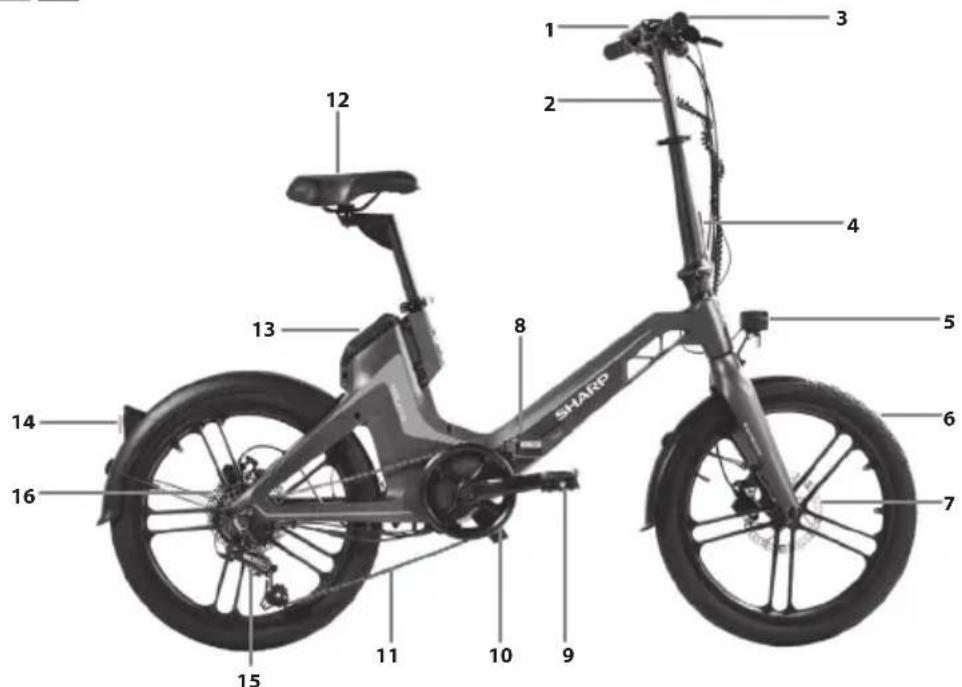
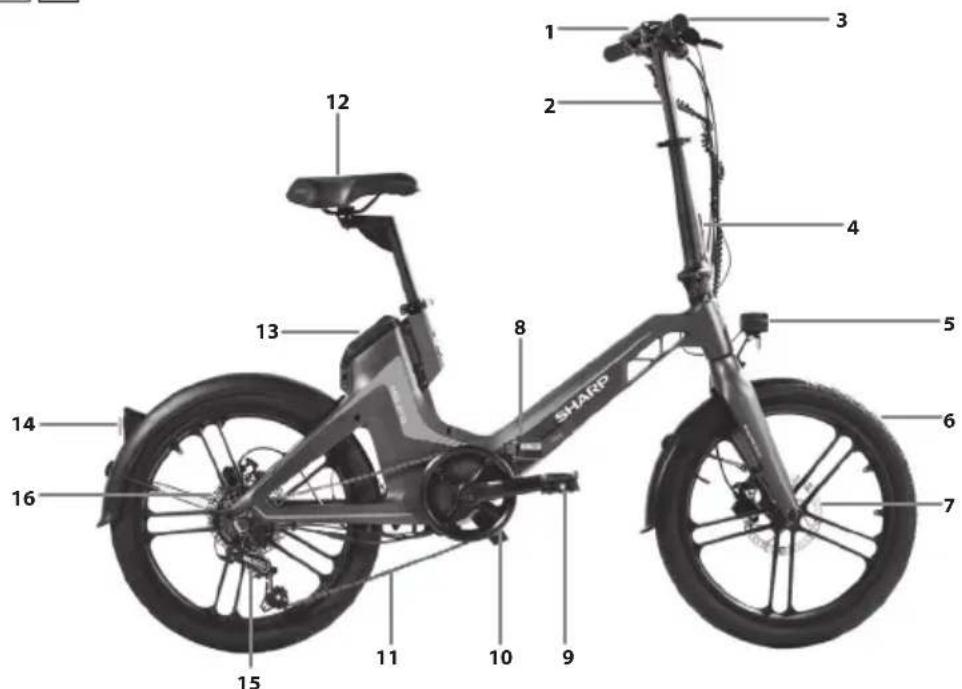
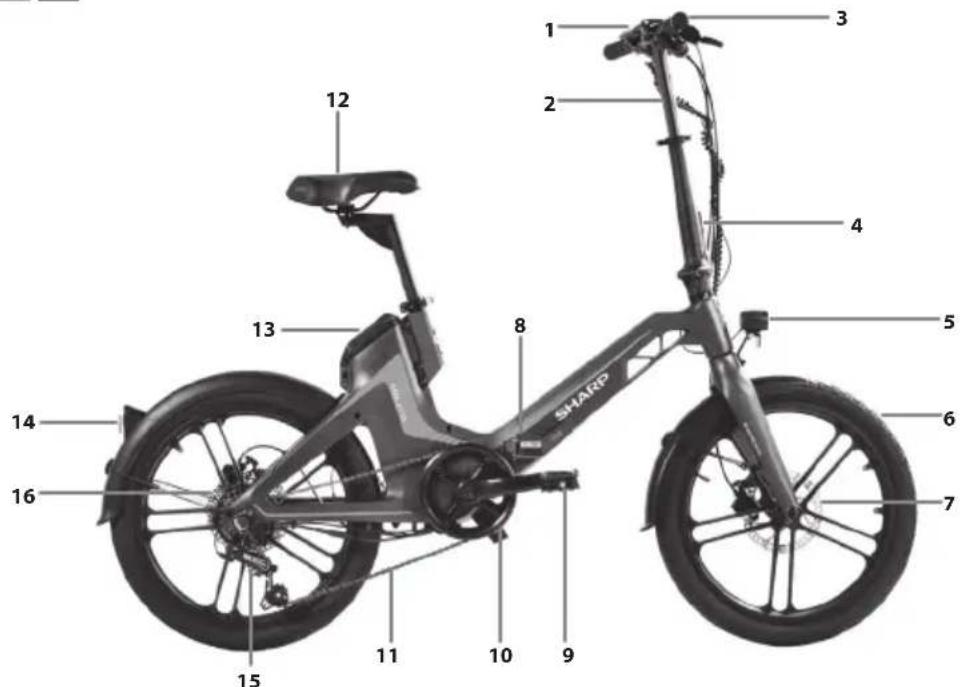
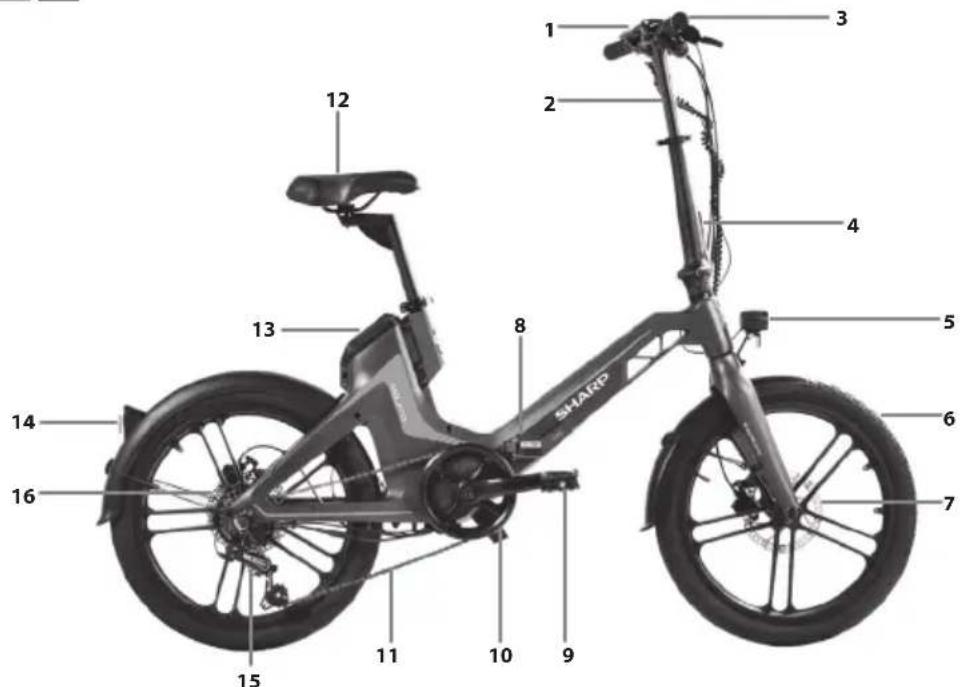
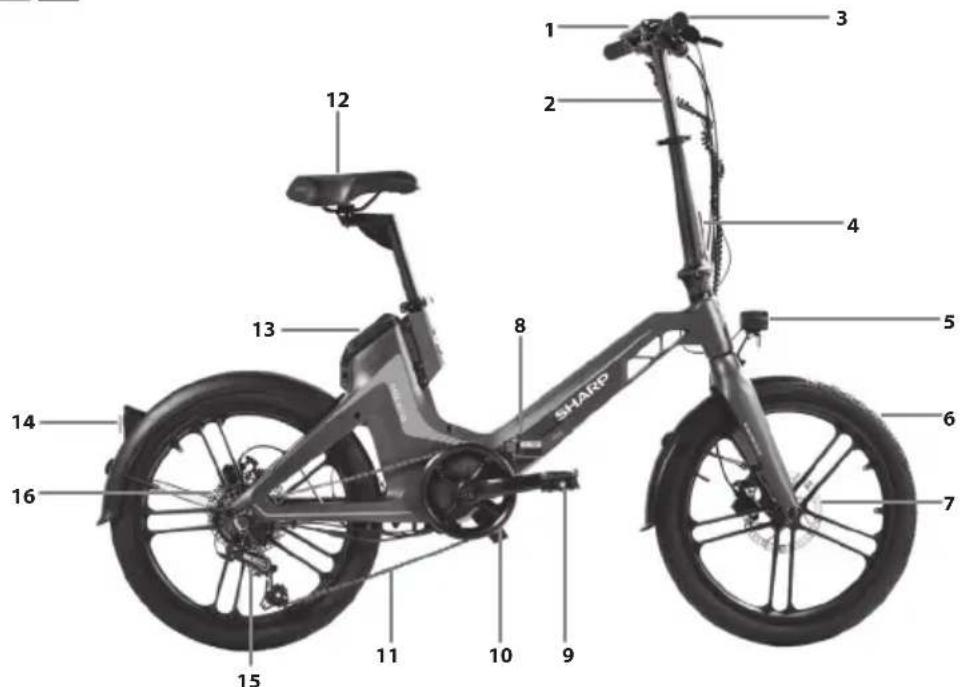
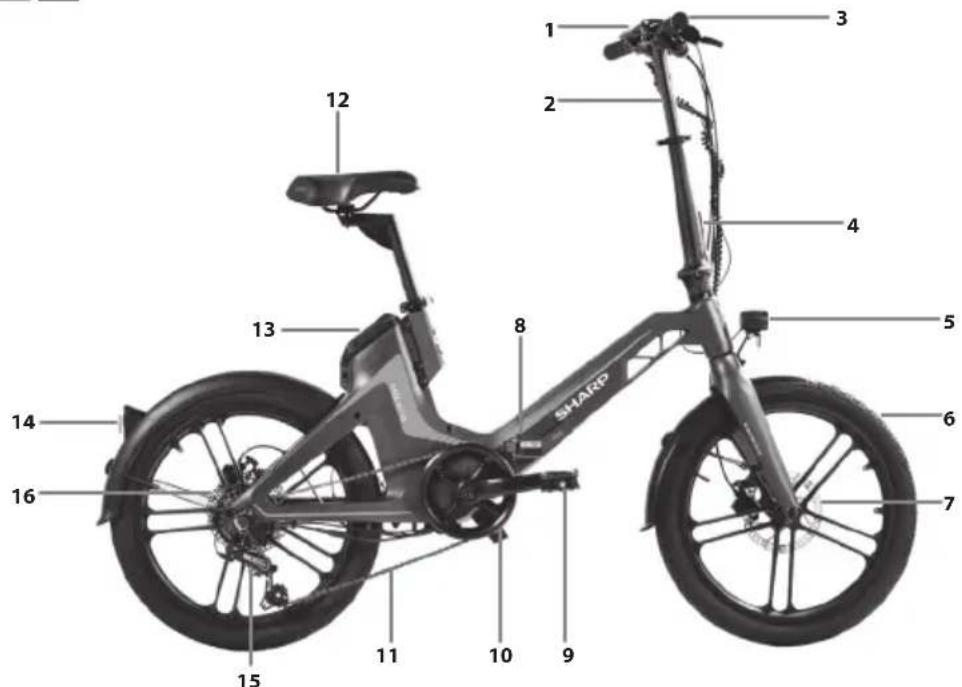
- Display
- Handlebar
- Grips
- Stem locking mechanism
- Front light
- Tire
- Disc Brake
- Locking lever frame
- Pedal
- Crank set
- Chain
- Saddle
- Battery
- Taillight
- Rear derailleur
- Hub motor
Important safety instructions
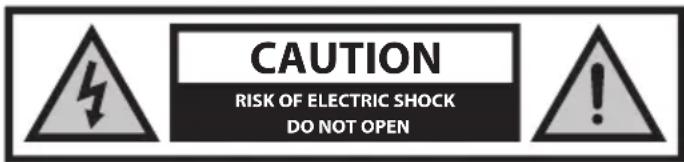
Please read these safety instructions and respect the following warnings before operating the appliance:

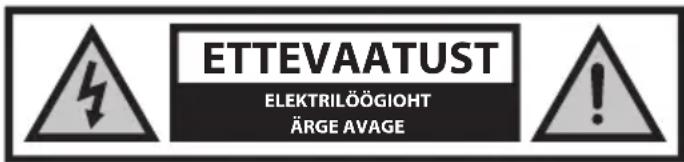
The lightning flash with an arrowhead symbol within an equilateral triangle is intended to alert the user to the presence of uninsulated "dangerous voltage" within the product's enclosure that may be of sufficient magnitude to constitute a risk of electric shock to persons.

The exclamation point within an equilateral triangle is intended to alert the user to the presence of important operating and maintenance (servicing) instructions in the literature accompanying the appliance.

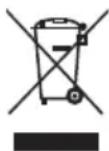
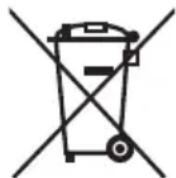
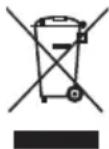
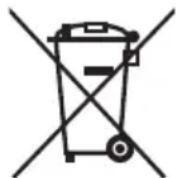
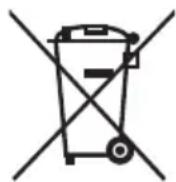
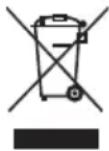
This symbol means that the product should be disposed of in an environmentally friendly manner and not with general household waste.

AC voltage

Class II equipment
In order to prevent fire, always keep candles and other open flames away from this product.

IMPORTANT: Read the following carefully and keep it for future reference.
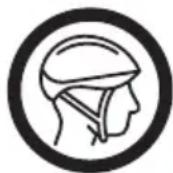
CAUTION: Wear a protective helmet!
To reduce the risk of injury, wear a suitable helmet when riding!
Risk of accident and injury
- Incorrect operation of the e-bike due to insufficient knowledge may cause an accident. Please familiarize yourself with the features of the e-bike before riding.
- Familiarize yourself with the brake lever in advance if you are not sufficiently aware of the front and rear brakes' placement. Please also adjust accordingly before riding.
- Please make sure the brakes are properly adjusted and function well.
CAUTION: Hardware may not be fully tightened, including but not limited to bolts, nuts, the front hub shaft, the rear wheel, steering mechanisms (handlebar, stem), the brake system, the driving system, pedals, etc.
To reduce the risk of injury, ensure that all bike hardware is locked tightly and correctly into position and that there is no loss of equipment, breakage, or other types of damage.
CAUTION: This bike is designed for adults. Children may only ride under the supervision of adults.
To reduce the risk of accident and injury, make sure that the bike and any of its structures are not within the reach of children under the age of 3.
CAUTION: Component breakage due to improper use of the bicycle may occur.
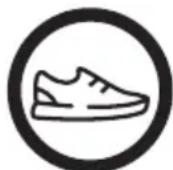
Risk of accident and injury!
- Do not ride over ramps or mounds with the bicycle.
- Do not ride this bicycle in cross-country cycling.
- Do not ride the bicycle over stairs, rocks, or other steps with a height greater than 15 cm.
Improper additions or alterations to the bicycle and incorrect accessories can cause the bicycle to malfunction.
To reduce the risk of accident and injury, do not add any extra accessories that are not purchased from the seller or without getting permission from the seller, including but not limited to child safety seats, trailers, etc.
CAUTION: Do not ride the bicycle in a risky way.
To reduce the risk of accident and injury, ride the bicycle only in the correct way. Make sure you are able to control the bike and do not try dangerous actions, including but not limited to riding with no hands, jumps, and wheelies.
DANGER: Lack of bicycle maintenance presents the risk of accident and injury.
Check the bike before every ride, including but not limited to brake function, tire wearing and PSI, bolt and nut condition, steering, and spokes tension.
If you hear any abnormal noise while riding, stop immediately and check the entire bike.
CAUTION: Ensure full compliance with local law.
Risk of fines and confiscation!
Before riding the bike, make sure the bike aligns with the standards of your local law.
Reflectors are not a substitute for required lights. Riding at dawn, at dusk, at night or at other times of poor visibility without an adequate bicycle lighting system and without reflectors is dangerous and may result in serious injury or death.
If your bicycle does not fit properly, you may lose control and fall.
Bolts that are too tight can stretch and deform.
Do not expose your battery to high temperatures.
Riding with improperly adjusted brakes or worn brake pads is dangerous and can result in serious injury or death.
Never inflate a tire beyond the maximum pressure marked on the tire's sidewall or the wheel rim. If the maximum pressure rating for the wheel rim is lower than the maximum pressure shown on the tire, always use the lower rating. Exceeding the recommended maximum pressure may blow the tire off the rim or damage the wheel rim, which could cause damage to the bike and injury to the rider and bystanders. The best and safest way to inflate a bicycle tire to the correct pressure is with a bicycle pump which has a built-in pressure gauge.
Applying brakes too hard or too suddenly can lock up a wheel, which could cause you to lose control and fall. Sudden or excessive application of the front brake may pitch the rider over the handlebars, which may result in serious injury or death.
Stop the charging procedure immediately if you notice a strange smell or smoke.
- SHARP is not responsible for injury/death caused by improper use.
- Sharp is not responsible if you do not comply with local regulations and restrictions.
- The warranty does not cover damages caused by improper use of the device, especially in case use for non-domestic purposes and alterations and / or adaptations necessary for countries or regions, for which it was not originally designed.
- Always abide by local traffic rules and national laws and regulations while using your e-bike.
- Always adhere to the local speed limit. DO NOT exceed the speed limit for your e-bike.
• Always wear safety protection equipment when in use.
• Always wear a safety helmet when riding your e-bike.
- Always ride with both hands holding the handles, never ride with one hand.
- Do not ride in bad weather.
- Do not use this e-bike to perform stunts or dangerous maneuvers. It is a bike designed for domestic use.
- Do not carry people or items such as bags.
- Ride slowly in crowded places.
- Ensure that all screws and fasteners are tight and normal before use.
- Make sure that the folding shaft enters the slot when unfolding the e-bike.
- Do not ride on uneven roads, water, oil or ice.
- Do not weave through traffic or make moves which are unpredictable to other people.
- Do not ride the e-bike if outside of the country's age limits.
- Do not ride the e-bike over the country's legal speed limit for e-bikes.
- Do not use the e-bike if it is damaged.
- Do not use the e-bike if the battery emits a peculiar smell and/or heats up.
- Do not use the e-bike if liquid leaks out of it, avoid contact and place out of the reach of children.
- Before use, ensure that the e-bike is not damaged. Do not ride if there is any damage.
- Ensure that you read all of this User Manual before using the e-bike.
- Learn how to ride your e-bike before using it in a public space.
- This e-bike can be identified by the model and serial number located on the rating plate.
- Propulsion is via an electric motor located in the driving wheel.
- Only one person may ride on the e-bike.
- Do not modify this e-bike in any way.
- Do not use any parts or accessories unless recommended or approved by SHARP.
- Ride the e-bike on level surfaces. Do not exceed the specified incline.
- Excessive use will reduce the lifetime of this e-bike.
- Caution, brakes and associated parts may become hot during use. Do not touch after use.
Battery and Charger Warnings
- Do not power on the e-bike while charging. • After the battery is fully charged, disconnect the charging cable.
- The battery indicator in the display will show the battery lifetime.
- When the battery is low, it may result in weakened electric power assistance. It is recommended that you start charging at 20-40% charge.
- Charge the battery after every use.
- If the e-bike is not used for a long time, charge it at least once a month. Note that if the battery is not charged for a long time, the battery will enter a self-protection state and will fail to charge. In this case, please contact your dealer.
- When charging, plug the charger into the charging port before plugging it into the wall socket.
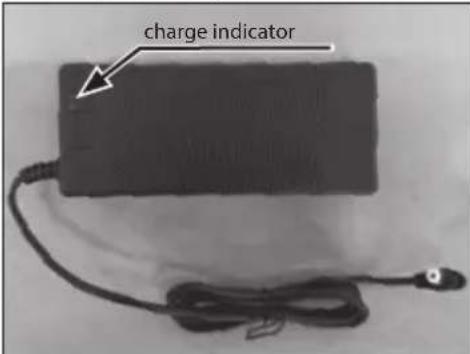
- While charging, the charger's indicator light is red, indicating normal charging. When the indicator light turns green, charging is complete.
- Only use the original charger to charge the battery.
- The charger has an overcharge protection function. If the e-bike is 100% fully charged, the charger will automatically stop charging.
- Dispose of batteries and e-bikes in compliance with the applicable regulations in your country.
Batteries
- Do not expose batteries to high temperatures and do not place them in locations where the temperature might increase quickly, e.g., near fire or in direct sunshine.
- Do not expose batteries to excessive radiant heat, do not throw them into fire, do not disassemble them, and do not try to recharge non-rechargeable batteries; they could leak or explode.
- Disposal of a battery into fire or mechanically crushing or cutting a battery can result in an explosion.
- Leaving a battery in an extremely high temperature surrounding environment can result in an explosion or the leakage of flammable liquid or gas.
- A battery subjected to extremely low air pressure may result in an explosion or the leakage of flammable liquid or gas.
- CAUTION: Risk of explosion or damage to equipment if incorrect type batteries are used.
- Never use different batteries together or mix new and old batteries.
- Do not use any batteries other than those specified.
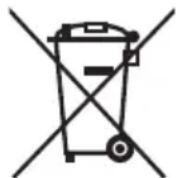
Disposal of this equipment and batteries
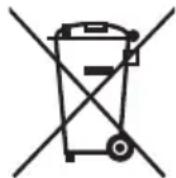
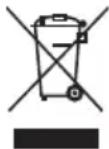
- Do not dispose of this product or its batteries as unsorted municipal waste. Return it to a designated collection point for the recycling of WEEE in accordance with local law. By doing so, you will help to conserve resources and protect the environment.
- Most of the EU countries regulate the disposal of batteries by law. A recycling symbol appears on electrical equipment, packaging and batteries to remind users to dispose these items correctly. Users are requested to use existing return facilities for used equipment and batteries. Contact your retailer or local authorities for more information.
- The battery and battery charger contain hazardous materials. Always keep the battery and battery charger away from children, animals, or persons incapable of understanding the potential hazards.

CE statement:
- Hereby, Sharp Consumer Electronics Poland sp. z o.o. declares that this equipment is in compliance with the essential requirements and other relevant provisions of RED Directive 2014/53/EU.
- The full text of the EU Declaration of Conformity is available by following the link www.sharpconsumer.com and then entering download section of your model and choosing "CE Statements".
www.sharpconsumer.com/contact/
www.sharpconsumer.com/support/
www.sharpconsumer.com/documents-of-conformity/
What's in the Box:
E-Bike Parts
- 1 × E-bike
Accessories Box
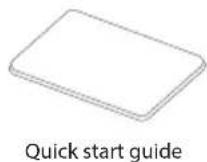
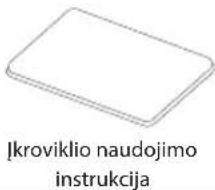
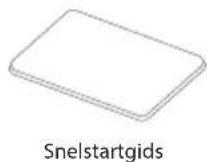
- 1 × Quick Start Guide
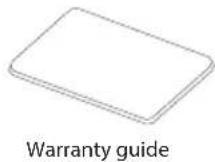
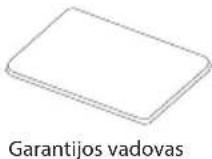
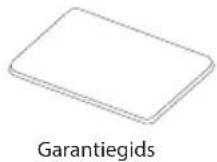
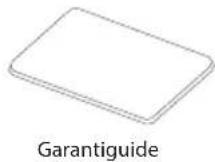
- 1 × Warranty guide
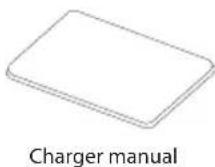
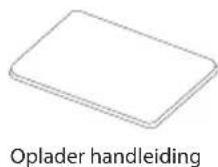
- 1 × Charger Manual
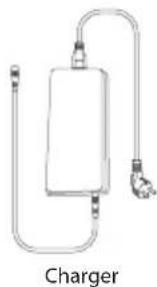
- 1 × Charger
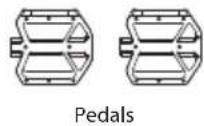
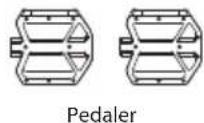
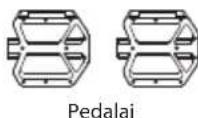
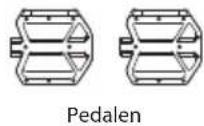
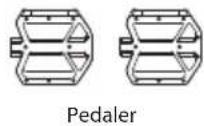
- 2 × Pedal
- 2 × Battery keys
Accessories Box
(Refer to 1. on page 1)
Bike Parts
(Refer to 2 on page 1)
Bike Frame Number
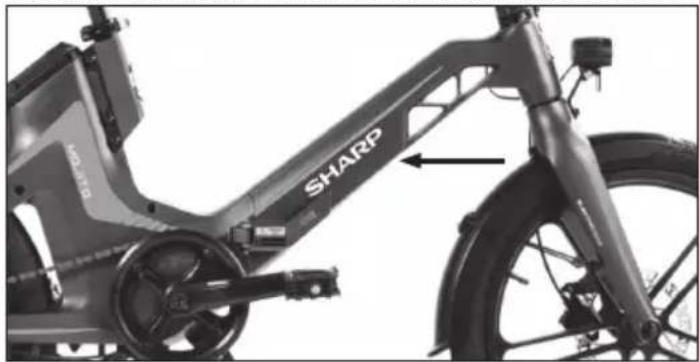
The bike frame number can be found stamped on the tube, as shown in the figure. This is the unique identifier of the electric bicycle. When the bike is stolen, the serial number gives you the best chance of recovering it. It would be a good idea to write it down somewhere or take a picture of it.
Assembling the E-bike
The bicycle is delivered with the handlebar folded. Rotate the handlebar as instructed in the relevant section. Install the pedals. Refer to the relevant section for detailed instructions.
Remove all transport protection before use.
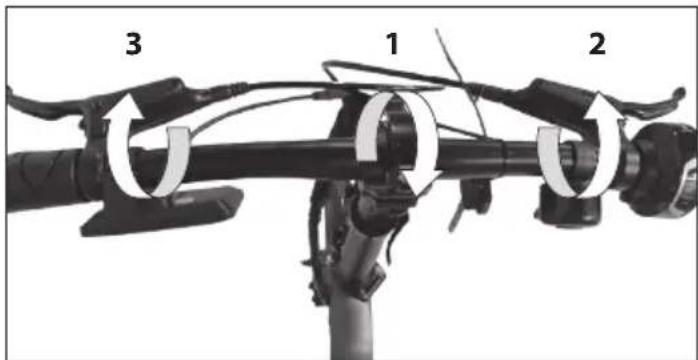
STEP 1: Install and adjust the handlebar
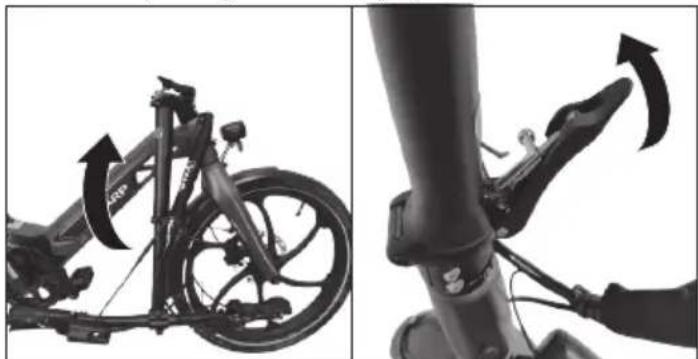
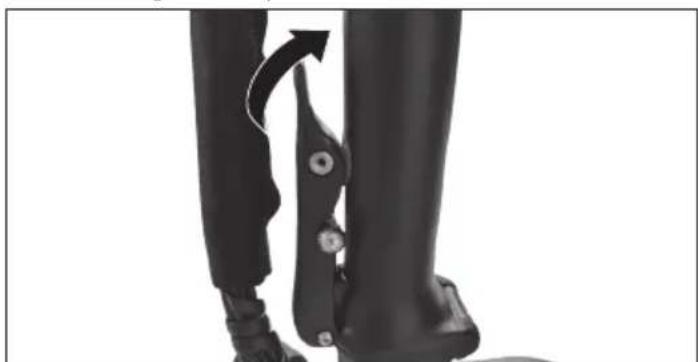
a. Lift the handlebar tube and put it in an upright position. Push forward the handle post hinge until it locks tightly.
Close the locking lever until you hear the click.
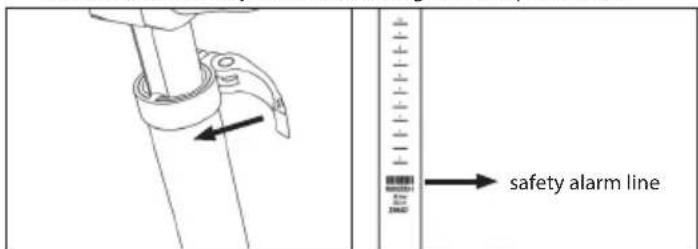
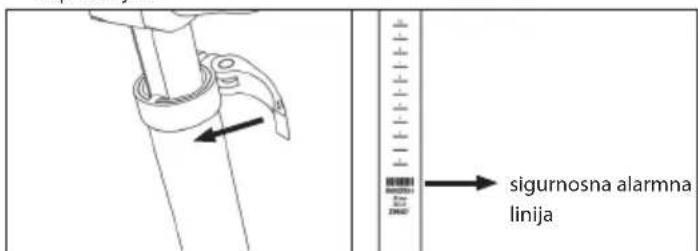
b. Release the quick release and adjust the handle to the correct height. Do not cross the safety scale line. Then tighten the quick release.
c. Unlock the quick release and adjust the handlebars, display, and bell to your needs. Lock the lever.
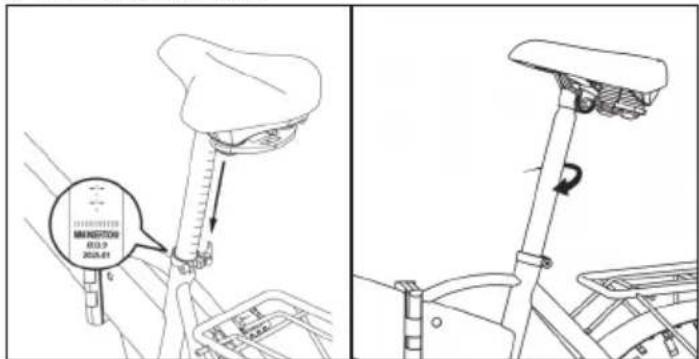
STEP 2: Adjust the seatpost
a. Release the seatpost quick release. b. Adjust the seatpost height and saddle angle to find your most comfortable riding position, being careful not to exceed the minimum safety scale line. c. Tighten the quick release.
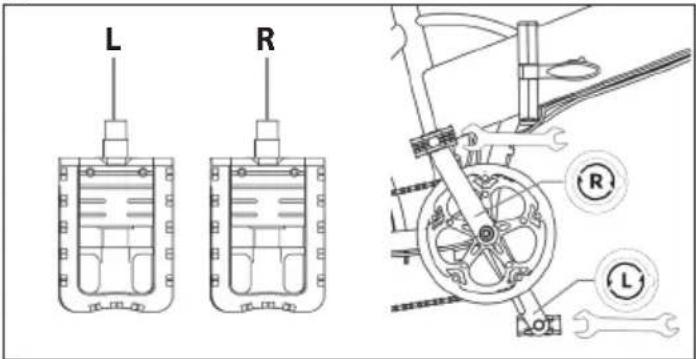
STEP 3: Install the pedals
Use the 15 mm wrench to mount the pedals, as shown in the figure.
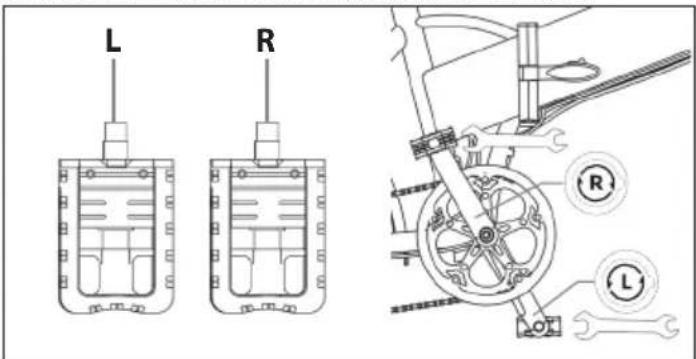
NOTES:
Pedal thread must be lubricated before being assembled.
Check the end cap on both pedals to identify the left pedal and right pedal. Please note that the right pedal will tighten clockwise, while the left pedal will tighten anticlockwise. Make sure the torque is about 35 N·m.
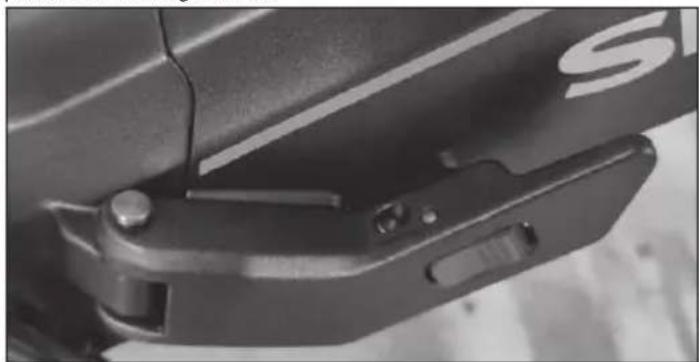
STEP 4: Checking of the central locking system of the frame
The central locking system of the frame must always be in the closed position while using the bike.
How to use the E-bike
Fully charge the battery before first use.
Check tire pressure regularly for best performance.
How to charge
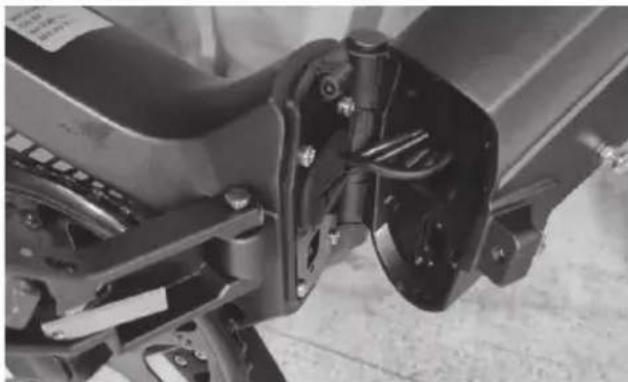
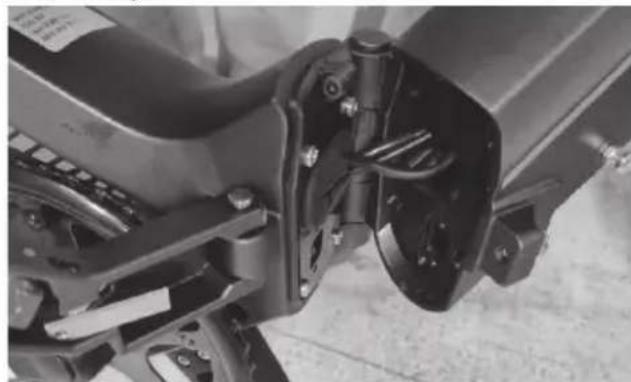
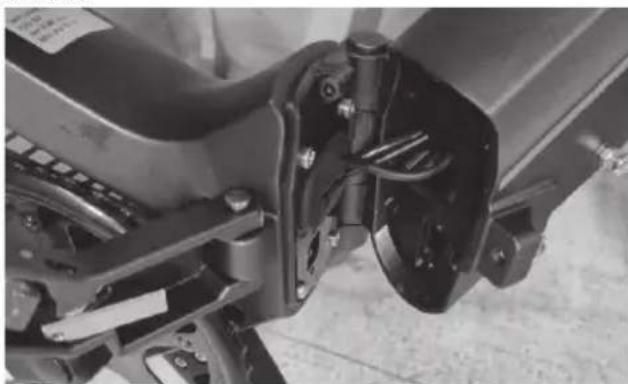
a. Open the battery flap, then the rubber cap, and connect the charger to the charging port of the e-bike.
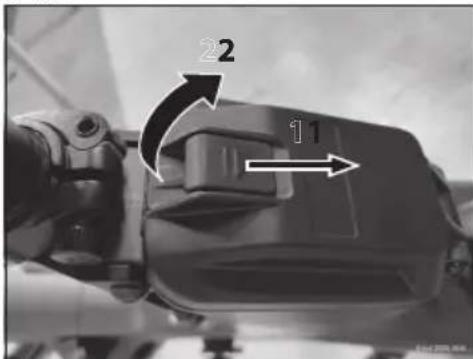
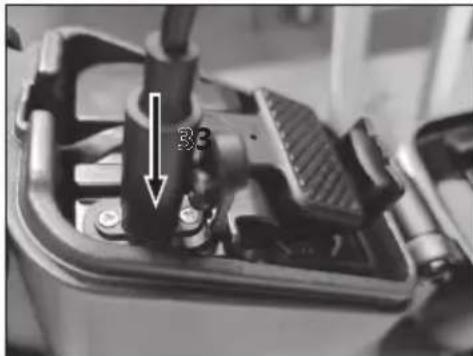
b. Plug the charger into the mains wall socket. c. When connected to the battery charger, the battery will start to charge and the charge indicator on the charger will turn red. d. After the charging is complete, the charge indicator will turn green. Remove the battery charger when fully charged. e. Close the rubber cap and battery flap.
Remove battery:
To remove the battery, follow these steps:
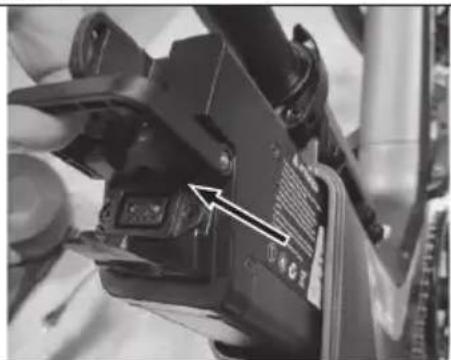
a. Open the battery flap. b. Disconnect the power cable.
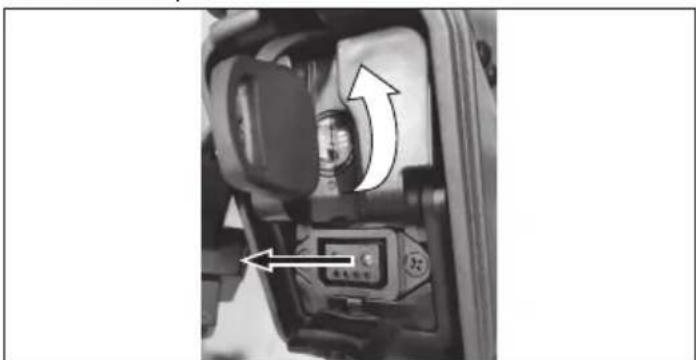
c. Use the included key and turn it to unlock the battery.
d. Remove the battery.
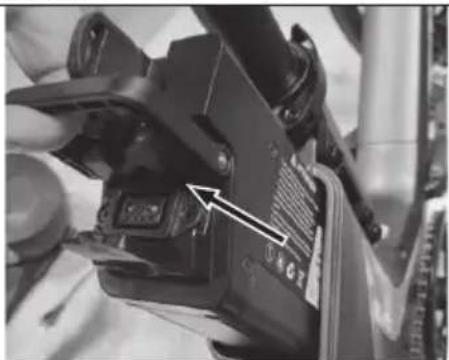
To install the battery, follow the steps in reverse order.
The Assisted Pedalling
This electric bicycle is equipped with an "assisted pedalling system", consisting of a motor, a battery, and a speed sensor.
It is important to know that when the system is on, the engine undertakes to supply energy only while you are pedalling. When you stop pedalling, the motor switches off and the electrical assistance for pedalling is missing. In all pedal-assisted bicycles, the engine switches off and the electrical assistance stops when the maximum speed allowed for electric bicycles of 25 km/h is reached.
When the speed drops below this value, the electrical assistance starts again until you stop pedalling.
How to start an E-bike
ON/OFF
Switch on the e-bike by long pressing the power button on the display to activate.
The Motor offers five Assist Modes: 0-5. Short press Up + or Down - to switch the pedal assist level. The display interface is shown in the figure. Start pedalling to activate pedal assistance.
We recommend that you start slowly and gradually increase your pedalling speed.
Walk Assist
Pressing and holding DOWN button for 3 seconds activates Walk-Assist Mode. The e-bike will go at a speed of 5 km/h automatically.
Display functions:
Through the display you turn the bicycle on and off, adjust the pedalling assistance and view the following information:
- Plus Key or Minus/Walk Key to switch assist levels. To turn on/off integrated lights press "plus" button more than 2 sec.
- Battery level.
- ODO (total range), Trip (single trip range), TIME (riding time). <- Short press M button to change options.
- Current speed.
- Error Codes.
- PAS level There are 5 levels by default: 0/1/2/3/4/5. 0 means no assist power.
- ON/OFF Key, Pressing changes the information on the display: TRIP/ RIDE TIME/ Power/ Mileage
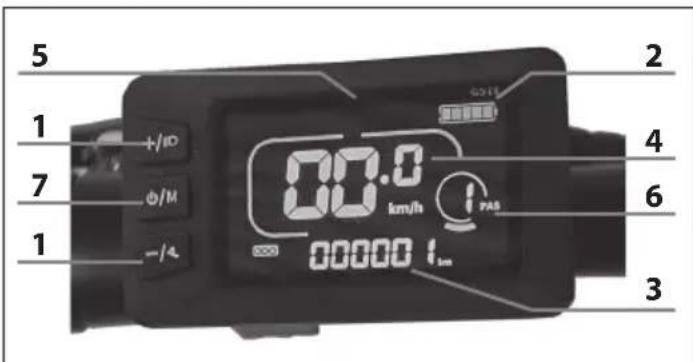
- Power button – Turns the bicycle ON and OFF more than 3 sec. (The display auto shuts off after few minutes)
- & - button - Selects pedal assistance
Here are definitions of the error codes.
Table Error codes:
| How to read the error codes indicated by the display | Description |
| E02 Brake Error | |
| E03 PAS Sensor Error (Riding Mark) | |
| E04 Walk Assist Mode | |
| E06 Low Voltage Protection | |
| E07 Motor Error | |
| E09 Controller Error | |
| E10 Communications Error |
Change gears
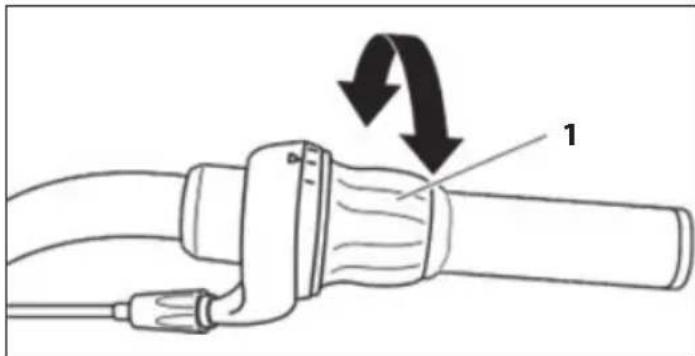
Use the twist grip on the right side of the handlebars to operate the rear derailleur. A gear engaged indicator, gear selected, is visible next to the rotating handle.
To operate the derailleur with a twist grip, follow these steps:
a. Press the pedals forward. b. Turn the ring (1) by hand clockwise to shift to a smaller sprocket, where the pedaling effort will be greater. c. Turn the gear shift ring by hand counterclockwise to move to a larger gear, where the pedaling effort will be less.
Turning the lighting ON and OFF
To turn the lighting ON or OFF, proceed as follows:
Press and hold the "+" button on the display for more than 2 seconds.
NOTES: If you use the light even in broad daylight, other road users will be more likely to see you.
How to fold the bike
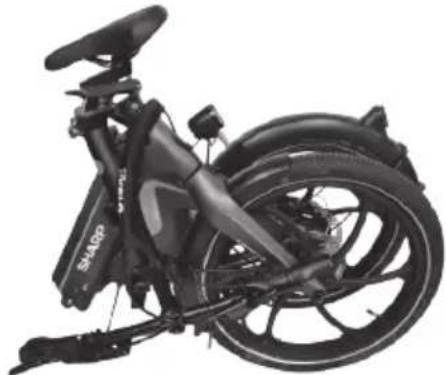
To fold the bike, follow these steps:
a. Release the locking mechanism of the pedals and fold them over the crank arm.
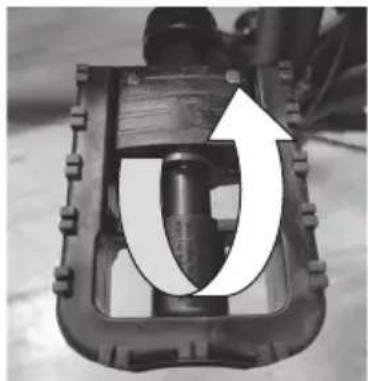
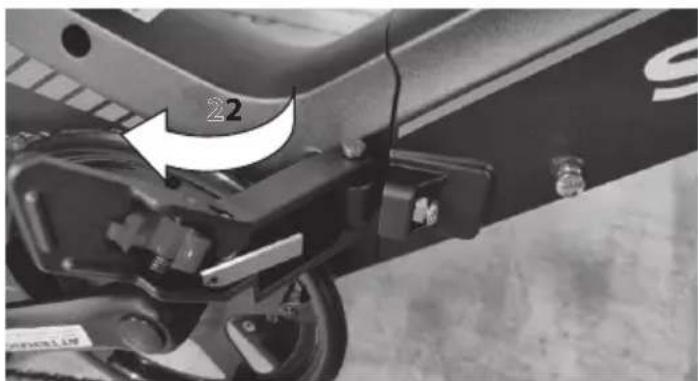
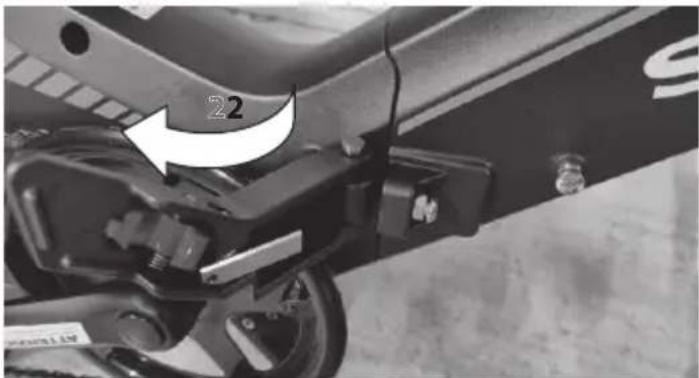
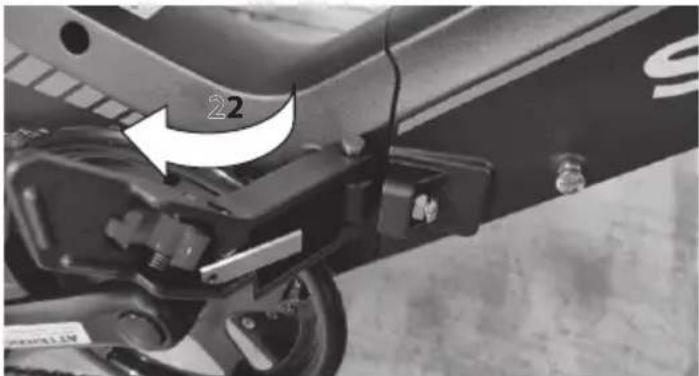
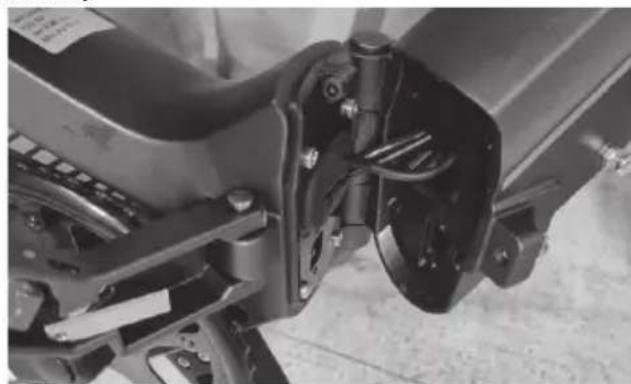
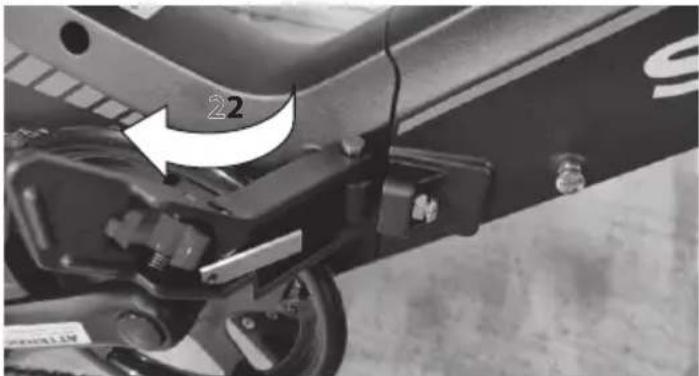
b. Press the red button and release the lock by pulling to the left.
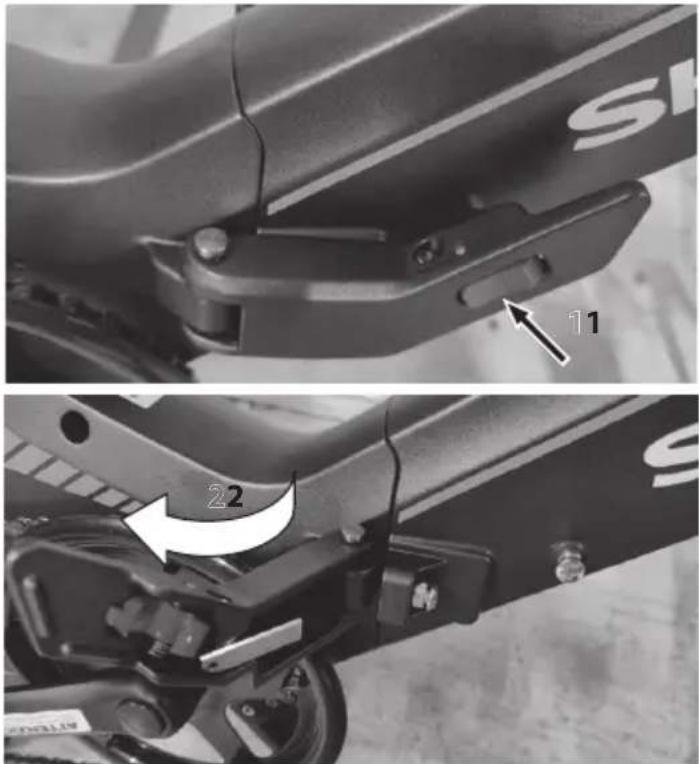
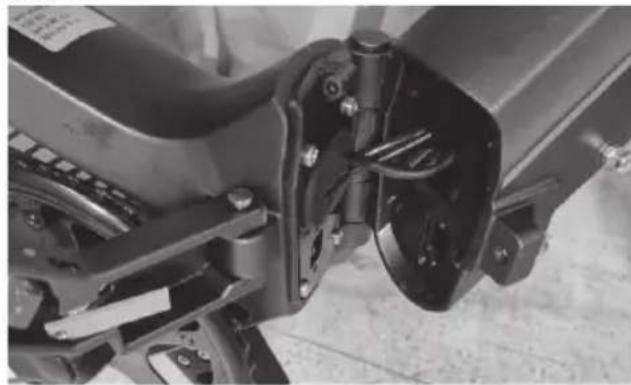
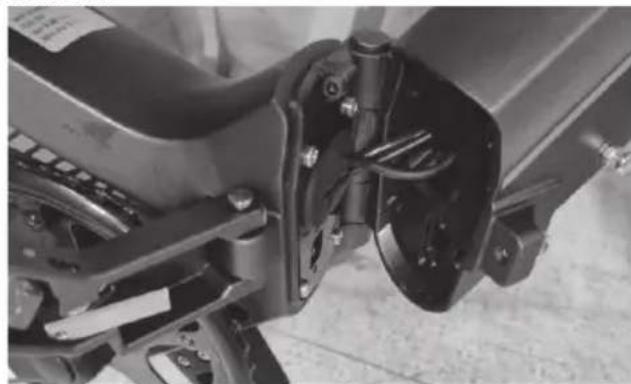
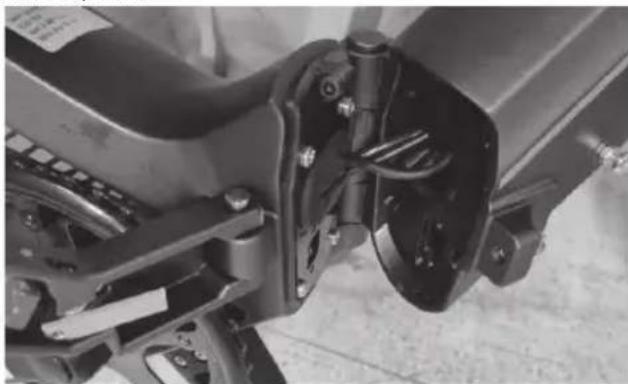
c. Fold the frame.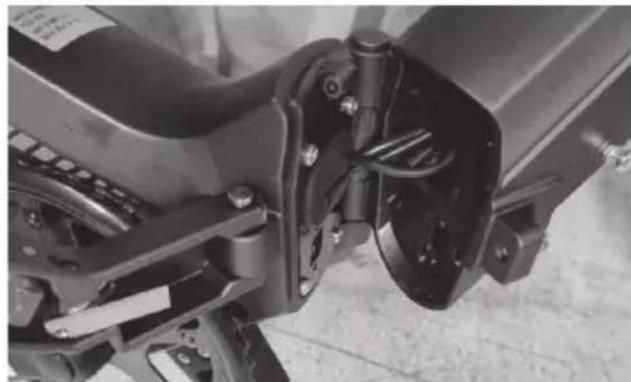
d. Release the handlebar lock and tilt it towards the bottom of the bike.
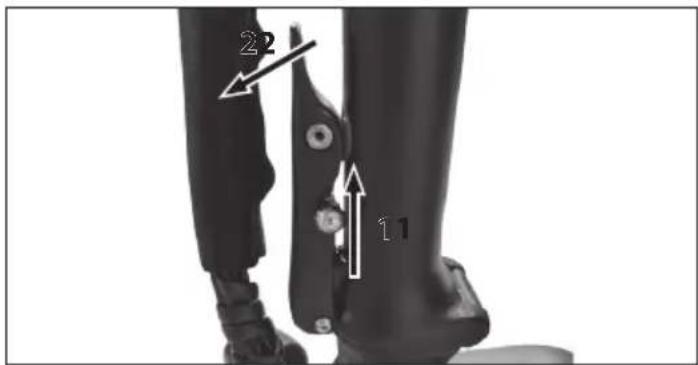
e. Fold down the stem.
f. Fold the handlebars and frame in a way that is convenient to carry.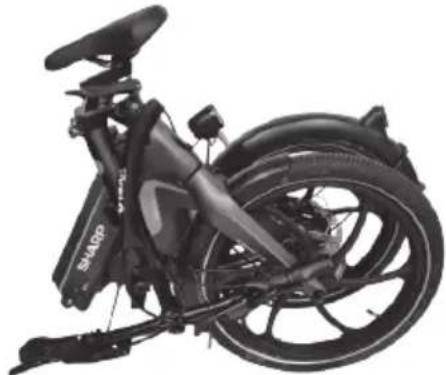
To assemble the bicycle, follow the steps in reverse order.
ATTENTION!
When assembling or folding the folding bike, the manual folding of the control cable and/or top cable may be crushed. Make sure this doesn't happen.
Always keep your fingers, hands and arms away from the mounting area when folding the frame or stem.
After folding, make sure all locks are properly closed.
Battery & Charger maintenance
LITHIUM BATTERY
At the end of each use of the bicycle or if the battery is flat, recharge the battery.
After prolonged use, the battery capacity will slowly decrease.
The average life of the battery depends on personal use and storage conditions. Even with proper maintenance, rechargeable batteries are not eternal. On average, a lithium battery remains active for about 500 charging cycles. It should be considered, however, that with each recharge the "capacity" of the battery drops proportionally. Even partial recharges (for example, a 1-hour recharge) are to be considered, for the purpose of the number of possible cycles, as a complete recharge. Periodically fully discharge the battery and recharge it.
If the bicycle is not used for a long period, do not leave the battery connected to the charger for more than 8 hours. Leave it to charge for about 4 hours. In this case, do not pay attention to the battery charger lights.
When the battery is completely discharged it must be immediately recharged. Do not leave the battery discharged unused but immediately proceed with a recharge cycle. In this case, provide for a longer charging cycle, of about 6 hours to allow complete activation of the battery.
It is recommended to use the bicycle once or twice a year until the battery is completely discharged. Then fully charge it. This process has a beneficial effect on battery life.
Battery capacity on the display
When you turn on the bicycle engine and start pedalling, the battery icon on the display indicates the instantaneous charge measured and not the actual charge availability.
In case of uphill routes, when the engine is more stressed, the indicator may show a reduced residual charge (the number of LEDs lit on the display decreases). When the motor is stopped, in case of stop or advance by inertia (for example downhill) the indicator may show a higher available charge (in the absence of load on the engine the battery voltage increases).
The best time, therefore, to achieve the amount of residual charge is when reaching a constant speed and on a flat and straight path after stabilizing the work of the battery.
Battery charging
Recharge the battery without removing it from the frame.
At the end of each use of the bicycle, we do consider it worthwhile to always recharge the battery. Keeping the battery charged at all times extends its life.
It is compulsory to use the battery charger supplied and follow the instructions on it. Do not use battery chargers not approved by SHARP. They may damage the battery and limit its life. By using personal accessories, not supplied with the bicycle, the legal guarantee will automatically expire.
Before charging the battery, carefully read the following instructions and follow them during the process.
- Use only the supplied battery charger.
- Keep both the battery charger and the battery away from children and pets.
- The charging operation must be carried out in a spacious, cool and dry place; away from direct heat sources and humidity.
- If the charging operation takes place with the battery housed in the bicycle, make sure that it is stable on the stand and turned off.
- It is normal for the battery charger to heat up during charging.
- Do not cover the battery charger.
- Keep the plugs always clean and dry.
- Do not get the battery charger wet.
- Do not use the battery charger and/or the battery if they are damaged.
- Always connect the battery charger to the battery first and then to the power socket.
- Do not carry out the charging process in direct sunlight.
- Do not use the battery charger for other purposes or for other devices.
• Voltage dips during charging cycles may damage the battery.
• Voltage drops during charging cycles could damage the battery.
Do not leave the battery connected to the charger for more than 8 hours. If the temperature of the battery rises too high, an unpleasant smell will be felt: stop charging immediately and contact the Service Centre.
Battery FAQs
Is it normal for the battery to get warm during charging?
Yes, it is normal for the battery to be warm during the charging process.
Battery charger maintenance
Follow the following maintenance instructions for the battery charger:
- When the battery is fully charged, first disconnect the cable from the socket and then the battery power cable.
- Store the battery charger in a dry and clean place.
- The battery charger requires no maintenance. Any opening or tampering is prohibited.
- If you suspect that the battery charger is damaged, contact the service centre.
- If the cable is damaged, contact the service centre to replace it.
- If the temperature of the battery charger rises too high (over 65°C ), an unpleasant smell will be felt: stop charging immediately and contact the Service Centre.
Maintenance and cleaning
Technological advances have made the E-Bike and its components more complex than in the past and the pace of innovation is increasing. With this continuous evolution, it is essential, for any mechanical and / or electrical repair and / or maintenance, to contact an authorized service centre. For routine maintenance and cleaning, follow the instructions below.
Inspection and Maintenance
For your safety and to ensure long life of your bicycle, it is recommended to inspect it regularly to understand the state of the mechanical part and, if necessary, request the assistance of a technician.
Maintaining good mechanical and electrical parts is fundamental for your safety during use. Periodically check the wiring and electrical connectors to make sure they are not damaged.
| Bicycle part | Always check before use | Peri-odically check | Clean and lubruicate | Adjust and Tighten | Repair if necessary |
| Tire pressure √√ | |||||
| Tire conditions √√ | |||||
| Brake calibration √ | √ | ||||
| Handlebar lock √√ | |||||
| Display √ | |||||
| Saddle lock √√ | |||||
| Brake pads √√ | |||||
| Brake cable tension | √√√ | ||||
| Spokes tension √√ | |||||
| Wheel centering | √√ | ||||
| Hubs | √√√ | ||||
| Chain lubrication | √√ | ||||
| Rear deraillerur calibration | √√√ | ||||
| Reflectors | √√√√ | ||||
| Battery and battery charger | √ | √ | |||
| Steering | √√√ | ||||
| B,B. | √√√ | ||||
| Screws, nuts, bolts, locks | √√√ |
Components subject to normal wear and tear (e.g., tires, chain, brakes) are not covered by the warranty.
The basic maintenance of the bicycle can and must be carried out directly by the owner; does not require special tools or specific technical knowledge beyond what is explained in this manual.
Here are some examples of interventions that you can perform yourself. All other inspection, maintenance and repair services must be carried out in a specialized centre by a qualified technician. Always contact the service centre for any doubts or uncertainties.
Adjust the brakes
The bicycle is equipped with hydraulic disc brakes.

The disc brake pads require minimal wear before achieving optimum braking. In addition, the discs overheat when they are in action; do not touch them after they have just stopped. If one of the two braking systems breaks, immediately repair it, as one brake is not sufficient to guarantee safe braking.
It is recommended to carefully check the pads and the sheaths. If you notice frayed or elongated spirals, curved ends, rust, or wear, replace the damaged parts promptly. To replace the pads, loosen the retaining bolt until the pad is out and replace it.
Be sure that the brake pads are firmly fixed (tightening 5/8 Nm). In case of doubts or perception of any anomaly during use, have the bicycle checked by a mechanic.
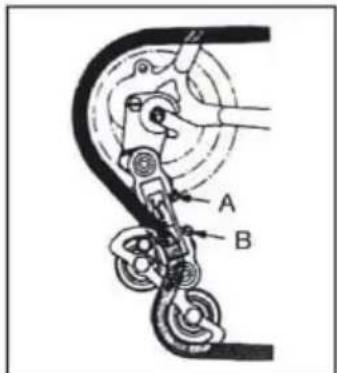
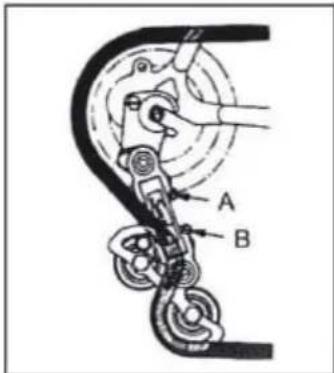
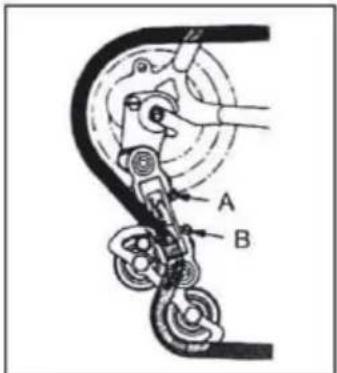
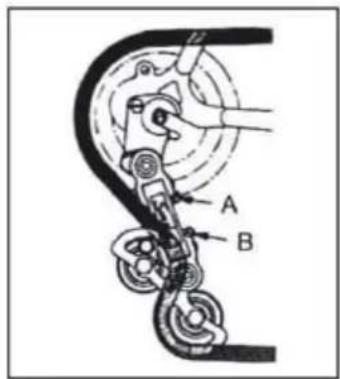
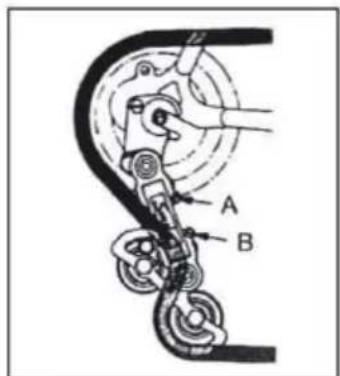
Adjust the gearbox
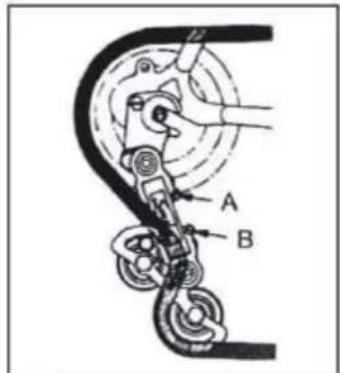
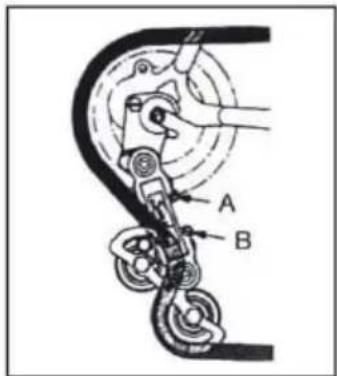
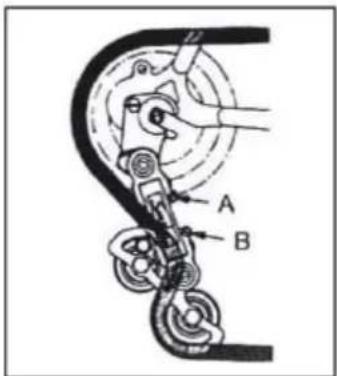
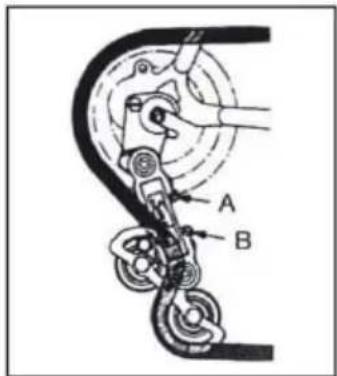
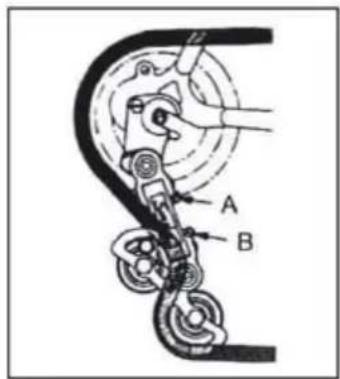
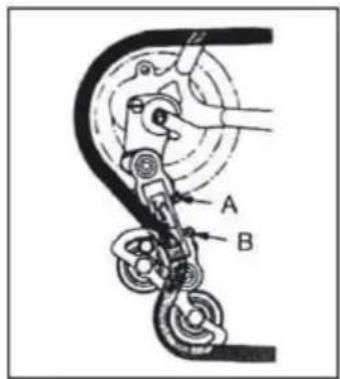
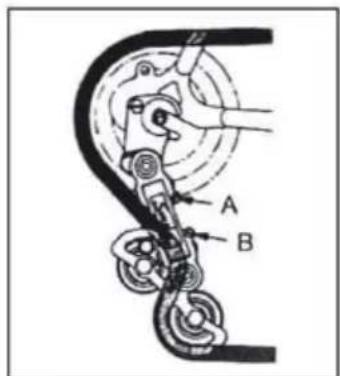
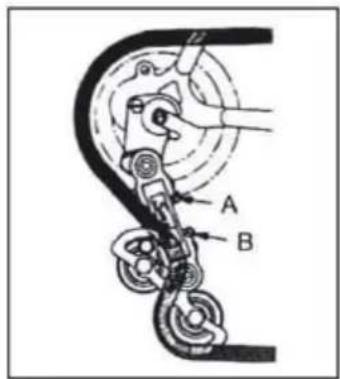
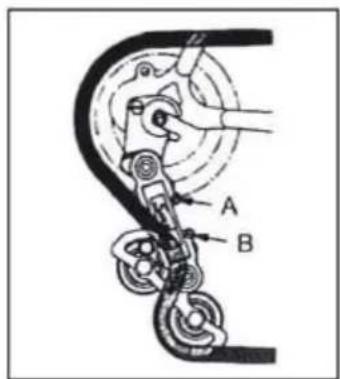
If the chain has difficulty climbing on the large rear chainring (shifter on the handlebar turned to maximum), unscrew screw B slightly, avoiding that the chain goes beyond the last chainring.
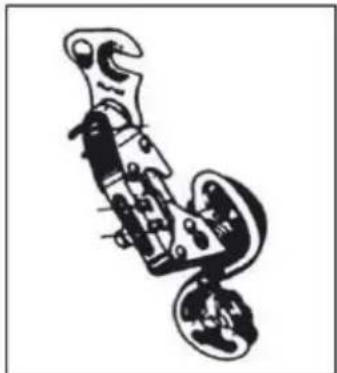
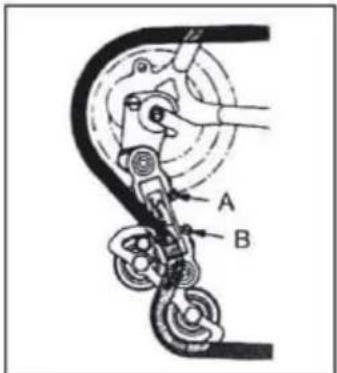
If the chain descends with difficulty on the small rear chainring, slightly unscrew screw A to align the derailleur unit on the small chainring.
Bolts and nuts tightening
During use, due to vibrations, some screws may become loose. We advise you to periodically check the tightness of the screws. Replace any damaged or lost parts immediately. The following is a table of tightening torques to be applied for the assembly of different types of components. For each component, the "minimum-maximum" interval at which those components are generally kept is reported. The table is purely indicative, because we repeat that numerous variables contribute to affecting the precise degree of torque to be applied to the various screws, such as the material used for the screw and/or the type of thread, the sections and the thicknesses of the material on which you act and of course the material of the parts to be interfaced.
The tightening torques are expressed in Newton-meters; remember that to correctly carry out this operation, a torque wrench is required, which detaches when the desired torque is reached.
| Front hub nut 20 - 27 Nm | |
| Rear hub nut 27 - 33 Nm | |
| Saddle clamp 7 -22 Nm | |
| Brake 10 Nm | |
| Brake pad 8 Nm | |
| Brake cable 5 Nm | |
| Rear derailleur cables 5 - 6 Nm | |
| Seat post clamp 10 - 14 Nm | |
| Stem nut and screw 18 - 20 Nm | |
| Derailleur on the dropout 12 - 15 Nm | |
| Front derailleur nut 5 - 7 Nm | |
| Disc brake caliper nut 6 - 8 Nm | |
| Stem on the fork 5 - 8 Nm | |
| Stem on the handlebar 5 - 8 Nm | |
| Shifters on the handlebar 10 Nm | |
| B.B. chainwheel and crank 32 - 50 Nm | |
| BSA B.B. parts | 70 Nm |
| Pedals | 34 - 40 Nm |
Running-in period
Your bicycle will be more efficient and will remain in optimal conditions for a long time with a break-in period before continuous and intensive use. Brake or gear cables, spokes and other mechanical parts may become loose in the very first period of use and a change to the service centre may be required for final adjustment.
We suggest after 30/35 hours of use and in any case after the first 30 days, to have the electric bicycle checked in a service centre.
In any case, for any problem or doubt that you cannot solve on your own, always contact the specialized technical assistance centre and do not use the bicycle in the event of real or presumed anomalies.
We recommend checking the mechanics before each use.
After each long or difficult ride on unpaved terrain, in case of exposure to water or sand, and in any case every 150 km.
- Clean the bicycle.
- Lubricate the chain, the freewheel, and the gearbox, then remove excess oil. You can ask your trusted technician for advice on the best lubricants on the market and the frequency of maintenance.
- Apply the front brake and move the bicycle back and forth to make sure everything is in order. If you hear a dull noise with every movement, there are likely problems with the steering: contact the service center.
- Lift the front wheel off the ground and turn it to the right and left to make sure the steering is smooth. If the steering turns stiff, there are likely problems with the steering: contact the service center.
- Make sure that nuts, bolts, locks, and all mechanical and fixing components are closed and not worn and/or damaged.
The bicycle and its mechanical components are subject to wear. The materials of which they are composed have different life cycles. IT IS RECOMMENDED TO CHECK THE BIKE PERIODICALLY OR AT LEAST ONCE A YEAR TO EVALUATE THE CORRECT FUNCTIONALITY AND THE STATE OF WEAR OF THE COMPONENTS AND REPLACE THEM IF NECESSARY.
Flat tire
Do not use the bicycle in the event of a flat or partially flat tire. Carry it by hand.
If a tire punctures, release the wheel from the hub to remove it and deflate the tire. Remove the tire with the aid of a tire lever to remove it from the rim. Remove the perforated inner tube and replace it. Inflate the tube slightly and reposition the tire on the rim above the tube.
Be careful not to pinch the new inner tube between the rim and the tire. Turn the wheel to make sure that the whole tire is correctly positioned on the rim and that the tube is completely inside it. Inflate slowly to the recommended pressure, checking the position of the tire on the rim. Reposition the wheel. In case of difficulty, contact the service center, which will replace them.
We recommend that you use only a tire lever for this operation. Otherwise, using a screwdriver or any other tool, you risk puncturing the inner tube.
Clean the bicycle
Dust the frame with a soft cloth, remove the dirt with a damp cloth and non-abrasive detergent. Do not use high-pressure cleaners. Dry all parts carefully and periodically apply car wax.
Clean the plastic parts and tires with soap and water, dry carefully.
If used on wet or rainy days, carefully dry the bicycle before parking it.
Do not leave the bicycle exposed to humidity, rain, direct sun. If it is not possible to take it to the shelter, cover it with a dark waterproof sheet.
The salt is highly corrosive. If you live or use the bicycle in coastal areas, it is recommended to wash the bicycle very often to remove salt, always dry carefully and apply an anti-rust to the unpainted parts.
Periodically grease the bottom bracket, the freewheel, the chain and other parts that need it. Periodically check screws, nuts, bolts, locks to make sure they are tight.
Bicycle storage
Keep the bicycle in a dry and covered place avoiding direct exposure to sun, bad weather and salt.
If you plan not to use the bicycle for a long period, before parking it, clean it thoroughly and thoroughly.
Deflate the tires in half and, if possible, hang the bicycle and cover it with a towel preferably made of cotton. Do not use plastic sheeting.
Recharge the battery and keep it recharged once every two months to prevent it from draining completely. Make sure that the battery charger is not connected to the power supply or to the bicycle.
The recommended storage temperature for the lithium battery is between 0° - 25° . Avoid storing the battery in too cold or too hot places.
Do not expose the battery to heat sources (+ 35/40 °) for long periods of time.
Do not leave the battery with condensation that could damage, cause a short circuit or corrode the battery.
Troubleshooting
| Description Causes Solution | ||
| Problem on the rear derailleur | Loose and/or damaged cablesIncorrect adjustment | Calibrate or replace the cablesCalibrate the rear derailleur |
| Problem on the chain | Chain link looseChain link bent or brokenUnregulated gearbox | Tighten the screwsReplace the chain linkCalibrate the rear derailleur |
| Noises while pedalling | Chain not lubricatedBroken pedal bearingsBroken B.B. bearingsFolded crank armLoose B.B. | Lubricate the chainReplace the pedalReplace the B.B.Replace the crankSecure the B.B. |
| The freewheel does not turn | Freewheel pins blocked | Lubricate the freewheel or replace it ifnecessary |
| The brakes do not properly work | Worn brake padsWet or dirty brake padsLoose and/or damaged cablesBrake lever blockedIncorrect brake adjustment | Replace brake padsClean brake pads and rimsCalibrate or replace the cablesCalibrate the brake leverCalibrate the brakes |
| There is a screech when using the brake | Worn brake padsIncorrect brake adjustmentWet or dirty brake padsBrakea arms loose | Replace brake padsCalibrate the brakesClean brake pads and rimsCheck the screws of the arms and fix them correctly |
| There is a dull noise when using the brakes | Projection on the rimWheel not alignedIncorrect brake adjustmentBrakea arms looseLoose steering | Repair or replace the rim (ask to service)Repair the wheel (ask to service)Calibrate the brakesCheck the screws of the arms and fix them correctlyTighten the steering |
| Wobbly wheel | Damaged hubWheel not alignedSteering lockedWheel not correctly fixed | Replace the hubRepair the wheel (ask to service)Calibrate the steeringCheck wheel |
| Driving not smooth | Wheel not alignedSteering lockedBent frame or fork | Repair the wheel (ask to service)Calibrate the steeringAsk the service for repeating |
| Frequent punture | Ols or damaged inner tubeDamaged tireTire not suitable for the rimTire not checked after a previous punctureTire pressure too lowSpokes out of the rim | Replace the inner tubeReplace the tireReplace the tireReplace the tireCheck pressure and adjustReplace the spoke |
| The bicycle has reduced autonomy and/o speed | Low batteryDefective battery or end-life batteryLow tire pressureBrakes rubbing on rimsWindward path, uphill... | Charge the batteryReplace the batteryInflate tiresCalibrate brakesIt is possible that the autonomy of travel is reduced in these cases of use |
| It is The bicycle works but the display does not show the battery charge capacity | Loose connectorsDamaged cable / casingDamaged display | Check all connectorsCheck all cable and casingReplace the display |
| The display indicates the battery charge but the bicycle does not work | Defective brake inhibitorLoose motor cable connector | Check the brakes, replace the inhibitorCheck connector |
| The motor works with no pedalling | Defective sensorDefective/damaged controller | Replace the sensorReplace the controller |
Technical specification
| Model BK-BM07 | |
| General | |
| Colors dark grey / green | |
| Size M | |
| Nominal speed approx. 25 km/h | |
| Km range with mid assistance on a mostly flat urban route up to 60 km* | |
| Weight 24 kg | |
| Max load 100 kg | |
| Electronics | |
| Rear-hub motor 36 V 250 W | |
| Motor Electric Motor pedal assist bike | |
| Battery 36 V 10.4 Ah 374 Wh Lithium cells | |
| Display LCD colour display | |
| Battery charger AC 100 V - 240 V Output DC 42 V / 2 A | |
| Charging time 5 hours | |
| Battery charging cycles approx. 600 | |
| Battery body removable with safety lock | |
| Derailleurs Shimano REVOSHIFT 6 speed | |
| Frame Set | |
| Frame Magnesium folding with rigid front fork | |
| Wheels | |
| Wheels size | 20 inch alloy wheels |
| Brakes | |
| Brake type | hydraulic disc brakes |
* - The range of travel (approx. 60 km) of the bicycle with pedal assistance may vary according to different conditions of use and the weights to be transported. These values can be influenced by the weight of the user, the type of route (steep climbs), transport of heavy objects, tire pressure, adverse weather conditions, as well as repetitive stops and restarts, thus significantly reducing the travel range.
https://www.sharpconsumer.com/support/
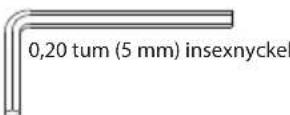
0.20 inch (5 mm) hex key
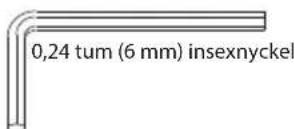
0.24 inch (6 mm) hex key
www.sharpconsumer.com/contact/
www.sharpconsumer.com/support/
www.sharpconsumer.com/documents-of-conformity/

What's in the box:
E-Bike parts
- 1 × E-bike
Accessory box
- 1 × Quick start guide
- 1 × Warranty card
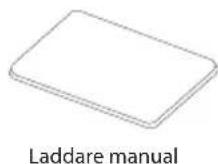
- 1 × Charger manual
- 1 × Charger
- 2 × Pedal
- 2 × Battery wrenches
Accessory box
Assembling the e-bike
STEP 3: Install the pedals
https://www.sharpconsumer.com/support/
www.sharpconsumer.com/contact/
www.sharpconsumer.com/support/
www.sharpconsumer.com/documents-of-conformity/
What's in the box:
E-bike parts
- 1 × E-bike
Accessory box
Assembling the e-bike
https://www.sharpconsumer.com/support/
Battery charger
Warranty guide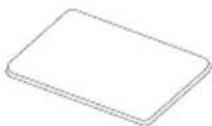
Pedals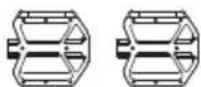
Charger manual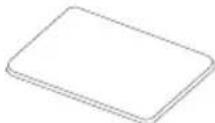
www.sharpconsumer.com/contact/
www.sharpconsumer.com/support/
www.sharpconsumer.com/documents-of-conformity/
https://www.sharpconsumer.com/support/
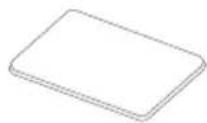
Battery charger
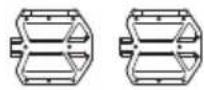
Pedals
www.sharpconsumer.com/contact/
www.sharpconsumer.com/support/
www.sharpconsumer.com/documents-of-conformity/
What's in the box:
E-Bike parts
Assembling the E-bike
https://www.sharpconsumer.com/toetus/
Important safety instructions
www.sharpconsumer.com/contact/
www.sharpconsumer.com/toetus/
www.sharpconsumer.com/documents-of-conformity/

What's in the box:
E-bike parts
- 1 × E-bike
Accessories box
Assembling the E-bike
STEP 3: Install the pedals
https://www.sharpconsumer.com/support/
Open-end wrench 18-19
Battery charger
User guide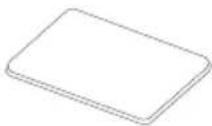
Pedals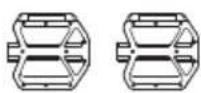
Charger user manual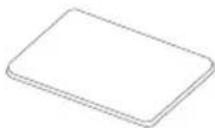
www.sharpconsumer.com/contact/
www.sharpconsumer.com/support/
www.sharpconsumer.com/documents-of-conformity/

What's in the box:
Electric bike parts
• 1 × Electric bike
Accessory package
c. Fold the frame.

https://www.sharpconsumer.com/support/
www.sharpconsumer.com/support/
www.sharpconsumer.com/documents-of-conformity/

c. Fold the frame.
https://www.sharpconsumer.com/support/
www.sharpconsumer.com/contact/
www.sharpconsumer.com/support/
www.sharpconsumer.com/documents-of-conformity/
b. Release the quick release and adjust the handlebar to the appropriate height. Do not exceed the safety scale line. Then tighten the quick release.
How to use the E-bike
Fully charge the battery before first use.
c. Use the provided key to unlock the battery
d. Remove the battery
b. Press the red button and release the lock by pulling to the left.
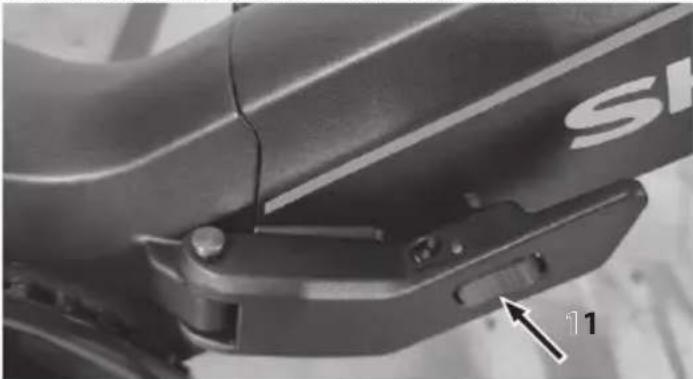
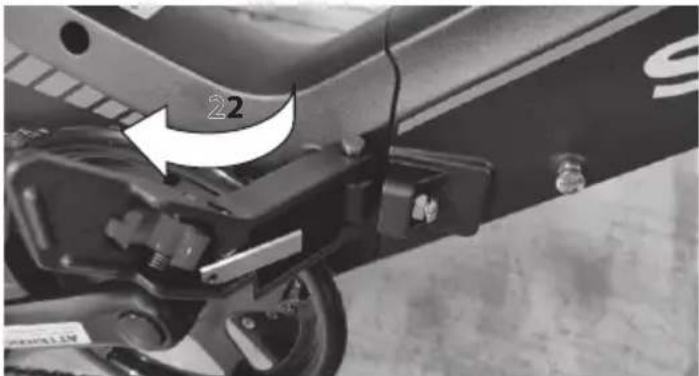
c. Fold the frame.
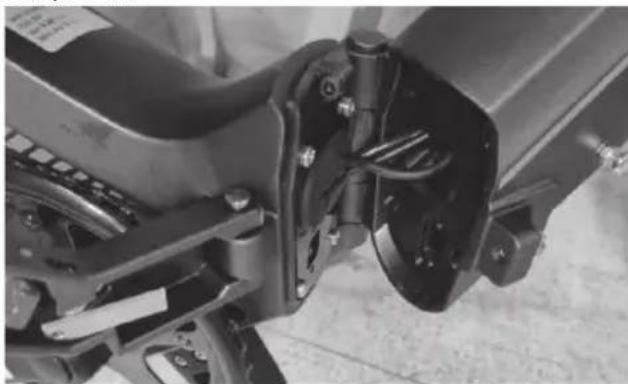
d. Release the handlebar lock and tilt it towards the bottom of the bike.
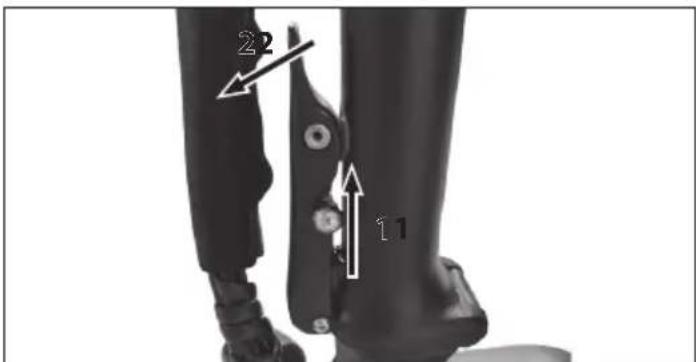
e. Fold the stem downwards.
f. Fold the handlebar and frame in a way that suits you for carrying.
Disc brake pads require minimal wear before achieving optimal braking. Additionally, the discs overheat while in action; do not touch them after they have just stopped. If one of the two braking systems fails, repair it immediately, as one brake is not sufficient to ensure a safe stop.
Battery charger
Warranty guide
Pedals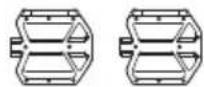
Charger manual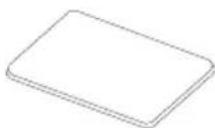
www.sharpconsumer.com/contact/
www.sharpconsumer.com/support/
www.sharpconsumer.com/documents-of-conformity/

What's in the box:
E-bike parts
- 1 × E-bike
Accessories box
https://www.sharpconsumer.com/support/
Battery charger
Warranty guide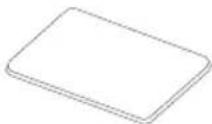
Pedals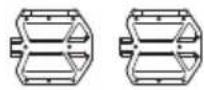
www.sharpconsumer.com/contact/
www.sharpconsumer.com/support/
www.sharpconsumer.com/documents-of-conformity/

https://www.sharpconsumer.com/support/
Battery charger

www.sharpconsumer.com/contact/
www.sharpconsumer.com/support/
www.sharpconsumer.com/documents-of-conformity/
What's in the box:
STEP 3: Install the pedals
c. Fold the frame.
https://www.sharpconsumer.com/support/
www.sharpconsumer.com/contact/
www.sharpconsumer.com/support/
www.sharpconsumer.com/documents-of-conformity/
What's in the box:
b. Press the red button and release the lock by pulling it to the left.
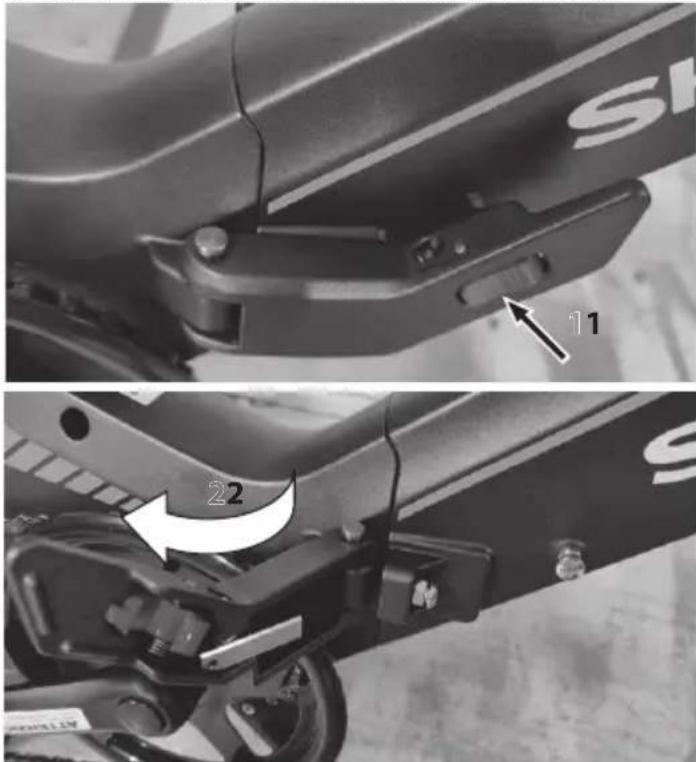
c. Fold the frame.
https://www.sharpconsumer.com/support/
- DISPLAY
- Handlebar
- Handles
- Handlebar locking mechanism
- Front light
- Tire
- Schijfrem
- Vergrendelhendel frame
- Pedaal
- Crankstel
- Ketting
- Zadel
- Batterijset
- Rear light
- Rear derailleur
- Hub motor
www.sharpconsumer.com/contact/
www.sharpconsumer.com/support/
www.sharpconsumer.com/documents-of-conformity/
STEP 3: Install the pedals
https://www.sharpconsumer.com/support/
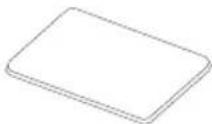
Battery charger
www.sharpconsumer.com/contact/
www.sharpconsumer.com/support/
www.sharpconsumer.com/documents-of-conformity/
What's in the box:
c. Fold the frame.

https://www.sharpconsumer.com/support/
www.sharpconsumer.com/support/
www.sharpconsumer.com/documents-of-conformity/
Assembling the E-bike
STEP 3: Install the pedals
Use the 15 mm wrench to install the pedals, as shown in the figure.
NOTES:
How to use the E-bike
c. Fold the frame.
https://www.sharpconsumer.com/support/
Quick Start Guide
www.sharpconsumer.com/contact/
www.sharpconsumer.com/support/
www.sharpconsumer.com/documents-of-conformity/
What's in the box:
E-bike parts
• 1 × E-bike
Accessory box
- 1 × Quick start guide
- 1 × Warranty guide
- 1 × Charger manual
- 1 × Charger
- 2 × Pedals
- 2 × Battery keys
Accessory box
STEP 3: Install the pedals
c. Fold the frame.
Sharp Consumer Electronics Poland sp. z o.o.
Ostaszewo 57B, 87-148 Łysomice, Poland
EBK/MAN/0007
www.sharpconsumer.eu
SHARP
- USER MANUAL
- IMPORTANT SAFETY INSTRUCTIONS
- PLEASE READ THESE SAFETY INSTRUCTIONS AND RESPECT THE FOLLOWING WARNINGS BEFORE OPERATING THE APPLIANCE
- IN ORDER TO PREVENT FIRE, ALWAYS KEEP CANDLES AND OTHER OPEN FLAMES AWAY FROM THIS PRODUCT
- IMPORTANT: READ THE FOLLOWING CAREFULLY AND KEEP IT FOR FUTURE REFERENCE
- RISK OF ACCIDENT AND INJURY
- BATTERY AND CHARGER WARNINGS
- BATTERIES
- DISPOSAL OF THIS EQUIPMENT AND BATTERIES
- CE STATEMENT
- WHAT'S IN THE BOX
- E-BIKE PARTS
- ACCESSORIES BOX
- BIKE PARTS
- BIKE FRAME NUMBER
- ASSEMBLING THE E-BIKE
- STEP 1: INSTALL AND ADJUST THE HANDLEBAR
- STEP 2: ADJUST THE SEATPOST
- STEP 3: INSTALL THE PEDALS
- NOTES
- STEP 4: CHECKING OF THE CENTRAL LOCKING SYSTEM OF THE FRAME
- HOW TO USE THE E-BIKE
- HOW TO CHARGE
- REMOVE BATTERY
- REMOVE THE BATTERY
- THE ASSISTED PEDALLING
- HOW TO START AN E-BIKE
- ON/OFF
- WALK ASSIST
- DISPLAY FUNCTIONS
- HERE ARE DEFINITIONS OF THE ERROR CODES
- CHANGE GEARS
- TURNING THE LIGHTING ON AND OFF
- HOW TO FOLD THE BIKE
- TO FOLD THE BIKE, FOLLOW THESE STEPS
- ATTENTION
- BATTERY & CHARGER MAINTENANCE
- LITHIUM BATTERY
- BATTERY CAPACITY ON THE DISPLAY
- BATTERY CHARGING
- BATTERY FAQS
- BATTERY CHARGER MAINTENANCE
- MAINTENANCE AND CLEANING
- INSPECTION AND MAINTENANCE
- ADJUST THE BRAKES
- ADJUST THE GEARBOX
- BOLTS AND NUTS TIGHTENING
- RUNNING-IN PERIOD
- WE RECOMMEND CHECKING THE MECHANICS BEFORE EACH USE
- AFTER EACH LONG OR DIFFICULT RIDE ON UNPAVED TERRAIN, IN CASE OF EXPOSURE TO WATER OR SAND, AND IN ANY CASE EVERY 150 KM
- FLAT TIRE
- CLEAN THE BICYCLE
- BICYCLE STORAGE
- ACCESSORY BOX
- ELECTRIC BIKE PARTS
- ACCESSORY PACKAGE
Brand : SHARP
Model : BK-BM07
Category : Electric bike