
SS-8695 - Speakers Sogo - Free user manual and instructions
Find the device manual for free SS-8695 Sogo in PDF.
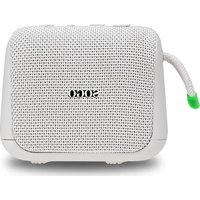


| Product type | Portable Bluetooth speaker |
| Brand | Sogo |
| Model | SS-8695 |
| Output power (RMS) | 5W |
| Waterproof | IP67 |
| Battery life | Up to 11 hours |
| Charging time | 2-3 hours |
| Battery | 3.7 V / 1200 mAh |
| Bluetooth profiles | A2DP, AVRCP, HFP, HID, AVCTP, AVDTP, SSP |
| Bluetooth range | Up to 10 meters |
| Charging cable | Type-C (included, 50 cm) |
| Power adapter | 5 V / 1 A (not included) |
| Signal-to-noise ratio | ≥ 80 dB |
| Sensitivity | -90.5 dB |
| Distortion | < 6% |
| Frequency response | 80 Hz - 20 kHz |
| Hands-free function | Yes (with microphone) |
| TWS function | Yes (connect two speakers) |
| Equalization modes | 3 modes: Pure sound, Balanced, Bass |
| Control buttons | Power on/off, Previous/Vol-, Play/Pause/Phone, Next/Vol+ |
| Care and cleaning | Clean with a dry cloth, avoid abrasive products |
| Safety | Do not immerse, avoid excessive heat, use recommended accessories |
| Recycling | Follow local regulations |
Frequently Asked Questions - SS-8695 Sogo
User questions about SS-8695 Sogo
0 question about this device. Answer the ones you know or ask your own.
Ask a new question about this device
Download the instructions for your Speakers in PDF format for free! Find your manual SS-8695 - Sogo and take your electronic device back in hand. On this page are published all the documents necessary for the use of your device. SS-8695 by Sogo.
USER MANUAL SS-8695 Sogo
Download your manual
RECHARGEABLE BT SPEAKER "VIBRANT AQUAPROOF"
ref. SS-8690 / 8695


ENGLISH.....P.11
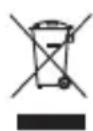
This symbol on the product or on the packaging indicates that this product cannot be disposed of as normal rubbish or household waste. All electrical and electronic equipment and battery-operated units must be recycled in a proper manner and according to local municipal laws.

1. IMPORTANT:
• Always read the instruction book carefully before using. - This manual can be downloaded from our web page www.sogo.es - Keep these instructions for future reference.
2. Safety instructions for the user
I. Restrictions
- Never immerse the device (while charging) or the charging cable in water or any other liquid.
- Do not place or operate the device on or near hot surfaces (e.g., stove plates) or open flames.
- In case of hardware problems, do not attempt to repair the product yourself. Repairs should only be carried out by qualified technicians.
- Never use accessories that are not recommended by the manufacturer.
- The use of accessories not recommended or sold by the appliance manufacturer may result in fire, electric shock, or irreparable damage to the product.
- Do not use the device for any other purpose than described in this manual.
- Do not leave the device charging longer than recommended by the manufacturer, as this may damage the battery or the device itself.
- Do not use the device while it is charging, as this may also damage the device.
- Do not drop, disassemble, deform, modify, or insert any objects into this product, as this may result in operating damage.
- Do not attempt to repair, modify, or disassemble the product yourself. This product does not contain any user-serviceable components, and doing so may void the warranty.
- Do not clean the product with alcohol, ammonia-based cleaners, or abrasive cleaners.
- Do not place this product in contact with any sharp objects, as this may cause
scratches and operating damage.
- Do not attempt to replace the product battery; it is built-in and not user-replaceable.
- Do not use the product while driving a car, so as not to interfere with safe driving.
- In medical places, comply with relevant regulations. In areas near medical equipment, please turn off the product.
- Turn off the product when boarding an aircraft to avoid interfering with aircraft control signals.
- Near high-precision electronics, turn off the product, or it may cause electronics failure.
- Keep the product away from magnetic devices, as their radiation can erase information stored on magnetic devices.
- Do not use the product at high temperatures or where flammable gas is present, e.g., near gas stations.
- Keep the product away from the reach of children, and do not allow children to use the product unsupervised. Children should be supervised to ensure that they do not play with the appliance.
- Cleaning and user maintenance shall not be made by children.
- When using this product, please abide by the relevant laws and regulations, and respect the privacy and legal rights of others.
II. Precautions while using this device
- Keep the device away from direct sunlight, fire, or other high voltage equipment.
- WARNING: the device might get warm during charging. Always ensure the speaker is turned off when you plug and unplug the device. If the device is not turned off you might damage the speaker or injure yourself.
- Observe all signs and displays that require an electrical device or RF radio product to be switch off in designated areas.
- Dispose of the product and the product's battery in accordance with local laws and regulations.
- In case of speaker malfunction, or if it has been damaged in any manner, return it to the nearest authorized service facility for examination, repair or adjustment.
3. TECHNICAL SPECIFICATIONS
RECHARGEABLE BT SPEAKER "VIBRANT AQUAPROOF"
Speaker output power (RMS): 5W Max
Bluetooth Connection Name: SOGO SS-8690 / SOGO SS-8695
Water Proof: IP67
Battery: 3.7V / 1200mAh
Charging time: 2-3Hrs
Play time: 11 Hrs Max
Type C charging cable (Included)
3 Sounds Effects (Equalizer)
TWS function
Hand's free function
SNR: ≥ 80dB
Sensitivity: -90.5 dB
Working range: 10m
Charging cable length: 50cm
Distortion: <6%
Charging adaptor: 5V, 1A (Not included)
Profile: A2DP v1.3, AVRCP v1.6, HFP v1.7, HID v1.1, AVCTP v1.4, AVDTP v1.3, and
SSP v1.2
Frequency: 80Hz – 20KHz
4. PRODUCT OVERVIEW
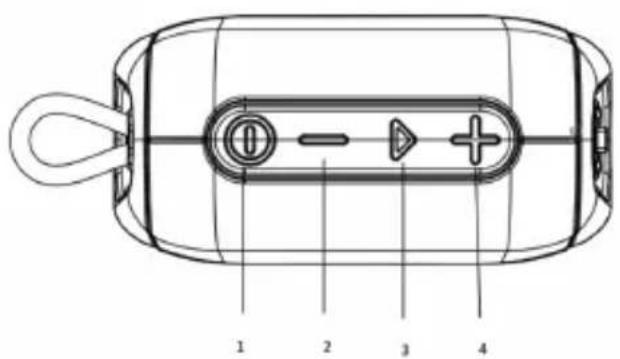
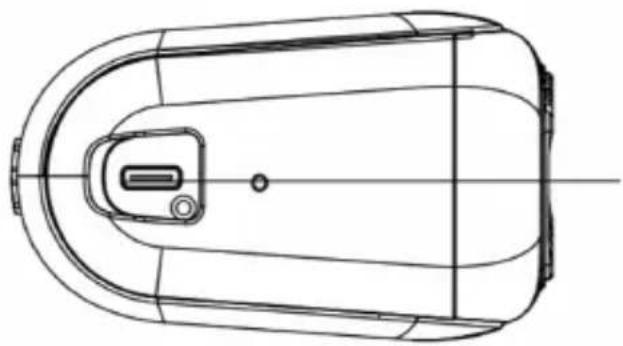
- Power on/off Button
- Previous song / Vol - Button
- Play/Pause/Phone Button
- Next song / Vol + Button
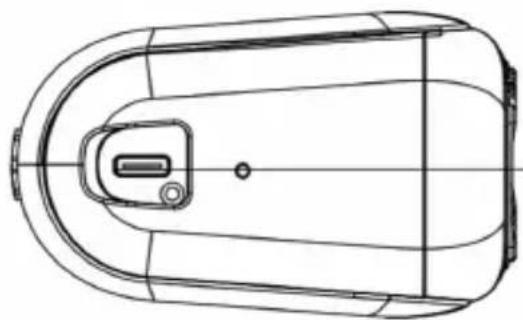
- Type-C charging port
How to use the device:
- Power on/off Button: To power on your speaker, press and hold the on/off Button, then the blue LED will flash quickly. To power off your speaker, press and hold the on/off Button.
- Previous song / Vol - Button: To go back to the previous track, press and hold the "-" Button for more than 1 second (Long Press). To decrease the volume, press the same "-" Button.
- Play/Pause/Phone Button: A) Accepting or ending a call (including music playback): Upon hearing the incoming call
tone, press the ">" Button once to answer the call. This will also pause your music. Press the same ">" Button again to end the call. Music will resume.
B) Making a call (including music playback): Press ">" Button twice to redial the last number called. This feature may vary based on the mobile device. C) Rejecting a call (during music playback included): Upon hearing the incoming call tone, press ">" Button for 1 second to reject the call. D) Press the ">" Button to pause the music. E) Press the ">" Button again to begin playing again. 4. Next song / Vol + Button: To move to the next track, press and hold the "+" Button for more than 1 second (Long Press). To increase the volume, press the same "+" Button. 5. Type-C charging port: Use the included Type-C to USB charging cable to charge your speaker.
Bluetooth connection
- Turn on Bluetooth mode of your mobile device.
- Make sure the speaker is in the range of the mobile device.
- Press and hold the on/Off Button on your speaker to power on. The Blue LED light starts blinking to indicate that the speaker is ready to connect.
- Select "SOGO SS-8690 / SOGO SS-8695" in the Bluetooth device menu. Your device gets connected to the speaker with a beep sound indication. (If necessary, enter pin 0000)
EQ mode
To have best listening experience, this speaker is provided with 3 different sound profiles.
A: Pure Sound, B: Balanced Sound, C: Bass Sound
You can choose any sound profile according to the need the type of song.
TWS Mode
This speaker model is provided with TWS mode function and according to that we can connect 2 same model speakers at the same time with any mobile device.
- Make sure both speakers are without any Bluetooth connection;
- Power on both speakers;
- Press ">" on any one of the speakers, and the both speakers will connect automatically with an indicated tone. The Master speaker LED blinks quickly and the other speaker remains solid, which means the TWS connection has been done successfully.
- To connect any mobile device, turn on Bluetooth and select "SOGO SS-8690 / SOGO SS-8695". When the device and the units are connected, the blue LED light of both units will remain solid.
- Long press the ">" to disconnect the TWS connection from the units.
- Long press the ">" to disconnect the device from the unit. Note: Please note, once the speaker has been connected to the mobile device, then the unit will automatically reconnect when we turn on Bluetooth mode on the mobile device and speaker. Just make sure that both devices are within connection range.
Sleeping mode and off mode
- If the speaker is powered on and no Bluetooth device is available for pairing, the speaker will enter into 'Sleeping Mode'. Once a Bluetooth device becomes available, press the On/Off button to connect automatically.
- If no Bluetooth device becomes available, the speaker will power off automatically after ten minutes.
- TROUBLESHOOTING
| Problems Solution | |
| The speaker does not turn on Charge the speaker. | |
| The speaker does not charge. | Check whether the USB charging cable has been properly connected to the speaker and the power source. |
| Check whether the PC power is on and that it is properly connected. | |
| When using a separately purchased USB power adapter, make sure that it is properly connected. | |
| The speaker does not pair. | Check whether the Bluetooth device is powered on. Check whether Bluetooth is enabled on the Bluetooth device. |
| Check whether the Bluetooth device is within 1 meter from the speaker. | |
| Check whether the Bluetooth device is compatible with the speaker. | |
| Music will not play through the speaker. | Check whether the speaker and Bluetooth device are powered on. |
| Check whether the music is playing on your Bluetooth device. | |
| Check the volume level on your Bluetooth Device | |
| Sound lag / distortion / noise. | Check id there is a 2.4 GHz device near your speaker or Bluetooth device. |
| Check whether the Bluetooth device is within 10 meters(30') of your speaker. | |
| Caller cannot be heard. | Check whether the speaker is connected to the Bluetooth device. |
| Check whether Bluetooth is enabled on your Bluetooth device. | |
| Check the volume level on your Bluetooth device. | |

1. IMPORTANT:
4. PRODUCT OVERVIEW
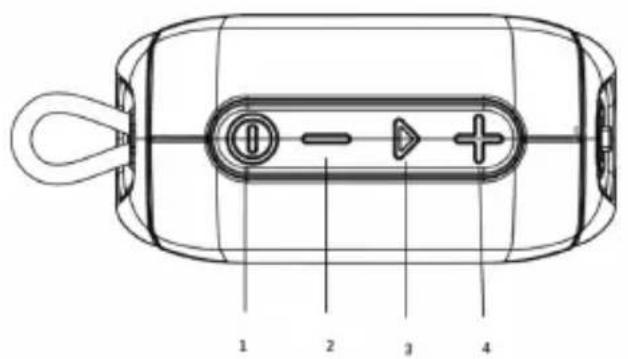
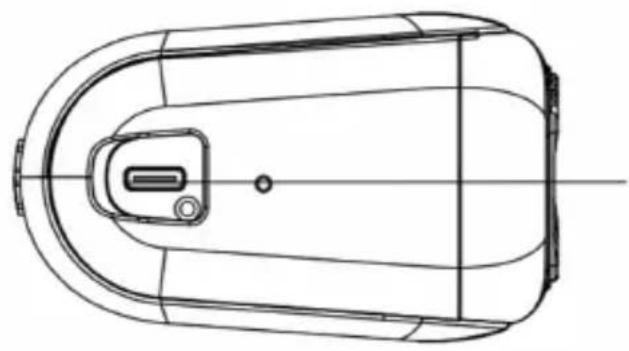
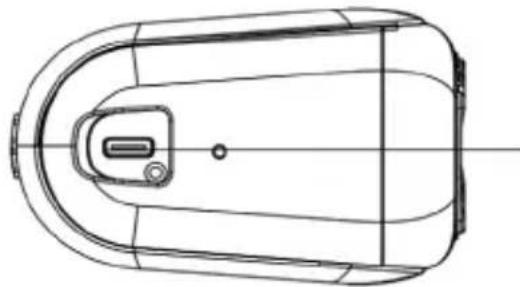
- Power button
- Previous song / Vol - button
- Play/Pause/Phone button
- Next song / Vol + button
- Type-C charging port
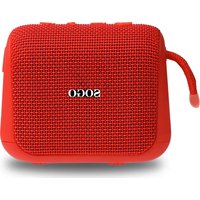
ALTAVEU BT RECHARGEABLE "VIBRANT AQUAPROOF"
This device complies with EU RED Directive 2014/53/EU, Electromagnetic Compatibility Directive 2014/30/EU and Directive 2015/863/EU
- IMPORTANT
- SAFETY INSTRUCTIONS FOR THE USER
- RESTRICTIONS
- PRECAUTIONS WHILE USING THIS DEVICE
- TECHNICAL SPECIFICATIONS
- RECHARGEABLE BT SPEAKER "VIBRANT AQUAPROOF
- PRODUCT OVERVIEW
- HOW TO USE THE DEVICE
- BLUETOOTH CONNECTION
- EQ MODE
- TWS MODE
- SLEEPING MODE AND OFF MODE
- ALTAVEU BT RECHARGEABLE "VIBRANT AQUAPROOF
Brand : Sogo
Model : SS-8695
Category : Speakers