
SC-CJ-601 - Food Warmer Vevor - Free user manual and instructions
Find the device manual for free SC-CJ-601 Vevor in PDF.
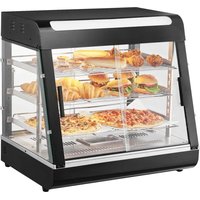


| Product Type | Professional Food Warmer |
| Model | SC-CJ-601 |
| Brand | Vevor |
| Dimensions (L x D x H) | 667 x 470 x 640 mm |
| Weight | Approximately 25 kg |
| Power Supply Voltage | 110-120 V~ (60 Hz) or 220-240 V~ (50 Hz) |
| Power | 1.2 kW |
| Temperature Range | 30-85 °C (86-185 °F) |
| Material | Tempered glass, stainless steel, PC panel |
| Number of Shelves | 3 adjustable shelves (metal grid) |
| Lighting | White LED, ceiling light with heating tubes |
| Water Tray Capacity | 0.5 L (steam tray for humidity) |
| Thermostat | Adjustable with indicator light |
| Doors | 4 sliding glass doors (front and back) |
| Intended Use | Commercial (restaurants, buffets, canteens) |
| Installation | Self-assembly (manual included) |
| Maintenance and Cleaning | Clean with a damp cloth; do not immerse or use water jet |
| Safety Precautions | Grounding mandatory; do not use by untrained persons; disconnect power before cleaning |
| Package Contents | Base, columns, shelves, glass doors, top cover, screws, tools |
| Warranty | Manufacturer's warranty (see Vevor website) |
| After-Sales Service | Technical support: www.vevor.com/support |
Frequently Asked Questions - SC-CJ-601 Vevor
User questions about SC-CJ-601 Vevor
0 question about this device. Answer the ones you know or ask your own.
Ask a new question about this device
Download the instructions for your Food Warmer in PDF format for free! Find your manual SC-CJ-601 - Vevor and take your electronic device back in hand. On this page are published all the documents necessary for the use of your device. SC-CJ-601 by Vevor.
USER MANUAL SC-CJ-601 Vevor
Technical Support and E-Warranty Certificate www.vevor.com/support
Food Warmer Display
Model: SC-CJ-60S/SC-CJ-601/
SC-CJ-602/SC-CJ-603
We continue to be committed to provide you with tools at competitive prices. "Save Half", "Half Price" or any other similar expressions used by us only represent an estimate of savings you might benefit from buying certain tools with us compared to top brands and does not necessarily mean to cover all categories of tools offered. We kindly remind you to verify carefully when placing an order with us to ensure you are actually saving half in comparison with the top major brands.
MODEL: SC-CJ-60S/SC-CJ-601/SC-CJ-602/SC-CJ-603
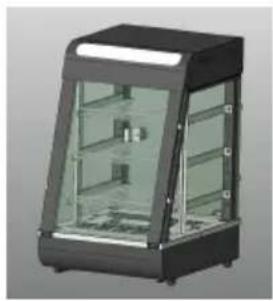
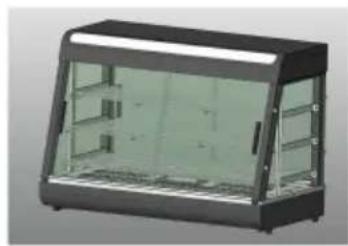
SC-CJ60S
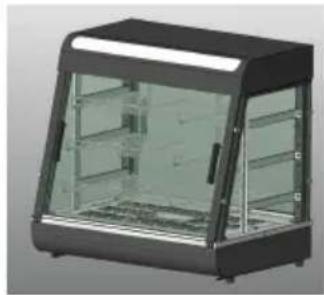
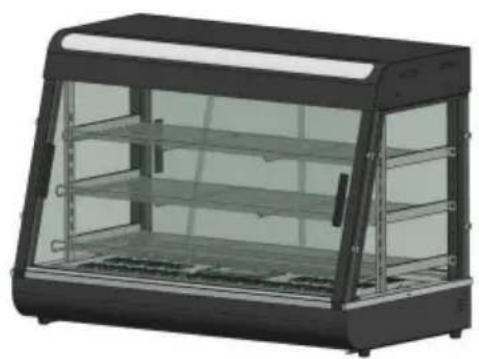
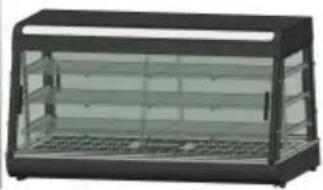
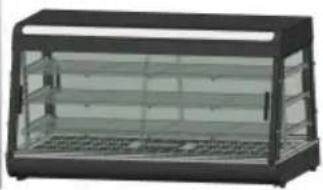
SC-CJ-601
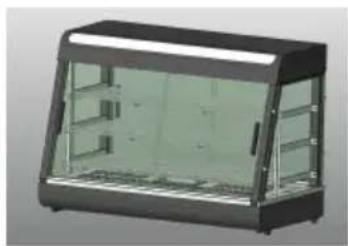
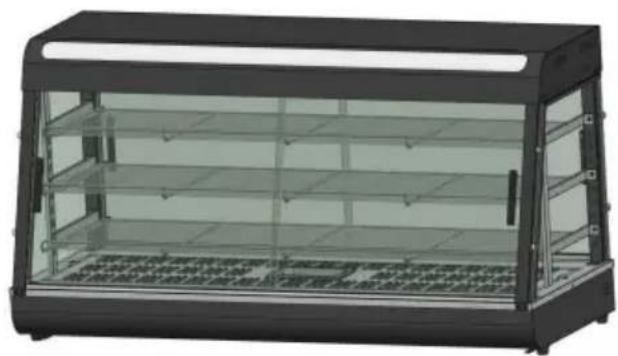
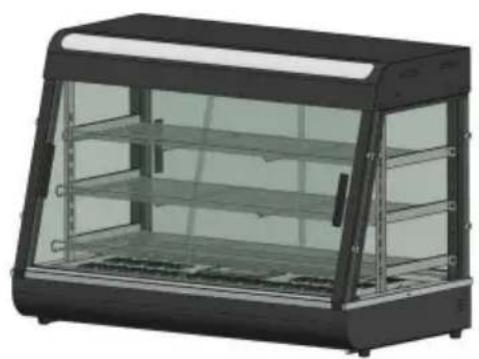
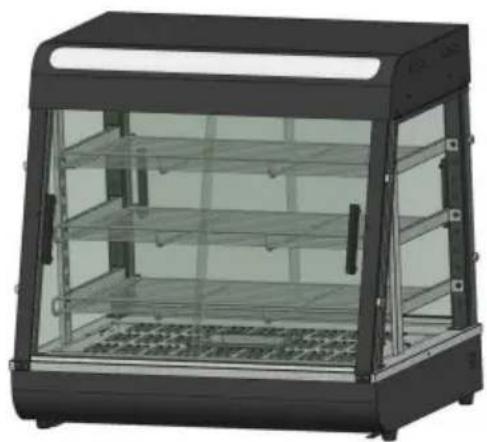
SC-CJ-602
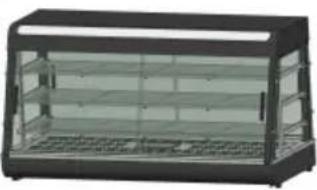
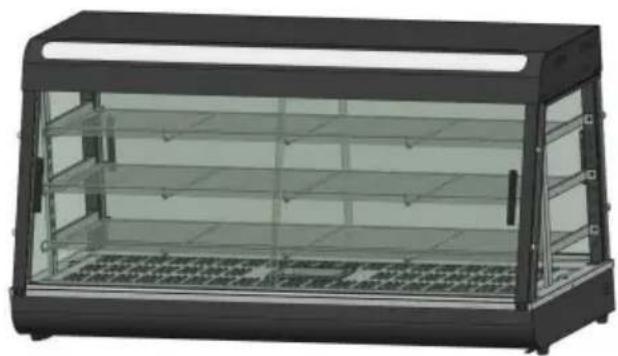
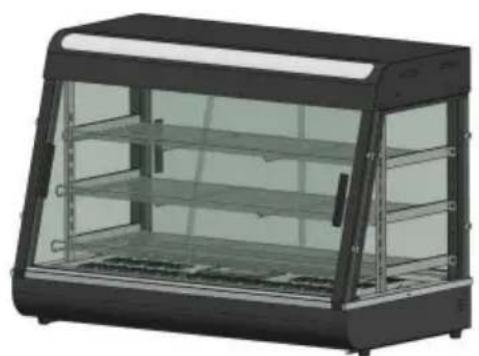
SC-CJ-603
NEED HELP? CONTACT US!
Have product questions? Need technical support? Please feel free to contact us:
Technical Support and E-Warranty Certificate www.vevor.com/support
This is the original instruction. Please read all manual instructions carefully before operating. VEVOR reserves a clear interpretation of the user manual. The appearance of the product shall be subject to the product you received. Please forgive us that we won't inform you of any technology or software updates on our product.
 | Warning-To reduce the risk of injury, user must re instructions manual carefully. |
 | CORRECT DISPOSALThis product is subject to the provision of European D 2012/19/EU. The symbol showing a wheelie bin cros through indicates that the product requires separate re collection in the European Union. This applies to the and all accessories marked with this symbol. Products as such may not be discarded with normal domestic w must be taken to a collection point for recycling electr electronic devices. |
 | Indoor Use Only |

Warm reminder
To ensure that this product will not be scratched during transportation, a protective film is attached to the surface of the machine. Please tear off the protective films before use!
1. Instructions for use:
- The product must be safely grounded before use!
- The voltage used by the product must be consistent with the rated voltage.
- During each use, add water to the water basin up to 2/3 of the cap before turning on the power.
- Turn on the power, the power indicator light is on, turn the temperature control heating switch, and select the insulation temperature of the floor to increase the temperature of the space inside the cabinet. Through natural convection, the temperature of each layer can be kept consistent.
- During use, if you need lighting, you can turn on the lighting switch light group, and all lights will be turned on, which can improve the effect.
- After use, the power must be cut off when cleaning to prevent accidents.
- If any abnormality occurs during use, stop using it and ask a professional to troubleshoot it before continuing to use it.
This product is not intended for use by persons (including children) with reduced physical, sensory, or mental capabilities, or lack of experience and knowledge.
- Since the temperature of the equipment is relatively high during operation, do not bring your hands or other parts of the body close to the surface of the machine to avoid burns or other injuries.
2. Precautions and maintenance:
- It should be operated by designated personnel who are proficient in the use of machinery and equipment.
- Be careful when moving the machine. If there is a fault, it must be repaired by a professional. Do not knock it.
- Please do not install or store this equipment in the following locations to avoid malfunction due to misoperation: 3.1 On an unstable table or counter. 3.2 Places where the temperature is too high or too low. 3.3 Places with excessive air volume and excessive dust. 3.4 Places where the power supply voltage is very unstable. 3.5 Where there is no good grounding device.
- The appliance must not be cleaned with a water spray pipe or in water to prevent electrical leakage.
- It is strictly prohibited to use liquids that are soluble in baking to wipe the surface of the insulation cabinet.
- Special precautions: 6.1 This product is a commercial device and is not suitable for home use. 6.2 It cannot be disassembled or modified. Disassembling it without permission may cause serious accidents.
6.3 The power needs to be cut off before cleaning to prevent accidents or leakage. 6.4 It is prohibited to use hard or sharp objects to scratch the glass.
3. Normal working environment conditions:
- The ambient temperature is 5-50°C, and the relative air humidity is more than 90%;
- Power supply voltage: 110V±10%, frequency: 60±1%HZ. (220V±10%, frequency: 50±1%)
4. Product introduction:
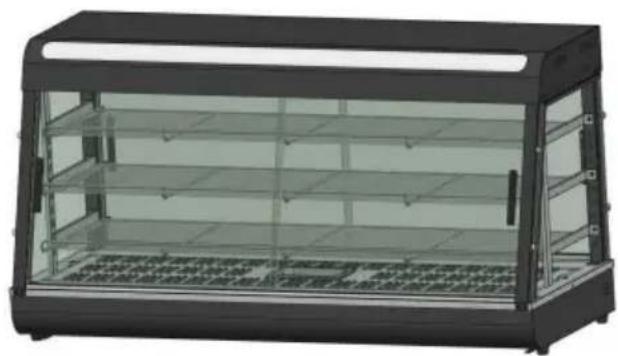
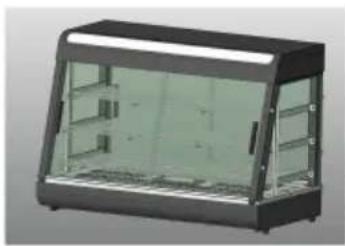
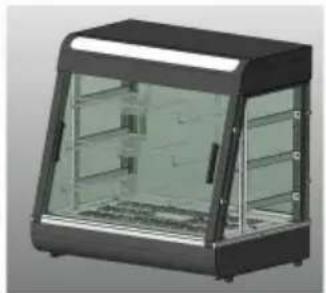
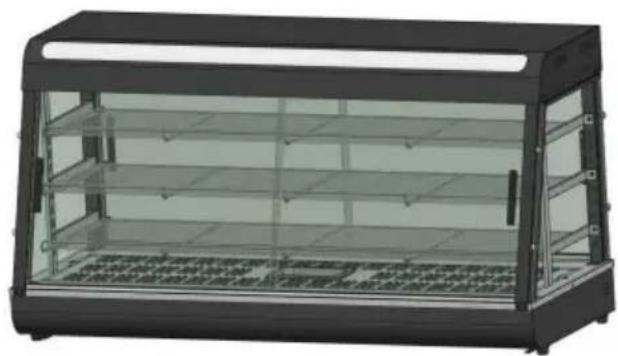
- This product has a novel and unique design, arc shape, multi-layer adjustable grid shelf, four-sided glass perspective, the top uses an environmentally friendly high-transparency PC board as a light-transmitting light panel, and a white LED tube is used internally to increase the life; users can put different advertising cards according to their own preferences to increase the beauty. The convenient disassembly and assembly structure is easy to operate, sturdy and durable, and easy to maintain. It has an optional constant temperature and a temperature display. The top warm tube downlight design can make the light more uniform, and it is equipped with moisturizing compensation to keep the food fresh. It is a special equipment for food display and heat preservation.
5. Symbol description:
In this manual, symbols are used to highlight all important safety instructions and recommendations related to the equipment. To avoid risk of accidents, personal injury, or property damage, follow these instructions with special care.
- Model, specifications and main technical parameters:
| Model | Voltage (V) | Power (KW) | Frequency (HZ) | Temperature range | Dimension (MM) |
| SC-CJ-60S | AC110-120 | 1 | 60 | 86-185F | 385*490*640 |
| AC220-240 | 50 | 30-85°C | |||
| SC-CJ-601 | AC110-120 | 1.2 | 60 | 86-185F | 667*470*640 |
| AC220-240 | 50 | 30-85°C | |||
| SC-CJ-602 | AC110-120 | 1.5 | 60 | 86-185F | 907*470*640 |
| AC220-240 | 50 | 30-85°C | |||
| SC-CJ-603 | AC110-120 | 1.5 | 60 | 86-185F | 1210*470*640 |
| AC220-240 | 50 | 30-85°C |
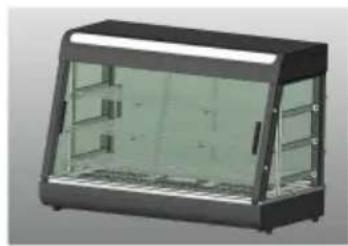
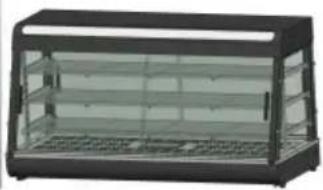
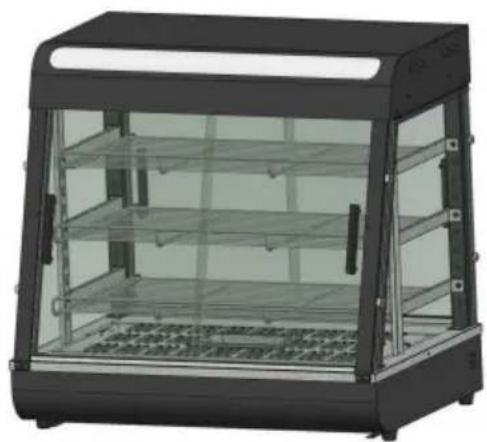
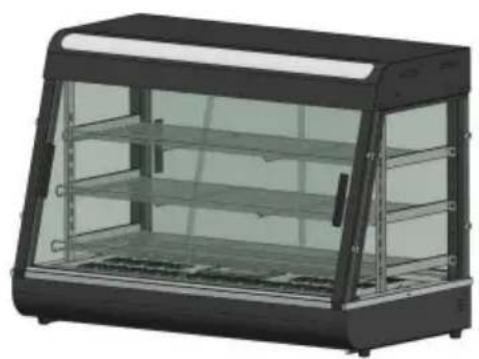
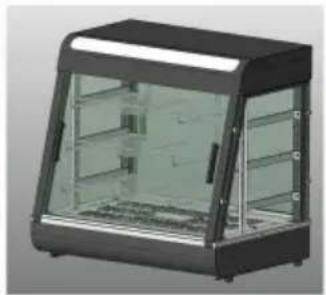
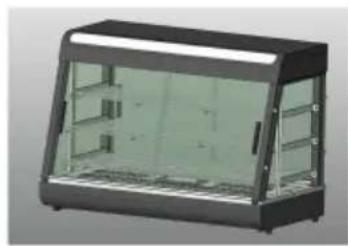
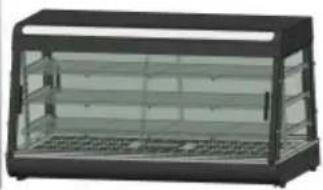
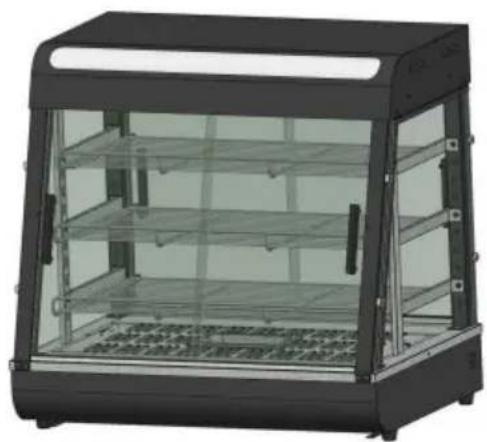
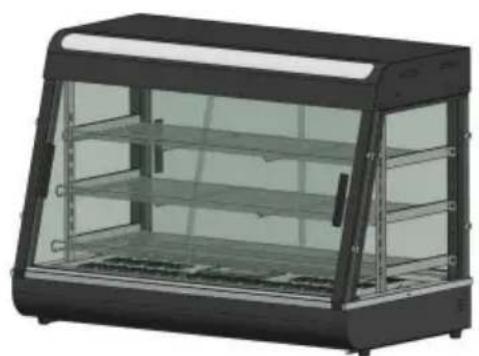
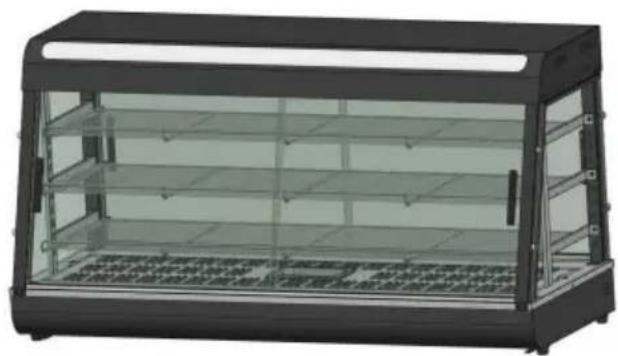
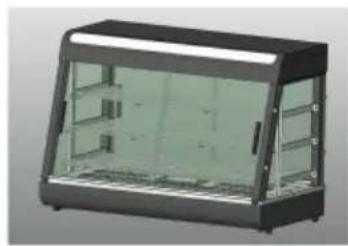
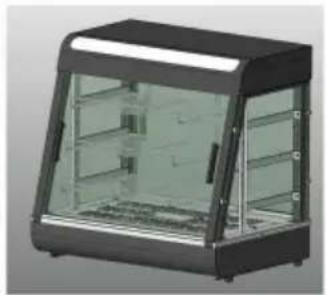
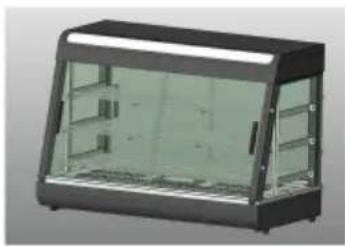
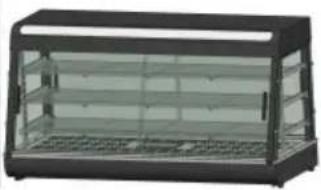
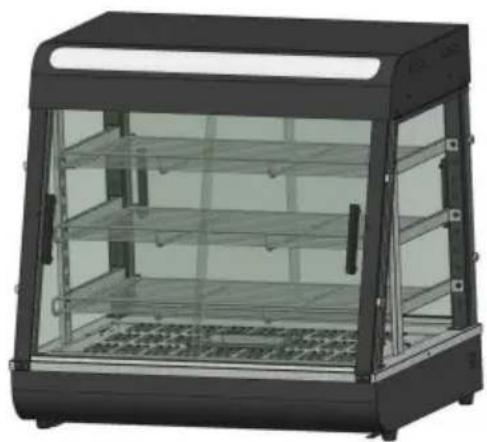
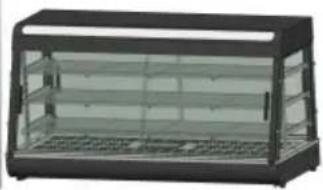
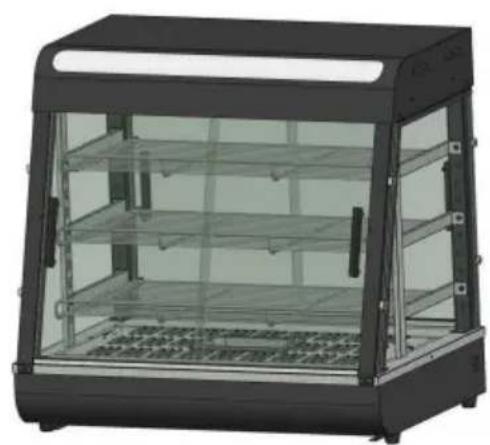
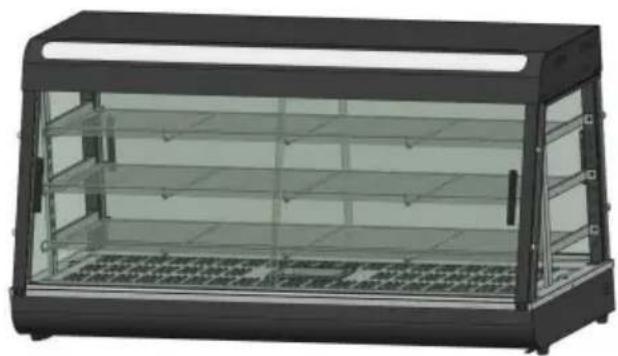
7. Product appearance picture
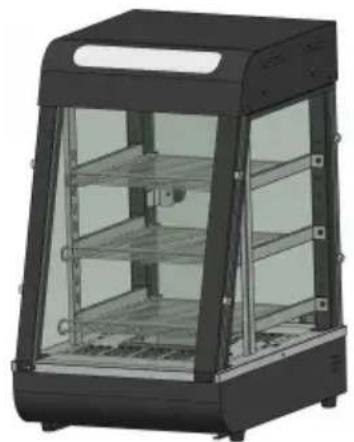
SC-CJ-60S
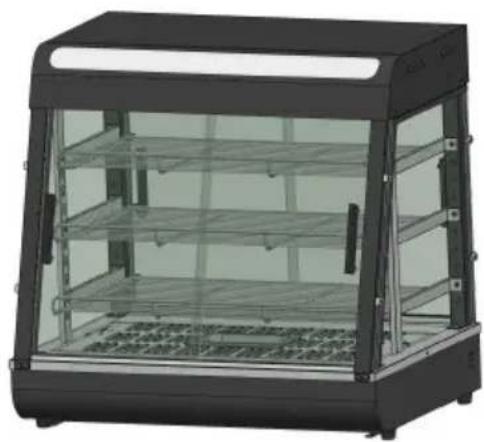
SC-CJ-601
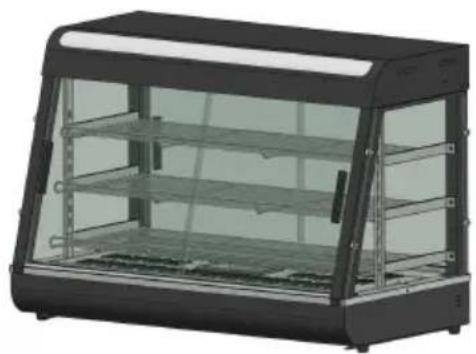
SC-CJ-602
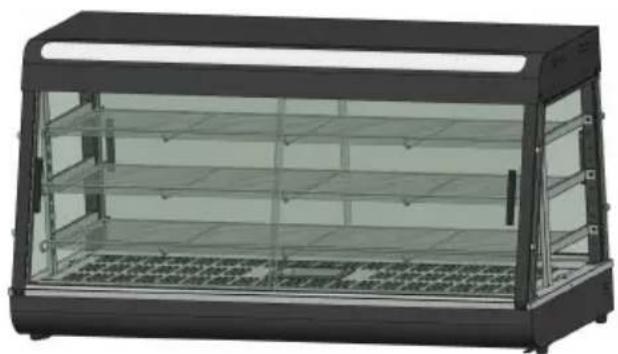
SC-CJ603
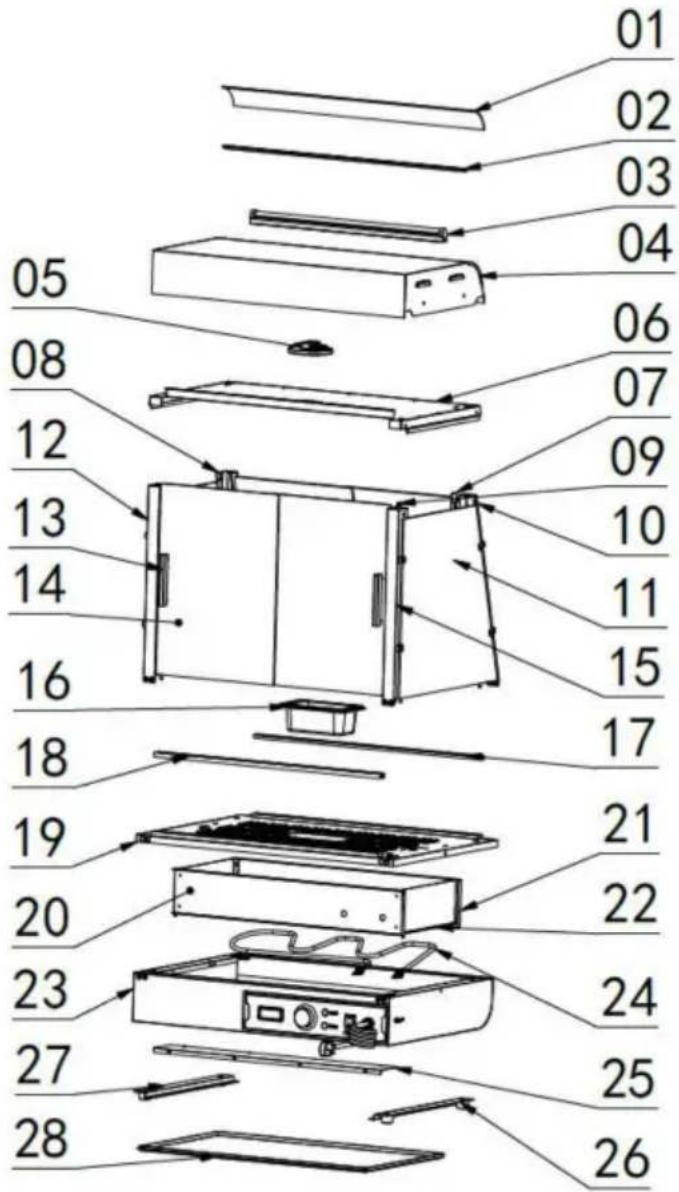
8. Product structure diagram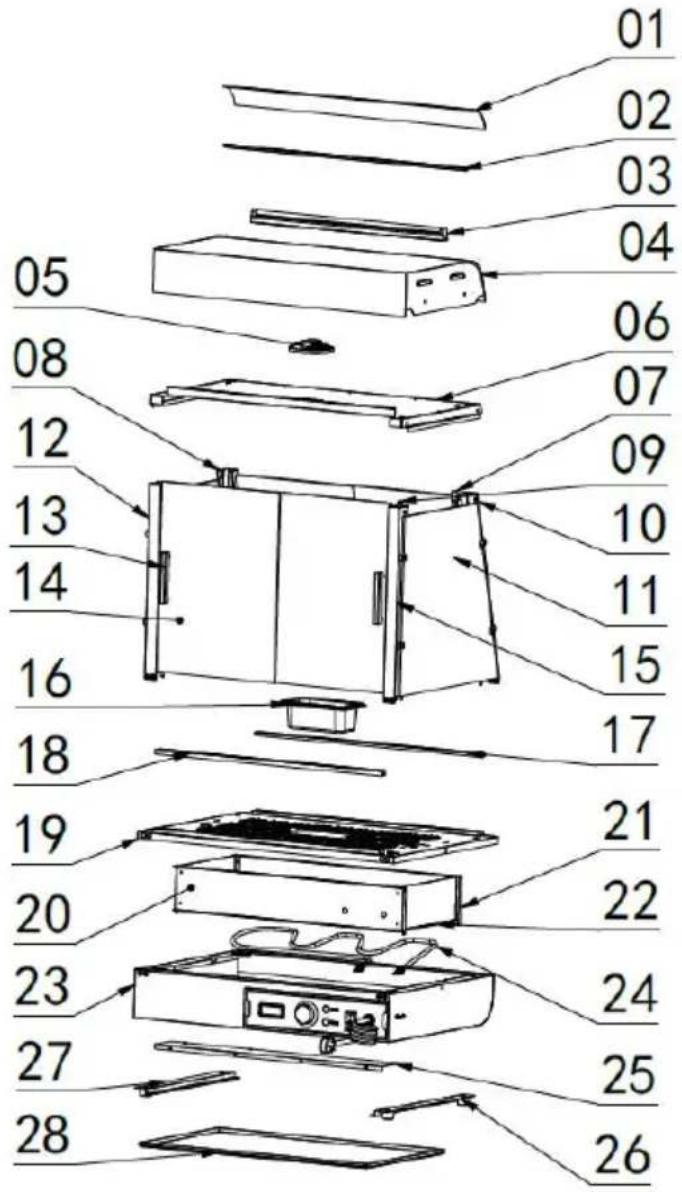
Note: The location of the electrical components is based on the design at that time. Our company reserves the right to change the participating designs. If the design is changed and the instructions are not updated in a timely manner, we hope for your understanding!
| Exploded chart list | |||||
| No. | Name | Qty | No. | Name | Qty |
| 01 | Translucent cover | 1 | 15 | Mirror image of fror pillar | 1 |
| 02 | Translucent card slo | 2 | 16 | 0.5L basin | 1 |
| 03 | LED tube 600mm long | 1 | 17 | Glass chute inclined opening | 1 |
| 04 | Top cover | 1 | 18 | Glass chute straight mouth | 1 |
| 05 | Ultra-thin downlight 6W | 1 | 19 | Base table | 1 |
| 06 | Top cover bottom plate | 1 | 20 | Electrical box partition | 1 |
| 07 | Shelf column | 2 | 21 | Rear heat shield | 1 |
| 08 | Rear pillar | 1 | 22 | Side insulation pane | 2 |
| 09 | Aviation plug cable | 1 | 23 | Base | 1 |
| 10 | Rear pillar mirror | 1 | 24 | Heating pipe | 1 |
| 11 | Side glass | 2 | 25 | Electrical box sealing plate | 1 |
| 12 | Front pillar | 1 | 26 | No.1 machine foot | 4 |
| 13 | Aluminum T-shaped door handle | 4 | 27 | Slag basin guide ba | 2 |
| 14 | Front glass sliding door | 4 | 28 | Slag tray | 1 |
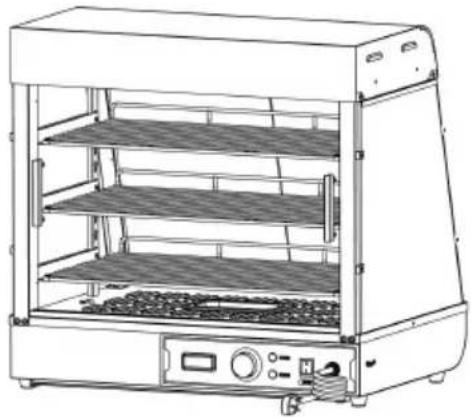
9. Product installation diagram:
| Parts kit bill of materials | ||||
| Applicable to models:SC-CJ-601、SC-CJ-602、SC-CJ-603、SC-CJ-60S | ||||
 |  |  | 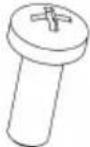 | 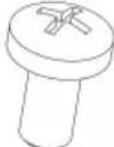 |
| A | B | C | D | E |
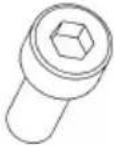
| Black spring washer | Black flat washer | Stainless steel hexagon socket bolts | Black round head screws | Black round head screws |
| M5(8pcs) | M5(8pcs) | M5X14(4pcs) | M5X14(8pcs) | M4X8(8pcs) |
 |  | 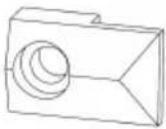 | 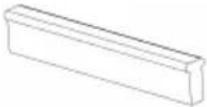 |  |
| F | G | H | I | J |
| Stainless steel padded screws(60s none) | Silicone gasket(60s none) | Glass card holder | Black T-shaped aluminum handle(60s none) | Screw tools |
| M4X12(8PCS)60SExclusiveaccessory | (16pcs)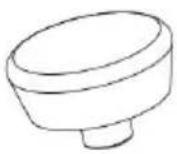 | (8pcs) | (4pcs)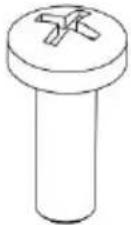 | (1pcs)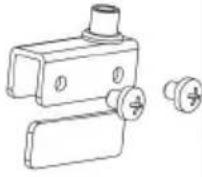 |
| K | L | M | N | |
| Black Ball Handle | Magnet door panel | Stainless Steel cross screw | Glass hinge set | |
| (1pcs) | (1pcs) | M5X18 (1pcs) | One for each top and bottom | |
| Note: The above are all the accessories in the accessory packDuring installation, you can find the screws whose codes in the above match the codes printed in the screw package according screws required in the installation steps for easy installation! | ||||
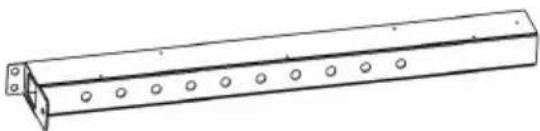
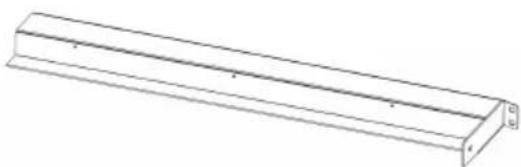
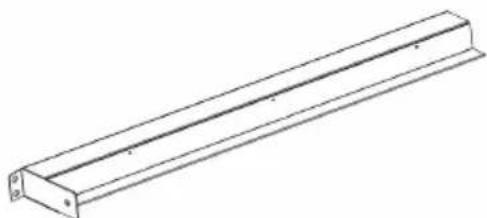
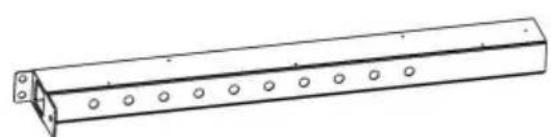
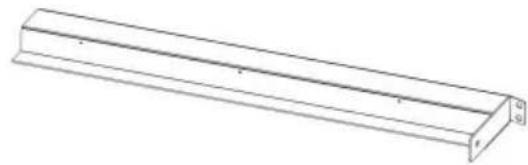
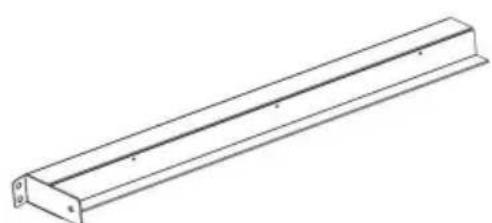
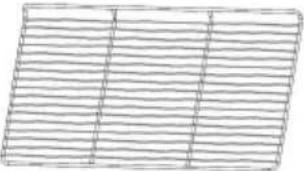 | 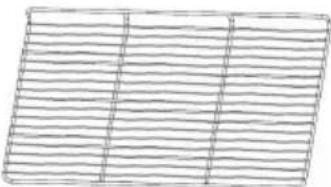 | |||
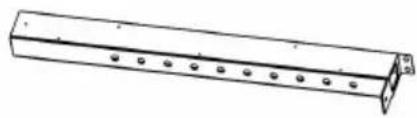
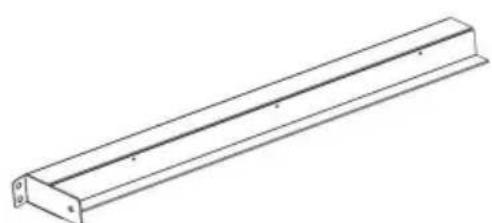
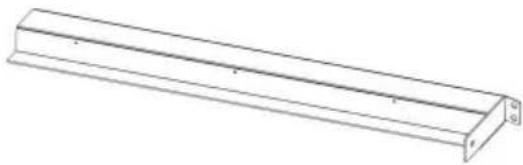
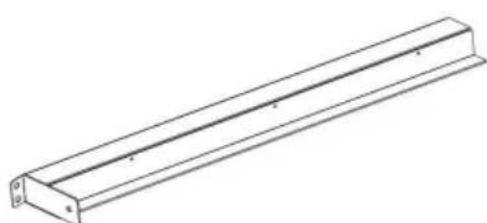
| 5 | Upper shelf - shortest | 6 | Middle shelf-medium | |
| 1PCS | 1PCS | |||
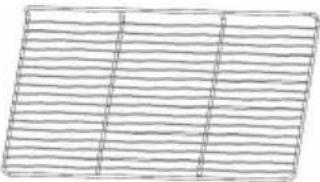 |  | |||
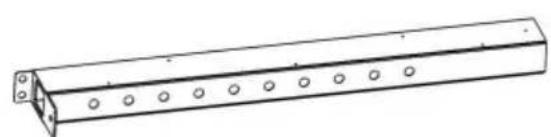
| 7 | Lower shelf-longest | 8 | Shelf column | |
| 1PCS | 2PCS | |||
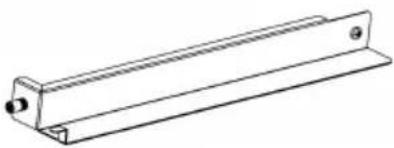 | 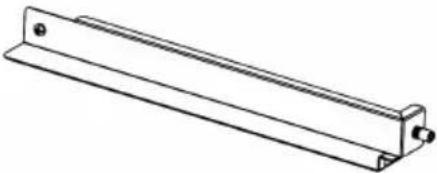 | |||
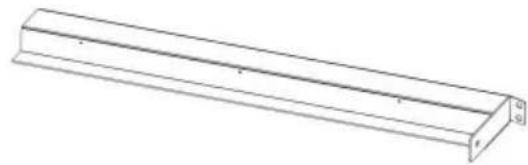
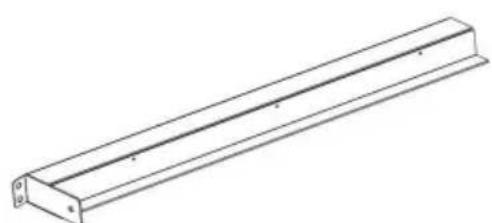
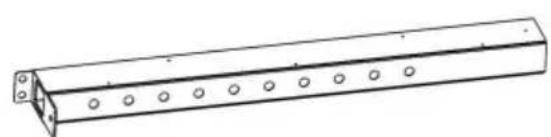
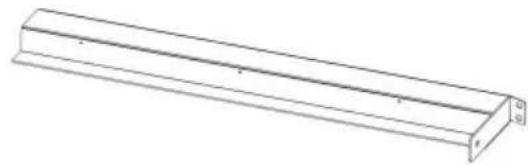
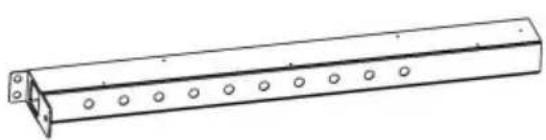
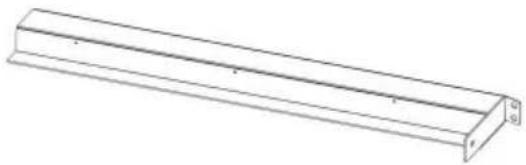
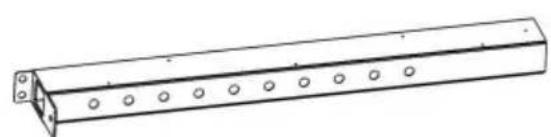
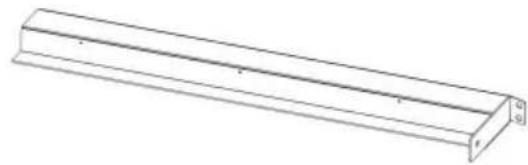
| 9 | Shelf bracket-left | 10 | Shelf bracket-right | |
| 3PCS | 3PCS | |||
 |  | |||
| 11 | Front and rear glass slidi doors(60s none) | 12 | Side glass | |
| 4PCS | 2PCS | |||
| 60SExclusiveaccessory(one each) |  |  | ||
| 13Rear glass door | 14Front glass flip door | |||
Note: The above are all accessories included in the accessory. Please check whether the accessories are complete before installation.
| SC-CJ-60 Series Universal Installation Diagram | |
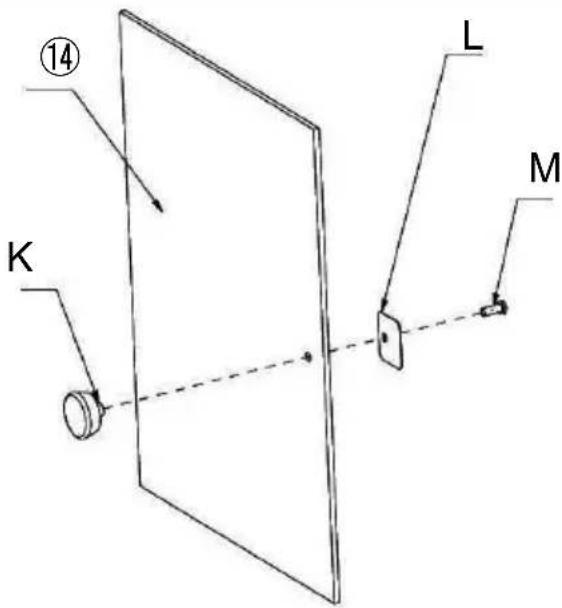 | K (1PCS)L (1PCS)M (1PCS) |
| Step 1 (60s) | |
| SC-CJ-60 Series Universal Installation Diagram | |
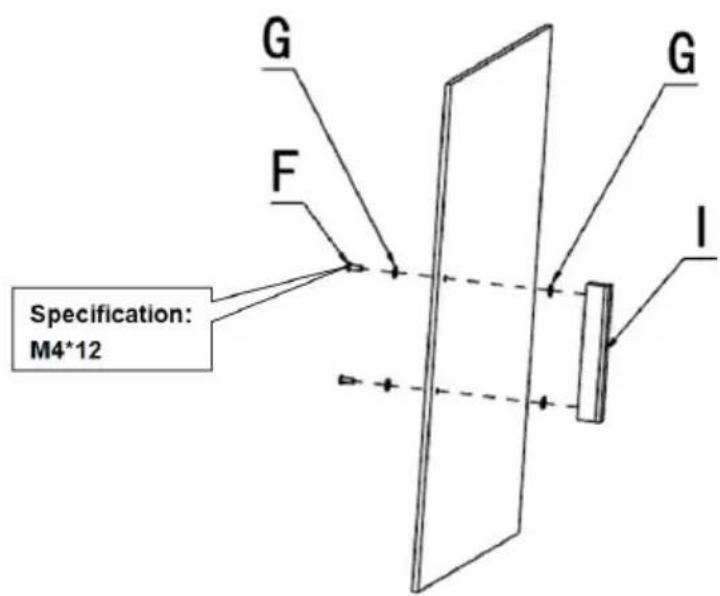 | G (4PCS)F (2PCS)I (1PCS) |
| Step 1(601 602 603) | |
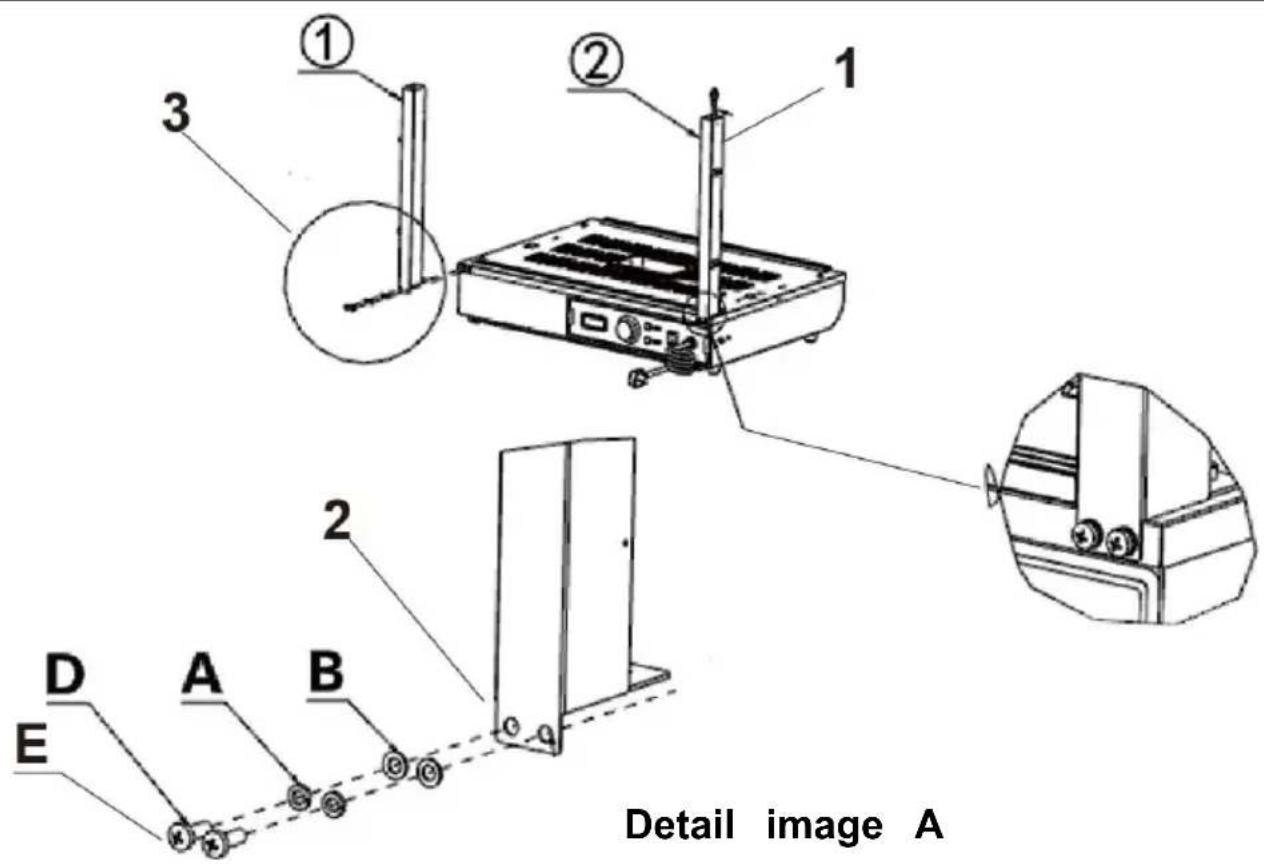
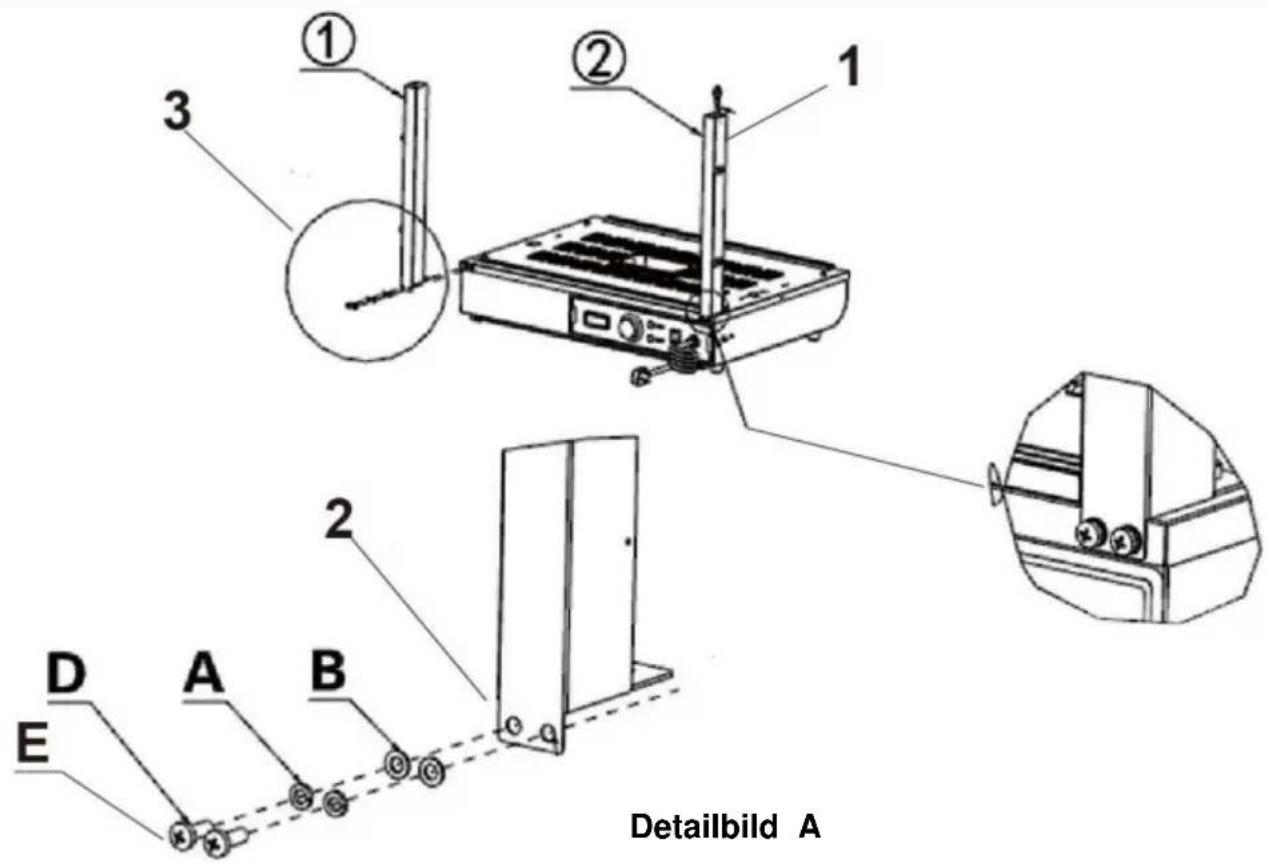
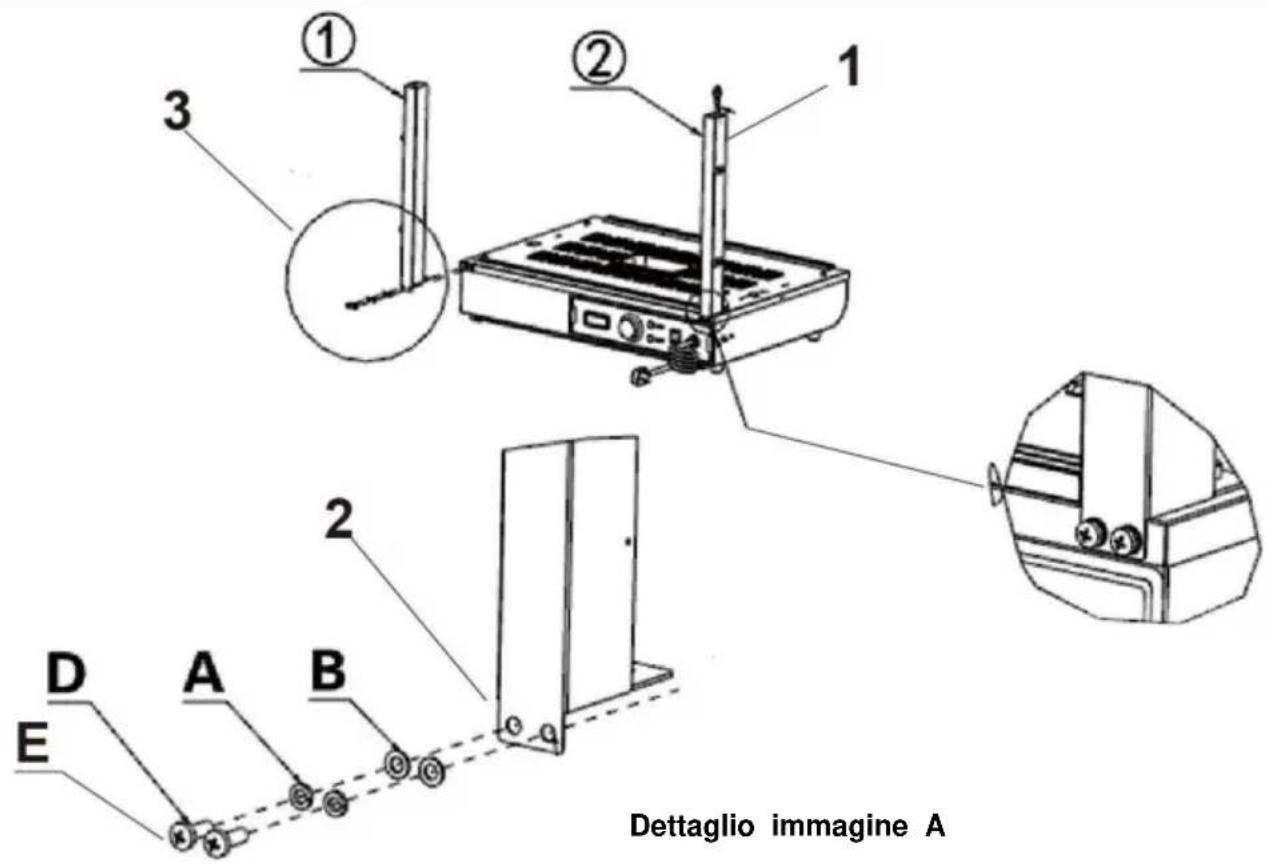
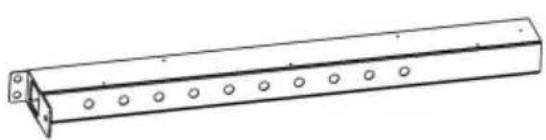
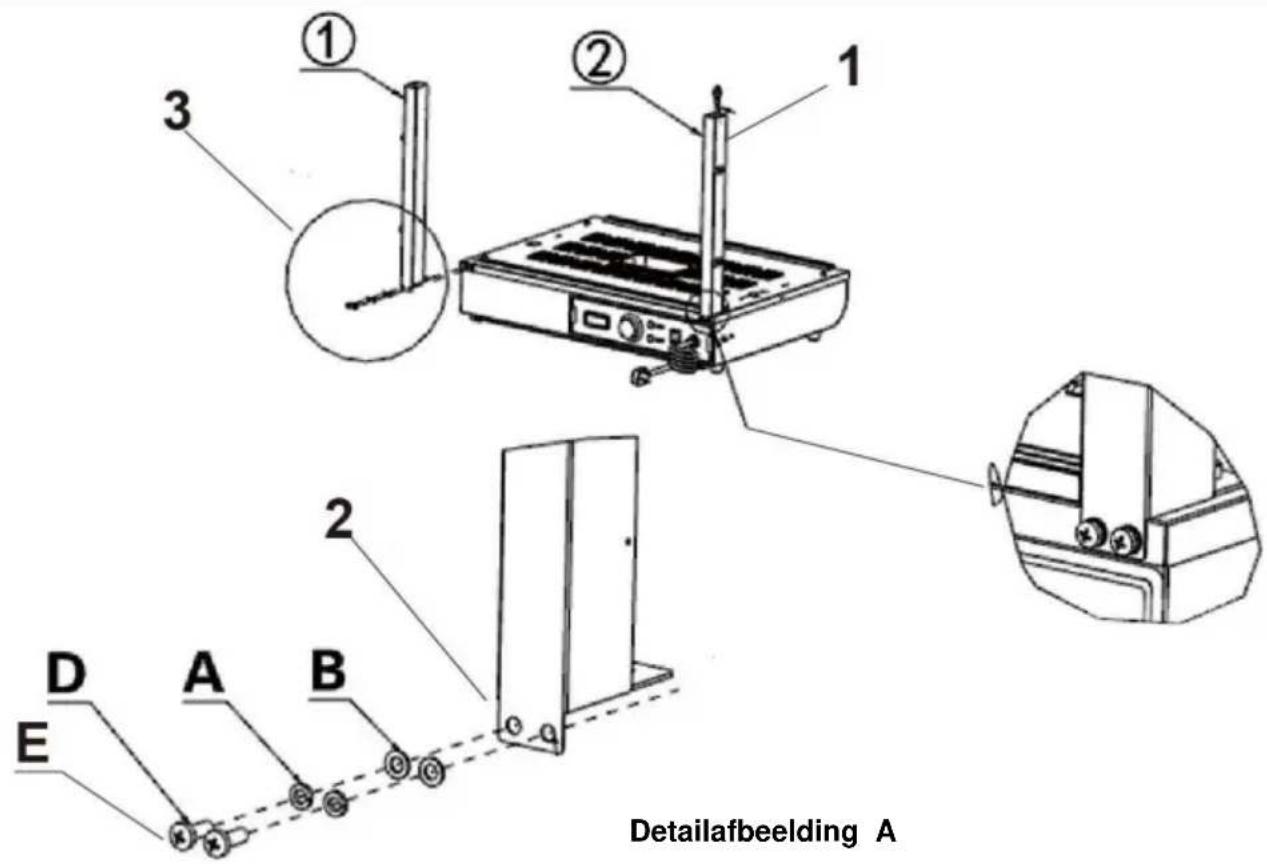
- Pass the light cord connector protruding from the base through the column and hang it above the column.
Note: When installing the columns on both sides, please note that the side with holes in the column faces the outside of the machine installation!
- According to the order of the picture, use the corresponding "D, A, B" to lock the accessories: "①, ②" on the reserved nut holes respectively.
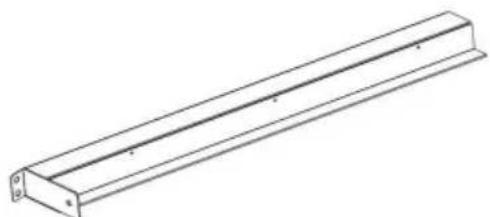
- Detail image A
① (1PCS)
② (1PCS)
A (4PCS)
B (4PCS)
D (4PCS)
E (Specification: M5*14)
Step 2
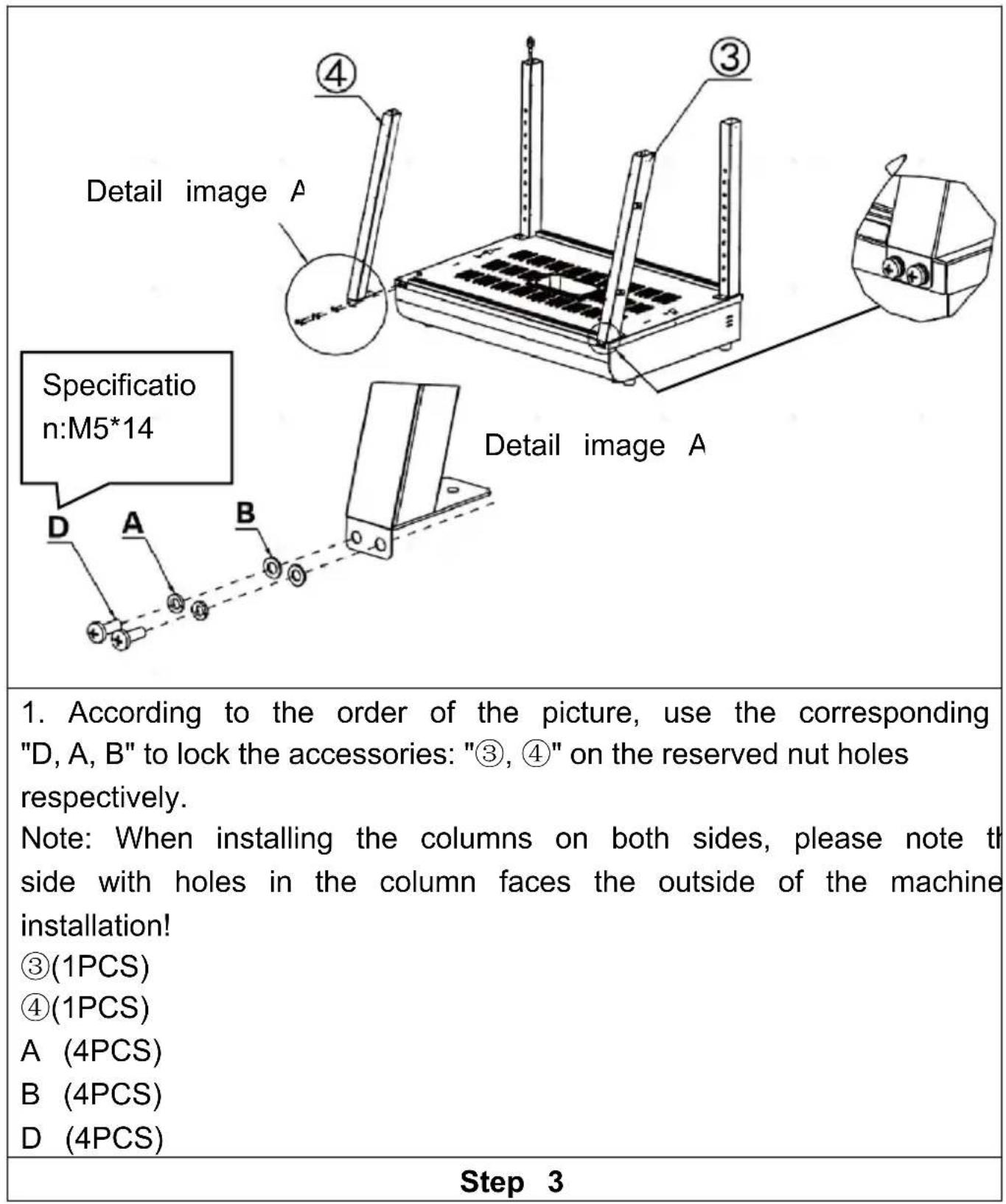
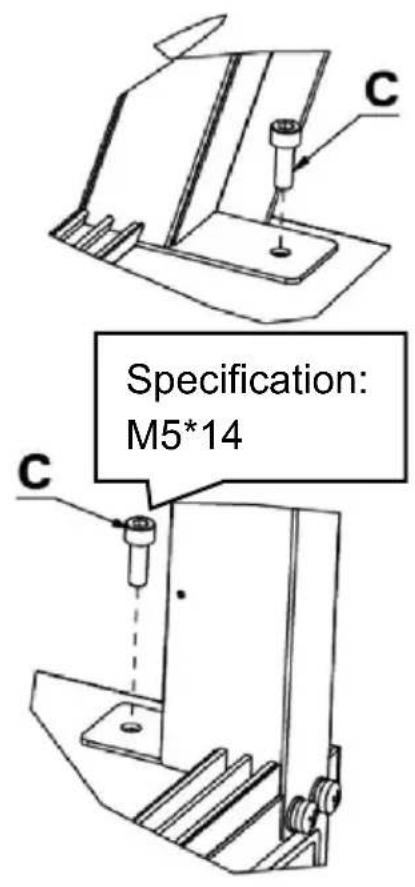
Detail image E
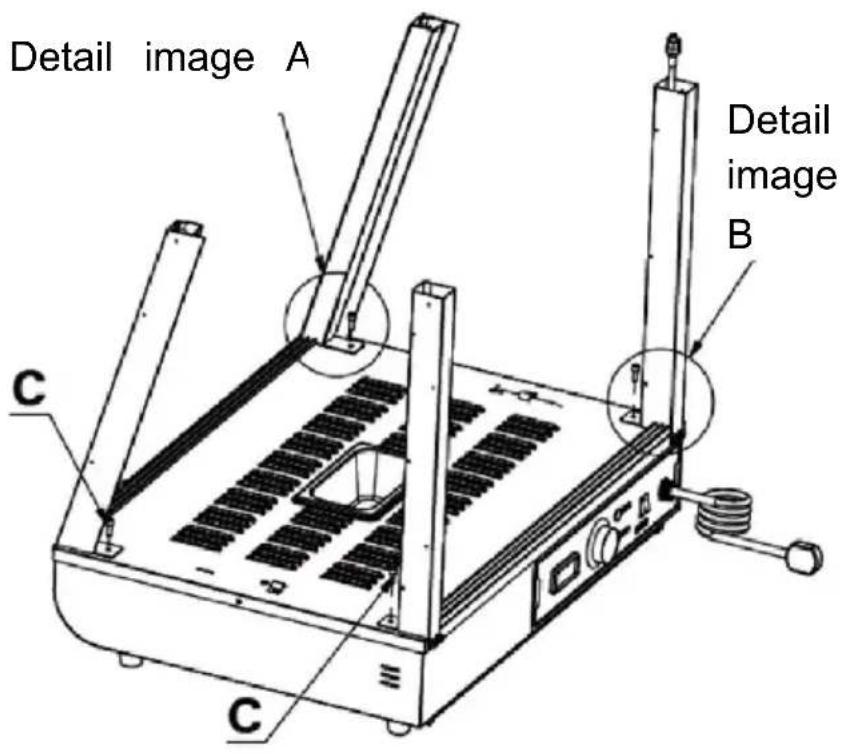
- Use screw "C" to fix the four columns to the reserved nuts in the same way as shown in the detailed picture. C (4PCS)
Step 4
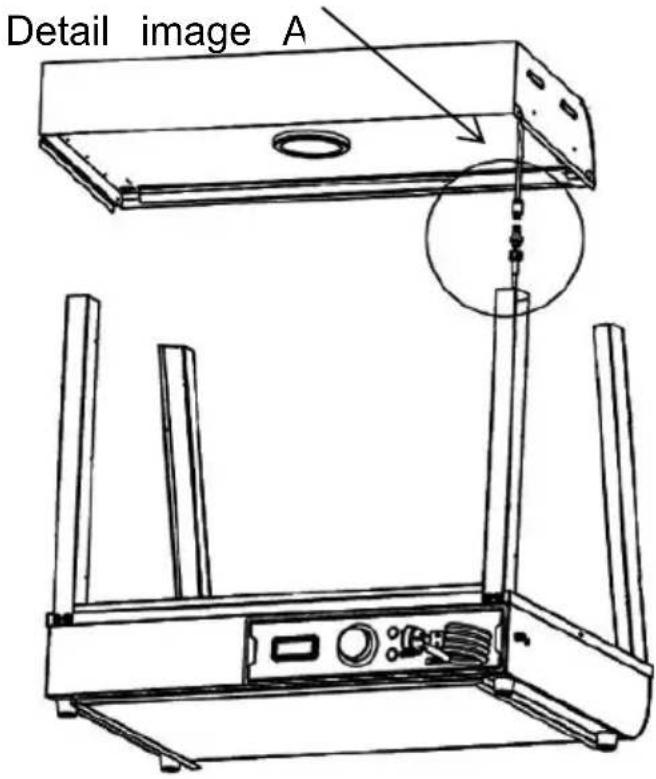
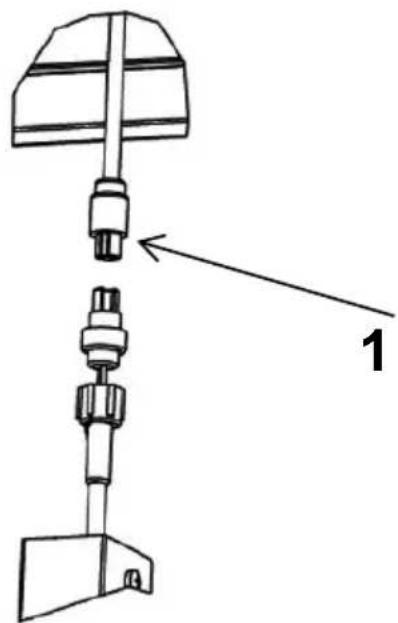
Detail image A
- Connect the wire connector protruding from the top cover to the connector hanging on the column and tighten it, then insert the connected connector into the column and hide it.
Step 5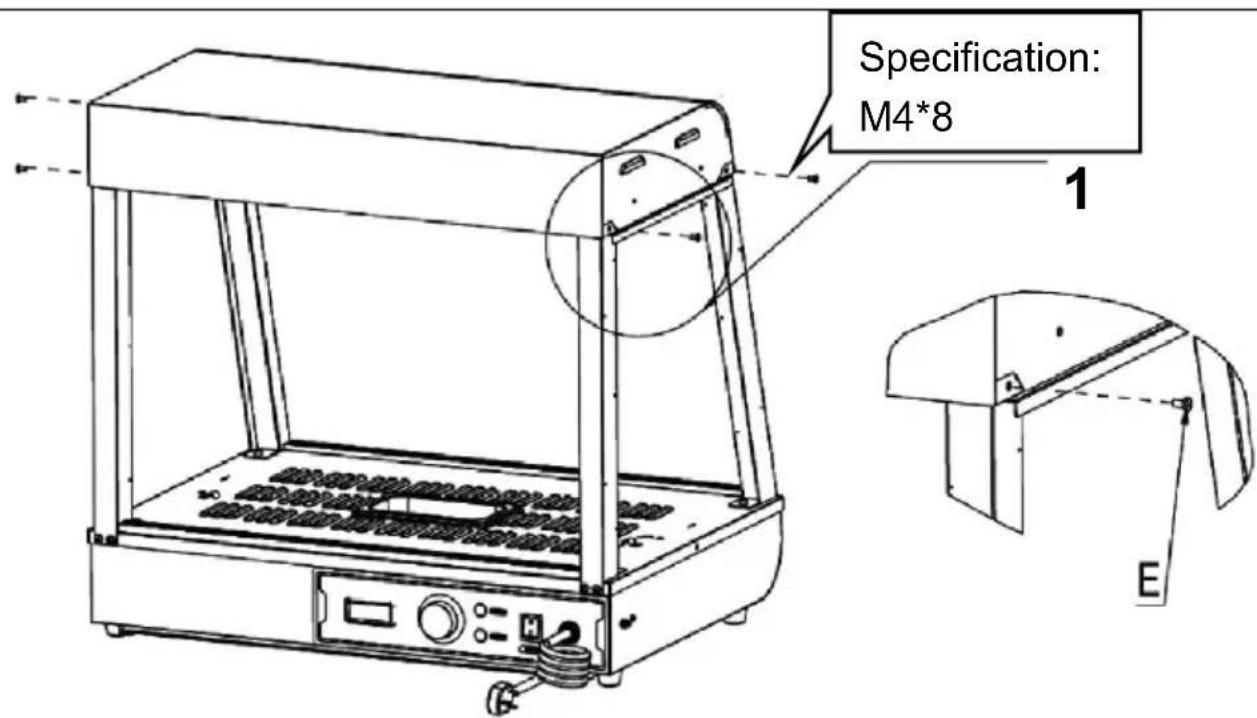
| 1. Place the top cover on the four upright posts, and then use to fix the top cover and the upright posts (four in total).E (4PCS) |
| Step 6 |
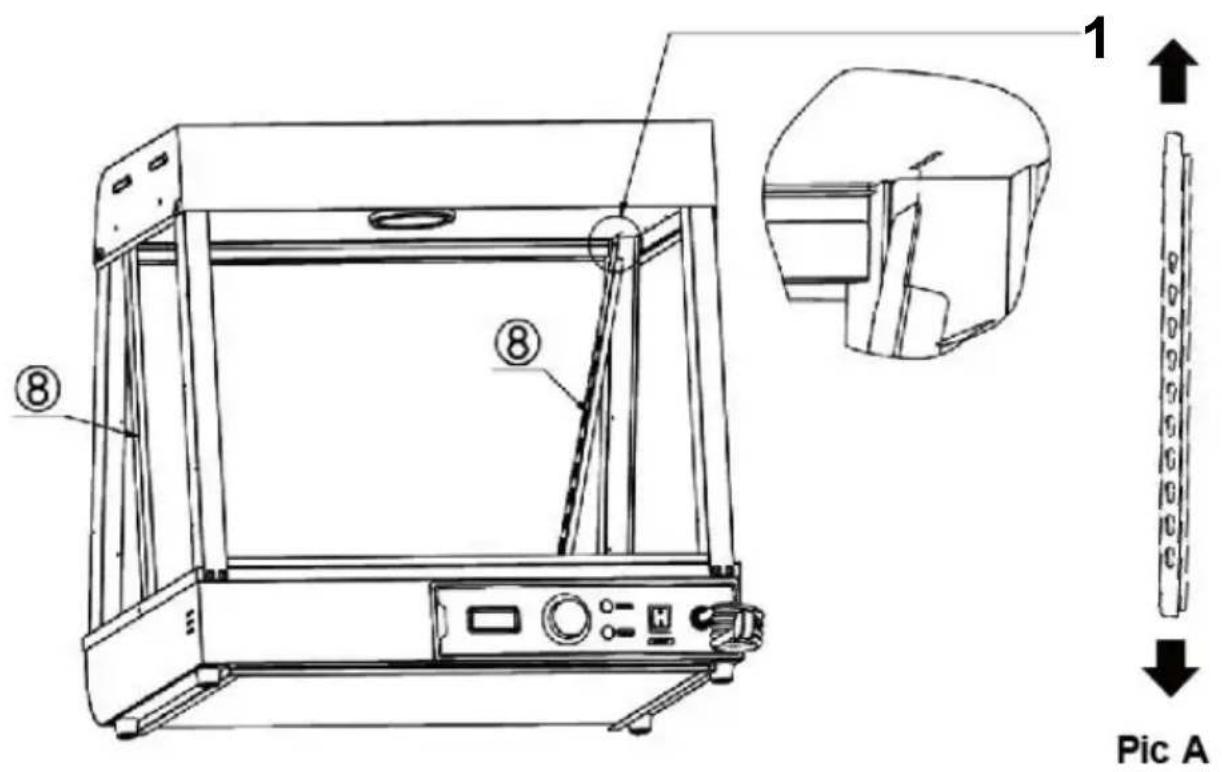 |
| 1. Align the two left and right shelf pillars "8" in the same way direction of Figure A, then insert them diagonally into the reservoir on the top until they are fully inserted, and then align them.Note: The position of accessory No. 8 is as shown in the figure hole of the gourd hole is facing up, the small hole is facing d groove is facing the outside of the machine!8 (2PCS) |
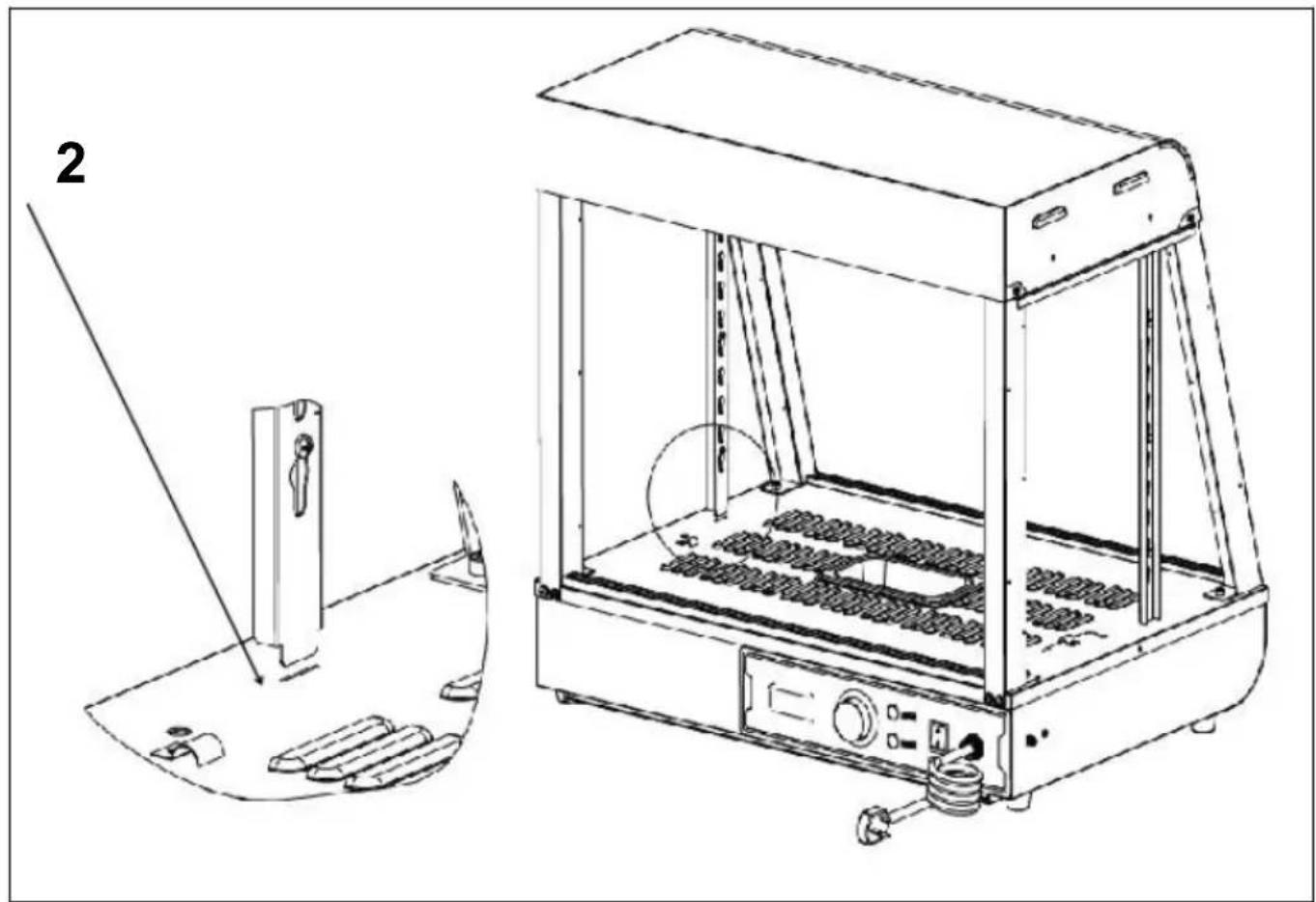
- Refer to Figure B and align the bottom of the column with the hole in the base plate and place it to complete the installation.
Step 7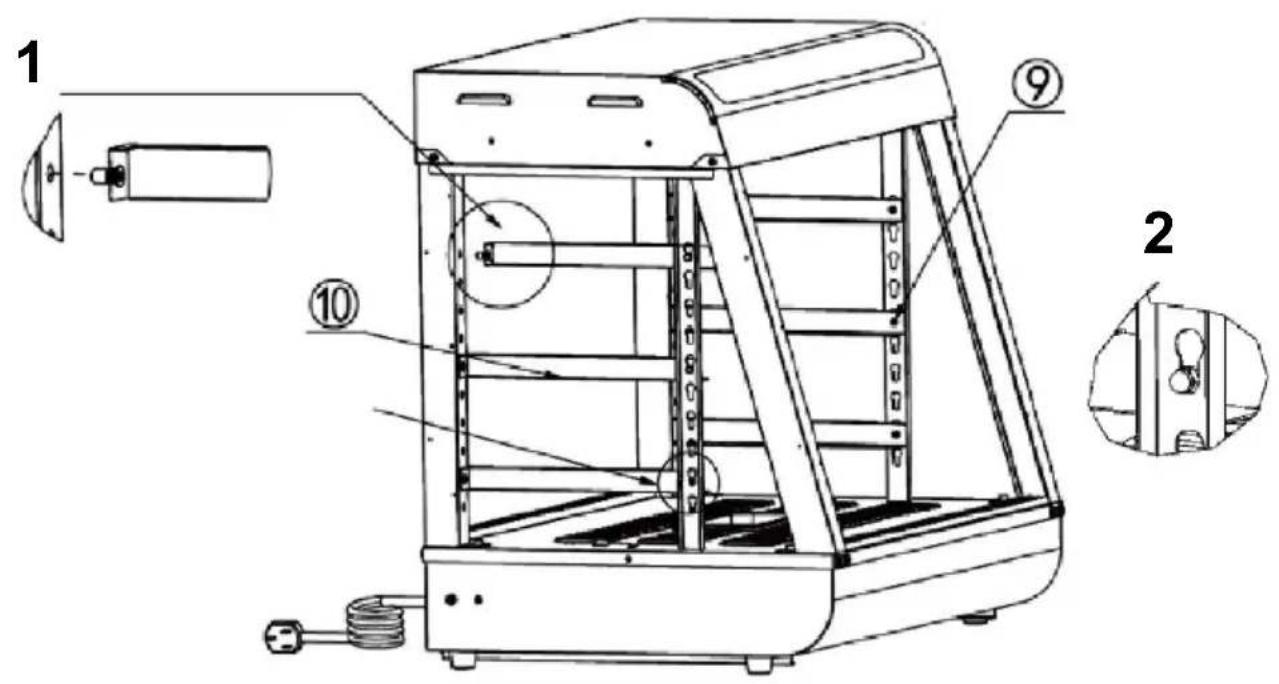
| 1. First insert the ram nail on the front part of the part into the hole of the column as shown below.Note: Place the protruding part of the I-shaped nail on the she toward the outside of the machine for installation!2. Then, insert the buckle nail at the rear of the part into the as shown in the picture below.(3PCS)(3PCS) |
| Step 8 |
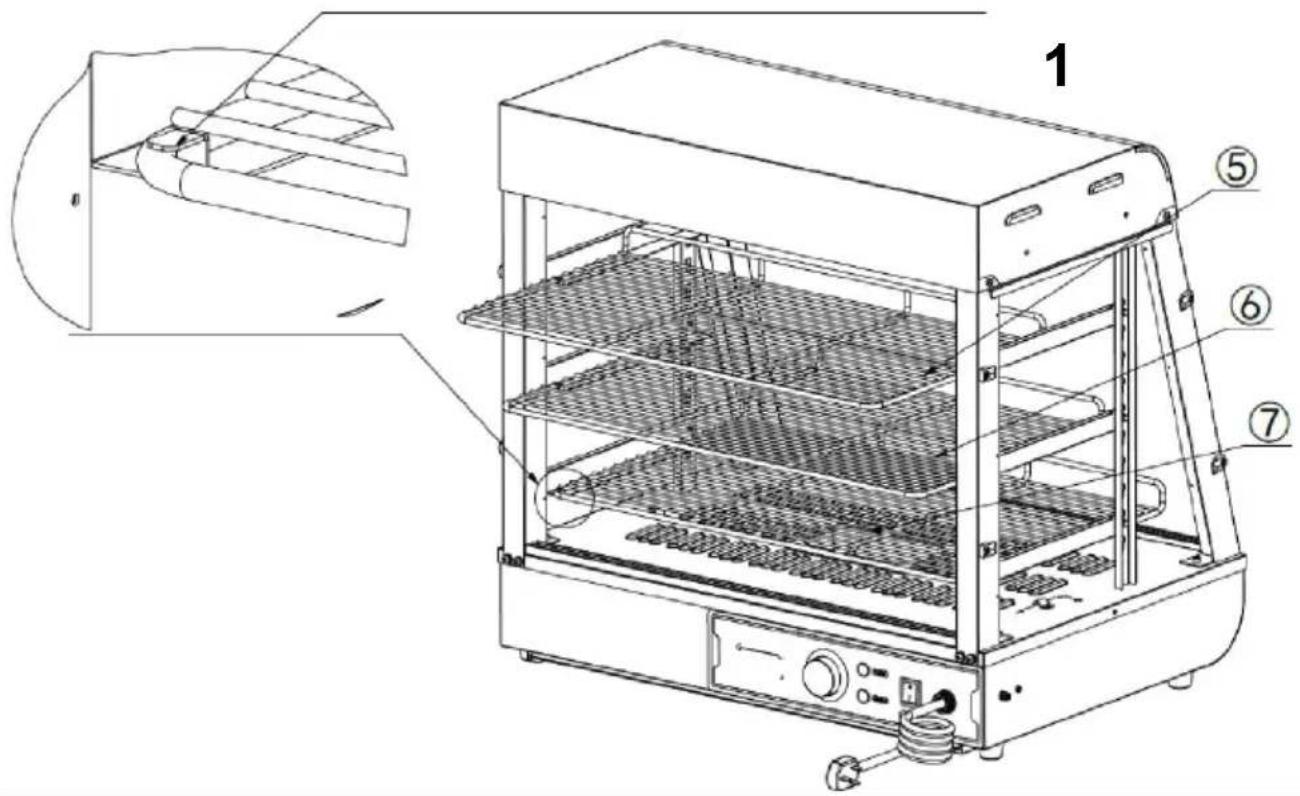 |
| 1. Place the parts,"6,"on the shelf bracket according to the positions shown in the picture, and push them into the reserved shown in the picture.(1PCS)6(1PCS)7(1PCS) |
| Step 9 (601 602 603) |
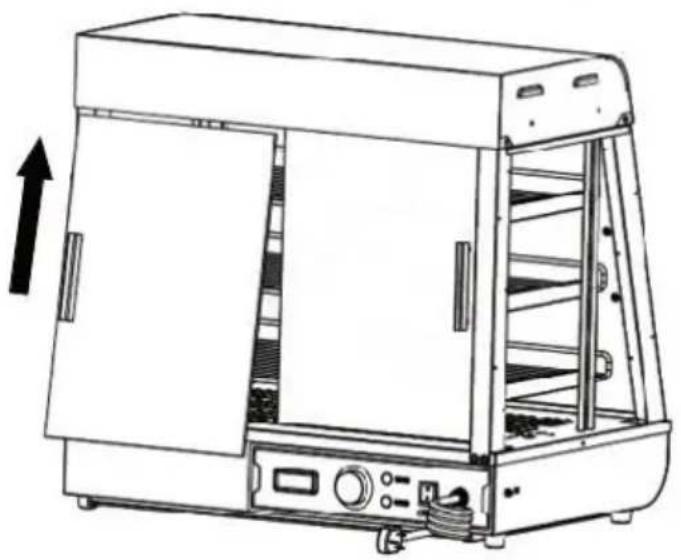
- First, insert the front and rear glass sliding doors diagonally into the card slot set at the top, as shown in "Figure A"; after inserting to the extreme position, align the falling glass with the card slot below, horizontal and vertical to the top card slot, as shown in "Figure B". Installation is completed as shown in "Figure B". A total of four sliding doors at the front and rear are installed in the same way (4PCS).
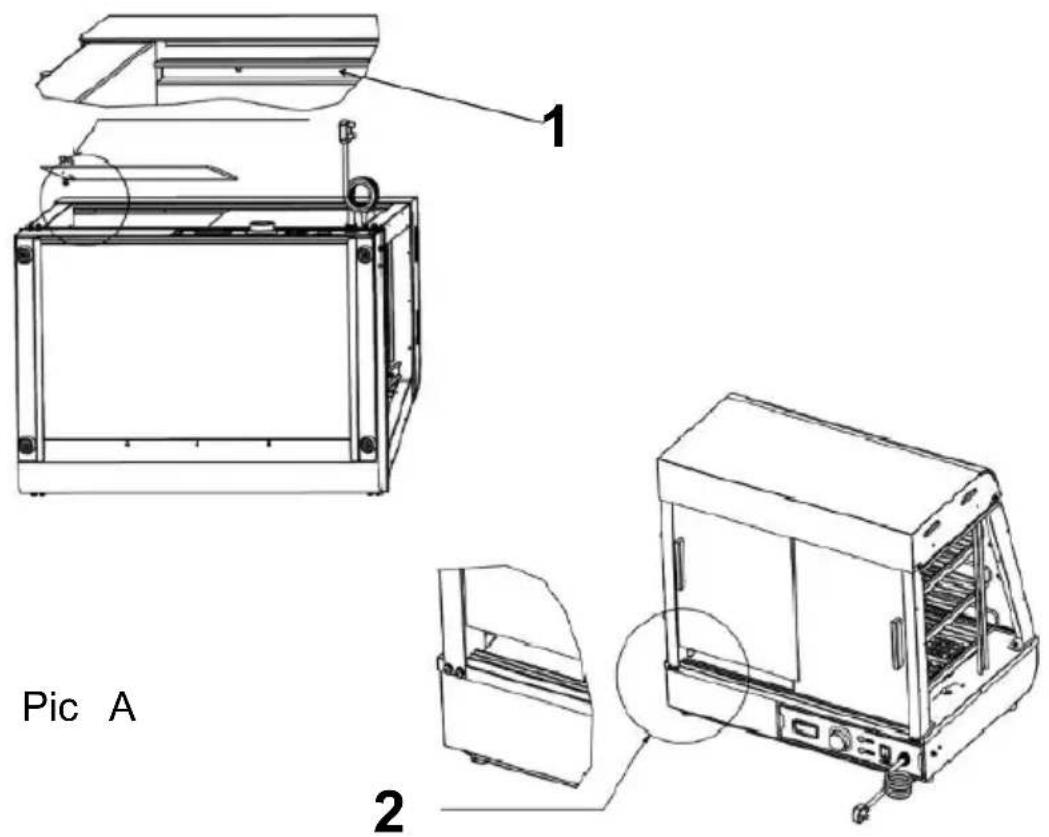
Notice:
- You need to install the inner piece of glass first and then the outer piece of glass.
- When installing, the upper card slot should be aligned horizontally with the lower card slot!
Step 9 (60S)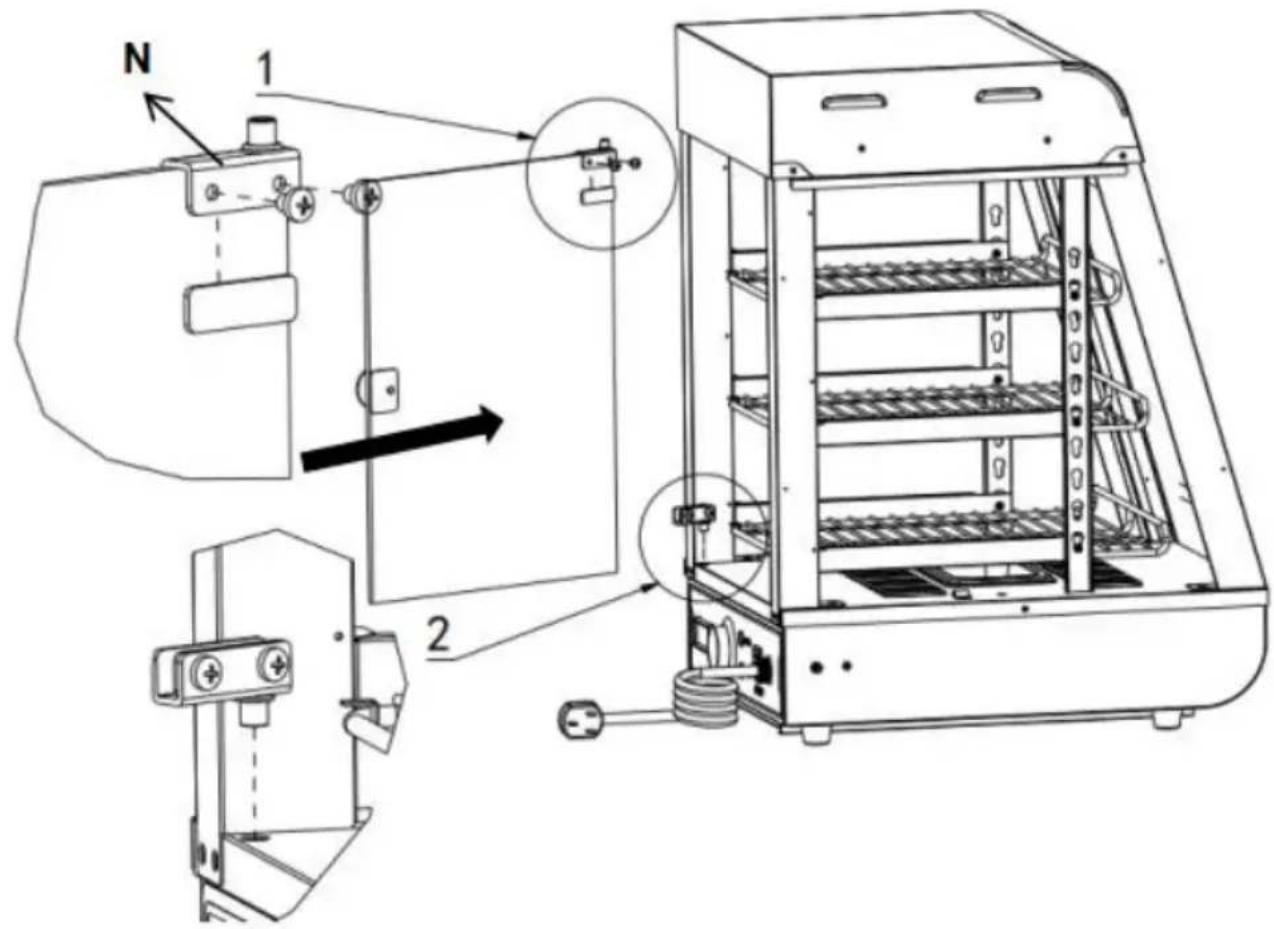
- First install the upper glass door hinge on the top of the glass and tighten the screws. Then prepare the lower door hinge in the corresponding position. Finally, push the glass flip door into the position of the lower hinge, and then tighten the screws of the hinge!
Note: (One for each top and bottom) Install the door handle before the glass door (1PCS).
Step 10
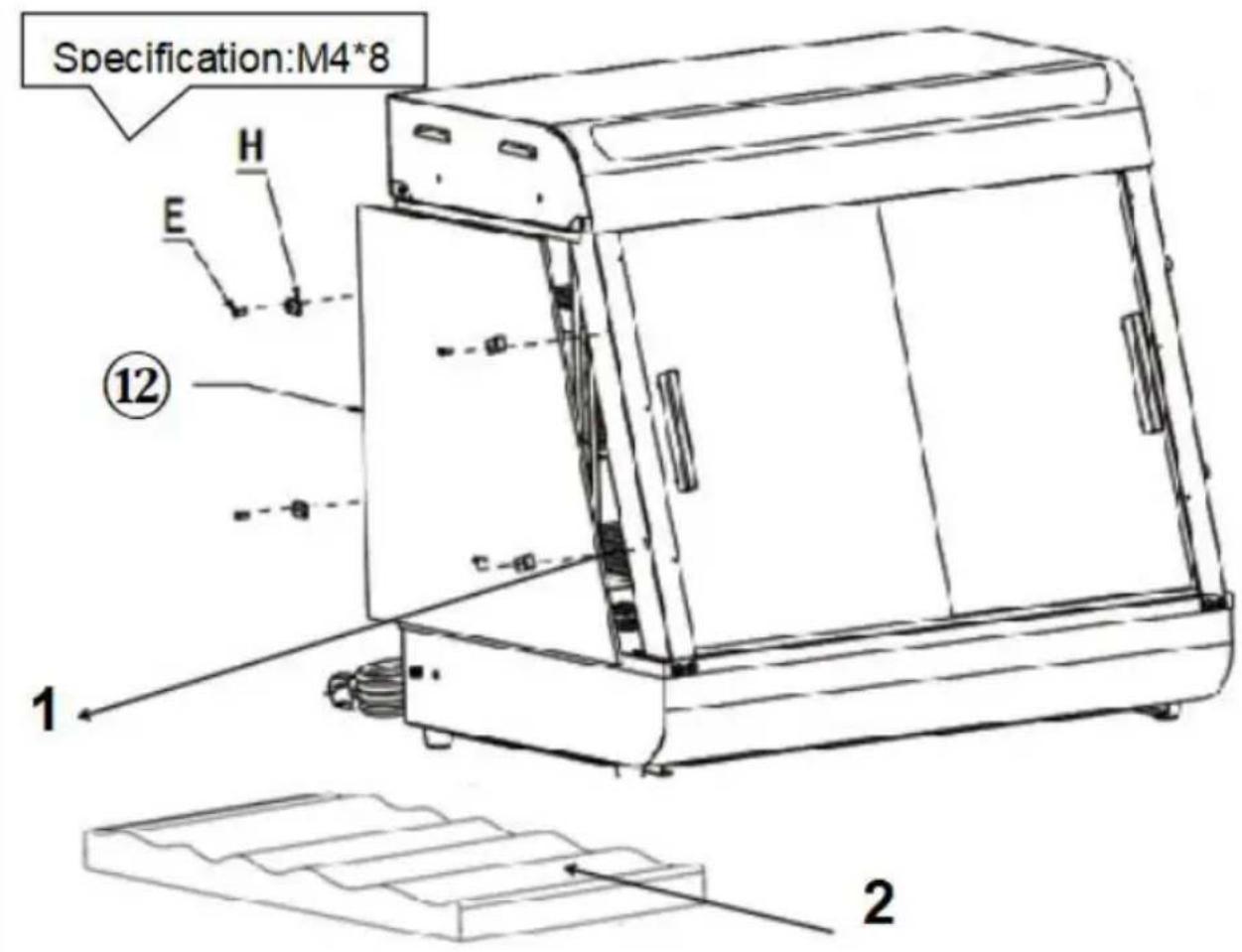
- First install the upper glass door hinge on the top of the glass and tighten the screws. Then prepare the lower door hinge in the corresponding position. Finally, push the glass flip door into the position of the lower hinge, and then tighten the screws of the hinge!
Note: (One for each top and bottom)
Install the door handle before the glass door (1PCS).
Installation completed.
The position of the electrical parts is designed at that time. The company reserves the right to change the design without notice. When the design changes, the manual may not be updated. We hope customers understand!
10. Circuit diagram
SC-CJ-60S/SC-CJ-601 Electrical schematic diagram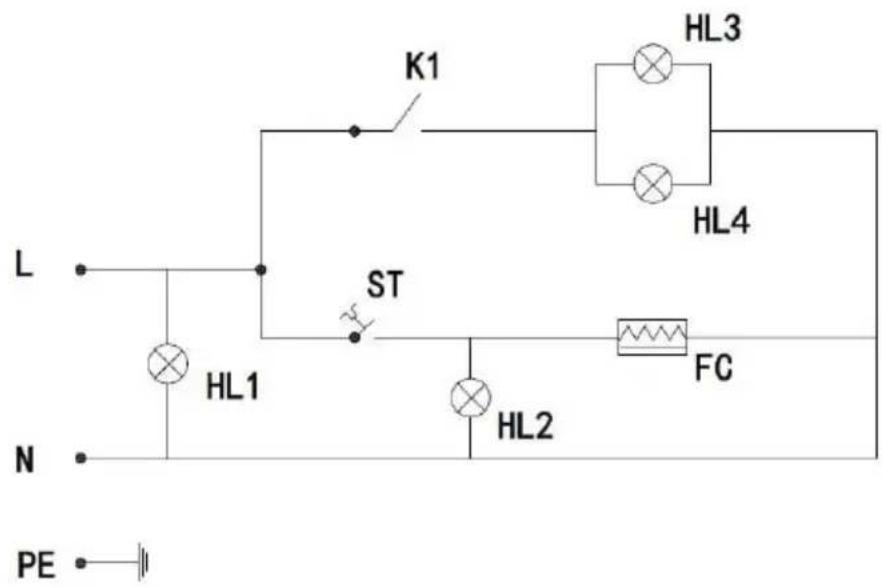
Illustrate
K1: Light switch
HL1: Power
indicator light
HL2: Heating
indicator light
HL3 warm light
ceiling lamp
HL4:LED light
tube
FC: heating tube
ST: Thermostat
SC-CJ-602/SC-CJ-603 Electrical schematic diagram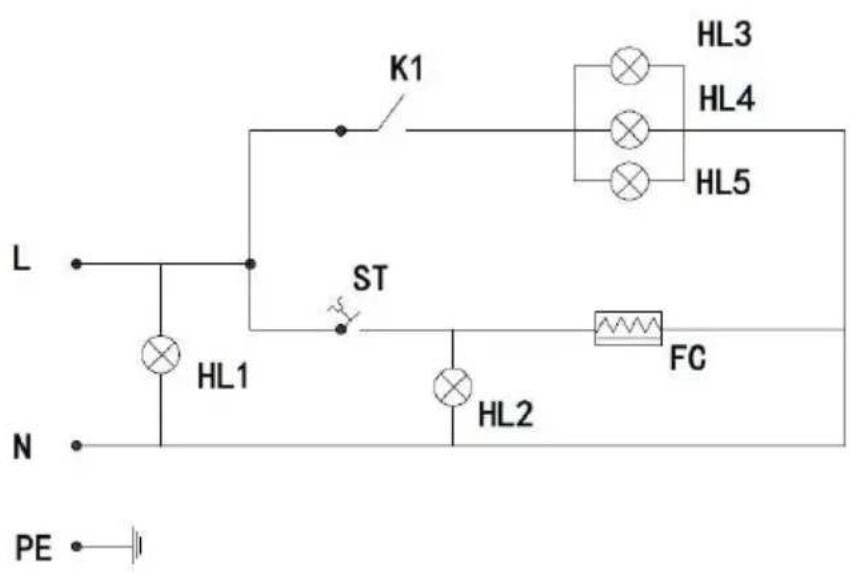
Illustrate
K1: Light switch
HL1: Power
indicator light
HL2: Heating
indicator light
HL3: Warm light
ceiling lamp 1
HL4: Warm light
ceiling lamp 2
HL5: LED light
tube
FC: heating tube
ST: Thermostat
- Fault analysis and troubleshooting:
| NO. | Fault phenomenon | Reason | Method of exclusion |
| 01 | The indicator light does not light up when the device is turned on. | Power switch fuse blown | 1Replace with a suitable fuse2Plug in the power cord firmly |
| 02 | The green and red indicator lights are at the same time at the temperature does not rise. | The electric heating tube wiring is loose at the electric heating tube is burned out. | 1Tighten the electric heating pipe wiring bolts.2Replace the electric heating tube |
| 03 | The work indicator light stays on and temperature rise cannot be controlled. | Thermostat failure | 1Replace the thermostat |
| 04 | The indicator light is off and the temperature control i normal | Indicator light burned out | 1Replace the indicator light |
| 05 | It cannot automatically keep warm. | Thermostat failure | 1Replace the thermostat |
| 06 | There is a tingling sensation in the hands due to leakage from the casing. | The insulation is damp or the inner conductor is in contact with the outer shell. | 1Send it to the maintenance department for repair |
| 07 | The light does not come on or flickers. | The cable interface is not connected or has poor contact. | 1Plug it in tightly |
Note: The above problems are only for analysis and reference. Do not deal with them by yourself. Relevant professionals are required to conduct troubleshooting and repairs. In case of safety abnormality such as leakage, the power supply should be cut off immediately and the unit should be stopped!
Please keep this manual properly
Manufacturer: Shanghaimuxinmuyeyouxiangongsi
Address: Shuangchenglu 803nong11hao1602A-1609shi, baoshanqu, shanghai 200000 CN.
Imported to AUS: SIHAO PTY LTD. 1 ROKEVA STREETEASTWOOD NSW 2122 Australia
Imported to USA: Sanven Technology Ltd. Suite 250, 9166 Anaheim Place, Rancho Cucamonga, CA 91730
| UK | REP |
YH CONSULTING LIMITED. C/O YH Consultin Limited Office 147, Centurion House, London Road, Staines-upon-Thames, Surrey, TW18 4A>
| EC | REP |
Technical Support and E-Warranty Certificate
www.vevor.com/support
VEVOR®
TOUGH TOOLS, HALF PRICE
SC-CJ60S
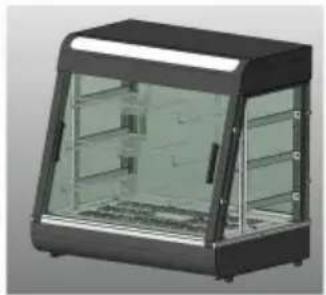
SC-CJ-601
SC-CJ-602
SC-CJ-603
NEED HELP? CONTACT US!
SC-CJ-60S
SC-CJ-601
SC-CJ-602
SC-CJ603
Detailed image A
YH CONSULTING LIMITED. C/O YH Consulting Limited Office 147, Centurion House, London Road, Staines-upon-Thames, Surrey, TW18 4AX
| REPRÉSENTANT CE |
E-CrossStu GmbH
Mainzer Landstr.69,
SC-CJ-601
SC-CJ-602SC-CJ60S
SC-CJ-603
SC-CJ-60S
SC-CJ-601
SC-CJ-602
SC-CJ603
G (4 PCS)
F (2 STK)
Ich (1 STK)
Step 1 (601 602 603)
YH CONSULTING LIMITED. C/O YH Consulting Limited Office 147, Centurion House, London Road, Staines-upon-Thames, Surrey, TW18 4AX
| Vertreter der EG |
E-CrossStu GmbH
Mainzer Landstr.69,
60329 Frankfurt am Main.
VEVOR®
TOUGH TOOLS, HALF PRICE
www.vevor.com/support
VEVOR®
TOUGH TOOLS, HALF PRICE
SC-CJ60S SC-CJ-601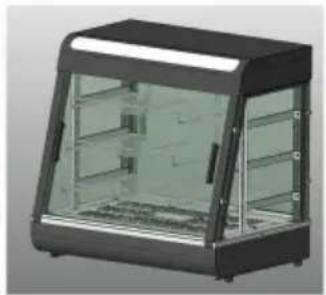
SC-CJ-602
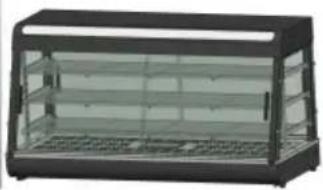
SC-CJ-603
NEED HELP? CONTACT US!
SC-CJ-60S
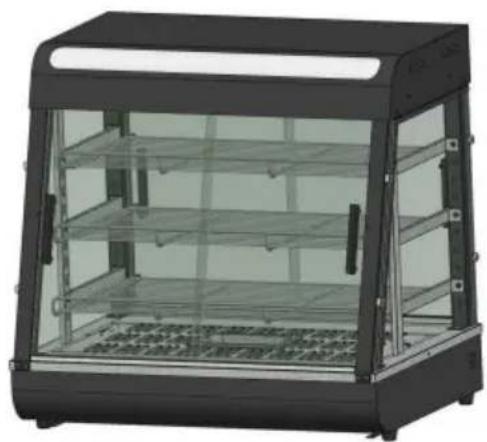
SC-CJ-601
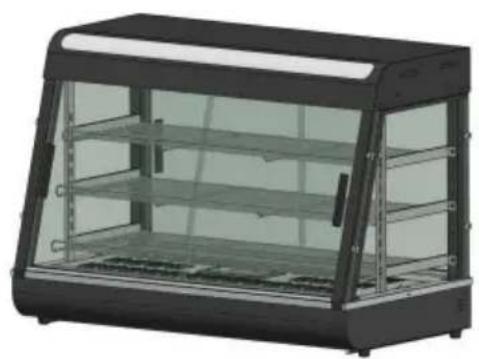
SC-CJ-602
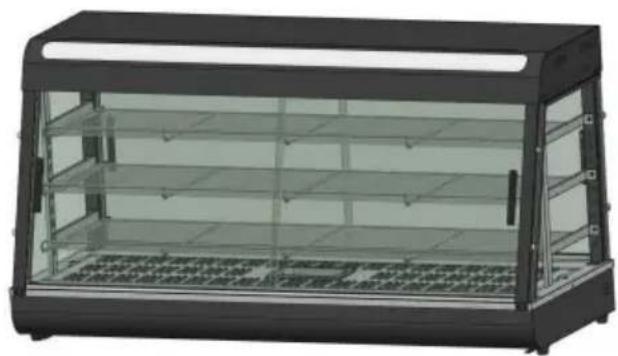
SC-CJ603
G (4 PCS)
F (2 PCS)
lo (1 PC)
Step 1 (601 602 603)
Imported in Australia: SIHAO PTY LTD. 1 ROKEVA STREETEASTWOOD NSW 2122 Australia
YH CONSULTING LIMITED. C/O YH Consulting Limited Office 147, Centurion House, London Road, Staines-upon-Thames, Surrey, TW18 4AX
| REP.CE |
E-CrossStu GmbH
Mainzer Landstr.69,
electronics www.vevor.com/support
VEVOR®
TOUGH TOOLS, HALF PRICE
SC-CJ-601
SC-CJ-602, SC-CJ-60S, SC-CJ-603
SC-CJ-60S
SC-CJ-601
SC-CJ-602
SC-CJ-603
Detailed image A
YH CONSULTING LIMITED. C/O YH Consulting Limited
Office 147, Centurion House, London Road, Staines-upon-
Thames, Surrey, TW18 4AX
E-CrossStu GmbH
Mainzer Landstr.69,
SC-CJ-60S, SC-CJ-601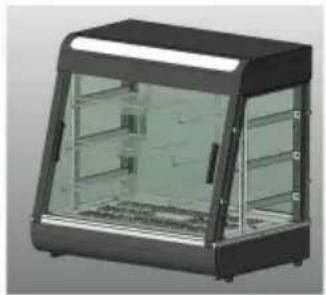
SC-CJ-602
SC-CJ-603
NEED HELP? CONTACT US!
SC-CJ-60S
SC-CJ-601

SC-CJ-602
SC-CJ603
8. Product structure diagram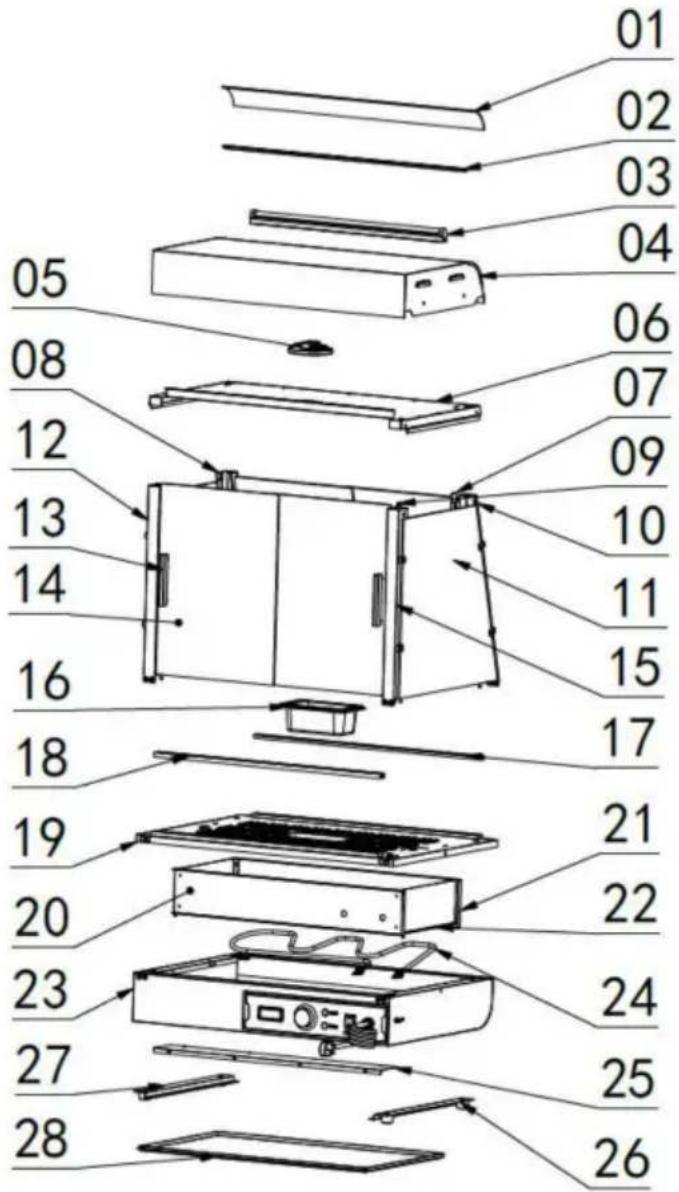
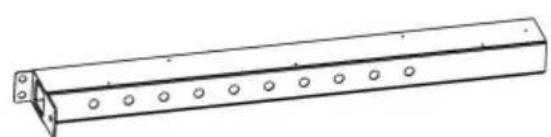
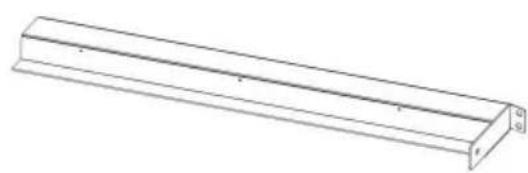
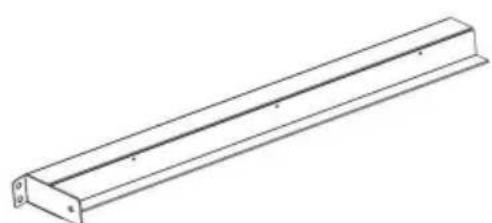
Detailed view A
LIABILITY. C/O YH Consulting Limited
Office 147, Centurion House, London Road, Staines-upon-Thames, Surrey, TW1
E-CrossStu GmbH
Mainzer Landstr.69,
60329 Frankfurt am Main.
VEVOR®
TOUGH TOOLS, HALF PRICE
www.vevor.com/support
VEVOR®
TOUGH TOOLS, HALF PRICE
Technical support and e-warranty certificate www.vevor.com/support
Food warmer display
Model: SC-CJ-60S/SC-CJ-601/
SC-CJ-602/SC-CJ-603
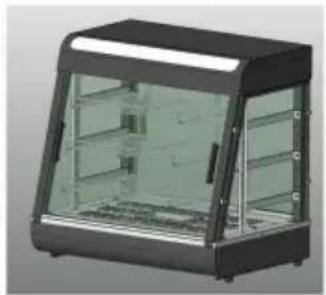
SC-CJ-601

SC-CJ-602SC-CJ60S
SC-CJ-603
NEED HELP? CONTACT US!
SC-CJ-602
SC-CJ603
G (4 PIECES)
F (2 PIECES)
K (1 piece)
Step 1 (601 602 603)
YH CONSULTING LIMITED. C/O YH Consulting Limited Office 147, Centurion House, London Road, Staines-upon-Thames, Surrey, TW18 4AX
| EG | REP |
Warranty certificate www.vevor.com/support
VEVOR®
TOUGH TOOLS, HALF PRICE
SC-CJ-601 SC-CJ60S SC-CJ-602
SC-CJ-603
NEED HELP? CONTACT US!
SC-CJ-60S
SC-CJ-601
SC-CJ-602
SC-CJ603
- Product structure diagram
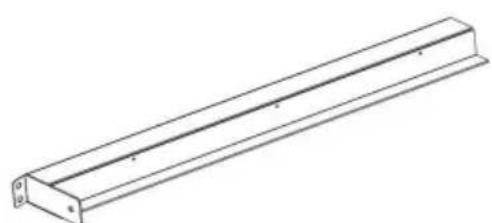
K (1 pc)
L (1st)
M (1st)
Step 1 (60s) SC-CJ-60 series Universal installation diagram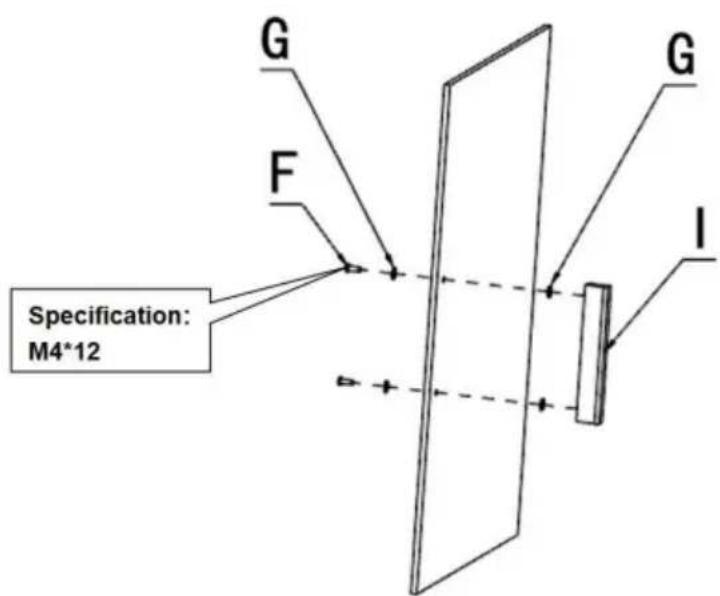
G (4 pcs)
F (2 pcs)
I (1 pc)
Step 1 (601 602 603)
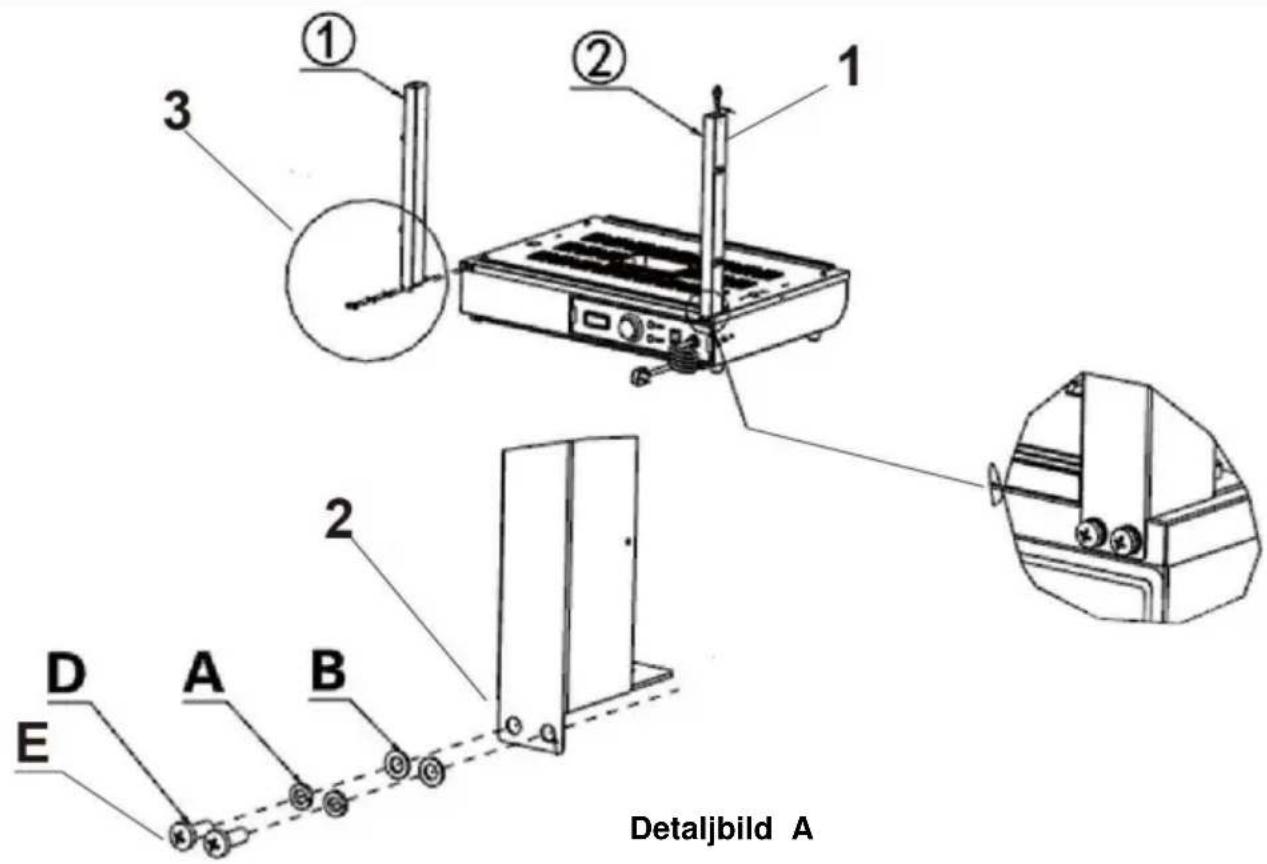
Detail view A
YH CONSULTING LIMITED. C/O YH Consulting Limited Office 147, Centurion House, London Road, Staines-upon-Thames, Surrey, TW18 4AX
| EC | REP |
E-CrossStu GmbH
Mainzer Landstr.69,
60329 Frankfurt am Main.
VEVOR®
TOUGH TOOLS, HALF PRICE
www.vevor.com/support
- FOOD WARMER DISPLAY
- NEED HELP? CONTACT US
- WARM REMINDER
- INSTRUCTIONS FOR USE
- PRECAUTIONS AND MAINTENANCE
- NORMAL WORKING ENVIRONMENT CONDITIONS
- PRODUCT INTRODUCTION
- SYMBOL DESCRIPTION
- PRODUCT APPEARANCE PICTURE
- PRODUCT INSTALLATION DIAGRAM
- STEP
- NOTICE
- INSTALLATION COMPLETED
- CIRCUIT DIAGRAM
- ILLUSTRATE
- PLEASE KEEP THIS MANUAL PROPERLY
- VEVOR®
- TOUGH TOOLS, HALF PRICE
Brand : Vevor
Model : SC-CJ-601
Category : Food Warmer