SS-PAC02B - Compressor Vevor - Free user manual and instructions
Find the device manual for free SS-PAC02B Vevor in PDF.


| Brand | Vevor |
| Model | SS-PAC02B |
| Product Type | Portable PCP air compressor |
| Power Supply | AC 120 V (adjustable) or DC 12 V (car battery) |
| Power | 300 W |
| Maximum Pressure | 300 bar (30 MPa / 4500 PSI) |
| Recommended Filling Pressure | 280 bar (3750 PSI / 28 MPa) |
| Automatic Shut-off | Yes, adjustable via pressure gauge |
| Timed Automatic Shut-off | Every 30 minutes to prevent overheating |
| Thermal Protection | Automatic shut-off at 85°C (code E1) |
| Cooling | Built-in fan |
| Maximum Filling Volume | 0.5 liter (500 cc) |
| Error Code Display | Yes (E0, E1, E2, E3, E4) |
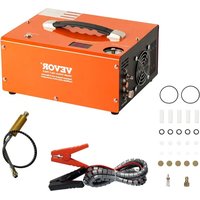
| Included Accessories | AC power cord, DC cable with alligator clips, 8 mm quick connector, spare parts kit, manual |
| Periodic Maintenance | Cleaning and replacement of O-rings every 50 fills (500 cc) or 20 operating hours |
| User Replaceable Parts | O-rings, filters (in the hose), sealing elements |
| Safety | Purge valve, automatic shut-off, overload protection, use in ventilated area |
| DC Power Supply | Use with car engine running |
| Certification | FCC Part 15 Class B |
| Warranty | Electronic warranty via www.vevor.com/support |
Frequently Asked Questions - SS-PAC02B Vevor
User questions about SS-PAC02B Vevor
0 question about this device. Answer the ones you know or ask your own.
Ask a new question about this device
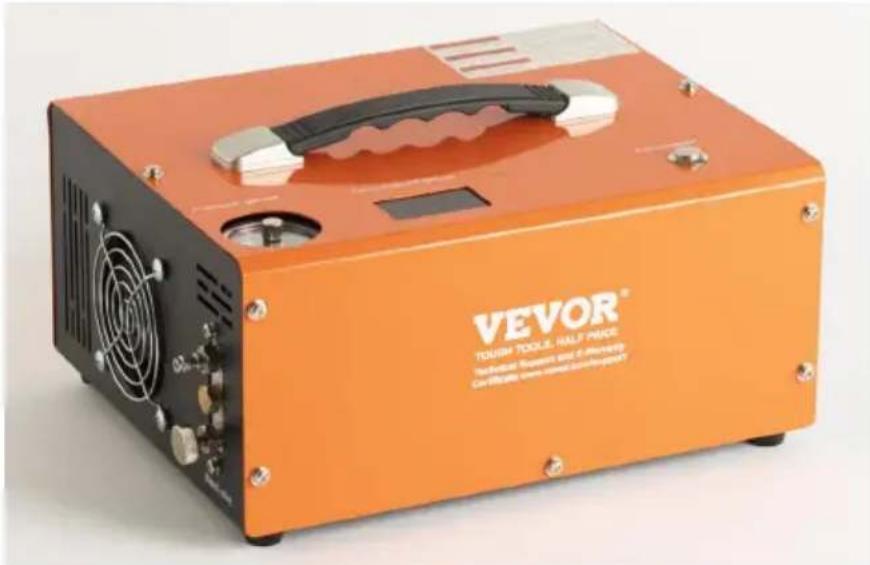
Download the instructions for your Compressor in PDF format for free! Find your manual SS-PAC02B - Vevor and take your electronic device back in hand. On this page are published all the documents necessary for the use of your device. SS-PAC02B by Vevor.
USER MANUAL SS-PAC02B Vevor
Technical Support and E-Warranty Certificate www.vevor.com/support
PCP AIR COMPRESSOR
MODEL:SS-PAC02A/SS-PAC02B
We continue to be committed to provide you tools with competitive price. "Save Half", "Half Price" or any other similar expressions used by us only represent estimate of savings you might benefit from buying certain tools with us compared top brands and does not necessarily mean to cover all categories of tools offered are kindly reminded to verify carefully when you are placing an order with us actually saving half in comparison with the top major brands.
MODEL:SS-PAC02A/SS-PAC02B
natural_image
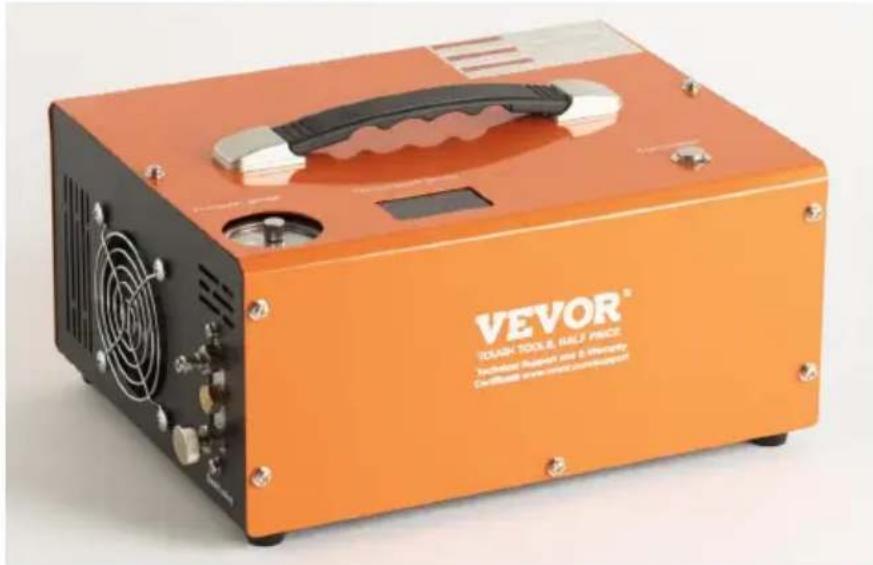
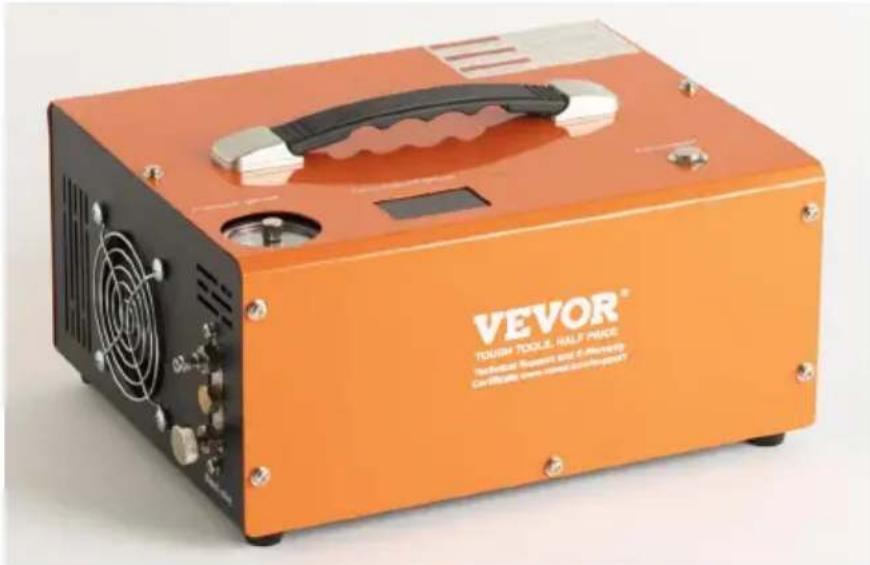
Orange VEVOR TOOL kit with black ventilation grille and metallic handle (no visible text or symbols on body)NEED HELP? CONTACT US!
Have product questions? Need technical support? Please feel fr contact us:
Technical Support and E-Warranty Certificate www.vevor.com/support
This is the original instruction, please read all manual instruction carefully before operating. VEVOR reserves a clear interpretation user manual. The appearance of the product shall be subject to product you received. Please forgive us that we won't inform you there are any technology or software updates on our product.
 | Warning-To reduce the risk of injury, user must re instructions manual carefully. |
 | CORRECT DISPOSALThis product is subject to the provision of European D 2012/19/EC. The symbol showing a wheelie bin cros through indicates that the product requires separate re collection in the European Union. This applies to the and all accessories marked with this symbol. Products as such may not be discarded with normal domestic w must be taken to a collection point for recycling electr electronic devices |
IMPORTANT SAFEGUARDS
- Portable PCPAir Gun Compressor can operate with either 220v/110v, (adjustable) power, or DC 12VVehicle power. Leads for both systems
- NEVER start the Portable compressor without first having started its cooling fan.
- The Portable compressor is designed to directly fill airguns with an integral cylinder or buddy-bottle air source up to 0.5 litres(500cc) volu should not be used for filling scuba tanks over 500cc. Any damage compressor or PCP airgun caused through incorrect operation or use v not be covered by the warranty.
- The Portable compressor has a MAXIMUM charging pressure of 300E (4,500psi/30MPa) pressure. However, many PCP airguns will have a safe working(operating) pressure that is lower than this - So DO NOT OVER-CHARGE your PCP airgun.
- ALWAYS adhere to the airgun manufacturer's operating instructions when using the Portable compressor to charge your PCP airgun
- It is recommended that you observe the position of the needle on the pressure gauge of the PCP airgun and the unit pressure gauge at the same time during charging. Ensure that the position does not exceed 300BAR(4500psi/30MPa). Stop blowing air when it reaches 280BAR(3750psi/28MPa)
- To avoid the unit overheating, always operate the compressor in a well ventilated space.
- Do not disassemble the main unit of the Portable compressor- there are no user-serviceable parts inside. However, the seals and the filter medium and
filters in the hose assembly can be replaced with the spares provided.
- ALWAYS follow the rudimentary safety procedures when charging your PCP airgun.
- If the supply cord is damaged, it must be replaced by a special assembly available from the manufacturer or its service agent.
- This appliance can be used by children aged from 8 years and a persons with reduced physical, sensory or mental capabilities or lack of experience and knowledge if they have been given supervision or inst concerning use of the appliance in a safe way and understand the h involved. Children shall not play with the appliance. Cleaning and user maintenance shall not be made by children without supervision.
SAVE THESE INSTRUCTIONS
FCC Information
CAUTION:
Changes or modifications not expressly approved by the party responses for compliance could void the user's authority to operate the equipment. This device complies with Part 15 of the FCC Rules. Operation is such as the following two conditions:
1) This product may cause harmful interference.
2) This product must accept any interference received, including interference that may cause undesired operation.
WARNING:
Changes or modifications to this product not expressly approved by the party.responsible for compliance could void the user's authority to oper
the product.
Note:
This product has been tested and found to comply with the limits for Class B digital device pursuant to Part 15 of the FCC Rules, These are designed to provide reasonable protection against harmful interferer in a residential installation.
This product generates, uses and can radiate radio frequency energy, if not installed and used in accordance with the instructions, may cause harmful interference to radio communications. However, there is no guarantee that interference will not occur in a particular installation. If product does cause harmful interference to radio or television reception, which can be determined by turning the product off and on, user is encouraged to try to correct the interference by one or more following measures.
- Reorient or relocate the receiving antenna.
- Increase the distance between the product and receiver.
- Connect the product to an outlet on a circuit different from that to the receiver is connected.
- Consult the dealer or an experienced radio/TV technician for assista
Product parameters
| Model | SS-PAC02A/SS-PAC02B |
| Voltage: | DC 12V for car battery or AC 120V/230V |
| Power | 300W |
| Inflation pressure | 4500Psi / 30Mpa |
| Stop mode | AUTOSTOP |
| Cooling system | Built-in fan cooling |
| Accessories | power cord*1, 8mm Connector*1, Spare Parts Suit*1, Crocodile Pliers*1 Manual*1 |
| Cooling method | Fan Cooled |
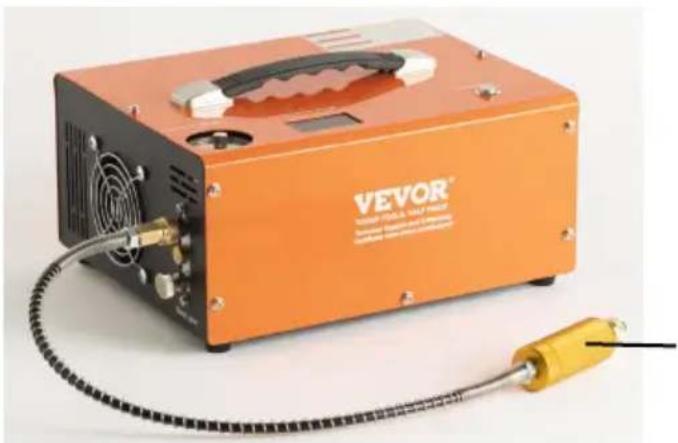
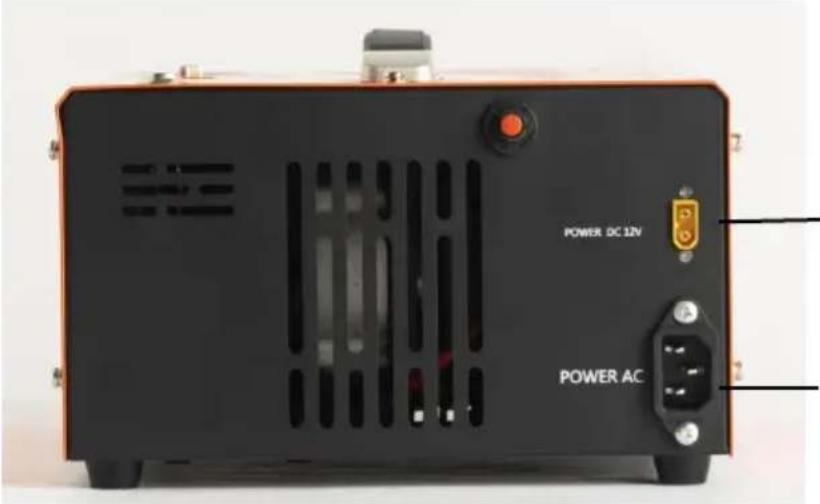
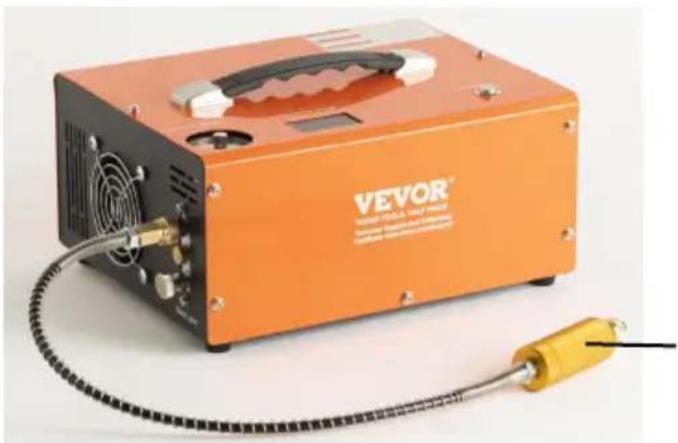
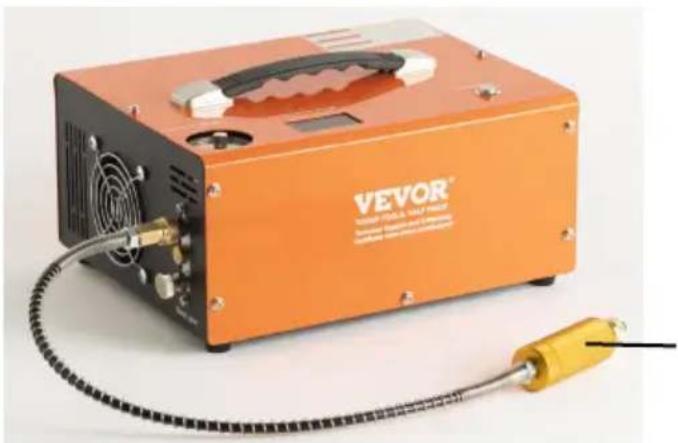
Air line (hose assembly) bleed screw
Assembly Instructions
| 1.First of all, you have to inspe working voltage by checking the button on the bottom of the compressor. | 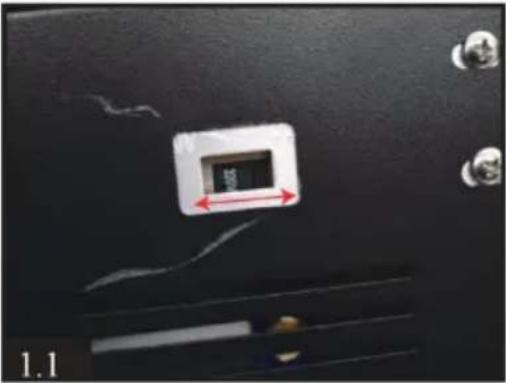 |
| 2.Connect the quick female coup to your Airgun cylinder,Air Bottle Airsoft products. | 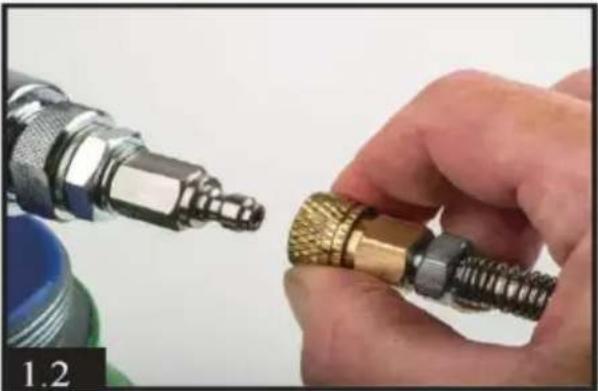 |
| 3) Connect another end foster to output on the front of compresso via a male fitting. Make sure th foster coupling. | 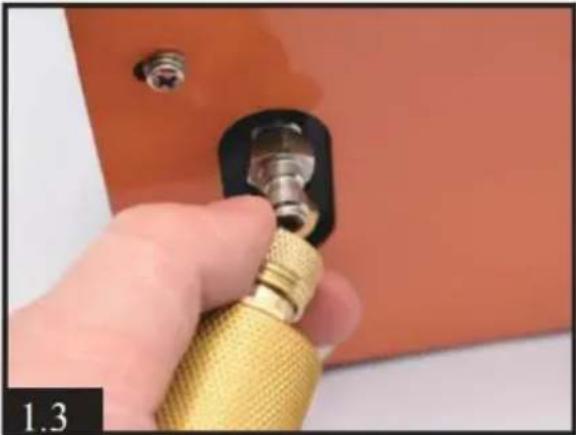 |
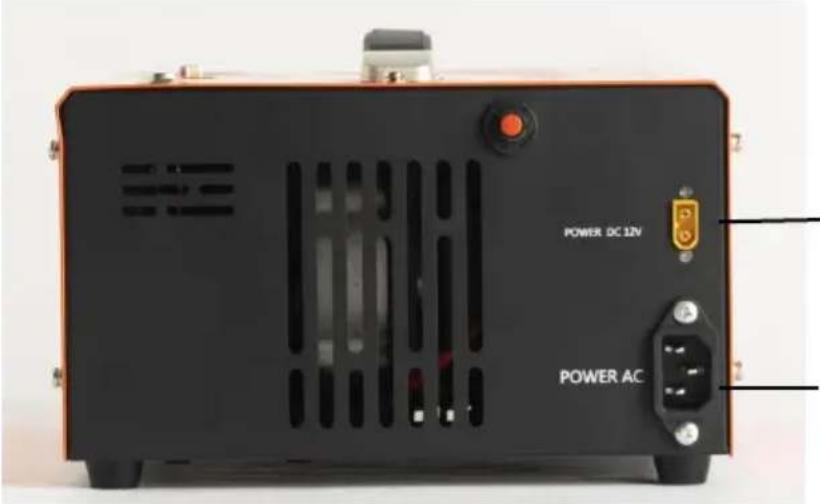
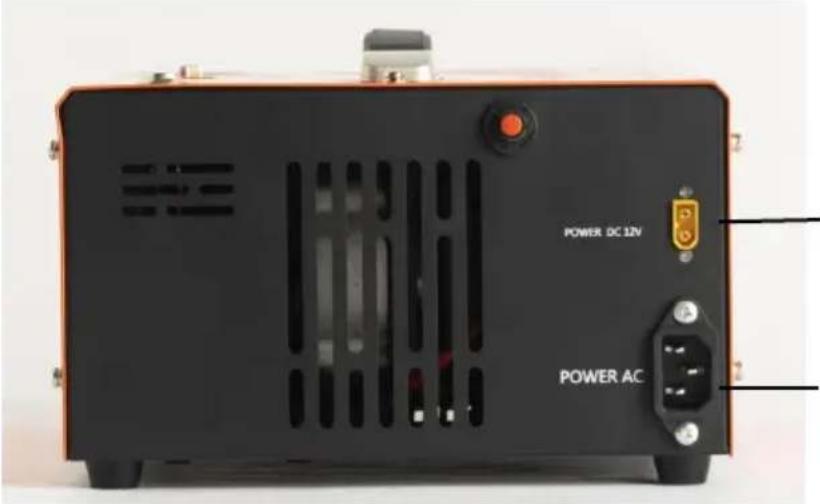
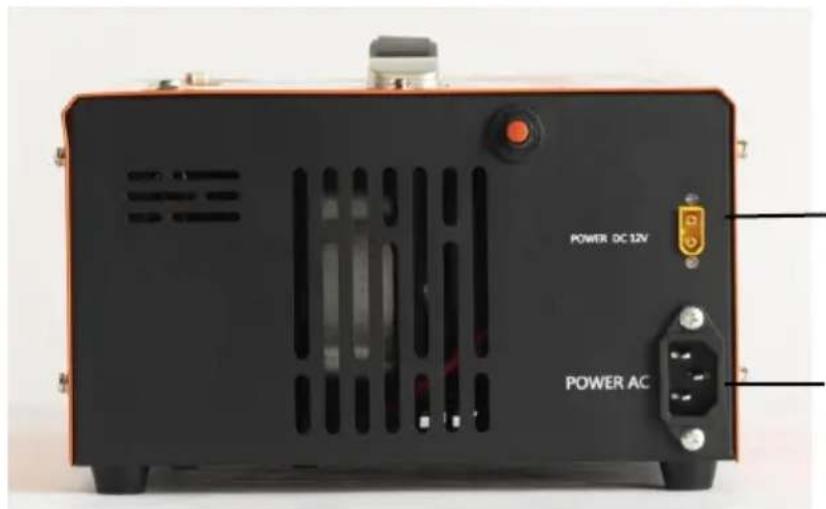
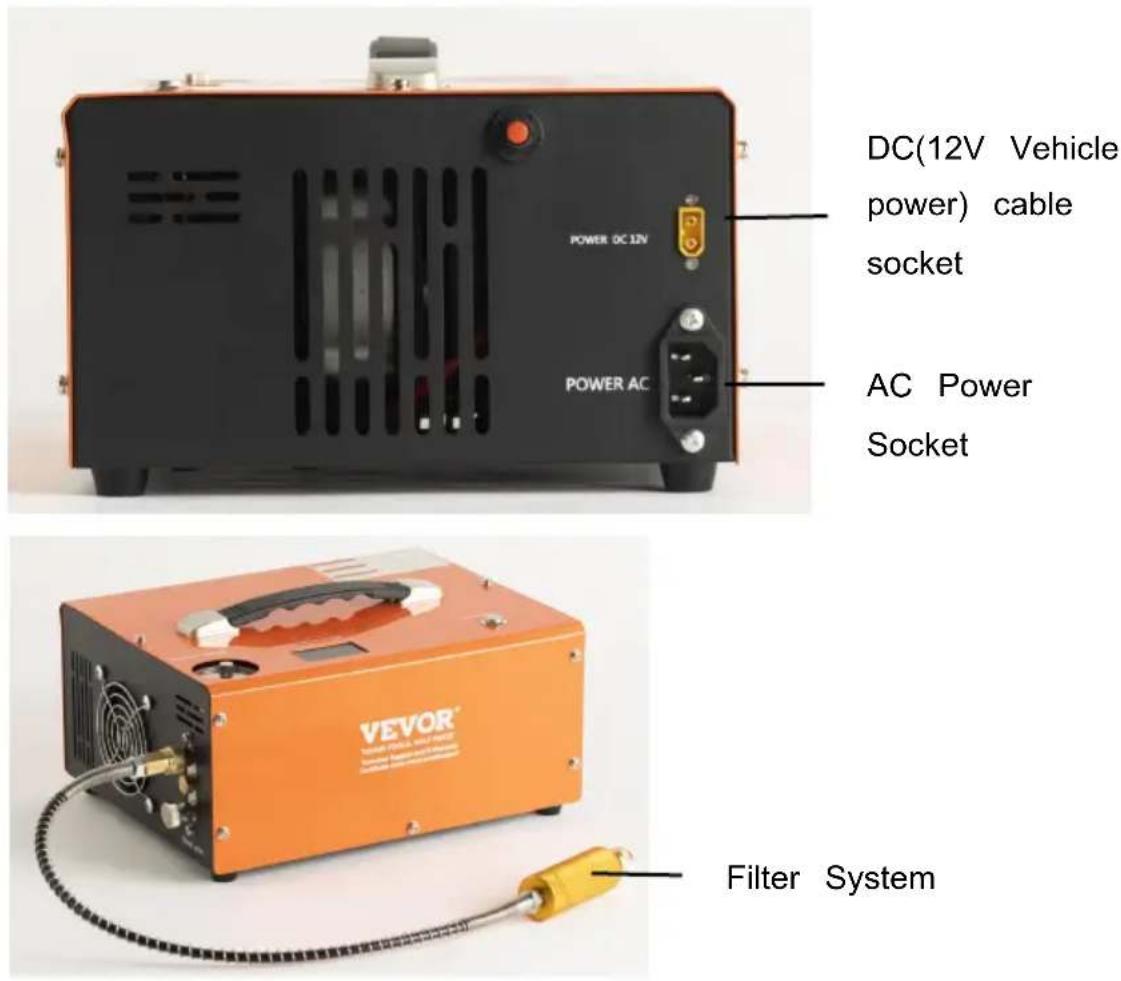
| 4.Connect the supplied AC powe cord to the right-hand side of th main unit and connect the three plug to the mains power outlet. | 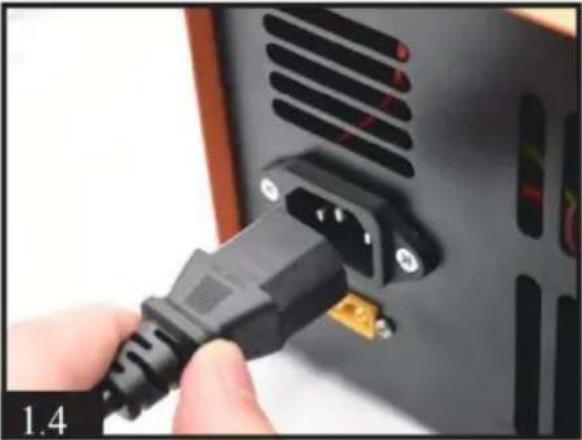 |
| 5.Manually rotate the needle of automatic shut-off system to the pressure you want.WARNING!NEVER overfill the maximum pressure of your cylinder and airgun. The maximum pressure f this compressor is 300bar (30Mpa/4500PSI). | 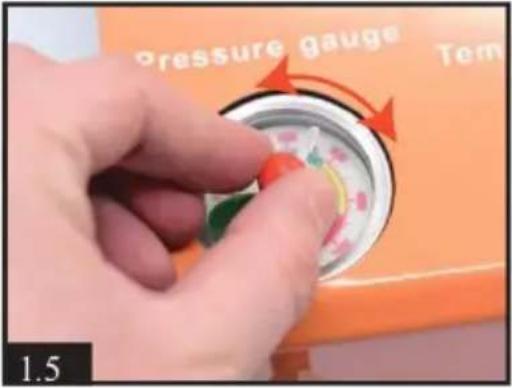 |
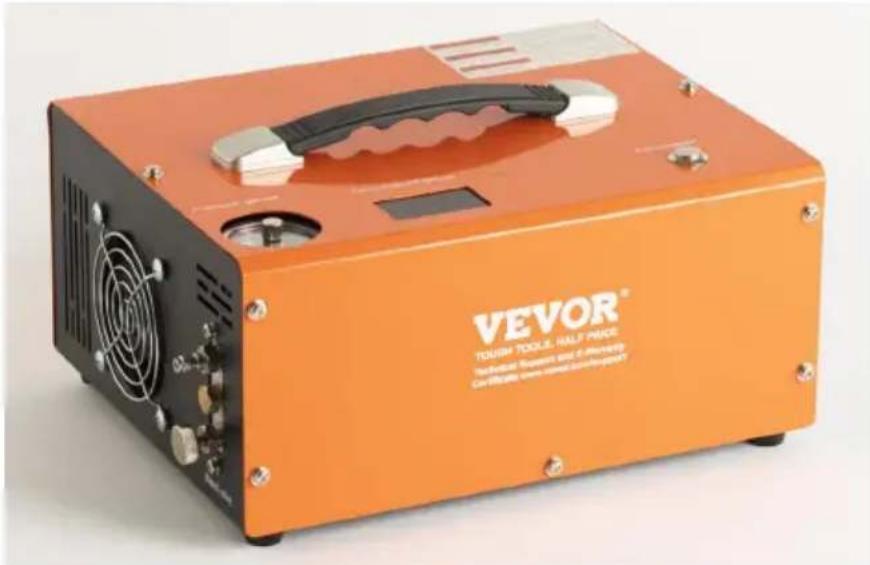
| 6.Press the Compressor button o the top of the compressor to st the cooling fan.ATTENTION! The fan must be running when the compressor is working. | 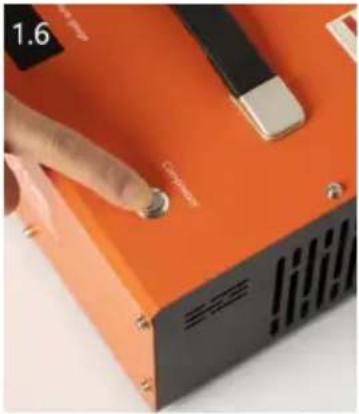 |
| 7.Close the air bleed valve on t front of the main unit by turning clockwise. It need only be finger tight. | 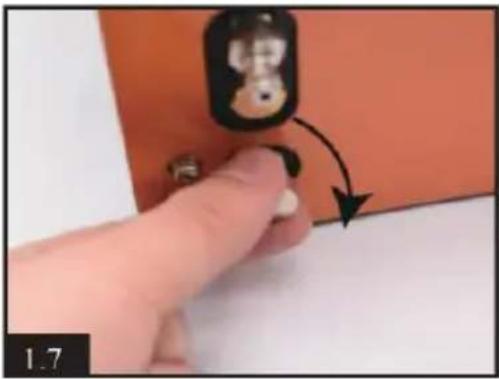 |
| 8.Finally, press the POWER but on the top of the main unit. T compressor unit will audibly star up and the charging process w begin. |  |
Using DC 12V Car Battery Power
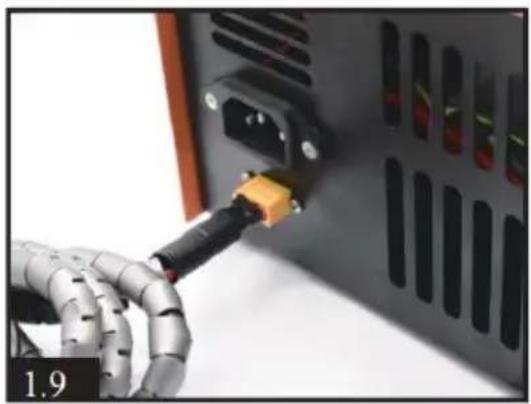
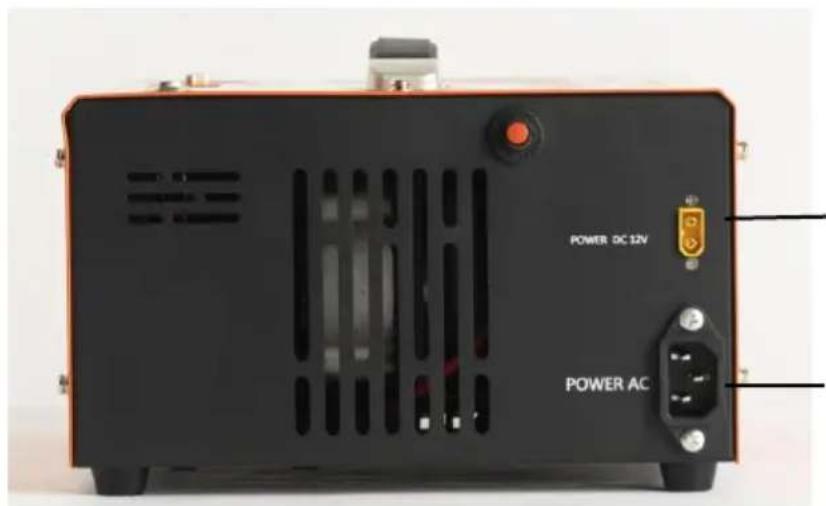
- Insure the car engine is running. Connect the supplied DC power cable to the right side of 12v socket.
natural_image
Close-up of a robotic hand inserting a USB into a server rack (no visible text or symbols)Connect the red clip at the other end of this cable to the positive terminal of the car's12-volt battery. Then connect the black to the battery's negative (-) terminal.
The rest operation is same as 6 on page 5
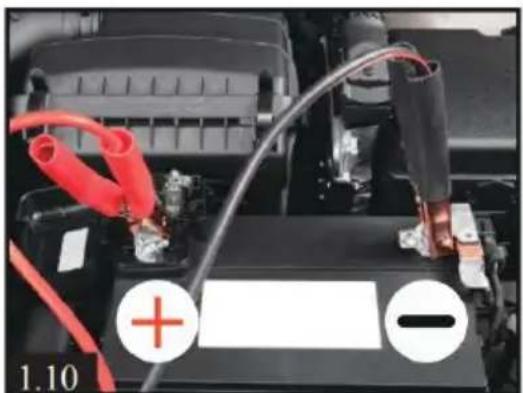
natural_image
Close-up of a car battery with red and black components, showing wiring and a battery plate (no text or symbols visible)NOTE:
If the working temperature exceeds 80 degrees Celsius, the core MUST be manually switched off, you can press the POWER but make the compressor stop working. Keep the cooling fan left right. Restart the compressor function once the compressor has cooled. The compressor will be auto shut-off every 30 minutes to prevent overload and overheat. You can restart the compressor by pressing POWER button again if air filling not finished.
Routine Maintenance
Note: we suggest you can do maintenance by changing o-rings and clearing dirt every 50 pieces 500cc bottle filling or cumulative working hours.
Insure all power is disconnected before maintenance!
| 1. Loosen all 12 pieces screw the cabinet. (5 pieces on fron pieces on rear and 2 pieces top). Pick up the whole met cabinet carefully and slowly. B careful the internal wires. | 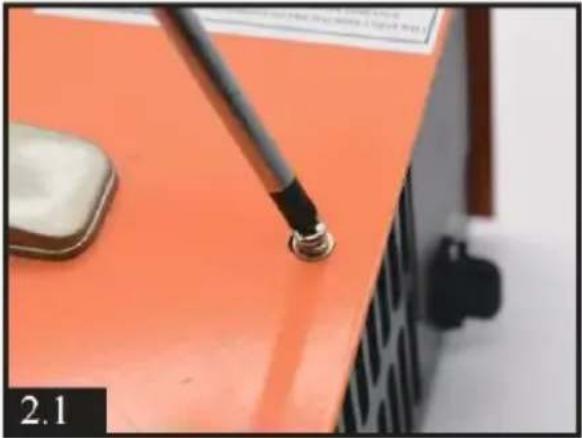 |
| 2.Loosen the temperature sens wire screw on the cylinder. | 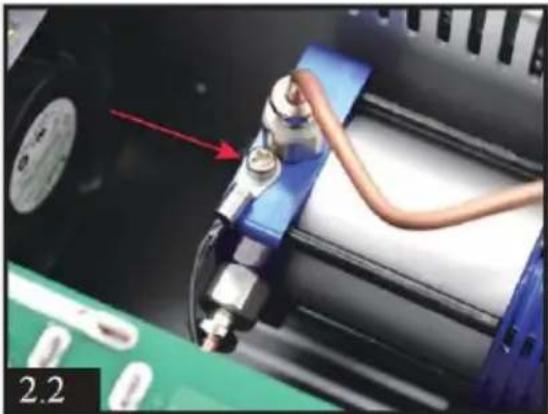 |
| 3.Loosen the 2 pieces screws the left of display. | 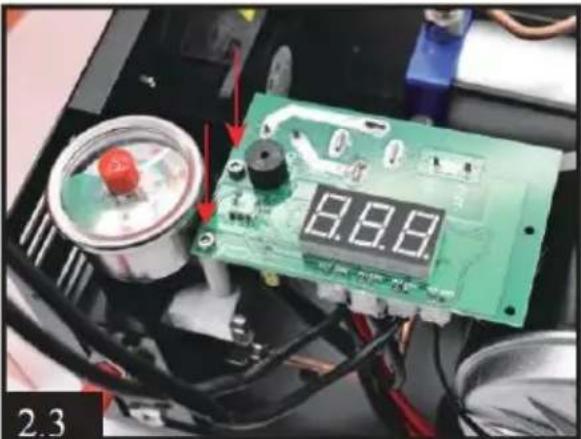 |
| 4.Loosen the 2 pieces screws motor's red positive wire (OUT and black negative wire(OUT-). | 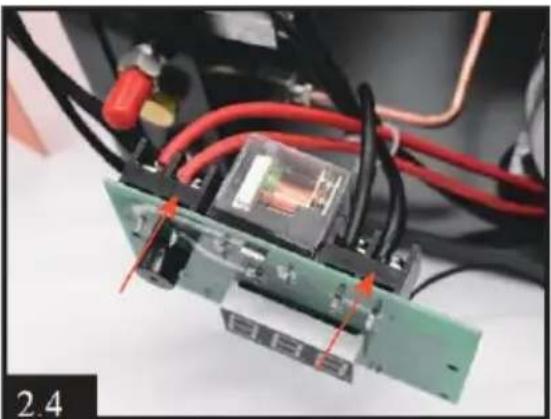 |
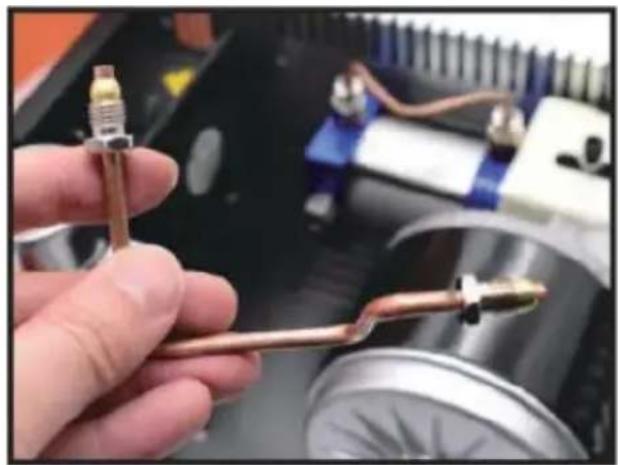
- Loosen the 2 pieces screws of condensation tube.
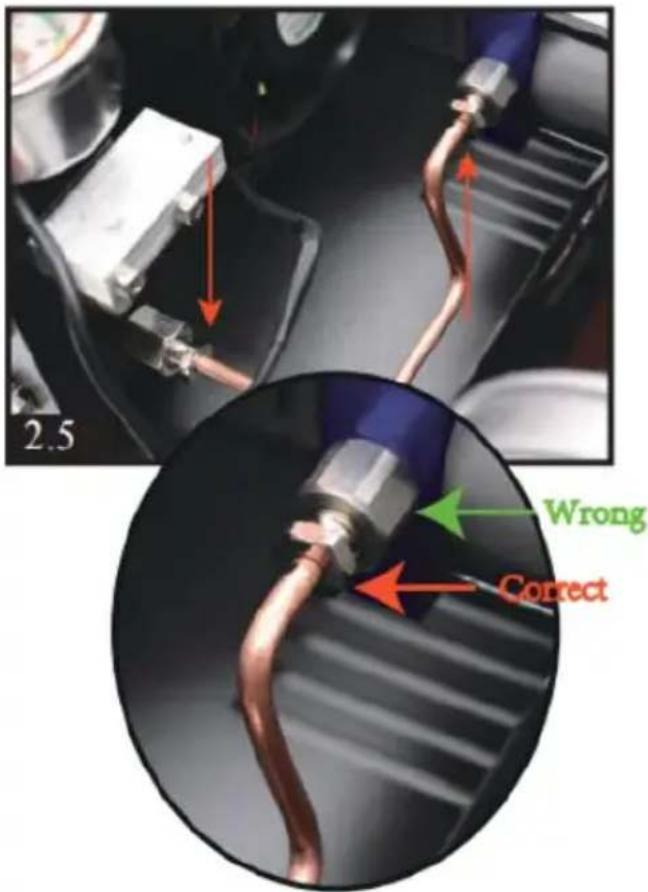
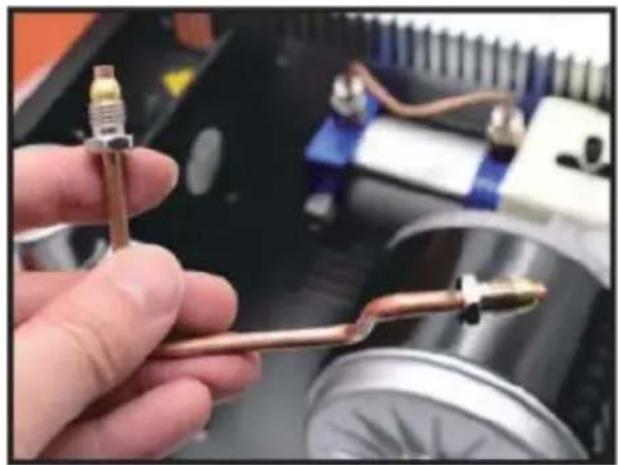
natural_image
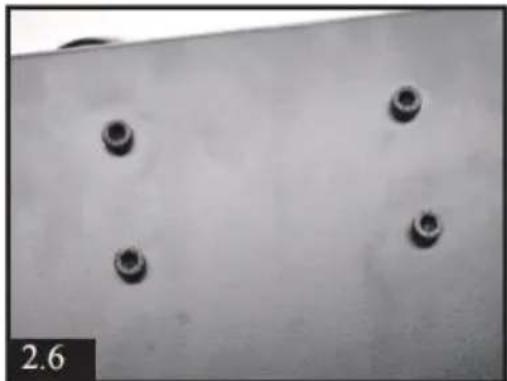
Close-up of a hand holding a copper-colored tool against a blurred industrial background (no visible text or symbols)- Loosen the 4 pieces motor screws on the bottom of compressor.
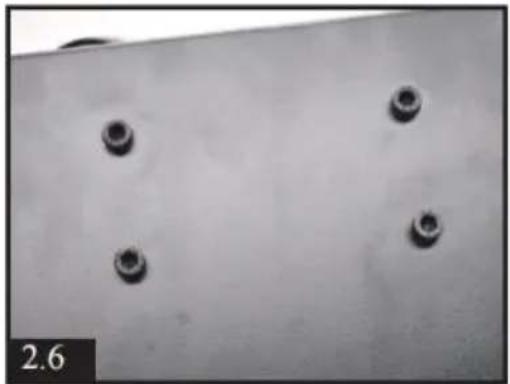
natural_image
Close-up of four small circular indentations on a plain white surface, with no visible text or symbols.7) You will have the whole n and cylinder after above operation. Then loosen the 2 pieces screws of condensation tube on the cylinder.
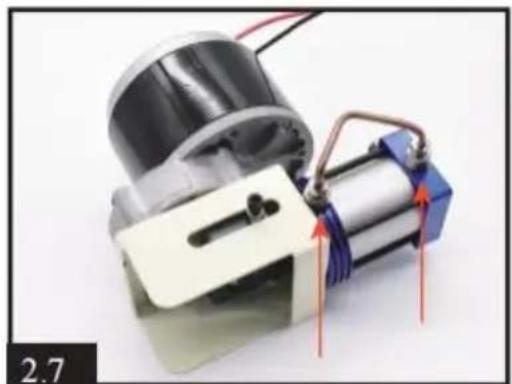
natural_image
Close-up of a mechanical assembly with a motor and coiled spring, no visible text or symbols| 8. Same as STEP 5, need to loosen the smaller screw near the outside, NOT the bigger o | 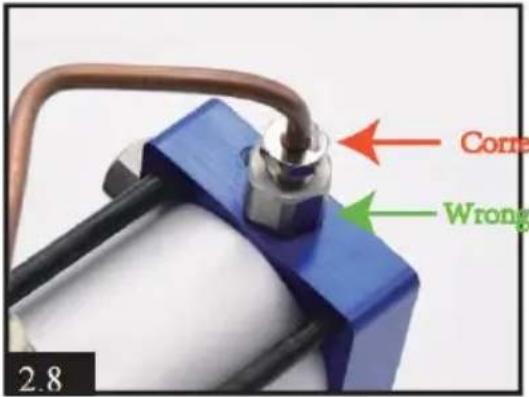 |
| 9.Loosen the 2 pieces black screws by using a hex screwdriver on end of piston | 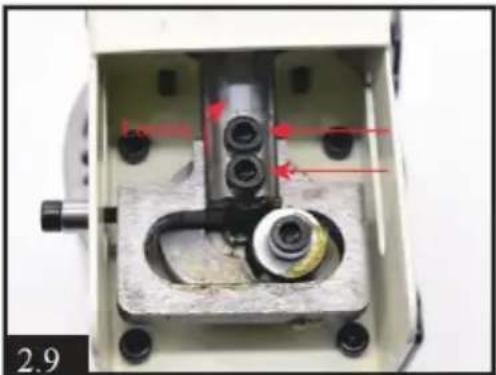 |
| 10.Loosen the 4 pieces screws on the cylinder top.You will have whole cylinder part. | |
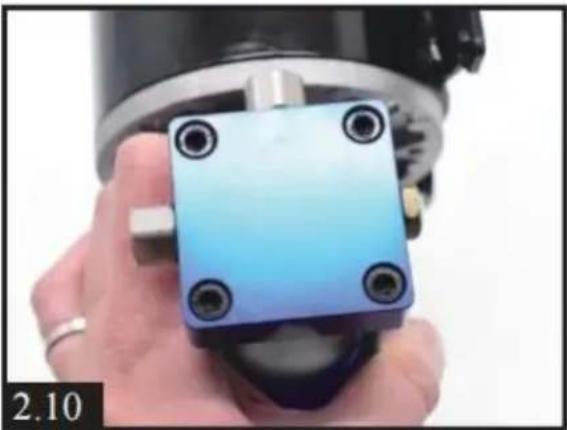 |  |
| 11. Take off the round shape metal part, clean all dirt and ch or-rings damaged.After cleaning and changing o-rings, You can apply some silicone oil or engine oil on inner o-ring. | |
 | 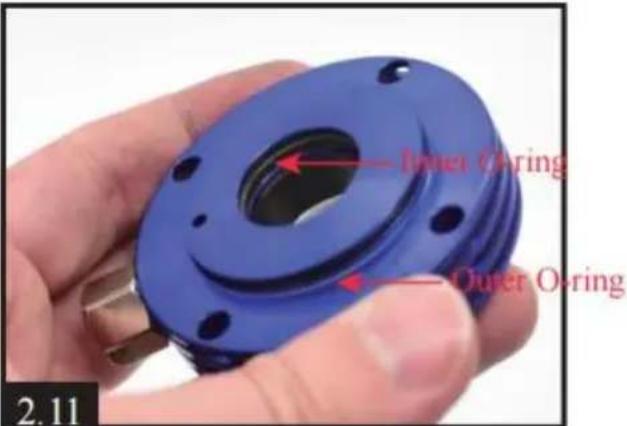 |
| 12.Take off the column metal part, clean all dirt and evenly apply some silicone oil or eng oil on inside. | 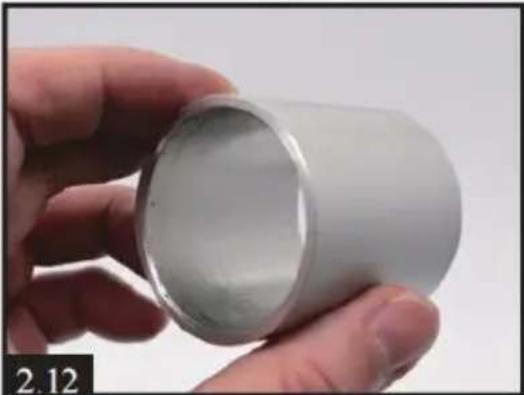 |
| 13) Separating the piston and square metal part. Clean all c and check if any o-rings damaged.It is normal if you find the li gray O-ring disconnected. | 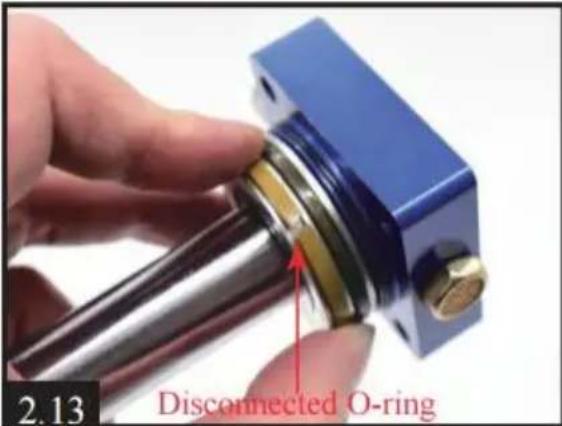 |
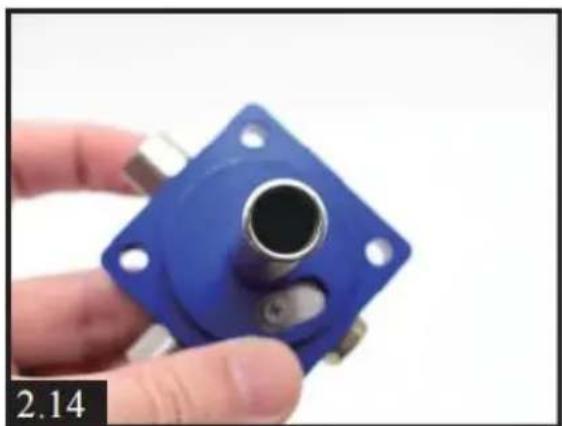
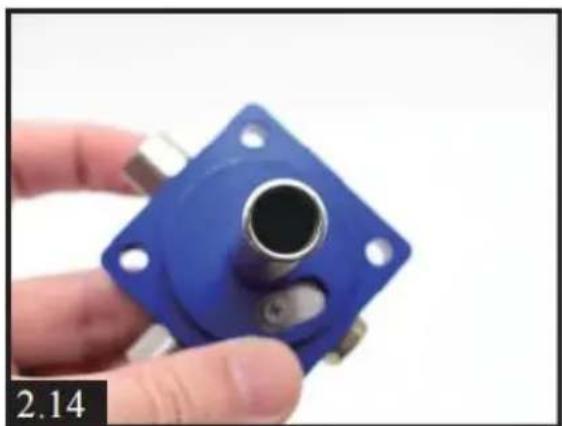
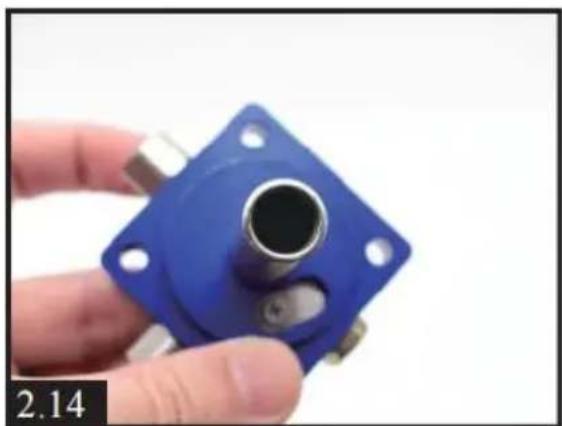
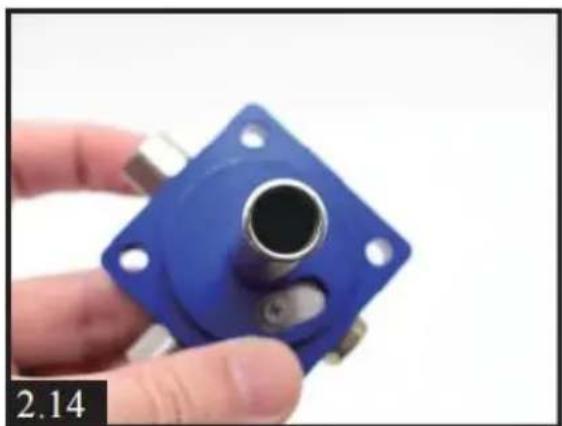
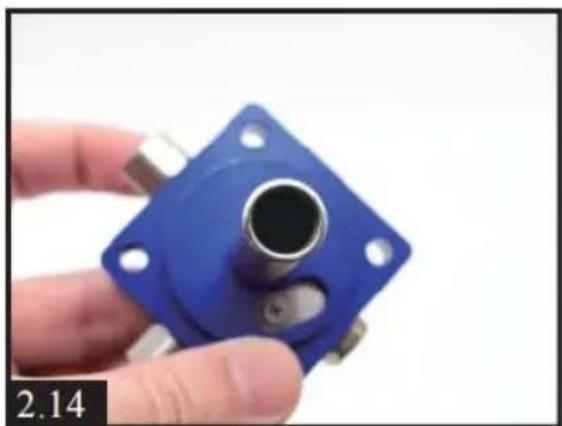
| 14) Cleaning up the dirt insid square part. | 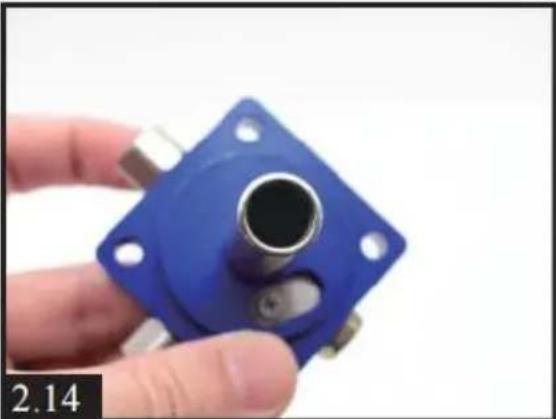 |
| 15.Loosen the screw of one-w metal sheet. Cleaning dirt, put back the sheet and tighten th screw.IMPORTANT: don't over-tighten the screw, air needs to come from inside. | 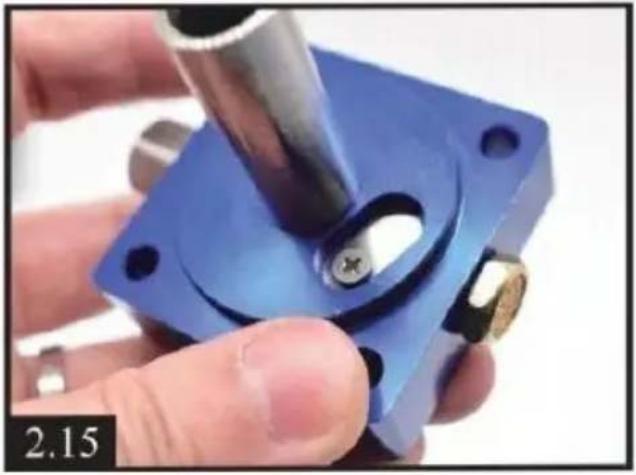 |
| 16) Loosen the one-way screw, you will find a one-way valve Cleaning up the dirt and check if any damages on spring and | |
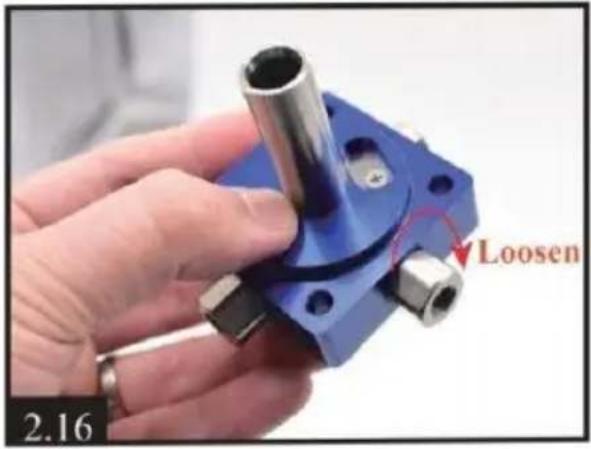 | 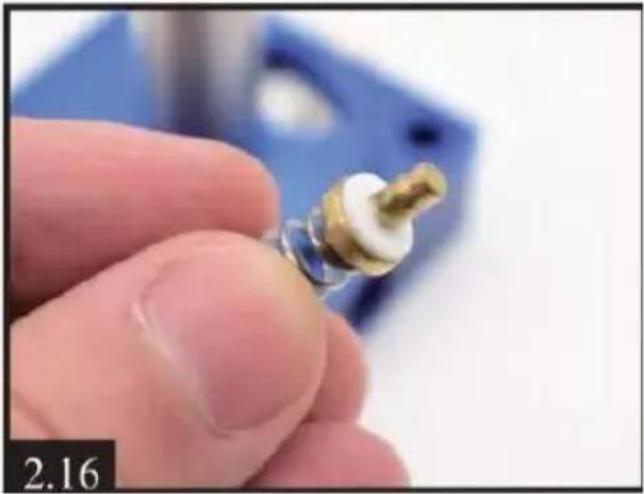 |
| 17.After cleaning, put back the valve. Please note the metal faces inward, and the spring faces outward like [2.17].Tighte the screw, which need to be tightened a bit. | 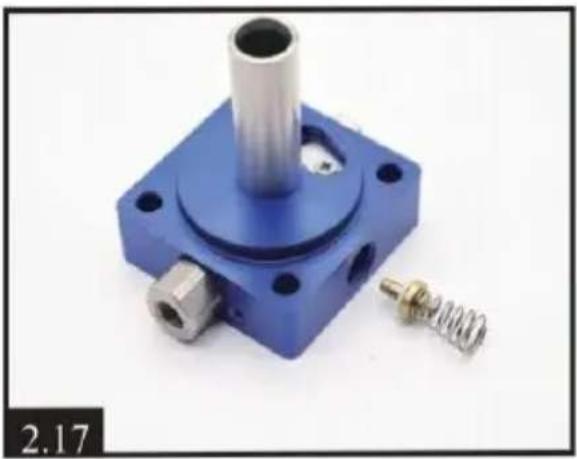 |
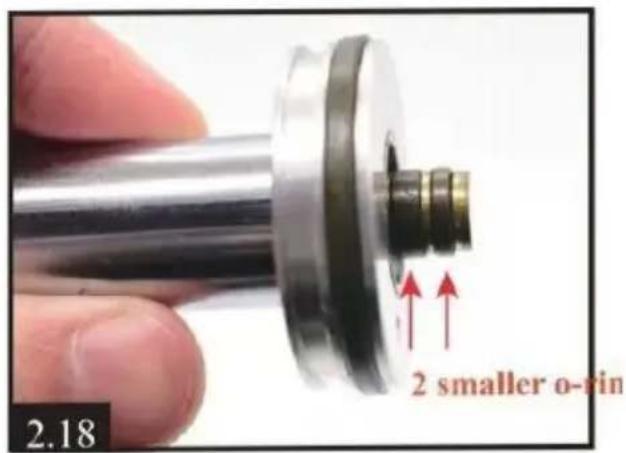
18) Check if any damages or piston o-rings. You can evenly apply some silicone oil or eng oil on 2 smaller o-rings. Above is all the maintenance content! In order to assemble back smoothly, we suggest that you can browse the video who operating Video via Youtube -https://youtu.be/jeKo7dqSfnM
Assembly
- Setting the piston into the column metal part. Keep the bottom of the piston flush v the column part.
natural_image
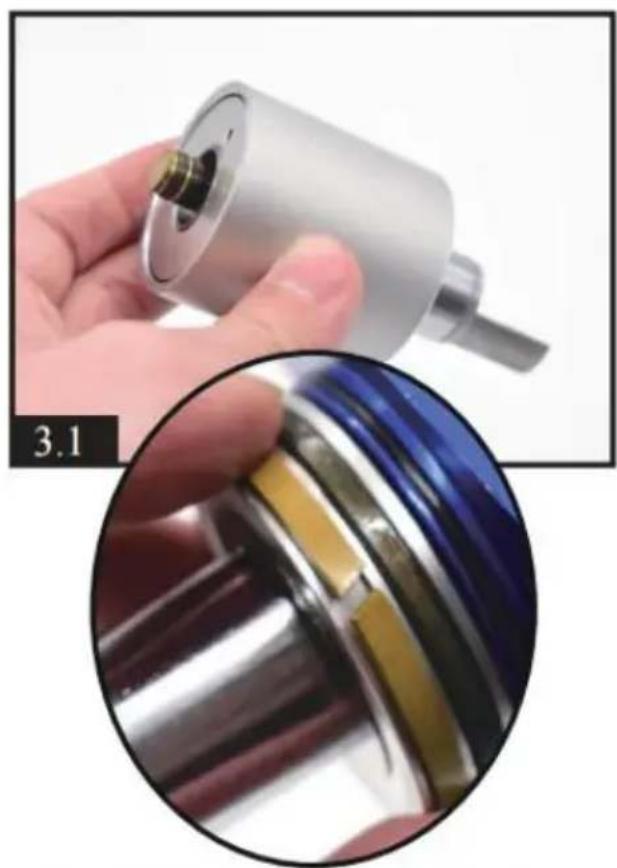
Close-up of a hand holding a metallic mechanical component, with a close-up inset showing a close-up of a cylindrical component (no visible text or symbols)Don't forget the light crack o-ring
| 2) Setting the round shape part into the column metal part. | 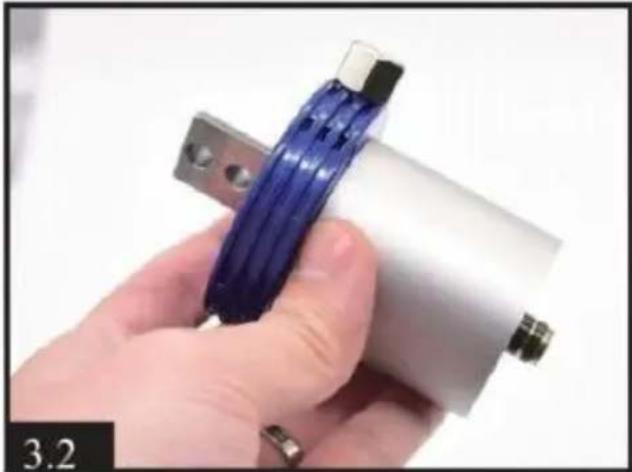 |
| 3. Setting the square part in another end of round part. Make sure there are no ga between each parts. | 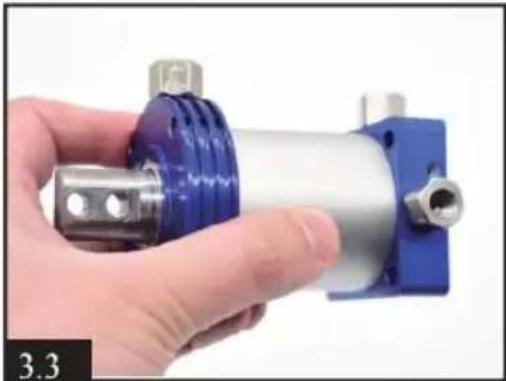 |
| 4.Using a tool to move the piston back and forth and rotate to make the internal evenly spread.3-4 times will fine. | 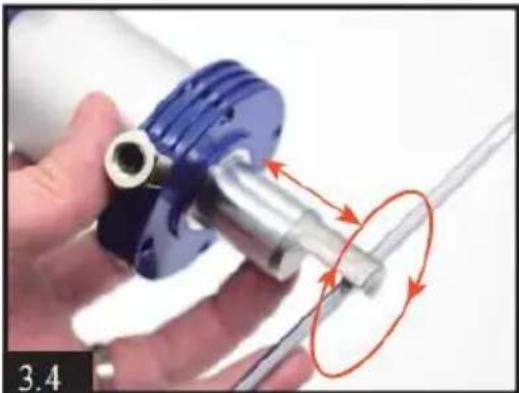 |
| 5.By turning square,round shape part and piston, make the cylinder looks same as [3.5]. Please note the direct of each screw and piston rod.Pull the piston rod distar to the longest. | 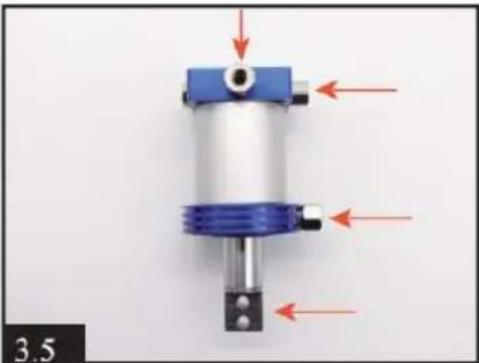 |
| 6.Install the cylinder and the motor together, tighten 4 bla screws.Be attention to the direction the 3 screws of the red an | 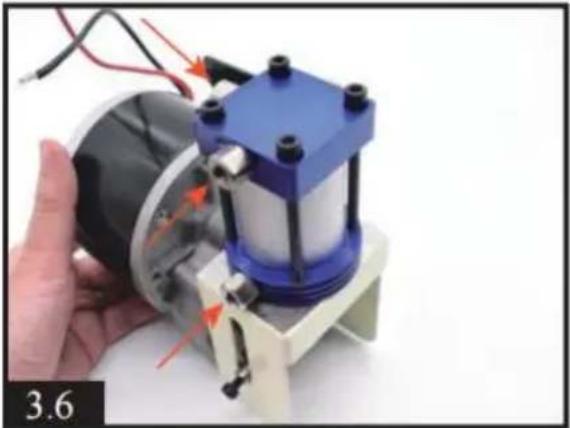 |
| 7.Tighten the 2 black screws on piston rod and motor ro Note:you can adjust the position by gently rotating th motor screw with a hexagon screwdriver; which is convenient for the installation of 2 black screws. | 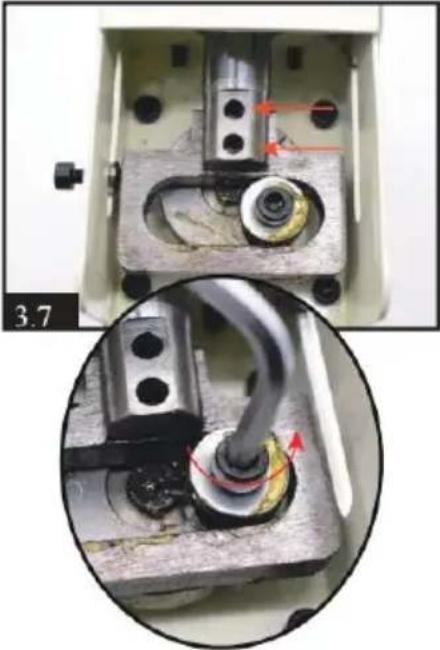 |
| 8) Install condensation tube cylinder. | 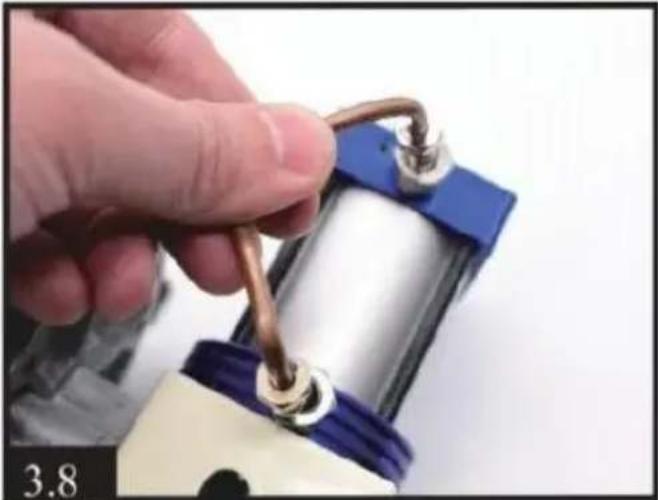 |
| 9.Setting back the motor an cylinder. Tighten 4 black screws with motor on the bottom of compressor. | 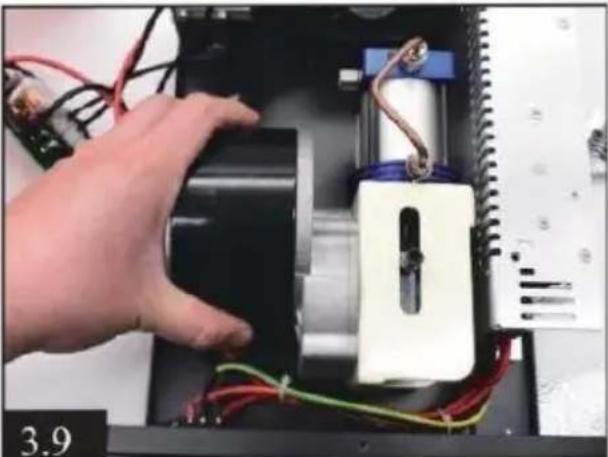 |
| 10) Install another condensation tube. | 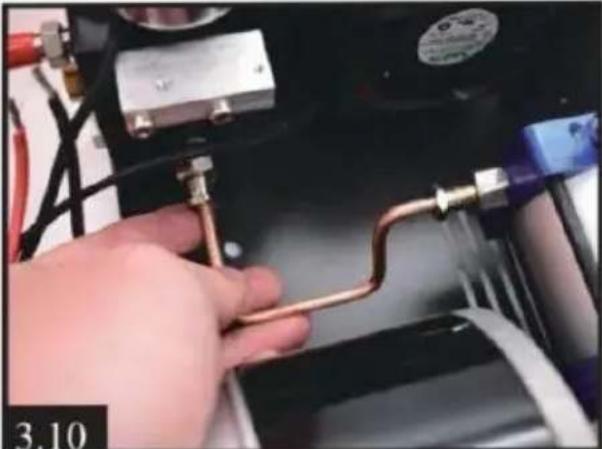 |
| 11.Setting back the motor w into display. Red to OUT+ black to OUT - | 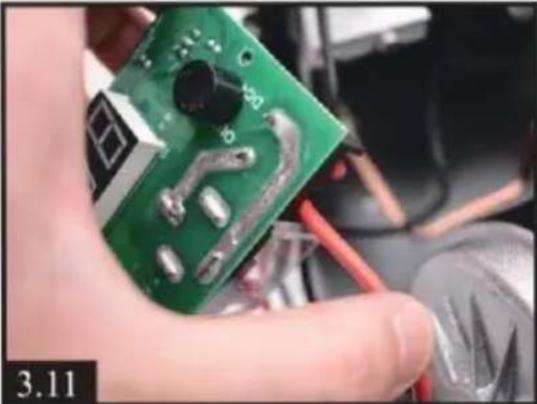 |
| 12) Setting back temperature sensor wire on the cylinder. | 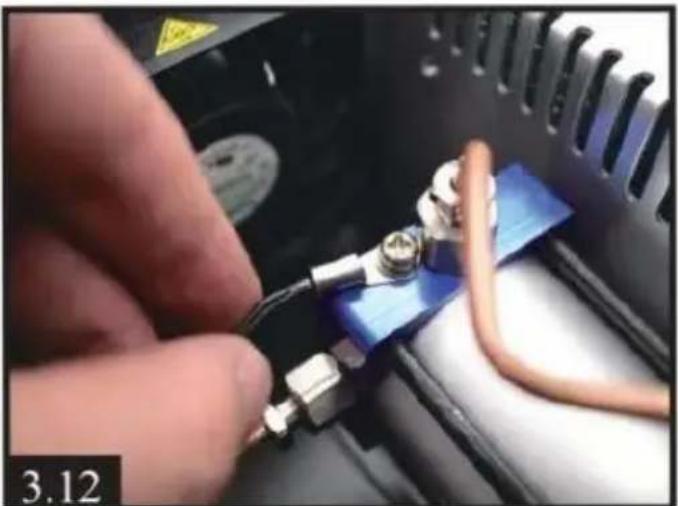 |
| 13) Setting back the display | 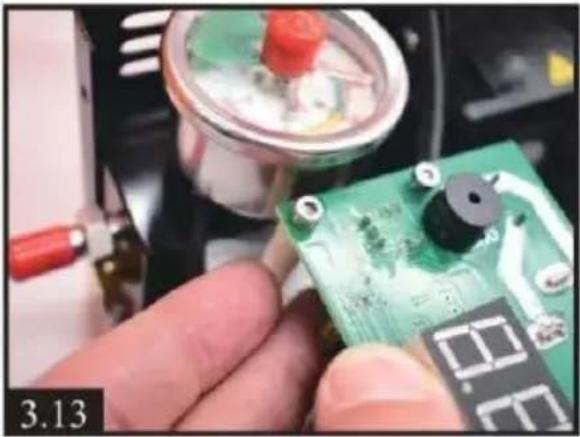 |
Troubleshooting
E0- The temperature sensor is faulty.
E1- Automatically stops when the temperature exceeds 85^ C.
E2- voltage is lower than 9.8V.
E3- The pressure button is faulty.
E4-Working time limit and pressure reach automatic stop.
VEVOR®
TOUGH TOOLS, HALF PRICE
Technical Support and E-Warranty Certificate
www.vevor.com/support
Made In China
VEVOR®
TOUGH TOOLS, HALF PRICE
We continue to be committed to provide you tools with competitive price. "Save Half", "Half Price" or any other similar expressions used by us only represent estimate of savings you might benefit from buying certain tools with us compared top brands and does not necessarily mean to cover all categories of tools offered are kindly reminded to verify carefully when you are placing an order with us actually saving half in comparison with the top major brands.
MODÈLE : SS-PAC02A/SS-PAC02B
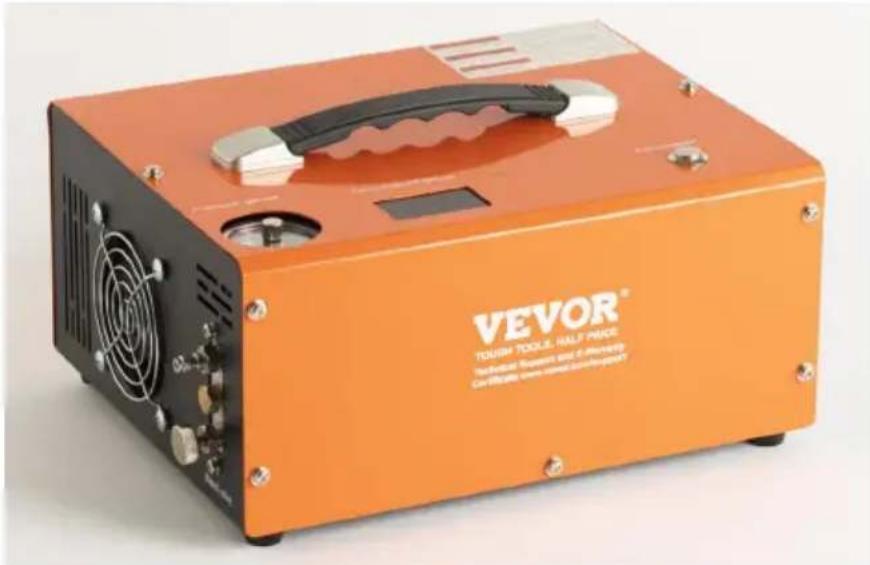
NEED HELP? CONTACT US!
Have product questions? Need technical support? Please feel fr contact us:
Technical Support and E-Warranty Certificate www.vevor.com/support
This is the original instruction, please read all manual instruction carefully before operating. VEVOR reserves a clear interpretation user manual. The appearance of the product shall be subject to product you received. Please forgive us that we won't inform you there are any technology or software updates on our product.
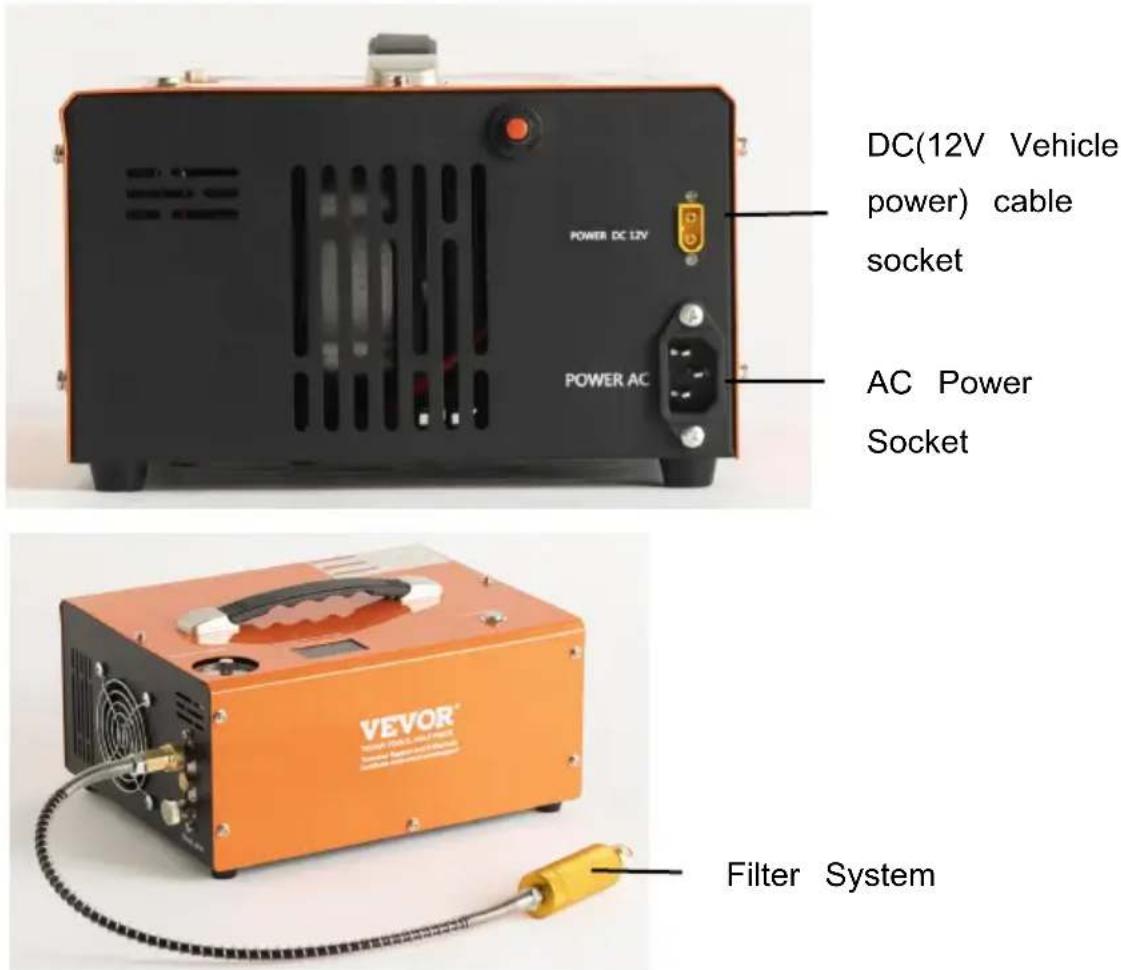
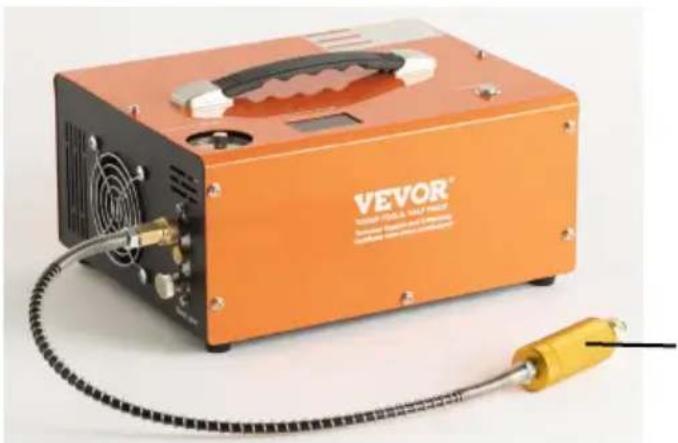
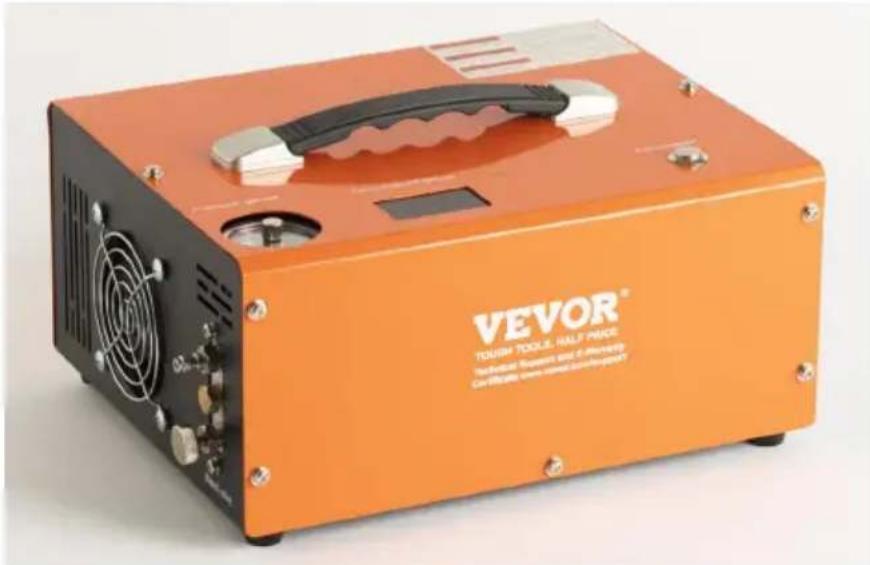
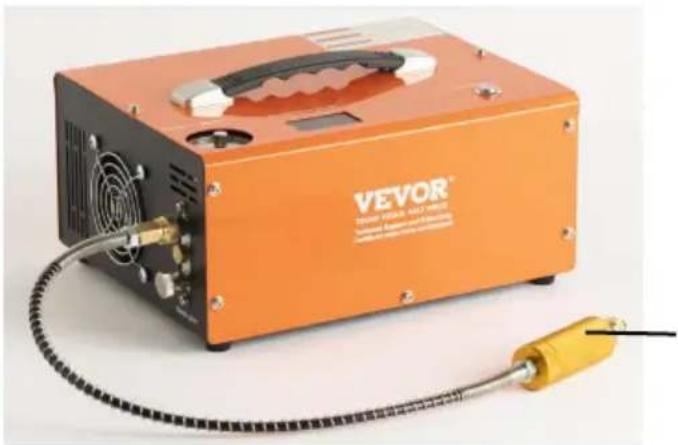
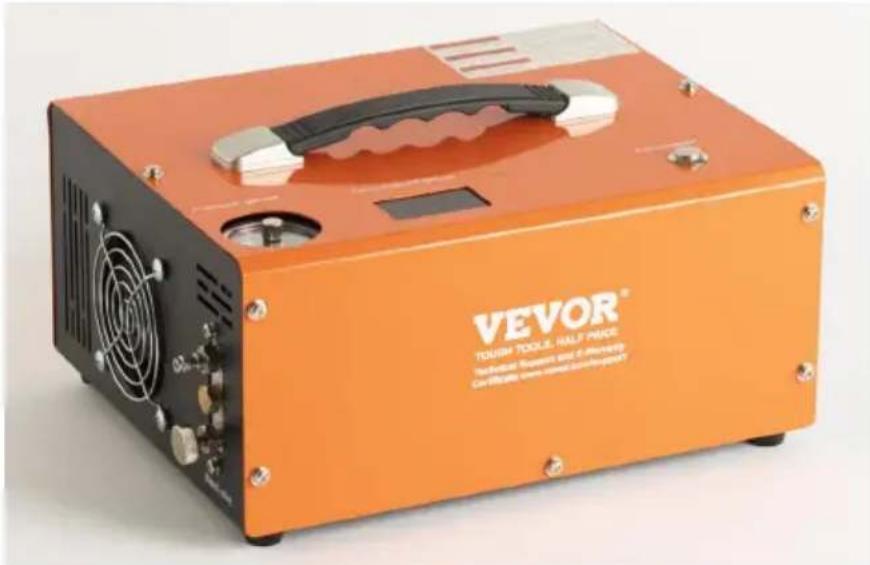
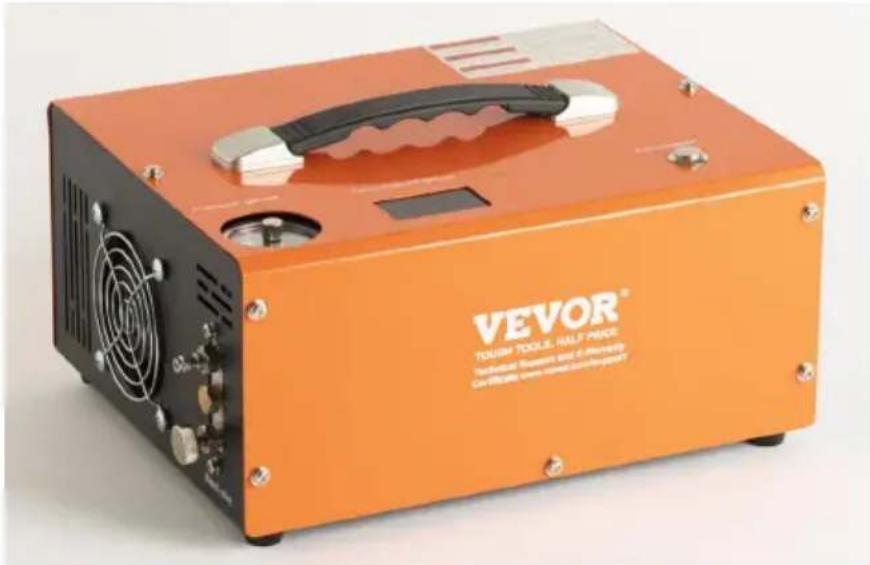
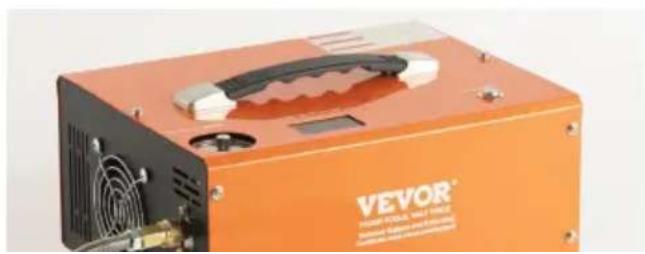
Foster-type quick-fit air line
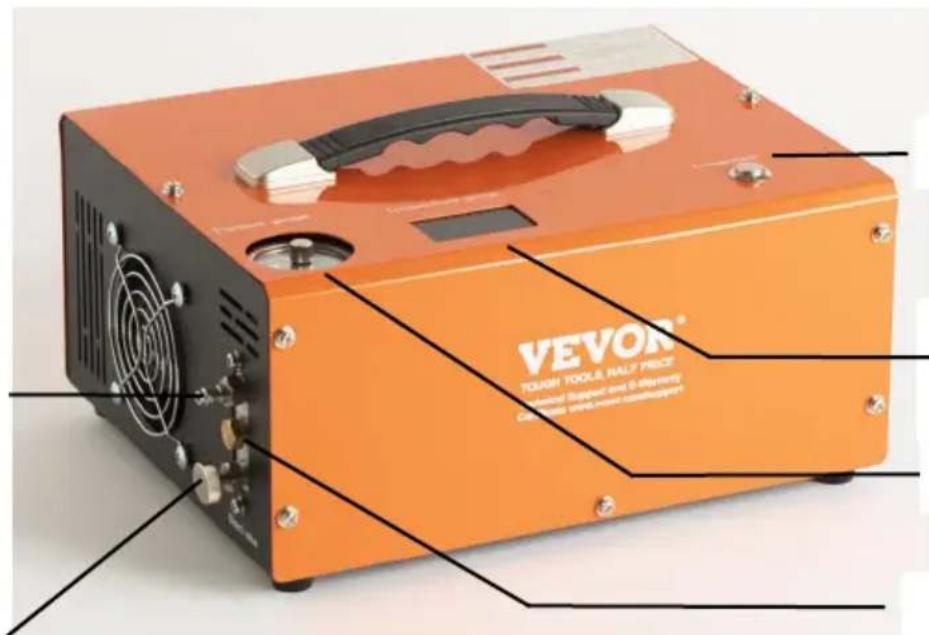
Power Switch
Temperature
Display
Pressure gauge
Protection Valve
Air line (hose assembl bleed screw
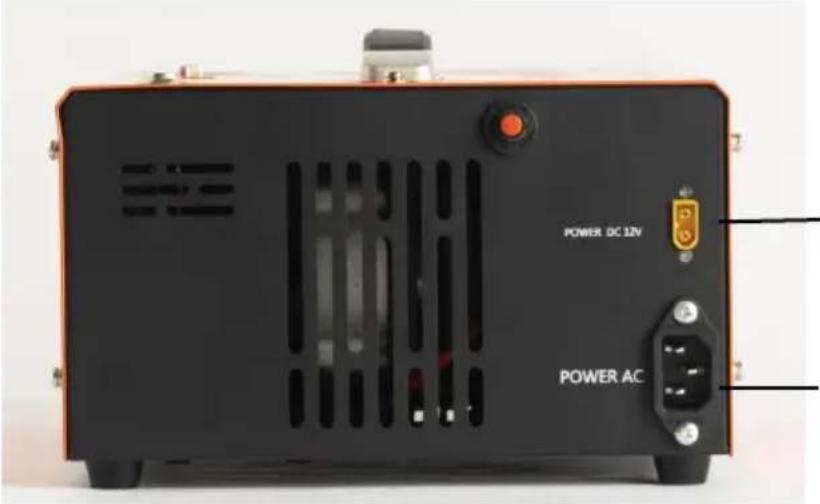
DC(12V Vehicle
power) cable
socket
AC Power
Socket
natural_image
Orange VEVOR industrial testing device with attached yellow sensor and cable (no visible text or symbols on body)Filter System
natural_image
Close-up of a black electronic component with a small square button labeled 'MOS' and red double-headed arrow, mounted on a dark surface (no readable text or symbols)natural_image
Close-up of automotive electrical connectors and wiring (no visible text or symbols)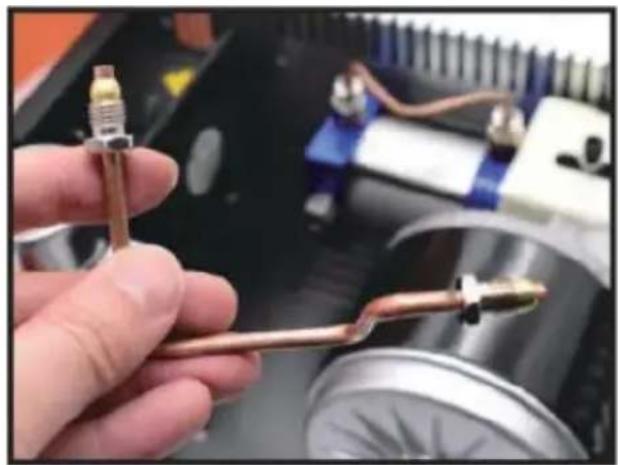
natural_image
Close-up of a hand holding a copper-colored tool against a blurred industrial background (no visible text or symbols)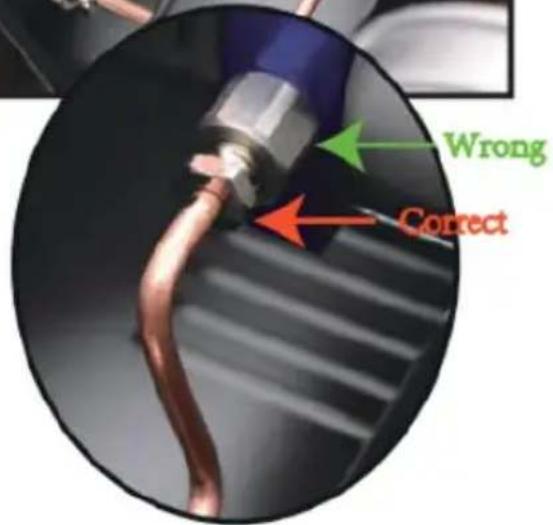
natural_image
Close-up of four small circular indentations on a plain white surface, with page number 2.6 in corner (no text or symbols on main subject)natural_image
Close-up of a mechanical assembly with a motor and coiled spring, no visible text or symbolsnatural_image
Hand holding a blue mechanical component next to a metallic cylindrical assembly (no visible text or symbols)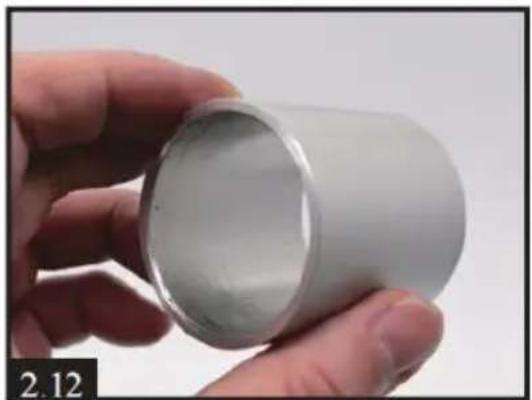
natural_image
Hand holding a white cylindrical object, no visible text or symbols on the object itself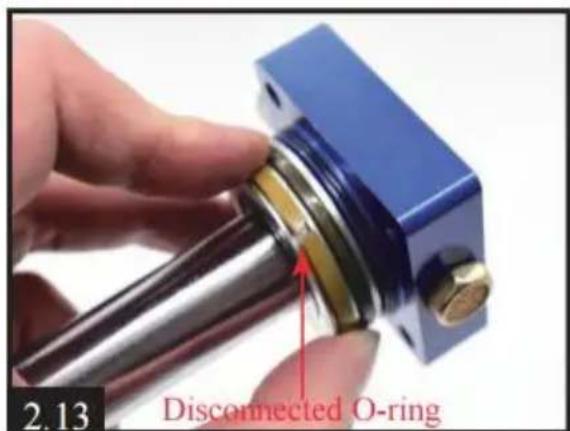
natural_image
Close-up of a blue mechanical component with a central bore and four mounting holes, held by a hand (no text or symbols visible)natural_image
Close-up of a hand holding a metallic mechanical component, with a close-up inset showing a close-up of a blue and gold-colored ring (no text or symbols visible)Don't forget the light crack o-ring
www.vevor.com/support
Fabriqué en Chine
VEVOR®
TOUGH TOOLS, HALF PRICE
We continue to be committed to provide you tools with competitive price. "Save Half", "Half Price" or any other similar expressions used by us only represent estimate of savings you might benefit from buying certain tools with us compared top brands and does not necessarily mean to cover all categories of tools offered are kindly reminded to verify carefully when you are placing an order with us actually saving half in comparison with the top major brands.
MODELL: SS-PAC02A/SS-PAC02B
NEED HELP? CONTACT US!
Have product questions? Need technical support? Please feel fr contact us:
Technical Support and E-Warranty Certificate www.vevor.com/support
This is the original instruction, please read all manual instruction carefully before operating. VEVOR reserves a clear interpretation user manual. The appearance of the product shall be subject to product you received. Please forgive us that we won't inform you there are any technology or software updates on our product.
Air line (hose assembly bleed screw
DC(12V Vehicle
power) cable
socket
AC Power
Socket
natural_image
Orange VEVOR industrial testing device with attached yellow sensor and cable (no visible text or symbols on body)Filter System
Montageanleitungen
natural_image
Close-up of a black electronic component with a small rectangular slot and red directional arrows, labeled '1.1' at bottom left (no readable text or symbols on main subject)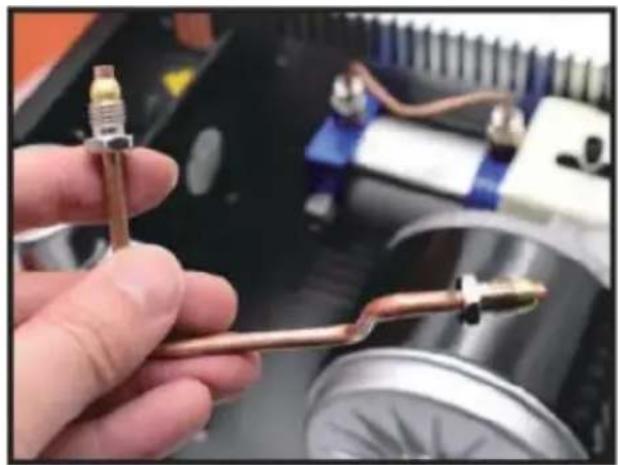
natural_image
Close-up of a hand holding a copper-colored tool against a blurred industrial background (no visible text or symbols)natural_image
Close-up of four small circular indentations on a plain white surface, with page number 2.6 in corner (no text or symbols on main subject)natural_image
Close-up of a mechanical assembly with a motor and coiled components, no visible text or symbolsnatural_image
Hand holding a blue mechanical component next to a metallic cylindrical assembly (no visible text or symbols)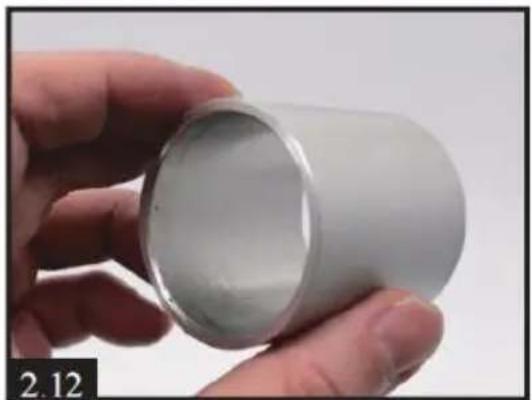
natural_image
Hand holding a white cylindrical object, no visible text or symbols on the object itself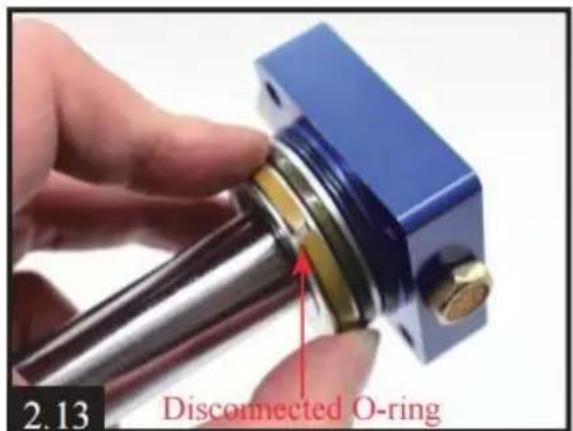
www.vevor.com/support
We continue to be committed to provide you tools with competitive price. "Save Half", "Half Price" or any other similar expressions used by us only represent estimate of savings you might benefit from buying certain tools with us compared top brands and does not necessarily mean to cover all categories of tools offered are kindly reminded to verify carefully when you are placing an order with us actually saving half in comparison with the top major brands.
MODELLO: SS-PAC02A/SS-PAC02B
NEED HELP? CONTACT US!
Have product questions? Need technical support? Please feel fr contact us:
Technical Support and E-Warranty Certificate www.vevor.com/support
This is the original instruction, please read all manual instruction carefully before operating. VEVOR reserves a clear interpretation user manual. The appearance of the product shall be subject to product you received. Please forgive us that we won't inform you there are any technology or software updates on our product.
Air line (hose assembl: bleed screw
DC(12V Vehicle
power) cable
socket
AC Power
Socket
natural_image
Orange VEVOR industrial testing device with attached yellow sensor and cable (no visible text or symbols on body)Filter System
natural_image
Close-up of a black electronic component with a small rectangular slot and red directional arrows, labeled '1.1' at bottom left (no readable text or symbols on the object itself)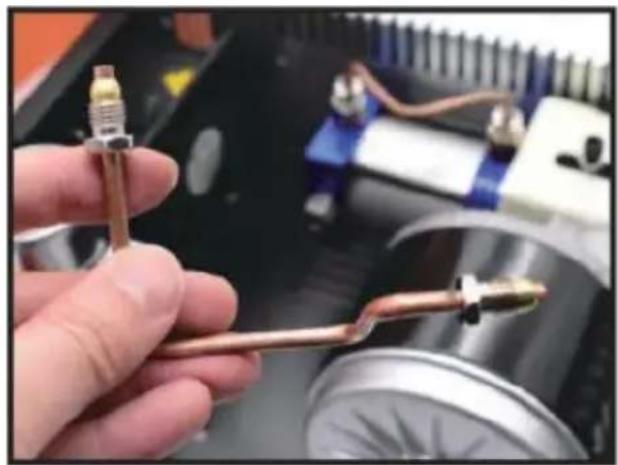
natural_image
Close-up of a hand holding a copper-colored tool against a blurred industrial background (no visible text or symbols)natural_image
Close-up of four small circular indentations on a plain white surface, with no visible text or symbols.natural_image
Close-up of a mechanical assembly with a motor and coiled spring, no visible text or symbolsnatural_image
Hand holding a blue mechanical component next to a metallic cylindrical assembly (no visible text or symbols)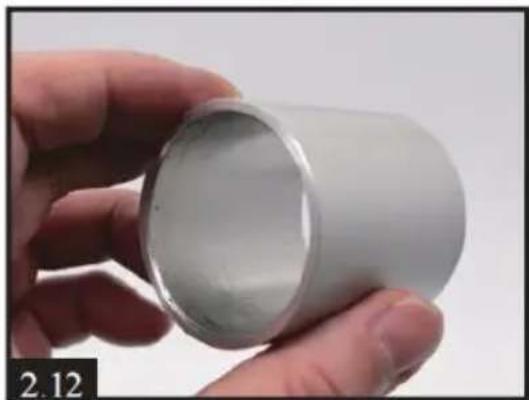
natural_image
Hand holding a white cylindrical object, no visible text or symbols on the object itself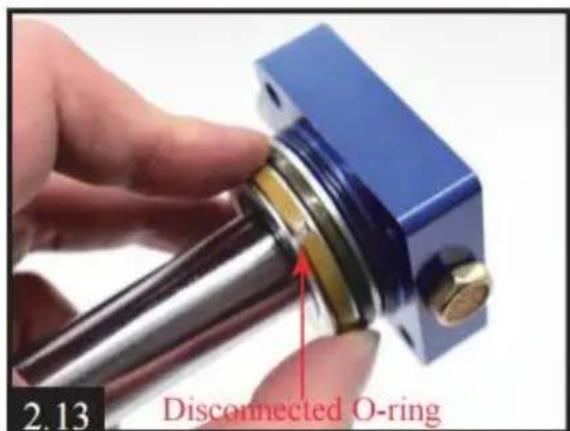
natural_image
Close-up of a blue mechanical component with a central bore and four mounting holes, held by a hand (no text or symbols visible)natural_image
Close-up of a hand holding a small mechanical component, with a close-up inset showing a close-up of a blue and gold-colored ring (no text or symbols visible)Don't forget the light crack o-ring
www.vevor.com/support
Made in China
VEVOR®
TOUGH TOOLS, HALF PRICE
We continue to be committed to provide you tools with competitive price. "Save Half", "Half Price" or any other similar expressions used by us only represent estimate of savings you might benefit from buying certain tools with us compared top brands and does not necessarily mean to cover all categories of tools offered are kindly reminded to verify carefully when you are placing an order with us actually saving half in comparison with the top major brands.
MODELO: SS-PAC02A/SS-PAC02B
NEED HELP? CONTACT US!
Have product questions? Need technical support? Please feel fr contact us:
Technical Support and E-Warranty Certificate www.vevor.com/support
This is the original instruction, please read all manual instruction carefully before operating. VEVOR reserves a clear interpretation user manual. The appearance of the product shall be subject to product you received. Please forgive us that we won't inform you there are any technology or software updates on our product.
Air line (hose assembly) bleed screw
DC(12V Vehicle power) cable socket
AC Power Socket
natural_image
Orange VEVOR industrial testing device with attached yellow sensor and cable (no visible text or symbols on body)Filter System
natural_image
Close-up of a hand pressing a button on an orange electronic device labeled 'Copperware' (no additional text or symbols visible)natural_image
Close-up of a robotic hand inserting a USB cable into an electronic device panel (no visible text or symbols)natural_image
Close-up of a car battery with red and black components, no visible text or symbolsNOTA:
natural_image
Hand holding a blue mechanical component next to a metallic cylindrical assembly (no visible text or symbols)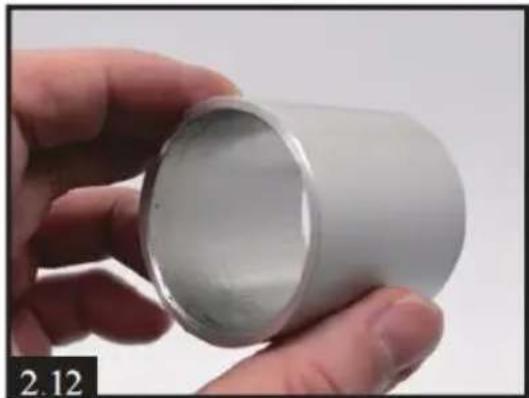
natural_image
Hand holding a white cylindrical object, no visible text or symbols on the object itself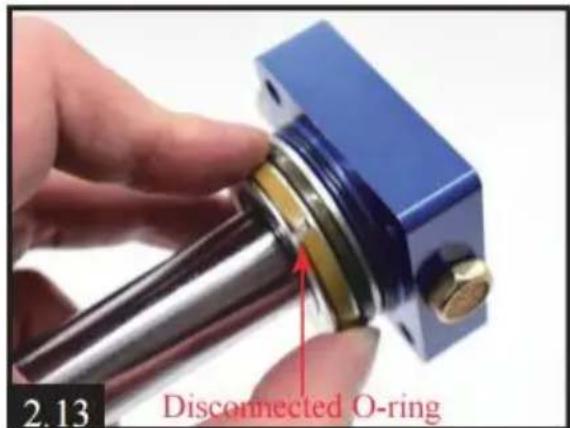
natural_image
Close-up of a blue mechanical component with a central bore and four mounting holes, held by a hand (no text or symbols visible)natural_image
Close-up of a hand holding a metallic mechanical component, with a close-up inset showing a close-up of a blue and gold-colored ring (no text or symbols visible)Don't forget the light crack o-ring
www.vevor.com/support
Hecho en china
VEVOR®
TOUGH TOOLS, HALF PRICE
We continue to be committed to provide you tools with competitive price. "Save Half", "Half Price" or any other similar expressions used by us only represent estimate of savings you might benefit from buying certain tools with us compared top brands and does not necessarily mean to cover all categories of tools offered are kindly reminded to verify carefully when you are placing an order with us actually saving half in comparison with the top major brands.
MODEL: SS-PAC02A/SS-PAC02B
NEED HELP? CONTACT US!
Have product questions? Need technical support? Please feel fr contact us:
Technical Support and E-Warranty Certificate www.vevor.com/support
This is the original instruction, please read all manual instruction carefully before operating. VEVOR reserves a clear interpretation user manual. The appearance of the product shall be subject to product you received. Please forgive us that we won't inform you there are any technology or software updates on our product.
Air line (hose assembly) bleed screw
DC(12V Vehicle
power) cable
socket
AC Power
Socket
natural_image
Orange VEVOR industrial testing device with attached yellow sensor and cable (no visible text or symbols on body)Filter System
natural_image
Close-up of a black electronic component with a small square button labeled 'MOS' and red double-headed arrow, mounted on a dark surface (no readable text or symbols)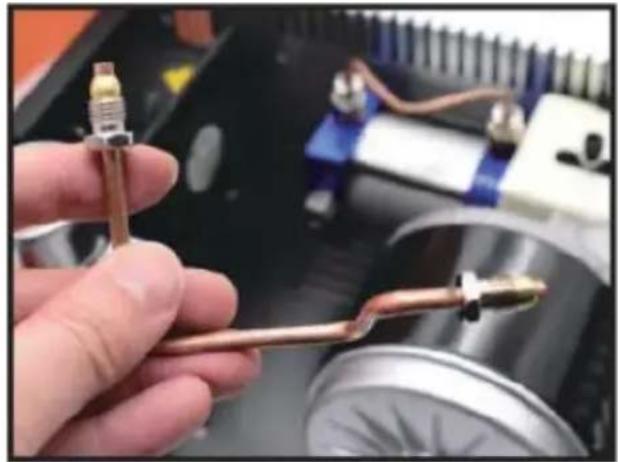
natural_image
Close-up of a hand holding a copper-colored tool, with mechanical components and wiring visible in the background (no text or symbols)natural_image
Close-up of four small circular indentations on a plain white surface, with page number 2.6 in corner (no text or symbols on main subject)natural_image
Close-up of a mechanical assembly with a motor and coiled spring, no visible text or symbolsnatural_image
Hand holding a blue mechanical component next to a metallic cylindrical assembly (no visible text or symbols)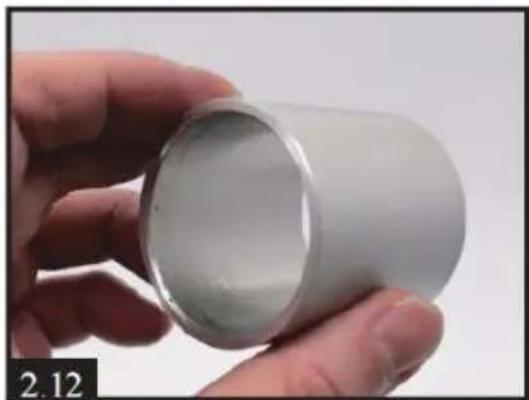
natural_image
Hand holding a white cylindrical object with a metallic rim, labeled '2.12' in the corner (no other text or symbols visible)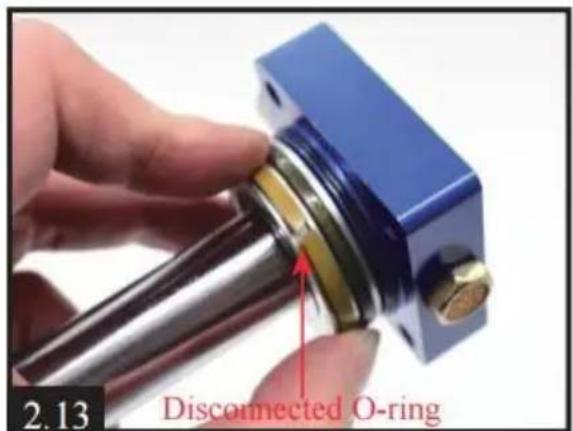
www.vevor.com/support
We continue to be committed to provide you tools with competitive price. "Save Half", "Half Price" or any other similar expressions used by us only represent estimate of savings you might benefit from buying certain tools with us compared top brands and does not necessarily mean to cover all categories of tools offered are kindly reminded to verify carefully when you are placing an order with us actually saving half in comparison with the top major brands.
MODEL: SS-PAC02A/SS-PAC02B
NEED HELP? CONTACT US!
Have product questions? Need technical support? Please feel fr contact us:
Technical Support and E-Warranty Certificate www.vevor.com/support
This is the original instruction, please read all manual instruction carefully before operating. VEVOR reserves a clear interpretation user manual. The appearance of the product shall be subject to product you received. Please forgive us that we won't inform you there are any technology or software updates on our product.
Air line (hose assembly bleed screw
DC(12V Vehicle power) cable socket
AC Power Socket
natural_image
Orange VEVOR industrial power supply box with ventilation fan and cooling button (no visible text or symbols on body)Montage-instructies
natural_image
Hand holding a blue mechanical component next to a metallic cylindrical assembly (no visible text or symbols)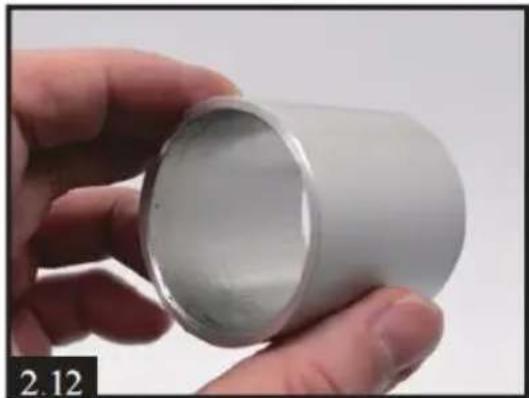
natural_image
Hand holding a white cylindrical object with a metallic rim, labeled '2.12' in the corner (no other text or symbols visible)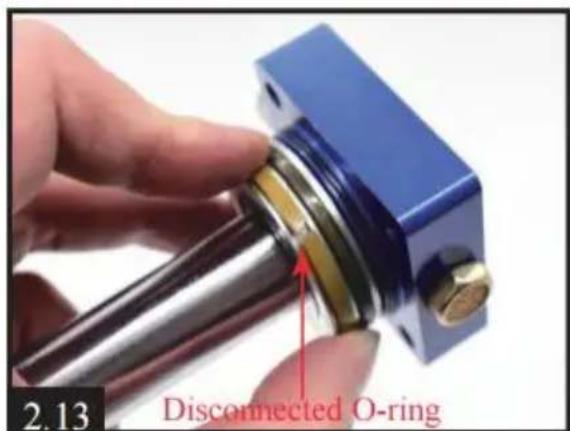
natural_image
Close-up of a blue mechanical component with a central bore and four mounting holes, held by a hand (no text or symbols visible)natural_image
Close-up of a hand holding a white cylindrical device with a small protrusion, alongside a close-up of its mechanical component (no visible text or symbols)Don't forget the light crack o-ring
E3- De drukknop is defect.
www.vevor.com/support
Gemaakt in China
VEVOR®
TOUGH TOOLS, HALF PRICE
We continue to be committed to provide you tools with competitive price. "Save Half", "Half Price" or any other similar expressions used by us only represent estimate of savings you might benefit from buying certain tools with us compared top brands and does not necessarily mean to cover all categories of tools offered are kindly reminded to verify carefully when you are placing an order with us actually saving half in comparison with the top major brands.
MODELL: SS-PAC02A/SS-PAC02B
NEED HELP? CONTACT US!
Have product questions? Need technical support? Please feel fr contact us:
Technical Support and E-Warranty Certificate www.vevor.com/support
This is the original instruction, please read all manual instruction carefully before operating. VEVOR reserves a clear interpretation user manual. The appearance of the product shall be subject to product you received. Please forgive us that we won't inform you there are any technology or software updates on our product.
Air line (hose assembly) bleed screw
natural_image
Close-up of a hand holding a copper-colored tool against a mechanical assembly background (no visible text or symbols)6. Lossa de 4 delade motorskruvarna på botten av kompressorn.
natural_image
Close-up of four small circular indentations on a plain white surface, with page number 2.6 in corner (no text or symbols on main subject)natural_image
Close-up of a mechanical assembly with a motor and coiled spring, no visible text or symbolsnatural_image
Hand holding a blue mechanical component next to a metallic cylindrical assembly (no visible text or symbols)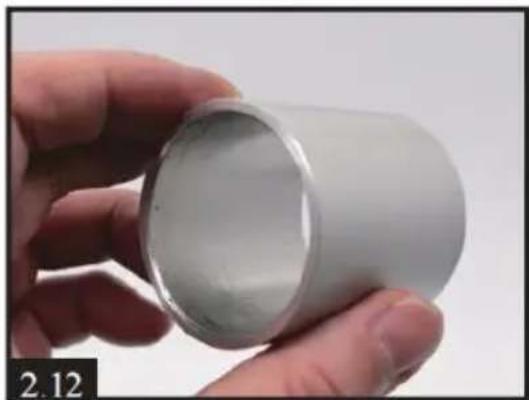
natural_image
Hand holding a white cylindrical object, no visible text or symbols on the object itself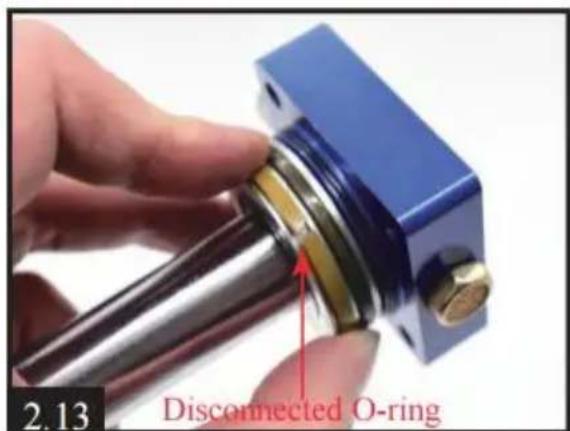
natural_image
Close-up of a blue mechanical component with a central bore and four mounting holes, held by a hand (no text or symbols visible)natural_image
Close-up of a hand holding a metallic mechanical component, with a close-up inset showing a close-up of a blue and gold-colored ring (no text or symbols visible)Don't forget the light crack o-ring
www.vevor.com/support
Tillverkad i Kina