
VR230 - Welding machine Vevor - Free user manual and instructions
Find the device manual for free VR230 Vevor in PDF.
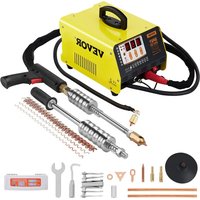


| Product Type | Stud Welder for Auto Body Repair |
| Brand | Vevor |
| Model | VR230 |
| Input Voltage | AC 220-240 V, 50 Hz |
| Output Voltage | AC 1-7 V |
| Input Power | 3 kW |
| Maximum Instantaneous Output Current | 3500 A |
| Maximum Input Current | 20 A |
| Working Mode | Automatic / Manual |
| Weld Thickness | 0.6 - 1.2 mm |
| Number of Working Channels | 7 continuously adjustable channels |
| Protection | Overheat protection |
| Estimated Weight | Approximately 12 kg |
| Included Accessories | Pull hammer, pull gun, corrugated wire (10), welding heads (meson, carbon, spot), carbon rods (2), wrench, hook, suction cup, triangular pads (10), long pads (10), round spacers (20) |
| Main Use | Dent repair and auto body dent removal |
| Certifications | FCC Part 15, European Directive 2012/19/EC |
| Maintenance | Regular cleaning of electrodes, checking connections and power cable |
| Safety | Wear insulating gloves, welding mask, protective clothing, insulating shoes; avoid humid environments |
| Spare Parts | Electrodes, carbon rods, welding heads, pads, etc. available from the manufacturer |
| Warranty | Electronic warranty via www.vevor.com/support |
| Recommended Power Cable Cross-section | Minimum 4 mm² (copper) |
Frequently Asked Questions - VR230 Vevor
User questions about VR230 Vevor
0 question about this device. Answer the ones you know or ask your own.
Ask a new question about this device
Download the instructions for your Welding machine in PDF format for free! Find your manual VR230 - Vevor and take your electronic device back in hand. On this page are published all the documents necessary for the use of your device. VR230 by Vevor.
USER MANUAL VR230 Vevor
STUD WELDER DENT REPAIR KIT
MODEL: VR230
We continue to be committed to providing you with tools at competitive prices. "Save Half", "Half Price", or any other similar expressions used by us only represent the estimate of savings you might benefit from buying certain tools with us compared to top brands and do not necessarily mean to cover all categories of tools offered. We kindly remind you to verify carefully when placing an order with us whether you are actually saving half in comparison with the top major brands.
MODEL: VR230
NEED HELP? CONTACT US!
Have product questions? Need technical support? Please feel free to contact us:
This is the original instruction. Please read all manual instructions carefully before operating. VEVOR reserves a clear interpretation of the user manual. The appearance of the product shall be subject to the product you received. Please forgive us that we won't inform you if there are any technology or software updates on our product.
IMPORTANT SAFEGUARDS
 | Operate this protection with working conditions common sense installing and operating the welder, look at the following safety precautions |
 | Read the instructions 1. before the operation of the machine, read the product brochures in detail. 2. please use the original and accessories. |
 | To prevent electric shock: 1. Do not use the skin and wet contact welding machine. 2. Do not turn off the power supply not let the cable around the operator who wear a thick botto insulation shoes 3. Ground and work directly connected. |
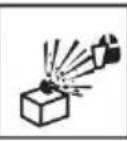 | When using the machine, wear a mask to avoid problems with exploding will cause harm. |
 | In the workplace, due to welding will produce toxic gases, pay attention to ventilation, so as not to poison. (Prohibited in the container welding) |
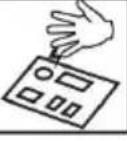 | Static electricity can damage the machine's circuit board 1. connected to a good ground, to prevent electricity. 2. in the movement and storage to use anti-static items cover as to avoid damage to the machine. |
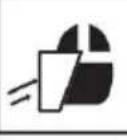 | 1. splash of sparks and arc will cause damage to 2. please wear a mask or with the edge of the glasses |
 | Do not touch the hot workpieces by hand during welding. |
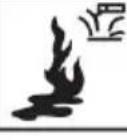 | To prevent the explosion: flammable, explosive products away the welding area. |
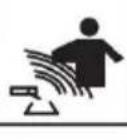 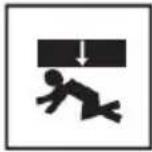 | 1. the electromagnetic field can affect the operator'sheart, such heart there Install the pacemaker, please stay away from the 2. such as the need to operate the machine, free advice adv life.Be careful not to be crushed and bruised while moving. |
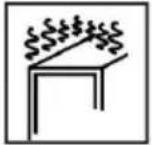 | Please do not work for too long, will cause the machine part zero parts overheating, damage the life of the machine. |
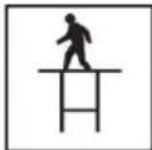 | Prohibit welding at high. |
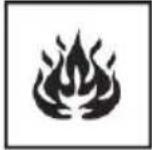 | Prevent fire Welding is completed, check the welding area with without overheating spatter and hot metal to prevent fire. |
Note: Welder self-protection! Focus on others' safety! Focus on plant safety! Pay attention to equipment maintenance!
General safety rules:
Before removing the body of the product, pull out the wire first.
The operator must be qualified accordingly.
The operation can only be controlled by qualified technicians.
Operators are responsible for complying with automotive manufacturers' protection of electrical and electronic procedures (on-board computers, on-board radios, alarms, airbags, etc.)
The compressed air power must be cut off and turned off before the main operation is carried out.
Electrodes, electrode arms and other secondary conductors can reach very high temperatures and stay high for a long time after stopping the machine. Pay attention to scald.
Preventive maintenance is necessary on a regular basis.
Power Connection:
- Check that the device must be connected to the ground coupler and to the ground. It is in good condition.
- Check if the workbench is connected to the ground connector. 3. Ensure the operator does not have any contact, protection or wet clothing with the metal
to be welded.
- Avoid contact with welded parts.
- Do not spot weld in very wet places or on wet floors.
- Do not weld with worn cables. Check that the isolation belt does not have default cable or that the connection is loose.
- Please turn off the device before replacing the electrode.
- Please disconnect the equipment directly before it is controlled or repaired.
Protection of Eyes and Body:
- During welding, wear leather gloves, a welding apron, safety shoes, welding protective clothing, and an arc-filtering and radiation-protective helmet or glasses. The operator must protect their eyes during rubbing and hammering.
- Do not wear rings, watches, or jewelry. They can cause burns.
- All protective boards must be in good condition and in proper position. Without eye protection, do not look at the welding arc. Protect the environment near the product from projection and reflection.
Welding Fume:
Welding operations can lead to the emission of toxic smoke and harmful metals. The equipment should be installed in covered areas with smoke extractors.
Operators must wear smoke masks. Welding materials must be cleaned.
Pay Attention to Fire:
- Check whether sparks cause fires, especially in the vicinity of flammable materials.
- Check that the fire extinguisher is not far from the operator.
- Place the equipment where there are pneumatic devices.
- Do not weld on a container with flammable or lubricant materials, even if it is empty.
- Do not weld in an atmosphere filled with flammable gas or fuel vapor.
Electromagnetic Compatibility:
Near the welding site, check:
- There are no other power cords, control cables, telephone lines, radio or television reception equipment, watches, mobile phones, magnetic cards, computers, or any other electronic devices.
- No active medical devices (pacemakers, acoustic prostheses) were used nearby (at least 3 meters away).
FCC INFORMATION
CAUTION:
Changes or modifications not expressly approved by the party responsible for compliance could void the user's authority to operate the equipment!
This device complies with Part 15 of the FCC Rules. Operation is subject to the following two conditions:
1) This product may cause harmful interference. 2) This product must accept any interference received, including interference that may cause undesired operation.
WARNING:
Changes or modifications to this product not expressly approved by the party responsible for compliance could void the user's authority to operate the product.
Note:
This product has been tested and found to comply with the limits for a Class B digital device, pursuant to Part 15 of the FCC Rules. These limits are designed to provide reasonable protection against harmful interference in a residential installation.
This product generates, uses, and can radiate radio frequency energy, and if installed and used in accordance with the instructions, may cause harmful interference to radio communications. However, there is no guarantee that interference will not occur in a particular installation. If this product does cause harmful interference to radio or television reception, which can be determined by turning the product off and on, the user is encouraged to try to correct the interference by one or more of the following measures.
- Reorient or relocate the receiving antenna.
- Increase the distance between the product and the receiver.
- Connect the product to an outlet on a circuit different from that to which the receiver is connected.
- Consult the dealer or an experienced radio/TV technician for assistance.
Installation
- Specifications and parameters
| Model | VR230 |
| Input voltage (V) | AC220-240V 50Hz |
| Output voltage (V) | AC1-7V |
| Input power (KW) | 3KW |
| Instantaneous maximum output current (A) | 3500A |
| Input the maximum current (A) | 20A |
| Way of working | Automatic/manually |
| Regular working hours | Automatic mode program settir |
| Work stalls | 7 channels infinitely variable |
| Welding thickness (mm) | 0.6-1.2 |
| Aisle | coding | Name | Stalls | Power Consumption (kw) |
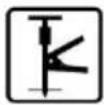 | 1 | Triangle sheet welding | 1-1 file preferred | 0.8-2.0 |
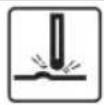 | 2 | Gasket welding | 2-3 file preferred | 0.8-2.5 |
 | 3 | OT gasket welding | 3-5 file preferred | 0.8-2.3 |
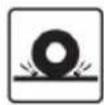 | 4 | Waveline spot welding | 4-5 file preferred | 0.8-2.5 |
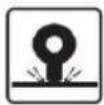 | 5 | Hot pressing | 5-5 file preferred | 0.8-2.8 |
 | 6 | Carbon rod heating | 6-3 file preferred | 0.8-2.0 |
 | 7 | Stud welding | 7-5 file preferred | 0.8-3.0 |
2. Work cycle and overheating protection
The working cycle of the machine is the repeated use of a work cycle, with the cycle time consisting of load time and no-load time.
In addition, the machine is equipped with overheating protection. When the temperature reaches a critical level, the welding machine will automatically stop working. After it cools down, you can continue to operate, depending on the specific situation.
![graph LR A["Machine overheating"] --> B["Stop working"] B --> C["Rest for a while, wait for the machin"] C --> D["Continue to use"] D --> E["Re-adjust the machine"]](/content/2026/04/734209/images/461734d2980e7a5fd54eabc60abdcf600637f1576f2607ec304440f75841b1bb.jpg)
3. Installation of the machine
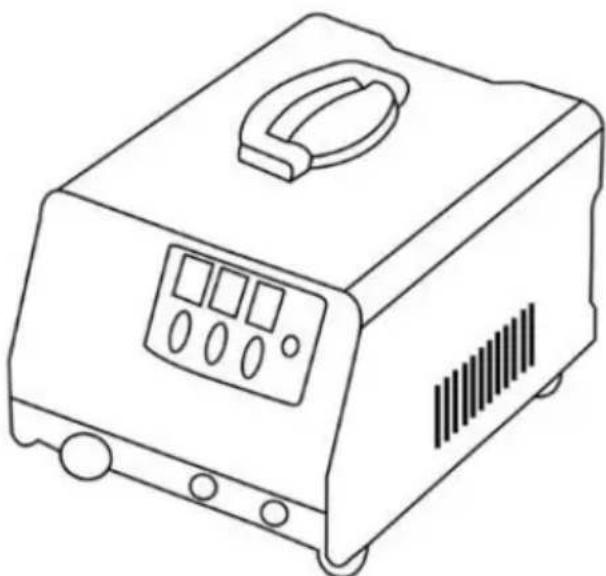
1) When customers receive the machine, first open the package and find the product brochure. 2) According to the instructions in the packing list, check the items and the number of machine accessories to ensure they are correct. 3) According to the machine's appearance picture, install the machine and check whether there are any other problems. If there are any questions, please consult the dealer or service solution.
- Attention for moving and placing the machine
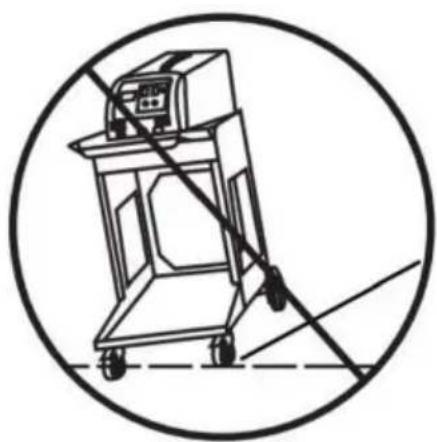
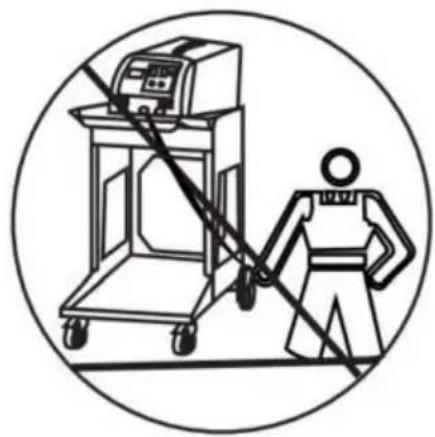
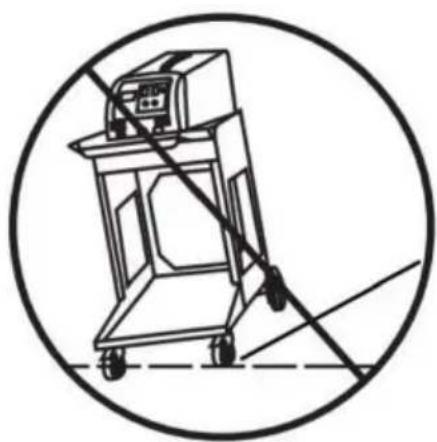
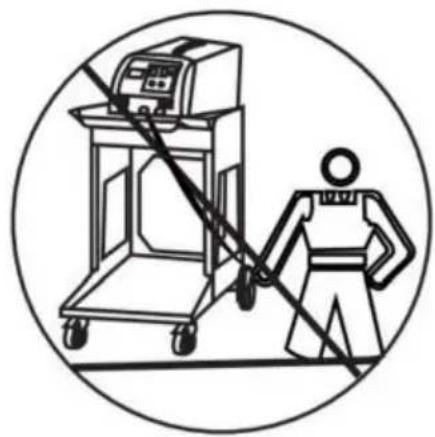
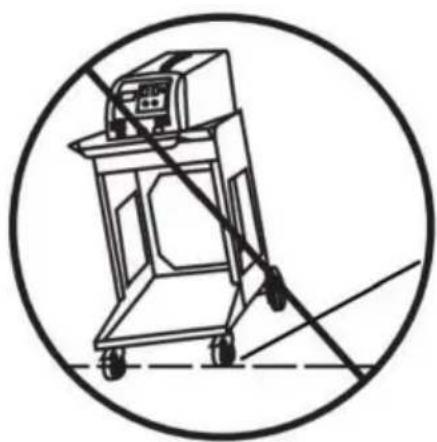
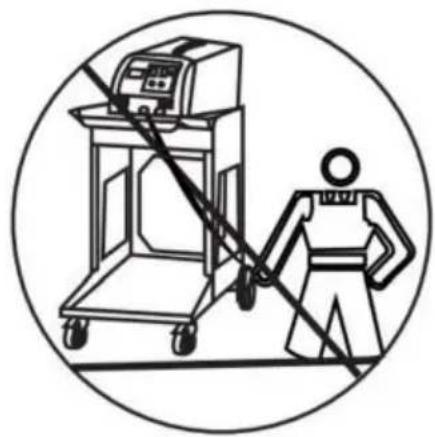
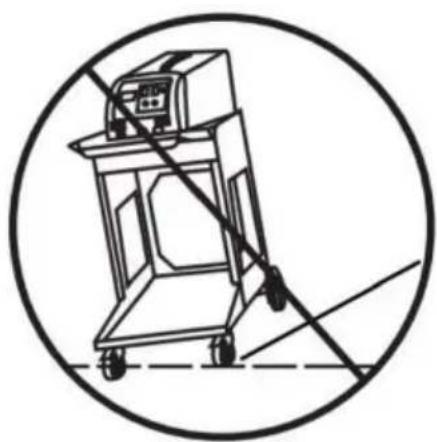
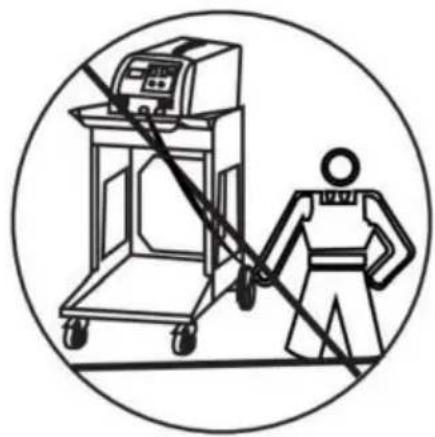
1) After installation, if there are no other problems, choose a suitable place to put the machine. 2) The length of the input power cord is determined according to the operating distance, and the power cord must be at least 4 mm² copper cable. 3) When placing the machine, it must not be tilted; it should be stable on the ground to avoid damage. 4) When moving the machine, use a pulley or move it with the machine. Do not drag the machine or pull the cable to move it. Otherwise, it may damage the machine or break the cable, causing inconvenience for later work.
As shown: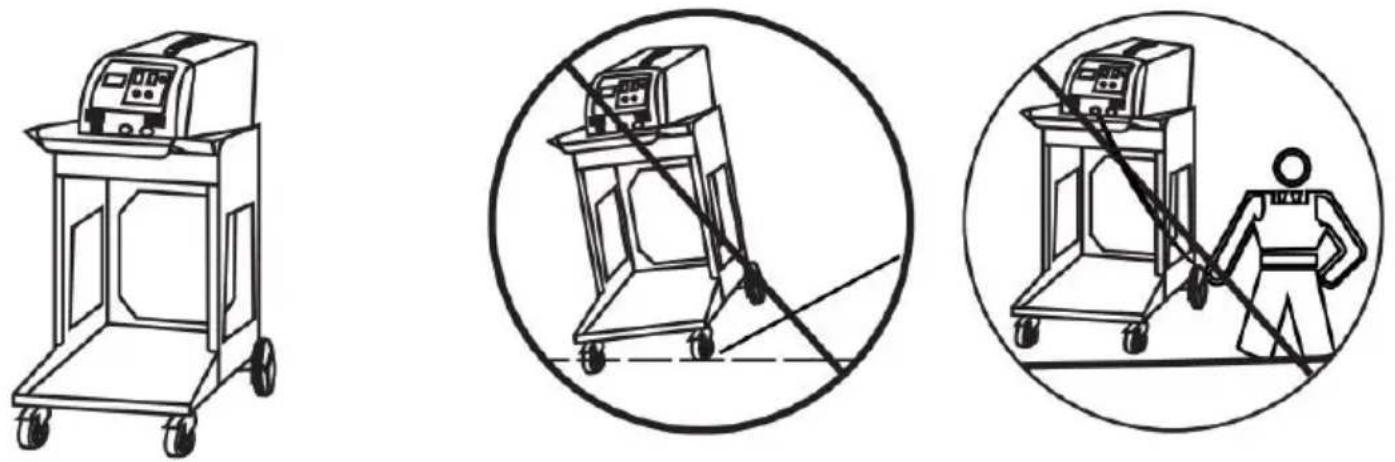
- Connection method for the power supply
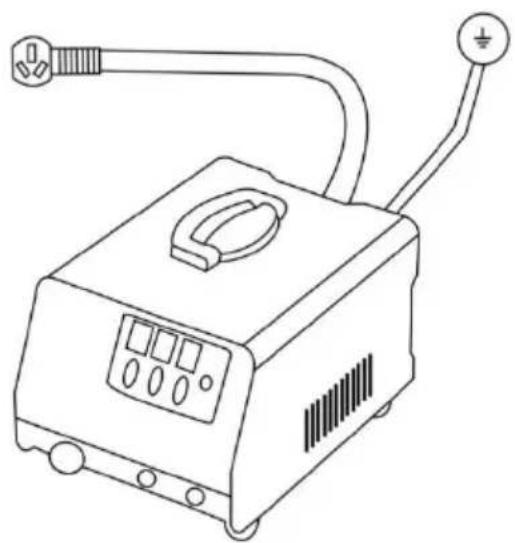
Insert the plug into an appropriate socket according to the plug supplied with the unit. Be sure to check the voltage.
Operating
1. Operation panel guidelines
![graph TD A["VR230"] --> B["1"] B --> C["2"] B --> D["3"] B --> E["4"] C --> F["5"] D --> G["6"] E --> H["7"] style A fill:#f9f,stroke:#333 style B fill:#ccf,stroke:#333 style C fill:#cfc,stroke:#333 style D fill:#fcc,stroke:#333 style E fill:#cff,stroke:#333 style F fill:#ffc,stroke:#333 style G fil…](/content/2026/04/734209/images/c4dd58f8d23e8904725a2ca678d931594387dae35163f134bb6ef46566d67006.jpg)
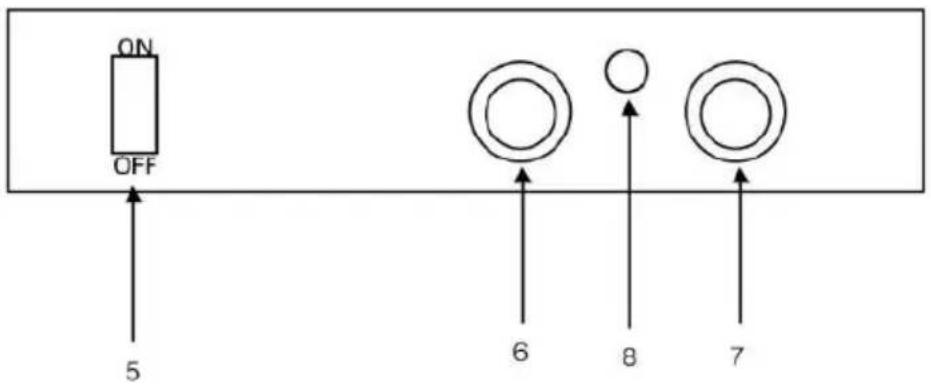
- Welding mode 2. Welding time
- Welding power 4. adjust
- ON/OFF 6. Torch wire
- Ground wire 8. Signal line
Note: Machine overload work will enter the protection state, until the machine cooling, and then work
2. Welding torch and connector
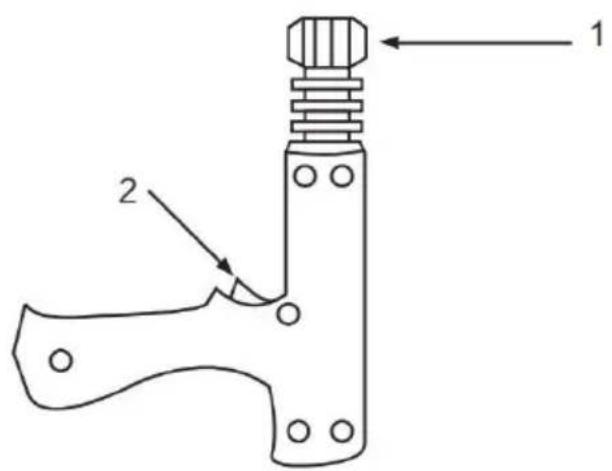
- Locking head
2.Torch switch
Application of single-sided spot welding gun
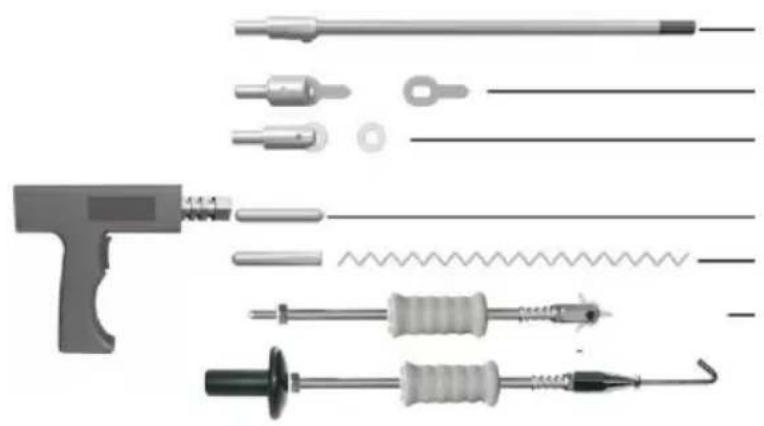
Carbo Rod Shrinking
OT Washer Welding
Washer Welding
Hot pressing
Wave form Wire
Welding
Pulling Spot Hammer
Connection of negative wire
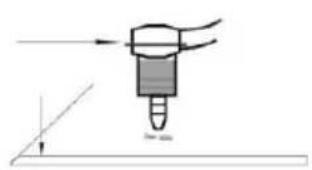
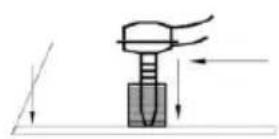
- Place the wire on the sheet metal section that needs to be repaired, as close to the welding area as possible.
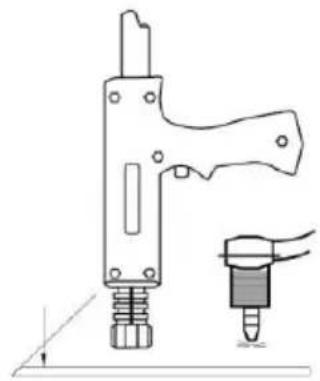
- the welding torch in the vicinity of the machine near the automatic welding
- Fixed ground
For the negative connection, the code can be selected as 1 and the power can be selected as 6. The power can be increased, granting a higher number of welds to dissolve the plating on the negative tip.
3. Method of operation
a. Gasket welding
![graph LR A["Tool Insert"] --> B["Tool Position"] B --> C["Tool Position with Sensor"] C --> D["Tooth Detection"] D --> E["Tooth Detection with Panel 4"] E --> F["Tooth Detection with Panel 5"]](/content/2026/04/734209/images/48cac629f4299851fd10bbaaa003226f1c51470e78043306e8a34b72dcd56598.jpg)
The negative line fixed the polished clean and remove the paint on the workpiece, the closer the operating surface the better.
Connect the gasket connector to the torch and lock it with a gasket.
Select the appropriate welding mode.
![graph LR A["Device Panel 6"] --> B["Mechanical Press"] B --> C["Electrode Assembly"]](/content/2026/04/734209/images/993bc89874772bdb785beb7de70230d518f36ffed5386d84d49b56095e17afa5.jpg)
Adjust the appropriate power and time (the default value is 6 and 5). It can be increased or decreased according to the actual situation.
The welding torch light pressure to the body of the depressed parts of the machine automatically welding.
Remove the welding torch, with a strong pull hammer to the gasket the opposite direction to pull the gasket, the depression out.
OT gasket welding, same as Gasket welding, code 5, power priority 5, other steps same as Gasket welding.
Note:
- Before doing this, please test on other workpieces to avoid damage to the surface of the vehicle due to excessive current or too long a duration.
- According to the body plate thickness, select the appropriate gear; the machine will automatically match the welding time with the current.
- After doing this, you can continue with other functional operations. If you continue to work, turn off the power and cut off the main switch, finishing the various accessories for the next use.
b. Triangular pieces of welding
![graph LR A["Wire switch"] --> B["Electricity gun"] B --> C["Display panel with 3 components"] C --> D["Output"]](/content/2026/04/734209/images/cc48129acbce7c58a7a14b726d3806069c8d22a8db12e647dcf346ade46993f7.jpg)
The negative line is fixed to a polished clean area and remove the paint on the workpiece; the closer to the operating surface, the better.
Connect the connected triangular pull hammer to the torch and lock it.
Select the appropriate welding mode.
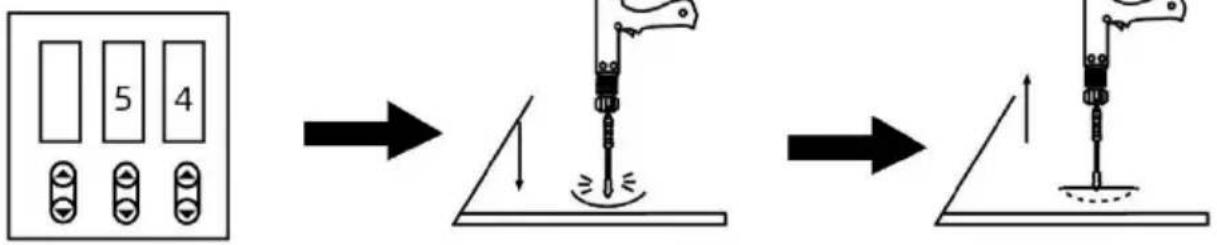
Adjust the appropriate power and time (the default values are 5 and 4; they can be increased or decreased according to the actual situation).
The welding torch lightly presses the depressed parts of the body; the machine automatically welds.
Pull the recessed parts directly in the opposite direction of the hammer.
Note:
- Before doing this operation, please try on other parts in order to avoid current being too large or too long, which could damage the body surface to be repaired.
- According to the body plate thickness, select the appropriate gear; the main unit will automatically match the welding time with the current.
- Before replacing the triangular pieces of welding, the depression after welding should be pulled out directly.
- After performing this operation, you can proceed with other functions. If you do not need to continue working, please turn off the power and disconnect the main switch, and tidy up all accessories for the next use.
c. Carbon rod heating
![graph LR A["Wire pressing"] --> B["Soldering Gun"] B --> C["Control Panel with 7 labeled components"]](/content/2026/04/734209/images/89102cd0c17c86e66080989ede36dd4a6d45e818905f8a14da39ae2a3ea349c5.jpg)
Attach the negative cable to the workpiece that has been polished and cleaned, with paint removed. The closer to the operating surface, the better.
Connect the triangular pull hammer to the torch and lock it in place.
Select the appropriate welding mode.
![graph LR A["Device 1: Button 5"] --> B["Step 1: Inserted Button"] B --> C["Step 2: Inserted Button"] C --> D["Step 3: Inserted Button"] D --> E["Final Assembly: Top-Left Strip"] style A fill:#f9f,stroke:#333 style E fill:#bbf,stroke:#333](/content/2026/04/734209/images/a88665c9f7cd98d23597d8a8d719a92fe5c0362daecb4feedbbf7bef3ed538c5.jpg)
Adjust the power and time as needed (the default is 5 and 5). You can increase or decrease these values according to the actual situation.
Heat the workpiece in a clockwise direction.
Use cold water or a wet cloth on the heated area to take advantage of thermal expansion and contraction, which helps to tighten the prominent part and return it to normal.
Note:
- Before performing this operation, test on other parts to avoid using excessive current or time, which could damage the body or the repair surface.
- Select the appropriate gear according to the thickness of the body panel. The main unit will automatically match the welding time with the current.
- After performing this operation, you can proceed with other functions. If you do not need to continue working, please turn off the power and disconnect the main switch, and tidy up all accessories for the next use.
d. Wave line welding
![graph LR A["Electricity Tool"] --> B["Welding"] B --> C["Sensor"] C --> D["Control Panel 6"]](/content/2026/04/734209/images/aa580292c9ed0b8e00b0d18865ba119f55d79da74ba3592952aa1819deea9ff4.jpg)
Attach the negative cable to the workpiece that has been polished and cleaned, with paint removed. The closer to the operating surface, the better.
Connect the triangular pull hammer to the torch and lock it in place.
Select the appropriate welding mode.
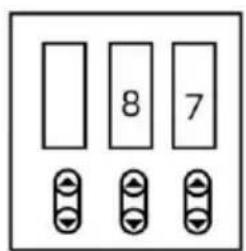
Adjust the appropriate power and time (the default values are 8 and 7). They can be increased or decreased according to the actual situation.
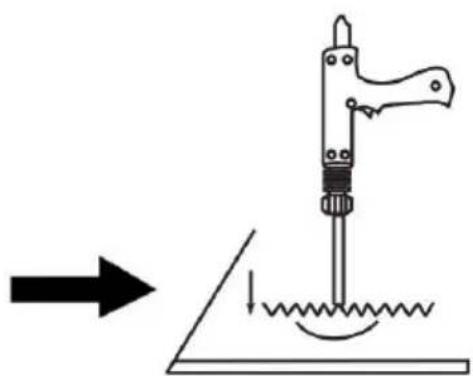
Place the waveform line upright in the car body and place the welding head on the upright waveform line. The machine will automatically weld.
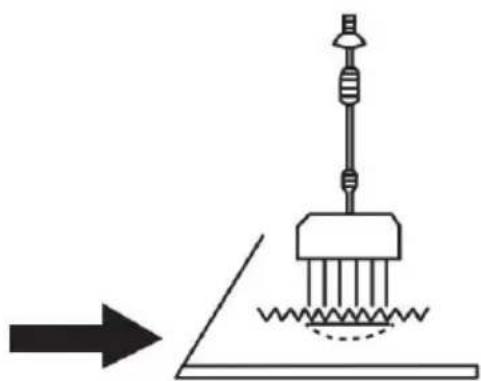
Use a claw pull hook and hammer set on the waveform line to pull out the car body depression.
Note:
- Before doing this operation, please first test on other parts to avoid the current being too large or the time too long, which could damage the repaired body surface.
- According to the body plate thickness, select the appropriate gear. The machine will automatically match the welding time with the current.
- After doing this operation, you can continue to other functional operations. If you do not continue to work, turn off the power and cut off the main switch. Arrange the various accessories for the next use.
e. The use of the sucker
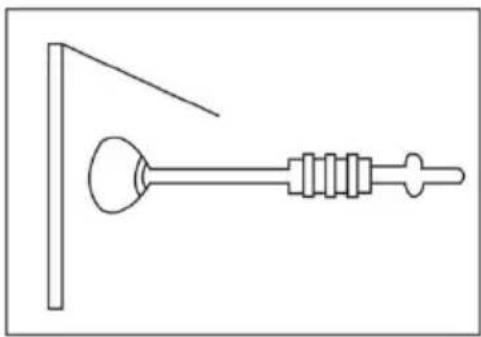
Use of manual sucker:
- Connect the sucker and pull hammer.
- Force the sucker onto the depression without any dead angle.
- Pull the hammer in the opposite direction.
Maintenance and repair
Failure and exclusion
| Trouble | Reason | Remedy |
| No welding output | 1. Connected power supply incorrectly.2. Power switch in off position | 1. Connect power supply according to manufacturer's instructions.2. Place power switch in “position. |
| Trigger not working | 1. Trigger damaged.2. Gun control wire broker3. Control wire plug loose4. Mode switch in incorrect position. | 1. Replace trigger.2. Connect again or replace if necessary.3. Connect control wire plug again.4. Place Mode switch in correct position. |
| Poor weld | 1. Aamperage too low2. Input power cord did n meet the requirement.3. Ground clamp bad contact. | 1. Increase amperage setting2. Replace input power con3. Change ground clamp location. |
| Piercing workpiece | 1. Output amperage too high2. Bad contact of electrod tip or washer with workpie | 1. Reduce amperage setting2. Remove coating from material reduce added pressure. |
| Carbon rod workingunstable | 1. Carbon rod or workpiece dirty.2. Incorrect amperage and time setting. | 1. Polish carbon rod and workpieces2. Set amperage and time according to workpiece thickness |
| Unit stop workingwhile operation | 1. Trigger plug loosen.2. Gun control wire broken.3. Over heating. | 1. Check gun control wire and trigger plug.2. Wait for temperature cool down |
Packing List
| Part name | Quantity | Remarks |
| Mainframe | 1 | 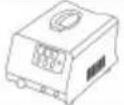 |
| Tool Box | 1 |  |
| Pulling Hammer | 1 | 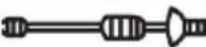 |
| Pulling gun | 1 |  |
| Wavy wire | 10 |  |
| meson head | 1 |  |
| Carbon Rod Head | 1 | 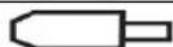 |
| Spot Welding Head | 1 | 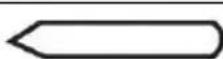 |
| Carbon Rods | 2 |  |
| Wrench | 1 | 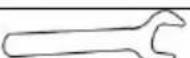 |
| Pull Hook | 1 | 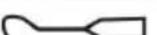 |
| Six-jawed Hook | 1 | 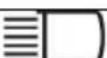 |
| Triangle Tabs | 10 | 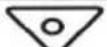 |
| Long shims (OT) | 10 | 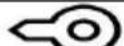 |
| Round Spacer | 20 |  |
| Suction Cups | 1 |  |
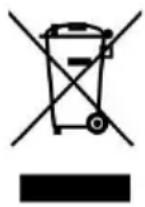
CORRECT DISPOSAL
This product is subject to the provisions of European Directive 2012/19/EC. The symbol showing a wheelie bin crossed through indicates that the product requires separate refuse collection in the European Union. This applies to the product and all accessories marked with this symbol. Products marked as such may not be discarded with normal domestic waste, but must be taken to a collection point for recycling electrical and electronic devices.
VEVOR®
TOUGH TOOLS, HALF PRICE
Technical Support and E-Warranty Certificate www.vevor.com/support
VEVOR®
TOUGH TOOLS, HALF PRICE
NEED HELP? CONTACT US!
- Locking head
- Locking head
2. Torch switch
NEED HELP? CONTACT US!
NEED HELP? CONTACT US!
NEED HELP? CONTACT US!
1. Lock head
- Burner
Carbo Rod shrink
OT Brick welding
Brick welding
Hot pressing
Wave form Wire
Welding
Pulling Spot Hammer
- STUD WELDER DENT REPAIR KIT
- MODEL: VR
- NEED HELP? CONTACT US
- IMPORTANT SAFEGUARDS
- GENERAL SAFETY RULES
- POWER CONNECTION
- PROTECTION OF EYES AND BODY
- PAY ATTENTION TO FIRE
- ELECTROMAGNETIC COMPATIBILITY
- FCC INFORMATION
- CAUTION
- WARNING
- NOTE
- INSTALLATION
- WORK CYCLE AND OVERHEATING PROTECTION
- INSTALLATION OF THE MACHINE
- OPERATING
- OPERATION PANEL GUIDELINES
- WELDING TORCH AND CONNECTOR
- METHOD OF OPERATION
- GASKET WELDING
- TRIANGULAR PIECES OF WELDING
- CARBON ROD HEATING
- WAVE LINE WELDING
- THE USE OF THE SUCKER
- MAINTENANCE AND REPAIR
- CORRECT DISPOSAL
- VEVOR®
- TOUGH TOOLS, HALF PRICE
Brand : Vevor
Model : VR230
Category : Welding machine