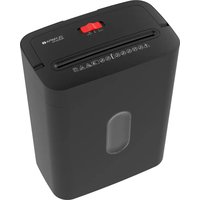
PS 53 CC Pro - Shredder OLYMPIA - Free user manual and instructions
Find the device manual for free PS 53 CC Pro OLYMPIA in PDF.


User questions about PS 53 CC Pro OLYMPIA
0 question about this device. Answer the ones you know or ask your own.
Ask a new question about this device
Download the instructions for your Shredder in PDF format for free! Find your manual PS 53 CC Pro - OLYMPIA and take your electronic device back in hand. On this page are published all the documents necessary for the use of your device. PS 53 CC Pro by OLYMPIA.
USER MANUAL PS 53 CC Pro OLYMPIA
natural_image
White disposable water dispenser with a red handle and black vent, no visible text or symbols on the device itself.GO Europe GmbH
Zum Kraftwerk 1
45527 Hattingen
Germany
www.go-europe.com
Fragen und Service
Lieber Kunde,
We are delighted that you have chosen this equipment. In the case of a defect, please return the device together with the receipt and original packing material to the point of sale.
Intended use
The automatic document shredder is only suitable for shredding paper and plastic cards in credit card format. Any other use or modification is considered improper and poses significant risks of accidents.
Table of contents
Warranty 9
Intended use....9
Important safety instructions....9
Instructions for use 10
Symbols on the device 10
Scope of delivery 11
Product overview 11
Installation location / Commissioning ..... 11
Operation 12
Overheating protection 12
Paper jam 12
Empty collection container ..... 13
Oil the cutting unit. 13
Cleaning 13
Notes on disposal.... 13
Technical data....14
Safety level....14
Technical changes 14
GS mark 14
Symbols 14
Declaration of Conformity....15
Manufacturer 15
Important safety instructions
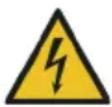
Danger! Danger of electric shock! Never open or repair the appliance yourself. Never touch bare contacts with metal objects. Never handle the product with wet hands. Do not operate the product if it is damaged.

Danger! Choking hazard due to small parts, packaging materials and protective film! Keep children away from the product and its packaging.

Warning! Risk of tripping due to improperly laid cable! Lay cables so that nobody can trip over them. Lay cables in such a way that no damage can occur to the cable/accessories.

Warning! Risk of injury due to automatic retraction! Do not reach into the automatic feeder! Keep loose objects (e.g. hair, ties, scarves, jewellery, etc.) away from the automatic feeder.

Warning! Danger due to unexpected start-up! Make sure the device is switched off before transporting, cleaning, connecting to the power supply, or emptying the collecting container.

Caution! Risk of cutting! Risk of injury due to sharp cutting mechanism. Do not touch the cutting unit on the underside.

Attention! Material damage possible! Remove all paper clips before destroying files.

Attention! Material damage possible! If the product exhibits unusual characteristics such as noise, odour or smoke, disconnect the power supply immediately.

Attention! Material damage possible! This shredder cannot shred cassettes and floppy disks.

Attention! Material damage possible! Do not spray inflammable gases, oils, or compressed air sprays on or into the shredder. A fire can occur.
Instructions for use

Please read these operating instructions before connecting and using the product. Keep these operating instructions for future reference. Hand over all documents when passing the product on to third parties.
- Protect the product from direct sunlight, naked flames, heat sources, moisture, humidity and dust.
- Do not cover the product during operation.
• The product is not intended for commercial use.
• The product may only be used indoors. - Remove all paper clips before inserting paper.
- The document shredder can only shred paper and plastic cards in credit card format. Do not introduce any other items. The introduced material must be dry and clean.
- Only connect the appliance to a professionally installed socket. Observe the information under Technical data.
- Only use accessories that fulfil the requirements under Technical data.
- Disconnect the appliance from the power supply when not in use to prevent accidental operation.
- Do not leave the appliance unattended during operation.
- Empty the collection container at regular intervals to prevent paper jams. Disconnect the device from the power supply before emptying the collection container.
- Empty the collection container at regular intervals, otherwise it may result in a paper jam.
• The appliance is not suitable for continuous operation. - The device must cool down every 3 minutes of operation for 30 minutes.
Symbols on the device

General note on possible dangers. Read the operating instructions before

commissioning.

Keep children and pets away from the device.
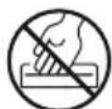
Never reach into the gap.

Keep loose items (e.g. hair) away from the automatic feed.
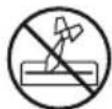
Keep loose items (e.g. ties) away from the automatic feed.

Do not spray flammable gases towards the device.
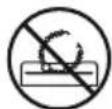
Keep loose items (e.g. jewellery) away from the automatic feed.

Remove foreign objects (e.g. paper clips or rubber bands) before shredding.
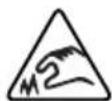
Risk of cutting! Risk of injury due to sharp cutting mechanism.

Crush hazard! Risk of injury due to automatic feed.
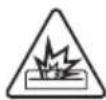
Fire hazard! Do not spray flammable gases towards the device.
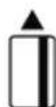
Insert plastic cards vertically and centrally into the feed tray.
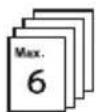
Do not exceed maximum cutting capacity (max. 6 pages).
Scope of delivery
Check the packaging contents before operating the device. If anything is missing or damaged, do not operate the device under any circumstances. Contact our service team.
1 shredder with waste bin 1 Operating instructions
Product overview
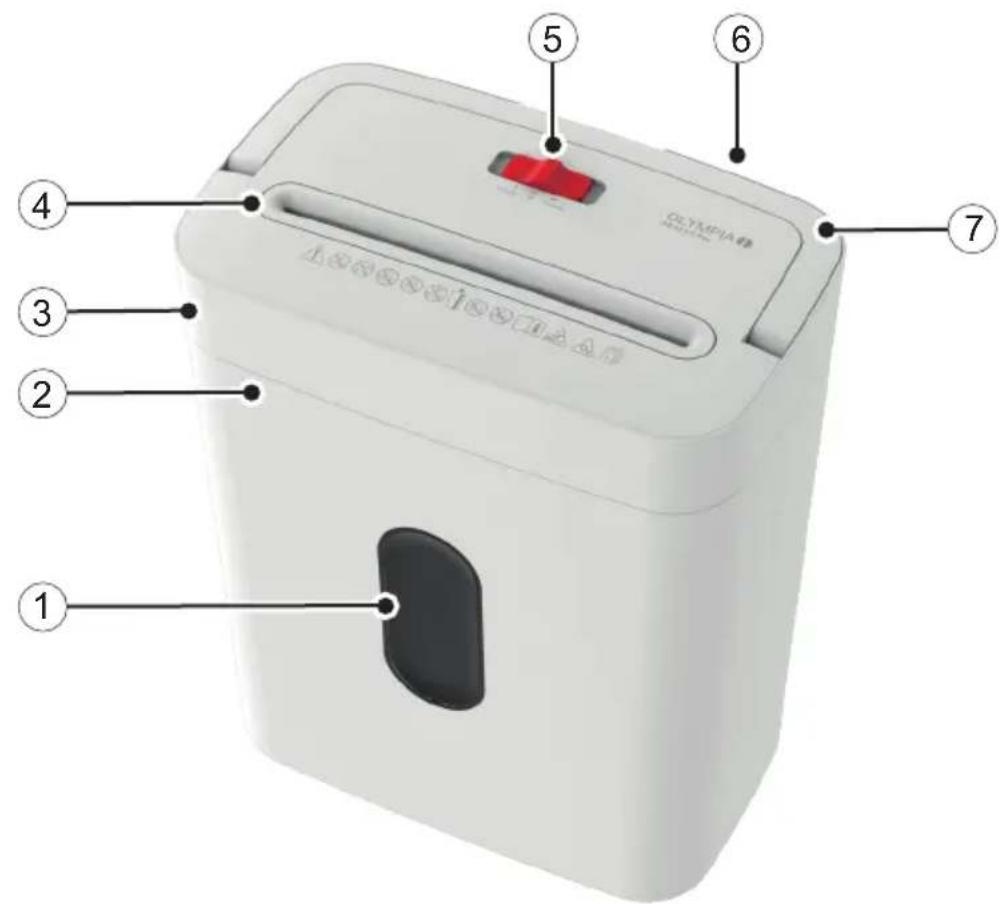
1 Inspection windows 5 Switch On/Automatic, Off, Reverse
2 Collection container 6 Power cable (not visible)
3 Paper shredder (cutting attachment)
7 Foldable carrying handle
4 Insert paper / plastic card
Installation location / Commissioning

Caution! Crush hazard! Be careful not to get your fingers caught between the edge of the paper tray and the shredder attachment.

Caution! Risk of cutting! Risk of injury due to sharp cutting mechanism. Do not touch the shredder on the underside.
1 Place the document shredder attachment on the paper tray. Ensure a secure fit of the shredder attachment.
2 Place the appliance on a stable, level surface near a power socket.
Note: The waste bin must be correctly inserted for the document shredder to work.
3 Set the switch (5) to OFF.
4 Plug the power plug into a professionally installed and easily accessible socket.
Operation
1 Set the switch (5) to ON/AUTO.
Warning! Risk of injury due to automatic retraction! Do not reach into the automatic feeder! Keep loose objects (e.g. hair, ties, scarves, jewellery, etc.) away from the automatic feeder.

Attention! Material damage possible! Pay attention to the maximum cutting performance of the device. Pay attention to the information under Technical Data.

Attention! Material damage due to improper operation! Remove all paper clips before destroying files.
2 Insert the paper into the feed tray (4) so that it is centred. The shredder automatically feeds in the material.
3 Insert plastic cards individually and centrally into the feeder with the short side first.
4 If no further material is inserted, the shredder stops shortly after shredding.
5 Switch off the shredder after use to avoid accidental operation.
6 Set the switch (5) to OFF.
7 Unplug the power cord from the wall socket.
Overheating protection
The document shredder switches off automatically in the event of overheating or overload. After the cooling phase, the shredder is ready for operation again. Refer to the technical data for the permissible operating cycle.
Paper jam
The document shredder detects jammed material and stops.
1 Set the switch (5) to the REVERSE position. The cutting unit runs backwards and releases remaining material in the cutting unit.
2 Pull the ejected material out of the feed tray.
3 Set the switch (5) to the OFF position.
4 Unplug the power cord from the wall socket.

Caution! Risk of cutting! Risk of injury due to sharp cutting mechanism. Do not touch the cutting unit on the underside.
5 Remove the cutting attachment from the folding carrying handle on the collection container.
6 Carefully remove any remaining material from the cutting mechanism using a suitable object.

Caution! Crush hazard! Be careful not to get your fingers caught between the edge of the paper tray and the shredder attachment.
7 Place the document shredder attachment on the paper tray. Ensure a secure fit of the shredder attachment.
Empty collection container
Empty the collection container regularly to ensure proper functioning.
1 Set the switch (5) to OFF.
2 Unplug the power cord from the wall socket.

Caution! Risk of cutting! Risk of injury due to sharp cutting mechanism. Do not touch the cutting unit on the underside.
3 Remove the cutting attachment from the folding carrying handle on the collection container.
4 Carefully remove any remaining material from the cutting mechanism using a suitable object.

Caution! Crush hazard! Be careful not to get your fingers caught between the edge of the paper tray and the shredder attachment.
5 Place the document shredder attachment on the paper tray. Ensure a secure fit of the shredder attachment.
Oil the cutting unit
Oil the cutting unit at regular intervals for proper functioning. The GO Europe GmbH provides special oil for shredders. Please contact our service for this.

Attention! Material damage possible! Use only oils suitable for shredders. Do not use spray oils.
1 Apply the oil in transverse lines to a sheet of paper.
2 Set the switch (5) to ON/ AUTO.
3 Insert the oil-wetted paper into the paper tray in the centre. The paper is being fed in and oils the cutting unit.
Cleaning
1 Set the switch (5) to OFF.
2 Unplug the power cord from the wall socket.
3 Use a slightly damp, lint-free cloth to clean the housing surface of the shredder. Do not use cleaning agents or solvents.
Notes on disposal

Find out about the options for taking back old appliances free of charge from your dealer.

The packaging is made from environmentally friendly materials that can be disposed of at local recycling centres. Ask your local authority about the options for correct disposal.

Observe the labelling of the packaging material when separating waste; these are marked with abbreviations (b) and numbers (a) with the following meaning: 1–7: Plastics / 20-22: Paper and cardboard / 80-98: Composite materials.
The adjacent symbol means that old electrical and electronic appliances must be disposed of separately from household waste in accordance with legal regulations. Dispose of your appliance at the collection point of your municipal waste disposal organisation.
Technical data
PS 53 CC Pro (2723 / 2724)
Cutting performance max. 6 sheets of A4 paper (80 g/m ^2 ), 1 plastic card
Cutting method Particle cut (4 x 38 mm)
Cutting speed 2.0 m/min.
Safety level P4 according to DIN 66399
Operating cycle 3 minutes on / 30 minutes off
Noise level Approx. 68 dB
Collection container 15 litre volume, with viewing window
Power supply 220 - 240 Vac 50/60 Hz
Power consumption 200 watts
Dimensions 313 x 193 x 390 mm
Weight 4.08 kg
Safety level
We declare that the PS 53 CC Pro (2723 / 2724) device meets the requirements of security level P4 according to DIN 66399 for the destruction of documents.
P4: Recommended for data carriers with particularly sensitive and confidential data. Particle surface area ≤ 160 mm ^2 and for regular particles: Stripe width ≤ 6 mm (e.g. particles 4 x 40 mm).
Technical changes
These operating instructions are for information purposes only. Their content is not the subject matter of the contract. All data shown are only nominal values. The equipment and options described may vary depending on the country-specific requirements.
GS mark

www.13.com
100002550

The "Tested Safety" seal (GS mark) certifies that the product fulfils the requirements of the German Product Safety Act (ProdSG). The GS mark indicates that the safety and health of the user are not endangered when the labelled product is used as intended and in the event of foreseeable misuse. This is a voluntary safety mark issued by a suitable testing institute.
Symbols
The following symbols can be found on the packaging or the device itself. In this section, you will find out what each of these symbols means.
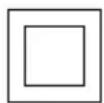
The symbol indicates that the product's design corresponds to protection class II (double insulation). A safety connection to the electrical ground (earth) is not required.

Only use the product indoors.
Declaration of Conformity

The CE mark on the device confirms conformity. The Declaration of Conformity can be found at: www.go-europe.com
Manufacturer
GO Europe GmbH
Zum Kraftwerk 1
45527 Hattingen, Germany
www.go-europe.com
service@go-europe.com