
GL795 - Mobile Phone GIGASET - Free user manual and instructions
Find the device manual for free GL795 GIGASET in PDF.


| Product type | Mobile phone |
| Brand | Gigaset |
| Model | GL795 |
| Category | Mobile phone |
| Protection rating | IP44 |
| Battery | Li-Ion, 1400 mAh |
| Talk time | Approximately 9 hours |
| Standby time | Approximately 300 hours |
| Power supply (charger) | Input 100-240 V, output 5 V / 1 A |
| SIM card type | Nano SIM |
| Memory card slot | Micro SD |
| Directory capacity | Up to 500 contacts |
| SOS button | Yes, up to 5 emergency numbers |
| Direct call keys | 2 keys (A and B) |
| Connectivity | USB Type-C |
| Camera | Built-in camera |
| Flashlight | Built-in |
| Display | Color, non-touch, with on-screen keys |
| Speaker | Built-in |
| Microphone | Built-in |
| Maintenance and cleaning | Dry with a lint-free cloth after contact with water |
| Safety | Compliant with SAR guidelines, avoid extreme temperatures |
| Spare parts and repairability | Original accessories available through Gigaset customer service |
| General information | Approved for the European Economic Area |
Frequently Asked Questions - GL795 GIGASET
User questions about GL795 GIGASET
0 question about this device. Answer the ones you know or ask your own.
Ask a new question about this device
Download the instructions for your Mobile Phone in PDF format for free! Find your manual GL795 - GIGASET and take your electronic device back in hand. On this page are published all the documents necessary for the use of your device. GL795 by GIGASET.
USER MANUAL GL795 GIGASET
For the full user guide with warranty information and comprehensive technical data (e.g. power adapter information, voltage ratings, efficiency values, frequency bands), as well as additional support, please scan
the QR code or visit www.gigaset.com/manuals
natural_image
Illustration of a smartphone with an upward arrow indicating growth or upload (no text or symbols present)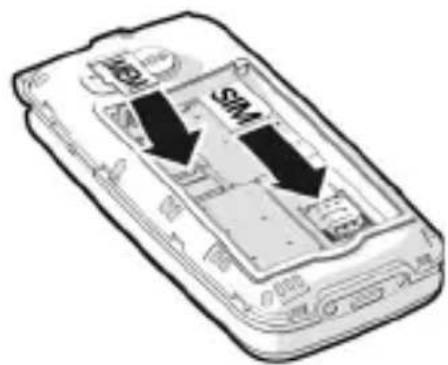
natural_image
Illustration of a smartphone with two arrows pointing to the top panel (no text or symbols)Akku aufladen
natural_image
Line drawing of a mobile phone device labeled 'Gagaset' (no other text or symbols)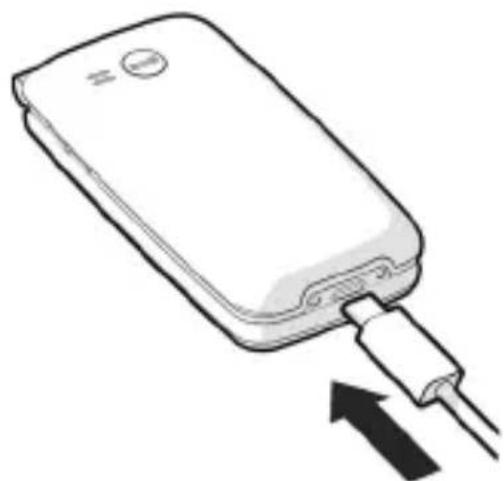
natural_image
Illustration of a smartphone with a USB cable inserted, showing an upward arrow (no text or symbols present)1 Receiver
2 Navigation key: Open menu
lists
Navigate through menus and
3 Left-hand display key: Select functions, depending on the screen display
Accept call; dial number; open call list
4 Direct dialling keys: Speed dialling numbers
5 Key 1: Open network answering machine (press and hold)
6 Star key: Enter * or + (for international calls)
7 Microphone
8 Hash key: Switch between vibration, quiet and standard mode (press and hold)
9 Volume-Boost key: Boost volume during an active call
10 Volume keys: Increase/decrease volume
11 Right-hand display key: End call; cancel function; return to menu; switch device on/off (press and hold)
12 Loudspeaker
13 USB connection: Connect USB cable
14 SOS key: Initiate emergency call
15 Camera
16 Torch
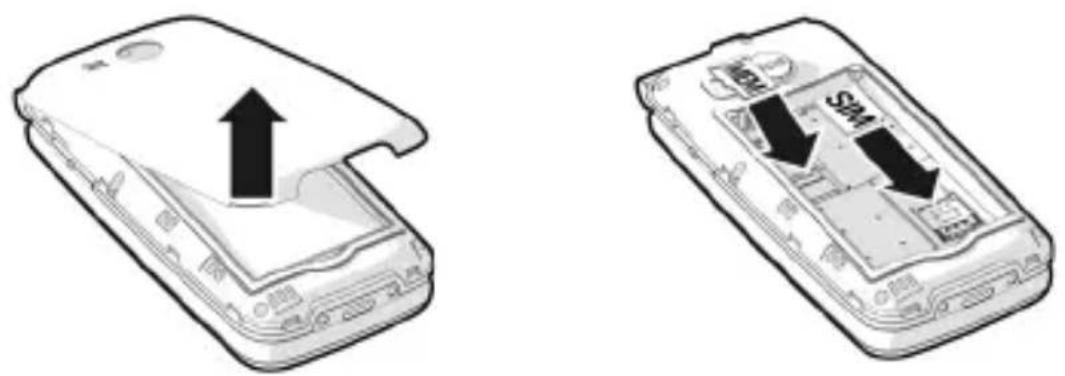
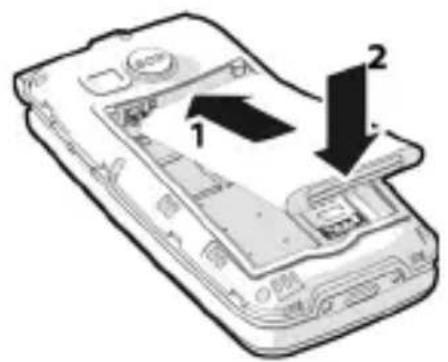
Inserting SIM and SD cards
You can insert a nano SIM card and a micro SD card into the mobile phone.
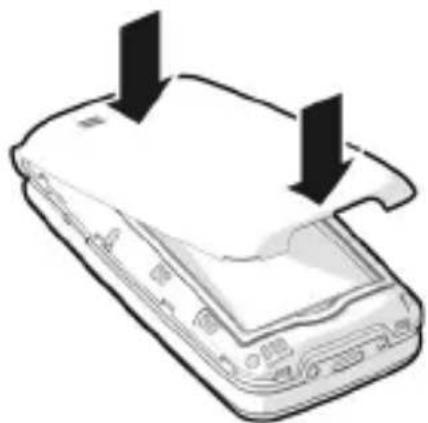
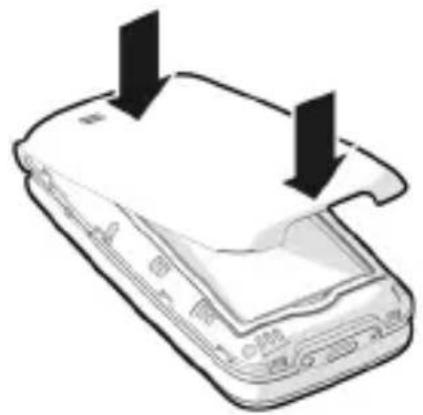
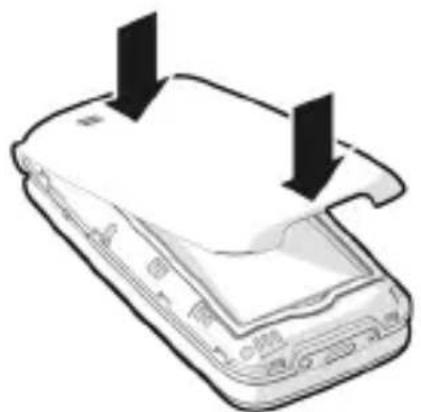
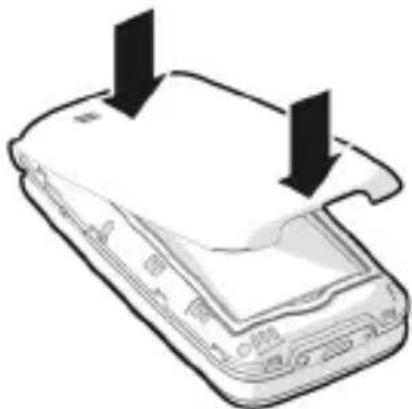
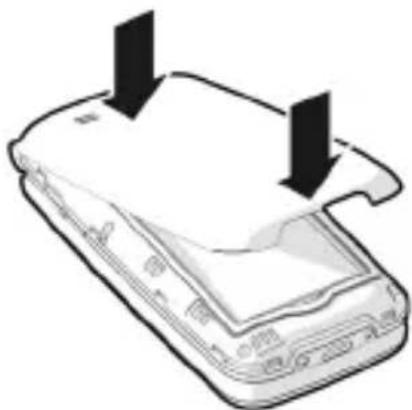
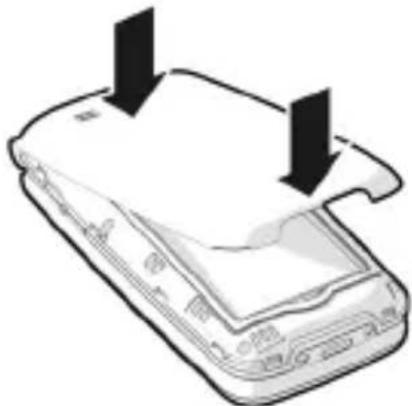
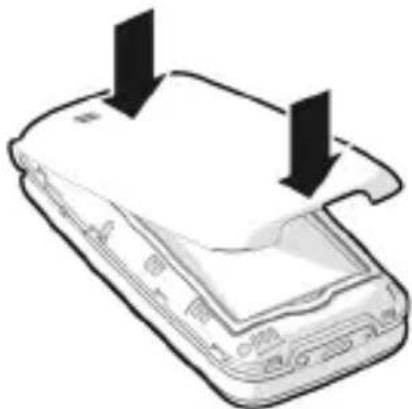
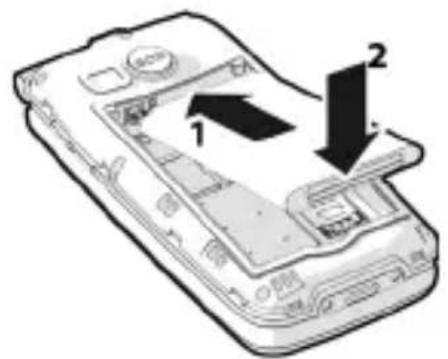
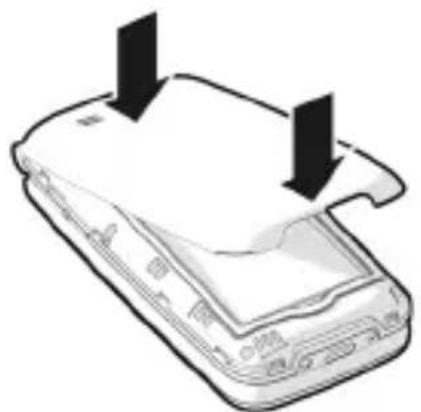
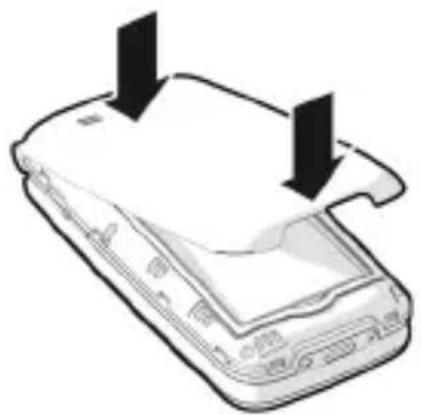
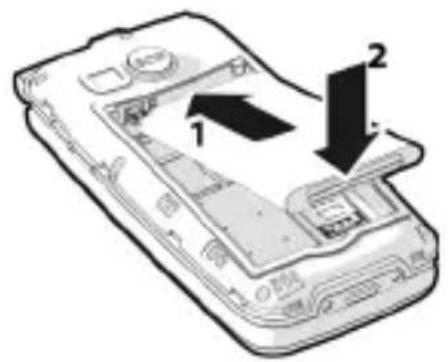
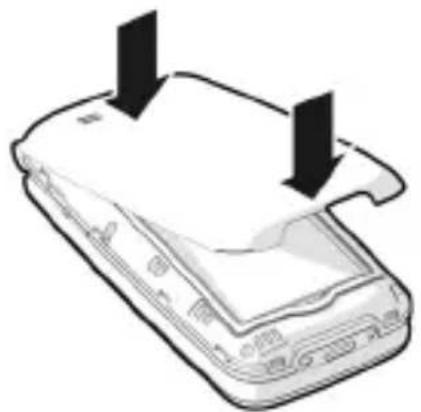
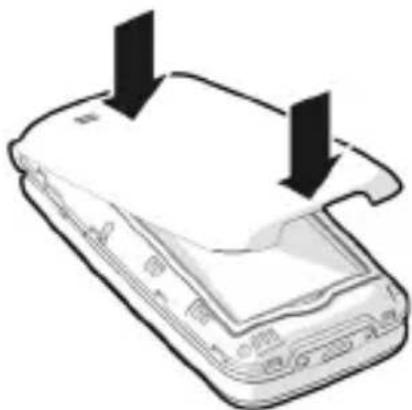
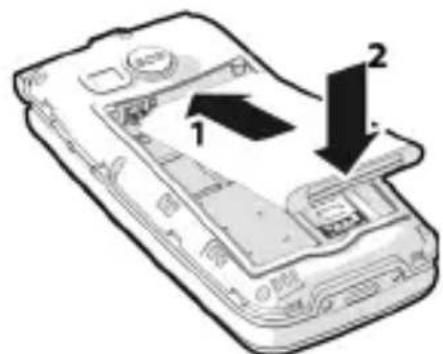
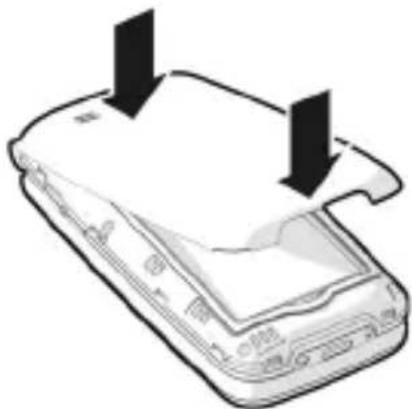
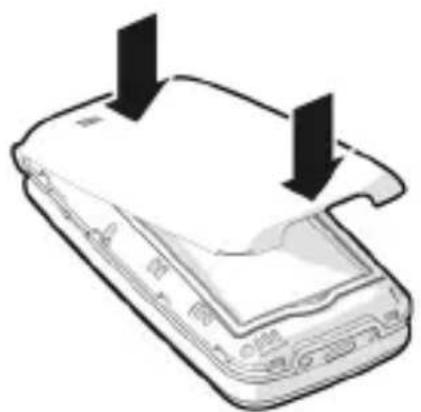
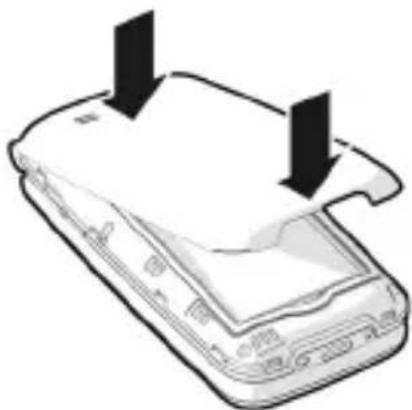
Inserting battery and closing cover
natural_image
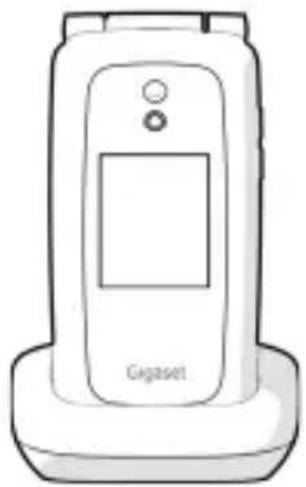
Illustration of a smartphone with two arrows pointing to the cover area (no text or symbols)Charging battery
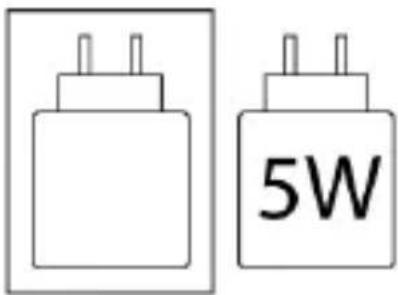
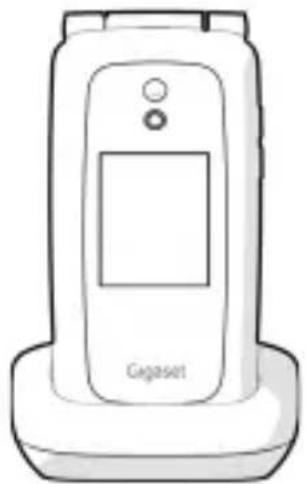
in the charging cradle: with a plug-in power supply unit:
natural_image
Line drawing of a mobile phone with a label 'Gagaset' on the device (no other text or symbols)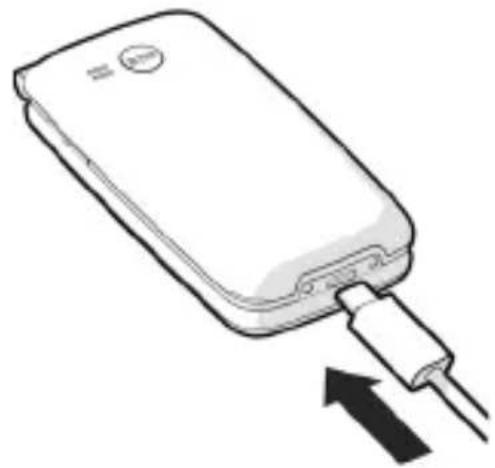
natural_image
Illustration of a smartphone with a USB cable inserted, showing an upward arrow (no text or symbols)The battery is fully charged when the charging icon
in the toolbar is completely full.
en 15
Switching phone on/off
▶ Press and hold on/off key
▶ Enter PIN code of your SIM card ▶ Press OK (left-hand display key or centre navigation key)
Delete character: ▶ Press Delete (right-hand display key)
Display keys
You can use the display keys to perform various functions, depending on the operating situation.
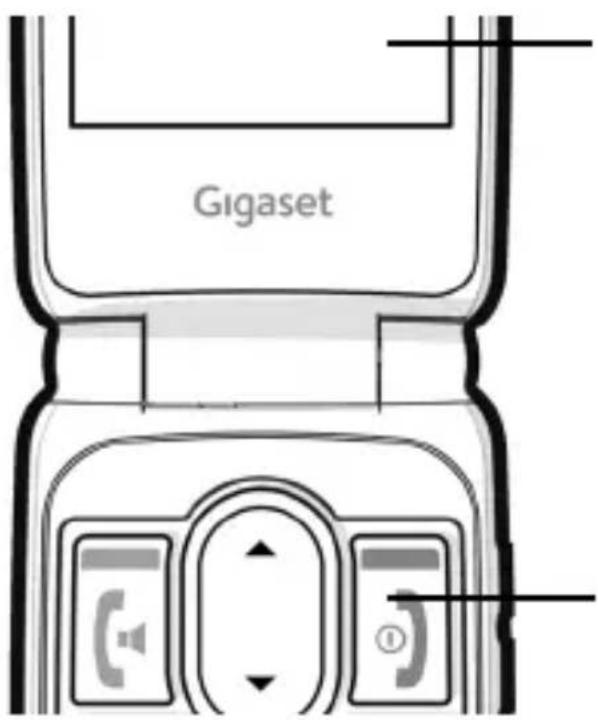
Current display functions
Display keys
▶ Press the display key to activate the corresponding function
Setting language
When the mobile phone is switched on for the first time, the language is selected automatically.
▶ Select desired language ▶ OK
▶ or Select Automatic, the language is recognised by the SIM card.
Making calls
▶ Enter phone number including area code
▶ Options ▶ Call
Delete number: ▶ Press Delete (right-hand display key) Cancel: ▶ Delete number ▶ Press Back (right-hand display key)
For international calls:
▶ Press twice * + ... + is entered ▶ Enter country code
Accepting a call
An incoming call is signalled by a ring tone and the caller's number on the display (if transmitted).
Accept a call: ▶ Press Talk key 📊 or display key Answer
or
▶ Open the device (only if the function is activated in the menu)
Reject call: ▶ Press End key or display key Reject
or
▶ Close the device
End a call: ▶ Press End key or press display key Hang up
Creating new directory entry
You can create up to 500 directory entries.
- Contacts ▶ Add new contact ▶ OK ▶ Select where the entry is to be stored (SIM card or phone)
- OK
▶ Select Name/Number ▶ Edit ▶ Enter Name/Number ▶ Save
Dial from the directory:
Contacts ▶ Select entry ▶ Options ▶ Call
Assigning numbers to direct dialling keys
You can assign two important phone numbers to the direct dialling keys A and B.
▶ Press and hold one of the direct dialling keys (A or B) or
Menu ▶ Settings ▶ OK ▶ Speed dial ▶ OK
▶ Phone numbers can be taken from the phone book or entered manually.
Dial a number: ▶ Press and hold key A or B
Safety instructions
Failure to comply with these instructions may result in personal injury and damage to the device, as well as violations of applicable laws.
General information
- The mobile phone is splashproof according to the IP44 standard. If your mobile phone has been exposed to water, dry it and the device openings (micro-phone/loudspeaker/USB Type-C port) with a lint-free cloth to remove any water droplets.
- Permissible temperature range for charging and operation: 0-45°C.
- Switch off your mobile phone in potentially explosive atmospheres and observe all warnings. Potentially explosive atmospheres also include those locations for which it is normally recommended that vehicle engines be switched off. In such places, flying sparks can cause explosions or fires resulting in personal injury and possibly death.
- Short-circuiting or modifying the mobile phone is prohibited – there is a risk of personal injury, electric shock, fire or damage to the charger.
Battery and charging process
- To avoid battery fluid leakage, overheating, explosion or fire, never incinerate or heat batteries and never dispose of them in a fire or explosion-prone environment. Do not disassemble, weld or modify the battery. Do not store the battery in an environment subject to strong mechanical influences.
- Do not use sharp objects, such as screwdrivers, to touch or puncture the battery. There is a risk of battery fluid leaking, the battery overheating, exploding or catching fire and burning. Crushing, heating or incinerating batteries is strictly prohibited.
- Eye contact with the battery electrolyte can cause blindness. If electrolyte enters the eyes, do not rub the eye with your hand. Immediately flush the affected eye completely with clean water and seek medical attention. There is a risk of skin burns if the electrolyte comes into contact with the skin (or clothing). Immediately rinse the skin or clothing completely with soap and clean water and seek medical attention if necessary.
- Never use the batteries for any purpose other than that specified. Never use a damaged battery. If the battery becomes hot, discoloured, deformed or leaks during use, charging or storage, you must replace the battery with a new one immediately for safety reasons.
- The temperature of the battery rises during charging. Do not store the battery in the same compartment as flammable products – there is a risk of fire.
- The electrical socket must be easily accessible during charging.
- There is a risk of electric shock during a thunderstorm.
- To extend the lifespan of your battery, avoid very high and very low temperatures; the range between 15 and 35^ is optimal.
- It is harmful to keep the battery at 100 % charge for long periods of time. The default settings provide for charging up to 80 % to take this into account.
- Activated wireless connections, such as Bluetooth, increase the power consumption of the device. You can switch them off if they are not needed. Furthermore, the brightness of the display has a significant influence on power consumption. If you set your display to a low brightness level and switch off any wireless connections that are not needed, the device will operate for longer.
Headphones
High volumes can damage hearing.
Listening to music or conversations through headphones at high volumes can be uncomfortable and cause permanent hearing damage. To prevent a loss of hearing, avoid listening at high volume levels for long periods of time.
Use in medical facilities
- This device may cause electromagnetic interference that can affect the operation of medical devices.
- Do not use this device near life-supporting equipment or in areas in which the use of electronic devices is restricted.
- Follow the instructions of the medical staff and switch off the device if necessary.
Children and pets
- Keep the mobile phone, batteries, chargers and accessories out of reach of children and pets. Children and/or pets may swallow small parts and suffer choking and other hazards.
Aircraft, vehicles and road safety
- Please observe the applicable restrictions and regulations.
Defective devices
- Dispose of defective devices or have them repaired by our customer service department; such devices could interfere with other wireless services.
- Do not use the device if the display is cracked or broken. Glass or plastic splinters can injure the hands and face.
Customer service
If you have any problems with your mobile phone, please contact a Gigaset dealer or the Gigaset Service Center. You can also purchase original accessories (e.g. batteries, charger) there.
Help is available at www.gigaset.com/service
Disclaimer
The display of your mobile device consists of pixels. Each pixel consists of three sub-pixels (red, green and blue). A sub-pixel may fail or show a colour deviation. A warranty claim is only valid if the maximum number of permissible pixel errors is exceeded.
| Description Pixel error limit | |
| Colour-illuminated sub-pixels | 1 |
| Dark sub-pixels 1 | |
| Total number of coloured and dark sub-pixels | 1 |

Signs of wear on the display and casing are not covered by the warranty.
Approval
This appliance is intended for use within the European Economic Community.
Country-specific features are taken into account.
Gigaset Technologies GmbH hereby declares that the radio equipment type Gigaset GL795 complies with Directive 2014/53/EU.
The full text of the EU Declaration of Conformity is available at the following web address:
www.qiqaset.com/docs.
In some cases, this declaration could also be available in the "International Declarations of Conformity" or "European Declarations of Conformity" files.
22 en
Notice on the Disposal of Electrical and Electronic Equipment
For more information on environmentally friendly products and procedures, please visit www.gigaset.com.
Environmentally Responsible Disposal
(in accordance with the WEEE Directive and the EU Battery Directive)

The crossed-out wheeled bin symbol on the product, accessories (e.g. charger, headset, USB cable), battery, or accompanying documentation indicates that these components must not be disposed of with household waste. Waste electrical and electronic equipment and batteries must be collected separately and returned to municipal collection points or retailers.
Technical data
Operating times
Calling duration: approx. 9 hours Idle mode: approx. 300 hours
Idle mode
After the call has ended, the phone automatically returns to idle mode after a maximum of 1 minute.
Accessories
Use only chargers, batteries and cables approved by Gigaset. Unauthorised accessories can cause damage to the device.
Plug-in power supply/charging cradle
Input: 100-240 V 50/60 Hz = 0.3 A
Output: 5 V 1.0 A =
Part number: C39280-Z4-C791
Battery
Technology: Li-Ion
Capacity: 1400 mAh
Part number: V30145-K1310-X485
About radiation
Information on SAR (Specific Absorption Rate) certification
THIS DEVICE FULFILS THE INTERNATIONAL GUIDELINES FOR EXPOSURE TO RADIO WAVES.
Your mobile device has been developed to ensure that it does not exceed the internationally recommended exposure limits for radio waves.
These guidelines were defined by an independent scientific organisation (ICNIRP) and contain a large safety margin to ensure the safety of all persons, regardless of their age and state of health. The guidelines on exposure to radio waves use a unit of measurement, known as the specific absorption rate or SAR. The SAR limit for mobile devices is 2.0 W/kg. The highest SAR values within the ICNIRP guidelines for this device model are:
Highest SAR value for this phone model and coverage conditions:
SAR head 0.28 W/kg (10g)
SAR carried on the body 1.68 W/kg (10g)
SAR for limbs (e.g. when 3.73 W/kg (10g))
worn on the arm)
SAR values for carrying on the body were determined at a distance of 5 mm. To comply with the RF exposure guidelines for carrying on the body, the device should be positioned at least this distance away from the body.
1 Ricevitore
natural_image
Illustration of a smartphone with an upward arrow indicating the open lid (no text or symbols present)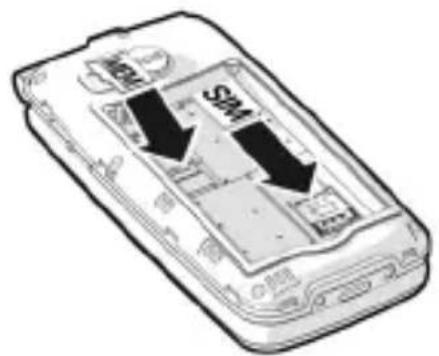
natural_image
Illustration of a smartphone with two arrows pointing to the screen area (no text or symbols)natural_image
Line drawing of a mobile phone with a label 'Gagaset' on its body (no other text or symbols)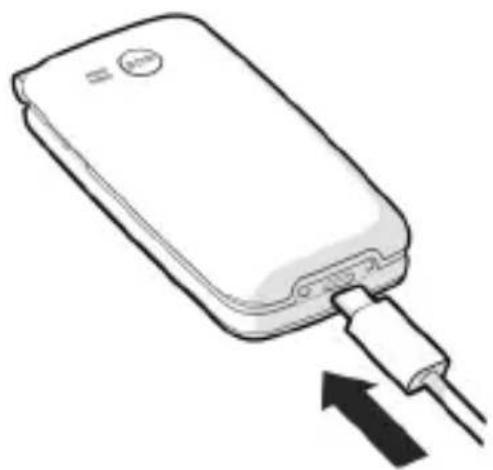
natural_image
Illustration of a mobile phone with a USB cable inserted, showing an upward arrow (no text or symbols)natural_image
Illustration of a smartphone with an upward arrow indicating growth or upload (no text or symbols present)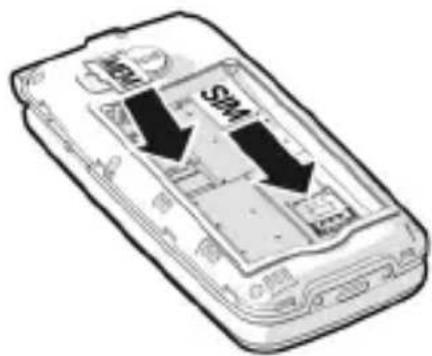
natural_image
Illustration of a smartphone with two arrows pointing to the screen area (no text or symbols)Cargar la batería
natural_image
Line drawing of a mobile phone with a label 'Gagaset' on the device (no other text or symbols)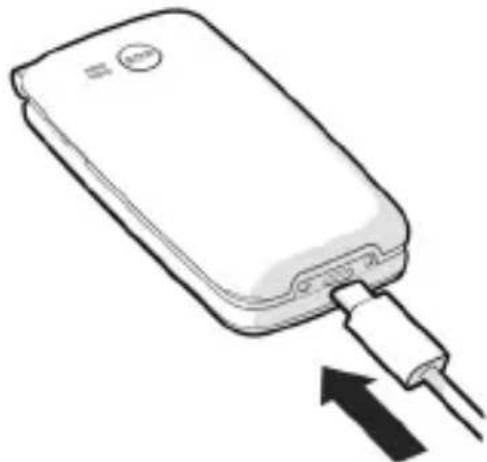
natural_image
Illustration of a mobile phone with an attached cable and two arrows indicating signal or connection (no text or symbols)natural_image
Illustration of a smartphone with an upward arrow indicating growth or upload (no text or symbols present)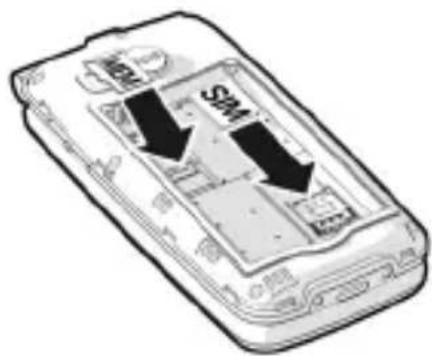
natural_image
Illustration of a smartphone with two arrows pointing to the screen area (no text or symbols)Charger la batterie
natural_image
Line drawing of a mobile phone device labeled 'Gigaset' (no other text or symbols)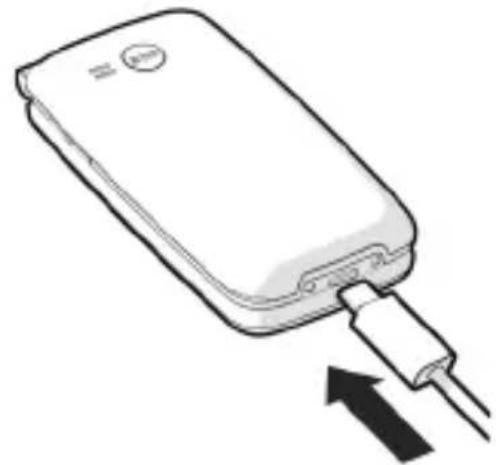
natural_image
Illustration of a smartphone with a USB cable inserted, showing an upward arrow (no text or symbols)natural_image
Illustration of a smartphone with an upward arrow indicating the open lid (no text or symbols present)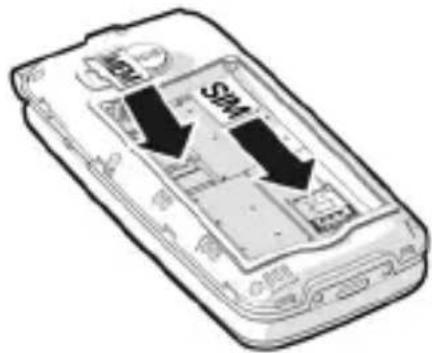
natural_image
Illustration of a smartphone with two arrows pointing to the screen area (no text or symbols)Accu opladen
natural_image
Line drawing of a mobile phone with a label 'Gagaser' on the front panel (no other text or symbols)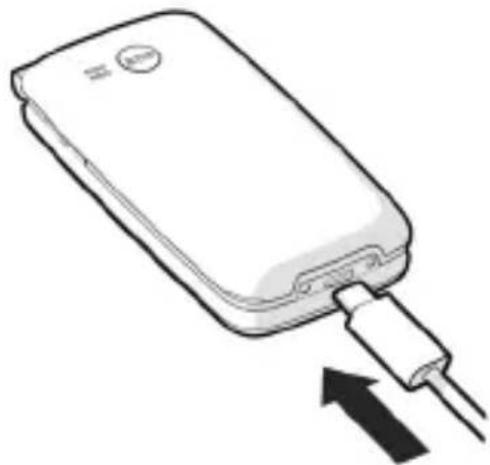
natural_image
Illustration of a smartphone with an attached plug and cable, showing a black arrow pointing upward (no text or symbols)Conformity" of "European Declarations of Conformity".
natural_image
Illustration of a smartphone with an upward arrow indicating growth or upload (no text or symbols present)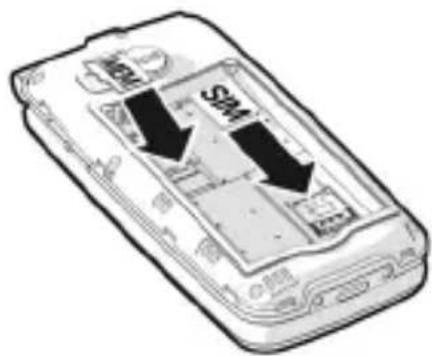
natural_image
Illustration of a smartphone with two arrows pointing to the screen area (no text or symbols)Lade batteriet
natural_image
Line drawing of a mobile phone device labeled 'Gigaset' (no other text or symbols)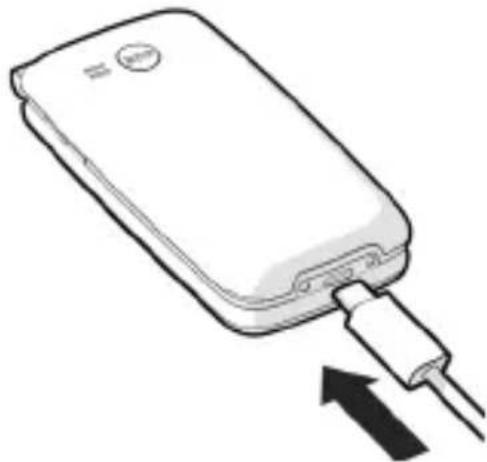
natural_image
Illustration of a smartphone with an attached cable and two arrows indicating upward movement (no text or symbols)natural_image
Illustration of a smartphone with an upward arrow indicating the open lid (no text or symbols present)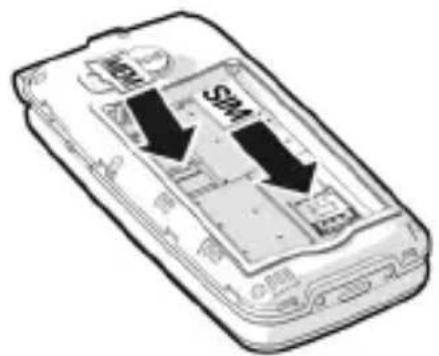
Inserir a bateria e fechar a tampa
natural_image
Illustration of a smartphone with two arrows pointing to the screen area (no text or symbols)Carregar a bateria
No carregador: Com um adaptador de ficha:
natural_image
Line drawing of a mobile phone with a label 'Gagaset' on the device (no other text or symbols)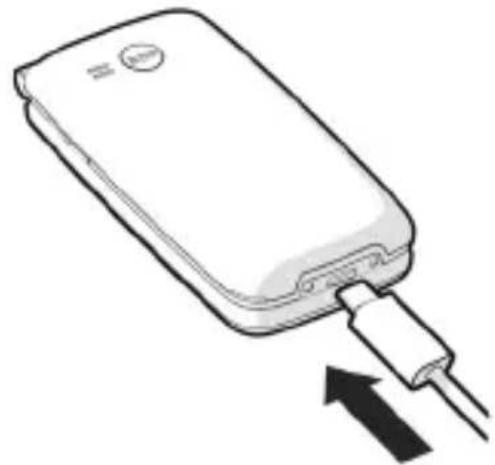
natural_image
Illustration of a smartphone with an attached plug and cable, showing a black arrow pointing to the plug (no text or symbols present)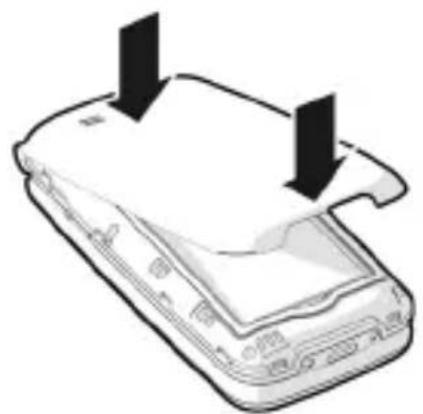
natural_image
Illustration of a smartphone with two arrows pointing to the cover area (no text or symbols)Ładowanie baterii
natural_image
Line drawing of a mobile phone device labeled 'Gigaset' (no other text or symbols)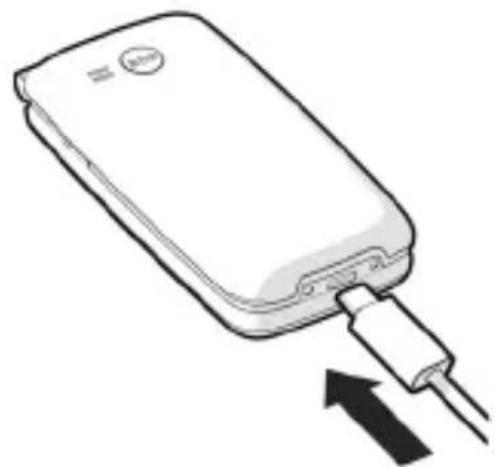
natural_image
Illustration of a smartphone with an attached cable and plug, showing a black arrow pointing to the cable (no text or symbols present)natural_image
Illustration of a smartphone with an upward arrow indicating growth or upload (no text or symbols present)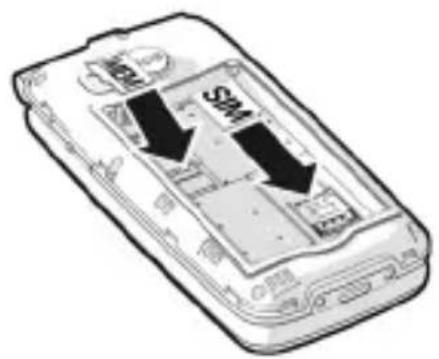
natural_image
Illustration of a smartphone with two arrows pointing to the screen area (no text or symbols)natural_image
Line drawing of a mobile phone device labeled 'Gagaset' (no other text or symbols)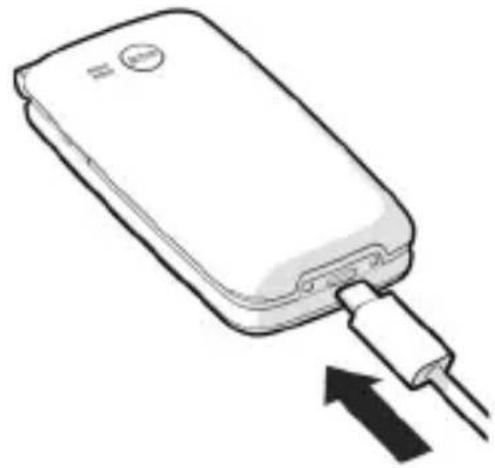
natural_image
Illustration of a smartphone with an attached plug and cable, showing a black arrow pointing to the plug (no text or symbols present)
natural_image
Illustration of a smartphone with two arrows pointing to the cover area (no text or symbols)natural_image
Line drawing of a mobile phone device labeled 'Gigaset' (no other text or symbols)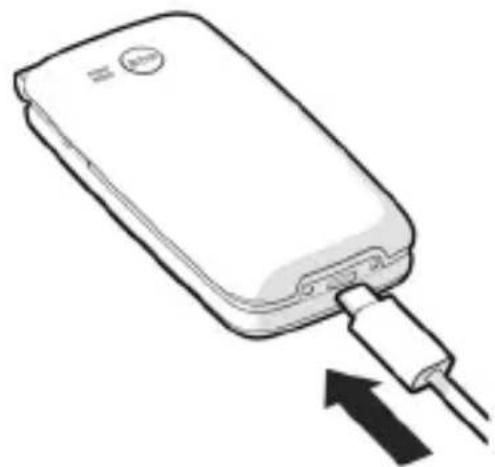
natural_image
Illustration of a smartphone with an attached plug and cable, showing a black arrow pointing to the plug (no text or symbols present)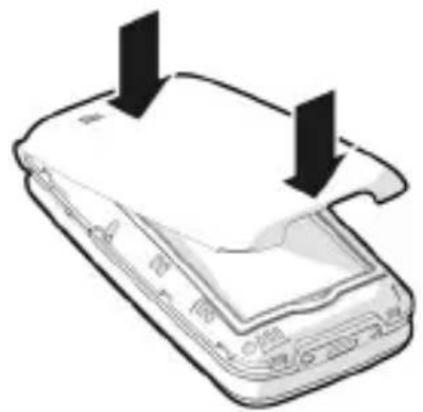
natural_image
Illustration of a smartphone with two arrows pointing to the cover area (no text or symbols)Φόρτιση μπαταρίας
natural_image
Line drawing of a mobile phone with a display screen and control buttons (no text or symbols on the device body)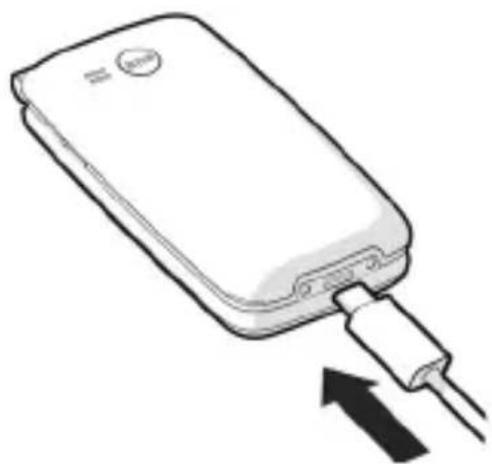
natural_image
Illustration of a mobile phone with an attached cable and plug, showing no text or symbolsnatural_image
Illustration of a smartphone with an upward arrow indicating the open lid (no text or symbols present)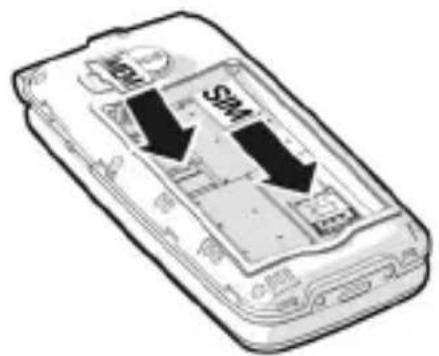
Umetnite bateriju i zatvorite poklopac
natural_image
Illustration of a smartphone with two arrows pointing to the screen area (no text or symbols)Napunite bateriju
natural_image
Line drawing of a mobile phone device labeled 'Gagaset' (no other text or symbols)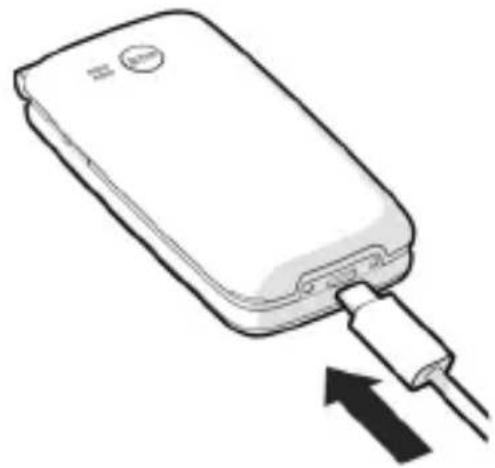
natural_image
Illustration of a smartphone with an attached plug and two arrows indicating battery direction (no text or symbols)natural_image
Illustration of a smartphone with an upward arrow indicating growth or upload (no text or symbols present)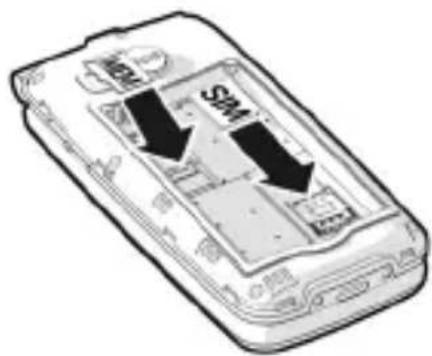
natural_image
Illustration of a smartphone with two arrows pointing to the screen area (no text or symbols)natural_image
Line drawing of a mobile phone device labeled 'Gigaset' (no other text or symbols)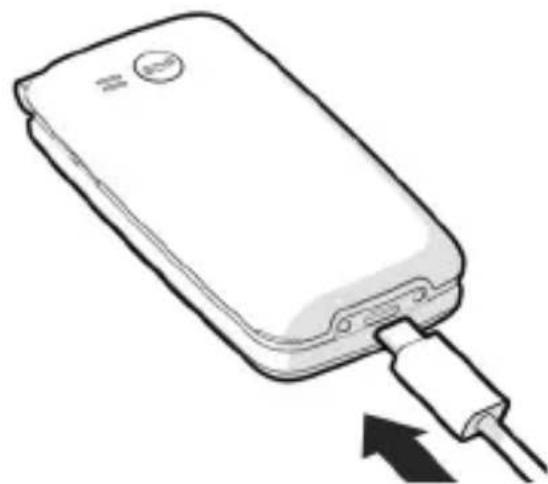
natural_image
Line drawing of a smartphone with a USB cable inserted, showing an upward arrow (no text or symbols)natural_image
Illustration of a smartphone with an upward arrow indicating the open lid (no text or symbols present)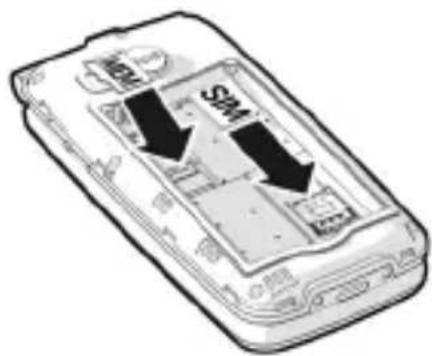
Vstavljanje baterije in zapiranje pokrova
natural_image
Illustration of a smartphone with two arrows pointing to the screen area (no text or symbols)Polnjenje baterije
natural_image
Line drawing of a mobile phone with a label 'Gigaset' on the front panel (no other text or symbols)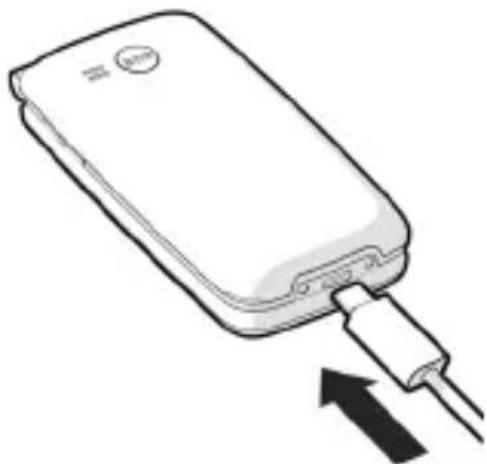
natural_image
Illustration of a smartphone with an attached plug and cable, showing a black arrow pointing upward (no text or symbols)natural_image
Illustration of a smartphone with an upward arrow indicating the open lid (no text or symbols present)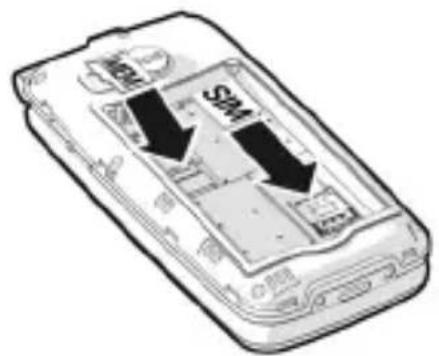
natural_image
Illustration of a smartphone with two arrows pointing to the screen area (no text or symbols)Пуњење акумулатора
natural_image
Line drawing of a mobile phone device labeled 'Gigaset' (no other text or symbols)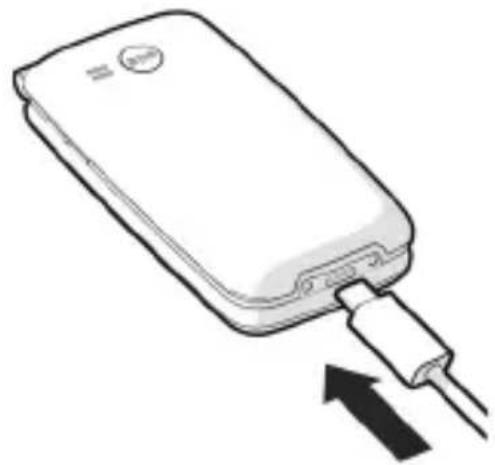
natural_image
Illustration of a smartphone with an attached USB cable and plug, showing no text or symbolsnatural_image
Illustration of a smartphone with an upward arrow indicating growth or upload (no text or symbols present)
natural_image
Illustration of a smartphone with two arrows pointing to the cover area (no text or symbols)Ladda batteriet
natural_image
Line drawing of a mobile phone device labeled 'Gagaset' (no other text or symbols)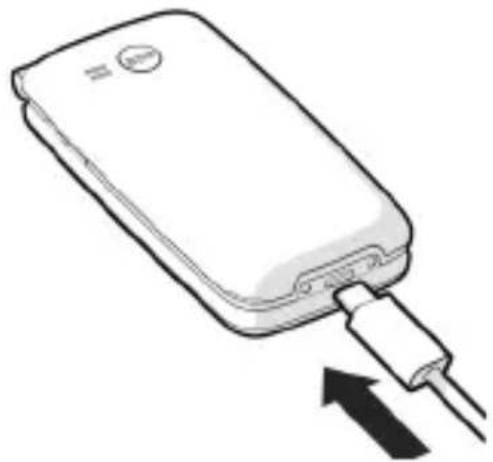
natural_image
Illustration of a smartphone with an attached plug and cable, showing no text or symbolsSubject to availability.
All rights reserved. Rights of modification reserved.
www.gigaset.com
A31008-N1235-R101-4-X143
- Akku aufladen
- Inserting SIM and SD cards
- Inserting battery and closing cover
- Charging battery
- Switching phone on/off
- Display keys
- Setting language
- Making calls
- Accepting a call
- Creating new directory entry
- Assigning numbers to direct dialling keys
- Safety instructions
- General information
- Battery and charging process
- Headphones
- Use in medical facilities
- Children and pets
- Aircraft, vehicles and road safety
- Defective devices
- Customer service
- Disclaimer
- Approval
- en
- Notice on the Disposal of Electrical and Electronic Equipment
- Environmentally Responsible Disposal
- Technical data
- Operating times
- Idle mode
- Accessories
- Plug-in power supply/charging cradle
- Battery
- About radiation
- Information on SAR (Specific Absorption Rate) certification
- Cargar la batería
- Charger la batterie
- Accu opladen
- Lade batteriet
- Inserir a bateria e fechar a tampa
- Carregar a bateria
- Ładowanie baterii
- Φόρτιση μπαταρίας
- Umetnite bateriju i zatvorite poklopac
- Napunite bateriju
- Vstavljanje baterije in zapiranje pokrova
- Polnjenje baterije
- Пуњење акумулатора
- Ladda batteriet
Brand : GIGASET
Model : GL795
Category : Mobile Phone