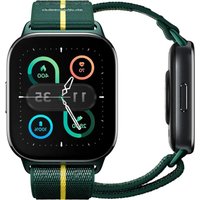
Moto Watch FIT - Smartwatch MOTOROLA - Free user manual and instructions
Find the device manual for free Moto Watch FIT MOTOROLA in PDF.


| Product Type | Connected watch (smartwatch) |
| Brand | Motorola |
| Model | Moto Watch FIT (XT2541-1) |
| Power supply | Magnetic charging via USB-C cable (2.5 W min, 5.5 W max) |
| Compatibility | Android 12 and later |
| Main functions | Activity tracking, notifications, Bluetooth, GNSS, heart rate sensor |
| Band | Removable strap with release button, optional lug adapters |
| Care and cleaning | Clean and dry charging contacts; avoid temperatures below -10°C or above 45°C; do not insert sharp objects |
| Safety | Warning: not medical; may interfere with pacemakers; choking hazard; do not disassemble; do not expose to fire |
| Spare parts and repairability | Replaceable strap; non-user-replaceable battery; repair by Motorola authorized center |
| General information | Motorola limited warranty; customer service: motorola.com/support; recycling: motorola.com/recycling |
Frequently Asked Questions - Moto Watch FIT MOTOROLA
User questions about Moto Watch FIT MOTOROLA
0 question about this device. Answer the ones you know or ask your own.
Ask a new question about this device
Download the instructions for your Smartwatch in PDF format for free! Find your manual Moto Watch FIT - MOTOROLA and take your electronic device back in hand. On this page are published all the documents necessary for the use of your device. Moto Watch FIT by MOTOROLA.
USER MANUAL Moto Watch FIT MOTOROLA
natural_image
Line drawing of a smartwatch with a rectangular head and strap (no text or symbols)read me
lisez-moi
Vor Gebrauch
lesen
léeme
leia-me
Leggere prima
dell'uso
lees mij
przeczytaj
citiți-mă

прочитај ме
Обязательно к
прочтению
НУСКАУЛЫК
prečítajte si
základní pokyny
moto watch fit
English (en-GB)....3
Français (fr)....9
Deutsch (de)......16
Español(es)....22
Support.mea@custhelp.com
Scan me/Scan Me/Bitte scannen/Escanéame/ Scan me/Scansiona il codice/Scan me/Zeskanuj/ Scanaṭi-mă/امسح الرمز ضوئيّا/Скенирај ме/ Просканируйте/QR коды/Naskenuj ma/Scan Me
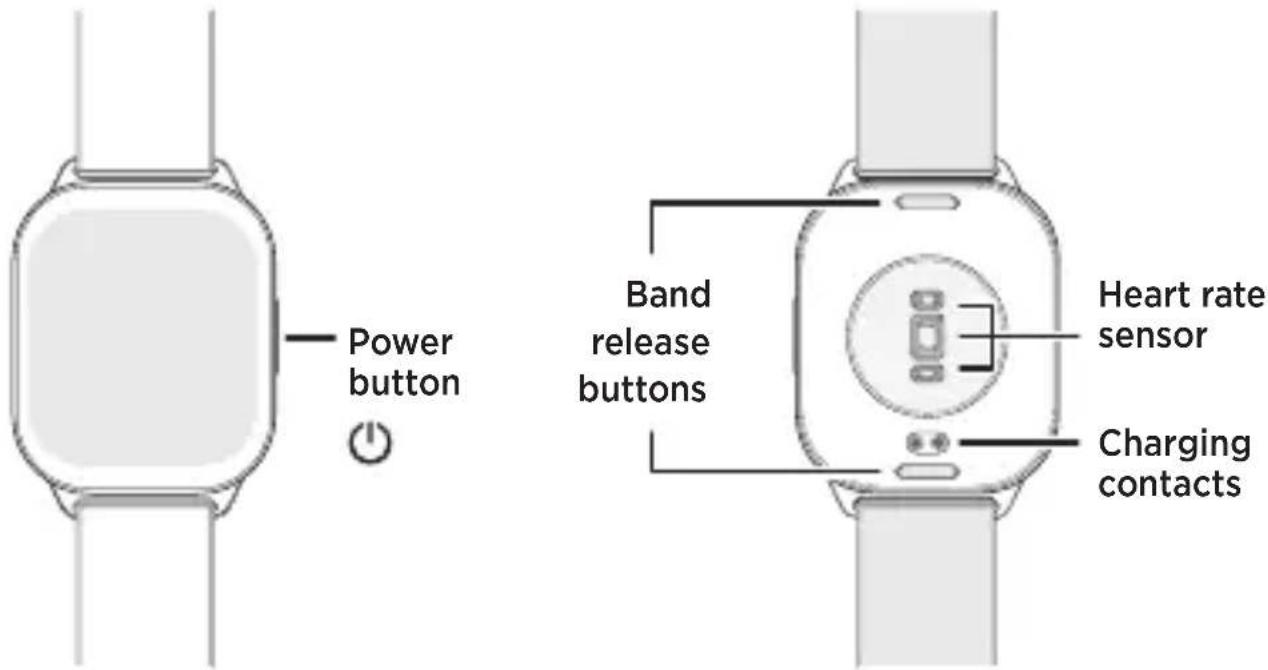
At a glance
Before using your device, please read the legal, safety and regulatory information in this guide. Product images are for illustration purposes only and may differ from the actual products you purchase.
Charge your device
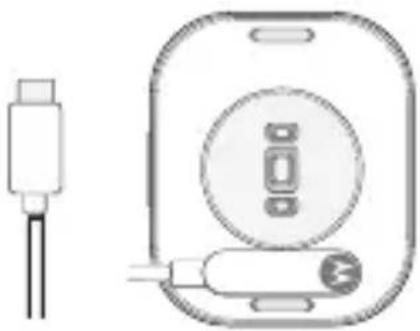
Charge your device with the magnetic charging cable included in the box. Align the pins on the cable with the charging contacts on the device back and then connect the charging cable to a USB-C power supply.
Note: make sure the charging pins and charging contacts are clean and dry.
natural_image
Diagram of a device with a USB cable and a circular button, no text or symbols presentPower on and off
- Press and hold the power button to turn on your device.
- Press and hold the power button until Power off displays on the screen. Tap Power off to turn off your device.
Pair with your phone
You can pair this device with phones running Android 12 or later after installing the companion app on your phone.
1 Power on your device and follow the on-screen instructions to download and install the companion app on your phone.
You can also download the app by scanning the QR code in the "Get more" section of this guide.
2 Open the companion app on your phone and follow the on-screen instructions to complete the pairing.
Navigation
On your device, go to Settings > System > Quick tour for the navigation tutorial.
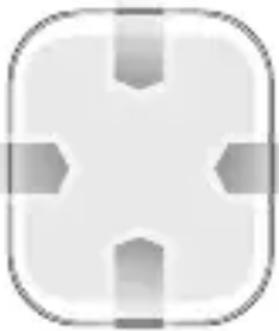
Swipe down from the watch face for quick settings
Swipe right from the watch face for a list of apps and Settings
natural_image
Simple gray icon of a medical cross inside a rounded square frame (no text or symbols)Swipe up from the watch face for notifications
Swipe left from the watch face for feature panels
Release the band
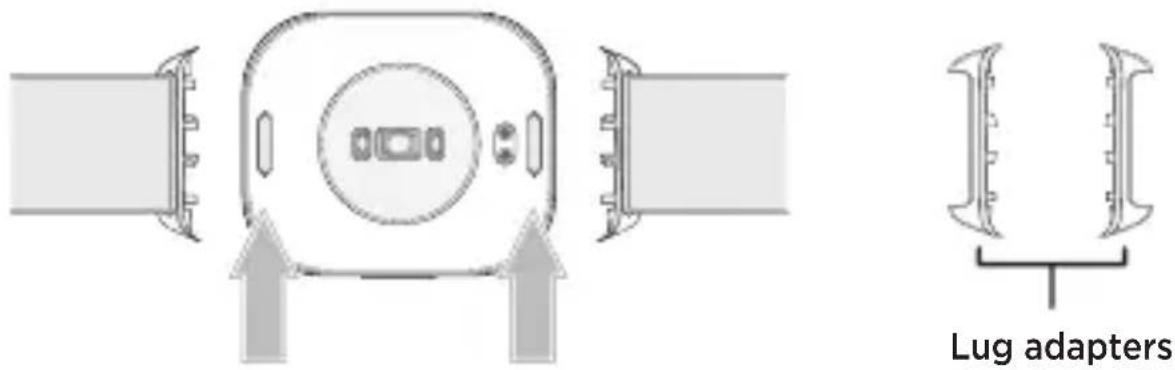
To remove the band, press the band release button(s).
Tip: you can use the lug adapters (may be included in the box) to change your band. For instructions on how to change the band, see the user guide at motorola.com/mymotowatch.
Get more
To get the companion app, full user guides and more, visit motorola.com/mymotowatch or scan the QR code with your Camera app.
Legal, safety and regulatory information
This guide provides important legal, safety and regulatory information that you should read before using your device. For the complete information, visit motorola.com/accessory-legal.
Warning: this is not a medical device and is not intended to diagnose or monitor any medical condition.
Safety information
- Responsible and safe driving is your primary responsibility when driving a vehicle. Always obey local laws and regulations.
- Your device contains magnets and may interfere with pacemakers and other medical devices. Consult your healthcare provider and the medical device manufacturer's directions before using this device.
- Power supplies that do not comply with applicable national standards may be unsafe, with risk of death or injury, and may cause product damage. The power delivered by the power supply (may be sold separately) must be between min 2.5 Watts required by the radio equipment, and max 5.5 Watts to achieve the fastest charging speed.
- The battery in your device is designed to last the life of the product. To prevent possible burning and injury, the battery in your device should only be removed by a Motorola-approved service centre or recycler when the device is end of life. Don't dispose of your battery or device in a fire.
- It is not recommended to attempt to disassemble, repair or modify the device by yourself. This may damage the device and could cause danger.
- Avoid looking directly at the heart rate sensor, which may cause discomfort or temporarily impair vision.
- Prolonged use may cause discomfort. This device may display flashing images. Flashing images may cause seizures or blackouts. Stop using your device and seek medical advice if these symptoms occur.
- Your product contains small parts that may present a choking hazard or cause other injury to small children and animals. Keep your product away from small children and animals.
- Some parts of your device, like your screen, could be made of glass. If the glass breaks, chips or cracks, do not touch or attempt to remove it. Stop using your device until it can be repaired.
- Stop using your device and seek medical advice if you experience skin irritation.
Use and care
- Don't use your device in temperatures below -10^ or above 45^ . Don't store or transport your device in temperatures below -20^ or above 60^ .
- Do not insert sharp objects into the device. Inner components may be damaged along with the water-resistance feature. For detailed information about your device's dust and water resistance design and care tips, refer to the User Guide at motorola.com/mymotowatch.
- Do not drop, puncture, crush or expose your device to fire.
Specifications
| Operating mode | Frequency range MHz/band | Maximum nominal transmit power |
| Bluetooth 2400-2 | 483.5 15 dBm | |
| GNSS 1559-1610 N | /A-RX only |
Regulatory information (e-label). To view regulatory information for this device, go to Settings > About > Regulation information or visit motorola.com/accessory-legal.
Exposure to RF energy and device operation. This device contains a transmitter and receiver of RF energy. It meets the applicable national or international RF exposure guidance (SAR guideline) when used normally against your head or when worn or carried. The SAR guideline includes a considerable safety margin designed to assure the safety of all persons, regardless of age and health. To view the SAR values for this device, go to Settings > About > Regulatory information or visit www.motorola.com/sar. To view additional information, visit www.motorola.com/rfhealth.
European conformance (CE and UKCA). The following information is applicable to products that carry a CE or UKCA mark. Contact point: Regulatory Compliance, Motorola
Mobility UK Ltd., 25 Templer Avenue, Farnborough, Hampshire, GU14 6FE, UK. Hereby, Motorola Mobility LLC declares that the radio equipment model as defined in this guide (and box label) supplied with this product bearing the CE mark is in compliance with Directive 2014/53/EU; and bearing the UKCA mark is in compliance with the Radio Equipment Regulations 2017.

The full DoC can be found at www.motorola.com/red.
Disposal and recycling. Don't dispose of your battery or device with your household waste. For help recycling products and packaging responsibly, visit www.motorola.com/recycling.
Warranty. This product is covered by Motorola's limited warranty. To review the warranty, visit motorola.com/accessory-legal. You may also obtain a copy of the warranty by contacting Motorola at: Motorola Mobility LLC, Attention Customer Service—Warranty Request, 222 West Merchandise Mart Plaza, Chicago, IL 60654, USA.
Arbitration and opt-out. Except where prohibited by law, any claim relating to any Motorola product will be resolved by binding arbitration, instead of in court, unless you opt out by sending written notice within 30 days of purchase that includes your name, address, phone number, and serial number (on the device back or go to Settings >
About), stating that you reject this Arbitration provision to: Motorola Mobility LLC, 222 West Merchandise Mart Plaza, Attn: Arbitration Provision Opt-Out, Chicago, IL 60654, USA or arbitrat@motorola.com.
Service and repair. If you have questions or need assistance, go to www.motorola.com/support.
Legal disclaimers. Product specification and other information contained in this guide are believed to be accurate at the time of printing or release. Motorola reserves the right to correct or change any information without notice.
Product ID: moto watch fit (Model XT2541-1)
Manual Number: 7011AA006006-A
En bref
natural_image
Diagram of a device with a USB cable and a circular button, no text or symbols presentnatural_image
Simple gray square icon with four corner shapes, no text or symbols present.natural_image
Diagram of a device with a USB cable and a circular button, no text or symbols presentnatural_image
Simple gray square icon with four cross-shaped elements, no text or symbols present.natural_image
Diagram of a device with a USB cable and a circular button, no text or symbols presentEncendido y apagado
natural_image
Simple geometric icon with a cross shape inside a rounded square (no text or symbols)natural_image
Diagram of a device with a USB cable and a CD inside a case, no text or symbols presentLigar e desligar
natural_image
Simple gray rounded square icon with four corner arrows, no text or symbols present.natural_image
Diagram of a device with two directional arrows indicating movement or force (no text or symbols)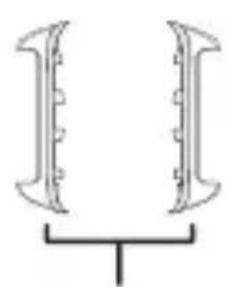
natural_image
Pure diagram of two symmetrical mechanical components with a central base (no text or symbols)natural_image
Diagram of a device with a USB cable and a circular button, no text or symbols presentnatural_image
Simple geometric symbol with a cross inside a rounded square (no text or labels)natural_image
Diagram of a device with three connectors and directional arrows indicating movement or force (no text or symbols)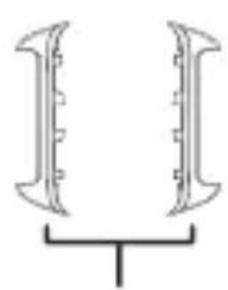
natural_image
Pure diagram of two symmetrical mechanical components with a central base, no text or symbols present.natural_image
Diagram of a device with a USB cable and a circular button, no text or symbols presentIn- en uitschakelen
natural_image
Simple gray square icon with four cross-shaped elements and horizontal arrows, no text or symbols present.natural_image
Diagram of a device with three connectors and directional arrows indicating movement or force (no text or symbols)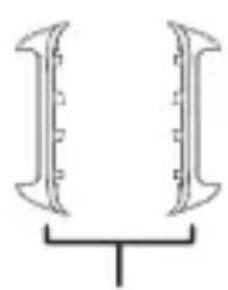
natural_image
Pure diagram of two symmetrical mechanical components with a central base, no text or symbols present.Bandbevestigingen
natural_image
Diagram of a device with a USB cable and a circular button, no text or symbols presentnatural_image
Simple gray cross-shaped icon with four vertical bars inside, no text or symbols present.natural_image
Diagram of a device with two connectors and a central circular component, no text or symbols present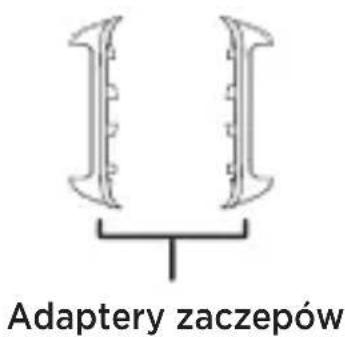
www.motorola.com/rfhealth.
Motorola Mobility UK Ltd., 25 Templer Avenue, Farnborough, Hampshire, GU146FE, UK.
(Motorola Mobility Poland: Warranty 2024.V2)
natural_image
Diagram of a device with a connector and a circular component, no text or symbols presentPornirea și oprirea
natural_image
Simple gray square icon with four corner arrows, no text or symbols present.natural_image
Diagram of a CD-ROM device showing cable, connector, and display case (no text or symbols)natural_image
Simple gray square icon with four corner arrows, no text or symbols present.natural_image
Diagram of a device with a USB cable and a circular button, no text or symbols presentnatural_image
Simple gray square icon with four arrow symbols inside, no text or numbers present.Превуците налево са бројчаника за табле са функцијама
natural_image
Diagram of a device with a USB cable and a circular button, no text or symbols presentnatural_image
Simple gray rounded square icon with four cross-shaped elements at the center (no text or symbols)Regulatory Compliance, Motorola Mobility UK Ltd., 25 Templer Avenue,
Farnborough, Hampshire, GU14 6FE, UK.
www.motorola.com/red.
natural_image
Diagram of a device with a USB cable and a circular button, no text or symbols presentnatural_image
Simple geometric icon with a white cross and four gray arrows inside a rounded square (no text or symbols)Циферблаттан солға
natural_image
Diagram of a device with two connectors and directional arrows indicating movement or force (no text or symbols)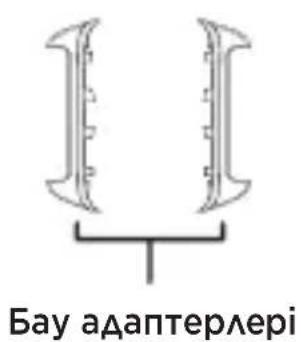
natural_image
Diagram of a device with a USB cable and a circular button, no text or symbols presentZapnite a vypnite
natural_image
Simple gray square button with four diamond-shaped buttons at the center (no text or symbols)Potiahnite prstom dol'ava z ciferníka hodiniek pre panely funkcií
Potiahnite prstom nahor z ciferníka hodiniek a zobrazte
Uvol'nite pásmo
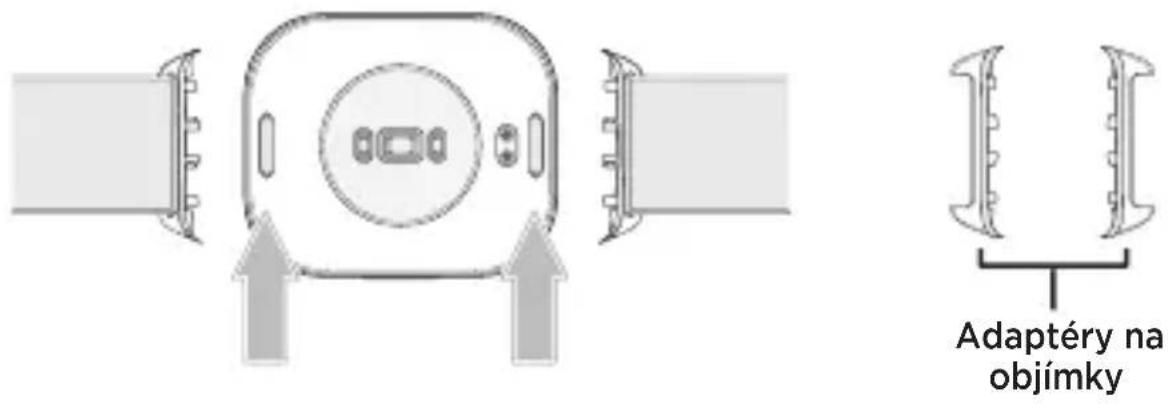
Ak chcete odstránit remienok, stlačte tlačidlo(á) uvolnenia remienka.
natural_image
Diagram of a device with a USB cable and a circular button, shown in two views (no text or symbols)Zapnutí a vypnutí
natural_image
Simple gray square icon with four cross-shaped elements, no text or symbols present.natural_image
Diagram of a device with two connectors and directional arrows indicating movement or force (no text or symbols)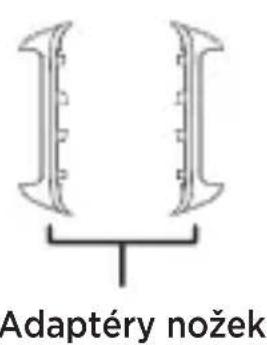
Copyright & trademarks. MOTOROLA, the stylized M logo, MOTO, and the MOTO family of marks are trademarks or registered trademarks of Motorola Trademark Holdings, LLC. USB Type-C® and USB-C® are registered trademarks of USB Implementers Forum. The Bluetooth® word mark and logos are registered trademarks owned by Bluetooth SIG, Inc. and any use of such marks by Motorola Mobility LLC is under license. Android is a trademark of Google LLC. All other product or service names are the property of their respective owners.
© 2025 Motorola Mobility LLC. All rights reserved.
natural_image
Symbolic icon of a person moving with arrows, enclosed in a circle (no text or symbols)FR
Printed in China
- moto watch fit
- At a glance
- Charge your device
- Power on and off
- Pair with your phone
- Navigation
- Get more
- Legal, safety and regulatory information
- Safety information
- Use and care
- En bref
- Encendido y apagado
- Ligar e desligar
- In- en uitschakelen
- Pornirea și oprirea
- Zapnite a vypnite
- Zapnutí a vypnutí
- FR
Brand : MOTOROLA
Model : Moto Watch FIT
Category : Smartwatch