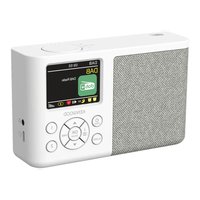
CR-M33DAB - Radio KENWOOD - Free user manual and instructions
Find the device manual for free CR-M33DAB KENWOOD in PDF.


Pick your language and provide your email: we'll send you a specifically translated version.
| Product type | Portable DAB+ / FM / Bluetooth radio |
| Brand | Kenwood |
| Model | CR-M33DAB |
| Dimensions (W x H x D) | 160 x 100 x 54 mm |
| Weight | 0.39 kg |
| Power supply | USB-C power adapter (5 V, 1 A) or built-in lithium-ion battery (3.7 V, 2000 mAh) |
| Battery life | Approx. 6 hours (at 50% volume) |
| Charging time | Approx. 4 to 6 hours |
| Main features | DAB+, FM, Bluetooth audio, 40 presets, 2 alarms, sleep timer, 7-mode equalizer, LCD display |
| Wireless connectivity | Bluetooth 5.3, class 2, range approx. 10 meters |
| Frequency ranges | DAB+: 174.928 – 239.200 MHz; FM: 87.50 – 108.00 MHz |
| Audio output power | 1.8 W RMS / 2.3 W max |
| Headphone jack | 3.5 mm stereo jack |
| Care and cleaning | Clean with a slightly damp cloth; do not use alcohol-based, ammonia-based, or abrasive products |
| Safety | Do not expose to water, do not open the case, avoid heat sources, follow the instructions in the manual |
| Spare parts and repairability | USB-C power adapter supplied; built-in battery not user-replaceable; repair by authorized service only |
| General information | 2-year warranty; manufacturer: JVCKENWOOD Corporation; CE compliance |
Frequently Asked Questions - CR-M33DAB KENWOOD
How to charge the battery of the Kenwood CR-M33DAB?
Plug the supplied USB-C power adapter into the DC IN port of the radio and into a wall outlet. The red indicator lights up during charging and turns off when the battery is full. Charging time is approximately 4 to 6 hours.
Can I use the radio while charging?
Yes, you can use the radio while charging, but this will extend the charging time.
How to set the time on the Kenwood CR-M33DAB?
The time is set automatically when receiving a DAB+ or FM signal. For manual adjustment, go to the Uhrzeit/Datum (Time/Date) menu and select Zeit/Datum einstellen (Set time/date).
How to save a radio station as a preset?
Select the desired station, then press and hold the Preset button (1 to 40) until Sender gespeichert (Station saved) appears. For presets P1 and P2, use the corresponding direct buttons.
How to activate the alarm function?
The alarm works only on AC power. In the Wecker (Alarm) menu, select Alarm 1 or 2, set the time, source (FM, DAB or buzzer), interval (once, daily, weekend, weekdays) and volume. Confirm with OK.
How to connect my smartphone via Bluetooth?
Select the Bluetooth source on the radio. On your smartphone, enable Bluetooth and search for CR-M33DAB in the device list. Pair them. The radio displays Verbunden (Connected) and you can stream your music.
What to do if the radio has no sound?
Check that the volume is not at minimum, that the selected station is properly received, and that no headphones are plugged in (they mute the speaker). Increase the volume gradually.
How to clean the Kenwood CR-M33DAB?
Unplug the device. Clean the case with a slightly damp cloth and mild detergent. Never use products containing alcohol, ammonia, or abrasives.
The radio won’t turn on, what should I do?
Make sure the power adapter is properly connected or the battery is charged. If the problem persists, remove the adapter and wait for the battery to fully discharge, then reconnect.
How to reset the radio to factory settings?
Go to the Werkseinstellung (Factory setting) menu and select Ja (Yes). The radio will restart with original settings.
User questions about CR-M33DAB KENWOOD
0 question about this device. Answer the ones you know or ask your own.
Ask a new question about this device
No questions yet. Be the first to ask one.
Download the instructions for your Radio in PDF format for free! Find your manual CR-M33DAB - KENWOOD and take your electronic device back in hand. On this page are published all the documents necessary for the use of your device. CR-M33DAB by KENWOOD.
USER MANUAL CR-M33DAB KENWOOD
First Floor, Gleneagles, The Belfry, Colonial Way, Watford, Hertfordshire WD24 4WH, UNITED KINGDOM
https://uk.jvckenwood.com/
