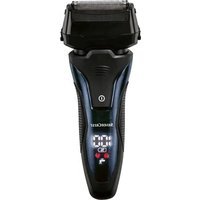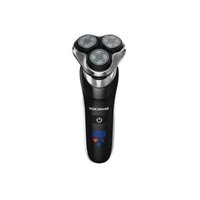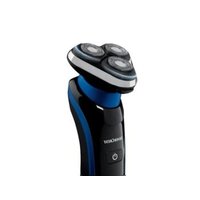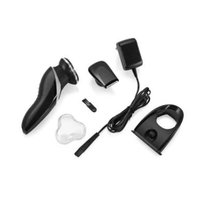
SRR 3.7 D5 - Electric razor SILVERCREST - Free user manual and instructions
Find the device manual for free SRR 3.7 D5 SILVERCREST in PDF.


| Brand | SilverCrest |
| Model | SRR 3.7 D5 |
| Product type | Electric rotary shaver |
| Intended use | Shaving and trimming of human hair, domestic use |
| Power supply | Mains adapter (100-240 V~, 50/60 Hz) or Li-Ion battery 3.7 V |
| Battery capacity | 800 mAh |
| Charging time | Approx. 60 minutes |
| Battery life | Approx. 60 minutes |
| Shaving heads | 3 rotary heads |
| Integrated trimmer | Yes |
| Long hair trimmer | Yes |
| Protection rating | IPX4 (splash proof) |
| Indicators | Charging indicator (flashing red), charge status (blue), lock (padlock icon) |
| Travel lock | Yes, by holding the On/Off button |
| Cleaning | With brush or running water (cutting unit only) |
| Included accessories | Mains adapter, charging base, brush, protective cap, trimmer, instruction manual |
| Warranty period | 3 years |
| Customer service France | 0800 919270 |
| Adapter protection class | II |
| Adapter power | 5 V, 1000 mA |
| Ambient temperature | 5°C to 35°C |
Frequently Asked Questions - SRR 3.7 D5 SILVERCREST
User questions about SRR 3.7 D5 SILVERCREST
0 question about this device. Answer the ones you know or ask your own.
Ask a new question about this device
Download the instructions for your Electric razor in PDF format for free! Find your manual SRR 3.7 D5 - SILVERCREST and take your electronic device back in hand. On this page are published all the documents necessary for the use of your device. SRR 3.7 D5 by SILVERCREST.
USER MANUAL SRR 3.7 D5 SILVERCREST
natural_image
Black and white photo of a modern electric shaver with three circular head blades (no visible text or symbols)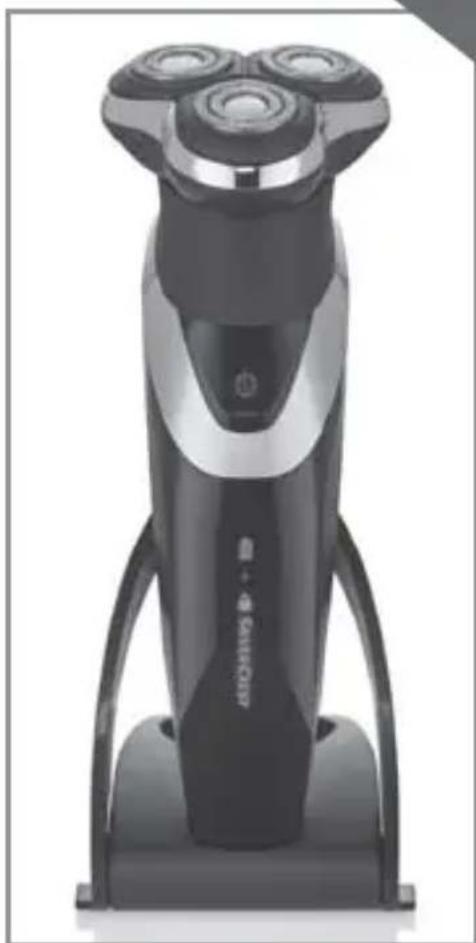
natural_image
Exterior view of a modern electric shaver with three circular dials (no text or symbols visible)
ROTATIONSRASIERER
ROTARY SHAVER
RASOIR À TÊTES ROTATIVES SRR 3.7 D5
DE AT CH
ROTATIONSRASIERER
Bedienungsanleitung
FR BE
Operating instructions
NL BE
ROTEREND SCHEERAPPARAAT
Gebruiksaanwijzing
ES
AFEITADORA ROTATORIA
Before reading, unfold the page containing the illustrations and familiarise yourself with all functions of the device.
FR BE
B
Inhaltsverzeichnis
Einleitung .... 2
natural_image
Line drawing of a hairpin with a coiled spring and handle, enclosed in a dashed circular outline (no text or symbols)natural_image
Diagram showing a mechanical device with a downward arrow indicating compression or disassembly (no text or symbols present)KOMPERNASS HANDELS GMBH
BURGSTRASSE 21
44867 BOCHUM
GERMANY
www.kompernass.com
Contents
Introduction....26
Intended use 26
Package contents 26
Description of the appliance .....27
Technical data....28
Safety instructions....29
Charging the rechargeable battery with the charger ....34
Charging the rechargeable battery without the charger ....35
Cordless shaving ....36
Shaving using the mains adapter ....37
Trimmer/long hair trimmer 37
Travel lock 38
Cleaning and care 39
Cleaning with the brush 39
Cleaning under running water 40
Thorough cleaning .....41
Storage 42
Disposal....43
Kompernass Handels GmbH warranty .....44
Service 46
Importer 47
Introduction
Congratulations on the purchase of your new device.
You have selected a high-quality product. The operating instructions are part of this product. They contain important information on safety, usage and disposal. Before using the product, familiarise yourself with all handling and safety guidelines. Use the product only as described and for the range of applications specified. Please also pass these operating instructions on to any future owner.
Intended use
This appliance is intended exclusively for shaving and trimming human hair.
This appliance is intended solely for use in private households.
Do not use it for commercial applications.
All other uses are deemed to be improper and may result in property damage or even in personal injury.
Package contents
● Shaver with cutting unit
- Mains adapter
- Trimmer unit
- Protective cap
- Brush
- Charger
- Order card
- Operating instructions
NOTE
Check contents for completeness and damage immediately after unpacking. Contact Customer Services if necessary.
Description of the appliance
Figure A (front fold-out page):
1 Drive shaft
2 Cutting unit
③ Shaving heads
4 Protective collar
5 On/Offswitch
6 Trimmer unit
⑦ Long hair trimmer
8 Symbol (battery charge indicator)
9 Symbol (charging)
10 Symbol (locked)
11 Charging socket
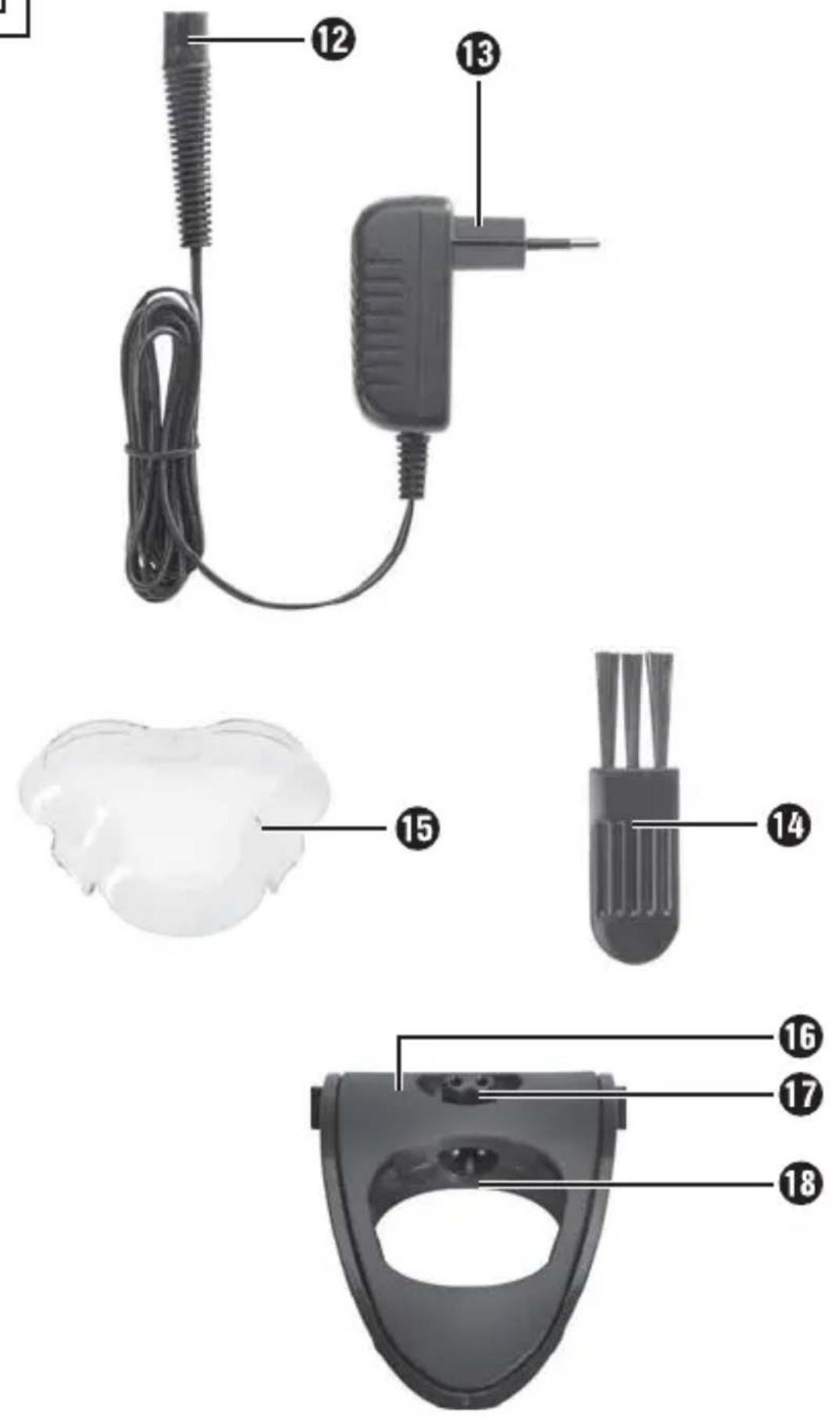
Figure B (rear fold-out page):
12 Connector
13 Mains adapter
14 Brush
15 Protective cap
16 Charger
17 Connector (charger)
18 Charging socket (charger)
Technical data
Appliance
Input voltage: 5 V

Input current: 1000 mA
Battery: 3.7 V/800 mAh Li-ion battery
Environmental temperature: 5°C up to 35°C
Charging time: approx. 60 minutes
Operating time with fully
charged battery: approx. 60 minutes
Protection rating: IPX 4
Mains adapter (type PTB-050100EU)
Input voltage: 100 - 240 V \~ 50/60 Hz
Output voltage: 5 V

Input current: 0,2 A
Output current: 1000 ~mA
Protection rating: IP 20
Protection class: II /

Safety instructions

DANGER – RISK OF ELECTRIC SHOCK!
▶ Prior to use, check the appliance for visible external damage. Never operate an appliance that is damaged. There is a risk of electrocution.
The appliance may no longer be used if there is any damage to the cable, to the mains adapter, the housing or any other components.
▶ Pull the mains adapter from the mains power socket
- if a defect occurs,
– before cleaning the appliance, - if you do not intend using the appliance for long periods,
- after every use.a
When doing so, pull the mains adapter itself and not the cable.
▶ Never submerge the appliance or the cable with mains adapter in water or other liquids.

DANGER – RISK OF ELECTRIC SHOCK!
▶ If the appliance drops into water, pull the mains adapter out of the power socket before you reach into the water.
▶ Never touch the mains adapter with wet hands, especially when plugging it in or unplugging it. Risk of electrical shock!
▶ Check the mains adapter and appliance regularly for possible mechanical defects.
▶ Ensure that the cable does not get jammed in cupboard doors or pulled over hot surfaces. If this occurs, the cable insulation may be damaged.
The installation of a residual current circuit breaker with a rated tripping current of no more than 30 mA offers further protection from electric shocks. Have the installation carried out only by a qualified electrician.

DANGER – RISK OF ELECTRIC SHOCK!
▶ WARNING! Disconnect the main adapter from handset when you clean it with water..

WARNING - RISK OF INJURY!
This appliance may be used by children aged 8 years and above and by persons with limited physical, sensory or mental capabilities or lack of experience and knowledge, provided that they are under supervision or have been told how to use the appliance safely and are aware of the potential risks.
▶ Children must not play with the device.
- Cleaning and user maintenance tasks may not be carried out by children unless they are supervised.

WARNING - RISK OF INJURY!
▶ All repairs must be carried out by authorised specialist companies or by the Customer Service department. Improper repairs can pose signifi cant risks to the user. It will also invalidate any warranty claims.
▶ Do not use the appliance with a defective cutter attachment or cutting length attachment, since these may have sharp edges. There is a risk of injury!
▶ Defective components must always be replaced with original replacement parts. Compliance with safety requirements can only be guaranteed if original replacement parts are used.
▶ Only plug the mains adapter into an easily accessible power socket so that you can pull it out of the power socket quickly in an emergency.
CAUTION - PROPERTY DAMAGE!
▶ Never operate the appliance unsupervised, and only in accordance with the information on the nameplate.
For mains operation, use only the supplied mains adapter (type PTB-050100EU).
▶ To avoid improper warming, do not cover the mains adapter.
The mains adapter is for indoor use only.
Charging the rechargeable battery with the charger
The battery should be charged for at least 60 minutes before first use.
NOTE
▶ Ensure that the appliance is switched off before charging the battery.
1) Plug the connector ⑫ into the charging socket ⑬ of the charger. Pay heed to the correct polarity: The guide pillar in the charging socket ⑱ must grip the guide rail on the connector plug ⑫. If it does not, the connector plug ⑫ cannot be inserted.
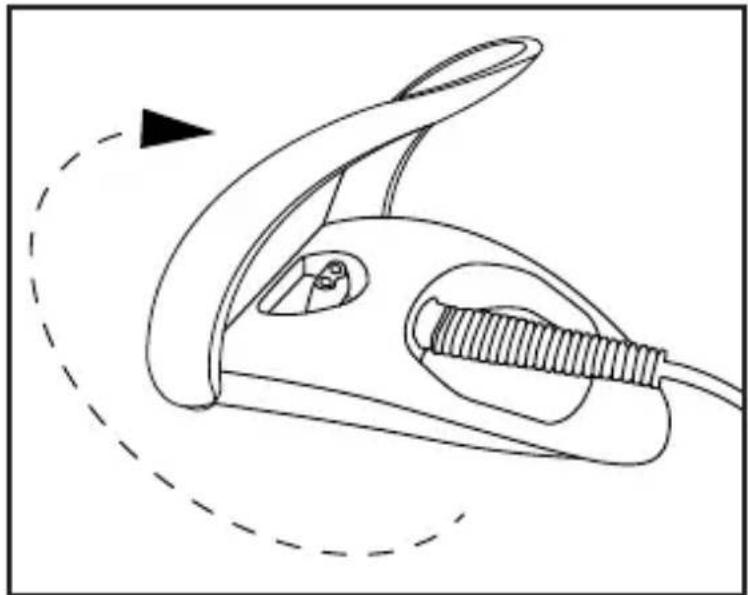
2) Flip open the charger 16 as far as it will go until the bracket is in an upright position (see figure).
natural_image
Line drawing of a handheld device with a coiled cable and handle, enclosed in a dashed circular outline (no text or symbols)3) Plug the mains adapter 13 into a mains socket that complies with the appliance specifications.
4) Place the appliance in the charger 16. The bracket holds the appliance in place in the charger 16. The charging of the battery is indicated by the red fl ashing symbol 9.
As soon as the battery is fully charged, the red flashing symbol disappears and the blue symbol of the battery charge indicator appears.
■ Once the battery is fully charged, you can use the appliance for around 60 minutes without connecting it to the power supply.
If the battery is nearly empty, the red symbols ⑨ fl ashes.
Charging the rechargeable battery without the charger
NOTE
▶ Ensure that the appliance is switched off before charging the battery.
1) Plug the connector ⑫ into the charging socket ⑪ on the shaver. Pay heed to the correct polarity: The guide pillar in the charging socket ⑪ must grip the guide rail on the connector plug ⑫. If it does not, the connector plug ⑫ cannot be inserted.
2) Plug the mains adapter 13 into a mains socket that complies with the appliance specifications.
The charging of the battery is indicated by the red flashing symbol 9.
As soon as the battery is fully charged, the red flashing symbol disappears and the blue symbol of the battery charge indicator appears.
■ Once the battery is fully charged, you can use the appliance for around 60 minutes without connecting it to the power supply.
■ If the battery is nearly empty, the red symbols ⑨ fl ashes.
Cordless shaving
CAUTION! MATERIAL DAMAGE!
This appliance is not suitable for wet shaving!
This shaver can be used without the power cable. In this case, you must charge the appliance before initial use (see section "Charging the rechargeable battery with/without the charger").
1) If not already attached, attach the protective collar ④ from the bottom onto the cutting unit ② (see fold-out page).
2) Fit the cutting unit ② with the attached protective collar ④ onto the drive shaft ①. Make sure that the protective collar ④ is fitted correctly onto the hand element.
3) Remove the protective cap 15.
4) Press the ON/OFF button ⑤. The symbol 📋 of the battery charge indicator ⑧ and the SILVERCREST logo are displayed as soon as the shaver starts up.
NOTE
The best results are achieved if used on dry skin.
It can take 2 to 3 weeks until the skin is accustomed to the dry shaving system.
5) Move the shaving heads ③ with straight and circular motions over the skin.
6) After you have covered all the areas you want to shave, press the ON/OFF button ⑤. The appliance stops.
The display disappears at once.
7) Clean the shaver after every use with the supplied brush 14. For a more thorough cleaning, read the section "Cleaning and care".
Shaving using the mains adapter
CAUTION! MATERIAL DAMAGE!
This appliance is not suitable for wet shaving!
Should you wish to use the shaver without first charging the battery, you can do so by using energy directly from the mains adapter ⑬:
1) Plug the connector ⑫ into the charging socket ⑪ on the shaver. Pay heed to the correct polarity: The guide pillar in the charging socket ⑪ must grip the guide rail on the connector plug ⑫. If it does not, the connector plug ⑫ cannot be inserted.
2) Insert the plug into a mains power socket.
The shaver can then be used.
Trimmer/long hair trimmer
To shape your beard, form sideburns or shave eyebrows, use the trimmer unit 6.
1) Pull the cutting unit ②, if attached, off the handset.
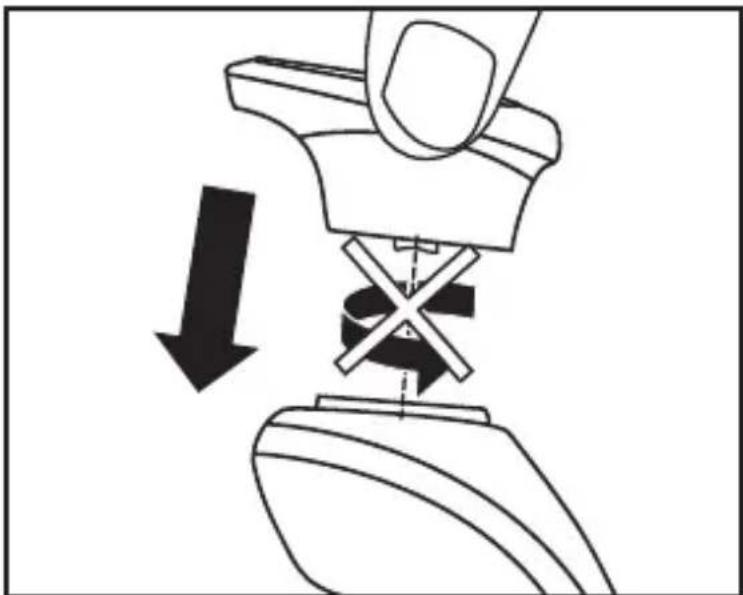
2) Fit the trimmer unit ⑥ onto the drive shaft ① (see figure).
natural_image
Diagram showing a mechanical device with a downward arrow and cross symbol, no text or labels present3) Attach the trimmer unit ⑥ in such a way that both guide pillars on the trimmer unit ⑥ grip the guide rails on the drive shaft ①.
4) Press the ON/OFF button ⑤. The symbol 📋 of the battery charge indicator ⑧ and the SILVERCREST logo are displayed as soon as the shaver starts up.
5) When you are finished trimming, press the on/off switch ⑤ again to switch the appliance off.
6) Clean the trimmer unit ⑥ with the supplied brush ⑭. For a more thorough cleaning, read the section "Cleaning and care".
Travel lock
To prevent the appliance from switching on unintentionally, you can lock the ON/OFF button ⑤. This only works if the appliance is not connected to the mains.
Press and hold down the on/off switch ⑤ until the symbol 🔒 ⑩ appears on the display.
If the ON/OFF button ⑤ is pressed now, the symbol 🔒⑩ appears briefly. The appliance however does not switch on.
If you want to unlock your appliance again, press and hold down the ON/OFF button ⑤:
—the symbol 🔒 ⑩ appears and starts to flash for approx. 5 seconds. The display then disappears and the appliance can now be switched on again.
Cleaning and care

DANGER - ELECTRIC SHOCK!
Before cleaning the appliance, disconnect the power plug from the mains power socket! There is a risk of electric shock!
CAUTION! MATERIAL DAMAGE!
Do not use abrasive, chemical or caustic cleaning agents to clean this appliance. This will irreparably damage the appliance.
Cleaning with the brush
Cutting unit
Clean the 3 shaving heads ③ of the cutting unit ② after every shave using the brush ⑭.
1) Pull the cutting unit ② upwards and off the appliance. To do this, grip the ridged areas on the side of cutting unit ②.
2) Tap the cutting unit ② on a fl at surface or blow off the hair cuttings.
3) Use the brush 14 to remove any remaining hair cuttings.
Trimmer unit
- Clean the trimmer unit after every shave using the supplied brush 14.
Oil the long hair trimmer ⑦ around every 6 months with a drop of sewing machine oil.
Cleaning under running water
The cutting unit ② is suitable for cleaning under running water.
1) Pull the cutting unit ② off the handset.
2) Hold the cutting unit ② under the running water so that the water flows through the shaving heads ③ from the inside to the outside.
CAUTION! MATERIAL DAMAGE!
▶ Ensure that only the shaver unit ② is under the stream of water! The shaver handset is only protected against water splashes and can be irreparably damaged if it is held under running water.
3) Allow the cutting unit ② to dry out completely before using the shaver again.
Thorough cleaning
For a thorough cleaning, remove the shaving heads ③:
1) Pull the cutting unit ② off the handset and turn it around.
2) Press the two catches on one of the black shaving head fi xtures and, at the same time, pull this up and out of the cutting unit ②. Proceed in the same way with the other two shaving head fi xtures. You can now disassemble all of the parts (blade, shaving head ③).
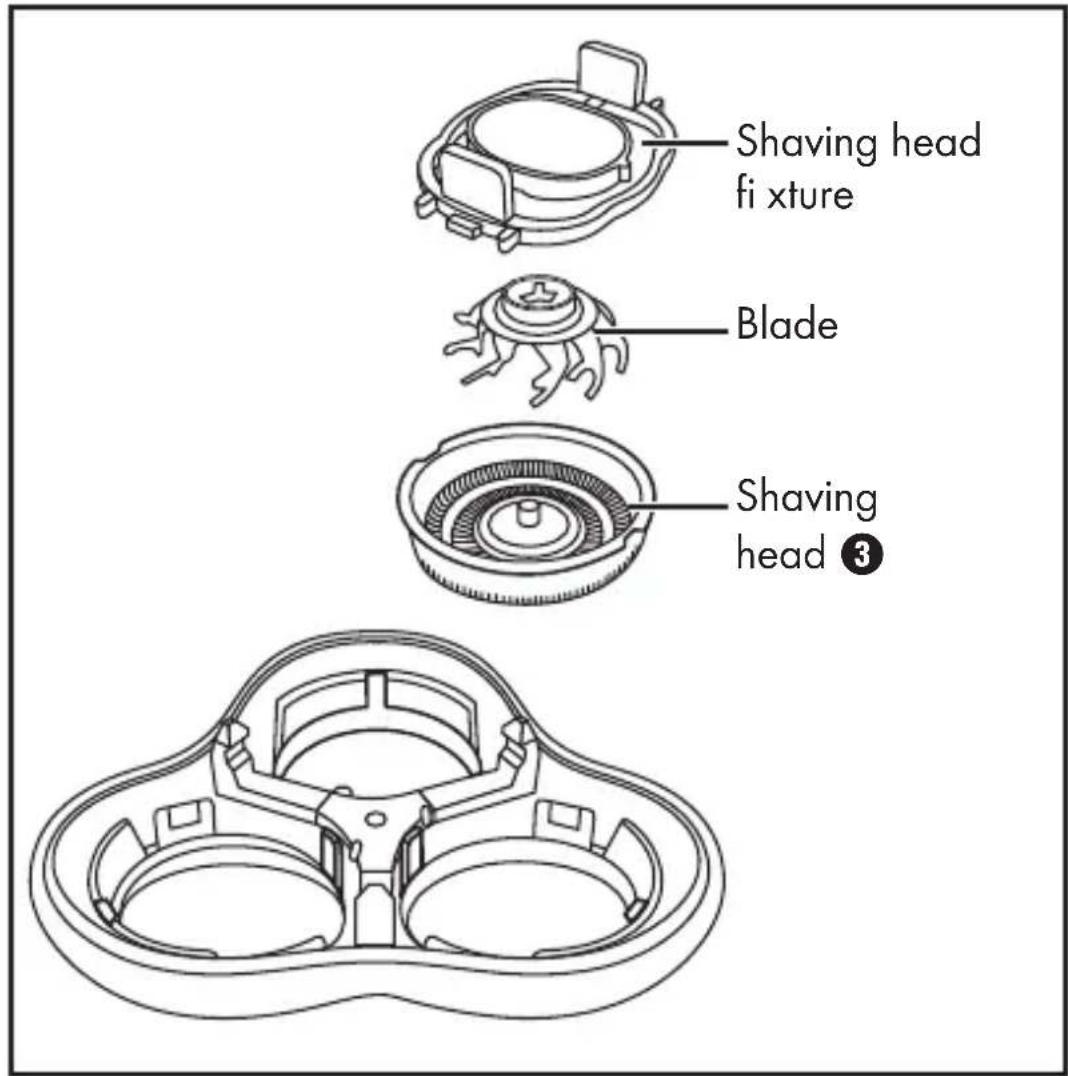
3) Clean all parts under running water and then allow them to dry fully.
4) Replace the cutting unit ②. Ensure that all of the parts grip into each other correctly:
— First, put the shaving head ③ into the cutting unit ②.
- The small recesses on the edge of the shaving head ③ must lie over the protrusions in the cutting unit ② so that the shaving head ③ slides correctly into the cutting unit ②.
— Place the blade in the middle of the shaving head ③.
- Press the catches on the shaving head fixture together a little and replace it in the cutting unit ②. Ensure that the shaving head fixture is engaged when you release the catches.
5) Remove loose hairs from the shaver with the brush 14.
6) Replace the cutting unit ② on the shaver. Ensure that it snaps into place and is seated firmly.
- Clean the housing and the mains adapter ⑬ with a moist cloth.
NOTE
If...
—... the shaving result is noticeably poorer, ...
—... you have to the shave the same spot repeatedly to achieve a good result, ...
—... the shave takes much longer than usual, ...
— ... there is visible damage to the shaving heads ③, ... you must change the shaving heads ③.
Please contact Customer Services if you want to order shaving heads ③.
Storage
■ Always replace the protective cap ⑮ onto the cutting unit ② when you are not using the appliance.
■ Store the everything in a clean, dust-free and dry place.
Disposal
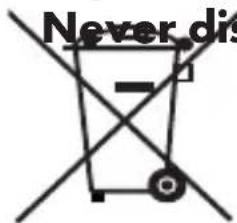
pose of the appliance in the normal domestic waste. This product is subject to the provisions of European Directive 2012/19/EU.
Dispose of the appliance via an approved waste disposal company or your municipal waste disposal facility. Please observe applicable regulations. Please contact your waste disposal facility if you are in any doubt.
Disposal of (rechargeable) batteries
To dispose of the appliance in an environmentally friendly way, you must remove the battery from the appliance:
CAUTION - PROPERTY DAMAGE!
Remove the battery from the appliance only if you want to scrap/dispose of the appliance! The appliance is permanently defective after you have removed the battery!
1) To remove the rechargeable battery from the handset, remove the small screw from the back of the handset with a Phillips screwdriver.
2) Pull the back cover off the handset.
3) Lever out the internal housing, for instance with a screwdriver. Before the internal housing can be levered out, you may need to remove additional screws, snap off the side and bottom mountings or bend them outwards. Preferably use a flat-head screwdriver to do this.
4) After you have removed the internal housing: Snap the mountings of the clear plastic cover off on the sides.
5) Now remove everything until you can access the battery.
6) Lever out the rechargeable battery.
7) Dispose of the battery in an environmentally friendly manner.
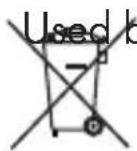
batteries may not be disposed of in household waste.
Consumers are legally obliged to dispose of (rechargeable) batteries at a collection point in their community/city district or at a retail store. The purpose of this requirement is to ensure that batteries are disposed of in an environmentally friendly manner. Only dispose of batteries when they are fully discharged.

The packaging is made of environmentally friendly materials which you can dispose of at your local recycling centre.
This appliance has a 3-year warranty valid from the date of purchase. If this product has any faults, you, the buyer, have certain statutory rights. Your statutory rights are not restricted in any way by the warranty described below.
Warranty conditions
The validity period of the warranty starts from the date of purchase. Please keep your original receipt in a safe place. This document will be required as proof of purchase.
If any material or production fault occurs within three years of the date of purchase of the product, we will either repair or replace the product for you at our discretion. This warranty service is dependent on you presenting the defective appliance and the proof of purchase (receipt) and a short written description of the fault and its time of occurrence.
If the defect is covered by the warranty, your product will either be repaired or replaced by us. The repair or replacement of a product does not signify the beginning of a new warranty period.
Warranty period and statutory claims for defects
The warranty period is not prolonged by repairs eff ected under the warranty. This also applies to replaced and repaired components. Any damage and defects present at the time of purchase must be reported immediately after unpacking. Repairs carried out after expiry of the warranty period shall be subject to a fee.
Scope of the warranty
This appliance has been manufactured in accordance with strict quality guidelines and inspected meticulously prior to delivery.
The warranty covers material faults or production faults. The warranty does not extend to product parts subject to normal wear and tear or fragile parts such as switches, batteries, baking moulds or parts made of glass.
The warranty does not apply if the product has been damaged, improperly used or improperly maintained. The directions in the operating instructions for the product regarding proper use of the product are to be strictly followed. Uses and actions that are discouraged in the operating instructions or which are warned against must be avoided.
This product is intended solely for private use and not for commercial purposes. The warranty shall be deemed void in cases of misuse or improper handling, use of force and modifi cations/repairs which have not been carried out by one of our authorised Service centres.
Warranty claim procedure
To ensure quick processing of your case, please observe the following instructions:
- Please have the till receipt and the item number (e.g. IAN 12345) available as proof of purchase.
- You will find the item number on the type plate, an engraving on the front page of the instructions (bottom left), or as a sticker on the rear or bottom of the appliance.
- If functional or other defects occur, please contact the service department listed either by telephone or by e-mail.
- You can return a defective product to us free of charge to the service address that will be provided to you. Ensure that you enclose the proof of purchase (till receipt) and information about what the defect is and when it occurred.
You can download these instructions along with many other manuals, product videos and software on www.lidl-service.com.
Service

Service Great Britain
Tel.: 0871 5000 720 (£ 0.10/Min.)
E-Mail: kompernass@lidl.co.uk

Service Ireland
Tel.: 1890 930 034
(0,08 EUR/Min., (peak))
(0,06 EUR/Min., (off peak))
E-Mail: kompernass@lidl.ie
IAN 277761
Importer
Please note that the following address is not the service address. Please use the service address provided in the operating instructions.
KOMPERNASS HANDELS GMBH
BURGSTRASSE 21
44867 BOCHUM
GERMANY
www.kompernass.com
Table des matières
Introduction 50
natural_image
Line drawing of a hairpin with a coiled spring and handle, enclosed in a dashed circular outline (no text or symbols)natural_image
Diagram showing a mechanical device with a cross symbol and downward arrow indicating motion (no text or labels)KOMPERNASS HANDELS GMBH
BURGSTRASSE 21
44867 BOCHUM
GERMANY
www.kompernass.com
Inhoud
Inleiding 74
WAARSCHUWING – LICHAMELIJK GEVAAR!
WAARSCHUWING - LICHAMELIJK GEVAAR!
natural_image
Line drawing of a hairpin with a coiled spring and handle, enclosed in a dashed circular outline (no text or symbols)natural_image
Diagram showing a mechanical device with a downward arrow indicating compression or disassembly (no text or symbols present)KOMPERNASS HANDELS GMBH
BURGSTRASSE 21
44867 BOCHUM
GERMANY
www.kompernass.com
Obsah
Úvod....98
POZOR- HMOTNÉ ŠKODY!
natural_image
Line drawing of a hairpin with a coiled spring and handle, enclosed in a dashed circular outline (no text or symbols)natural_image
Diagram of a toilet with a downward arrow indicating compression or disassembly (no text or symbols present)POZOR – HMOTNÉ ŠKODY!
KOMPERNASS HANDELS GMBH
BURGSTRASSE 21
44867 BOCHUM
GERMANY
www.kompernass.com
Índice
Introducción....120
Uso previsto ....120
Volumen de suministro....120
natural_image
Line drawing of a hairpin with a coiled spring and handle, enclosed in a dashed circular outline (no text or symbols)natural_image
Diagram of a toilet with a valve and handle, showing a downward arrow indicating compression or disassembly (no text or symbols present)KOMPERNASS HANDELS GMBH
BURGSTRASSE 21
44867 BOCHUM
GERMANY
www.kompernass.com
Índice
Introdução ....144
natural_image
Line drawing of a hairpin with a coiled spring and handle, enclosed in a dashed circular outline (no text or symbols)natural_image
Diagram showing a mechanical device with a downward arrow and a cross symbol, no text or labels present.KOMPERNASS HANDELS GMBH
BURGSTRASSE 21
44867 BOCHUM
GERMANY
www.kompernass.com
KOMPERNASS HANDELS GMBH
BURGSTRASSE 21
44867 BOCHUM
DEUTSCHLAND / GERMANY
www.kompernass.com
Stand der Informationen · Last Information Update · Version des informations
Stand van de informatie · Stav informací · Estado de las informaciones · Estado das informações:
06 / 2016 · Ident.-No.: SRR3.7D5-052016-1