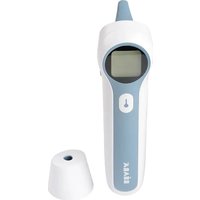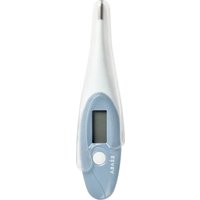
Thermobip Digital - Thermometer BEABA - Free user manual and instructions
Find the device manual for free Thermobip Digital BEABA in PDF.


User questions about Thermobip Digital BEABA
0 question about this device. Answer the ones you know or ask your own.
Ask a new question about this device
Download the instructions for your Thermometer in PDF format for free! Find your manual Thermobip Digital - BEABA and take your electronic device back in hand. On this page are published all the documents necessary for the use of your device. Thermobip Digital by BEABA.
USER MANUAL Thermobip Digital BEABA
Shenzhen Jumper Medical Equipment Co., Ltd
Fabricant : Shenzhen Jumper Medical Equipment Co., Ltd
Adresse : D Building, No. 71, Xintian Road, Fuyong Street, Baoan, Shenzhen, Guangdong, Chine 518103.
Copyright
Copyright © Jumper Medical.
text_image
Infrared temperature probe Infrared ray Ear canal Eardrum4) Usage prévu
natural_image
Line drawing of a hand holding a handheld device with arrows indicating motion or force (no text or symbols)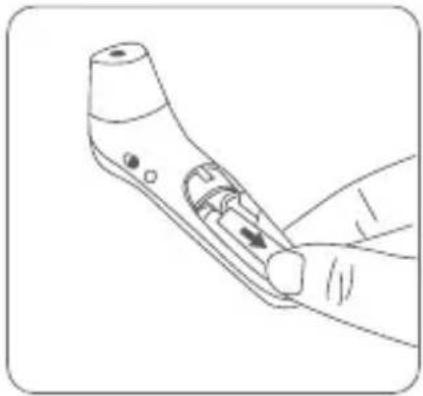
natural_image
Line drawing of a handheld device with a handle and control knob (no text or symbols)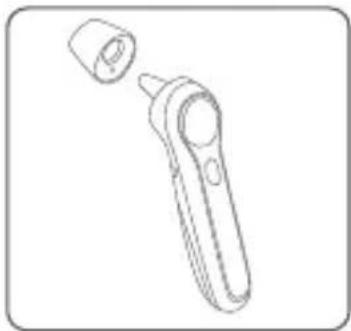
natural_image
Line drawing of a handheld device with a cylindrical cap and handle (no text or symbols)natural_image
Simple line drawing of a curved pipe or tube with a labeled angle (34.6° and 36.8°) at the end, no other text or symbols present.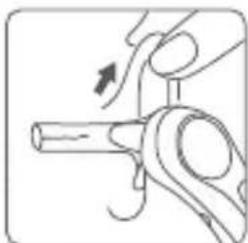
natural_image
Illustration of a hand holding a mechanical component with an arrow indicating motion (no text or symbols)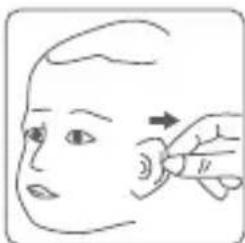
natural_image
Line drawing of a person's head and neck with a hand pointing to the ear area (no text or symbols)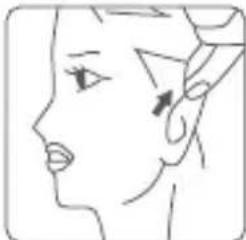
natural_image
Line drawing of a human face profile with no text or symbols
natural_image
Illustration of a child receiving a medical or laboratory procedure using a test tube (no text or symbols present)natural_image
Simple line drawing of a human face with a green checkmark on the forehead and mouth (no text or symbols)natural_image
Illustration of a baby bottle and a hand holding a pen, both without any text or symbolsnatural_image
Line drawing of a hand holding a handheld device with a finger pointing to the screen (no text or symbols)natural_image
Line drawing of a handheld device with internal components and labeled parts (no text or symbols)Shenzhen Jumper Medical Equipment Co., Ltd
Manual Version: 1.0
Date of Issue: 2020/01
Product Information
Product Name: Adjusted Infrared Thermometer
Model: JPD-FR300
Manufacturer: Shenzhen Jumper
Medical Equipment Co., Ltd
Address: D Building, No. 71, Xintian
Road, Fuyong Street, Baoan, Shenzhen, Guangdong, China 518103.
Copyright
Copyright © Jumper Medical.
All rights reserved.
Statement
Shenzhen Jumper Medical Equipment Co., Ltd. owns and reserves all of the rights comprised in the copyright of this document. No part of this document may be changed, excerpted, copied, reproduced, or imitated in any form or by any means without the prior consent of Shenzhen Jumper Medical Equipment Co., Ltd.
All statements, information, and recommendations in this document are provided «AS IS» without warranties, guarantees or representations of any kind, either express or implied. The information in this document is subject to change without notice. Shenzhen Jumper Medical Equipment Co., Ltd. reserves the right of final interpretation of this document.
Introduction
Thank you for purchasing this Infrared Thermometer. Please read the User Manual carefully to make sure safe and proper use of this thermometer. Please read and fully understand the Safety Precautions before use.
Keep the Instruction Manual with this thermometer for future reference.
Contents
Unpacking Check 27
Package Contents 27
Safety Precautions....27
Warning....28
Symbols....29
Body Temperature Basics....29
Product Description....30
Features 31
Product Structure....32
Display Description....32
Sounds and Backlight Color Instructions....33
Display and Operating Instructions....34
Measuring Ear Temperature 39
Measuring Forehead Temperature 40
Measuring Object Temperature 41
Replacing Batteries....42
Cleaning and Disinfection 42
Maintenance....43
Troubleshooting....43
Specifications 44
Security Class....45
Storage and Transportation 45
EMC Information-Guidance and Manufacture's Declaration....46
Warranty and After-Sale Service....49
Unpacking Check
Please open the package carefully before use, check whether all accessories are available or not and whether any component is damaged during transportation, and perform installation and operation following this user manual. In case of any damage or operation problem, please contact the dealer or contact Jumper directly. You will need the following information when making your claim: device model, serial number, purchase date, and your contact information and address.
Package Contents
| N° Name | Quantity |
| 1 Infrared Thermometer 1 | |
| 2 Pouch 1 | |
| 3 Battery (AAA) 2 | |
| 4 Instruction Manual 1 |
Safety Precautions
Read the following precautions carefully before using the thermometer.
| Attention |
| Take care of the temperature probe lens, which is fragile. |
| Dispose used batteries with care. To protect the environment, you are recommended to send the used batteries to a designated collection point |
| Remove the batteries if the thermometer will not be used for more than two months. |
| Do not immerse the thermometer in water or expose it to direct sunlight |
| Do not subject the thermometer to vibration or impact. |
| The normal body temperature varies from person to person. Tracking a person's body temperature will help determine whether they have fever. |
| Do not take body temperature readings within 20 minutes after you do physical exercises or get excited. |
| Clean the thermometer probe after each use. |
| Do not use the earmode thermometer on newborns aged from 0 to 6 months On newborn use in continuous temperature monitoring purposes. |
| Do not use the thermometer for purposes that are not specified in this User's Manual. Follow the instructions in the «Measurement Process» chapter and carefully operate the thermometer when measuring children's temperature. |
| Do not immerse the thermometer in water or other liquid, as it is not water-proof. Clean and disinfect the thermometer as described in the «Cleaning and Disinfection» chapter. |
| Do not touch the tip of the temperature probe, on which a precise temperature sensor resides. |
| Keep the temperature probe clean to make sure accurate readings. |
| Before measuring the temperature from the ear canal, clean the earwax, if any. |
| The ambient temperature must not be extremely high or low. To make sure accurate readings, keep the thermometer under room temperature for more than 30 minutes before use. |
| Do not use the thermometer under an ambient temperature higher than 40°C (104°F) or lower than 10°C (50°F), which is beyond the operating temperature range of the thermometer. |
| Risk of pollution! The user is recommended to send the overdue thermometer to local garbage disposal site or send it back to us. |
| 2 AAA batteries of 1.5V are the only replaceable accessories of the thermometer. Please do not use the batteries of other voltages or specifications. |
Warning
| Warning |
| Do not force the temperature probe of the thermometer into an ear canal. Otherwise, the ear canal may get injured. |
| Keep the thermometer out of the reach of children. |
| The result may be inaccurate if you use the overdue thermometer. |
| The thermometer is not intended to diagnose or treat any health problem or disease. The measurement results are for reference only. |
| It is dangerous to make a self-diagnosis or self-treatment based on the obtained measurement results. For such purposes, please consult a doctor. |
| Do not charge an alkaline dry-cell battery or throw it in fire. Otherwise, the battery may explode. |
| Do not disassemble the thermometer or attempt to repair it. Otherwise, the thermometer may be damaged permanently. |
| Do not take temperature measurements on body parts other than forehead and ears. Otherwise, the temperature readings may be inaccurate. |
| During measurement, do not use a mobile phone or any other device that may cause electromagnetic interference. |
| Do not use the thermometer in an environment where flammable anesthetic mixture with air or with oxygen or nitrous oxide is available. |
Symbols
| Symbol Description | |
 | Type BF applied part. |
 | Attention must be paid. |
 | The action is prohibited. |
 | Information about the manufacturer. |
 | Date of manufacture. |
 | Consult the instructions for use. |
 | This product complies with Regulation (EU) 2017/745 requirements. |
 | Waste electrical materials should be sent to a dedicated collection point for recycling. |
 | Degree of protection against the Ingress of water. |
 | A personal injury or damage to the thermometer may occur if the thermometer is not used correctly. |
 | Inaccurate reading or damage to the thermometer may occur if the thermometer is not used correctly. |
 | Medical Device |
Body Temperature Basics
The normal body temperature is a range.
• The normal range varies from person to person and can fluctuate throughout the day.
- The normal range also varies by body site. Therefore, measurements from different sites should not be compared directly.
To determine if an individual is experiencing an elevated body temperature and/or having a fever, it is critical to know the individual's normal body temperature when he/she is well. Take multiple readings to obtain the normal body temperature range and note the specific body site measured, for example: forehead or eardrum temperature.
| Body Site Normal Temperature Range | |
| Forehead 34.7°C-37.3°C (94.5°F- 99.1°F) | |
| Eardrum 35.8°C-38.0°C (96.4°F-100.4°F) | |
| Mouth 35.5°C-37.5°C (95.9°F- 99.5°F) | |
| Armpit 34.7°C-37.3°C (94.5°F- 99.1°F) | |
| Rectal 36.6°C-38.0°C (97.9°F-100.4°F) |
The normal body temperature range varies slightly with age and gender. Generally, newborns or children have higher body temperatures than adults, and adults have higher body temperatures than the elderly. Women's body temperatures are approximately 0.3°C (0.5°F) higher than men's.
Variation in body temperature
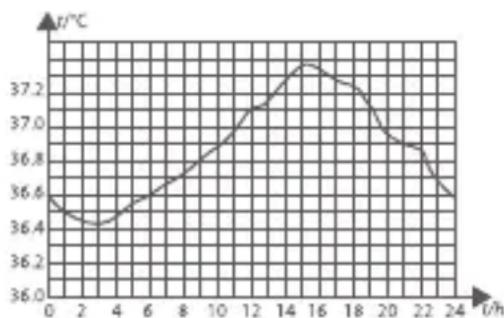
line
| t/h | Temperature (°C) | |---|---| | 0 | 36.5 | | 2 | 36.4 | | 4 | 36.45 | | 6 | 36.55 | | 8 | 36.7 | | 10 | 36.9 | | 12 | 37.1 | | 14 | 37.3 | | 16 | 37.25 | | 18 | 37.15 | | 20 | 36.95 | | 22 | 36.85 | | 24 | 36.6 |Normal body temperature fluctuates throughout the day and is also affected by external factors. The body temperature of an individual is the lowest between 2:00 a.m. and 4:00 a.m. and the highest between 2:00 p.m. and 8:00 p.m. An individual's body temperature typically changes by less than 1°C (1.8°F) each day.
Product Description
1) Overview
Infrared Thermometer JPD-FR300 measures the body temperature based on the infrared energy emitted from the eardrum or the forehead. Users can quickly get measurement results after positioning properly the temperature probe in the ear canal or forehead. It can also be used to measure the surface temperature of object. (such as milk and water)
2) Structure
The thermometer consists of a shell, an LCD, a measure button, a beeper, an infrared temperature sensor, and a Microprocessor.
3) Operating principle
The infrared temperature sensor collects infrared energy emitted by the eardrum or the skin surface. After being focused by a lens, the energy is converted into a temperature reading by the thermopiles and measurement circuits.
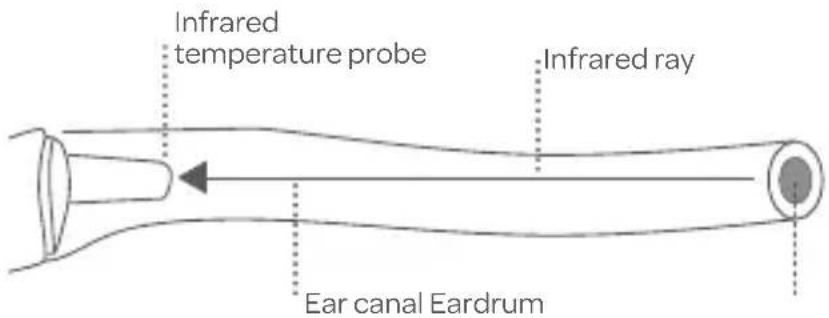
text_image
Infrared temperature probe Infrared ray Ear canal Eardrum4) Intended use
The Infrared Thermometers take human body temperature via the eardrum or forehead for both professional and home use.
Intended patient population
Forehead mode applies to all age group. Ear mode applies to people above 3 months.
5) Contraindications
Do not use the thermometer if the ear is infected with otitis or suppuration.
The device has no side-effects if administered correctly and residual risk is acceptable
Features
01. Good safety
Passive infrared receiving technology.
02. Easy operation
Ergonomic design
One button measurement
03. Quick measurement
1-second measurement
04. High accuracy
Advanced infrared temperature sensor, with high sensitivity
High accuracy with automatic temperature calibration
05. Diverse functions
20 readings recall
Fever alert
Switching between °C and °F
Automatic power-off, power saving
06. Extensive application scope
Forehead temperature measurement applicable to all age groups
Ear temperature measurement applicable to children older than three months, adults, and the elderly
07. Child mode
This mode is recommended for people under 12 years of age.
Product Structure
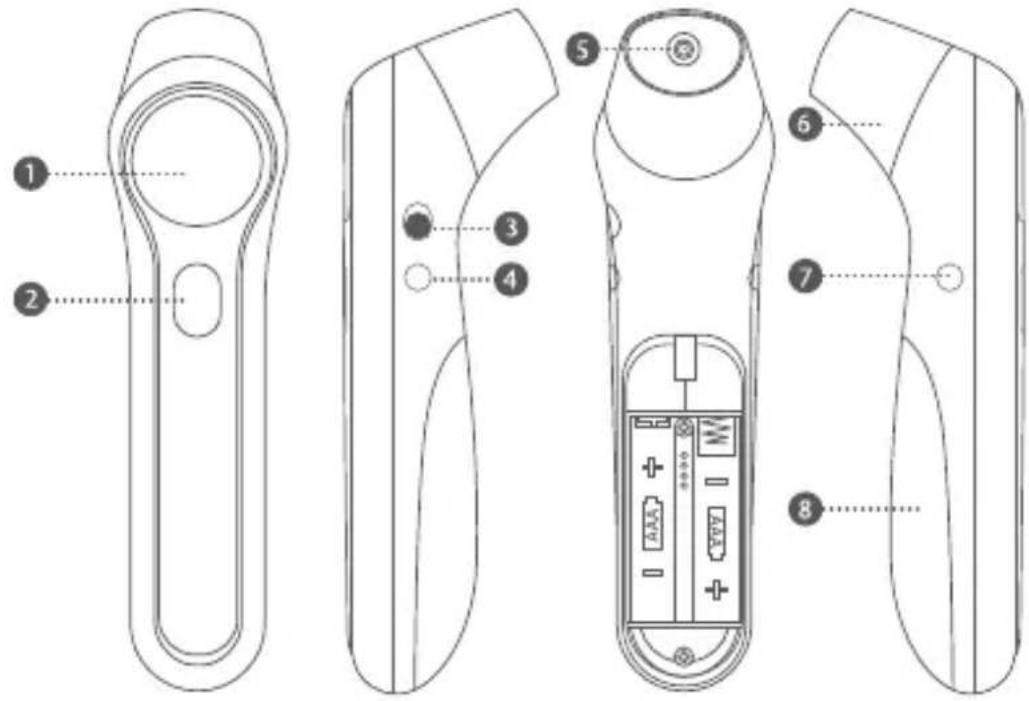
text_image
Technical diagram of a handheld device with labeled parts including handle, grip, and battery pack(1) LCD display screen
(2) Power button / Measure button
(3) Unit switch button (°C / °F)
(4) Mode button (Adult mode / Child mode/ Object)
(5) Probe (take off the cover when measuring the ear temperature)
(6) Probe cover (Automatic switch among object, forehead and ear modes, by removing the probe cover to measure ear temperature and placing back the probe cover for object and forehead temperature measurement.)
(7) Memory button / Sound switch
(8) Battery cove
Display Description
- Object temperature mode
- Forehead temperature mode
- Child mode (from 0-12 years old)
- Ear temperature mode
- Mute / un-mute
- Temperature unit (°F/°C)
- Low battery
- Memory recall
9.Temperature value
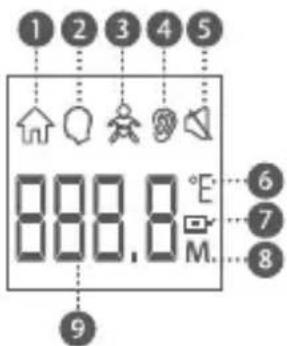
text_image
1 2 3 4 5 888.8 M. 6 7 8 9Sounds and Backlight Color Instructions
| Range Sounds Backlight | ||
| Forehead temperature (Adult / Child) | ||
| 22.0°C-37.5°C /71.60°F-99.5°F | A long beep Green | |
| 37.6°C -43.0°C /99.6°F -109.4°F | 3 short double beeps Red | |
| Ear temperature (Adult / Child) | ||
| 34.0°C -37.5°C /93.2°F -99.5°F | A long beep Green | |
| 37.6°C -43.0°C /99.6°F-109.4°F | 3 short double beeps Red | |
| Object temperature | ||
| 0°C-100°C/32.0°F-212°FA long beep Green | ||
Note: When the forehead temperature is between 22.0°C/71.6°F and 37.5°C/99.5°F, and the ear temperature is between 34.0°C/93.2°F and 37.5°C/99.5°F, there will be a long beep and a green backlight. This indicates that your body temperature is normal.
When the forehead and the ear temperature is between 37.6^ C/99.6°F and 43.0^ C/109.4°F, there will be 3 short double beeps and a red backlight. This indicates that your body temperature is a little high. You may have a fever. Please consult your doctor if you are not sure.
Display and Operating Instructions
| Screen Display | Operating Instructions Displayed State | Sound and Backlight Color |
| Measuring Ear temperature (Adult / Child) | ||
 ↓ ↓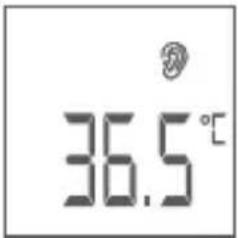 Ear temperature for adult Ear temperature for adult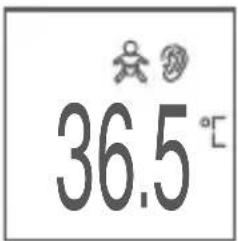 Ear temperature for child Ear temperature for child | Take off the probe cover, press and release thePower buttonfor 1 second to power on the thermometer. The symbol “ 🔒 ” is displayed on the screen.Switch to the adult or child measurement mode by pressing theMode buttonaccording to your measurement needs.Insert the temperature probe into a proper position in the ear canal. Press theMeasure buttonto start a measurement. | See the table in the “Sounds and backlight color instructions” section. |
| Measuring Forehead temperature (Adult / Child) | ||
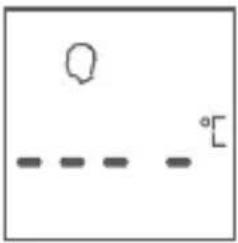 | Put the cover on the probe, press and release thePower buttonfor 1 second to power on the thermometer The “ 🔒 ” symbol is displayed on the screen. | |
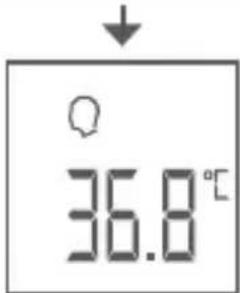 | Switch to the adult or child measurement mode by pressing the Mode button according to your measurement needs. | See the table in the "Sounds and backlight color instructions" section. |
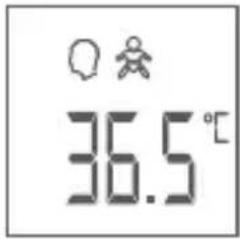
| Forehead temperature for adult | Point the thermometer to the center of the forehead.about "1-3cm" away from the skin surface. Press and release the Measure button.The temperature will be displayed on the screen. | |
 | ||
| Forehead temperature for child | ||
| Measuring Object temperature | ||
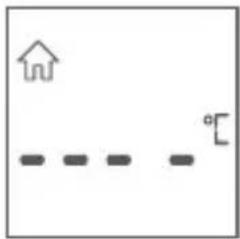 | Put the cover on the probe, switch to the object measurement mode by pressing the Mode button.The thermometer enters the Object mode. The "symbol is displayed on the screen. | See the table in the "Sounds and backlight color instructions" section. |
| ↓ | Point the thermometer to the center of the object. Press and release the Measure button. The temperature will be displayed on the screen. | |
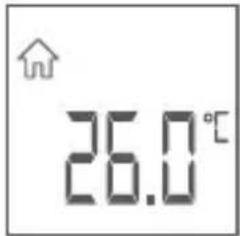 | ||
| Out of the measuring range display | ||
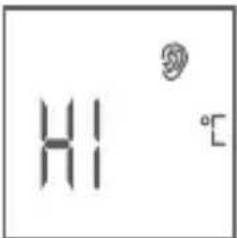 (for reference only) (for reference only) | In Ear mode, a temperature reading of more than 43,0°C (109,4°F)In Forehead mode, a temperature reading of more than 43,0°C (109,4°F)In Object mode, a temperature reading of more than 100°C (212.0°F) | A long beeps,the backlight is red. |
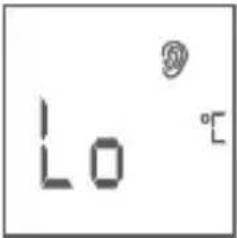 (for reference only) (for reference only) | In Ear mode, a temperature reading of less than 34,0°C (93,2°F)In Forehead mode, a temperature reading of less than 22,0°C (71,6°F)In Object mode, a temperature reading of less than 0°C (32.0°F) | A long beeps,the backlight is red. |
| Recall 20 memories | ||
 ↓ ↓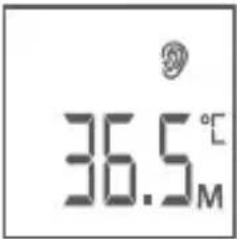 ↓ ↓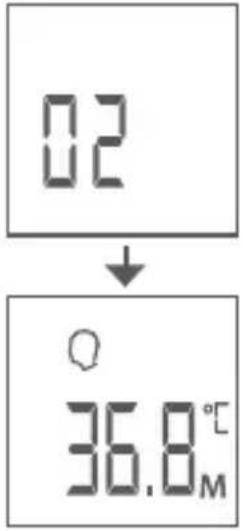 | In a power-on state, press the Memory button enter the memory mode.When the Memory button is released, 01 will be shown, followed by the recorded reading.A maximum of 20 temperature readings can be recalled.When the maximum number of records is exceeded, the earliest memory data will be overwritten.Note:01 means the latest data. | Silent,the backlight is green. |
| No memory data / Clear memory data | ||
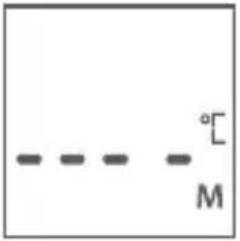 | The display is as shown, when there is no more data checked while recalling memories. Remove 2 dry batteries and after 10 seconds re-install the power to clear all memory data. | When the power is turned back on, there are a long beep and a green backlight, which then turns into red. |
| No memory data / Clear memory data | ||
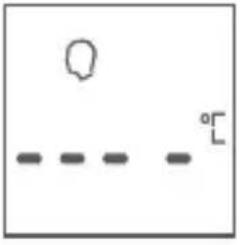 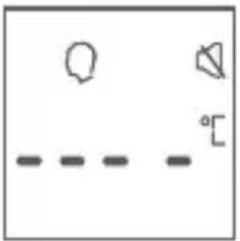 | In the power-on state, press and hold the sound switch button for about 2 seconds to switch the sound on or off. When the sound is turned on, it will beep once and the mute symbol will be displayed when the sound is off.The symbol shows up in Mute mode and disappears in Un-mute mode. | When the sound is turned on, it sounds a long beep and the backlight is green. |
| Switching between object temperature and body temperature | ||
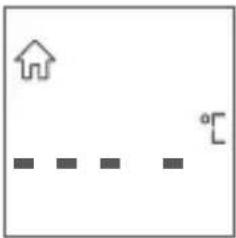 ↓↑ ↓↑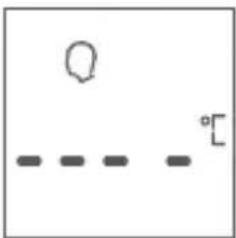 ↓↑ ↓↑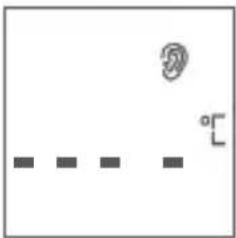 | When putting on the probe cover, press the Mode button to switch between object and forehead modes. Ear mode (adult/child) will be activated by removing the probe cover. | Silent, the backlight is green. |
| Switching between °F/°C | ||
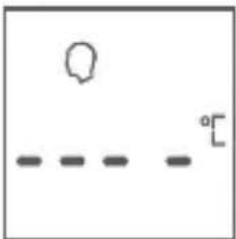 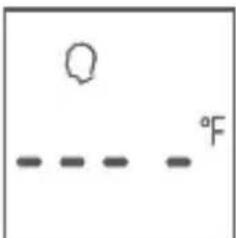 | In a power-on state, you can change units, by switching the °F/°C button. | Silent |
| Error information & low battery | ||
 | The ambient temperature is higher than 40.0°C (104.0°F) or lower than 10.0°C (50.0°F). | A long beeps,the backlight is red. |
 | An error occurs when data is being read from or written to the memory, or the temperature correction is not complete. | A long beeps,the backlight is red. |
 | When the battery voltage is lower than 2.4V ± 0.1V, the low battery symbol will appear on the display. Please replace the batteries. | Silent |
Measuring Ear Temperature
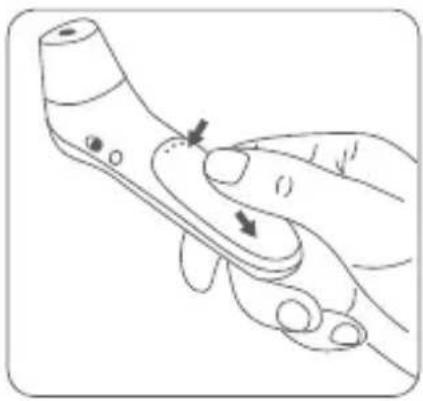
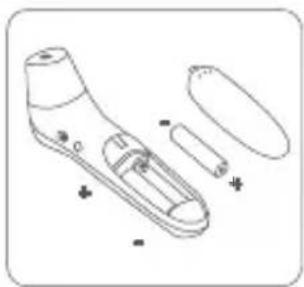
Slide the battery cover off along the marked direction and take it off. Insert the two AAA batteries into the compartment according to the stated polarities.
natural_image
Line drawing of a hand holding a remote control device with arrows indicating movement (no text or symbols)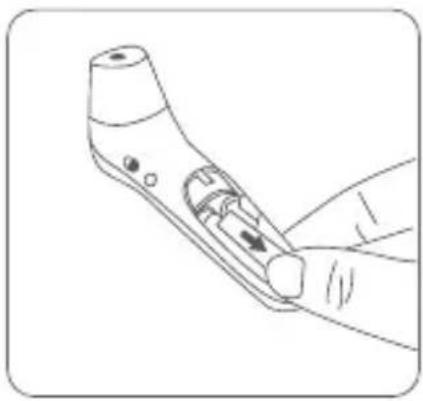
natural_image
Line drawing of a handheld electronic device with a handle and control panel (no text or symbols)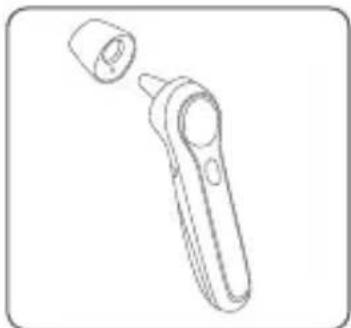
natural_image
Line drawing of a handheld electronic device with a cylindrical port and handle (no text or symbols)-
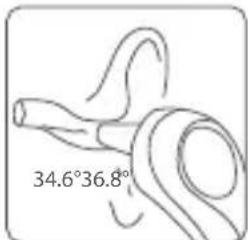
Take the probe cover off from the thermometer before measuring the ear temperature.
-
Press the Power button to power on the thermometer.
-
The "Ear" symbol is displayed on the screen.
-
Switch between "adult" and "child" modes by pressing Mode button. symbol shows up in "child" mode.(child mode: from 0 -12 years old)
-
Insert the temperature probe into the ear canal.
-
Press and release the Measure button. The ear temperature reading will be displayed on the screen instantly.
Note: Children under 1 year: Pull the straight back. Children aged 1 year to adult: Pull the ear up and back.
natural_image
Simple line drawing of a curved object with an angular measurement label (34.6°, 36.8°) at the bottom, no other text or symbols present.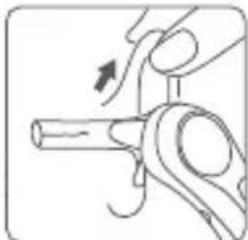
natural_image
Illustration of a hand turning a mechanical component with an arrow indicating rotation (no text or symbols)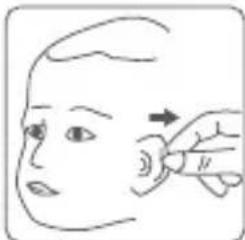
natural_image
Illustration of a hand performing a finger massage on a human head (no text or symbols)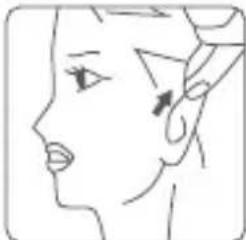
natural_image
Line drawing of a human face profile with no text or symbols
Do not force the thermometer into the ear canal. Otherwise, the ear canal may get injured.

When taking the temperature on an adult, gently pull the ear up and back to make sure the ear canal is straight, so that the temperature probe can receive an infrared ray from the eardrum.

Be careful when taking temperature on a child, whose ear canal is small.
Measuring Forehead Temperature
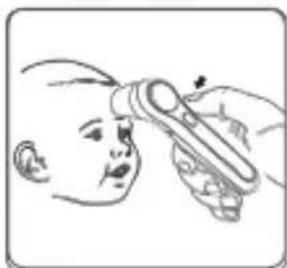
natural_image
Illustration of a child receiving a medical or laboratory procedure using a test tube (no text or symbols present)-
Put the cover on the probe of thermometer.
-
Press the Power button to power on the thermometer. The " symbol is displayed on the screen.
3.Switch between "adult" and "child" modes by pressing Mode button. "Symbol shows up in "child" mode. (child mode: from 0 -12 years old)
4.Point the thermometer probe to the center of the forehead, about "0-1-cm "away from the skin surface.
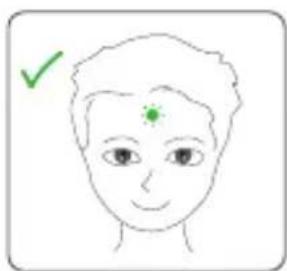
natural_image
Simple line drawing of a human face with a green checkmark on the forehead and mouth (no text or symbols)Make sure that the forehead is free of hair and perspiration.
-
Press and release the Measure button for 1 second. The temperature reading will be displayed on the screen instantly.
-
If no activity is detected, the thermometer will power off automatically in 10 seconds.
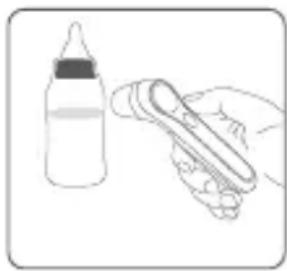
natural_image
Illustration of a baby bottle and a hand holding a pen, both without any text or symbolsMeasuring Object Temperature
- Put the cover on the probe of thermometer.
- Press the Power button to power on the thermometer.
-
Press the Mode button, the thermometer enters the Object mode. The "in" symbol is displayed on the screen.
-
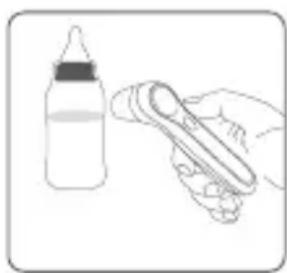
Point the thermometer probe to the center of the object, about "1-3cm" away from the object surface.
- Press and release the Measure button for 1 second. The temperature reading will be displayed on the screen instantly.
- If no activity is detected, the thermometer will power off automatically in 10 seconds.
After a measurement
(1) After each measurement, you can enter the recall mode and query earlier temperature readings. For more details, see «Recall 20 memories» in the preceding table.
(2) After each measurement, clean the temperature probe with a soft cloth, and put the thermometer in a dry and well-ventilated place.

It is dangerous to make a self-diagnosis or self-treatment based on the obtained measurement results. For such purposes, please consult a
Notes:
(1) The thermometer is suitable for an indoor environment without strong air convection (for example, winds from a fan, an air-conditioner, or a heater) between the thermometer and the person.
(2) Make sure that the ear canal is clean and dry before starting a measurement. It is recommended to clean the ear canal with a cotton swab if any dirt exists. Otherwise, the temperature probe may be polluted and temperature readings may be inaccurate.
(3) Do not hold the thermometer for a long time, because it is sensitive to the ambient temperature.
(4) Make sure the sense head is free of foreign matters before use;
(5) Make sure the forehead has no sweat and no hairs covered before measure the forehead temperature; otherwise, the result could be incorrect;
(6) No intense emotion or strenuous exercises before measuring;
(7) After measuring the data once, you should wait for the backlight to turn off and measure the next data.
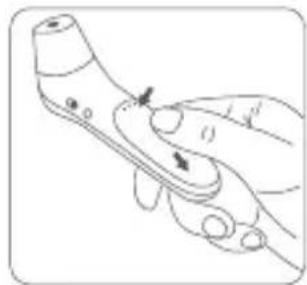
natural_image
Illustration of a hand holding a handheld device with a finger pointing to the screen (no text or symbols visible)Replacing Batteries
- Slide the battery cover off along the marked direction and take it off.
- Insert the two AAA batteries into the compartment according to the stated polarities.

Make sure that the batteries are installed correctly. Otherwise, the thermometer may be damaged.

If the low-battery symbol is displayed on the screen, replace the batteries.

Batteries of a same type should be used. Dispose the used batteries in accordance with the local environmental policies.

The thermometer is shipped with batteries. First open the battery cover, then remove the
natural_image
Line drawing of a handheld electronic device with internal components and mounting holes (no text or symbols)insulating piece.
natural_image
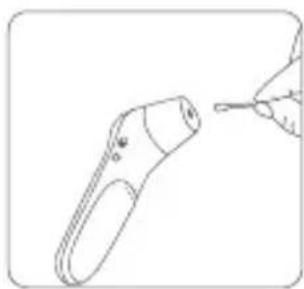
Line drawing of a handheld device with a hand holding a pen tip (no text or symbols)Cleaning and Disinfection
Cleaning
Recommended detergents:
* Medical detergents;
* Home use mild detergents;
Cleaning steps:
(1) Take the batteries out before cleaning.
(2) Clean the temperature probe with a soft cloth. Clean the lens of the temperature probe with a cotton swab.
(3) Wipe the thermometer body with a slightly damp soft cloth.

Keep water out off the lens during the cleaning process. Otherwise, the lens may be damaged.

The lens may be scratched if it is cleaned with a hard object, which might result in inaccurate readings.

Do not clean the thermometer with corrosive cleansers. During the cleaning process, do not immerse any part of the thermometer into
liquid, or allow liquid to penetrate the thermometer.
Disinfection
Recommended disinfectants:
* Isopropyl alcohol solution (concentration: 70%)
* Medicinal alcohol (concentration: 75%)
* Sodium hypochlorite solution (concentration: 3%)
Disinfecting steps:
1) Wet the clean soft cloth with a small quantity of disinfectant, wipe the thermometer and quickly dry it.
2) Disinfect the thermometer body and the area around the temperature probe with a cloth slightly moistened with 75% medical alcohol.


Do not use hot steam or ultraviolet radiation for disinfection. Otherwise, the thermometer may be damaged or quickly aged.
It is recommended to disinfect the thermometer before and after each use. The disinfection time is completed within 1 minute, and the number of repetitions per disinfection is not more than 2 times.

Clean and disinfect the thermometer under the temperature of +10°C\~+40°C(50°F-104°F), the relative humidity of 15%\~95%RH (no condensation) and the barometric pressure of 86kPa\~106kPa.
Maintenance
Preventive inspection & maintenance period
1) Ensure the safety of thermometer, and check whether it has potential safety hazards in normal use each week, e.g. whether the lens is broken, the shell has cracks and the sensing head is polluted. Do not use the thermometer with potential safety hazard. Clean the thermometer if not used for a long time.
2) After each use, clean the temperature probe as described in the «Cleaning and Disinfection» chapter.
3) Store the thermometer in a dry, dust-free, and well-ventilated place. Make sure that the thermometer is not exposed to sunlight. Make sure that the storage and transportation environments meet the requirements.
4) Check regularly whether safety risks exist.
5) Remove the batteries if the thermometer will not be used for more than two months.
Troubleshooting
| Problem Possible Cause Solution | ||
| The thermometer fails to power on. | Low battery | Change the batteries. |
| Polarities of the batteries are reversed. | Make sure that the batteries are installed correctly. | |
| The thermometer is damaged. | Contact the manufacturer. | |
| Problem Possible Cause Solution | ||
| "Er1" is displayed. | The ambient temperature is lower than 10°C (50.0°F) or higher than 40°C (104°F). | Take a measurement under an ambient temperature between 10°C (50.0°F) and 40°C (104°F). |
| The temperature reading is lower than the typical body temperature range. | The lens of the temperature probe is dirty. | Clean the lens using a cotton swab. |
| The thermometer probe is not aligned to the eardrum. | Reposition the thermometer probe so that it is aligned to the eardrum. | |
| The thermometer is used within 30 minutes after being taken from a cold environment. | Wait for more than 30 minutes after the thermometer is moved into the measurement environment. | |
| The temperature reading is higher than the typical body temperature range. | The temperature probe is damaged. | Contact the manufacturer. |
Specifications
| Product Name Infrared Thermometer | |
| Product Model JPD-FR300 | |
| Power Supply Mode | Internal power supply |
| Operating Voltage | DC 3V |
| Battery Model AAA x 2 | |
| Operating Mode Continuous operating | |
| Display Segment LCD | |
| Measure time About 1 second | |
| Latency Time About 3 seconds | |
| Measuring Range | Forehead mode: 22.0°C-43.0°C (71.6°F-109.4°F)Ear mode:34.0°C-43.0°C (93.2°F-109.4°F)Object mode:0.0°C-100.0°C(32.0°F-212.0°F) |
| Accuracy (Laboratory) | Forehead mode: ±0,2°C (36,0°C-39,0°C); ±0,3°C (22,0°C-36,0°C / 39,0°C~43,0°C); Ear mode: ±0,2°C (36,0°C-39,0°C); ±0,3°C (34,0°C-36,0°C / 39,0°C~43,0°C); Object mode: ±1,0°C/±2,0°F |
| Accuracy (Clinical) | ±0,3°C (±0,6°F) |
| Resolution 0.1°C (0.1°F) | |
| Memory 20 temperature readings | |
| Low-battery Alert | The low-battery symbol is displayed if the power voltage is lower than 2.4 V±0.1V |
| Automatic Power-off | The thermometer automatically powers off if it is not used in 10±1 seconds. |
| Outer dimensions (mm) | 155.9*40.2*49.2mm |
| Weight (g) Thermometer (with batteries): 90g | |
| Operating Environment | Temperature: 10°C~40°C (50°F-104°F) |
| Humidity: 15%-95% RH, non-condensing | |
| Atmospheric pressure: 86-106 kPa | |
The infrared thermometer has been tested and conforms to the standard ASTM E1965-98. ASTM laboratory accuracy requirements in the display range of 96.8^ F to 102.2^ F ( 36^ C- 39^ C) for ear canal IR thermometers is ±0.4^ F ( ±0.2^ C). Note that for mercury-in-glass and electronic thermometers, the requirement per ASTM Standards E667-86 and E1112-86 is ±0.2^ F ( ±0.1^ C).
Security Class
Type of protection against electric shock: internally powered equipment. Degree of protection against electric shock: 📁Type BF applied part.
- Degree of protection against ingress of water:IP22
- Safety degree of using in flammable anesthetic gas blending with air, oxygen or nitrous oxide: Non-AP/APG
- No applied parts of the thermometer prevents defibrillation charge effect.
- No applied parts of the thermometer output signal.
- The thermometer is impermanent installed device.
Storage and Transportation
The thermometer can be transported using general transportation tools. Severe vibration, shock, or rain must be avoided during transportation.
The thermometer must be packaged and then stored in a well-ventilated room without corrosive gas. The ambient temperature must be between -20^ and +55^ -4^ -131^ , The relative humidity must be between 15-95% (non-condensing), and the atmospheric pressure must be 50-106 kPa.

EMC Information-Guidance and Manufacture's Declaration
WARNING: Use of this equipment adjacent to or stacked with other equipment should be avoided because it could result in improper operation. If such use is necessary, this equipment and the other equipment should be observed to verify that they are operating normally.
Use of accessories, transducers and cables other than those specified or provided by the manufacturer of this equipment could result in increased electromagnetic emissions or decreased electromagnetic immunity of this equipment and result in improper operation.
Portable RF communications equipment (including peripherals such as antenna cables and external antennas) should be used no closer than 30 cm (12 inches) to any part of the ME equipment, including cables specified by the manufacturer. Otherwise, degradation of the performance of this equipment could result.
| Declaration - electromagnetic emission | |
| Emissions test Compliance | |
| RF emissionsCISPR 11 | Group 1 |
| RF emissionsCISPR 11 | Class B |
| Harmonic emissionsIEC 61000-3-2 | Not applicable |
| Voltage fluctuations/flicker emissionsIEC 61000-3-3 | Not applicable |
| Declaration - electromagnetic immunity | ||
| Immunity test IEC 60601 test level Compliance level | ||
| Electrostatic discharge (ESD)IEC 61000-4-2 | ±8 kV contact±2 kV, ±4 kV, ±8 kV,±15 kV air | ±8 kV contact±2 kV, ±4 kV, ±8 kV,±15 kV air |
| Electrical fast transient/burstIEC 61000-4-4 | ±2 kV for power supply lines±1 kV for input/output lines | Not applicable |
| SurgeIEC 61000-4-5 | ±0.5kV, ±1 kV line(s) to lines±0.5kV, ±1 kV, ±2 kV line(s) to earth | Not applicable |
| Voltage dips, short interruptions and voltage variations on power supply input linesIEC 61000-4-11 | 0% UT; 0.5 cycle At 0°, 45°, 90°, 135°,180°, 225°, 270°and 315°0% UT; 1 cycle and 70% UT; 25/30 cyclesSingle phase: at 0°0% UT; 250/300 cycles | Not applicable |
| Power frequency(50/60 Hz) magnetic fieldIEC 61000-4-8 | 30 A/m 30 A/m | |
| NOTE: UT is the a.c. mains voltage prior to application of the test level. | ||
| Conducted RFIEC 61000-4-6 | 3V0.15 MHz to 80 MHz6 V in ISM bands between 0.15 MHz and 80 MHz | Not applicable |
| Radiated RFIEC 61000-4-3 | 10V/m80 MHz to 2.7 GHz | 10V/m |
| Declaration - IMMUNITY to proximity fields from RF wireless communications equipment | |||||
| Immunity test | IEC60601 test level | Com- pliance level | |||
| Test fre- quency | Modula- tion | Maximum power | Immunity level | ||
| Radiated RF IEC 61000-4-3 | 385 MHz | **Pulse Modula- tion: 18Hz | 1.8W 27V/m27V/m | ||
| 450 MHz | *FM+ 5Hz deviation: 1kHz sine | 2W 28V/m28V/m | |||
| 710 MHz 745 MHz 780 MHz | **Pulse Modu- lation: 217Hz | 0.2W 9V/m9V/m | |||
| 810 MHz 870 MHz 930 MHz | **Pulse Modula- tion: 18Hz | 2W 28V/m28V/m | |||
| 1720 MHz 1845 MHz 1970 MHz | **Pulse Modu- lation: 217Hz | 2W 28V/m28V/m | |||
| Radiated RF IEC 61000-4-3 | 2450 MHz | **Pulse Modulation: 217Hz | 2W28V/m28V/m | ||
| 5240 MHz 5500 MHz 5785 MHz | **Pulse Modulation: 217Hz | 0.2W9V/m9V/m | |||
| Note* - As an alternative to FM modulation, 50% pulse modulation at 18 Hz may be used because while it does not represent actual modulation, it would be worst case.Note** - The carrier shall be modulated using a 50% duty cycle square wave signal. | |||||
NL Shenzhen Jumper Medical Equipment Co., Ltd
Fabrikant: Shenzhen Jumper Medical Equipment Co., Ltd
Adres: D Building, No. 71, Xintian Road, Fuyong Street, Baoan, Shenzhen, Guangdong, China 518103.
Copyright
Copyright © Jumper Medical.
text_image
Technical diagram of a handheld device with labeled parts including handle, grip, and battery packnatural_image
Illustration of a hand holding a handheld device with arrows indicating motion or change (no text or symbols present)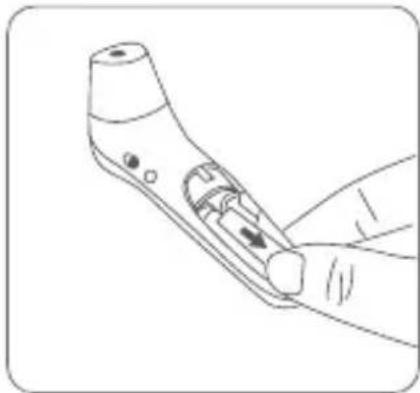
natural_image
Line drawing of a handheld device with a handle and control knob (no text or symbols)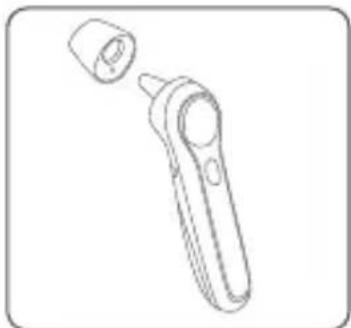
natural_image
Line drawing of a handheld electronic device with a cylindrical port and handle (no text or symbols)natural_image
Simple line drawing of a curved pipe or tube with an angle标注 (no text or symbols beyond measurement)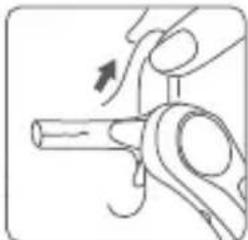
natural_image
Illustration of a hand turning a mechanical component with an arrow indicating rotation (no text or symbols)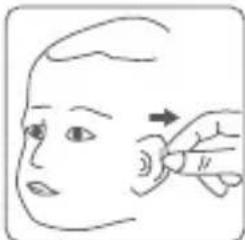
natural_image
Illustration of a hand pointing to a small object on the head, with an arrow indicating direction (no text or symbols)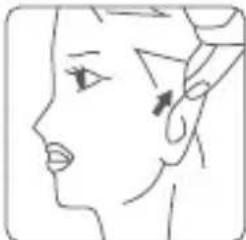
natural_image
Line drawing of a human face profile with no text or symbols
natural_image
Illustration of a child receiving a medical or examination procedure using a tool (no text or symbols present)natural_image
Simple line drawing of a human face with a green checkmark and dot on the forehead (no text or symbols)
natural_image
Illustration of a baby bottle and a hand holding a pen (no text or symbols)natural_image
Line drawing of a hand holding a tool or device with a finger pointing to a button (no text or symbols present)Batterijen vervangen
natural_image
Technical line drawing of a handheld device with internal components and mounting holes (no text or symbols)natural_image
Line drawing of a handheld device with a hand pointing to it (no text or symbols)Reinigen
Shenzhen Jumper Medical Equipment Co., Ltd
Handbuch-Version: 1.0
Hersteller: Shenzhen Jumper Medical Equipment Co., Ltd
Adresse: D Building, No. 71, Xintian Road, Fuyong Street, Baoan, Shenzhen, Guangdong, China 518103.
Copyright
Copyright © Jumper Medical.
natural_image
Illustration of a hand holding a remote control device with arrows indicating movement (no text or symbols)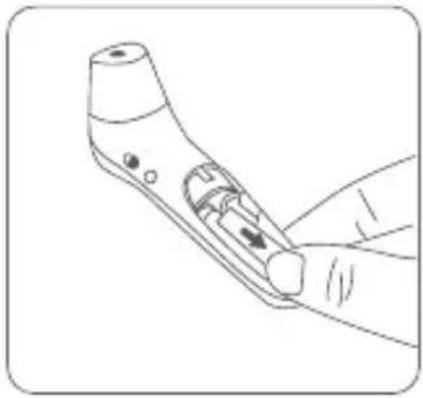
natural_image
Line drawing of a handheld device with a handle and internal components, no text or symbols present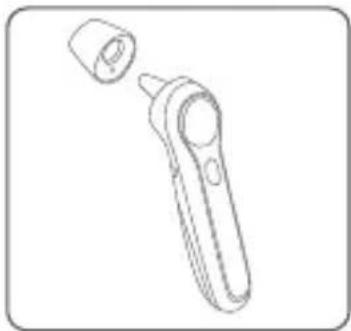
natural_image
Line drawing of a handheld device with a cylindrical cap and handle (no text or symbols)natural_image
Simple line drawing of a pipe joint with angle标注 (no text or symbols beyond measurement)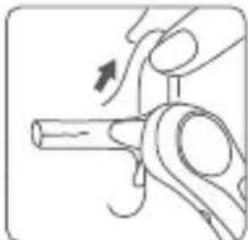
natural_image
Illustration of a hand turning a mechanical component with an arrow indicating rotation (no text or symbols)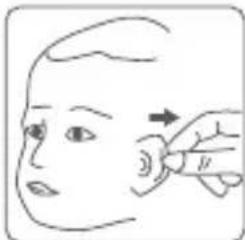
natural_image
Illustration of a hand pointing to a small object on a human head, with an arrow indicating direction (no text or symbols)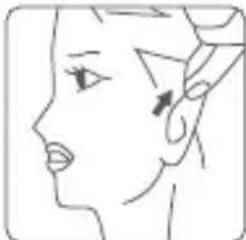
natural_image
Line drawing of a human face profile with no text or symbols
natural_image
Illustration of a child receiving a medical or cosmetic procedure using a tool (no text or symbols visible)natural_image
Simple line drawing of a human face with a green checkmark and dot on the forehead (no text or symbols)Display.
natural_image
Illustration of a baby bottle and a hand holding a spoon, no text or symbols presentMeasuring Object Temperature
natural_image
Line drawing of a hand holding a tool or device with a black arrow pointing to a small component (no text or symbols present)natural_image
Line drawing of a handheld electronic device with internal components and housing (no text or symbols)
natural_image
Line drawing of a handheld device with a pointing tip, no text or symbols presentReinigung
ES Shenzhen Jumper Medical Equipment Co., Ltd
text_image
Infrared temperature probe Infrared ray Ear canal Eardrum4) Uso previsto
text_image
Technical diagram of a handheld device with labeled parts including handle, grip, and battery casingnatural_image
Illustration of a hand holding a remote control device with two arrows indicating movement (no text or symbols present)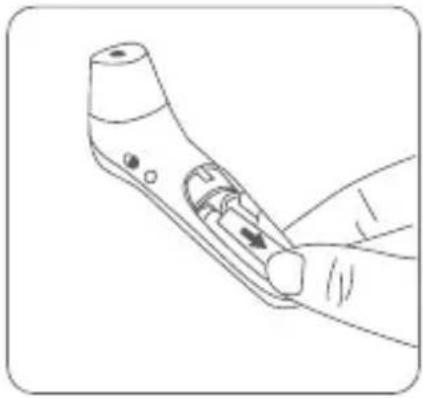
natural_image
Line drawing of a handheld device with a handle and internal components, no text or symbols present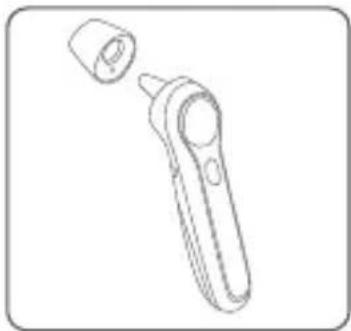
natural_image
Line drawing of a handheld device with a cylindrical cap and handle (no text or symbols)text_image
34.6°36.8°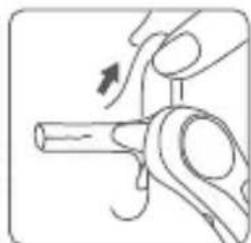
natural_image
Illustration of a hand holding a mechanical component with an arrow indicating motion (no text or symbols)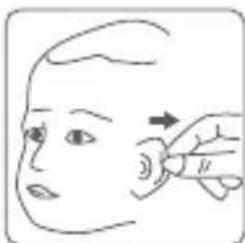
natural_image
Line drawing of a person's head and neck with a hand pointing to the ear area (no text or symbols)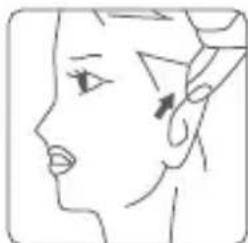
natural_image
Line drawing of a human face profile with no text or symbols
natural_image
Illustration of a child receiving a medical or oral examination procedure (no text or symbols present)natural_image
Simple line drawing of a human face with a green checkmark and dot on the forehead (no text or symbols)
natural_image
Illustration of a baby bottle and a hand holding a pen (no text or symbols)natural_image
Illustration of a hand holding a handheld device with a finger pointing to the screen (no text or symbols visible)Cambio de las pilas
natural_image
Line drawing of a handheld device with internal components and labeled parts (no text or symbols)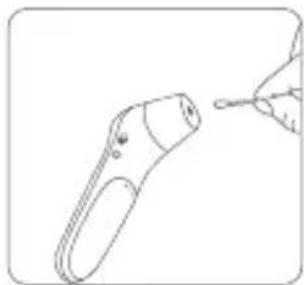
natural_image
Line drawing of a handheld device with a small screen and handle, connected to a hand holding a pointer (no text or symbols)IT Shenzhen Jumper Medical Equipment Co., Ltd
text_image
Infrared temperature probe Infrared ray Ear canal Eardrum4) Uso previsto
text_image
Technical diagram of a handheld device with labeled parts including handle, grip, and battery pack(1) Schermo con display LCD
natural_image
Line drawing of a hand holding a handheld device with arrows indicating motion or change (no text or symbols)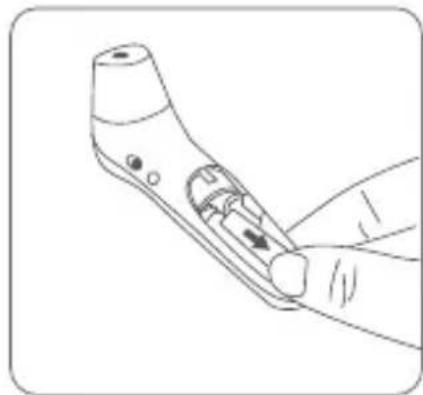
natural_image
Line drawing of a handheld electronic device with a handle and screen (no text or symbols)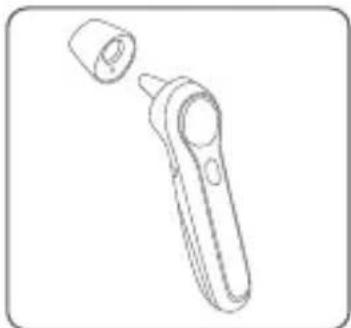
natural_image
Line drawing of a handheld electronic device with a cylindrical cap and handle (no text or symbols)text_image
34.6°36.8°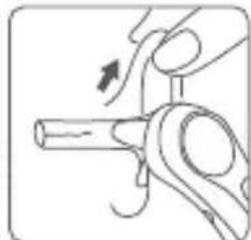
natural_image
Illustration of a hand turning a mechanical component with an arrow indicating motion (no text or symbols)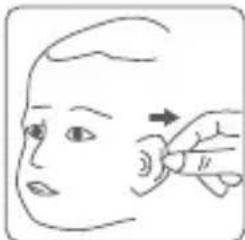
natural_image
Illustration of a hand pointing to a small object on a human head, with an arrow indicating direction (no text or symbols)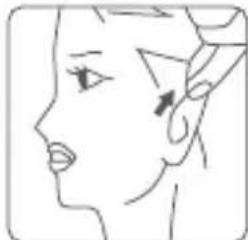
natural_image
Line drawing of a human face profile with visible eye and ear (no text or symbols)
natural_image
Illustration of a baby receiving a medical or examination procedure using a tool (no text or symbols present)natural_image
Simple line drawing of a human face with a green checkmark indicating a location or point (no text or symbols)natural_image
Illustration of a baby bottle and a hand holding a pen (no text or symbols)natural_image
Illustration of a hand holding a tool or device with a finger pointing to a button (no text or symbols present)Sostituzione batterie
natural_image
Line drawing of a handheld device with internal components and labeled parts (no text or symbols)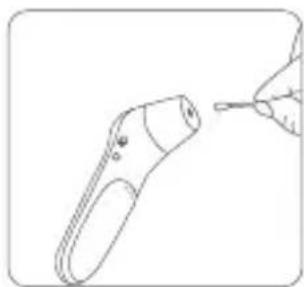
natural_image
Line drawing of a handheld device with a hand holding a tip (no text or symbols)natural_image
Line drawing of a hand holding a tool with arrows indicating movement or force (no text or symbols)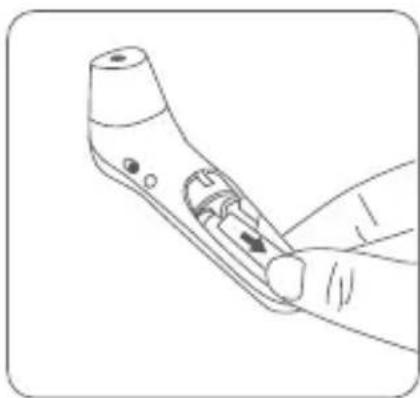
natural_image
Line drawing of a hand holding a handheld device with a button, no text or symbols present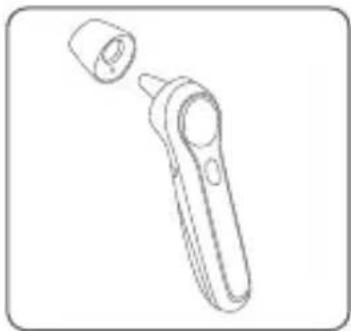
natural_image
Line drawing of a handheld electronic device with a cylindrical port and handle (no text or symbols)natural_image
Simple line drawing of a mechanical component with no text or symbols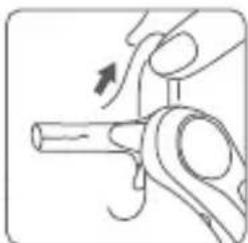
natural_image
Illustration of a hand holding a mechanical component with an arrow indicating motion (no text or symbols)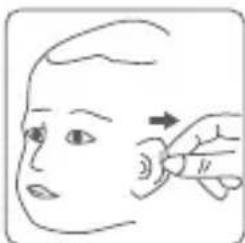
natural_image
Illustration of a hand performing a finger massage on a human head (no text or symbols)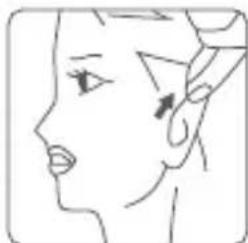
natural_image
Line drawing of a human face profile showing eye, ear, and hand (no text or symbols)
natural_image
Illustration of a child receiving a medical or laboratory procedure using a test tube (no text or symbols present)natural_image
Simple line drawing of a human face with a green checkmark on the forehead and eyebrow (no text or symbols)natural_image
Illustration of a baby bottle and a hand holding a pen, both without any text or symbolsnatural_image
Illustration of a hand holding a handheld device with a finger pointing to the handle (no text or symbols visible)Замена батареек
natural_image
Line drawing of a handheld device with internal components and labeled parts (no text or symbols)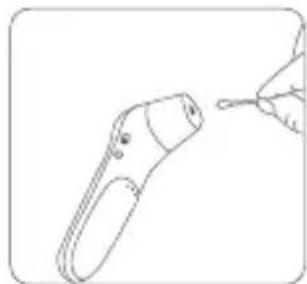
natural_image
Line drawing of a handheld device with a pointing tip (no text or symbols)PT Shenzhen Jumper Medical Equipment Co., Ltd
Fabricante: Shenzhen Jumper Medical Equipment Co., Ltd
Endereço: D Building, No. 71, Xintian Road, Fuyong Street, Baoan, Shenzhen, Guangdong, China 518103.
Copyright
Copyright © Jumper Medical.
text_image
Infrared temperature probe Infrared ray Ear canal Eardrumtext_image
Technical diagram of a handheld device with labeled parts including handle, buttons, and battery packnatural_image
Illustration of a hand holding a medical or robotic device with two arrows indicating movement or force (no text or symbols present)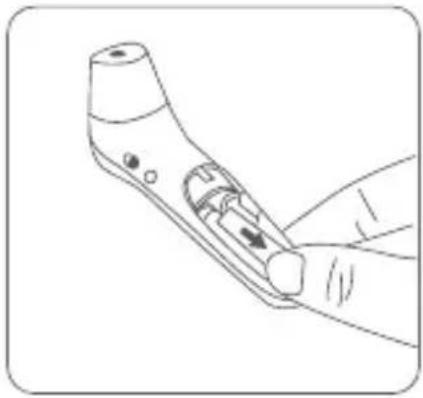
natural_image
Line drawing of a handheld device with a handle and internal components, no text or symbols present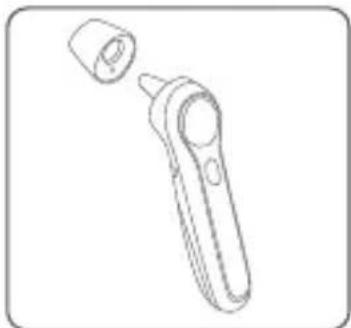
natural_image
Line drawing of a handheld electronic device with a cylindrical cap and handle (no text or symbols)natural_image
Simple line drawing of a pipe with a curved handle and angle标注 (no text or symbols beyond measurement)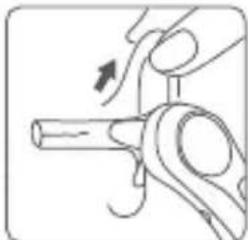
natural_image
Illustration of a hand turning a mechanical component with an arrow indicating rotation (no text or symbols)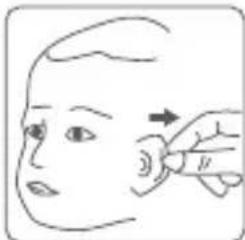
natural_image
Illustration of a hand pointing to a small object on a human head, with an arrow indicating direction (no text or symbols)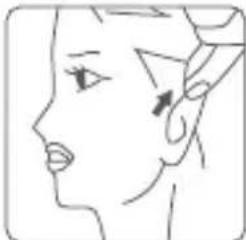
natural_image
Line drawing of a human face profile with no text or symbols
natural_image
Illustration of a child receiving a medical or laboratory procedure using a handheld device (no text or symbols visible)natural_image
Simple line drawing of a human face with a green checkmark on the forehead and eyebrow (no text or symbols)natural_image
Illustration of a baby bottle and a hand holding a pen, both without any text or symbolsnatural_image
Illustration of a hand holding a medical or surgical tool with an arrow indicating force direction (no text or symbols present)natural_image
Line drawing of a handheld device with internal components and labeled parts (no text or symbols)
natural_image
Line drawing of a handheld device with a tip, no text or symbols presentPL Shenzhen Jumper Medical Equipment Co., Ltd
Producent: Shenzhen Jumper Medical Equipment Co., Ltd
Adres: D Building, No. 71, Xintian Road, Fuyong Street, Baoan, Shenzhen, Guangdong, Chiny 518103
Prawa autorskie
Copyright © Jumper Medical.
text_image
Infrared temperature probe Infrared ray Ear canal Eardrum4)Przeznaczenie
text_image
Technical diagram of a handheld device with labeled parts including handle, battery pack, and control panel(1) Wyświetlacz LCD
natural_image
Line drawing of a hand holding a tool with arrows indicating movement or force (no text or symbols)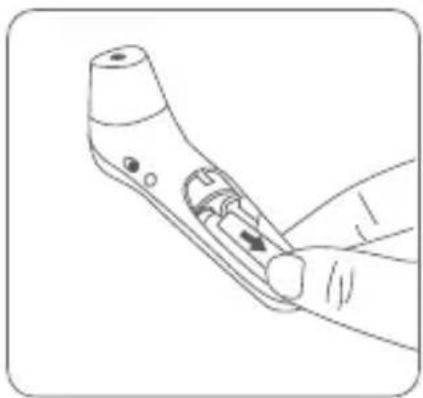
natural_image
Line drawing of a hand holding a handheld device with a scroll wheel (no text or symbols)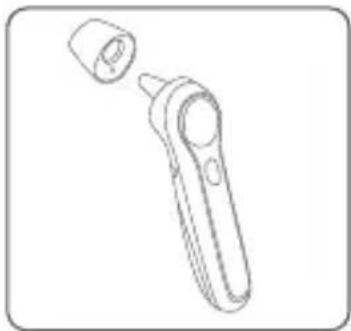
natural_image
Line drawing of a handheld electronic device with a cylindrical port and handle (no text or symbols)natural_image
Simple line drawing of a mechanical component with no text or symbols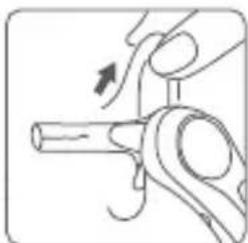
natural_image
Illustration of a hand holding a mechanical component with an arrow indicating motion (no text or symbols)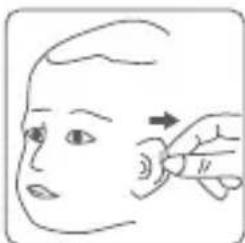
natural_image
Illustration of a hand performing a finger massage on a human head (no text or symbols)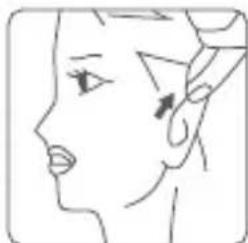
natural_image
Line drawing of a human face profile showing eye, ear, and hand (no text or symbols)
natural_image
Illustration of a child receiving a medical or laboratory procedure using a test tube (no text or symbols present)natural_image
Simple line drawing of a human face with a green checkmark on the forehead and mouth (no text or symbols)natural_image
Illustration of a baby bottle and a hand holding a pen, both without any text or symbolsnatural_image
Illustration of a hand holding a handheld device with a finger pointing to the handle (no text or symbols visible)Wymiana baterii
natural_image
Line drawing of a handheld electronic device with internal components and labeled parts (no text or symbols)
natural_image
Line drawing of a handheld device with a pointing tip, no text or symbols presentnatural_image
Illustration of a hand holding a medical or surgical tool with arrows indicating motion (no text or symbols)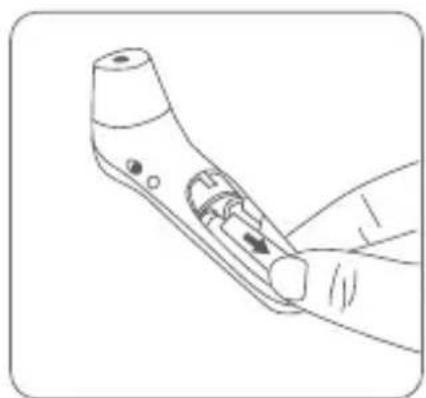
natural_image
Line drawing of a handheld device with a handle and control knob (no text or symbols)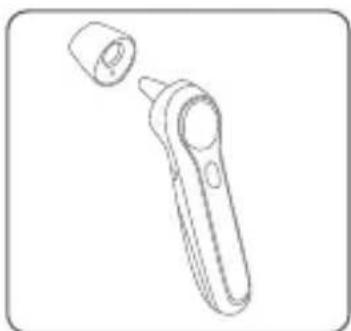
natural_image
Line drawing of a handheld device with a cylindrical cap and handle (no text or symbols)text_image
34.6°36.8°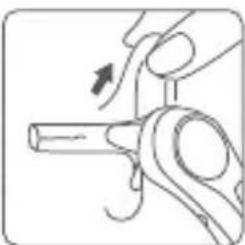
natural_image
Illustration of a hand holding a mechanical component with an arrow indicating rotation (no text or symbols)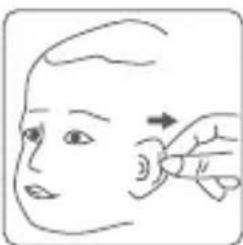
natural_image
Illustration of a hand performing a finger massage on a human head (no text or symbols)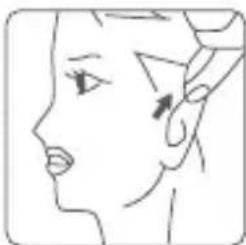
natural_image
Line drawing of a human face with an arrow pointing to the ear area (no text or symbols)natural_image
Illustration of a child receiving a medical or laboratory procedure using a handheld device (no text or symbols visible)natural_image
Simple line drawing of a human face with a green checkmark and dot on the forehead (no text or symbols)
natural_image
Illustration of a baby bottle and a hand holding a pen (no text or symbols)natural_image
Illustration of a hand holding a handheld device with a finger pointing to a button (no text or symbols present)استبideal البطاريات
natural_image
Line drawing of a handheld device with internal components and labeled parts (no text or symbols)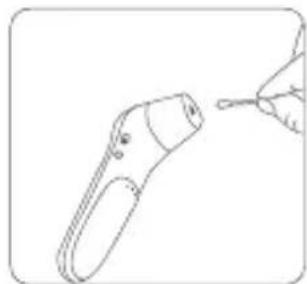
natural_image
Line drawing of a handheld device with a tip, no text or symbols presentالتنظيف و الت-Timeم
Shenzhen Jumper Medical Equipment Co., Ltd.
Adresse : D Building, No. 71, Xintian Road, Fuyong Street,
Baoan, Shenzhen, Guangdong, Chine 518103
Tél:+86-755-26696279
Fax<:+86-755-26852025
Site Internet: http://www.jumper-medical.com