
Compact Traveler No. 2 - Tripod ROLLEI - Free user manual and instructions
Find the device manual for free Compact Traveler No. 2 ROLLEI in PDF.


| Brand | Rollei |
| Model | Compact Traveler No. 2 |
| Product type | Tripod with monopod function |
| Tripod material | Aluminum and plastic |
| Head material | Aluminum |
| Maximum working height | 131 cm |
| Maximum height | 178 cm |
| Minimum height | 44.5 cm |
| Maximum load | 5 kg |
| Number of leg sections | 4 |
| Leg diameter | 23 / 20 / 17 / 14 mm |
| Bubble level | Yes |
| Removable center column | Yes |
| Interchangeable spikes | Yes (3 spikes included) |
| Threaded connection | 1/4-inch screw |
| Weight with head | 1.46 kg |
| Weight without head | 1.11 kg |
| Maximum height as monopod (with head) | 183 cm |
| Monopod weight (with head) | 793 g |
| Quick release plate type | Arca Swiss compatible |
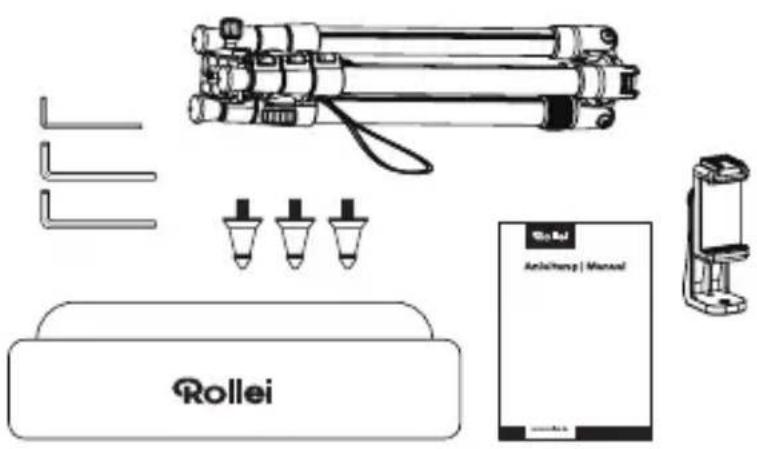
| Box contents | Tripod, carrying bag, smartphone holder, spikes (3x), Allen key (3x), manual |
| Additional features | 360° rotating smartphone holder, monopod conversion, interchangeable spikes, adjustable friction |
| Safety | Anti-slip pin on plate, full locking necessary |
| Maintenance | Clean with a dry cloth. Store in the provided bag. |
Frequently Asked Questions - Compact Traveler No. 2 ROLLEI
User questions about Compact Traveler No. 2 ROLLEI
0 question about this device. Answer the ones you know or ask your own.
Ask a new question about this device
Download the instructions for your Tripod in PDF format for free! Find your manual Compact Traveler No. 2 - ROLLEI and take your electronic device back in hand. On this page are published all the documents necessary for the use of your device. Compact Traveler No. 2 by ROLLEI.
USER MANUAL Compact Traveler No. 2 ROLLEI
Compact Traveler No. 2
Aluminium
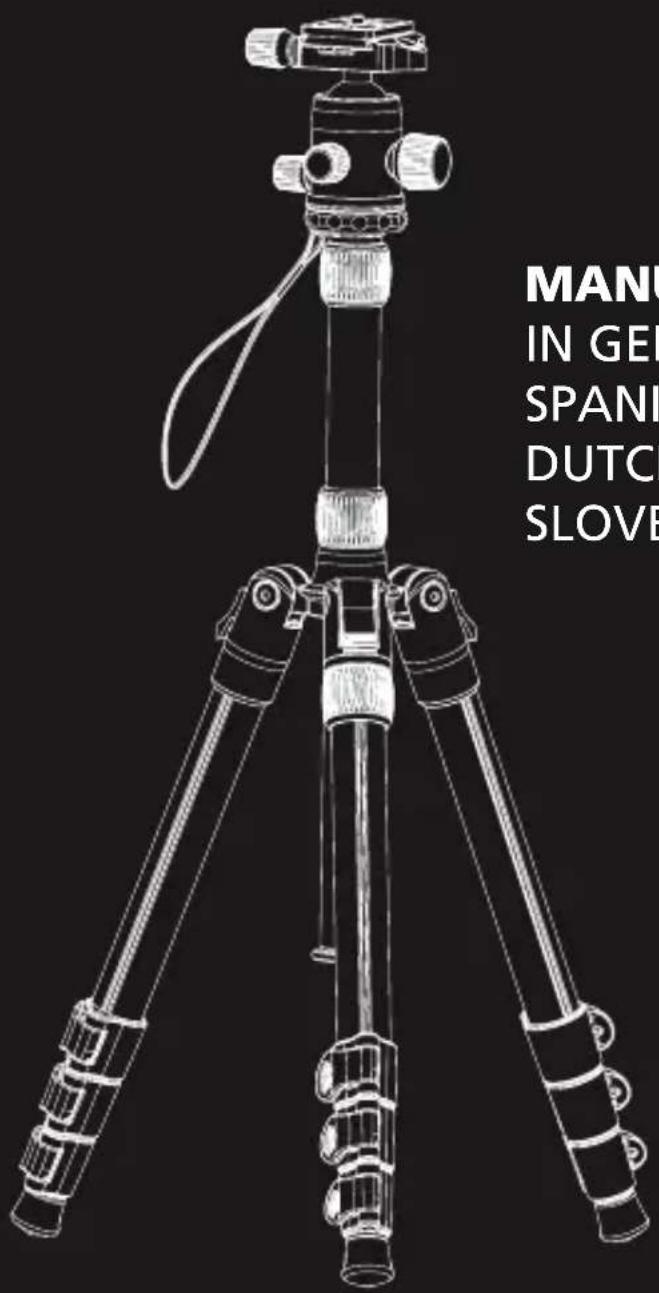
MANUAL
IN GERMAN, ENGLISH,
SPANISH, FRENCH, ITALIAN,
DUTCH, CZECH AND
SLOVENIAN
Rollei
What's in the Box. 11
Ball Head Instructions 11
Conversion to Monopod 13
Changing to Spikes 13
Smartphone Holder 13
Technical Data 14
MANUAL EN ESPAÑOL
Productos 16
natural_image
Technical illustration of a tripod-mounted camera setup with two views (1 and 2), showing mechanical components and motion arrows (no text or symbols)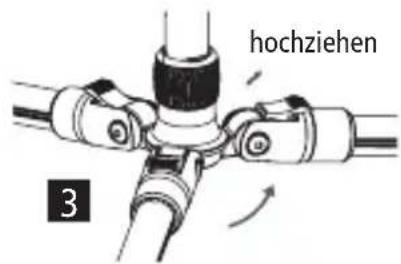
natural_image
Technical line drawing of a mechanical device with rotational arrows indicating motion (no text or symbols)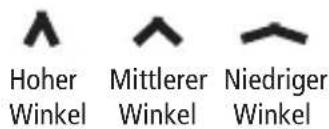
natural_image
Pure mechanical component diagram without any text, numbers, or symbolsnatural_image
Diagram of a medical or laboratory procedure with a pipette and two parallel arrows indicating flow (no text or labels)Smartphone-Halter
natural_image
Technical line drawing of a mobile phone device with a stand (no text or symbols)Stativ
Thank you for choosing our products! Please read carefully before use.
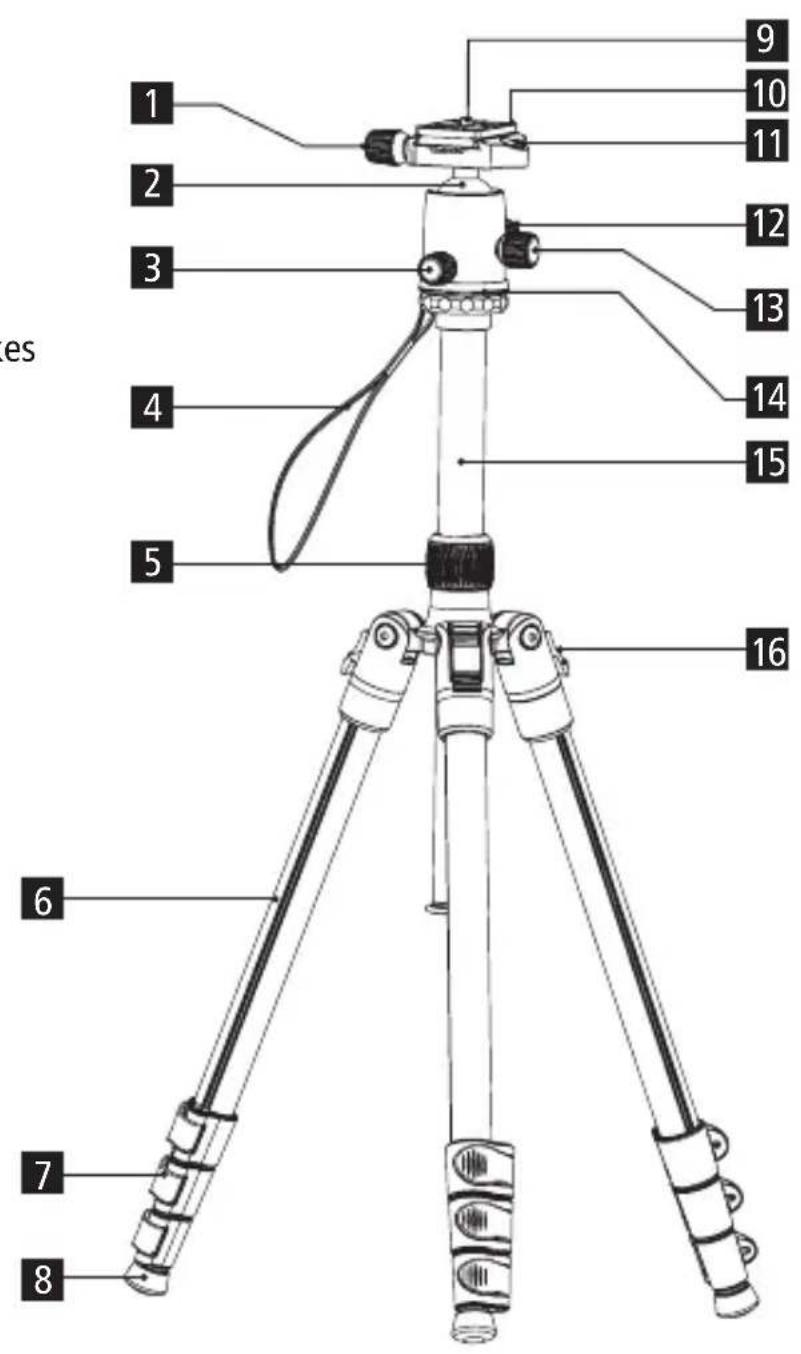
Product Overview Tripod
1 Quick-release plate locking screw
2 Ball joint
3 Base locking button
4 Hand strap
5 Centre column locking ring
6 Tripod leg
7 Folding locks
8 Rubber feet / exchangeable spikes
9 1/4-inch screw
10 Quick-release plate
11 Spirit level
12 Main locking screw
13 Friction
14 Base
15 Centre column
16 Angle leg locking
What's in the Box
- Tripod
- Carrying bag
- Smartphone holder
- Spikes (3x)
- Allen wrench (3x)
- User manual
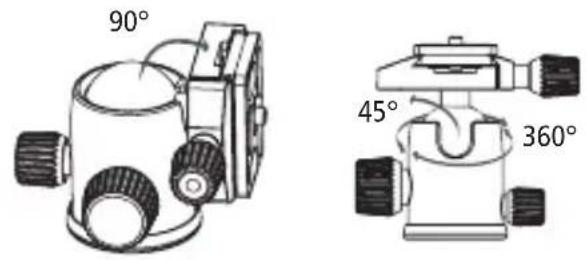
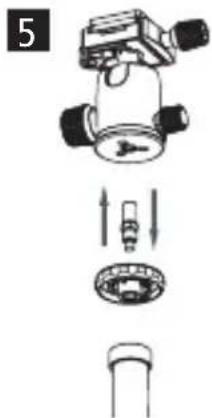
Ball Head Instructions
Loosen the main locking knob to adjust the shooting angle. Please hold your camera firmly to prevent your equipment from falling.
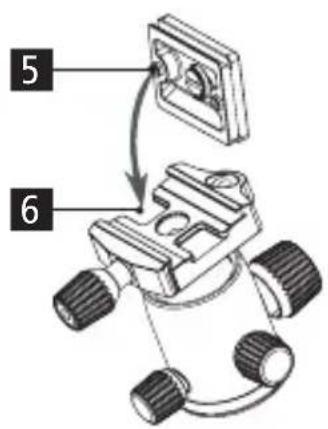
The quick release system has a safety design based on an anti-slip pin that can prevent your equipment from accidentally falling.
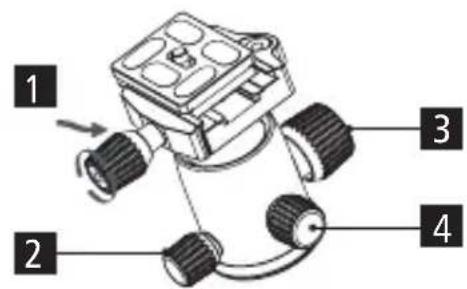
1 Quick-release plate locking screw
2 Base locking button
3 Main locking screw
4 Friction
5 Anti-slip pin
6 Anti-slip groove
Tripod Instructions
Centre column locking system
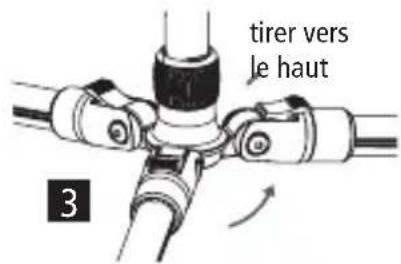
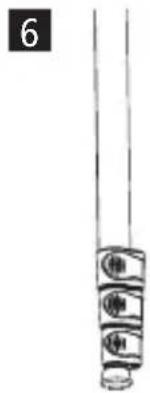
- Release the centre column lock, adjust the column to the required height, then relock it.
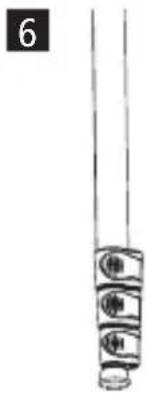
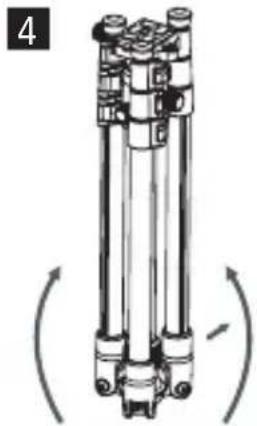
- To adjust the leg angles, fold the legs up to the first angle position until they engage.
- To adjust the second and third leg angles, press the leg angle adjustment buttons down and fold the legs to the desired position.
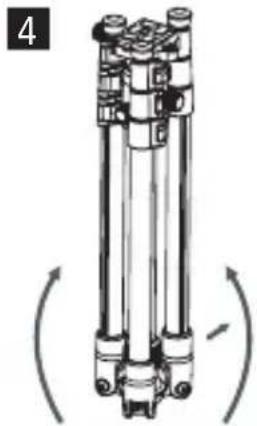
- Press and hold the angle adjustment buttons and fold the legs completely once to achieve the smallest
- Release the locking screws. Please make sure that the head and tripod are fully locked.
- The rubber feet provide stability and do not slip or move when you are photographing on soft ground, grass or sand.
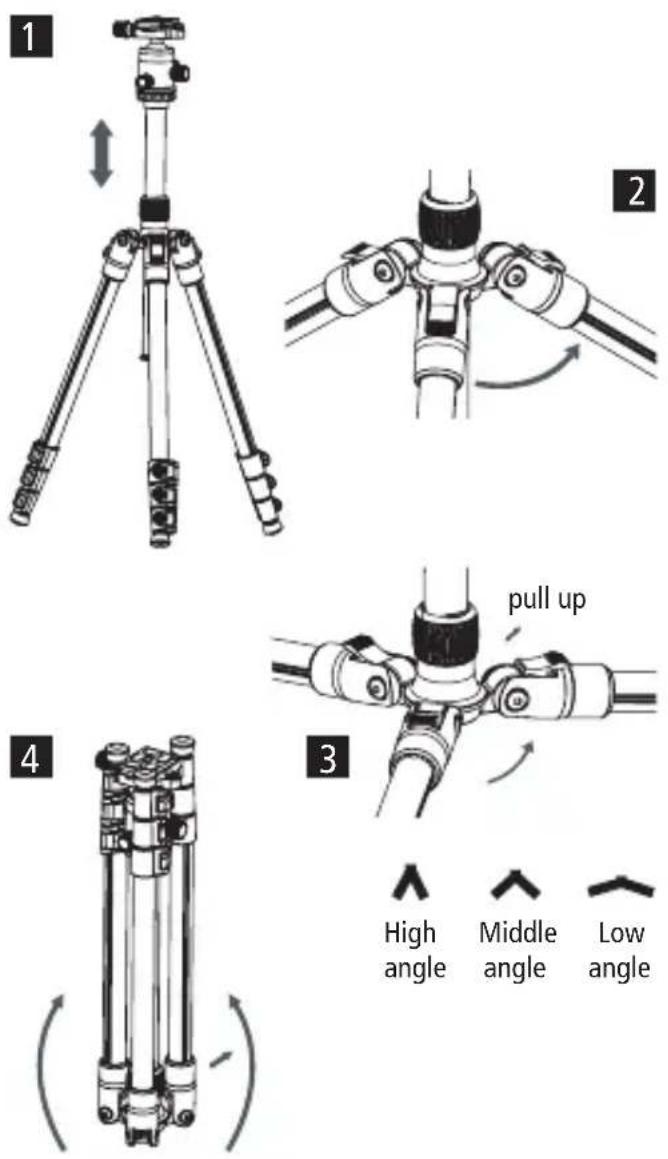
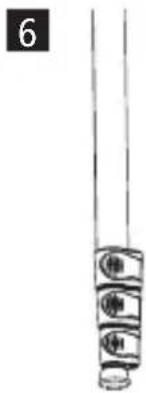
natural_image
Pure mechanical component diagram without any text, numbers, or symbolsConversion to Monopod
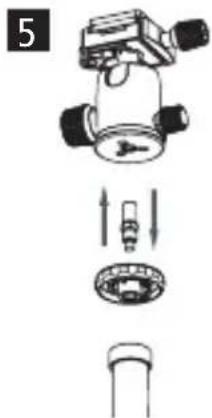
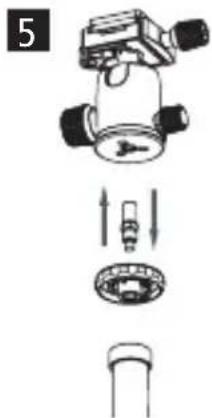
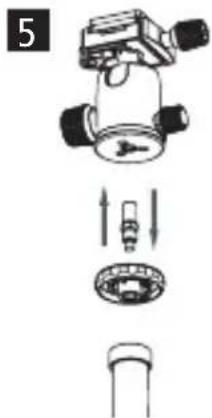
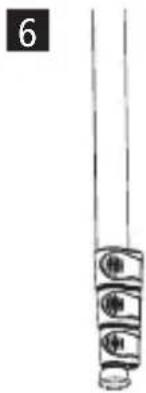
Unscrew the hook from the centre column to pull it out from above and then screw it together with the detached leg to use it as a monopod.
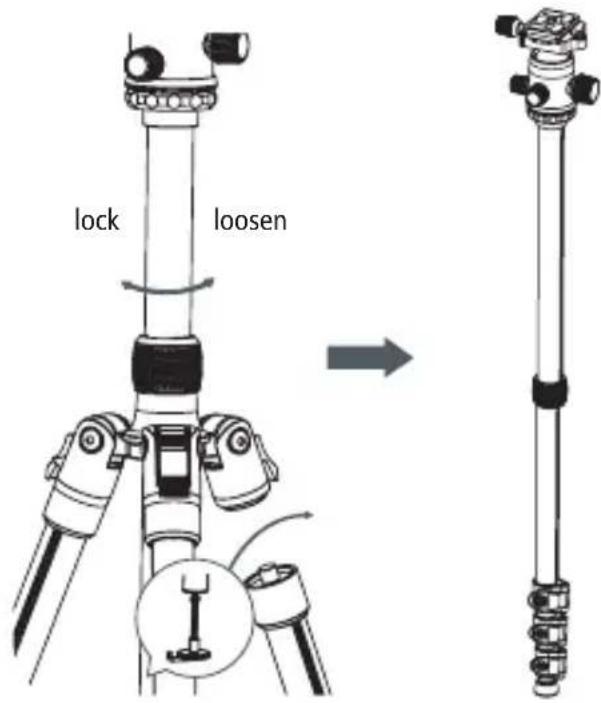
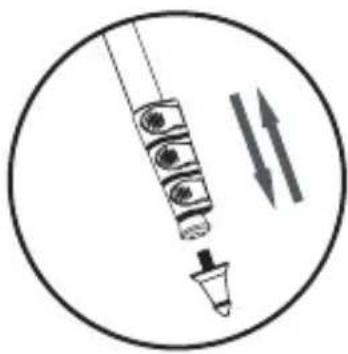
Changing to Spikes
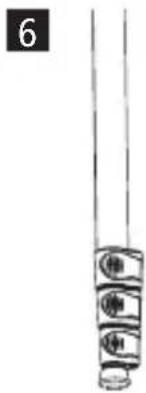
- Turn the rubber feet clockwise to loosen them.
- Then screw the spikes in anti-clockwise until they are tight.
natural_image
Diagram of a medical or laboratory procedure with a pipette and two parallel arrows indicating flow (no text or labels)Smartphone Holder
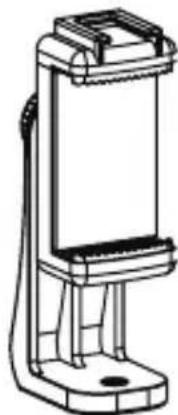
- Screw the smartphone holder directly onto the cold shoe plate.
– Pull up the side with the cold shoe mount to clamp your smartphone in place. - To rotate the smartphone, release the lock on the back, rotate the smartphone to the desired position, and re-lock it. The smartphone can be rotated 360irc .
- Accessories can be mounted using the cold shoe or the 1/4-inch screw thread.
natural_image
Technical line drawing of a mobile phone device with a stand (no text or symbols)Tripod
| Tripod type Tripod with monopod function | |
| Material Aluminum and Plastic | |
| Max. working height | 131 cm |
| Max. height 178 cm | |
| Min. height 44,5 cm | |
| Pack size | 44 cm |
| Max load 5 kg | |
| Detachable middle pillar Yes | |
| Spirit level Yes | |
| Segments tripod legs 4 | |
| Diameter tripod legs 23 mm / 20 mm / 17 mm / 14mm | |
| Spikes Yes, interchangeable | |
| Connections 1/4" screw | |
| Weight incl. Head | 1.46 kg |
| Weight without Head 1.11 kg | |
Monopod function
| Max. height incl.head 183 cm | |
| Min. height incl.head | 46 cm |
| Max load 5 kg | |
| Connections 1/4" screw | |
| Weight incl. Head | 793 g |
| Tripod head | |
| Material Aluminum | |
| Height | 9.3 cm |
| Water scale Yes | |
| Width base 5 cm | |
| Max. load 5 kg | |
| Connections 1/4" screw thread | |
| Weight | 353 g |
| Quick release plate | |
| Compatibility Arca Swiss | |
| Width 4 cm | |
| Length 5cm | |
| Height 1 cm | |
| Connections 1/4" screw | |
| Weight 30 g | |
| What's in the Box | |
| Tripod, carrying bag, smartphone holder, spikes (3x), allen wrench (3x), user manual | |
The actual product design and specifications may vary.
natural_image
Pure mechanical component diagram without any text, numbers, or symbolsnatural_image
Diagram of a medical or laboratory procedure showing a pipette inserted into a container with two parallel arrows indicating flow direction (no text or labels)natural_image
Technical line drawing of a handheld device with a vertical support and base mount (no text or symbols)Trípode
natural_image
Technical line drawing of a mechanical device with rotational arrows indicating motion (no text or symbols)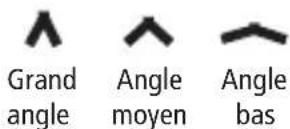

natural_image
Pure mechanical component diagram without any text, numbers, or symbolsConversion en monopode
natural_image
Diagram of a medical or laboratory procedure showing a pipette inserted into a container with two parallel arrows indicating flow direction (no text or labels)natural_image
Technical line drawing of a mobile phone mount (no text or symbols)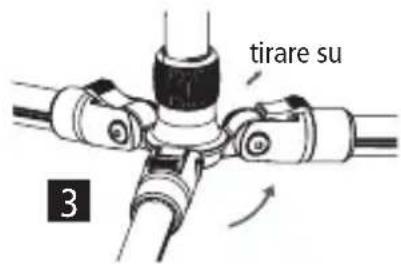
natural_image
Technical line drawing of a mechanical device with rotational arrows indicating motion (no text or symbols)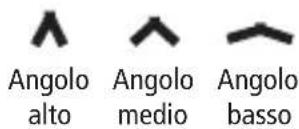
natural_image
Pure mechanical component diagram without any text, numbers, or symbolsConversione in monopiede
natural_image
Diagram of a syringe with internal components and two parallel arrows indicating flow or direction (no text or labels)natural_image
Technical line drawing of a handheld device with mounting bracket (no text or symbols)Treppiede

natural_image
Technical line drawing of a mechanical device with rotational arrows indicating motion (no text or symbols)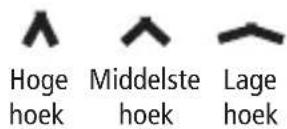
natural_image
Pure mechanical component diagram without any text, numbers, or symbolsOmbouw tot monopod
Veranderen in Spikes
natural_image
Diagram of a medical or laboratory procedure with a pipette and two parallel arrows indicating flow (no text or labels)Smartphonehouder
natural_image
Technical line drawing of a handheld device with a vertical support and base mount (no text or symbols)Statief
natural_image
Technical illustration of a tripod-mounted camera with adjustable arm and base, showing two views (1 and 2) without any text or symbols.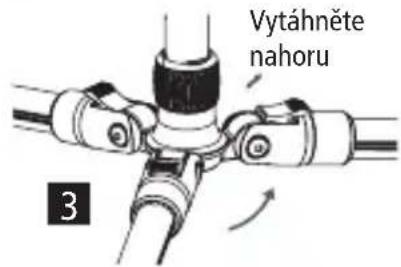
natural_image
Technical line drawing of a mechanical device with rotational arrows indicating motion (no text or symbols)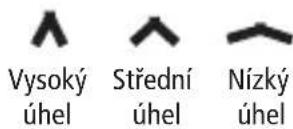
natural_image
Pure mechanical component diagram without any text, numbers, or symbolsnatural_image
Diagram of a medical or laboratory procedure showing a pipette inserted into a container with two parallel arrows indicating flow direction (no text or labels)natural_image
Technical line drawing of a handheld device with mounting bracket (no text or symbols)Stativ
natural_image
Pure mechanical component diagram without any text, numbers, or symbolsPreoblikovanje v monopod
natural_image
Diagram of a medical or laboratory procedure with a pipette and two parallel arrows indicating flow (no text or labels)Držalo za pametni telefon
natural_image
Technical line drawing of a handheld device with a vertical support and base mount (no text or symbols)Stativ
| Vrsta stativa Stativ s funkcijo monopoda |
| Material Aluminij in plastika |
- Compact Traveler No. 2
- Aluminium
- MANUAL
- Rollei
- MANUAL EN ESPAÑOL
- Smartphone-Halter
- Product Overview Tripod
- What's in the Box
- Ball Head Instructions
- Tripod Instructions
- Centre column locking system
- Conversion to Monopod
- Changing to Spikes
- Smartphone Holder
- Conversion en monopode
- Conversione in monopiede
- Ombouw tot monopod
- Veranderen in Spikes
- Smartphonehouder
- Preoblikovanje v monopod
- Držalo za pametni telefon
Brand : ROLLEI
Model : Compact Traveler No. 2
Category : Tripod