Ninebot Gokart Pro II - Electric scooter SEGWAY - Free user manual and instructions
Find the device manual for free Ninebot Gokart Pro II SEGWAY in PDF.
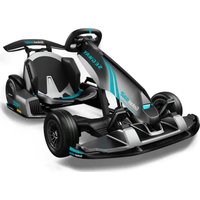


| Product type | Electric go-kart convertible into self-balancing scooter |
| Brand | Segway |
| Model | Ninebot Gokart Pro II |
| Dimensions (unfolded) | 1420 × 852 × 600 mm |
| Dimensions (folded) | 1040 × 852 × 459 mm |
| Net weight | 48.1 kg |
| Maximum payload | 100 kg |
| Recommended driver age (Go-kart) | 14 years and older |
| Recommended driver age (Ninebot S-Max) | 16 years and older |
| Driver height | 130 to 190 cm |
| Maximum speed (Go-kart) | 43 km/h (CORSA mode) |
| Maximum speed (S-Max) | 20 km/h |
| Range (Go-kart) | Up to 25 km |
| Range (S-Max) | Up to 38 km |
| Battery | Lithium-ion 54 V, 432 Wh |
| Charging time | Approximately 4 hours |
| Speed modes (Go-kart) | ECO (5 km/h), STRADA, SPORT (18 km/h), CORSA (43 km/h), Manual (3 levels) |
| Brakes | Electronic brake + mechanical handbrake |
| Front tires | 80/60-5 (127 mm rim) |
| Rear tires | 10 × 2.75 inches (hollow solid) |
| Protection rating | IPX4 (Go-kart), IP54 (S-Max) |
| Connectivity | Bluetooth 4.1, mobile app (iOS 9.0+, Android 4.3+) |
| Included accessories | Rear spoiler, engine speaker, charger, game kit, tools |
| Warranty | Limited warranty (see manual for details) |
Frequently Asked Questions - Ninebot Gokart Pro II SEGWAY
User questions about Ninebot Gokart Pro II SEGWAY
0 question about this device. Answer the ones you know or ask your own.
Ask a new question about this device
Download the instructions for your Electric scooter in PDF format for free! Find your manual Ninebot Gokart Pro II - SEGWAY and take your electronic device back in hand. On this page are published all the documents necessary for the use of your device. Ninebot Gokart Pro II by SEGWAY.
USER MANUAL Ninebot Gokart Pro II SEGWAY
4 Installation of Accessories 11
5 Charging 13
6 Before the First Drive 13
7 Learning to Drive 15
8 Specifications 17
9 Certifications 19
Ninebot S-Max 21
1 Riding Safety 21
2 Diagram 23
3 Remove the S-Max body from the Gokart 25
4 Assembling Your S-Max 26
5 Charging 28
6 Before the First Ride 29
7 Learning to Ride 30
8 Warning 32
9 Bluetooth Remote Control.... 35
10 Lifting and Power-assist Mode 36
11 Specifications 37
12 Certifications 38
Assembly and Disassembly 40
Maintenance.... 41
Trademark and Legal Statement 42
Warranty 44
Contact 44
Welcome
Thanks for choosing the Segway Gokart Pro2.
The Segway Gokart Pro2 is a stylish sports entertainment device, which can be separated into the Gokart Frame and the Self-Balancing device.
This manual introduces the Segway Gokart Pro2 (hereinafter referred to as Gokart) and the Ninebot S-Max, respectively. (Hereinafter referred to as S-Max).
Enjoy your new ride and connect with riders worldwide!
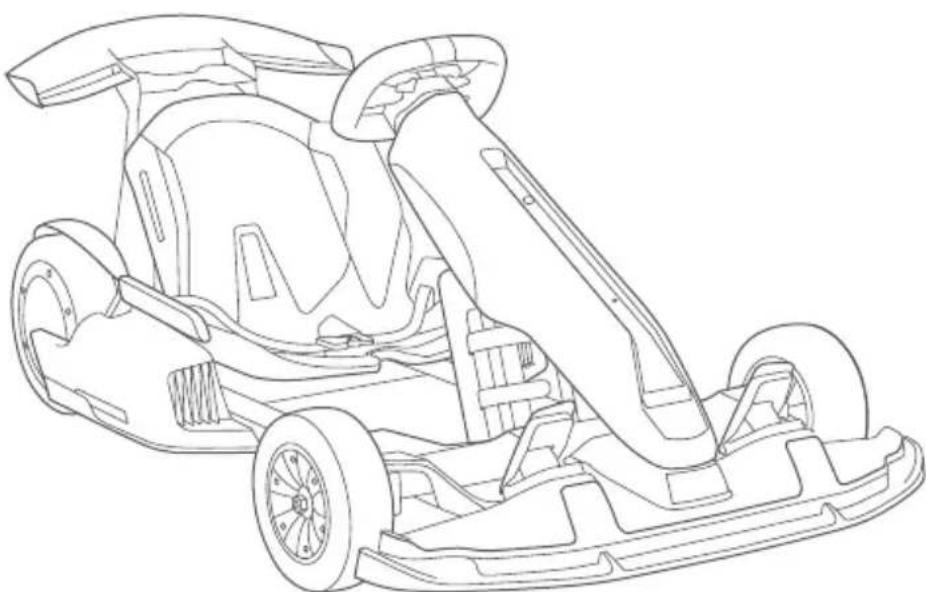
* Illustrations of the product, accessories, and user interface in the user manual are for reference purposes only. Actual product and functions may vary due to product enhancements.
Packing List
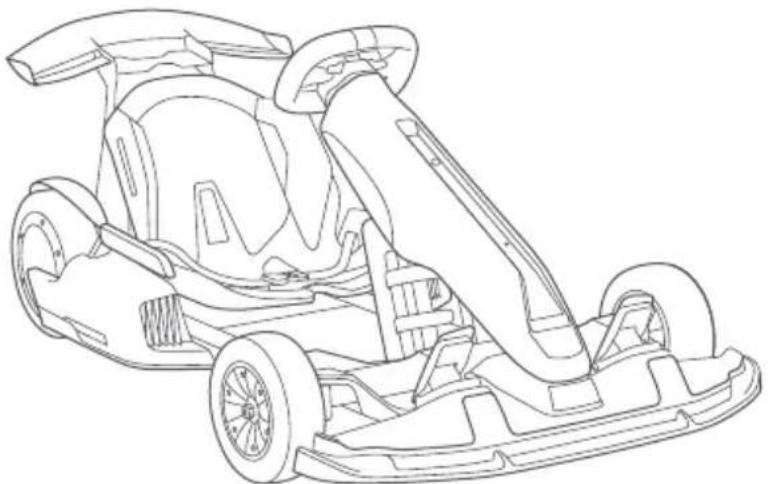
Frame
Accessories
① User materials

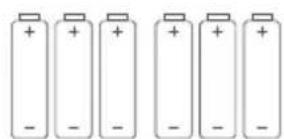
② (AA) battery × 6
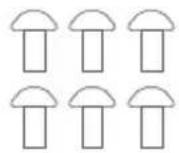
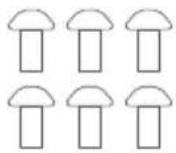
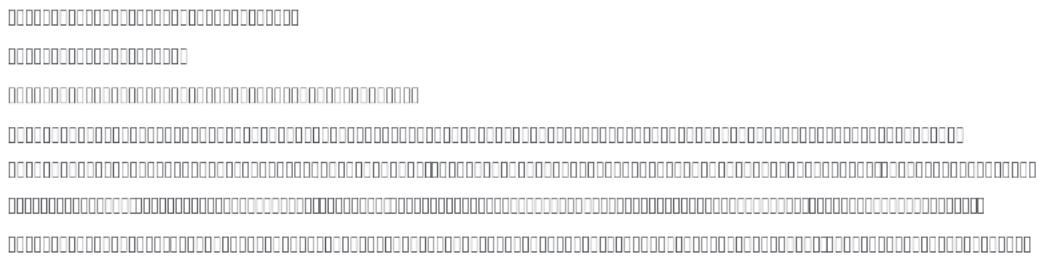
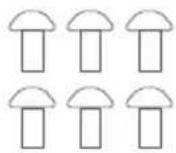
③ Screw × 6
④ Hex wrenches
5/32"(4 mm)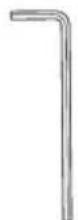
3/16"(5 mm)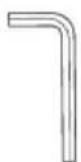
3/32"(2.5 mm)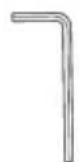
⑤ Tools to remove the steering bar bracket
Metal mold M6 screw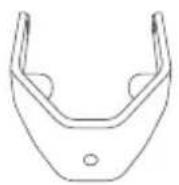
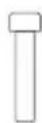
Steering bar bracket removal tool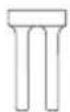
⑥ Steering wheel quick-release components
⑦ Battery charger
⑧ Ninebot Engine Speaker (hereinafter referred to as "the speaker")
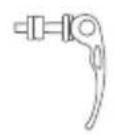
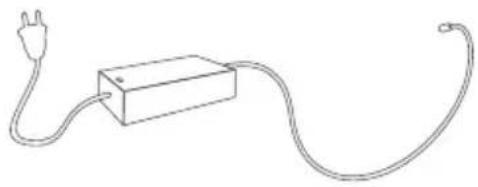
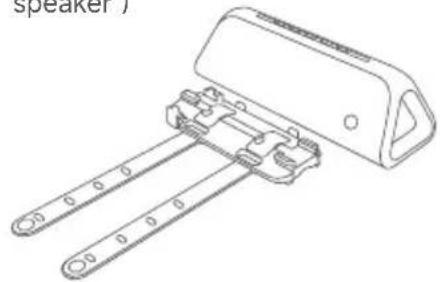
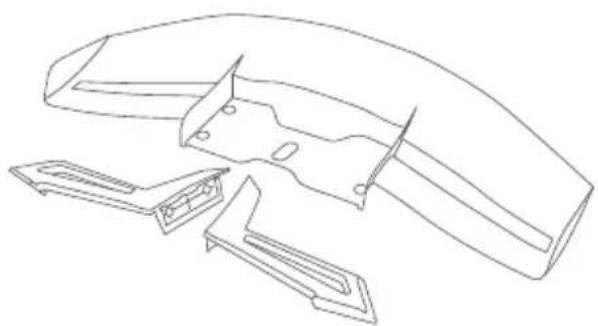
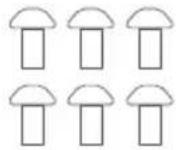
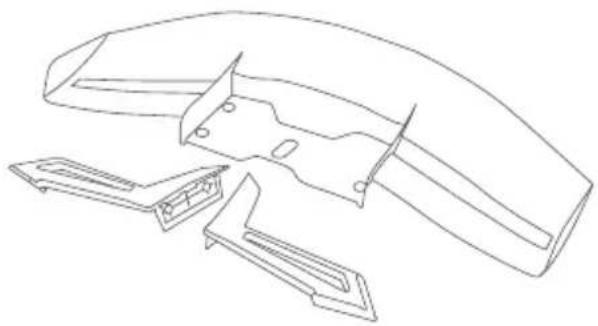
⑨ Rear spoiler
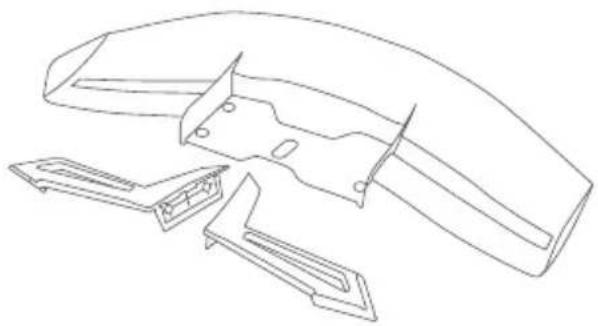
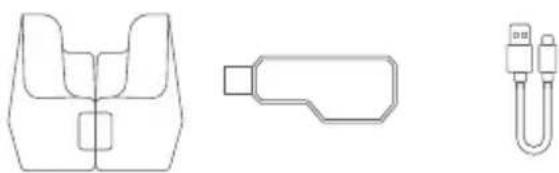
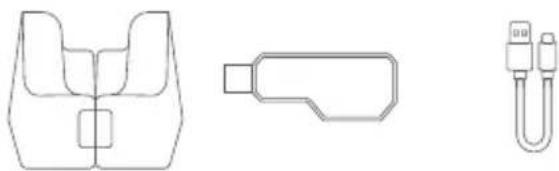
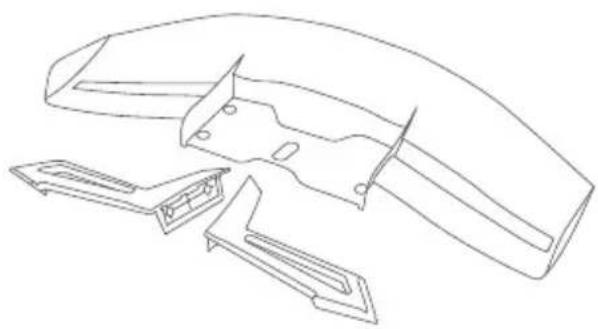
⑩ Game Kit
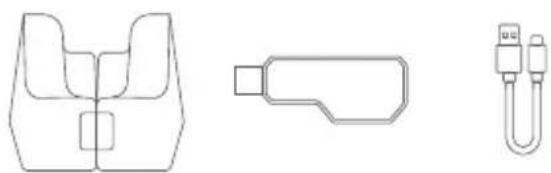
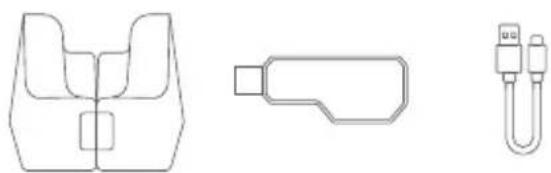
Support frame, USB receiver, Data cable
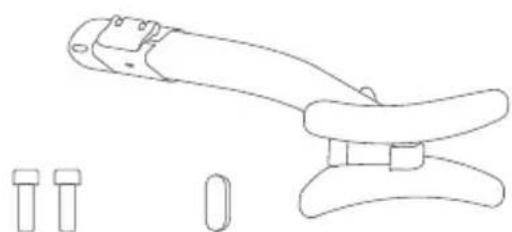
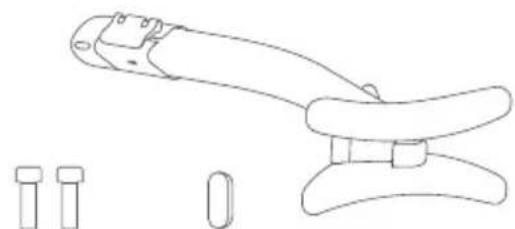
⑪ Steering bar
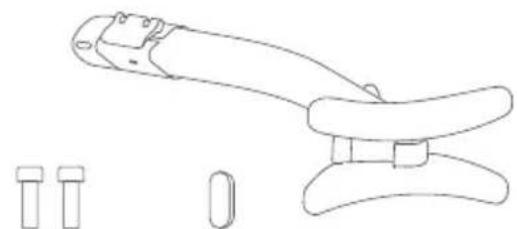
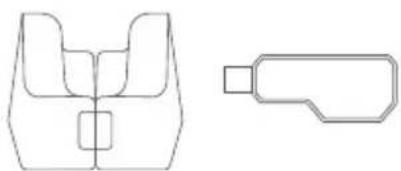
Screw × 2, Cap
Tire * Sold separately at https://store.segway.com/
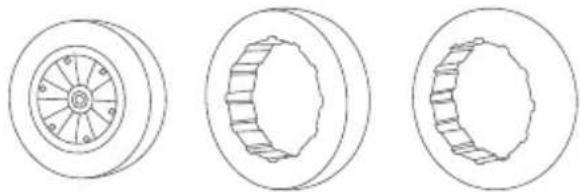
Front tire, Comfortable tire, Rear tire (For Ninebot S-Max only)
When unpacking your Gokart, please verify that the above items are included in the package. If you are missing any components, please contact your dealer/distributor or nearest service center. Please retain the box and packaging materials in case you need to ship your Gokart in the future. Always power off your Gokart and unplug from the power supply before cleaning.
Segway Gokart Pro2
1 Riding Safety

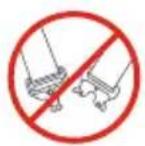
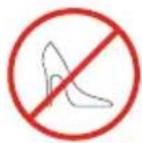


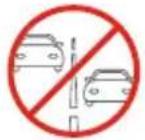
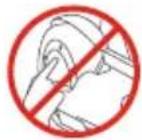
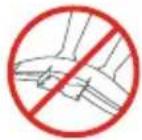
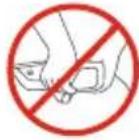
① Gokart is a recreational product. You need to practice to master your riding skills. Neither Ninebot (Ninebot (Beijing) Tech Co., Ltd. or its subsidiaries and affiliates) nor Segway Inc. is responsible for injuries or damage caused by a driver's inexperience or failure to follow the instructions in this User Manual or in the New Rider Tutorial. ② Remember as with any mode of transportation, whenever you drive the Gokart, you risk injury or death from loss of control, collisions, and falls. You can reduce the risk by following all the instructions and warnings in this manual, but you cannot eliminate all the risks. ③ The Gokart kit contains small parts which can create a choking hazard. Keep small children away from the Gokart.
Pre-Ride Checklist and Preparing for Your Drive:
- Before each drive, check and tighten any loose parts, fasteners, straps, and replace damaged components.
- To avoid accidents caused by improperly inflated or worn tires, check the tire pressure of the Ninebot S-Max tires and wear on all tires before each ride. Do not touch moving or spinning tires.
- Ensure that the battery level and vehicle operating status are within the specifications contained in the manual of the model being used with the Gokart.
- Carefully read, understand, and follow all instructions in this User Manual and watch and understand the New Rider Tutorial in the App before your first drive. Do not attempt to drive the Gokart if you are not able to drive in accordance with the instructions in this Manual or you risk serious injury or death.
- Always wear appropriate shoes, clothing, and protective gear when driving. Protective gear includes the use of a helmet, knee pads, and elbow pads. Use an approved bicycle or skateboard helmet that fits properly with the chin strap in place, and protects the back of your head.
Remove or tie back anything loose (i.e. clothing, hair, jewelry, etc.) that could be caught in any moving parts. Always fasten the seat belt before riding and ensure it is securely tightened. A loose seat belt can get stuck in the wheels.
- Be sure to read and follow all the "WARNING" (▲) "CAUTION" (⊗) notices in this manual. Never allow two or more riders at the same time.
- To avoid burns caused by high temperature, do not touch the motor.
- Do not lift or press the rear spoiler. Do not lift the product when holding the taillight. Always lift the rear bumper when you need to carry the Gokart.
Where to Drive:
- When entering public spaces, always comply with local laws and regulations. Only ride in areas where you have first obtained permission from the property owner.
- The Gokart is designed to be driven on a dry, flat, hard-surface, free of obstacles, bumps, holes, and other hazards.
- Do not drive on roadways, near motor vehicles, pedestrians, bicyclists, animals, on or near steep inclines or steps, curbs, near swimming pools, through puddles or other bodies of water. Use caution when riding in areas with trees, posts, or fences. You must leave sufficient space between you and those items to be able to safely pass them.
- Do not ride the Gokart at night.
- Do not ride on any ramp or incline that exceeds the maximum slope.
- The Gokart Pro2 is never to be ridden indoors. When using the device for gaming purposes, shut off the engine to prevent any unwanted movement. The tires may cause permanent damage to your floors, so please place your gokart in an appropriate place.
- Do not ride in the snow, rain, or on roads which are wet, muddy, icy, or that are slippery for any reason. Do not ride over obstacles (including, but not limited to, sand, loose gravel, or sticks). Doing so could result in a loss of balance or traction and could cause a collision.
- Do not allow the Gokart to get wet. You risk damage to the batteries and potential for a fire or explosion due to a wet battery pack.
How to Drive:
- Gokart is not a means of transportation. Please obey local laws, regulations, and policies when driving.
- Do not turn the Gokart on unless it is parked on flat ground. As with other vehicles, faster speeds require longer braking distance. Sudden acceleration or braking on smooth surfaces could lead to wheel slip and collisions.
- Be cautious and always keep a safe distance between you and others when driving. Be alert and slow down when entering unfamiliar areas. Do not drive at unsafe speeds. You must always use good judgment based on your driving skills and the surrounding environment.
- Do not allow anyone to drive your Gokart on his/her own unless he/she has carefully read this manual, and followed the New Rider Tutorial. The safety of new riders is your responsibility. Assist new riders until they are comfortable with the basic operation of the Gokart and make sure each new rider wears a helmet and other protective gear.
- To avoid distraction when driving your Gokart, do not use a cell phone, camera, headphones, earbuds, or perform any other activity while driving.
- When approaching or crossing an intersection, road, corner, or gate of any kind, always slow down and yield to others.
- Be alert! Scan both far ahead and in front of you. Your eyes are your best tool for safely avoiding obstacles and low traction surfaces (including, but not limited to, wet ground, loose sand, loose gravel, and ice). Use caution when transitioning over differing terrain.
- Always slow down when turning. Turning at a high speed can cause loss of control, possible vehicle turn-over, and risk of injury or death.
- Do not perform stunts of any kind. All four tires must remain on the ground at all times.
- While driving the Gokart, always remain seated with arms and legs inside the Gokart.
- Do not carry cargo of any kind.
- If the Gokart makes an abnormal sound or signals an alarm while driving, stop immediately and do not use the Gokart or Ninebot S-Max until the cause of the noise/alarm has been identified and corrected. Contact after-sales service for assistance.
Who Should Drive:
The manufacturer recommends drivers be at least 14 years old. Children under the age of 16 should only drive under adult supervision. Always follow these safety instructions:
A. People who should not drive the Gokart include:
i. Anyone under the influence of alcohol, drugs, or intoxicants.
ii. Anyone who suffers from a disease that puts himself/herself at risk if he/she engages in strenuous physical activity.
iii. Anyone who has problems with balance or with motor skills that would interfere with their ability to maintain balance.
iv. Anyone whose weight is outside the stated limits (see Specifications).
v. Pregnant women.
B. The Gokart is intended for one person only.
C. To drive safely, you must be able to clearly see what is in front of you and you must be clearly visible to others.
D. Drivers must be able to hear the environment around them.
After Each Drive:
- Park the Gokart on flat ground and power it off. Failure to do so could cause the Gokart to move when exiting potentially causing injury to you and others around you.
- Allow the Gokart to cool down before charging. Do not attempt to charge the Gokart, if it, the charger, or the power outlet is wet. Follow instructions in the Ninebot S-Max User Manual.
- As with any electronic device, use a surge protector when charging to help protect your Gokart from damage due to
power surges and voltage spikes.
- Only use the charger specified by the manufacturer. Do not use a charger from any other product.
- Only use Ninebot or Segway approved parts and accessories. Do not modify your Gokart. Modifications to your Gokart could interfere with the operation and performance of the Gokart, which may result in serious injury and/or damage, and could void the Limited Warranty.
Maintenance and Storage:
- Be sure the Gokart is powered off before performing any maintenance or when installing or replacing parts.
- When installing components, use proper and sufficient force until the component is secure. If the installation is too loose or too tight, the Gokart may not function properly, resulting in the potential for injury to you or others or damage to, or malfunction of, the Gokart.
- Install batteries for the Gokart in accordance with the instructions and ensure that the positive and negative electrodes of the batteries are installed correctly. Only use the batteries specified by the manufacturer. Do not charge the batteries as this may cause a risk of fire or explosion. Do not mix old and new batteries. Do not mix alkaline, standard (carbon-zinc), or rechargeable batteries. When the batteries are dead, purchase and replace them.
- Follow all instructions contained in the Ninebot S-Max User Manual when performing maintenance.
- Do not use a strong water flow or high-pressure hoses to clean the Gokart. Avoid getting water in the charge port. If your Gokart has been exposed to heavy rain, store it outdoors away from buildings and people but protected from the elements until it is dry.
- Prolonged exposure to UV rays, rain, and the elements may damage the enclosure materials. Store indoors when not in use. The Ninebot S/S-PRO should be stored in an environment where the temperature is no higher than 122°F (50°C) or lower than -4°F (-20°C). If the temperature of the storage environment is lower than 32°F (0°C), do not charge it until after placing it in a warm environment: over 50°F (10°C).
- Do not charge the Gokart when the charge port, charger, or power socket is wet. Only use the original charger provided by Ninebot or Segway when charging. Do not charge dry cells.
The data and parameters of the product vary with different models. They are subject to change without prior notice. Go to www.segway.com for updated information.
2 Diagram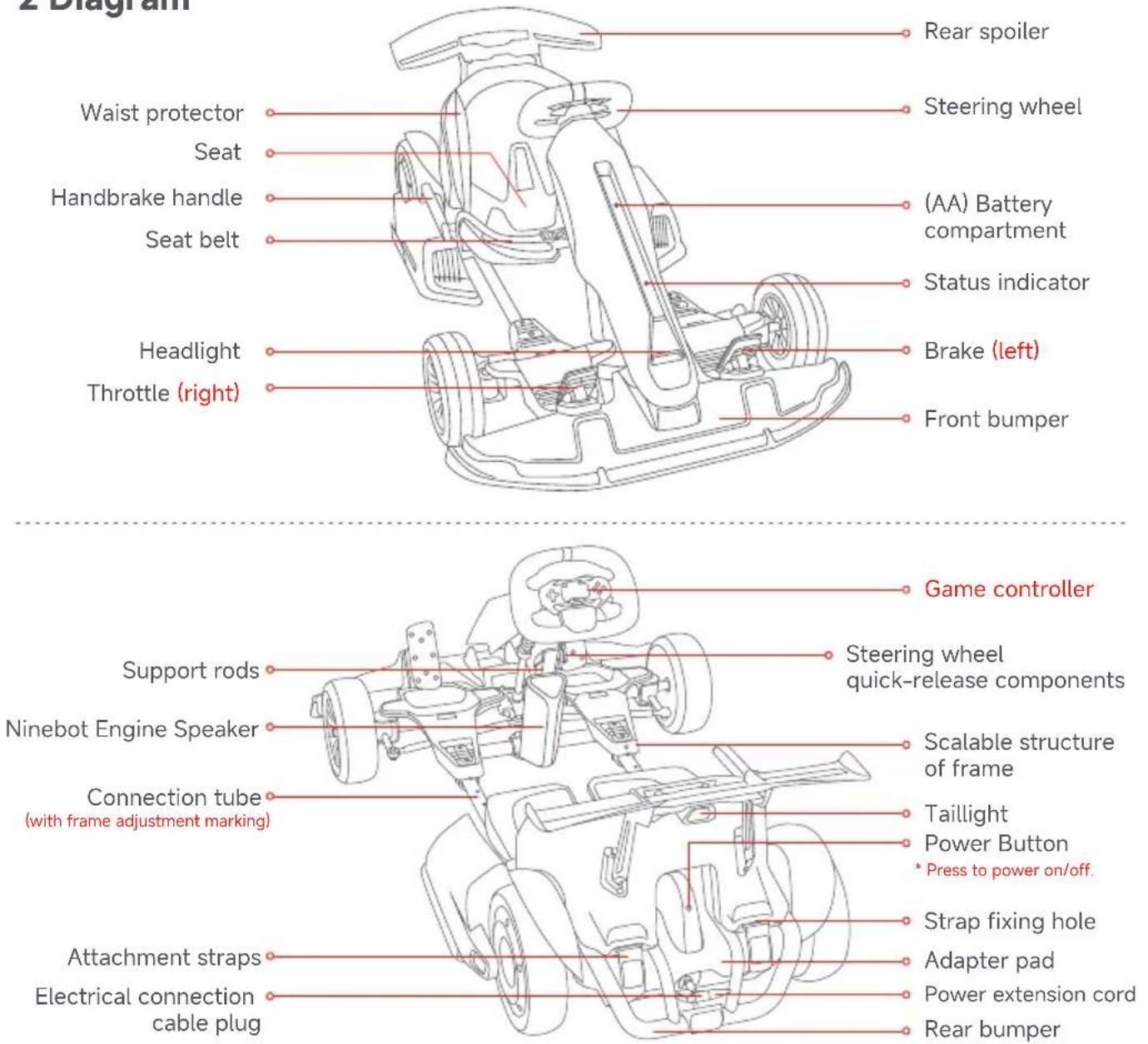
* Please refer to "Gokart Game Kit User Manual" to learn how to use the Game Controller.
3 Adjustment
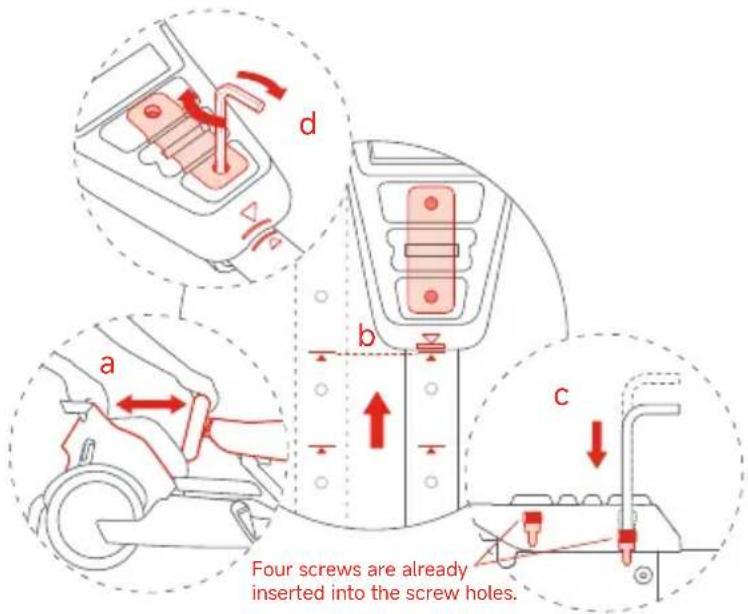
Stretch the frame and adjust the length of the body
a With both hands holding the steering wheel and the seat, stretch the frame out to a suitable position along the horizontal direction of the connection tube. b Align the scalable structure of the frame with the marking on the connection tube. c Positioning: Use the short hex wrench to press the two screws into the holes on the left and right connection tube in order, as shown in the figure (The screw is set to a depth of about 1 cm for successful position). d Tighten the 4 screws.
Adjust the steering wheel height

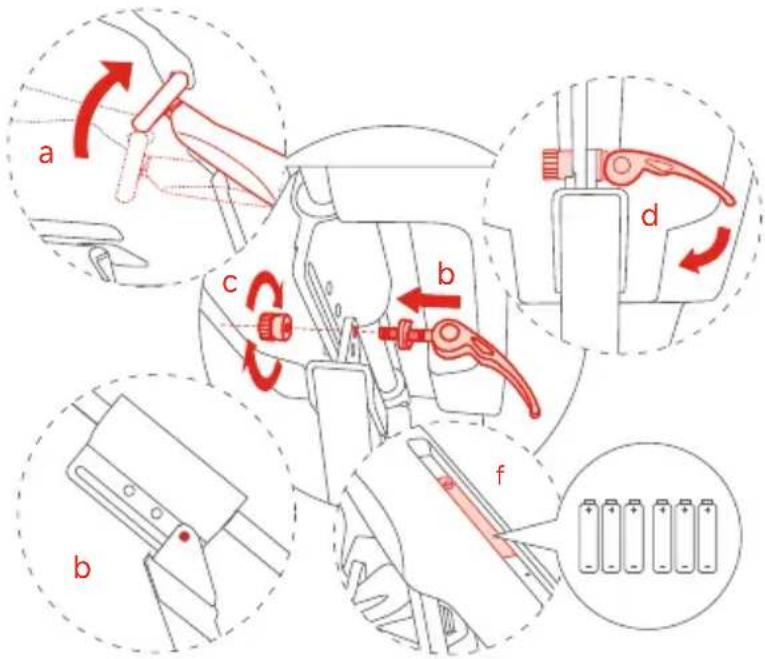
Remove the speaker before adjusting the height of the steering wheel (see page 11).
a Raise the steering wheel to a suitable height. b Insert the quick-release screw into the hole of the corresponding height. (See Accessory No. 1) c Tighten the quick-release nut. d Press to fix the steering wheel quick-release components. e Ensure the steering wheel is not loose. Otherwise, repeat the steps b, c, d, e. f Install the Gokart batteries. ⚠️ To avoid issues that may be caused by corrosion, remove the batteries if not using the Gokart for an extended period of time.
4 Installation of Accessories
Install the Rear spoiler
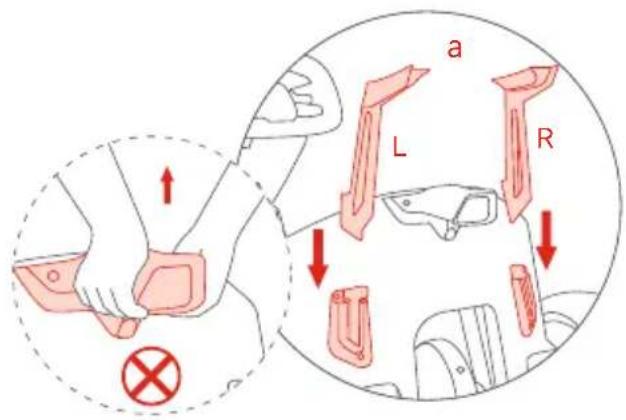
Note: Do not press or lift the rear spoiler during installation. a Insert the tail bracket into the tail jack.
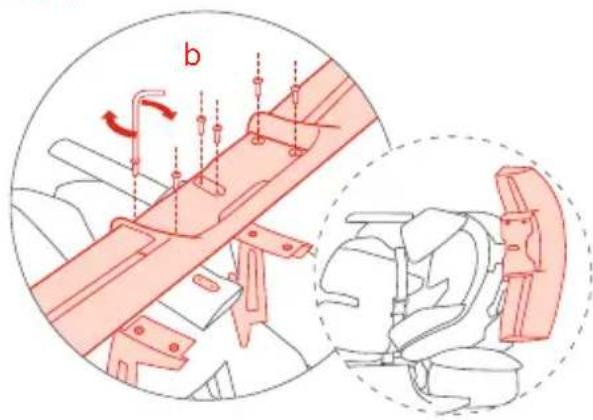
b Use the 2.5 mm hex wrench to tighten the 6 screws into the main body of the rear spoiler (See Accessory No. 2).
Install the Ninebot Engine Speaker
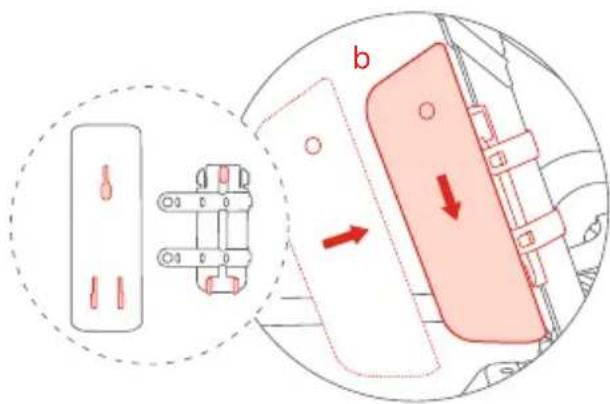
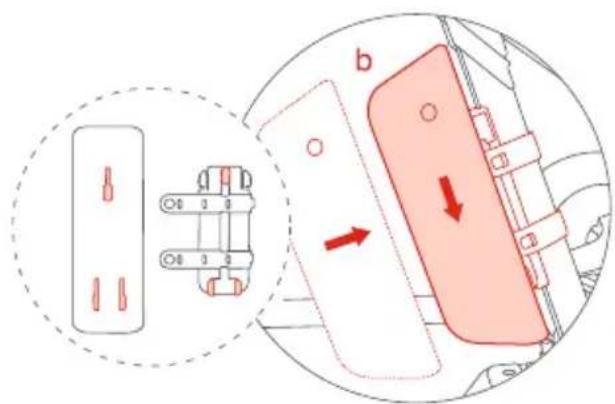
a Place the base in a proper position (as shown below) and wrap the strap around the vehicle body and fasten the strap. Press the remaining part of the strap into the storage slot.
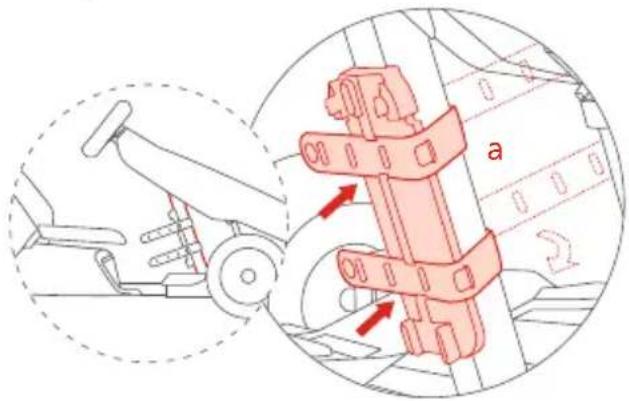
b Align the holes on the bottom of the speaker. Press down until you hear a "clicking" sound.
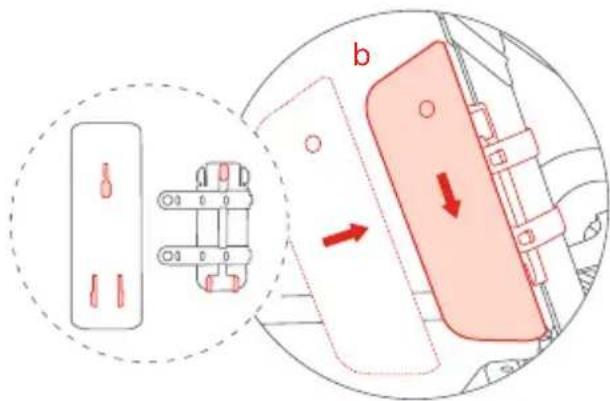
Remove the Speaker
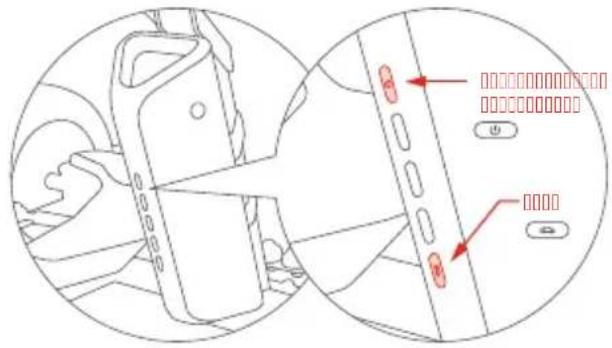
Press the disassembly switch while lifting the speaker upward.
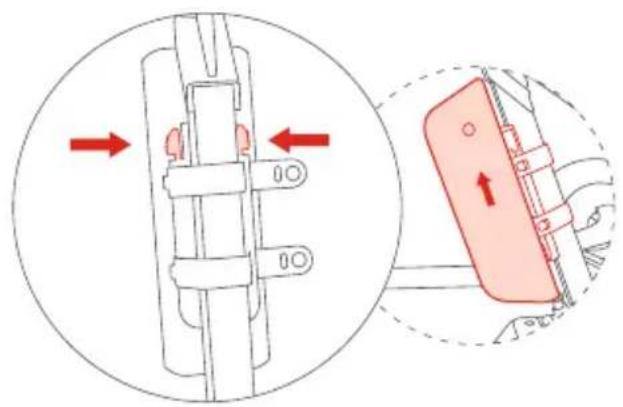
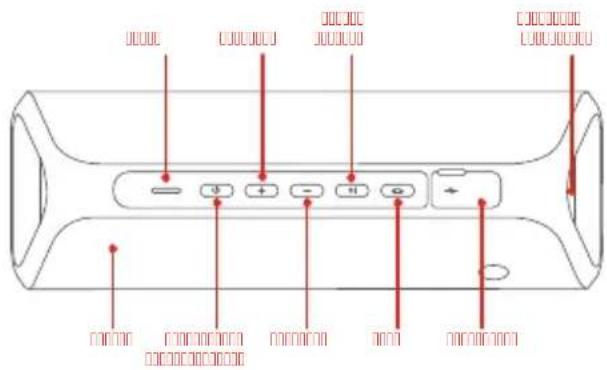
* For more information about the speaker, see the user manual of Ninebot Engine Speaker.
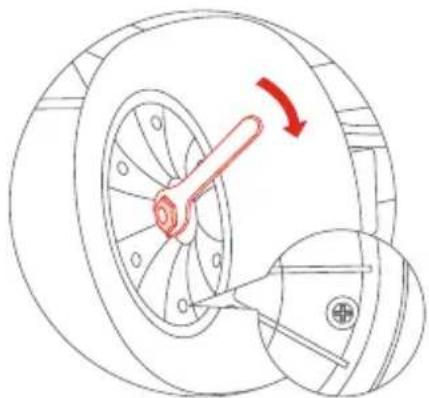
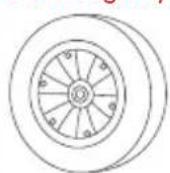
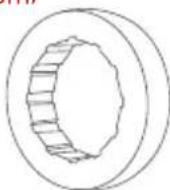
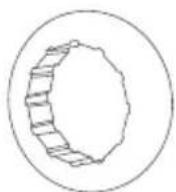
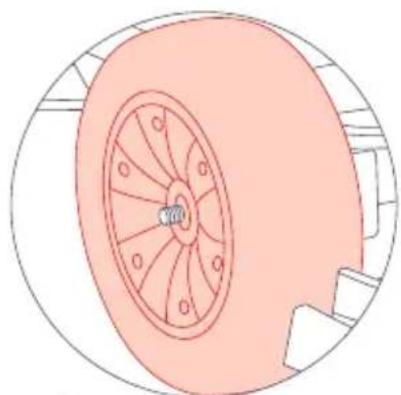
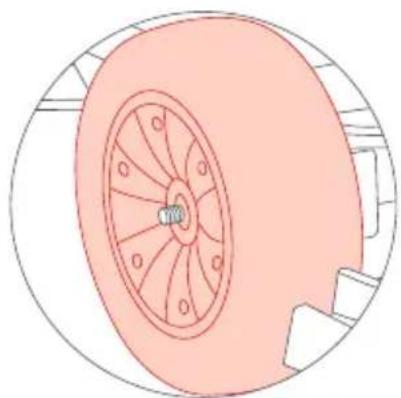
Disassembly and Replacement of Tires
* Only applicable to Gokart front tire.
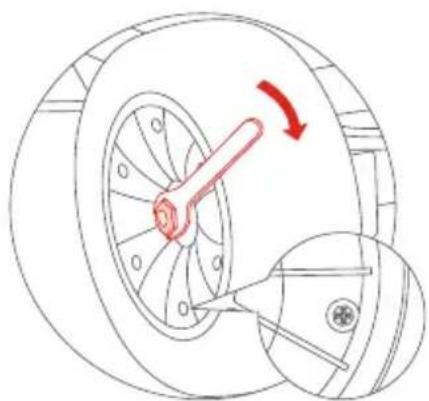
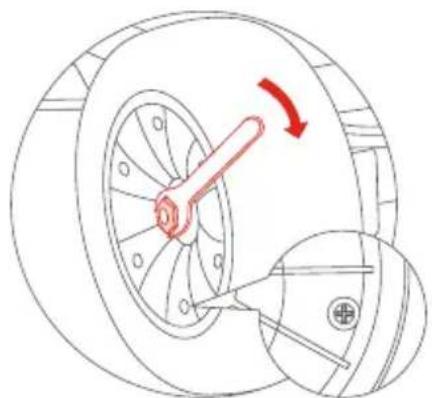
1 Use a 3/4"(19 mm) wrench to remove the middle screw.
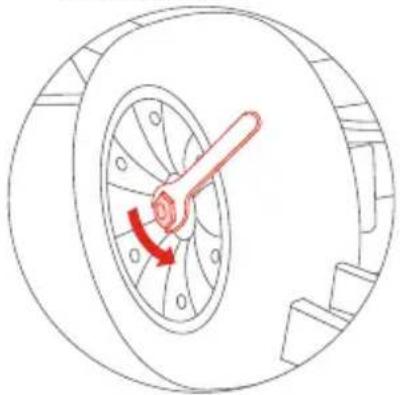
2 Replace the tire.
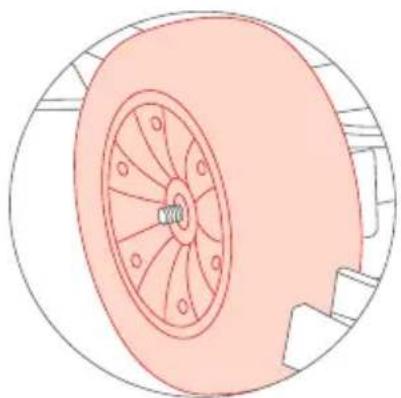
3 Tighten the screw.
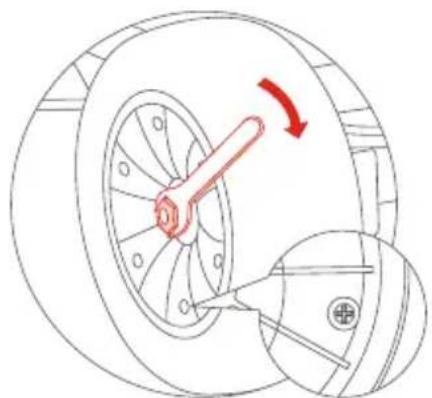
The cross head of the screw should face outwards.
5 Charging
1 Plug the power cord into the c port of the power extension cord.
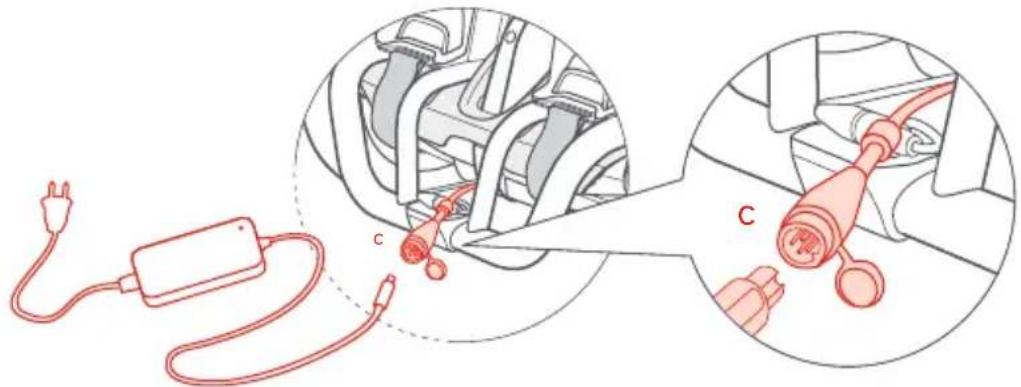
Gokart cannot be charged if its temperature exceeds 104° F ( 40° C). Please wait for the temperature to drop before charging.

ONLY use the original charger, otherwise the battery will be damaged and there is a risk of fire. Do not use wet or damaged batteries. Do not charge when the charge port or cable is wet.

You should occasionally power on the product every now and then to ensure battery longevity.
6 Before the First Drive

Segway-Ninebot App
For your safety, a new Gokart is inactivated. Please activate your Gokart via the App before first use.
Scan the QR code to download the App (Bluetooth 4.1 or above).
The Gokart has four modes: ECO, STRADA, SPORT, and CORSA mode. After the Gokart is activated, the mode can be switched via the App.
How to activate:

Connect the electrical connection cable and the b port of the power extension cord. Install the batteries.
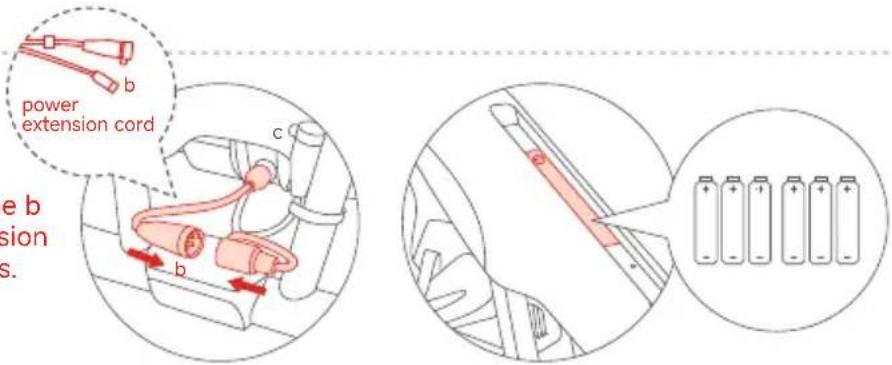
1 Install the App and register/log in.

2 Press the power button on the S-Max to power on the Gokart Pro2. The Gokart will automatically power off when idle for 10 minutes.
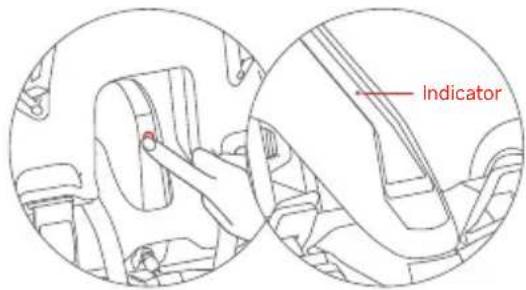
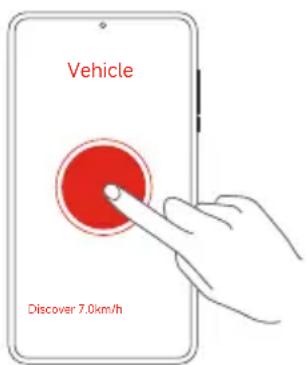
3 Open the App, Click Vehicle > Search vehicle to connect to your Gokart. The vehicle will beep when the connection is successful. The status indicator will stop blinking and remain illuminated.
4 Follow the instructions in the App to activate the Gokart and complete the corresponding tutorial and exercises.
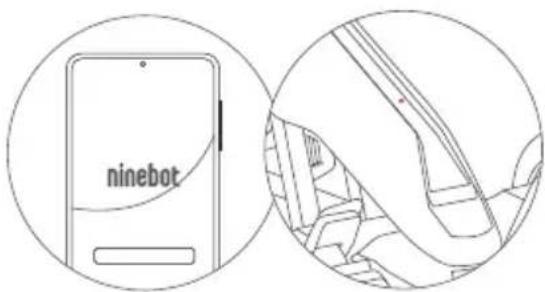
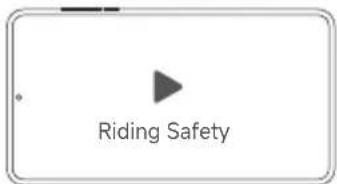
Now you can start to drive your Gokart, check its performance, and interact with other drivers. Have fun!
Ninebot Engine Speaker:
* The Speaker and the App cannot be connected to the Gokart at the same time. If you have connected the App, disconnect the App from the Gokart first, confirm that the indicator light of the Gokart is flashing blue, and then pair the Speaker.
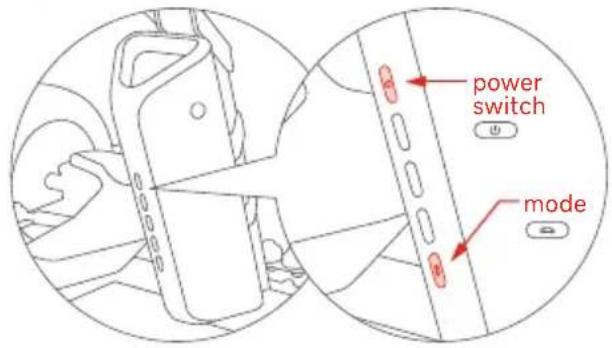
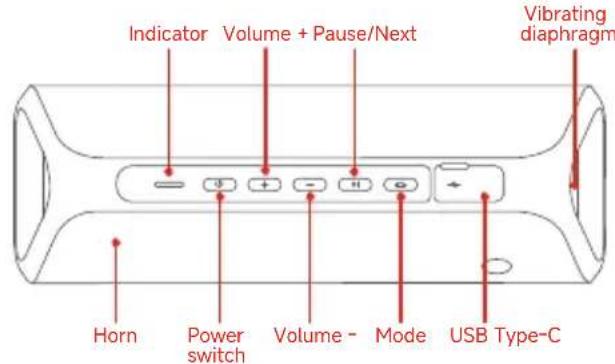
Press the power switch to turn on the speaker. Press and hold the Mode button to start pairing.
7 Learning to Drive
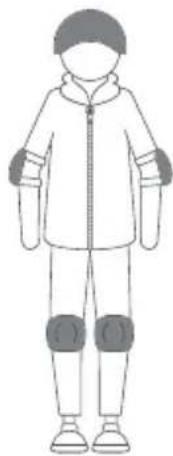
Correct dress code
You are at risk of injury when driving a Gokart, please dress properly as shown in the picture. Minors must learn and drive under adult supervision.
Wear protective gear

Note: Please check the battery level of S-Max before use. If the battery level is too low, please charge immediately.
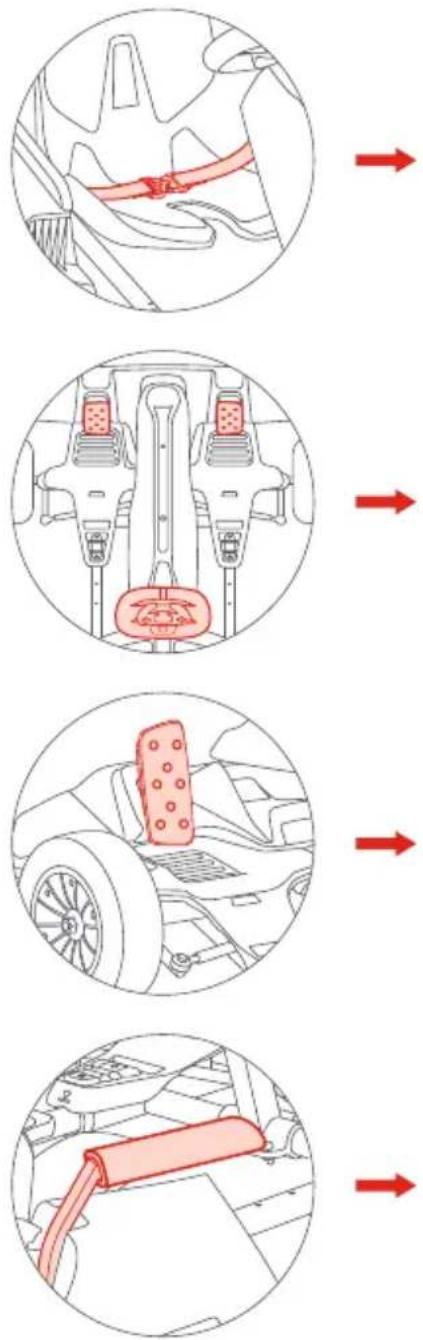
① Fastening the seat belt
Sitting on the seat, buckle the left and right parts of the seat belt in front of you.
② Driving
Steering: steer the Gokart by slightly turning the steering wheel clockwise or counterclockwise. Acceleration: lightly press the throttle (right pedal) to go forward. Deceleration: lightly press the brake (left pedal) to decelerate.
* Do not pump the brake pedal to decelerate.
③ Reversing
When the Gokart is stopped, double-press the brake (left pedal). After you hear a beep, the Gokart has switched to reverse mode. Press the throttle to drive the Gokart in reverse. Double-press the brake (left pedal) again to return to forward mode.
④ Emergency braking
In the event of a situation that requires an emergency stop, pull the hand brake handle on the right side of the Gokart to engage the emergency brake.
* Only use the emergency brake when necessary. Frequent use can deform the tire.
8 Specifications
| Segway Gokart Pro2 | ||
| Product | Model | 040401P |
| Vehicle size | Max. Status (after extension) | 55.9 × 33.5 × 23.6 in (1420 × 852 × 600 mm) |
| Min. Status (before extension) | 41 × 33.5 × 18 in (1040 × 852 × 459 mm) | |
| Weight | Max. Payload | Approx. 220 lbs (100 kg) |
| Net Weight | Approx. 106 lbs (48.1 kg) | |
| Rider | Age | 14+ years old |
| Recommended Height | 4.2—6.2 ft (130–190 cm) | |
| Main parameters | Max. Speed | Approx. 26.7 mph (43 km/h) |
| Max. Reversing Speed | Approx. 1.9 mph (3 km/h) | |
| Typical Range[1] | Approx. 15.5 miles (25 km) | |
| Steering Ratio | 2.1:1 | |
| Ground Clearance | Approx. 1.8 in (45 mm) | |
| Max. Slope | Approx. 15 ° | |
| Traversable Terrain | Flat surface, paved road; obstacles < 0.4 in (1 cm); gaps < 1.2 in (3 cm); slopes < 15 ° | |
| Operating Temperature | 14—104°F (-10—40°C) | |
| Storage Temperature | -4—122°F (-20—50°C) | |
| IP Rating | IPX4 | |
| Charging Time | Approx. 4 h | |
| Speed Modes | ECO Mode—max. speed: 5 mph (8 km/h); Sport Mode—max. speed: 11 mph (18 km/h); Race Mode—max. speed: 26.7 mph (43 km/h); Manual Mode—Manual I (max. speed: 12.4 mph (20 km/h)), Manual II (max. speed: 20.5 mph (33 km/h)), Manual III (max. speed: 26.7 mph (43 km/h)) | |
| Battery | Nominal Voltage | 54 V DC |
| Max. Charging Voltage 63 V DC | ||
| Nominal Energy | 432 Wh | |
| Charging Temperature 32—104°F (0—40°C) | ||
| Battery Management System | Over-voltage, under-voltage, short circuit, and over-heating protection. Auto-sleep and auto-wake. | |
| Motors | Nominal Power | 450 W × 2 |
| Max. Power | 2400 W × 2 | |
| Charger | Input Voltage | 100—240 V ~ 50/60 Hz |
| Output Voltage | 63 V DC | |
| Nominal Power | 124 W | |
| Output Current | 2 A | |
| Front compartment battery[2] | Model/Quantity | 6 × AA Batteries |
| Brake | Braking Method | Electronic brake + mechanical handbrake |
| Braking Distance[3] | 6 m | |
| Tires | Front Tire | Tire width: 3 in (80 mm); flatness ratio: 60%; hub diameter: 5 in (127 mm) |
| Rear Tire | Tire width: 2.7 in (68 mm); 10 × 2.75 in, hollow solid tire | |
| Light | Headlight | 0.2 Watt white LED light bar |
| Status Indicator | The indicator comes in three colors: blue, yellow, and red. Blue means the vehicle is in normal condition. Yellow means the batteries in the front compartment need to be replaced. Red means the vehicle has a performance failure, and you need to open the App to check the cause of the failure and contact the after-sales service. | |
| Taillights Full-color RGB taillight/brake light | ||
[1] Typical Range: tested while riding under full power, 165 lbs (75 kg) load, 77°F (25°C), 60% of max. speed on average on pavement. * Some of the factors that affect range include: speed, number of starts and stops, ambient temperature, etc. [2] Front compartment battery: The battery compartment inside the frame that is used to power the frame indicator/headlight. When the battery is low, the blue indicator light turns yellow and blinks. You need to replace the batteries yourself. [3] Braking distance: Under the circumstances of full power, 154 lbs (70kg) load, and measured on a flat hard road at an average speed of 12.4 mph (20 km/h).
9 Certifications
European Union Compliance Statement
Information on Disposal for Users of Waste Electrical & Electronic Equipment

This symbol on the product or on its packaging indicates that used electrical and electronic products should not be mixed with unsorted municipal waste. For proper treatment, it is your responsibility to dispose of your waste equipment by arranging to return it to designated collection points.
Disposing of this product correctly will help save valuable resources and prevent any potential negative effects on human health and the environment, which could otherwise arise from inappropriate waste handling.
Penalties may be applicable for incorrect disposal of this waste, in accordance with your national legislation.
Please contact your local authority for further details of your nearest designated collection point.
Battery recycling information for Users
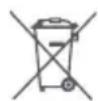
This symbol means that batteries and accumulators, at their end-of-life, should not be mixed with unsorted municipal waste.
Your participation is an important part of the effort to minimize the impact of batteries and accumulators on the environment and on human health. For proper recycling you can return this product or the batteries or accumulators it contains to your supplier or to a designated collection point.
Disposing of this product correctly will help save valuable resources and prevent any potential negative effects on human health and the environment, which could otherwise arise from inappropriate waste handling.
Penalties may be applicable for incorrect disposal of this waste, in accordance with your national legislation. there are separate collection systems for used batteries and accumulators.
Please, dispose of batteries and accumulators correctly at your local community waste collection/recycling center.
Radio Equipment Directive
Ninebot (Changzhou) Tech Co., Ltd. hereby declares that the product listed in this section complies with the essential requirements and other relevant provisions of the Radio Equipment Directive 2014/53/EU.
Restriction of the use of certain hazardous substances (RoHS) Directive
Ninebot (Changzhou) Tech Co., Ltd. hereby declares that the whole product, including parts (cables, cords, and so on), meets the requirements of the RoHS Directive 2011/65/EU and the amendment Commission Delegated Directive (EU) 2015/863 on the restriction of the use of certain hazardous substances in electrical and electronic equipment ("RoHS recast" or "RoHS 2.0").
Machinery Directive
Ninebot (Changzhou) Tech Co., Ltd. hereby declares that the product listed in this section complies with the essential requirements and other relevant provisions of the Machinery Directive 2006/42/EC.

EU Authorised Representative:
Segway-Ninebot Europe
Dynamostraat 7, 1014 BN Amsterdam, The Netherlands.
Ninebot (Changzhou) Tech Co., Ltd. hereby declares that the product model: 040401P complies with the essential requirements and other relevant provisions of the Radio Equipment Directive 2014/53/EU, the Machinery Directive 2006/42/EC, and the RoHS Directive 2011/65/EU and the amendment Commission Delegated Directive (EU) 2015/863.
The declaration of conformity can be viewed at the following address: https://eu-en.segway.com/instruction-manuals
| Bluetooth | Frequency Band(s) | 2.4000-2.4835GHz |
| Max. RF Power | 20mW |
Please go to https://uk-en.segway.com/regulations-1 to see PSTI compliance documents.
Go to https://eu-en.segway.com/instruction-manuals for this product's compliance documents in accordance with REGULATION (EU) 2023/1542.
Ninebot S-Max
(Hereinafter referred to as S-Max)
1 Riding Safety
- S-Max is a recreational product. Before mastering riding skills, you need to practice. Neither Ninebot (meaning Ninebot (Beijing) Tech Co., Ltd. and its subsidiaries and affiliates) nor Segway Inc. is responsible for any injuries or damage caused by a rider's inexperience or failure to follow the instructions in this document.
- Please understand that you can reduce the risk by following all the instructions and warnings in this manual, but you cannot eliminate all the risks. Remember that whenever you ride the S-Max you risk injury or death from loss of control, collisions, and falls. When entering into public spaces always comply with the local laws and regulations. As with other vehicles, faster speeds require longer braking distance. Sudden braking on smooth surfaces could lead to wheel slip, loss of balance, or falls. Be cautious and always keep a safe distance between you and other people or vehicles when riding. Be alert and slow down when entering unfamiliar areas.
- Always wear a helmet when riding. Use an approved bicycle or skateboard helmet that fits properly with the chin strap in place, and provides protection for the back of your head.
- Do not attempt your first ride in any area where you might encounter children, pedestrians, pets, vehicles, bicycles, or other obstacles and potential hazards.
- Respect pedestrians by always yielding the right of way. Pass on the left whenever possible. When approaching a pedestrian from the front, stay to the right and slow down. Avoid startling pedestrians. When approaching from behind, announce yourself and slow down to walking speed when passing. Please obey local traffic laws and regulations.
- In places without laws and regulations governing self-balancing electric vehicles, comply with the safety guidelines outlined in this manual. Neither Ninebot nor Segway Inc. is responsible for any property damage, personal injury/death, accidents, or legal disputes caused by violations of the safety instructions.
- Do not allow anyone to ride your S-Max on his/her own unless they have carefully read this manual, watched the safety video, and followed the New Rider Tutorial on the Segway-Ninebot App. The safety of new riders is your responsibility. Assist new riders until they are comfortable with the basic operation of the S-Max. Make sure each new rider wears a helmet and other protective gear.
- Before each ride check for loose fasteners, damaged components, and low tire pressure. If the S-Max makes abnormal sounds or signals an alarm, immediately stop riding. Diagnose your S-Max via the Segway-Ninebot App and call your dealer/distributor for service.
- Be alert! Scan both far ahead and in front of your S-Max — your eyes are your best tool for safely avoiding obstacles and low traction surfaces (including, but not limited to, wet ground, loose sand, loose gravel, and ice).
- To reduce risk of injury, you must read and follow all “CAUTION” and “WARNING” notices in this document. Do not ride at an unsafe speed. Under no circumstance should you ride on roads with motor vehicles. The manufacturer recommends riders be 16+ years old. Always follow these safety instructions:
A. People who should not ride the S-Max include:
i. Anyone under the influence of alcohol or drugs.
ii. Anyone who suffers from a disease that puts them at risk if they engage in strenuous physical activity.
iii. Anyone who has problems with balance or with motor skills that would interfere with their ability to maintain balance.
iv. Anyone whose height or weight is outside the stated limits (see Specifications).
v. Pregnant women.
B. Riders under the age of 16 years old should ride under adult supervision.
C. Comply with local laws and regulations when riding this product. Do not ride where prohibited by local laws.
D. To ride safely, you must be able to clearly see what is in front of you and you must be clearly visible to others.
E. Do not ride in the snow, in the rain, or on roads which are wet, muddy, icy, or that are slippery for any reason. Do not ride over obstacles (sand, loose gravel, or sticks). Doing so could result in a loss of balance or traction and could cause a fall.
F. Do not accelerate or decelerate suddenly. Do not accelerate when the S-Max tilts back or sounds an alarm. Do not attempt to override the speed limiter.
- Do not attempt to charge your S-Max if it, the charger, or the power outlet is wet.
- As with any electronic device, use a surge protector when charging to help protect your S-Max from damage due to power surges and voltage spikes. Only use the Segway supplied charger. Do not use a charger from any other product.
- Use only Ninebot or Segway approved parts and accessories. Do not modify your S-Max. Modifications to your S-Max could interfere with the operation of the S-Max, could result in serious injury and/or damage, and could void the Limited Warranty.
- Do not sit on the steering bar. Doing so could result in serious injury and/or damage to your S-Max.
- Prolonged exposure to UV rays, rain, and the elements may damage the enclosure materials. Store indoors when not in use.
- WARNING – Risk of fire and electric shock – no user serviceable parts. Do not touch the metal contacts, dismantle, or puncture the casing. Keep away from metal objects to prevent short circuit.
- They are not intended for use at elevations greater than 2000 m above sea level.
2 Diagram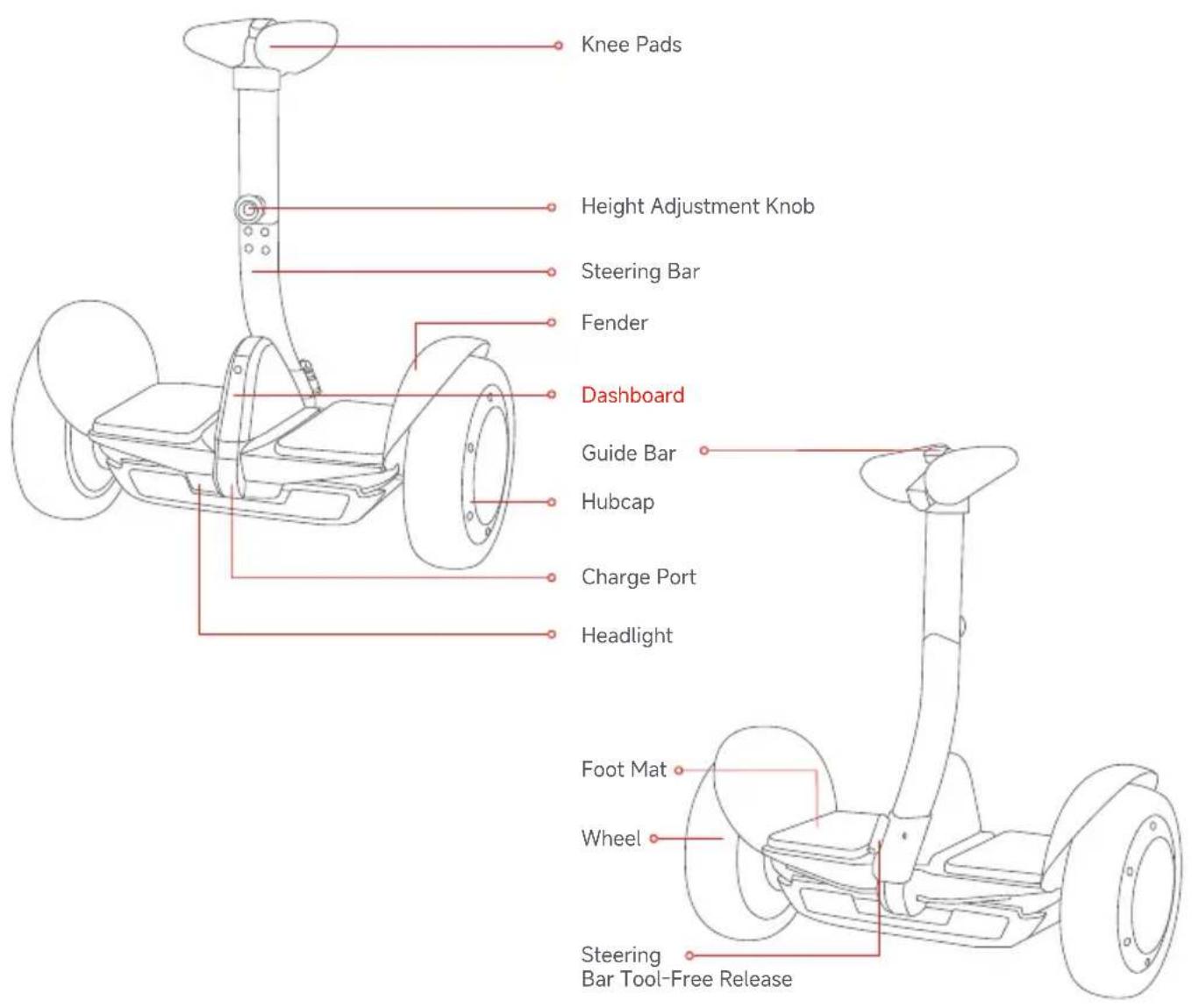
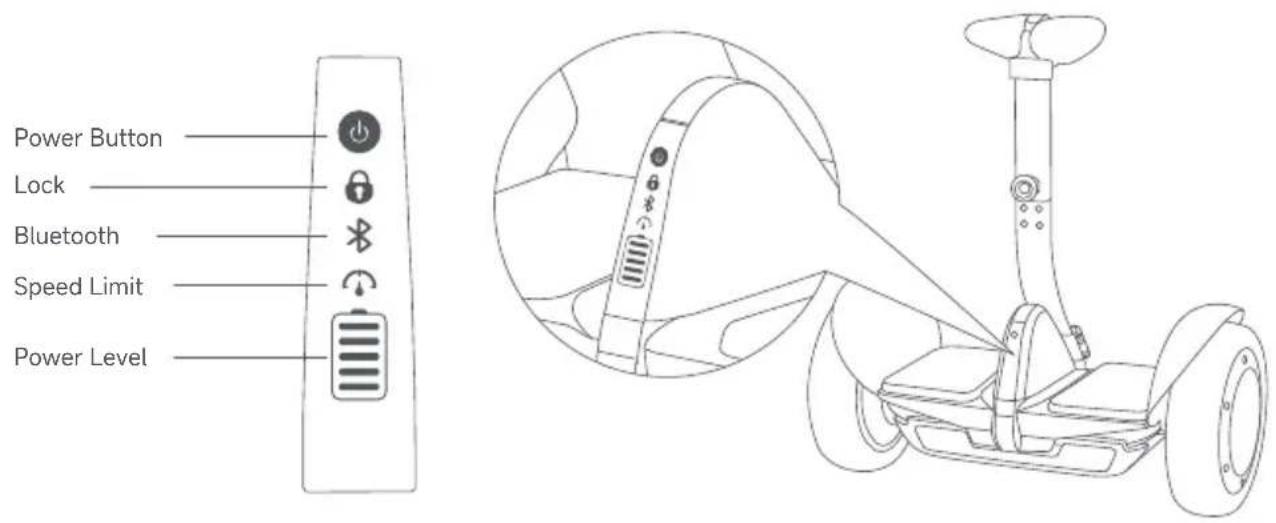

Power Button: Turn ON/OFF.
 | Lock | Enable Lock Mode via the App. The S-Max and App will vibrate and sound an alarm if anyone moves it. The remote control will also alarm if it is powered on and within range (65 ft. [20 meters]) of the S-Max. |
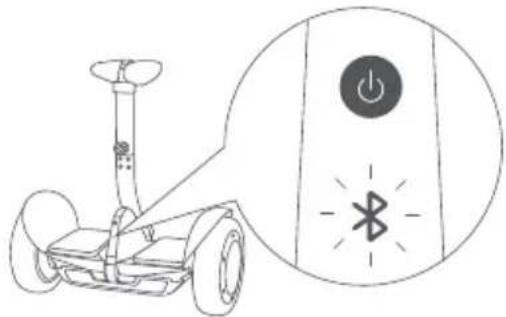
| [3AKS] | Bluetooth | When the App is connected to the S-Max, this icon will glow steadily. When Bluetooth is enabled—but not connected to a smart phone—this icon will blink. |
 | Speed Limit | Enable and adjust Speed Limit via the App. When the icon is illuminated, Speed Limit is on. This speed limit can be adjusted in the App. As you approach the speed limit, the S-Max tilts back. |
 | Power Level | Indicates the remaining battery life. Each block equates to approximately 20% power level. When the battery is nearly empty this icon blinks and the S-Max beeps, indicating that you need to charge your S-Max. Your S-Max will gradually reduce the max speed limit as the power level gradually decreases. Use the App to view the remaining power and estimated remaining range. |
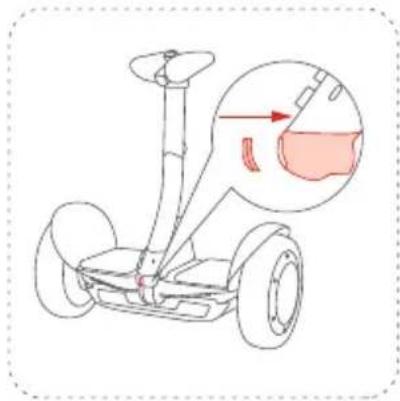
3 Remove the S-Max body from the Gokart
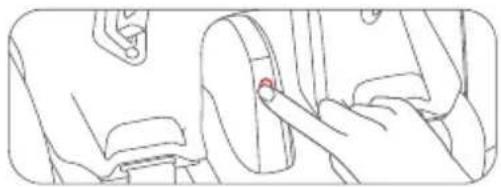
Power off the Gokart before disassembly.
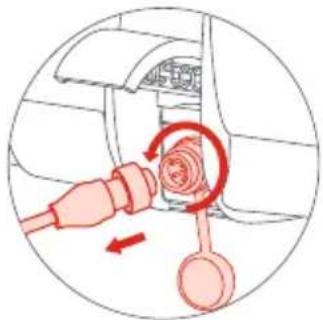
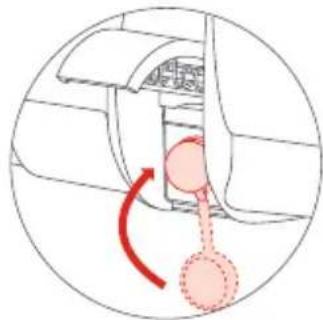
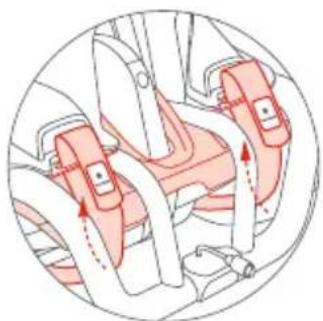
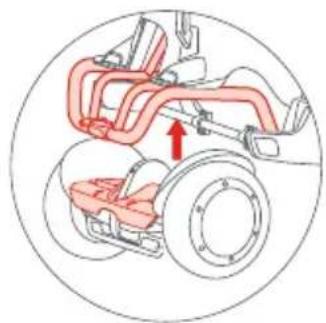
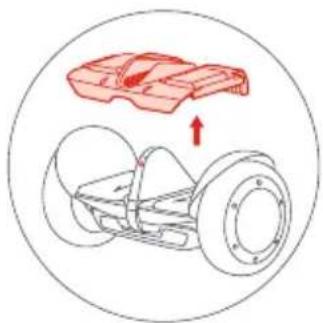
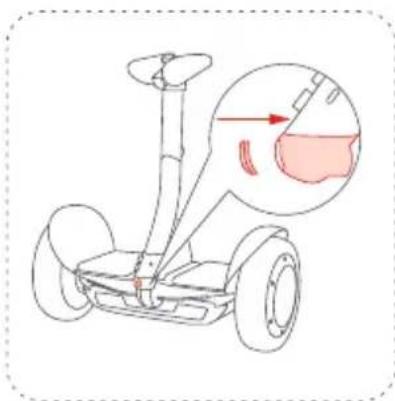
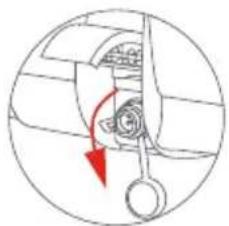
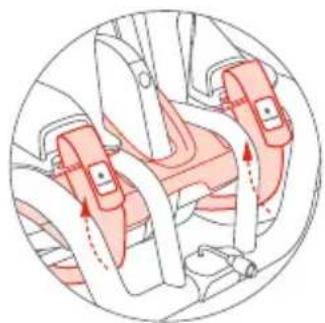
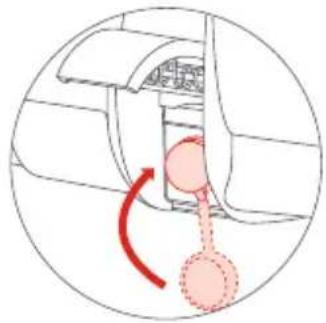
- Rotate counter-clockwise to unplug the power extension cord, then close the rubber plug.
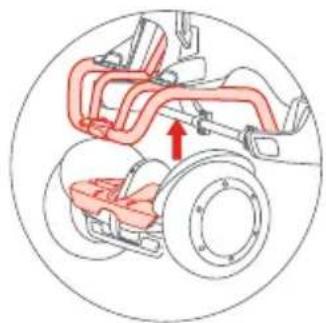
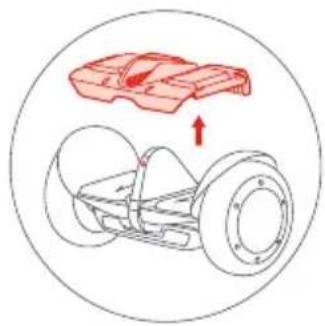
- Loosen the traps and take out the S-Max body. * If lifting the frame by yourself, do not lift the backside more than 19° or you may damage the bumper.

Do not lift the rear spoiler.
- Remove the adaptor pad of S-Max.




4 Assembling Your S-Max
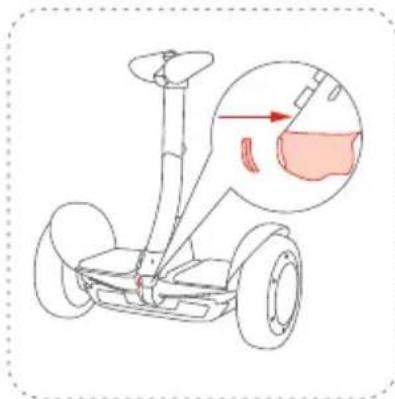
Install the steering bar
1 Insert the steering bar into the S-Max body.
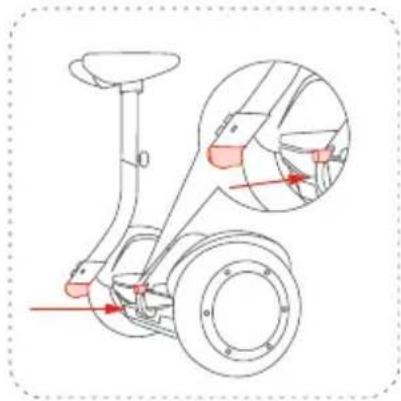
2 Tighten the two screws. (See Accessories No. 3)
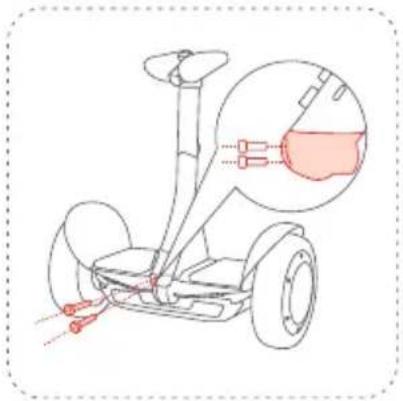
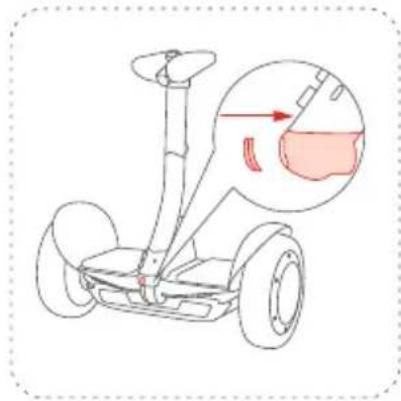
3 Put the cap on.
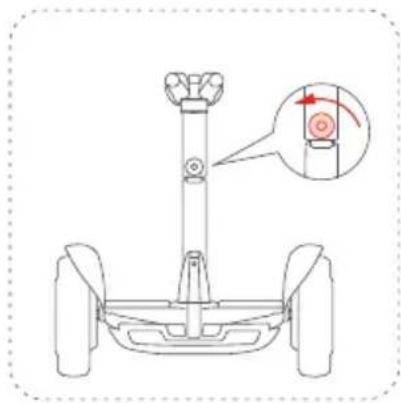
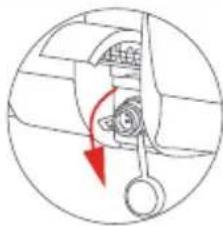
Adjust the knee pad height
1 Rotate the height adjustment knob counter-clockwise.
2 Lift the knee pads to the desired height. Rotate the height adjustment knob clockwise to tighten.
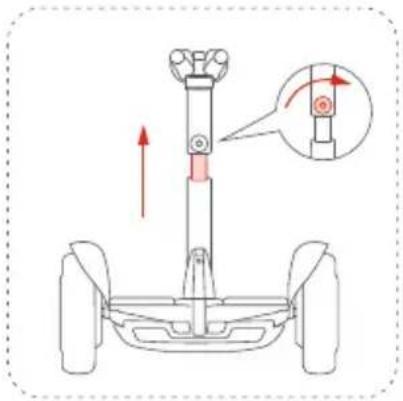
* Lift the guide bar to help steer the S-Max without a rider when powered on.
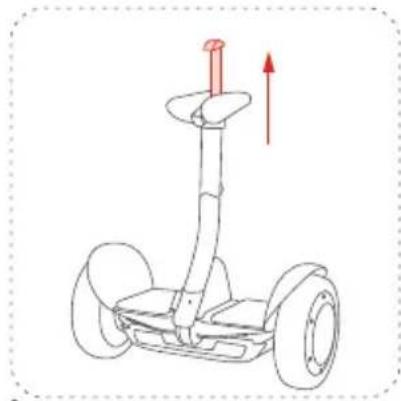

Warning:
DO NOT use to guide bar lift or carry the S-Max.
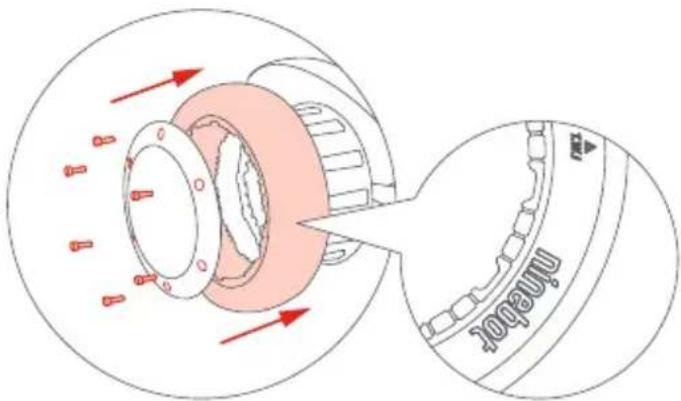
Tire Replacement
* Tires are subject to wear and need to be purchased separately.
1. Remove the six screws from the tire.
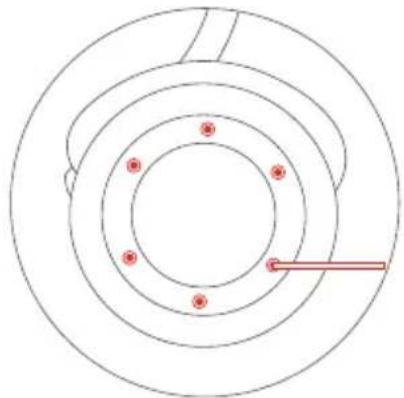
2. Remove the hubcaps and then remove the outer tire.
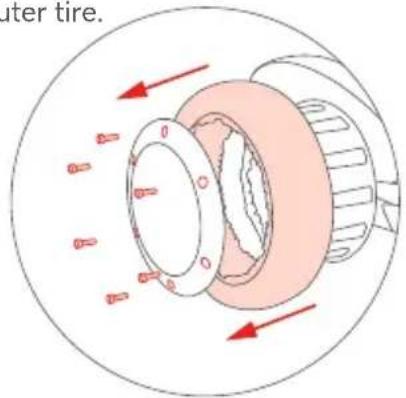
3. Replace the rear tire or comfortable tire, cover the hubcaps, and tighten the six screws.
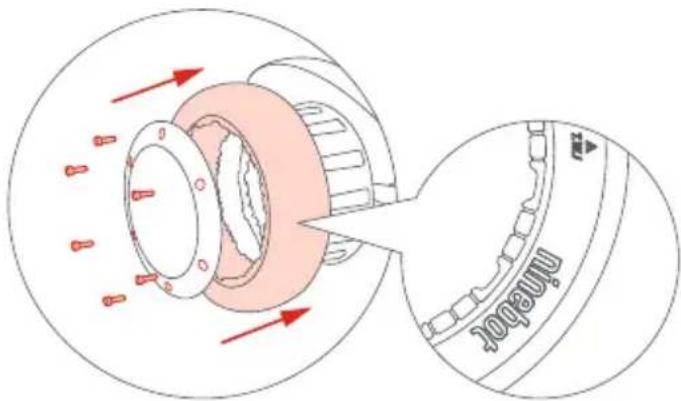
The side with printing should face outwards.
* The steps above are only applicable to the replacement of rear tires.
The comfortable tire is only for S-Max.
5. Charging
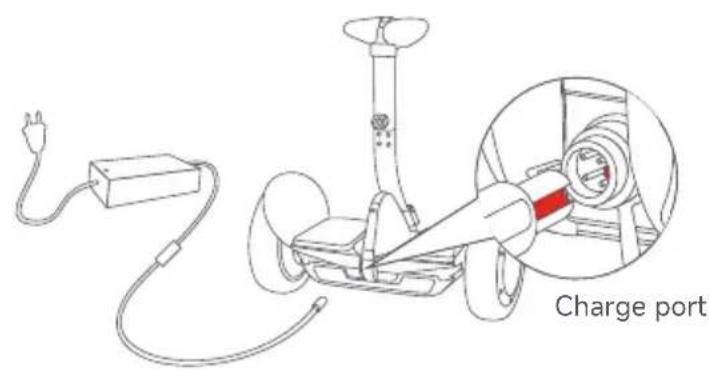
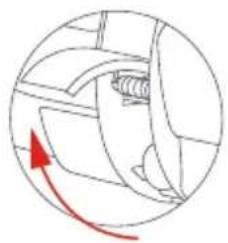
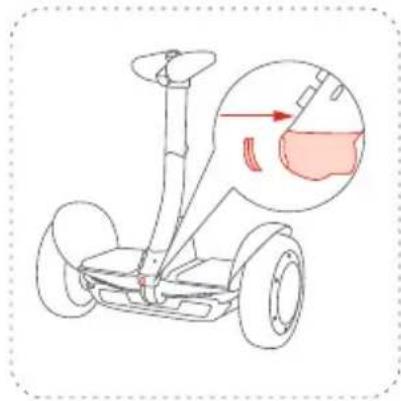
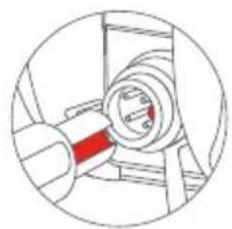
- Lift up the cover
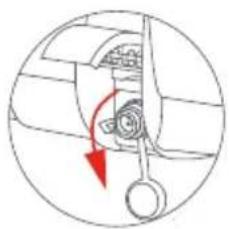
- Open the rubber cap
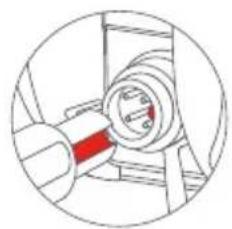
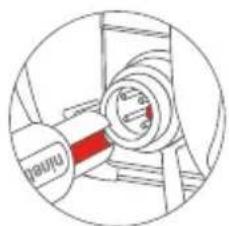
- Insert the plug into the socket * Charging the wrong way can cause vehicle damage.
Your S-Max is fully charged when the LED on the charger changes from red (charging) to green (trickle charge).

WARNING
ONLY use the original charger, otherwise the battery will be damaged and there is a risk of fire. DO NOT use wet or damaged batteries. DO NOT charge when the charge port or cable is wet.
6 Before the First Ride

Segway-Ninebot App
There are safety risks when learning to ride the S-Max. You must read the Safety Instructions and follow the New Rider Tutorial in the App before your first ride.
For your safety, your S-Max is not activated at this time and will beep occasionally after Power ON.
Until activated, the S-Max maintains a very low riding speed and steering sensitivity. Install the App on your mobile device (with Bluetooth 4.1 or above), connect to the S-Max with Bluetooth, and follow the App instructions to activate your S-Max and follow the training procedures.
Scan the QR code to download the App (iOS 9.0 or above, Android™ 4.3 or above).
1 Install the App and register/login.

3 Click Vehicle > Search vehicle to connect to your S-Max. The S-Max will beep when the connection is successful. The Bluetooth icon will stop blinking and remain illuminated.
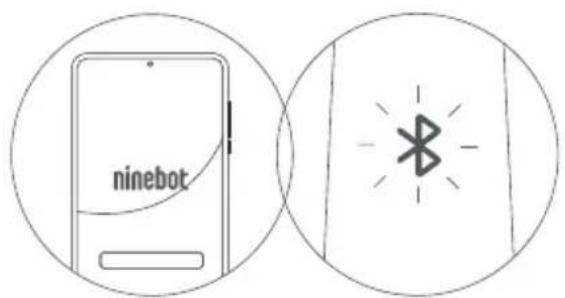
Power ON the S-Max. The blinking Bluetooth icon indicates the S-Max is waiting for a connection.
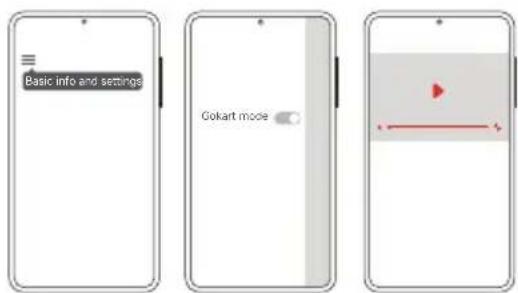
Switch the S-Max to Self-balancing mode on the App*. Follow the prompts to watch the Riding Safety video, complete the New Rider Tutorial, and then activate the S-Max.
* When the mode is switched successfully, you will hear two beeps.
7 Learning to Ride
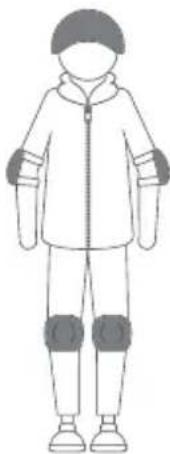
Wear an approved helmet and other protective gear to minimize any possible injury.
Note: Minors must study and ride under the supervision of their guardians.
After activation, the App will lead you through the New Rider Tutorial. Please follow the instructions in the App and in this manual.
For your safety, the S-Max will limit the max speed to 4.3 mph (7 km/h) until you complete the New Rider Tutorial.
After completing the New Rider Tutorial, the max speed will be limited to 6.2 mph (10 km/h).
For the first 0.6 miles (1 km) completed, you can disable the speed limiter via the App and reach a maximum speed of S-Max (see specifications).
* The actual speed limit will be increased or decreased depending on your riding habits and experience.
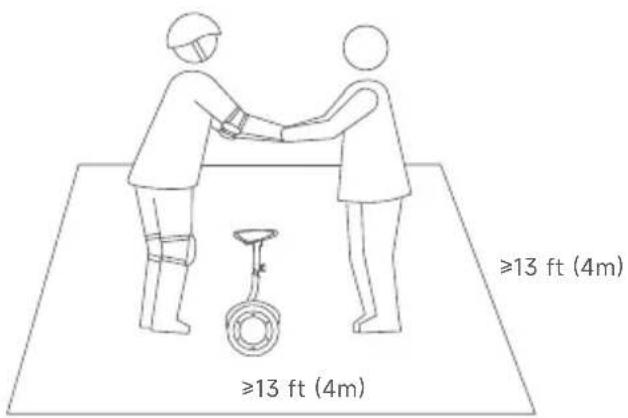
1 Go to a large open area and ask a friend to assist you on your first ride.
* Always step on/off from the back of the vehicle.
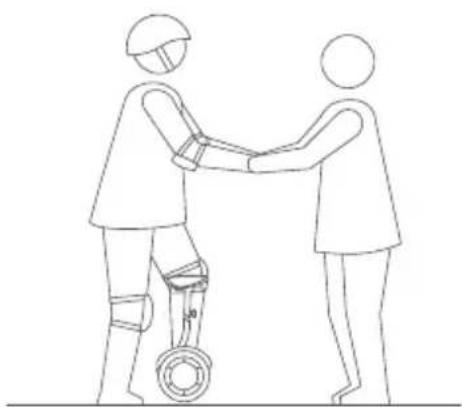
2 Lightly place one foot on the foot mat, while keeping your other foot on the ground holding your weight. Do not press the steering bar with your leg.
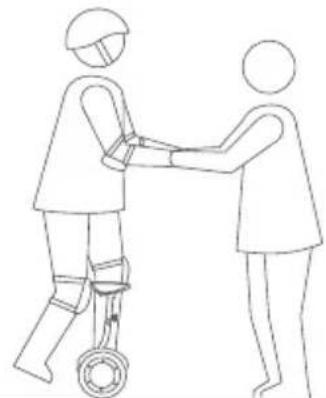
3 Slowly transfer your weight onto the S-Max. The unit will beep, indicating it is now in Balance Mode. Slowly step on with your other foot.
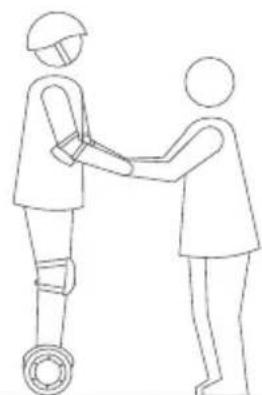
4 Stand with your weight evenly distributed on both feet and relax, looking straight ahead.
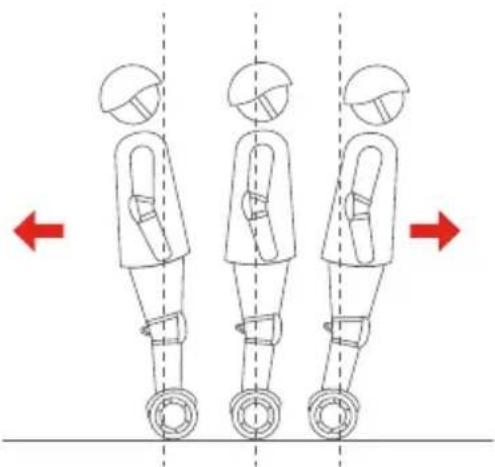
5 Gently lean your body forward and backward to control your movement.
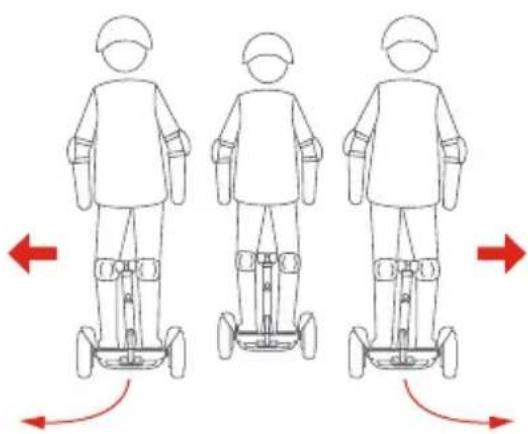
6 To turn, gently lean left or right against the steering bar.
8 Warning
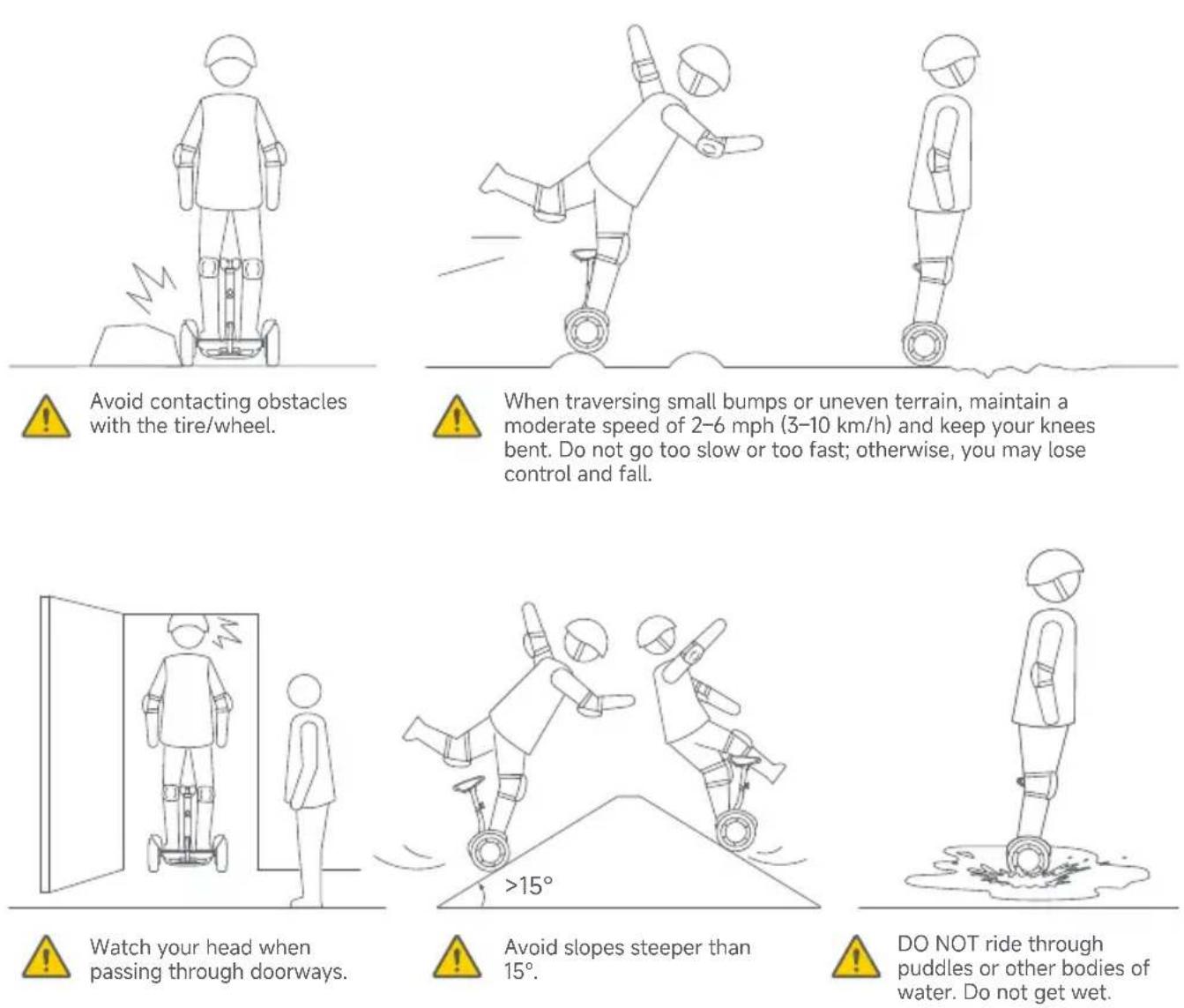
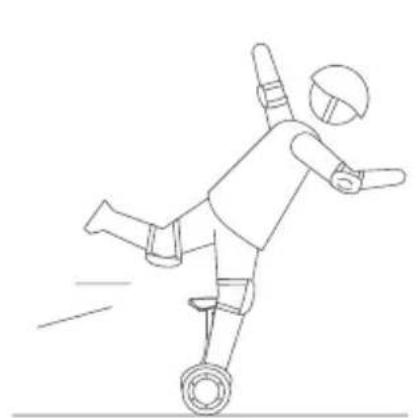
DO NOT attempt stunts of any kind. Always keep both feet on the foot mats.
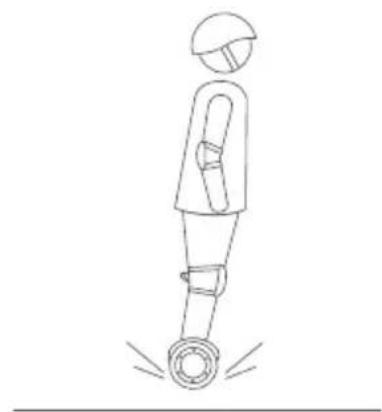
Maintain contact with the ground at all times. Do not jump or attempt stunts.
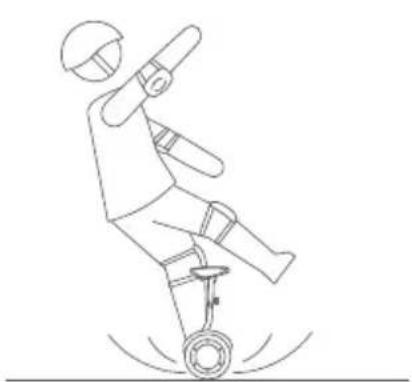
DO NOT ride on low traction surfaces (including, but not limited to, wet ground, loose sand, loose gravel, and ice).
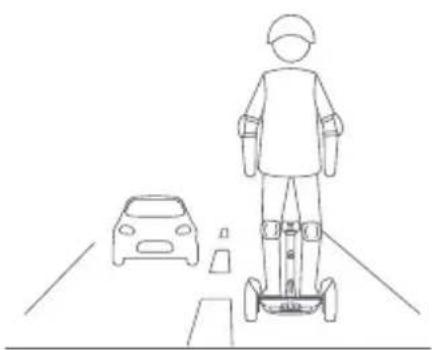
DO NOT ride on public roads, motorways, or highways unless the local laws or regulations have exceptions.
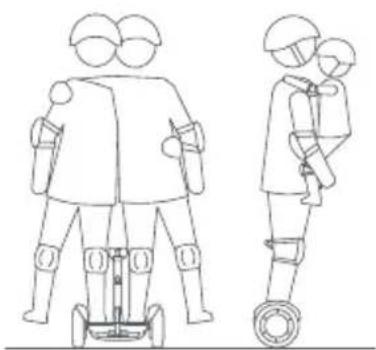
For one rider only. DO NOT ride double or carry any passengers. DO NOT carry a child.
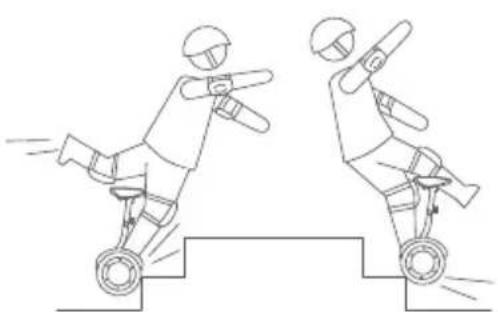
DO NOT ride over holes, curbs, steps, or other obstacles.

You must read and understand the Warnings and Safe Riding instructions in this manual before attempting to ride the vehicle. Failure to follow these warnings could result in death or serious injury due to: loss of balance, traction, and/or control collisions and falls.
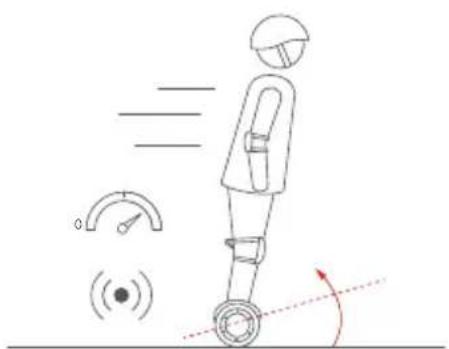

DO NOT accelerate when the vehicle tilts back or sounds an alarm (speed limiter). Do not attempt to override the speed limiter.
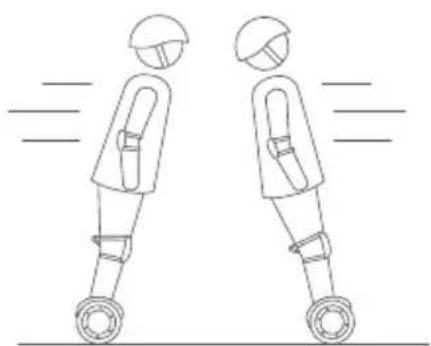

DO NOT accelerate or decelerate abruptly. Do not lean more than 5° or accelerate/decelerate faster than 2.5 mph/s (4 km/h/s).
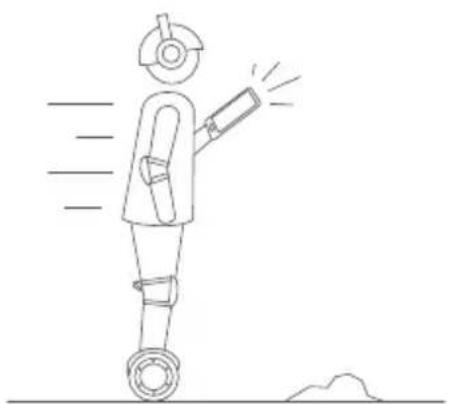

DO NOT use a mobile phone or wear earphones when riding.


The rider must be more than 1.3 m in height and 40 kg in weight.
9 Bluetooth Remote Control
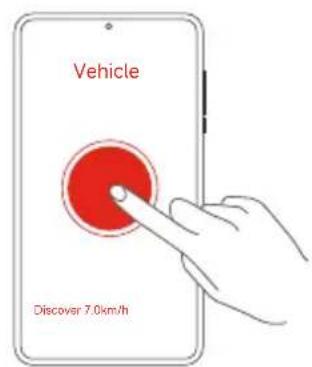
You can use the Segway-Ninebot App to drive your Ninebot S-Max.
Steps:
- Open the App and connect your S-Max.
- Tap the icon (●).
- Drag the virtual joystick ( ) to drive your S-Max.
You can change the speed limitation in the App, maximum 4.3 mph (7.0 km/h).
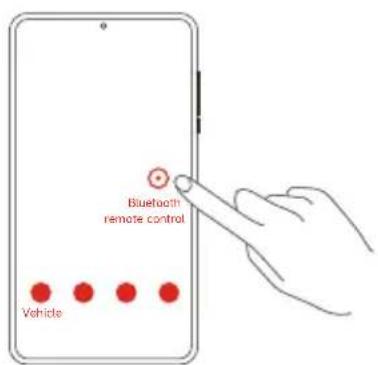
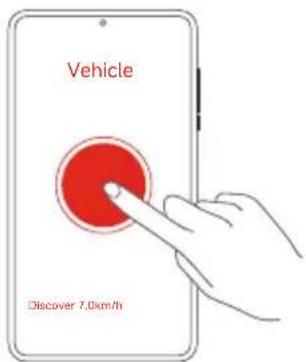

WARNING:
- Do not stand on the S-Max when it is under Bluetooth remote control, which may cause serious personal injury or damage.
- Do not use Bluetooth remote control in crowded areas or where there is a potential risk of endangering people or property if operated in an unsafe manner.
- The Bluetooth range is 30–50 feet (10–15 meters). If your device goes outside Bluetooth range, the Bluetooth remote control will not work.
10 Lifting and Power-assist Mode
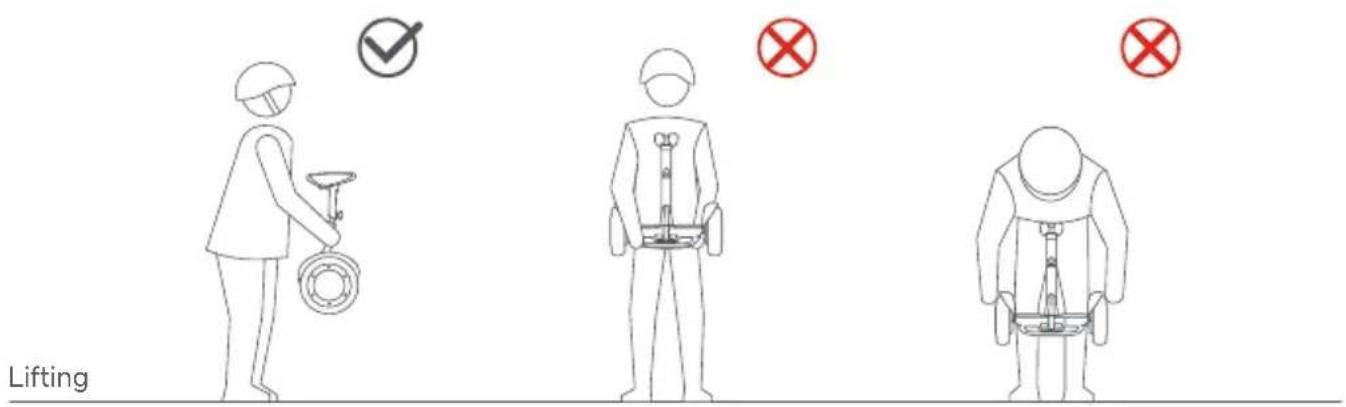
Correct: Lift via the steering bar as shown above. Lift by the mainframe. Lift by the fender.
Wrong 1:
Wrong 2:

Wrong operation may injure your fingers/hands.
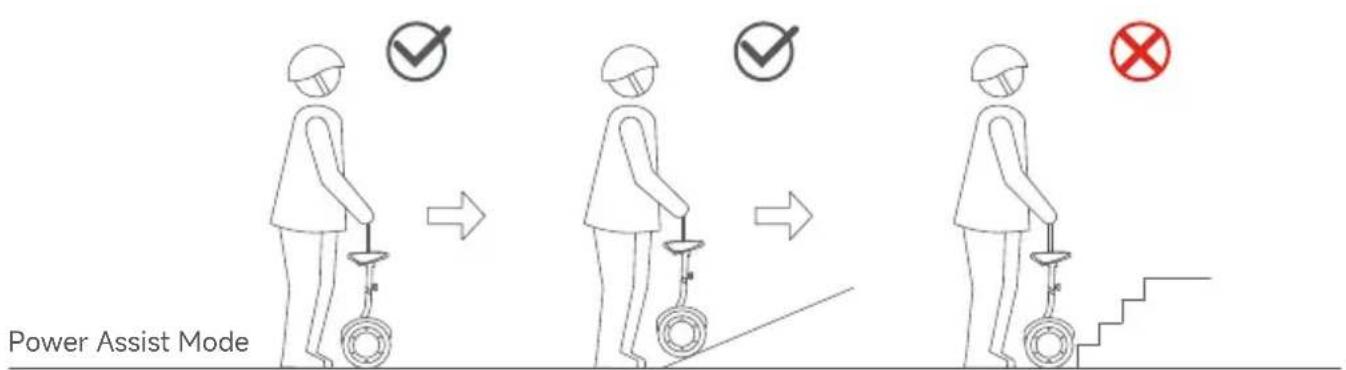
Pull up the guide bar to enter Power Assist Mode (powered on, with no rider). Steer the S-Max across smooth surfaces using the guide bar. Do not guide it upstairs, across potholes, overlarge cracked/uneven surfaces, or over other obstacles.
11 Specifications
| Ninebot S-Max | ||
| Product | Model | N3M432 |
| Dimensions | 10.3 × 22.8 × (25.4-37.6) in / 262 × 578 × (645-955) mm[1] | |
| Weight | Payload | 88.2-220 lbs (40-100 kg) |
| Net Weight | Approx. 46.3 lbs (21 kg) | |
| Rider | Age | 16-60 years old |
| Height | 4.2-6.2 ft (130-190 cm) | |
| Machine Parameters | Max. Speed | Approx. 12.4 mph (20 km/h) |
| Typical Range[2] | Approx. 23.6 miles (38 km) | |
| Max. Slope | Approx. 15 ° | |
| Traversable Terrain | Pavement, packed dirt, slopes < 15 °, obstacles < 0.4 in (1 cm), gaps < 1.2 in (3 cm) | |
| Operating Temperature | 14-104°F (-10-40°C) | |
| Storage Temperature | -4-122°F (-20-50°C) | |
| IP Rating | IP54 | |
| Charge Time | Approx. 4 h | |
| Battery | Nominal Voltage | 54 V DC |
| Max. Charging Voltage 63 V DC | ||
| Nominal Capacity | 432 Wh | |
| Charging Temperature | 32-104°F (0-40°C) | |
| Battery Management System | Over-voltage, under-voltage, short circuit, and over-heating protection. Auto-sleep and auto-wake. | |
| Motors | Nominal Power | 450 W × 2 |
| Max. Power | 2400 W × 2 | |
| Charger | Input Voltage | 100-240 VAC |
| Output Voltage | 63 V DC | |
| Nominal Power | 124 W | |
| Output Current | 2 A | |
| Tire | Tire | Tire width: 2.7 in (68 mm); 10 × 2.75 in, hollow solid tire |
[1] The two values in brackets are the lowest distance from the ground to the highest part of the mainframe. [2] Typical Range: tested while riding under full power, 165 lbs (75 kg) load, 77°F (25°C), 60% of max. speed on average on pavement. * Some of the factors that affect range include: speed, number of starts and stops, ambient temperature, etc.
12 Certifications
European Union Compliance Statement
Information on Disposal for Users of Waste Electrical & Electronic Equipment

This symbol on the product or on its packaging indicates that used electrical and electronic products should not be mixed with unsorted municipal waste. For proper treatment, it is your responsibility to dispose of your waste equipment by arranging to return it to designated collection points.
Disposing of this product correctly will help save valuable resources and prevent any potential negative effects on human health and the environment, which could otherwise arise from inappropriate waste handling.
Penalties may be applicable for incorrect disposal of this waste, in accordance with your national legislation.
Please contact your local authority for further details of your nearest designated collection point.
Battery recycling information for Users
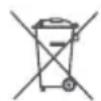
This symbol means that batteries and accumulators, at their end-of-life, should not be mixed with unsorted municipal waste.
Your participation is an important part of the effort to minimize the impact of batteries and accumulators on the environment and on human health. For proper recycling you can return this product or the batteries or accumulators it contains to your supplier or to a designated collection point.
Disposing of this product correctly will help save valuable resources and prevent any potential negative effects on human health and the environment, which could otherwise arise from inappropriate waste handling.
Penalties may be applicable for incorrect disposal of this waste, in accordance with your national legislation. There are separate collection systems for used batteries and accumulators.
Please, dispose of batteries and accumulators correctly at your local community waste collection/recycling center.
Radio Equipment Directive
Ninebot (Changzhou) Tech Co., Ltd. hereby declares that the product listed in this section complies with the essential requirements and other relevant provisions of the Radio Equipment Directive 2014/53/EU.
Restriction of the use of certain hazardous substances (RoHS) Directive
Ninebot (Changzhou) Tech Co., Ltd. hereby declares that the entire product, including parts (cables, cords, and so on), meets the requirements of the RoHS Directive 2011/65/EU and the amendment Commission Delegated Directive (EU) 2015/863 on the restriction of the use of certain hazardous substances in electrical and electronic equipment ("RoHS recast" or "RoHS 2.0").
Machinery Directive
Ninebot (Changzhou) Tech Co., Ltd. hereby declares that the product listed in this section complies with the essential requirements and other relevant provisions of the Machinery Directive 2006/42/EC.

EU Authorised Representative:
Segway-Ninebot Europe
Dynamostraat 7, 1014 BN Amsterdam, The Netherlands.
Ninebot (Changzhou) Tech Co., Ltd. hereby declares that the product model: N3M432 complies with the essential requirements and other relevant provisions of the Radio Equipment Directive 2014/53/EU, the Machinery Directive 2006/42/EC, and the RoHS Directive 2011/65/EU and amendment Commission Delegated Directive (EU) 2015/863.
The declaration of conformity can be viewed at the following address: https://eu-en.segway.com/instruction-manuals
| Bluetooth | Frequency Band(s) | 2.4000-2.4835GHz |
| Max. RF Power | 20mW |
Go to https://eu-en.segway.com/instruction-manuals for this product's compliance documents in accordance with REGULATION (EU) 2023/1542.
Assembly and Disassembly

After disassembling the steering bar of the S-Max, it can be mounted onto the body of the Gokart and assembled into the Segway Gokart Pro2.
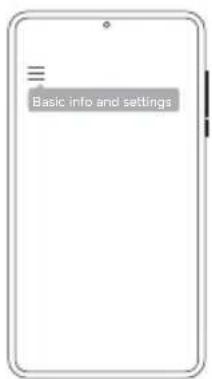
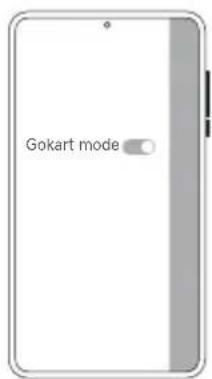
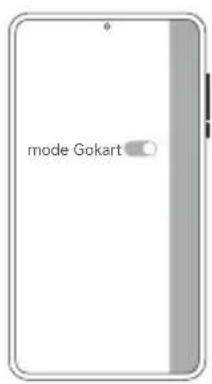
* Switch the S-Max to Gokart mode on the App before assembly.
How to: Log in on the App > connect your S-Max > Settings > Gokart mode.
Maintenance
Cleaning and Storing
Use a soft, wet cloth to wipe the mainframe clean. Hard to remove dirt can be scrubbed with a toothbrush and toothpaste, then cleaned with a soft, wet cloth. Store your vehicle in a cool, dry place. Do not store it outdoors for extended periods of time. Exposure to sunlight and temperature extremes (both hot and cold) will accelerate the aging process of the plastic components and may reduce battery life.

WARNING
Do not wash your Gokart Pro2 or S-Max with alcohol, gasoline, acetone, or other corrosive/volatile solvents. These substances may damage the appearance and internal structure of the vehicle. Do not wash your vehicle with a power washer or high pressure hose.
Make sure the Gokart Pro2 or S-Max is powered OFF, the charging cable is unplugged, and the rubber cap on the charge port is tightly sealed before cleaning; otherwise you may expose yourself to electric shock or damage the electronic components.
Battery Pack Maintenance
- Do not use battery packs of other models or brands, otherwise there may be safety risks.
- Only use a Ninebot or Segway approved charge cable. Please use it properly within the rated range.
- Do not place the battery pack in the fire. Doing so will cause battery failure, overheating or even fire and explosion.
- Do not store or charge the battery at temperatures outside the stated limits (see Specifications).
- Do not discard or destroy the battery. Refer to your local laws and regulations regarding battery recycling and/or disposal.
- Remember to charge the battery after each use. Completely draining the battery may cause permanent damage to the battery.
NOTE
Typically, a fully charged battery should retain charge for 120-180 days when in standby. Electronics inside the battery record the charge-discharge condition of the battery; damage caused by over-discharge or under-discharge will not be covered by the Limited Warranty.
A well-maintained battery can perform well even after many miles of riding. Charge the battery after each ride and avoid draining the battery completely. When used at room temperature (70°F [22°C]) the battery range and performance is at its best; whereas using it at temperatures below 32°F (0°C) can decrease range and performance. Typically, at -4°F (-20°C) range can be half that of the same battery at 70°F (22°C). The battery range will recover when the temperature rises. More details are available in the App.

WARNING
Do not attempt to disassemble the battery. Risk of fire. No user-serviceable parts.
Do not ride when the ambient temperature is outside the machine operation temperature (see Specifications) because low/high temperatures will limit the maximum power/torque. Doing so could cause personal injury or property damage due to slips or falls.
Trademark and Legal Statement
Ninebot is the trademark of Ninebot (Beijing) Tech Co., Ltd; Segway, powered by Segway and Rider Design are trademarks of Segway Inc., App Store and Apple logo are registered trademarks of Apple Inc., Android is the trademark of Google LLC. IOS is the trademark or registered trademark of Cisco in U.S.A and other countries. The Bluetooth® word mark and logos are registered trademarks owned by Bluetooth SIG, Inc. and any use of such marks by Segway-Ninebot is under license. Other trademarks and trade names are those of their respective owners.
Please note that there are multiple models with different functions of Segway-Ninebot's products and some of the functions mentioned herein may not be applicable to your Go-kart Pro 2.
We have attempted to include description and instructions for all the functions of Go-kart Pro 2 at the time of printing. However, due to constant improvement of product features and changes of design, your Go-kart Pro 2 may differ slightly from the one shown in this manual.
©2024 Ninebot (Beijing) Tech Co., Ltd. All rights reserved.
Segway Gokart Pro2 Legal Statement:
- Please read the User Manual carefully and learn how to ride Gokart. Make sure you understand all the instructions and safety warnings. In order to minimize the risks, you're obliged to read the User Manual carefully before your riding. It covers most knowledge about how to ride the Gokart safely and how to take appropriate precautions. If it is difficult for you to fully follow the riding instructions of the User Manual, please do not attempt to ride Your Gokart casually. Neither Ninebot nor Segway is responsible for any injuries, damages or legal disputes caused by a user's inexperience or failure to follow the instructions in this manual.
- Please check and obey your local laws or regulations. IT IS USER'S RESPONSIBILITY TO COMPLY WITH ALL LAWS PERTAINING TO THE USE OF GOKART OR SIMILAR PRODUCTS IN YOUR JURISDICTION. Various countries or regions have different laws and regulations about Gokart, please note:
(1) A helmet may be legally required by local law or regulation in your jurisdiction. (2) A Driving and/or Vehicle License may be legally required by local law or regulation in your area. (3) Your Gokart is not allowed to be driven in motorway or highway in.
You can gain further guidance from the relevant department(s) in your country or region.
- Your Gokart is not treated as road vehicles and not allowed on public roadways. You are not allowed to ride your Gokart to attend any go-kart racings or any other professional racing competitions.
- Please ensure timely purchase of the product to minimize the risks of use.
- Please check whether your Gokart and its accessories are in good condition immediately when you receive them.
- All components of the Gokart must be properly installed as per the User Manual. Inappropriate installation may lead to loss of control, collisions, and falls.
- The product may contain removable components and small parts. Please keep it out of the reach of children to avoid choking hazards.
- Before using your Gokart, please check its tire performance, battery level, vehicle installation status, and all functional parts. Check whether the front and rear brakes function properly and ensure that the brake cable is not damaged. The
brake cable should have the right tension. Screws, nuts, bolts, and other fasteners must be checked. Make sure there are no loose parts. If any abnormality is found, please stop using it immediately and contact our after-sales service for help.
- You should always be cautious and maintain proper speed when riding. Avoid speeding, overloading, or performing stunts of any kind. Do not try to touch the tires with your hands or feet when riding.
- Do not dispose of your Gokart in a landfill, by incineration, or by mixing with household trash. Serious danger or injury can occur because of the electrical components and the battery. For information about battery and electrical waste, please contact your household waste disposal service, your local or regional waste management office, or your point of sale.
- Try not to use any non-original accessories, and never dismantle or modify the product without authorization. All damage and loss arising therefrom will be your sole responsibility.
- NINEBOT IS SUBJECT TO NO COMPENSATION RESPONSIBILITY FOR ANY CLAIM, LIABILITY, AND LOSS THAT ARISES (OR MAY ARISE) FROM VIOLATING ANY OF THE ABOVEMENTIONED CLAUSES.
- NINEBOT reserves the right to make changes to the product, release firmware updates, and update this manual at any time. Improvements and changes to this user manual necessitated by typographical errors, inaccuracies of current information, or improvements to programs and/or equipment, may be made by NINEBOT at any time and without notice. Such changes will, however, be incorporated into new editions of this user manual. All illustrations are for illustration purposes only and may not accurately depict the actual device. Actual product and functions may vary. Due to the update of the product, there may be some deviations in color, appearance and other aspects between the product listed in this manual and the product you actually purchased. Please refer to the actual product.
- After purchase, you may either use the Product according to the above-mentioned clauses, or return the Product as per the "Warranty Policies". In the case of a return, please ensure that both the Product and the packaging thereof are in good condition for resale.
- This document should be considered as a permanent part of the product and should remain with the vehicle when it is resold.
Thank you again for choosing Segway Gokart Pro2!
Warranty
European Users: Please find the Limited Warranty and Arbitration Agreement at: https://eu-en.segway.com/warranty
Users in Asia Pacific: Scan the QR Code to find the Limited Warranty and Arbitration Agreement

Contact
Contact us if you experience issues relating to driving, maintenance and safety, or errors/faults with your Gokart.
Europe, Middle East and Africa:
Segway-Ninebot Europe, Dynamostraat 7, 1014 BN Amsterdam, The Netherlands
Website: www.segway.com

Scan the QR code to watch the videos of how to assemble the Gokart Pro2, how to remove the steering bar of S-Max.

Segway-Ninebot App
For your safety, a new Gokart is inactivated.
Please activate your Gokart via the App before first use.
The manufacturer reserves the right to make changes to the product, release firmware updates, and update this manual at any time. Visit www.segway.com or check the Segway-Ninebot App to download the latest user materials. You must install the App to follow the New Rider Tutorial and activate your product, and obtain the latest updates and safety instructions.
SEGWAY
Gokart PRO2
Accessories
③ 6 screws
④ Allen keys
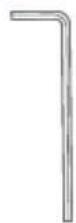
5/32" (4 mm)
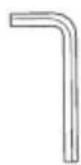
3/16" (5 mm)
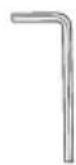
3/32" (2.5 mm)
3 Tighten the screw.
Segway-Ninebot App
Segway-Ninebot Europe
Segway-Ninebot App



WARNING:
Segway-Ninebot Europe
Maintenance
Contact
Segway-Ninebot App
Accessories

Handlebar
2 × Cover Screw
10 Play Kit
Segway-Ninebot App

Caution:
Segway-Ninebot App


Contact
Segway-Ninebot app
Accessories
③

④ Hex keys
4 mm (5/32")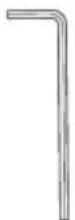
5 mm (3/16")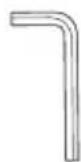
2.5 mm (3/32")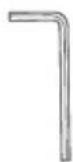
⑨ Rear spoiler
10 Game kit
Screws × 2 Plug
③ Tighten the screw.
Segway-Ninebot app
Segway-Ninebot Europe
Dynamostraat 7, 1014 BN Amsterdam, Netherlands.
Segway-Ninebot app


WARNING:
Segway-Ninebot Europe
Dynamostraat 7, 1014 BN Amsterdam, Netherlands.
Contacts
Segway-Ninebot App
Accessories
③ Screw × 6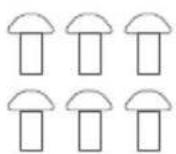
④ Hex keys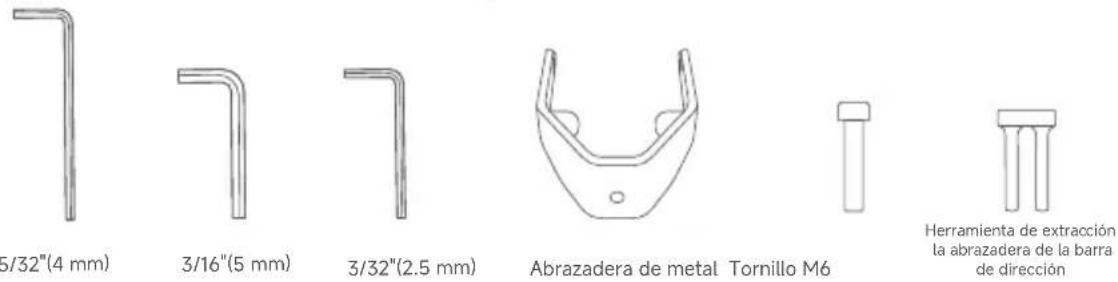
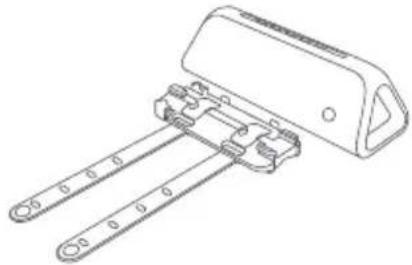
⑨ Rear spoiler
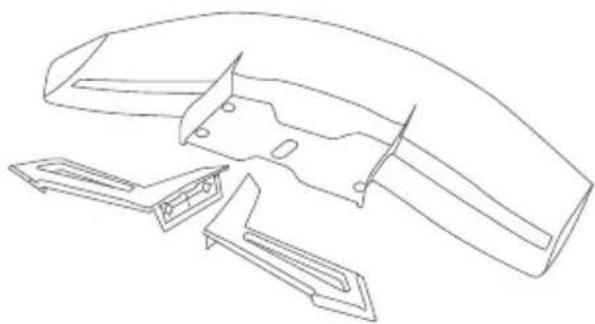
⑩ Game kit
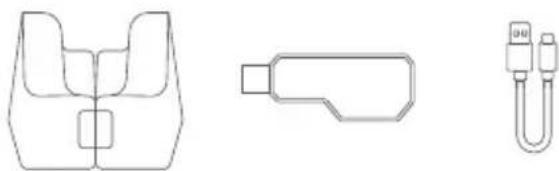
Screw × 2 Cover
Remove the speaker
3 Put the plug.
Note:
- Lift the cover



NOTE:
CE
Contact
Accessories
⑨ Rear spoiler
⑩ Gaming kit
Screw × 2 Cap
Tire * sold separately at https://store.segway.com/
Remove the speaker
② Replace the tire.
③ Tighten the screw.

Segway-Ninebot Europe
Dynamostraat 7, 1014 BN Amsterdam, Netherlands.
③ Attach the cap.


Segway-Ninebot Europe
Dynamostraat 7, 1014 BN Amsterdam, The Netherlands.
Contact
Europe, Middle East and Africa:
Segway-Ninebot Europe, Dynamostraat 7, 1014 BN Amsterdam, The Netherlands
Website: www.segway.com

8 Specifications....293
9 Certificates 295
Ninebot S-Max....297
11 Specifications....313
12 Certificates 314
Accessories
④ Hex keys
4 mm (5/32")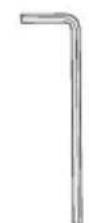
5 mm (3/16")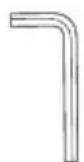
2.5 mm (3/32")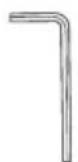
⑨ Rear spoiler

10 Game kit
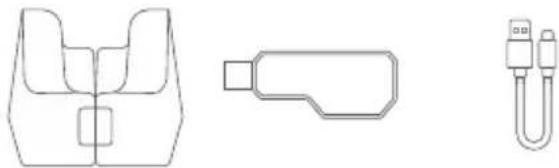
Support frame USB receiver Data cable
⑪ Steering rod
Screw × 2 Cap
② Replace the tire.
Segway-Ninebot app
Segway-Ninebot Europe
③ Put the cap on.
3 Replace the rear tire or the comfort tire, cover the wheel caps and tighten the six screws.
Segway-Ninebot app
7 Learning to ride


Do not accelerate or decelerate abruptly. Do not lean more than 5° or accelerate/decelerate faster than 4 km/h/s (2.5 mph/s).


Segway-Ninebot Europe
Contact person
Segway-Ninebot app
Accessories
③ Screw × 6
④ Hex keys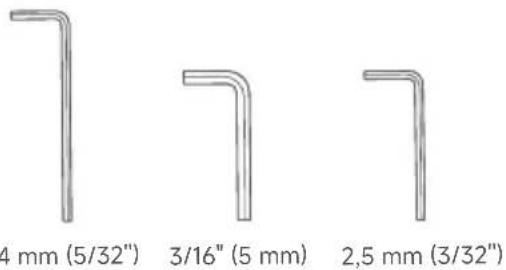

⑨ Rear fender
10 Game kit
Screw × 2 Cover
3 Tighten the screw.

Segway-Ninebot Europe
Dynamostraat 7, 1014 BN Amsterdam, The Netherlands.



③ Place the lid.

Notice:
- Lift the lid

- Open the rubber lid


Segway-Ninebot Europe
Dynamostraat 7, 1014 BN Amsterdam, The Netherlands.



- WELCOME
- PACKING LIST
- SEGWAY GOKART PRO
- RIDING SAFETY
- PRE-RIDE CHECKLIST AND PREPARING FOR YOUR DRIVE
- WHERE TO DRIVE
- HOW TO DRIVE
- WHO SHOULD DRIVE
- AFTER EACH DRIVE
- MAINTENANCE AND STORAGE
- ADJUSTMENT
- ADJUST THE STEERING WHEEL HEIGHT
- INSTALLATION OF ACCESSORIES
- INSTALL THE NINEBOT ENGINE SPEAKER
- REMOVE THE SPEAKER
- DISASSEMBLY AND REPLACEMENT OF TIRES
- CHARGING
- BEFORE THE FIRST DRIVE
- HOW TO ACTIVATE
- INSTALL THE APP AND REGISTER/LOG IN
- PRESS THE POWER BUTTON ON THE S-MAX TO POWER ON THE GOKART PRO2. THE GOKART WILL AUTOMATICALLY POWER OFF WHEN IDLE FOR 10 MINUTES
- OPEN THE APP, CLICK VEHICLE > SEARCH VEHICLE TO CONNECT TO YOUR GOKART. THE VEHICLE WILL BEEP WHEN THE CONNECTION IS SUCCESSFUL. THE STATUS INDICATOR WILL STOP BLINKING AND REMAIN ILLUMINATED
- FOLLOW THE INSTRUCTIONS IN THE APP TO ACTIVATE THE GOKART AND COMPLETE THE CORRESPONDING TUTORIAL AND EXERCISES
- NINEBOT ENGINE SPEAKER
- LEARNING TO DRIVE
- CORRECT DRESS CODE
- ① FASTENING THE SEAT BELT
- ② DRIVING
- ③ REVERSING
- ④ EMERGENCY BRAKING
- CERTIFICATIONS
- NINEBOT S-MAX
- REMOVE THE S-MAX BODY FROM THE GOKART
- ASSEMBLING YOUR S-MAX
- INSTALL THE STEERING BAR
- ADJUST THE KNEE PAD HEIGHT
- TIRE REPLACEMENT
- WARNING
- BEFORE THE FIRST RIDE
- LEARNING TO RIDE
- BLUETOOTH REMOTE CONTROL
- STEPS
- LIFTING AND POWER-ASSIST MODE
- ASSEMBLY AND DISASSEMBLY
- MAINTENANCE
- CLEANING AND STORING
- BATTERY PACK MAINTENANCE
- NOTE
- TRADEMARK AND LEGAL STATEMENT
- SEGWAY GOKART PRO2 LEGAL STATEMENT
- WARRANTY
- CONTACT
- SEGWAY-NINEBOT APP
- GOKART PRO
- ACCESSORIES
- CONTACTS
- CE
- CONTACT PERSON
Brand : SEGWAY
Model : Ninebot Gokart Pro II
Category : Electric scooter