
HMT65DCS - Cooker HOOVER - Free user manual and instructions
Find the device manual for free HMT65DCS HOOVER in PDF.
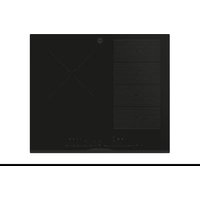


| Product type | Built-in induction hob |
| Brand | Hoover |
| Model | HMT65DCS |
| Width | 65 cm |
| Depth | 51 cm |
| Height | 5 cm |
| Weight | Approximately 15 kg |
| Power supply | 220-240 V ~ 50/60 Hz or 380-415 V 2N |
| Maximum power | 7.4 kW (level P8) |
| Number of cooking zones | 4 |
| Control type | Touch |
| Functions | Power management (8 levels), Timer, Child lock |
| Surface material | Ceramic glass |
| Cleaning | Damp cloth and specific ceramic glass cleaner |
| Protection | Automatic shut-off, Residual heat indicator |
| Installation | Built-in (standard or flush mount) |
| Standards | CE, Class I (mandatory grounding) |
| Repairability | Spare parts available through after-sales service |
Frequently Asked Questions - HMT65DCS HOOVER
User questions about HMT65DCS HOOVER
0 question about this device. Answer the ones you know or ask your own.
Ask a new question about this device
Download the instructions for your Cooker in PDF format for free! Find your manual HMT65DCS - HOOVER and take your electronic device back in hand. On this page are published all the documents necessary for the use of your device. HMT65DCS by HOOVER.
USER MANUAL HMT65DCS HOOVER
This installation manual is designed for kitchen manufacturers who will deal with these products. To ensure safety and get the best results, please read this manual carefully, including the safety instructions, and keep it for future reference. Before proceeding with the installation, take note of the serial number, as you may need it in case of repairs. Check for any damage during transport and consult a technician when in doubt before using. Always keep all packing material away from children.
NOTE: Features, pictures in the manual and product accessories may vary depending on the model purchased.
Index
1 Safety warnings for installation p. 2 2 Where to install the product
2.1 Other advice
3 Hob Dimensions p.4-9
3.1 Width 60 3.2 Width 65 3.3 Width 80
4 Installation tools
4.1 Standard installation 4.2 Flush installation
5 Distance of installation
5.1 Precautions
6 Furniture and ventilation p.12
6.1 Width 60 - 65 - 80 on oven base 6.2 Width 60 - 65 - 80 on base with drawers 6.3 Width 60 - 65 - 80 on base with shelves 6.4 Top thickness
7 Built in dimensions p.14 - 19
7.1 Hob width 60 7.2 Hob width 65 7.3 Hob width 80
8 Connection to the mains p.20 - 22
8.1 Safety warnings 8.2 Instructions 8.3 Other advice 8.4 Layout of connection
9 Instructions for installation p.24
10.1 Important warnings 10.2 Step-by-step installation
11 Delivery to the user p.32 12 First startup p.32 13 Disassembling the product p.32
1 Safety warnings for installation
Observe these directions before beginning the installation of the product.
- Your safety is very important to us. Please read this information carefully before using the product;
- Installation must be carried on by a qualified technician who must know and respect the laws in force in the country of installation and the manufacturer's instructions;
- If the manufacturer service is required to eliminate faults resulting from improper installation, such service is not covered by the warranty;
- Remove the packing material before starting the appliance;
- After unboxing the appliance, carefully check there are no damages, in case of any issue contact the customer service before installing and do not connect to the power supply;
- A damaged product can be the cause of a short circuit, electrical shock, fire start and other hazards;
- Check the packaging for accessories or accompanying materials (documents, screws, accessory, brochure bag, user manual, etc.) remove and store them;
- The product can be installed in overlay or flush on the countertop;
- Before installing the product, ensure the space is well-ventilated to allow circulation of fresh air, which is necessary for proper cooling. Follow the illustrations for minimum opening spaces suggested.
- No additional operation/setting is required in order to operate the appliance at the rated frequencies.
- If the assistance of the manufacturer is required to rectify faults arising from incorrect installation, this assistance is not covered by the warranty. The installation instructions for professionally qualified personnel must be followed.
- Incorrect installation may cause harm or injury to people, animals or belongings. The manufacturer cannot be held responsible for such harm or injury.
- Safe use is only guaranteed if installation has been carried out properly according to these instructions. In case of damage due to improper installation, the responsibility lies with the person who installed the product.
- During installation the hob should be disconnected from the mains.
- It is recommended to wear protective gloves during installation to avoid injuries.
- Warranty does not cover damage caused by improper installation.
- In case of incorrect installation, tampering with the device and improper connection, the validity of the product warranty will expire.
- Make sure that when the product's power supply cable is completed, it is not accessible.
- After assembly, the power cord must not come into contact with moving parts (such as a drawer) and must not be exposed to mechanical stresses.
- This product requires constant ventilation during use. Do not cover the air vents.
- When delivering the product to the end user, the technician must ensure that it has been installed correctly.
Where to install the product
2
Install and use this product in a closed, covered, dry and well-ventilated environment; - Do not install the product in open environments exposed to atmospheric agents; - This appliance is designed to be used at altitude lower than 2000 m - Mount the product near an electrical outlet; - Use the product only when placed in a recessed compartment, otherwise you risk injury and burns. - Do not install the cooktop over an uncooled oven, dryer, dishwasher or fridge. It is also recommended to avoid installation over a washing machine. Installation of the hob over a cooled oven is permitted;
2.1 Other tips
- Cut out the work surface precisely, using the tools needed depending on the material to be cut. All surfaces must be sealed or otherwise resistant to the penetration of humidity;
- The work surface must be shaped by following the diagrams in this manual. The cooking surface must be in a perfect horizontal position. Check that the seal under the cooking surface, where provided, is properly placed;
- Use a soft cloth during installation to avoid damaging the cooktop and work surface;
WARNING: Danger of fire and damage from open flames. Keep open flames (e.g., a candle) away from the product.
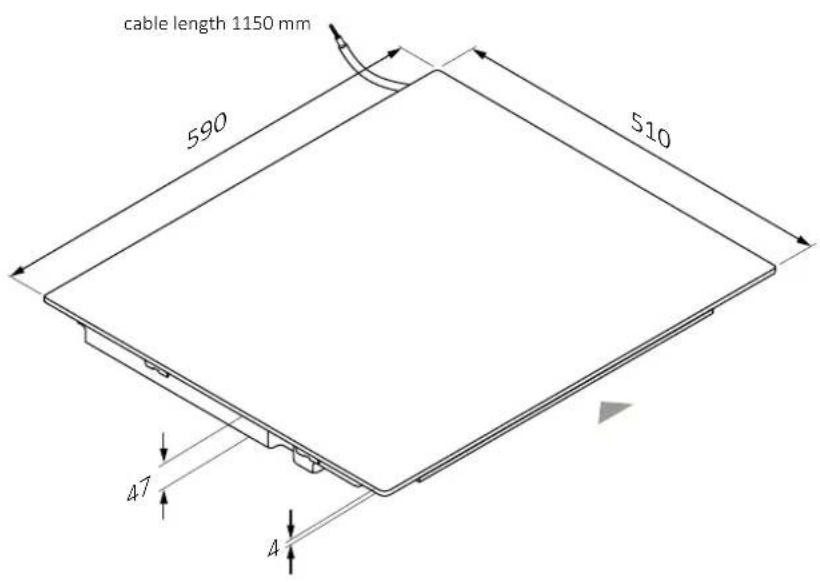
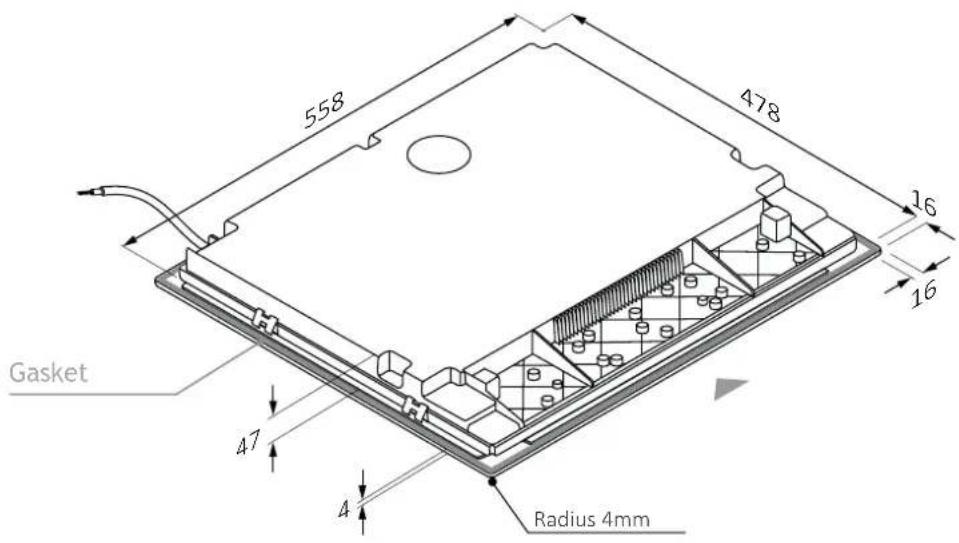
3 Hob Dimensions
Width 603.1
Dimensions in mm
Top axonometric view
Lower axonometric view
3.1 Width 60
Dimensions in mm
front view
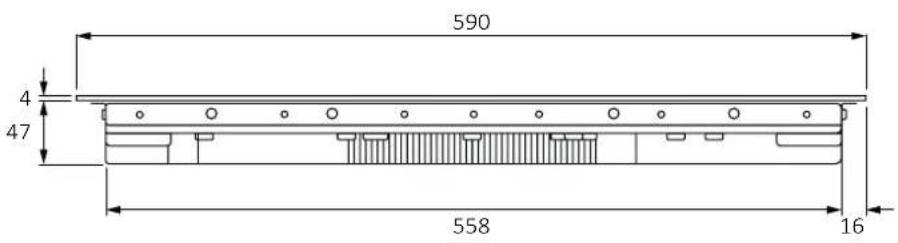
side view
Product codes
HAIF64DCS
HAMT68IRB1S
HAMT66IRCS
HAIF64IRB1S
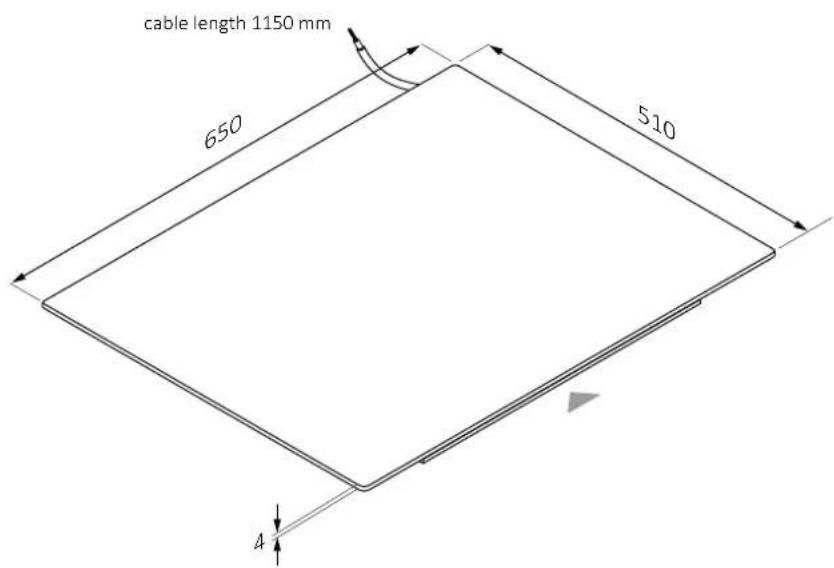
3 Hob Dimensions
Width 653.2
Dimensions in mm
Top axonometric view
Lower axonometric view
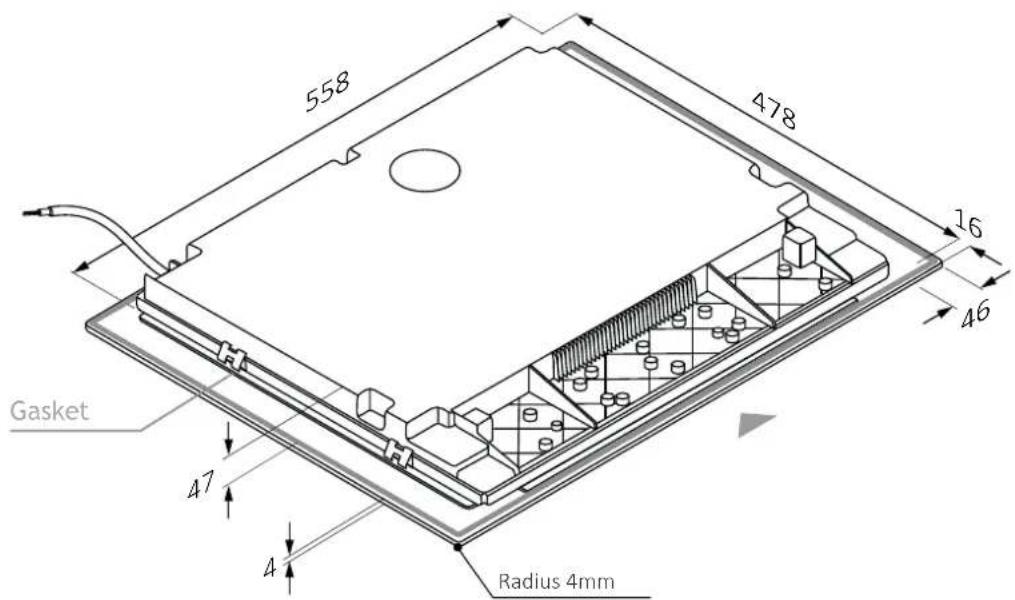
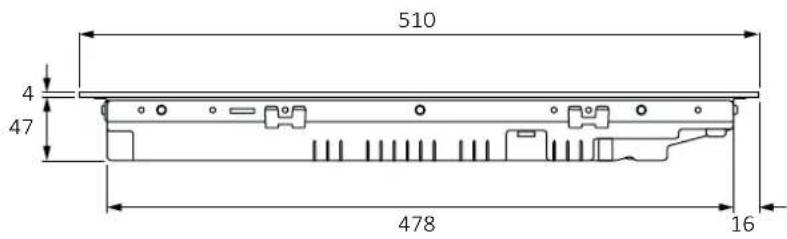
3.2 Width 65
Dimensions in mm
front view
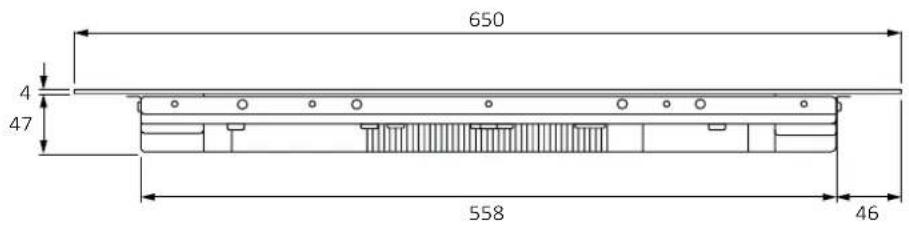
side view

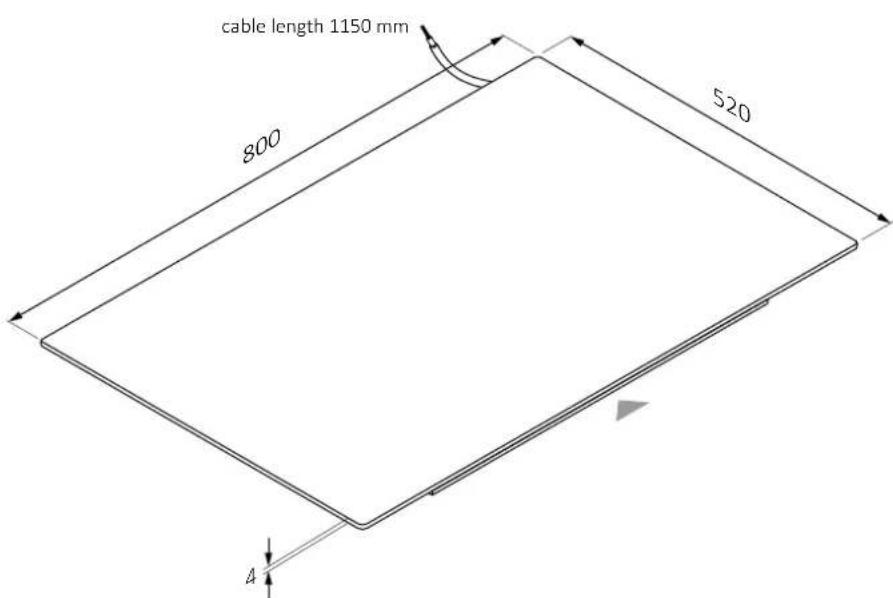
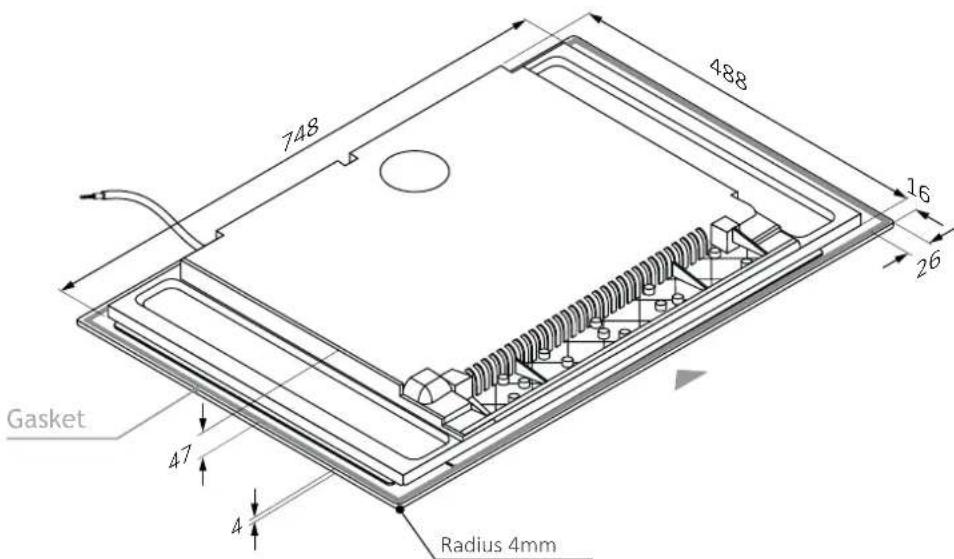
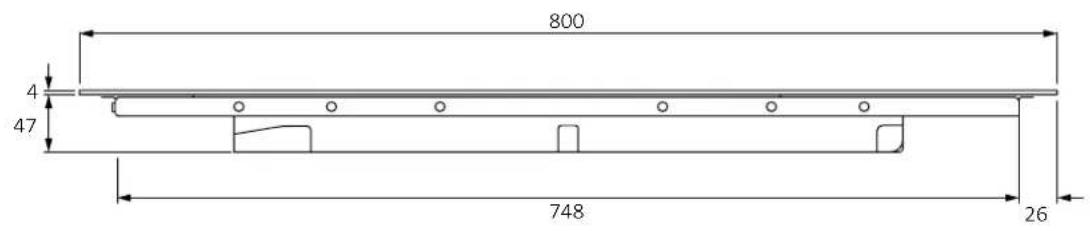
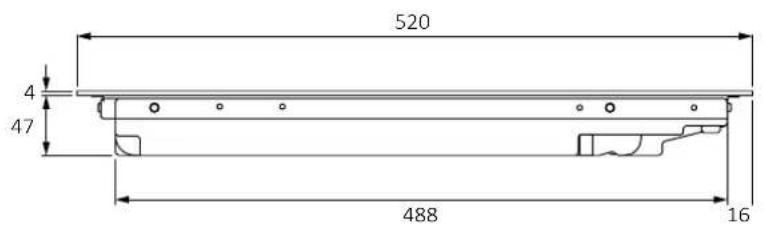
3 Hob Dimensions
Width 803.3
Dimensions in mm
Top axonometric view
Lower axonometric view
3.3 Width 80
Dimensions in mm
front view
side view
Product codes
HAMTB86IRCS
HAMTB86IWCS
4 Installation tools
Standard installation 4.1
Tools needed: pencil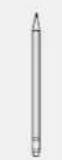
screwdriver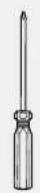
ruler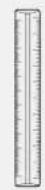
brush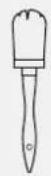
cutter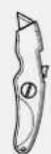
safety glasses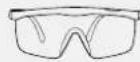
screwer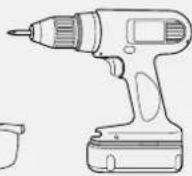
jigsaw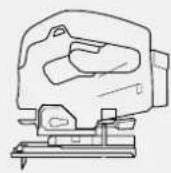
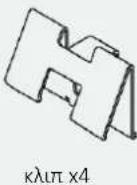
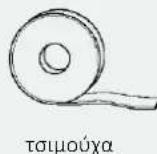
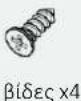
Tools provided with the product
Hob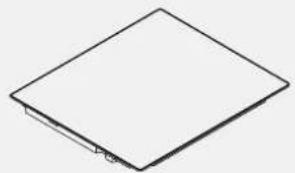
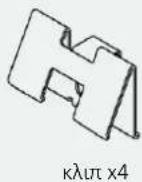
clip x4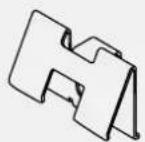
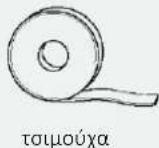
gasket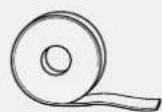
screws x4
4.2 Flush installation
Tools needed: screwdriver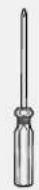
brush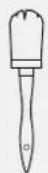
cutter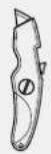
tape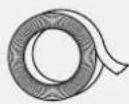
sponge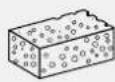
cleaning spray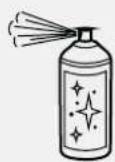
silicone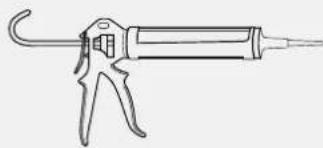
Tools provided with the product
Hob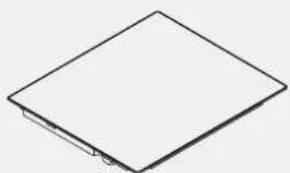
clip x4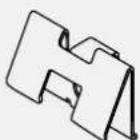
gasket
screws x4
5.1 Precautions
- With regard to safety, this product complies with current regulations;
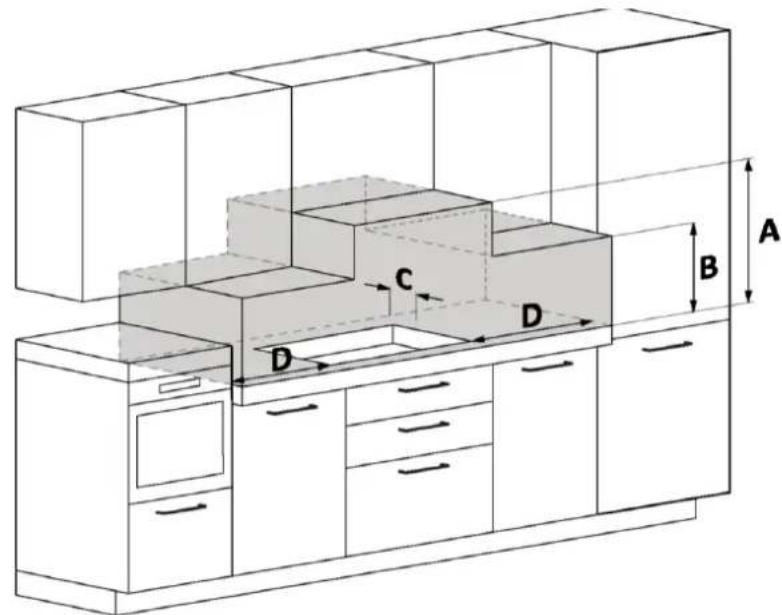
- The distance between the cooktop and the cabinets or recessed appliances should be such as to ensure sufficient ventilation and air release; The minimum distance between the hob and the hood depends on the model of the hood (A);
- The distance between cooktop and wall cabinets should take into account the presence of bulky objects (pots, ladles, etc.), and their use (B);
- The minimum distance between the hob hole and the kitchen back panel/back-splash should be at least 35 mm (C);
- Maintain a safe side distance from the furniture (D). The side covering of the furniture should be made of heat-resistant material;
- In the area below the hob it is necessary to have a free space of at least 10 mm between the hob and any other object, which could be affected by the heat generated during use;
- Follow the instructions in this manual for ventilation of the product;
- If the product is installed above an oven, also consult the oven installation instructions.
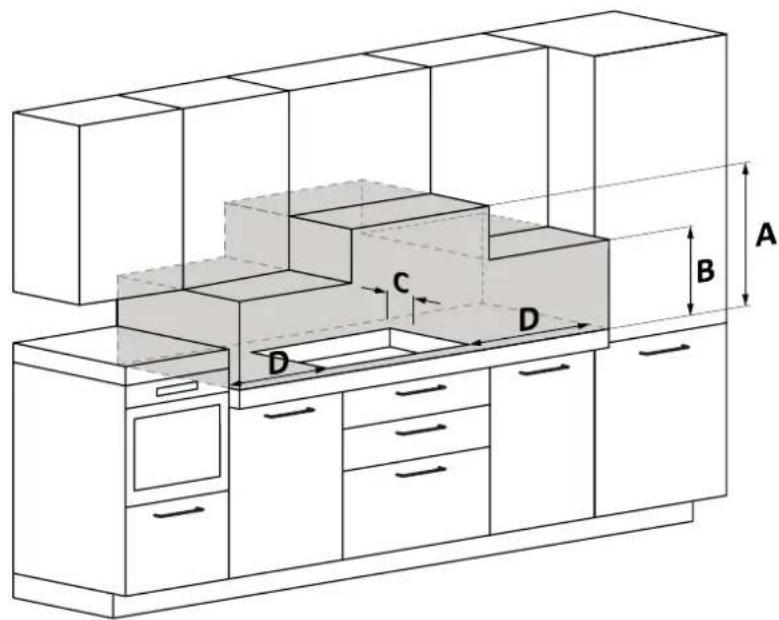
A: We recommend a distance of at least 650 mm; also consult the hood manual. B: Consider a useful space for handling pots, ladles and other items. C: 35 mm distance from the recessed hole to the back panel/backsplash. D: 35 mm: hob width 60; 55 mm: hob width 65; 35 mm: hob width 80.
6.1 Width 60 - 65 - 80 on oven base
* Indication relating to the hob. For information relating to the oven, consult the dedicated installation manual.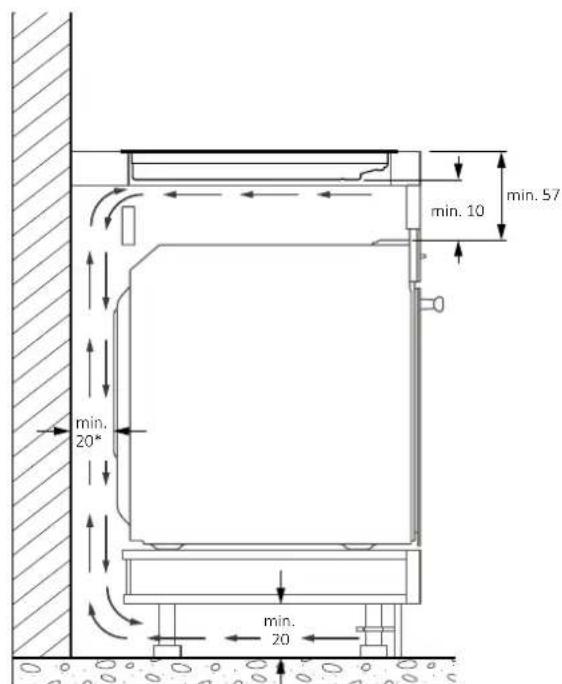
6.2 Width 60 - 65 - 80 on base with drawers
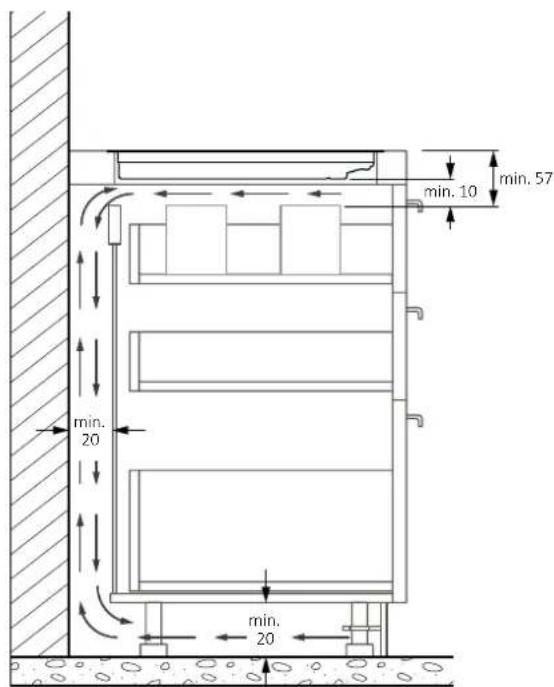
6.3 Width 60 - 65 - 80 on base with shelves
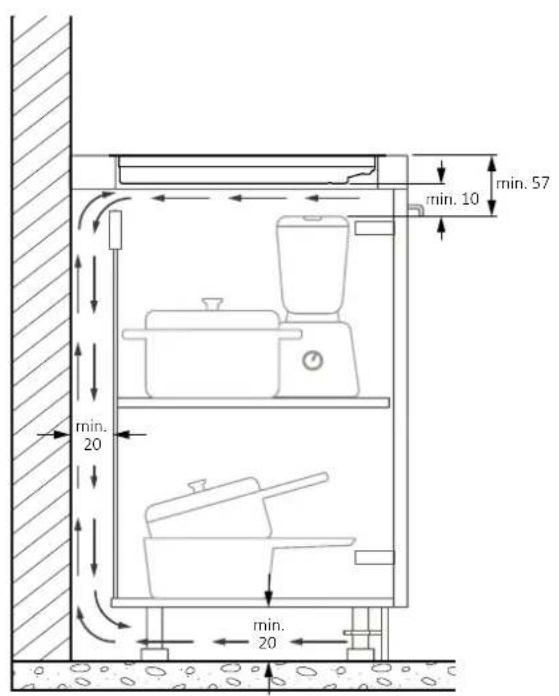
6.4 Top thickness
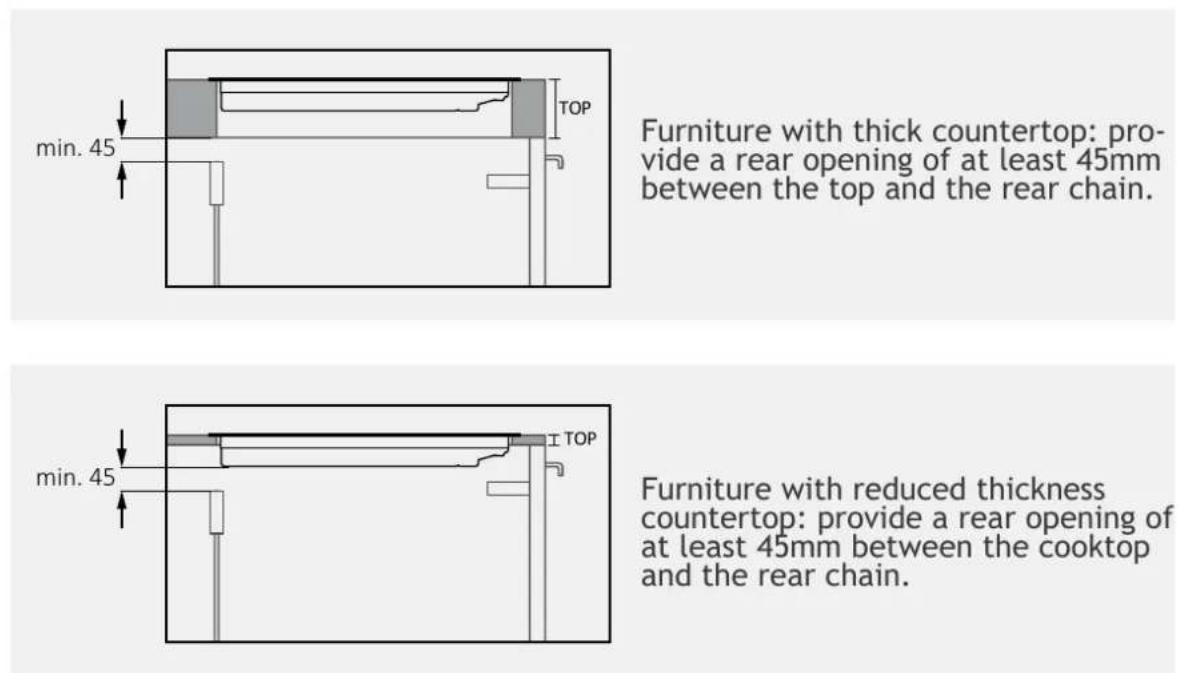
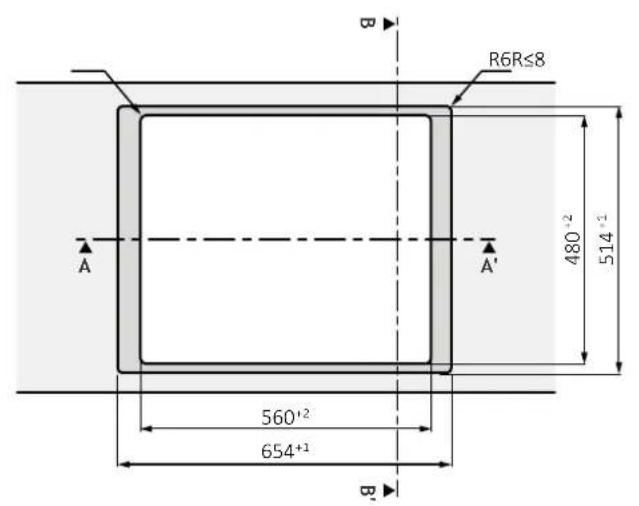
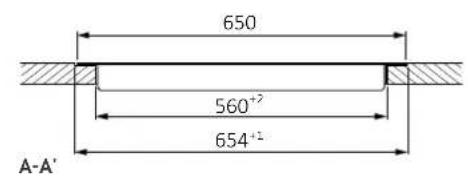
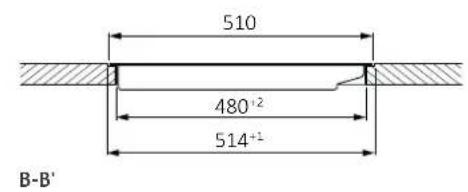
7 Built-in dimensions
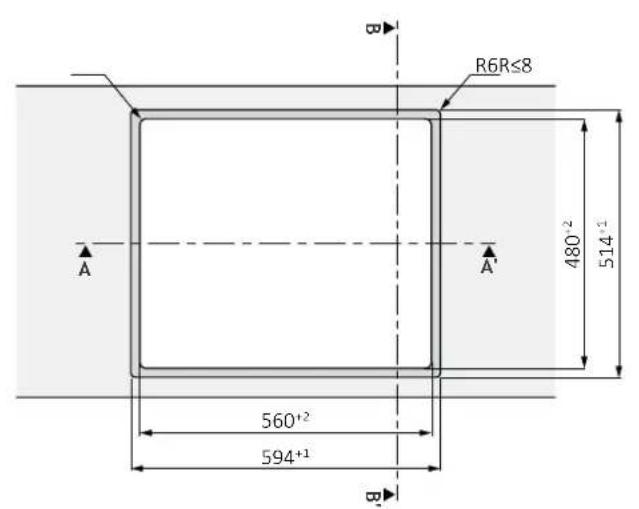
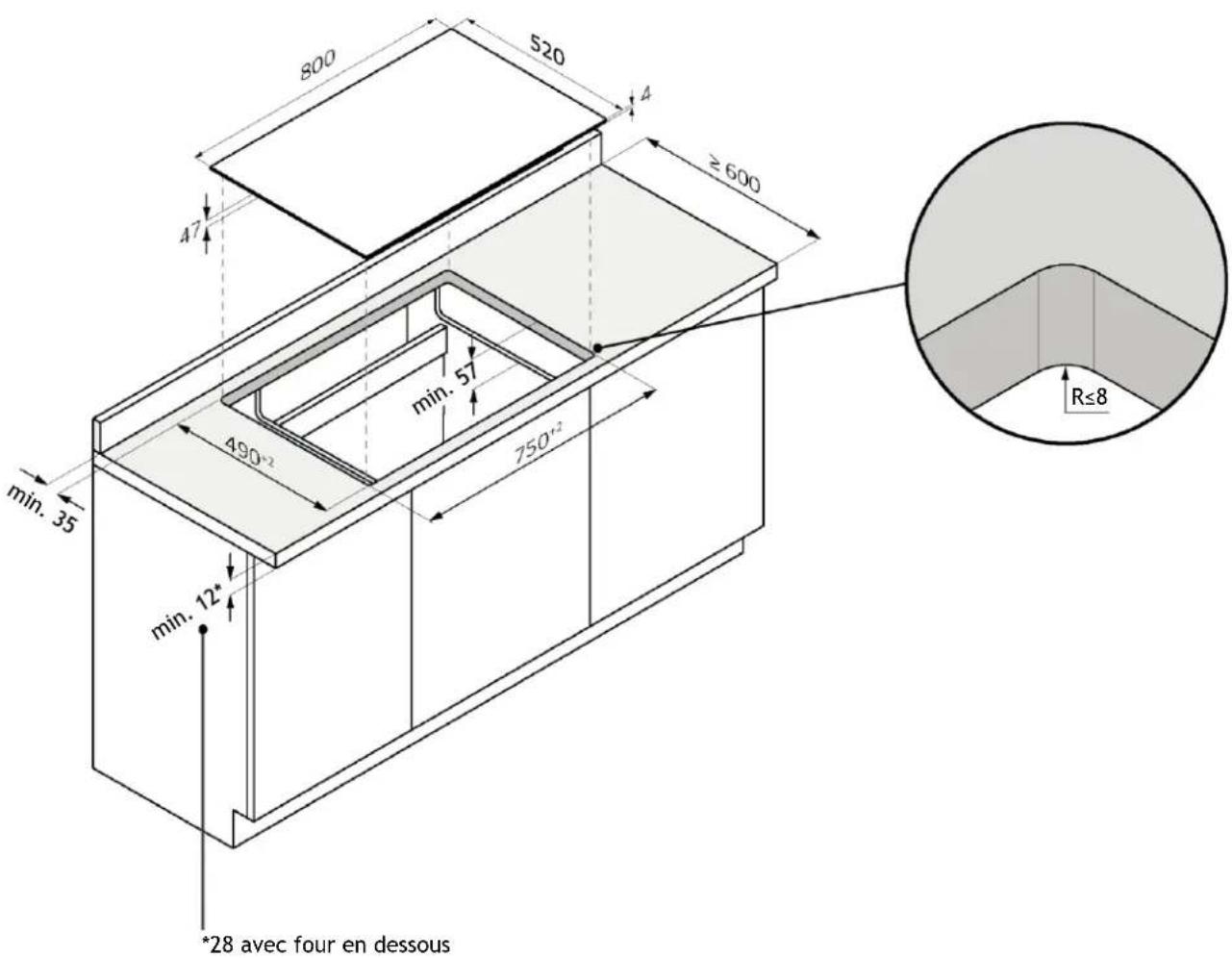
- The kitchen countertop should be shaped by following the diagrams below;
- The back of the cabinet should provide openings, follow the diagrams below.
7.1 Hob width 60
standard installation
*28 with oven underneath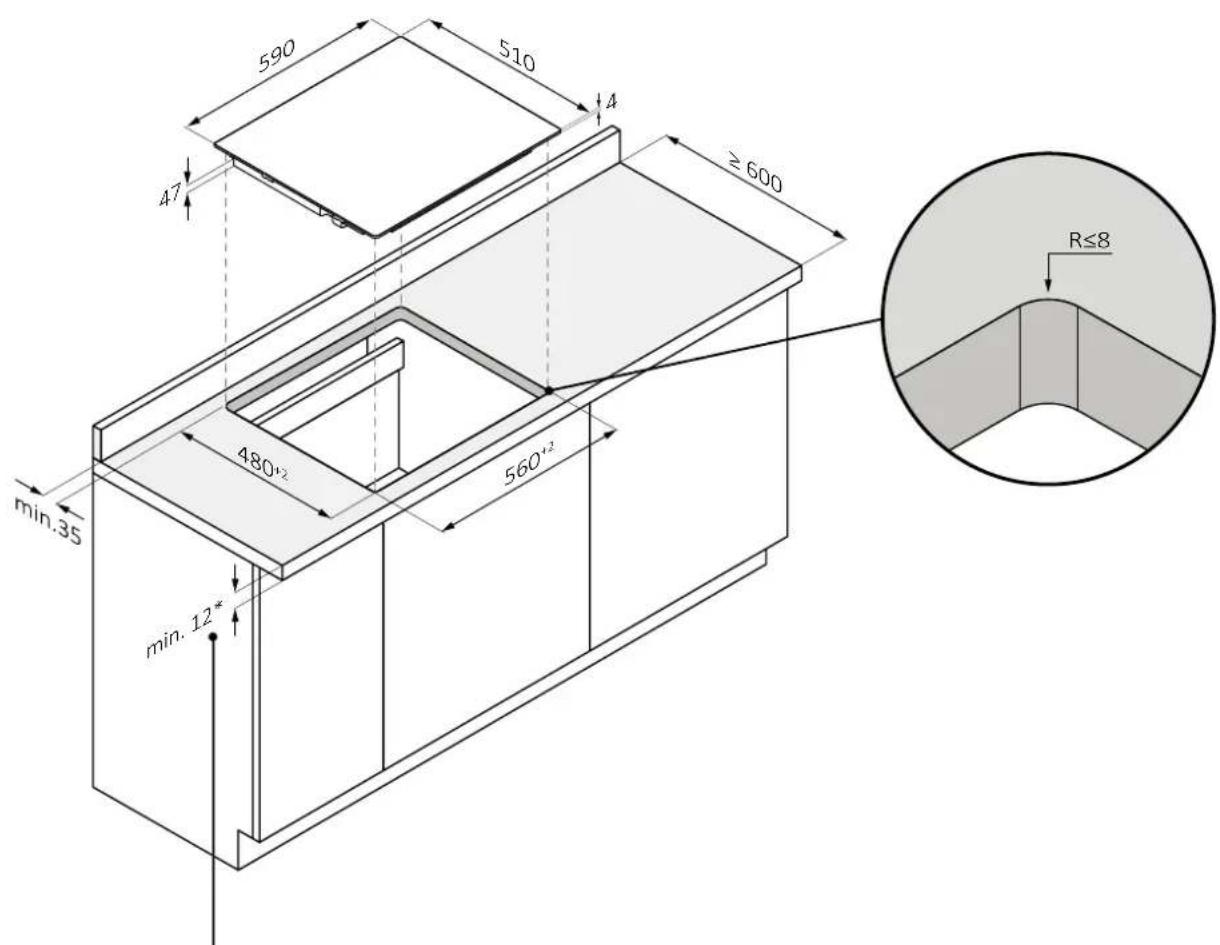
7.1 Hob width 60
flush installation
WARNING: Not available for products with beveled glass.
*28 with oven underneath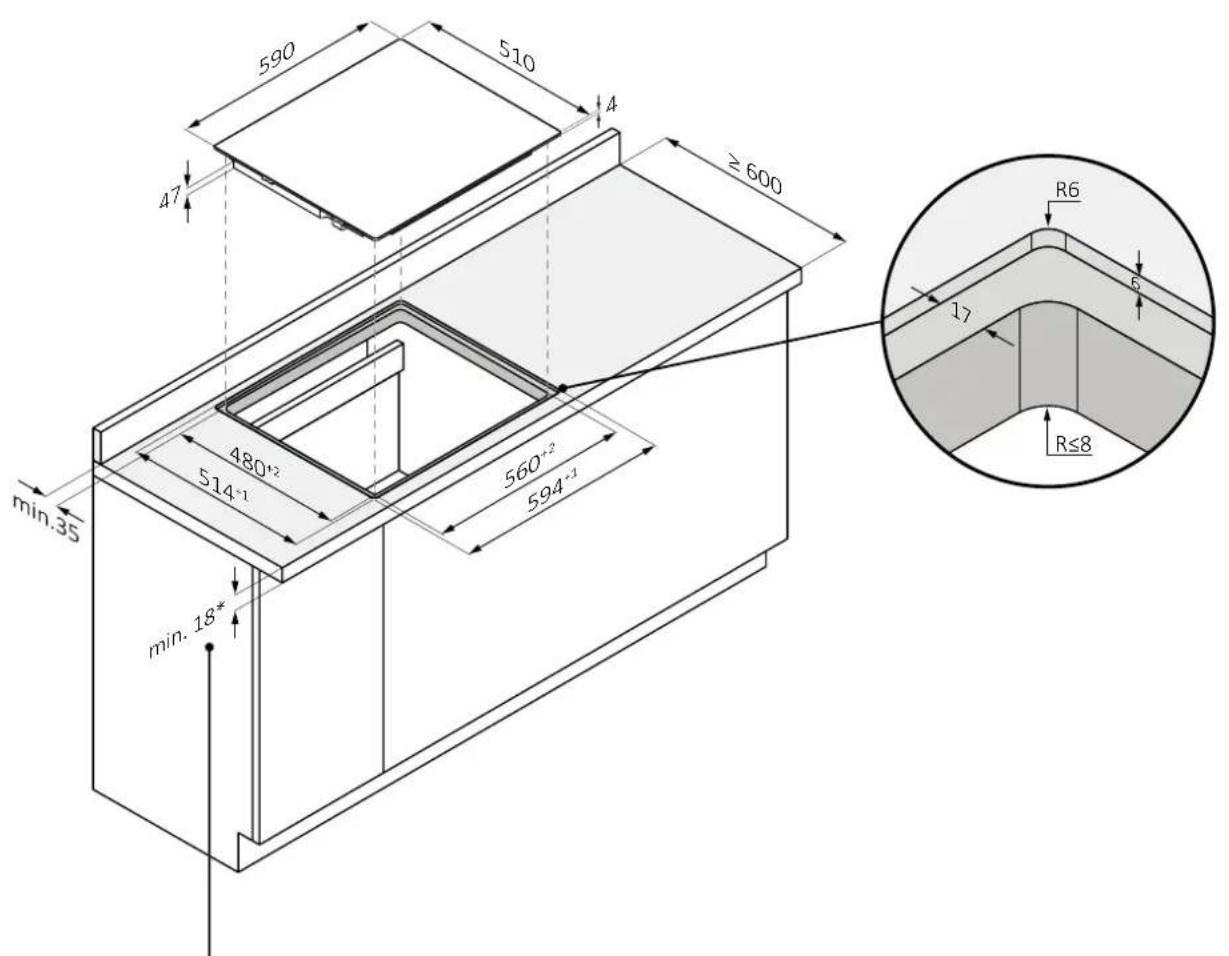
A-A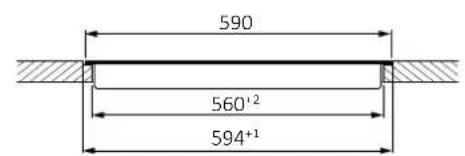
B-B'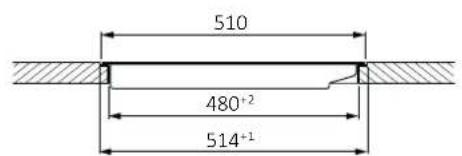
7 Built in dimensions
7.2 Hob width 65
standard installation
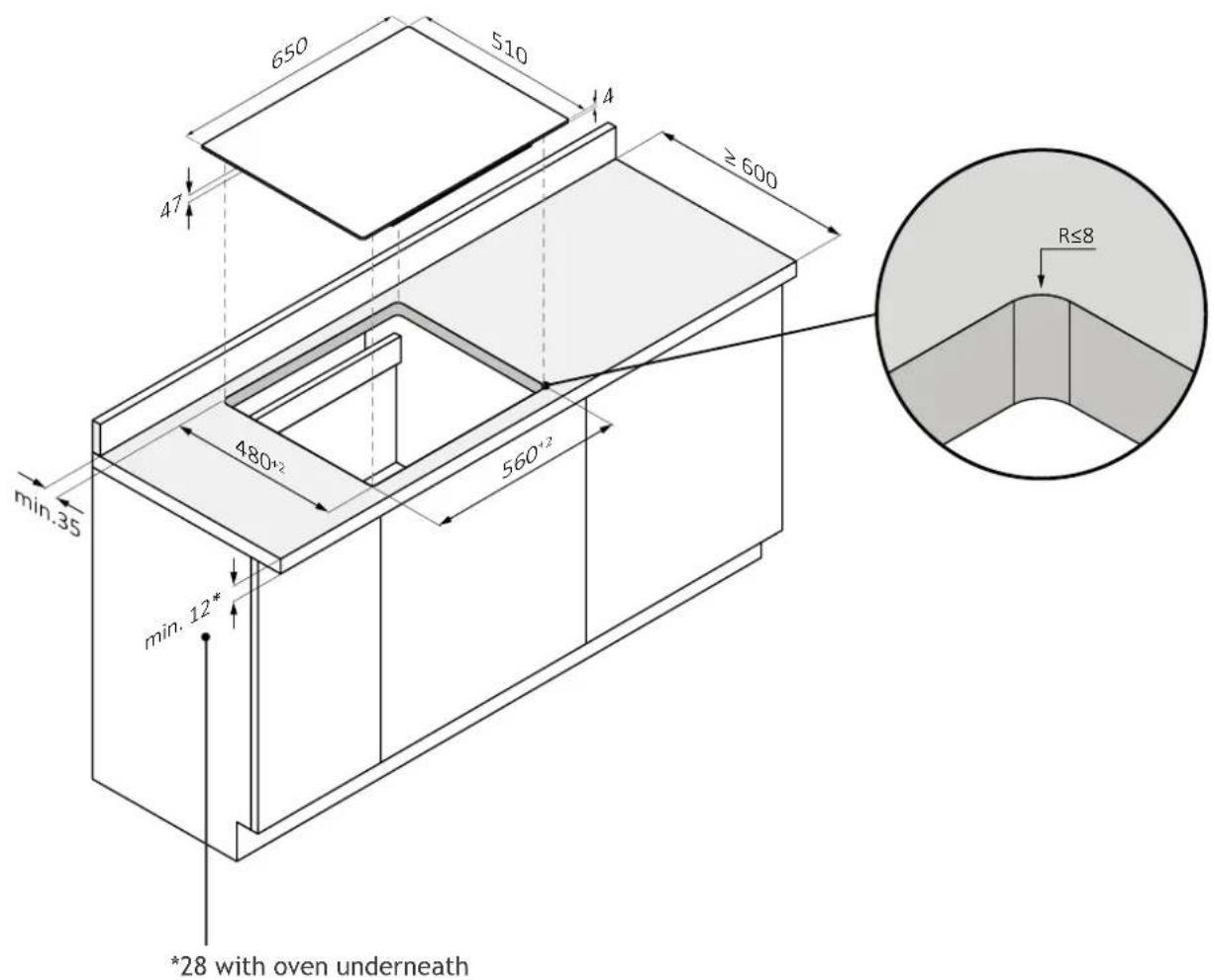
7.2 Hob width 65
flush installation
WARNING: Not available for products with beveled glass.
*34 with oven underneath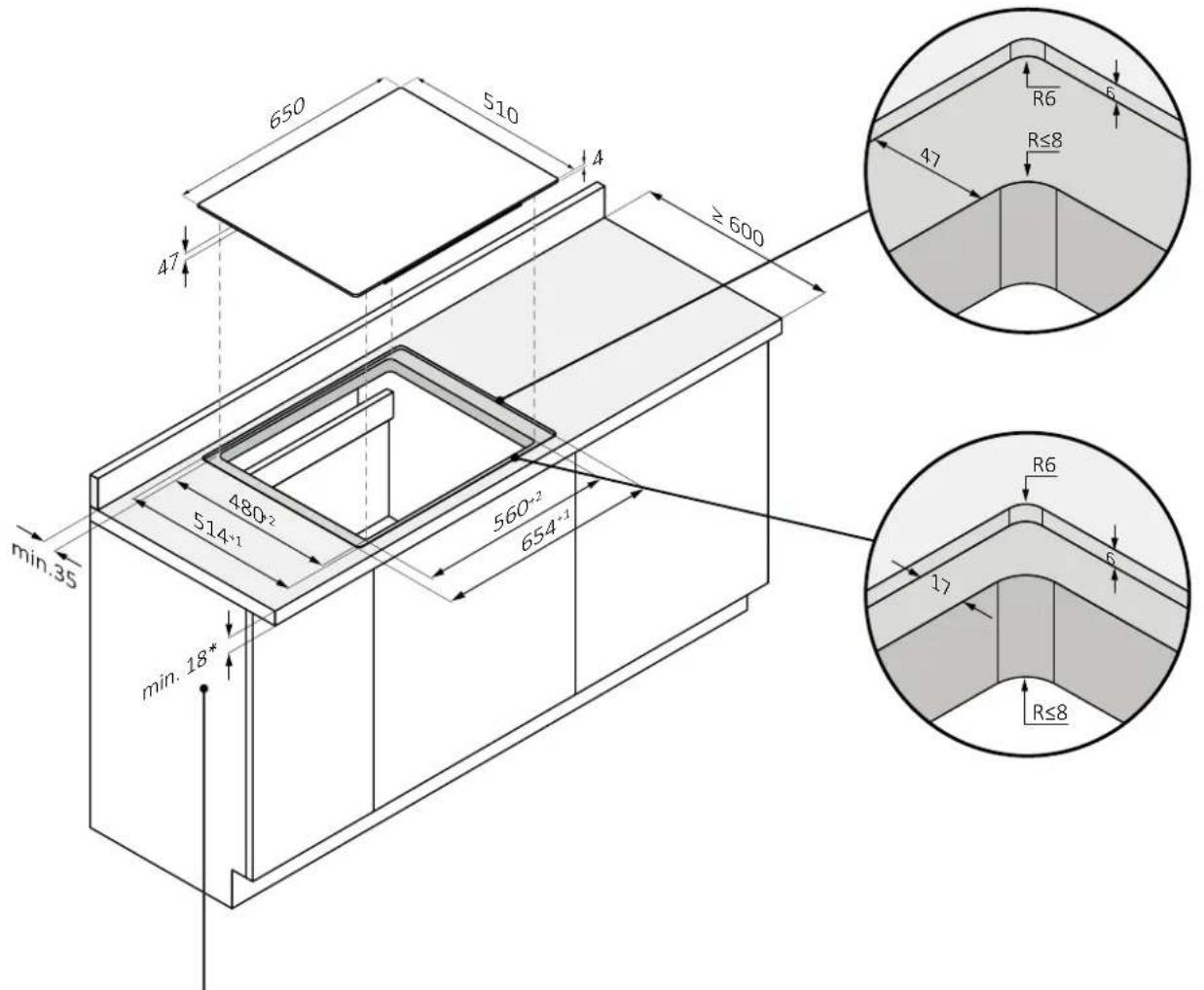
7 Built-in dimensions
7.3 Hob width 80
standard installation
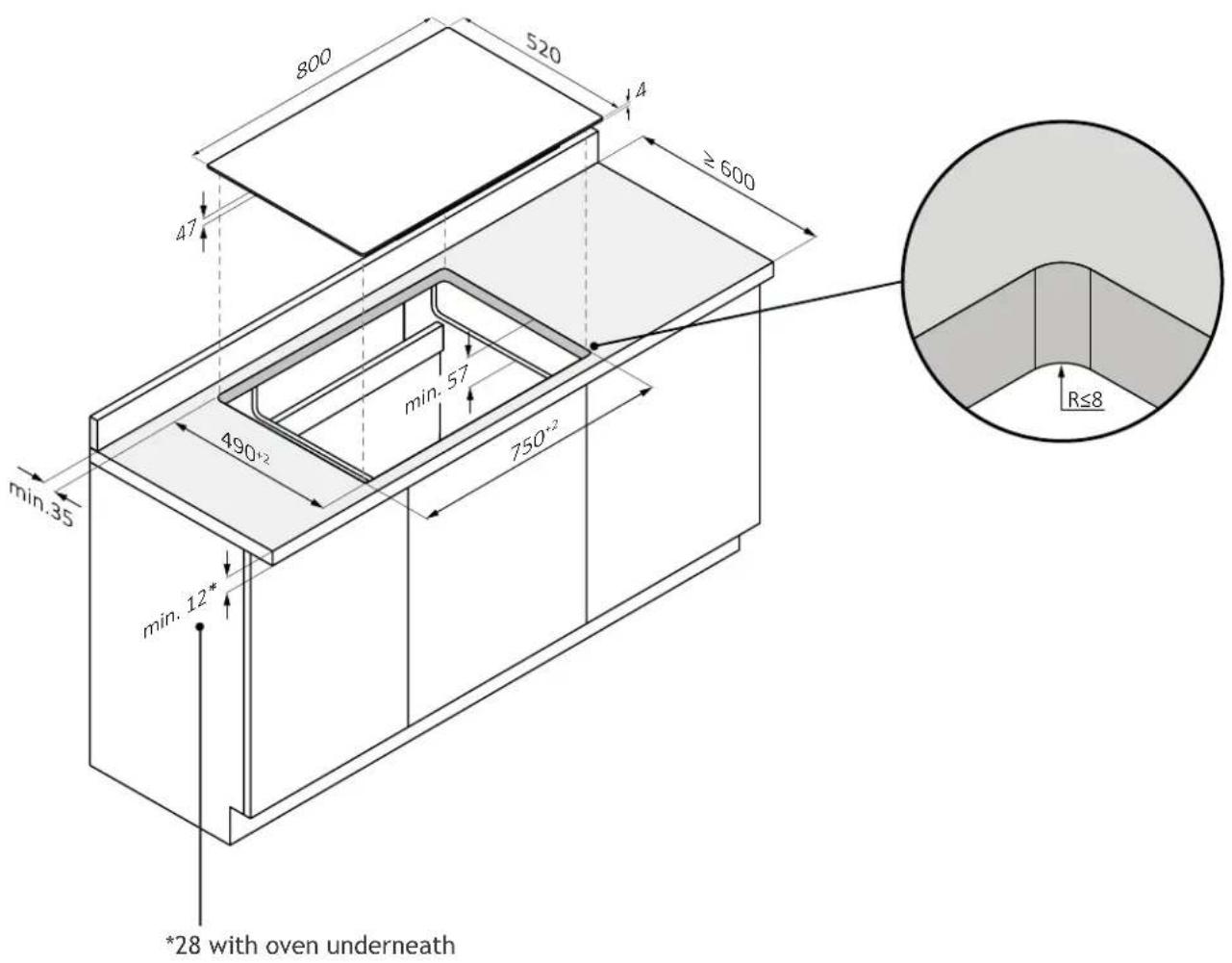
7.3 Hob width 80
flush installation
WARNING: Not available for products with beveled glass.
*34 with oven underneath
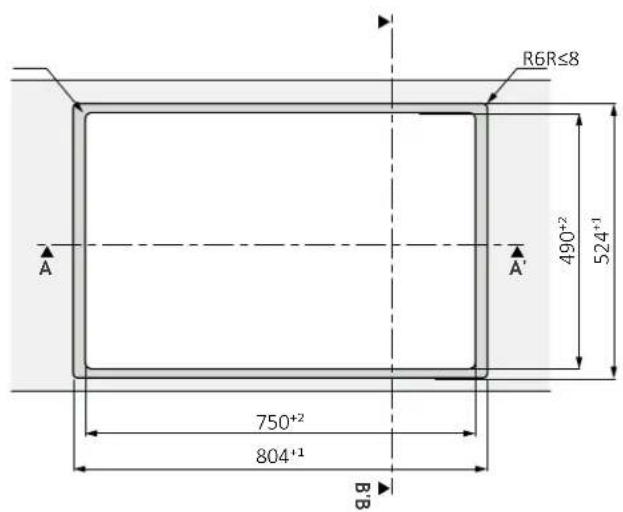
A-A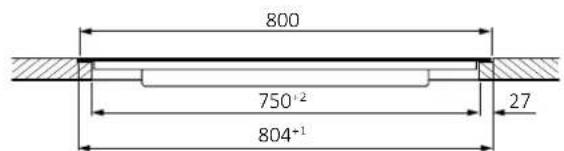
B-B'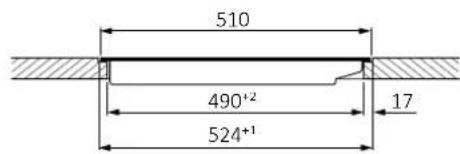
8 Connection to the mains
8.1 Safety warnings
To carry out the electrical connection of the device safely, observe the following warnings:
- Any improperly performed repair, installation and maintenance can seriously endanger the user;
- The producer declares that it assumes no liability for direct or indirect damage caused by incorrect installation, maintenance or repair. It is also not liable for damage caused by missing or interrupted grounding pipeline (electric shock);
- Have the hob connected to the power grid only by a qualified technician who knows and complies with local regulations and additional regulations of the local power company;
- The product falls under protection class I and can operate only if it is equipped with a grounding conductor;
- The product must be voltage-free during installation;
- During installation, do not place metal objects, (e.g., knives, forks, spoons and lids) on the surface of the cooktop because they may get hot;
- Connect the product using only the supplied cable;
- The product must be connected to a properly made electrical system;
- In case of incorrect installation, tampering with the device and improper connection, the validity of the product warranty will expire;
- If the power cord is damaged, it should be replaced by the manufacturer, a service technician or similarly qualified person to avoid risk;
- Connection to a reliable grounding system is essential and mandatory;
- This appliance should be installed and grounded only by a properly qualified person;
- Disconnect the appliance from the main power supply before doing any work or maintenance on it;
- This appliance must be connected to a circuit that incorporates an isolation switch that provides complete disconnection from the power source;
- Modifications to the home electrical system should be carried out only by a qualified electrician;
- Failure to follow these recommendations could result in electric shock or death;
- The hob must be connected to the power supply via an omnipolar disconnection device that ensures separation between contacts compliant with overvoltage category III. This device must withstand the maximum connected loads and comply with current regulations.
WARNING: To avoid any danger caused by accidental resetting of the thermal cutout device, the appliance must not be powered by an external switching device, such as a timer, or be connected to a circuit that is regularly switched on and off.
- Electrical power cable: the appliance is equipped with a power cable which must be connected to the home network. Find out the different connection possibilities, depending on the type of domestic power supply, from the relevant diagram. The data plate also indicates the connection voltage permitted for this appliance and the relative absorbed power.
8.2 Instructions
Power absorbed
See product data plate.
Differential circuit breaker (life-saving)
The use of a residual current circuit breaker (earth leakage circuit breaker) with trip current complying with current standards is recommended.
Separation devices
In the event that it is necessary to use it, the hob must be connected to the power supply via an omnipolar disconnection device that ensures a separation between contacts complying with overvoltage category III. Such a device must withstand the maximum loads connected and comply with current standards.
WARNING: To avoid any danger caused by accidentally resetting the thermal cut-off device, the appliance must not be powered by an external switching device, such as a timer, or be connected to a circuit that is regularly switched on and off. The product is not designed to be operated by an external timer or a separate remote control system.
Electrical power cable
The product is equipped with a power cable that must be connected to the home network. Find out the different connection possibilities, depending on the type of domestic power supply, from the relevant diagram. The data plate also indicates the permitted connection voltage for this appliance and the relative absorbed power.
Replacing the power cord
Do not replace the cable yourself. Contact the authorized assistance centre.
Connection to the mains
8.3 Other advice
The use of any household appliance requires adherence to certain basic rules:
- Do not pull the power cord to disconnect the appliance from the power supply;
- Do not touch the appliance with wet or damp hands or feet;
- In general, the use of adapters, power strips or extension cords is discouraged;
- In case of malfunction and/or drop in performance, turn off the appliance and do not tamper with it.
8.4 Layout of connection
Comply with local regulations and additional regulations of the local electrical company.
Connecting the appliance
Observe the connection data on the rating plate.
Carry out the connection exclusively in accordance with the relevant diagram:
BR: brown BL: blue - YE/GN: yellow and green BK: black - GY: grey
380-415 V ~ 2N 50/60 Hz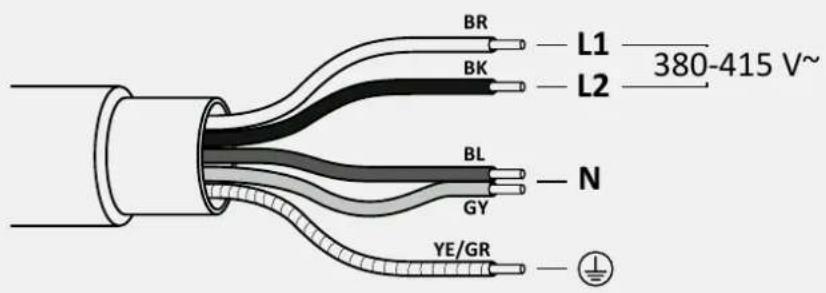
220-240 V ~ 50/60 Hz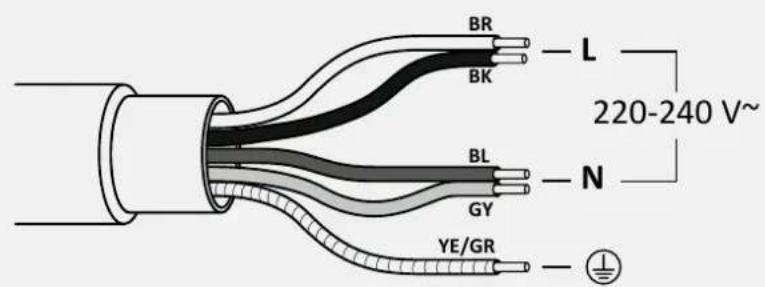
9.1 Important warnings
- Remove any possible transverse strips that are in the area of the worktop hole:
- For protection against humidity and the infiltration of liquids, all cut surfaces must be sealed with a suitable product; The product must be in a perfect horizontal position; Before installation, check that the hob gasket is positioned correctly (pic. 1).
pic. 1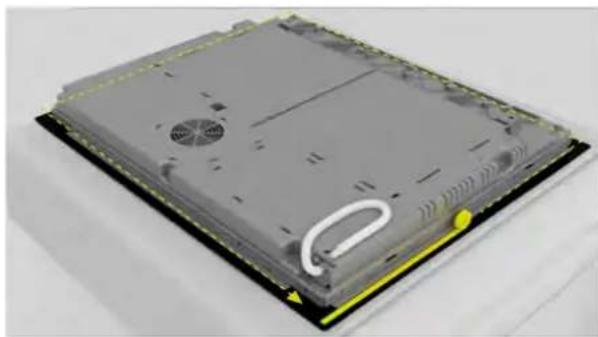
- The supporting surface of the cooktop must be perfectly smooth so that it rests evenly and the applied gasket can provide a sufficient seal (pic. 2).
pic. 2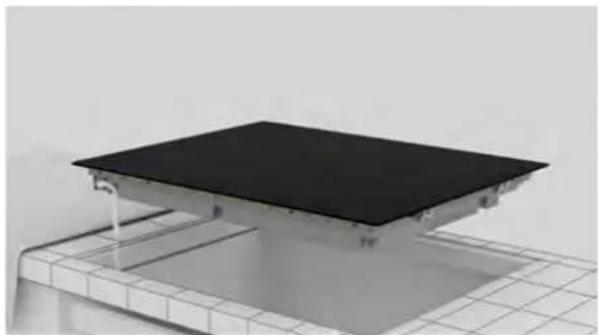
- Do not fix the cooktop by using silicone or any other adhesive! Such fixing would damage the product if you were to disassemble it (pic. 3).
pic. 3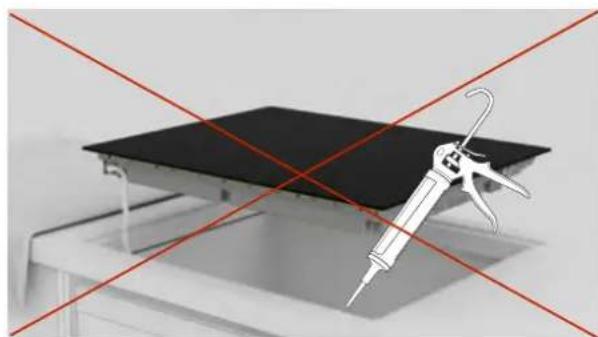
9 Instructions for installation
9.2 Step-by-step installation
The images below show the step-by-step installation of the product.
Standard installation
You can view the product installation video by scanning the Qr Code
Flush installation
You can view the product installation video by scanning the Qr Code

or by clicking this link clicking this

1
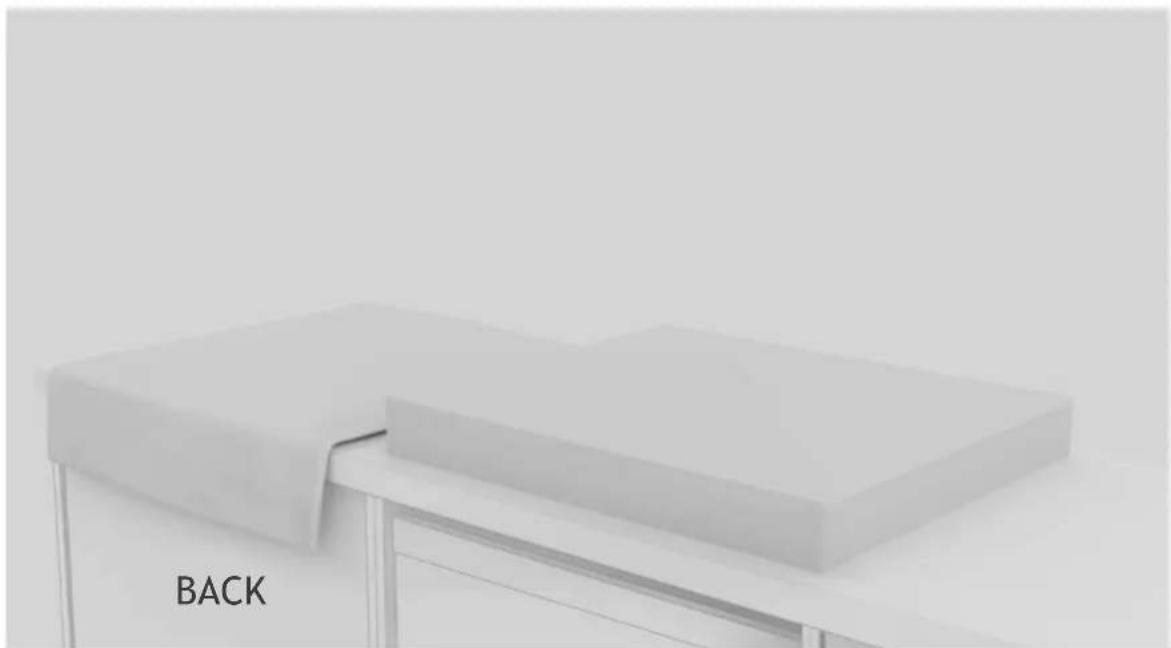
Engage the tools indicated in the "Installation Tools" chapter of the manual. Lay a cloth beside the product package to rest the hob on;
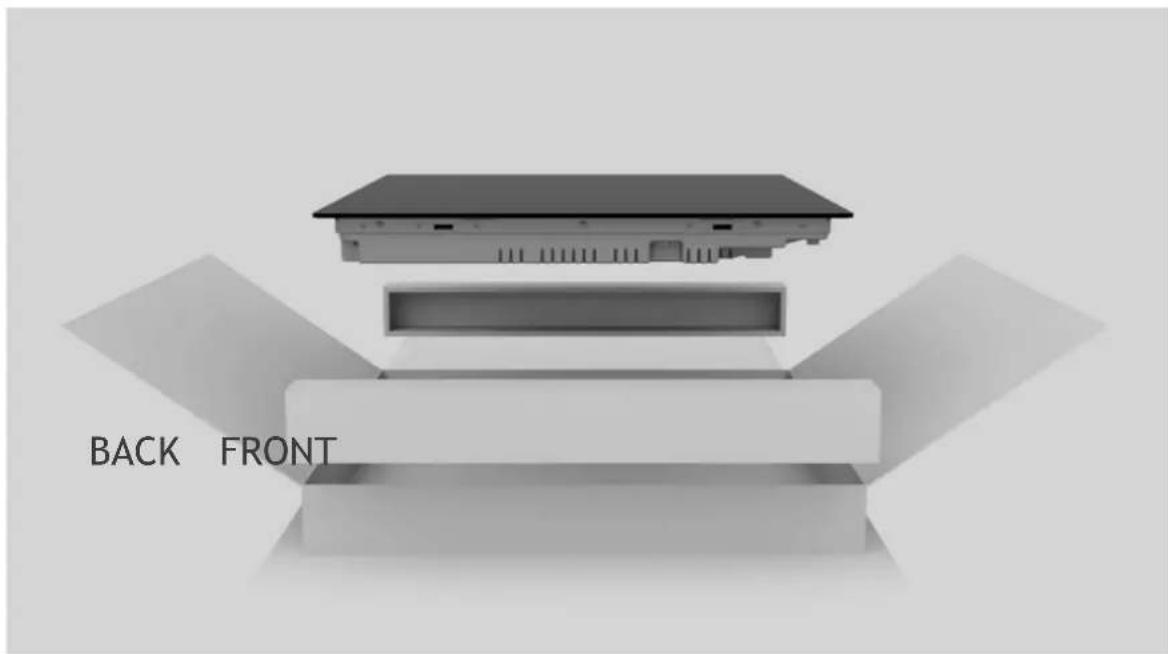
Wear gloves. Remove package and wrapping making sure not to damage the glass of the hob;
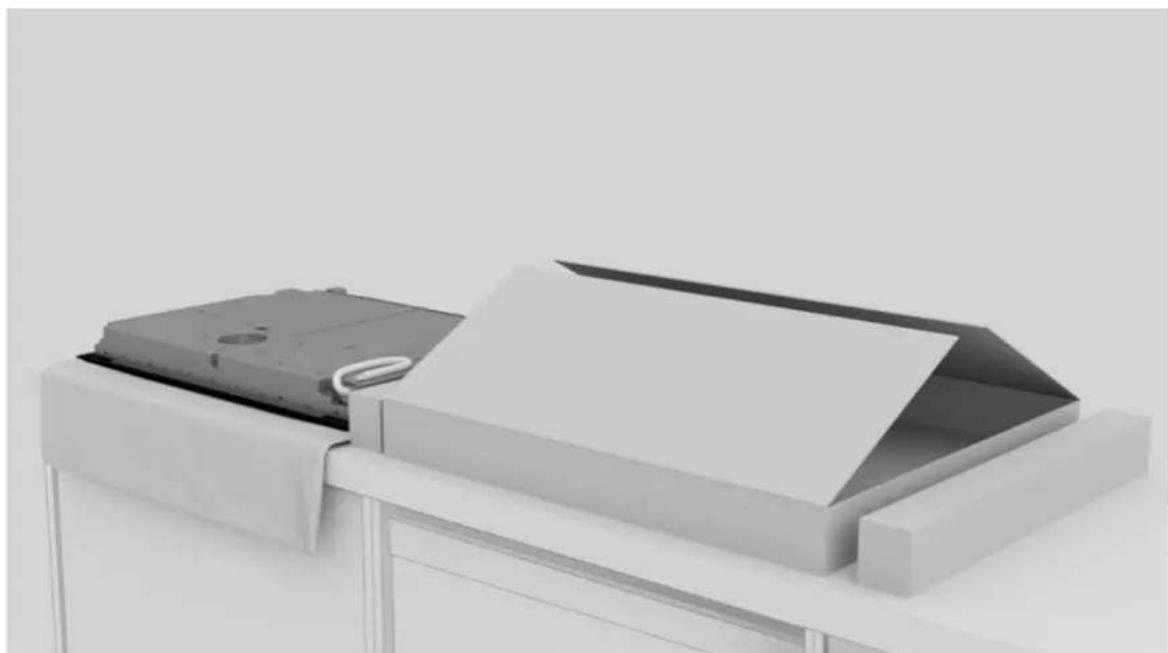
Place the hob by laying it upside down on the cloth previously laid beside the package;
9 Instructions for installation
Apply gasket around the perimeter;
Attach the clips on the short sides of the hob;
Clean the edge of the recessed area;
Connect the power supply cord according to the connection diagram shown in the "Mains Connection" section of the manual (no other objects should be on the hob during mains connection).
9 Instructions for installation
8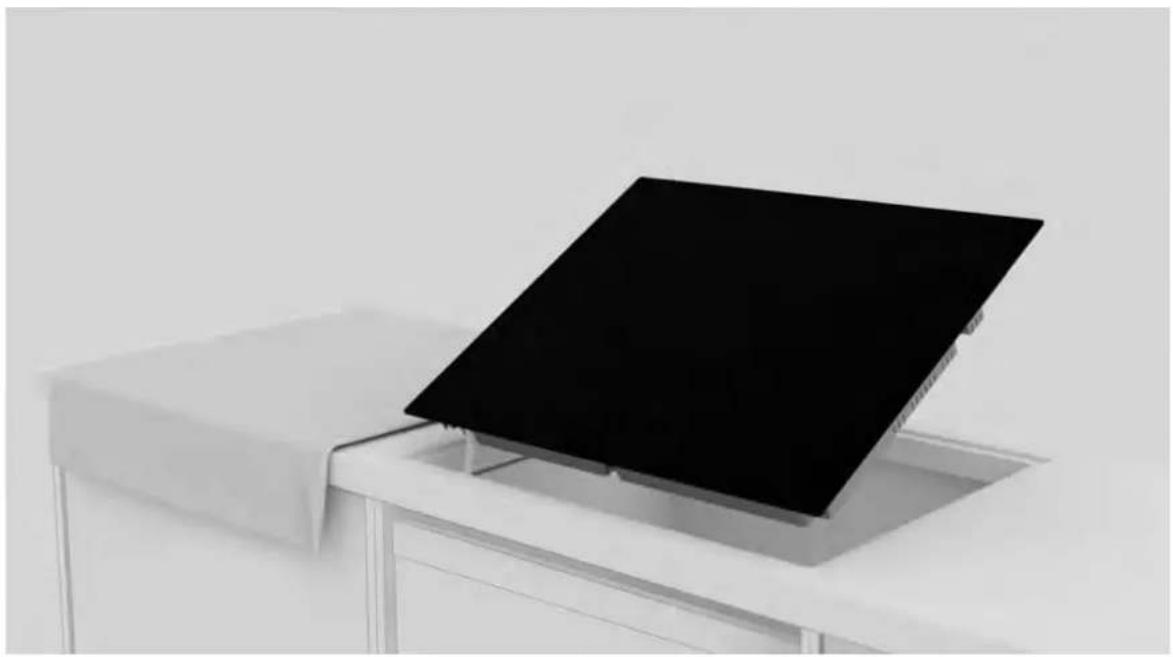
Place the hob centrally in the notch. Make sure the hob gasket rests on the worktop so that a seal is guaranteed.
a.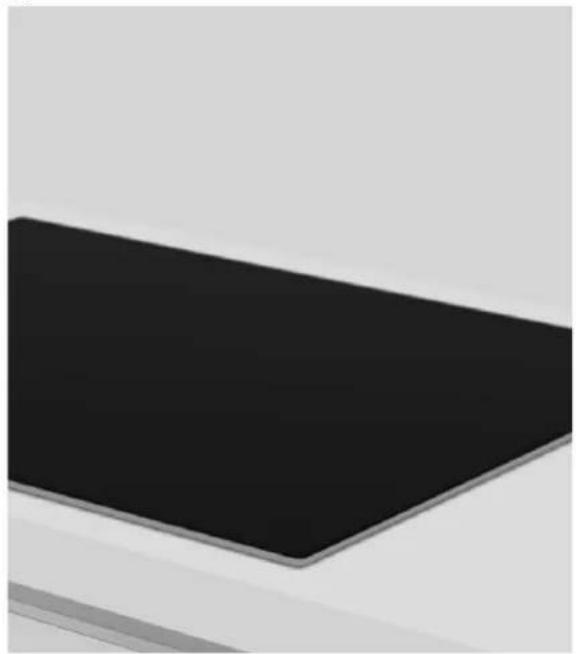
b. 9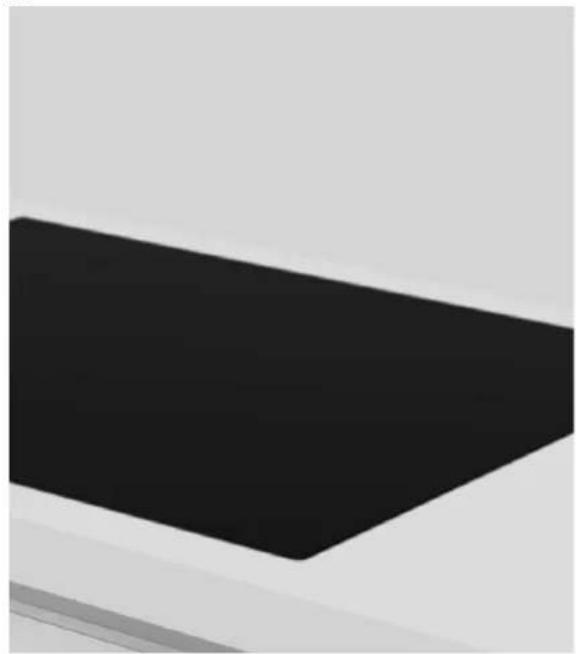
a. For standard installation: installation completed; b. For flush installation: follow the steps on the next pages;
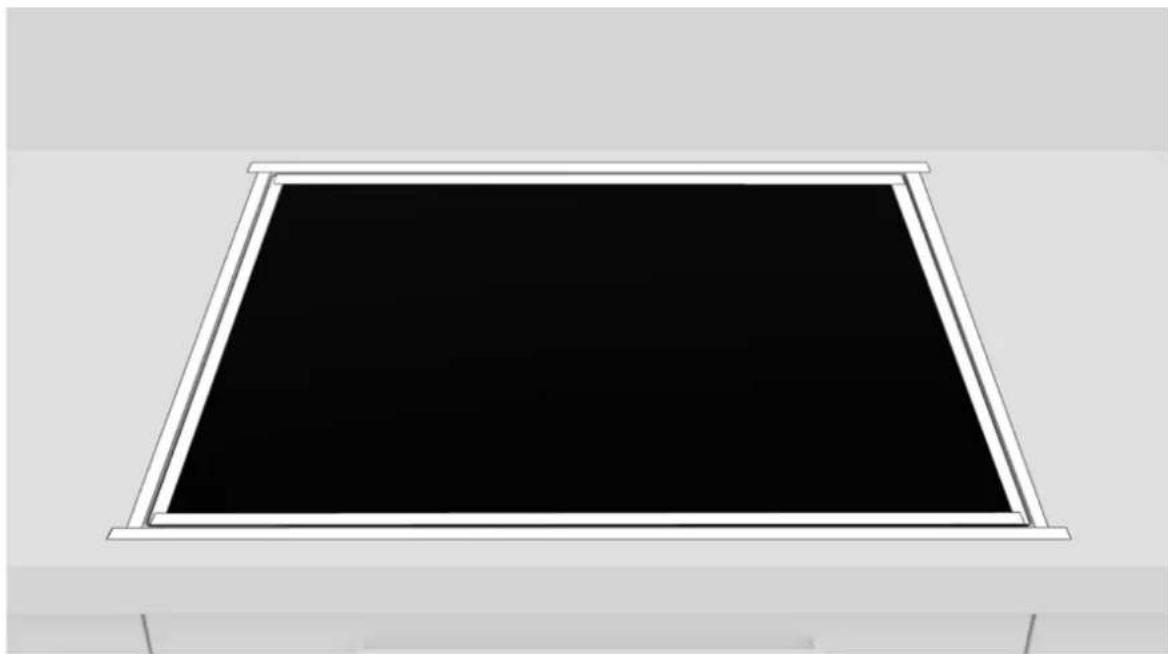
10
Apply tape to both the inside and outside of the edge;
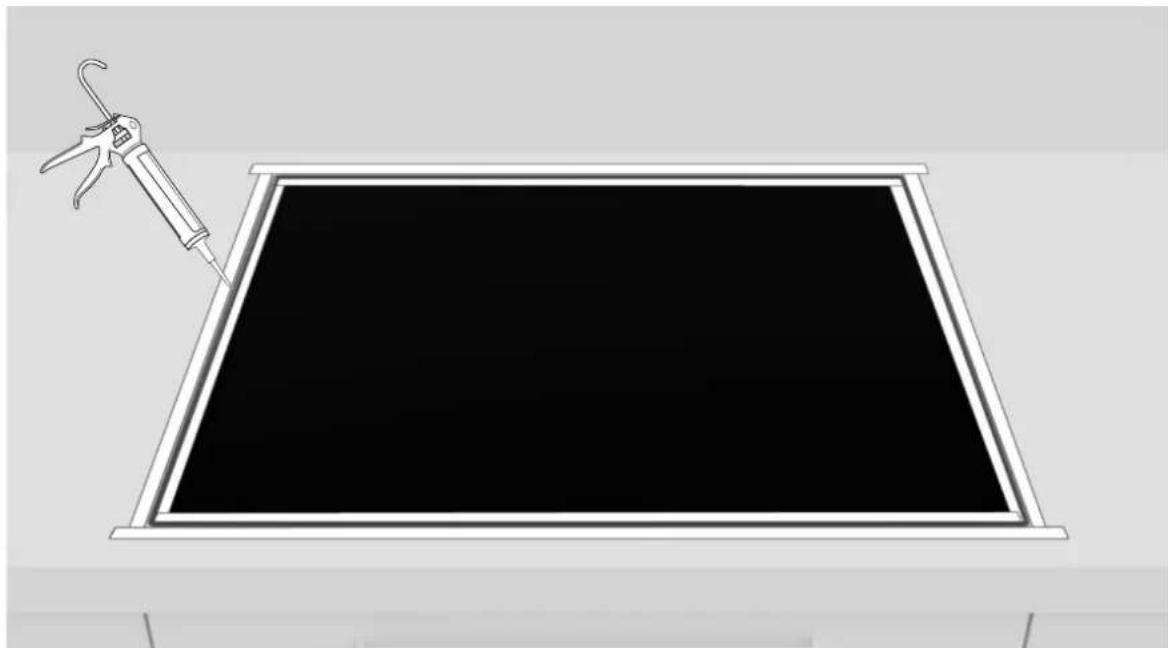
11
Apply the silicone.
9 Instructions for installation
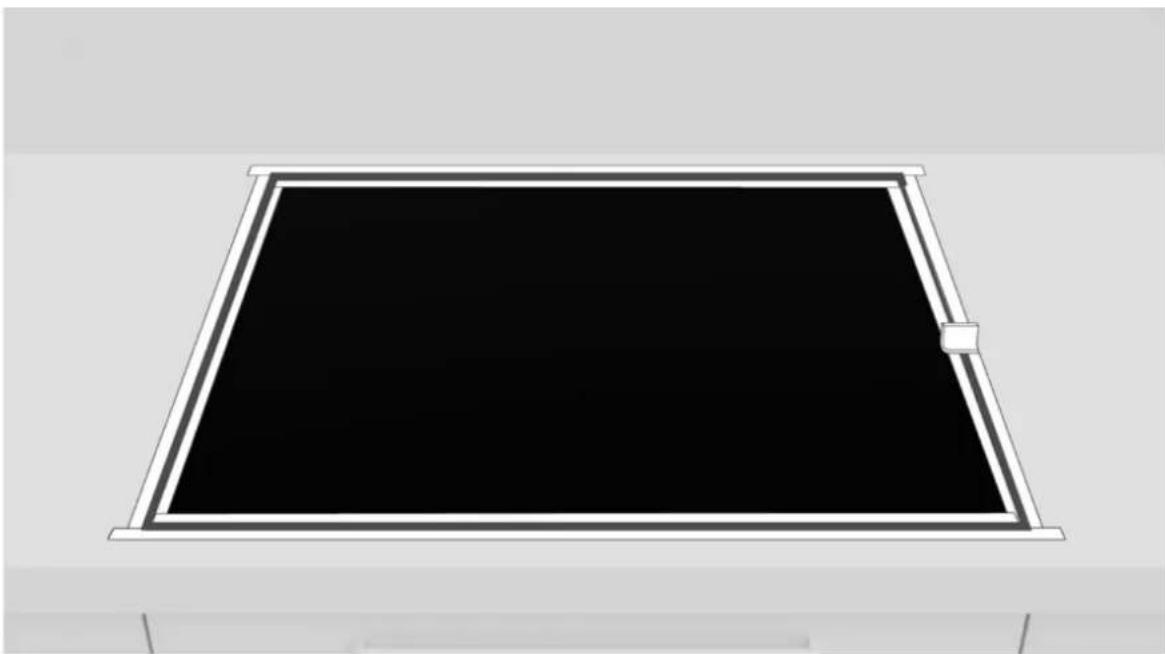
12
Remove excess silicone;
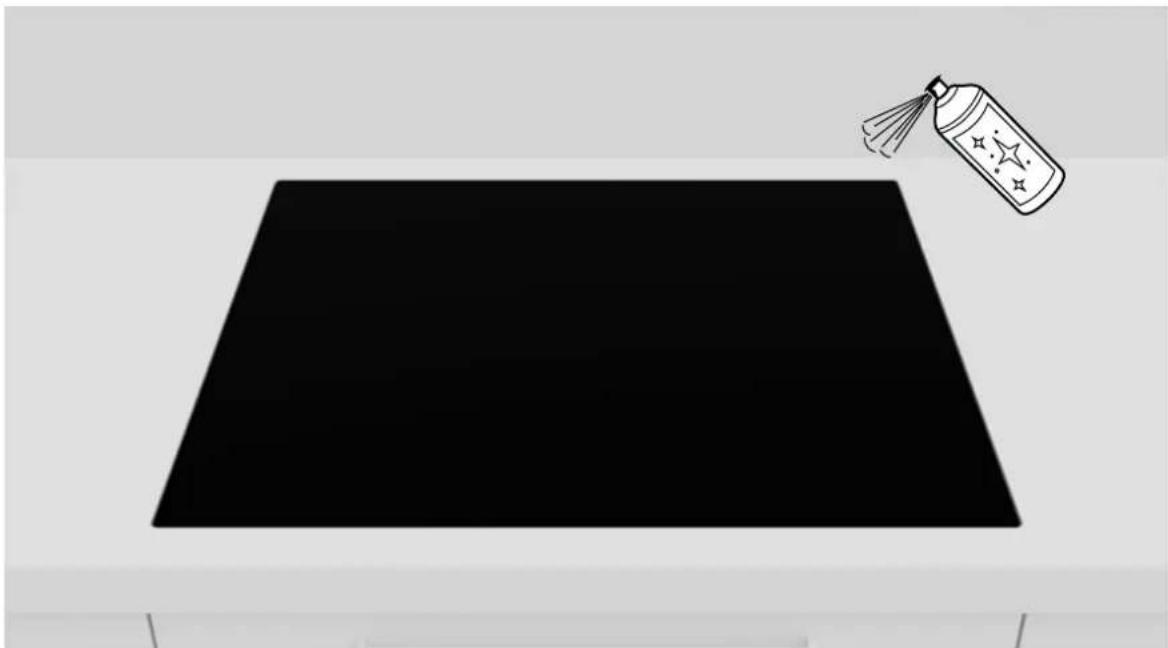
13
Remove the tape and clean the edges;
30
HOOVER
14
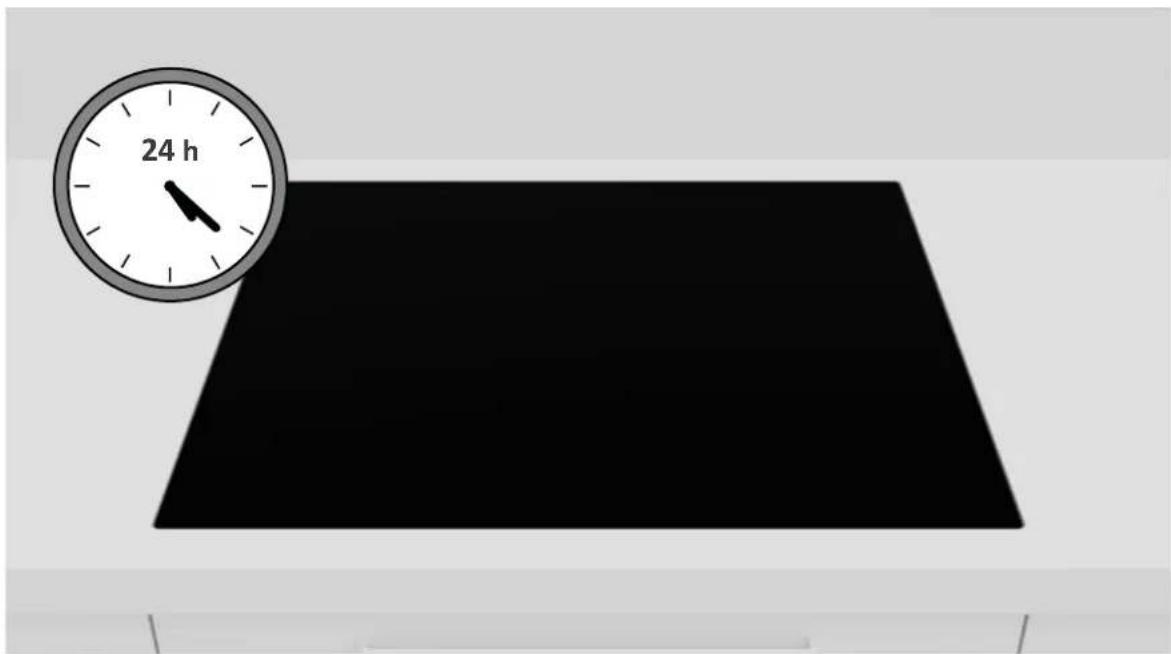
Wait 24 hours before starting up for the first time;
Delivery to the user
At the end of installation:
- Inform the user about essential functions;
- Inform the user about all aspects relevant to safe use and handling;
- Deliver accessories and instructions for use and assembly to the user to be kept with care.
After installation is complete, remove the protective film, tape, and all other packing materials.
WARNING: The product requires adequate ventilation for normal operation. Do not obstruct the ventilation openings for any reason. NOTE: The actual appearance of the hob depends on the model chosen.
11 First startup
When product is first used, the hob is set to maximum reachable power. Different power limits can be chosen according with home main supply system by using power management function.
How to set the power management
It is possible to set a maximum power absorption level for the induction hob, choosing up to different power ranges. Induction hobs are able to limit themselves automatically in order to work at a lower power level, to avoid the risk of overloading.
To enter Power Management Function:
- Turn on the hob, then press at the same time + and - on the control panel;
- The timer indication will show "P8" which means power level 8. The default mode is on 7,4kW .
To switch to another level
- Press + or - to change the power management level;
- There are 8 power levels from "P1" to "PS". The timer indicator will show one of them:
| P1 P2 P3 P4 P5 P6 P7 P8 | |||||
| 2 kW 2,5 kW 3 kW 3,5 kW 4,5 kW 5,5 kW 6,8 kW 7,4 kW |
Disassembling the product
- Disconnect the product from the power supply;
- Lift the product slightly and pull it out completely;
- This product will not damage the cabinet, which can also be used with a new appliance.

WELCOME
standard installation
standard installation
standard installation
Standard installation
4 Installation work
4.1 Typical installation
Required tools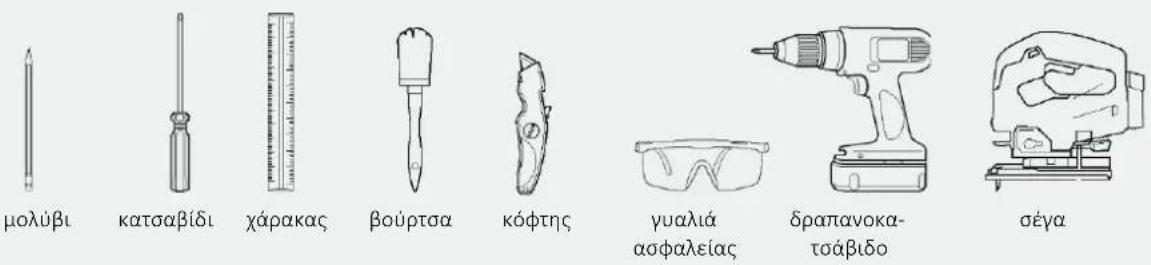
Work to be carried out with the product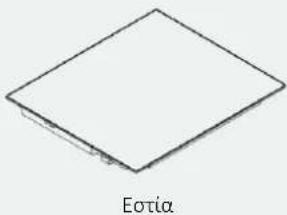

4.2 Installation in a chimney
Required tools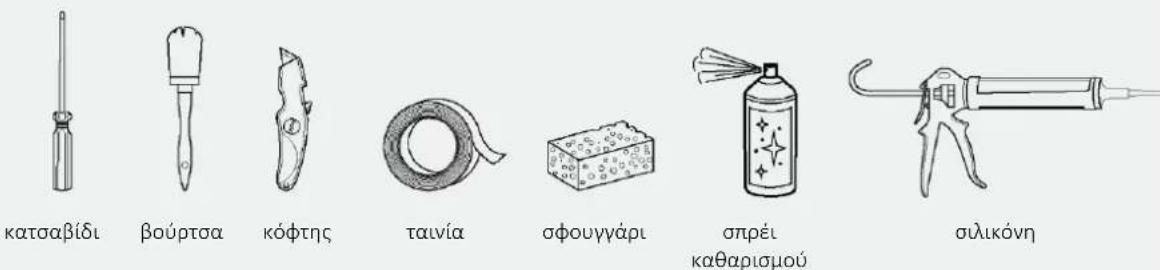
Work to be carried out with the product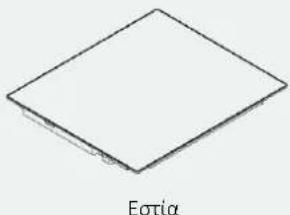
5.1 Precautions
With regard to safety, this product complies with the applicable standards. The distance between the hob and the hood or between the hob and the wall units must be such as to ensure sufficient and unobstructed air circulation. The minimum distance between the hob and the hood depends on the model of the hood (A). The distance between the hob and the wall units must take into account the presence of any overhead cabinets (extractor hoods, cabinets, etc.) and their use (B). The minimum distance between the hob and the shelf or hood above the hob must be at least 35 mm (C). - Maintain a safe side distance from the walls (D). The side walls of the hood must be made of heat-resistant material. Under the hob, it is necessary to have a free space of at least 10 mm from any other object that could be affected by the heat generated during operation. Follow the other instructions in the product manual for the installation of the product. If the product is installed above a stove, also consult the installation instructions for the stove.
- INDEX
- SAFETY WARNINGS FOR INSTALLATION
- WHERE TO INSTALL THE PRODUCT
- OTHER TIPS
- HOB DIMENSIONS
- WIDTH
- INSTALLATION TOOLS
- STANDARD INSTALLATION
- TOOLS PROVIDED WITH THE PRODUCT
- FLUSH INSTALLATION
- PRECAUTIONS
- WIDTH 60 - 65 - 80 ON OVEN BASE
- WIDTH 60 - 65 - 80 ON BASE WITH DRAWERS
- WIDTH 60 - 65 - 80 ON BASE WITH SHELVES
- TOP THICKNESS
- BUILT-IN DIMENSIONS
- HOB WIDTH
- BUILT IN DIMENSIONS
- CONNECTION TO THE MAINS
- SAFETY WARNINGS
- INSTRUCTIONS
- POWER ABSORBED
- DIFFERENTIAL CIRCUIT BREAKER (LIFE-SAVING)
- SEPARATION DEVICES
- ELECTRICAL POWER CABLE
- REPLACING THE POWER CORD
- OTHER ADVICE
- LAYOUT OF CONNECTION
- CONNECTING THE APPLIANCE
- IMPORTANT WARNINGS
- INSTRUCTIONS FOR INSTALLATION
- STEP-BY-STEP INSTALLATION
- DELIVERY TO THE USER
- FIRST STARTUP
- HOW TO SET THE POWER MANAGEMENT
- TO ENTER POWER MANAGEMENT FUNCTION
- TO SWITCH TO ANOTHER LEVEL
- DISASSEMBLING THE PRODUCT
- WELCOME
- INSTALLATION WORK
- TYPICAL INSTALLATION
- INSTALLATION IN A CHIMNEY
Brand : HOOVER
Model : HMT65DCS
Category : Cooker