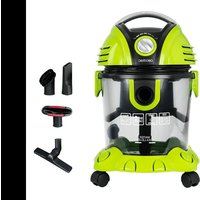
Conga Wet&Dry T - Vacuum Cleaner CECOTEC - Free user manual and instructions
Find the device manual for free Conga Wet&Dry T CECOTEC in PDF.


User questions about Conga Wet&Dry T CECOTEC
0 question about this device. Answer the ones you know or ask your own.
Ask a new question about this device
Download the instructions for your Vacuum Cleaner in PDF format for free! Find your manual Conga Wet&Dry T - CECOTEC and take your electronic device back in hand. On this page are published all the documents necessary for the use of your device. Conga Wet&Dry T by CECOTEC.
USER MANUAL Conga Wet&Dry T CECOTEC
Safety instructions 6
-
Parts and components 32
-
Before use 32
-
Product assembly 33
-
Operation 34
-
Cleaning and maintenance 34
-
Technical specifications 34
-
Disposal of old electrical and electronic appliances 35
-
Technical support and warranty 35
-
Copyright 35
SOMMAIRE
Before using the appliance, read the following instructions carefully. Keep this instruction manual for future reference or new users.
- This appliance can be used by children aged 8 years and above and persons with reduced physical, sensory, or mental capabilities or lack of experience and knowledge if they have been given supervision or instruction concerning use of the appliance in a safe way and understand
the hazards involved. Children must not play with the appliance. Cleaning and user maintenance should not be carried out by unsupervised children.
- WARNING: the appliance has rotating parts which may pose a risk of entrapment. Exercise extreme caution.
- This device is designed for domestic use only and is not intended for bars, restaurants, farmhouses, hotels, motels, and offices.
- Inspect the power cable regularly for visible damage, especially the plug and its housing. If the cable is damaged, it must be replaced by the official Cecotec Technical Support Service to avoid any danger.
- Do not try to repair the appliance by yourself. Contact the official Cecotec Technical Support Service for advice.
- Turn off and unplug the appliance from the mains supply when it is not going to be used for a long period of time, before cleaning or repairing, before attaching components, and before carrying out maintenance tasks. Do not leave the appliance unattended when plugged to a power outlet.
- Make sure that the mains voltage matches the voltage stated on the rating label of the appliance and that the wall outlet is earthed.
- Do not use the appliance if it has been dropped or if there are any visible signs of damage.
- Do not use any accessory that has not been recommended by Cecotec, as they might cause injuries or damage.
- Do not place the appliance close to heat sources, flammable substances, or wet surfaces where it could fall, nor allow it to come into contact with water or other liquids. Do not use outdoors.
- Do not use the appliance to vacuum liquids, lit matches, cigarette ends, hot ash, or on wet surfaces.
- Stop using the appliance if you notice an abnormal sound or sense a temperature higher than usual.
- Keep the air outlet unblocked to avoid losing suction power.
- Check the suction tube from time to time to make sure it is not blocked.
- Take special care when using the appliance near stairs.
- Do not block the appliance openings or airflow. Keep openings free of any objects, and do not block them with clothes or your fingers.
- Do not pull on the cable to disconnect the appliance. Pull from the plug.
- Do not immerse the cable, plug, or any other part of the appliance in water or any other liquid or expose electrical connections to water. Make sure your hands are dry before handling the plug or switching on the appliance.
- Do not drag the appliance by the cable. Do not use the power cable as handle. Do not allow the cable to get caught between the door and the frame and do not stretch the it over sharp edges or corners. Do not crush the power cable with the full weight of the appliance. Keep the cable away from heat sources.
- Do not vacuum hard or sharp objects such as glass, screws, or coins, or hot coals, cigarettes, matches, or any other hot smoking or burning objects.
- Do not use the appliance without the filters properly fitted.
- Turn off all controls before plugging or unplugging the vacuum cleaner.
- Use the appliance only on dry surfaces and indoors.
- Do not use it for any purpose other than those described in this manual.
- Do not use the vacuum cleaner to clean pets or any animal.
INSTRUCTIONS DE SÉCURITÉ
- Handle
- On/Off button
- Blowing channel
- Closing tab
- Water/dirt tank
- Flexible hose
- Plastic tubes (2 pieces)
- Filter
- Accessory for floor/carpets
- Accessory for corners
- Accessory multipurpose brush
- Accessory for upholstery
- Accessory for liquids
- Omnidirectional wheel
- Base
- Inlet duct
- Power controller
2. BEFORE USE
- This appliance is packaged in a way as to protect it during transport. Take the device out of its box and remove all packaging materials. You can keep the original box and other packaging elements in a safe place. This will help you prevent damage to the device when transporting it in the future. In case the original packaging is disposed of, make sure all packaging materials are recycled accordingly.
- Make sure all parts and components are included and in good conditions. If there is any piece missing or in bad conditions, contact the official Cecotec Technical Support Service immediately.
Box content
- Conga Wet&Dry T solids and liquids vacuum cleaner
- Flexible hose
- Plastic tubes (2 pieces)
- Filter
- Accessory for floor/carpets
- Accessory for corners
-
Accessory multipurpose brush
-
Accessory for upholstery
- Accessory for liquids
- Instruction manual
3. PRODUCT ASSEMBLY
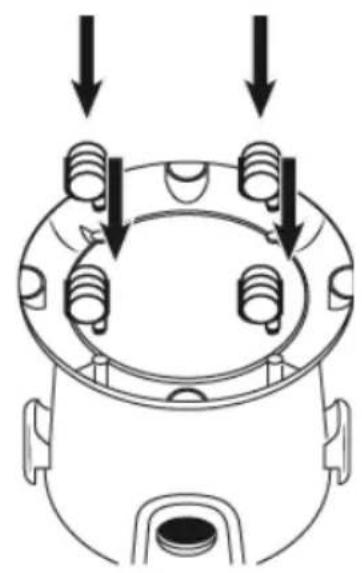
Attach the wheels to the base.
Fig. 2
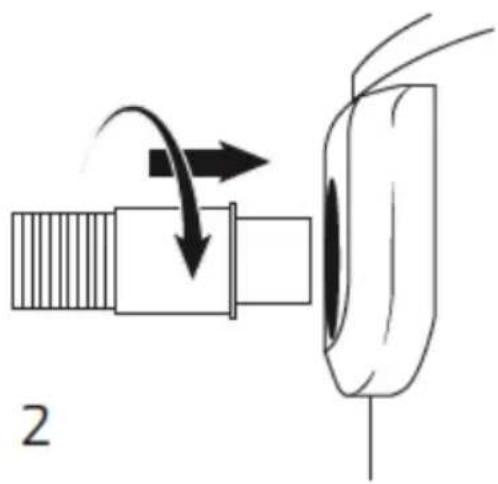
Connect the flexible hose to the vacuum cleaner. Insert the flexible hose into the suction channel and turn it clockwise.
Fig. 3
- Connect the two plastic tubes.
- Connect the tubes to the flexible hose handle.
- Connect the end of the plastic tube to the accessories.
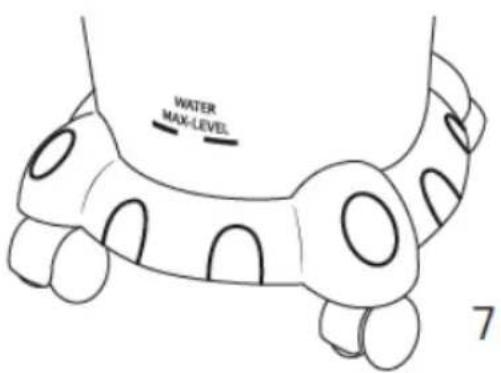
Add water up to the maximum level. Do not exceed the maximum or the water will run out.
Fig. 4
Filter
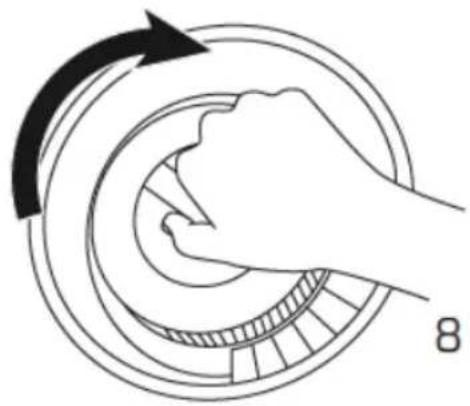
- Turn the water tank cover counterclockwise to access the filter.
- To remove the filter, turn it counterclockwise.
- The filter must be cleaned regularly to maintain suction power. After removing the filter, clean it with lukewarm water and no detergents. When the filter is completely dry, relocate it and secure it by turning it clockwise.
Fig. 5
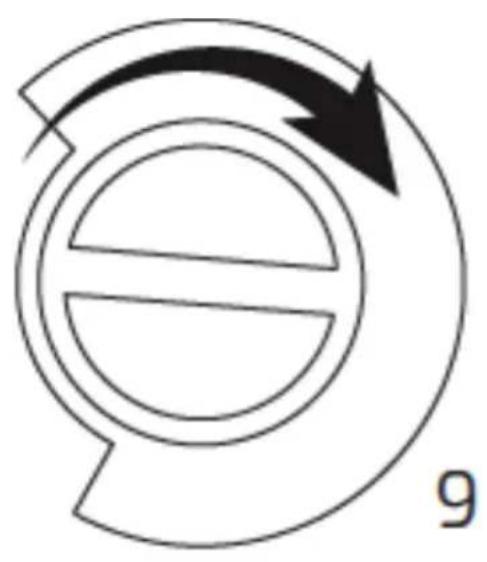
- Fit the water tank cover.
- Put the cover in place and turn it clockwise to close it.
Fig. 6
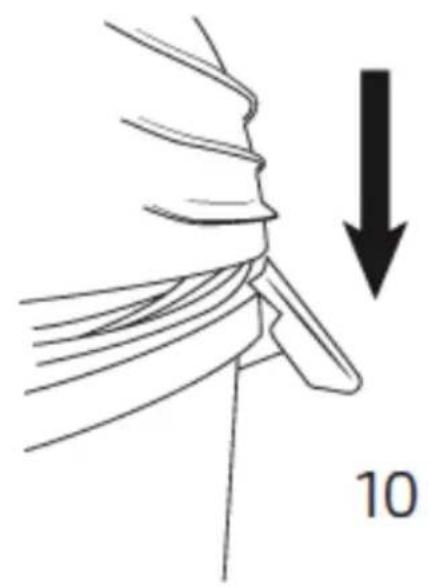
Closing tabs
Put the head in place and use the tabs to secure it.
Fig. 7
Blow function
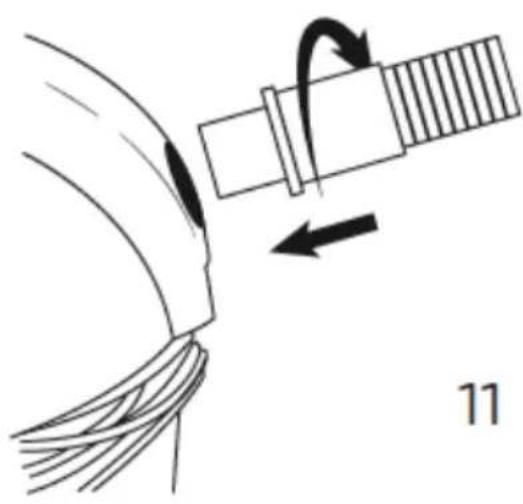
Insert the flexible hose into the blowing channel and turn it clockwise to fix it.
Fig. 8
ENGLISH
4. OPERATION
On/Off
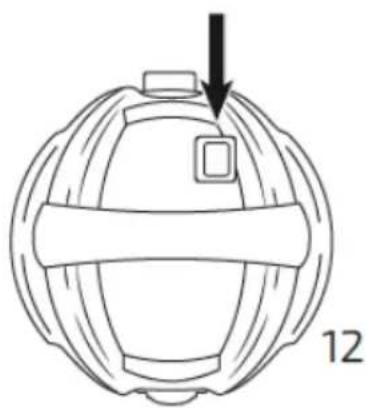
Press the On/Off button to turn the vacuum cleaner on/off.
Power controller
Adjust the power controller according to your vacuuming needs. Turn the knob to adjust the power.
Fig. 9
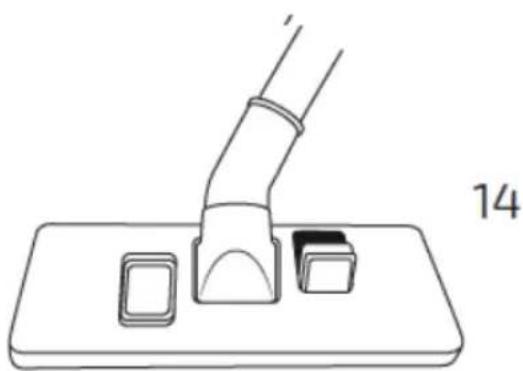
Accessory for floor/carpets
Press the button indicated on the accessory to select the type of surface.
Fig. 10
Emptying
When cleaning is complete, remove the head and empty the contents of the water/dirt tank.
5. CLEANING AND MAINTENANCE
- Clean the filter when the vacuum cleaner has been used for long periods of time.
- Wipe the main body often with a dry cloth.
- Do not immerse the vacuum cleaner in water or any other liquid.
- Do not clean the appliance with chemicals.
- Keep the vacuum cleaner unplugged and store it in a cool, dry place.
6. TECHNICAL SPECIFICATIONS
Product reference: Conga Wet&Dry T solids and liquids vacuum cleaner.
Product: 08110
Power and voltage: 1200 W, 220-240 V, 50 Hz
Made in China | Designed in Spain
7. DISPOSAL OF OLD ELECTRICAL AND ELECTRONIC APPLIANCES
This symbol indicates that, according to the applicable regulations, the product and/or batteries must be disposed of separately from household waste. When this product reaches the end of its shelf life, you should dispose of the cells/batteries/accumulators and take them to a collection point designated by the local authorities.
Consumers must contact their local authorities or retailer for information concerning the correct disposal of old appliances and/or their batteries. Compliance with the above guidelines will help protecting the environment.
8. TECHNICAL SUPPORT AND WARRANTY
Cecotec shall be liable to the end user or consumer for any lack of conformity that exists at the time of delivery of the product under the terms, conditions, and deadlines established by the applicable regulations.
It is recommended that repairs be carried out by qualified personnel.
If at any moment you detect any problem with your product or have any doubt, do not hesitate to contact the official Cecotec Technical Support Service at +34 963 210 728.
9. COPYRIGHT
The intellectual property rights over the texts in this manual belong to CECOTEC INNOVACIONES, S.L. All rights reserved. The contents of this publication may not, in whole or in part, be reproduced, stored in a retrieval system, transmitted, or distributed by any means (electronic, mechanical, photocopying, recording or similar) without the prior authorization of CECOTEC INNOVACIONES, S.L.
FRANÇAIS
1. PIÈCES ET COMPOSANTS
Img. 1
Made in China | Designed in Spain
7. RECYKLING URZĄDZEŃ ELEKTRYCZNYCH I ELEKTRONICZNYCH
text_image
Labeled diagram of a vacuum cleaner with numbered parts for identificationFig./Img./Abb./Afb./Rys.1
natural_image
Diagram of a mechanical component with three bolt holes and downward arrows indicating force or movement (no text or symbols)Fig./Img./Abb./Afb./Rys.2
natural_image
Diagram of a mechanical component with directional arrows indicating motion (no text or symbols)Fig./Img./Abb./Afb./Rys. 3
text_image
WATER MAX-LEVEL 7Fig./Img./Abb./Afb./Rys. 4
natural_image
Diagram of a hand pressing a circular mechanical component with an arrow indicating rotational motion (no text or symbols)Fig./Img./Abb./Afb./Rys. 5
natural_image
Simple circular diagram with a crescent and arrow, no text or symbols presentFig./Img./Abb./Afb./Rys. 6
natural_image
Diagram of a mechanical component with a downward arrow and number 10, no readable text or symbols present.Fig./Img./Abb./Afb./Rys.7
natural_image
Diagram of a cable being inserted into a socket with a rotating arm, labeled '11' (no text or symbols on diagram itself)Fig./Img./Abb./Afb./Rys. 8
natural_image
Diagram of a spherical device with a black arrow pointing to its top surface, labeled '12' (no text or symbols on the diagram itself)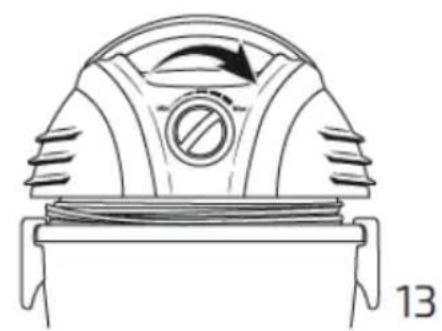
natural_image
Diagram of a mechanical device with a circular component and directional arrow, labeled '13' (no text or symbols on the diagram itself)Fig./Img./Abb./Afb./Rys. 9
natural_image
Line drawing of a mechanical device with a curved handle and two rectangular components on a base plate (no text or symbols)natural_image
Line drawing of a mechanical component with a curved handle and two small blocks on a base (no text or symbols)Suelos duros
Fig./Img./Abb./Afb./Rys. 10
www.cecotec.es
Cecotec Innovaciones, S.L.