Electric Shaver S301 - Shaver Xiaomi - Free user manual and instructions
Find the device manual for free Electric Shaver S301 Xiaomi in PDF.

User questions about Electric Shaver S301 Xiaomi
0 question about this device. Answer the ones you know or ask your own.
Ask a new question about this device
Download the instructions for your Shaver in PDF format for free! Find your manual Electric Shaver S301 - Xiaomi and take your electronic device back in hand. On this page are published all the documents necessary for the use of your device. Electric Shaver S301 by Xiaomi.
USER MANUAL Electric Shaver S301 Xiaomi
xiaomi Electric Shaver S301 User Manual 01
Read this manual carefully before use, and retain it for future reference.
Safety Instructions
WARNINGS
- Keep the appliance dry.
- Detach the hand-held part from the supply cord before cleaning it in water.
- This appliance is not intended for use by persons (including children) with reduced physical, sensory or mental capabilities, or lack of experience and knowledge, unless they have been given supervision or instruction concerning use of the appliance by a person responsible for their safety.
- Children should be supervised to ensure that they do not play with the appliance.
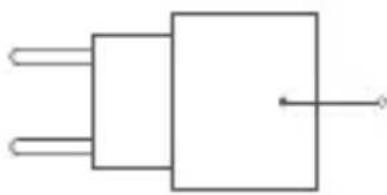
• Use only withsupply unit.
• This appliance contains a battery that is non-replaceable. - WARNING: For the purposes of recharging the battery, only use the detachable supply unit provided with this appliance.
- The plug must be removed from the socket-outlet before cleaning or maintaining the appliance.
• Appliance can be used by children aged from 8 years and above and persons with reduced physical, sensory or mental capabilities or lack of experience and knowledge if they have been given supervision or instruction concerning use of the appliance in a safe way and understand the hazards involved.
CAUTIONS
- Cleaning and user maintenance shall not be made by children without supervision.
• Do not charge this shaver in humid environments. - Do not disassemble the body to replace the battery.
- Do not modify or repair this shaver yourself.
• The appliance is not suitable for use in a bath or shower. - Do not expose the appliance or battery to excessive temperatures.
- Be aware of the risk of terminals of the battery-operated appliance or battery being short circuited by metal objects.
- Only charge, use, and store the shaver at a temperature between 5°C and 35°C.
A520-050100U-EU1


Suitable for cleaning under an open water tap
Use only with
Read operator's manual.

Note: Illustrations of product, accessories, and user interface in the user manual are for reference purposes only. Actual product and functions may vary due to product enhancements.
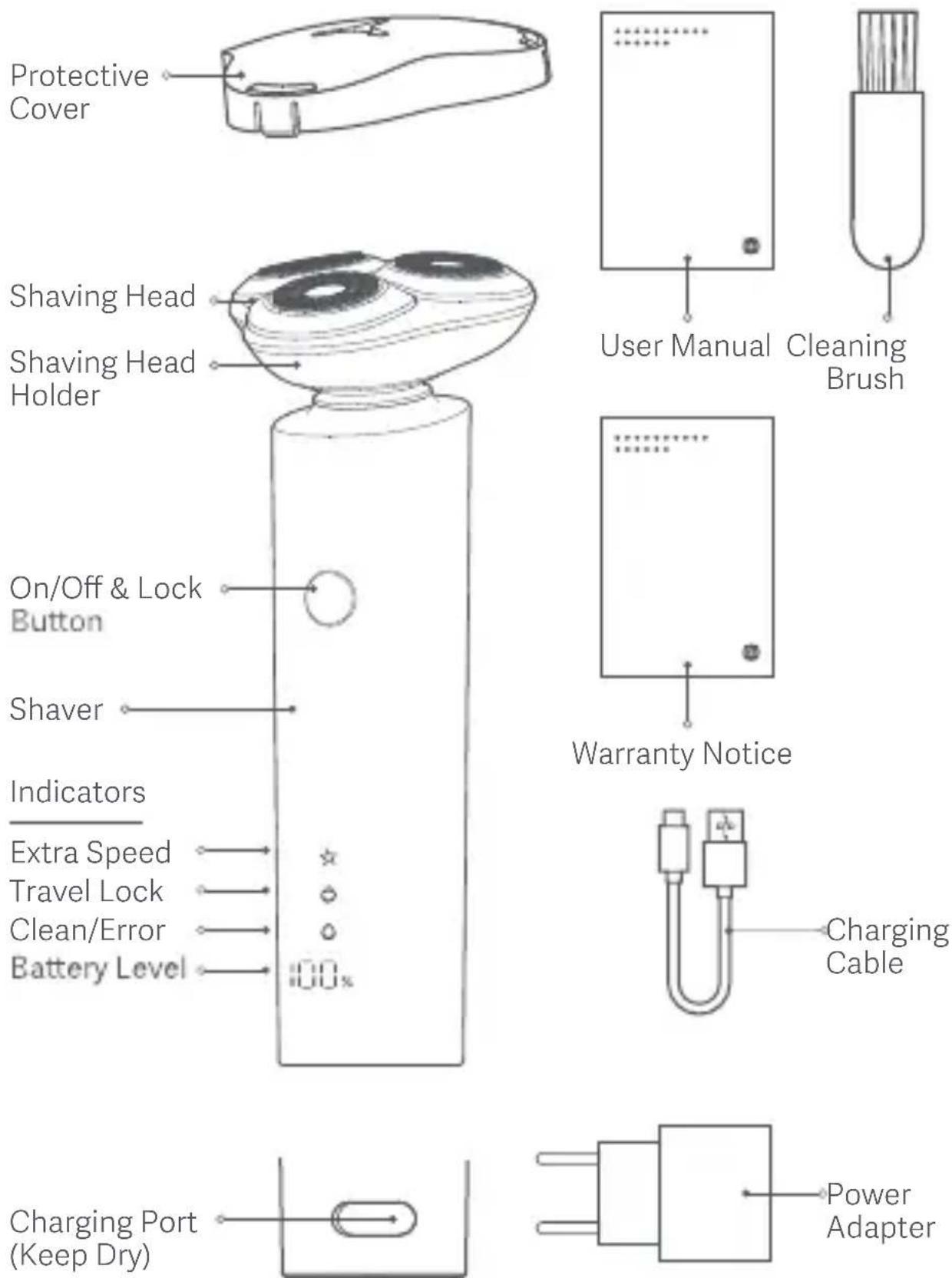
Notes:
- It is normal that the skin is slightly irritated after the first few shaves. It is recommended to regularly use the shaver (at least 3 times a week) for 3 weeks to allow the skin to adapt as quickly as possible.
- Improper use of this shaver can easily cause damage to blade meshes and shaving head. Please check whether the blade meshes and shaving head are intact before use. Immediately stop using the shaver if any damage is found.
Turning on/off:
• Turning on/off: Press the on/off button.
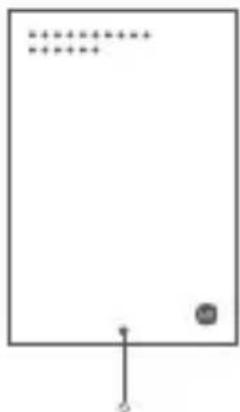
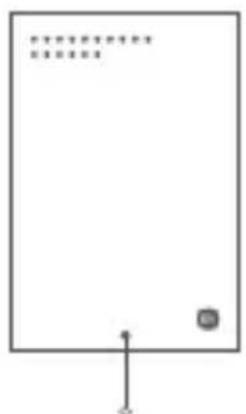
- Once the shaver is turned on, the clean/error, travel lock, and extra speed indicators will turn on and off in sequence, and the extra speed indicator will light up again or remain off according to the speed settings enabled. The battery level indicator will show the current battery level. Once the shaver is turned off, all indicators will go off.
Adjusting the speed settings:
• The first time the shaver is turned on, by default it is set to smart speed. The next time it is turned on, by default the speed settings will be the same as it was last time the shaver was turned off.
- While the shaver is turned on, press and hold the on/off button for 1 second to switch the speed settings between extra speed (extra speed indicator is on) and smart speed (extra speed indicator is off).
- Smart speed: Once selected, the shaver usually works at the normal rotation speed. When the working load on the motor increases, the shaver will automatically increase the rotation speed and maintain a high rotation speed for 10 seconds.
- Extra speed: Once selected, the shaver will maintain a high rotation speed throughout the shave. This is good for shaving dense beard quickly.
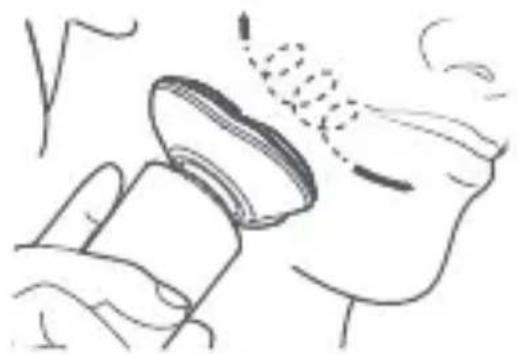
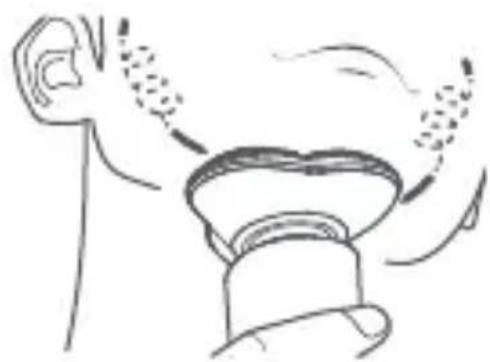
natural_image
Illustration of a hand holding a small object with a dotted line above, possibly indicating a motion or inspection (no text or symbols present)
natural_image
Simple line drawing of a person blowing air from a bottle (no text or symbols)Note:
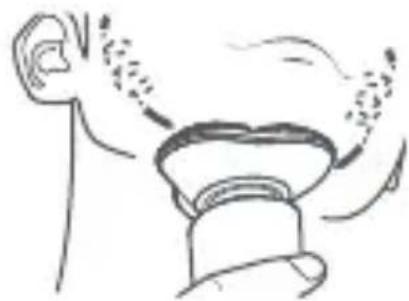
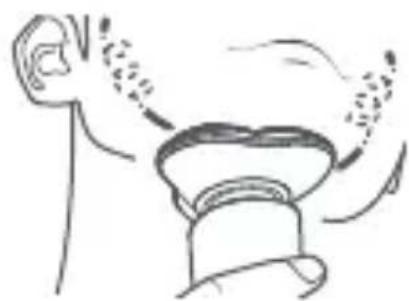
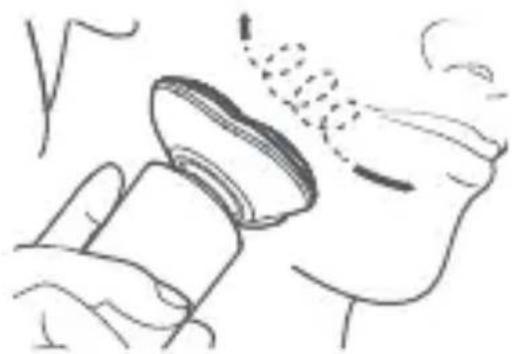
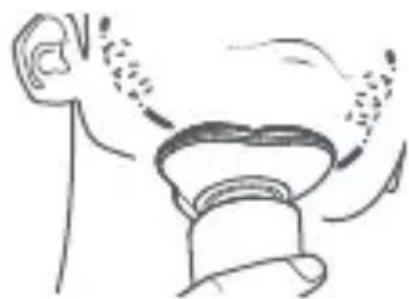
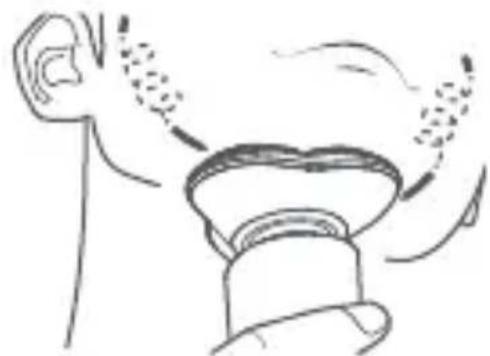
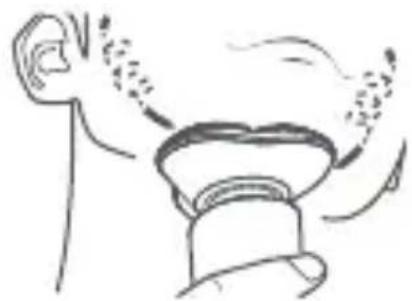
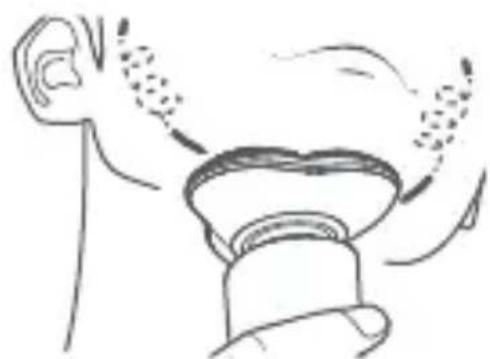
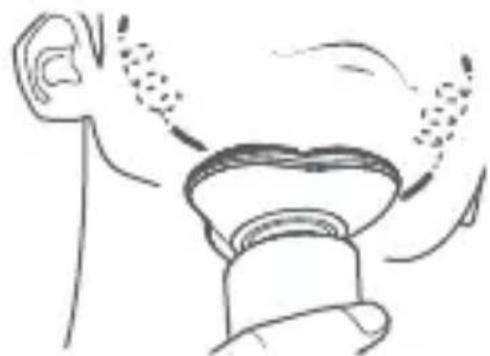
Apply gentle pressure and shave your face slowly in circular motions. It is not necessary to repeatedly shave the same area to achieve a clean shave. Shave dry for an optimal result.
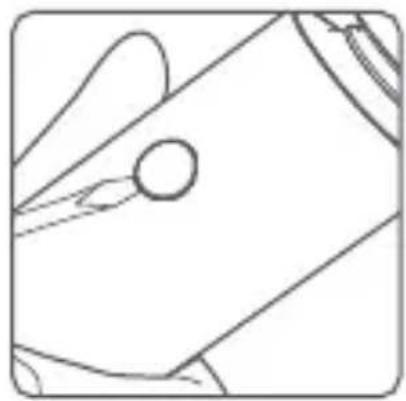
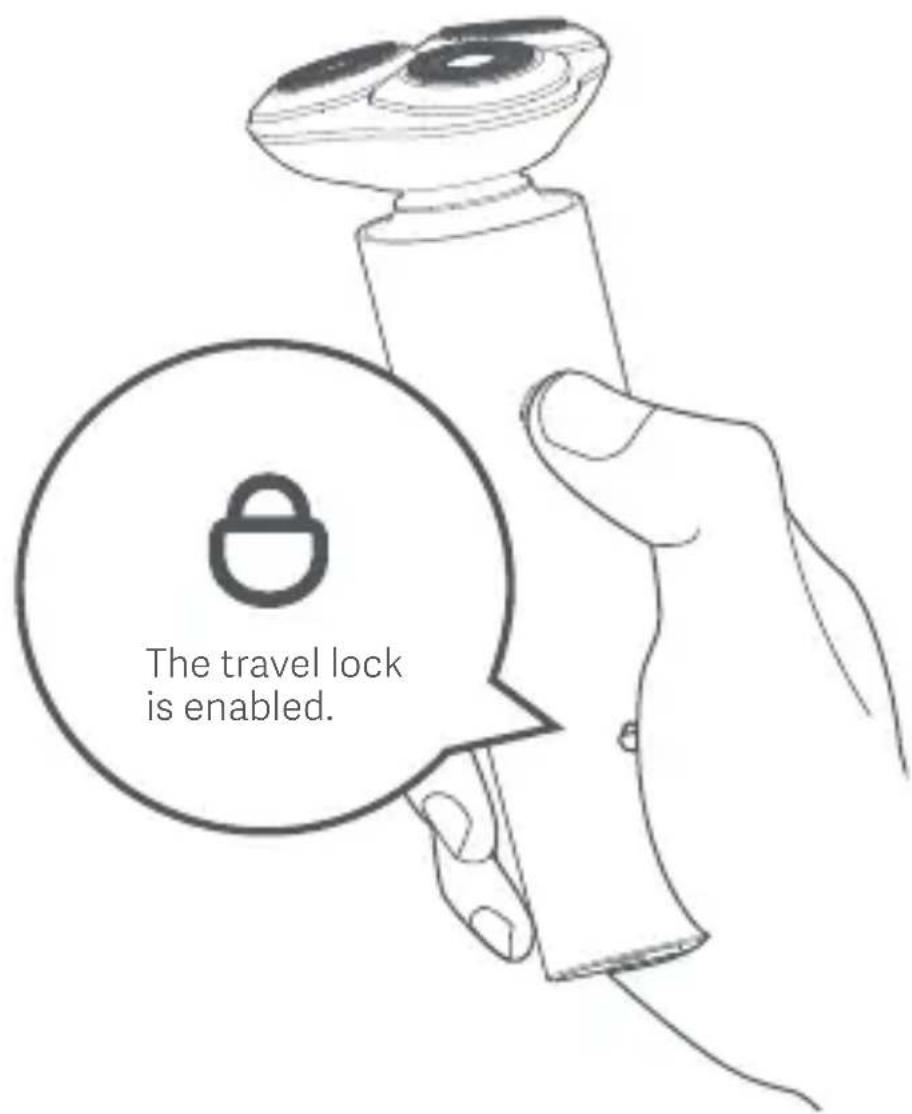
This shaver is equipped with a travel lock to prevent it from accidentally being turned on while it is inside the luggage.
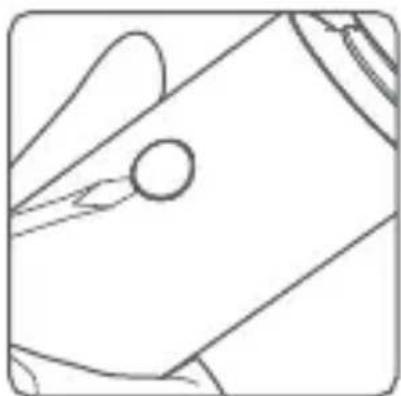
- Enabling the travel lock: When the shaver is turned off, press and hold the on/off button for 2.5 seconds until the motor stops to enable the travel lock. Once it is enabled, the travel lock indicator will blink for 3 seconds and then go off.
- Disabling the travel lock: Press and hold the on/off button for 2.5 seconds. The travel lock indicator will blink for 3 seconds and then go off, and the motor will run, indicating that the travel lock is disabled.
Note: When the travel lock is enabled, if you press the on/off button, the travel lock indicator will blink, but the motor will not be activated.
text_image
The travel lock is enabled.Battery Level Indication
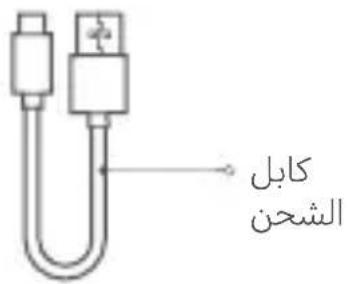
To charge the shaver, connect the USB end of the charging cable to the charger and the Type-C end to the charging port of the shaver. While charging, the battery level indicator will breathe and the number will increase. Once the shaver is fully charged, the battery level indicator will remain at "100%".
| Operating | Battery Level | Indicator Status |
| 6% – 100% | Keeping on | |
| ≤5% | Blinking | |
| 0% | Unable to turn on | |
| Charging | 0% – 99% | Breathing |
| 100% | Keeping on |
When the shaver cannot be turned on due to a low battery, it will take about 2 hours to fully charge it. The shaver can be used for about 1.5 hours after a full charge. Please charge the shaver when its battery is low. Fully charge the shaver at least once every 6 months if it will not be used for an extended period of time.
Note: The shaver supports plug-and-play. When the battery is low, you can use the shaver during charging.
CAUTION: Never plug in or use the shaver in the shower or when the charging port is wet.
If the clean/error indicator blinks for 5 seconds and then goes off while the battery level indicator is on after the shaver is turned on, please clean the shaver. The clean/error indicator will automatically blink for 5 seconds once every 15 minutes of use to remind the user to regularly clean stubble buildup from the shaver.
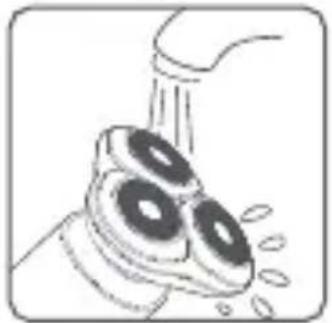
- Make sure the shaver is turned off and is not being charged before cleaning it.
natural_image
Illustration of a showerhead spraying water with a showerhead above (no text or symbols)- Rinse the shaving head under a faucet (warm water is recommended).
natural_image
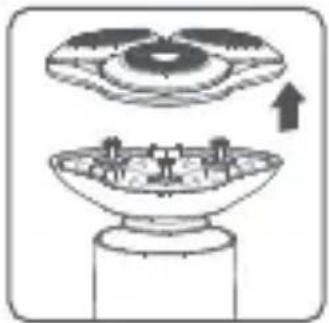
Diagram showing a top-down view of a circular object being processed into a bowl, with an arrow indicating upward motion (no text or symbols present)- Pull the shaving head and remove it from the holder.
natural_image
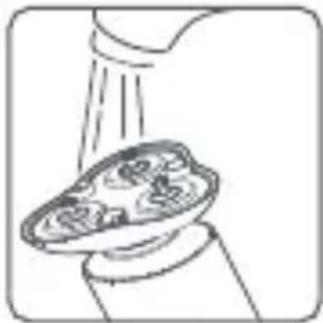
Illustration of a hand washing a plate with a spray gun (no text or symbols)- Rinse or use the cleaning brush to clean the shaving head holder.
natural_image
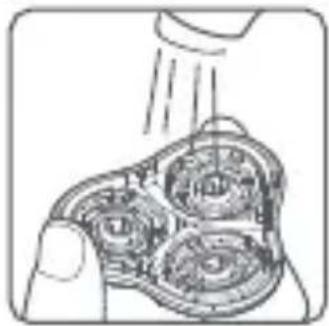
Diagram of a hand holding a mechanical component with three circular cavities and a downward arrow (no text or symbols)- Turn the shaving head upside-down and clean the inside of the shaving head under a faucet. Warm water is recommended. Do not use a towel or paper towel to clean the shaving head.
natural_image
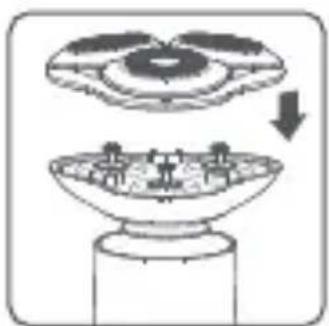
Diagram showing a top-down view of a circular object being processed into a bowl, with an arrow indicating process direction (no text or symbols present)- Thoroughly dry off the shaver, then install the shaving head back onto the holder.
natural_image
Simple line drawing of a hand holding a tool, no text or symbols presentNote: Use the protective cover to cover the charging port while cleaning the shaver. Make sure the charging port is dry when plugging in the cable to charge.
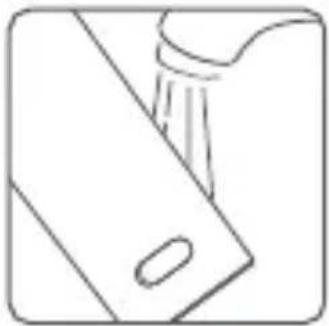
The shaver can be cleaned under a faucet. To keep the charging port dry, make sure it is firmly covered.
Note: To ensure the performance of the shaver, it is recommended to replace the shaving head once every 2 years. Please go to www.mi.com to purchase a replacement.
When the shaver reaches the end of its service life, please remove, dispose of, or recycle the built-in battery in accordance with local laws and regulations of the country or region where the shaver is used. If the battery cannot be removed, dispose of it in strict accordance with local regulations on household waste management in your area.
WARNINGS:
- Do not expose the battery to fire to prevent it from exploding or releasing toxic and hazardous substances.
- Do not short-circuit the battery to prevent it from combusting and causing fire.
- Do not disassemble the shaver unless you want to dispose of it; otherwise, the shaver will be damaged.
- Make sure to operate in a safe manner and unplug the shaver before removing the battery.
• The battery must be removed from the appliance before it is scrapped. - The appliance must be disconnected from the supply mains when removing the battery.
• The battery is to be disposed of safely.
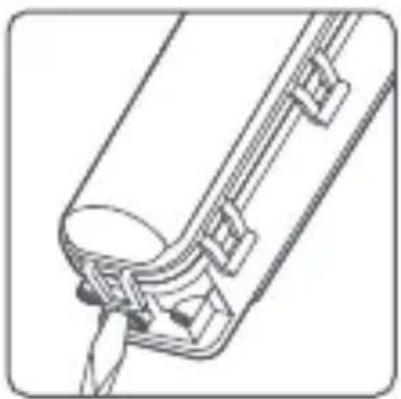
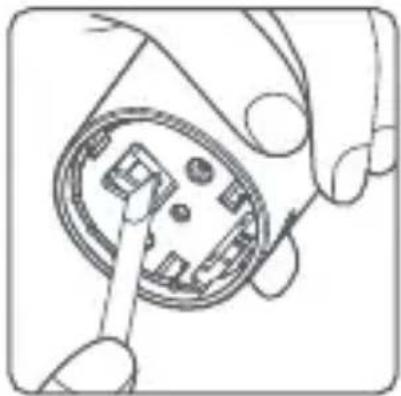
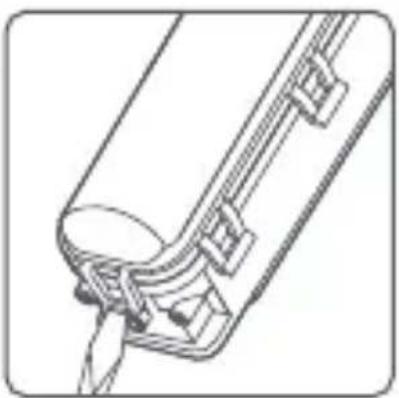
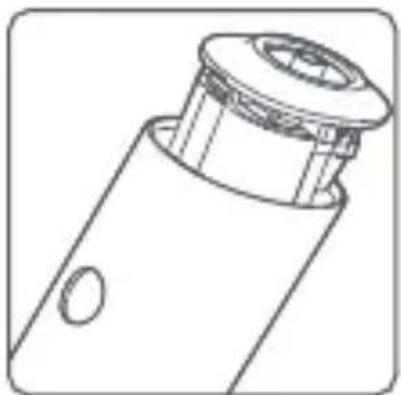
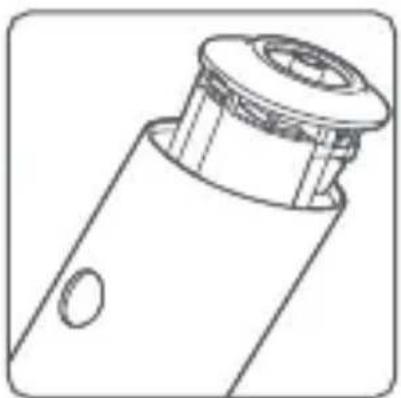
Removing the battery:
Note: Make sure the battery is completely depleted before removing it.
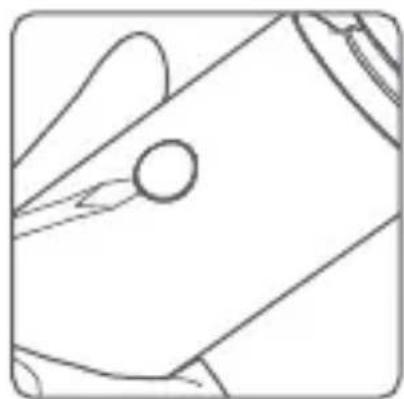
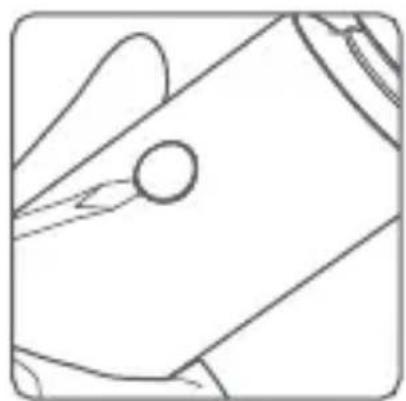
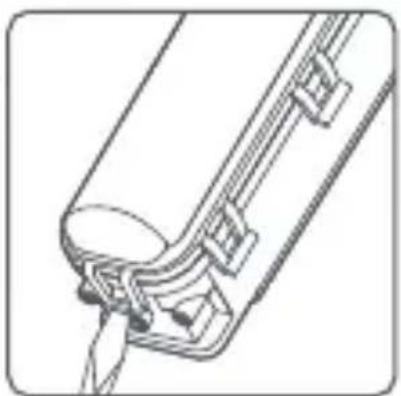
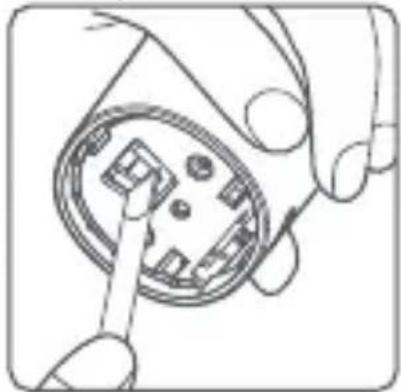
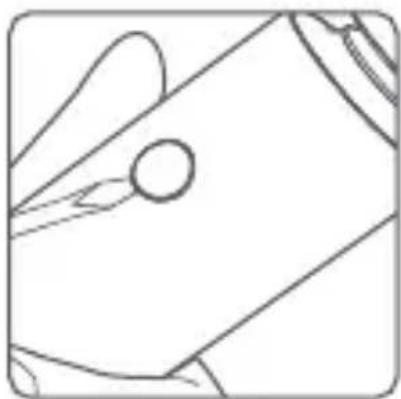
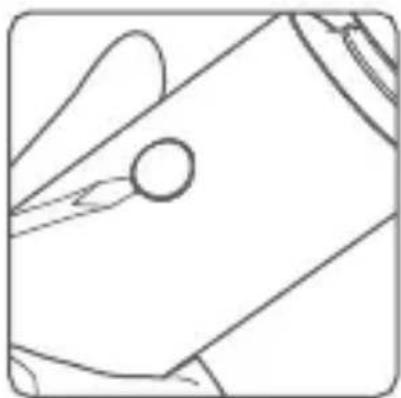
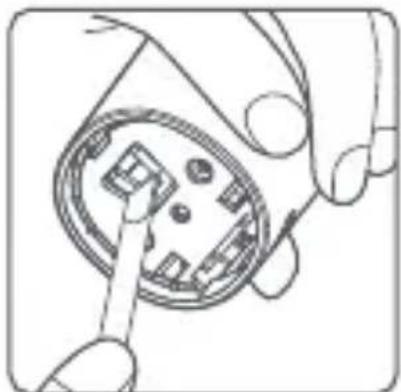
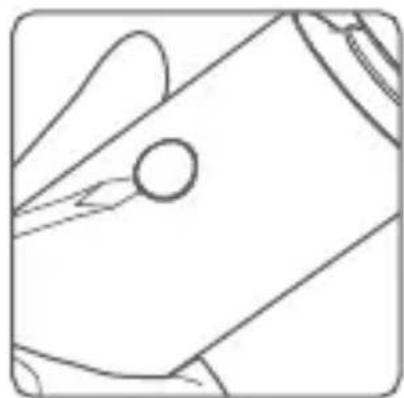
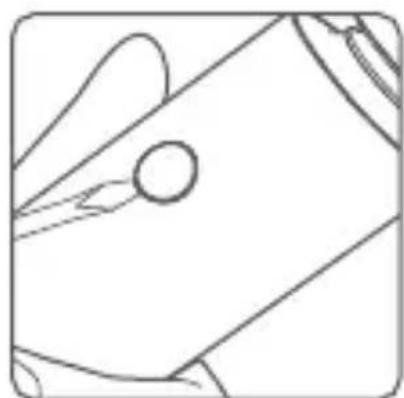
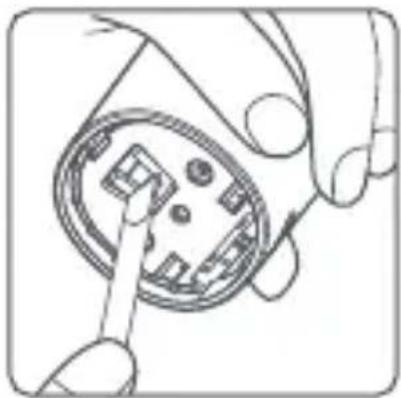
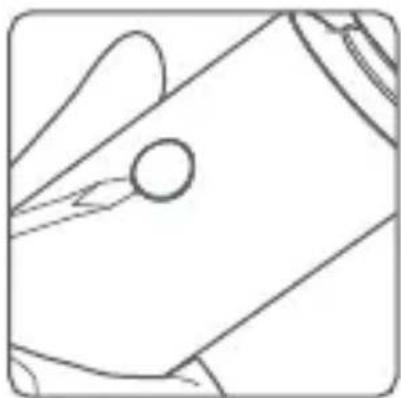
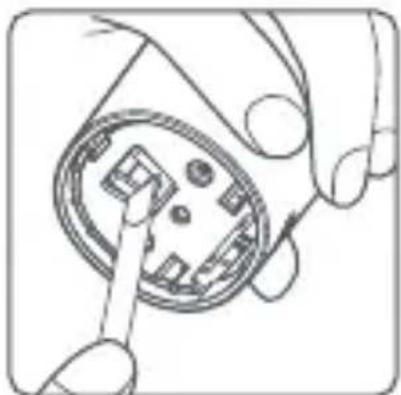
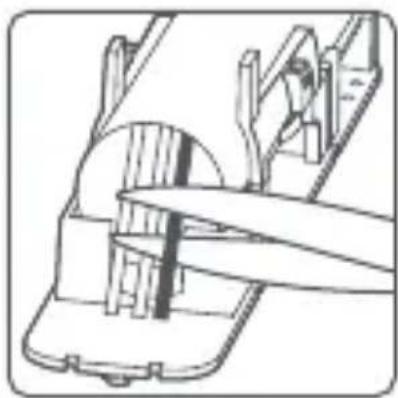
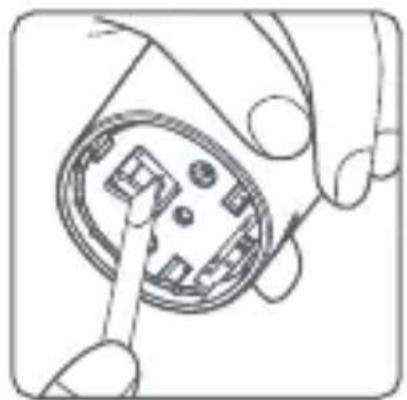
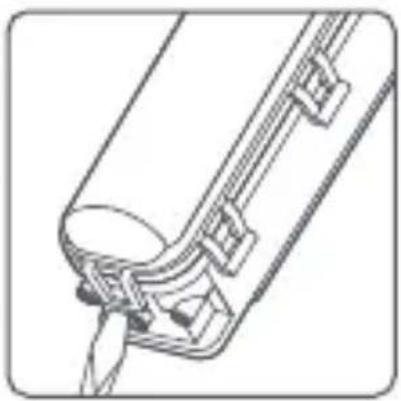
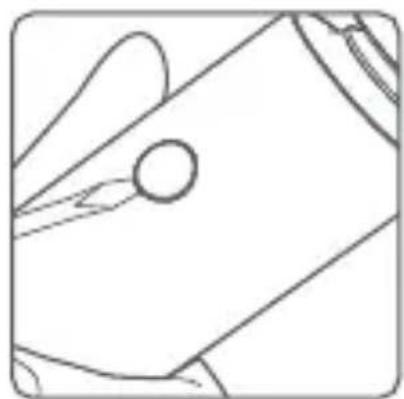
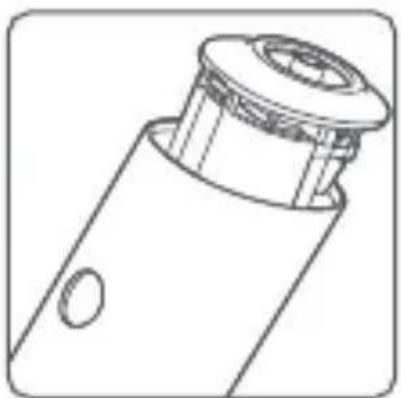
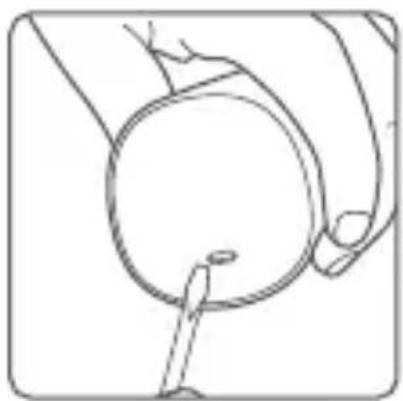
- Use a small flathead screwdriver to pry open the bottom cover and remove the on/off button of the shaver. These parts cannot be restored once they are disassembled.
natural_image
Line drawing of a hand holding a circular object with a tool inserted, no text or symbols presentBottom Cover

natural_image
Pure technical line drawing of a mechanical component without any text, numbers, or symbolsOn/Off Button
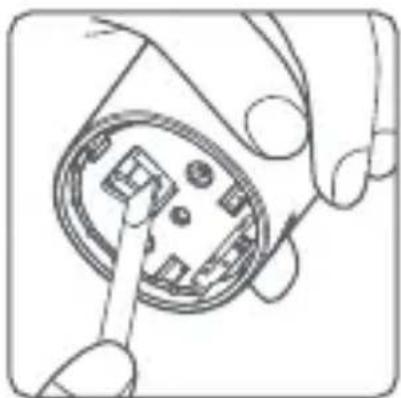
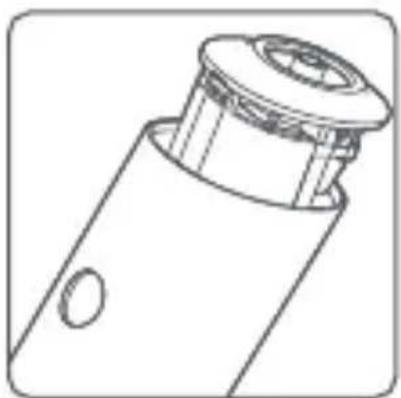
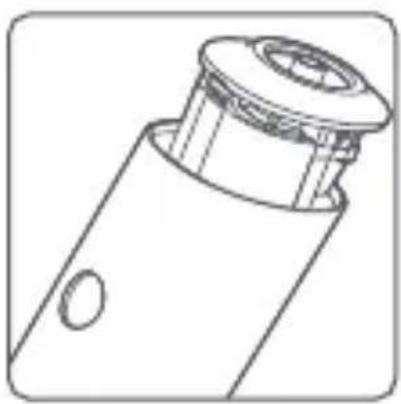
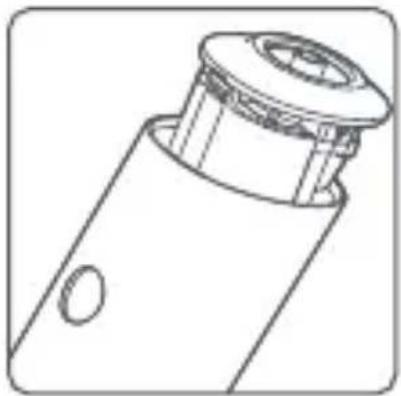
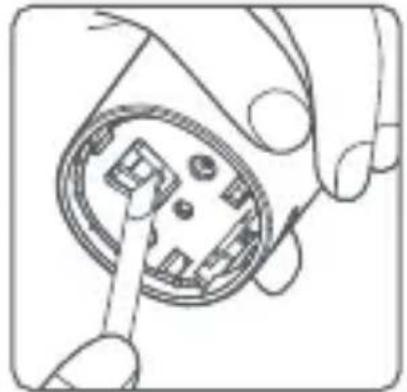
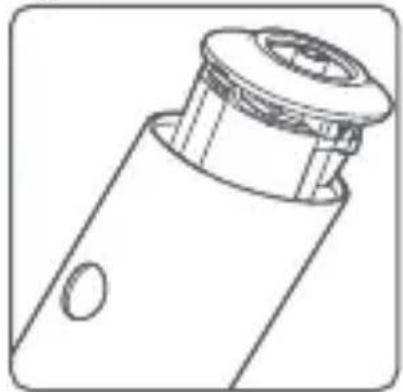
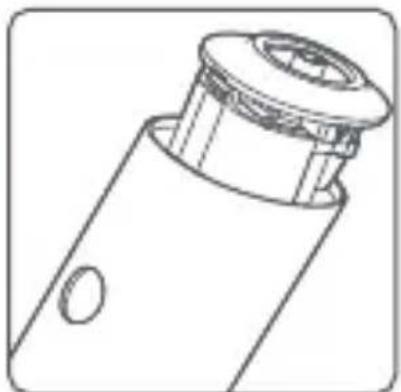
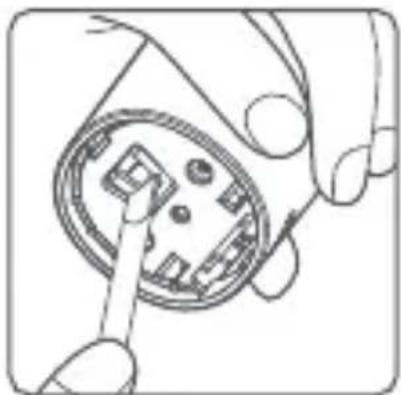
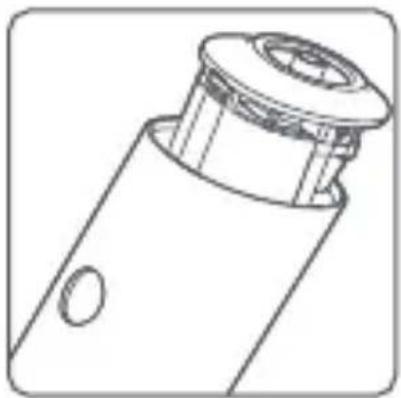
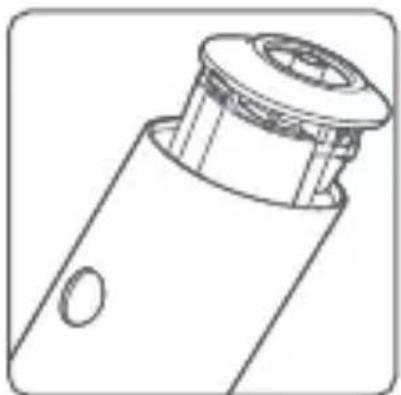
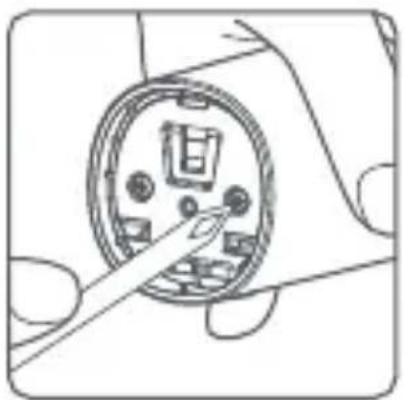
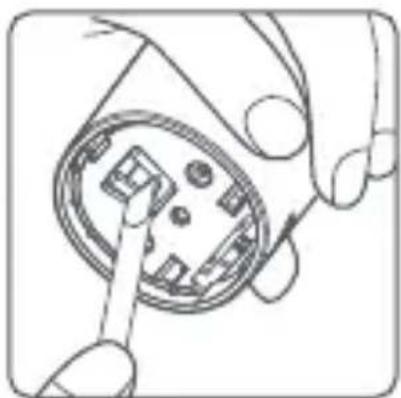
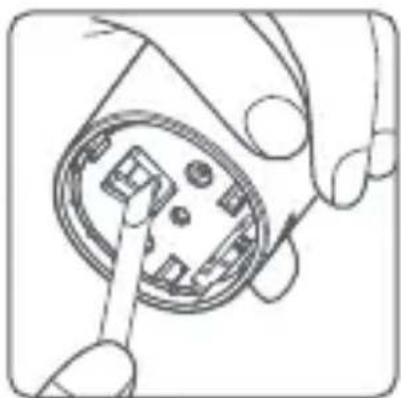
- Use a Phillips-head screwdriver to remove the screws on the bottom and push out the inner compartment from the bottom.
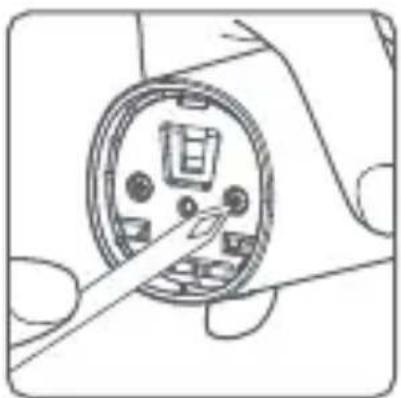
natural_image
Diagram of a mechanical component with a circular housing and internal components, no visible text or symbolsUnscrew

natural_image
Hand inserting a component into a circular housing (no text or symbols visible)Push Out

natural_image
Technical line drawing of a mechanical component with a flanged top and circular opening (no text or symbols)Push Out
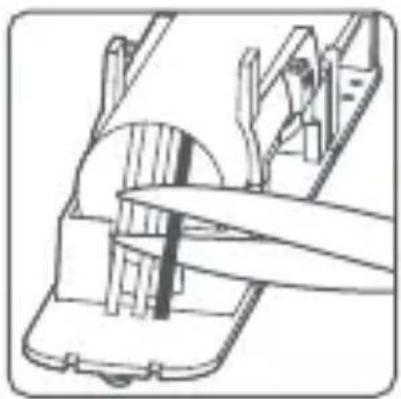
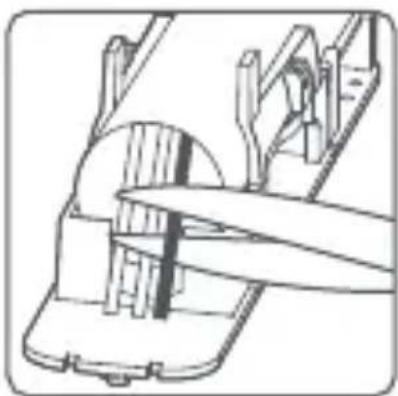
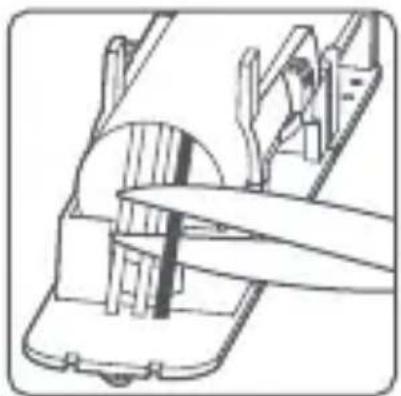
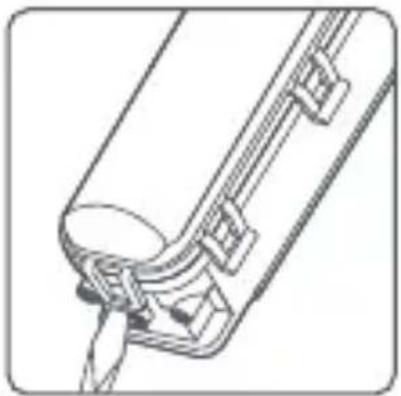
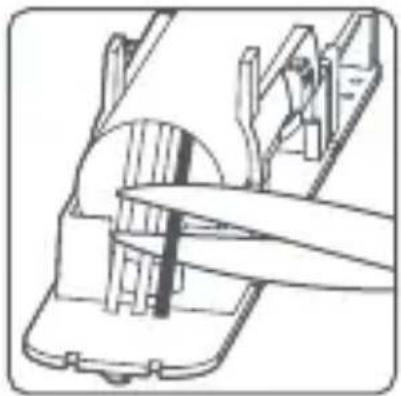
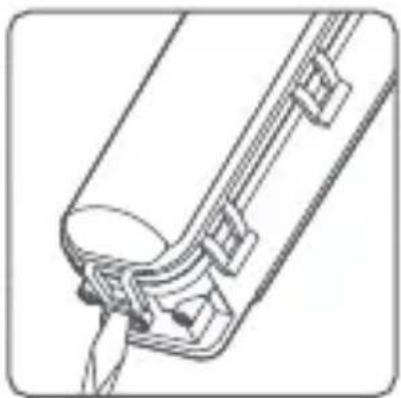
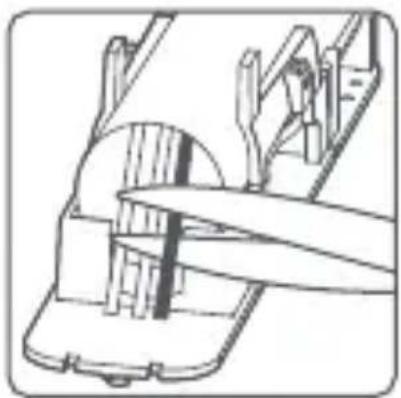
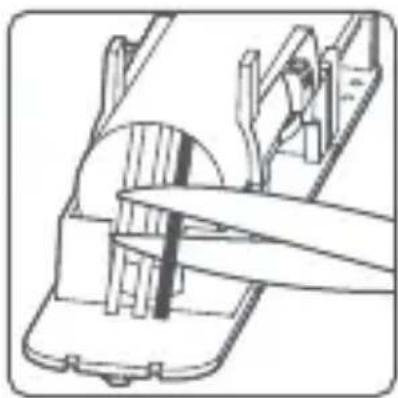
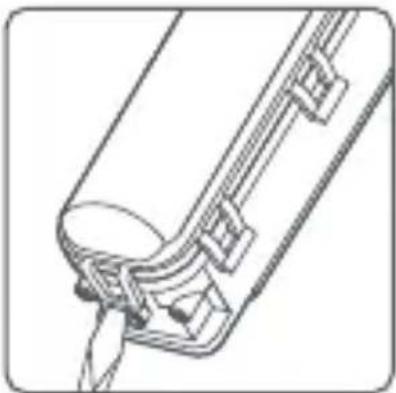
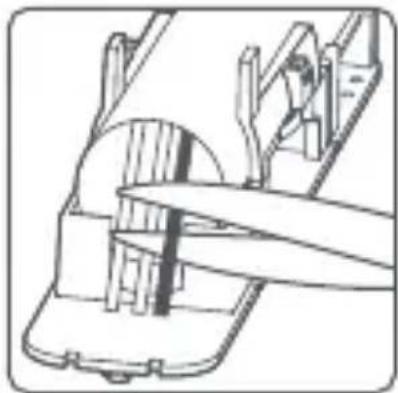
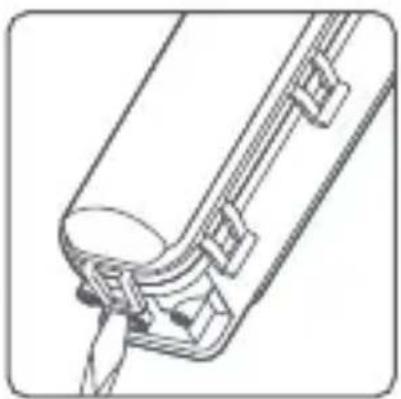
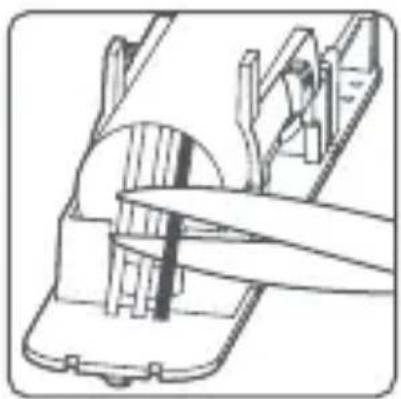
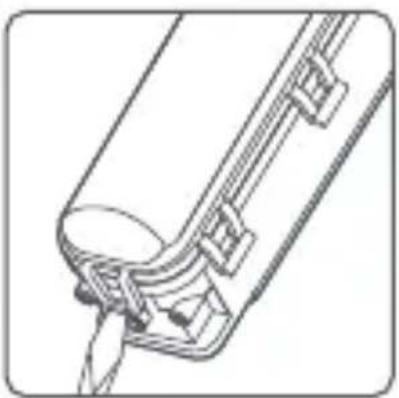
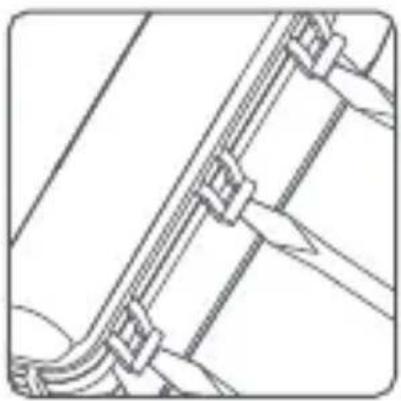
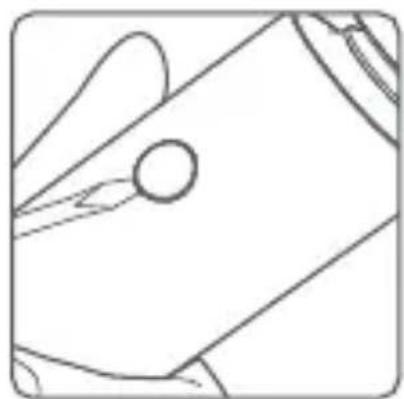
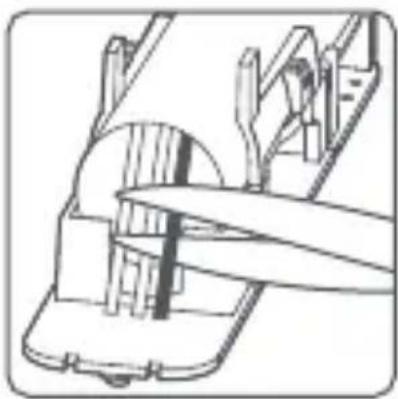
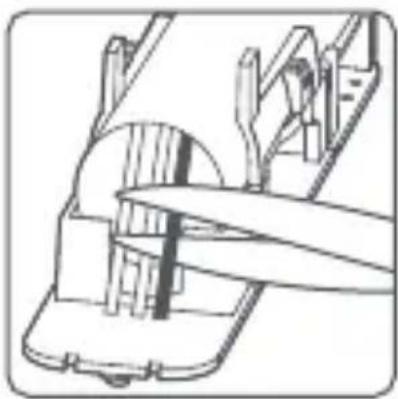
- Use a flathead screwdriver to pry open the inner compartment on the side, then pry open the inner compartment on the bottom. Cut off the wire on the battery and be careful not to short circuit the connecting wire.
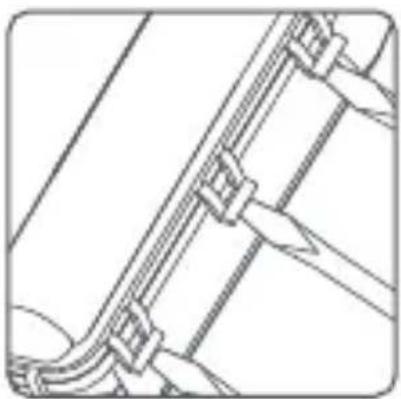
natural_image
Pure technical line drawing of a mechanical or electrical component without any text, numbers, or symbolsPry Open Pry Open Cut Off

natural_image
Technical line drawing of a mechanical component with no visible text or symbols
natural_image
Technical line drawing of a mechanical assembly with no visible text or symbols- Remove the battery and take it to an officially designated recycling center.
Troubleshooting
| Issues | Causes | Solutions |
| The shaving quality is poor. | The shaving head is damaged or worn out. | Replace with a genuine shaving head. |
| The shaving head is clogged up with stubble. | Thoroughly clean the shaving head. | |
| The shaver does not work after pressing the on/off button. | The on/off button does not function. | Contact the after-sales service team. |
| The travel lock is enabled. | Press and hold the on/off button for 2.5 seconds to unlock. | |
| The indicators do not work normally or do not light up. | The shaver needs to be charged due to low battery. | Charge the shaver. |
| The circuit board is damaged. | Contact the after-sales service team. | |
| The skin is irritated after shaving. | The shaving head is damaged or worn out. | Replace with a genuine shaving head. |
| It takes a certain period of time for your skin to adapt to the shaver. | The skin irritation will fade after 2-3 weeks of use. | |
| The shaver does not respond while charging. | The charging contact is poor. | Reconnect the charging cable. |
| The charger may be damaged. | Replace the charger. | |
| The shaver is damaged. | Contact the after-sales service team. | |
| The shaver does not charge. | The charging ambient temperature is too low or too high. | Charge in an ambient temperature between 5°C and 35°C. |
| The usage time is less than 60 minutes after being fully charged. | The load on the motor is increased as the shaving head hasn't been cleaned for a long time. | Thoroughly clean the shaving head. |
| There is an issue with the shaver battery. | Contact the after-sales service team. | |
| All indicators blink white for 5 seconds after the shaver is turned on. | The shaving head hasn't been cleaned for a long time. | Thoroughly clean the shaving head. |
| The shaving head is not properly installed. | Reinstall the shaving head. | |
| The ambient temperature is too low for shaving. | Use the shaver at an ambient temperature between 5°C and 35°C. |
The battery level indicator blinks five times after the shaver is turned on.
The ambient temperature is too low or too high for shaving.
Use the shaver at an ambient temperature between 5°C and 35°C.
Specifications
| Name: Xiaomi Electric Shaver S301 | |
| Model: S301 | Charging Port: Type-C |
| Operating Voltage: 3.7 V = | Input: 5 V = 1 A |
| Operating Power: 3 W | Charging Time: Approx. 2 h |
| IP Rating: IPX7 | |
Power Adapter
| Input: 100–240 V~,50/60 Hz, 0.2 A | Output: 5.0 V ~1.0 A,5.0 W | |
| Information Published | UnitValue a | |
| Manufacturer's Name | Jiangxi Jian Aohai Technology Co., Ltd. | — |
| Model Identifier — | A520-050100U-EU1 | |
| Input Voltage | 100–240 | V~ |
| Input AC Frequency | 50/60 | Hz |
| Output Voltage 5.0 | V = | |
| Output Current A1.0 | ||
| Output Power W5.0 | ||
| Average Active Efficiency | %73.77 | |
| Efficiency at Low Load (10%) | %64.588 | |
| No-load Power Consumption | W0.075 | |

Europe-EU Declaration of Conformity
We, Shenzhen Soocas Technology Co., Ltd., hereby, declares that this equipment is in compliance with the applicable Directives and European Norms, and amendments. The full text of the EU declaration of conformity is available at the following internet address: http://www.mi.com/global/service/support/declaration.html
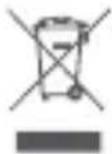
WEEE Disposal and Recycling Information
All products bearing this symbol are waste electrical and electronic equipment (WEEE as in directive 2012/19/EU) which should not be mixed with unsorted household waste. Instead, you should protect human health and the environment by handing over your waste equipment to a designated collection point for the recycling of waste electrical and electronic equipment, appointed by the government or local authorities. Correct disposal and recycling will help prevent potential negative consequences to the environment and human health. Please contact the installer or local authorities for more information about the location as well as terms and conditions of such collection points.
EU REP.
Xiaomi Technology Netherlands B.V
Prinses Beatrixlaan 582, 2595BM, The Hague, The Netherlands contact@support.mi.com
UK REP.
Xiaomi Technology UK Limited
Davidson House, Forbury Square, Reading, Berkshire RG1 3EU contact@support.mi.com


Manufactured for: Xiaomi Communications Co., Ltd.
Manufactured by: Shenzhen Soocas Technology Co., Ltd.
(a Mi Ecosystem company)
Address: Room 401, 402, 1101, 1102, 1103, 1104, Building 2 Chongwen Area, Nanshan iPark, No. 3370 Liuxian Avenue, Fuguang Community, Taoyuan Subdistrict, Nanshan District, Shenzhen, China For further information, please go to www.mi.com
Made in China
User Manual Version: V1.0
natural_image
Illustration of a hand pouring liquid into a container with a lid, showing a droplet above (no text or symbols)
natural_image
Simple line drawing of a person blowing air from a bottle (no text or symbols)Nota:
natural_image
Illustration of a showerhead spraying water with two circular filter dials (no text or symbols)natural_image
Diagram showing a top-down view of a circular object being placed on a base, with an arrow indicating upward motion (no text or symbols present)natural_image
Line drawing of a hand spraying liquid onto a bowl of food (no text or symbols)natural_image
Diagram of a hand holding three mechanical components with a spray gun above (no text or symbols)natural_image
Diagram showing a mechanical assembly with a top component and a base component, no text or symbols present.natural_image
Simple line drawing of a hand cleaning a surface with a tool (no text or symbols)natural_image
Line drawing of a hand holding a circular object with a stick inserted (no text or symbols)Copertura inferiore

natural_image
Pure technical line drawing of a mechanical component or tool (no text or symbols)natural_image
Diagram of a mechanical component with a circular housing and internal components, no visible text or symbolsnatural_image
Hand inserting a component into a circular socket (no text or symbols visible)l'esterno

natural_image
Line drawing of a mechanical component with a cylindrical top and circular opening (no text or symbols)natural_image
Pure technical line drawing of a mechanical or electrical component without any text, numbers, or symbols
natural_image
Technical line drawing of a mechanical component or bracket (no text or symbols)
natural_image
Technical line drawing of a mechanical assembly with no visible text or symbolsnatural_image
Illustration of a hand pouring liquid into a container with a lid, no text or symbols present
natural_image
Simple line drawing of a person blowing air from a bottle (no text or symbols)Remarque :
natural_image
Illustration of a showerhead spraying water with two circular filterlets (no text or symbols)natural_image
Diagram showing a top-down view of a mechanical component being lifted by an arrow, with no visible text or symbols.natural_image
Line drawing of a showerhead spraying water onto a bowl of food (no text or symbols)natural_image
Illustration of a hand holding three circular mechanical components with liquid pouring from a top handle (no text or symbols)natural_image
Diagram showing a mechanical assembly with a top component and a base component, no text or symbols present.natural_image
Simple line drawing of a hand holding a tool, no text or symbols presentnatural_image
Line drawing of a hand holding a circular object with a stick inserted (no text or symbols)Couvercle inférieur

natural_image
Pure technical line drawing of a mechanical component or tool (no text or symbols)Bouton marche/arrêt
natural_image
Diagram of a hand inserting a component into a circular device (no text or symbols visible)Dévissez

natural_image
Hand holding a circular connector with pins inserted, no text or symbols visiblenatural_image
Technical line drawing of a mechanical component with a cylindrical top and flange (no text or symbols)natural_image
Pure technical line drawing of a mechanical or electrical component without any text, numbers, or symbolsnatural_image
Technical line drawing of a mechanical component or bracket (no text or symbols)
natural_image
Technical line drawing of a mechanical assembly with no visible text or symbolsnatural_image
Simple line drawing of a hand pouring liquid into a container (no text or symbols)
natural_image
Simple line drawing of a person blowing air from a bottle (no text or symbols)Hinweis:
natural_image
Illustration of a showerhead spraying water, no text or symbols presentnatural_image
Diagram showing a top-down view of a device with an arrow indicating upward motion, and a lower view of a bowl-like structure (no text or symbols)natural_image
Line drawing of a hand pouring liquid into a bowl (no text or symbols)natural_image
Illustration of a hand holding three gears with liquid pouring from above (no text or symbols)natural_image
Diagram showing a top-down view of a mechanical component being processed into a bowl (no text or symbols present)natural_image
Simple line drawing of a hand holding a tool near a rectangular object (no text or symbols)natural_image
Line drawing of a hand holding a circular object with a tool inserted (no text or symbols)Untere Abdeckung

natural_image
Pure technical line drawing of a mechanical component or tool (no text or symbols)Ein/Aus-Taste
natural_image
Diagram of a mechanical component with a circular housing and internal components, no visible text or symbols
natural_image
Illustration of hands inserting a component into a circular housing (no text or symbols)
natural_image
Line drawing of a mechanical component with a cylindrical top and flanged side (no text or symbols)natural_image
Pure technical line drawing of a mechanical or structural component without any text, numbers, or symbolsAbschneiden

natural_image
Technical line drawing of a mechanical component with no visible text or symbolsAufhebeln

natural_image
Technical line drawing of a mechanical assembly with no visible text or symbolsAdresse: Room 401, 402, 1101, 1102, 1103, 1104, Building 2 Chongwen Area, Nanshan iPark, No. 3370 Liuxian Avenue, Fuguang Community, Taoyuan
Subdistrict, Nanshan District, Shenzhen, China
natural_image
Illustration of a hand holding a small object with a dotted line above, possibly indicating a motion or inspection (no text or symbols present)
natural_image
Simple line drawing of a person blowing air from a bottle (no text or symbols)Nota:
natural_image
Illustration of a showerhead spraying water with a faucet (no text or symbols)natural_image
Diagram showing a top-down view of a mechanical component being lifted by an arrow, with no visible text or symbols.natural_image
Line drawing of a showerhead spraying over a bowl of food (no text or symbols)natural_image
Diagram of a hand holding three mechanical gears with a spray gun above (no text or symbols)natural_image
Diagram showing a mechanical assembly with a top component and a base component, no text or symbols present.natural_image
Simple line drawing of a kitchen sink with a handle and handle (no text or symbols)natural_image
Line drawing of a hand holding a circular object with a pointed tip, no text or symbols presentCubierta inferior

natural_image
Simple line drawing of a mechanical component or tool with no visible text, numbers, or symbols.natural_image
Diagram of a device interior with a circular component and a finger pointing to a button (no text or symbols)
natural_image
Illustration of hands holding a circular component with pins, no text or symbols present
natural_image
Technical line drawing of a mechanical component with a cylindrical top and circular end (no text or symbols)natural_image
Pure mechanical assembly diagram showing diagonal pipe connection (no text or symbols)
natural_image
Technical line drawing of a mechanical component or assembly (no text or symbols visible)
natural_image
Technical line drawing of a mechanical assembly with no visible text or symbolshttp://www.mi.com/global/service/support/declaration.html
Area, Nanshan iPark, No. 3370 Liuxian Avenue, Fuguang Community,
Taoyuan Subdistrict, Nanshan District, Shenzhen, China
natural_image
Line drawing of a hand pouring liquid into a container with a lid (no text or symbols)
natural_image
Simple line drawing of a person blowing air from a bottle (no text or symbols)Uwaga:
natural_image
Illustration of a showerhead spraying water with two circular eyes (no text or symbols)natural_image
Diagram showing a top-down view of a circular object being placed on a base, with an arrow indicating upward motion (no text or symbols present)natural_image
Line drawing of a showerhead spraying water onto a bowl (no text or symbols)natural_image
Illustration of a hand holding three mechanical gears with a downward arrow indicating motion (no text or symbols)natural_image
Diagram showing a mechanical assembly with a top component and a base component, no text or symbols present.natural_image
Simple line drawing of a hand holding a tool near a rectangular object (no text or symbols)natural_image
Line drawing of a hand holding a circular object with a small mark, no text or symbols presentDolna pokrywa

natural_image
Pure technical line drawing of a mechanical component without any text, numbers, or symbolsPrzycisk wł./wył.
natural_image
Line drawing of a hand inserting a component into a circular device (no text or symbols)
natural_image
Hand holding a circular connector with pins inserted, no text or symbols visible
natural_image
Line drawing of a mechanical component with a cylindrical top and circular opening (no text or symbols)Odkręć Wysuń Wysuń
natural_image
Pure technical line drawing of a mechanical or electrical component without any text, numbers, or symbols
natural_image
Technical line drawing of a mechanical component with no visible text or symbols
natural_image
Technical line drawing of a mechanical assembly with no visible text or symbolsOdtwóózz Odetnij
http://www.mi.com/global/service/support/declaration.html

Adres: Room 401, 402, 1101, 1102, 1103, 1104, Building 2 Chongwen Area, Nanshan iPark, No. 3370 Liuxian Avenue, Fuguang Community, Taoyuan Subdistrict, Nanshan District, Shenzhen, China
natural_image
Illustration of a showerhead spraying water onto a showerhead (no text or symbols)natural_image
Diagram showing a top-down view of a circular object being placed on a base, with an arrow indicating upward motion (no text or symbols present)natural_image
Illustration of a hand spraying water onto a bowl of food (no text or symbols)natural_image
Illustration of a hand washing a showerhead into a mechanical component (no text or symbols)natural_image
Diagram showing a top-down view of a bowl with contents and a downward arrow indicating process (no text or symbols)natural_image
Simple line drawing of a hand holding a tool against a surface (no text or symbols)natural_image
Line drawing of a hand holding a circular object with a pointed tip, no text or symbols presentНижня кришка

natural_image
Pure technical line drawing of a mechanical component or tool (no text or symbols)natural_image
Diagram of a device interior with a hand pointing to a circular component (no text or symbols visible)
natural_image
Hand holding a component with a screwdriver inserted, showing internal wiring (no text or symbols visible)
natural_image
Line drawing of a mechanical component with a circular top and cylindrical base (no text or symbols)natural_image
Pure mechanical assembly diagram showing diagonal pipe connection with clamps (no text or symbols)
natural_image
Technical line drawing of a mechanical component with no visible text or symbols
natural_image
Technical line drawing of a mechanical assembly with no visible text or symbolshttp://www.mi.com/global/service/support/declaration.html
Адреса: Room 401, 402, 1101, 1102, 1103, 1104, Building 2 Chongwen Area, Nanshan iPark, No. 3370 Liuxian Avenue, Fuguang Community, Taoyuan Subdistrict, Nanshan District, Shenzhen, China
natural_image
Illustration of a showerhead spraying water with bubbles (no text or symbols)natural_image
Diagram showing a top-down view of a circular object being placed on a base, with an arrow indicating upward motion (no text or symbols present)natural_image
Line drawing of a hand washing a bowl with a showerhead above it (no text or symbols)natural_image
Diagram of a hand holding three mechanical gears with a spray gun above (no text or symbols)natural_image
Diagram showing a top-down view of a circular object being processed into a bowl, with an arrow indicating process direction (no text or symbols present)natural_image
Simple line drawing of a hand holding a tool, no text or symbols presentnatural_image
Line drawing of a hand holding a circular object with a tool inserted, no text or symbols presentTampa inferior

natural_image
Pure technical line drawing of a mechanical component or tool (no text or symbols)natural_image
Diagram of a hand inserting a component into a circular device (no text or symbols visible)
natural_image
Hand inserting a component into a circular socket (no text or symbols visible)
natural_image
Technical line drawing of a mechanical component with a cylindrical top and flange (no text or symbols)natural_image
Pure technical line drawing of a mechanical or structural component without any text, numbers, or symbols
natural_image
Technical line drawing of a mechanical component with no visible text or symbols
natural_image
Technical line drawing of a mechanical assembly with no visible text or symbolshttp://www.mi.com/global/service/support/declaration.html
Area, Nanshan iPark, No. 3370 Liuxian Avenue, Fuguang Community,
Taoyuan Subdistrict, Nanshan District, Shenzhen, China
natural_image
Illustration of a hand washing a showerhead with two circular eyes (no text or symbols)natural_image
Diagram showing two stages of a mechanical or biological process, with an arrow indicating direction (no text or symbols present)natural_image
Line drawing of a hand spraying water onto a bowl (no text or symbols)natural_image
Illustration of a hand holding three gears with a downward arrow above (no text or symbols)natural_image
Diagram showing a top-down view of a mechanical component being processed into a base, with no visible text or symbols.natural_image
Simple line drawing of a hand holding a tool, no text or symbols presentnatural_image
Line drawing of a hand holding a circular object with a pointed tip, no text or symbols presentOnderste deksel

natural_image
Simple line drawing of a mechanical component or tool (no text or symbols)Aan-/uitknop
natural_image
Technical line drawing of a mechanical component with no visible text or symbols
natural_image
Hand inserting a component into a circular socket (no text or symbols visible)
natural_image
Line drawing of a mechanical component with a circular opening and cylindrical top (no text or symbols)natural_image
Pure mechanical assembly diagram showing diagonal pipe connection with clamps (no text or symbols)
natural_image
Technical line drawing of a mechanical component with no visible text or symbols
natural_image
Technical line drawing of a mechanical assembly with no visible text or symbolsOpenmaken Openmaken
Afknippen
http://www.mi.com/global/service/support/declaration.html
Adres: Room 401, 402, 1101, 1102, 1103, 1104, Building 2 Chongwen Area,
Nanshan iPark, No. 3370 Liuxian Avenue, Fuguang Community,
Taoyuan Subdistrict, Nanshan District, Shenzhen, China
natural_image
Simple line drawing of a cylindrical object with a pointed base and textured top (no text or symbols)فرشاة الynnظيف

natural_image
Blank document page with placeholder text and a small icon at the bottom (no readable text or symbols)دليل المستخدم

natural_image
Blank document page with placeholder text and a small icon at the bottom (no readable text or symbols)إشعار الضمان

natural_image
Line drawing of a mechanical component or housing with a handle and mounting bracket (no text or symbols)text_image
Diagram of a device with labeled parts and measurement indicators, including 100% mark and star symbol.


natural_image
Pure electrical circuit symbol for a three-pin component without any text or labelsمحول الطاقة
natural_image
Simple line drawing of a rectangular container with an internal oval shape and a horizontal arrow inside (no text or symbols)natural_image
Simple line drawing of a person blowing air from a cup (no text or symbols)
natural_image
Illustration of a hand holding a small object with a dotted line above, possibly indicating a motion or inspection (no text or symbols present)ملاحظة:
text_image
youth youth youth youth youth youth youth youth youth youth youth youth youth youth youth youth youth youth youth youth youth youth youth youth youth youth youth youth youth youth youth youth youth youth youth youth youth youth youth youth youth youth youth youth youth youth youth youth youth youth youthnatural_image
Simple line drawing of a showerhead spraying over a bowl of food (no text or symbols)natural_image
Diagram showing a top-down view of a mechanical component being lifted by an arrow, with no visible text or symbols.natural_image
Illustration of a hand washing a toothbrush with liquid, showing the brush and tooth (no text or symbols)natural_image
Simple line drawing of a hand cleaning a surface with a tool (no text or symbols)natural_image
Diagram showing a mechanical assembly with a top component and a base component, no text or symbols present.natural_image
Diagram of a mechanical assembly with three gears and a handle, no text or symbols presentnatural_image
Pure technical line drawing of a mechanical component or tool (no text or symbols)natural_image
Line drawing of a hand holding a circular object with a tool inserted (no text or symbols)الغطاء السفلي
natural_image
Technical line drawing of a mechanical component with cylindrical and rectangular features (no text or symbols)ادفع للlxارج

natural_image
Illustration of hands installing or adjusting a circular component with pins (no text or symbols visible)ادفع للlxارج

natural_image
Line drawing of a mechanical component with a hand pointing to a circular housing (no text or symbols)فلك البراغي
natural_image
Technical line drawing of a mechanical assembly with no visible text or symbols
natural_image
Technical line drawing of a mechanical component with no visible text or symbolsقصفتح

natural_image
Pure technical line drawing of a mechanical or electrical component without any text, numbers, or symbolsفتح
Xiaomi Technology Netherlands B.V
Prinses Beatrixlaan 582, 2595BM, The Hague, The Netherlands contact@support.mi.com
UK REP.
Xiaomi Technology UK Limited
Davidson House, Forbury Square, Reading, Berkshire RG1 3EU contact@support.mi.com


natural_image
Illustration of a hand holding a small object with a dotted line above, possibly indicating motion or sound (no text or symbols present)
natural_image
Simple line drawing of a person emitting smoke or vapor from a chimney (no text or symbols)Poznámka:
natural_image
Illustration of a hand washing a showerhead with water spray (no text or symbols)natural_image
Diagram showing a top-down view of a circular object being placed on a base, with an arrow indicating upward motion (no text or symbols present)natural_image
Illustration of a hand spraying water onto a plate with food items (no text or symbols)natural_image
Illustration of a hand holding three mechanical components with a spray gun above (no text or symbols)natural_image
Diagram showing a top-down view of a circular object being processed into a bowl-shaped container with a downward arrow (no text or symbols)natural_image
Simple line drawing of a hand holding a tool near a rectangular object (no text or symbols)natural_image
Line drawing of a hand holding a circular object with a stick inserted (no text or symbols)Spodní kryt

natural_image
Pure technical line drawing of a mechanical component or tool (no text or symbols)natural_image
Diagram of a mechanical component with a circular housing and internal components, no visible text or symbolsOdšroubování

natural_image
Hand inserting a component into a circular socket (no text or symbols visible)Vysunutí

natural_image
Technical line drawing of a mechanical component with a cylindrical top and circular opening (no text or symbols)Vysunutí
natural_image
Pure mechanical assembly diagram showing diagonal pipe connection (no text or symbols)natural_image
Technical line drawing of a mechanical component or assembly (no text or symbols visible)
natural_image
Technical line drawing of a mechanical assembly with no visible text or symbolshttps://www.mi.com/global/service/support/declaration.html
Informace o likvidaci a recyklaci OEEZ
Xiaomi Technology Netherlands B.V
Prinses Beatrixlaan 582, 2595BM, The Hague, The Netherlands contact@support.mi.com
UK REP.
Xiaomi Technology UK Limited
Davidson House, Forbury Square, Reading, Berkshire RG1 3EU contact@support.mi.com


Vyrobeno pro: Xiaomi Communications Co., Ltd.
Výrobce: Shenzhen Soocas Technology Co., Ltd.
Area, Nanshan iPark, No. 3370 Liuxian Avenue, Fuguang Community,
Taoyuan Subdistrict, Nanshan District, Shenzhen, China
natural_image
Illustration of a hand holding a small object with a dotted line above, possibly indicating a motion or inspection (no text or symbols present)
natural_image
Simple line drawing of a person emitting smoke or vapor from a chimney (no text or symbols)Notă:
natural_image
Illustration of a showerhead spraying water onto a surface with droplets (no text or symbols)natural_image
Diagram showing a top-down view of a circular object being placed on a base, with an arrow indicating upward motion (no text or symbols present)natural_image
Line drawing of a hand spraying water onto a tray with food items (no text or symbols)natural_image
Illustration of a hand holding three mechanical components with a spray gun above (no text or symbols)natural_image
Diagram showing a mechanical assembly with a top view and a base, no text or symbols present.natural_image
Simple line drawing of a kitchen sink with a handle and handle (no text or symbols)natural_image
Line drawing of a hand holding a circular object with a pointed tip, no text or symbols presentCapacul inferior

natural_image
Pure technical line drawing of a mechanical component or tool (no text or symbols)natural_image
Diagram of a mechanical component with a circular housing and internal components, no visible text or symbolsDeşurubați

natural_image
Hand inserting a component into a circular socket (no text or symbols visible)Împinge afară

natural_image
Technical line drawing of a mechanical component with a cylindrical top and circular opening (no text or symbols)Împinge afară
natural_image
Pure mechanical assembly diagram showing diagonal pipe connection (no text or symbols)
natural_image
Technical line drawing of a mechanical component with no visible text or symbols
natural_image
Technical line drawing of a mechanical assembly with no visible text or symbolsXiaomi Technology Netherlands B.V
Prinses Beatrixlaan 582, 2595BM, The Hague, The Netherlands contact@support.mi.com
UK REP.
Xiaomi Technology UK Limited
Davidson House, Forbury Square, Reading, Berkshire RG1 3EU contact@support.mi.com


Fabricat pentru: Xiaomi Communications Co., Ltd.
Fabricat de: Shenzhen Soocas Technology Co., Ltd.