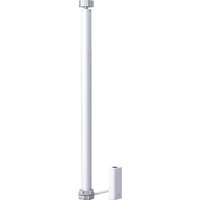
Roller Shade Controller T1S - Smart Home Aqara - Free user manual and instructions
Find the device manual for free Roller Shade Controller T1S Aqara in PDF.


| Product Type | Connected motor for roller shutter |
| Brand | Aqara |
| Model | SRSC-M01 |
| Rated voltage | 220-230 V~50 Hz |
| Rated torque | 8 N·m |
| Rated speed | 17 rpm |
| Compatible tube diameter | 35 mm |
| Wireless connection | Zigbee (2405-2480 MHz, power ≤13 dBm) |
| Operating temperature | -10°C to +40°C |
| Operating humidity | 10% to 95% RH (non-condensing) |
| Operating time | 4 min (cycle) |
| Noise level | ≤70 dB(A) |
| Power supply | Mains 220-230 V |
| Main functions | Remote control, automatic open/close, timer, integration with Aqara hub |
| Maintenance and cleaning | Disconnect before cleaning. Use a dry cloth. Do not immerse. |
| Safety | Installation by a professional. Keep out of reach of children. Power cord replaceable only by the manufacturer. |
| Spare parts and repairability | Power cable, motor, control box. Repair by a qualified professional. |
| General information | Manufacturer: Lumi United Technology Co., Ltd. Customer service: www.aqara.com/support, support@aqara.com |
Frequently Asked Questions - Roller Shade Controller T1S Aqara
User questions about Roller Shade Controller T1S Aqara
0 question about this device. Answer the ones you know or ask your own.
Ask a new question about this device
Download the instructions for your Smart Home in PDF format for free! Find your manual Roller Shade Controller T1S - Aqara and take your electronic device back in hand. On this page are published all the documents necessary for the use of your device. Roller Shade Controller T1S by Aqara.
USER MANUAL Roller Shade Controller T1S Aqara
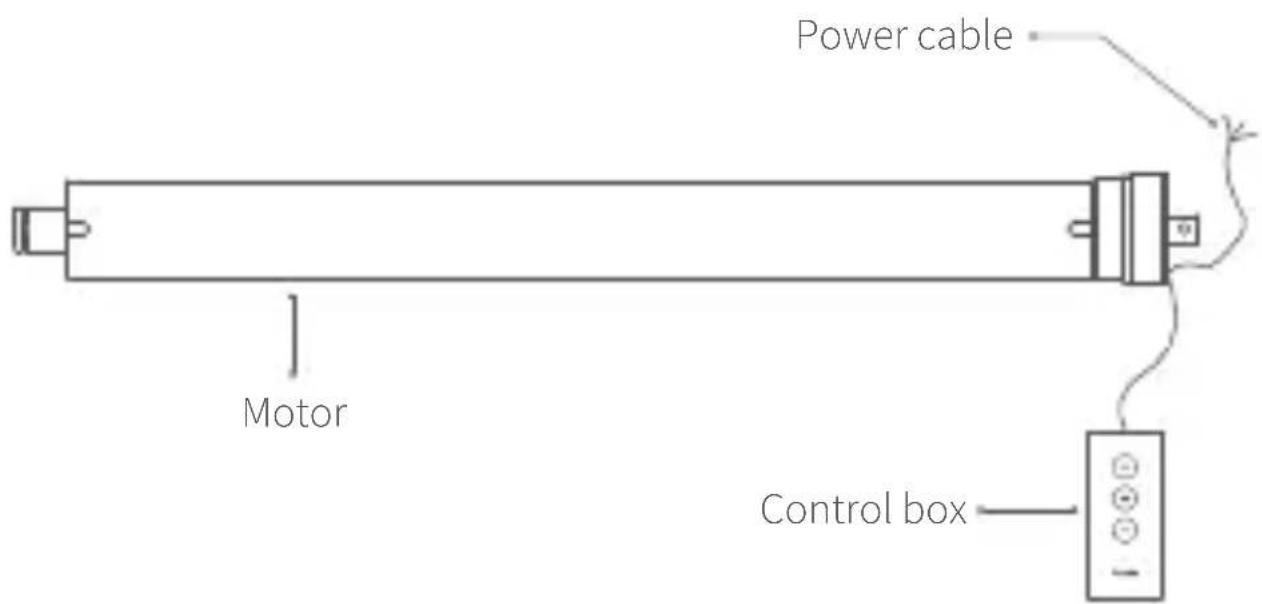
The Aqara Smart Roller Shade Controller is an electric smart curtain motor, which can automate ordinary roller blinds, Shangri-La blinds and other curtains. It has a built-in Zigbee wireless communication module. Paired with a hub device, it can realize functions such as remote control, timing opening and closing of curtains, and smart connection of several devices.
*This product needs to be paired with an Aqara device with hub function.
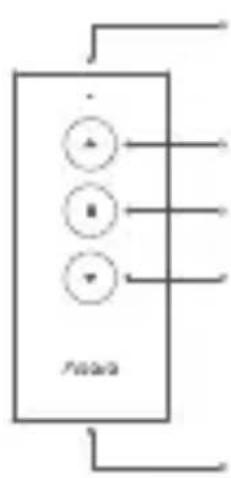
RJ11 Port
Up button
Stop button
Down button
Reset button
Installation Guide
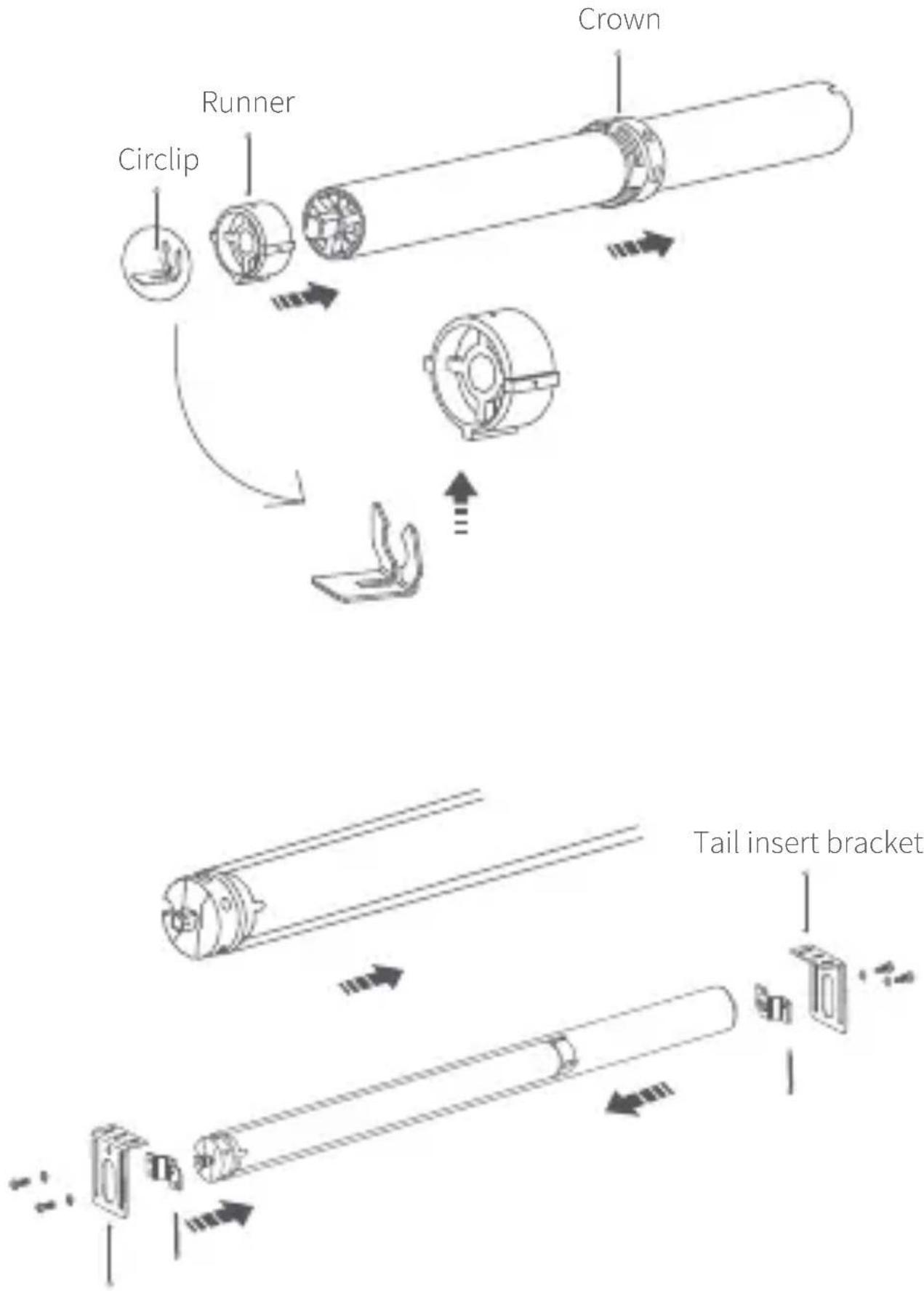
flowchart
graph TD
    A["Crown"] --> B["Runner"]
    B --> C["Circlip"]
    C --> D["Tail insert bracket"]
    D --> E["End"]
Stroke support
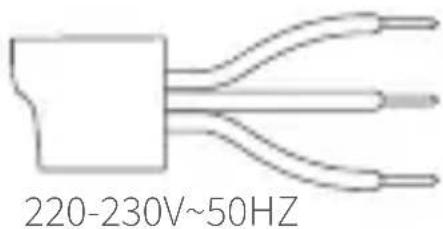
1 Blue wire=Neutral wire
2 Brown wire=Live wire
3 Yellow-green wire=Ground wire
Put the motor into the wall of the shutter pipe and fix it firmly. Connect the control box to the RJ11 interface.
Notes
-
Since the installation process of this product involves strong current, please entrust professional curtain installer to install it according to the specifications;
-
This product is for indoor use only. Please do not use it in the humid environment or outdoor;
-
Keep moisture away from product, and do not spill water or other liquid on the product;
-
Keep product away from heat source;
-
Do not attempt to maintain the product by yourself. The maintenance should be done by an authorized professional;
-
Under normal use, this equipment should be kept a distance of at least 20cm between the antenna and the user.
Quick Setup
-
Before activating the accessory, please make sure you have the Aqara Home app downloaded and the Aqara hub installed.
-
Open the app, click "+" in the upper right corner of the homepage, enter the "Add Device (Accessory)" page, select Aqara Smart Roller Shade Controller, and operate according to the prompts.
*If the addition fails, please move the Hub closer to the device and try again.
Effective distance verification: At the preselected installation location, press the device reset button once, and the Hub will give a prompt tone, indicating that effective communication is possible between the device and the Hub.
Operating Instructions
| Function | Operating Instructions |
| Set up/down travel | Adjust the curtain to the required up/down travel point with the up button, down button and stop button. After determining the position, press the stop key for 5 times in quick succession, and the motor rotates forward and backward once each, indicating that the up/down travel point is set successfully. |
| Delete travel | At the same time, press the up button + down button for 3 seconds. After the blue light is on, the indicator light will be loosened. The positive and negative rotation of the motor will be done once each, indicating the motor has been deleted successfully. |
| Motor direction reversal | Long press the stop button 5s and release the blue light after it lights up.The positive and negative rotation of the motor is 1 time each, indicating the motor reversing successfully. |
Indicator light description
| State descriptionIndica | |
| Blue light flashes | Power on or click the button |
| Blue light is steady on | The device has connected to the network and the motor is running |
| The blue light continues to flash quickly | Connecting to the network |
| Red indicator light flashes slowly | The device has not connected to the network and the motor is running |
Basic Parameters
Product name: Agara Smart Roller Shade Controller
Product model: SRSC-M01
Rated voltage: 220-230V\~50Hz
Rated power: 121W
Rated current: 0.53 A
Executive standard: Q/QLML016
Operating temperature: -10°C \~ +40°C
Operating humidity: 10%\~95% RH, non-condensing
Pipe diameter: 35mm
Rated torque: 8N·m
Rated rotor speed: 17 r/min
Wireless connection: Zigbee
Zigbee Operation Frequency: 2405-2480 MHz
Zigbee Maximum Output Power: ≤13 dBm
Online Customer Service: www.aqara.com/support
Email: support@aqara.com
Manufacturer: Lumi United Technology Co., Ltd.
Address: 8th Floor, JinQi Wisdom Valley, No.1 Tangling Road,
Liuxian Ave, Taoyuan Residential District, Nanshan District,
Shenzhen, China.
Warnings:
-
WARNING: Important safety instructions. It is important for the safety of persons to follow these instructions. Save these instructions.
-
WARNING: Important safety instructions. Follow all instructions since incorrect installation can lead to severe injury.
-
WARNING: the drive shall be disconnected from its power source during cleaning, maintenance and when replacing parts.
-
This appliance should not be used by children under 8 years old. This is not a toy and children should not play with the appliance. Cleaning and user maintenance should not be done by children. This appliance can be used by children aged 8 years or older or persons with
reduced capacity if they have been given instruction concerning using the appliance in a safe way and understand the hazards involved.
- Do not allow children to play with fixed controls. Keep remote controls away from children.
- If the supply cord is damaged, it must be replaced by the manufacturer, its service agent or similarly qualified persons in order to avoid a hazard.
- The supply cord of this drive can only be replaced by the same type of cable supplied by the manufacturer of the drive.
- Fequently examine the installation for imbalance and signs of wear or damage to cables springs and fixings. Do not use if repair or adjustment is necessary. It is recommended to check the product once a year.
- Do not operate when maintenance, such as window cleaning, is being carried out in the vicinity.
- Disconnect the drive from the supply or switch off the automatic controls when maintenance, such as window cleaning, is being carried out in the vicinity.
- Before installing the drive, remove any unnecessary cords or components and disable any equipment not needed for powered operation.
- Install the actuating member of any manual release at a height less than 1,8 m.
-
The type of driven part the drive is intended for Electric curtain machine.
-
The A-weighted emission sound pressure level of the drive is equal to or less than 70 dB(A), e.g. by writing LpA ≤ 70 dB(A).
Note
Rated operating time 4min;
Minimum tube diameter needed to insert tubular drives:35mm.
CE EU Declaration of Conformity Hereby, [Lumi United Technolo
declares that the radio equipment type [Aqara Smart Roller Shade Controller, SRSC-M01] is in compliance with Directive 2014/53/EU. The full text of the EU declaration of conformity is available at the following internet address: https://www.aqara.com/DoC/
WEEE Disposal and Recycling Information
All products bearing this symbol are waste electrical and electronic equipment (WEEE as in directive 2012/19/EU) which should not be mixed with unsorted household waste. Instead, you should protect human health and the environment by handing over your waste equipment to a designated collection point for the recycling of waste electrical and electronic equipment, appointed by the government or local authorities. Correct disposal and recycling will help prevent potential negative consequences
to the environment and human health. Please contact the installer or local authorities for more information about the location as well as terms and conditions of such collection points.
產品介紹
natural_image
Simple line drawing of a three-pin electronic component (no text or symbols)220-230V\~50HZ
1 blau=Nullleiter
2 braun=Hauptleiter
Executive Standard: Q/QLML016
Online-Kundenservice: www.aqara.com/support
E-Mail: support@aqara.com
Hersteller: Lumi United Technology Co., Ltd.
Adresse: JinQi Wisdom Valley, No.1 Rue Tangling Avenue
Nanshan, Shenzhen, Chine.
Avertissements:
natural_image
Simple line drawing of a three-pin electrical connector (no text or symbols)220-230V\~50HZ

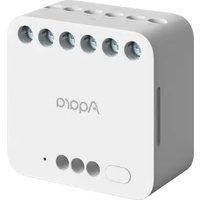
Brand : Aqara
Model : Roller Shade Controller T1S
Category : Smart Home