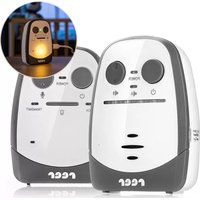
Cosmo 50150 - Baby monitors Reer - Free user manual and instructions
Find the device manual for free Cosmo 50150 Reer in PDF.


| Product type | Baby monitor |
| Brand | Reer |
| Model | Cosmo 50150 |
| Transmission technology | Digital THSS |
| Frequency | 865 MHz |
| Maximum range | Up to 600 m |
| Baby unit power supply | Power adapter 5V / 600 mA or 3 AAA alkaline batteries (not included) |
| Parent unit power supply | Power adapter 5V / 600 mA or built-in rechargeable lithium-polymer battery 3.7 V / 600 mAh |
| Parent unit battery life (screen, standby) | Up to 60 hours |
| Main features | Ultra-sensitive microphone, voice activation, 3-level night light, Eco mode, vibration mode, talk-back function, sound level LED indicator, belt clip |
| Standby mode | Voice activation (transmits only when noise is detected) |
| Vibration mode | Automatic activation when sound volume is zero, can be deactivated by increasing volume |
| Night light | 3 brightness levels, adjustable on baby unit |
| Talk-back function | Talk button on parent unit (press and hold to speak) |
| Range alert | Visual and audible after 30 seconds out of range |
| Operating temperature | -9 °C to +50 °C |
| Cable length | 1.50 m |
| Care | Clean with a slightly damp cloth; do not use chemicals; do not immerse |
| Safety | Keep out of reach of children (min. distance 1 m), do not place in crib, keep cable out of reach, do not use near water, do not cover |
| Spare parts / repairability | Replaceable lithium-polymer battery (parent unit); AAA batteries (baby unit); repairs by a specialist |
| Authorized countries of use | DE, CH, AT, IT, FR, BE, NL, ES, LU, GR, HU, CZ, SI, PL, CY, DK, FI, IS, LI, LT, NO, RO, SE, SK, TR |
| Compliance | Directive 2014/53/EU (declaration available at www.reer.de) |
Frequently Asked Questions - Cosmo 50150 Reer
User questions about Cosmo 50150 Reer
0 question about this device. Answer the ones you know or ask your own.
Ask a new question about this device
Download the instructions for your Baby monitors in PDF format for free! Find your manual Cosmo 50150 - Reer and take your electronic device back in hand. On this page are published all the documents necessary for the use of your device. Cosmo 50150 by Reer.
USER MANUAL Cosmo 50150 Reer
Lieferumfang

d.
e.
Cosmo
Art.No.: 50150
Scope of delivery

d.
e.
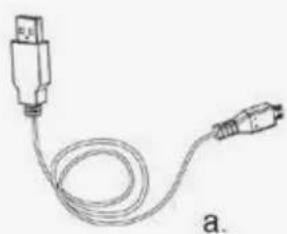
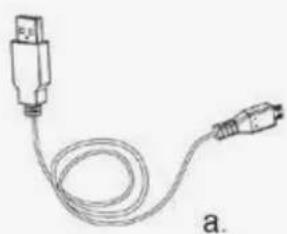
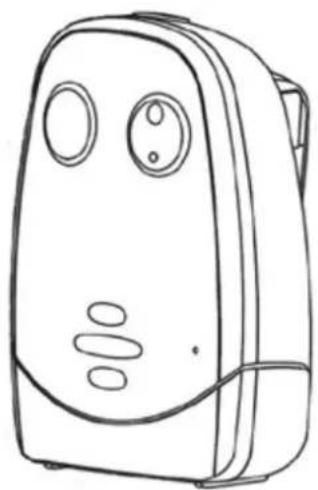
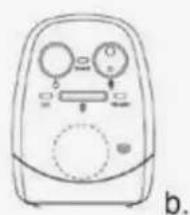
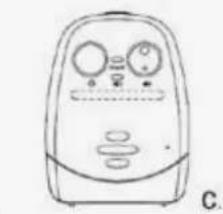
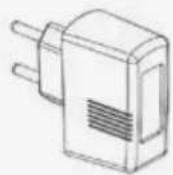
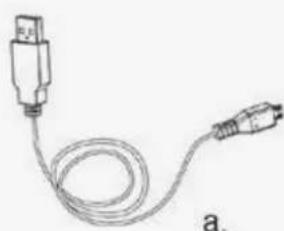
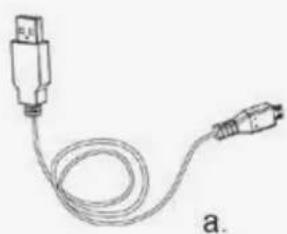
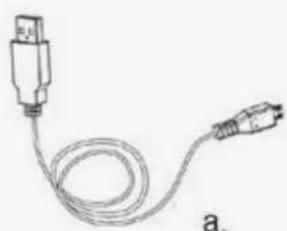
a. Micro-USB cable 2x
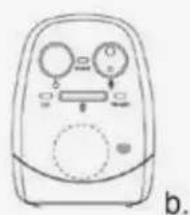
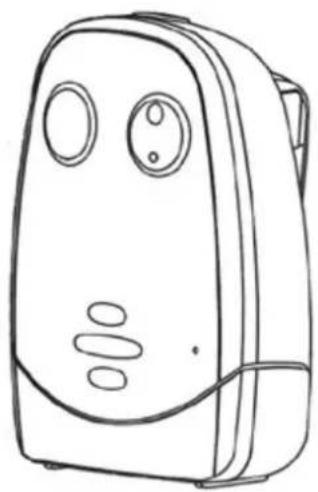
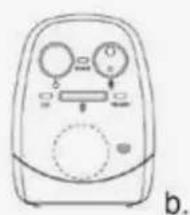
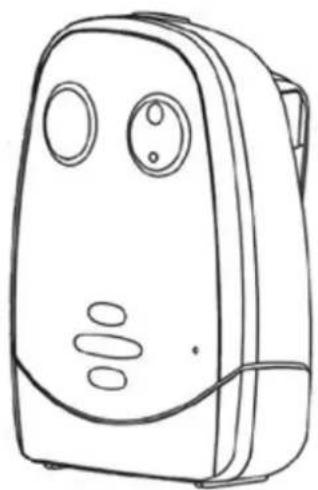
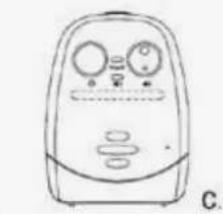
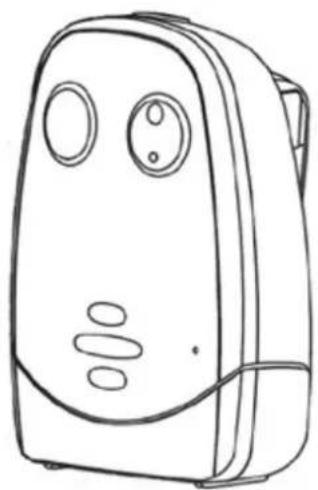
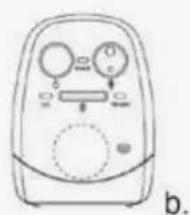
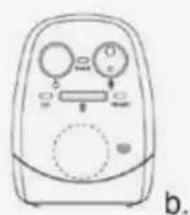
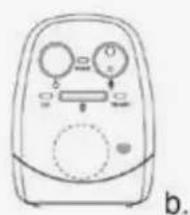
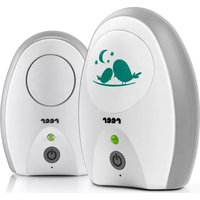
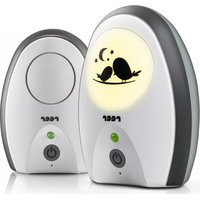
b. baby unit/transmitter
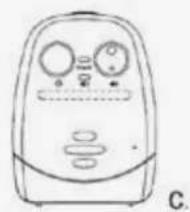
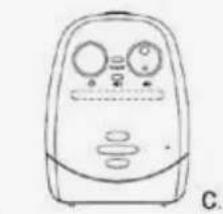
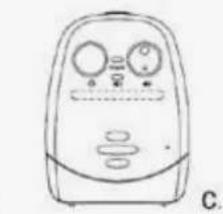
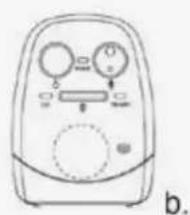
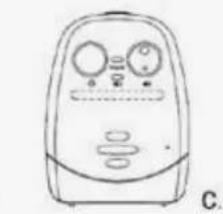
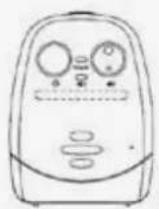
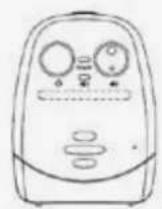
c. parent unit/receiver
d. 3.7 V rechargeable Li-polymer battery (built into parent unit)
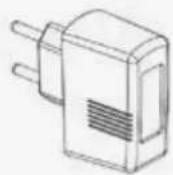
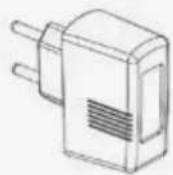
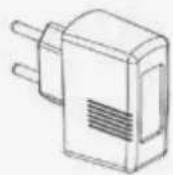
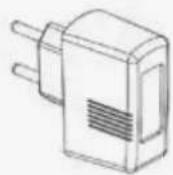
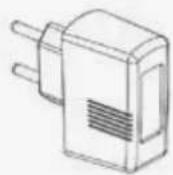
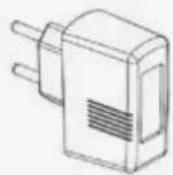
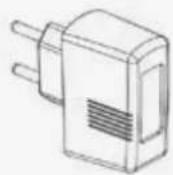
e. 5 V AC mains adapter
Cosmo
Congratulations on the purchase of your new reer baby monitor. This intuitive unit's highly sensitive microphone transmits the sounds your baby makes clearly and reliably. The comforting night light on the baby unit helps your child to fall asleep. As soon as your child is quiet, the unit automatically switches to VOX mode. The baby unit starts sending again only when noises are detected. The on/off ECO mode ensures the baby unit no longer emits radiation in stand-by mode. The handy baby monitor can be used as a stationary or mobile unit thanks to the optional battery operation of the parent unit and the robust belt clip. We're confident you'll enjoy the quality of our product for many years to come. Please take a few minutes to read through the safety instructions carefully. You will only be able to use the reer baby monitor with confidence if all of the points mentioned here have been checked. Please keep the instruction manual in a safe place for future reference.
Technical data
| Technology | Digital THSS |
| Frequency | 865 MHz |
| Baby unit / Transmitter | Power supply with mains adapter or optionally with 3 AAA alkaline batteries (not included in delivery). |
| Parent unit / Receiver | Power supply with mains adapter or optional 3.7 V 600 mAh Li-polymer battery/rechargeable (integrated in parent unit) |
| Input | 100 - 240 V / 50 Hz / 0.15 A max. |
| Output | 5 V / 600 mA max. |
| Transmitter power | TX: 5,47 dBm / RX: 7,65 dBm |
| Range | Up to 600 m |
| Cable length | 1,50 m |
| Operating temperature | -9°C - +50°C |
| Maximum battery life of the parent unit (display; on stand-by) | Up to 60 hours |
General safety instructions
! Check the unit for visible damage before each use. If you detect any damage, do not use the unit.
! Only use the supplied chargers and mains adapters. Make sure that the operating voltage of the power outlet matches that of the mains adapter. Check - especially when travelling abroad - that the local mains voltage matches the voltage specified on the units and/or mains adapters.
Except for the battery compartment cover, never open the units or mains adapters, as there is a risk of electric shock. If a unit does not work correctly, please do NOT try to fix the problem yourself. Please contact your dealer in the case of any problems.
! Avoid bringing the battery and/or electrical connection contacts on the units into contact with metal objects.
! This product is not a toy! Do not allow children to play with the unit.
ATTENTION!
This baby monitor was designed exclusively for monitoring your baby. It may neither be regarded as a substitute for parental supervision nor as a medical device.
Safety instructions for installation
! Always place the baby unit out of your child's reach (minimum distance: 1 meter).
!Never place the baby monitor inside the crib, cot or playpen.
! The power lead must be secured out of the reach of children to avoid any risk of strangulation. Do not use extension cables.
! To ensure optimal transmission, the units must be kept upright at all times and placed in an elevated position.
! DO NOT place the receiver in the vicinity of radio transceivers or microwaves. Radiant emissions from these devices can significantly affect radio reception.
! Do not use the units near water or in humid places. Do not submerge the units in water.
!Do not rinse the units under running water.
!Do not cover the baby monitor with towels, clothes or blankets.
!Avoid extreme heat and direct sunlight
! The socket used for connecting the mains adapter must be located close to the baby monitor and kept freely accessible at all times.
! Disconnection from the mains supply is only allowed if the mains adapter is disconnected from the power socket.
Description of the units
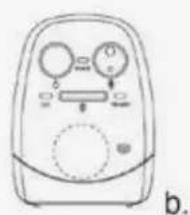
Parent unit / Receiver
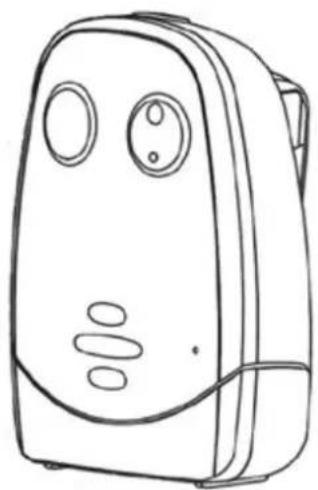
Baby unit / Transmitter
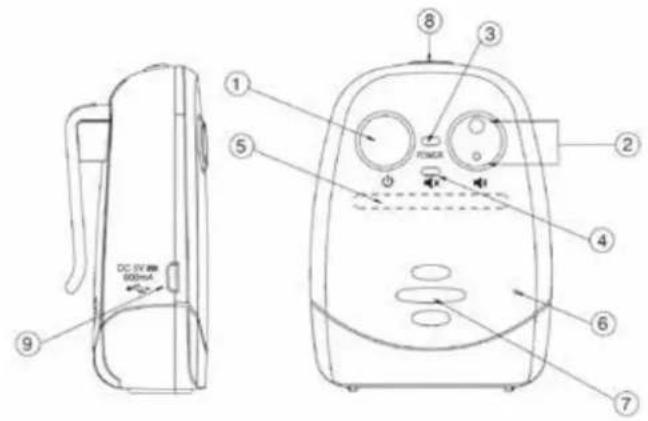
- On/off button
- Increase/decrease volume
- Power indicator
- Vibration indicator
- Noise level indicator
- Microphone
- Speaker
- Talk button
-
Micro USB slot for power supply
-
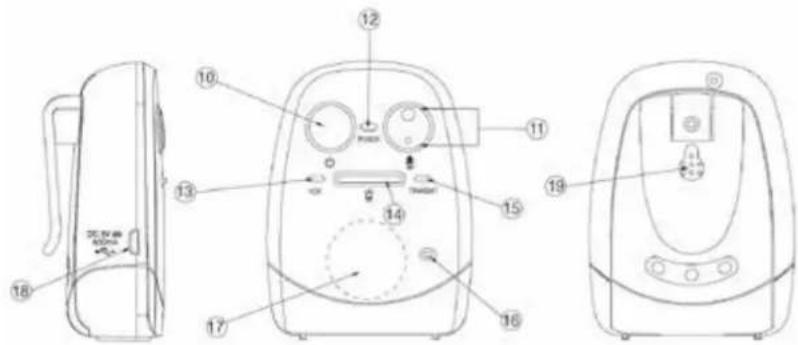
On/off button
- Increase/decrease microphone sensitivity
- Power indicator
- Night light VOX indicator
- Night light switch
- Transmission indicator
- Microphone
- Night light
- Micro USB slot for power supply
- Speaker
Before first use
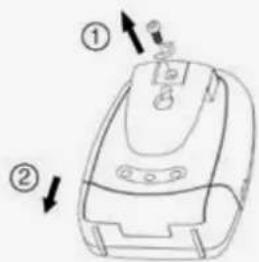
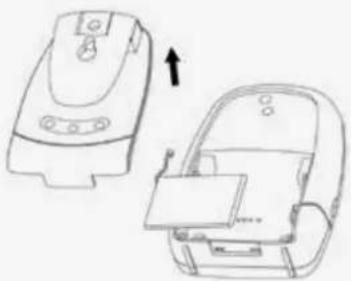
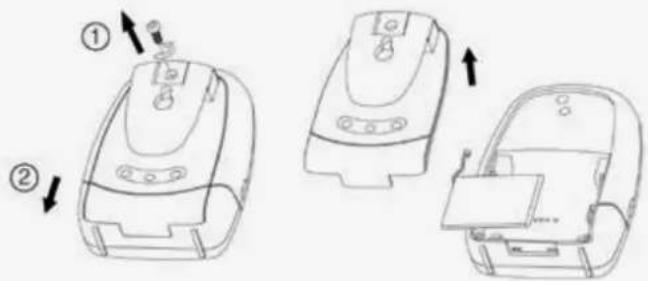
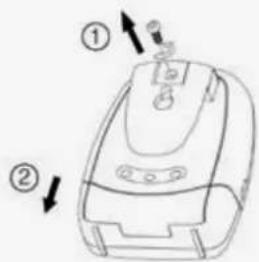
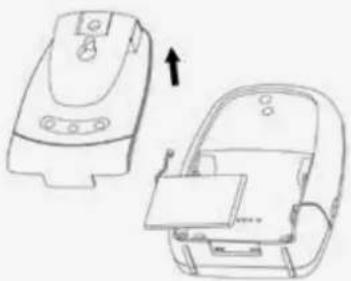
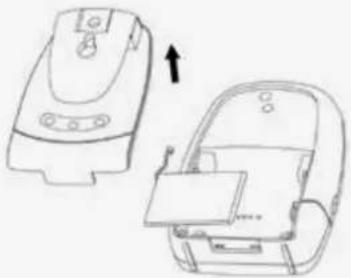
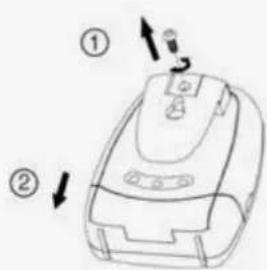
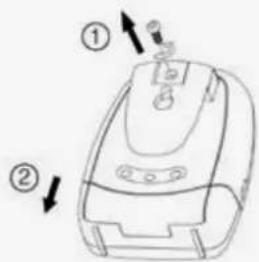
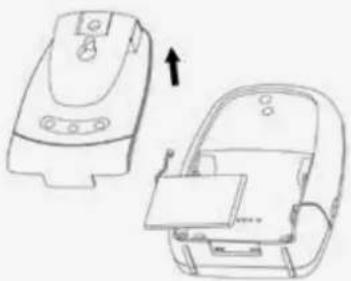
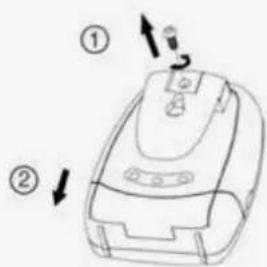
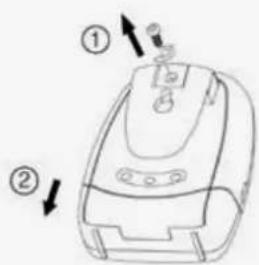
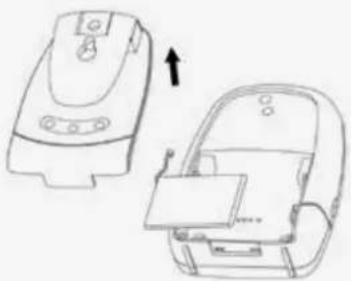
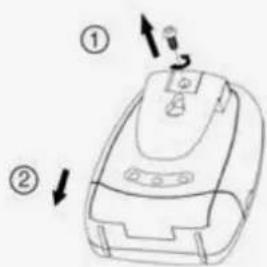
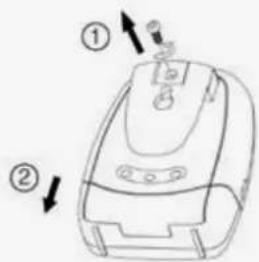
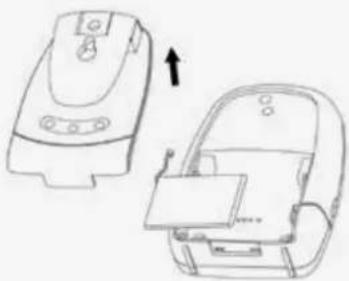
- Make sure to fully charge the battery of the parent unit before using it for the first time until the power indicator (3) lights up green continuously. The power indicator lights up red during the charging process. In the event that the built-in battery is defective, it can be replaced by opening the battery compartment cover on the back.
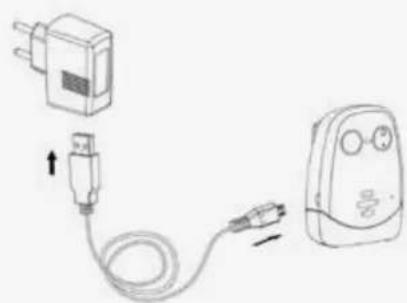
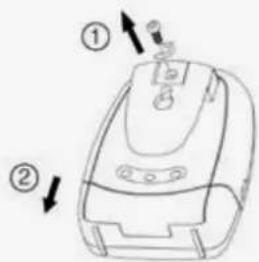
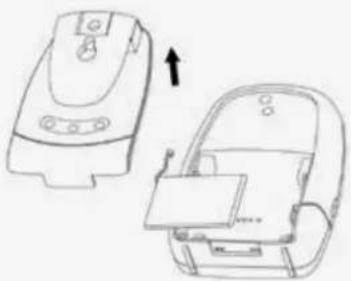
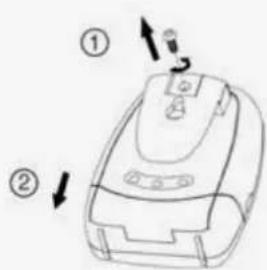
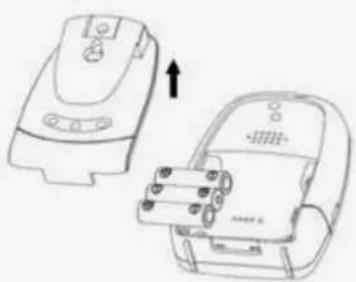
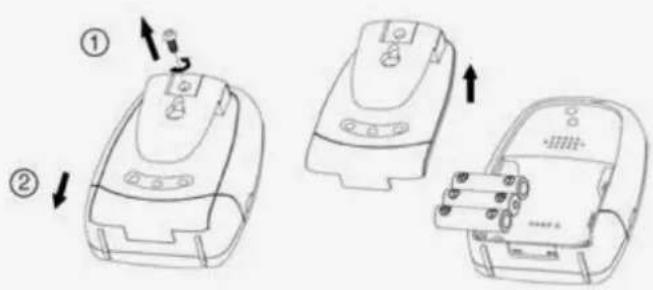
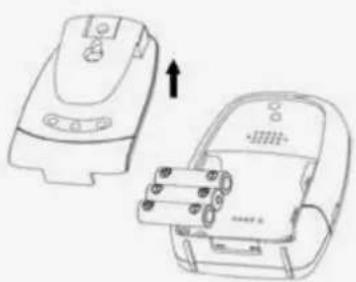
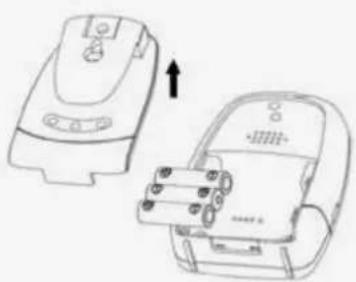
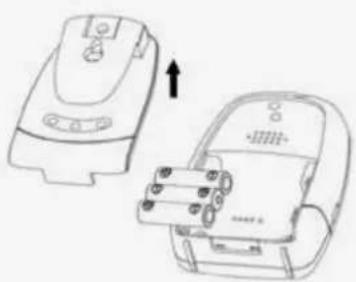
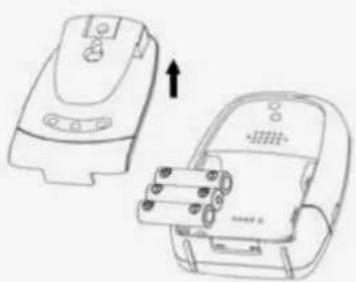
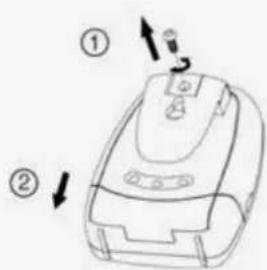
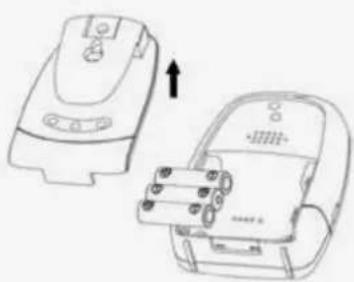
- Connect the baby unit with the supplied mains adapter. As an alternative, the baby unit can be operated with 3x AAA alkaline batteries or rechargeable batteries. For this purpose, open the battery compartment cover on the back and insert the batteries. Make sure that the polarity is correct when inserting the batteries and do not mix alkaline batteries with rechargeable batteries. Please note that inserted rechargeable batteries are not charged in mains operation.
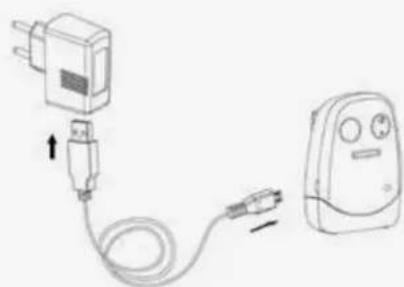
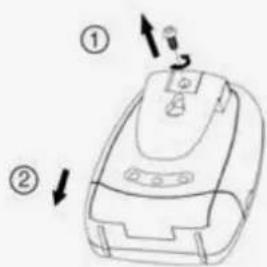
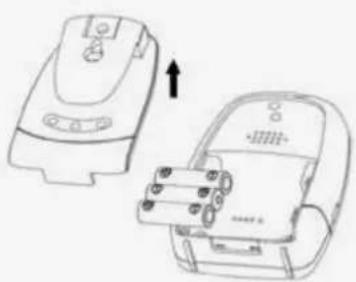
- Switch on the parent unit with the On/Off button (1). The power indicator (3) lights up green.
- Switch on the baby unit with the On/Off button (10). The power indicator (12) lights up green.
- The devices, which are pre-coupled at the factory, will now transmit the sound signal as soon as the baby unit detects any sounds. Should you encounter problems with the transmission, please proceed as described under Pairing.
Functional possibilities:
Pairing
- Press and hold the Volume Down button (2) of the deactivated parent unit.
- Switch on the parent unit by pressing and holding the On/Off button (1). The power indicator (3) starts flashing green. Release both buttons.
- Press and hold the Decrease Microphone Sensitivity button (11) of the switched-off baby unit.
- Switch on the baby unit by pressing and holding the On/Off button (10). The power indicator (12) starts flashing green. Release both buttons.
- Now press the Decrease Microphone Sensitivity button (11) of the baby unit once again. If the pairing process is successful, you will hear two beeps from the parent unit. The power indicators of the parent unit (3) and baby unit (12) should now light up permanently green.
- The baby monitor is now ready for use.
- Repeat the pairing process if the parent unit and baby unit do not communicate with each other.
Baby unit / Transmitter
- During normal operation, the baby unit transmits in VOX mode. It only transmits the signal when the microphone of the baby unit detects any sounds. You can use the buttons (11) on the baby unit to increase or decrease microphone sensitivity. The brightness of the night light shows you the level of sensitivity when you set it. When set to the highest sensitivity level, the baby unit transmits continuously.
- The transmission indicator (15) lights up yellow when the baby unit is transmitting sounds.
- You can switch the night light on and off with the night light switch (14). When the unit is switched on, you can choose from 3 brightness levels by pressing the night light switch again. You can also switch the night light to VOX mode, which is indicated by a lit night light VOX display (13). In this mode, the night light turns on for a few seconds whenever the microphone detects a sound.
- Your child can hear your voice through the loudspeaker (19) on the back of the baby unit when you talk to it using the intercom function on the parent unit. You can increase or decrease the volume of the loudspeaker with the buttons (11) while holding down the Talk button (8) on the parent unit. You can adjust the sensitivity of the microphone of the baby unit with the buttons (11) without holding down the Talk button.
- To switch on the low-radiation ECO mode, press the On/Off button (10) three times in quick succession. ECO mode can be identified by the blue power indicator (12). To return to normal mode, press the On/Off button again three times in quick succession.
! CAUTION: The out-of-range alarm is not active in ECO mode. You will therefore not receive a message on the parent unit if you are no longer within range of the baby unit or if it is switched off.
Parent unit / Receiver
- If the parent unit receives a signal, the LEDs of the noise level indicator (5) light up in relation to the volume of the signal.
- You can increase or decrease the volume of the loudspeaker with the buttons (2). The set volume is indicated by the LEDs of the noise level display (5).
- If you mute the volume entirely, the parent unit automatically reverts to vibration mode. In this mode, the parent unit vibrates automatically as soon as it receives a signal. Increase the volume again to switch off vibration mode. Please note that if vibration mode is switched on, battery life will be reduced.
- You can use the intercom function to communicate with your baby. To do this, press and hold the Talk button (8) on the top of the parent unit. Please be aware that you cannot hear your baby while you are pressing and holding the Talk button.
- If the parent unit is out of range of the baby unit for a period of more than 30 seconds, you will receive a visual and audible out-of-range alarm on the parent unit. The alarm will only cease when you are back within range of the baby unit.
- Briefly pressing the On/Off button shows you the sound level display (5) of the activated parent unit and the battery status. If the battery level of the parent unit becomes low, you will receive an optical and acoustic alarm. You can then recharge it using the included mains adapter.
Cleaning and maintenance
Always disconnect the mains adapters from the wall power socket before cleaning the unit. Only use a slightly dampened cloth. Do not submerge the unit in water. Do not use chemical detergents.
This product does not require any special maintenance. Repairs to the unit must be carried out by skilled personnel only.
Troubleshooting
| Problem Possible cause Action | ||
| The baby unit has no reception • Microphone sensitivity is too low• USB cable is not connected properly | • Adjust the sensitivity with the Increase Microphone Sensitivity button (11)• Check the power supply | |
| Constant transmission • Microphone sensitivity is too high• Continuous operation of the parent unit is activated without Auto-Off | • Adjust the sensitivity with the Decrease Microphone Sensitivity button (11) | |
| Constant range alarm | • Baby unit is switched off or no power supply available• Distance between the units is too large• The coupling is faulty or no longer there | • Switch on baby unit or test power supply• Reduce distance between units• Carry out coupling again |
| Parent unit permanently indicates low battery status | • Built-in battery is empty• Battery is damaged | • Charge the parent unit with the supplied charging cable• Replace with new battery |
| Parent unit battery life is very short | • Vibration mode is switched on | • Increase volume by pressing the button |
| Excessive static and interference | • Baby unit is near other electrical equipment | • Remove the other electrical equipment or reposition the baby unit |
| Range too small • Excessive signal interference between the two units | • Reposition the parent and baby unit | |
Warranty
Please retain your receipt, the user manual and item number.
Warranty claims or claims from promises of guarantee must be processed by the dealer. The technical specification, information and characteristics of the product described herein have been compiled to the best of our knowledge and belief and are correct at the time of printing. Any information provided by reer should be correct and authoritative. Nevertheless, reer does not accept liability for potential errors in this document and reserves the right to make changes to the product design and/or specifications without prior notice. Reproduction and disclosure of information contained in this copyright protected document, in any form or by any means - graphical, electronic or mechanical by photocopying, recording on tape or storage in a data retrieval system (even in part), require prior written consent from reer.
Environmental protection
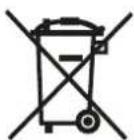
At the end of its life, this product must not be disposed of as normal domestic waste, but should be recycled at a collection point for electrical appliances. Please see the relevant symbol on the product, in the user manual and packaging. Materials can be recycled as specified. An important contribution to the protection of the environment can be made by reusing the unit, recycling its components or otherwise reusing old appliances. Please contact your local council to find out more about an appropriate disposal centre.
reer GmbH
Muehlstr. 41 · 71229 Leonberg · Germany
www.reer.de
Operation permitted in the following countries:
DE,CH,AT,IT,FR,BE,NL,ES,LU,GR,HU,CZ,SI,PL,CY,DK,FI,IS,LI,LT,NO,RO,SE,SK,TR
reer GmbH hereby declares that the radio system type in the Cosmo (ArL.No.: 50150) complies with Directive 2014/53/EU.
The full EU Declaration of Conformity text is available at the following web address:
http://www.reer.de
FR Mode d'emploi
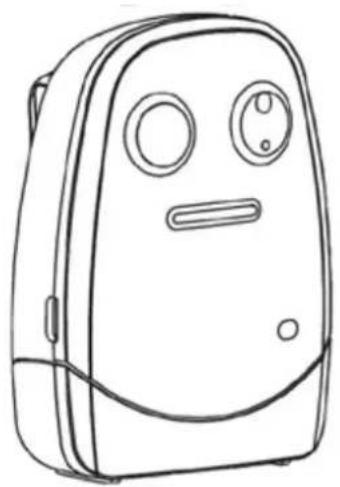
Cosmo
Réf.art.: 50150

d.
e.
Cosmo
Cod. art.: 50150

d.
e.

Cosmo
N.° de art. 50150

d.
e.

Cosmo
Art.nr.: 50150
Leveringsomvang

d.
e.
Zakres dostawy
广力云智慧零售收银系统
C.

d.
e.
Obsah dodávky
广力云智慧零售收银系统
C.

d.
e.
- LIEFERUMFANG
- SCOPE OF DELIVERY
- COSMO
- GENERAL SAFETY INSTRUCTIONS
- ATTENTION
- SAFETY INSTRUCTIONS FOR INSTALLATION
- DESCRIPTION OF THE UNITS
- PARENT UNIT / RECEIVER
- BABY UNIT / TRANSMITTER
- BEFORE FIRST USE
- FUNCTIONAL POSSIBILITIES
- PAIRING
- CLEANING AND MAINTENANCE
- TROUBLESHOOTING
- WARRANTY
- ENVIRONMENTAL PROTECTION
- FR MODE D'EMPLOI
- LEVERINGSOMVANG
- ZAKRES DOSTAWY
- OBSAH DODÁVKY
Brand : Reer
Model : Cosmo 50150
Category : Baby monitors