LUMI 2 - Baby bed Kindercraft - Free user manual and instructions
Find the device manual for free LUMI 2 Kindercraft in PDF.


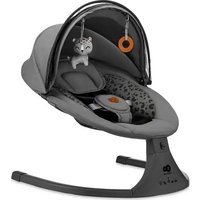
| Product type | Baby bouncer with swinging motion |
| Brand | Kindercraft |
| Model | LUMI 2 |
| Dimensions (approx.) | 70 × 45 × 50 cm (length × width × height) |
| Weight (approx.) | 4.5 kg |
| Power supply for bouncer | 4 AAA 1.5 V batteries (not included) or USB-DC cable (5.8–6.0 V, 1 A min) |
| Remote control power supply | 1 CR2025 3 V battery (not included) |
| Main functions | Motorized rocking (5 speeds), built-in music (MP3/WAV/WMA), Bluetooth, remote control, timer (8/15/30 min), sleep mode |
| Connectivity | Bluetooth (device name: "swing chair"), USB port for audio files |
| Included accessories | Canopy with toys, mosquito net, adjustable cushion, USB-DC cable, screws (x4) |
| Materials | Metal frame, textile cover (washable), mosquito net |
| Safety | Restraint harness, rocking lock, do not use without supervision, do not move with child, do not use for sleeping |
| Recommended age | From birth until the child tries to sit up (max. approx. 9 kg) |
| Cover care | Machine wash at 40 °C max, normal cycle, air dry, do not iron, do not bleach, do not dry clean |
| Frame and toy care | Clean with a damp cloth and mild soap, air dry, do not immerse |
| Used batteries | Remove before long periods of non-use, dispose of according to local regulations |
| Warranty | Visit www.kinderkraft.com for terms |
Frequently Asked Questions - LUMI 2 Kindercraft
User questions about LUMI 2 Kindercraft
0 question about this device. Answer the ones you know or ask your own.
Ask a new question about this device
Download the instructions for your Baby bed in PDF format for free! Find your manual LUMI 2 - Kindercraft and take your electronic device back in hand. On this page are published all the documents necessary for the use of your device. LUMI 2 by Kindercraft.
USER MANUAL LUMI 2 Kindercraft
natural_image
Line drawing of a bird's head and neck with curved limbs and a cat inside (no text or symbols)LUMI ^2 USER GUIDE
(AR) عربة اطقال
(EN) RECLINED CRADLE
(CS) LEHÁTKO
(DE) BABYWIPPE
(ES) HAMACAS RECLINABLES
(FR) TRANSAT
(HU) IHENÓSZÉK
(IT) SDRAIETTE
(NL) IPSTOEL
(PL) LEŻACZEK
(PT) BERÇO
(RO) LEAGAN
(RU) ШЕЗЛОНГ
(SK) LEŽADLO
(SV) LOUNGER
دليل الاستخدام
USER MANUAL
NÁVOD K OBSLUZE
BEDIENUNGSANLEITUNG
MANUAL DE USARIO
GUIDE D'UTILISATION
HASZNÁLATI UTASÍTÁS
ISTRUZIONI PER UTENTE
GEBRUIKSAANWIJZING
INSTRUKCJA OBSŁUGI
MANUAL DE INSTRUÇÕES
MANUAL DE UTILIZARE
РУКОВОДСТВО ПО ЭКСПЛУАТАЦИИ
NÁVOD NA POUŽÍVANIE
ANVANDARMANUAL
All rights to this data are entirely reserved to 4Kraft Sp. z o.o. Any unauthorized use or misuse, including usufruct, copying, duplication and sharing, wholly or partially, without consent of 4Kraft Sp. z o.o. may result in legal consequences.
AR 9
CS 13
DE....17
EN 22
ES....26
FR 30
HU 34
IT 39
NL 43
PL....47
PT 51
RO....56
RU....60
SK....65
SV 69
/ Ilustrace jsou pouze orientační a nepředstavují plné zobrazení produktu./Die gezeigtën Bilder dienen nur als Referenz, das tatsächliche Produkt kann von der Abbildung abweichen./The illustrations are for illustration only and do not represent the product./Las ilustraciones son meramente orientativas y no constituyen una representación completa del producto./Les illustrations sont données à titre indicatif et ne constituent pas une représentation complète du produit./Az illusztrációk csak tájékoztató jellegúek és eltérhetnek a valós terméktől./Le immagini sono inserite a scopo dimostrativo e non rispecchiano appieno le caratteristiche del prodotto./De afbeeldingen dienen uitsluitend ter illustratie en geven geen volledig beeld van het product./Ilustracje mają charakter poglądowy i nie stanowią pełnego odwzorowania produktu./As ilustrações têm uma função informativa e não são uma representação fiel do produto./ Ilustrațiile sunt doar pentru referință și nu reprezintă produsul complet./Иллюстрации приведены только для справки и не представляют весь продукт./Obrázky slúžia len na ilustráciu a nie sú úplným predstavením produktu./Illustrationer är endast för referens och representerar inte hela produkten
natural_image
Simple line drawing of a bowl with handles and compartments (no text or symbols)1
natural_image
Line drawing of a curved mechanical component with no visible text or symbols2
natural_image
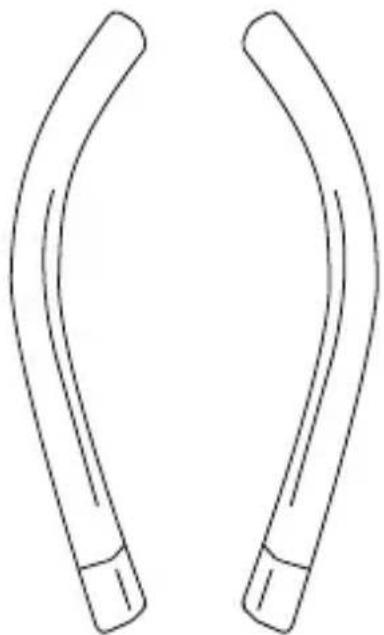
Line drawing of two curved, elongated objects with no text or symbols3
natural_image
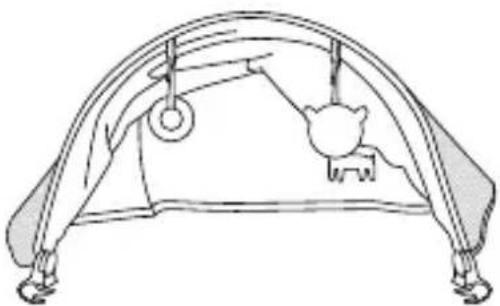
Line drawing of a curved mechanical or architectural component with two circular components and a central knob (no text or symbols)4
natural_image
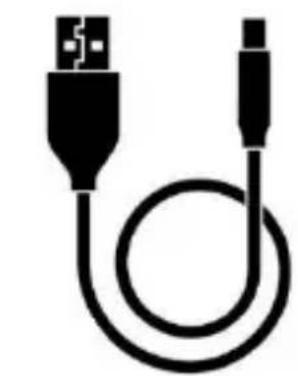
Black and white illustration of a USB cable with two connectors (no text or symbols)5
6
7
natural_image
Diagram of a car seatbelt with red circular arrows indicating clockwise rotation (no text or symbols)A
natural_image
Diagram of a curved mechanical or structural component with a red arrow indicating a specific point (no text or symbols present)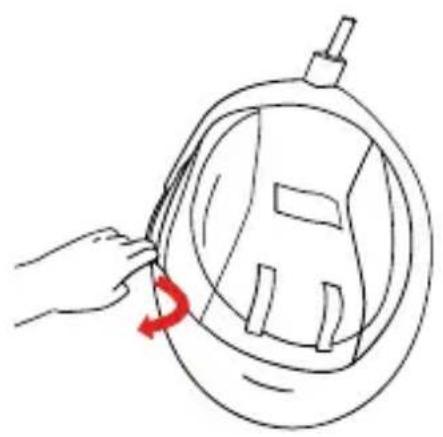
natural_image
Line drawing of a hand holding a circular object with a red arrow indicating rotation (no text or symbols)B
natural_image
Line drawing of a stylized helmet or device with no text or symbols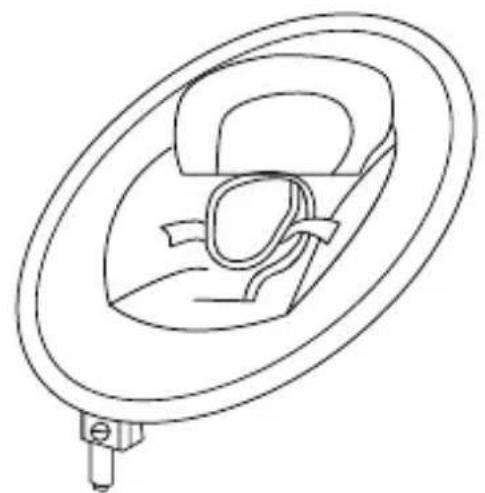
natural_image
Line drawing of a circular mechanical component with internal structure and mounting base (no text or symbols)C
natural_image
Diagram of a U-shaped mechanical component with a red curved arrow indicating rotation (no text or symbols)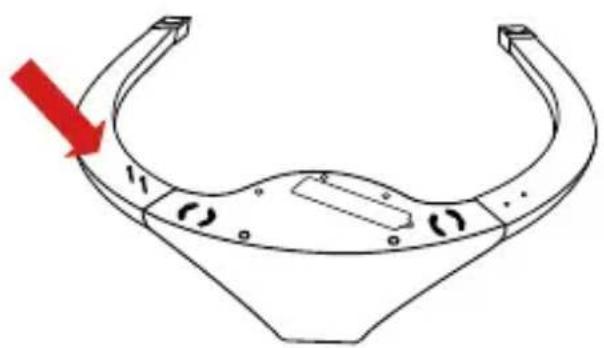
natural_image
Technical line drawing of a mechanical component with a red arrow indicating direction (no text or symbols)D
natural_image
Diagram of a car seatbelt device with a magnified inset showing internal components (no text or labels)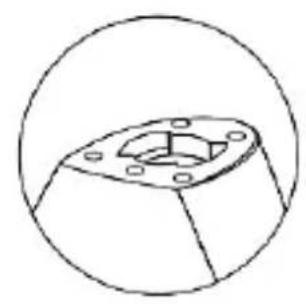
natural_image
Technical line drawing of a mechanical component with a flanged base and bolt holes (no text or symbols)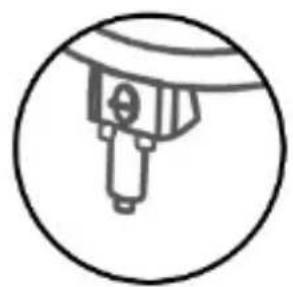
natural_image
Simple line drawing of a mechanical component inside a circle (no text or symbols)E
natural_image
Illustration of a car seatbelt device with red arrows indicating force or movement (no text or symbols present)F
G
natural_image
Hand holding a circular object with a red arrow indicating rotation (no text or symbols)H
natural_image
Diagram showing a mechanical component with red arrows indicating direction, no text or symbols present|
J

natural_image
Technical line drawing of a curved mechanical component with an inset showing internal components (no text or symbols)K
natural_image
Technical line drawing of a mechanical component with a circular inset highlighting a small feature (no text or symbols)L

M
N
AR
ع عميلنا المحترم!
. Kinderkraft نشکرک على اقتناء منتجات شكة
natural_image
Symbol of a trash bin crossed with two crossed lines, no text or numbers present
natural_image
Symbol of a trash bin crossed out by two diagonal lines, representing waste sorting or disposal (no text or labels)natural_image
Simple line drawing of a trash bin with crossed lines and a blank rectangular base (no text or symbols)
natural_image
Symbol of a trash bin crossed with diagonal lines, representing waste sorting or disposal (no text or labels)Thank you for choosing a product by Kinderkraft.
Our designs are child-oriented – safety and quality always comes first, stay comfortable knowing that you have made the best choice.
IMPORTANT! READ CAREFULLY AND KEEP FOR FUTURE REFERENCE.
WARNING!
- Never leave the child unattended.
- Stop using the product when the child starts trying to sit up.
- Never use this product on an elevated surface (e.g. a table).
- Always use the restraint system.
- Never use the toy bar to carry the product.
- Do not move or lift this product with the baby inside it.
- When the product is connected to a music player, ensure that the volume of the music player is set to a low value.
- Never let the child sleep in this product. This product does not replace a cot or a crib. Should the child fall asleep, then it should be placed in a suitable cot or crib.
- Do not use the product if any parts are broken or missing.
- Do not use accessories or replacement parts other than those approved by the manufacturer.
Safe use of the batteries and power supply
Non-rechargeable batteries are not to be recharged. Different types of batteries or new and used batteries are not to be mixed. Batteries are to be inserted with the correct polarity. Exhausted batteries are to be removed from the product. Do not short-circuit the battery terminals.


WARNING: This product contains a coin/button battery. A coin/button battery can cause serious internal chemical burns if swallowed.
WARNING: Dispose of used batteries immediately. Keep new and used batteries away from children. If you think batteries may
have been swallowed or placed inside any part of the body, seek immediate medical attention.
Technical data:
Battery power supply: 4 pcs x AAA 1.5 V (not included)
Power supply via USB-DC cable (included): requires a power supply unit with USB-A port with the following output parameters: voltage 5.8V–6.0V — — —, minimum current 1A. Estimated run time of the rocker on batteries (depending on battery type is a maximum of 5 hours).
Remote control power supply: 1 pc x CR2025 3 V (not included)
Product description
| no. | Item description | no. | Item description | no. | Item description |
| 1 | Seat | 2 | Rocker foot | 7 | Remote |
| 3 | Legs | 4 | Canopy with toys and mosquito net | ||
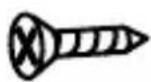
| 5 | USB-DC cable | 6 | Screws x4 |
Product assembly/disassembly:
Follow the fig. A and N.
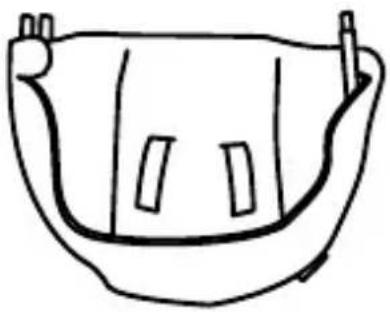
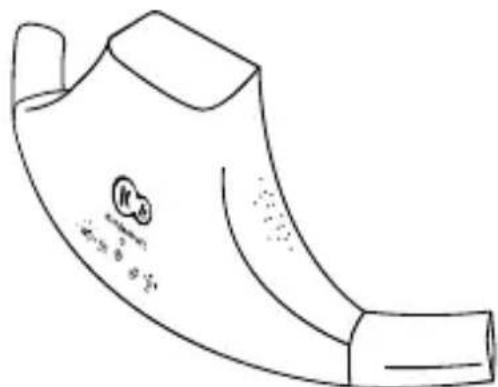
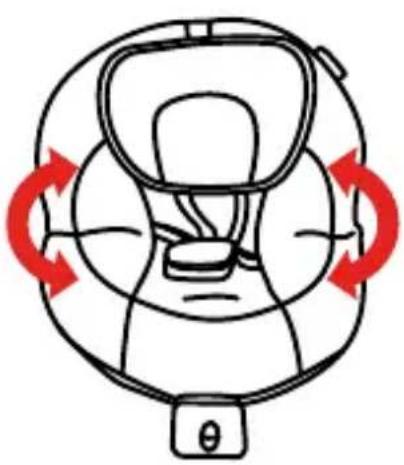
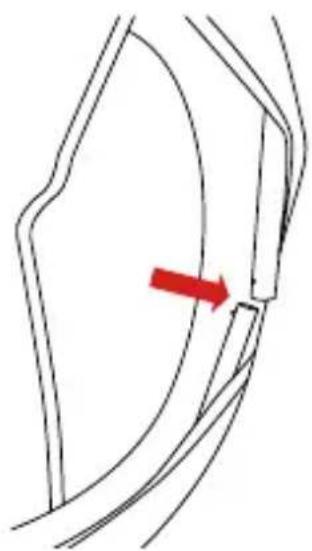
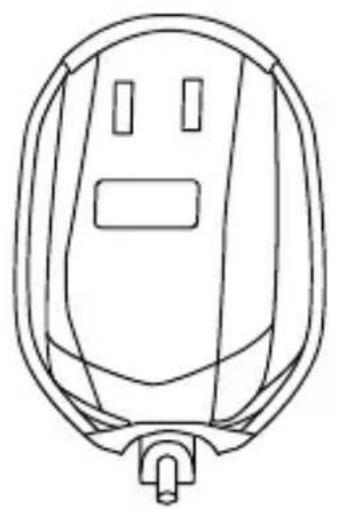
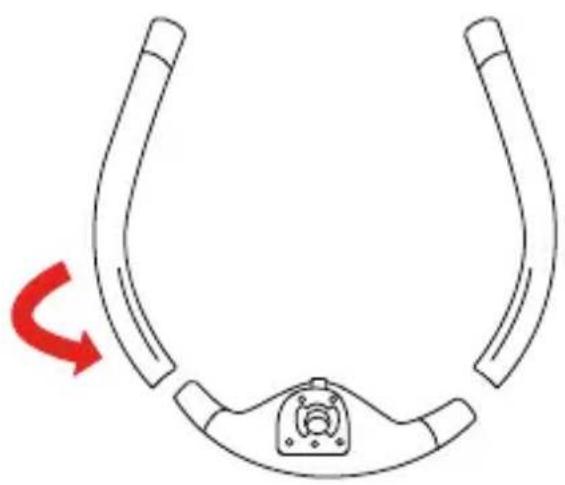
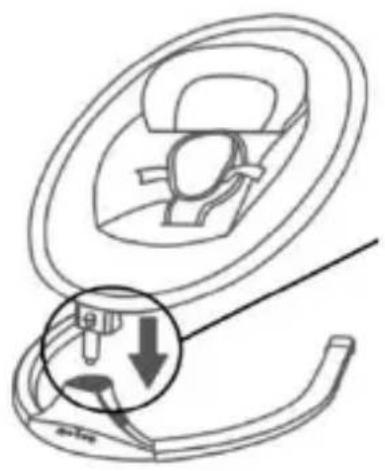
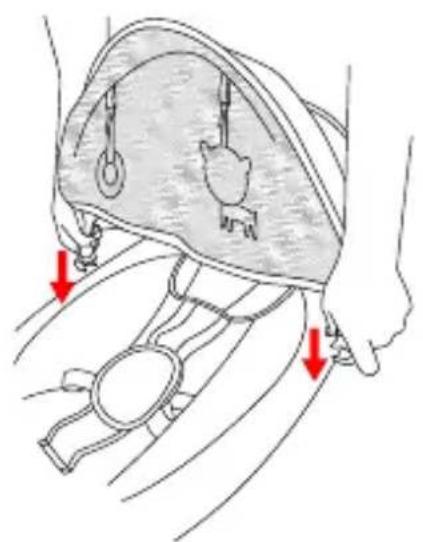
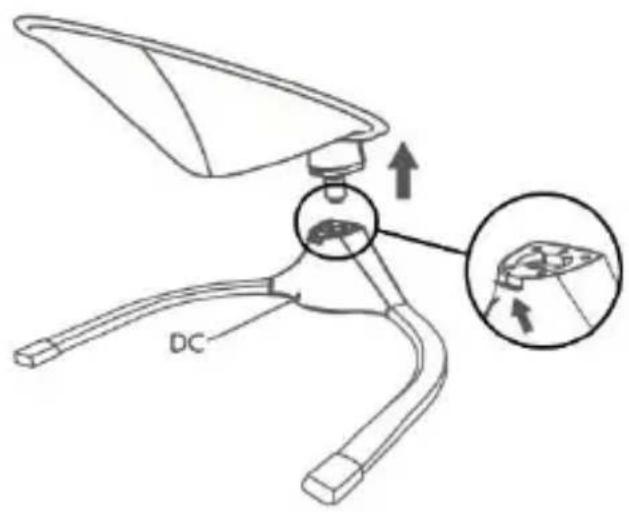
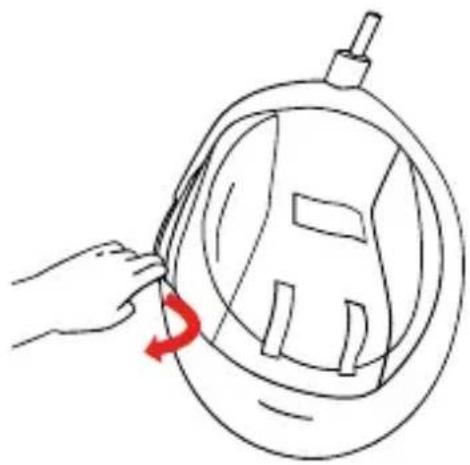
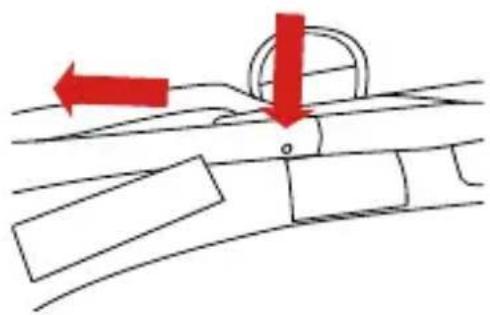
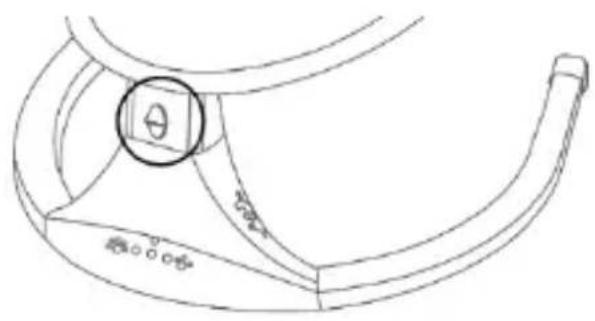
The installation should take place on a soft ground that will not damage the surface of the elements. All parts of the rocker (1, 2, 3, 4, 5, 6, 7) should be carefully inspected after taking it out of the box and make sure that none of them are damaged. Unfold the seat. Then connect the frame components using the pins on both sides (fig. A). The clicking of the pins characterises correct assembly. Then, slide the cover material over the seat frame and fasten the hook and loop fasteners (fig. B). The picture (fig. C) shows a correctly assembled frame with cover material. Next, slide the legs of the bouncer (3) onto the footrest with the control panel (2) and fasten the four screws (6) with a cross-head screwdriver (which is not included in the product) (fig. D). Thus assembled place the foot of the rocker on the ground. With both hands, grasp the seat (fig. E) and gently push the seat pin into the hole in the foot. When the elements connect, you will hear a characteristic sound (click). Attention! Adjust the shape so that the seat can connect to the foot without obstacles or force. Place the fabric of the canopy (4) on the backrest of the rocker and fix it with two snaps (fig. E). To use the mosquito net, simply pull it off the canopy, slide it over the seat by hooking it over the edges. To dismantle the product, press the metal button at the back of the foot of the rocker (Figure G) and then, with firm move, separate the seat from the foot of the rocker. To disassemble the frame of the bouncer, slide the cover material off the frame of the bouncer (fig. H), then press the pins and separate the frame parts with a firm movement (fig. I). Slide the cover material from the frame. The rocker has a rocking function. If you want the seat to swing to the sides, move the locking button upwards (Figure L). Attention! Do not activate the rocker function if the button is in the motion blocking position. The rocker has two belt heights. Choose one of these depending on the size of your child.
Cushion adjustment
Adjustment is by means of a Velcro strap (Figure M). By sliding the belt buckle down, you can adjust the cushion lower,
while by pulling the belt buckle up, you can adjust the cushion higher. Velcro straps on the adjusting belt and cushion are used to stabilize the position of the cushion.
Installation/replacement of batteries in the rocker:
To install or replace the batteries, use a Phillips screwdriver (not included), unscrew the safety flap from element 2 (one screw) and replace the batteries paying attention to polarity. Follow the figure K.
Battery installation/replacement in the remote control:
To install or replace the batteries, follow the drawing on the back of the remote control. Press and hold the button, and then slide out the battery compartment. Discard the dead battery and insert a new one, paying attention to the polarity (plus up). Slide the battery compartment.
Product control:
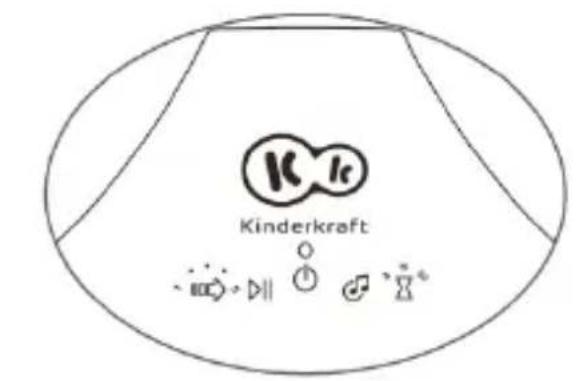
You can control the rocker using a remote control (7) as well as the touch panel on the foot of the rocker (Figure J). When the device is turned on, the LED above the On/Off icon lights up.
Bluetooth control.
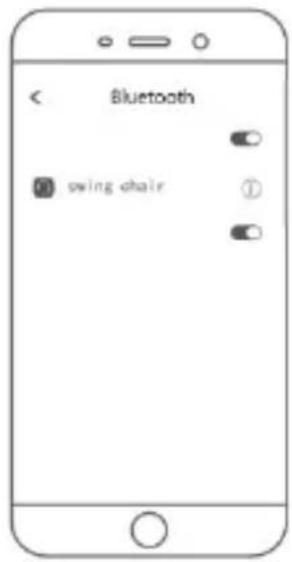
In addition, you can connect the rocker to your phone via Bluetooth to play your child's favourite melody. To connect, activate the Bluetooth function on your phone and select "swing chair" (Figure N). When the connection is active, you will hear a characteristic sound coming from the rocker.
Audio files support
You can play audio files via the USB port. Insert the media with the audio files into the USB port. The rocker supports mp3, wav and wma file formats.
Panel control (Figure J)
 | On/Off |
 | Swinging speed control. Adjustment from 1 to 5. |
 | Turn on or stop the music. |
 | Switching songs - single click; Volume adjustment on a 4-level scale - press and hold the button |
 | Swinging time adjustment. Swinging can be activated for 8, 15 or 30 minutes. |
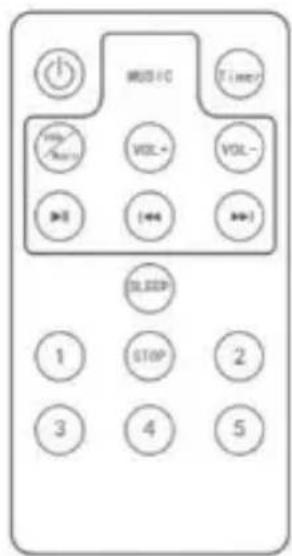
Remote control (Figure 7)
 | On/Off |  | Turning on the music |
 | Swinging time adjustment |  | Start/pause music |
 | Volume up |  | Previous song |
 | Volume down |  | Next song |
 | Sleep mode (swing for 15 minutes at intensity 2 and 1) | 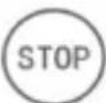 | Stop |
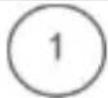 | Swing speed - level 1 (lowest) | 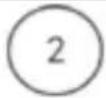 | Swing speed - level 2 |
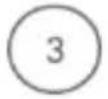 | Swing speed - level 3 | 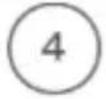 | Swing speed - level 4 |
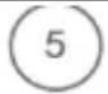 | Swing speed - level 5 (highest) |
Maintenance and cleaning
The seat pad, pillow
| Wash at 40°C, normal process | Do not tumble-dry. | Do not bleach. | |||
| Air dry, on a rope or clothes horse | Do not iron. | Do not dry-clean. |
The toy bar: Clean with a clean, damp cloth and mild soap. Leave to air-dry. Do not immerse in water.
Rocker foot: clean with a soft, clean and dry cloth.
Storage
Keep the product out of the reach of children.
Batteries should be removed from the product if it is not used for a long time to avoid corrosion and leakage.
DISPOSAL OF WASTE EQUIPMENT AND BATTERIES
natural_image
Simple line drawing of a trash bin with crossed lines indicating no waste or discharge (no text or symbols)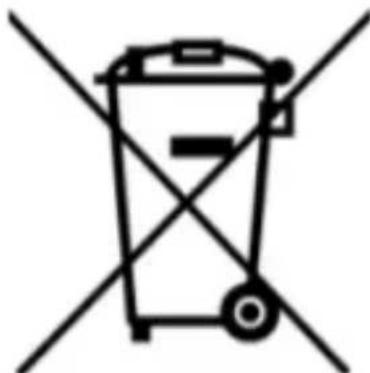
natural_image
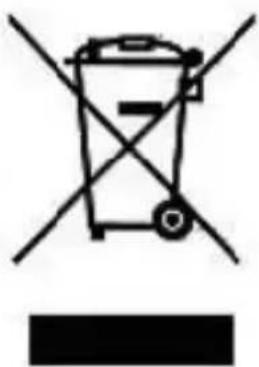
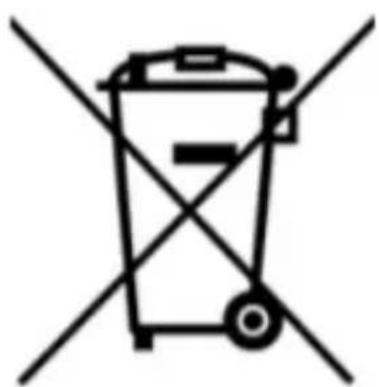
Simple line drawing of a trash bin with crossed lines indicating no waste or discharge (no text or symbols)The symbol of the crossed-out wheeled bin placed on equipment, batteries, packaging or accompanying documents indicates that the product must not be disposed of with other waste.
It is the user's responsibility to hand over waste equipment and batteries to a designated collection point for proper treatment. Information about the available waste electrical equipment and battery collection system can be found in the shop's information point and in the municipal/commune office.
Each household is a user of electrical and electronic
equipment and batteries and therefore a potential producer of waste hazardous to humans and the environment due to the presence of hazardous substances, mixtures and components in the equipment and batteries. On the other hand, waste equipment is a valuable material from which we can recover raw materials such as copper, tin, glass, iron and others.
Proper handling of waste equipment and batteries prevents negative consequences for the environment and human health!
Warranty
The full text of the Terms and Conditions of the Warranty is available on the website WWW.KINDERKRAFT.COM
Estimado cliente!
Commande via bluetooth.
natural_image
Symbol of a trash bin crossed with diagonal lines, representing waste sorting or disposal (no text or labels)natural_image
Simple line drawing of a trash bin with crossed lines indicating no waste or plastic discharge (no text or symbols)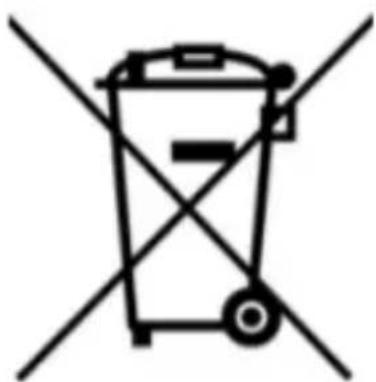
natural_image
Symbol of a trash bin crossed with two diagonal lines, representing waste sorting or disposal (no text or labels)Controllo Bluetooth.
Bediening via bluetooth.
Siga as fotos A e N.
natural_image
Simple line drawing of a trash bin with crossed lines indicating no waste or discharge (no text or symbols)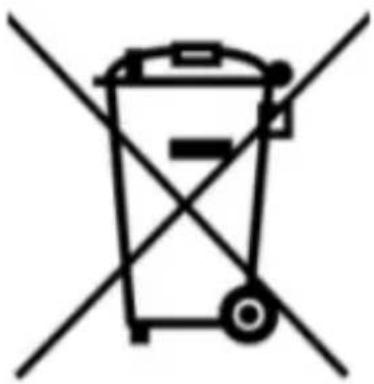
natural_image
Symbol of a trash bin crossed with two diagonal lines, representing waste sorting or disposal (no text or labels)natural_image
Symbol of a trash bin crossed with two crossed lines, no text or numbers present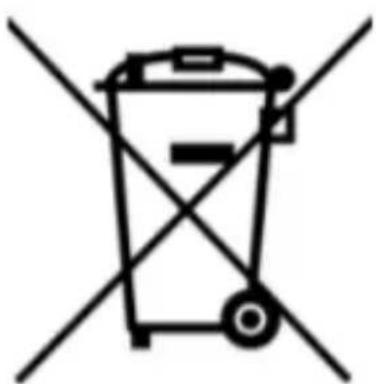
natural_image
Symbol of a trash bin crossed with two diagonal lines, representing waste sorting or disposal (no text or labels)natural_image
Simple line drawing of a trash bin with crossed lines indicating no waste or discharge (no text or symbols)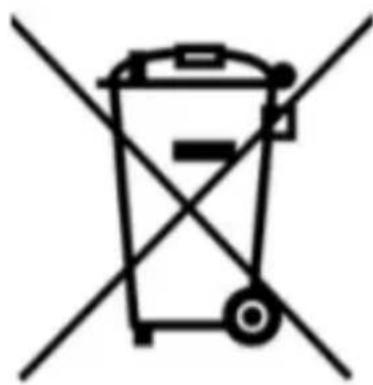
natural_image
Symbol of a trash bin crossed with two diagonal lines, representing waste sorting or disposal (no text or labels)natural_image
Two identical line-drawn trash bins with cross-bracing, no text or symbols present(EN) In the interests of our Clients - we are at your disposal! If you have a problem with the product you received, contact us in the most convenient way for you!
International contact:
support@kinderkraft.com
+44 20 4525 0748
مُنْع/VIYROBCE/HERSTELLER/MANUFACTURER/
60-413 Poznań, Poland