561952 - Network card / adapter Intellinet - Free user manual and instructions
Find the device manual for free 561952 Intellinet in PDF.



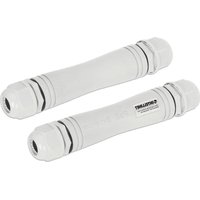
| Product Type | PoE Extender (Power over Ethernet) |
| Brand | Intellinet |
| Model | 561952 |
| Supported PoE Standards | IEEE 802.3af (15.4 W), 802.3at (30 W), 802.3bt (60/90 W) |
| Maximum Distance (Total) | Up to 800 m between two extenders |
| Cable Distance (Source Side) | Up to 100 m (Cat5e/6) |
| Cable Distance (Device Side) | Up to 100 m (Cat5e/6) |
| Maximum Data Rate | 100 Mbps |
| Power Delivered to PD (802.3af, 1 m + 400 m + 1 m) | 10.27 W |
| Power Delivered to PD (802.3at, 1 m + 400 m + 1 m) | 23.98 W |
| Power Delivered to PD (802.3bt 60 W, 1 m + 100 m + 1 m) | 43.83 W |
| Power Delivered to PD (802.3bt 90 W, 1 m + 200 m + 1 m) | 76.61 W |
| Connectors | Input and Output RJ45 |
| Recommended Cable | Ethernet Cat5e/6 |
| Compliance | CE (2014/30/EU and 2014/35/EU) |
| Waste Management | Do not dispose of with household waste. Recycle according to WEEE directive 2012/19/EU. |
| Main Functions | Extends PoE distance up to 800 m, transmits data and power |
| Maintenance | Clean with a dry cloth. Avoid moisture and extreme temperatures. |
| Safety | Use appropriate cables. Follow local electrical standards. |
| Repairability | No removable parts provided. For repairs, contact customer service. |
Frequently Asked Questions - 561952 Intellinet
User questions about 561952 Intellinet
0 question about this device. Answer the ones you know or ask your own.
Ask a new question about this device
Download the instructions for your Network card / adapter in PDF format for free! Find your manual 561952 - Intellinet and take your electronic device back in hand. On this page are published all the documents necessary for the use of your device. 561952 by Intellinet.
USER MANUAL 561952 Intellinet
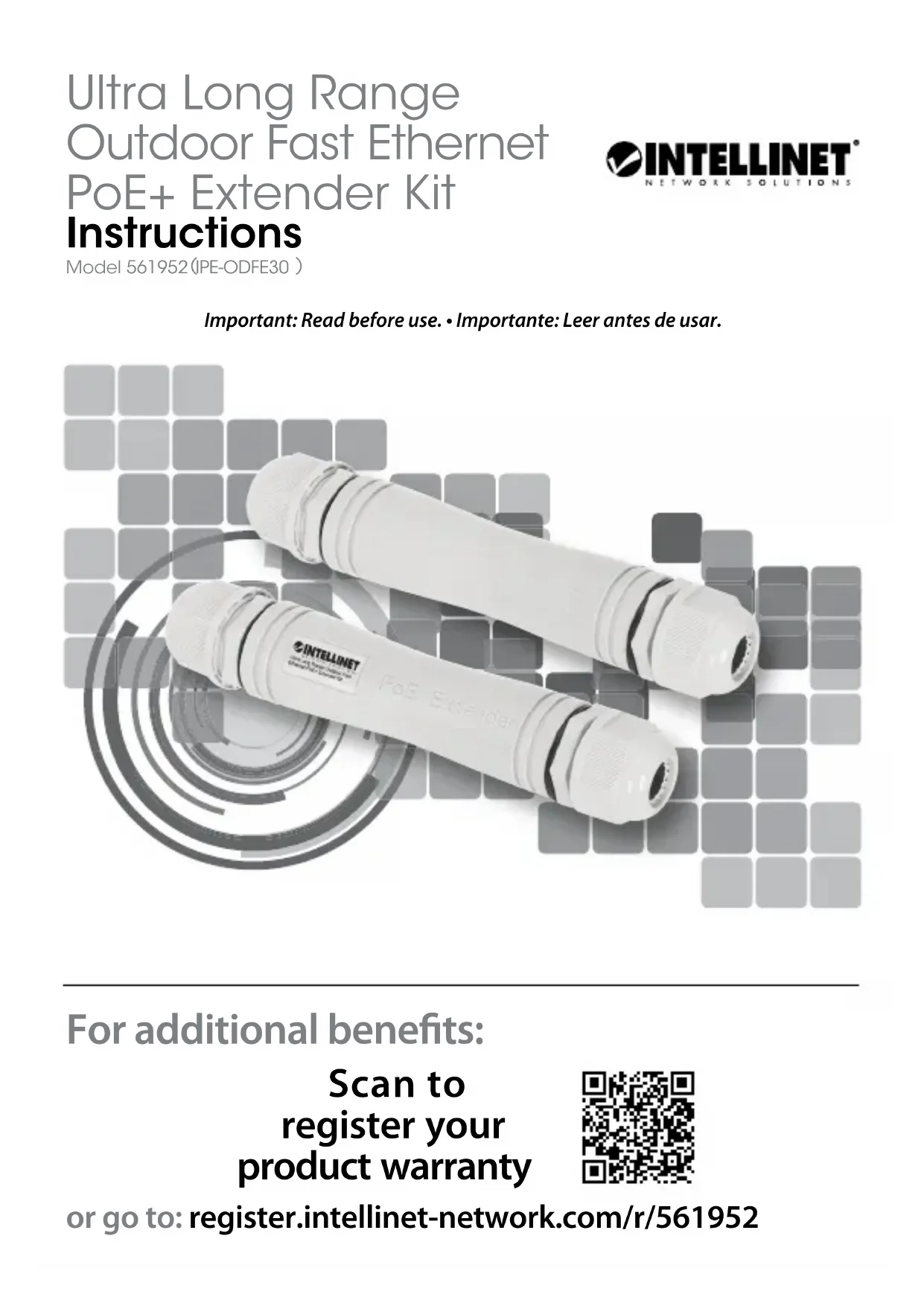
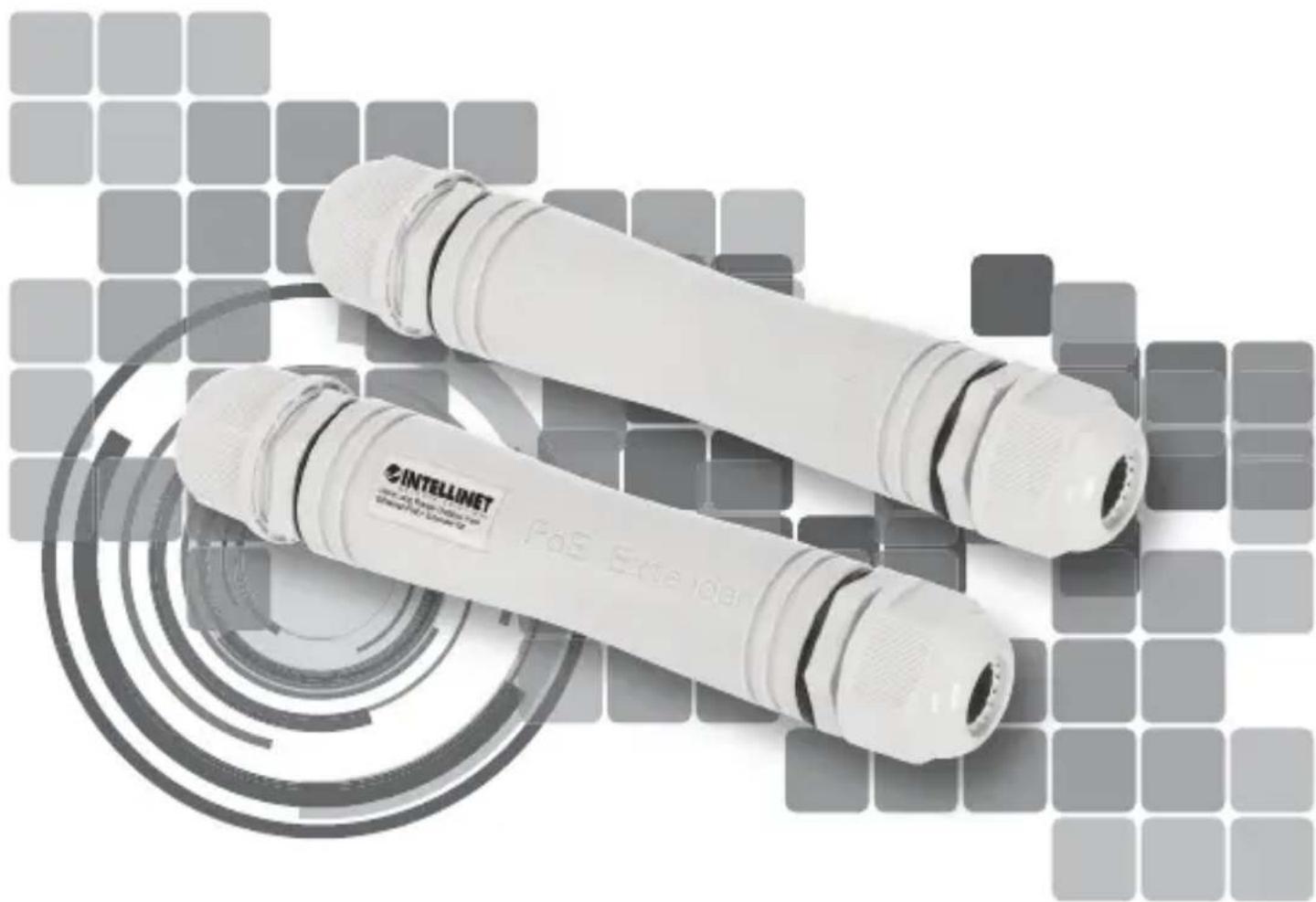
Ultra Long Range Outdoor Fast Ethernet PoE+ Extender Kit Instructions
Model 561952(IPE-ODFE30)

text_image
INTELLINET® NETWORK SOLUTIONSImportant: Read before use. • Importante: Leer antes de usar.
natural_image
Exterior view of two white InTELLINET USB flashlights with metallic leads, set against a grid background (no text or symbols on the products themselves)For additional benefits:
Scan to register your product warranty

text_image
QR code image containing encoded data, no visible human-readable textor go to: register.intellinet-network.com/r/561952
This guide presents the basic steps to set up and operate this device.
For specifications, visit support.intellinet-network.com/barcode/561952. Register your product at register.intellinet-network.com/r/561952 or scan the QR code on the cover.

Connections
Device Connections
Note: Your needs and setup may vary. Both Extender units must be used together.
1 Plug a Cat5e/6 Ethernet cable — up to 100 m long — from your powered source device (for example, a PoE injector or switch) into the Output connector on one extender.
2 Plug a second Cat5e/6 Ethernet cable — up to 800 m long — from the Input on the first extender to the Input the second extender.
3 Plug a third Cat5e/6 Ethernet cable — up to 100 m long — from the Output on the second extender to the device you want to transmit power and data to (e.g., a PoE network camera).
Cable Connections
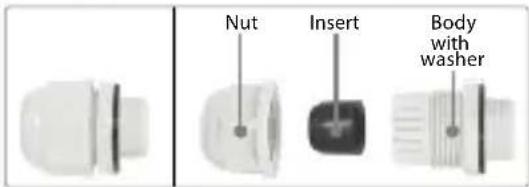
Follow these general steps to make waterproof connections on all cables that connect to the units. Use a wrench to ensure tight connections and whenever necessary.
text_image
Nut Insert Body with washer1 Unscrew the Nut from the Body.
natural_image
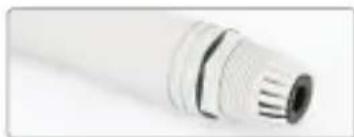
Close-up of a white cylindrical mechanical component with threaded end (no visible text or symbols)2 Loosen the washer and unscrew the Body from the unit.
natural_image
Close-up of a metallic mechanical component with threaded ends and a flanged shaft (no visible text or symbols)3 Remove the Insert from the Body and feed the cable through the Nut and Body. Replace the Insert into the Body.
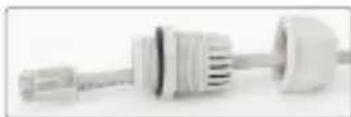
natural_image
Close-up of a white plastic electrical plug with coiled cable and socket (no visible text or symbols)4 Install the cable plug into the port. Screw on the Body to the unit.
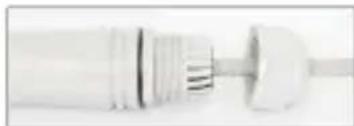
natural_image
Close-up of a white cylindrical mechanical component with a pointed tip and flanged ends (no visible text or symbols)5 Tighten the Body washer to the unit.

natural_image
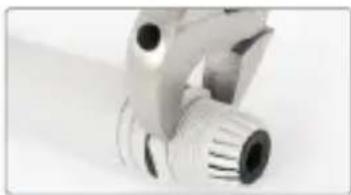
Close-up of a mechanical clamp or tool with a metallic handle and threaded end (no visible text or symbols)6 Tighten the Nut to the Body.
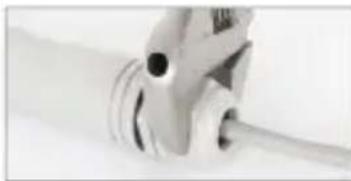
natural_image
Close-up of a mechanical clamp or tool with coiled wires and a black hole (no visible text or symbols)This extender is designed to work with all IEEE 802.3bt/at/af-compliant devices.
PoE Standard | Maximum Distance | Available Power
The table below shows select information on the power and the data speeds you can expect to be delivered to your PoE device based on the capabilities of your equipment and lengths of cable. For a more detailed table, visit the specifications link that is shown on the previous page of this manual and click the Downloads tab on the product page.

flowchart
graph LR
    A["Network Switch"] -->|1| B["Switch"]
    B -->|2| C["Wireless Cable"]
    C -->|3| D["Security Camera"]
Series 1: IEEE 802.3af (15.4 W) PSE
| 1 Cable length between PSE and extender 1 | 2 Cable length between PoE extenders | 3 Cable length between extender 2 and PD | Power (W) at PD | Data Rate |
| 1 m (3 ft.) 400 | m (1,312 ft.) 1 m (3 ft.) | 10.27 100 Mbps | ||
| 100 m (328 ft.) | 800 m (2,624 ft.) 1 m | (3 ft.) 5.21 10 Mbps | ||
| 100 m (328 ft.) | 400 m (1,312 ft.) 100 | m (328 ft.) 8.73 100 | Mbps | |
| 100 m (328 ft.) | 800 m (2,624 ft.) 100 | m (328 ft.) 4.78 10 Mbps |
Series 2: IEEE 802.3at (30 W) PSE
| 1 Cable length between PSE and extender 1 | 2 Cable length between PoE extenders | 3 Cable length between extender 2 and PD | Power (W) at PD | Data Rate |
| 1 m (3 ft.) 400 | m (1,312 ft.) 1 m (3 ft.) | 23.98 100 Mbps | ||
| 100 m (328 ft.) | 800 m (2,624 ft.) 1 m | (3 ft.) 13.41 10 Mbps | ||
| 1 m (3 ft.) 400 | m (1,312 ft.) 100 m | (328 ft.) 22.1 100 Mbps | ||
| 100 m (328 ft.) | 800 m (2,624 ft.) 100 m | (328 ft.) 12.19 10 Mbps |
Series 3: IEEE 802.3bt (60 / 90 W) PSE
| 1Cable length between PSE and extender 1 | 2Cable length between PoE extenders | 3Cable length between extender 2 and PD | Power (W) at PD | Data Rate | |
| 60 W 1 | m (3 ft.) 100 m (328 ft.) 1 m (3 ft.) 43.83 100 Mbps | ||||
| 90 W 1 | m (3 ft.) 200 m (656 ft.) 1 m (3 ft.) 76.61 100 Mbps | ||||
text_image
Nut Insert Body with washernatural_image
Close-up of a white cylindrical connector with threaded end and central bore (no text or symbols visible)natural_image
Close-up of a metallic mechanical component with threaded end and flange (no visible text or symbols)natural_image
Close-up of a white cylindrical mechanical component with a pointed tip and flanged ends (no visible text or symbols)natural_image
Close-up of a white plastic electrical plug with threaded end (no visible text or symbols)natural_image
Close-up of a mechanical clamp or bracket with threaded end (no visible text or symbols)
Funktion
text_image
Nut Insert Body with washernatural_image
Close-up of a white plastic cylindrical connector with ribbed internal structure (no text or symbols visible)natural_image
Close-up of a mechanical component with threaded end and flange (no visible text or symbols)natural_image
Close-up of a white plastic electrical connector with multiple ports and connectors (no visible text or symbols)natural_image
Close-up of a white plastic mechanical component with a cylindrical shaft (no visible text or symbols)natural_image
Close-up of a white plastic electrical plug with a coiled cable (no visible text or symbols)natural_image
Close-up of a mechanical clamp or tool with threaded end and handle (no visible text or symbols)flowchart
graph LR
    A["Network Switch"] -->|①| B["Wireless Cable"]
    B -->|②| C["Wireless Cable"]
    C -->|③| D["Security Camera"]
Serie 1: IEEE 802.3af (15.4 W) PSE
text_image
Nut Insert Body with washernatural_image
Close-up of a white cylindrical mechanical component with threaded ends (no visible text or symbols)natural_image
Close-up of a metallic mechanical component with threaded end and mounting holes (no visible text or symbols)natural_image
Close-up of a white plastic electrical plug with two connectors (no visible text or symbols)natural_image
Close-up of a white plastic mechanical component with threaded ends and a shaft (no visible text or symbols)natural_image
Close-up of a mechanical clamp or tool with a cylindrical component inserted (no visible text or symbols)natural_image
Close-up of a white mechanical clamp or clip with a coiled cable (no visible text or symbols)
Fonctionnalité
text_image
Nut Insert Body with washernatural_image
Close-up of a white cylindrical mechanical component with threaded end and flange (no visible text or symbols)natural_image
Close-up of a metallic mechanical component with threaded end and flange (no visible text or symbols)natural_image
Close-up of a white plastic mechanical component with threaded ends and a rounded end (no visible text or symbols)natural_image
Close-up of a mechanical component with cylindrical and flanged ends (no visible text or symbols)natural_image
Close-up of a white mechanical component with threaded end and cylindrical body (no visible text or symbols)natural_image
Close-up of a mechanical tool or clamp with motion lines (no visible text or symbols)text_image
Nut Insert Body with washernatural_image
Close-up of a white cylindrical mechanical component with flanged ends and a central hole (no text or symbols visible)natural_image
Close-up of a metallic mechanical component with threaded end and circular features (no visible text or symbols)natural_image
Close-up of a white mechanical component with cylindrical and curved ends, no visible text or symbolsnatural_image
Close-up of a white cylindrical object with a metallic end and internal striped pattern (no visible text or symbols)natural_image
Close-up of a white plastic electrical plug with no visible text or symbolsnatural_image
Close-up of a mechanical tool with a circular component and threaded shaft (no visible text or symbols)(Applicable In The European Union And Other European Countries With Separate Collection Systems)
ENGLISH: This symbol on the product or its packaging means

that this product must not be treated as unsorted household waste. In accordance with EU Directive 2012/19/EU on Waste Electrical and Electronic Equipment (WEEE), this electrical product must be disposed of in accordance with the user's local regulations for electrical or electronic waste. Please dispose of this product by returning it to your local point of sale or recycling pickup point in your municipality.
This equipment has been tested and found to comply with the limits for a Class A digital device, pursuant to Part 15 of the Federal Communications Commission (FCC) Rules. These limits are designed to provide reasonable protection against harmful interference when the equipment is operated in a commercial environment. This equipment generates, uses and can radiate radio frequency energy, and if not installed and used in accordance with the instruction manual may cause harmful interference to radio communications. Operation of this equipment in a residential area is likely to cause harmful interference, in which case the user will be required to correct the interference at his own expense. Any changes or modifications made to this equipment without the approval of the manufacturer could result in the product not meeting the Class A limits, in which case the FCC could void the user's authority to operate the equipment.
CE/UKCA
ENGLISH : This device complies with the requirements of CE 2014/30/EU (UKCA Electromagnetic Compatibility Regulations 2016) and / or 2014/35/EU (UKCA Electrical Equipment [Safety] Regulations 2016). The Declaration of Conformity for is available at:
support.intellinet-network.com/barcode/561952





North America
IC Intracom America
550 Commerce Blvd.
Oldsmar, FL 34677 USA
Asia & Africa
IC Intracom Asia
4-F, No. 77, Sec. 1, Xintai 5th Rd.
Xizhi Dist., New Taipei City 221, Taiwan
Europe
IC Intracom Europe
Löhbacher Str. 7, D-58553
Halver, Germany

text_image
INTELLINET® NETWORK SOLUTIONSintellinet-network.com
All trademarks and trade names are the property of their respective owners. © IC Intracom. All rights reserved. Intellinet Network Solutions is a trademark of IC Intracom, registered in the U.S. and other countries.