CP-AWS0101 - Home Theater System SHARP - Free user manual and instructions
Find the device manual for free CP-AWS0101 SHARP in PDF.


User questions about CP-AWS0101 SHARP
0 question about this device. Answer the ones you know or ask your own.
Ask a new question about this device
Download the instructions for your Home Theater System in PDF format for free! Find your manual CP-AWS0101 - SHARP and take your electronic device back in hand. On this page are published all the documents necessary for the use of your device. CP-AWS0101 by SHARP.
USER MANUAL CP-AWS0101 SHARP
natural_image
Exterior view of a modern office building (no signage)Quick start guide
CP-AWS0101
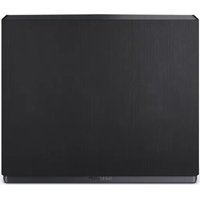
Aquos Wireless Surround: Subwoofer

text_image
EN BG CS DA DE EL ES ET FI FR HR HU IT LV NL NO PL PT RO SK SLLT SR SV UAProduct images are for illustration purposes only. Actual product may vary.
Trademarks:
Dolby Atmos
Dolby, Dolby Atmos, and the double-D symbol are registered trademarks of Dolby Laboratories Licensing Corporation. Manufactured under license from Dolby Laboratories. Confidential unpublished works. Copyright c 2012-2020 Dolby Laboratories. All rights reserved.
text_image
QR code image containing encoded data, no visible human-readable textEnjoy cinema-style audio in the comfort of your own home with Aquos Wireless Surround.
For more information, please scan the QR code or visit www.sharpconsumer.com/aws
text_image
1 PAIR SERV. 2345761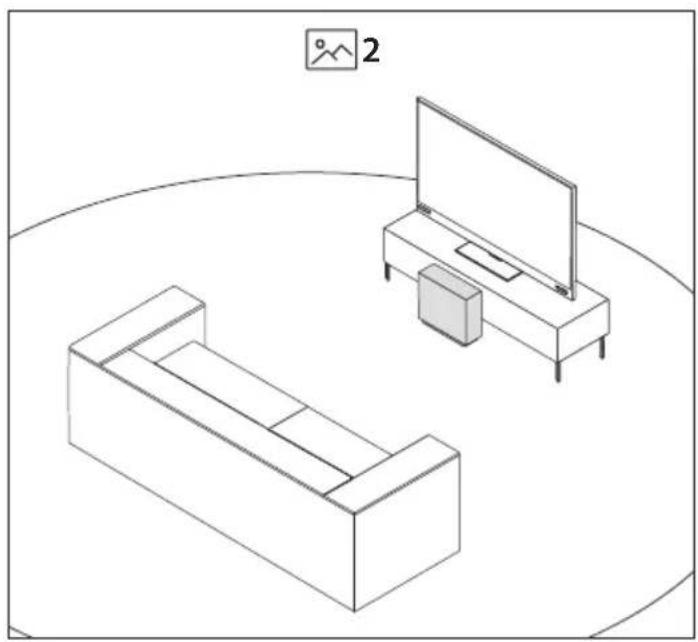
natural_image
Line drawing of two furniture and a TV setup with a monitor and cabinet, no text or symbols present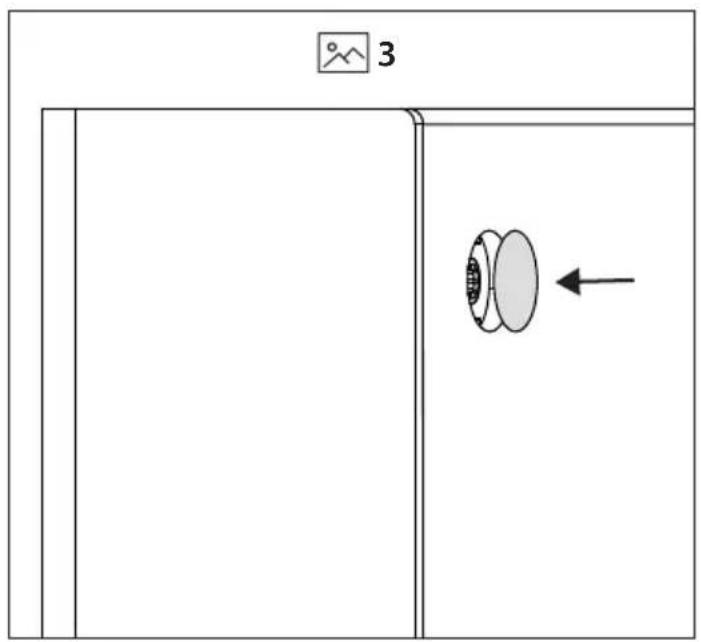
text_image
3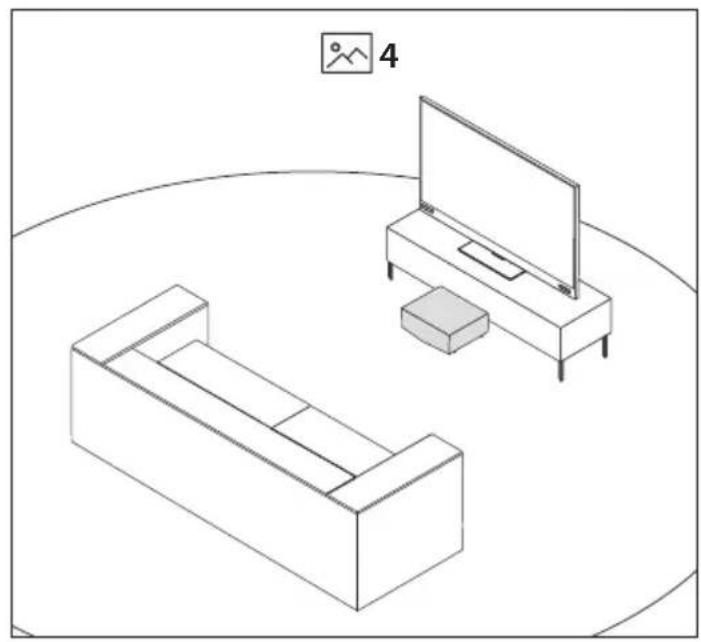
natural_image
Line drawing of two furniture and a TV setup with a box, no text or symbols present
text_image
5ENGLISH
Important safety instructions
Please follow all safety instructions and heed all warnings. Keep this manual for future reference.

This symbol instructs the user to consult the user manual for further safety, operational and maintenance related information.

Refers to class II equipment.
This symbol indicates that this product has a double insulation system and does not require a safety connection to electrical earth (ground).

Refers to alternating current (AC).
This symbol indicates that the rated voltage marked with the symbol is AC voltage.

Refers to direct current (DC).
This symbol indicates that the rated voltage marked with the symbol is DC voltage.

For indoor use only

Energy efficiency marking with level VI

Polarity of d.c. power connector
Precautions
Damage
Please inspect the unit for damage after unpacking. If it is damaged in any way do not operate the unit and consult your dealer.
text_image
CAUTION RISK OF ELECTRIC SHOCK DO NOT OPENTo prevent the risk of electric shock, do not remove back cover or open the power adaptor. No user serviceable parts inside; please refer servicing to qualified service personnel.
Power connection and accessibility
- Do not handle the power cord with wet hands. Switch off the unit completely before unplugging. Ensure that the power plug is always easily accessible.
Power source
- Ensure that the unit is plugged into an AC 100-240V 50/60Hz power outlet.
Fused moulded power plug (Non rewireable) - UK, Malta, Cyprus and Ireland only.
- The power lead on this equipment is supplied with a moulded plug incorporating a 3 Amp fuse. The value of the fuse is indicated on the pin face of the plug and if it requires replacing, a fuse approved to BS1362 of the same rating must be used.
Power cord protection
- Do not damage the power cord. If the power cord is damaged, it must be replaced by the manufacturer, a service agent or similarly qualified persons.
Power Adapter
- If the unit will not be used for a period of time it is recommended to switch the unit off and remove the AC power adapter from the mains outlet.
- Only use the supplied mains adaptor as failure to do this may result in a safety risk and/or damage to the unit.
Child safety
• Always follow basic safety precautions when using this product, especially when children are present.
Location
- When in use this product should be placed on a flat, stable surface with no part of the main unit overhanging an edge.
Ventilation
- Slots and openings in the cabinet are provided for ventilation. These openings must not be blocked or covered.
Heat and operating temperature
- Do not install near any heat sources. Avoid exposure to direct sunlight.
Naked flames
- To prevent the risk of fire, keep candles or open flames away from this product.
Water, moisture, and liquid entry
- To prevent the risk of fire or electric shock, do not expose this product to water or moisture.
Storms and lightning
- Storms are dangerous for all electric products. You should disconnect all the cables and connectors of the product before a storm.
Maintenance
- Unplug the power cable from the power source before cleaning the product. Use a soft and clean cloth to clean the outside of the unit.
- Never clean it with chemicals or detergent.
Service and repair
- This product does not contain any parts that are serviceable by the user. Exposing the internal parts inside the device may endanger your life. In case of a fault, contact the manufacturer or authorised service department. The manufacturers guarantee does not extend to faults caused by repairs carried out by unauthorised third parties.
Disposal of this equipment
Information for users on collection and disposal of old equipment.
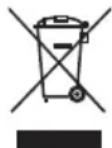
This symbol on a product means that the product is covered by European Directive 2012/19/EU and must not be disposed of or dumped with your other household waste.
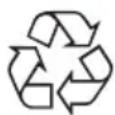
This symbol means that the product is designed and manufactured so that it can be recycled and reused.
These symbols on the products, packaging, and/or accompanying documents mean that used electrical and electronic products and batteries should not be mixed with general household waste. Household users should contact either the retailer where they purchased this product, or their local government office, for details of where and how they can take these items for environmentally safe recycling.
CE and UKCA statement:
- Hereby, Sharp Consumer Electronics Poland sp. z o.o. declares that this audio device is in compliance with the essential requirements and other relevant provisions of RED Directive 2014/53/EU and UK Radio Equipment Regulations 2017.
- The full CE text and UKCA declaration of conformity are available at sharpconsumer.eu and then entering download section of your model and choosing "Declaration of Conformity".
Compatibility warning
TV compatibility
- These speakers work exclusively with AQUOS Wireless Surround (AWS) enabled SHARP TV's only. Please check you have the correct model of SHARP TV. To find compatible models, scan the QR code at the beginning of this user guide.
Wireless signal
- You will need to be connected to a 5GHz Wi-Fi network for the best wireless speaker performance. If a 5G Wi-Fi network is not available, a 2.4GHz network can be used.
A 2.4GHz network is more prone to interference and may impact wireless speaker performance.
The 5 GHz WLAN function of this equipment may only be operated indoors.
WLAN max transmitter power:
100 mW at 2,400 GHz - 2,4835 GHz
100 mW at 5,150 GHz – 5,250 GHz
100 mW at 5,250 GHz – 5,350 GHz
100 mW at 5,470 GHz – 5,730 GHz
100 mW at 5,735 GHz – 5,835 GHz
BT max transmitter power: 10 mW at 2,402 GHz – 2,480 GHz.
What is included in the box:
• CP-AWS0101 Subwoofer
• Power adapter with type C (EU 2 pin) and type G (UK 3 pin) cables
- Raised feet x4
- User documentation
Inputs/outputs
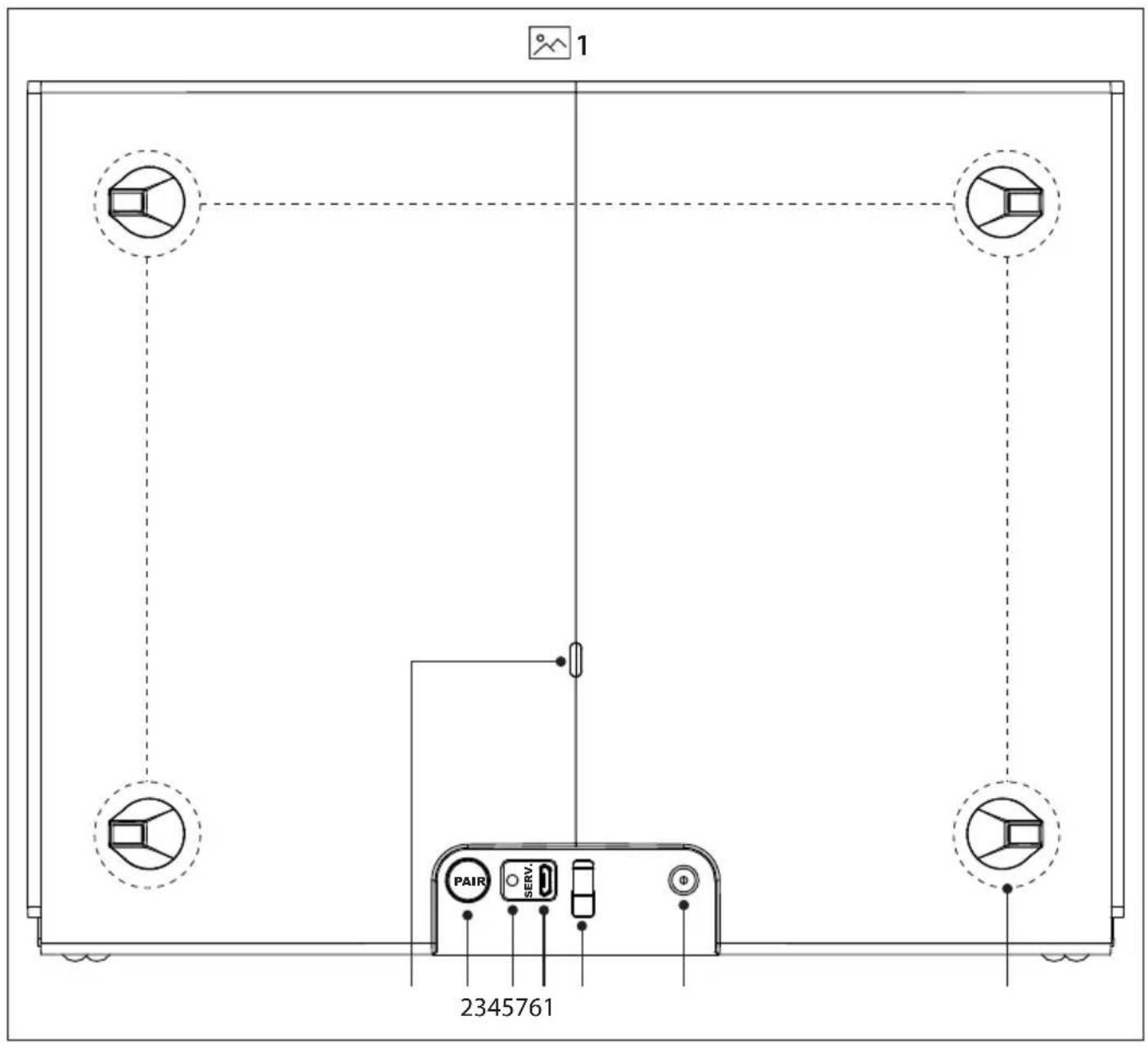
(Refer to 1 on page 3).
1. LED Indicator
- Standby / Disconnected - Red
- Firmware update failed - Red (flashing)
- Pairing - Green (flashing)
- Connected - Green
• Firmware update in progress - Yellow
2. PAIR Pair button
- Short press to enter pairing mode.
- Long press (>5 seconds) to reset
3. Upgrade Button
(For firmware upgrade use only)
4. Micro USB
(For firmware upgrade use only)
5. Power cable clip
6. DC IN socket
Socket for connecting power adapter (DC 18V/2.5A)
- Rubber foot/screw hole cover locations (x4). These are numbered 1 - 4.
Initial set up
Placement of the subwoofer
To enjoy enhanced bass from your Sharp AWS enabled TV, you can place the subwoofer anywhere on the floor of the room with the TV, but here are some general locations:
-
Place the subwoofer upright on the floor close to your TV (Refer to 2 on page 4). If you choose to place the subwoofer like this, ensure the x4 rubber screw hole covers are in place (Refer to 3 on page 4). Each rubber cover is numbered. Ensure you match the correct number on the rubber cover to the number seen on the subwoofer.
-
Place the subwoofer on the floor under some furniture like a sofa (Refer to 4 on page 4). If you choose to place the subwoofer like this, ensure the x4 rubber feet are correctly installed (Refer to 5 on page 4). Each rubber foot is numbered. Ensure you match the correct number on the rubber foot to the number seen on the subwoofer.
Connect to power
Risk of product damage! Ensure that the power supply voltage corresponds to the voltage printed on the back or the underside of the unit.
Connect the power adapter to the DC IN socket of the unit and then into a mains socket.
Connecting to your AQUOS Wireless Surround enabled SHARP TV
Before you can add the wireless subwoofer to your TV, your TV will need to be connected to online services via Wi-Fi or LAN/ethernet cable. To do this, follow the network instructions for your model of TV.
- To begin the pairing process, press 🙏 on the TV remote control to open the settings menu. Navigate to
and then . - In the Wireless Speaker menu, turn
to "On". The TV will perform a network check.
NOTE: You will need to be connected to a 5GHz Wi-Fi network for the best wireless speaker performance. If a 5G Wi-Fi network is not available, a
2.4GHz network can be used. A 2.4GHz network is more prone to interference and may impact wireless speaker performance.
- In the television's Wireless Speaker menu, select
. The TV will prompt you to confirm the subwoofer is connected to a power supply and located in its final position. Select to begin the pairing process. - Short press the PAIR button on the back of the subwoofer. The subwoofer will begin pairing with the TV. To confirm pairing mode, the LED on the rear of the subwoofer will flash green.
- On-screen prompts will appear one after the other on the TV which will require your input:
a. Invitation to connect.
Select
NOTE: Once the subwoofer is paired to the TV, a firmware upgrade may be detected. If this occurs, please allow the subwoofer to upgrade.
b. Optimise wireless connection
Select
c. Adjust listening position
You will be invited to enter distance values between your listening position and elements of the sound system.
This balances each speakers output to create the optimal sound stage.
After selecting the distance values, select
NOTE: This balance only affects the speakers whilst using the AWS system.
- Select
to complete the pairing process.
NOTE:
ū During the pairing process, the speakers may perform an over-the-air update. Please allow this process to finish.
ü Some of the functions and features described in this document may change. For the latest information, please refer to the online TV manual. You can find the online TV manual by selecting the SHARP from the TV's home screen.
Setting speaker properties
Whilst in the Wireless Speaker menu, select
Choose from:
Name
Allows you to change the name of the speaker.
Set Location
Edit the location of the speaker in relation to your television and your preferred listening position.
Remove
Disconnect the paired speaker from the TV.
Restart
Restarts the speaker.
Version
Displays the current firmware version of the speaker.
Using Dolby Atmos
To listen to Dolby Atmos audio through your AQUOS Wireless Surround system, you will need Dolby Atmos content delivered to your AWS SHARP TV and DAP (Dolby Audio Processing) set to ON in the TV sound menu.
Dolby Atmos content is available via some broadcast services, streaming services or via external devices connected by HDMI e.g. a Dolby Atmos compatible games console or Blu-ray player.
For more information on Dolby Atmos content availability visit dolby.com.
AQUOS Wireless Surround will also offer an enhanced audio experience for other audio source types such as Dolby Digital, DTS and PCM. With DAP enabled, Dolby Audio Processing will render even 2.0 channel audio and utilise the available speakers connected.
NOTE: A Dolby Atmos signal cannot be transmitted via an optical or analogue connection e.g. AUX, from an external device.
Firmware upgrade
Check if a firmware upgrade is available.
In the televisions Wireless Speaker menu, select
If the TV is connected to the internet, the speakers will perform an over-the-air update.
NOTE:
ū If the update process begins, do not disconnect power to the TV or turn the TV into standby mode.
ū Ensure your TV is connected to the internet during the update process.
БЪЛГАРСКИ
Olulised ohutusjuhised
text_image
ATTENTION RISQUE D'ÉLECTROCUTION NE PAS OUVRIR3. Oppgraderingsknapp
3. Uppgraderingsknapp
Firmware-uppgradering
Sharp Consumer Electronics Poland sp. z o.o.
Ostaszewo 57B, 87-148 Lysomice, Poland
Made in China
SAU/QSG/0093 V10
www.sharpconsumer.eu
SHARP