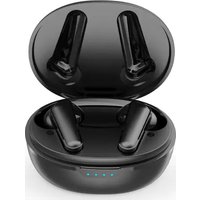
TWS158 - Earplug Prixton - Free user manual and instructions
Find the device manual for free TWS158 Prixton in PDF.


| Product Type | Wireless Bluetooth Earplug |
| Brand | Prixton |
| Model | TWS158 |
| Color | Black |
| Bluetooth Version | V5.2 |
| Range | About 10 meters (without obstacles) |
| Battery Type | Lithium Polymer |
| Earbud Battery Capacity | 3.7V / 50 mAh each |
| Case Battery Capacity | 3.7V / 450 mAh |
| Earbud Charging Time | About 2 hours |
| Case Charging | USB-C (5V/1A) and Qi wireless charging |
| Main Features | Active Noise Cancellation (ANC), Ambient Mode, Voice Assistant, Game Mode |
| Controls | Multifunction button on each earbud (single press, double press, long press) |
| LED Indicator | Red (charging), blue (connected/pairing) |
| Operating Temperature | 0°C to 45°C |
| Maintenance and Cleaning | Do not use volatile liquids; avoid moisture |
| Safety | Do not modify or repair; avoid storms; keep out of reach of children |
| Spare Parts and Repairability | Not applicable (sealed product) |
| Warranty | 2 years |
| General Information | Compliant with directive 2014/53/EU. Declaration of conformity at www.prixton.com |
Frequently Asked Questions - TWS158 Prixton
User questions about TWS158 Prixton
0 question about this device. Answer the ones you know or ask your own.
Ask a new question about this device
Download the instructions for your Earplug in PDF format for free! Find your manual TWS158 - Prixton and take your electronic device back in hand. On this page are published all the documents necessary for the use of your device. TWS158 by Prixton.
USER MANUAL TWS158 Prixton
natural_image
Line drawing of an open and closed electronic device with two internal components (no text or symbols)ENC + ANC EARBUDS
INDEX
ES 3
EN 14
FR 25
IT 36
DE 47
PT 58
NL 69
natural_image
Line drawing of an open earbuds with earphones and accessories, no text or symbols presentnatural_image
Illustration of two hands holding a small earbell with sound waves, no text or symbols presentModos de carga
natural_image
Line drawing of an open earbuds with a red heart symbol on the inner case (no text or labels)natural_image
Line drawing of a small electronic device with a connector and a cylindrical body (no text or symbols)natural_image
Close-up of a black wireless earbuds with two metallic clips, placed on a silver base (no text or symbols visible)Funciones
Encender
natural_image
Simple line drawing of a mechanical component with a handle and base (no text or symbols)natural_image
Simple line drawing of a mechanical component with a handle and base (no text or symbols)natural_image
Simple line drawing of a mechanical component with a handle and base (no text or symbols)Toc ar una vez
Colgar la llamada
natural_image
Simple line drawing of a stylized object resembling a lamp or button (no text or symbols)natural_image
Simple line drawing of a mechanical component with a handle and base (no text or symbols)Toca r dos veces
Modo silencio
natural_image
Simple line drawing of a mechanical component with a blue arrow indicating direction (no text or symbols)Toc ar dos veces
Pausar/Reproducir
natural_image
Simple line drawing of a mechanical component with a handle and base (no text or symbols)natural_image
Simple line drawing of a mechanical component with no text or symbolsSiguiente canción
natural_image
Simple line drawing of a stylized object resembling a device or tool, with no text or symbols present.Tocar dos veces
Bajar el volumen
natural_image
Simple line drawing of a mechanical component with no text or symbolsAsistente de voz
natural_image
Simple line drawing of a stylized object resembling a pill or capsule with a handle, no text or symbols present.natural_image
Simple line drawing of a stylized object resembling a hand or tool, with no text or symbols present.Tocar cuatro veces
natural_image
Simple line drawing of a stylized object resembling a lamp or button (no text or symbols)Tocar tres veces
WARNING To charge this device, make sure to use a power adapter with the following values: 5 volts and a recommended amperage of at least 1000mA.
Composition
Eartips sizes: Large, Medium, Small.
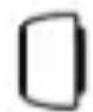
Large
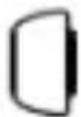
Medium
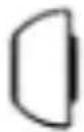
Small
Medium ear tips fit most of the people, recommend to try if for the first time.
Noise reduction mic hole/Indicator
Multi-functions touch button
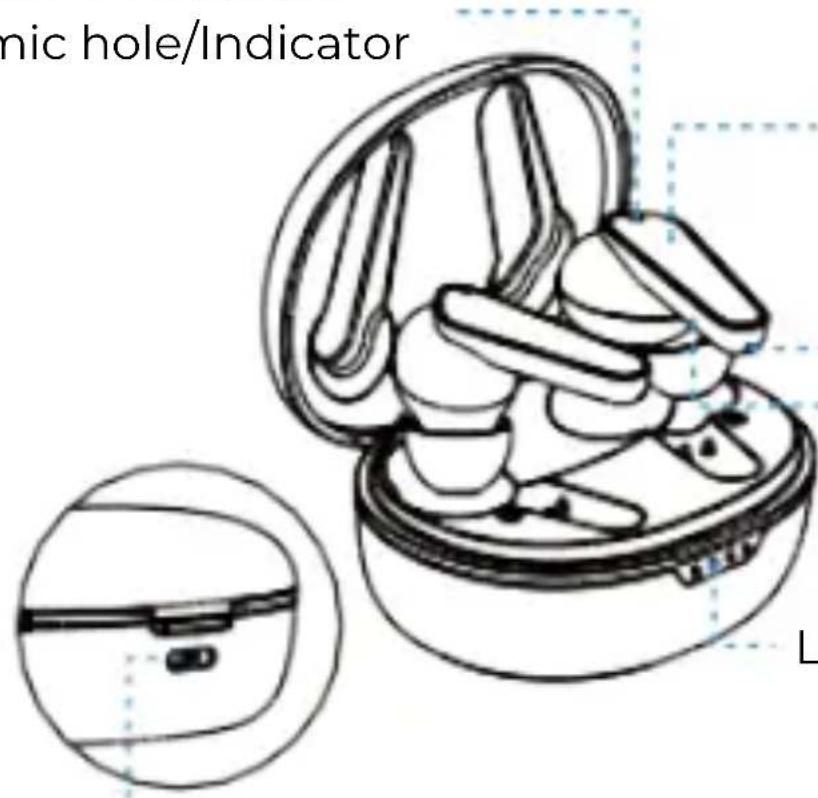
Phonecall mic hole Metal pogo pins
LED indicator
Charging case charging port
Begin to use
First to use
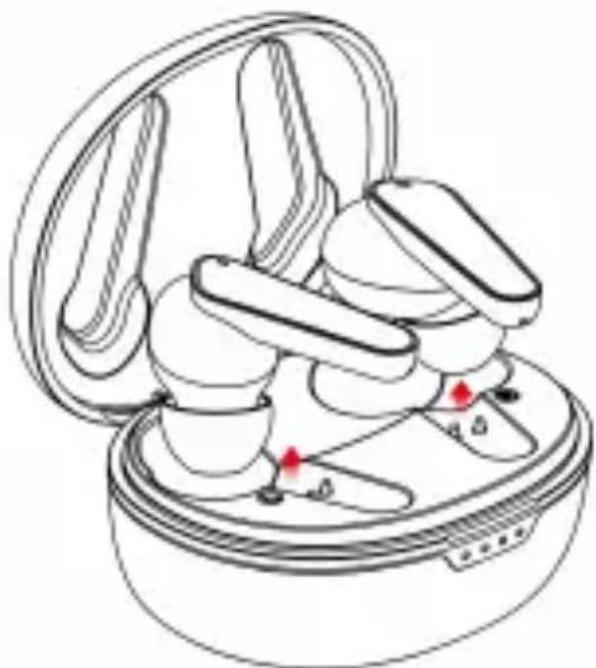
Take out the two earbuds from charging case, and then put them into charging case again to activate the earbuds.
Note: Putting the earbuds
back into the charging case, earbuds will enter charging mode. If the earbuds cannot be charged, please plug in the USB and charge the charging case at the same time (please refer to the description below)
natural_image
Line drawing of an open earbuds with earphones and accessories, no text or symbols presentAfter activated the earbuds, take out the two earbuds from charging case, earbuds will automatically power on and automatically pair, the auxiliary earbud light will turn off after the the two earbuds paired successful, and the main earphone will enter into pairing state. The mobile phone searches for "TWS158 Prixton" and connect it, the connection between earbuds and mobile phone is complete.
Remove Pairing
natural_image
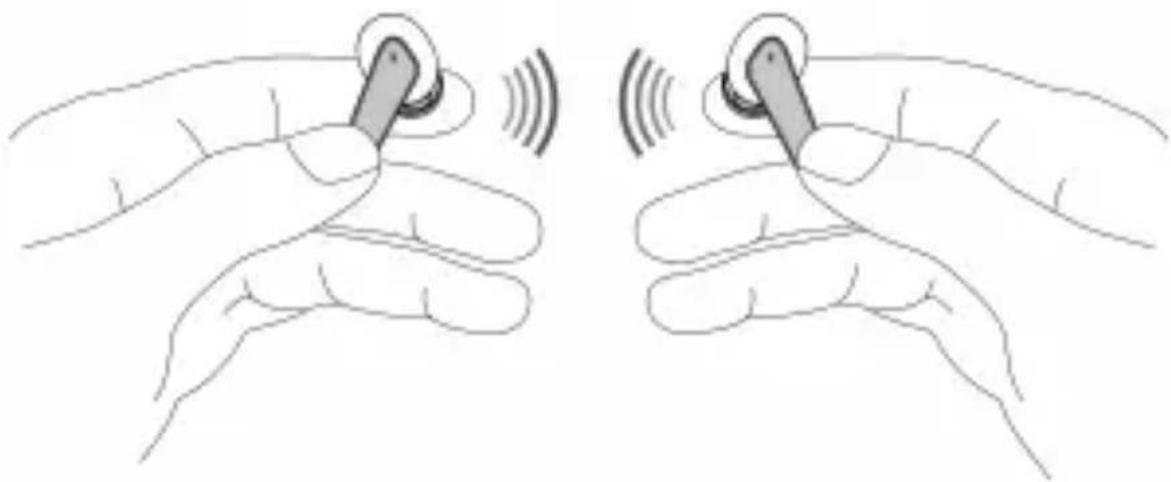
Illustration of two hands performing a finger manipulation technique with sound waves (no text or symbols)Under the earbuds power off state, touch the multi-function button of two eabuds at the same time for 12 seconds, until the earbuds LED lights keeping in blue for 5 seconds with "dong dong dong dong" prompt, the resetting of earbuds power off is successful. Put the earbuds into charging case to activate them and then take out the earbuds, they will automatically pair, the auxiliary earbud light will power off, after the the two earbuds paired successful, and the main earphone will enter into pairing state(the LED light is flashing blue & red). The mobile phone searches for "TWS158 Prixton" and connect it, the connection between earbuds and mobile phone is complete.
Wearing
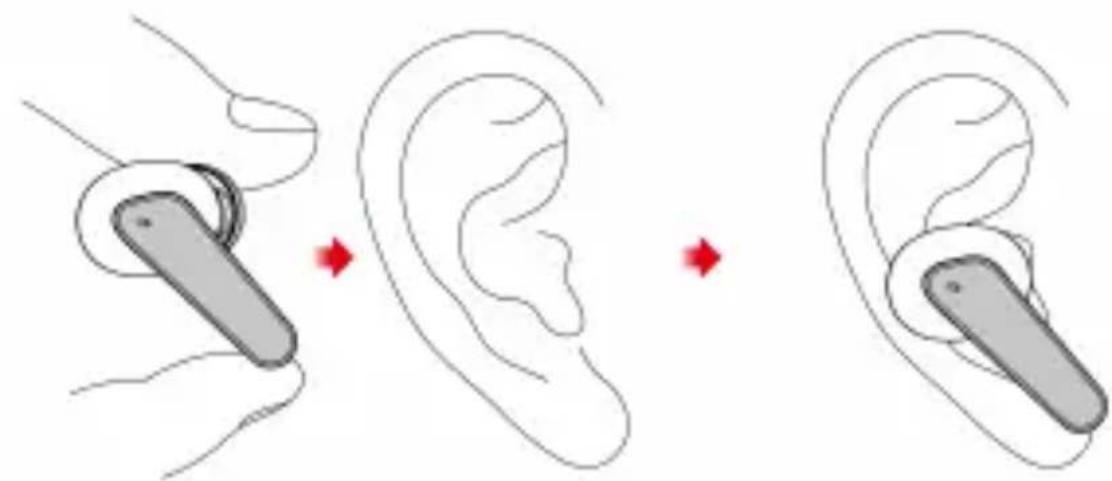
Put the earbuds into ears lightly with Mic towards to the front side.
Charging Ways
-Charge the headset
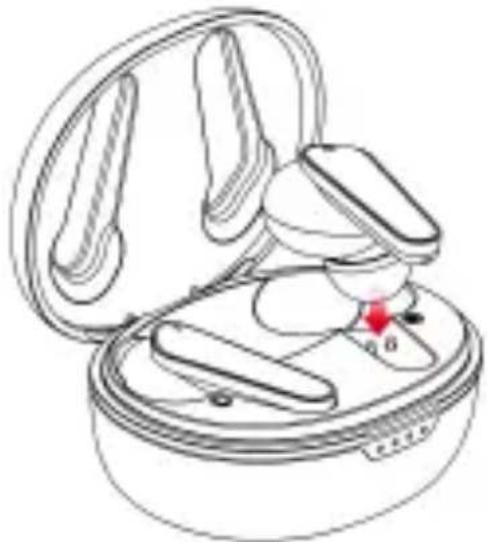
- Insert the earbuds into the charging case (pogo pins should be well-connected), LED light will light up in red every 1 second while charging, once full charged, the LED light will light up in blue 80 seconds, the LED light will turn off.
natural_image
Line drawing of an open earbuds with a small device inside (no text or symbols)-Charge the charging case
Note: When charging the charging case, one light is always on for 25% full; two lights are always on for 50% full; three lights are on for 75% full; four lights are on for full.
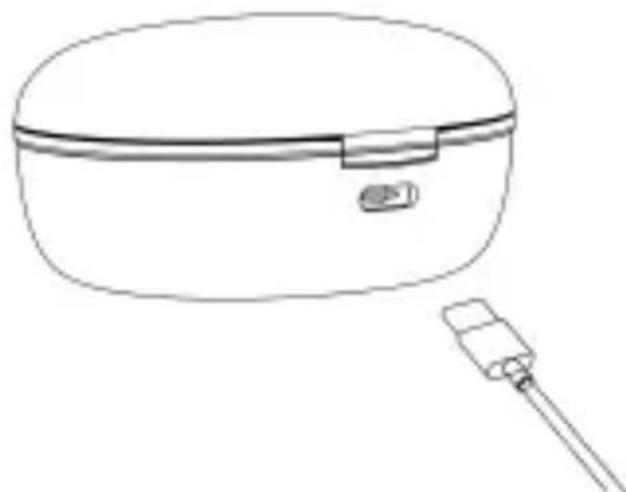
natural_image
Line drawing of a cylindrical container with a small plug attached to one end, no text or symbols present- Wireless charging: Put the charging case into the wireless charging board to charge.
Note: Please use a wireless charging base that meets the QI standard. This picture is only used as a display of wireless charging functions. The product does not have a wireless charging base. If you need a wireless charger, please purchase it yourself.
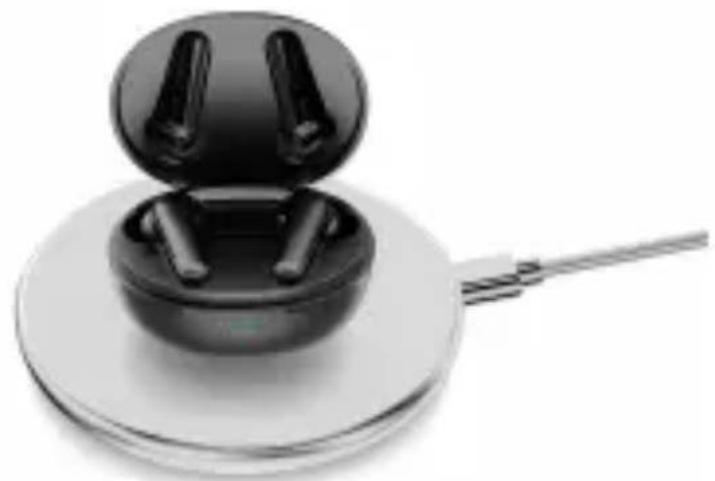
natural_image
Close-up of a black wireless earbuds with two spools, placed on a silver base with a metal clip (no text or symbols visible)Function points
Power on
Method 1: Take out the earbuds from the charging case, it will auto power on.
Method 2 : Under power off state, tap the multi-function buttons about 4S
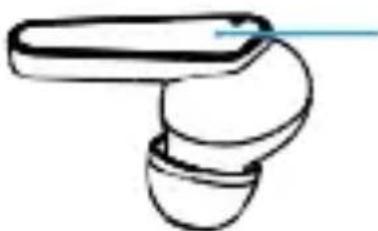
natural_image
Simple line drawing of a mechanical component with a handle and base (no text or symbols)Long touch 4
Power off
Method 1: Put the earbuds into the charging case, it will auto power off.
Method 2 : Under power on state, top the multi-function buttons about 6s.
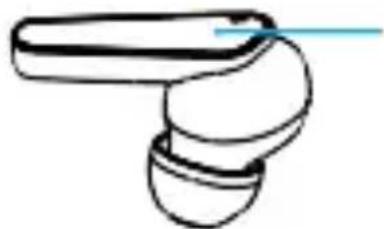
natural_image
Simple line drawing of a stylized object resembling a tool or device with a handle and base (no text or symbols)Long touch 6 seconds
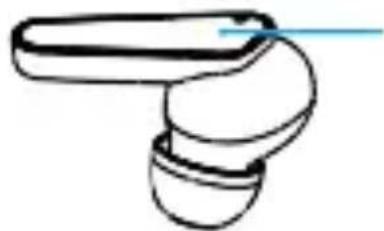
Answer phone call
When the phone call coming in, short touch L/R multi-func- tion one time to answer the call.
natural_image
Simple line drawing of a mechanical component with a handle and base (no text or symbols)Touch 1 time
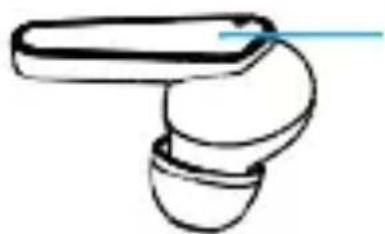
Hang up the call
Long touch the L/R multi-function button for 2 seconds hang up the call.
natural_image
Simple line drawing of a mechanical component with a handle and base (no text or symbols)Long touch 2 seconds
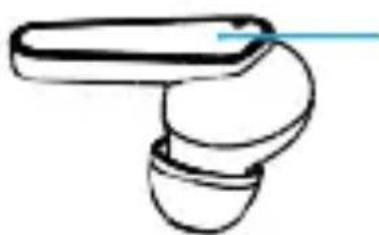
Reject the call
When a call comes in, touch the L/R multi-function button twice to reject the call.
natural_image
Simple line drawing of a mechanical component with a handle and base (no text or symbols)Touch 2 times
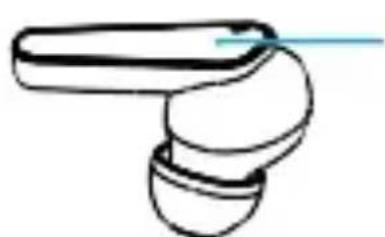
Mute mode
During a call, double-touch the L/R multi-function button twice to turn on mute mode; double -touch the multi-function button again to turn off mute mode.
natural_image
Simple line drawing of a mechanical component with a handle and base (no text or symbols)Touch 2 times
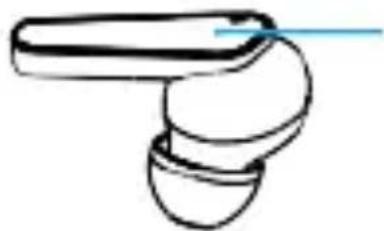
Pause / Play
When playing music, touch the R multi-function button for 2 second to pause the music; touch the R multi-function button for 2 second again to resume playback.
natural_image
Simple line drawing of a mechanical component with a handle and base (no text or symbols)Long touch 2 seconds
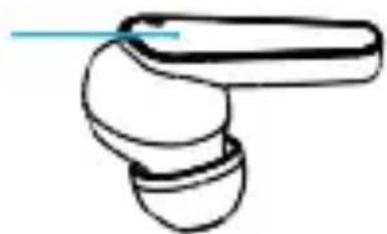
Previous song
When playing music, touch the L multi-function button twice to play the previous song.
Touch 2 times
natural_image
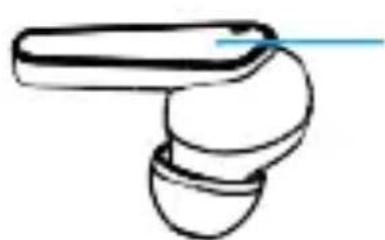
Simple line drawing of a mechanical component with a handle and base (no text or symbols)Next song
When playing music, touch the R multi-function button twice to play the next song.
natural_image
Simple line drawing of a mechanical component with a shaft and base (no text or symbols)Touch 2 times
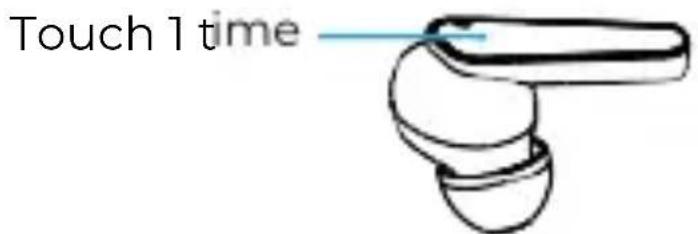
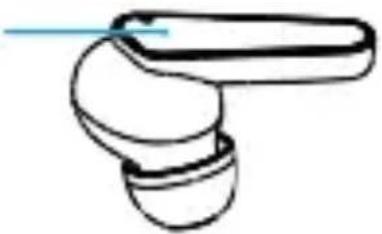
Reduce volume
When playing music, touch the L multi-function one time to decrease the volume.
Increase volume
When playing music, touch the R multi-function one time to add the volume.
Touch 1 time
natural_image
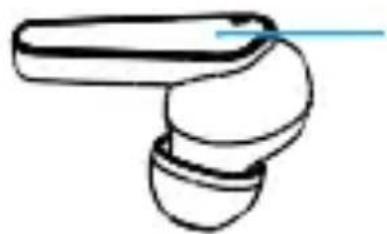
Simple line drawing of a stylized object resembling a hand or tool, with no text or symbols present.Voice assistant
In the standby mode, touch the L multi-function button for 2 seconds to activate the mobile phone voice assistant.
(Apple Siri, Android system requires mobile phone support)
natural_image
Simple line drawing of a stylized object resembling a tool or device with a handle and base (no text or symbols)Long touch 2 seconds
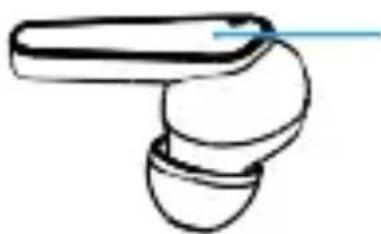
Game mode
When the earbuds connected to the phone, touch 4 times to turn on game mode, and then touch 4 times to turn off the game mode
natural_image
Simple line drawing of a mechanical component with a handle and base (no text or symbols)Touch 4 times
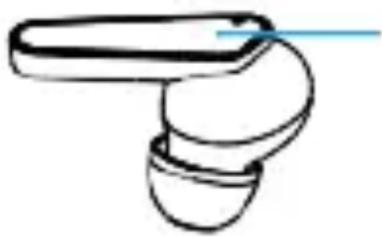
Change Mode: Press Either Earbud Button 3 Times
ANC/Ambient Off→ ANC On→ Ambient On→ ANC/Ambient Off . ANC mode reduces unwanted background noise by Active Noise Cancelling. Ambient Aware Mode actively feeds through sounds around you for increased awareness or understanding of speech.
natural_image
Simple line drawing of a handheld device with a handle and bulb (no text or symbols)Touch 3 times
Product Specifications
Model TWS158 Black
Working distance about 10m (under barrier-free environment)
Wireless connection V5.2
Headset charging time about 2 hours
Type of battery Lithium polymer battery
Battery of the earbuds 3.7V 50mAh
Battery of the charging case 3.7V 450mAh
Note: All technical information is subject to actual performance
Prompt
-
Please read this manual carefully before using the product and keep it properly.
-
For the first time, please fully charge the product;
-
If the product is not used for a long time (more than 1 month), please charge it;
-
The charger produced by regular manufacturer and certified by CCC must be selected; if the mobile phone can't search the Bluetooth headset, please confirm whether the Bluetooth headset is in "pairing status". If the Bluetooth headset is not paired or connected for a long time, the Bluetooth headset pairing function will be turned off. Please re open the Bluetooth headset to "pairing status".
-
If the mobile phone program fails, please restart the mobile; if the Bluetooth headset program fails, please restart the Bluetooth headset or restore the factory settings.
Warning
-
Do not remove or repair the modified headset for any reason, otherwise it may cause fire, electrical breakdown or even complete damage to the product.
-
Do not place the device in an environment where the temperature is too low or too high (below 0 °C or above 45 °C ).
-
Please avoid using the device indicator light near the eyes of children or animals.
-
Do not use the device during thunderstorms. Thunderstorms can cause the device to malfunction and increase the risk of electric shock.
-
Do not wipe this product with oil and other volatile liquids.
-
Do not allow the device to get wet with liquid.
Warranty policy
This product is guaranteed for 2 years from the date of purchase. When you have a problem that you can not solve, you must access the web www.prixton.com and click on the contact option to send us your assistance form.
These technical and electrical specifications are those of typical units and may be changed without prior notice in order to provide improved equipment.
Simplified EU Declaration of Conformity
We, La Trastienda Digital located in Avenida Cervantes 49, módulo 25, Basauri 48970, Bizkaia hereby declare that the following goods, imported and selling at European market:
| BRAND | MODEL NAME DESCRIPTION | CATEGORY |
| Prixton | TWS158 | ENC+ANC EARBUDS |
Are in compliance with the EC Council Directive of 2014/53/EU (EM DIRECTIVE) and harmonized standards and with the board of the 16th of April 2014.
The complete text of the UE Declaration of conformity is available anytime at this website address:
www.prixton.com
LA TRASTIENDA DIGITAL
natural_image
Line drawing of an open earbuds with earphones and accessories, no text or symbols presentnatural_image
Illustration of two hands holding a small object with sound waves, no text or symbols presentChargement
natural_image
Line drawing of an open earbuds with a red indicator knob (no text or symbols)natural_image
Line drawing of a cylindrical device with a connector and cable, no text or symbols presentnatural_image
Close-up of a black wireless earbuds with two spouts, placed on a silver base with a metal rod extending from it (no text or symbols visible)Fonctions
Mise en marche
natural_image
Simple line drawing of a mechanical component with a handle and base (no text or symbols)Appui long pendant 4 seconds
Arrêt
natural_image
Simple line drawing of a stylized object resembling a pill or capsule with a handle (no text or symbols)Appui long pendant 6 secondes
Répondre à un appel
natural_image
Simple line drawing of a mechanical component with a handle and base (no text or symbols)App ui long pendant 2 seconds
Titre précédent
natural_image
Simple line drawing of a mechanical component with a handle and base (no text or symbols)Assistant vocal
natural_image
Simple line drawing of a mechanical component with a handle and base (no text or symbols)Appui long pendant 2 secondes
Mode Jeu
natural_image
Simple line drawing of a stylized object resembling a computer mouse or connector (no text or symbols)4 appuis
natural_image
Simple line drawing of a mechanical component with a handle and base (no text or symbols)3 appuis
Caractéristiques
natural_image
Line drawing of a medical or dental implant device with open casing and red markers indicating points of interest (no text or symbols)natural_image
Illustration of two hands holding earphones with sound waves, no text or symbols presentnatural_image
Line drawing of an open earbuds with a red star marking the center (no text or symbols)natural_image
Line drawing of a cylindrical container with a small connector attached to one end (no text or symbols)natural_image
Black wireless earbuds with two spools placed on a silver base, no text or symbols visiblePunti funzione
Accensione
natural_image
Simple line drawing of a mechanical component with a handle and base (no text or symbols)natural_image
Simple line drawing of a mechanical component with a handle and base (no text or symbols)Modalità muta
natural_image
Simple line drawing of a mechanical component with a handle and base (no text or symbols)natural_image
Simple line drawing of a mechanical component or tool (no text or symbols)Canzone successiva
natural_image
Simple line drawing of a mechanical component with a blue arrow indicating direction (no text or symbols)Toc care 2 volte
Ridurre il volume
natural_image
Simple line drawing of a stylized object resembling a hand or tool, with no text or symbols present.Aumentare il volume
natural_image
Simple line drawing of a stylized object resembling a hand or tool, with no text or symbols present.Assistente vocale
natural_image
Simple line drawing of a mechanical component with a blue arrow pointing to a shaft (no text or symbols)natural_image
Simple line drawing of a mechanical component with a handle and base (no text or symbols)Toccare 4 volte
natural_image
Simple line drawing of a showerhead with a handle and bulb (no text or symbols)Toccare 3 volte
natural_image
Line drawing of an open earbudsack with a close-up inset showing internal components (no text or symbols)Multi-Funk- tions-Touch-Taste
Mikrofonöffnung für
natural_image
Line drawing of an open earbuds with earphones and accessories, no text or symbols presentnatural_image
Illustration of two hands holding a small object with sound waves, no text or symbols presentLaden
natural_image
Line drawing of an open earbuds with a red indicator light at the bottom (no text or symbols)natural_image
Line drawing of a small electronic device with a connector and a cylindrical body (no text or symbols)natural_image
Close-up of a black wireless earbuds with two spools, placed on a silver circular base with a metal rod extending from it (no text or symbols visible)Funktionen
Einschalten
natural_image
Simple line drawing of a mechanical component with a handle and base (no text or symbols)natural_image
Simple line drawing of a mechanical component with a handle and base (no text or symbols)natural_image
Simple line drawing of a mechanical component with a handle and base (no text or symbols)1 Mal berühren
Auflegen des Anrufs
natural_image
Simple line drawing of a mechanical component with a handle and base (no text or symbols)natural_image
Simple line drawing of a handheld device with a handle and bulb (no text or symbols)2 Ma l berühren
Stummschalten
natural_image
Simple line drawing of a mechanical component with a handle and base (no text or symbols)2 Mal berühren
Pause / Wiedergabe
natural_image
Simple line drawing of a stylized object resembling a pill or capsule with a handle, no text or symbols present.natural_image
Simple line drawing of a stylized object resembling a hand or tool, with no text or symbols present.Nächster Titel
natural_image
Simple line drawing of a mechanical component with a shaft and base (no text or symbols)2 Mal berühren
natural_image
Simple line drawing of a mechanical component with a handle and base (no text or symbols)Lautstärke erhöhen
natural_image
Simple line drawing of a mechanical component with a handle and base (no text or symbols)Sprachassistent
natural_image
Simple line drawing of a handheld device with a handle and bulb (no text or symbols)natural_image
Simple line drawing of a stylized object resembling a tool or device with a handle and base (no text or symbols)4 Mal berühren
natural_image
Simple line drawing of a mechanical component with a handle and base (no text or symbols)3 Mal berühren
natural_image
Line drawing of an open earbuds with earphones and accessories, no text or symbols presentnatural_image
Illustration of two hands holding a small object with sound waves, no text or symbols presentMétodos de carregamento
Carregar os auriculares
natural_image
Line drawing of an open earbuds with a red indicator light on the inner case (no text or symbols)natural_image
Line drawing of a cylindrical device with a connector and a separate plug (no text or symbols)natural_image
Black wireless earbuds with open case placed on a silver base (no text or symbols visible)Pontos de função
Ligar
Método 1 : Ao retirar os auriculares do estojo de carregamento, estes irão ligar-se.
natural_image
Simple line drawing of a mechanical component with a handle and base (no text or symbols)natural_image
Simple line drawing of a stylized object resembling a tool or device with a handle and base (no text or symbols)Toq ue e mantenha pres sionado durante 6 se gundos
natural_image
Simple line drawing of a mechanical component with a handle and base (no text or symbols)Toque 1 vez
Desligar a chamada telefónica
natural_image
Simple line drawing of a stylized object resembling a computer mouse or connector (no text or symbols)natural_image
Simple line drawing of a stylized object resembling a pill or capsule with a handle, no text or symbols present.Toq ue 2 vezes
Modo silencioso
natural_image
Simple line drawing of a mechanical component with a handle and base (no text or symbols)Toque 2 vezes
Pausa/Reprodução
natural_image
Simple line drawing of a showerhead with a handle and bulb (no text or symbols)natural_image
Simple line drawing of a mechanical component with a handle and base (no text or symbols)Faixa seguinte
natural_image
Simple line drawing of a mechanical component with a handle and base (no text or symbols)Toque 2 vezes
Reduzir o volume
natural_image
Simple line drawing of a mechanical component with a handle and base (no text or symbols)Aumentar o volume
natural_image
Simple line drawing of a mechanical component with a handle and base (no text or symbols)Assistente de voz
natural_image
Simple line drawing of a stylized object resembling a computer mouse or connector (no text or symbols)natural_image
Simple line drawing of a mechanical component with a handle and base (no text or symbols)Toque 4 vezes
natural_image
Simple line drawing of a stylized object resembling a tool or device with a handle and base (no text or symbols)Toque 3 vezes
natural_image
Line drawing of an open earbuds with earphones and accessories (no text or symbols)natural_image
Illustration of two hands holding a small object with sound waves, no text or symbols presentManieren om te laden
-De headset opladen
natural_image
Line drawing of an open earbuds with a red indicator light on the chest (no text or symbols)-Het oplaadhoesje opladen
natural_image
Line drawing of a cylindrical container with a small plug attached to one end, no text or symbols presentnatural_image
Close-up of a black wireless earbuds with two spools, placed on a circular base with a metal rod extending from it (no text or symbols visible)Functiepunten
Aanzetten
natural_image
Simple line drawing of a mechanical component with a handle and base (no text or symbols)natural_image
Simple line drawing of a mechanical component with a handle and base (no text or symbols)natural_image
Simple line drawing of a mechanical component with a handle and base (no text or symbols)1 keer aanraken
Gesprek afsluiten
natural_image
Simple line drawing of a stylized object resembling a tool or device with a handle and base (no text or symbols)natural_image
Simple line drawing of a stylized object resembling a pill or bulb with a handle (no text or symbols)2 ke er aanraken
Mute-modus
natural_image
Simple line drawing of a mechanical component with a handle and base (no text or symbols)2 keer aanraken
Pauze / Play
natural_image
Simple line drawing of a mechanical component with a blue arrow indicating direction (no text or symbols)natural_image
Simple line drawing of a mechanical component with a handle and base (no text or symbols)Volgende nummer.
natural_image
Simple line drawing of a mechanical component with a handle and base (no text or symbols)2 keer aanraken
Minder volume
natural_image
Simple line drawing of a stylized object resembling a hand or tool, with no text or symbols present.Meer volume
natural_image
Simple line drawing of a showerhead with a handle and bulb (no text or symbols)Spraakassistent
natural_image
Simple line drawing of a handheld device with a bulb and handle (no text or symbols)natural_image
Simple line drawing of a mechanical component with a handle and base (no text or symbols)4 keer aanraken
natural_image
Simple line drawing of a stylized object resembling a tool or device with a handle and base (no text or symbols)3 keer aanraken
Productspecificaties Model
TWS158 Black