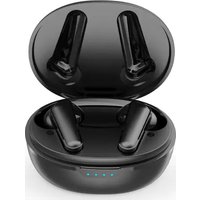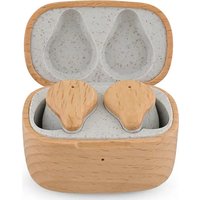
TWS163 Wood - Earplug Prixton - Free user manual and instructions
Find the device manual for free TWS163 Wood Prixton in PDF.


User questions about TWS163 Wood Prixton
0 question about this device. Answer the ones you know or ask your own.
Ask a new question about this device
Download the instructions for your Earplug in PDF format for free! Find your manual TWS163 Wood - Prixton and take your electronic device back in hand. On this page are published all the documents necessary for the use of your device. TWS163 Wood by Prixton.
USER MANUAL TWS163 Wood Prixton
natural_image
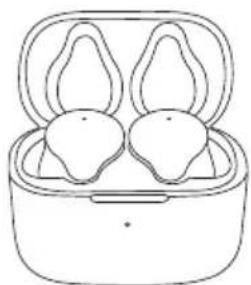
Illustration of two earbuds in a charging case (no text or symbols)AURICULARES ECO ECO EARBUDS
INDEX
ES 3
EN 8
FR 13
IT 18
DE 23
PT 28
NL 33
Accesorios
natural_image
Empty rounded rectangle outline with no text or symbolsEstuche de carga
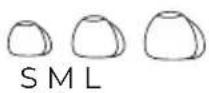
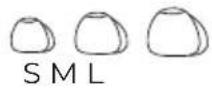
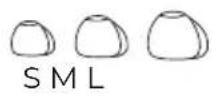
Almohadillas
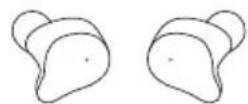
Auriculares TWS de madera
natural_image
Simple line drawing of a USB cable with two connectors (no text or symbols)natural_image
Empty white rectangle with a thin gray border (no text or symbols)Instrucciones
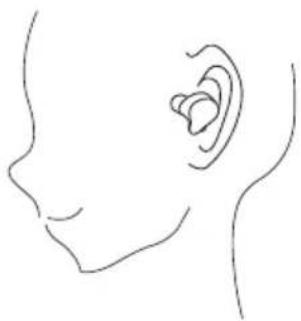
Uso correcto
natural_image
Line drawing of a human head and ear with a visible ear canal (no text or symbols)Encendido / Apagado
natural_image
Line drawing of a pair of earbuds in a closed bumper (no text or symbols)text_image
Wireless for cancelled Other devices Printer TW5163 Wave Click to pinnatural_image
Two hand gestures pointing at a rounded object, labeled L and R (no text or symbols on the objects)natural_image
Two hand gestures labeled L and R, showing different finger positions (no text or symbols beyond labels)Asistente de voz
natural_image
Two hand-drawn diagrams labeled L and R, showing abstract shapes with no text or symbolsnatural_image
Line drawing of a pair of earbuds in a closed charging case (no text or symbols)natural_image
Line drawing of a portable electronic device with a USB cable and a rounded top panel (no text or symbols)natural_image
Line drawing of a wireless earbuds with two separate ear-shaped earments (no text or symbols)natural_image
Empty rounded rectangle outline with no text or symbolsCharging Case
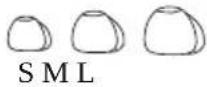
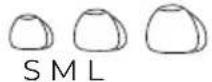
Eartips
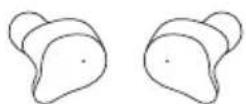
Wooden TWS
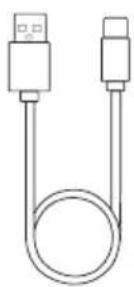
natural_image
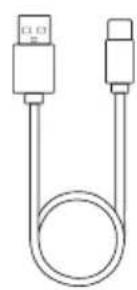
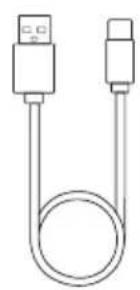
Simple line drawing of a USB cable with two connectors (no text or symbols)TYPE-C Charging Cable

natural_image
Empty white rectangle with a thin black border (no text or symbols)Instructions
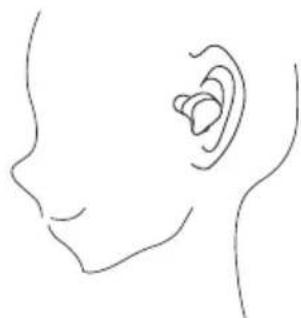
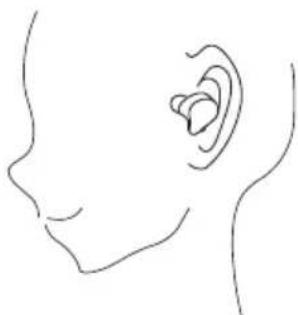
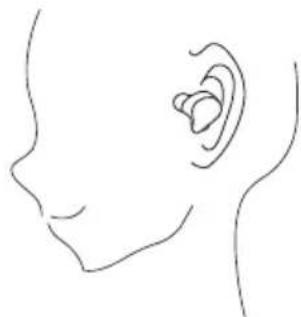
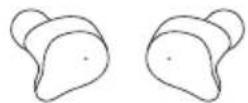
Correct wearing
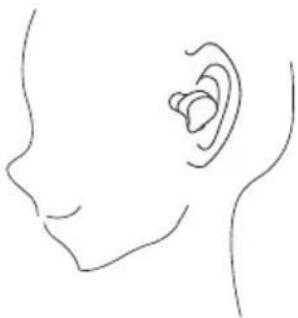
natural_image
Line drawing of a human head and ear with a visible ear canal (no text or symbols)Power on / off
natural_image
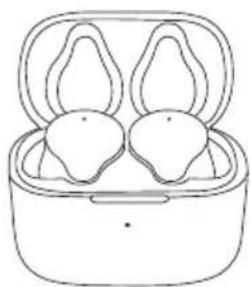
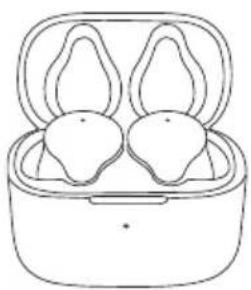
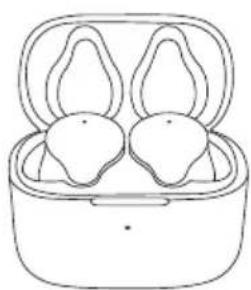
Line drawing of a pair of earbuds in a closed charging case (no text or symbols)Turn on: Long-press the touch area (middle of earbuds) white lights flashing.
Turn off: Long-press the touch area (middle of earbuds) white lights flashing
Automatically turn off earphone :
- No connection after turning on, earphone turn off after 3 minutes.
- Turn off right away when voltage lower than 3.05V
Wireless connection pairing:
The earbuds will automatically pairing, and then ready to connect with wireless connection once the charging case was opened.(Pairing: white lights flashing quickly. Completed pairing: white lights flashing slowly)
Pair with phones
text_image
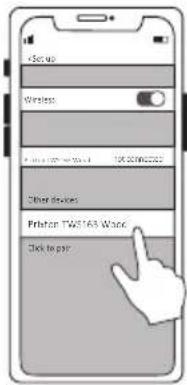
Setup Wireless Other devices Prefer TW5163 Word Click to payEarbuds will be ready to connect with mobile phone after L & R earbuds paired
Successfully pair automatically. Click searched earphone pair name "Prixton TWS163 Wood"
If L & R earbud fail to pair, please put both earbuds back to charging case, close the charging case, then pair again after reopen
After earphones enters the pairing mode, if no operation is performed for 3 minutes, earphones will automatically shut down.
Phone call mode
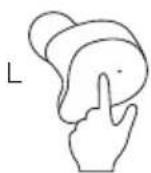
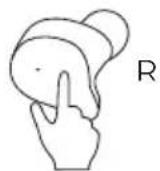
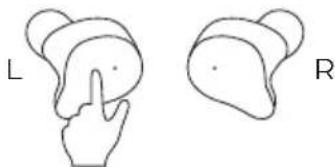
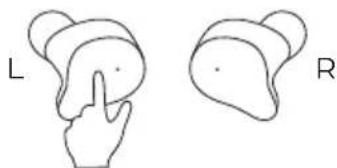
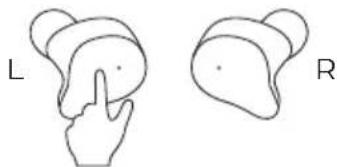
Rejecting a call: Long press for two seconds Answering a call: Double tap the power button Ending a Call: Double tap the power button
Music mode
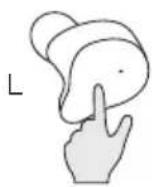
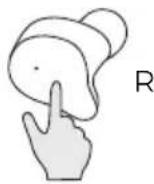
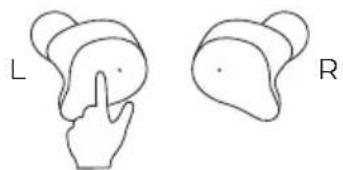
Previous song: Long press left ear for two seconds Next song: Long press the right ear for two seconds Volume up: Click right ear volume up Volume down: Click left ear volume down Pause / Play: Double tap the power button
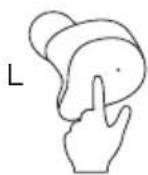
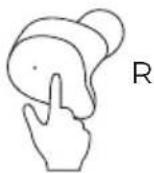
Voice assistant
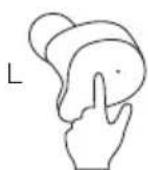
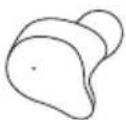
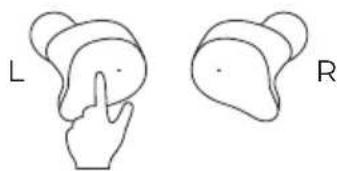
Voice assistant: Triple tap the left ear power button
Charge Earphone
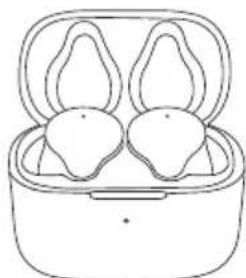
natural_image
Line drawing of a pair of earbuds in a holder (no text or symbols)Charging: White light on all the time
Fully charged: After fully charged, the white light light goes out
Charging case charging
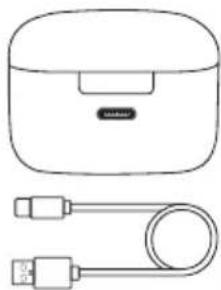
natural_image
Line drawing of a wireless earbuds with a USB cable (no text or symbols)Fully compatible TYPE-C charging cable.
LED display when charging to the charging case: Red light is on.
Fully charged for charging case LED display: White light is on.
Charging compartment power is less than 10% LED display: Red light flashes quickly.
When charging for earbuds: White light flashing slowly.
Low power warning
When the voltage is lower than 3.15V, earphone will automatically shut down after report 3 times low battery prompt
Turn off right away when voltage lower than 3.05V
When the earphones are lack of power, please charge earphones immediately to avoid affecting battery life.
Basic parameters
Solution: JIELI 5.3
Speaker: Brass 6MM
Battery capacity: 2*50mAh
Music time: 6 hours
Charging time: 1 hour
Working distance: more than 10m
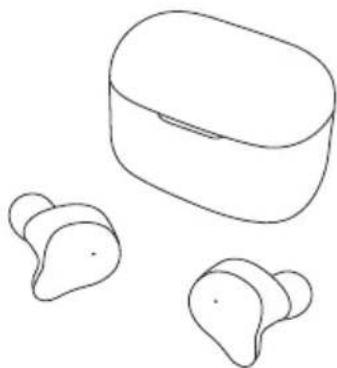
natural_image
Line drawing of a wireless earbuds with two ear-shaped ear cutouts (no text or symbols)Charging Case Parameters
Size: 53*32.4*40.5MM
Weight: 39.3g
Charging port: TYPE-C Charging
Cable (Support wireless charging)
Re-charging frequency for earphones : 2 times
Charge case capacity: 2 times
Input: DC5V =300mA
Output: DC5V =22mA
Safe Use Instructions
- To avoid hearing damage, keep the volume at a moderate level. Avoid listening to music at high volume for long time, which can cause permanent damage or hearing loss to your hearing.
- Do not use Wooden TWS when driving, cycling, crossing the road, etc., which distracts your attention.
- Do not disassemble or modify the earphone by any reason, otherwise it may cause Wooden TWS to malfunction and burn. These are not covered by the warranty.
- Do not let Wooden TWS get wet with the liquid, otherwise it will cause serious damage to the device. Warranty is not covered for the damage caused by the water in the device.
- Do not place Wooden TWS in a location exposed to the sun or high temperatures. High temperatures can shorten the life of electronic components, damage batteries, and deform some plastic parts.
- Do not place Wooden TWS in a cold place to avoid damaging the internal circuit board.
- Please avoid using Wooden TWS indicator near the eyes of children or animals.
- Do not use Wooden TWS during thunderstorms. Thunderstorms can cause the device to malfunction and increase the risk of electric shock.
- Do not drop, strongly vibrate, hit the product with a hard object, do not use harsh chemicals or detergents to clean Wooden TWS, so as not to damage the internal circuit.
Improper battery replacement can be an explosion hazard and can only be replaced with a battery of the same type or equivalent.
For products with removable batteries, the batteries must be recycled or disposed of properly. For products that are not removable, disassembly is prohibited.
The battery is not allowed to be disassembled, impacted squeezed or put into fire. Do not expose the battery to conductive materials, liquids, fire or high temperatures.
Do not allow metal objects to touch the two poles of the battery. Do not continue to use the battery if it is inflated, leaking, odorous, or any other abnormality.
Do not use the battery after it has been immersed in water.
If the battery is used improperly, it may explode or leak, resulting in burns and other personal injury; if the battery leaks, be careful and dispose of the battery immediately according to local battery management laws and regulations.
Note: Any attempt to remove or replace the battery will damage the product and void the product warranty.
Warning: Rechargeable batteries that supply power to this product must be disposed of properly for recycling. Do not put the battery in a fire to avoid an explosion.
WARRANTY POLICY
This product is guaranteed for 2 years from the date of purchase. When you have a problem that you can not solve, you must access the web www.prixton.com and click on the contact option to send us your assistance form. These technical and electrical specifications are those of typical units and may be changed without prior notice in order to provide improved equipment.
SIMPLIFIED EU DECLARATION OF CONFORMITY
We, La Trastienda Digital located in Avenida Cervantes 49, módulo 25, Basauri 48970, Bizkaia hereby declare that the following goods, imported and selling at European market:
| BRAND | MODEL | DESCRIPTION | CATEGORY |
| Prixton | TWS163WOOD | Eco Earbuds | Audio |
Are in compliance with the EC Council Directive of 2014/53/EU (EM DIRECTIVE) and harmonized standards and with the board of the 16th of April 2014.
The complete text of the UE Declaration of conformity is available anytime at this website address:
www.prixton.com
LA TRASTIENDA DIGITAL
FR
Accessoires
SML
Étui de chargement
Embouts
text_image
Airbox Airbox Other devices Prixton Tw5163 Wood Click to pairnatural_image
Two hand-drawn diagrams showing finger positioning of a rounded object, labeled L and R (no text or symbols on the objects themselves)natural_image
Illustration of two hands pointing at a rounded object, labeled L and R (no text or symbols on the objects)natural_image
Two hand-drawn diagrams showing finger positions on a circular object, labeled L and R (no text or symbols beyond labels)Assistant vocal
natural_image
Two abstract line drawings of a hand pressing a finger on a rounded object, labeled L and R (no text or symbols beyond labels)natural_image
Line drawing of a pair of earphones in a small electric guitar body (no text or symbols)natural_image
Line drawing of a smart speaker with a USB cable and a compact case (no text or symbols)natural_image
Line drawing of a wireless earbuds with two separate ear-shaped devices (no text or symbols)natural_image
Empty rounded rectangle outline with no text or symbolsnatural_image
Empty white rectangle with a thin black border (no text or symbols)Istruzioni
Uso corretto
natural_image
Line drawing of a human head and ear with a visible ear canal (no text or symbols)natural_image
Line drawing of a pair of earbuds in a closed bumper (no text or symbols)text_image
Add to Add to Excel Add to Excel (1) Not connected Other text Printout TWS163 Word Delete to Excelnatural_image
Two hand gestures pointing at a rounded object, labeled L and R (no text or symbols on the objects)natural_image
Two hand-drawn diagrams showing finger positions on a circular object, labeled L and R (no text or symbols beyond labels)Assistente vocale
natural_image
Two hand-drawn diagrams showing a finger pressing on a curved surface, labeled L and R (no text or symbols beyond labels)natural_image
Line drawing of a pair of earbuds in a closed cup (no text or symbols)natural_image
Line drawing of a wireless earbuds and USB cable (no text or symbols)natural_image
Line drawing of a wireless earbuds with two ear-shaped ear cutouts (no text or symbols)natural_image
Empty rounded rectangle outline with no text or symbolsLadeetui
Ohrstöpsel
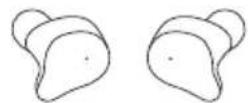
Holz-TWS-Ohrhörer
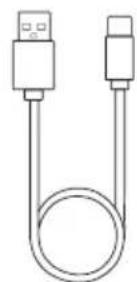
TYPE-C-Ladekabel

natural_image
Empty white rectangle with a thin gray border (no text or symbols)Anweisungen
Richtiges Tragen
natural_image
Line drawing of a human head and ear with a visible ear canal (no text or symbols)Ein- / Ausschalten
natural_image
Line drawing of a pair of earbuds in a closed bumper (no text or symbols)text_image
Setup Wireless Printer TW3163 Watch Other devices Printer TW3163 Watch Click to playnatural_image
Two hand-drawn diagrams showing finger positioning of a rounded object, labeled L and R (no text or symbols on the objects themselves)natural_image
Two hand gestures pointing at a rounded object, labeled L and R (no text or symbols on the objects)natural_image
Two hand gestures labeled L and R, showing different finger positions (no text or symbols beyond labels)Sprachassistent
natural_image
Two hand-drawn diagrams showing a finger pressing on a curved surface, labeled L and R (no text or symbols beyond labels)natural_image
Line drawing of a pair of earbuds in a closed bouse (no text or symbols)natural_image
Line drawing of a portable electronic device with a USB cable (no text or symbols)natural_image
Line drawing of a wireless earbuds with two ear-shaped earments (no text or symbols)Parameter des Ladeetuis
Größe: 5332,440,5MM
Gewicht: 39,3g
natural_image
Empty rounded rectangle outline with no text or symbolsEstojo de carregamento
Pontas de ouvido
Fones TWS de madeira
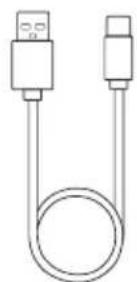
Cabo de carregamento
TYPE-C

natural_image
Empty white rectangle with black border (no text or symbols)Instruções
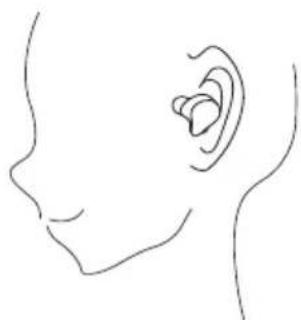
Uso correto
natural_image
Line drawing of a human head and ear with a visible ear canal (no text or symbols)Ligar / Desligar
natural_image
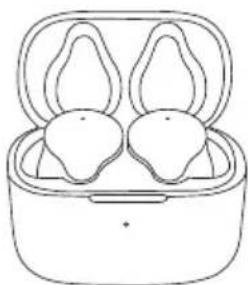
Line drawing of a pair of earphones in a closed bumper (no text or symbols)text_image
Get up Browse Browse Text 10.00000257 Enter double Printer: TWISTOL WEEE Skip to putnatural_image
Two hand gestures showing a rounded object, labeled L and R (no text or symbols on the objects)natural_image
Two hand gestures labeled L and R, showing finger positioning (no text or symbols beyond labels)natural_image
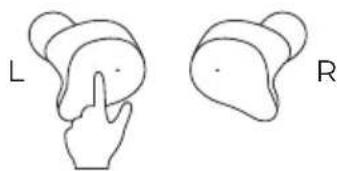
Two hand-drawn diagrams showing finger positions on a curved surface, labeled L and R (no text or symbols beyond labels)Assistente de voz
natural_image
Two hand-drawn diagrams showing a finger pressing on a rounded object, labeled L and R (no text or symbols beyond labels)natural_image
Line drawing of a pair of earbuds in a cup (no text or symbols)Carregando: Luz branca acesa o tempo todo.
natural_image
Line drawing of a portable electronic device with a USB cable (no text or symbols)natural_image
Line drawing of a wireless earbuds with two separate ear-shaped devices (no text or symbols)natural_image
Empty rounded rectangle outline with no text or symbolsOplaadcase
Oortips
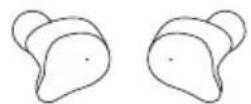
Houten TWS-oortjes
natural_image
Simple line drawing of a USB cable with two connectors (no text or symbols)TYPE-C oplaadkabel

natural_image
Empty white rectangle with a thin black border (no text or symbols)Instructies
Correct dragen
natural_image
Line drawing of a human head and ear with a visible ear (no text or symbols)In- / Uitschakelen
natural_image
Line drawing of a pair of earbuds in a closed bouse (no text or symbols)text_image
Set up Window Create For/ST17 Word INTI SMM20245 Other devices Python T W/S163 Word Click to picknatural_image
Two hand gestures showing a rounded object, labeled L and R (no text or symbols on the objects)natural_image
Two hand gestures pointing at a rounded object, labeled L and R (no text or symbols on the objects)natural_image
Two hand diagrams showing finger positioning on a curved surface, labeled L and R (no text or symbols beyond labels)Spraakassistent
natural_image
Two hand-drawn diagrams labeled L and R, showing abstract shapes with no text or symbolsnatural_image
Line drawing of a pair of earbuds in an open charging case (no text or symbols)Opladen: Wit lampje brandt constant.
natural_image
Line drawing of a wireless earbuds with a cord and connector (no text or symbols)Volledig compatibele TYPE-C oplaadkabel.