GigBAR Move ILS - Lighting Chauvet - Free user manual and instructions
Find the device manual for free GigBAR Move ILS Chauvet in PDF.



| Product Type | Laser light bar with moving heads |
| Brand | Chauvet |
| Model | GigBAR Move ILS |
| Category | Stage Lighting |
| Power Supply | 100-240 V AC, 50/60 Hz (auto-detecting) |
| Power Consumption | 200 W (estimated) |
| Light Sources | Red laser 650 nm / 100 mW, green laser 532 nm / 30 mW, RGB LED (not specified) |
| Laser Classification | Class 3R (each beam <5 mW) |
| Control | DMX, wireless ILS (D-Fi USB), wireless footswitch, RF remote |
| Compliance | FCC Part 15B, FDA laser standards |
| Protection Rating | IP20 (indoor use only) |
| Operating Temperature | Max 40 °C |
| Required Ventilation | At least 50 cm around the product |
| Mounting | Tripod included, safety cable mandatory |
| Box Contents | GigBAR MOVE ILS, power cable, carrying bag, tripod, tripod bag, wireless footswitch, RF remote, quick reference guide |
| Maintenance | Clean optics with a soft, dry cloth; do not use harsh chemicals |
| Repairability | No user-serviceable parts; do not open the housing |
| Safety | Avoid direct eye exposure to laser; use a safety cable when mounting overhead |
| Warranty | See manual for terms (not specified) |
Frequently Asked Questions - GigBAR Move ILS Chauvet
User questions about GigBAR Move ILS Chauvet
0 question about this device. Answer the ones you know or ask your own.
Ask a new question about this device
Download the instructions for your Lighting in PDF format for free! Find your manual GigBAR Move ILS - Chauvet and take your electronic device back in hand. On this page are published all the documents necessary for the use of your device. GigBAR Move ILS by Chauvet.
USER MANUAL GigBAR Move ILS Chauvet
Scan the QR code to access the product page, warranty terms, and the complete User Manual
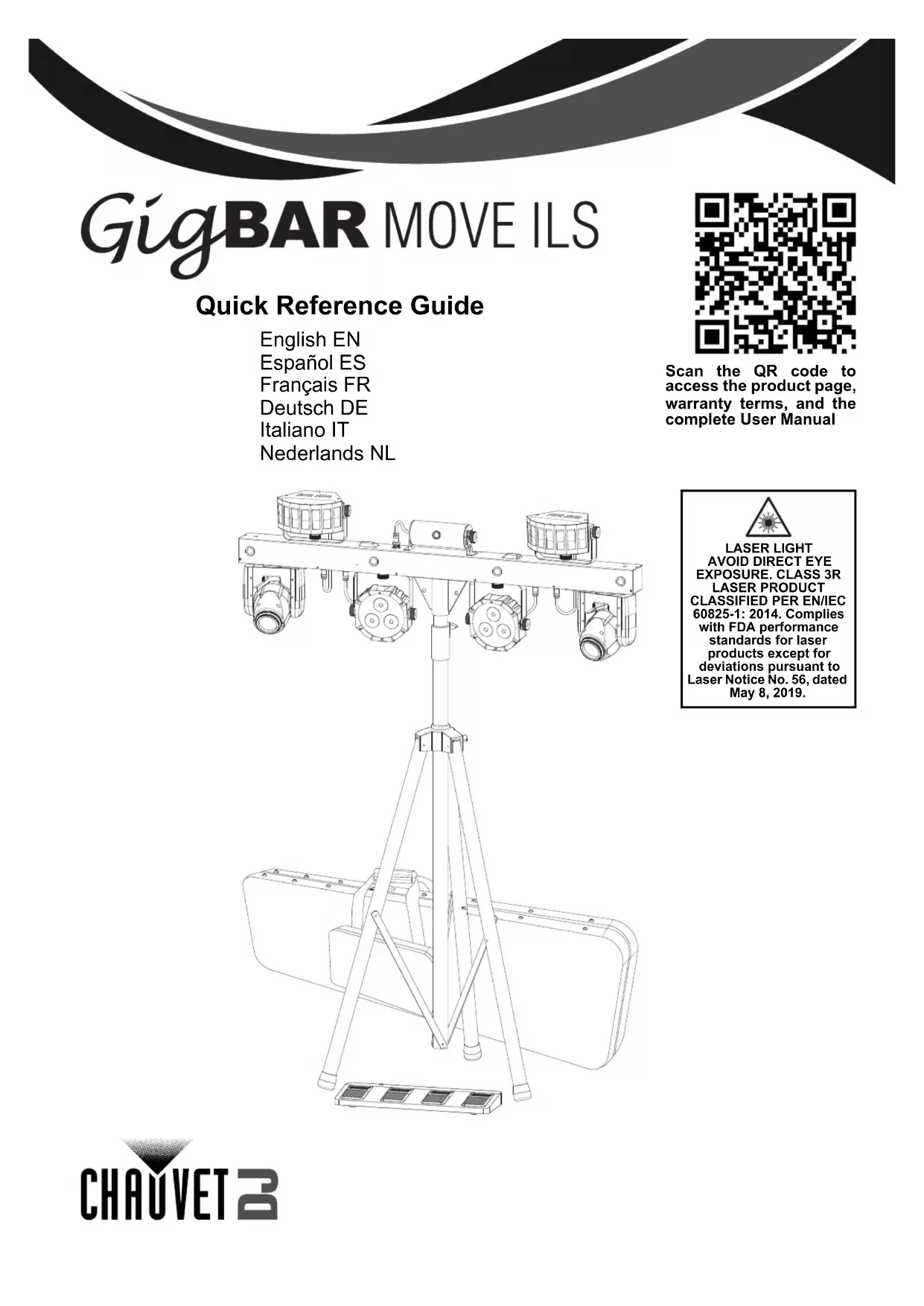
natural_image
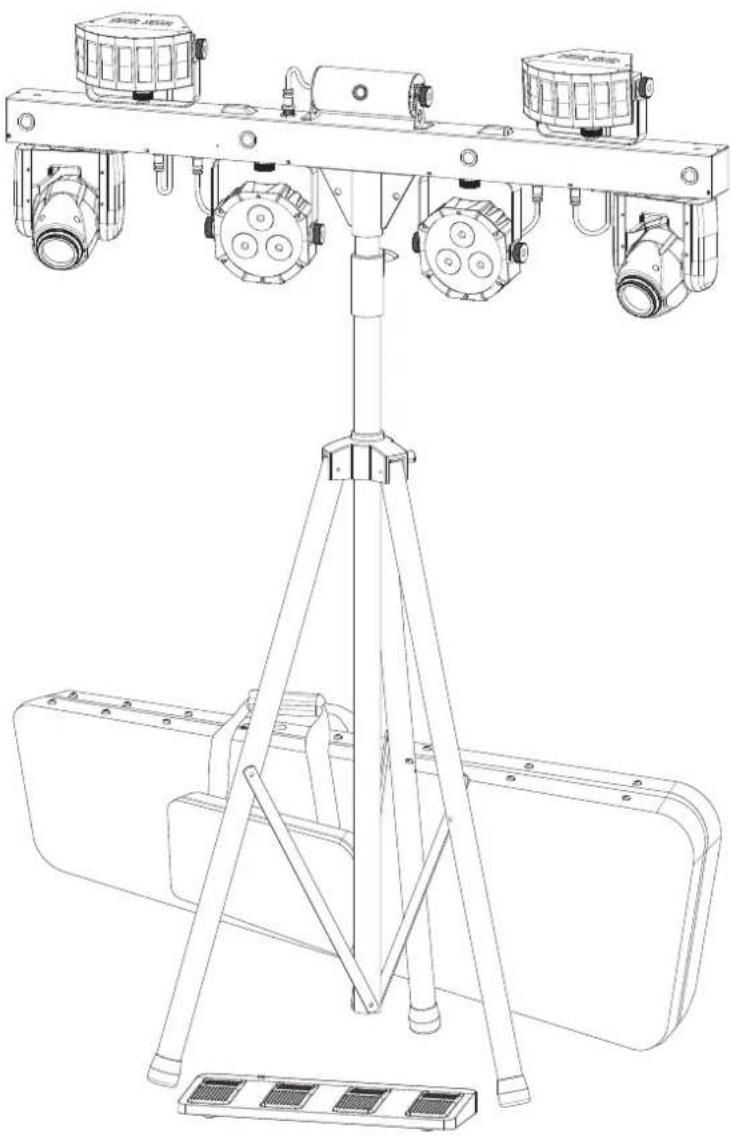
Technical line drawing of a multi-lane industrial machine with four circular-mounted fans and a tripod base (no text or symbols)
LASER LIGHT
AVOID DIRECT EYE
EXPOSURE. CLASS 3R
LASER PRODUCT
CLASSIFIED PER EN/IEC
60825-1: 2014. Complies
with FDA performance
standards for laser
products except for
deviations pursuant to
Laser Notice No. 56, dated
May 8, 2019.
Safety Notes
These Safety Notes include important information about installation, use, and maintenance of GigBAR MOVE ILS.
■ ALWAYS:

◆ Connect to a grounded circuit.
◆ Connect to operating voltages as specified on the product's spec sticker.
♦ Disconnect from power before replacing the fuse.
♦ Disconnect from its power source during periods of inactivity.
◆ Use a safety cable when suspending overhead.
- Heed all restrictions and warnings on the spec sticker.
◆ Mount in a location with at least 20 in (50 cm) of ventilation.
♦ Replace the fuse with the same type and rating.
In the event of a serious operating problem, stop using immediately.
■ DO NOT:
◆ Open this product or attempt any repairs. It contains no user-serviceable parts.
◆ Look at the light source when the product is on.
◆ Use if the power cord is crimped or damaged.
♦ Disconnect by pulling on the power cord.
◆ Allow flammable materials close to the product when it is operating.
◆ Touch the housing when it is on.
◆ Block any ventilation holes/slots in the housing.
◆ Connect to a dimmer or rheostat.
♦ Carry the product by its power cord.
♦ Operate in temperatures higher than 104°F (40°C).
♦ Expose to environments that exceed the Ingress Protection (IP) rating.
♦ Expose to rain or moisture.
Use outdoors.

FCC Compliance
This device complies with Part 15 Part B of the FCC rules. Operation is subject to the following two conditions:
- This device may not cause harmful interference, and
- This device must accept any interference received, including interference that may cause undesired operation.
Any changes or modifications not expressly approved by the party responsible for compliance could void the user's authority to operate the equipment.
What is Included
♦ GigBAR MOVE ILS
Power cable
Carrying bag
♦ Tripod
♦ Tripod carrying bag
♦ Footswitch
◆ RF Remote
◆ Quick Reference Guide
Control Panel Description
| Button Function | |
| Exits from the current menu or function | |
| Navigates upwards through the menu list and increases the numeric value when in a function | |
| Navigates downwards through the menu list and decreases the numeric value when in a function | |
| Enables the currently displayed menu or sets the currently selected value into the selected function | |
Laser Data
Laser Safety Notes

STOP AND READ ALL LASER SAFETY DATA

The Laser Safety Notes include important laser system safety information. Read and understand all instructions before powering on the laser for the first time. Knowing these safety instructions is crucial to avoiding laser eye injury and breaking the law. Keep this User Manual in a safe place for future reference.
Laser light is a focused beam more intense than ordinary lights. This intensity can cause instant eye injuries and potential blindness when the eyes are directly exposed to laser light.
This laser product uses Class 3B level of laser power internally, which are then split into multiple Class 3R-level beams. These beams are potentially hazardous to the eyes.
Laser safety regulations state that it is illegal to aim Class 3R lasers into areas where people can be exposed, even if the laser is aimed below eye level.
■ CAUTION!

Use of controls, adjustments, or procedures other than those specified in this manual may result in hazardous radiation exposure.
Lasers in a Class 3R laser show must be operated only by skilled and well-trained professionals familiar with the data included in this manual.
The legal requirements for using laser entertainment products vary from country to country. The user is responsible for the legal requirements in the location/country of use.
Failure to follow these instructions will void the warranty, may damage the product, or injure the user or the audience.
This product cannot be discarded with household waste. Contact a local waste management service for specific electronic disposal regulations.

ALWAYS
Read and understand all the safety and technical data in this manual before operating the laser.
◆ Install laser products at least 9.8 ft (3 m) above the floor on which people are standing.
◆ Test the lasers prior to public use to ensure that they are functioning properly.
■ DO NOT:
♦ Expose eyes to direct laser light to avoid instant eye injury or potential blindness.
♦ Expose the output optic (aperture) to harsh cleaning chemicals.
◆ Shine laser at aircraft or any vehicle that is in motion.
◆ Point lasers at people or animals.
◆ Point lasers into areas where people could be exposed to them.
◆ Point lasers at highly reflective surfaces such as windows, mirrors, and shiny metal.
◆ Point unterminated laser beams into the sky.
◆ Look into the laser aperture or laser beams.
Use if housing is damaged, open, or if optics appear damaged.
◆ Open the laser housing, to avoid potential exposure to unsafe levels of laser radiation.
Leave running unattended.


Keep this manual for future consultation. If transferring ownership of the product to another user, ensure this document is kept with the laser.
Laser Safety Label Reproduction

Laser Exposure Warning

LASER LIGHT: AVOID DIRECT EYE EXPOSURE
Further guidelines and safety programs for safe use of lasers can be found in the ANSI Z136.1 Standard "For Safe Use of Lasers", available from the Laser Institute of America: www.lia.org Many local governments, corporations, agencies, military, and others, require all lasers to be used under the guidelines of ANSI Z136.1. Laser Display guidance can be obtained via the International Laser Display Association: www.ilda.com.
Laser Emission Data
As measured under IEC measurement conditions for classification.
| Laser Classification | Class 3R |
| Red Laser Diode Wavelength/Optical Power | 650 nm/100 mW |
| Green Laser Diode Wavelength/Optical Power | 532 nm/30 mW |
| Beam Diameter | <5 mm at aperture |
| Pulse Data | All pulses < 4 Hz (>0.25 sec) |
| Divergence (each beam) | <2 mrad |
| Divergence (total light) | <160 degrees |
| Laser Power of Each Beam from Aperture | <5 mW |
Laser Compliance Statement
Complies with FDA performance standards for laser products except for deviations pursuant to Laser Notice No. 56, dated May 8, 2019. No maintenance is required to keep this product in compliance with laser performance standards.
ILS Connection
The GigBAR MOVE ILS uses the DMX data connection and the D-Fi USB for wireless connection to the Integrated Lighting System (ILS) ecosystem (patent pending). For more information about configuring the GigBAR MOVE ILS into ILS mode, please refer to the User Manual available at www.chauvetdj.com.
Notas de seguridad
General Information Technical Support
Chauvet World Headquarters
Address: 3360 Davie Rd. Voice: (844) 393-7575
Davie, FL 33314 Fax: (954) 756-8015
Voice: (954) 577-4455 Email: chauvetcs@chauvetlighting.com
Fax: (954) 929-5560
Toll Free: (800) 762-1084 Website: www.chauvetdj.com
Chauvet U.K.
Address: Unit 1C Email: UKtech@chauvetlighting.eu
Brookhill Road Industrial Estate
Pinxton, Nottingham, UK Website: www.chauvetdj.eu
NG16 6NT
Voice: +44 (0) 1773 511115
Fax: +44 (0) 1773 511110
Chauvet Benelux
Address: Stokstraat 18 Email: BNLtech@chauvetlighting.eu
9770 Kruishoutem
Belgium Website: www.chauvetdj.eu
Voice: +32 9 388 93 97
Chauvet France
Address: 3, Rue Ampère
91380 Chilly-Mazarin
France Website: www.chauvetdj.eu
Voice: +33 1 78 85 33 59
Chauvet Germany
(Entrance by Calle 2)
ial Lerma Website: www.chauvetdj.mx
Visit the applicable website above to verify our contact information and instructions to request support. Outside the U.S., U.K., Ireland, Mexico, France, Germany, or Benelux, contact the dealer of record.
GigBAR MOVE ILS QRG ML6 Rev. 1
© Copyright 2022 Chauvet
All rights reserved



RoHS