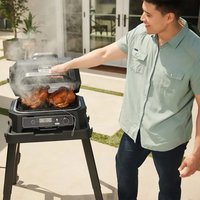
Woodfire Pro XL OG850EU - Barbecue NINJA - Free user manual and instructions
Find the device manual for free Woodfire Pro XL OG850EU NINJA in PDF.


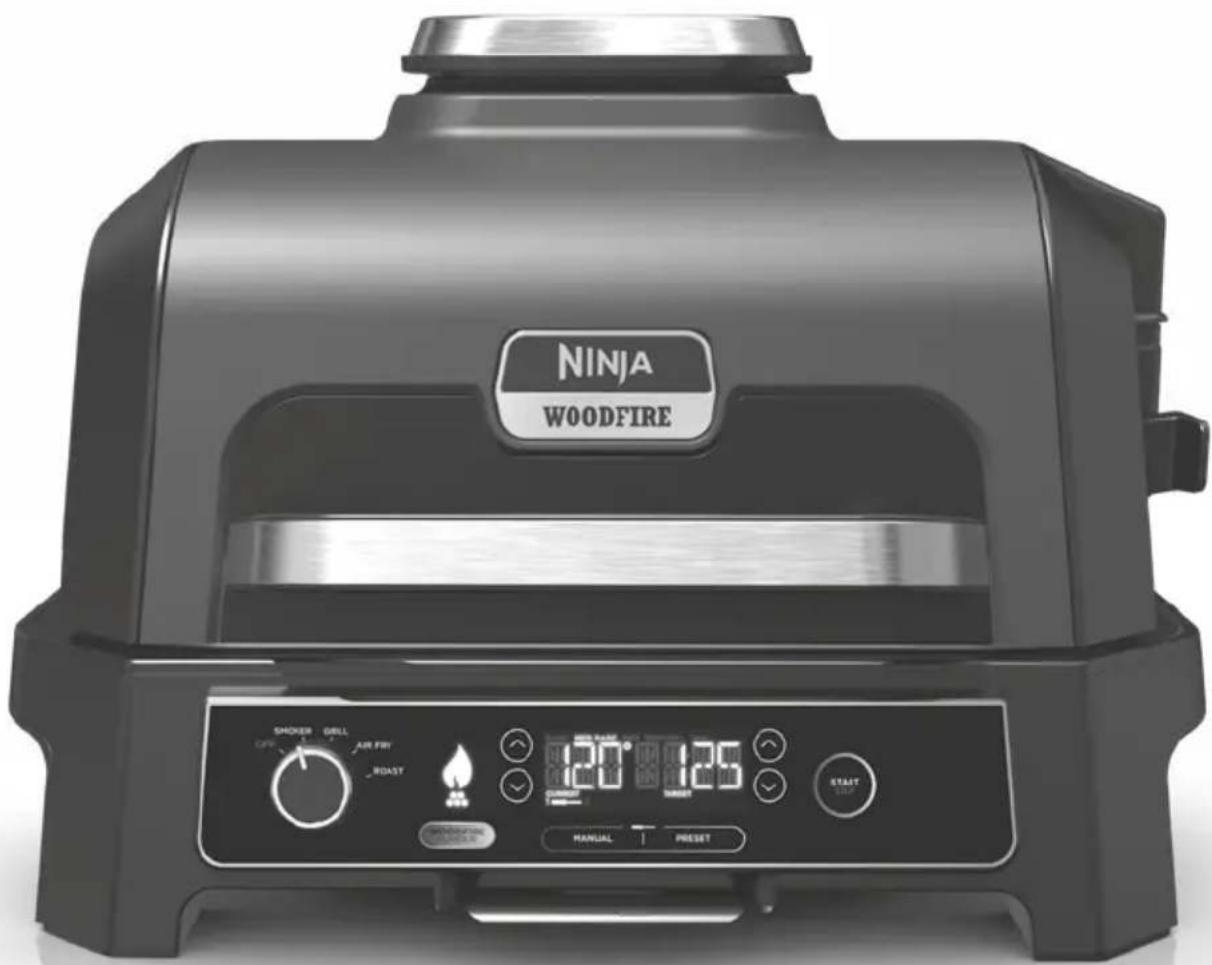
| Product Type | Electric barbecue with integrated smoker |
| Brand | Ninja |
| Model | Woodfire Pro XL OG850EU |
| Supply Voltage | 220-240 V~, 50-60 Hz |
| Power | 1700 W |
| Use | Outdoor only |
| Protection Rating | IPX4 (unit), IP66 (RCD plug) |
| Cooking Modes | Smoker, Grill, Air Fry, Roast |
| Smoking Technology | Woodfire Flavour Technology |
| Integrated Food Probe | Yes, with presets and manual mode |
| Safety Device | RCD (Residual Current Device) with TEST and RESET buttons |
| Body Material | Steel |
| Non-Stick Coating | Yes (grill plate, Crousti basket) |
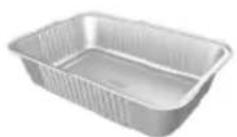
| Included Accessories | Grill plate, Crousti basket, pellet scoop, drip tray, tray insert, food probe |
| Smoker Capacity | Approximately one pellet scoop (full fill) |
| Smoker Temperature Range | 60-210 °C |
| Grill Temperature Range | Low, Medium, High (corresponding to unspecified temperatures) |
| Air Fry Temperature Range | 150-240 °C |
| Roast Temperature Range | 120-220 °C |
| Maximum Timer | Smoker: 12 h, Grill/Air Fry: 1 h, Roast: 4 h |
| Cleaning | Hand washing recommended; pellet scoop dishwasher safe |
| Cable Length | Short (extension possible) |
| Warranty | Ninja commercial warranty + legal guarantees |
Frequently Asked Questions - Woodfire Pro XL OG850EU NINJA
User questions about Woodfire Pro XL OG850EU NINJA
0 question about this device. Answer the ones you know or ask your own.
Ask a new question about this device
Download the instructions for your Barbecue in PDF format for free! Find your manual Woodfire Pro XL OG850EU - NINJA and take your electronic device back in hand. On this page are published all the documents necessary for the use of your device. Woodfire Pro XL OG850EU by NINJA.
USER MANUAL Woodfire Pro XL OG850EU NINJA
Electric BBQ Grill & Smoker
with Smart Cook System
OG850EU
BRUGSANVISNING
BEDIENUNGSANLEITUNG
INSTRUCTIONS
INSTRUCCIONES
NOTICE D'UTILISATION ET
GARANTIE NINJA
ISTRUZIONI
INSTRUCTIES
INSTRUKSJONER
INSTRUÇÕES
OHJEET
ANVISNINGAR

REGISTRÉR DIT K∅B

ninjakitchen.eu/registerguarantee

J
K
natural_image
Diagram of a plug with two buttons and a close-up view of its internal socket (no text or symbols)L
M
N
To order replacement or additional parts and accessories, visit ninjakitchen.eu
INDEN F∅RSTE BRUG
natural_image
Technical line drawing of a two-pin electrical plug with a close-up view showing internal components (no text or symbols)natural_image
Two-step line drawings showing hands using a tool to adjust or install a mechanical component (no text or symbols present)natural_image
Line drawing of hands using a tool to adjust or install a mechanical component (no text or symbols visible)natural_image
Line drawing of hands using a tool to adjust or install a car seatbelt (no text or symbols present)RENG∅R DIN GRILL
natural_image
Line drawing of a mechanical device with no visible text or symbolsTermometerstikket er placeret til venstre for skiven. Løft det beskyttende cover for at få adgang.
natural_image
Line drawing of a portable device with a circular arrow pointing upward (no text or symbols)natural_image
Technical line drawing showing a mechanical component with a magnified inset view of its internal structure (no text or symbols)Correct thermometer placement. Thermometer grip is fully inside unit.
natural_image
Black wooden stool with open square cutout, isolated on white background (no text or symbols)JUSTÉRBART STATIV
natural_image
Close-up of a dark gray metal table with a circular frame (no text or symbols visible)EKSTRA SIDEBORD
natural_image
Black rectangular baking tray with rounded edges and a small tab on top (no text or symbols visible)FLAD PLADE
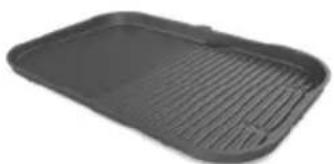
Lav lynstegning, fajitas, pandekager og mere med denne slip-let flade plade, som passer til din BBQ-grill.
natural_image
Black rectangular baking tray with slatted edges and a small handle (no text or symbols visible)GRILL/FLAD PLADE
BEKLÆDNING TIL FEDTBAKKE
natural_image
Line drawing of a metal grater with ribbed contents and handles (no text or symbols)STEGE- OG R∅GSTATIV
natural_image
Line drawing of a multi-tiered rack or storage unit (no text or symbols)STATIV TIL RIBBEN
REGISTRIEREN SIE IHREN KAUF

ninjakitchen.eu/registerguarantee

Smoker (Räuchern)....31
Grill (Grillen) 31
Air Fry (Heißluft-Frittieren)....32
Roast (Braten) 32
natural_image
Three line drawings of containers or containers: a rectangular tray, a mesh-lined container, and a bucket-shaped container (no text or symbols)
natural_image
Three simple line drawings of rectangular containers labeled L, M, and N (no text or symbols on the containers themselves)To order replacement or additional parts and accessories, visit ninjakitchen.eu
VOR DEM ERSTEN GEBRAUCH
natural_image
Diagram of a light bulb socket and its corresponding plug, showing internal components without any text or symbols.natural_image
Two-step line drawing showing hands using a tool to adjust or install a component, no text or symbols present.natural_image
Line drawing of hands using a tool to adjust or install a mechanical component (no text or symbols visible)natural_image
Line drawing of hands using a tool to adjust or install a mechanical component (no text or symbols visible)natural_image
Line drawing of a portable device with a lid and front panel (no text or symbols)natural_image
Line drawing of a portable device with a circular arrow pointing to the bottom panel (no text or symbols)natural_image
Technical line drawing showing hands operating a portable air conditioner unit and inserting a fan into a grid (no text or symbols)Correct thermometer placement. Thermometer grip is fully inside unit.
natural_image
Black wooden stool with open lid and side legs (no text or symbols visible)natural_image
Close-up of a dark metal table with a circular frame (no text or symbols visible)natural_image
Black rectangular baking tray with rounded edges and a small clip at the top (no text or symbols visible)PLANCHA
natural_image
Black plastic tray with horizontal ridges, no text or symbols visibleGRILLPLATTE/PLANCHA
natural_image
Line drawing of a rectangular metal tray with side handles and internal slots (no text or symbols)BRAT- UND SMOKEROST
natural_image
Line drawing of a multi-tiered rack or storage unit (no text or symbols)RIPPCHENHALTER
REGISTER YOUR PURCHASE

ninjakitchen.eu/registerguarantee

n QR code using mobile device
RECORD THIS INFORMATION
Model Number: ____
Serial Number: ____
Date of Purchase: ____
(Keep receipt)
Store of Purchase:
TECHNICAL SPECIFICATIONS
Voltage: 220-240V\~50-60Hz
Watts: 1700W
TIP: You can find the model and serial numbers on the QR code label on the back of the unit by the power cord.
This marking indicates this product should not be disposed of with other household waste. To prevent possible harm to the
environment or human health from uncontrolled waste disposal, recycle it responsibly to promote the sustainable reuse of material sources. To return your used device, please use the return and collection systems or contact the retailer where this product was purchased. They can take this product for environmentally safe recycling.
Important Safety Instructions .... 40
Parts & Accessories 42
Before first use....42
Where to locate the grill 43
Use in any weather 43
Extension cord 43
Powering the grill 43
Removable Smoke Box 44
Cleaning your grill 44
Getting to know the Control Panel....45
Function buttons....45
Operating buttons....45
Using the probe 46
How to correctly insert the probe....48
Cooking functions....49
Smoker....49
Grill 49
Air Fry 50
Roast 50
Troubleshooting Guide....51
Accessories for Purchase....53
Product Registration 54
IMPORTANT SAFETY INSTRUCTIONS
OUTDOOR HOUSEHOLD USE ONLY. READ ALL INSTRUCTIONS BEFORE USE
⚠ WARNING Failure to follow these instructions could result in electric shock, fire or burn hazard which could cause property damage, personal injury, or death. When using electrical appliances, basic safety precautions should always be followed, including the following:
1 To eliminate a choking hazard for young children, discard all packaging materials immediately upon unpacking.
2 This appliance is for outdoor household use only. DO NOT use this appliance for anything other than its intended use. DO NOT use in moving vehicles or boats. Misuse may cause injury.
3DONOT use indoors. This grill is designed for OUTDOOR USE ONLY in a well-ventilated area. If used under any overhead cover, toxic fumes, including carbon monoxide, may accumulate and cause serious bodily injury or death.
4 This appliance can be used by persons, including children, with reduced physical, sensory, or mental capabilities or lack of experience and knowledge if they have been given supervision or instruction concerning use of the appliance in a safe way and understand the hazards involved.
5ALWAYS ensure the appliance is properly assembled before use. DO NOT use without side handles attached.
6 To avoid property damage from flame or heat maintain a minimum distance of 92cm (3 feet) from rear, sides and top to walls, rails or other combustible constructions.
7 Ensure the surface is level, stable, clean and dry. DO NOT place the appliance near the edge of the surface the grill is placed on during operation.
8 Children should be supervised to ensure that they do not play with the appliance. Keep the appliance and its cord out of reach of children. DO NOT allow the appliance to be used near, cleaned or maintained by children.
9 The appliance should be supplied through a residual current device (RCD) having a rated residual operating current not exceeding 30mA. The appliance is to be connected to a socket-outlet having an earthing contact.
10 A short power-supply cord is provided to reduce the risk of children less than 8 years grabbing the cord or becoming entangled and to reduce the risk of people tripping over a longer cord. SUITABLE FOR USE WITH OUTDOOR APPLIANCES. Longer detachable power-supply cord or extension cords are available and may be used if care is exercised in their use.
11 To avoid property damage and burn injury from flame or heat, ALWAYS maintain a minimum safe distance of at least 1 foot (30cm) from the pellet box during smoking. Small flames can come out from the pellet box if the grill lid is lifted in windy conditions.
To avoid burn injury, ALWAYS use pellet scoop when adding pellets to smoker box. DO NOT add pellets by hand.
13 To avoid burn injury and property damage, make sure the lid of the smoke box is fully closed to prevent flames from escaping out of the smoke box.
14 Pellets may continue to burn after cook time is complete. Do not touch or remove the smoke box until the grill has stopped smoking, pellets have completely burnt out and the smoke box has cooled.
15 To avoid personal injury and burns allow to cool before cleaning, disassembly, putting in or taking off parts and storage.
16 DONOT allow pellets to overflow the pellet box. Doing so will introduce oxygen leading to combustion, flame and damage to the unit which may result in burn injury.
17 DONOT touch hot surfaces. Appliance surfaces are hot during and after operation. To prevent burns or personal injury, ALWAYS use protective hot pads or insulated oven gloves and use available handles and knobs.
18 DONOT touch accessories during or immediately after cooking. The basket will become extremely hot during the cooking process. Avoid physical contact while removing the accessory from the appliance. To prevent burns or personal injury ALWAYS use care when using with product. We recommend use of long handed utensil and protective hot pads or insulated oven gloves.
19 ALWAYS ensure the grill is completely cool before releasing and removing the cooking plates or moving the to avoid burns or personal injury.
20 DONOT use the appliance without the grill plate installed.
21 To protect against electric shock, cord and extension cord should be arranged so that they will not drape over the worktop or table top where they can be pulled on by children or tripped over. Keep the cord connection dry and DO NOT immerse cord, plugs or main unit housing in water or other liquid.
22 Regularly inspect the appliance and power cord. DO NOT use the appliance if there is damage to the power cord or plug. If the appliance malfunctions or has been damaged in any way, immediately stop use and call Customer Service.
23 NEVER use socket below worktop surface.
24 NEVER connect this appliance to an external timer switch or separate remote-control system.
25DONOT place appliance and let cord touch hot surfaces.
26 Only use recommended accessories included with this appliance or authorised by SharkNinja. The use of accessories or attachments not recommended by SharkNinja may cause a risk of fire or injury.
27 Before placing any accessory into the cooker, ensure it is clean and dry.
28DONOT move the appliance when in use.
29DONOT cover the air intake vent or air outlet vent while unit is operating. Doing so will prevent even cooking and may damage the unit or cause it to overheat.
30DONOT place anything on top of the product when the lid is closed during use.
31 Ensure the grill plate is correctly inserted and securely locked into position.
32DONOT use this appliance for deep-frying.
33 Some foods may cause oils or grease to splash. Use care when opening the grill to avoid burns.
34 Should a grease fire occur or the unit emits black smoke, unplug immediately. Wait for smoking to stop before removing any cooking accessories.
35 Socket voltages can vary, affecting the performance of your product. To prevent possible illness, ALWAYS use an external food probe to check that your food is cooked to the recommended temperatures.
36 Use ONLY genuine food grade wood pellets from Ninja in your unit.
37NEVER use heating fuel pellets, hardwood, charcoal, liquid fuels or any other combustible material in the Smoker.
38 Keep hands and face away from Smoker Box when unit is in use and hot.
39ALWAYS keep a fire extinguisher suitable for electrical fires accessible while operating the smoker.
40 ALWAYS store wood pellets in a dry location, away from heat-producing appliances and other fuel containers.
41 Keep your grill clean and do not allow excess grease or ash to collect inside or on the smoke box and cartridge. Doing so significantly increases the chances of a grease fire and additional smoke which can taint the flavour of your food.
42 Please refer to the Cleaning & Maintenance section for regular maintenance of the appliance.
43 To disconnect, press the power button to turn the unit off, then unplug from socket when not in use and before cleaning.
44 DO NOT clean this product with a water spray or the like.
45DONOT clean with metal scouring pads. Pieces can break off the pad and touch electrical parts, creating a risk of electric shock.
46 Store indoors when not in use for long periods.
47 Store out of reach of children.
48 DONOT keep uncovered grill exposed to elements. ALWAYS use grill cover when stored outdoors.

Read and review instructions to understand operation and use of product.

Indicates the presence of a hazard that can cause personal injury, death or substantial property damage if the warning included with this symbol is ignored.

Avoid contact with hot surface. Always use hand protection to avoid burns.
SAVE THESE INSTRUCTIONS
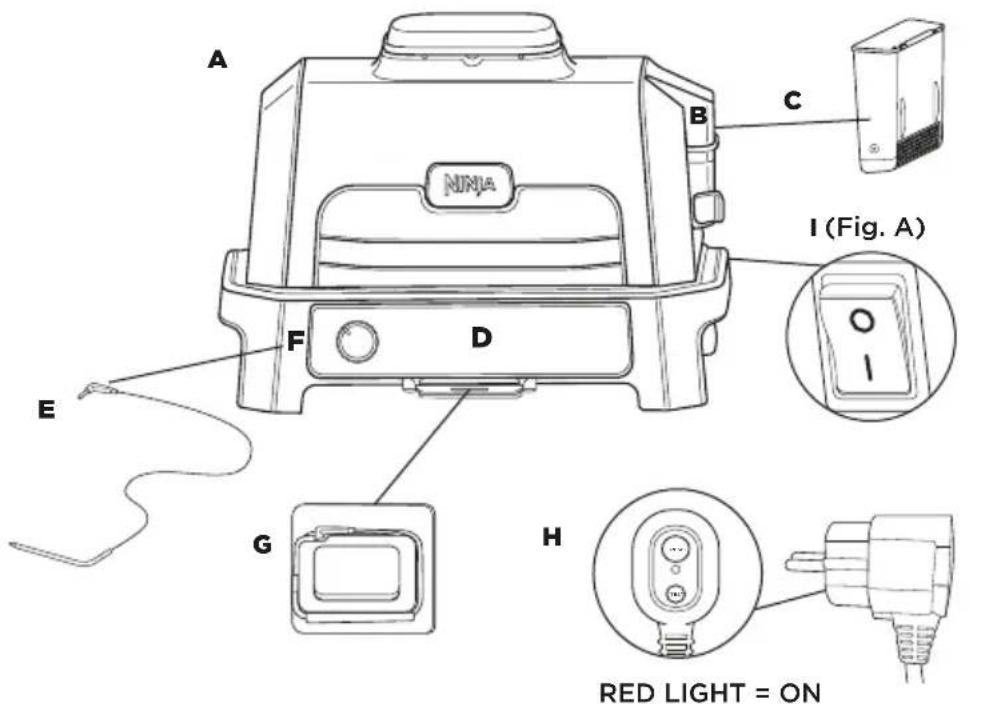
A Main Unit
B Integrated Smoke Box
C Pellet Box
D Control Panel
E Built-in Probe
F Probe Socket
G Onboard Probe storage. Slide out to access probe.
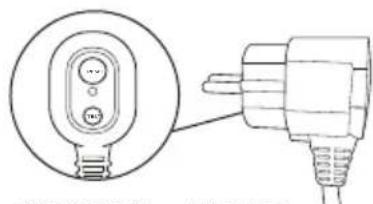
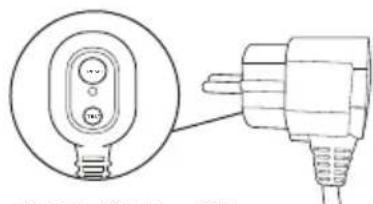
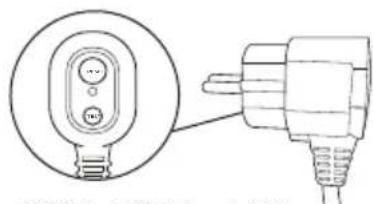
H Power cord and RCD plug
I ON/Off Switch
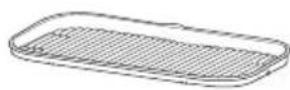
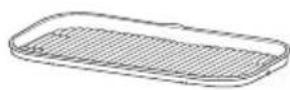
J Grill Plate
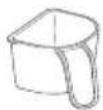
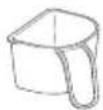
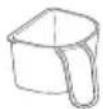
K Pellet Scoop
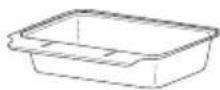
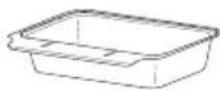
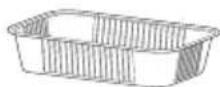
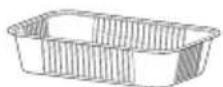
L Crisper Basket
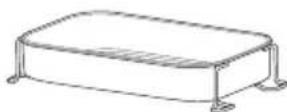
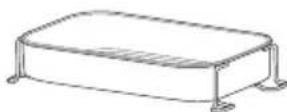
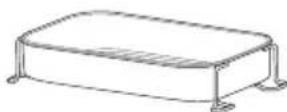
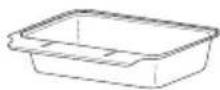
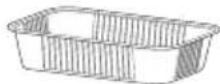
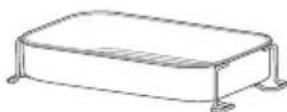
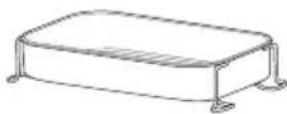
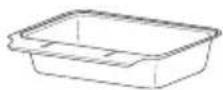
M Grease Tray
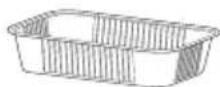
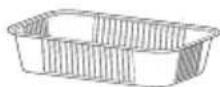
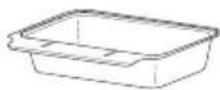
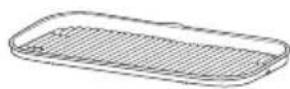
N Grease Tray Liner
J

K
natural_image
Line drawing of a plug with two buttons and a close-up view of its internal socket (no text or symbols)L
M
N
To order replacement or additional parts and accessories, visit ninjakitchen.co.uk
BEFORE FIRST USE
1 Remove and discard any packaging material and tape from the unit. Some stickers are to be permanently kept on the unit, ONLY remove stickers with 'peel here'.
2 Remove all accessories from the package and read this manual carefully. Please pay particular attention to operational instructions, warnings and important safeguards to avoid any injury or property damage.
3 Wash the grill plate and crisper basket in warm, soapy water, then rinse and dry thoroughly. The grill plate, crisper basket and base unit are NOT dishwasher safe. NEVER clean the main unit in the dishwasher.
NOTE: The base liner underneath the bottom heating element may have some visible discoloration. This is a result of our normal manufacturing process. The unit has not been previously used.
4 DO NOT use abrasive brushes or sponges on the cooking surfaces, as they will cause damage to the coating.
We recommend placing all accessories inside the grill and running it on GRILL, temp set to HI for 20 minutes without adding food. This removes any residues. This is completely safe and not detrimental to the performance of the grill.
Continue following instructions on page 43 & 44 before attempting to do this.
Where to locate the grill
Place grill on a stable and level surface. It is important this can support the weight and size of the unit. The underside stays cool and so you can place the unit on any surface. Position the unit at least 90cm (3 feet) from walls or anything over head due to heat and smoke output.

Use in any weather
This grill is safe to use in any weather. The main unit is IPX4 rated and the plug is IP66. The RCD plug provides additional protection and it is designed to trip should there be any issue with the circuit. When not in use we advise you cover the unit to keep it looking it's best. Whilst the unit is safe it will show signs of weathering if exposed to the elements.
Extension cord
If using an extension cord, ensure it is suitable for use outdoors with outdoor appliances. Using the incorrect cord could lead to the cord overheating, melting and/or a drop in voltage. A drop in voltage can increase preheat times and impact cooking performance and/or cook times.
POWERING THE GRILL
1 Plug the RCD into electrical socket. Switch socket on.
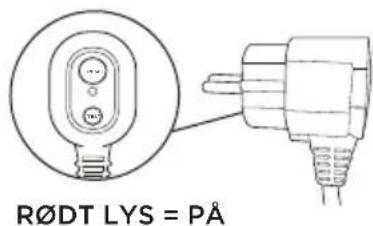
2 Press RESET button on the RCD. The circle above the RESET button should be illuminated orange. If this isn't the case, try a different socket. Note: It may be difficult to see the orange if in direct sunlight.
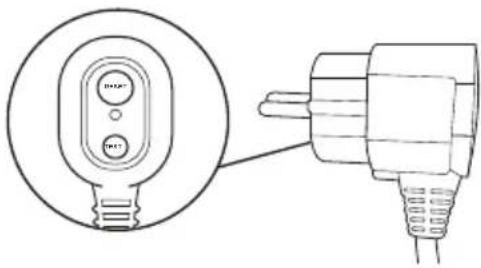
3 Press the TEST button on the RCD. The circle should now show black. This means the RCD is functioning correctly. If pressing the TEST button does not change the circle to black then contact customer services.
4 After establishing if the RCD is functioning correctly once again press RESET. The orange illumination should re-appear. The unit can now be switched on.
NOTE: RCD Light; ORANGE = RCD is ON; BLACK = RCD is OFF
5 Press the on/off switch on the back of the unit. Switch is on when the side with the line is pressed down.
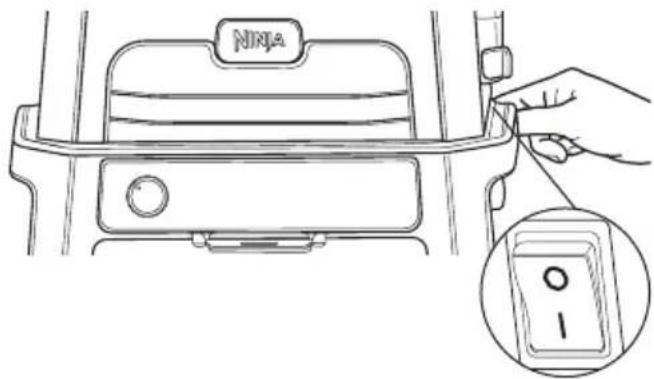
6 Now turn the dial on the front of the control panel and turn it to the desired function. The display should illuminate to reveal times or temps. The grill is now ready to use.
NOTE: The RESET button on the RCD will need to be pressed every time the unit is unplugged or the socket switched off.
BEFORE FIRST USE - CONTINUED
REMOVABLE SMOKE BOX
The smoke box comes fully installed in the unit and is located on the right side of the lid. Always ensure the removable smoke box is inserted into place before adding pellets. Review all warnings before proceeding.
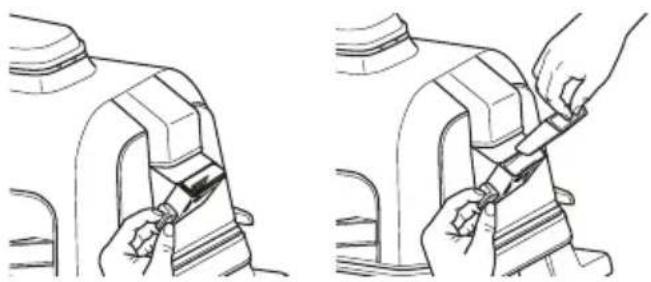
Installing the smoke box:
To install, hold the smoke box lid open with one hand and insert the removable smoke box so it sits into place.
natural_image
Line drawings showing two steps of a car seatbelt being adjusted, with no text or symbols present.Adding Ninja Woodfire Pellets:
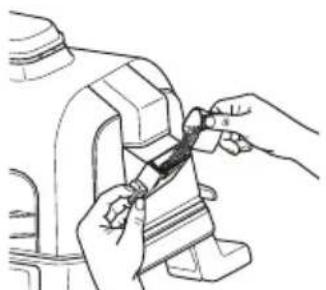
Fill the pellet scoop to the top and level off to avoid spilling. While holding the smoke box lid open, pour pellets into the smoke box until filled to the top, then close the smoke box lid. Ensure the lid is properly closed before cooking.
Use only Ninja Woodfire Pellets for best results, performance and flavour.
natural_image
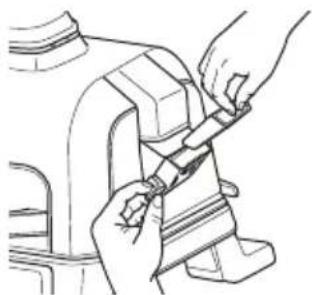
Line drawing of hands using a tool to adjust or install a mechanical component (no text or symbols visible)Removing the smoke box and cleaning:
To avoid burns, allow pellets to completely burn and smoke box to cool completely, then remove smoke box and safely discard all contents.
natural_image
Line drawing of hands installing or adjusting a component on a vehicle (no text or symbols)CLEANING YOUR GRILL
The grill should be cleaned thoroughly after each use. ALWAYS let the appliance and accessories cool before cleaning.
- Unplug the grill from power source before cleaning. Keep the lid open after removing your food to allow the unit to cool quicker.
- Remove smoke box and safely discard all contents after every use.
- It is not required to clean the smoke box after every use. We recommend using a wire brush to remove extra creosote after every 10 uses.
NOTE: DO NOT use liquid cleaning solution on the smoke box.
- The pellet scoop is dishwasher safe. The grill plate, crisper basket, grease tray, and smoke box are not dishwasher safe. DO NOT place the thermometer in the dishwasher.
• The Built-In Thermometer and holder are hand-wash only. DO NOT immerse any part of the thermometer in water or any other liquid. We recommend cleaning with a damp cloth only. - Carefully remove cooled grease tray from back of unit and safely discard grease contents after each use. Hand-wash grease tray in warm, soapy water.
- The inner lid should be wiped down with a damp towel or cloth after each use to deodorize the unit and remove any grease.
- If food residue or grease is stuck on the grill plate or any other removable part, soak in warm, soapy water before cleaning.
- Remove non-stick grill plate and non-stick crisper basket (if used) after each use and hand-wash with warm, soapy water.
NOTE: NEVER use abrasive tools or cleaners. NEVER immerse the main unit in water or any other liquid. DO NOT place in dishwasher.
- When stacking the coated accessories to store, place a cloth or paper towel between each piece to protect the coated surfaces.
GETTING TO KNOW THE CONTROL PANEL

FUNCTION BUTTONS
There are 2 ways to achieve authentic smokey BBQ flavours:
1.DedicatedSMOKER program for cooking over a longer period of time for deep flavours and tender results.
2. Add a quick burst of Woodfire Flavour to any of the other functions, using the WOODFIRE FLAVOUR TECHNOLOGY button.
SMOKER: Create deep, smoky flavours while cooking low and slow to tenderize large cuts of meat.
GRILL: Closed-lid cooking for top and bottom heat. Best when grilling large or thick cuts of meat or frozen food or for an all-around sear. Open the lid while grilling delicate foods or lean proteins to develop char-grilled textures without overcooking.
AIR FRY: Achieve crispiness and crunch with little to no oil and higher fan speeds.
ROAST: Tenderise meats, roast vegetables and more.
OPERATING BUTTONS
DIAL: To power on the unit and select a cooking function, rotate the dial clockwise until the dial is pointed to your desired function. To power off the unit, rotate the dial counterclockwise to the OFF position.
WOODFIRE FLAVOUR: Automatically enabled when using the Smoker function. Press for all other functions to add Woodfire Flavour.
NOTE: When the unit is powered on, the display will be illuminated.
/TEMP: Use the and buttons to the left of the display screen to adjust the grill temperature.
TIME: Use the and buttons to the right of the display screen to adjust the cook time.
START/STOP: Press to start or stop the current cook function, or press and hold for 4 seconds to skip preheat and/or ignition.
MANUAL: Switches the display screen so you can manually set the target temperature for the thermometer.
PRESET: Switches the display screen so you can select a preset target temperature for the thermometer based on food load and desired results.
PREHEAT FOR BETTER RESULTS
For best grilling results, let the grill fully preheat before adding food. Adding food before preheating is complete may lead to overcooking, smoke, and longer preheat time.
After you set function, time, and temperature then press START, the unit will automatically begin preheating (except if using the Smoker function).
IMPORTANT: DO NOT place hands near built-in Probe cord when in use to prevent burning or scalding.
Before First Use
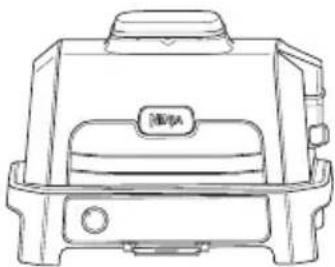
Make sure the probe socket is free of any residue and the cord is free of knots before plugging it into the socket.
natural_image
Line drawing of a portable toaster oven with front panel and side legs (no text or symbols)The probe socket is located to the left of the dial. Lift protective cover to access.
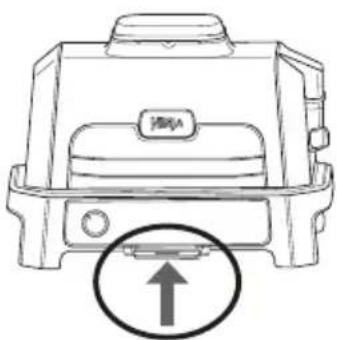
1 Slide out the probe storage compartment from under the control panel, then unwind the cord from the compartment to remove the probe.
natural_image
Line drawing of a portable device with a circular arrow pointing to the bottom right corner (no text or symbols)2 Plug the probe into the socket located on the left side of the unit. Push firmly on the plug until it cannot go into the socket any further. Slide the storage compartment back.
3 After the probe is plugged into the socket, select the desired cook function and cook temperature.
NOTE: There is no need to set a cook time, as the grill will automatically turn off the heating element and alert you when your food has finished cooking.
4 Press PRESET and use the arrows to the right of the display to select your desired food type and the arrows to the left of the display to set the internal doneness of your food (Rare through Well).
NOTE: Cooking different meats or the same ones to different doneness? Refer to the next page for details on programming.
If selecting the MANUAL button, use the below recommended internal cook temperatures.
FOOD TYPE: SET LEVEL TO:
| Fish Medium Rare (50°C) | |
| Medium (55°C) | |
| Medium Well (60°C) | |
| Well Done (65°C) | |
| Chicken/Turkey Well Done (75°C) | |
| Pork Medium Rare (50°C) | |
| Medium (55°C) | |
| Medium Well (65°C) | |
| Well Done (70°C) | |
| Beef/Lamb Rare (50°C) | |
| Medium Rare (55°C) | |
| Medium (60°C) | |
| Medium Well (65°C) | |
| Well Done (70°C) | |
NOTE: Refer to the UK Food Standards Agency for recommended food safe temperatures.
NOTE: Preset doneness temperatures for BEEF/LAMB are lower than normal recommendations as unit will carry-over cook 5-10°C.
5 Place the accessory required for your selected cook function in the grill and close the lid. Press START/STOP to begin preheating.
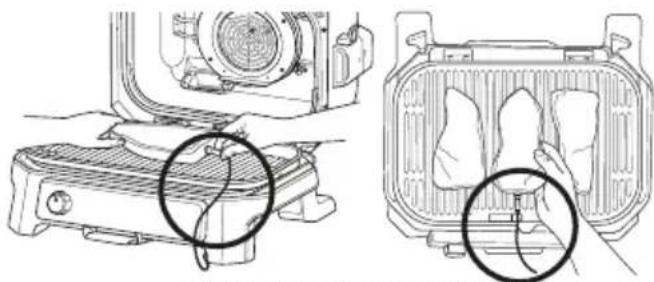
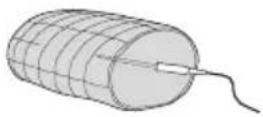
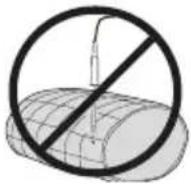
6 While the grill is preheating, insert the probe horizontally into the centre of the thickest part of the piece of protein. Refer to the chart on page 48 for further probe placement instructions.
7 When the grill has preheated and "ADD FOOD" appears on the screen, open the lid, place food with inserted probe in the unit, and close the lid over the probe cord.
natural_image
Technical line drawing showing two views of a heating unit with a hand inserting a component (no text or symbols present)Correct probe placement. Probe grip is fully inside unit.
8 The progress bar at the top of the display will track outcome. Flashing indicates progression to that stage..
RARE-MED RARE-MED MED WELL WELL
NOTE: When using GRILL and ROAST, the unit will beep and display FLIP. Flipping is optional, but recommended.
9 The grill will automatically stop when desired doneness is almost reached, as it accounts for carry-over cooking, and "GET FOOD" will display on the screen.
10 Transfer the protein to a plate while "REST" displays on the screen. Probe does not need to still be inserted. The protein will continue to carry-over cook to your set doneness, which will take about 3-5 minutes. This is an important step, as not resting could lead to results looking less cooked. Carry-over cook times can vary based on size of protein, cut of protein, and type of protein.
NOTE: The probe will be HOT. Use either oven gloves or tongs to take the probe out of the protein.
NOTE: To check the internal temperature of other pieces of protein, press and hold MANUAL and insert the probe into each piece of meat.
USING THE PROBE IN DIFFERENT COOKING SCENARIOS:
Cooking 2 or more proteins of the same size to different levels of doneness:
- Set the Preset feature to the highest required.
- Insert the probe in the protein with the highest desired cook level.
• After preheating, place proteins inside the grill. When the lowest cook level is reached, remove the protein without probe. - Continue cooking the remaining protein until the next desired cook level is reached.
Cooking 2 or more proteins of different sizes:
- Insert probe in the smaller protein and use the Preset feature to choose the level of outcome.
- When that protein is done cooking, remove it from the unit.
- Using oven gloves, transfer probe to the larger protein and use the arrows to the left of the display to choose its level of outcome..
Cooking 2 or more different types of protein:
- Insert probe in the protein with the lower desired level of outcome..
- Use the Manual feature to choose the desired internal temperature.
- When that protein is done cooking, remove it from the grill.
- Using oven gloves, transfer probe to the other protein and use the Manual feature to choose the desired internal temperature.
HOW TO CORRECTLY INSERT THE PROBE
NOTE: DO NOT use the probe with frozen protein or for cuts of meat thinner than 1.5cm
| FOOD TYPE: | PLACEMENT | CORRECT | INCORRECT |
| SteaksPork chopsLamb chopsChicken breastsBurgersTenderloinsFish fillets | Insert probe horizontally into the centre of the thickest part of the meat.Make sure the probe is close to (but not touching) the bone and away from any fat or gristle.Make sure the tip of the probe is inserted straight into the centre of the meat, not angled toward the bottom or top of it.NOTE:The thickest part of the fillet may not be the centre. It is important that the end of the probe hits this area so that desired results are achieved. | 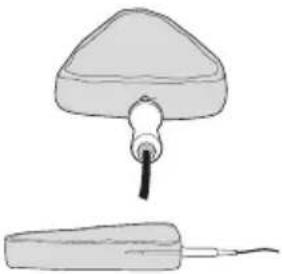 | 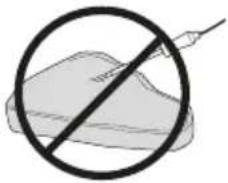 |
 |  | ||
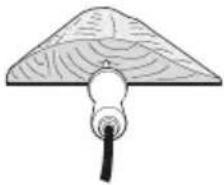 | 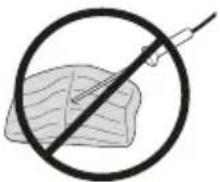 | ||
| Whole chicken | Insert probe horizontally into the thickest part of the breast, parallel to (but not touching) the bone.Make sure the tip reaches the centre of the thickest part of the breast and doesn't go all the way through the breast into the cavity. | 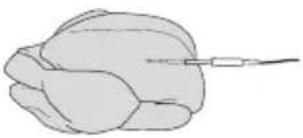 | 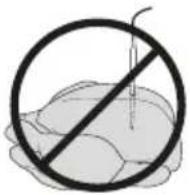 |
IMPORTANT: Review all warnings at the beginning of this Instructions before proceeding.

Smoker
PRESET: 120 °C for 4 hours TEMP RANGE: 60-210 °C TIME RANGE: 10 mins-12 hours
1 Place grill on a flat, level surface.
2 Open the lid and install the grill plate by positioning it flat on top of the heating element so it sits into place.
NOTE: If you are using the probe, refer to the Using the Probe section.
3 Install the grease tray by sliding it into place at the back of the grill.
4 Pull the smoke box open and, using the pellet scoop, fill the smoke box with Ninja Woodfire Pellets to the top. DO NOT overfill smoke box.
5 Open the lid and place ingredients on the grill plate. Close the lid.
6 Make sure the grill is plugged in and rotate the dial clockwise from the OFF position to select the SMOKER function.
NOTE: Woodfire Flavour Technology is automatically enabled when using the Smoker function.
7 The default temperature setting will display. To adjust temperature if desired, use the ⏻/ Tottenham buttons.
8 To adjust cook time, use the TIME buttons.
9 Press START to begin cooking. There is no preheat time for the Smoker function.
10 When cook time reaches zero, the grill will beep and DONE will appear on the display.
11 Remove food from the grill plate.
Grill
PRESET: Medium for 25 mins TEMP RANGE: Low-High TIME RANGE: 1 min-1 hour
1 Place grill on a flat, level surface.
2 Open the lid and install the grill plate by positioning it flat on top of the heating element so it sits into place.
NOTE: If you are using the probe, refer to the Using the Probe section.
3 Install the grease tray by sliding it into place at the back of the grill.
4 If you plan to use the Woodfire Flavour Technology, pull the smoke box open and, using the pellet scoop, fill the smoke box with Ninja Woodfire Pellets to the top. DO NOT overfill the smoke box.
5 Make sure the grill is plugged in and rotate the dial clockwise from the OFF position to select the GRILL function.
6 Ifdding woodfire flavour, press the WOODFIRE FLAVOUR button.
7 The default temperature setting will display, to adjust temperature if desired, use the ⏻/TEMP buttons.
8 To adjust cook time, use the ⚙/💡TIME buttons.
9 Press START to begin preheating. If using Woodfire Flavour Technology, the pellets will go through an ignition cycle (IGN), then the grill will begin preheating (PRE).
10 When preheating is complete, the grill will beep and ADD FOOD will appear on the display.
NOTE: While preheating is strongly recommended for best results, you can skip it by pressing and holding the START/STOP button for 4 seconds. "ADD FOOD" will flash across the screen. Open the lid and place ingredients on the grill plate. Once the lid is closed cooking will begin and the timer will start counting down. Skip to step 12 for further instructions.
11 Open the lid and place ingredients on the grill plate. Once the lid is closed, cooking will begin and the timer will begin counting down.
NOTE: Want to cook with the lid open? After you've added food, keep the lid open, the timer will begin to count down after 30 seconds, and you will be cooking with bottom heat only.
12 When cook time reaches zero, the grill will beep and DONE will appear on the display.
13 Remove food from the grill plate.
IMPORTANT: Review all warnings at the beginning of this Instructions before proceeding.
Air Fry
PRESET: 200 °C for 12 mins
TEMP RANGE: 150-240°C
TIME RANGE: 1 min-1 hour
1 Place grill on a flat, level surface.
2 Open the lid and install the grill plate by positioning it flat on top of the heating element so it sits into place.
3 Place the crisper basket on the grill plate and position the basket feet into the designated indentations on the grill plate surface.
NOTE: If you are using the probe, refer to the Using the Probe section.
4 Install the grease tray by sliding it into place at the back of the grill.
5 If you plan to use the Woodfire Flavour Technology, pull the smoke box open and, using the pellet scoop, fill the smoke box with Ninja Woodfire Pellets to the top. DO NOT overfill the smoke box.
6 Make sure the grill is plugged in and rotate the dial clockwise from the OFF position to select the AIR FRY function.
7 Adding woodfire flavour, press the WOODFIRE FLAVOUR button.
8 The default temperature setting will display. To adjust temperature if desired, use the Ⓧ/⊗TEMP buttons.
9 To adjust cook time, use the ⚙/TIME buttons.
10 Press START to begin preheating. If using Woodfire Flavour Technology, the pellets will go through an ignition cycle (IGN), then the grill will begin preheating (PRE).
11 When preheating is complete, the grill will beep and ADD FOOD will appear on the display.
NOTE: While preheating is strongly recommended for best results, you can skip it by pressing and holding the START/STOP button for 4 seconds. "ADD FOOD" will flash across the screen. Open the lid and place ingredients in the crisper basket. Once the lid is closed cooking will begin and the timer will start counting down. Skip to step 13 for further instructions.
12 Open the lid and place ingredients on the grill plate. Once the lid is closed, cooking will begin and the timer will begin counting down.
13 When cook time reaches zero, the grill will beep and DONE will appear on the display.
14 Remove food from the crisper basket.
Roast
PRESET: 180 °C for 1 hour 30 mins TEMP RANGE: 120-220°C
TIME RANGE: 1 min-4 hours
1 Place grill on a flat, level surface.
2 Open the lid and install the grill plate by positioning it flat on top of the heating element so it sits into place.
3 Install the grease tray by sliding it into place at the back of the grill.
NOTE: If you are using the probe, refer to the Using the Probe section.
4 If you plan to add Woodfire flavour, pull the smoke box open and, using the pellet scoop, fill the smoke box with Ninja Woodfire Pellets to the top. DO NOT overfill smoke box.
5 Make sure the grill is plugged in and rotate the dial clockwise from the OFF position to select the ROAST function.
6 If adding woodfire flavour, press the WOODFIRE FLAVOUR button.
7 The default temperature setting will display. To adjust temperature if desired, use the ⏻/⊗TEMP buttons.
8 To adjust cook time, use the ⚙/TIME buttons.
9 Press START to begin preheating. If using Woodfire Flavour Technology, the pellets will go through an ignition cycle (IGN), then the grill will begin preheating (PRE).
10 When preheating is complete, the grill will beep and ADD FOOD will appear on the display.
NOTE: While preheating is strongly recommended for best results, you can skip it by pressing and holding the START/STOP button for 4 seconds. "ADD FOOD" will flash across the screen. Open the lid and place ingredients in the crisper basket. Once the lid is closed cooking will begin and the timer will start counting down. Skip to step 12 for further instructions.
11 Open the lid and place ingredients on the plate or place roast pan on the plate. Once the lid is closed, cooking will begin and the timer will start counting down.
12 When cook time reaches zero, the grill will beep and DONE will appear on the display.
13 Remove food from the grill plate.
NOTE: When using the Roast function, make sure to use the proper accessory. For wet or battered ingredients, use a baking dish. For loose items, such as cinnamon rolls, hand pies, or biscuits, use the crisper basket.

WARNING: To reduce the risk of shock and unintended operation, turn power off and unplug unit before troubleshooting.
• My unit won't turn on?
1 Check the residual current device (RCD) is fully plugged in and the reset button has been pressed. The circle above the RESET button will be illuminated orange.
2 Ensure the press switch is turned to the ON position (the line will be pressed down).
3 Make sure the dial is not in the OFF position.
If your unit doesn't turn on after taking the steps above, please contact Customer Service at 0800 862 0453.
- "Add Grill" appears on the control panel display.
The grill plate needs to be installed. Once installed, close the lid and press the start button to begin.
- "Add Food" appears on the control panel display.
The unit has completed preheating and it is now time to add your ingredients.
- "Shut Lid" appears on the control panel display.
The lid is open and needs to be closed for the selected function to start.
- "E" appears on the control panel display.
The unit is not functioning properly. Please contact Customer Service at 0800 862 0453.
So we may better assist you, please register your product online at ninjakitchen.co.uk and have the product on hand when you call.
- "CLD" appears on the control panel display.
Cold Smoking is to be used to provide smoke flavor to foods, this is not intended for cooking. When used on meat, poultry, or fish, this process should always be used in conjunction with a separate step to bring food up to food-safe internal temperatures. Refer to the local food standards authority for recommended food safe temperatures.
- Should I add my ingredients before or after preheating?
For best results, let the unit preheat before adding ingredients.
- Do I need to completely fill the smoke box with pellets?
Yes, always fill the smoke box to the top. We've perfected the amount of pellets needed for each smoke session, regardless of the function or food load, the unit will burn through them appropriately.
- "Plug In" appears on the control panel display.
The probe is not plugged into the socket on the right side of the control panel. Plug the probe in before proceeding. Press the probe in until you hear a click.
• Why does the unit have a 1-9 scale for the Beef Preset?
Perception of what a specific internal outcome looks like differs from person to person, even restaurant to restaurant. The 1-9 scale provides a wide range of options for each outcome level so you can customise outcome to your liking.
- "PRBE ERR" appears on the control panel display.
This means the grill timed out before food reached the set internal temperature. As a protection for the unit, it can run for only certain lengths of time at specific temperatures.
• Why is my food overcooked or undercooked even though I used the probe?
It is important to insert the probe lengthwise into the thickest part of the ingredient to get the most accurate reading. Make sure to allow food to rest for 3-5 minutes to complete cooking. For more information, refer to the Using the Digital Cooking Probe section.
- Will the probe grip melt if it touches the hot grill plate?
No, the grip is made of a high-temperature silicone that can handle the Ninja Woodfire Electric BBQ Grill's high temperatures.
- When do I press the Woodfire Flavour Technology button?
Press the Woodfire Flavour Technology button before pressing start when wanting to add smoke using the Grill, Air Fry or Roast. You do not need to press the Woodfire Flavour Technology button when using the Smoker function.
• Why are flames coming out from the pellet box?
Small flames can come out from the pellet box if the grill lid is lifted in windy conditions.
• Where should I keep my pellets stored?
Always store pellets in a dry area. Any moisture in the pellets can compromise ignition and quality of smoke flavour.
• Should I use any oils or non-stick sprays when smoking?
No, we do not recommend using any oils or non-stick sprays when smoking because smoke will not adhere to the food as well.
• How do I dispose of burnt pellets after a cook cycle?
Pellets may continue to burn after cook time is complete. Do not touch or remove the smoke box until the grill has stopped smoking, pellets have completely burnt out and the smoke box has cooled. Then, remove the smoke box and safely discard cooled ash contents.
• Why is preheat taking so long?
Preheat times vary by function and unit temperature.
GRILL: approx. HI 8-12 | MED 6-11 | LO 5-9mins.
AIR FRY, ROAST: 3 minutes
SMOKER: No preheat.
If adding Woodfire Flavour, ignition time will add an additional 2-4 minutes.
Using the unit in inclement weather with heavy rain could cause longer preheat times.
If using an extension cord, ensure it is suitable for use outdoors with outdoor appliances. Using the incorrect cord could lead to the cord overheating, melting and/or a drop in voltage.
While preheating is strongly recommended for best results, you can skip it by pressing and holding the START/STOP button for 3 seconds. "ADD FOOD" will flash across the screen. Open the lid and place ingredients in unit. Once the lid is closed, cooking will begin and the timer will start counting down.
• Can I turn off Woodfire Flavour Technology?
If you pressed Woodfire Flavour Technology and already started your cooking function by pressing START, you can press the Woodfire Flavour Technology button again to turn it off if the ignition cycle is less than 75% complete (indicated by the progress bar on the display screen). If pellets have fully ignited and the grill has transitioned to the preheat cycle (indicated on the display screen), you cannot turn Woodfire Flavour Technology off.
• Can I add more pellets during a cook cycle?
When using the SMOKER function, you can add more pellets once the first batch has fully burned. Press and hold the Woodfire Flavour technology button for 4 seconds to ignite new full box of pellets. If running back-to-back smoking sessions, we recommend refilling the smoke box using the pellet scoop when half the pellets have burned. DO NOT refill more than 2 times. DO NOT re-ignite pellets.
• Why is there orange discolouration inside my unit, underneath the heating element?
The base liner underneath the bottom heating element may have some visible discolouration. This is a result of our normal manufacturing process. The unit has not been previously used.
natural_image
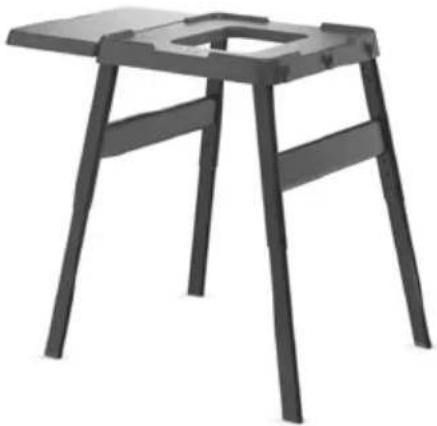
Black wooden stool with metal frame and square cutout (no text or symbols)ADJUSTABLE STAND
Take your outdoor cooking station to new heights with a heavy-duty, adjustable stand.
natural_image
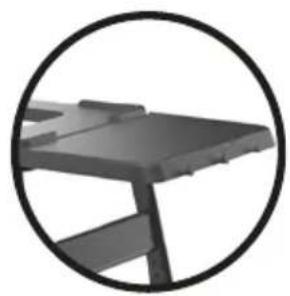
Close-up of a dark gray table with a circular frame (no text or symbols visible)ADDITIONAL SIDE TABLE
Extend your work surface on either side of the stand and keep your cooking tools at the ready.
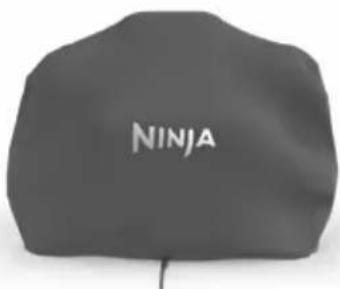
BBQ GRILL COVER
From pouring rain to scorching sun, this durable, lightweight and water-resistant BBQ Grill cover keeps the elements out.
natural_image
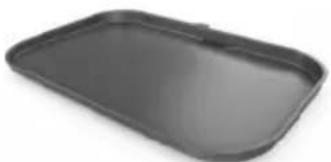
Exterior view of a modern office building (no signage)FLAT PLATE
Make stir-fry, fajitas, pancakes, and more with this non-stick flat plate that sits in your BBQ Grill.
natural_image
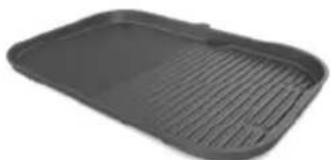
Black plastic tray with horizontal ridges, no text or symbols visibleGRILL / FLAT PLATE
Grill and sear at the same time. Cook up to four burgers and 500g of vegetables simultaneously.
GREASE TRAY LINERS
Make clean-up a breeze with 10 liners.

PELLET BAGS
Stock up on our Signature Blends and get up to 20 smoke sessions per bag. Both flavours pair perfectly with any dish.
natural_image
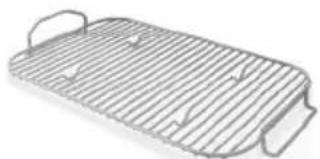
Line drawing of a rectangular metal tray with ribbed sides and handles (no text or symbols)ROAST & SMOKE RACK
Increases air flow for robust smoking, char and caramelisation.
natural_image
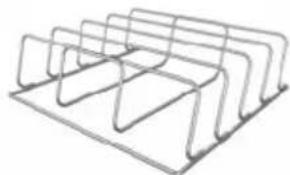
Pure line drawing of a multi-tiered rack or storage unit (no text or symbols)RIB RACK
Evenly grill and smoke up to 4 full racks of ribs at once.
GET YOURS AT ninjakitchen.co.uk

TWO (2) YEAR LIMITED GUARANTEE
When you buy a product in Europe as a consumer, you get the benefit of legal rights relating to the quality of the product (your “statutory rights”). You can enforce these statutory rights against your retailer. However, at Ninja we are so confident about the quality of our products (the “Products”) that we give you a manufacturer’s guarantee of two years. This guarantee only applies to the Product if it is bought in new and unused condition. These terms and conditions relate to our guarantees only – your statutory rights as a buyer are unaffected. Please note that the 2 year guarantee is available in all EU countries.
The conditions below describe the prerequisites and scope of our guarantees which are issued by SharkNinja Germany GmbH, c/o Regus Management GmbH, Excellent Business Center 10. + 11. Stock, Westhafenplatz 1, 60327 Frankfurt am Main (Germany) ("us", "our" or "we"). They do not affect your statutory rights or the obligations of your retailer and your contract with them. The same applies if you have purchased the product directly from Ninja.
Ninja Guarantees
A household kitchen appliance constitutes a sizeable investment. Your new machine needs to work properly for as long as possible. The guarantee it comes with is an important consideration - and reflects how much confidence the manufacturer has in its product and manufacturing quality.
You'll find online support at www.ninjakitchen.eu.
How do I register my guarantee?
You can register your guarantee online within 28 days of purchase. To save time, you'll need the following information about your machine:
- Model no.
- Serial Number (only if available)
- Date of purchase of the Product (receipt or delivery note)
To register online, please visit www.ninjakitchen.eu
IMPORTANT
- The guarantee covers your Product for 2 years starting on the date of purchase.
- Please keep the receipt at all times. Should you need to use your guarantee we will need the receipt to verify the information supplied to us is correct. The inability to produce a valid receipt will invalidate your guarantee.
What are the benefits of registering my guarantee?
When you register your guarantee, you can choose to receive our newsletter containing tips, advice and competitions. Hear the latest news about new Ninja technology and launches. If you register your guarantee online, you'll get instant confirmation that we've received your details.
For details of our privacy policy please visit www.ninjakitchen.eu
How long are our Products guaranteed for?
Our confidence in our design and quality control means that your Product is guaranteed for two years.
What is covered by the guarantee?
Repair or replacement (at Ninja's discretion) of your Product, including all parts and labour in case of any defect in design, materials and workmanship (including transport and shipping costs). Our guarantee is in addition to your legal rights as a consumer.
What is not covered by the guarantee?
• Normal wear and tear.
- Accidental damage, faults caused by negligent use or care, misuse, neglect, careless operation or handling of the kitchen appliance which is not in accordance with the Ninja Instruction Manual supplied with your machine.
- Use of the kitchen appliance for anything other than normal domestic household purposes.
- Use of parts not assembled or installed in accordance with the operating instructions.
- Use of parts and accessories which are not Ninja Genuine Components.
- Faulty installation (except where installed by Ninja).
- Repairs or alterations carried out by parties other than Ninja or its agents, unless you can show that the repairs or alterations carried out by others are not related to the defect for which you exercise the guarantee.
Where can I buy genuine Ninja spares and accessories?
Ninja spares and accessories are developed by the same engineers who developed your Ninja kitchen appliance. You'll find a full range of Ninja spares, replacement parts and accessories for all Ninja machines at www.ninjakitchen.co.uk
Please remember that using non-Ninja spares may invalidate your manufacturer's guarantee. However, your statutory rights are unaffected.

REGISTRA TU COMPRA

ninjakitchen.eu/registerguarantee

To order replacement or additional parts and accessories, visit ninjakitchen.eu
natural_image
Line drawings showing two different techniques for adjusting a mechanical component (no text or symbols present)natural_image
Line drawing of hands using a tool to adjust or install a mechanical component (no text or symbols visible)natural_image
Line drawing of hands using a tool to adjust or install a component on a vehicle (no text or symbols visible)LIMPIEZA DE LA PARRILLA
WOODFIRE FLAVOUR TECHNOLOGY (TECNOLOGIA
natural_image
Line drawing of a portable stove or oven unit (no text or symbols)natural_image
Line drawing of a portable device with a circular arrow pointing to the bottom panel (no text or symbols)natural_image
Technical line drawing showing hands operating a portable air conditioner next to a grid device with a bag (no text or symbols present)Correct thermometer placement. Thermometer grip is fully inside unit.
natural_image
Black wooden stool with open lid and side legs (no text or symbols visible)SOPORTE AJUSTABLE
natural_image
Close-up of a dark metal table with a circular frame (no text or symbols visible)MESA AUXILIAR ADICIONAL
natural_image
Black rectangular baking tray with rounded edges and a small clip at the top (no text or symbols visible)PLANCHA
natural_image
Black plastic tray with horizontal ridges, no text or symbols visibleREJILLA/PLANCHA PARA PARRILLA
natural_image
Line drawing of a rectangular metal tray with side handles and internal slots (no text or symbols)REJILLA PARA ASAR Y AHUMAR
natural_image
Line drawing of a multi-tiered rack or storage unit (no text or symbols)REJILLA PARA COSTILLAS
ENREGISTREZ VOTRE ACHAT

ninjakitchen.eu/registerguarantee

To order replacement or additional parts and accessories, visit ninjakitchen.eu
AVANT LA PREMIÈRE UTILISATION
natural_image
Diagram of a plug with two buttons and a close-up view of its internal socket (no text or symbols)natural_image
Illustration of two mechanical assembly steps showing hand fastening a buckle (no text or symbols)natural_image
Line drawing of hands using a tool to adjust or install a mechanical component (no text or symbols visible)natural_image
Line drawing of hands using a tool to adjust or install a component on a vehicle (no text or symbols visible)NETTOYAGE DE VOTRE GRILL
natural_image
Line drawing of a portable device with a lid and front panel (no text or symbols)natural_image
Line drawing of a portable device with a circular arrow pointing to the bottom-right corner (no text or symbols)natural_image
Technical line drawing showing a printer setup and its internal components (no text or symbols)Correct thermometer placement. Thermometer grip is fully inside unit.
INSÉRER CORRECTEMENT LA SONDE
TYPE D'ALIMENT POSITIONNEMENT CORRECT INCORRECT
natural_image
Black wooden stool with open lid and side supports (no text or symbols)SUPPORT RÉGLABLE
natural_image
Close-up of a dark metal table with a circular frame (no text or symbols visible)PETITE TABLE SUPPLÉMENTAIRE
natural_image
Exterior view of a modern office building (no signage)PLANCHA
natural_image
Black plastic tray with horizontal ridges, no visible text or symbolsGRILL/PLANCHA
natural_image
Line drawing of a rectangular metal tray with side handles and internal slots (no text or symbols)PLAQUE DE RÔTISSAGE ET DE FUMAGE
natural_image
Line drawing of a multi-tiered rack or holder structure (no text or symbols)SUPPORT DE RÔTISSAGE POUR CÔTES
REGISTRA IL TUO ACQUISTO

ninjakitchen.eu/registerguarantee

To order replacement or additional parts and accessories, visit ninjakitchen.eu
PRIMA DEL PRIMO UTILIZZO
natural_image
Two-step line drawings showing hands using a tool to adjust or install a component, no text or symbols present.natural_image
Line drawing of hands using a tool to adjust or install a mechanical component (no text or symbols visible)natural_image
Line drawing of hands using a tool to adjust or install a component on a vehicle (no text or symbols visible)PULIZIA DELLA GRIGLIA
natural_image
Line drawing of a mechanical device with no visible text or symbolsnatural_image
Line drawing of a portable device with a circular arrow pointing to the bottom-right corner (no text or symbols)natural_image
Technical line drawing showing hands operating a portable air conditioner next to a grid device with two cloth-like objects (no text or symbols present)Correct thermometer placement. Thermometer grip is fully inside unit.
natural_image
Black wooden stool with open lid and side legs (no text or symbols visible)BASE REGOLABILE
natural_image
Close-up of a dark metal table with a circular frame (no text or symbols visible)TAVOLA LATERALE AGGIUNTIVA
natural_image
Black rectangular baking tray with rounded edges and a small clip at the top (no text or symbols visible)PIASTRA LISCIA
natural_image
Black rectangular tray with ribbed pattern (no text or symbols)PIASTRA LISCIA
SACCHETTI DI PELLET
natural_image
Line drawing of a rectangular metal tray with side handles and internal slots (no text or symbols)GRIGLIA IN ACCIAIO CROMATO PER ARROSTIRE E AFFUMICARE
natural_image
Line drawing of a multi-tiered rack or storage unit (no text or symbols)GRIGLIA IN ACCIAIO CROMATO PER COSTOLETTE
REGISTREER UW AANKOOP

ninjakitchen.eu/registerguarantee

Roast (Braden)....122
J
K
natural_image
Diagram of a plug with two buttons and a close-up view of its internal socket (no text or symbols)L
M
N
natural_image
Line drawing of a plug with two buttons and a close-up view of its internal components (no text or symbols)OPMERKING: Aardlekschakelaar-lampje; ROOD = AARDLEKSCHAKELAAR is AAN; ZWART = AARDLEKSCHAKELAAR is UIT
natural_image
Illustration of two hands adjusting a mechanical component (no text or symbols present)natural_image
Line drawing of hands using a tool to adjust or install a mechanical component (no text or symbols visible)natural_image
Line drawing of hands installing or adjusting a seatbelt on a vehicle (no text or symbols)natural_image
Line drawing of a portable device with front panel and side legs (no text or symbols)natural_image
Line drawing of a portable device with a circular arrow pointing to the bottom panel (no text or symbols)natural_image
Technical line drawing showing hands operating a portable air conditioner next to a fan cover (no text or symbols present)Correct thermometer placement. Thermometer grip is fully inside unit.
natural_image
Black wooden stool with open lid and side legs (no text or symbols visible)natural_image
Close-up of a dark metal table with a circular frame (no text or symbols visible)EXTRA BIJZETTAFEL
natural_image
Black rectangular baking tray with rounded edges and a small clip at the top (no text or symbols visible)PLATTE PLAAT
natural_image
Black rectangular baking tray with slatted edges and a side panel (no text or symbols visible)GRILL / BAKPLAAT
PELETS
natural_image
Line drawing of a rectangular metal tray with side handles and internal slots (no text or symbols)BRAAD- EN ROOK-ROOSTER
natural_image
Line drawing of a multi-tiered rack or storage unit (no text or symbols)SPARERIBS-ROOSTER
REGISTRER KJ∅PET DITT

ninjakitchen.eu/registerguarantee

J
K
N
L
M
To order replacement or additional parts and accessories, visit ninjakitchen.eu
F∅R F∅RSTE GANGS BRUK
natural_image
Technical line drawing of a plug with two buttons and a close-up view (no text or symbols)natural_image
Two-step line drawings showing hands using a tool to adjust or install a component, no text or symbols present.Tilsette Ninja Woodfire-pellets:
natural_image
Line drawing of hands using a tool to adjust or install a mechanical component (no text or symbols visible)natural_image
Line drawing of hands using a tool to adjust or install a component on a vehicle (no text or symbols visible)natural_image
Line drawing of a portable device with a lid and front panel (no text or symbols)natural_image
Line drawing of a portable device with a circular arrow pointing to the bottom panel (no text or symbols)natural_image
Technical line drawing showing hands operating a portable stove next to a fan cover (no text or symbols present)Correct thermometer placement. Thermometer grip is fully inside unit.
LUFTFRITYR, STEKING: 3 minutter
natural_image
Black wooden stool with metal frame and square cutout (no text or symbols)JUSTERBART STATIV
natural_image
Close-up of a dark metal table with a circular frame (no text or symbols visible)EKSTRA SIDEBORD
natural_image
Black rectangular baking tray with rounded edges and a small clip on top (no text or symbols visible)FLATGRILL
natural_image
Black rectangular baking tray with slatted edges and a side tab (no text or symbols visible)GRILL/FLATGRILL
Grill og stek samtidig. Stek opptil fire burgere og 500 g med grønnsaker samtidig.
FORING FOR FETTBRETT
natural_image
Line drawing of a rectangular metal tray with side handles and internal slots (no text or symbols)STEKE- OG R∅YKERIST
natural_image
Pure line drawing of a multi-tiered rack or storage unit (no text or symbols)RIBBERIST
REGISTE A SUA COMPRA EM

ninjakitchen.eu/registerguarantee

To order replacement or additional parts and accessories, visit ninjakitchen.eu
natural_image
Diagram of a plug with two buttons and a close-up view of its internal socket (no text or symbols)natural_image
Illustration of two steps in car seatbelting a vehicle, showing hand placement and clamping (no text or symbols)Adicionar pellets Ninja Woodfire:
natural_image
Line drawing of hands using a tool to adjust or install a component on a mechanical part (no text or symbols visible)natural_image
Line drawing of a portable toaster oven with front panel and side legs (no text or symbols)A tomada do Termómetro está situada à esquerda do botão rotativo. Levante a tampa protetora para aceder.
natural_image
Line drawing of a portable device with a circular arrow indicating upward motion (no text or symbols)natural_image
Technical line drawing showing hands operating a portable stove next to a front panel with cloth and paper (no text or symbols)Correct thermometer placement. Thermometer grip is fully inside unit.
natural_image
Black wooden stool with open lid, isolated on white background (no text or symbols)BASE AJUSTÁVEL
natural_image
Close-up of a dark metal table with a circular frame (no text or symbols visible)natural_image
Black rectangular baking tray with rounded edges and a small clip at the top (no text or symbols visible)PLACA LISA
natural_image
Black rectangular baking tray with slatted edges and a small lid (no text or symbols visible)TABULEIRO PLANO E PLACA DE GRELHA
natural_image
Line drawing of a rectangular metal tray with side handles and internal slots (no text or symbols)PRATELEIRA PARA ASSAR E DEFUMAR
natural_image
Pure line drawing of a multi-tiered rack or holder structure without any text, numbers, or symbolsPRATELEIRA PARA COSTELETAS
REKISTERÖI OSTOKSESI

ninjakitchen.eu/registerguarantee

To order replacement or additional parts and accessories, visit ninjakitchen.eu
ENNEN ENSIMMÄISTÄ KÄYTTÖÄ
natural_image
Technical line drawing of a plug with two buttons and a close-up view (no text or symbols)natural_image
Two-step line drawings showing hands using a tool to adjust or install a component, no text or symbols present.natural_image
Line drawing of hands using a tool to adjust or install a mechanical component (no text or symbols visible)natural_image
Line drawing of hands using a tool to adjust or install a component on a vehicle (no text or symbols visible)GRILLIN PUHDISTUS
natural_image
Line drawing of a portable toaster oven with front panel and side legs (no text or symbols)natural_image
Line drawing of a portable device with a circular arrow pointing to the bottom panel (no text or symbols)natural_image
Technical line drawing showing hands operating a portable air conditioner next to a fan cover (no text or symbols present)Correct thermometer placement. Thermometer grip is fully inside unit.
natural_image
Black wooden stool with metal frame and square cutout (no text or symbols)SÄÄDETTÄVÄ JALUSTA
natural_image
Close-up of a dark mechanical table with a circular frame (no text or symbols visible)YLIMÄÄRÄINEN SIVUPÖYTÄ
natural_image
Black rectangular baking tray with rounded edges and a small tab on top (no text or symbols visible)TASAINEN LEVY
natural_image
Black rectangular baking tray with slatted edges and a side tab (no text or symbols visible)GRILLAUS-/TASOLEVY
natural_image
Line drawing of a rectangular metal tray with side handles and internal slots (no text or symbols)PAAHTO- JA SAVUSTUSRITILÄ
natural_image
Simple line drawing of a rack or storage unit with multiple vertical supports (no text or symbols)RITILÄ RIBSEILLE
REGISTRERA DITT KÖP

ninjakitchen.eu/registerguarantee

J
K
L
M
N
natural_image
Technical line drawing of a plug with two buttons and a close-up view of its internal components (no text or symbols)natural_image
Illustration of two hands adjusting a mechanical component (no text or symbols present)natural_image
Line drawing of hands using a tool to adjust or install a mechanical component (no text or symbols visible)natural_image
Line drawing of hands using a tool to adjust or install a mechanical component (no text or symbols visible)RENGÖRING AV GRILLEN
natural_image
Line drawing of a portable device with front panel and side legs (no text or symbols)natural_image
Line drawing of a portable device with a circular arrow indicating upward motion (no text or symbols)natural_image
Technical line drawings of a portable air conditioner unit and its internal component, showing hands cleaning the lid (no text or symbols present)natural_image
Black wooden stool with metal frame and square cutout (no text or symbols)JUSTERBAR STÄLLNING
natural_image
Close-up of a dark metal table with a circular frame (no text or symbols visible)EXTRA SIDOBORD
natural_image
Black rectangular baking tray with rounded edges and a small clip at the top (no text or symbols visible)STEKPLATTA
natural_image
Black plastic tray with slatted edges and a side tab (no text or symbols visible)GRILLTALLRIK/PLATT GRILLJÄRN
PELLETSPÅSAR
natural_image
Line drawing of a rectangular metal tray with side handles and internal slots (no text or symbols)RACK FÖR UGNSROSTNING OCH RÖKNING
natural_image
Pure line drawing of a multi-tiered rack or holder structure without any text, numbers, or symbolsSTÄLL FÖR REVBENSSPJÄLL
© 2023 SharkNinja Operating LLC. TRYKT | KINA
DEUTSCH
© 2023 SharkNinja Operating LLC. GEDRUCKT IN CHINA
ENGLISH
Illustrations may differ from actual product. We are constantly striving to improve our products, therefore the specifications contained herein are subject to change without notice.
NINJA is a registered trademark in the European Union of SharkNinja Operating LLC.
© 2023 SharkNinja Operating LLC. PRINTED IN CHINA
ESPAÑOL
© 2023 SharkNinja Operating LLC. IMPRESO EN CHINA
FRANÇAIS
© 2023 SharkNinja Operating LLC. IMPRIMÉ EN CHINE
ITALIANO
© 2023 SharkNinja Operating LLC. STAMPATO IN CINA
NEDERLANDS
© 2023 SharkNinja Operating LLC. GEDRUKT IN CHINA
NORSK
© 2023 SharkNinja Operating LLC. TRYKKET | KINA
PORTUGUESE
© 2023 SharkNinja Operating LLC. IMPRESSO NA CHINA
SUOMI
© 2023 SharkNinja Operating LLC. PAINETTU KIINASSA
SVENSKA
- Electric BBQ Grill & Smoker
- OG850EU
- REGISTRÉR DIT K∅B
- INDEN F∅RSTE BRUG
- RENG∅R DIN GRILL
- JUSTÉRBART STATIV
- EKSTRA SIDEBORD
- FLAD PLADE
- GRILL/FLAD PLADE
- BEKLÆDNING TIL FEDTBAKKE
- STEGE- OG R∅GSTATIV
- STATIV TIL RIBBEN
- REGISTRIEREN SIE IHREN KAUF
- VOR DEM ERSTEN GEBRAUCH
- PLANCHA
- GRILLPLATTE/PLANCHA
- BRAT- UND SMOKEROST
- RIPPCHENHALTER
- REGISTER YOUR PURCHASE
- RECORD THIS INFORMATION
- TECHNICAL SPECIFICATIONS
- IMPORTANT SAFETY INSTRUCTIONS
- OUTDOOR HOUSEHOLD USE ONLY. READ ALL INSTRUCTIONS BEFORE USE
- ⚠ WARNING Failure to follow these instructions could result in electric shock, fire or burn hazard which could cause property damage, personal injury, or death. When using electrical appliances, basic safety precautions should always be followed, including the following:
- SAVE THESE INSTRUCTIONS
- BEFORE FIRST USE
- Where to locate the grill
- Use in any weather
- Extension cord
- POWERING THE GRILL
- BEFORE FIRST USE - CONTINUED
- REMOVABLE SMOKE BOX
- Installing the smoke box:
- Adding Ninja Woodfire Pellets:
- Removing the smoke box and cleaning:
- CLEANING YOUR GRILL
- GETTING TO KNOW THE CONTROL PANEL
- FUNCTION BUTTONS
- OPERATING BUTTONS
- PREHEAT FOR BETTER RESULTS
- USING THE PROBE IN DIFFERENT COOKING SCENARIOS:
- Cooking 2 or more proteins of the same size to different levels of doneness:
- Cooking 2 or more proteins of different sizes:
- Cooking 2 or more different types of protein:
- HOW TO CORRECTLY INSERT THE PROBE
- IMPORTANT: Review all warnings at the beginning of this Instructions before proceeding.
- Smoker
- Grill
- Air Fry
- Roast
- WARNING: To reduce the risk of shock and unintended operation, turn power off and unplug unit before troubleshooting.
- • My unit won't turn on?
- - "Add Grill" appears on the control panel display.
- - "Add Food" appears on the control panel display.
- - "Shut Lid" appears on the control panel display.
- - "E" appears on the control panel display.
- - "CLD" appears on the control panel display.
- - Should I add my ingredients before or after preheating?
- - Do I need to completely fill the smoke box with pellets?
- - "Plug In" appears on the control panel display.
- • Why does the unit have a 1-9 scale for the Beef Preset?
- - "PRBE ERR" appears on the control panel display.
- • Why is my food overcooked or undercooked even though I used the probe?
- - Will the probe grip melt if it touches the hot grill plate?
- - When do I press the Woodfire Flavour Technology button?
- • Why are flames coming out from the pellet box?
- • Where should I keep my pellets stored?
- • Should I use any oils or non-stick sprays when smoking?
- • How do I dispose of burnt pellets after a cook cycle?
- • Why is preheat taking so long?
- • Can I turn off Woodfire Flavour Technology?
- • Can I add more pellets during a cook cycle?
- • Why is there orange discolouration inside my unit, underneath the heating element?
- TWO (2) YEAR LIMITED GUARANTEE
- Ninja Guarantees
- How do I register my guarantee?
- IMPORTANT
- What are the benefits of registering my guarantee?
- How long are our Products guaranteed for?
- What is covered by the guarantee?
- What is not covered by the guarantee?
- Where can I buy genuine Ninja spares and accessories?
- REGISTRA TU COMPRA
- LIMPIEZA DE LA PARRILLA
- WOODFIRE FLAVOUR TECHNOLOGY (TECNOLOGIA
- ENREGISTREZ VOTRE ACHAT
- AVANT LA PREMIÈRE UTILISATION
- NETTOYAGE DE VOTRE GRILL
- INSÉRER CORRECTEMENT LA SONDE
- SUPPORT RÉGLABLE
- PETITE TABLE SUPPLÉMENTAIRE
- GRILL/PLANCHA
- PLAQUE DE RÔTISSAGE ET DE FUMAGE
- SUPPORT DE RÔTISSAGE POUR CÔTES
- REGISTRA IL TUO ACQUISTO
- PRIMA DEL PRIMO UTILIZZO
- PULIZIA DELLA GRIGLIA
- REGISTREER UW AANKOOP
- EXTRA BIJZETTAFEL
- PLATTE PLAAT
- GRILL / BAKPLAAT
- PELETS
- BRAAD- EN ROOK-ROOSTER
- SPARERIBS-ROOSTER
- REGISTRER KJ∅PET DITT
- F∅R F∅RSTE GANGS BRUK
- Tilsette Ninja Woodfire-pellets:
- REGISTE A SUA COMPRA EM
- Adicionar pellets Ninja Woodfire:
- BASE AJUSTÁVEL
- PLACA LISA
- TABULEIRO PLANO E PLACA DE GRELHA
- PRATELEIRA PARA ASSAR E DEFUMAR
- PRATELEIRA PARA COSTELETAS
- REKISTERÖI OSTOKSESI
- ENNEN ENSIMMÄISTÄ KÄYTTÖÄ
- GRILLIN PUHDISTUS
- SÄÄDETTÄVÄ JALUSTA
- YLIMÄÄRÄINEN SIVUPÖYTÄ
- TASAINEN LEVY
- GRILLAUS-/TASOLEVY
- PAAHTO- JA SAVUSTUSRITILÄ
- RITILÄ RIBSEILLE
- REGISTRERA DITT KÖP
- RENGÖRING AV GRILLEN
- DEUTSCH
- ENGLISH
- ESPAÑOL
- FRANÇAIS
- ITALIANO
- NEDERLANDS
- NORSK
- PORTUGUESE
- SUOMI
- SVENSKA
Brand : NINJA
Model : Woodfire Pro XL OG850EU
Category : Barbecue