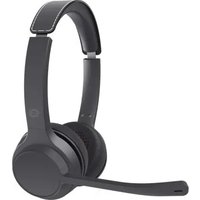
POLONA04B - Headphones CONCEPTRONIC - Free user manual and instructions
Find the device manual for free POLONA04B CONCEPTRONIC in PDF.


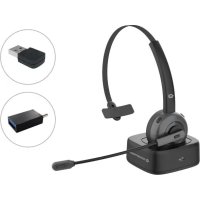
| Product Type | Bluetooth audio headset |
| Brand | Conceptronic |
| Model | POLONA04B |
| Bluetooth version | 5.3 |
| Frequency | 2.402 – 2.480 GHz |
| Emitted power (EIRP) | 5.72 dBm |
| Supported Bluetooth profiles | A2DP, AVRCP, HFP, HSP |
| Operating range | Approximately 10 meters (class 2) |
| Audio format | SBC |
| Battery capacity | Rechargeable lithium-polymer 600 mAh |
| Talk time | 40 hours |
| Music play time | 44 hours |
| Standby time | 860 hours |
| Charging time | 2 hours ± 0.5 hour |
| Operating temperature | -10 °C to 45 °C |
| Storage temperature | -20 °C to 60 °C |
| Dimensions (L x D x H) | 169.19 x 67.97 x 186.52 mm |
| Weight | 170 g |
| Connector(s) | USB-C (charging), 3.5 mm audio jack |
| Main functions | Music control (play/pause, next/previous, volume), call management, voice assistant activation, dual connection, mute |
| Care and cleaning | Unplug all cables and turn off the device before cleaning. Do not use harsh chemicals. |
| Safety | Keep away from water, fire, and children. Do not open or modify the device. Use only a 5 V charger. |
| Included accessories | USB-C charging cable, Bluetooth audio adapter (POLONA04BA) depending on version |
Frequently Asked Questions - POLONA04B CONCEPTRONIC
User questions about POLONA04B CONCEPTRONIC
0 question about this device. Answer the ones you know or ask your own.
Ask a new question about this device
Download the instructions for your Headphones in PDF format for free! Find your manual POLONA04B - CONCEPTRONIC and take your electronic device back in hand. On this page are published all the documents necessary for the use of your device. POLONA04B by CONCEPTRONIC.
USER MANUAL POLONA04B CONCEPTRONIC
natural_image
Line drawing of a pair of headsets with a finger pointing to the front ear (no text or symbols)Push the power switch to "ON".
2
search and connect
natural_image
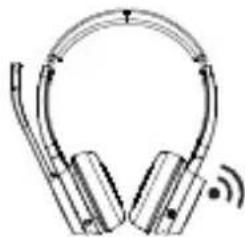
Illustration of a pair of hardcover headsets with sound waves (no text or symbols)Bluetooth Audio Adapter (POLONA04BA)
Charging
PRODUCT OVERVIEW
Produktübersicht | Descripción del producto | Aperçu du produit Panoramica del prodotto | Termék áttekintés | Przegląd produktu Visão geral do produto
EN
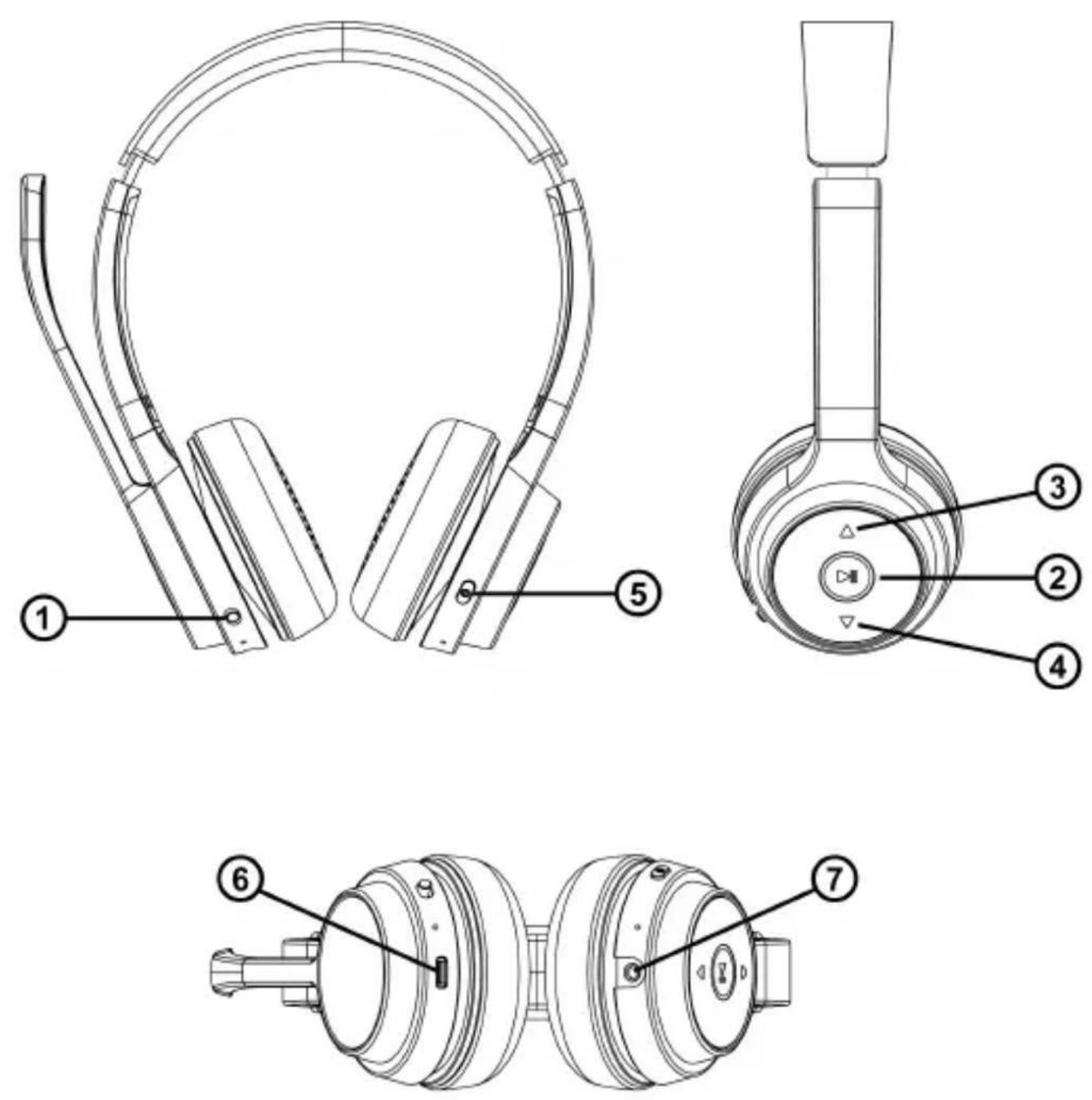
1: Power switch
2: Play/Pause
3: Volume +
4: Volume -
5: Mute button
6: USB-C charging port
7: 3.5mm audio jack
DE
Congratulations on the purchase of your Conceptronic POLONA04B/ POLONA04BA. When problems occur, we advise you to visit our support site (go to www.conceptronic.net and click on 'Support'). If you have other questions about your product and cannot find it on our website, please contact us via email: support@concepttronic.net.
For more information about Conceptronic products, please visit the Conceptronic website: www.conceptronic.net.
Safety & Warnings instructions:
Read the operating instructions carefully and especially observe the safety information. If you do not follow the safety instructions and information on proper handling in this manual, we assume no liability for any resulting personal injury or damage to property. Such cases will invalidate the warranty/guarantee.
- Keep the device away from water, humidity, fire or hot environments.
- Keep your device and all its parts and accessories out of the reach of small children.
■ Do not leave the packaging material lying around carelessly. This may become dangerous playing material for children.
■ Avoid dropping, throwing or crushing the device.
■ Do not open, change or damage the device.
■ Do not use a damaged USB charger or cable to charge the device. Using an improper charging method may result in fire or explosion.
■ Do not recharge batteries near a fire or in extremely hot conditions.
■ Observe signs and notices that prohibit or restrict the use of electronic devices.
■ Turn off your device in any location where instructed to do so.
■ Do not listen to music at an excessive volume for prolonged periods. This can lead to hearing damage.
■ Unplug all cables and turn your device off before cleaning.
Disposal of waste electrical equipment and batteries: Do not dispose of waste electrical equipment and batteries with household waste. Please hand them to your local recycling point. Batteries should be fully discharged when disposed of. Incorrect storage/disposal can harm the environment and/or cause injury.
CE marking: Conceptronic declares that this product complies with the directives listed in the section 'Declaration of Conformity'.
Installation & usage:
| Button | Function | Operation |
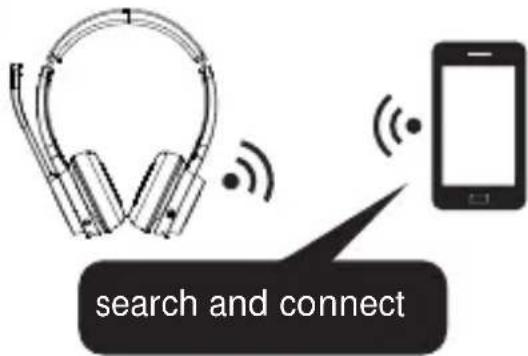
| 1Power switch | Power on | Push the power switch to "ON", the blue light flashes 5 times quickly then blue and red light will flash alternately, and the headset enters the pairing mode when a second prompt tone is heard. Then operate the smartphone/tablet according to instructions to pair with the headset. Select "POLONA04". |
| Power off | Push the power switch to "OFF". | |
| 2▶ IIPlay/Pause | Answer/ hang up phone calls | Short press and there will be a prompt tone. |
| Reject phone calls | Long press 2 seconds and there will be a prompt tone. | |
| Last Number Redial | Double-click and there will be a prompt tone. | |
| Activating SIRI, Google Assistant | Long press 1.5 seconds and there will be a prompt tone. | |
| Music Play/Pause | Short press. | |
| 3▲Volume + | Volume up * | Long press 2 seconds. |
| Next song | Short press. | |
| Voice transfer | During the call, double-click and wait for the alert to sound. | |
| 4▼Volume - | Volume down * | Long press 2 seconds. |
| Previous song | Short press. | |
| 5⊗ Mute button | Turn on/off the microphone | During the call, long press 1 second and there will be a prompt tone. |
* A prompt tone will sound when the volume is at its maximum or minimum.
LED indicator:
| Power-on | Blue light flashes 5 times. |
| Power off | Blue light goes out. |
| Pairing mode | Red and blue lights flash alternately. |
| Standby mode | Blue light flashes once every 5 seconds. |
| Incoming call | Blue light flashes once every 2 seconds. |
| During the call | Blue light flashes once every 7 seconds. |
| Music playback | Blue light flashes once every 8 seconds. |
| Charging process | Red light remains on. |
| Charging completed | Red light will turn off. |
| Low battery reminder | Red light flashes twice every 7 seconds and there is a “Toot” sound every 60 seconds. |
Double connection:
- Pair with the first mobile phone A.
- Turn off the Bluetooth on mobile phone A, and the product will automatically enter pairing mode.
- Search for and connect with the second mobile phone B.
- Manually reconnect with the first phone A, so that the Bluetooth headset connects the two phones.
Automatic reconnection:
- When the headset is turned on, it can automatically connect to the last paired phone.
- If the connection between the product and the mobile phone is lost due to exceeding the normal distance, it will return to the normal communication distance within about 5 minutes, and the headset will automatically connect to the newly paired mobile phone.
Line-in Input (3.5mm audio jack):
When the headset is powered on, it automatically connects via Bluetooth. However, if a Line-in connection is used, the headset will prioritize Line-in audio playback.
Exiting pairing mode:
(After the headset automatically powers off, the switch should be returned to the OFF position and then pushed to ON to restart the headset)
If there is no connection during boot in pairing mode, the headset will exit the pairing mode after 5 minutes, enter standby mode, and automatically shut down after 5 minutes.
Clear pairing:
In standby state, long press "▶ II " and "▲" for about 5 seconds to clear the pairing information. After clearing the pairing, the product will automatically enter the pairing state with prompt tone.
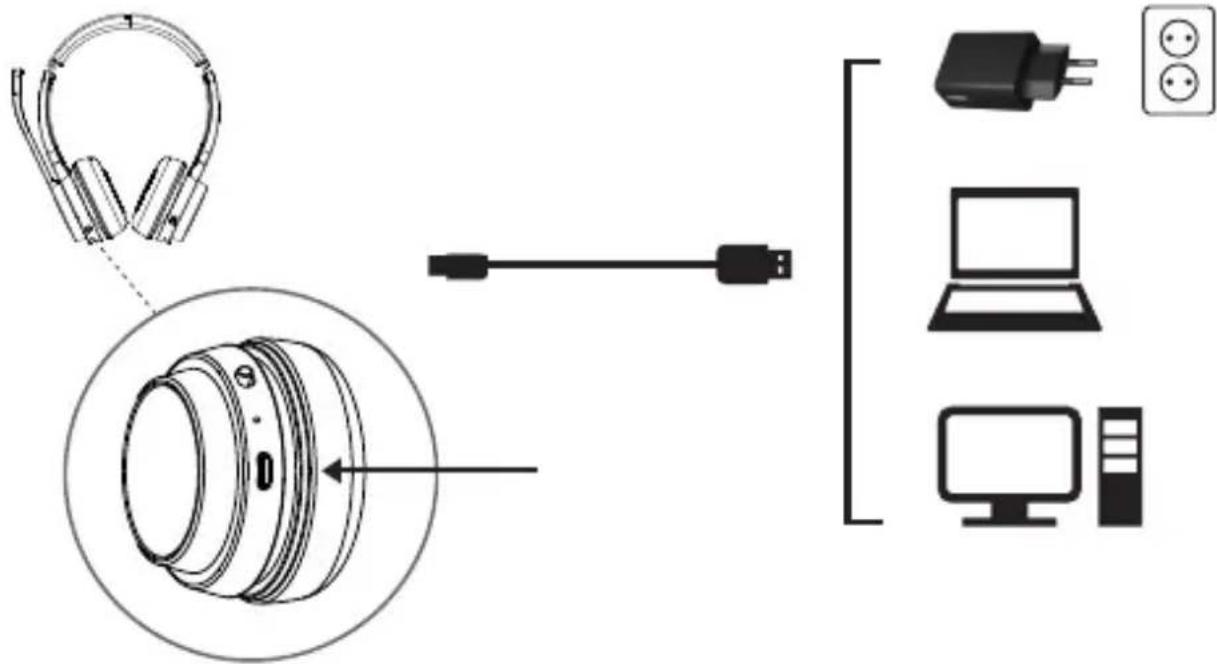
Charging:
After powering on, plug in the charging cable, and the headset will automatically shut down for charging.
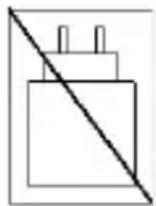
Power Adapter Notice:
This product does not include a power adapter. Please use a power adapter with a 5V charging voltage to charge the product.
Bluetooth Audio Adapter (POLONA04BA):
- Put the Bluetooth audio adapter into a computer, the device will appear as "POLONA04", it will power on and enter 're-connect mode'. A blue light will flash once every 5 seconds.
- Power on the headset. After it has connected successfully, a blue light will switch on.
- If there is no connection after about 10 seconds, it will enter 'searching and pairing mode' (Red and blue lights flash alternately).
Specification
| Bluetooth Version | 5.3 |
| Frequency | 2.402 ~ 2.480GHz |
| EIRP | 5.72dBm |
| Support Bluetooth profile | A2DP/AVRCP/HFP/HSP |
| Working range | Class 2, about 10M |
| Support Audio Format | SBC |
| Battery Capacity | 600mAh rechargeable lithium polymer battery |
| Working Time | 40 hours talk time or 44 hours music playback |
| Standby Time | 860 hours |
| Charging time | 2 ± 0.5 hours |
| Operating temperature | -10°C ~ 45°C |
| Storage temperature | -20°C ~ 60°C |
| Dimensions (W x D x H) | 169.19 x 67.97 x 186.52 mm |
| Product weight | 170g |
DEUTSCH
Conceptronic: www.conceptronic.net.
Digital Data Communications GmbH - Im Defdahl 10 F, 44141 Dortmund, Germany CONCEPTRONIC® is a registered trademark of Digital Data Communications GmbH © Copyright Digital Data Communications GmbH. All Rights Reserved.

Brand : CONCEPTRONIC
Model : POLONA04B
Category : Headphones