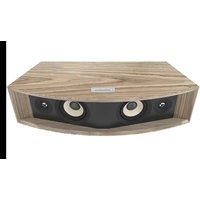
L42ms - Speaker JBL - Free user manual and instructions
Find the device manual for free L42ms JBL in PDF.



| Product type | Integrated audio system (smart speaker) |
| Brand | JBL |
| Model | L42ms |
| Power supply | Mains (AC power cord(s) provided) |
| Wireless connectivity | Wi-Fi 802.11a/b/g/n/ac (2.4 and 5 GHz), Bluetooth 5.1, Bluetooth LE |
| Supported streaming services | Apple AirPlay 2, Chromecast, Spotify Connect, Tidal Connect, Roon Ready, SmartThings, Internet radio, podcasts, Amazon Music HD, Qobuz |
| Audio inputs | HDMI-ARC, 3.5mm stereo AUX, stereo RCA line input |
| Audio output | Sub Out (single RCA to active subwoofer) |
| Network connectivity | Ethernet (RJ45), Wi-Fi |
| Control | Top control panel, RF remote control, JBL Premium Audio app |
| Special features | Bass contour switch (-3 dB / 0 dB), factory reset |
| Radio frequency bands | Bluetooth: 2402-2480 MHz; Wi-Fi 2.4 GHz: 2412-2472 MHz; Wi-Fi 5 GHz: 5180-5240, 5260-5320, 5500-5700, 5745-5825 MHz |
| Maximum power (EIRP) | Bluetooth: 9.58 dBm; Wi-Fi 2.4 GHz: 17.03 dBm; Wi-Fi 5 GHz: 21.79 dBm |
| Indoor use only | 5 GHz (5150-5350 MHz) limited to indoor use |
| Package contents | 1 L42ms integrated audio system, 1 speaker grille, 1 RF remote control, 1 safety booklet, AC power cord(s) |
| Care and cleaning | Clean with a soft, dry cloth; do not use abrasive or solvent-based cleaners |
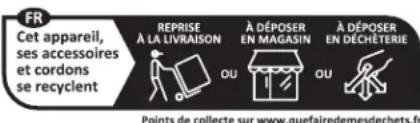
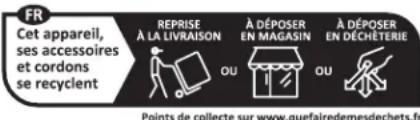
| Safety | Follow recycling instructions: device, accessories, and cords should be recycled at appropriate collection points |
| Regulatory information | Compliant with European standards; registered trademarks: Apple, AirPlay, Google, Chromecast, Spotify, Tidal, Roon, SmartThings, HDMI, etc. |
Frequently Asked Questions - L42ms JBL
User questions about L42ms JBL
0 question about this device. Answer the ones you know or ask your own.
Ask a new question about this device
Download the instructions for your Speaker in PDF format for free! Find your manual L42ms - JBL and take your electronic device back in hand. On this page are published all the documents necessary for the use of your device. L42ms by JBL.
USER MANUAL L42ms JBL
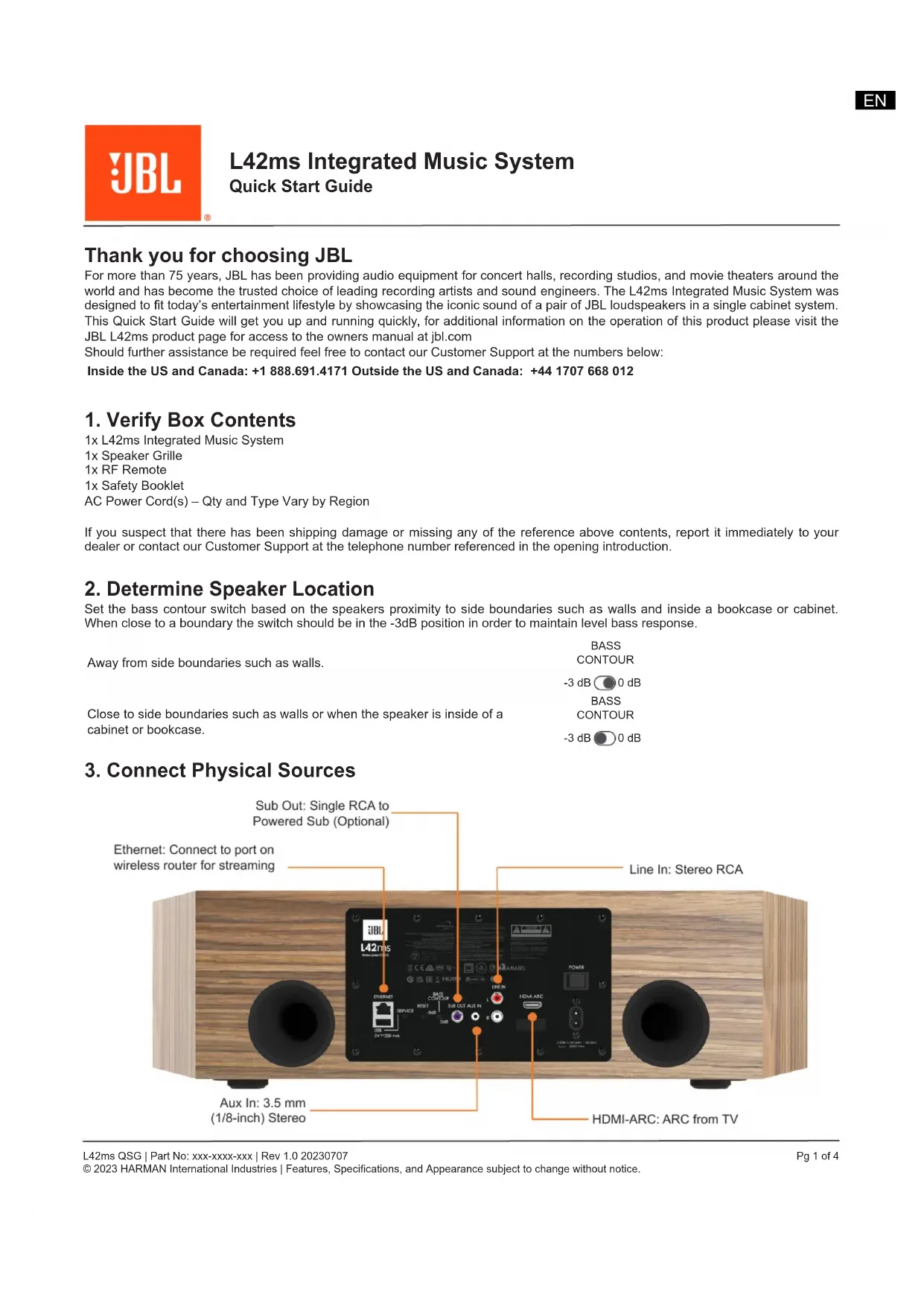
L42ms Integrated Music System
Quick Start Guide
Thank you for choosing JBL
For more than 75 years, JBL has been providing audio equipment for concert halls, recording studios, and movie theaters around the world and has become the trusted choice of leading recording artists and sound engineers. The L42ms Integrated Music System was designed to fit today's entertainment lifestyle by showcasing the iconic sound of a pair of JBL loudspeakers in a single cabinet system. This Quick Start Guide will get you up and running quickly, for additional information on the operation of this product please visit the JBL L42ms product page for access to the owners manual at jbl.com
Should further assistance be required feel free to contact our Customer Support at the numbers below:
Inside the US and Canada: +1 888.691.4171 Outside the US and Canada: +44 1707 668 012
1. Verify Box Contents
1x L42ms Integrated Music System
1x Speaker Grille
1x RF Remote
1x Safety Booklet
AC Power Cord(s) – Qty and Type Vary by Region
If you suspect that there has been shipping damage or missing any of the reference above contents, report it immediately to your dealer or contact our Customer Support at the telephone number referenced in the opening introduction.
2. Determine Speaker Location
Set the bass contour switch based on the speakers proximity to side boundaries such as walls and inside a bookcase or cabinet. When close to a boundary the switch should be in the -3dB position in order to maintain level bass response.
Away from side boundaries such as walls.
BASS
CONTOUR
-3 dB 0 dB
BASS
CONTOUR
-3 dB 0 dB
Close to side boundaries such as walls or when the speaker is inside of a cabinet or bookcase.
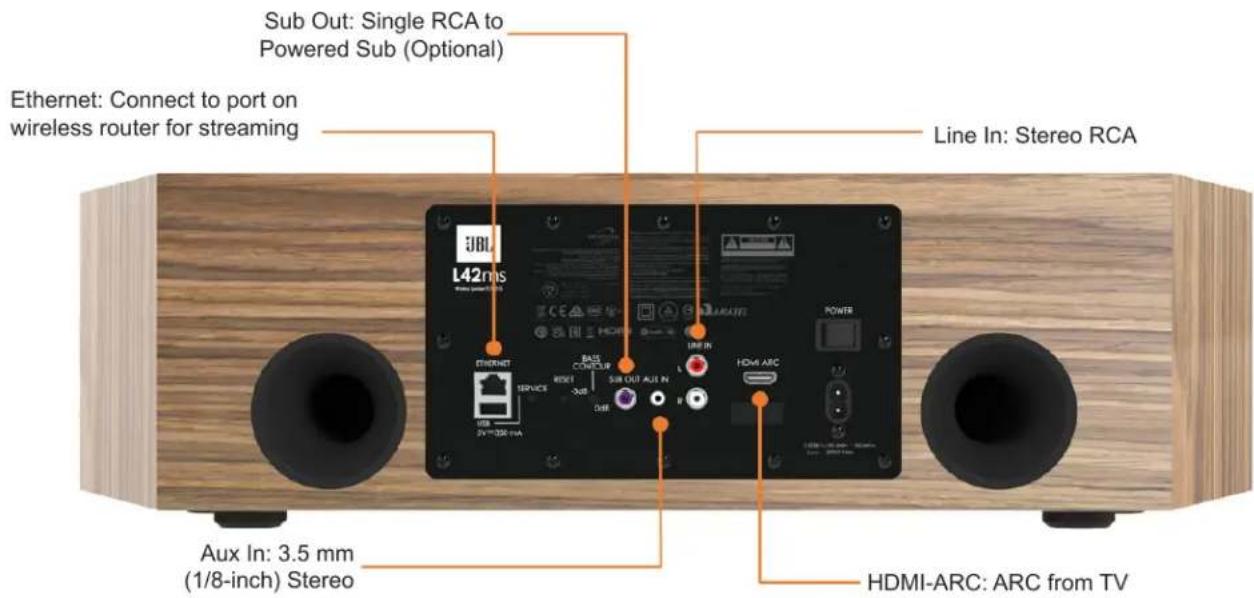
3. Connect Physical Sources
4. Pair the Remote
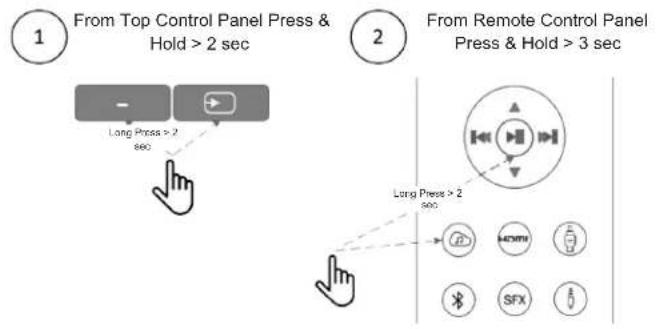
flowchart
graph TD
    A["1 From Top Control Panel Press & Hold > 2 sec"] --> B["2 From Remote Control Panel Press & Hold > 3 sec"]
    B --> C["Output Indicator: Lamps, SFX, Display"]
    style A fill:#f9f,stroke:#333
    style B fill:#ccf,stroke:#333
5. Connect to a Network
For a Wired Connection
Connect the Ethernet port on the rear to any of the open ports on your wireless router using a CAT-5e or higher cable.
For a Wi-Fi Direct Connection
- On your mobile device, download the JBL Premium Audio App.
- Power on the JBL L42ms Integrated Music System.
- Open the app to discover it after the L42ms is Ready.
- Select it and follow the prompts to connect it to your Wi-Fi network.
- NET icon LED will illuminate WHITE once network is enabled and connected.
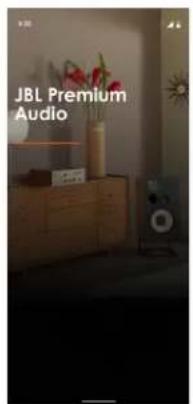
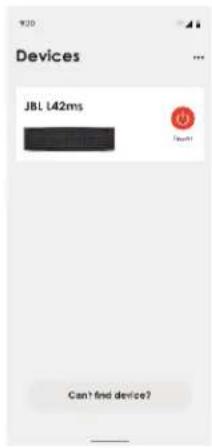
Alternatively, you can connect the JBL L42ms to your Wi-Fi network using Apple Airplay Speaker Setup in the Wi-Fi settings of your Apple device.
Turning Off Network and Bluetooth
Network and Bluetooth functionality can be turned Off should it be desired to do so. The same button operation can be used to turn Network and Bluetooth back On.
Press "Source Selection" & "Volume+" on the top control panel simultaneously. When OFF, NET LED icon will illuminate RED color. When ON NET LED icon will illuminate WHITE color.
Press Simultaneously > 2 sec

Note: When the Network and Bluetooth are Off the following conditions exist:
- Speaker cannot be used for Network or Bluetooth streaming.
- The handheld remote is inoperable and the unit can only be used via the top control panel buttons.
• Network icon on top panel with show Red indicating that Network has been turned off.
6. Connect a Source via Bluetooth

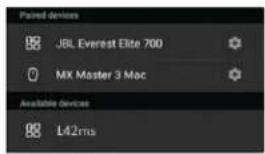
From Top Control Panel Select Bluetooth as Source
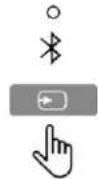

Press & Hold Source button > 3 sec Bluetooth Source light will flash


Select L42ms from your device's Bluetooth menu
7. Listening to Sources & Control
The JBL L42ms can be connected to and stream audio content through the following apps and services:
- Spotify Connect
- Tidal Connect
- Apple Airplay 2
- Chromecast (requires acceptance of Google terms in the JBL Premium Audio App or additional setup steps in the Google Home App)
• Roon Ready (requires setup on a Mac, PC, Roon Nucleus, or another server and the Roon Remote App) - Works With SmartThings (requires setup with a SmartThings Hub and the SmartThings App)
From the JBL Premium Audio App you can access setup favorites and access other services including but not limited to:
- Internet Radio
- Podcasts
• Amazon Music HD
• Qobuz
The JBL L42ms can be connected to local analog and digital components via back-panel connections:
- 1x 3.5mm (1/8") stereo mini connector
• 1x RCA stereo Left / Right inputs
• 1x HDMI-ARC connection
NOTE: The HDMI-ARC connection on the L42ms does not decode multichannel or Dolby 2ch audio formats. For the L42ms to play content delivered to the HDMI-ARC connection the television's audio output must be set to 2ch PCM. Refer to the owners manual for your television on details about selecting 2ch PCM output.
8. Wireless Specification
Bluetooth
• Remote Control Type: BTLE 2402-2480MHz@0.16dBm
- Bluetooth operation in 2402MHz to 2480MHz with max power 9.58dBm e.i.r.p
- Bluetooth LE operation in 2402MHz to 2480MHz with max power 9.20dBm e.i.r.p
Wi-Fi
• 802.11b/g/n operation in 2412MHz to 2472MHz with max power 17.03dBm e.i.r.p
- 5GHz RLAN 802.11a/n/ac: operation in 5180MHz - 5240MHz; 5260MHz - 5320MHz; 5500MHz - 5700MHz with max power: 21.79dBm e.i.r.p
• 5.8G SRD operation in 5745MHz to 5825MHz with max power 11.98 dBm e.i.r.p
Note: The device is restricted to indoor use when operated in the 5150-5350Mhz frequency range
9. Factory Reset
The L42ms can be reset to factory defaults should the need to arise. This will erase all settings for Network and Bluetooth requiring that all connections be reconfigured.
Press & Hold > 3 sec until selection indicators on top panel flash.

RESETSERVICE ASS CONTOUR

-3 dB
- Trademarks and Licenses
 | Apple®, AirPlay® and the AirPlay LogoTM, iPod®, iPhone® and iPad® are trademarks of Apple Inc., registered in the U.S. and other countries. App Store is a service mark of Apple Inc.AirPlay 2 works with iPhone®, iPad®, and iPod touch® with iOS 11.4 or later, Mac with OS X® Mountain Lion or later, and PC with iTunes® 10.2.2 or later. |
 | The Spotify software is subject to third party licenses that can be found here: https://developer.spotify.com/legal/third-party-licenses/ |
  | The Wi-Fi CERTIFIEDTM logo is a registered trademark of Wi-Fi Alliance®. |
 | Google, Google Play, Chromecast, and other related marks are trademarks of Google LLC. The Google Assistant requires an internet connection and is not available in certain countries and languages. Availability and react of certain features and services are device, service, and network-dependent and may not be available in all areas. Controlling certain devices in your home requires compatible smart devices. Subscriptions for services and applications may be required and additional terms, conditions and/or charges may apply. |
 | HDMI, the HDMI logo and High-Definition Multimedia Interface are trademarks or registered trademarks of HDMI Licensing LLC. |
| MP3 | MPEG Layer-3 audio decoding technology licensed from Fraunhofer IIS and Thomson multimedia. |
 | SmartThings® is a registered trademark of SmartThings, Inc. WWST is a Certification Mark of SmartThings, Inc. All other trademarks or registered trademarks are the property of their respective owners. |
 | FLAC Decoder Copyright © 2000, 2001, 2002, 2003, 2004, 2005, 2006, 2007, 2008 Josh CoalsonRedistribution and use in source and binary forms, with or without modification, are permitted provided that the following conditions are met:Redistribution of source code must retain the above copyright notice, this list of conditions and the following disclaimer.Redistributions in binary form must reproduce the above copyright notice, this list of conditions and the following disclaimer in the documentation and/or other materials provided with the distribution.Neither the name of the Xiph.org Foundation nor the names of its contributors may be used to endorse or promote products derived from this software without specific prior written permission. THIS SOFTWARE IS PROVIDED BY THE COPYRIGHT HOLDERS AND CONTRIBUTORS ‘AS IS’ AND ANY EXPRESS OR IMPLIED WARRANTIES, INCLUDING, BUT NOT LIMITED TO, THE IMPLIED WARRANTIES OF MERCHANTABILITY AND FITNESS FOR A PARTICULAR PURPOSE ARE DISCLAIMED. IN NO EVENT SHALL THE FOUNDATION OR CONTRIBUTORS BE LIABLE FOR ANY DIRECT, INDIRECT, INCIDENTAL, SPECIAL, EXEMPLARY, OR CONSEQUENTIAL DAMAGES (INCLUDING, BUT NOT LIMITED TO, PROCUREMENT OF SUBSTITUTE GOODS OR SERVICES; LOSS OF USE, DATA, OR PROFITS; OR BUSINESS INTERRUPTION) HOWEVER CAUSED AND ON ANY THEORY OF LIABILITY, WHETHER IN CONTRACT, STRICT LIABILITY, OR TORT (INCLUDING NEGLIGENCE OR OTHERWISE) ARISING IN ANY WAY OUT OF THE USE OF THIS SOFTWARE, EVEN IF ADVISED OF THE POSSIBILITY OF SUCH DAMAGE. |

Harman International Industries, Incorporated. 8500 Balboa Blvd, Northridge CA 91329 United States.

European Representative: Harman International Industries, Incorporated.
EMEA Liaison Office, Danzigerkade 16G, 1013 AP Amsterdam, The Netherlands.
UK Business Address: Ground Floor, Westside 2, London Road, Apsley, Hemel Hempstead, Hertfordshire, HP3 9TD, United Kingdom.
© 2023 Harman International Industries, Incorporated. All Rights Reserved.
JBL is a trademark of Harman International Industries, Incorporated registered in the United States and other countries.

JBL
Harman International Industries, Incorporated. 8500 Balboa Blvd, Northridge CA 91329 United States.

EMEA Liaison Office, Danzigerkade 16G, 1013 AP Amsterdam, The Netherlands.
Adresse commerciale au R.-U. : Ground Floor, Westside 2, London Road, Apsley, Hemel Hempstead, Hertfordshire, HP3 9TD, United Kingdom.
Harman International Industries, Incorporated. 8500 Balboa Blvd, Northridge CA 91329 United States.

EMEA Liaison Office, Danzigerkade 16G, 1013 AP Amsterdam, The Netherlands.
GB-Geschäftsadresse: Ground Floor, Westside 2, London Road, Apsley, Hemel Hempstead, Hertfordshire, HP3 9TD, United Kingdom.
Harman International Industries, Incorporated. 8500 Balboa Blvd, Northridge CA 91329 United States.

EMEA Liaison Office, Danzigerkade 16G, 1013 AP Amsterdam, The Netherlands.
Dirección comercial en el Reino Unido: Ground Floor, Westside 2, London Road, Apsley, Hemel Hempstead, Hertfordshire, HP3 9TD, United Kingdom.
© 2023 Harman International Industries, Incorporated. Reservados todos los derechos.
Harman International Industries, Incorporated. 8500 Balboa Blvd, Northridge CA 91329 United States.

EMEA Liaison Office, Danzigerkade 16G, 1013 AP Amsterdam, The Netherlands.
Indirizzo aziendale Regno Unito: Ground Floor, Westside 2, London Road, Apsley, Hemel Hempstead, Hertfordshire, HP3 9TD, United Kingdom.
© 2023 Harman International Industries, Incorporated. Tutti i diritti riservati.
1x Controle Remoto RF
1x Folheto de segurança
Harman International Industries, Incorporated.
8500 Balboa Blvd, Northridge CA 91329 United States.

EMEA Liaison Office, Danzigerkade 16G, 1013 AP Amsterdam, The Netherlands.
Endereço comercial do Reino Unido: Ground Floor, Westside 2, London Road, Apsley, Hemel Hempstead, Hertfordshire, HP3 9TD, United Kingdom.
注:当网络和蓝牙关闭时,存在以下情况:
RESETSERVICE ASS CONTOUR

- 商标和许可证
Harman International Industries, Incorporated. 8500 Balboa Blvd, Northridge CA 91329 United States.

EMEA Liaison Office, Danzigerkade 16G, 1013 AP Amsterdam, The Netherlands.
英国办事处地址:Ground Floor, Westside 2, London Road, Apsley, Hemel Hempstead, Hertfordshire, HP3 9TD, United Kingdom.
© 2023 Harman International Industries, Incorporated. 保留所有权利。
7. 聆聽來源和控制
Harman International Industries, Incorporated. 8500 Balboa Blvd, Northridge CA 91329 United States.

EMEA Liaison Office, Danzigerkade 16G, 1013 AP Amsterdam, The Netherlands.
英国公司地址:Ground Floor, Westside 2, London Road, Apsley, Hemel Hempstead, Hertfordshire, HP3 9TD, United Kingdom。
© 2023 Harman International Industries, Incorporated. 保留一切權利。
Harman International Industries, Incorporated. 8500 Balboa Blvd, Northridge CA 91329 United States.


EMEA Liaison Office, Danzigerkade 16G, 1013 AP Amsterdam, The Netherlands.
英国事務所の住所:Ground Floor, Westside 2, London Road, Apsley, Hemel Hempstead, Hertfordshire, HP3 9TD, United Kingdom.
Harman International Industries, Incorporated. 8500 Balboa Blvd, Northridge CA 91329 United States.

EMEA Liaison Office, Danzigerkade 16G, 1013 AP Amsterdam, The Netherlands.
영국 비즈니스 주소: Ground Floor, Westside 2, London Road, Apsley, Hemel Hempstead, Hertfordshire, HP3 9TD, United Kingdom.
© 2023 Harman International Industries, Incorporated. 모든 권리 보유