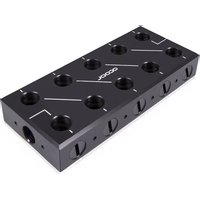
ES Distro Plate C5 - Liquid CPU cooler Alphacool - Free user manual and instructions
Find the device manual for free ES Distro Plate C5 Alphacool in PDF.


User questions about ES Distro Plate C5 Alphacool
0 question about this device. Answer the ones you know or ask your own.
Ask a new question about this device
Download the instructions for your Liquid CPU cooler in PDF format for free! Find your manual ES Distro Plate C5 - Alphacool and take your electronic device back in hand. On this page are published all the documents necessary for the use of your device. ES Distro Plate C5 by Alphacool.
USER MANUAL ES Distro Plate C5 Alphacool
natural_image
Three technical illustrations of rectangular electronic components with circular holes and internal connections (no text or symbols)Alphacool ES Distro Plate C2 / C3 / C5
Alphacool International GmbH Alphacool ES Distro Plate C2 / C3 / C5 Deutsch
Deutsch....3
Safety Instructions....19
Assembly Material 19
Technical details 20
Funktion 21
Assembly....22
Mounting with velcro tape 22
Mounting on a fan Location.... 23
Mounting on the Universal Bracket....24
Connecting the Patch Panel 25
startup....34
Français 35
natural_image
Interior view of a room with circular components and a red diagonal line labeled 'DCOOL' (no other text or symbols)natural_image
3D rendering of a rectangular electronic component with three circular holes and a flat top panel (no text or symbols visible)natural_image
Black rectangular electronic device with three circular ports and a paper clip (no visible text or symbols)natural_image
Interior view of a mechanical or electrical enclosure with a central black block and four circular holes, mounted on a white panel (no visible text or symbols)natural_image
Electrical wiring diagram showing connections between a black connector and three yellow wires (no text or symbols visible)natural_image
Electrical wiring diagram showing connections between electrical components (no text or symbols visible)natural_image
Electrical wiring diagram showing connections between a black cable, orange and red wires, and a yellow connector (no text or symbols visible)natural_image
Electrical wiring diagram with multiple colored wires and components (no visible text or symbols)Alphacool International GmbH Alphacool ES Distro Plate C2 / C3 / C5 Deutsch
natural_image
Diagram of network connections between a black server and three colored cable links (red, orange, yellow) with circuit board background (no text or symbols)Deutsch Alphacool ES Distro Plate C2 / C3 / C5 Alphacool International GmbH
natural_image
Technical line drawing of a mechanical assembly with three views (top, front, side) showing internal components and connections without any text or symbols.
natural_image
Close-up of connected electrical components with colored wires and connectors (no visible text or symbols)Deutsch Alphacool ES Distro Plate C2 / C3 / C5 Alphacool International GmbH
natural_image
Technical line drawing of a mechanical or electrical assembly with no visible text, numbers, or symbols.
natural_image
Diagram of a microcontroller connected to circuit boards and sensors, showing colored wires (red, orange, yellow) and connections without any text or symbols.Deutsch Alphacool ES Distro Plate C2 / C3 / C5 Alphacool International GmbH
natural_image
Diagram of a multi-colored automotive electrical panel with connecting pipes and connectors, no visible text or symbols.Deutsch Alphacool ES Distro Plate C2 / C3 / C5 Alphacool International GmbH
natural_image
Technical line drawing of a mechanical device with two views showing internal components (no text or symbols)
natural_image
Close-up of industrial piping and valves with red circular markers on a black base (no text or symbols visible)Read the safety instructions before starting the installation.
Assembly Material
| Alphacool ES Distro Plate C2Alphacool ES Distro Plate C3 |  |  |  |  |  | |
| 1x Velcro tape | 2x Universal bracket | 4x M3x8 | 4x M3x4 | Screw plug4x by Alphacool ES Distro Plate C26x by Alphacool ES Distro Plate C38x by Alphacool ES Distro Plate C3 | ||
| Alphacool ESDistro Plate C5 | 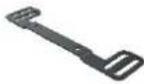 | 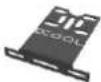 |  |  |  |  |
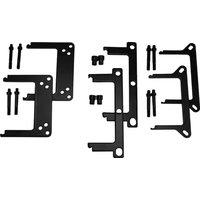
| 2x Fan Bracket | 2x Universal bracket | 4x M3x8 | 4x M3x4 | 4x M3 Nut | 12x Screw plug | |
Alphacool International GmbH Alphacool ES Distro Plate C2 / C3 / C5 English
Technical details
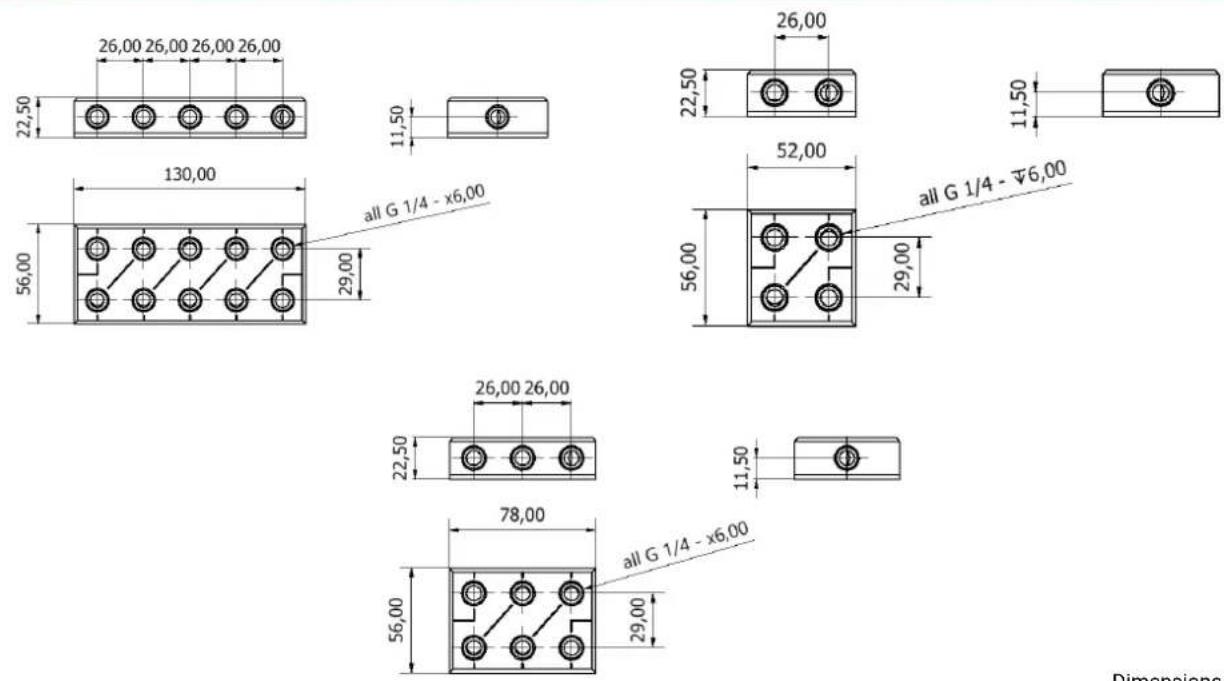
Dimensions in millimetres
English Alphacool ES Distro Plate C2 / C3 / C5 Alphacool International GmbH
Funktion
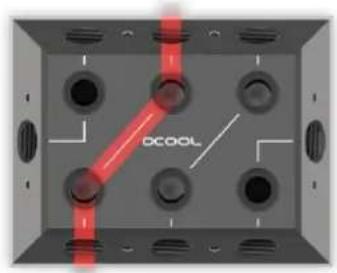
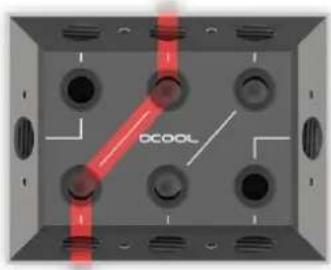
In order to better follow the water flow, all connections are connected with a line. So one connection can be used as in and another one from the compound can be an OUT.
text_image
DCOOLAt the top left of the picture the four connections are marked in red which belong to one group.
natural_image
Interior view of a room with circular components and a red diagonal line labeled 'DCOOL' (no other text or symbols)Only three connections are grouped together at the front sides. See right picture.
Alphacool International GmbH Alphacool ES Distro Plate C2 / C3 / C5 English
Assembly
Mounting with velcro tape
1.

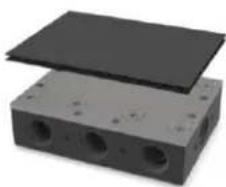
Remove the protective foil of the velcro tape on one side. Do not touch the adhesive surface. The adhesive is difficult to remove.
2.
natural_image
3D rendering of a rectangular electronic component with three circular holes and a flat top panel (no text or symbols visible)Stick the Velcro tape to the Alphacool ES Distro Plate
3.
natural_image
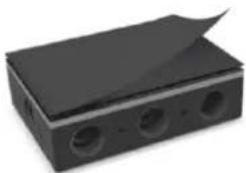
Black rectangular electronic component with three circular ports and a paper clip (no visible text or symbols)Now remove the second protective foil.
4.
natural_image
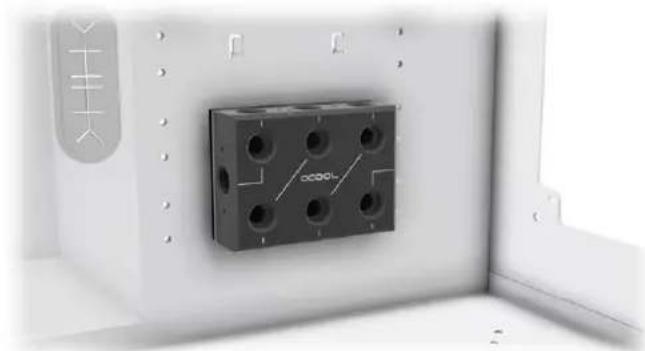
Close-up of a mechanical component with multiple holes mounted on a wall, no visible text or symbolsGlue the Alphacool ES Distro Plate to a free space in the case.
English Alphacool ES Distro Plate C2 / C3 / C5 Alphacool International GmbH Mounting on a fan Location
text_image
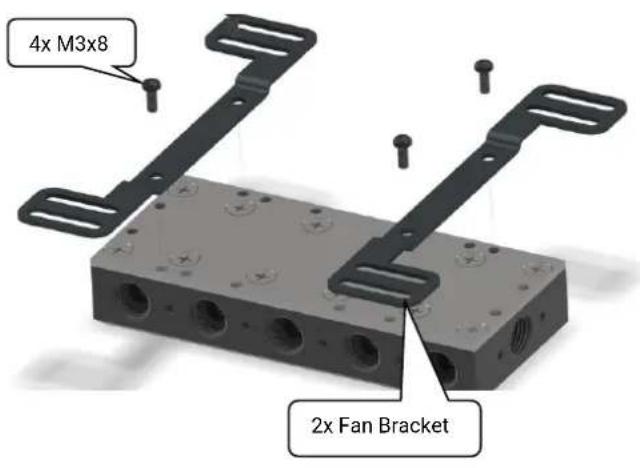
4x M3x8 2x Fan BracketScrew the two suitable holders to the distributor. The holder has slots, so the patch panel can be moved to fit the housing.
text_image
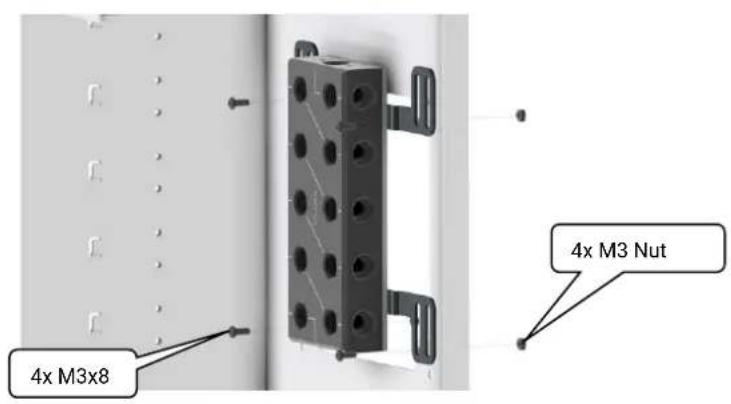
4x M3x8 4x M3 NutNow mount the patch panel with bracket to a fan location. The patch panel can also be mounted directly on a fan or radiator.
Alphacool International GmbH Alphacool ES Distro Plate C2 / C3 / C5 English Mounting on the Universal Bracket
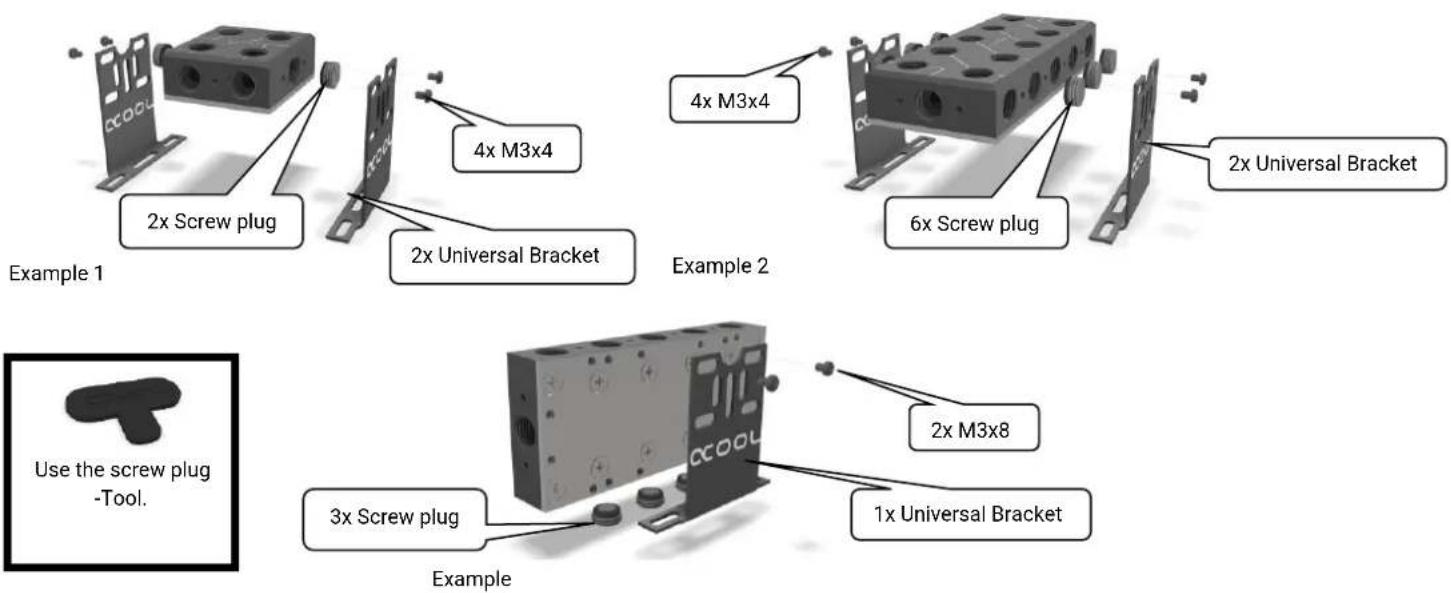
Before doing so, close all connections that are covered. Mount the holders in a free space on the patch panel.
English Alphacool ES Distro Plate C2 / C3 / C5 Alphacool International GmbH
Connecting the Patch Panel
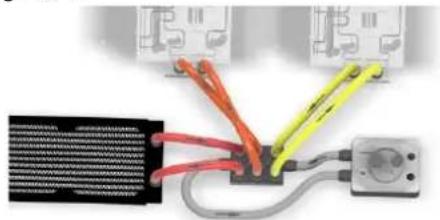
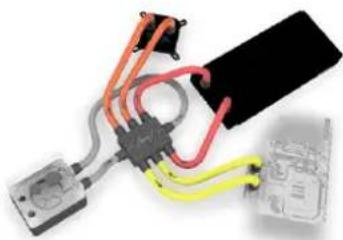
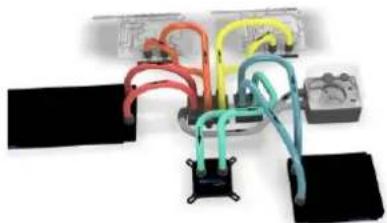
There is a lot of of configurations available. On the following pages we show you some examples.
Example 1 Page 10 - 11
natural_image
Electrical wiring diagram showing connections between a black connector and three yellow wires (no text or symbols visible)Example 3 Page 14 - 15
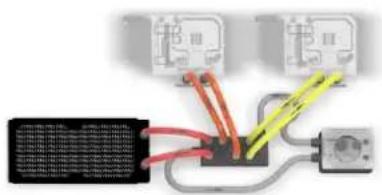
text_image
Electrical wiring diagram showing connections between three electrical outlets and a grid of wires with colored wires.Example 2 Page 12 - 13
natural_image
Electrical wiring diagram showing connections between a black cable, orange and red wires, and a yellow connector (no text or symbols visible)Example 4 Page 16 - 17
natural_image
Electrical wiring diagram with multiple colored wires and components (no visible text or symbols)Alphacool International GmbH Alphacool ES Distro Plate C2 / C3 / C5 English
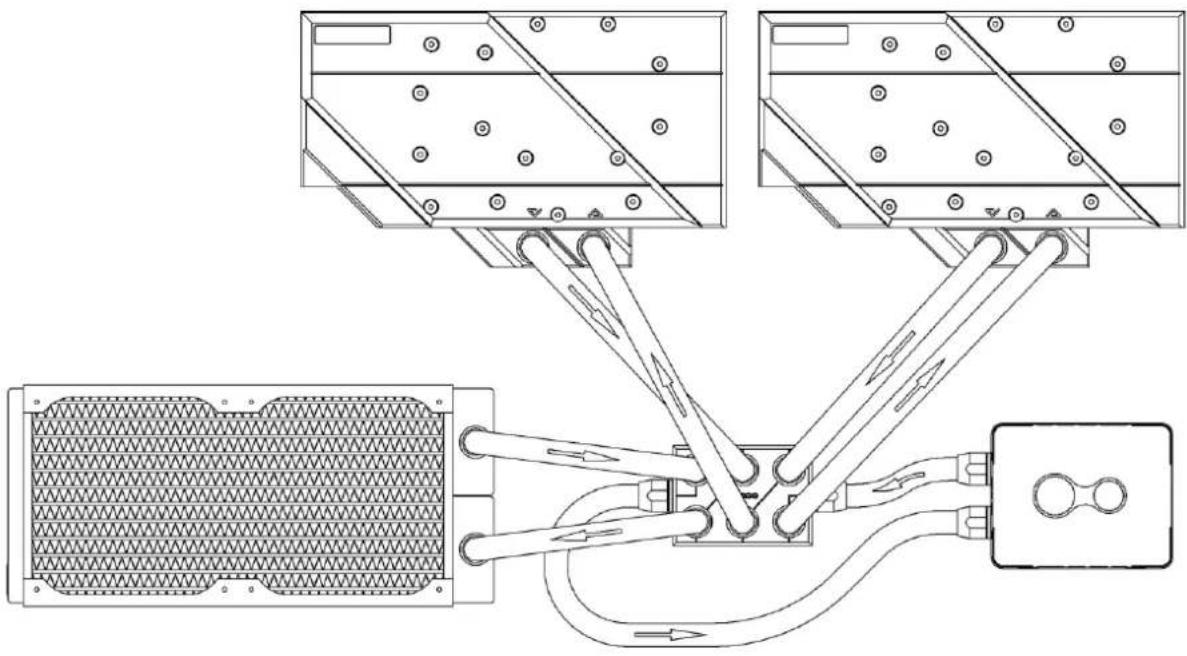
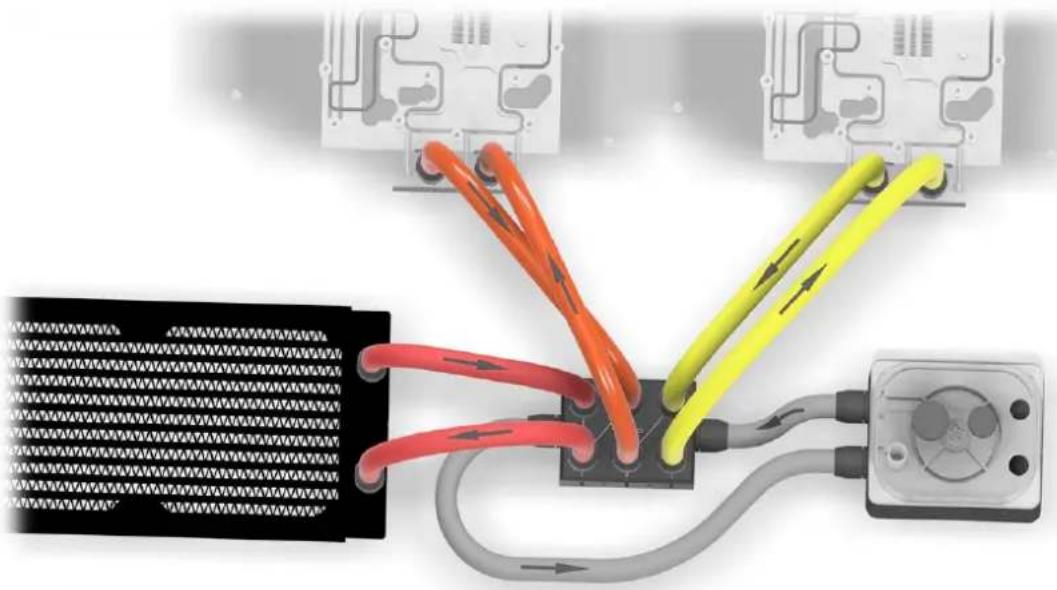
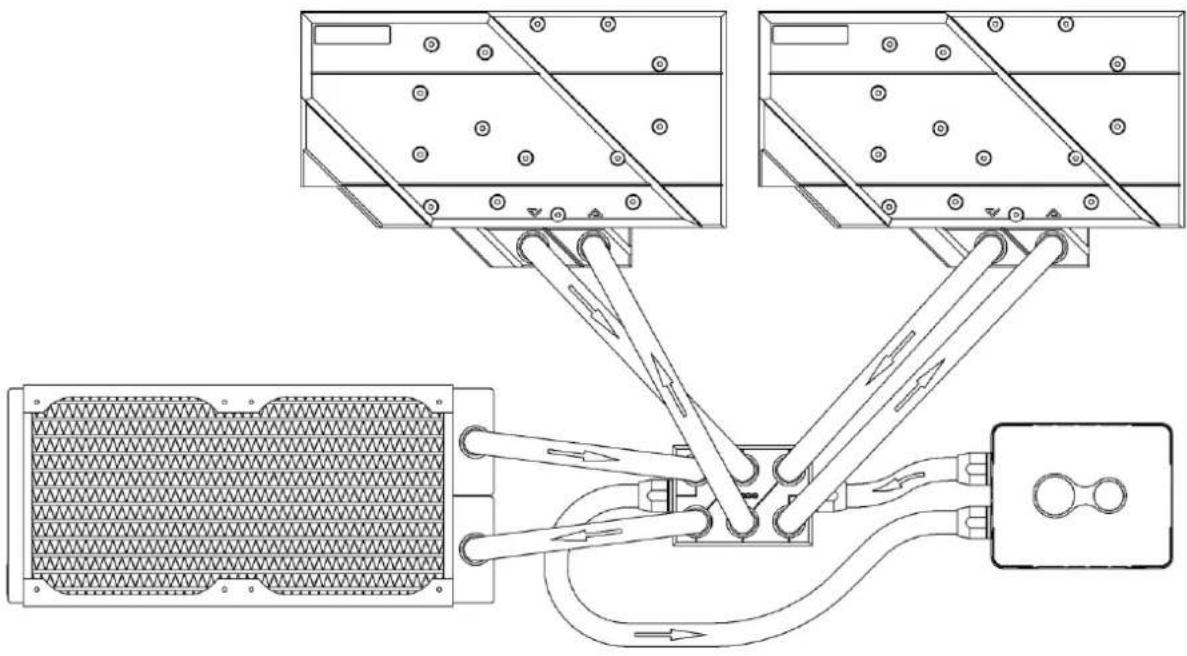
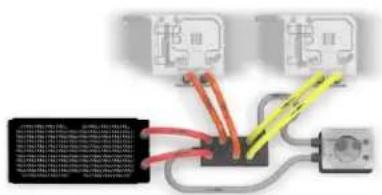
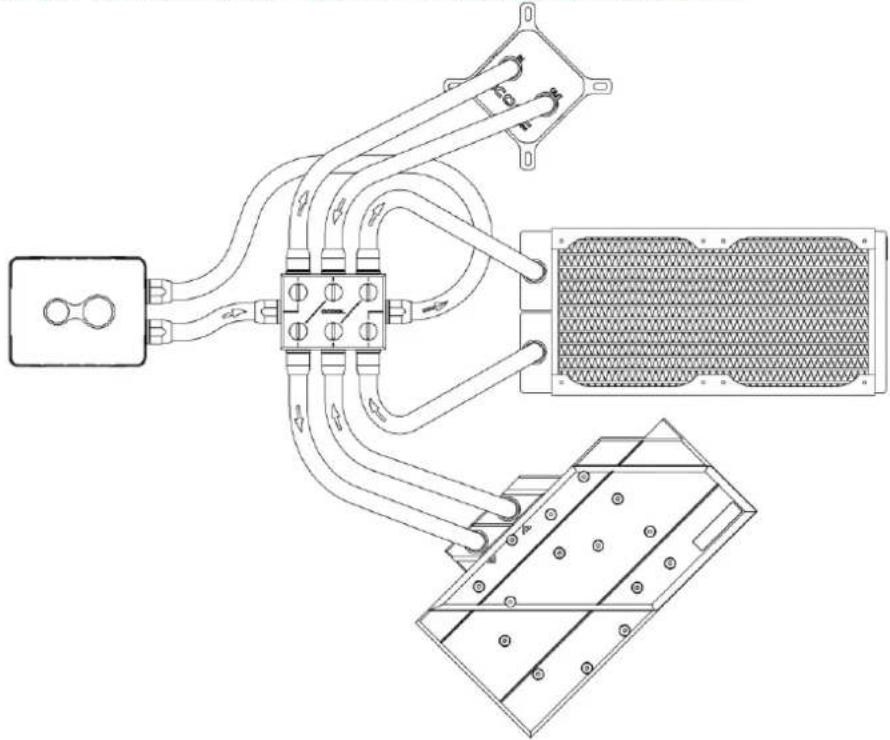
Example 1 - A fully assembled Alphacool ES Distro Plate C3
natural_image
Diagram of network connections between a black server and three colored cable links (red, orange, yellow) with circuit board background (no text or symbols)English Alphacool ES Distro Plate C2 / C3 / C5 Alphacool International GmbH
natural_image
Technical line drawing of a mechanical assembly with three views (top, front, side) showing internal components and connections without any text or symbols.
text_image
Use the screw plug -Tool.In this example, IN and OUT is on the front sides of the Alphacool ES Distro Plate C3. The pump with expansion tank is connected here. The individual components such as the cooler and the radiator are connected here via the Alphacool ES Distro Plate.
Note that an OUT must always be connected to an IN to form a water circuit.
Alphacool International GmbH Alphacool ES Distro Plate C2 / C3 / C5 English
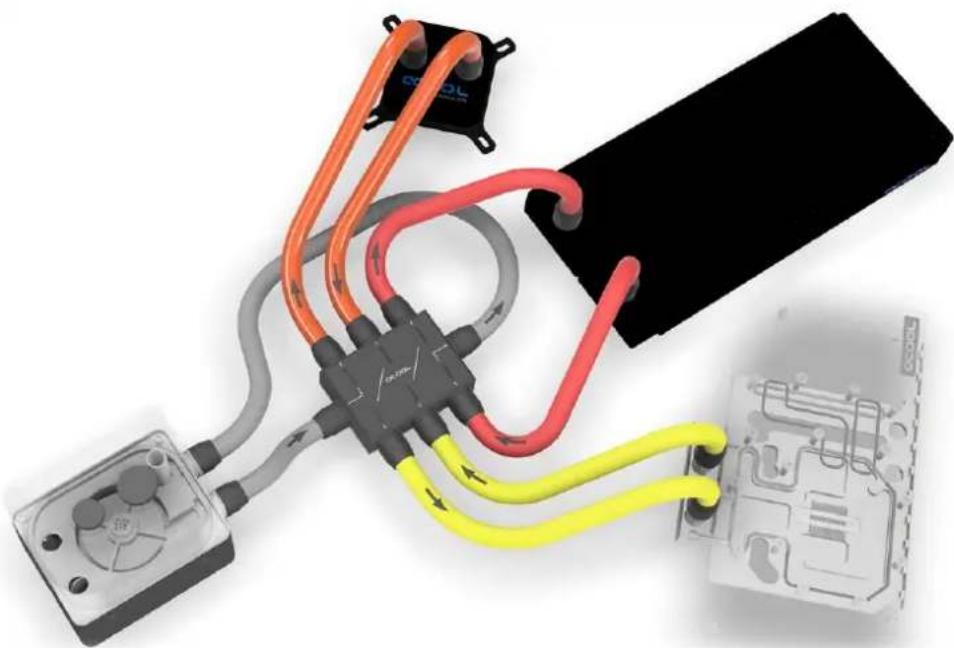
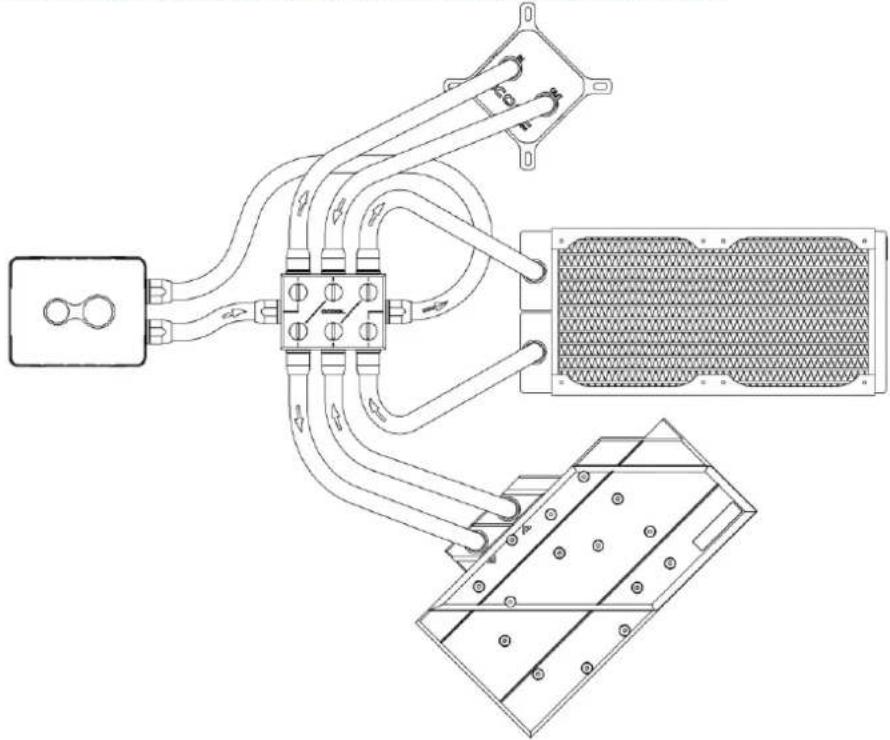
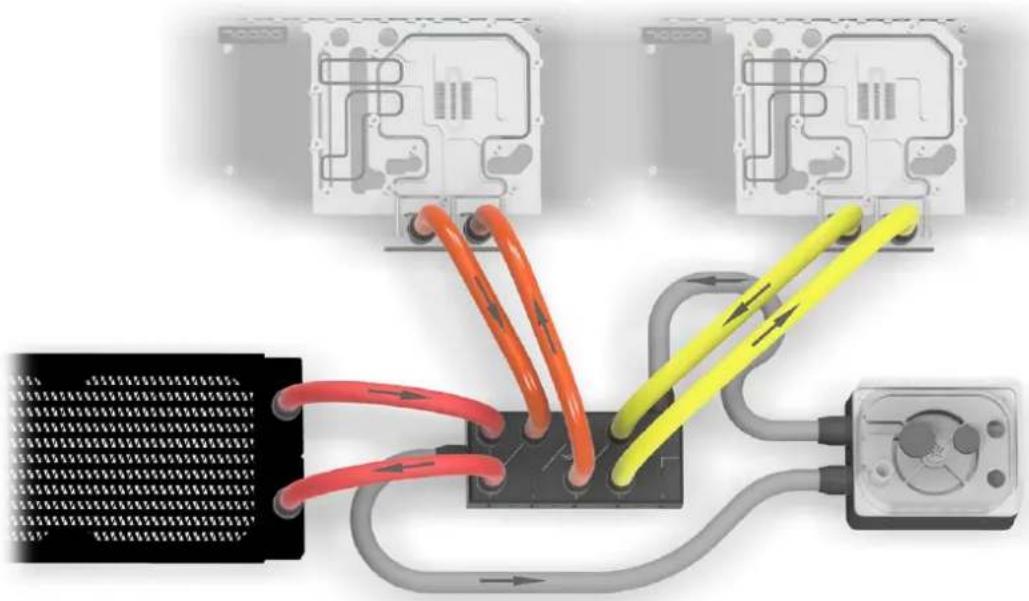
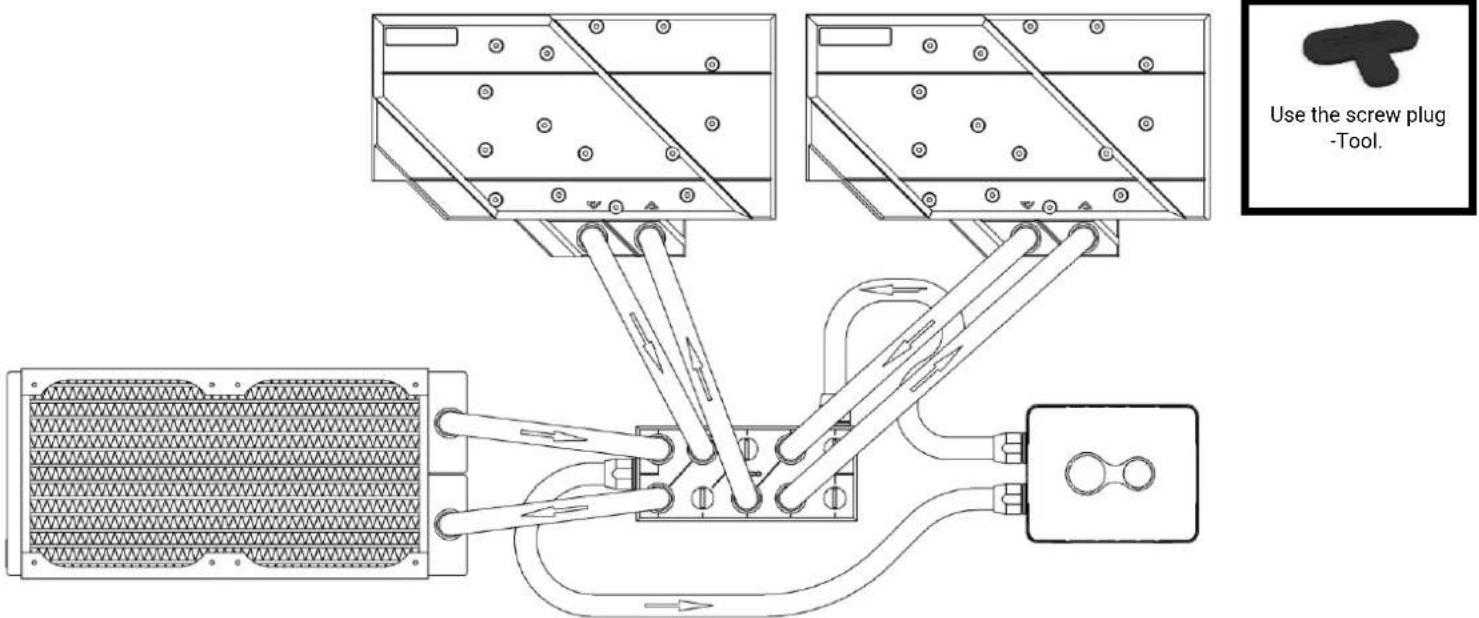
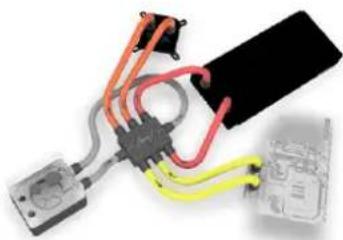
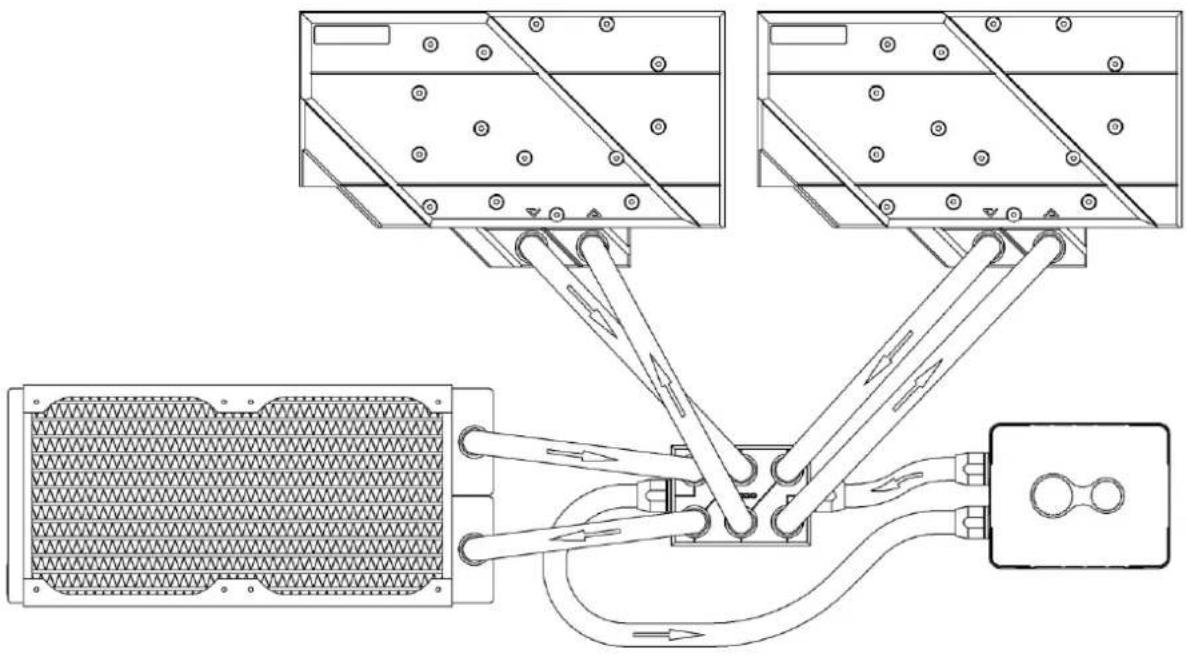
Example 2 - Alphacool ES Distro Plate C3 with side connections
natural_image
Close-up of connected electrical components with colored wires and connectors (no visible text or symbols)English Alphacool ES Distro Plate C2 / C3 / C5 Alphacool International GmbH
natural_image
Technical line drawing of a mechanical or electrical assembly with no visible text, numbers, or symbols.
text_image
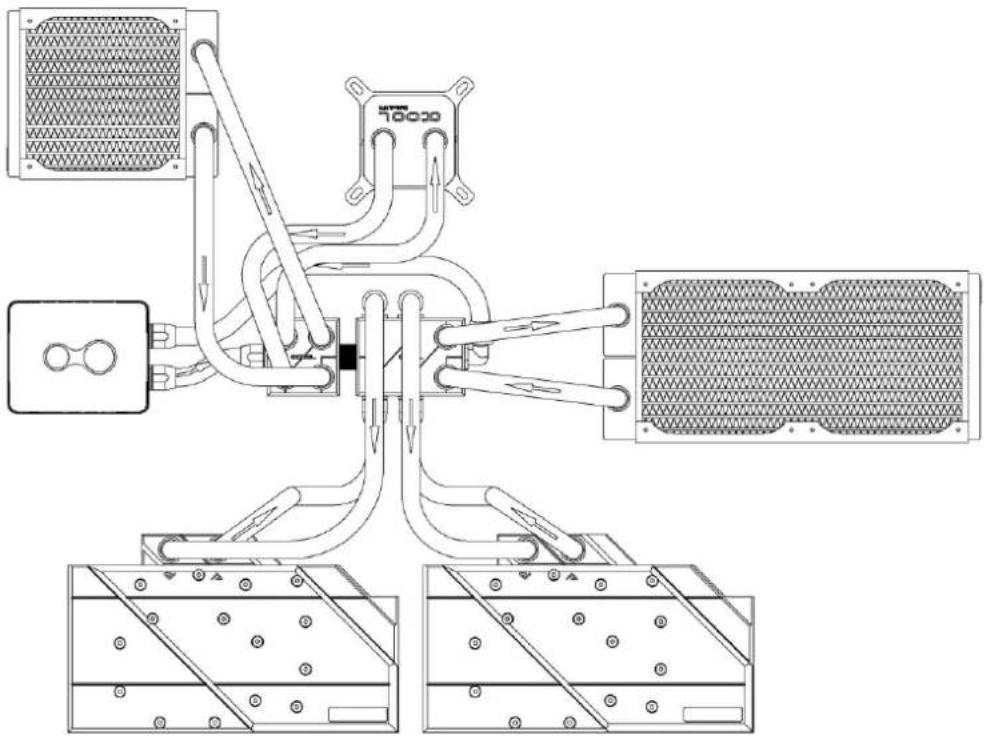
Use the screw plug -Tool.In this example, the graphics cards CPU cooler and the pump with expansion tank are connected to the side of the Alphacool ES Distro Plate C3. Here is good to see how the water flow is directed.
Alphacool International GmbH Alphacool ES Distro Plate C2 / C3 / C5 English
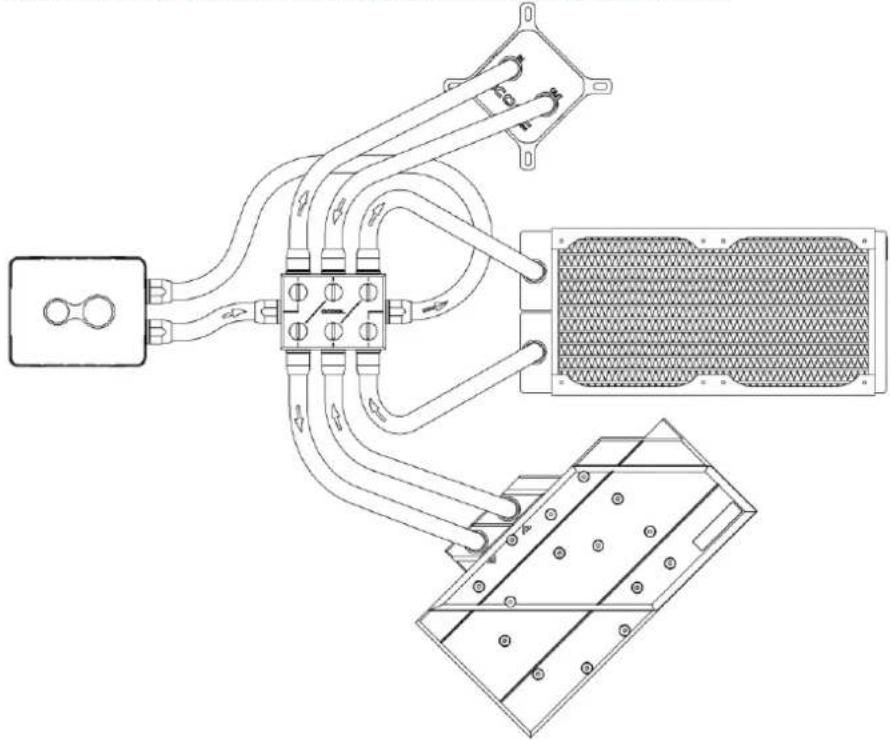
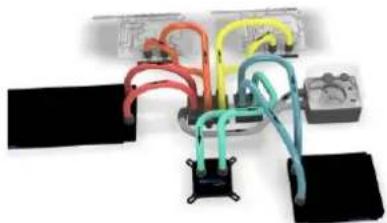
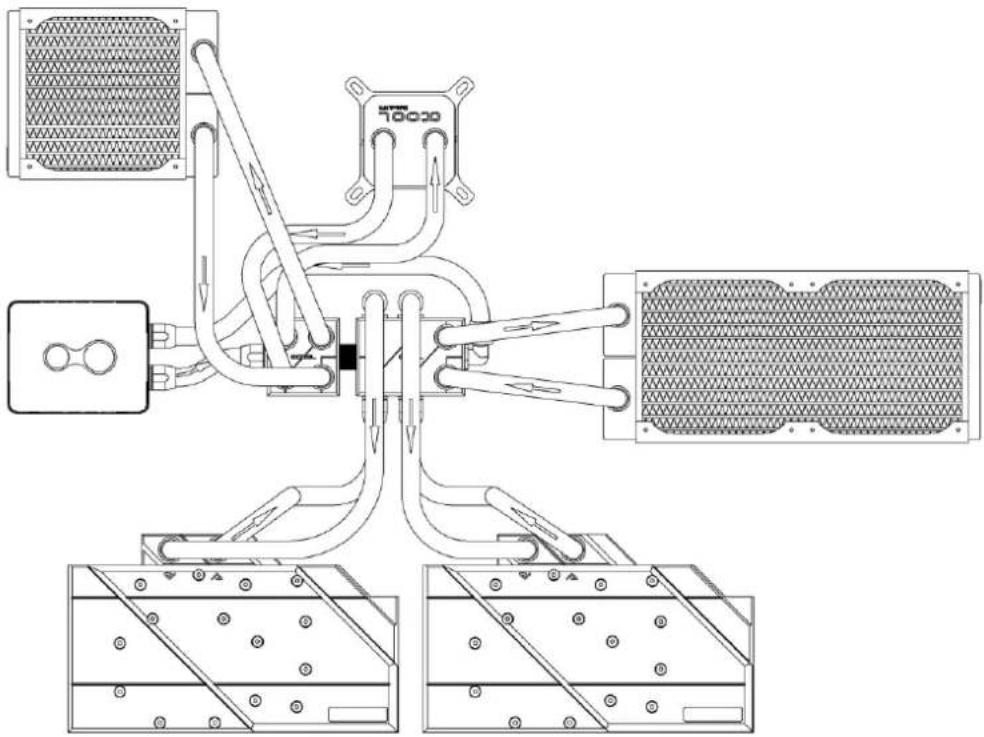
Example 3 - Three components on Alphacool ES Distro Plate C5
natural_image
Diagram showing connections between a microchip, circuit boards, and an oscilloscope (no text or symbols present)English Alphacool ES Distro Plate C2 / C3 / C5 Alphacool International GmbH
text_image
Use the screw plug -Tool.In this example, IN and OUT is on the front sides of the Alphacool ES Distro Plate C5. The three components can consist of coolers, pumps or radiators. ATTENTION: In this configuration, two spaces remain unused. Note that an OUT must always be connected to an IN to form a water circuit.
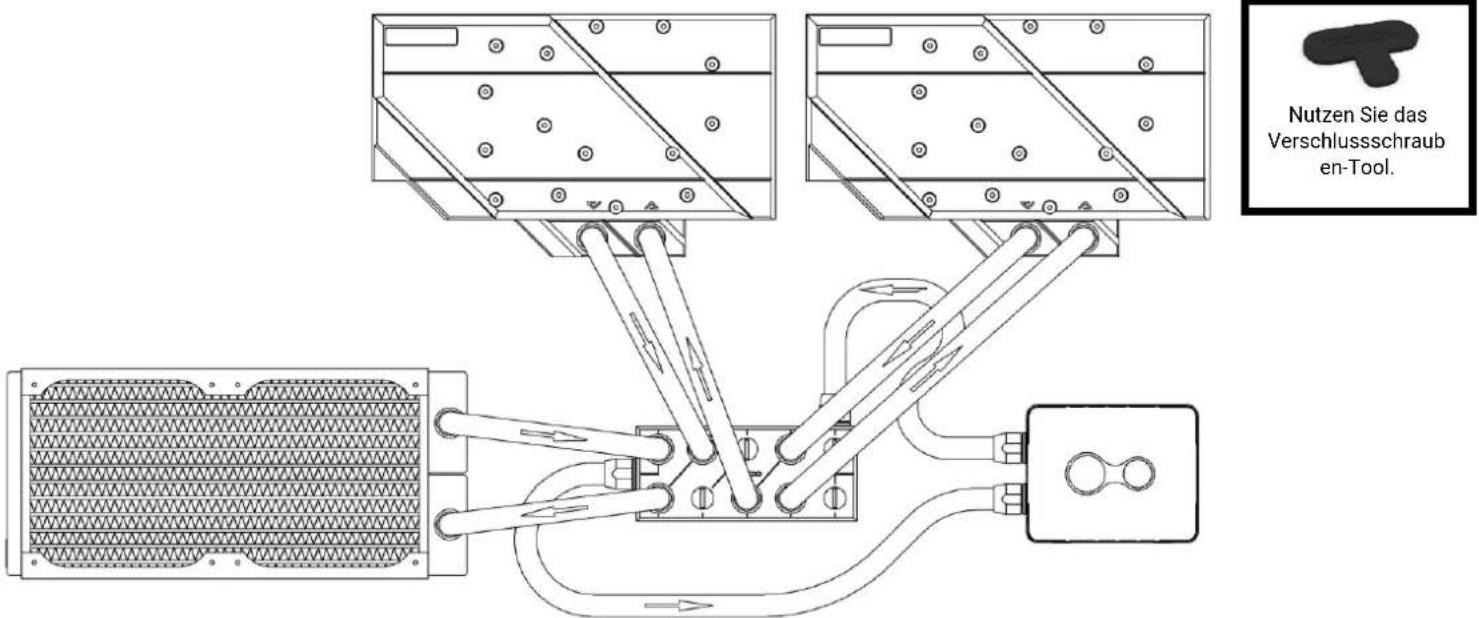
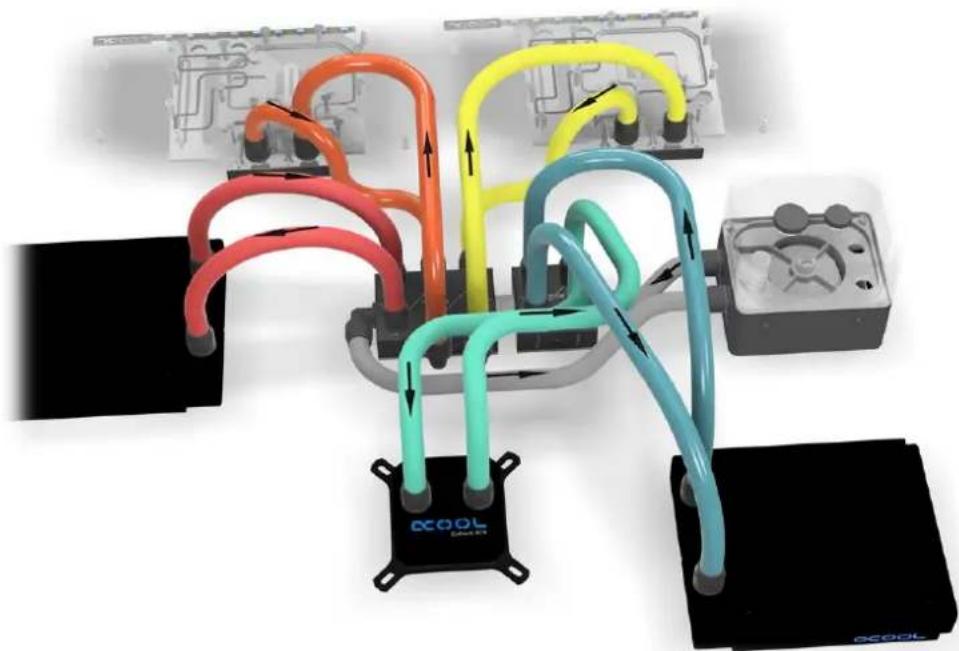
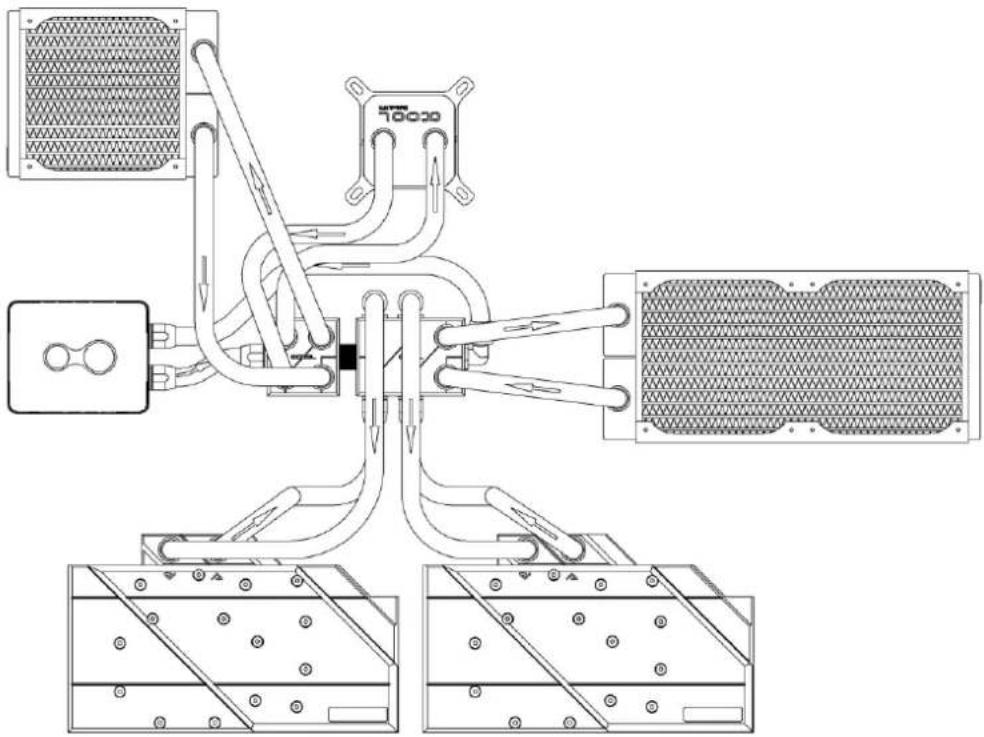
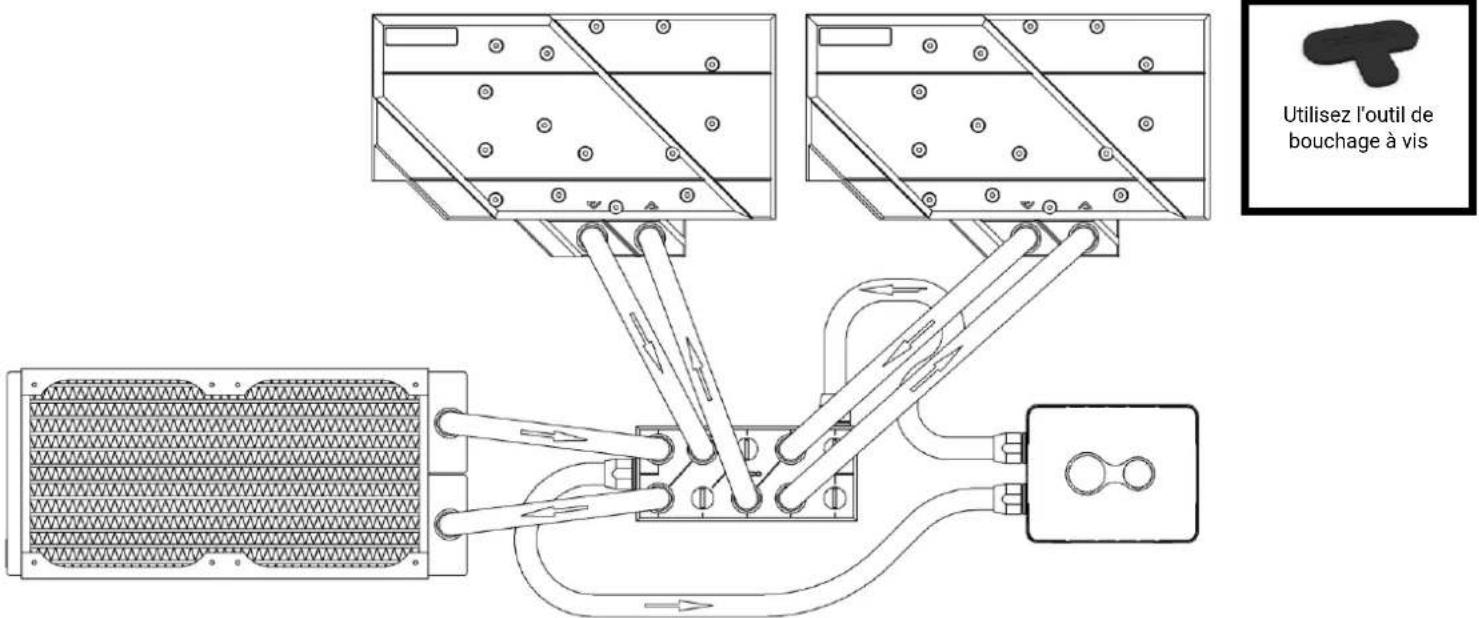
Alphacool International GmbH Alphacool ES Distro Plate C2 / C3 / C5 English Example 4 - 2 Alphacool ES Distro Plate in series
natural_image
Diagram of a multi-colored automotive air conditioning system with connected pipes and control panels (no text or symbols)English Alphacool ES Distro Plate C2 / C3 / C5 Alphacool International GmbH
natural_image
Technical line drawing of a mechanical device with two views showing internal components (no text or symbols)
text_image
Use the screw plug -Tool.In this example, the graphics cards are connected to the side of the Alphacool ES Distro Plate C3. And two components are connected to an Alphacool ES Distro Plate C2. Both Alphacool ES Distro Plate are connected with an Alphacool HF male to male G1/4 BSPP to G1/4 BSPP.
Alphacool International GmbH Alphacool ES Distro Plate C2 / C3 / C5 English
startup
natural_image
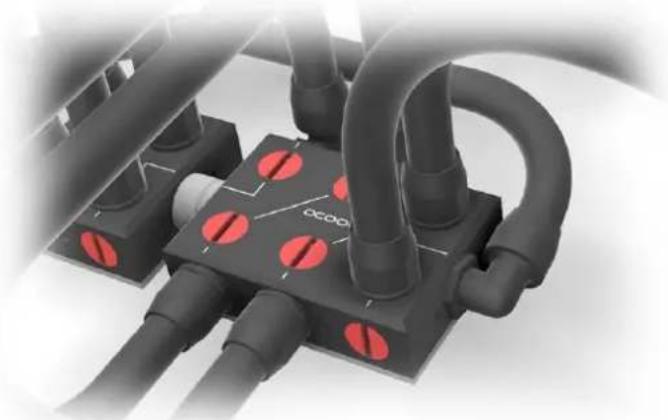
Close-up of industrial piping and connectors with red circular markers, no visible text or symbolsCheck all connections. Unused connections must be closed with a screw plug, shown here in red in the picture.
We recommend only clear cooling liquids from our own production (CKC or ice water Crystal no UV liquid!) or pure distilled or osmosis filtered water.
Français Alphacool ES Distro Plate C2 / C3 / C5 Alphacool International GmbH
Français
natural_image
Interior view of a room with circular components and a red diagonal line labeled 'DCOOL' (no other text or symbols)natural_image
3D rendering of a rectangular electronic component with three circular holes and a flat top panel (no text or symbols visible)natural_image
Black rectangular electronic component with three circular ports and a paper clip (no visible text or symbols)natural_image
Interior view of a mechanical or electrical enclosure with a central black block and four circular holes, mounted on a white panel (no visible text or symbols)Connector le Patch Panel
natural_image
Electrical wiring diagram showing connections between a black connector and three yellow wires (no text or symbols visible)Example 3 Page 14 - 15
text_image
Electrical wiring diagram showing connections between electrical outlets and a grid of wires with colored wires.Example 2 Page 12 - 13
natural_image
Electrical wiring diagram showing connections between a black cable, red and orange wires, and a yellow connector (no text or symbols visible)Example 4 Page 16 - 17
natural_image
Electrical circuit components including capacitors, inductors, and a multimeter (no visible text or symbols)Alphacool International GmbH Alphacool ES Distro Plate C2 / C3 / C5 Français
natural_image
Diagram of network connections between a black server and three colored cable links (red, orange, yellow) with circuit board background (no text or symbols)Français Alphacool ES Distro Plate C2 / C3 / C5 Alphacool International GmbH
natural_image
Technical line drawing of a mechanical assembly with three views (top, front, side) showing internal components and connections without any text or symbols.
natural_image
Close-up of a black electronic device with orange and red cables connected to a central connector, alongside a yellow cable and a transparent plastic housing (no visible text or symbols)Français Alphacool ES Distro Plate C2 / C3 / C5 Alphacool International GmbH
natural_image
Technical line drawing of a mechanical or electrical assembly with no visible text, numbers, or symbols.
natural_image
Diagram of a microcontroller connected to circuit boards and sensors, showing colored wires (red, orange, yellow) and connections without any text or symbols.Français Alphacool ES Distro Plate C2 / C3 / C5 Alphacool International GmbH
natural_image
Diagram of a multi-colored automotive air conditioning system with connected pipes and control panels (no text or symbols visible)Français Alphacool ES Distro Plate C2 / C3 / C5 Alphacool International GmbH
natural_image
Technical line drawing of a mechanical device with two views showing internal components (no text or symbols)