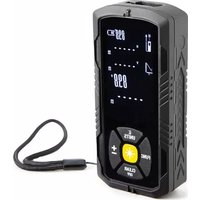
DEM702 - Rangefinder VELLEMAN - Free user manual and instructions
Find the device manual for free DEM702 VELLEMAN in PDF.


| Product type | Laser distance meter |
| Brand | Velleman |
| Model | DEM702 |
| Measuring range | 0.05 to 50 m |
| Measurement accuracy | ±2 mm |
| Display precision | 1 mm |
| Laser type | Class 2, 620-690 nm, <1 mW |
| Power supply | 2 AA batteries (alkaline 1.5 V or rechargeable Li-ion 3.7 V via USB-C port) |
| Main functions | Distance, area, volume, addition/subtraction, indirect measurement (Pythagorean), continuous measurement, min/max, electronic level, measurement storage |
| Units of measurement | m, ft, in, ft+in |
| Protection | IP54 (dust and splash resistant) |
| Operating temperature range | 0 to 40 °C |
| Storage temperature range | -20 to 70 °C |
| Dimensions (approx.) | 120 × 50 × 30 mm |
| Weight (approx., with batteries) | approx. 100 g |
| Maintenance and cleaning | Wipe with a damp, lint-free cloth. Do not use alcohol or solvents. Do not immerse. |
| Laser safety | Class 2 laser, do not look directly into the beam, do not point at eyes. Use with caution. |
| Warranty | 24 months for consumer products (EU) against manufacturing defects. |
| Included accessories | Batteries, strap, case (depending on version) |
Frequently Asked Questions - DEM702 VELLEMAN
User questions about DEM702 VELLEMAN
0 question about this device. Answer the ones you know or ask your own.
Ask a new question about this device
Download the instructions for your Rangefinder in PDF format for free! Find your manual DEM702 - VELLEMAN and take your electronic device back in hand. On this page are published all the documents necessary for the use of your device. DEM702 by VELLEMAN.
USER MANUAL DEM702 VELLEMAN
DIGITAL LASER DISTANCE METER - 50 M
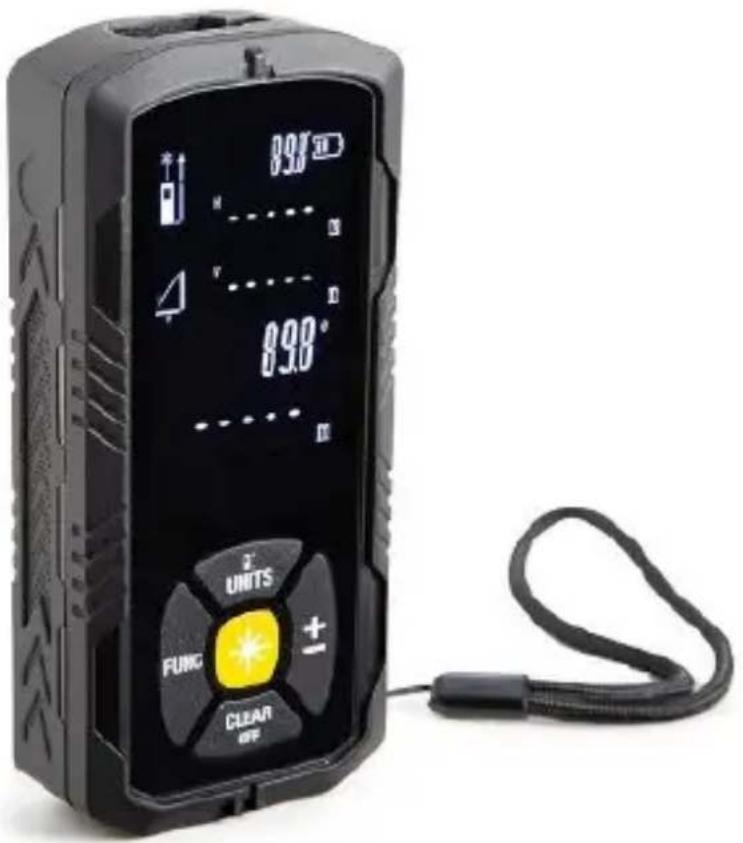
USER MANUAL 3
GEBRUIKERSHANDLEIDING 16
MODE D'EMPLOI 29
MANUAL DEL USUARIO 42
USER MANUAL
1. Introduction
To all residents of the European Union
Important environmental information about this product
natural_image
Simple line drawing of a trash bin with crossed lines indicating no waste or discharge (no text or symbols)This symbol on the device or the package indicates that disposal of the device after its lifecycle could harm the environment. Do not dispose of the unit (or batteries) as unsorted municipal waste; it should be taken to a specialized company for recycling. This device should be returned to your distributor or to a local recycling service. Respect the local environmental rules.
If in doubt, contact your local waste disposal authorities.
Thank you for choosing Velleman! Please read the manual thoroughly before bringing this device into service. If the device was damaged in transit, do not install or use it and contact your dealer.
2. Safety Instructions
 | Keep this device away from children and unauthorized users. |
 | Keep this device away from rain, moisture, splashing and dripping liquids. |
 | Protect this device from shocks and abuse. Avoid brute force when operating the device. |
 | Protect the device against extreme heat and dust. |
 | There are no user-serviceable parts inside the device. Refer to an authorized dealer for service and/or spare parts. |
Scope of application
Specified scope of application
- Distance measurement
- Area and volume measurement
- Indirect measurement
• Addition/Subtraction Measurement
Caution:
DEM702
When measuring or positioning a dynamic target (such as: crane, construction machinery or platform), incorrect measurement results may be caused by unexpected conditions. Preventive measures:
Only use your instrument for measuring instrument, rather than the controlling instrument. Your system must be set: in error measurement, power failure or a sudden situation, still can take safety measures such as safety limit switch, without causing any damage.
Warning:
Disused battery can't be dealt with living garbage. Please send waste batteries in accordance with the national or local regulations for recycling. This product can not be together with household garbage recycling.
Please recycle the product correctly.
Please recycle the product according to the national or local regulations.
Avoid irrelevant personnel in contact with the product.
Technical support: also can consult your local dealer.
Warning:
Only use the USB-C port with rechargeable Li-Ion AA 3.7V (type 14500) batteries in the device.
The device is also compatible with alkaline AA 1.5V batteries. Do not connect the USB-C port when Alkaline batteries are installed. Do not recharge alkaline batteries!
Electromagnetic compatibility (EMC)
"Electromagnetic compatibility" is defined as follows: work steadily under the environment of electromagnetic radiation and electrostatic charge, and no other equipment caused by electromagnetic interference.
Warning:
Already meet relevant regulations and standards. But the electromagnetic radiation may interfere with other instruments.
Caution:
Don't try to repair the product yourself. When there is a problem with the product, please contact your local agent.

Laser 2
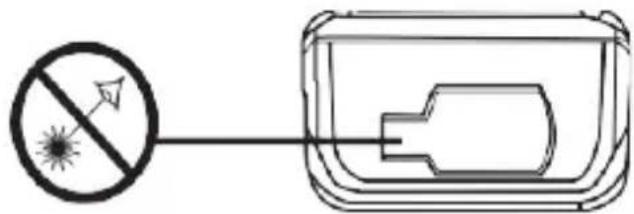
A visible laser from the front of the instrument. This product belongs to secondary laser products, according to the following criteria:
1 ec60825-1:2014 "laser radiation safety products" secondary laser products:
Don't look straight into the laser beam, in the case of unnecessary don't aim for others. Eyes instinctively turn by visual or blink action to protect the eyes.
Warning:
Look straight into the laser beam through the optical lens (such as: the eyepiece, telescope, etc.) will do harm to the eyes. prevention measures: Don't look straight into the laser beam through lenses.
Caution:
With your eyes looking straight into the laser beam will do harm to the eyes. Preventive measures:
Don't look straight into a laser beam. Pay attention to make the laser beam on the eyes or below the shot. (especially in the instrument fixed under the condition of mechanical equipment quality).
3. General Guidelines
Refer to the Velleman® Service and Quality Warranty on the last pages of this manual.
- Familiarise yourself with the functions of the device before actually using it.
• All modifications of the device are forbidden. - Only use the device for its intended purpose. Using the device in an unauthorised way will void the warranty.
4. Overview
Refer to the illustrations on page 2 of this manual.
1
Measurement unit / Measure top or bottom
4
Delete measurement data / Power off
V. 01 - 23/01/2024
5
©Velleman Group nv
DEM702
| 2 | Measuring button |
| 3 | Measurement mode |
| 5 | Addition/Subtraction |
5. Battery
The Install/replace the battery
- Open the fixed damper at the end of the instrument.
- Install the battery correctly according to the polarity.
-
Close cell lifted the lid. When the display screen shows a sign of battery, replace the battery in time.
-
Please use alkaline batteries.
- When the instrument is not used for a long time, please take out the battery, in order to avoid corrosion of the battery.

Warning: Do not puncture batteries or throw them in fire as they may explode. Do not attempt to recharge non-rechargeable batteries (alkaline). Dispose of batteries in accordance with local regulations. Keep batteries away from children.
6. Menu features
Set the distance measurement unit.

Per long time press this button can switch on the demand of ring unit, the selection of the following units, m (*), ft (ft), in s), ft + / in (ft - in - 1/16).
Buzzer

Long press this button, switch to activate the beep.
Continuous laser

Click this button ✪ to open this function, until (*) icon continues to display in the screen. Click ✪ button again to measure. Long press ✪ button, shut down the instrument and continuous laser. In continuous laser mode, the instrument will automatically shut down the laser after 30 seconds.
7. Operation
Startup and shutdown
DEM702

Press the key twice to initiate the instrument until the screen illuminates.
A long press this button to turn off the instrument, in the absence of any operating conditions, instrument automatically shut down after 3 minutes.
Delete data

Click this button the last measured data will be deleted. In instrument measurement records, each set of measurements can be deleted step by step when click this button.
Setting the measurement reference edge
The default reference edge setting of the instrument is the trailing edge. When screen displays ☐con.
Press and set the measurement reference edge to leading edge. The screen will display ☐, press key again, return the setting of the trailing edge as the base edge.
Electronic level
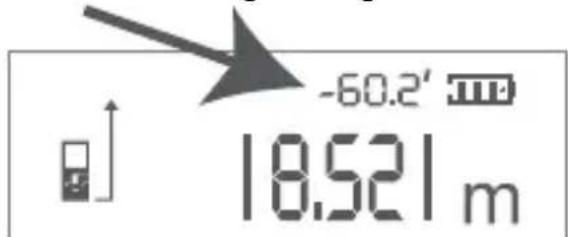
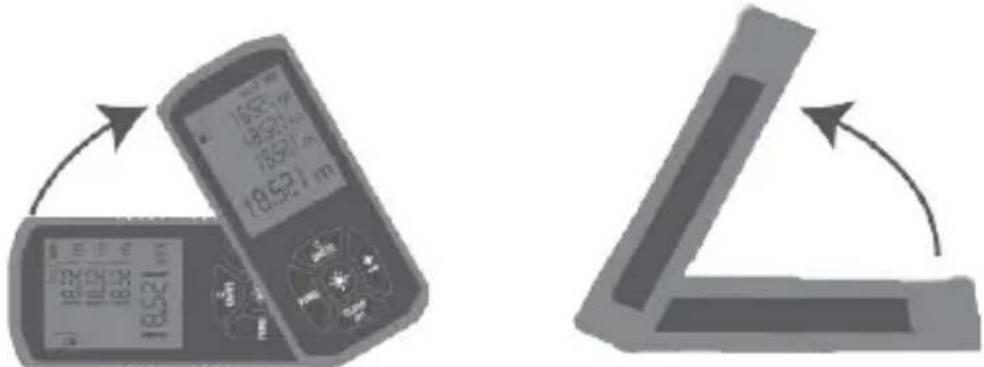
The product comes with electronic horizontal function, and the angle value of the instrument will change with the swing of the instrument in standby mode. The angle range is 0-360 degrees.
DEM702
8. Measurement
A single distance measurement
start laser. Press * button again, trigger measurements. Measurement results displayed immediately on the screen.
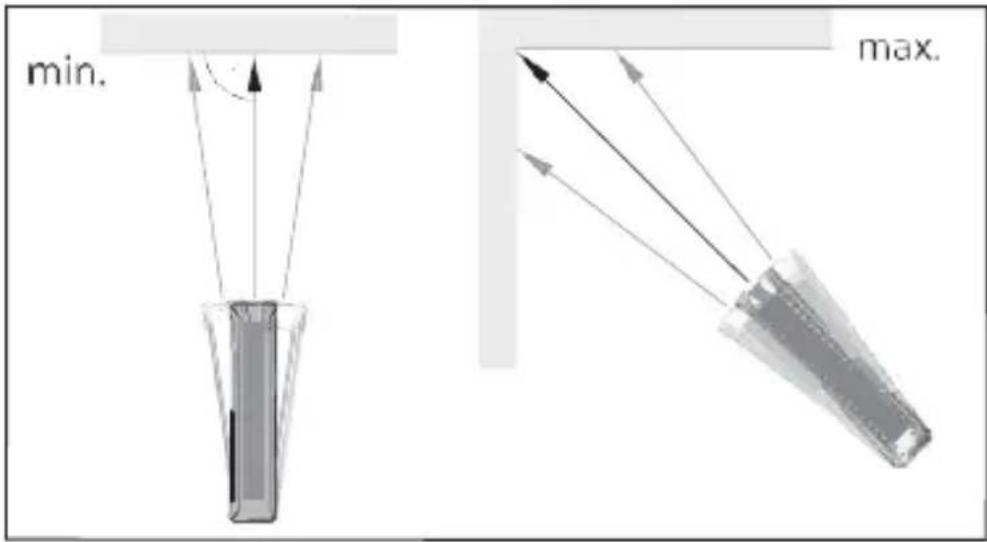
Maximum/minimum distance measurement
This feature enables users to set out from a measurement point, measure the maximum or minimum distance. Such as: Measure the spacing, diagonal distance measuring room (the maximum measured value) or horizontal distance (minimum measured value) or maximum differential value of the minimum value.
hold the button until you hear beep. By sweeping a laser large area around the measurement target (such as a corner).
* click this button, stop continuous measurement. The corresponding maximum or minimum measured values will be displayed on screen, and the last measured values as shown in the screen.
DEM702
9. Function
Addition/Subtraction Distance measurement
Short press the ± , the previous measurement plus the next measurement. Once again a short press, the previous measurement minus the next measurement.
The whole process is repeated as needed, and the measurement result will be displayed in the main display screen, while the previous measurement result will be displayed in the second line.

the last step will be restored. This function can also be applied to area volume.
Surface
Press the key once. Icon will be displayed on screen.

Click this button for the first length (Depth).

Click this button again for the second length (Width).
Measurement results will be displayed on the main screen.
Volume

Press the key twice in succession,

Icon will be displayed on screen.
DEM702

click this button for the first length measurement (Depth).

Click this button again for the second length (Width). Measurement
results will be displayed on the main screen.

click this button again for the third length measurement (Height). The
volume will be displayed on the main display.
Storage

Press the key five times in succession, enter the measurement record.
Press can inquire history.
Indirect measurement
This instrument can calculate distance automatically by using Pythagorean law. This feature is especially designed for measuring the place which is not easy to reach.
→ Please comply strictly with the following:
All measuring points must be within the same horizontal or vertical plane. In order to achieve the best effect of measurement, it is recommended that the instrument fixed in one spot, from the point of rotation measurement (such as: the instrument on a wall). Make sure that the first measurement and the two sides to be measured are vertical. Measure the Maximum/minimum distance as "Maximum/minimum distance measurement".
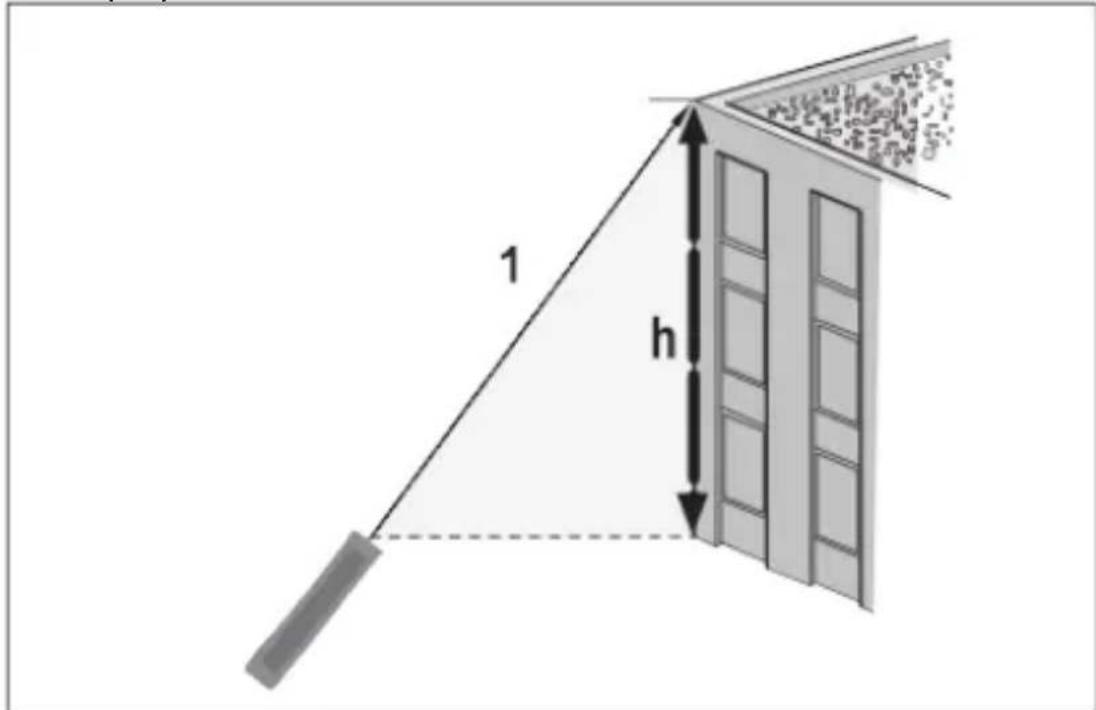
- Indirect measurement - by an auxiliary measure to
determine a distance such as: Measure the height of a building. It is recommended to use a tripod aided measurement.

Three consecutive press and then the icon is shown on the display. At this time the laser is on.

aim at the top of the spot (1) to measure, at the same time,
(1) and the vertical distance between the horizontal plane (h) will
DEM702
be displayed on the LCD screen.
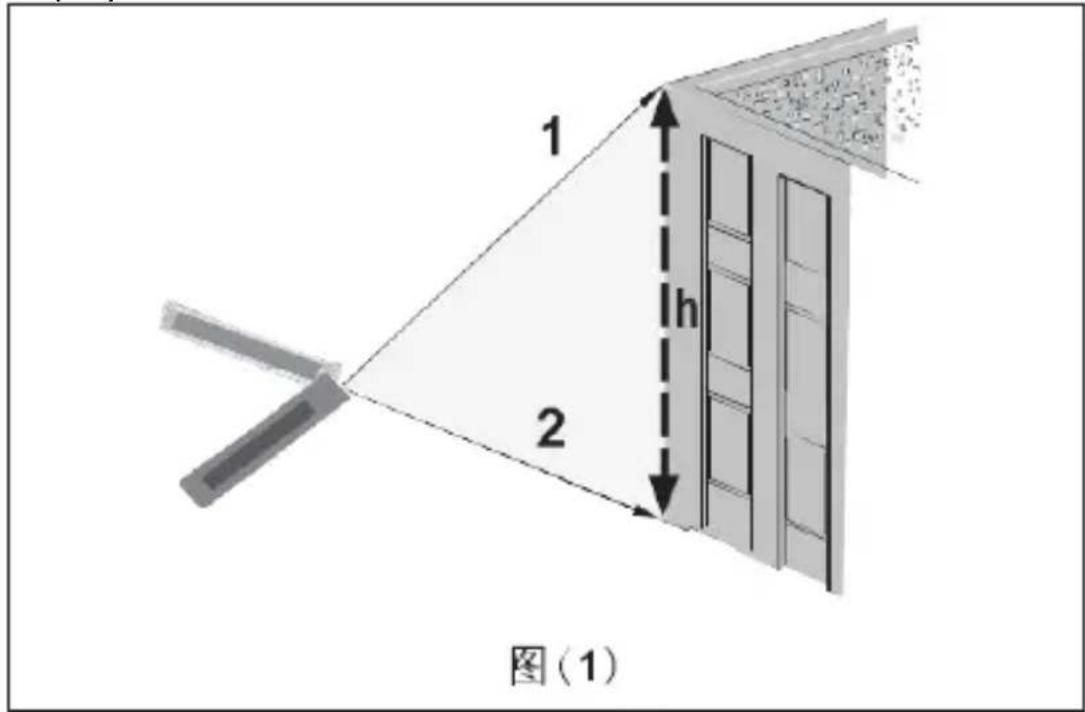
- Indirectly - through two auxiliary measurement to determine the distance.


Press your times, icon will be displayed on screen and the laser is on at the same time. If the horizontal distance is measured, it will be fixed together and the distance can be confirmed by pointing the light point to points (1) and point (2).

Press this button to the hypotenuse (1) to measure; Then the measurement data (1) will be displayed on the LCD screen.

Press this button again to the hypotenuse (2) to measure; At point the vertical distance (h) between (1) and (2) will be
displayed on the LCD screen.
10. User guidelines
Under favourable working environment, the measurement error is about ± 2mm. If the working environment is not ideal (strong sunlight, excessive temperature difference, or large surface reflection of the measured object), the maximum measurement error of the equipment will increase.
Measuring distance
The maximum measuring distance is 50 meters. In the evening, at dusk or in the shadow of the target, the range will be increased if the target is not suitable. Please use the target when the sunlight or target reflection is not good.
The surface of the measured object
When the measured object is a colourless liquid (such as: water), clean glass, such as the characteristics of surface has a transparent object, may occur error of measurement. When the measured object has a very strong reflective, laser can be reflected off, thus leads to errors of measurement. Measuring surface without reflection or very dark, can increase the measuring time.
11. Cleaning and Maintenance
- Wipe the device regularly with a moist, lint-free cloth. Do not use alcohol or solvents. DO NOT submerge the device in any liquid.
• Store the meter in a dry place away from humidity and vibrations. - Remove the battery when the meter is to be stored for long periods of time.
12. Information display
All the information icon, or "Error" is displayed. The information shown below can be corrected:
| Message | Cause | Solution |
| 203 | Low Battery | Replace batteries |
| 402 | Calculation error | Make measurements in correct succession |
| 301 | Temperature is too high | Cool down the product |
| 302 | Temperature is too low | Warm up the product |
| 101 | Reflected signal is too weak | Use reflecting plate |
| 102 | Reflected signal is too strong | Use reflecting plate |
| 201 | Ambient light is too strong | Make measurements in less illuminated zone |
| 401 | Hardware error | Switch on/off the instrument several times. If the symbol still appears, then your instrument may be defective. |
13. Technical Specifications
| Laser protection class | Class 2 |
| Measuring length range | 0.05-50 m |
| Automatic power-off function | OK |
| Measuring accuracy | ± 2 mm |
DEM702
| Display accuracy | 1 mm |
| Laser type | 620 ~ 690 nm <1 mW |
| Beam divergence: | |
| 10 meter distance | 9.8mm |
| 20 meter distance | 24mm |
| 30 meter distance | 38mm |
| 40 meter distance | 49mm |
| Pulse duration | 100ms |
| Area measurement | OK |
| Volume measurement | OK |
| Height measurement by triangulation (Pythagorean measurement) | OK |
| Addition measurement | OK |
| Substraction measurement | OK |
| Storage | OK |
| Tilt sensor | OK |
| Continuous measurement | OK |
| Minimum maximum measurement | OK |
| IP rating | IP54 |
| Operating temperature range | 0-40 °C |
| Usage location | Indoor & outdoor |
| Storage temperature | -20-70 °C |
| Number of batteries | 2 |
| Battery voltage rating | 3 V |
| Battery composition | Alkaline |
| Battery IEC size | AA (LR6, R6, FR6, HR6, KR6, ZR6,15A, 15D, 15LF, 1.2H2, 1.2K2, UM3, Pencil, MN1500, MX1500, MV1500) |
Use this device with original accessories only. Velleman Group nv cannot be held responsible in the event of damage or injury resulting from (incorrect) use of this device. For more info concerning this product and the latest version of this manual, please visit our website www.velleman.eu. The information in this manual is subject to change without prior notice.
DEM702
© COPYRIGHT NOTICE
The copyright to this manual is owned by Velleman Group nv. All worldwide rights reserved. No part of this manual may be copied, reproduced, translated or reduced to any electronic medium or otherwise without the prior written consent of the copyright holder.
GEBRUIKERSHANDLEIDING
1. Inleiding
8. Meting
natural_image
Simple line drawing of a trash bin with crossed lines indicating no waste or discharge (no text or symbols)8. Mesures
8. Medición
natural_image
Symbol of a trash bin with crossed lines indicating no waste or discharge (no text or labels)8. Messung
8. Medição
Velleman® Service and Quality Warranty
Since its foundation in 1972, Velleman® acquired extensive experience in the electronics world and currently distributes its products in over 85 countries.
All our products fulfil strict quality requirements and legal stipulations in the EU. In order to ensure the quality, our products regularly go through an extra quality check, both by an internal quality department and by specialized external organisations. If, all precautionary measures notwithstanding, problems should occur, please make appeal to our warranty (see guarantee conditions).
General Warranty Conditions Concerning Consumer Products (for EU):
- All consumer products are subject to a 24-month warranty on production flaws and defective material as from the original date of purchase.
- Velleman® can decide to replace an article with an equivalent article, or to refund the retail value totally or partially when the complaint is valid and a free repair or replacement of the article is impossible, or if the expenses are out of proportion.
You will be delivered a replacing article or a refund at the value of 100% of the purchase price in case of a flaw occurred in the first year after the date of purchase and delivery, or a replacing article at 50% of the purchase price or a refund at the value of 50% of the retail value in case of a flaw occurred in the second year after the date of purchase and delivery.
• Not covered by warranty:
- all direct or indirect damage caused after delivery to the article (e.g. by oxidation, shocks, falls, dust, dirt, humidity...), and by the article, as well as its contents (e.g. data loss), compensation for loss of profits;
- consumable goods, parts or accessories that are subject to an aging process during normal use, such as batteries (rechargeable, non-rechargeable, built-in or replaceable), lamps, rubber parts, drive belts... (unlimited list);
- flaws resulting from fire, water damage, lightning, accident, natural disaster, etc....;
- flaws caused deliberately, negligently or resulting from improper handling, negligent maintenance, abusive use or use contrary to the manufacturer's instructions;
- damage caused by a commercial, professional or collective use of the article (the warranty validity will be reduced to six (6) months when the article is used professionally);
- damage resulting from an inappropriate packing and shipping of the article;
- all damage caused by modification, repair or alteration performed by a third party without written permission by Velleman®.
- Articles to be repaired must be delivered to your Velleman® dealer, solidly packed (preferably in the original packaging), and be completed with the original receipt of purchase and a clear flaw description.
- Hint: In order to save on cost and time, please reread the manual and check if the flaw is caused by obvious causes prior to presenting the article for repair. Note that returning a non-defective article can also involve handling costs.
- Repairs occurring after warranty expiration are subject to shipping costs.
- The above conditions are without prejudice to all commercial warranties.
The above enumeration is subject to modification according to the article (see article's manual).
NL

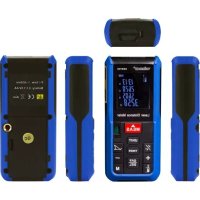
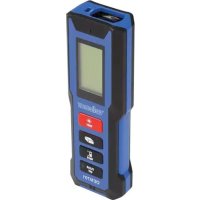
- DIGITAL LASER DISTANCE METER - 50 M
- USER MANUAL
- Introduction
- To all residents of the European Union
- Important environmental information about this product
- If in doubt, contact your local waste disposal authorities.
- Safety Instructions
- Scope of application
- Caution:
- DEM702
- Warning:
- Electromagnetic compatibility (EMC)
- General Guidelines
- Overview
- Battery
- Menu features
- Buzzer
- Continuous laser
- Operation
- Startup and shutdown
- Delete data
- Setting the measurement reference edge
- Electronic level
- Measurement
- A single distance measurement
- Maximum/minimum distance measurement
- Function
- Addition/Subtraction Distance measurement
- Surface
- Volume
- Storage
- Indirect measurement
- User guidelines
- Measuring distance
- The surface of the measured object
- Cleaning and Maintenance
- Information display
- Technical Specifications
- © COPYRIGHT NOTICE
- GEBRUIKERSHANDLEIDING
- Inleiding
- Meting
- Mesures
- Medición
- Messung
- Medição
- Velleman® Service and Quality Warranty
- General Warranty Conditions Concerning Consumer Products (for EU):
- • Not covered by warranty:
- The above enumeration is subject to modification according to the article (see article's manual).
- NL
Brand : VELLEMAN
Model : DEM702
Category : Rangefinder