ET20 - Video camera Klein Tools - Free user manual and instructions
Find the device manual for free ET20 Klein Tools in PDF.


User questions about ET20 Klein Tools
0 question about this device. Answer the ones you know or ask your own.
Ask a new question about this device
Download the instructions for your Video camera in PDF format for free! Find your manual ET20 - Klein Tools and take your electronic device back in hand. On this page are published all the documents necessary for the use of your device. ET20 by Klein Tools.
USER MANUAL ET20 Klein Tools
*App is optimized for:
- Apple® iOS version 6 or higher
- Android® versions 4.0 or higher

9m

3 m IP67/42\*
*Camera is rated IP67. Body is rated IP42.
ESPAÑOL pg. 17
FRANÇAIS pg. 33
KLEIN TOOLS


natural_image
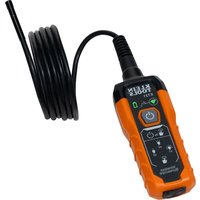
Exterior view of a Klein Tools ET20 wireless device with coiled cable and control buttons (no readable text beyond branding)ET20
FC CE
GENERAL SPECIFICATIONS
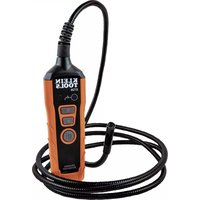
Klein Tools ET20 is a WiFi-connected borescope with a 0.35" (9mm) camera and a 6' (1.8 m) armored gooseneck. The video output is displayed on Android® and Apple® iOS powered phones by a WiFi signal transmitted from the Borescope. The camera output can only be displayed on an Apple® iOS and/or Android® device using the Klein Tools Borescope App, available at Kleintools.com, Google Play® and the App Store®.
- Operating Altitude: 6562 ft. (2000 m)
- Relative Humidity: <85% non-condensing
- Operating/Charging Temperature: 15°F to 140°F (-9°C to 60°C)
• Storage Temperature: 32^ F to 113^ F ( 0^ C to 45^ C) - Dimensions: 7.31" x 2.3" x 1.5" (185 x 58 x 38 mm)
• Weight: 20 oz. (567 g)
• Camera Output: 640 x 480 pixels
• Camera Frames per Second: 25
• Camera Gooseneck Length: 6 ft. (1.8 m) - Battery: Li-Ion, 3.6V / 2200mAh (internal)
- Battery Life: Approx. 6 hours without lights, 5.5 Hours at maximum LED light output
- Charging Requirements: 5V DC (maximum), 0.4A (minimum)
- Conformance/Compliance: CE, FCC Class B, IC, & BC
- Pollution degree: 2
- Ingress Protection: Body: IP42 dust & water resistant Camera: IP67 dustproof & waterproof
- Drop Protection: 9.8 ft. (3 m)
Specifications subject to change.
KEEP THESE INSTRUCTIONS FOR FUTURE REFERENCE
⚠️ WARNINGS
To ensure safe operation and service of the instrument, follow these instructions. Failure to observe these warnings can result in serious personal injury, fire, or electrical shock.
- The borescope, including the camera end, is NOT insulated. Avoid probing areas where energized conductive elements may be present. Shut off power to nearby work areas before starting work.
- Do NOT probe moving machinery that could catch the borescope and/or camera end, and cause harm to the operator and the Borescope.
- NEVER completely immerse the camera in water or liquids. Do NOT use the borescope for underwater inspections.
- Avoid probing areas where chemicals may be present.
- NOT intended for use on people or animals.
- Do NOT use near sources of heat.
- Keep steady footing at all times, following ladder safety procedures when necessary.
NOTE
- Do NOT use if the charging port or housing is damaged in any way.
- No user-serviceable parts inside. Do NOT open or attempt to repair.
- Do NOT expose to direct sunlight, open flame, heat sources, equipment that produces heat, or extremes of environmental temperature
- The borescope body is NOT waterproof. To keep dust and other foreign items out of the unit, keep the rubber cover over the charging port when not in use
COMPLIANCE
FCC & IC COMPLIANCE
This device complies with part 15 of the FCC RULES and Industry Canada license-exempt RSS standard(s). Operation is subject to the following two conditions: (1) this device may not cause harmful interference, and (2) this device must accept any interference received, including interference that may cause undesired operation.
NOTE: The grantee is not responsible for any changes or modifications not expressly approved by the party responsible for compliance. Such modifications could void the user's authority to operate the equipment.
This equipment has been tested and found to comply with the limits for a Class B digital device, pursuant to part 15 of the FCC Rules. These limits are designed to provide reasonable protection against harmful interference in a residential installation. This equipment generates, uses and can radiate radio frequency energy and, if not installed and used in accordance with the instructions, may cause harmful interference to radio communications. However, there is no guarantee that interference will not occur in a particular installation. If this equipment does cause harmful interference to radio or television reception, which can be determined by turning the equipment off and on, the user is encouraged to try to correct the interference by one or more of the following measures:
- Reorient or relocate the receiving antenna.
- Increase the separation between the equipment and receiver.
- Connect the equipment into an outlet on a circuit different from that to which the receiver is connected.
- Consult the dealer or an experienced radio/TV technician for help
FCC & IC RF EXPOSURE STATEMENTS:
This transmitter must not be co-located or operated in conjunction with any other antenna or transmitter.
This equipment complies with FCC RF radiation exposure limits set forth for an uncontrolled environment. This equipment should be installed and operated with a minimum distance of 5mm between the radiator and your body or nearby persons.
Under Industry Canada regulations, this radio transmitter may only operate using an antenna of a type and maximum (or lesser) gain approved for the transmitter by Industry Canada. To reduce potential radio interference to other users, the antenna type and its gain should be so chosen that the equivalent isotropically radiated power (e.i.r.p.) is not more than that necessary for successful communication.
COMPLIANCE
FCC RF EXPOSURE INFORMATION (SAR)
This device meets the government's requirements for exposure to radio waves. This device is designed and manufactured not to exceed the emission limits for exposure to radio frequency (RF) energy set by the Federal Communications Commission of the U.S. Government.
The exposure standard for wireless devices employs a unit of measurement known as the Specific Absorption Rate, or SAR. The SAR limit set by the FCC is 1.6 W/kg. Tests for SAR are conducted using standard operating positions accepted by the FCC with the device transmitting at its highest certified power level in all tested frequency bands. Although the SAR is determined at the highest certified power level, the actual SAR level of the device while operating can be well below the maximum value. This is because the device is designed to operate at multiple power levels so as to use only the poser required to reach the network.
In general, the closer you are to a wireless base station antenna, the lower the power output. While there may be differences between the SAR levels of various devices and at various positions, they all meet the government requirement.
IC NOTICE TO CANADIAN USERS
This device complies with industry Canada license-exempt RSS standard(s). Operation is subject to the following two conditions: (1) This device may not cause harmful interference, and (2) This device must accept any interference received, including interference that may cause undesired operation of the device.
This device complies with RSS-247 of Industry Canada. Operation is subject to the condition that this device does not cause harmful interference. This Class B digital apparatus complies with Canadian ICES-003.
This equipment complies with IC radiation exposure limits set forth for an uncontrolled environment. This equipment should be installed and operated with minimum distance of 5 mm between the radiator and your body. This transmitter must not be co-located or operating in conjunction with any other antenna or transmitter.
IC RADIATION EXPOSURE STATEMENT:
This equipment complies with IC radiation exposure limits set forth for an uncontrolled environment. This equipment should be installed and operated with minimum distance 5mm between the radiator and your body.
EXPOSURE OF HUMANS TO RF FIELDS (RSS-102):
The radiated energy from the antennas connected to the wireless adapters conforms to the IC limit of the RF exposure requirement regarding IC RSS-102, Issue 5 clause 4. SAR tests are conducted using recommended operating positions accepted by the RSS with the device transmitting at its highest certified power level in all tested frequency band without distance attaching away from the body.
FEATURE DETAILS
FRONT
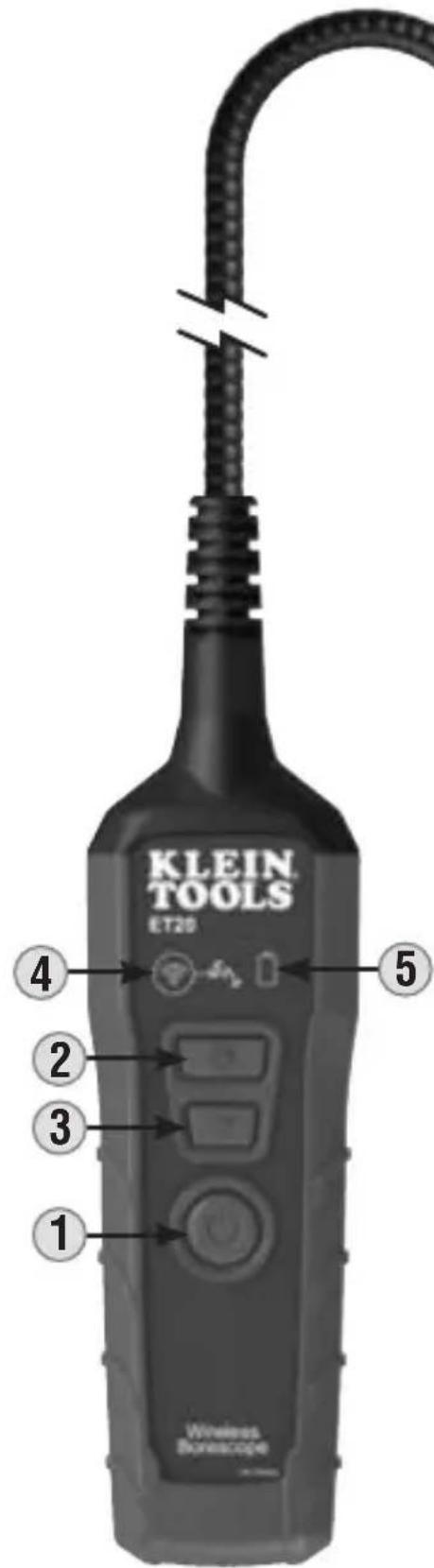
text_image
KLEIN TOOLS ET20 Wireless BorikscopeNOTE: There are no user-serviceable parts inside.
- Power Button
- Increase Camera LED Output Button
- Decrease Camera LED Output Button
- WiFi Indicator
- Battery Status Indicator
- Micro USB Charging Port
- Charging Port Cover
- Pocket Clip
- 6' (1.8m) Gooseneck
- Camera
- Camera LED
- Hook Attachment
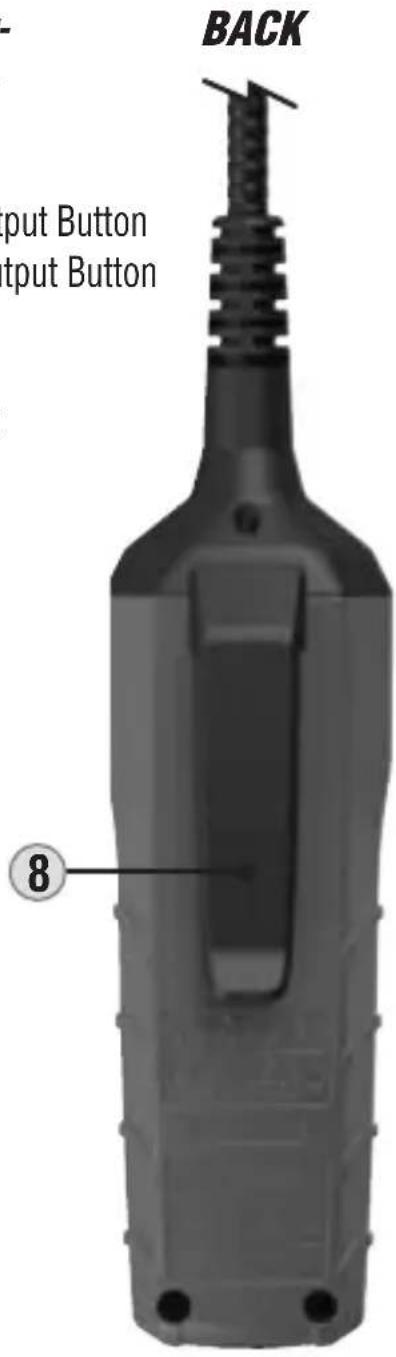
text_image
BACK Input Button Input Button ⑧BOTTOM
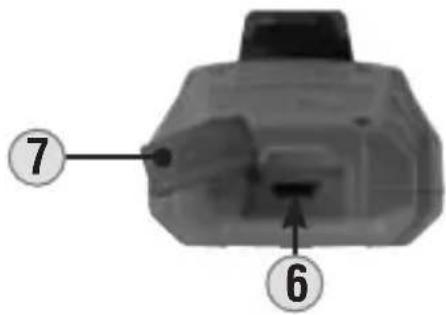
text_image
7 6SYMBOLS ON BACK OF INSTRUMENT
| Warning or Caution | Wear approved eye protection | NOT insulated - Will NOT protect against electric shock | |||
| Read Instructions | Do not probe moving machinery | Conformité Européenne: Conforms with European Economic Area directives | |||
| DC voltage/ current | WEEE – Battery disposal | Conforms with BCS regulations of California Energy Commission |
INDICATORS
WiFi INDICATOR 4
When turning on the borescope, the WiFi Indicator will illuminate solid green for a few seconds, then begin to slowly blink when transmitting a WiFi signal. Other behaviors detailed below:
| INDICATOR COLOR STATUS INDICATED | |
| Solid green Unit is connected to a phone and is active | |
| Slow-blinking green | The device is actively transmitting a WiFi signal, labeled as “KT Borescope” |
| Quick-blinking green | The phone initially connected to the borescope is no longer connected, normally the result of the phone entering Power-Save mode |
BATTERY INDICATOR 5
During initial power-up of the borescope, the battery light will blink green 3 times. Other behaviors detailed below:
| INDICATOR COLOR STATUS INDICATED | |
| Solid green Battery has more than 20% charge remaining | |
| Solid red Battery has 20% charge remaining | |
| Slow-blinking green Battery is charging, currently at or below 20% charge level | |
| Slow-blinking red Battery is charging, currently at more than 20% charge level |
OPERATING INSTRUCTIONS
CHARGING THE BORESCOPE BATTERY
NOTE: Fully charge borescope before use. First-time charge should be at least 7 hours.
Connect micro-USB cable (included) to USB charging port 6, plug the other end into a computer, USB AC adapter, or other USB power supply (not included). When charging, the Battery indicator 5 will slow-flash either red or green, depending upon charge level (see INDICATORS section). Normal charging time is 5 to 6 hours.
NOTE: Only use USB adapters/power supplies that meet specified charging requirements (see GENERAL SPECIFICATIONS section).
DOWNLOADING THE APP
The ET20 app is required for functionality. The app is available for free from Google Play or the App Store. Find more information at Klein Tools website KleinTools.com.
www.kleintools.com
CONNECTING YOUR PHONE TO THE BORESCOPE VIA WiFi
- Press the Power button ① for approximately 3 seconds to power-on the borescope. The WiFi indicator ④ and Battery indicator ⑤ will flash on. The WiFi light will flash slowly when the borescope is actively transmitting a WiFi signal. Wait for this to occur before trying to connect the phone to the borescope.
- On your phone, turn on the wireless networks, and enter the menu that displays available networks (menu location will vary based on phone being used).
- Once the WiFi indicator begins to flash slowly, select "KT Borescope" from the phone menu. If unavailable, wait 10 seconds to ensure the borescope is fully powered on.
- Select the Klein Tools Borescope app on the phone.
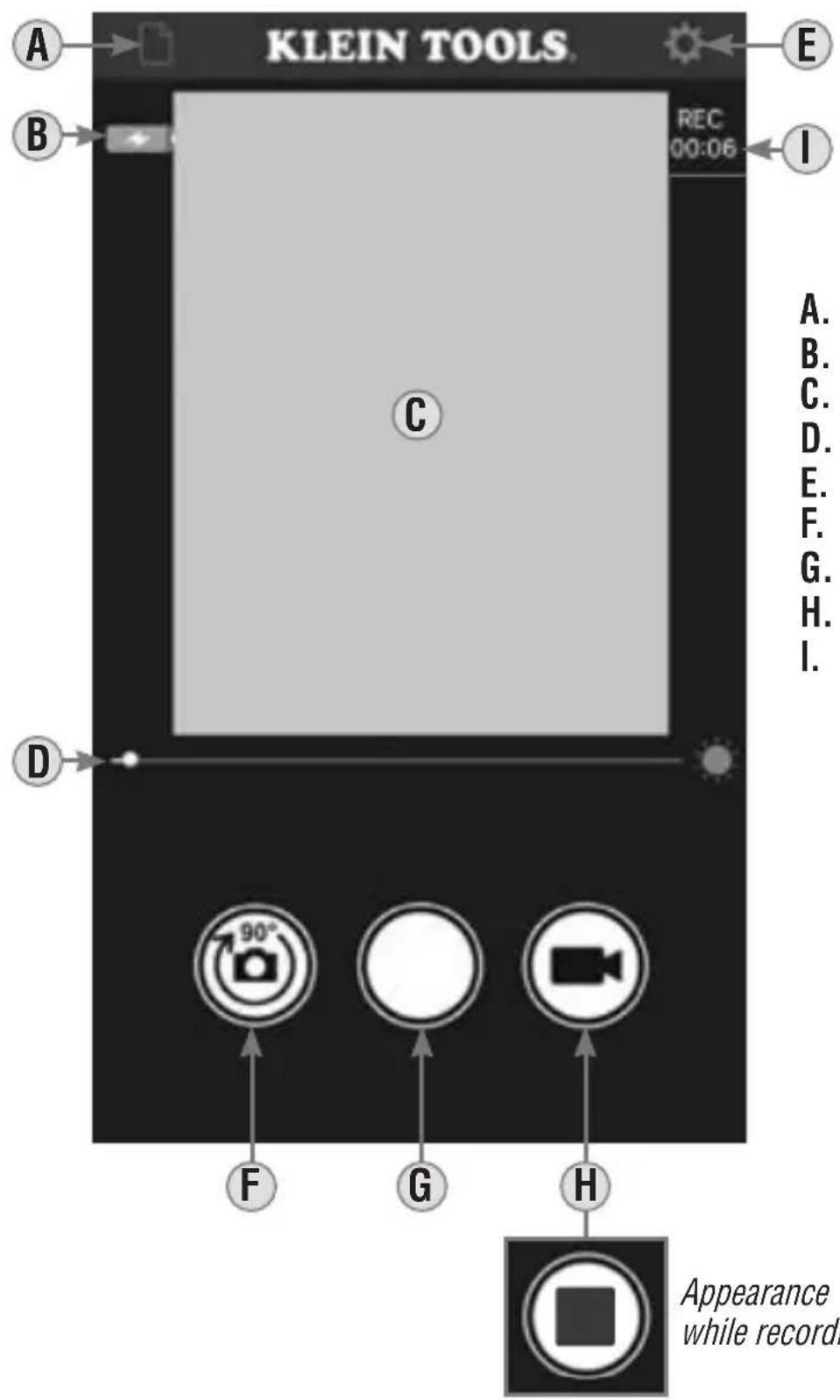
The app will open in Display mode with the camera displaying an image (see APP BUTTON/ICON DETAILS section).
NOTE: Phone must be disconnected from the borescope's WiFi signal if an internet connection is required on the phone.
OPERATING INSTRUCTIONS
DISPLAY MODE BUTTON/ICON DETAILS
text_image
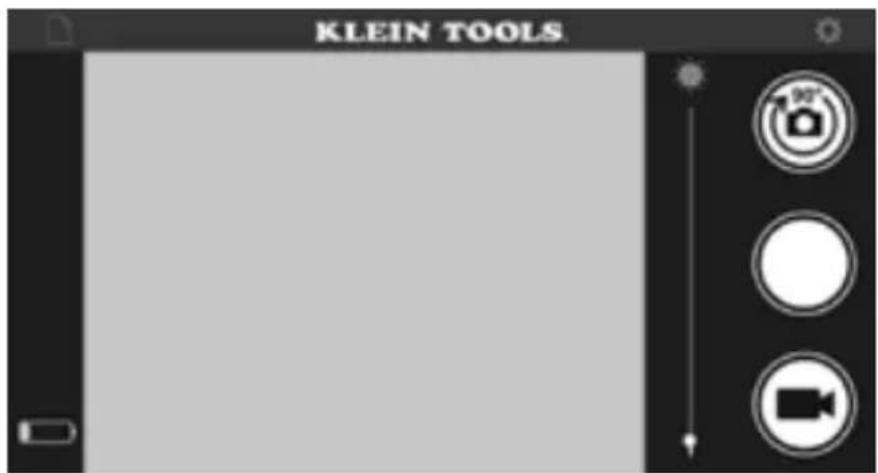
KLEIN TOOLS REC 00:06 A B C D E I A. B. C. D. E. F. G. H. I. Appearance while record.A. Photo/Video screen icon
B. Borescope battery status
C. Camera image
D. Camera LED brightness slider
E. Settings icon
F. Rotate Image button
G. Photo button
H. Video start/stop button
I. Elapsed Time (Video)
OPERATING INSTRUCTIONS
P. Copy or send selected file (additional options on Android)
Q. Delete selected file
R. Exit Edit Mode (when in Edit Mode only)
S. File Selected Indicator
T. Review Mode: File name
Manage Mode: Files selected
OPERATING INSTRUCTIONS
APP SCREEN ORIENTATION
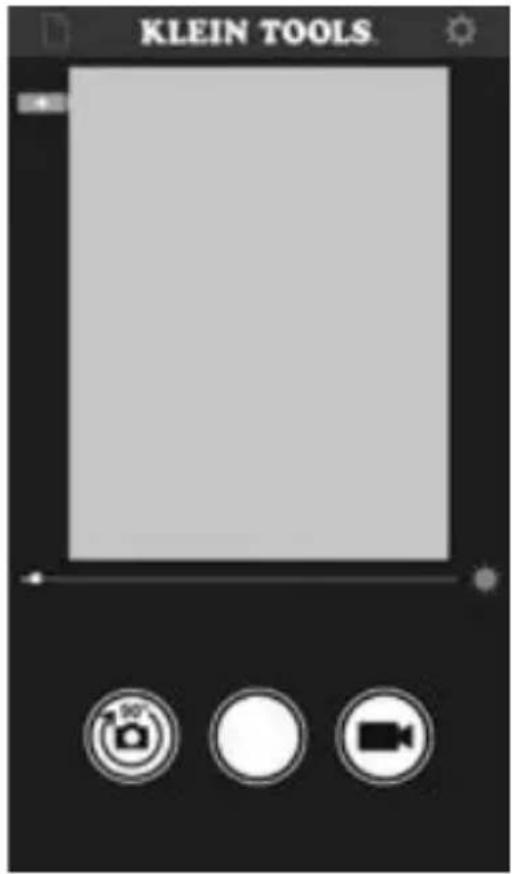
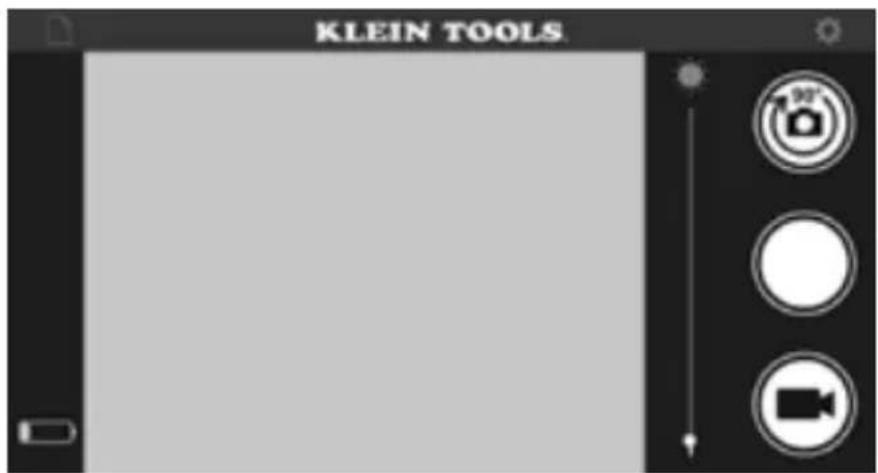
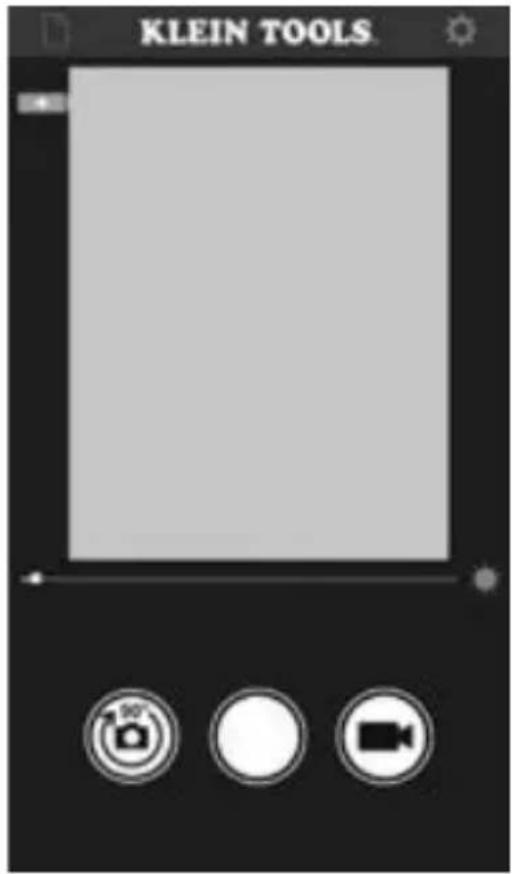
The app will display in Portriat or Landscape view, depending on the rotation of the phone. To change the orientation of the app screen, simply rotate the phone 90 degrees.
Portrait View
text_image
KLEIN TOOLS.Landscape View

text_image
KLEIN TOOLSOPERATING INSTRUCTIONS
ROTATING THE CAMERA IMAGE ON THE APP SCREEN
Sometimes it may be necessary to rotate the camera image relative to the app screen. Each tap of the Rotate Image button F will rotate the image clockwise in 90° increments. This does not affect the rotation of the entire app screen, just the camera image.
TAKING PHOTOS
While in Display mode, aim the camera 10 at the subject to be photographed and tap the Photo button G to take a photo.
CAPTURING VIDEO
While in Display mode, aim the camera 10 at the subject to be recorded and tap the Video Start/Stop button H. While recording video, the elapsed time will be shown I, and the the Video Start/Stop button will turn red and display the square Stop symbol. To end the recording, tap the Video Start/Stop button again. The Video Start/Stop button will return to its normal appearance.
VIEWING AND MANAGING PHOTOS AND VIDEO FILES
To access photo and/or video files, tap the Settings icon E, then select the Video L or Photo M menu.
Tap on a file 0 to view.
To manage files, tap the Select Items icon K to select file(s). Once selected, files can be copied, sent externally P or deleted Q.
NOTE: WiFi to the borescope must be disconnected in the phone's Settings menu in order to send files.
To exit File Management mode, tap the Exit File Management mode icon Ⓡ.
CLEANING
Be sure unit is turned off and wipe with a clean, dry lint-free cloth. Do not use abrasive cleaners or solvents.
STORAGE
Remove the batteries when the unit is not in use for a prolonged period of time. Do not expose to high temperatures or humidity. After a period of storage in extreme conditions exceeding the limits mentioned in the General Specifications section, allow the unit to return to normal operating conditions before using.
WARRANTY
Do not place equipment and its accessories in the trash. Items must be properly disposed of in accordance with local regulations. Please see www.epa.gov or www.erecycle.org for additional information.
Google Play ^® and Android ^® are registered trademarks of Google LLC. Apple ^® and App Store ^® are registered trademarks of Apple Inc.
CUSTOMER SERVICE
KLEIN TOOLS, INC.
450 Bond Street Lincolnshire, IL 60069
1-877-775-5346
customerservice@kleintools.com
www.kleintools.com
NOTES
NOTES
CUSTOMER SERVICE
KLEIN TOOLS, INC.
450 Bond Street Lincolnshire, IL 60069
1-877-775-5346
customerservice@kleintools.com
www.kleintools.com
ESPAÑOL
ET20
natural_image
Exterior view of a Klein Tools ET20 wireless home diagnostic device (no text or symbols on the device body)
KLEIN TOOLS

text_image
KLEIN TOOLS ET25 1 2 3 4 5 Wireless Borimcopetext_image
KLEIN TOOLSVista horizontal
text_image
KLEIN TOOLSnatural_image
Exterior view of a Klein Tools ET20 wireless oscilloscope device (no text or symbols on the device body)ET20
FC
CE
CARACTÉRISTIQUES GÉNÉRALES
Orientation portrait
text_image
KLEIN TOOLSOrientation paysage