TI223 - Measuring equipment Klein Tools - Free user manual and instructions
Find the device manual for free TI223 Klein Tools in PDF.


User questions about TI223 Klein Tools
0 question about this device. Answer the ones you know or ask your own.
Ask a new question about this device
Download the instructions for your Measuring equipment in PDF format for free! Find your manual TI223 - Klein Tools and take your electronic device back in hand. On this page are published all the documents necessary for the use of your device. TI223 by Klein Tools.
USER MANUAL TI223 Klein Tools
natural_image
Icon depicting a document with a target symbol and wireless signal, labeled 'KLEIN' below (no readable text or symbols beyond the icon itself)
text_image
GET IT ON Google Play Download on the App StoreESPAÑOL pg. 13
FRANÇAIS p. 25
KLEIN TOOLS®
natural_image
3D rendered image of a gray electronic device with a black handle and circular button (no visible text or symbols)CE
GENERAL SPECIFICATIONS
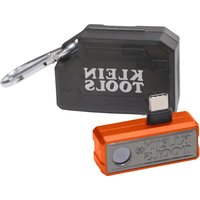
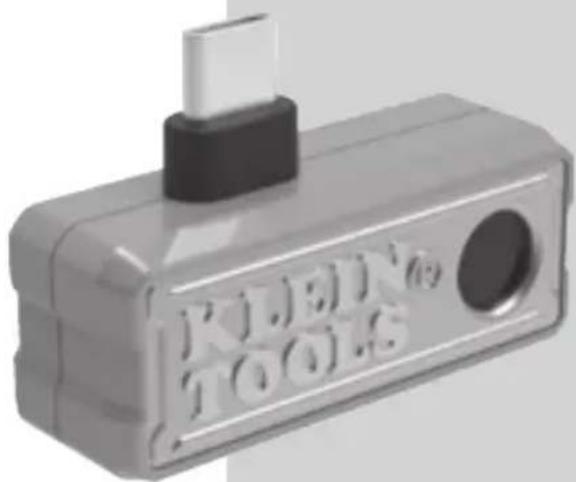
The Klein Tools TI223 Mobile Thermal Imager allows easy capture, storage, and sharing of images and video, including time-lapse video, for instant troubleshooting on your Android ^® or iOS device with USB-C connector. Excellent resolution of 19,200 pixels, with your choice of color palettes. The meter features differential temperature, touch-point temperature, and high and low temperature alarms. The camera output is displayed on the device using the Klein Tools Thermal Imager app, available for free from Google Play ^™ or the App Store ^® .
■ Environment: Indoor or outdoor
- Operating Altitude: 6562 ft. (2000 m)
- Relative Humidity: <95% non-condensing
- Operating Temp: 32° to 122°F (0° to 50°C)
- Storage Temp: 14° to 140°F (-10° to 60°C)
- Sensor Resolution: 19200 pixels
- Pixel size: 12μm
- Spectral Response:8 to 14μm
- Field of View (FOV): 56°
- Frame Rate: 9 Hz
- Sensitivity: <50 mK at 25°C
- Temperature Range: -4° to 752°F (-20° to 400°C)
- Temperature Resolution: 0.1°F, 0.1°C
- Temperature Accuracy: +/-3° or 3% (whichever is greater)
NOTE: Not calibrated below 14°F (-10°C)
- Temperature Display: Differential temperature, high, center, and low crosshairs, and user-selectable temperature
- Temperature Settings: °F / °C
- Emissivity: 0.01 to 0.99 adjustable (0.95 default)
- Color Palettes: Ironbow, Rainbow, Grayscale
- Mobile Device: Most Android ^ devices, iPhone ^ 15 or higher with USB-C connector
- Mobile App: Google Play™ and App Store® supported
- Image Format: JPG
■ Video Format: MP4
- Dimensions: 1.23" × 1.77" × 0.62" (31 × 45 × 16 mm)
- Weight: 0.88 oz. (25 grams)
- Pollution degree: 2
- Drop Protection: 6.5 ft. (2m)
Specifications subject to change.
Android ^® and Google Play ^™ are registered trademarks of Google LLC.
Use of the Made for Apple and Works with Apple badges means that an accessory has been designed to connect specifically to the Apple product(s) identified in the Made for Apple badge and to work specifically with the technology identified in the Works with Apple badge and has been certified by the developer to meet Apple performance standards. Apple is not responsible for the operation of this device or its compliance with safety and regulatory standards. Please note that the use of this accessory with an Apple product may affect wireless performance.
Compatible with: iPhone 16e, iPhone 16 Pro Max, iPhone 16 Pro, iPhone 16 Plus, iPhone 16, iPhone 15 Pro Max, iPhone 15 Pro, iPhone 15 Plus, iPhone 15.
App Store, iPhone, and Lightning are registered trademarks of Apple Inc., registered in the U.S. and other countries. IOS is a trademark or registered trademark of Cisco in the U.S. and other countries and is used by Apple, Inc. under license.
⚠️ WARNINGS
To ensure safe operation and service, follow these instructions.
- Read the instructions to ensure safe operation.
■ Always wear approved eye protection. - Do not use if the housing is damaged in any way.
- DO NOT use if the USB-C connector/adapter is damaged in any way.
- There are no user-serviceable parts inside. DO NOT open or attempt to repair.
NOTE: Do not point the camera at the sun or any other strong energy source. This can affect the accuracy of the camera or cause damage to the sensor.
CAUTION
- Burn Hazard. Reflective materials may have a higher actual temperature than the measured temperature. Set emissivity to match the object being measured (see Emissivity section).
SYMBOLS ON TESTER

Warning or Caution
Read Instructions
European Economic Area directives
UKCA - United Kingdom Conformity Assessment
Do not place equipment and its accessories in the trash
FEATURE DETAILS
FIG. A
1Camera
2USB-C Connector
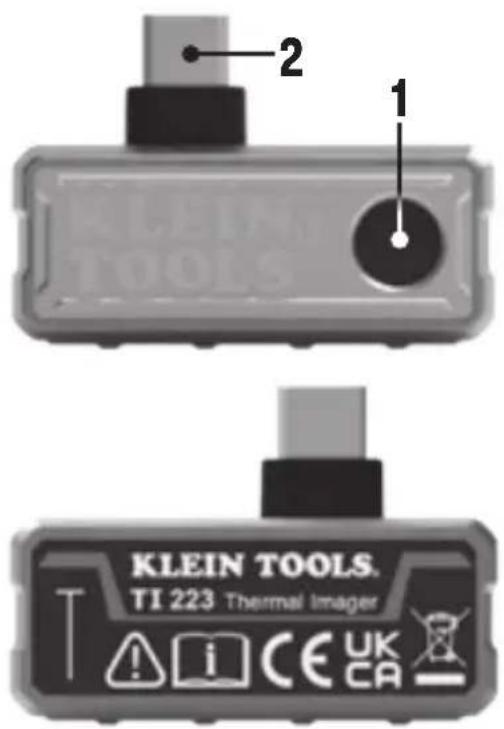
text_image
2 1 KLEIN TOOLS. TI 223 Thermal Imager T i CE UK CADISPLAY DETAILS
FIG. B
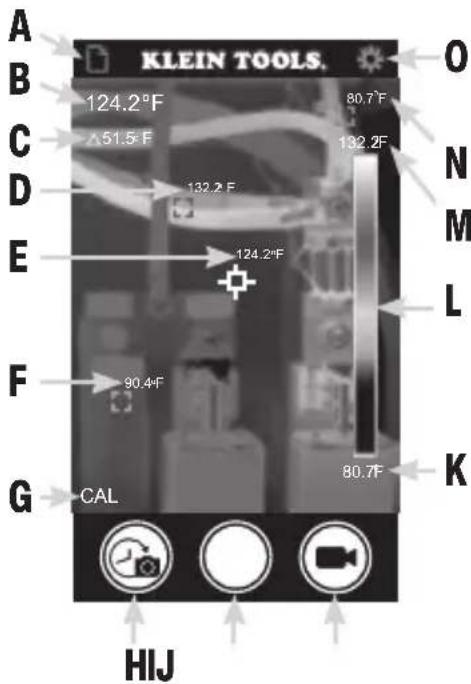
LIVE MODE SCREEN
text_image
A KLEIN TOOLS. B 124.2°F 80.7°F C Δ51.5°F D 132.2°F E 124.2°F F 90.4°F G CAL 80.7°F O N M L K HIJA Photo/Video Gallery
B Center Point Temperature
C Differential Temperature
D Red Marker (High Temperature)
E White Marker (Center Point Temperature)
F Gray Marker
(User-Selectable Temperature)
G Calibrating Icon
H Time-Lapse Video Capture Button
| Photo Capture Button
J Video Capture Button
L Lowest Temperature
M Live Temperature Color Palette
N Highest Temperature
0 Green Marker (Low Temperature)
P Settings
FIG. C
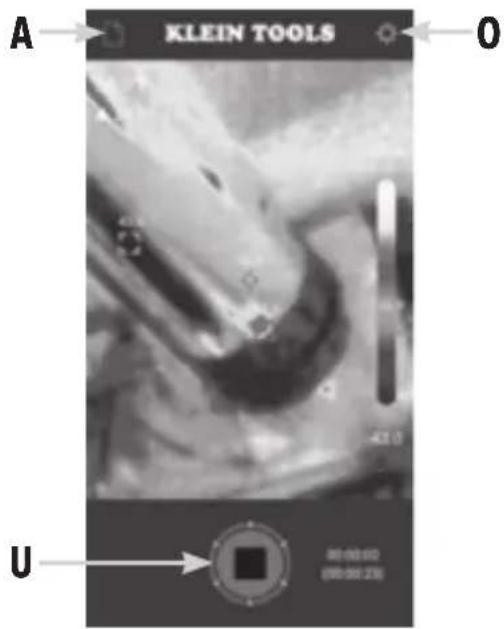
TIME-LAPSE MODE SCREEN
text_image
KLEIN TOOLS A O U 00:00:00 (00:00:25)A Photo/Video Gallery
0 Settings
U Stop Button
DISPLAY DETAILS
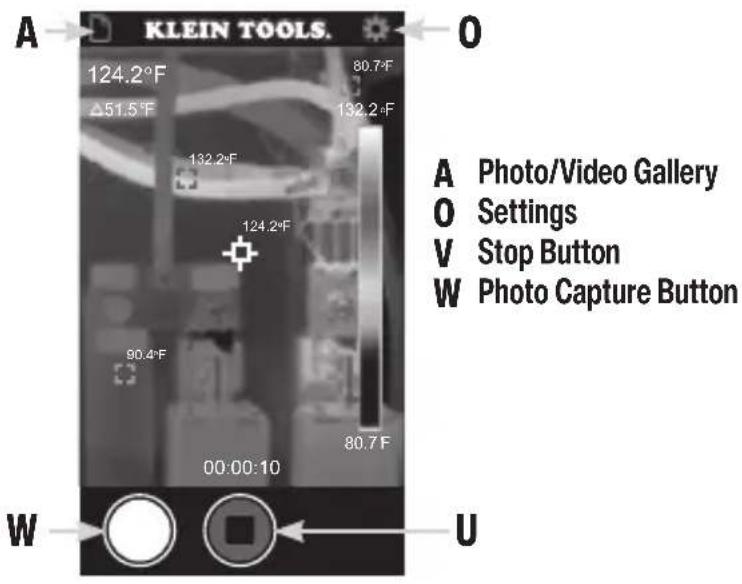
FIG. D
VIDEO MODE SCREEN
text_image
A KLEIN TOOLS. 124.2°F 80.7°F Δ51.5°F 132.2°F 132.2°F 124.2°F 90.4°F 80.7°F 00:00:10 W U A Photo/Video Gallery O Settings V Stop Button W Photo Capture ButtonFIG. E
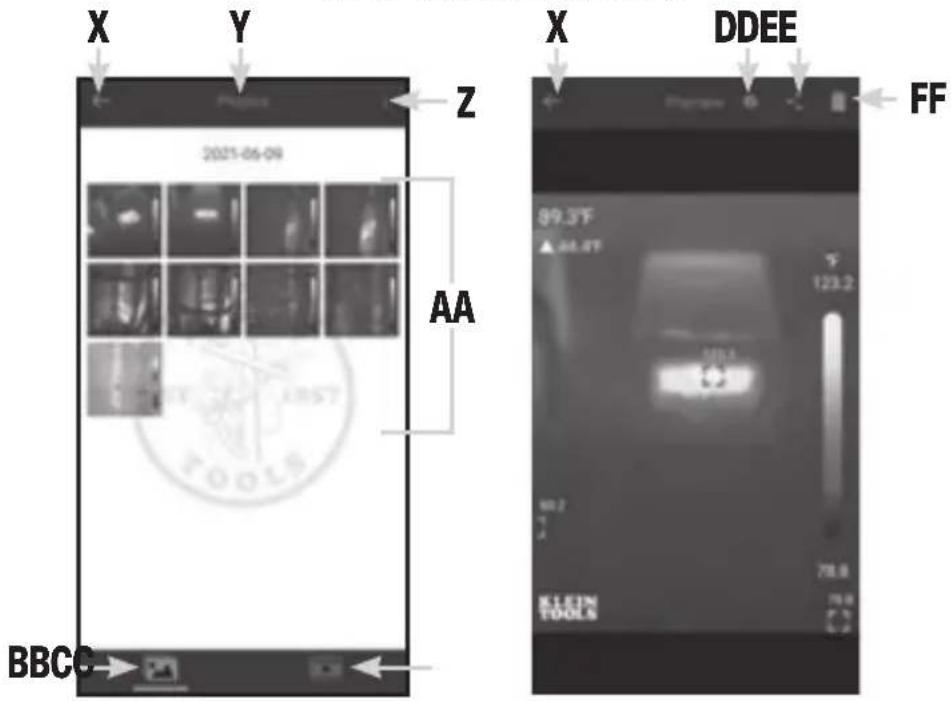
GALLERY MODE SCREENS
text_image
X Y Z 2021-06-08 AA BBCG X DDEE FF 99.3°F ▲ 44.4°F 123.2 50.7 78.8 KLEEM TOOLSX Previous Screen Icon
Y Active Menu (Photo or Video Gallery)
Z More Selection Options
AA Files
BB Photo Gallery
CC Video Gallery
DD File Information
EE Copy/Share Selected File(s)
FF Delete Selected File(s)
DISPLAY DETAILS
FIG. F
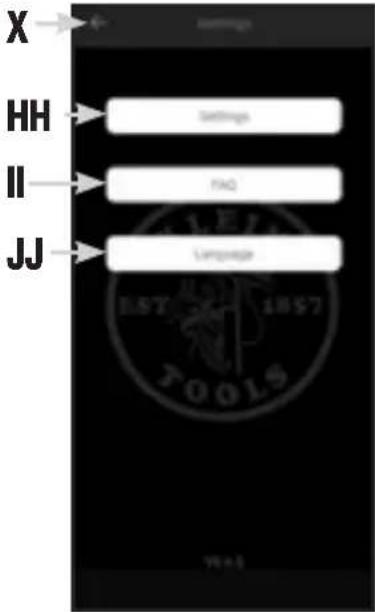
SETTINGS SCREEN
text_image
X HH II JJ Settings FAQ Language 1057 1057 TOOLSX Previous Screen Icon
HH Camera Settings Button
II Frequently Asked Questions Button
JJ Language Button
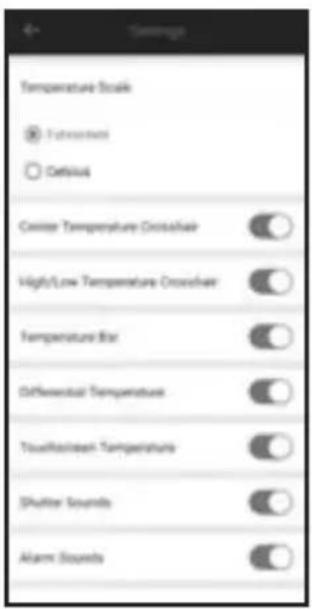
CAMERA SETTINGS SCREENS (HH)
text_image
Settings Temperature Scale ● Futurebox ○ Default Crossover Temperature Crosshairs High/Low Temperature Crosshairs Temperature Bar Differential Temperature Touchscreen Temperature Shutter Sounds Alarm Sounds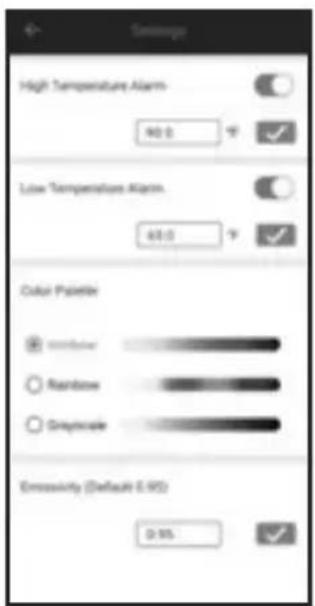
text_image
High Temperature Alarm 90.0 ° Low Temperature Alarm 60.0 ° Color Palette Window Rainbow Greycale Emissivity (Default 0.95) 0.95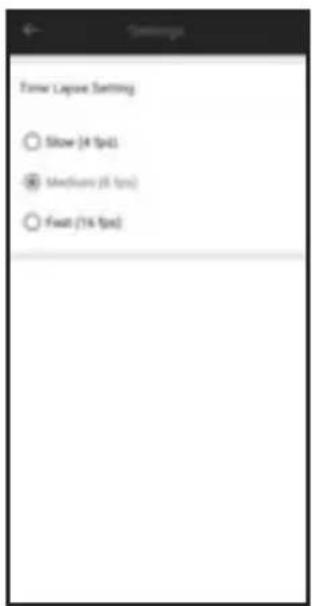
text_image
Form Capture Setting Show (4 fps) Medium (8 fps) Float (16 fps)OPERATING INSTRUCTIONS
DOWNLOADING THE APP
The Klein Tools Thermal Imager app is required for functionality. The app is available for free from Google Play™ and the App Store®, or by scanning the QR code below.
CONNECTING YOUR DEVICE
- Turn on your device.
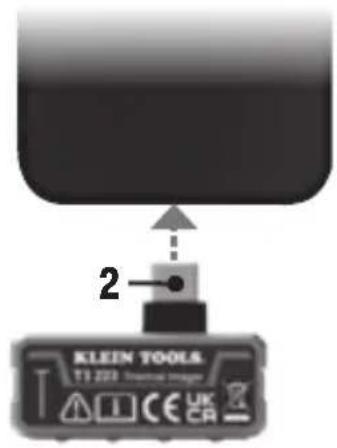
- Insert the USB-C connector (2) directly into your device (FIG. G).
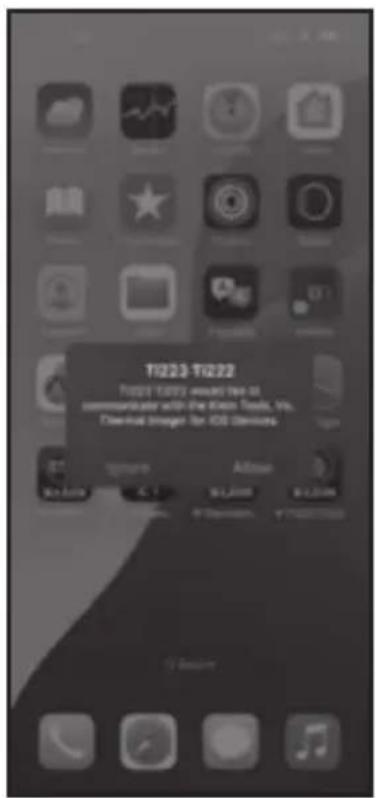
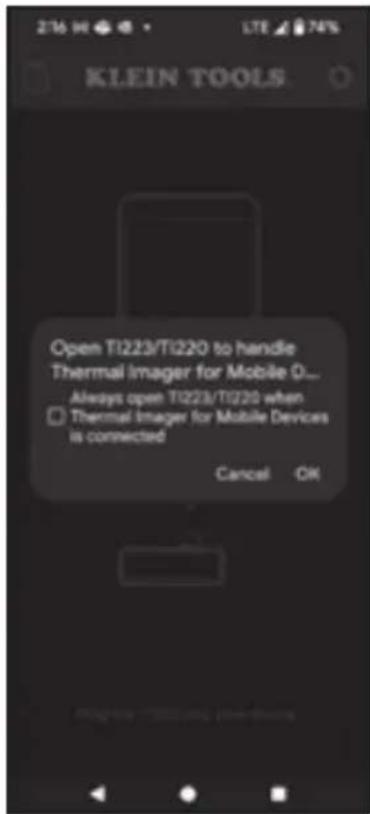
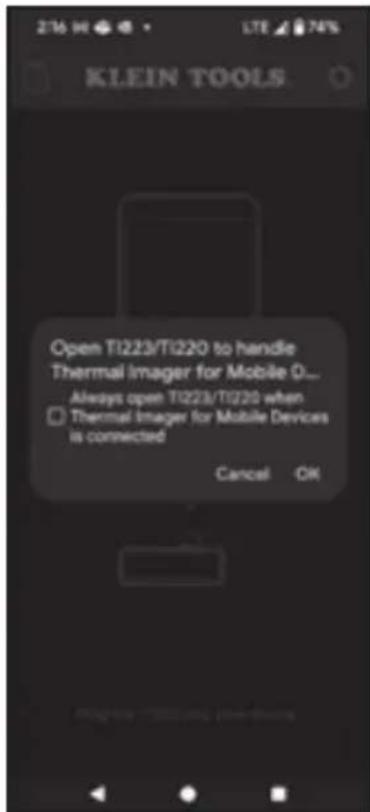
- Connecting your device will automatically open the app, and a popup will ask for confirmation. Tap "Allow" (iOS®) or "OK" (Android®) (FIG. H).
FIG. G
text_image
2 KLEIN TOOLS T1 223 Electrical Imager CE UK CR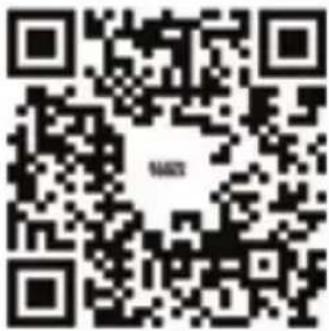
text_image
QR code image containing encoded data, no visible text or symbols beyond the matrix patternScan QR code for free download of the Klein Tools Mobile Thermal Imager app
FIG. H
text_image
T1223-T1222 Please notify you to the commupulator with the Kras Tools, Inc. Digital Image for iOS DevoursAndroid®iOS®
text_image
Open T1223/Ti220 to handle Thermal Imager for Mobile 0... Always open T1223/Ti220 when ☐ Thermal Imager for Mobile Devices is connected Cancel OKOPERATING INSTRUCTIONS
PHOTO CAPTURE
While in Live View mode (see FIG. B), aim the Camera (1) at the subject to be photographed and tap the Photo Capture button (I) to take a photo.
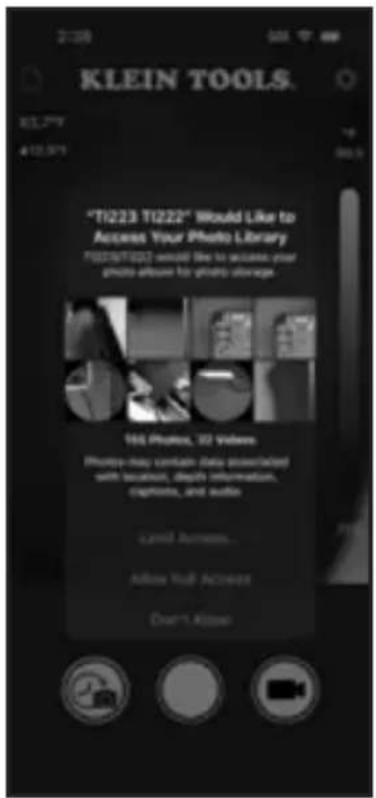
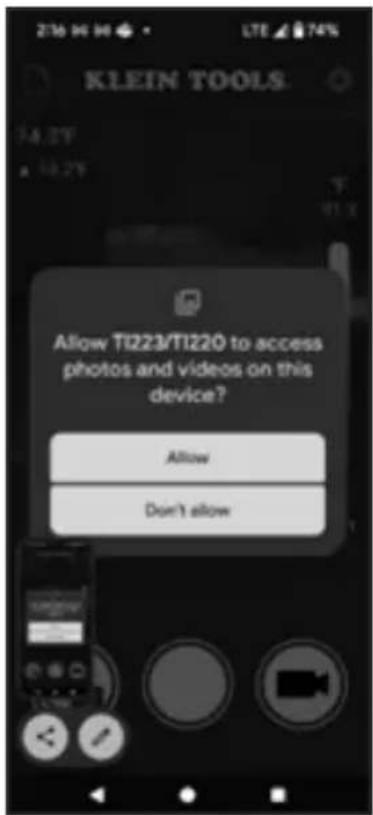
NOTE: When the first photo is captured, the app will ask permission to access your photos. Tap "Allow Full Access" (iOS®) or "Allow" (Android®) (FIG. 1).
TIME-LAPSE VIDEO CAPTURE (FIG. C)
- While in live view mode (see FIG. B), aim the Camera (1) at the subject to be recorded.
-
Tap the Time Lapse Video Button (H) to begin recording time-lapse video capture.
-
To stop recording and exit Time Lapse mode, tap the Stop Button (U).
FIG. I
Android®iOS®
text_image
"TI223 TI222" Would Like to Access Your Photo Library "FI223 TI222" would like to locate your photo album for photo storage. 165 Photos, 32 Videos Photos may contain data extracted with location, depth information, captions, and audio. Open Access... Allow Null Access Don't Allow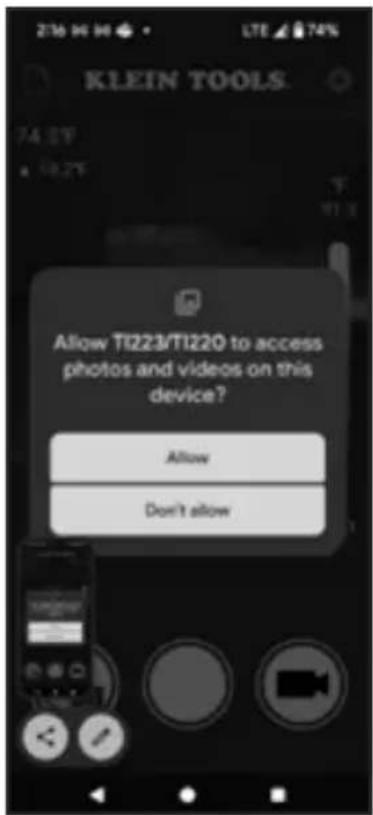
text_image
Allow TI223/TI220 to access photos and videos on this device? Allow Don't allowOPERATING INSTRUCTIONS
VIDEO CAPTURE (FIG. D)
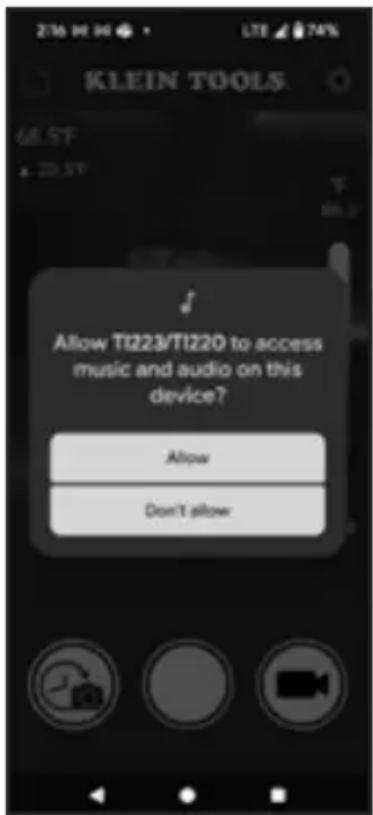
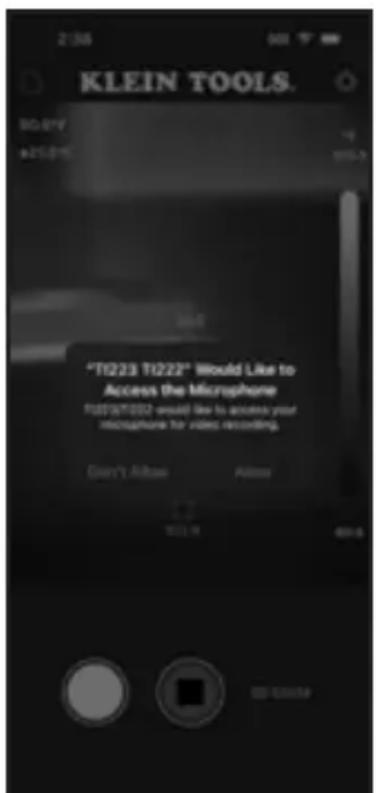
- While in Live View mode (see FIG. B), aim the Camera (1) at the subject to be recorded and tap the Video Capture button (J). NOTE: Before the first video is captured, the app will request permission to Access the microphone". Tap "Allow" (iOS® and Android®) (FIG. J).
- Tap the Photo Capture Button (W) while recording is active to capture still images of the subject.
- To stop recording and Exit Video Capture mode, tap the Stop button (V).
FIG. J
text_image
KLEIN TOOLS. T0.0*V A25.0*V T1223 T1222* Would Like to Access the Microphone T1223/T1222 would like to access your microphone for video recording. Don't Allow Allow 1:7 10:19 80:0 © 2019Android®iOS®
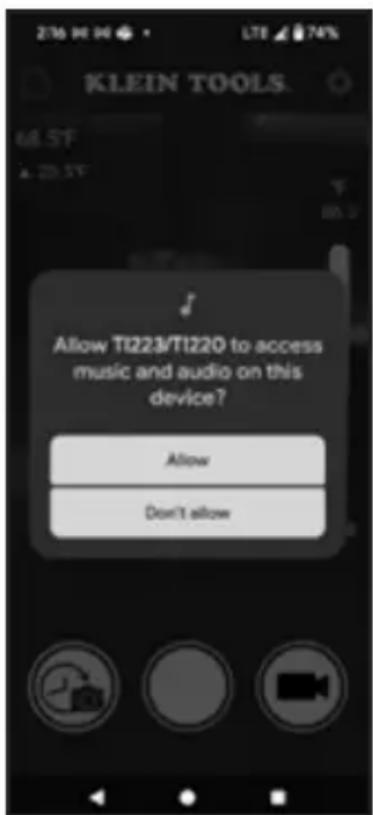
text_image
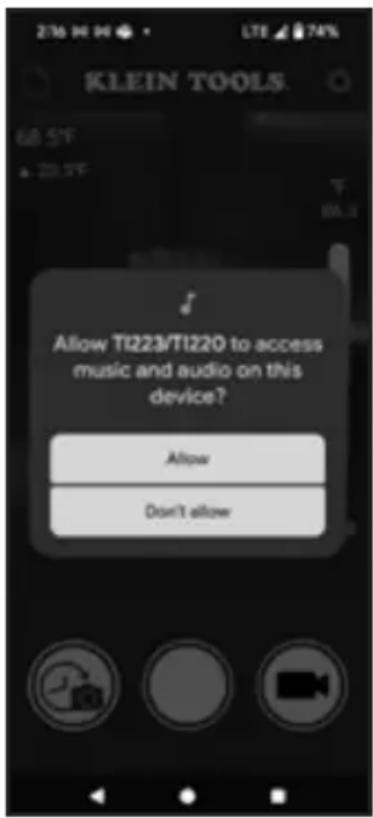
Allow TI223/TI220 to access music and audio on this device? Allow Don't allowVIEWING AND MANAGING PHOTOS AND VIDEO FILES
To access the photo and/or video galleries, tap the Photo/ Video Gallery icon (A), then select the Photo Gallery (BB) or Video Gallery (CC). To select multiple files or all files at once, tap the "More Selection Options" button (Z).
Tap on a file (AA) to view. Once a file is selected, you can tap the "File Information" icon (DD) to show additional information about the file, the "Share" icon (EE) to view your device's options for file sharing, or the "Delete" button (FF) to delete the file. Touch and hold a file (AA) to enable multiple selections. To exit the Photo/Video mode, tap the "Previous" icon (X) to return to Live View mode.
OPERATING INSTRUCTIONS
ADJUSTING SETTINGS (FIG. F)
While in Live View mode (see FIG. B), tap the Settings icon (O) and tap one of the buttons to view/adjust the following settings:
Camera Settings (HH):
- Temperature Scale: Select °F or °C (default is °F)
- High/Low Temperature Crosshair: On/Off (default is On)
- Center Temperature Crosshair: On/Off (default is On)
- Temperature Bar: On/Off (default is On)
- Differential Temperature: On/Off (default is On)
- Touchscreen Temperature: On/Off (default is On)
- Shutter Sounds: On/Off (default is On)
- Alarm Sounds: On/Off (default is On)
- High/Low Temperature Alarm: Select Temperature, On/Off, enter temperature from -4 to 752°F (-20 to 400°C)
- Color Palette: Select Ironbow, Rainbow, or Grayscale (default is Ironbow)
- Emissivity: Enter emissivity from 0.01 to 0.99 (default is 0.95)
- Time Lapse: Change capture interval by selecting either slow (4 fps), medium (8 fps), or fast (16 fps) (default is medium (8 fps)).
Frequently Asked Questions (FAQ)(II):
- Helpful tips for using the Thermal Imager
Language (JJ):
- Select English, Spanish, or French
EMISSIVITY
Emissivity is a measure of the ability of a surface to emit thermal energy by radiation. Different types of surfaces (metals, masonry, wood, etc.) emit thermal energy through radiation at different efficiencies. Accordingly, these materials have different emissivity coefficients which must be considered in order to make accurate measurements with an infrared thermometer.
Emissivity on the TI223 may be adjusted from 0.01 to 0.99 to enable accurate measurement of the temperature of most types of materials. Generally speaking, shiny bright surfaces such as chrome, white boards, etc. exhibit lower emissivity than flat black materials.
For guidance only, the chart on the next page may be used to estimate emissivity for many different types of materials. However, the emissivity of surfaces is dependent upon many parameters such as surface finish, temperature, shape of the object, etc.
OPERATING INSTRUCTIONS
This chart should be used for guidance only.
| Material Emissivity | |
| Asphalt 0.93 | |
| Red brick 0.93 | |
| Gray brick 0.75 | |
| Porcelain ceramic 0.92 | |
| Fired clay 0.91 | |
| Rough concrete 0.94 | |
| Cotton cloth 0.77 | |
| Smooth glass 0.92 - 0.94 | |
| Granite 0.45 | |
| Gravel 0.28 | |
| Smooth ice 0.97 | |
| Smooth white marble 0.56 | |
| Black paint | 0.96 |
| Hard rubber | 0.94 |
| Wood | 0.80 - 0.90 |
| Matte copper | 0.22 |
| Commercial sheet aluminum | 0.09 |
| Cold rolled steel 0.75 - 0.85 | |
Find a comprehensive list of emissivity values in the app's FAQ section or visit www.kleintools.com/emissivity.
CLEANING
Be sure unit is not connected to a device and wipe with a clean, dry lint-free cloth. Do not use abrasive cleaners or solvents.
STORAGE
Do not expose to high temperatures or humidity. After a period of storage in extreme conditions exceeding the limits mentioned in the General Specifications section, allow unit to return to normal operating conditions before using.
FCC & IC COMPLIANCE
See this product's page at www.kleintools.com for FCC compliance information
Canada ICES-003 (B) / NMB-003 (B)
WARRANTY
Do not place equipment and its accessories in the trash. Items must be properly disposed of in accordance with local regulations. Please see www.epa.gov/recyclefor additional information.
CUSTOMER SERVICE
KLEIN TOOLS, INC.
450 Bond Street
Lincolnshire, IL 60069
1-800-553-4676
customerservice@kleintools.com
www.kleintools.com
ESPAÑOL
natural_image
3D rendered image of a gray rectangular device with a black top and circular ports, no visible text or symbols.CE
text_image
X HH II JJ Settings FAQ Language TEST 1857 TOOLStext_image
Settings Temperature Scale ● Retruction ○ Cetralus Center Temperature Crosshale High/Low Temperature Crosshale Temperature Star Differential Temperature Touchscreen Temperature Shutter Sounds Alarm Sounds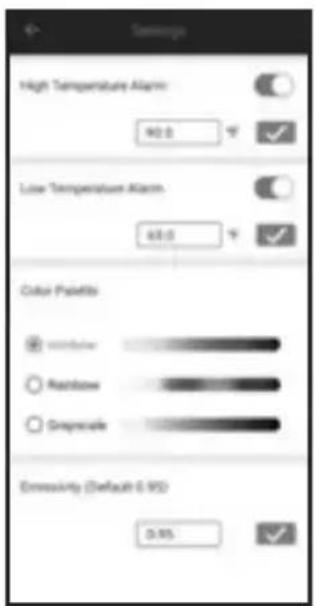
text_image
High Temperature Alarm 90.0 Low Temperature Alarm 60.0 Color Palettes Width/Inner Rainbow Smoothcale Emoximity (Default 6.95) 0.95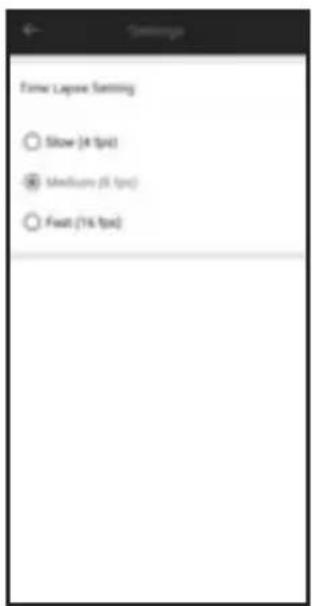
text_image
Show Lapese Setting Show (4 fps) Medium (5 fps) Feat (1% fps)text_image
"T1223 T1222" Would Like to Access Your Photo Library T1223/T1222 would like to access your photo allow to photo storage. 165 Photos, 32 Videos Photos may contain (data associated) with location, depth information, captions, and audio. Limit Access... Allow Your Access Don't AllowAndroid®iOS®
text_image
Allow TI223/TI220 to access photos and videos on this device? Allow Don't allowtext_image
KLEIN TOOLS. *T1223 T1222* Would Like to Access the Microphone T1223/T1222 would like to access your microphone for video recording. Don't Allow Allow 00:00 PMAndroid®iOS®
text_image
276 94 94 LTE 74% KLEIN TOOLS. Allow TI223/TI220 to access music and audio on this device? Allow Don't allowVER Y GESTIONAR ARCHIVOS DE FOTOS Y VIDEOS
natural_image
Exterior view of a gray electronic device with a black top and circular ports (no visible text or symbols)CE
CARACTÉRISTIQUES GÉNÉRALES
text_image
X HH II JJ Settings FAQ Languagetext_image
Settings Temperature Scale ● Outdoor ○ Cellular Center Temperature Crosshairs High/Low Temperature Crosshairs Temperature Bar Differential Temperature Touchscreen Temperature Shutter Sounds Alarm Sounds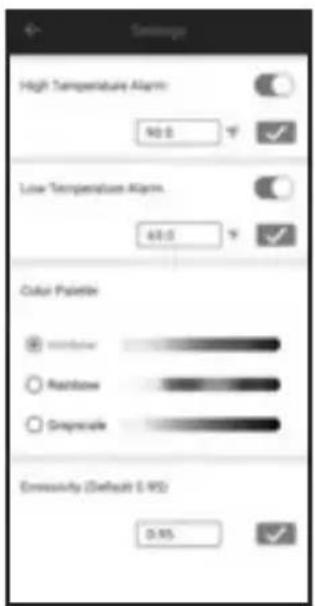
text_image
High Temperature Alarm: 90.0 Low Temperature Alarm: 60.0 Color Palette Window Rainbow Deepscale Emmissivity (Default: 0.95) 0.95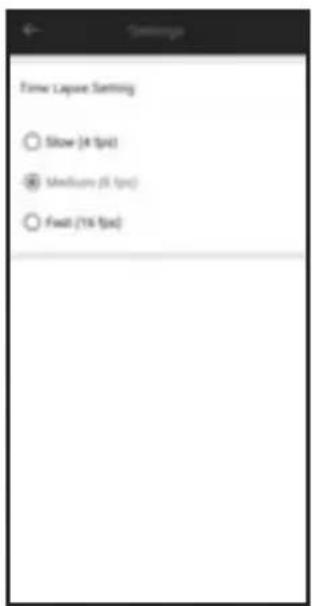
text_image
Time Layout Setting Show (4 fps) Medium (5 fps) Float (1% fps)INSTRUCTIONS D'UTILISATION
TÉLÉCHARGEMENT DE L'APPLICATION
text_image
QR code image containing encoded data, no visible text or symbols beyond the matrix patterntext_image
T1223-T1222 You are you would be to communicate with the Kios Toys, Inc. Digital Image for iOS DevicesAndroid®iOS®
text_image
KLEIN TOOLS Open TI223/Ti220 to handle Thermal Imager for Mobile D... Always open TI223/Ti220 when ☐ Thermal Imager for Mobile Devices is connected Cancel OKINSTRUCTIONS D'UTILISATION
PRISE DE PHOTOS
text_image
"TI223 TI222" Would Like to Access Your Photo Library TI223 TI222 would like to access your photo album for photo storage. 165 Photos, 32 Videos Photos have contain data associated with location, depth information, captions, and audio. Open Access... Allow Your Access... Don't Allow...Android®iOS®

text_image
Allow TI223/TI220 to access photos and videos on this device? Allow Don't allowINSTRUCTIONS D'UTILISATION
ENREGISTREMENT VIDÉO (FIG. D)
text_image
KLEIN TOOLS. 30.8/7 425.2% T1223 T1222* Would Like to Access the Microphone T1223/T1222 would like to access your microphone for video recording. Don't Allow Allow 100% 60%Android®iOS®