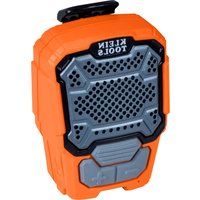
AEPWS1 - Speaker Klein Tools - Free user manual and instructions
Find the device manual for free AEPWS1 Klein Tools in PDF.


User questions about AEPWS1 Klein Tools
0 question about this device. Answer the ones you know or ask your own.
Ask a new question about this device
Download the instructions for your Speaker in PDF format for free! Find your manual AEPWS1 - Klein Tools and take your electronic device back in hand. On this page are published all the documents necessary for the use of your device. AEPWS1 by Klein Tools.
USER MANUAL AEPWS1 Klein Tools
text_image
KLEIN TOOLS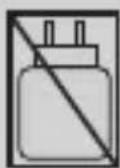
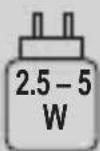
ENGLISH
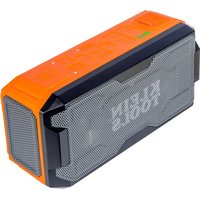
Klein Tools AEPWS1 is an ultra-lightweight, portable Bluetooth® speaker designed to deliver clear music and voice calls. The durable magnetic clip securely attaches to clothes while the magnet mounts to ferrous surfaces for hands-free use. With a full day of runtime, dust- & water-proof design, and drop rating, the AEPWS1 is ideal for the jobsite.
CONTENTS
- AEPWS1 Wearable Bluetooth ^® Speaker
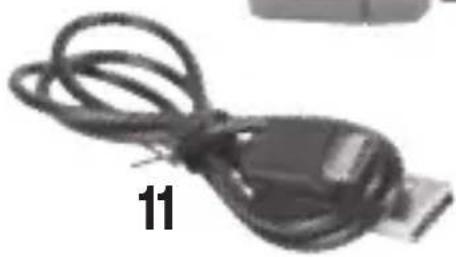
- USB-C charging cable
GENERAL SPECIFICATIONS
- Charging Temperature: 32° to 113°F (0° to 45°C)
- Operating Temperature: 14° to 140°F (-10° to 60°C)
- Storage Temperature: 23° to 113°F (-5° to 45°C)
■ Relative Humidity: <75% non-condensing - Battery Type: Li-Ion, 3.7V / 700mAh (2.59Wh)
- Battery Life: 12 hours (may vary based on device connected and volume level)
- Charging Requirements: 5V DC, 1.0A max
- Bluetooth ^ Version: 5.3
- Bluetooth ^ Connection Range: 32.8' (10 m)
■ Support Profiles: A2DP 1.3.2, HFP 1.8, AVRCP 1.6.2 - Dimensions: 2.69" × 1.89" × 1.30" (69 × 48 × 33 mm)
- Weight: 2.2 oz. (62.4 g)
- Drop Protection: 6.5' (2 m)
■ Ingress Protection: IP67
■ Certifications: CE, UKCA, FCC, IC, DOE/CEC, NRCAN
Specifications subject to change.
2
The Bluetooth® word mark and logos are registered trademarks owned by Bluetooth SIG, Inc. and any use of such marks by Klein Tools, Inc. is under license.

WARNINGS
Read, understand, and follow these instructions to ensure safe operation. Keep these instructions for future reference.
- Prolonged exposure to high volumes can cause hearing damage. It is the responsibility of the user to set the audio input level to the recommended volume. See table for noise exposure levels.
- DO NOT use this product in situations that require special attention: Using noise reduction equipment and listening to audio can reduce awareness of the surrounding environment.
| NOISE EXPOSURE VALUES | ||
| EXPOSURE TIME | EXPOSURE LEVEL PER NIOSH RECOMMENDED EXPOSURE LIMIT | EXPOSURE LEVEL PER OSHA PERMISSIBLE EXPOSURE LIMIT |
| 8 hours 85 | dBA 90 dBA | |
| 4 hours 88 | dBA 95 dBA | |
| 2 hours 91 | dBA 100 dBA | |
| 1 hour 94 | dBA 105 dBA | |
| 30 minutes | 97 dBA 110 dBA | |
| 15 minutes | 100 dBA 115 dBA | |
See www.cdc.gov/niosh/noisefor more details.
ENGLISH

WARNINGS
Read, understand, and follow these instructions to ensure safe operation. Failure to observe these warnings can result in risk of fire or electric shock. Keep these instructions for future reference.
- DO NOT use the product if it is damaged or modified. Damaged or modified batteries may exhibit unpredictable behavior resulting in fire, explosion or injury.
- Risk of fire and burns. DO NOT open, crush, heat above specified maximum temperature or incinerate. Prolonged exposure to direct sunlight can result in elevated temperatures.
- DO NOT immerse in water or other liquids. Properly seal the charging port cover to achieve specified water & foreign object ingress protection. Keep seal free of dirt, oil, sand, or other material that interferes with proper sealing. Failure to do so can result in risk of fire or electric shock.
- DO NOT open the charging port cover if wet or in a wet environment. Thoroughly dry the unit and the seal around water-resistant cover completely before opening water resistant cover.
- DO NOT subject to impacts or drops greater than 6.56' (2 m). Drops larger than this may not show signs of damage, but internal components may have been compromised. It is advisable to replace the unit if any such severe events occur.
- Subjecting battery to extremely low air pressure may result in an explosion or the leakage of flammable liquid or gas.
- DO NOT attempt to repair the product or charging cable. There are no user-serviceable parts.
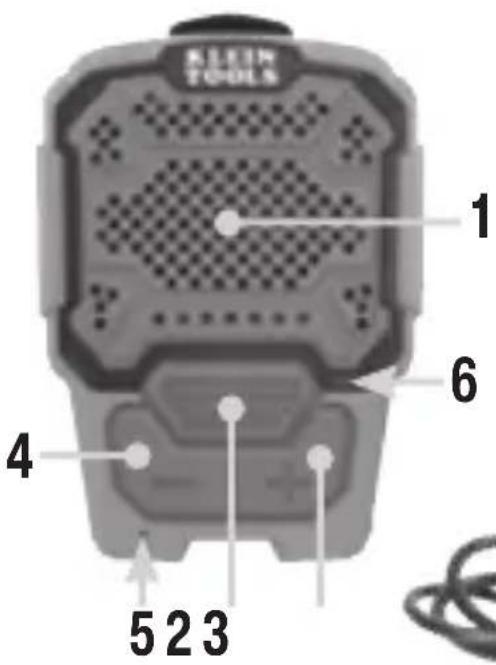
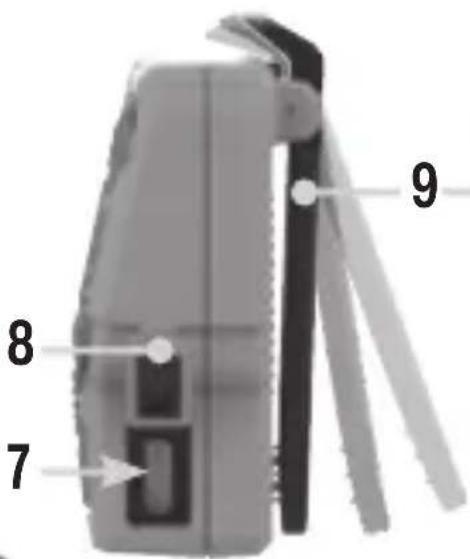
FEATURE DETAILS
1 Speaker
2 Multi-Function Button
3 Volume Up Button
4 Volume Down Button
5 Microphone
6 LED Status Indicator
text_image
KLEIN TOOLS 1 6 4 5 2 37 USB-C Charging Port
8 USB Port Cover
9 Magnetic Clip
10 Magnet
11 USB Charging Cable
text_image
7 8 9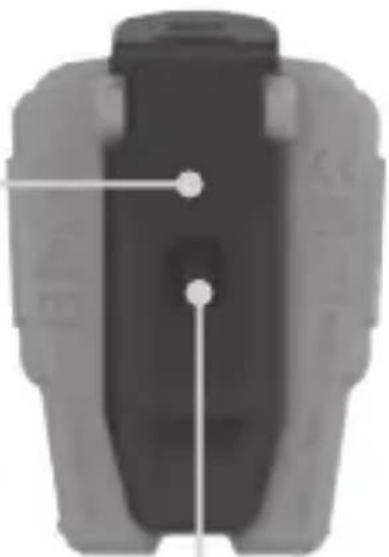
natural_image
Top-down view of a mechanical component with two marked points (no text or symbols visible)
natural_image
Close-up of a black USB cable with a black connector, labeled with number 11 (no text or symbols on the cable itself)10
ENGLISH
OPERATING INSTRUCTIONS
ATTACHMENT OPTIONS
The Magnetic Clip (9) attaches the AEPWS1 to a shirt pocket, lapel, belt, backpack strap, etc. The Magnet (10) securely mounts the AEPWS1 to ferrous surfaces.
CHARGING
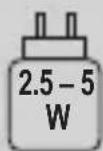
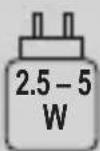
NOTE: Fully charge before use. First-time charge should be at least 2 hours. Using the included cable (11), connect the USB-C end to the Charging Port (7) and the USB-A end to a USB power supply (not included). Charge times will vary depending on input power rating. The LED Status Indicator (6) will indicate status:
| Not Illuminated | Blinking Red | Blinking Green | Solid Green | |
| 0% Charged 1 | % to 24% | Charged 25 | % to 99% | Charged 100% Charged |
NOTE: Speaker is operational while charging, but rate of charging may be limited based on charge current.
POWER ON/OFF
ON: Press and hold the Multi-Function Button (2) for 1.5 seconds, a voice prompt of "Power On" will be heard.
OFF: Press and hold the Multi-Function Button (2) for 3 seconds, a voice prompt of "Power Off" will be heard.
AUTO-POWER OFF: Unit will automatically power off if no Bluetooth® connection is established within 10 minutes, or after 6 minutes of inactivity.
OPERATING INSTRUCTIONS
BATTERY LEVEL STATUS
After powering on the speaker, a voice prompt of "Power On" will be heard, and the battery status voice prompt will follow:
“Battery High” “Battery Low” “Charge Needed”
25% to 100% Charged 10% to 24% Charged 1% to 9% Charged
BLUETOOTH® PAIRING
After indicating charge status, AEPWS1 will automatically enter pairing mode, and a voice prompt of “‘Pairing’” will be heard.
- Ensure Bluetooth ^® is enabled on your device
- Search/scan for "KLEIN Wearable Speaker" and click to pair. Upon successful pairing, a voice prompt of "Connected" will be heard.
NOTE: AEPWS1 automatically attempts to reconnect to the last paired/known device, but is ready to pair with any Bluetooth® compatible device if the last paired device is not detected within two minutes, or by pressing the Multi-Function Button (2) twice at any time.
NOTE: If no devices are located and no action is taken, the AEPWS1 will automatically exit pairing mode after 2 minutes.
NOTE: If pairing mode is exited, press the Multi-Function Button (2) twice to manually restart pairing mode.
ENGLISH
OPERATING INSTRUCTIONS
Disconnect Current Pairing: Turn AEPWS1 off, or turn off Bluetooth® connection on your device.
Pairing List Reset: Press and hold the Volume Up (3) and Volume Down (4) Buttons together for five seconds to clear the Bluetooth® Pairing List.
MUSIC CONTROLS
Play/Pause: Press the Multi-Function Button (2) once to either play or pause the audio.
Next Track: Press the Multi-Function Button (2) twice to skip forward a song.
Previous Track: Press the Multi-Function Button (2) three times to skip back a song.
Volume Up: Press the Volume Up Button (3) to incrementally increase the volume one level. Long-press the Volume Up Button (3) to rapidly increase the volume.
Volume Down: Press the Volume Down Button (4) to incrementally decrease the volume one level. Long-press the Volume Down Button (4) to rapidly decrease the volume.
OPERATING INSTRUCTIONS
PHONE CALLS
Answer Call: Press the Multi-Function Button (2) once.
End Call: Press the Multi-Function Button (2) once.
Reject Call: Press and hold the Multi-Function Button (2) for one second.
Hold Current Call and Answer Incoming Call: Press the Multi-Function Button (2) twice.
Switch Between Two Active Calls: Press the Multi-Function Button (2) twice.
End Current Call and Other Call on Hold: Press the Multi-Function Button (2) once to end the active call, then press again to end the call on hold.
ENGLISH
COMPLIANCE
FCC COMPLIANCE
This device complies with part 15 of the FCC Rules. Operation is subject to the following two conditions: (1) this device may not cause harmful interference, and (2) this device must accept any interference received, including interference that may cause undesired operation.
NOTE: The grantee is not responsible for any changes or modifications not expressly approved by the party responsible for compliance. Such modifications could void the user's authority to operate the equipment.
This equipment has been tested and found to comply with the limits for a Class B digital device, pursuant to part 15 of the FCC Rules. These limits are designed to provide reasonable protection against harmful interference in a residential installation. This equipment generates, uses and can radiate radio frequency energy and, if not installed and used in accordance with the instructions, may cause harmful interference to radio communications. However, there is no guarantee that interference will not occur in a particular installation.
If this equipment does cause harmful interference to radio or television reception, which can be determined by turning the equipment off and on, the user is encouraged to try to correct the interference by one or more of the following measures:
- Reorient or relocate the receiving antenna.
- Increase the separation between the equipment and receiver.
- Connect the equipment into an outlet on a circuit different from that to which the receiver is connected.
- Consult the dealer or an experienced radio/TV technician for help.
COMPLIANCE
FCC RF EXPOSURE STATEMENTS:
This transmitter must not be co-located or operated in conjunction with any other antenna or transmitter. This equipment complies with FCC RF radiation exposure limits set forth for an uncontrolled environment.
IC NOTICE TO CANADIAN USERS:
This device contains license-exempt transmitter(s)/receiver(s) that comply with Innovation, Science and Economic Development Canada's license-exempt RSS(s). Operation is subject to the following two conditions:
(1) This device may not cause interference.
(2) This device must accept any interference, including interference that may cause undesired operation of the device.
This device complies with RSS-247 of Industry Canada. Operation is subject to the condition that this device does not cause harmful interference. CAN ICES-003 (B) / NMB-003 (B).
SAR NOTICE:
This device meets the FCC and ISED radiation exposure requirements set forth for an uncontrolled environment. The requirements set a SAR limit of 1.6 W/kg averaged over one gram of tissue.
Hereby, Klein Tools declares that this product is in compliance with Directive 2014/53/EU and all other applicable EU requirements. The complete declaration of conformity can be found on this product's page at www.kleintools.com
ENGLISH
MAINTENANCE
CLEANING: Be sure speaker is turned off and wipe with a clean, dry lint-free cloth. Do not use abrasive cleaners or solvents.
STORAGE: If the speaker is to be left unused for an extended period of time, charge for approximately 2 hours before storing, and recharge periodically during storage to maintain battery's charging capacity. Store in dry and cool environment, away from direct sunlight and extreme caustic environments.
WARRANTY
Do not place equipment and its accessories in the trash. Items must be properly disposed of in accordance with local regulations. Please see www.epa.gov/recycle for additional information.
CUSTOMER SERVICE
KLEIN TOOLS, INC.
450 Bond Street Lincolnshire, IL 60069 1-800-553-4676
customerservice@kleintools.com www.kleintools.com
ESPAÑOL
AEPWS1
text_image
S KLEIN TOOLSKLEIN TOOLS®
ESPAÑOL
text_image
KEEN TOOLS 1 6 4 5 2 3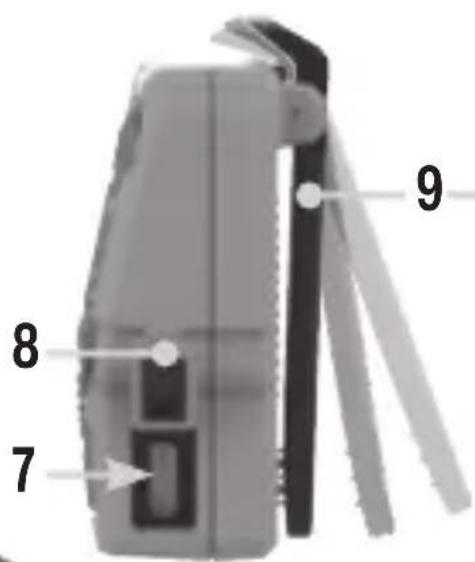
text_image
7 8 9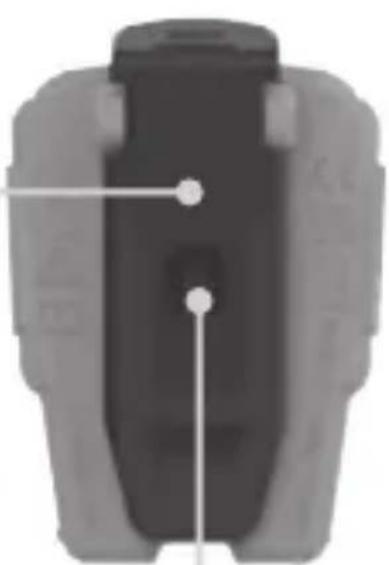
natural_image
Top-down view of a mechanical component with two white dots and connecting lines (no text or symbols)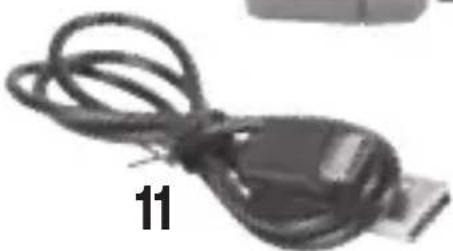
natural_image
Close-up of a black USB cable with a black connector, labeled '11' (no other text or symbols visible)10
ESPAÑOL
text_image
KLEIN TOOLS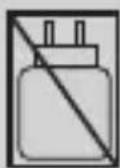
FRANÇAIS
text_image
KEEN TOOLS 1 6 4 5 2 3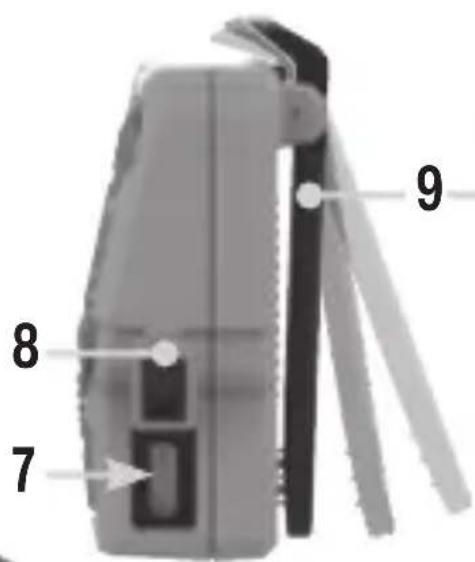
text_image
7 8 9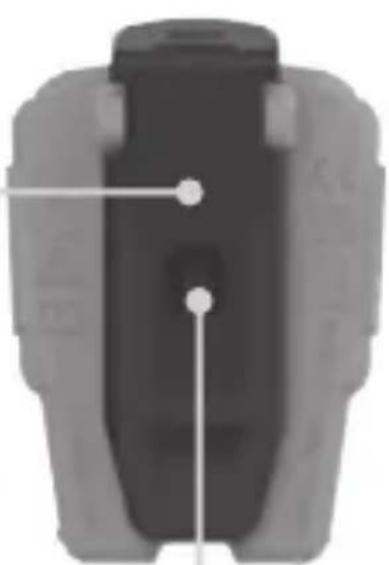
natural_image
Top-down view of a mechanical component with two white dots and connecting lines (no text or symbols)