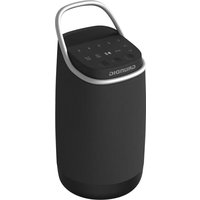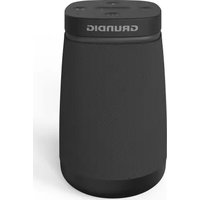
Portable 360 - Bluetooth speaker GRUNDIG - Free user manual and instructions
Find the device manual for free Portable 360 GRUNDIG in PDF.


User questions about Portable 360 GRUNDIG
0 question about this device. Answer the ones you know or ask your own.
Ask a new question about this device
Download the instructions for your Bluetooth speaker in PDF format for free! Find your manual Portable 360 - GRUNDIG and take your electronic device back in hand. On this page are published all the documents necessary for the use of your device. Portable 360 by GRUNDIG.
USER MANUAL Portable 360 GRUNDIG
natural_image
Black musical note symbol on white background (no text or numbers)Portable 360
DE - EN - ES - FR - TR
CE
01M-GLR7769-1023-02
01M-8870751600-1023-02
| DEUTSCH | 7-41 |
| ENGLISH | 42-71 |
| ESPAÑOL | 72-102 |
| FRANÇAIS | 103-137 |
| TÜRKÇE | 138-173 |






 |  |  |  | |
| DE VERBINDUNGEN BETRIEB FREISPRECHFUNKTION TWS | ||||
| EN CONNECTIONS OPERATIONS HANDSFREE TWS | ||||
| FR CONNEXIONS FONCTIONNEMENT MAINS LIBRES TWS | ||||
| ES CONEXIONES FUNCIONNAMIENTO MANOS LIBRES TWS | ||||
| TR BAĞLANTI KULLANIM ELLER SERBEST TWS | ||||
APP-BETRIEB
Please login with email




Forget password?
APP-BETRIEB
Start the music journey
E-mail: Please fill in the correct email format.
Password: No language
Confirm: Please enter the password register
Verification:
Send
Agree to "User Agreement", "Privacy Policy" and "Vulnerability Disclosure Policy".
Sign up
Anschluss
APP-BETRIEB
APP-BETRIEB
Profil
natural_image
Simple line drawing of a trash bin with crossed lines indicating no waste or discharge (no text or symbols)natural_image
Recycling symbol icon (three chasing arrows) in black on white background, enclosed in a square bordernatural_image
Simple line drawing of a trash bin with two crossed x-axes (no text or symbols)Please read this user manual first!
Dear Valued Customer,
Thank you for preferring this Grundig appliance. We hope that you get the best results from your appliance which has been manufactured with high quality and state-of-the-art technology. For this reason, please read this entire user manual and all other accompanying documents carefully before using the appliance and keep it as a reference for future use. If you handover the appliance to someone else, give the user manual as well. Follow the instructions by paying attention to all the information and warnings in the user manual.
Remember that this user manual may also apply to other models. Differences between models are explicitly described in the manual.
Meanings of the Symbols
Following symbols are used in various sections of this user manual:

Important information and useful hints about usage.

WARNING: Warnings against dangerous situations concerning the security of life and property.
SAFETY.
Please note the following instructions:
Before using this product, read and follow all warnings and instructions.
•This product is not intended for use by young children. Young children should be properly supervised.
•This product is intended for household use only and not for commercial or industrial use.
SAFETY.
- No naked flame sources, such as lighted candles, should be placed on the product.
- Ventilation should not be impeded by covering ventilation openings with items such as newspapers, table cloths, curtains and the like.
•Make sure the unit is adjusted to a stable position. Damage caused by using this product in an unstable position or by failure
SAFETY.
to follow any other warning or precaution contained within this user manual will not be covered by warranty.
•The speaker has waterproof and dust-proof design of IP67. It can therefore be used in wet and dust environment without any problem. Please note that all charging ports must be closed when the speaker comes into contact with water or dust.
SAFETY.
- Do not place objects filled with liquids, such as vases on or near the product.
- Do not place naked flames, such as lighted candles on or near the product.
- Do not use or store this product in a place where it is subject to direct sunlight, heat, excessive dust or vibration.
- Do not block or cover the slots and holes in the product.
SAFETY.
- Do not push foreign objects into the slots or holes in the product.
- Do not attempt to open this product yourself. There are no user serviceable parts inside.
- Do not allow children access to plastic bags.

Build-in Rechargeable Battery CAUTION:
- Risk of explosion if the battery is replaced by an incorrect type.
- Disposal of a battery into fire
ENGLISH
SAFETY.
or a hot oven, or mechanically crushing or cutting of a battery, that can result in an explosion.
•Leaving a battery in an extremely high temperature surrounding environment that can result in an explosion or the leakage of flammable liquid or gas.
•A battery subjected to extremely low air pressure that may result in an explosion or the leakage of flammable liquid or gas.
Bluetooth®
The Bluetooth word mark and logos are registered trademarks owned by Bluetooth SIG,. Inc.
Apple, the Apple logo, and iPhone trademarks of Apple Inc., registered in the U.S. and other countries. App Store is a service mark of Apple Inc.
Android™, Google Play™ and Google Play logo are trademarks of Google Inc.
AT A GLANCE
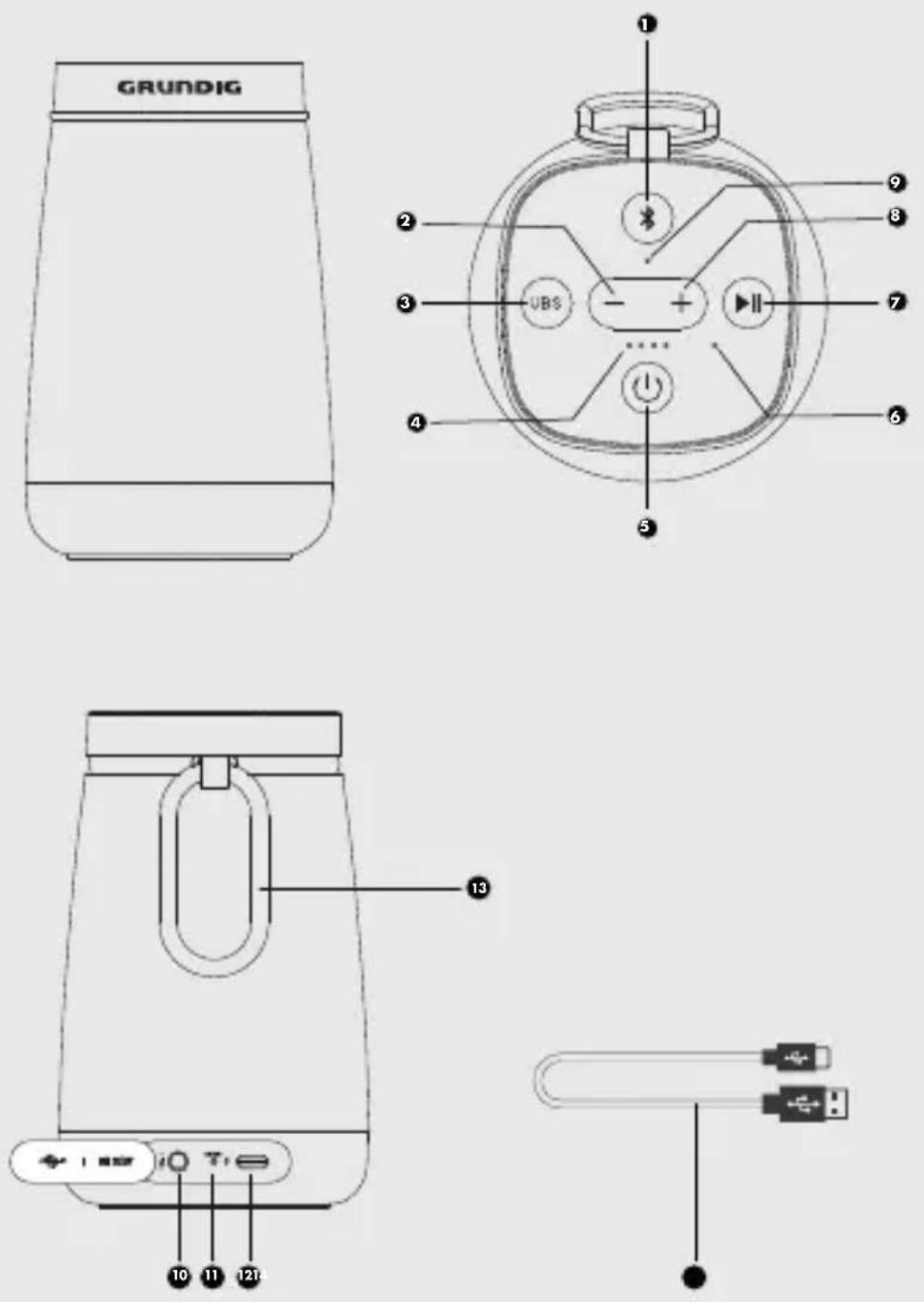
Controls and Parts
Grundig Portable 360
| 1. Bluetooth | ●Switch to BT mode by press once●Switch to TWS mode by long press the button (Remark: long press the button on master speaker, and power on slave speaker, the slave speaker will connect to the master speaker.) |
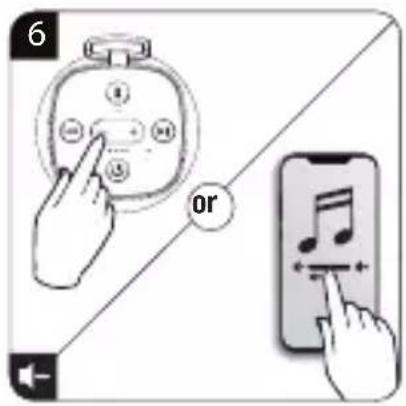
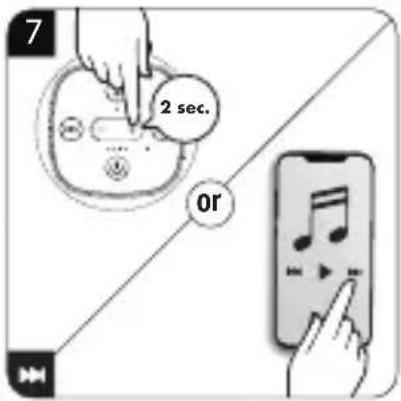
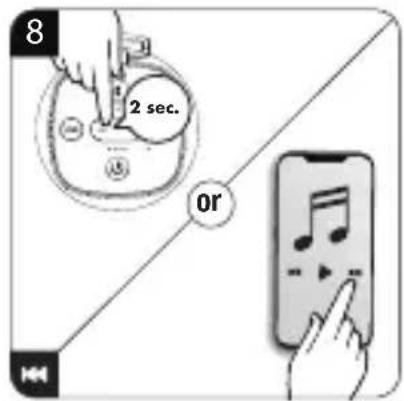
| 2. Vol (-) | ●Decrease the volume level by short press.●Skip to previous song by Long press the button in Bluetooth and TWS mode |
| 3. UBS (Ultra Bass System) | When it's in bass mode or other mode (like User EQ, Pop / Rock, etc.) press UBS button to enter the Normal mode. |
| 4. Power status LED | ●All LED (White) on when full charge●25% LED (White) flashes when low battery●On charging status, the LED (White) will change from: 25%->50% ->75->100% |
| 5. Power On/Off | ●Long press the button (3sec) to power on/off the speaker.●Display Battery level by short press. |
| 6. Microphone For handsfree function | |
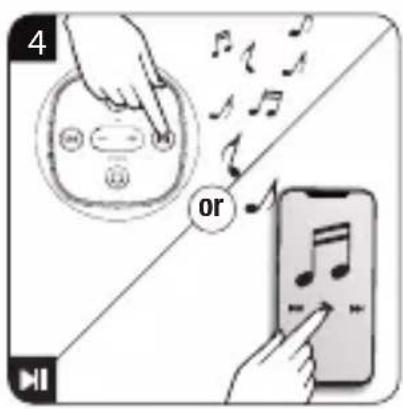
| 7. Play/Pause | ●Play / Pause the playback in Bluetooth and TWS mode●Accept and end the call by press once●Reject a call by long press the button●Callback can be done by press the button twice times |
AT A GLANCE
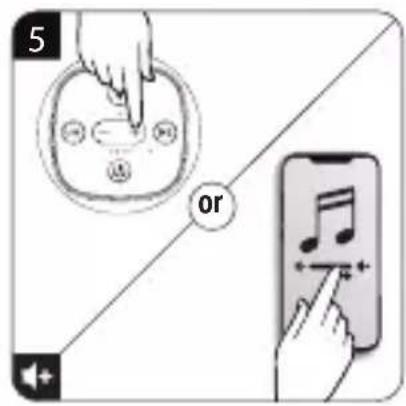
| 8. Vol (+) | • Increase the volume level by short press • Skip to next song by long press the button in Bluetooth and TWS mode |
| 9. Mode status LED | • Bluetooth mode: The LED(white) flashes when searching or reconnect Bluetooth. • Bluetooth mode: The LED(white) lights on when Bluetooth is connected. • Aux in mode: The LED(Green) when Aux in is connected. |
| 10. UBS ON mode The LED (white) flashes 3 times. | |
| 11. AUX IN For audio input | |
| 12. Reset button Factory reset | |
| 13. DC out/DC in (Type C USB) | Type C USB Socket Charging in: 5.0 V=2.0 A Type C USB Socket Charging out: 5.0 V=4.0 A, |
| 14. Carabiner | |
| 15. USB-C cable | |
PRODUCT POWER
This speaker has an internal non-user-replaceable battery. For best results, the first time you use this speaker, let it charge for about 2 \~ 3 hours.
For maintain the battery life and performance, if speaker isn't used for a while, the battery might need to be recharged. Charge the battery at least once every month.
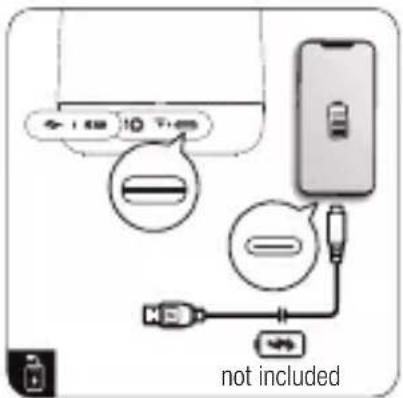
Use the Type-C Socket
Use your own adaptor (not include in the box) and Type C cable to charge the speaker with DC in (Type-C) socket.
Low Power Reminder
When the power of speaker is low, one battery LED (left one) will flash to remind you. It will also have prompt tone (every 1 minutes) to remind you. You need to charge your speaker. If not, the speaker will power off automatically when the battery is keeping low energy level in some minutes.
In this case, the device cannot be turned on, until you are recharging the battery at least 10 \~ 15 minutes, because the rechargeable battery has not enough energy.
Type-C USB Power output
Before use the power output function, please make sure that the speaker's internal battery is full charged, or it's recommended to make sure it has enough power, about 50 \~ 75% or more, to charge the external device.
Press the "button to display the remaining battery level.
The Battery LED indicators will light as follow:
- 4 lights on when battery is about full power.
PRODUCT POWER
- 3 lights on when battery is about 75% power.
- 2 lights on when battery is about 50% power.
- 1 light on when battery is about 25% power.
To charge your mobile device:
- Plug the Type-C USB cable in the speaker's type-C socket and connect the other end of USB cable to the external device. The device's charge output function will turn on automatically and provide 5.0 V -1.0 A rated power to the external device.
- After fully charge the external device, please remove the USB cable, the charge output supply will be cut off accordingly in few seconds.
Note: The Power Bank function may not be activated if the battery level is lower than 25% even you try to turn on the power bank's charge output function.
BLUETOOTH OPERATION
For best Bluetooth performance, make sure your Bluetooth device and your speaker are in open area and within 20m. Keep other wireless equipment at least 1 m away from your speaker.
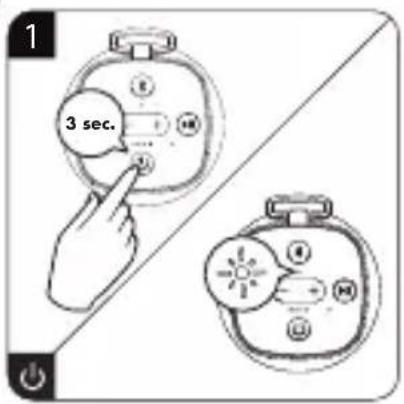
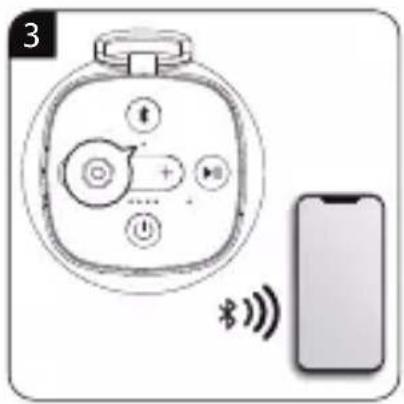
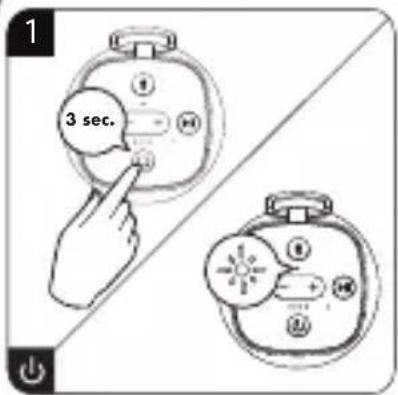
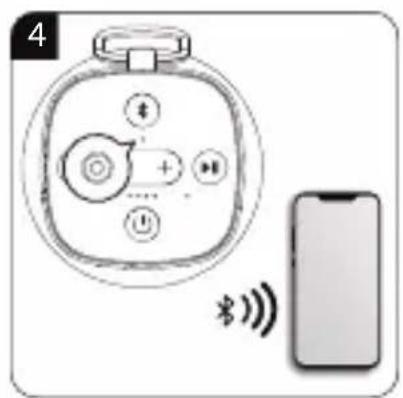
- Press and hold the “◀” button 3 seconds to turn on the Speaker, a prompt tones will sound. The speaker will automatically connect last pairing device or start Bluetooth searching mode, and the White LED flashes in each 0.5 seconds once.
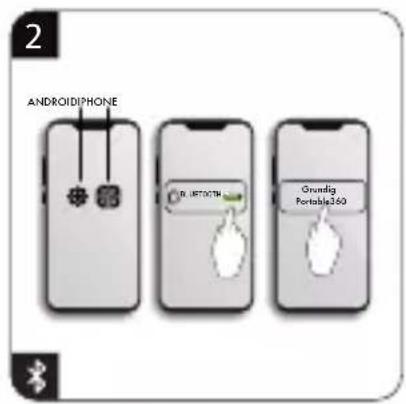
- Activate your Bluetooth device and select the search mode (refer to your device's manual when necessary)
- Select "Grundig Portable 360" in the pairing list.
BLUETOOTH OPERATION
- If pairing is successful, a prompt tones will sound, and White LED will light on.
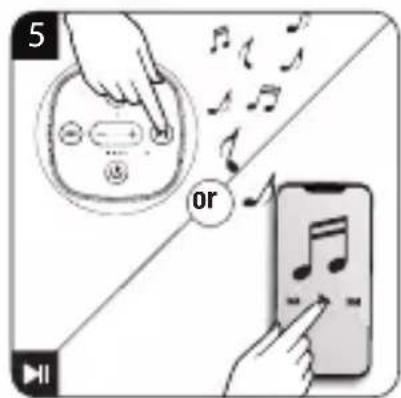
- Now, you can start to play music from the connected device.
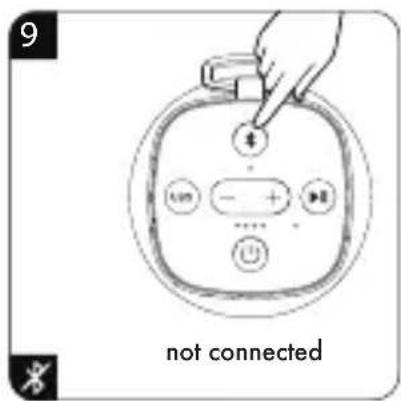
- To disconnect the Bluetooth function, you can disable the function from your Bluetooth device or press "Bluetooth" button on the unit.
Note:
- For saving battery energy, the Speaker will turn to off mode automatically when no device is in paired or no playback in 15 minutes.
- Enter "0000" for the password if necessary.
- The speaker will also be disconnected when your device is moved beyond the operational range.
- If you want to reconnect your device to this speaker, place it within the operational range.
- If the device is moved beyond the operational range, when it is brought back, please check if the device is still connected to the speaker.
- If the connection is lost, follow the instructions above to pair your device to the speaker again.
- When powered on, your speaker will try to reconnect recently connected devices.
TWS MODE
- Press and hold the "Power" button power 3 seconds to turn on the speaker and into pairing mode, the "Mode status LED" flashes white.
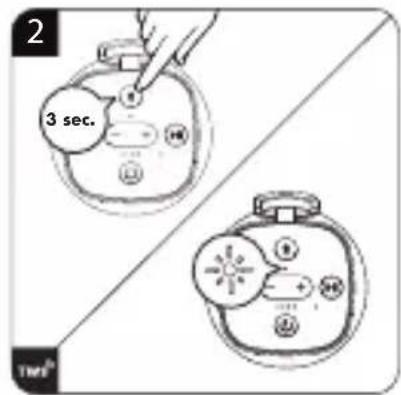
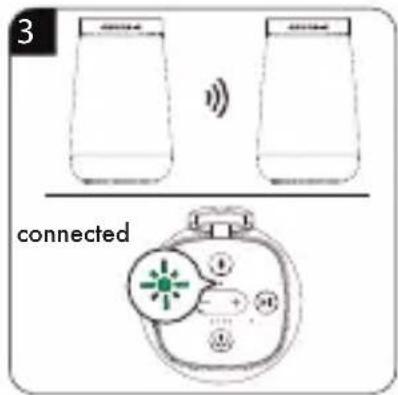
- Long press "Bluetooth" button into TWS mode, a series of tones will sound and the "Mode status LED" flashes white quickly.
- When there two Bluetooth speakers are connected. The first Bluetooth speaker will become master speaker and the "Mode status LED" flashes white. The second Bluetooth Speaker will become slave speaker and the "Mode status LED(7)" light in green.
- Connect the two Bluetooth Speaker with your mobile device, master speaker's "Mode status LED" light in white and an audio signal sounds (you can only search the master speaker).
- Now, you can start to music play from the mobile device by its music player program.
HANDS-FREE FUNCTION
When there is an incoming call during Bluetooth music playing mode:
- The ringing sound will up, and the playing music will pause automatically, the "Mode LED" will light on White.
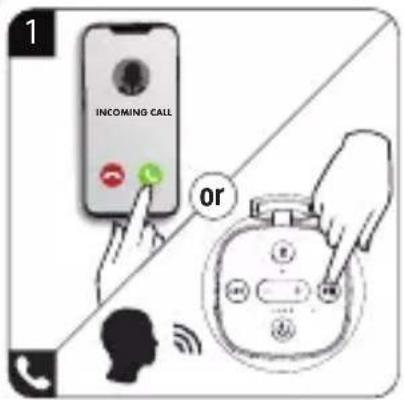
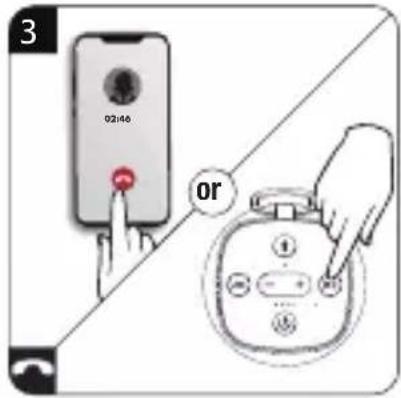
- Press "▶" button to pick up the call if you want. Now you can hands-free to call through the Speaker.
- Press “▶” button again to hang up the call when finished. And the paused music will start to play automatically.
- Press and hold "button to ignore the incoming call if you want.
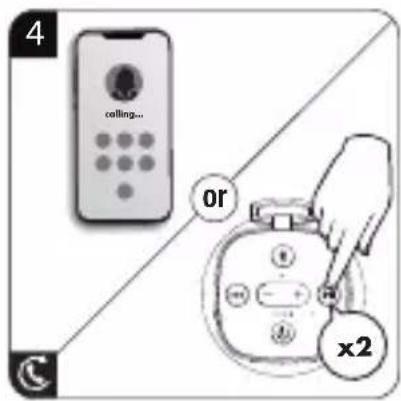
- Press twice the “▶” button to enter to redial function, the playing music will pause and switch to hands-free function for redial. Press the “▶” button again to hang up the redial call.
Note:
- Speak to the MIC hole direct with distance in 30\~60 cm to get the best speakerphone performance when necessary.
- If your mobile phone doesn't have last dial call used, the redial for last call function cannot be activated.
AUX MODE
The AUX connector accepts a 3.5 mm stereo cable (not include in the box).
- Use a 3.5mm stereo cable, connect your external device to the “Aux in socket” on your speaker, the speaker will change to AUX in mode automatically.
- Press the "+" or "-" button to increase or decrease your desired volume level.
- When maximum or minimum volume is reached, a prompt tones will sound.
- Disconnect the stereo cable when you want to exit AUX in mode.
Note:
- The speaker will always connect your Bluetooth device when you plugin stereo cable and use AUX in mode. The Bluetooth playback will only activate after stereo cable disconnect.
RESET THE DEVICE
In some circumstances the device's function may hanging and need to reset. To reset the speaker:
- Use a 0.8 \~ 1 mm stick or similar object and carefully insert into the "Reset" hole. The device is reset, and it will turn off automatically.
- After that, press and hold the “” button turn on the speaker.
Note:
- Do not reset the device if it is properly working.
APP OPERATION
This product can be group by connecting another speaker via APP to active the TWS function. Use your smartphone to search “Grundig AudioHub” APP from Apple Store / Google Play Store and download it to control your speaker.
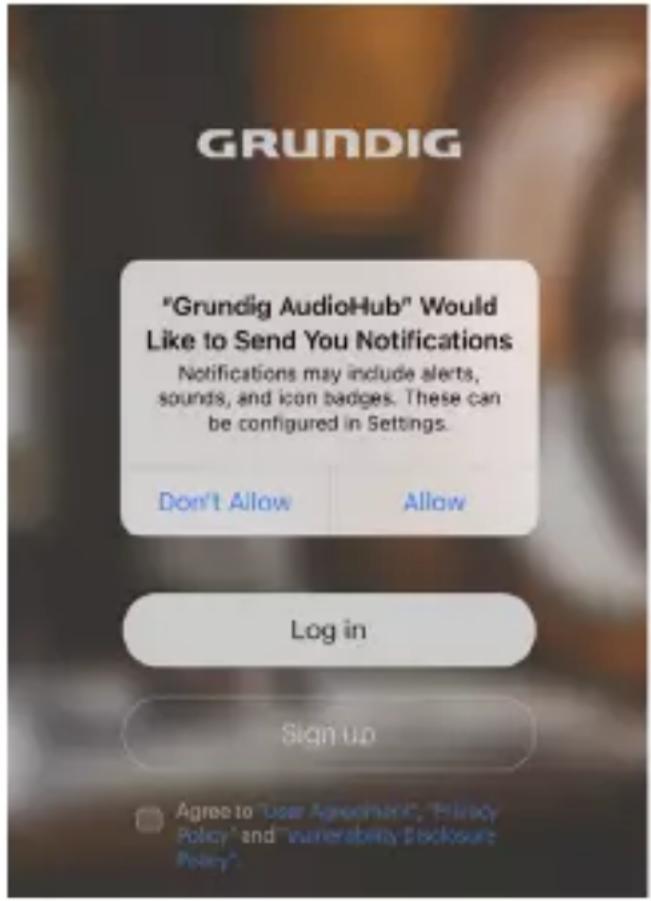
Permission request
Open Grundig AudioHub APP. If you are running Grundig AudioHub APP for the first time, you will be requested some permissions. Tap confirm to proceed.
APP OPERATION
Log in and Sign up setup
- You will see log in and sign up screen once you confirm the per-missions.
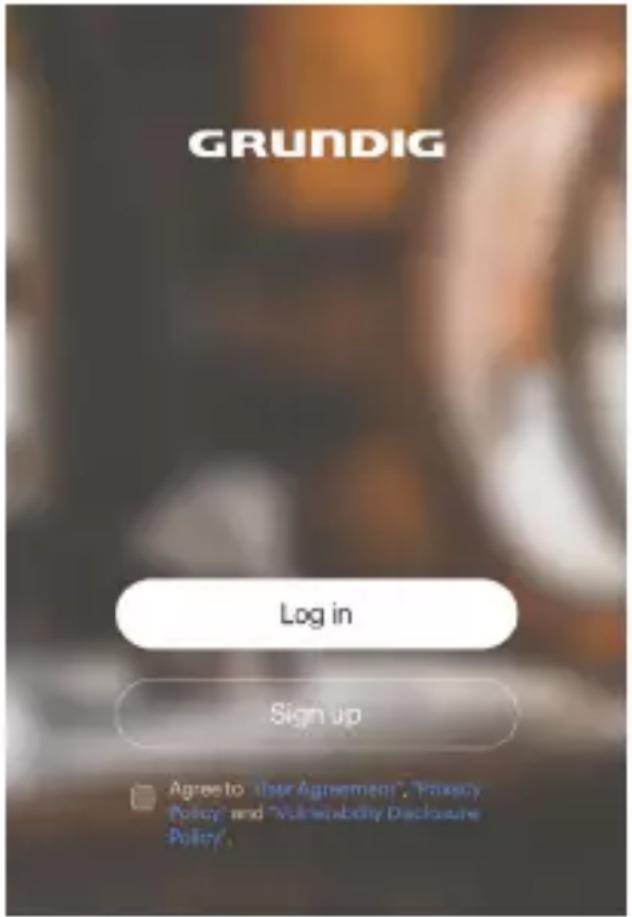
- Tap log in if you already had account. You will see login screen. Input your account info and password to log in the APP.
Welcome to login
Please login with email
User
单位

Password

Log in
Sign up
Forget password?
APP OPERATION
- Tap Sign up if you don't have account. You will see Sign up screen. Input your email and password to sign up.
Sign up
Start the music journey
E-mail: Please fill in the correct email format.
Password: No less than 6
Confirm: Please enter that password again.
Verification:
Send
Agree to "User Agreement", "Privacy Policy" and "Vulnerability Disclosure Policy".
Sign up
Connection
- When you login your account successfully, you will see connection method.
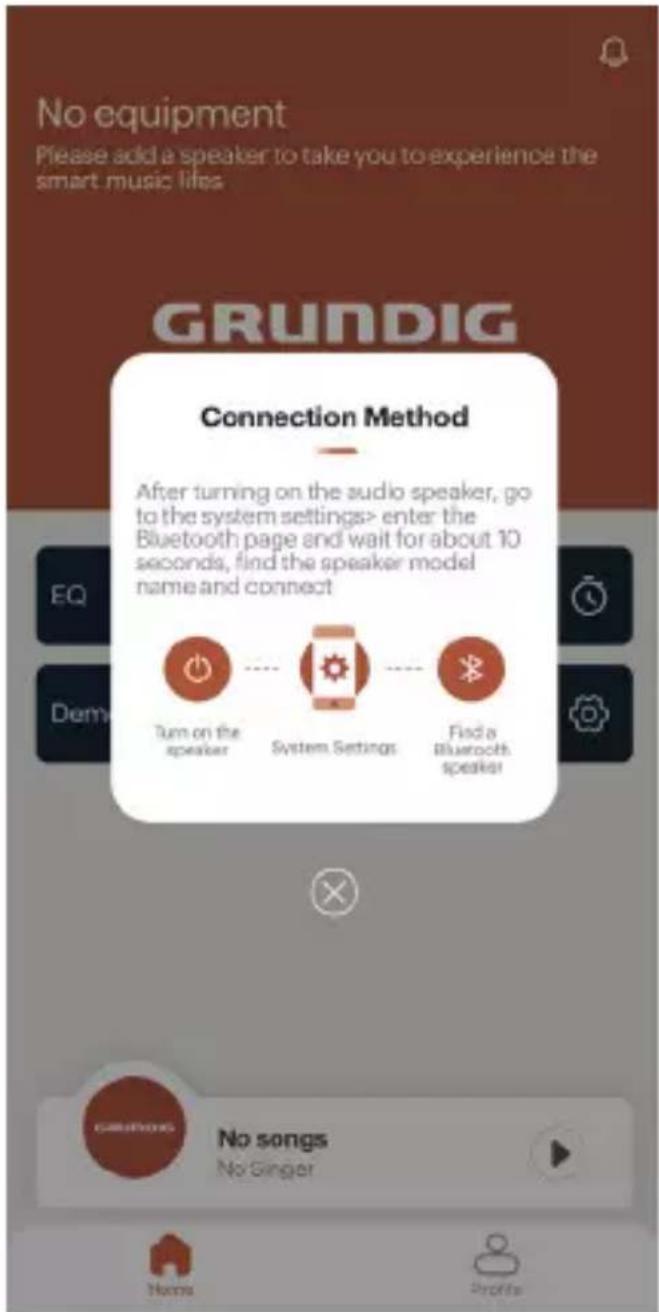
APP OPERATION
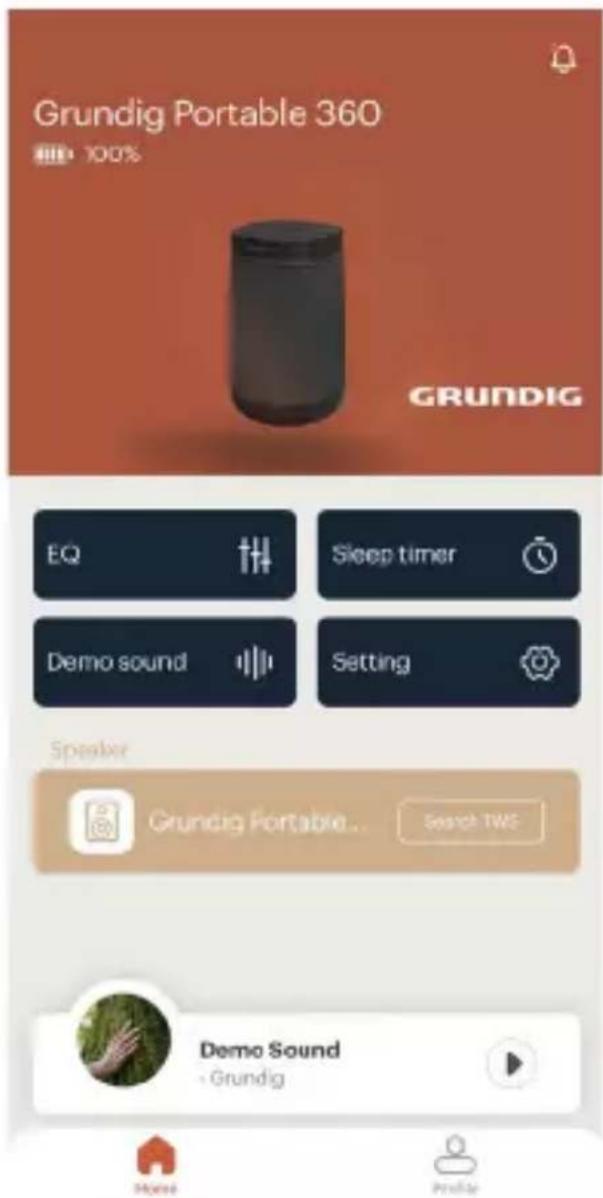
- Follow the connection method to connect your speaker. You also can refer to the Bluetooth operation to connect your speaker. When you connect your speaker successfully. You will see your speaker in the APP. This speaker will be picked up as Primary Speaker if you want to active TWS function.
APP OPERATION
Speaker Control
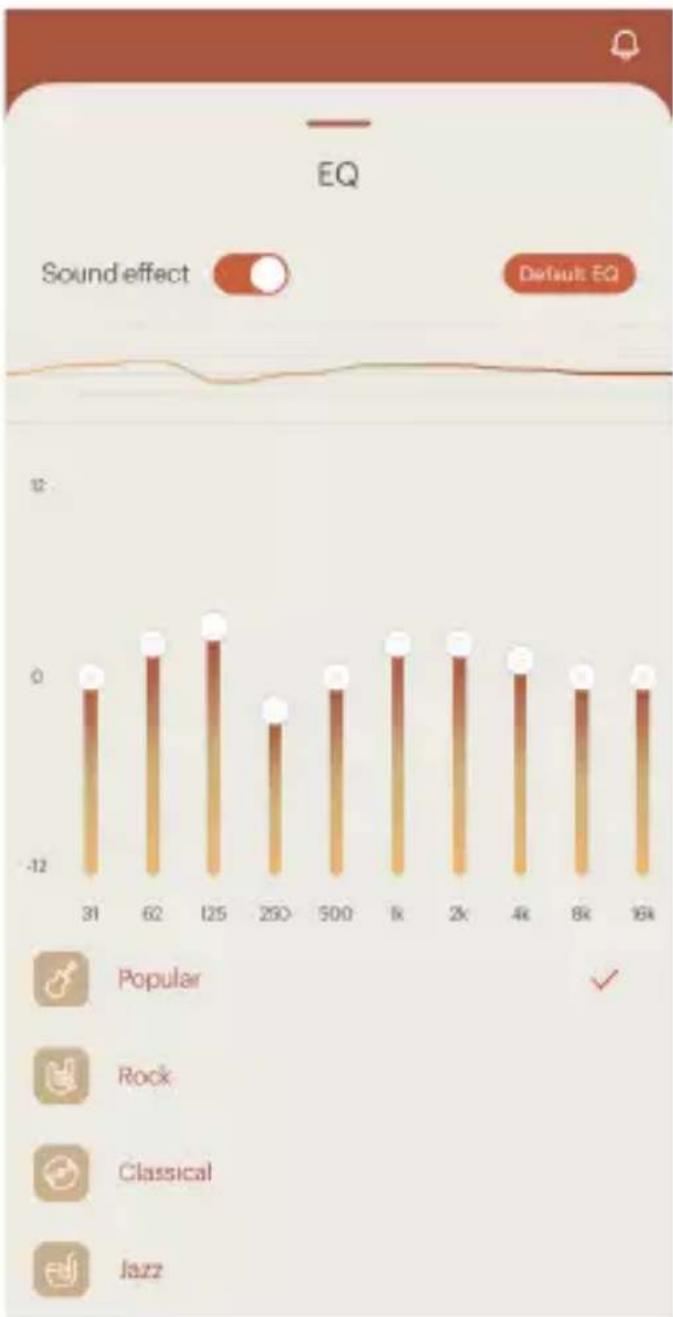
- Tap "EQ" on Home screen, you will enter EQ setting. You can choose "Popular / Rock / Classical / Jazz / Bass / User EQ" as your desired sound effect.
bar
| Label | Value | |---|---| | 31 | -0.5 | | 62 | 0.8 | | 125 | 1.2 | | 250 | -0.7 | | 500 | -0.4 | | k | 0.6 | | 2k | 0.7 | | 4k | 0.5 | | 8k | -0.3 | | 16k | -0.2 |APP OPERATION
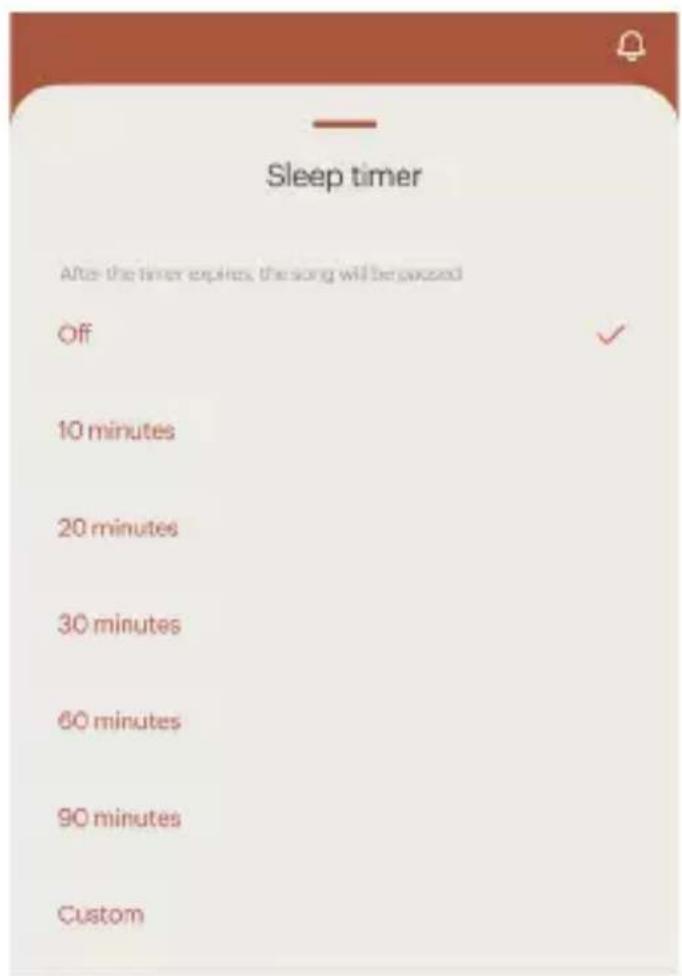
- Tap "Sleep timer" on Home screen, you will enter Sleep timer setting. You can set the speaker go to sleep after "10/ 20/ 30/ 60/ 90 minutes" or you can tap "Custom" to input your desired time.
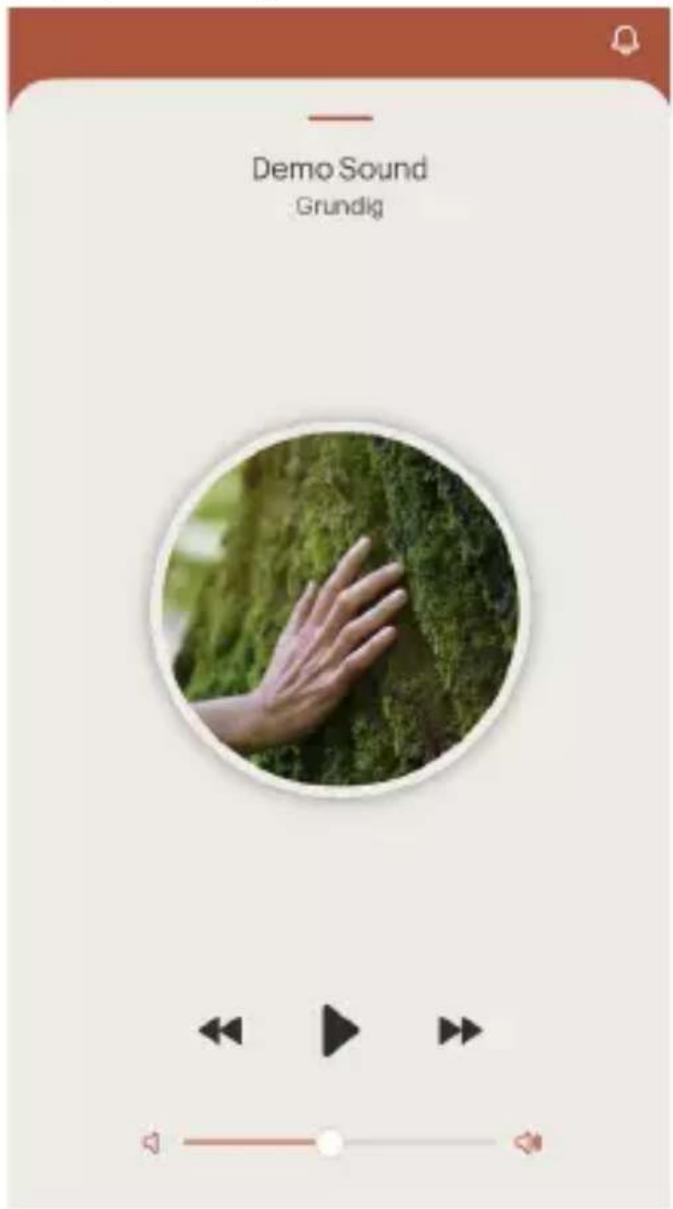
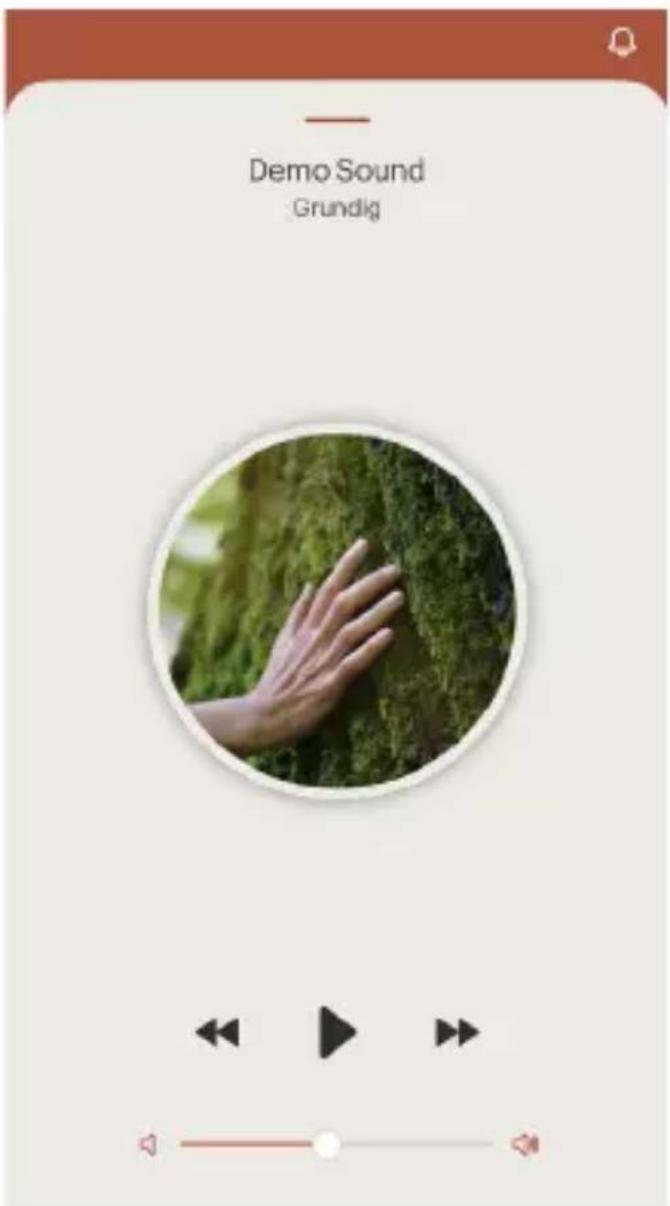
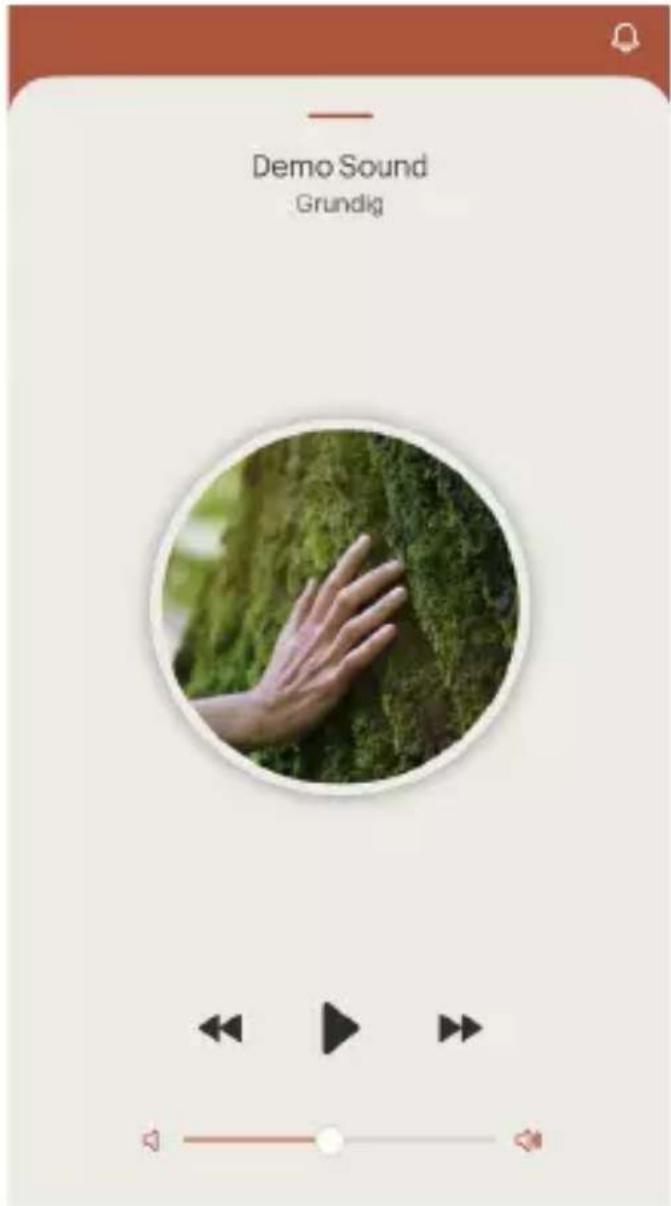
- Tap "Demo sound" on Home screen, you can enjoy the sound effect. Tap pause to stop the playback if you want.
APP OPERATION
- Tap "Setting" on Home screen, you can change some settings.

Tap "Name" to rename main speaker and other speakers.
Tap "Volume" to adjust music play-back's volume.
Tap "Combination speaker" to see all speakers.
Tap "Guide to use" for troubleshooting.
Tap "Remote control" to enter remote control page, you can tap "Mute, Volume +/-, Next/Previous track" settings.
Tap "Product information" to check Firmware version, Mac address and Name.
Tap "Reset", there is a reset device reminder "Are you sure you want to reset the speaker?" Tap "Confirm" to reset factory setting or "cancel" to withdraw.
Music playback
Tap "Music" on Home screen, you will see all your local music in your device. Tap your desired music to enjoy.
Music playback source is compatible with Spotify Music APP or other 3rd party Music APP.
APP OPERATION
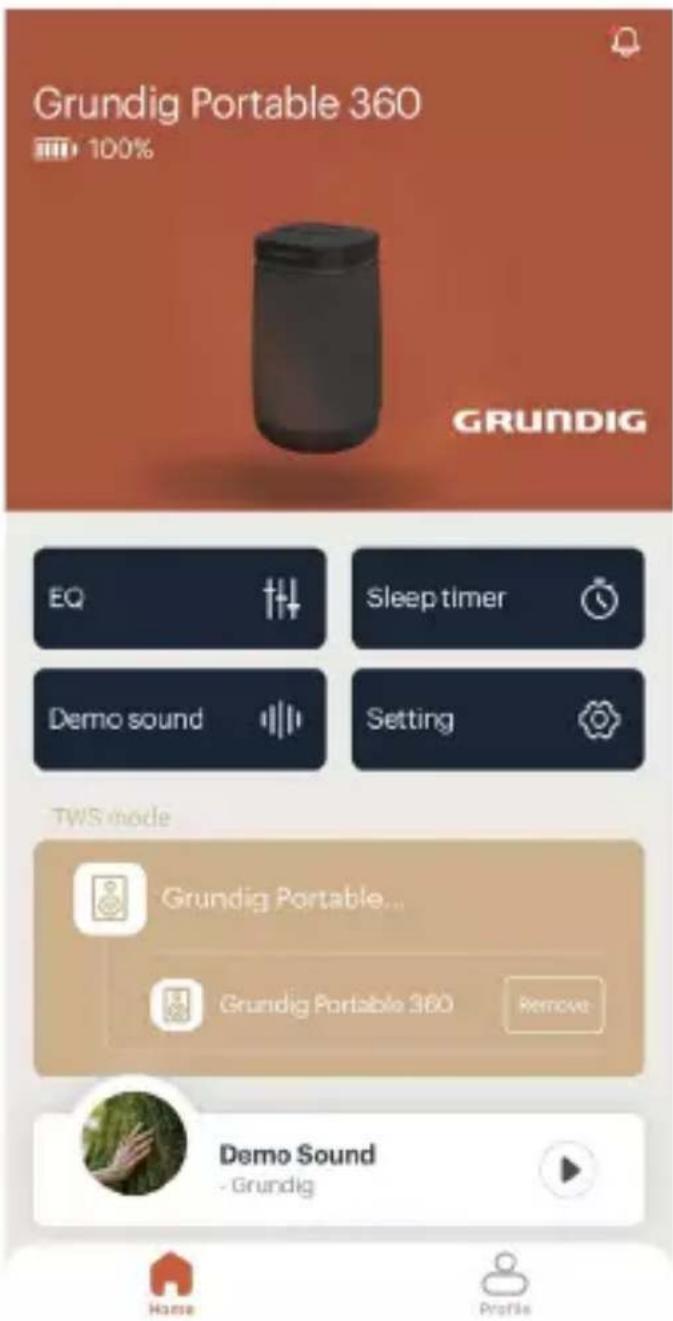
TWS Mode
Tap "Search TWS" to find another speaker on Home screen.
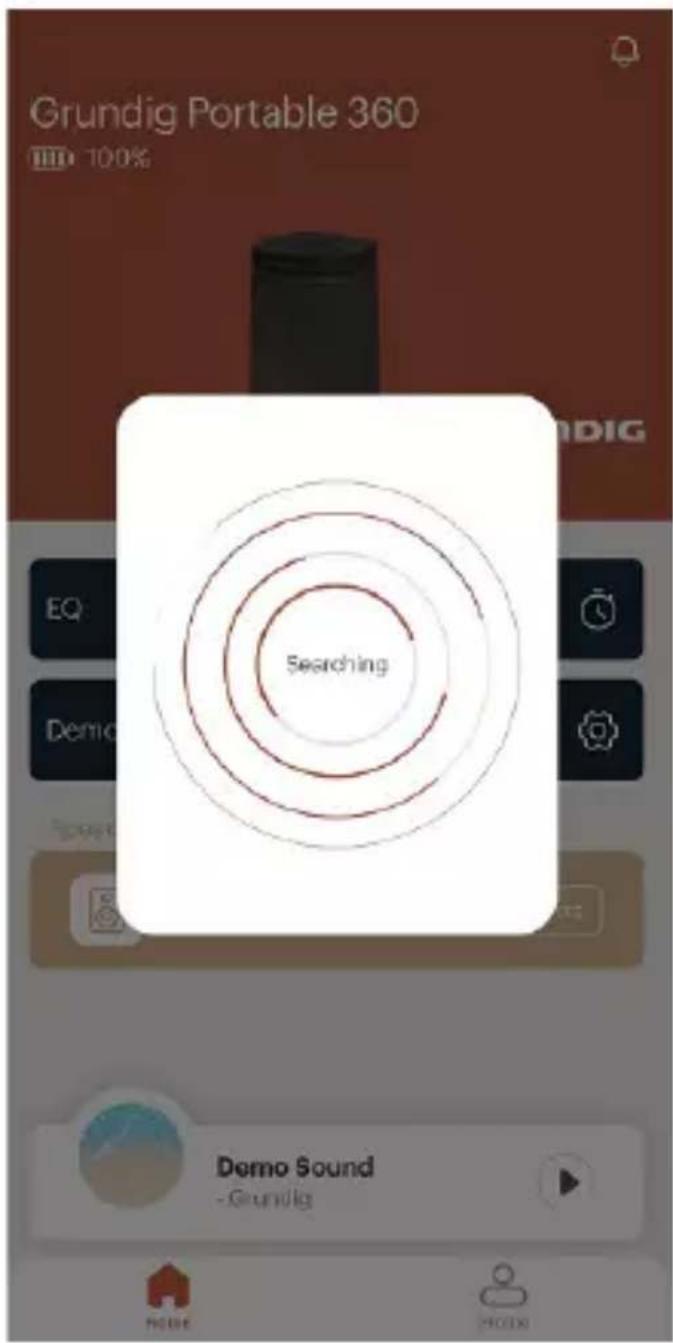
The new added speaker will be as second ary speaker" to "Search TWS".
APP OPERATION
Tap "Remove" on Home screen if you want to disconnect TWS mode.

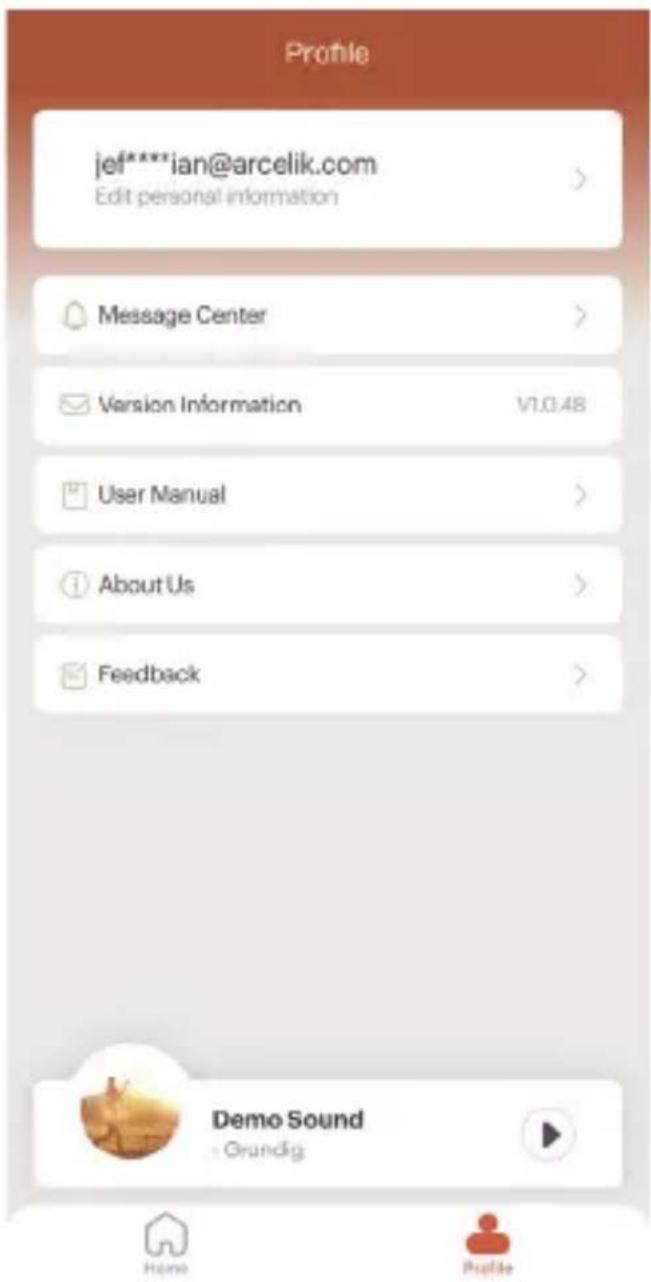
Profile
Tap "Profile" on Home screen, you will see all profile info.
APP OPERATION
Tap "email address" to edit personal information. You can reset password or delete account from this page.
Tap "Message Center" to see all messages if have.
"Version Information" is APP version.
Tap "User Manual" to see Quick guideline.
Tap "About Us" to see User Agreement and Privacy Policy.
Tap "Feedback" to send your feedback to us.
TECHNICAL INFORMATION
Compliance with the WEEE Directive and Disposing of the Waste Product:
This product complies with EU WEEE Directive (2012/19/EU). This product bears a classification symbol for waste electrical and electronic equipment (WEEE).
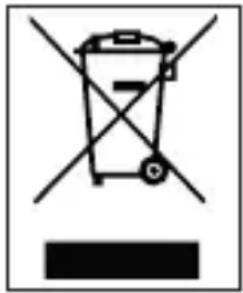
This symbol indicates that this product shall not be disposed with other household wastes at the end of its service life. Used device must be returned to offical collection point for recycling of electrical and electronic devices. To find these collection systems please contact to your local authorities or retailer where the product was purchased. Each household performs important role in recovering and recycling of old appliance. Appropriate disposal of used appliance helps prevent potential negative consequences for the environment and human health.
Compliance with RoHS Directive
The product you have purchased complies with EU RoHS Directive (2011/65/EU). It does not contain harmful and prohibited materials specified in the Directive.
Package information

natural_image
Recycling symbol with three chasing arrows forming a triangle (no text or labels)Packaging materials of the product are manufactured from recyclable materials in accordance with our National Environment Regulations. Do not dispose of the packaging materials together with the domestic or other wastes. Take them to the packaging material collection points designated by the local aut-
horities.
TECHNICAL INFORMATION
Information on Waste Batteries
natural_image
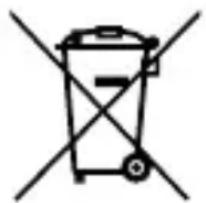
Simple line drawing of a trash bin with two crossed x-axes (no text or symbols)This symbol on rechargeable batteries/batteries or on the packaging indicates that the rechargeable battery/battery may not be disposed of with regular house hold rubbish. For certain rechargeable batteries/batteries, this symbol may be supplemented by a chemical symbol. Symbols for mercury (Hg) or lead (Pb) are provided if the rechargeable batteries/batteries contain more than 0,0005% mercury or more than 0,004% lead.
Rechargeable batteries/batteries, including those which do not contain heavy metal, may not be disposed of with household waste. Always dispose of used batteries in accordance with local environmental regulations. Make enquiries about the applicable disposal regulations where you live.
Technical Information
This device is noise-suppressed according to the applicable EU directives. This product fulfils the European directives 2014/53/EU and 2009/125/EC, 2011/65/EU.
You can find the CE declaration of conformity for the device in the form of a pdf file on the Grundig Homepage www.grundig.com/downloads/doc.
The type plate is located on the underside of the device.
Output power
RMS 12 W, 1% THD
Bluetooth
Frequency Range 2.402 GHz-2.480GHz Maximum transmitted power <5 dBm Version 5.0
TECHNICAL INFORMATION
Open area operation range: 20m (BT) / 15m (TWS)
Rechargeable Li-ion battery
Build in, 3.7 V = 4000 mAh, 14.8 Wh
Playback time: 11+ hours (50% volume)
Charge time: 5-6 hours
Power supply
USB Socket: USB-C Charging DC IN 5.0 V =2.0 A
USB Socket: Power Bank DC OUT 5.0 V = 1.0 A
Waterproof and Dust-proof IP67
Handsfree
AUX IN
Stereo 3.5 mm Jack
Frequency Response 80Hz-20kHz
Product Dimensions/Weight
91mm(W) × 88mm(D) × 141mm(H)
Net Weight: 0.5 kg
Accessory
USB-C Cable (1)
Carabinar (1)
Technical and design modifications are reserved.
92% of its plastic is recycled*
*Accessories (USB cables) are excluded.
TROUBLESHOOTING
If a fault occurs, first see whether you can resolve the problem yourself. You might find this overview useful.

Risk of injury: Opening the device can cause injuries.
| Fault Possible cause/Action | |
| No function | If the device has been disrupted by a thunderstorm, a static charge or another external factor, follow this procedure to resolve the problem: Disconnect the charging docking and then connect it again. |
| No sound | Check the volume setting on the speaker and on your audio output device.Make sure that your audio output device is within open area range (max. 30m for Bluetooth mode and 20m for broadcast mode).Check your audio output device to see whether the device is shown as connected. Pair the device again if necessary. |
| No Bluetooth connection | Take care to ensure that all settings have been made correctly on all devices. The Bluetooth® function may be deactivated on the external device. Activate this, if necessary.Check whether the device to be connected is switched on and is in search mode. |
| No response from speaker | Restart the speaker by reset. |
Please login with email




Forget password?
Conexión
natural_image
Recycling symbol with three chasing arrows forming a triangle (no text or labels)natural_image
Simple line drawing of a trash bin with crossed x-bracing (no text or symbols)Conector USB: USB-C Cargar DC IN 5.0 V =2.0 A
Conector USB: Power Bank DC OUT 5.0 V = 1.0 A
FONCTIONNEMENT DE L'APP
Please login with email
User
电子版

Password

Log in
Sign up
Forget password?
124 FRANÇAIS
FONCTIONNEMENT DE L'APP
Connexion
FONCTIONNEMENT DE L'APP
128 FRANÇAIS
FONCTIONNEMENT DE L'APP
FONCTIONNEMENT DE L'APP
Profil
natural_image
Symbol of a trash bin with crossed lines and a black rectangular base (no text or numbers)natural_image
Recycling symbol icon (three chasing arrows) inside a square frame, no text or labels present.natural_image
Simple line drawing of a trash bin with crossed lines indicating no waste or restriction (no text or symbols)Informations technique
Batterie Li-Ion rechargeable
UYGULAMANIN KULLANIMI
Please login with email




Forget password?
UYGULAMANIN KULLANIMI
Start the music journey
E-mail: Please fill in the contact email format.
Password: No less than 6
Confirm: Please enter the password again
Verification:
Send
Agree to "User Agreement", "Privacy Policy" and "Vulnerability Disclosure Policy".
Sign up
Bağlantı
UYGULAMANIN KULLANIMI
162 TÜRKÇE