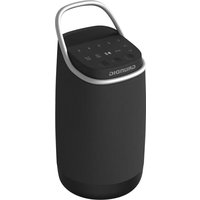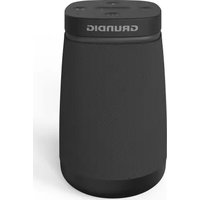
NC - Bluetooth speaker GRUNDIG - Free user manual and instructions
Find the device manual for free NC GRUNDIG in PDF.



| Product type | Portable Bluetooth speaker |
| Brand | GRUNDIG |
| Model | NC |
| Dimensions | 249 × 224 × 351 mm |
| Net weight | 3.9 kg |
| Power supply | Mains 100-240 V ~ 50/60 Hz, built-in Li-ion battery 7.4 V / 2200 mAh |
| Battery life | More than 12 hours at 50% volume |
| Charging time | 4 to 5 hours |
| Output power | 90 W max |
| Power consumption | 60 W |
| Bluetooth version | V5.0 with A2DP and AVRCP profiles |
| Bluetooth range | 10 meters |
| TWS function | Wireless stereo connection between two identical speakers (range 8 m) |
| Protection rating | IPX4 (splash resistant) |
| Audio inputs | 3.5 mm stereo AUX jack, USB port (MP3 playback), 6.35 mm microphone input |
| Powerbank function | USB port 5 V / 1 A for charging external devices |
| Sound effects | UBS (Ultra Bass) mode on/off |
| Lighting | Multiple built-in LED lighting modes |
| Karaoke | Compatible microphone with dedicated volume control |
| Frequency response | 40 Hz – 20 kHz |
| Signal-to-noise ratio | ≥ 70 dB |
| Operating temperature | -10 °C to +35 °C, relative humidity 5%–90% |
Frequently Asked Questions - NC GRUNDIG
User questions about NC GRUNDIG
0 question about this device. Answer the ones you know or ask your own.
Ask a new question about this device
Download the instructions for your Bluetooth speaker in PDF format for free! Find your manual NC - GRUNDIG and take your electronic device back in hand. On this page are published all the documents necessary for the use of your device. NC by GRUNDIG.
USER MANUAL NC GRUNDIG
Please read this user manual first!
Dear Valued Customer,
Thank you for preferring this Grundig appliance. We hope that you get the best results from your appliance which has been manufactured with high quality and state-of-the-art technology. For this reason, please read this entire user manual and all other accompanying documents carefully before using the appliance and keep it as a reference for future use. If you handover the appliance to someone else, give the user manual as well. Follow the instructions by paying attention to all the information and warnings in the user manual.
Remember that this user manual may also apply to other models. Differences between models are explicitly described in the manual.
Meanings of the Symbols
Following symbols are used in various sections of this user manual:
| i | Important information and useful hints about usage. |
| ! | WARNING:Warnings against dangerous situations concerning the security of life and property. |
| WARNING:Warning for electric shock. | |
| Protection class for electric shock. |

CAUTION
RISK OF ELECTRIC SHOCK DO NOT OPEN

CAUTION: TO REDUCE THE RISK OF ELECTRIC SHOCK,DO NOT REMOVE COVER (OR BACK). NO USER- SERVICEABLE PARTS INSIDE.REFER SERVICING TO QUALIFIED SERVICE PERSONNEL.
The lightning flash with arrowhead symbol, within an equilateral triangle, is intended to alert the user to the presence of uninsulated "dangerous voltage" within the product's enclosure that may be of sufficient magnitude as to constitute a risk of electric shock to persons.
The exclamation point within an equilateral triangle is intended to alert the user to the presence of important operating and maintenance (servicing) instructions in the literature accompanying the appliance.
Safety
Read, keep and follow these instructions.
Heed all warnings on the product and in the instruction manual.
For your safety, read and follow this manual carefully to ensure proper use of the product and avoid any danger or physical damage.
-
Place the unit on a flat surface and ventilated condition. The ventilation should not be impeded by covering the ventilation openings with items, such as newspapers, tablecloths, curtains, etc. to avoid overheating and malfunction.
-
No naked flame sources, such as lighted candles, should be placed on the apparatus.
- Keep the appliance away from rain and any moisture. Do not place the unit in moist and humid conditions, which could lead to malfunction.
- When the unit is suddenly moved from a cold environment to a warm one, if moisture forms inside it, it may not operate pro
properly. To correct this problem wait about one hour for the moisture to evaporate.
- Do not expose the unit under direct sunlight or nearby objects that radiate heat to avoid damaging the unit.
- The apparatus should be used in moderate climate.
- The plug of the appliance shall remain readily operable.
- Do not pull on the connection cord, but rather on the plug, to separate the appliance from the mains.
- The On/Off button does not completely isolate the product from the power supply. To disconnect the product from the mains power supply, you must unplug the AC power cord.
-
Pull out the mains plug if the appliance is not to be used over a longer period of time.
-
Disconnect the mains plug during thunderstorms.
- Ensure a minimum distance of 0.1 meters -- 0.1m around the apparatus for sufficient ventilation.
- The apparatus shall not be exposed to dripping or splashing, no objects filled with liquids, such as vases, shall be placed on the apparatus.
- Do not cover ventilation openings, this equipment is not intended to be used on soft support.
- For pluggable equipment, the socket-outlet shall be easily accessible.
NOTE: Servicing - Do not attempt to service this product yourself as opening or removing covers may expose you to dangerous voltage refer all servicing to qualified service personnel.
Damage Requiring Service -Unplug this product from the wall outlet and refer servicing to qualified service personnel
under the following conditions:
- When the power-supply cord or plug is damaged.
- If liquid has been spilled, or objects have fallen into the product; if the product has been exposed to rain or water.
- If the product does not operate normally by following the operating instructions Adjust only those controls that are covered by the operating instructions as improper adjustment may result in damage and will often require extensive work by a qualified technician to restore the product to its normal operation.
- If the product has been dropped or damaged in any way.
(Battery Usage) WARNINGS
- Batteries are to be inserted with the correct polarity. Make sure that the (+) and (-) terminals are
placed in the correct direction.
- Do not mix used and new batteries or batteries of different types: alkaline, standard (carbon-zinc) or rechargeable (nickel-cadmium).
- Never use batteries that show signs of electrolyte leaks or cracking.
- Never dispose of used batteries in an open fire, risk of explosion.
- Keep batteries out of reach of children.
- Never short circuit battery terminals.
- Exhausted batteries are to be removed from the product.
- Remove batteries from the appliance before disposing of it at the end of its service life, or during long periods of non-use.
-
Do not try to open the batteries.
-
Batteries (battery pack or batteries installed) shall not be exposed to excessive heat such as sunshine, fire or the like.
- Do not charge non-rechargeable batteries.
- Ensure the battery compartment panel is secure.
- High or low extreme temperatures that a battery can be subjected to during use, storage or transportation; and low air pressure at high altitude.
- Replacement of a battery with an incorrect type that can defeat a safeguard (for example, in the case of some lithium battery types);
- Disposal of a battery into fire or a hot oven, or mechanically crushing or cutting of a battery, that can result in an explosion;
Leaving a battery in an extremely high temperature surrounding environment that can result in an ex
plosion or the leakage of flammable liquid or gas;
- A battery subjected to extremely low air pressure that may result in an explosion or the leakage of flammable liquid or gas.
CAUTION: Danger of explosion if battery is incorrectly replaced. Replace only with the same or equivalent type.
IMPORTANT: Attention should be draw to the environmental aspects of battery disposal. When replacing used batteries, please comply with applicable regulation relating to their disposal. Please return them to suitable collection facility for environmentally friendly disposal
Controls and parts
See the figure on page 3.
- MIC+ Mic Volume+
- MIC - Mic Volume-
3.Bluetooth/TWS - Master Volume
5.1 Previous - Next
- Battery Level Indicator
- 不 Light
9.▶II Play/Pause - Power On/Off
- UBS Ultra Bass System
- Handle
- Microphone socket
- Aux in socket
- USB slot
- Ac input socket
- Ac power cord
Bluetooth Connection
The bluetooth pairing model of the unit is Grundig PartyHit, press "B" button on the top panel to enter the Bluetooth mode, the LED indicator on the front panel will flash blue, use your mobile phone to search the bluetooth signal of the unit, then input the password 0000 if necessary, the unit will synchronize to play songs on your mobile phone while you hear a prompt tone of the unit means to connect successfully, the LED indicator on the front panel will keep solid blue for 3 seconds and go out. Disconnect the bluetooth on the mobile phone to switch off the bluetooth connect.
The bluetooth is connected to your audio device successfully for the first time, power off the player then power on, the speaker will reconnected automatically. press [PLAY/PAUSE] to resume the playback.

- Bluetooth connection range in 10 meters.
- The model PartyHit in your device was not deleted.
- In bluetooth mode,[PLAY/ PAUSE], [VOLUME] etc. are also active.
TWS Connection
- This TWS (TRUE WIRELESS STEREO) bluetooth connection only use between the same two speakers.
- Power on both speakers, press and hold TWS button on both speakers, the LED indicator on the front panel on the both speakers flash green, wait a few seconds to pair automatically, once connected successfully, the LED indicator on the front panel on the speakers
keep solid green for 3 seconds and go out, after connected two speakers, the master and slave will not be distinguished temporarily.
- Enable your bluetooth device and make sure it is in searching mode.
- Select "Groundig PartyHit" from the list of discovered devices and connect to it, the one successfully connected to your bluetooth device will be used as the master, the other speaker is configured as the slave.
- The master speaker will act as the left channel during TWS and will receive the bluetooth signal, the other speaker will act as the right channel to play music.
- Press and hold TWS button to disconnect the HOST and the SLAVE speaker connection in TWS connection mode.
USB Connection
Insert a USB drive in USB SLOT on the rear panel of the unit, the LED indicator on the front panel will show red for 3 seconds and go out, the unit will switch to the USB mode automatically, the unit will play MP3 track in the connected USB drive .
AUX IN Connection
This unit has a audio input terminal. You can input the analogue stereo audio signals from extra devices such as VCD, CD, VCR, MP3 player, etc.
Use the audio cable with a 3.5mm connector to connect the input terminal AUX IN on the top panel of the unit, the LED indicator on the front panel will show yellow for 3 seconds and go out, the unit switches to the AUX IN mode automatically.
| i | When the speaker in power off state and there is no USB or AUX connection, the default is Bluetooth mode in power on state. |
Auto Switch
1.If the unit was connected with your Bluetooth device via Bluetooth stream, once USB inserted, the unit will disconnect the Bluetooth connection and switch to USB mode automatically.
2.If the unit was connected with your Bluetooth device via Bluetooth stream, once Aux in cable inserted, the unit will disconnect the Bluetooth connection and switch to Aux mode automatically.
Manual Switch
In connected USB mode or Aux mode, press Bluetooth button on the unit to switch Bluetooth mode and connect to the last connected Bluetooth device automatically.
Top panel function operation
Press and hold for 3 seconds to switch on/off the unit.
Press to check battery level in power on/off state.
Press to temporarily pause a playback; press it again to resume the playback.
Hold down to disconnect bluetooth connection in bluetooth connection mode.
TWS Press to enter the Bluetooth mode.
Hold down to enter the TWS mode.
UBS Press to enter the UBS ON (white light flashes 2 times) sound effect
mode, press it again to enter the UBS OFF (yellow light flashes 2 times) mode.
Press repeatedly to switch the different light mode of speaker light.
Press to skip to the next track.
Press to return to the previous track.
Turn the VOL knob to adjust master volume level.
MIC - Press to decrease the microphone volume.
MIC + Press to increase the microphone volume.
Microphone playback
- Insert one microphone into the microphone socket on the rear panel and adjust to a low level press the microphone volume button on the top panel.
- Adjust the microphone volume level to your desired level press the microphone volume button on the top panel. Now, enjoy the karaoke singing!
Charging operation
Use the AC power cord (included) to connect AC power input socket on the unit to AC power outlet. the current charging-indicator on the unit will flash during charging, when four charging-indicator on the unit keep solid light that the battery has been fully charged.
4 LED white light up=approx. 81% - 100% full
3 LED white light up=approx. 51%-80% full
2 LED white light up=approx. 21%-50% full
1 LED white light up=approx. 11% -20% full
(indicating charging is needed)
USB slot charging the external device
Use the USB charging cable (not included) to connect USB slot (DC 5V 1A) on the rear panel to the external device in power on mode for charging the external device.
INFORMATIONEN
Compliance with WEEE Directive and Disposing of Waste Product:
This product complies with EU WEEE Directive (2012/19/EU). This product bears a classification symbol for waste electrical and electronic equipment (WEEE).
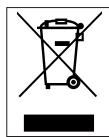
This symbol indicates that this product shall not be disposed with other household wastes at the end of its service life. Used device must be returned to official collection point for recycling of electrical and electronic devices. To find these collection systems please contact to your local authorities or retailer where the product was purchased. Each household per
forms important role in recovering and recycling of old appliance. Appropriate disposal of used appliance helps prevent potential negative consequences for the environment and human health.
Compliance with RoHS Directive
The product you have purchased complies with EU RoHS Directive (2011/65/EU). It does not contain harmful and prohibited materials specified in the Directive.
Package Information

Packaging materials of the product are manufactured from recyclable materials in accordance with our National Environment Regulations. Do not dispose of the packaging materials together with the domestic or other wastes. Take them to the packaging material collection points designated by the thorities.
Information on Waste Batteries

This symbol on rechargeable batteries/batteries or on the packaging indicates that the rechargeable battery/battery may not be disposed of with regular house hold rubbish. For certain rechargeable batteries/batteries, this symbol may be supplemented by a chemical symbol. Symbols for mercury (Hg) or
lead (Pb) are provided if the rechargeable batteries/batteries contain more than 0,0005 % mercury or more than 0,004 % lead.
Rechargeable batteries/batteries, including those which do not contain heavy metal, may not be disposed of with household waste. Always dispose of used batteries in
accordance with local environmental regulations. Make enquiries about the applicable disposal regulations where you live.
Technical Information
This device is noise-suppressed according to the applicable EU directives. This product fulfils the European directives 2014/53/EU and 2009/125/EC, 2011/65/EU.
You can find the CE declaration of conformity for the device in the form of a pdf file on the Grundig Homepage www.grundig.com/downloads/doc.
The type plate is located on the underside of the device.
| Maximum output power | 90W |
| Power consumption | 60W |
| Bluetooth | |
| Frequency range | 2.402 GHz-2.480GHz |
| Maximum transmitted power | ≤13 dBm |
| Bluetooth version /profiles | V5.0 (A2DP, AVRCP) |
| Open area operation range | 10m (BT); 8m (TWS) |
| Rechargeable Li-ion battery | Build in,7.4V --- 2200 mAh, 16.28 Wh Playback time: 12+ hours (50% volume) Charge time 4-5 hours |
| Power supply | 100-240 V ~ 50 / 60 Hz |
| USB socket power bank | 5.0 V --- 1A |
| Waterproof | IPX4 |
| AUX IN | Stereo 3.5 mm Jack |
| MIC IN | 6.35 mm wired (Real panel) |
| Frequency response | 40Hz-20kHz |
| Audio S/N ratio | ≥70dB |
| Product dimensions (WxDxH) | 249*224*351 mm |
| Net weight | 3.9 kg |
| Working environment | Temperature -10~+35°C |
| Relative humidity 5%~90% | |
Before resorting to maintenance service, please kindly check by yourself with the following chart.
| Problem | Cause(s) | Hepl |
| No power | The AC power cord is not con- nected to the power supply or is not connected to a power supply securely. | Please check that the AC power cord is connected securely. |
| There is no sound or the sound is dis- torted. | The volume is set to the mini- mum level. | Turn up the volume. |
| The buttons on the unit doesn't work. | The unit is being interfered with static electricity etc. | Switch off and unplug the unit. Then connect the plug to the power supply and switch it on again. |
Chere cliente, cher client,
Informations technique
UeHO CTaBnTb NCTOuHnKIOTKpbIToro PIIaMeHn, TaKne KaK 3aJxKeHHbIe CBeuN.
XpaHnTe npnbop Bdajn OTdojNJIIO6oB BnaI. Hepa3MeuAte yCTPOcTBO BO BIAJHbIX YCIOBnJx,3TO MOKeT npNBecTn K HeNCnPpABHOcTn.
- При Внебашиюпера-meшии устroductва n3холоного помшениВ теллoe, ecn Bнутри Hero образуетсь вага,Оно может работать He npabnlbHo.Чтоы устразиь зау поблему,пождente okonto ча,пoka влara на Исnapится.
He npOBBePraTe yCTpoi-CTBO BO3DeIcTBnIO pRJaMbIX COJHeuHbIX LyueHIN HaxOJaXxCa N06JIIN3OCTN PpeDMeTOB, IN3JIyuaUoXx TePiO, UTO6blN36EkaTb IOBpeKdEHNyUCTPOIcTBA.
- Пибор следует ИспOLTOBaТВ умeperном КИ-
Mate.
Bnilka npnbopa DoJxHa OCTaBaTbCЯ JERKO NOKJIIOUaEMoI.
He TAHNTe 3a CoeHnHTeJIbHbI JHyp, a CKopee 3a BnIKy, YTO6bl OTCoEHNHTb yCTpOJCTBO OT CETn.
KHONKa BKNIOUeHnA/BblKNIoueHnA He NOLHOCTbI O3OJIpyET N3dJIneOT NCTOuHnKa PNTAHN.ATO6bI OTKJIIOHTb N3DeJIne OT NCTOuHnKa PNTAHN,Heo6xOJIMO OTCoEINHTb IHHyp NITAHN INepemeHHoro TOKa.
- BыньтЕ ВИЛКУ ИЗ рОзЕТКИ, ecпnpибор He БудET ИСПОЛьЗOBаТьСЯВ TeчениДЛNTeЛьНOrO ПернодаВремен.
OTCOeINHnTe BnIky OT cETN BO BpeM rpo3bl.
-ОбеспechытemeMHIMmaJIbHoepacstOЯнe0,1M- -0,1MBOKpyr yctpoiCTBaДлЯdoCTaTOUHOI BENTINJIaCnN.
• Yçtrpoǐ CTBO He DoJxHNo
IODBepraTbcra BO3deiCTBnIO KapeIb IIN 6pbl3r,Ha yCTpoiCTBO He DoJXHbICTaBnTBcI PpeMTebl,HaNOJIHeHHbIe JNkKOCTaMNI, TaKne KaK Ba3bl.
He 3aKpbIbaiTe BeHTnJIa- cIOHbIe OTBepCTnJ, 3TO o6OpyIDOBaHne He npedHa3NaueHO dJa IcNoJIb3OBAHnHa MraKoN OOnope.
Для подкюаemor0 obopydOBaHnЯ po3eTKadoJxHa 6bITb JERKO DoCTyPnHa.