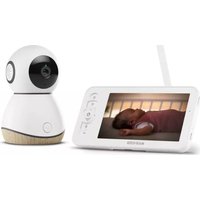
USER MANUAL See PRO MAXI-COSI
natural_image
Product catalog image showing various home appliances including a smart home, cordless cable, lamp, and wall-mounted devices (no text or symbols visible)

natural_image
Blue circular icon with a white wrench symbol (no text or numbers)
Index

natural_image
Abstract icon of a white box inside a blue circle (no text or symbols)
1

3

natural_image
Blue circular icon with white Wi-Fi symbol (no text or numbers)
5

natural_image
Blue circular warning symbol with white exclamation mark (no text or numbers)
EN 6
FR 10
DE 14
NL 18
ES 22
IT 26
PT 30
SV 34
DA 38
FI 42
NO 46
EL 50
TR 54
PL 58
RU 62
UK 66
HR 70
SK 74
BG 78
HU 82
SL 86
ET 90
CS 94
RO 98
HE 102
AR 106

natural_image
Blue circular icon with a white wrench symbol (no text or numbers)
1



A
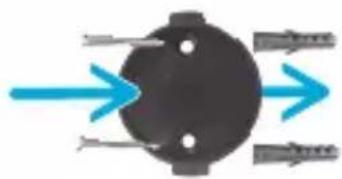
natural_image
Pure diagram of a black circular object with directional arrows indicating flow or direction (no text or symbols)
2

natural_image
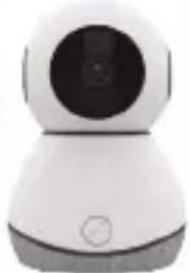
White and gray mobile phone with a circular screen (no visible text or symbols)



natural_image
Top-down view of a smart device with blue circular arrow indicating rotation (no text or symbols)
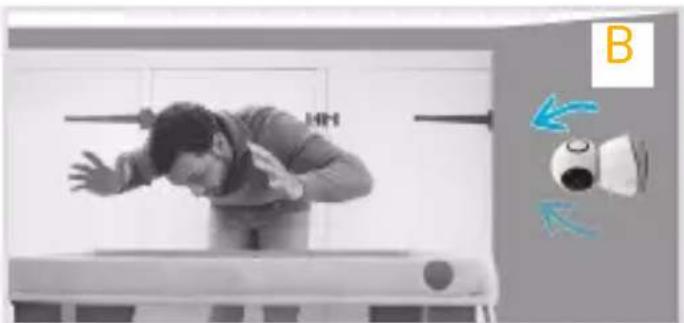
natural_image
Person performing a hand gesture on a bench with directional arrows indicating movement (no text or symbols)

natural_image
Blue circular icon with a white wrench symbol (no text or numbers)
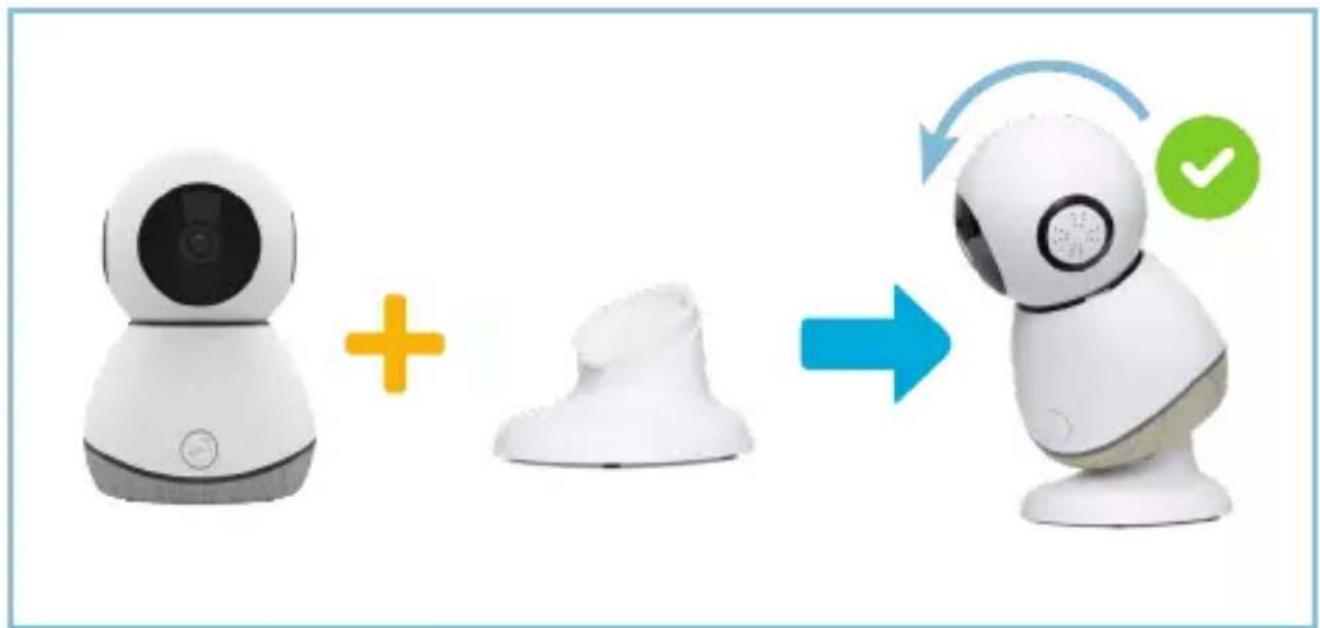
natural_image
Illustration of a robot with camera and mask components, showing a blue arrow indicating rotation or transformation (no text or symbols)

natural_image
Blue circular icon with white Wi-Fi symbol (no text or numbers)
1
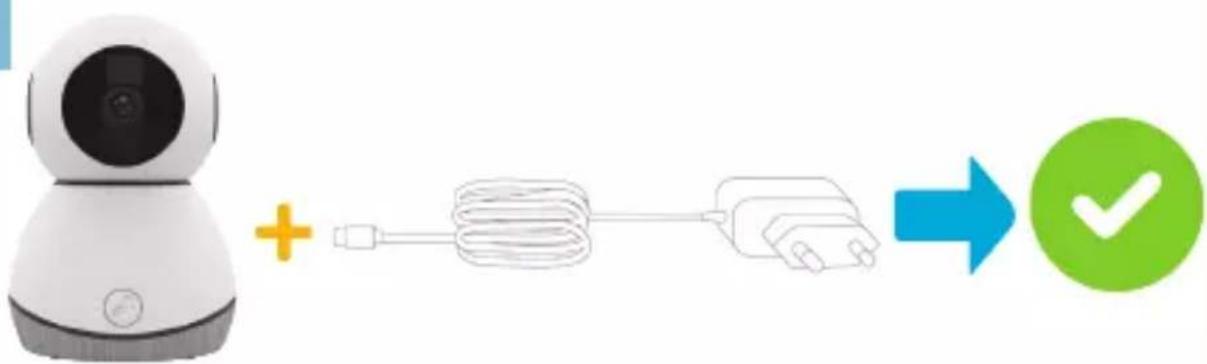
flowchart
graph LR
    A["Robot"] -->|+| B["Cable Cable"]
    B --> C["Plug"]
    C --> D["Checkmark"]
2

flowchart
graph LR
    A["Remote Device"] + B Cable & Plug-in Battery --> C["Green Checkmark Icon"]
3
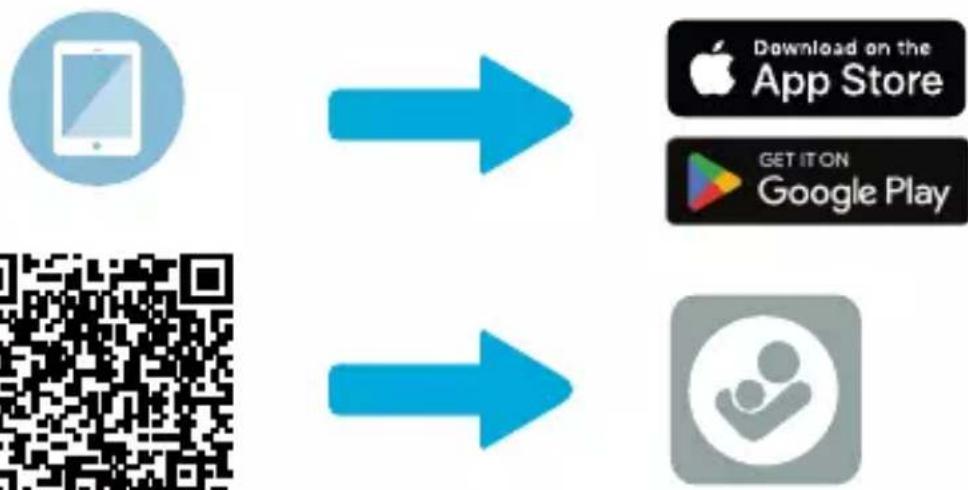
flowchart
graph LR
    A["App Icon"] --> B["Download on the App Store"]
    C["QR Code"] --> D["Get It On Google Play"]
Maxi-Cosi Connected home
- Getting Started Download Maxi-Cosi Connected Home app by searching for Maxi-Cosi Connected Home in the app store.
- Setup On your mobile device, follow the step by step instructions in the Maxi-Cosi Connected Home app for setup. Explore the features and functionality within the Maxi-Cosi Connected Home app. WiFi Connectivity: A 2.4GHz Wireless Internet with >2Mbps available download/upload speeds is required. Check the Wi-Fi signal strength from your internet service provider. To reduce signal interference or echoes, avoid placing the monitor near major electrical appliances, large metal or concrete surfaces.
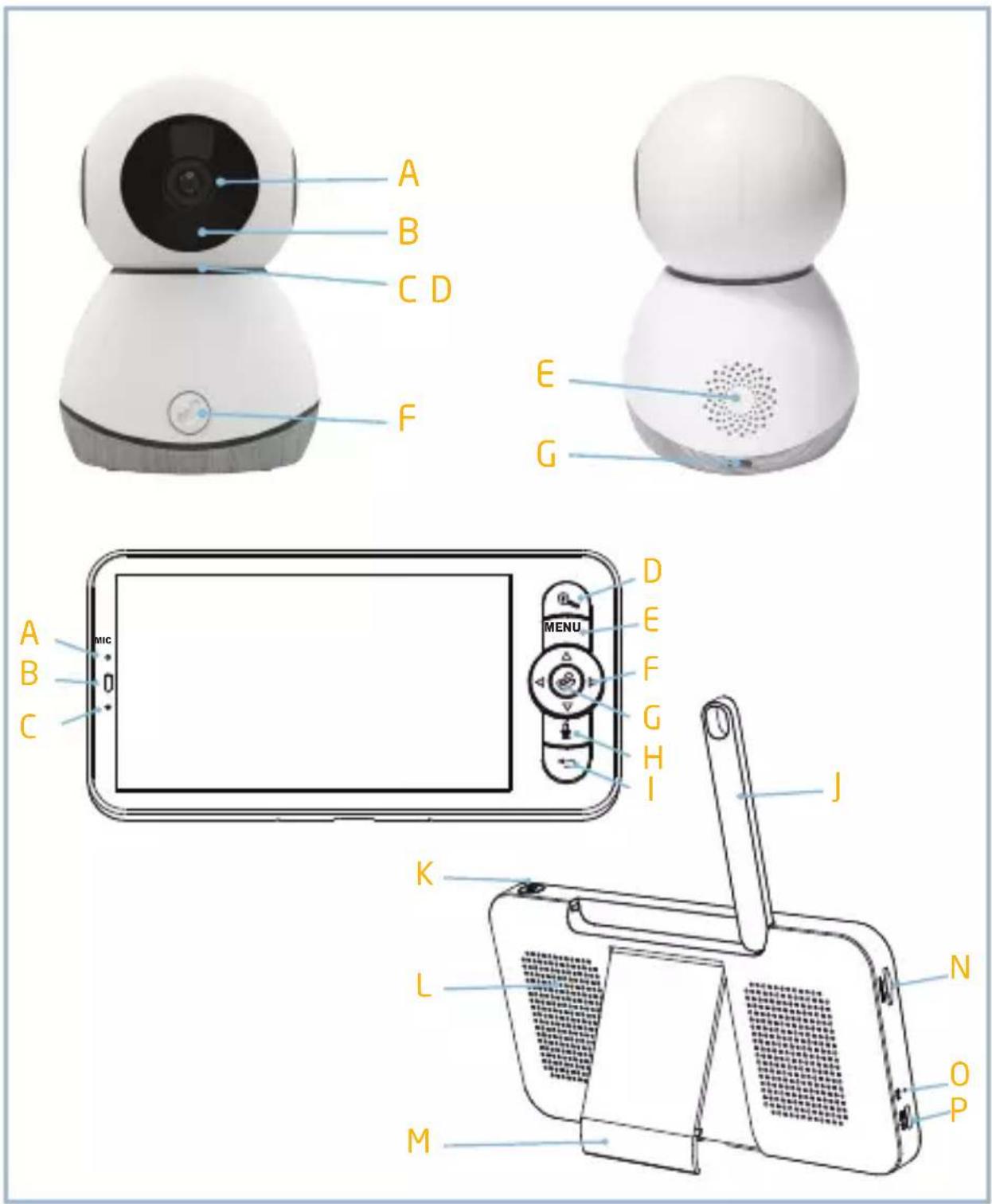
Descriptions
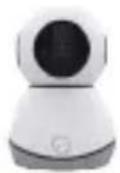
A - Status light
D - Reset
G - Power
B - Microphone
E- Speaker
C - SD card slot
F -Call
Status light • Red light solids on: the camera network is abnormal
- Blinking red light: awaiting WIFI connection (fast blinking)
- Blue light solids on: camera running correctly
- Blinking blue light: currently connecting (fast blinking)
Microphone Captures sound for your video
SD card slot Supports local SD card storage (Max. 128GB)
Reset
Press & hold for 5 seconds with pin to reset the camera
(If you have modified settings, they will return to factory defaults)
Speaker 2-way talk
Call Receive the answer after pressing the button
Power
DC 5V (±)10%
5V 1A
| A - Microphone | D - Zoom in/out | G - OK |
| B - Status light of charging | E - Menu | H - Call |
| C - Status light of using | F - Direction | I - Back |
| J - Antenna | M - Screen holder | P - Micro USB |
| K - ON/OFF button | N - SD card slot | |
| L - Speaker | O - Reset | |
| Status light of charging | Orange light: Charging Green light: Fully charged |
| Status light of using | Yellow light: The display is on No light: The display is off |
Microphone Capture sound for your video
Antenna Adjust the angle to get better signals
ON/OFF button Long press 5 seconds to turn on and turn off the display
Zoom in/out Zoom the image in 1X, 2X or 4X
| Menu | On homepage, press to enter the menu interface; |
| On homepage, long press to enter the setting interface |
Direction Control the rotation directions; select the menu items
OK Confirm
Call Make a call after pressing the button
SD card slot Support local SD Card storage (Max.128G)
Reset Press with pin to reset the display
| Back | Press to back up;On homepage, long press to stop playing music |
Pairing of camera and monitor
Power on the camera and the monitor, and they will automatically connect. If the connection fails, please follow the steps below to pair. The pairing is distance limited, so make the distance between the camera and the monitor is no more than 200m.
Unbind the monitor and camera:
- Press Menu button on the monitor screen, and select > Camera.
- Select Camera 1 or Camera 2 which you need to unbind.
- Long press OK button to release the binding.
Pair the monitor and camera:
- Press Menu button on the monitor screen, and select > Camera.
- Select Camera 1 or Camera 2 which you need to pair.
- Long press the camera pairing button until you hear the prompt tone.
- Press OK button on the monitor screen to start pairing.
- (Optional) For camera 2, repeat step 2 \~ step 4.
FAQ
The monitor cannot be previewed properly?
Check whether the monitor has connected to the camera. If not, pair the camera and the monitor firstly.
The pairing button is the call button of the camera. Long press the button for 3 seconds, and follow the step instructions of the monitor.
(To enter the pairing interface of the monitor, press Menu button on the monitor screen, and select > Camera Management.)
Press the reset button of your monitor with the pin, and then long press the power button of your monitor to restart it.
Why the camera or the monitor cannot identify the SD card?
A: Confirm whether the SD card is normally available and the format is FAT32.
Why I can't get the notifications with my Maxi-Cosi Connected Home App when I connect the camera to the monitor?
Please confirm that the App has been running on the phone, and the relevant reminder function has been opened;Message notification and authority confirmation in the mobile phone system have been opened.
Why the monitor can't view video after the camera is connected to the App?
The monitor has a 2 minute interruption time when the camera is reset, and it will automatically resume after 2 minutes. If it doesn't recover, try to pair the monitor and camera again.
SAFETY
- Product contains small parts, take care when unpacking and assembling the product.
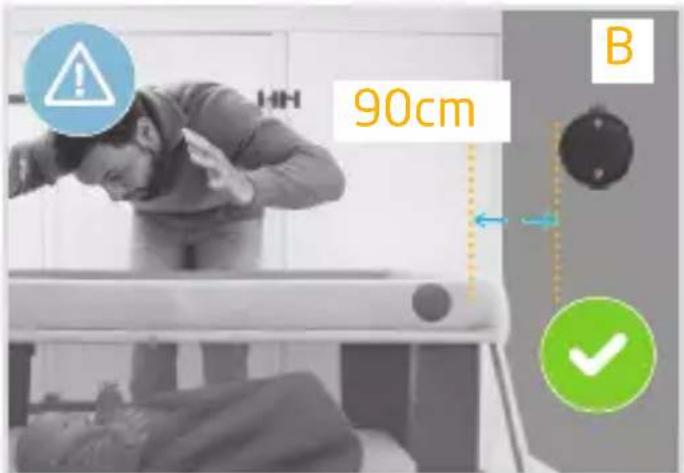
- Cords present a potential strangulation hazard. Keep cords out of reach of children: 90 cm.
Caution
- This device is designed for indoor use only.
- The units should not be exposed to rain or moisture.
- The units should not be exposed to direct heat sources such as radiators, stoves or other devices that produce heat.
- This product is not a toy and should be kept out of children's reach.
Warning
- Check if the voltage indicated on the adapter corresponds to the local main voltage before you connect the device.
- Only use the adapter supplied with the product.
- Do not modify or cut off any part of the adapter or its cord. This may cause a hazardous situation.
- Keep the packing material (plastic bags, card board, etc.) out of reach of children,
as these are not toys.
- Never put any object on top of the baby monitor and do not cover it. Do not block any ventilation opening.
- To prevent electric shock, do not open the body of the baby monitor.
- Never place the baby monitor inside the baby's bed or playpen.
- Remove the power cord before cleaning the product.
Declaration of Compliance Compliance with standards
Maxi-Cosi hereby declares that this baby monitor is in compliance with the essential requirements and other relevant provisions of Directive 2014/53/EU. The full text of the EU DOC is available at the following internet address: < maxi-cosi.com>
RF parameter:
Frequency band: 2412\~2472MHz
Maximum output power: 18 dBm
Electromagnetic fields
This Maxi-Cosi Baby monitor complies with all applicable standard and regulations regarding exposure to electromagnetic fields.
Environmentally friendly disposal
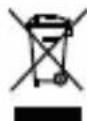
Old electrical appliances must not be disposed of together with the residual waste, but have to be disposed of separately. The disposal at the communal collecting point via private persons is for free,
The owner of old appliances is responsible to bring the appliances to these collecting points or to similar collection points. With this little personal effort, you contribute to recycle valuable raw materials and the treatment of toxic substances.
Caution
- The battery is not replaceable. Do not attempt to open, disassemble or repair the product.
- In the event of a malfunction, visit us at maxi-cosi.com to chat with us there.
- Do not open the product to perform unauthorized repairs. This could cause serious damage to the device and void your warranty.
- To charge the battery, do not use any cable other than the one supplied when you purchased the product, and respect the recommended currents and voltages.
- Do not disposal of a battery into fire or a hot oven, or mechanically crushing or cutting of a battery, that can result in an explosion.
- Do not leaving a battery in an extremely high temperature surrounding environment that can result in an explosion or the leakage of flammable liquid or gas.
- Do not expose the battery to extremely low air pressure that may result in an explosion or the leakage of flammable liquid or gas.
- It is recommended to fully charge the parent unit before use.
- If the battery is not used for a long time, the product may discharge, and it will need to be recharged before use.
Disclaimer
To protect your legal rights, please read the instruction, disclaimers, important notice and safety items provided with this product before using this product to understand your legal rights, responsibilities and safety precautions. Otherwise, it may bring you property damage, personal safety hazards or accidents. Maxi-Cosi reserves the right to update this document. Please ensure to operate this product in accordance with the instructions and safety instructions.
Warranty
Dorel Juvenile Group will replace or repair (at our option) your unit free of charge from 24 months from the date of purchase if the unit is defective in workmanship or materials, when used in normal conditions and in accordance with our user manual. Contact Consumer Care within 24 months of purchase from an authorized retailer.
Maxi-Cosi Connected home
Maxi-Cosi Connected home
Maxi-Cosi Connected home
Maxi-Cosi Connected home
Maxi-Cosi Connected home
Maxi-Cosi Connected home
Maxi-Cosi Connected home
Maxi-Cosi Connected home
Maxi-Cosi Connected home
Maxi-Cosi Connected home
| Statuslys for lading | Oransje lys: LaderGrønt lys: Fulladet |
Maxi-Cosi Connected home
Maxi-Cosi Connected home
Maxi-Cosi Connected home
Maxi-Cosi Connected home
Maxi-Cosi Connected home
Maxi-Cosi Connected home
- Početak Preuzmite aplikaciju Maxi-Cosi Connected Home pretraživanjem pojma Maxi-Cosi Connected Home u trgovini aplikacijama.
- Postavljanje Na svom mobilnom uređaju slijedite detaljne upute u aplikaciji Maxi-Cosi Connected Home za postavljanje. Istražite značajke i funkcionalnost unutar aplikacije Maxi-Cosi Connected Home. WiFi povezivost: Obavezan je bežični internet od 2,4 GHz uz dostupne brzine preuzimanja/prijenosa > 2 Mbps. Provjerite jačinu Wi-Fi signala svog davatelja internetskih usluga. Za smanjenje smetnji ili jeke izbjegavajte postavljanje monitora u blizini glavnih električnih uređaja, velikih metalnih ili betonskih površina.
Opisi
| A - svjetlosni indikator | D - vraćanje na izvorne | F - poziv |
| B - mikrofon | postavke | G - napajanje |
| C - utor za SD karticu | E - zvučnik | |
Svjetlosni indikator
• Stalno upaljeno crveno svjetlo: mreža kamere je neispravna
- Treptavo crveno svjetlo: traženje Wi-Fi veze (brzo treperenje)
• Stalno upaljeno plavo svjetlo: kamera ispravno radi
- Treptavo plavo svjetlo: trenutačno se povezuje (brzo treperenjet)
Maxi-Cosi Connected home
Maxi-Cosi Connected home
Maxi-Cosi Connected home
Maxi-Cosi Connected home
Maxi-Cosi Connected home
Maxi-Cosi Connected home
Maxi-Cosi Connected home
Maxi-Cosi Connected home
.הכלה <הכלההוּרָהוּרָהוּרָהוּרָהוּרָהוּרָהוּרָהוּרָהוּרָהוּרָהוּרָהוּרָהוּרָהוּרָהוּרָה
.הכלה <הכלההוּרָהוּרָהוּרָהוּרָהוּרָהוּרָהוּרָהוּרָהוּרָהוּרָהוּרָהוּרָהוּרָהוּרָהוּרָה
.הכלה 2הכלה 1הכלה 2
Maxi-Cosi Connected home
natural_image
Simple line drawing of a person with a camera and a microwave on a screen, both enclosed in circles (no text or symbols)
See Pro Smart Baby Monitor
DOREL FRANCE S.A.S. Z.I. - 9 bd du Poitou BP 905 49309 Cholet CedexFRANCE
DOREL BENELUX P.O. Box 6071 5700 ET Helmond NEDERLAND
DOREL UK Ltd. 2nd Floor, Building 4 Imperial Place Maxwell Road Borehamwood, Herts WD6 1JN UNITED KINGDOM
DOREL GERMANY GMBH Lintgasse 9, 50667 Köln DEUTSCHLAND
DOREL ITALIA S.P.A. Via Verdi, 14 24060 Telgate (BG) ITALIA
DOREL HISPANIA S.A.U. Edificio Barcelona Moda Centre Ronda Maiols, 1 Planta 3 ^a , local 340 08192 Sant Quirze del Vallès ESPAÑA
DOREL PORTUGAL Rua Pedro Dias, 25 4480-614 Rio Mau n(VDC) PORTUGAL
DOREL JUVENILE SWITZERLAND S.A. Chemin de la Colice 4 1023 Crissier SWITZERLAND / SUISSE