R7060 - Irrigation timer WOOX - Free user manual and instructions
Find the device manual for free R7060 WOOX in PDF.




| Product type | Watering timer |
| Brand | WOOX |
| Model | R7060 |
| Power supply | 2 AA batteries (not included) |
| Inlet connection | Female 3/4" with O-ring |
| Outlet connection | Male 3/4" and Male Quick-Click |
| Maximum water pressure | 6 bar |
| Maximum flow rate | 25 L/min |
| Programming | Up to 4 waterings per day, 7 days |
| Watering duration | 1 min to 3 hours |
| Number of zones | 1 zone |
| Weather protection | IP54 |
| Housing material | UV-resistant ABS |
| Dimensions | 12 x 7 x 7 cm |
| Weight | 250 g (without batteries) |
| Maintenance | Clean the filter regularly; do not use solvents |
| Safety | Manual shut-off function; automatic anti-freeze |
| Warranty | 2 years |
Frequently Asked Questions - R7060 WOOX
User questions about R7060 WOOX
0 question about this device. Answer the ones you know or ask your own.
Ask a new question about this device
Download the instructions for your Irrigation timer in PDF format for free! Find your manual R7060 - WOOX and take your electronic device back in hand. On this page are published all the documents necessary for the use of your device. R7060 by WOOX.
USER MANUAL R7060 WOOX
natural_image
Green industrial water pump device with black fittings and a small pipe fitting (no visible text or symbols)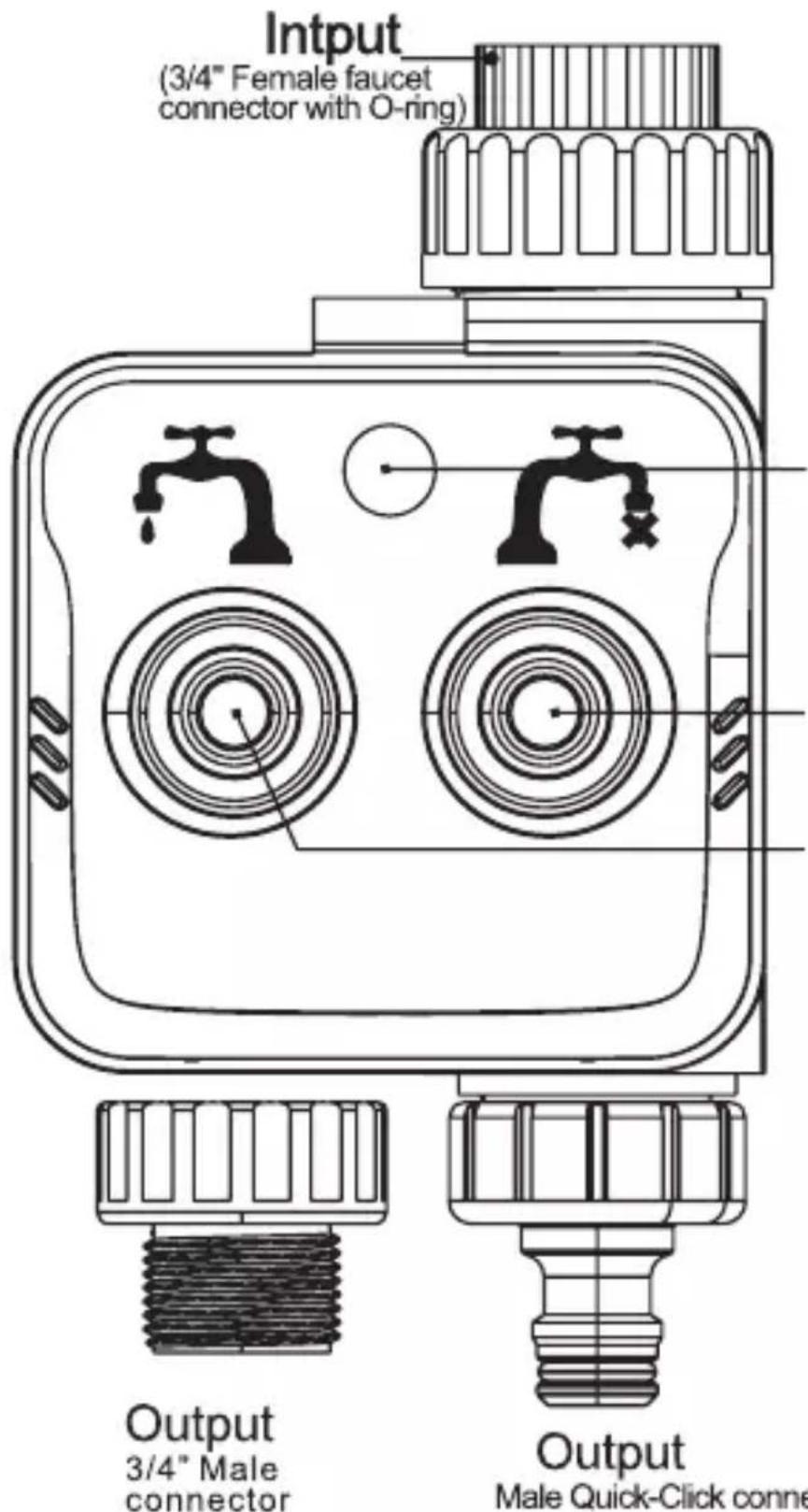
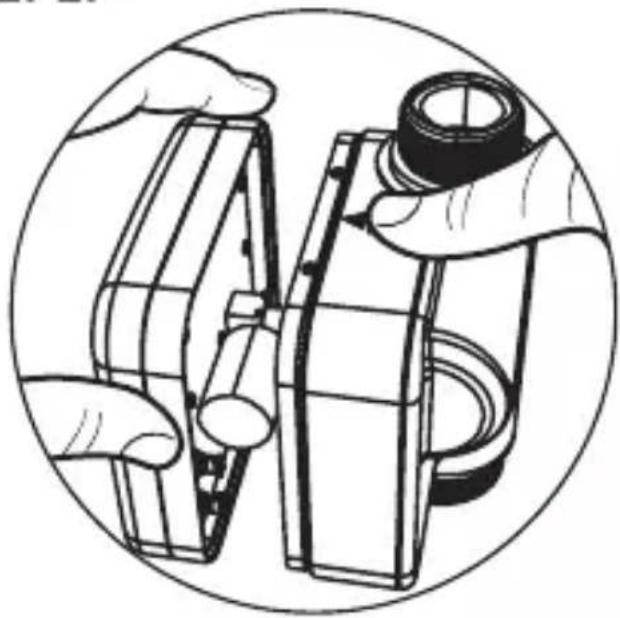
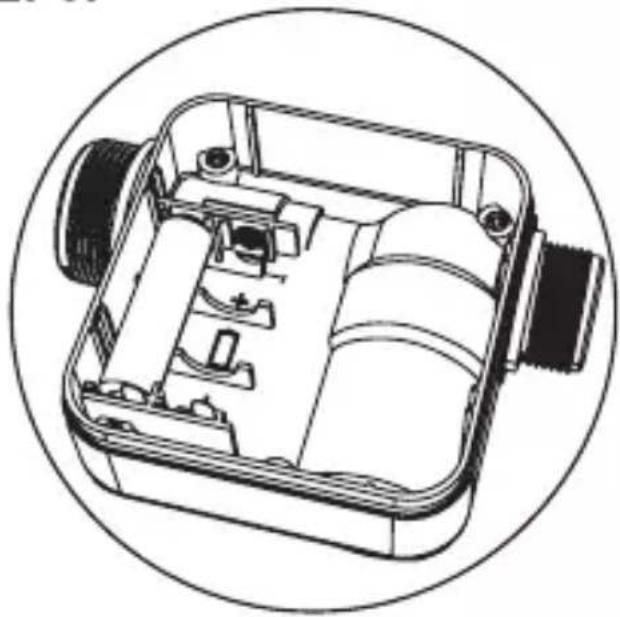
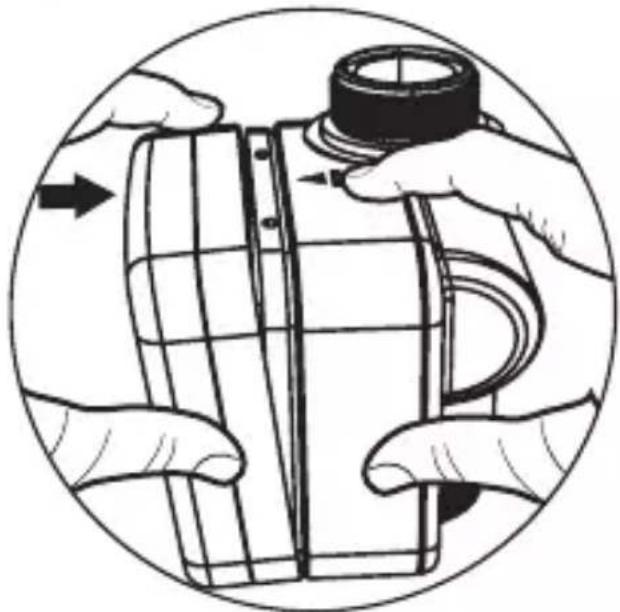
If necessary, you can change Male Quick-Click connector to 3/4" Male connector
English
English
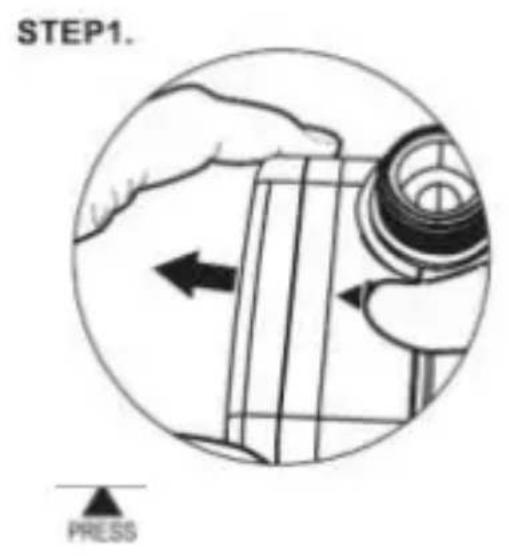
English
STEP2.
natural_image
Illustration of hands assembling or adjusting a mechanical component (no text or symbols visible)STEP3.
natural_image
Technical line drawing of a mechanical device with internal components, enclosed in a circular frame (no text or symbols)English
STEP4.
natural_image
Illustration of hands assembling or adjusting a mechanical component, no text or symbols present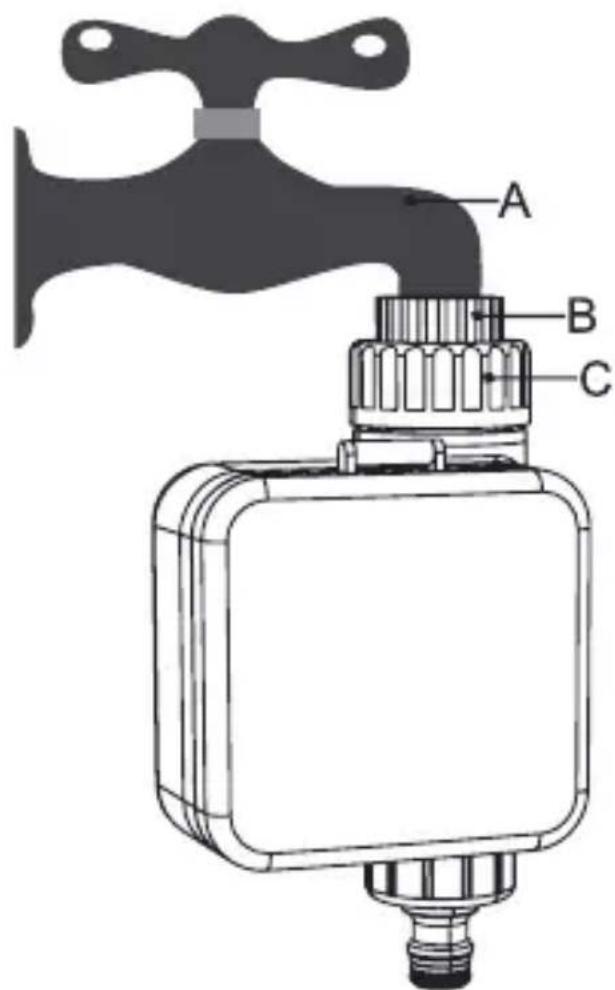
English
STEP1.
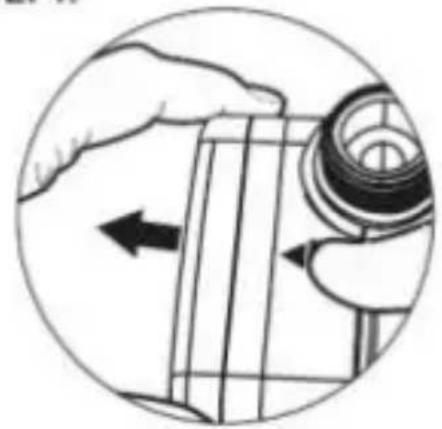
natural_image
Illustration of a hand holding a mechanical component with an arrow indicating direction (no text or symbols present)
STEP2.
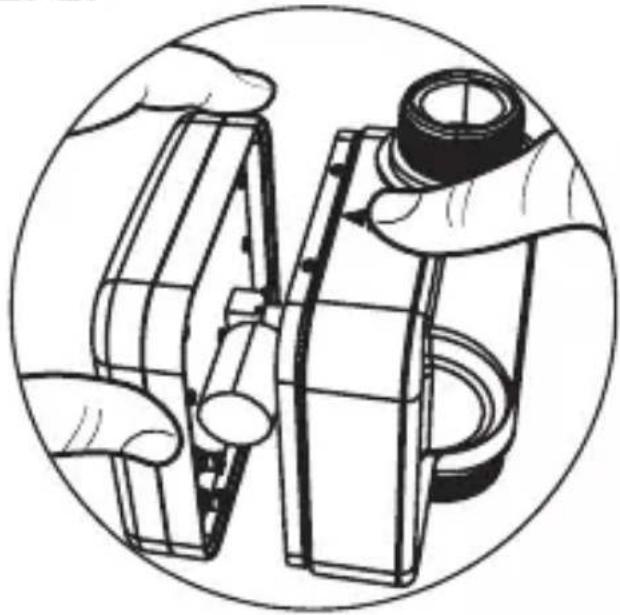
natural_image
Illustration of hands assembling or adjusting a mechanical component, enclosed in a circular frame (no text or symbols)STEP3.

natural_image
Technical line drawing of a mechanical device with internal components, enclosed in a circular frame (no text or symbols)STEP4.
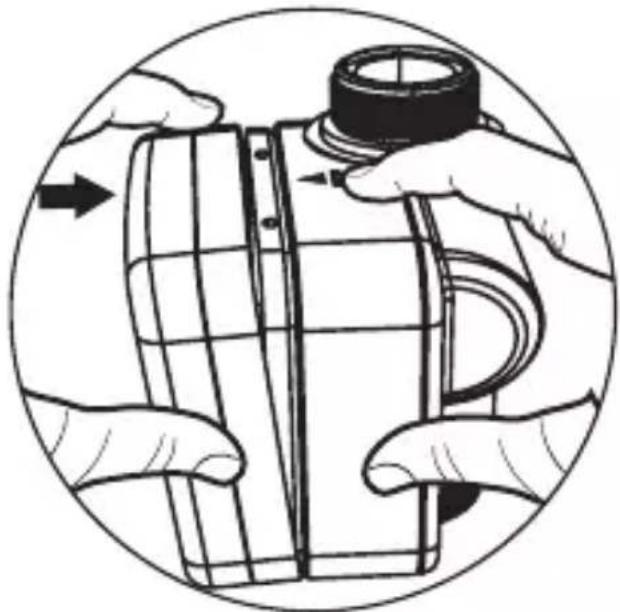
natural_image
Illustration of hands assembling a cylindrical object with a cap, enclosed in a circular frame (no text or symbols)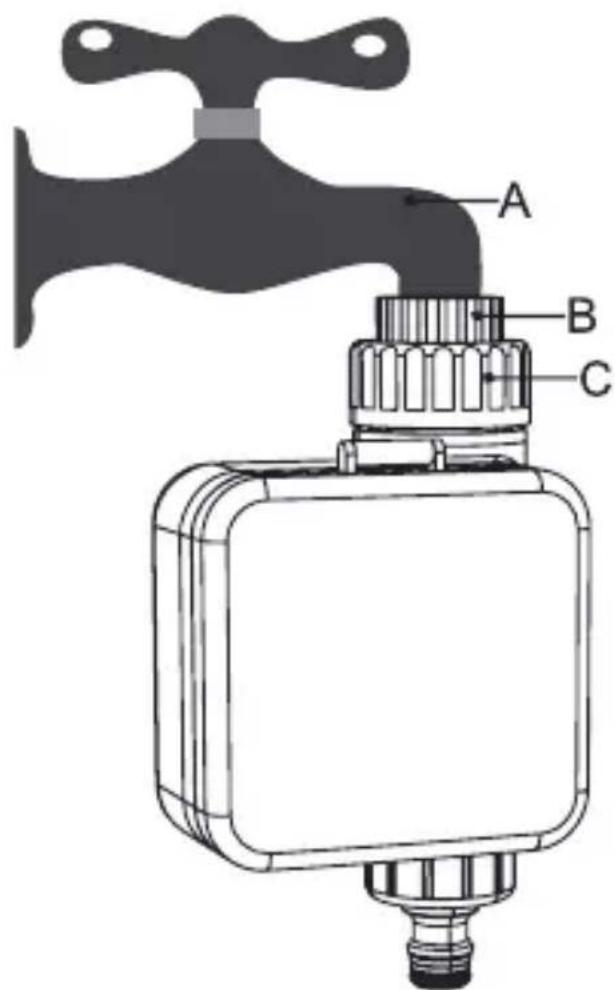
STEP1.
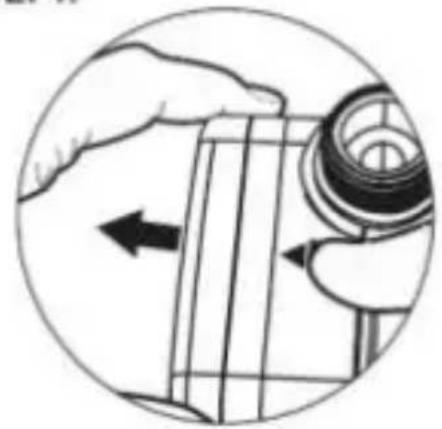
natural_image
Illustration of a hand holding a mechanical component with an arrow indicating direction (no text or symbols present)
STEP2.
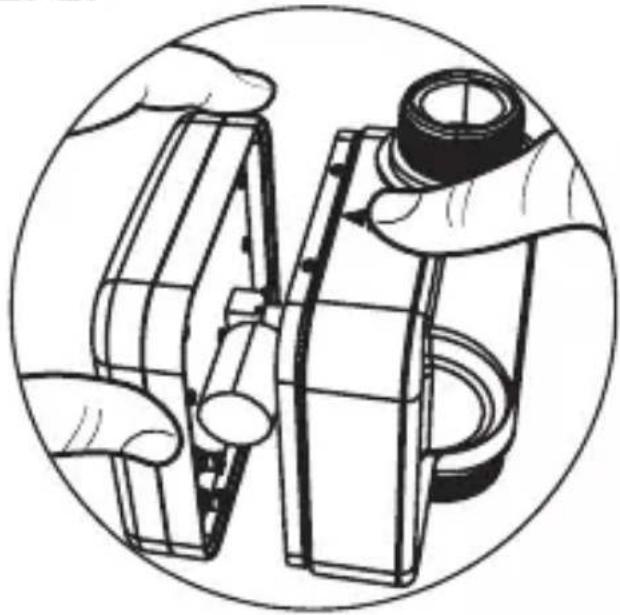
natural_image
Illustration of hands assembling or adjusting a mechanical component, enclosed in a circular frame (no text or symbols)STEP3.
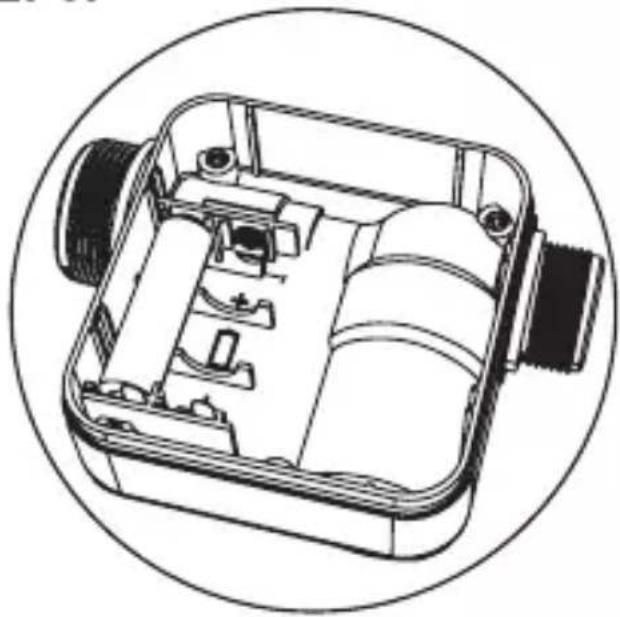
natural_image
Technical line drawing of a mechanical device with internal components, enclosed in a circular frame (no text or symbols)STEP4.
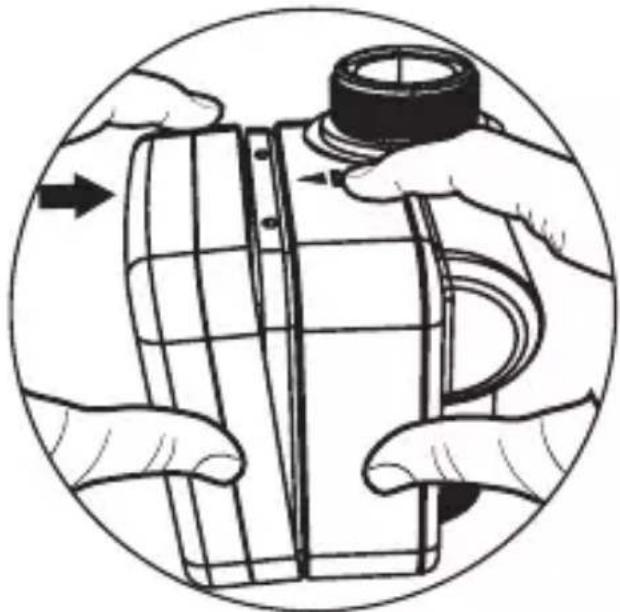
natural_image
Illustration of hands assembling a cylindrical object with a cap, enclosed in a circular frame (no text or symbols)
STEP1.
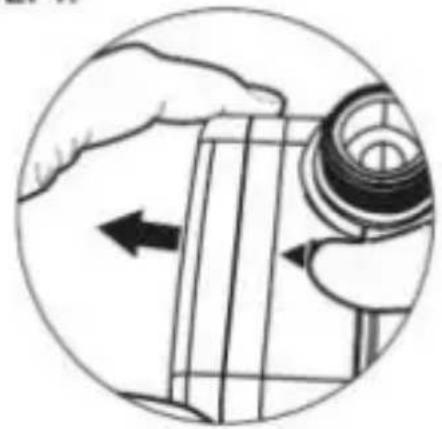
natural_image
Illustration of a hand holding a mechanical component with an arrow indicating direction (no text or symbols present)
STEP2.
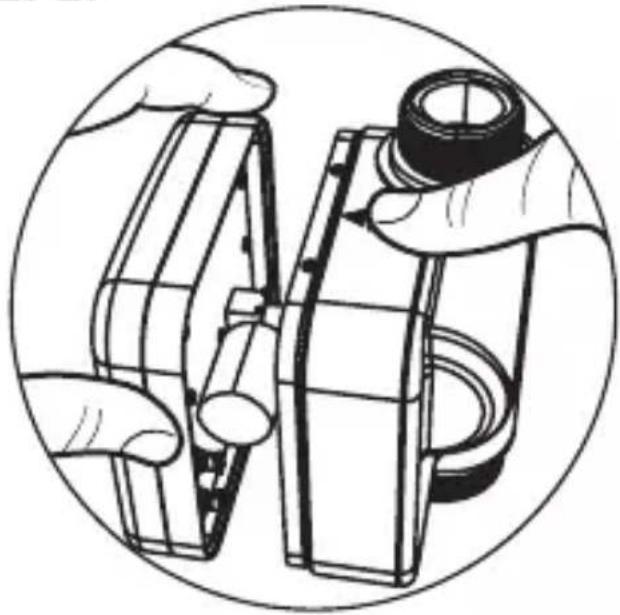
natural_image
Illustration of hands assembling or adjusting a mechanical component (no text or symbols visible)STEP3.
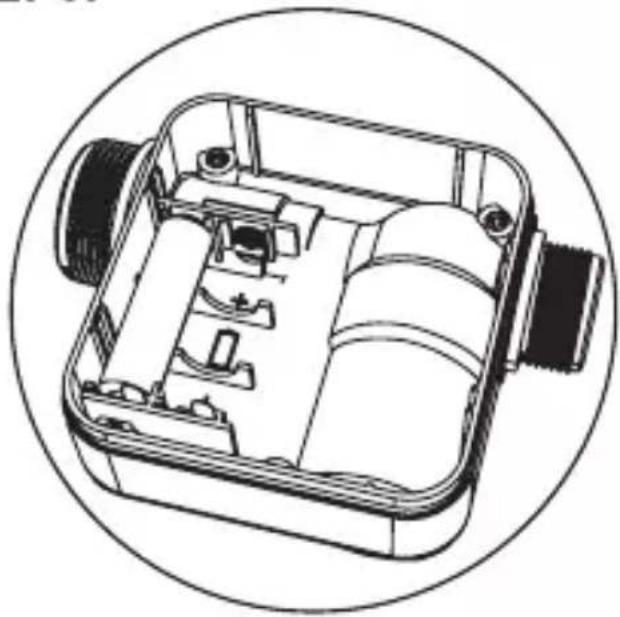
natural_image
Technical line drawing of a mechanical device with internal components, enclosed in a circular frame (no text or symbols)STEP4.
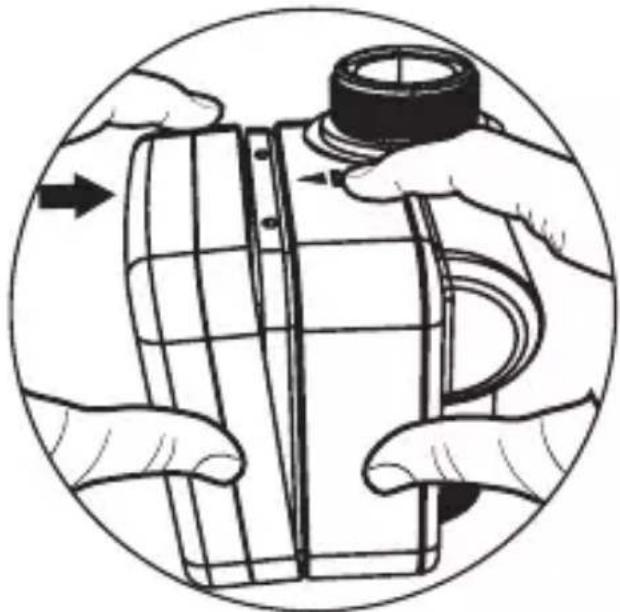
natural_image
Illustration of hands assembling a cylindrical object with a cap, enclosed in a circular frame (no text or symbols)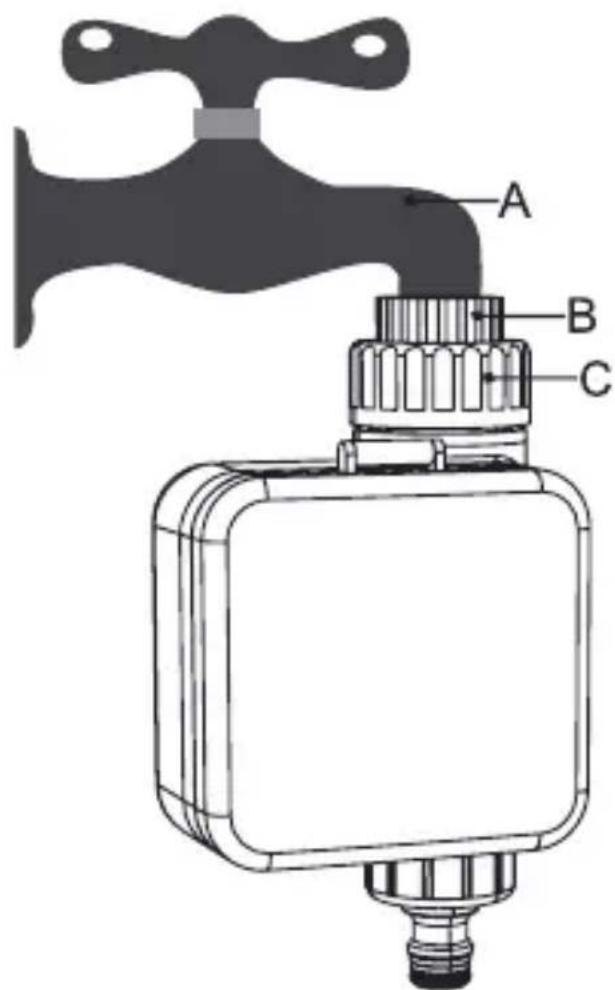
STEP1.
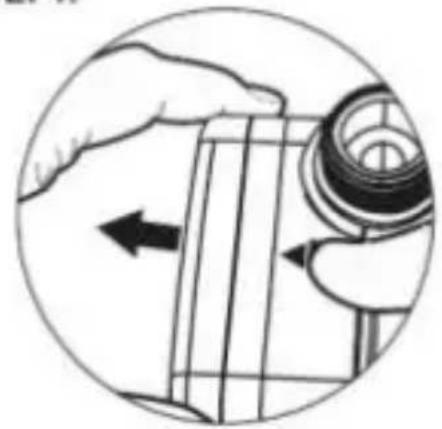
natural_image
Illustration of a hand holding a mechanical component with an arrow indicating direction (no text or symbols present)
STEP2.
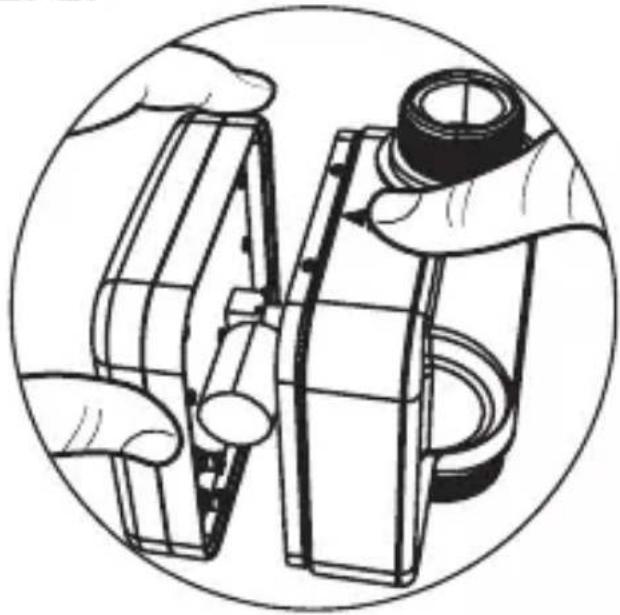
natural_image
Illustration of hands assembling or adjusting a mechanical component, enclosed in a circular frame (no text or symbols)STEP3.
natural_image
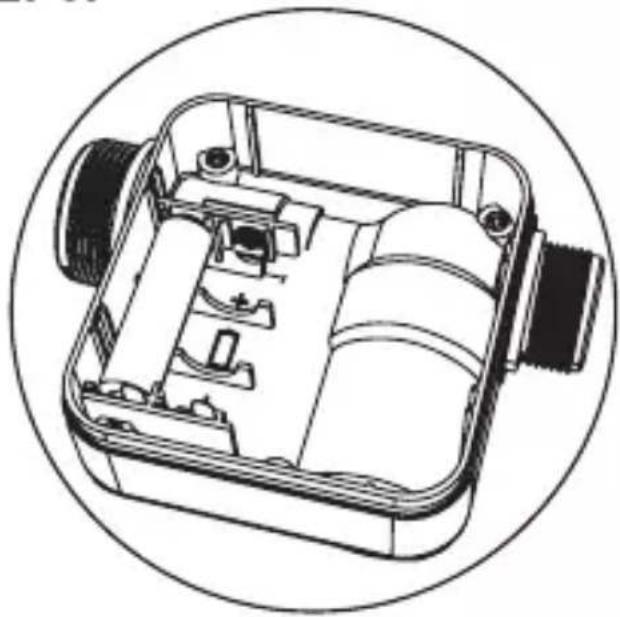
Technical line drawing of a mechanical device with internal components, enclosed in a circular frame (no text or symbols)STEP4.
natural_image
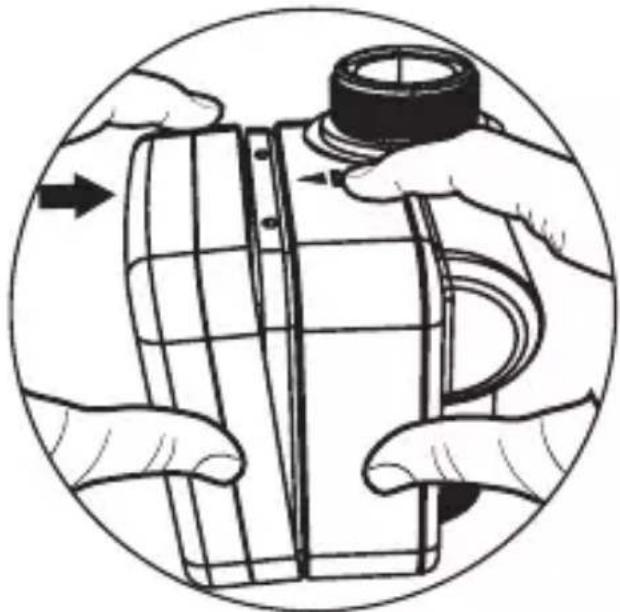
Illustration of hands assembling a cylindrical object with a cap, enclosed in a circular frame (no text or symbols)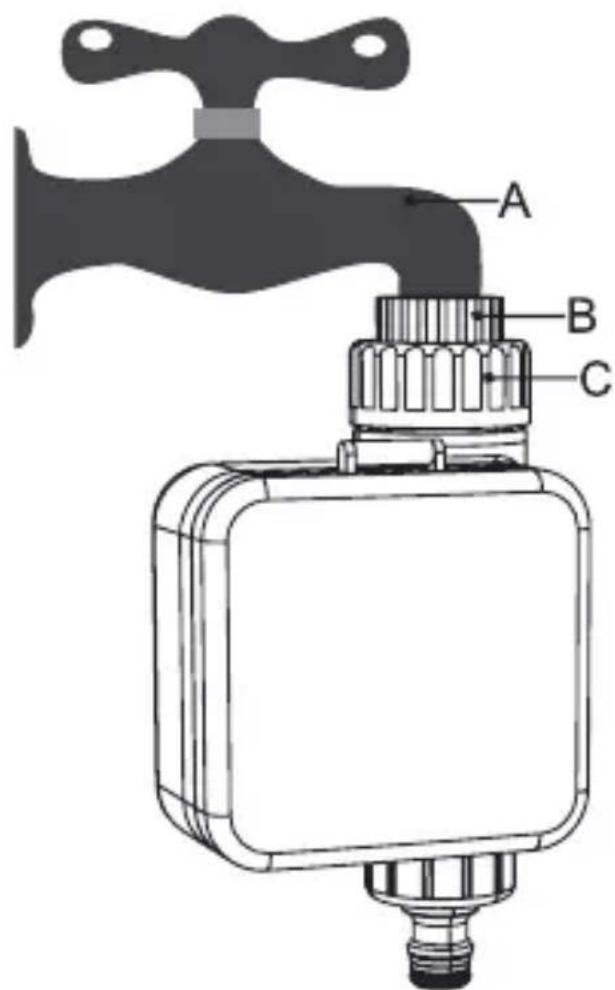
STEP1.
natural_image
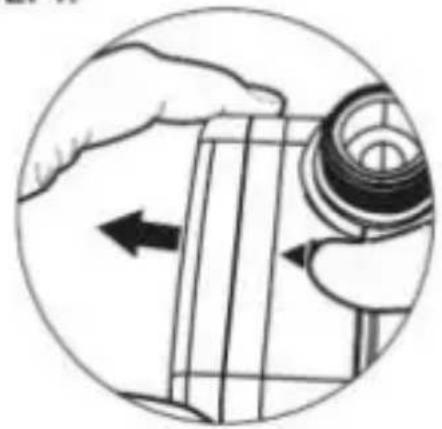
Illustration of a hand holding a mechanical component with an arrow indicating direction (no text or symbols present)
STEP2.
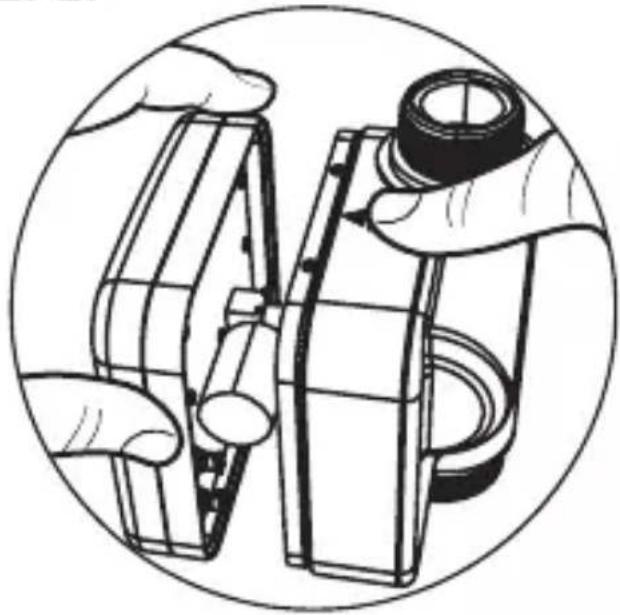
natural_image
Illustration of hands assembling or adjusting a mechanical component, enclosed in a circular frame (no text or symbols)STEP3.
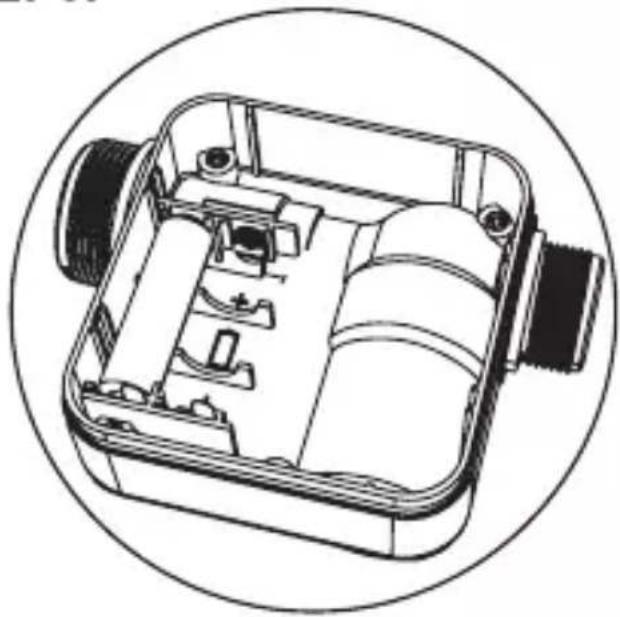
natural_image
Technical line drawing of a mechanical device with internal components, enclosed in a circular frame (no text or symbols)STEP4.
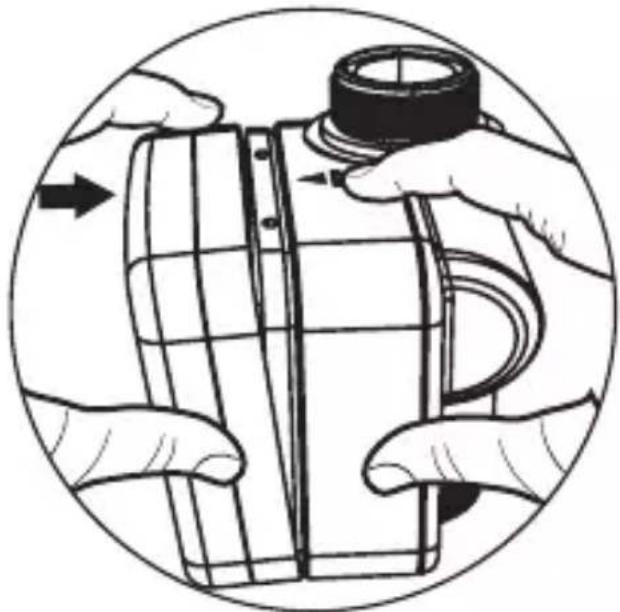
natural_image
Illustration of hands assembling a cylindrical object with a cap, enclosed in a circular frame (no text or symbols)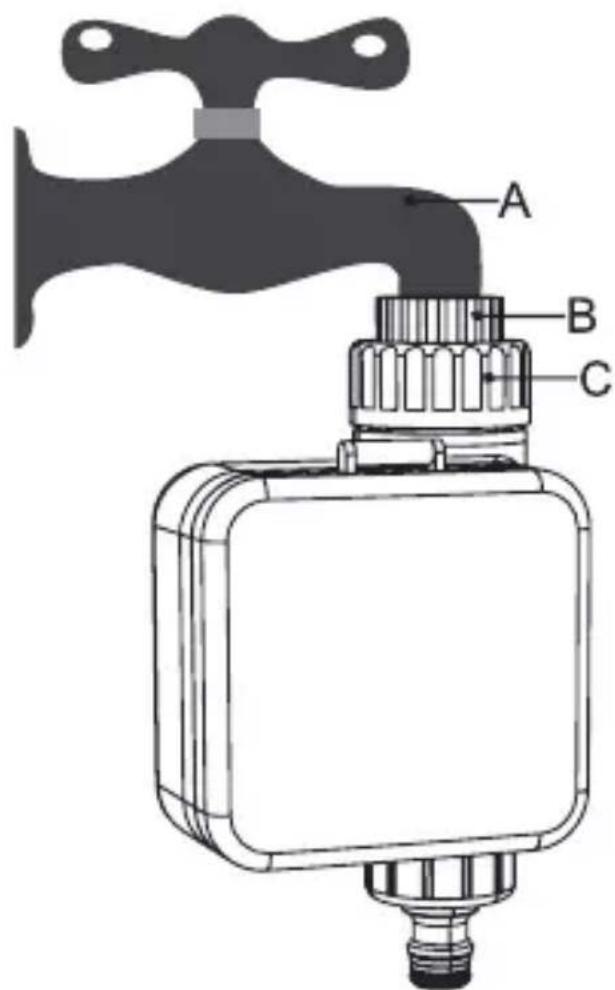
STEP1.
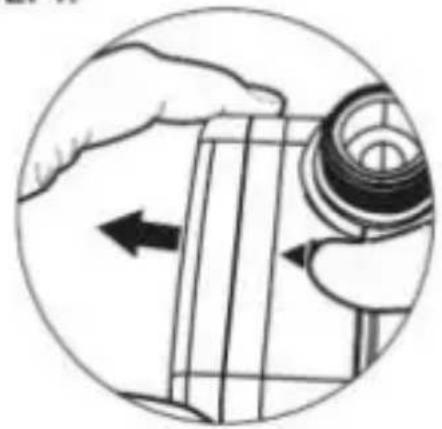
natural_image
Illustration of a hand holding a mechanical component with an arrow indicating direction (no text or symbols present)
STEP2.
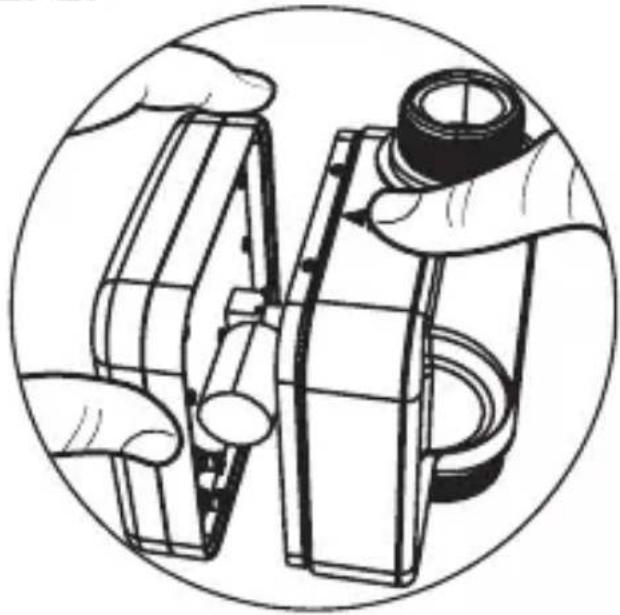
natural_image
Illustration of hands assembling or adjusting a mechanical component, enclosed in a circular frame (no text or symbols)STEP3.
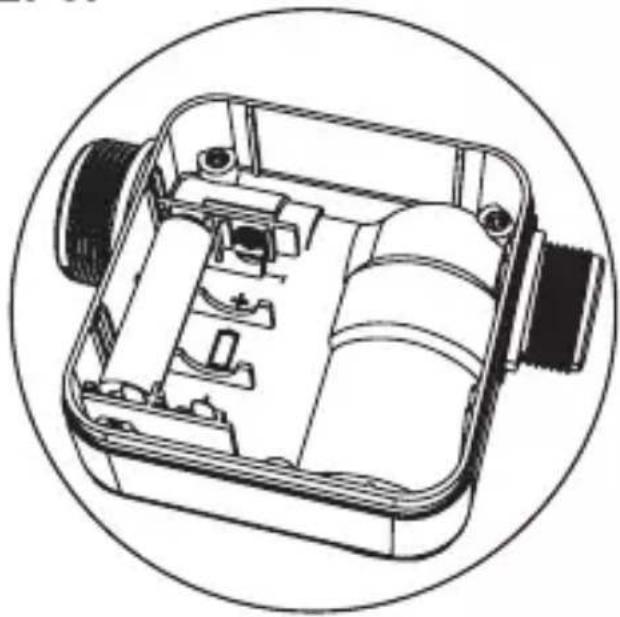
natural_image
Technical line drawing of a mechanical device with internal components, enclosed in a circular frame (no text or symbols)STEP4.
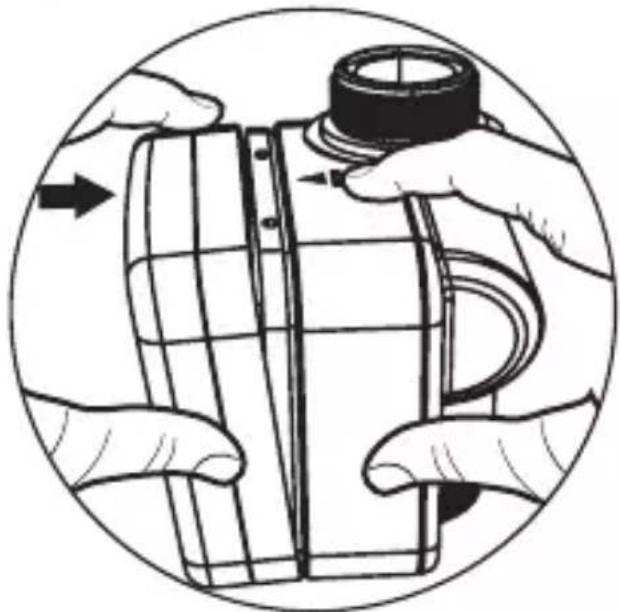
natural_image
Illustration of hands assembling or adjusting a mechanical component, no text or symbols present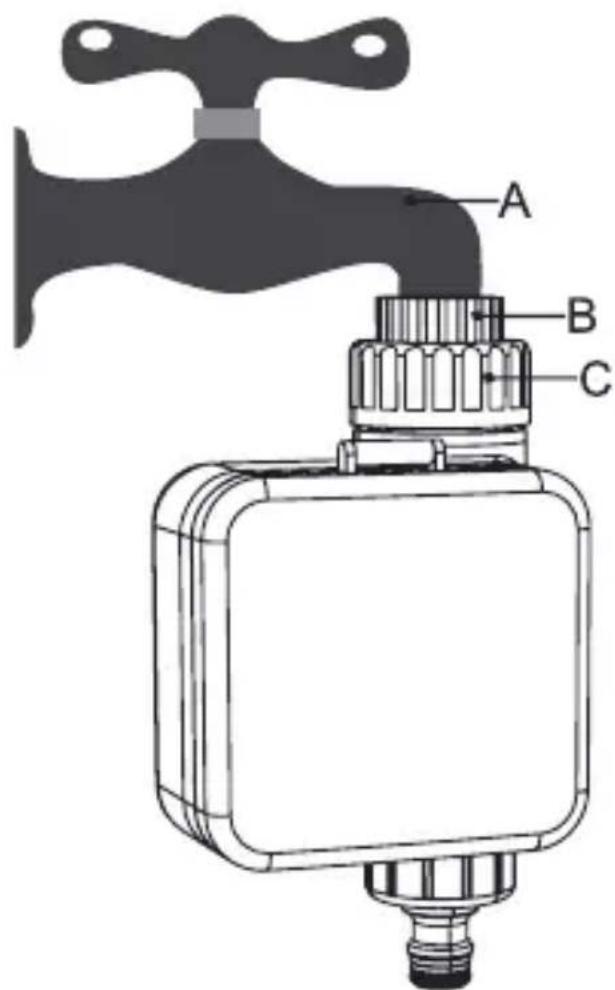
STEP1.
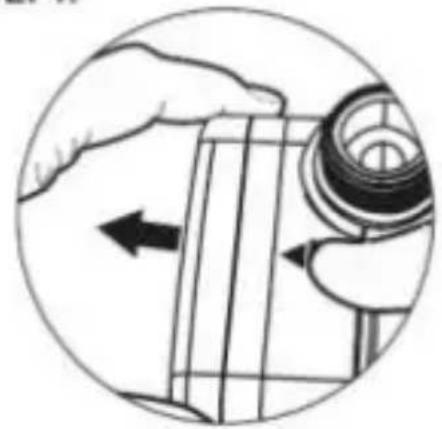
natural_image
Illustration of a hand holding a mechanical component with an arrow indicating direction (no text or symbols present)
STEP2.
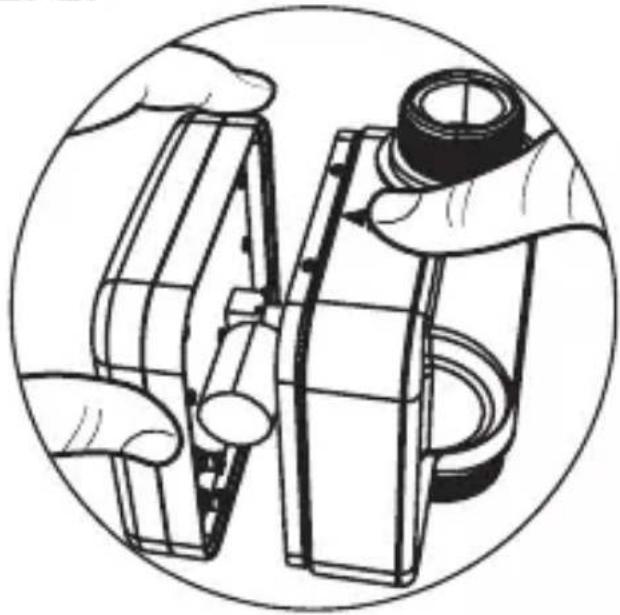
natural_image
Illustration of hands assembling or adjusting a mechanical component, enclosed in a circular frame (no text or symbols)STEP3.
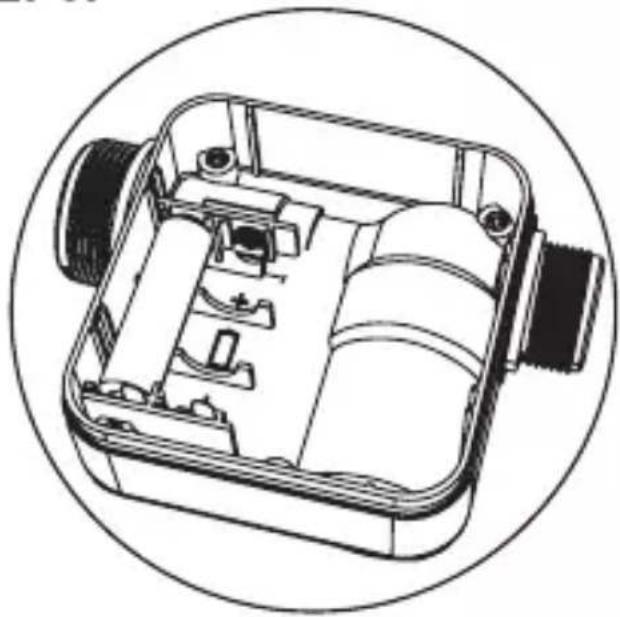
natural_image
Technical line drawing of a mechanical device with internal components, enclosed in a circular frame (no text or symbols)STEP4.
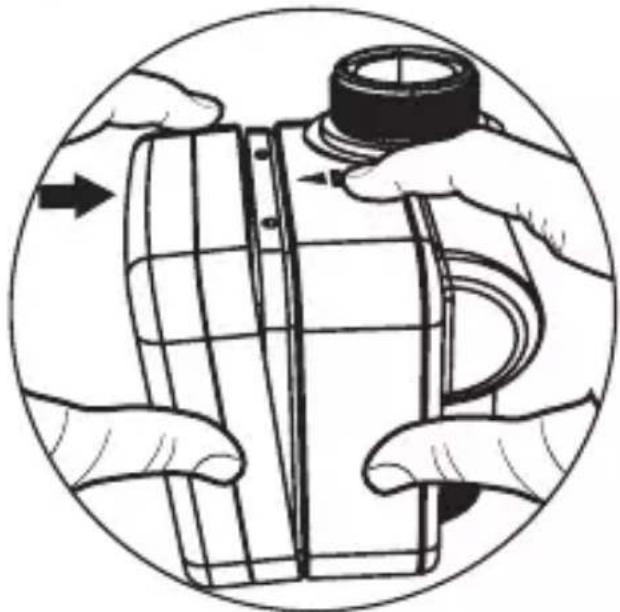
natural_image
Illustration of hands assembling or adjusting a mechanical component, no text or symbols present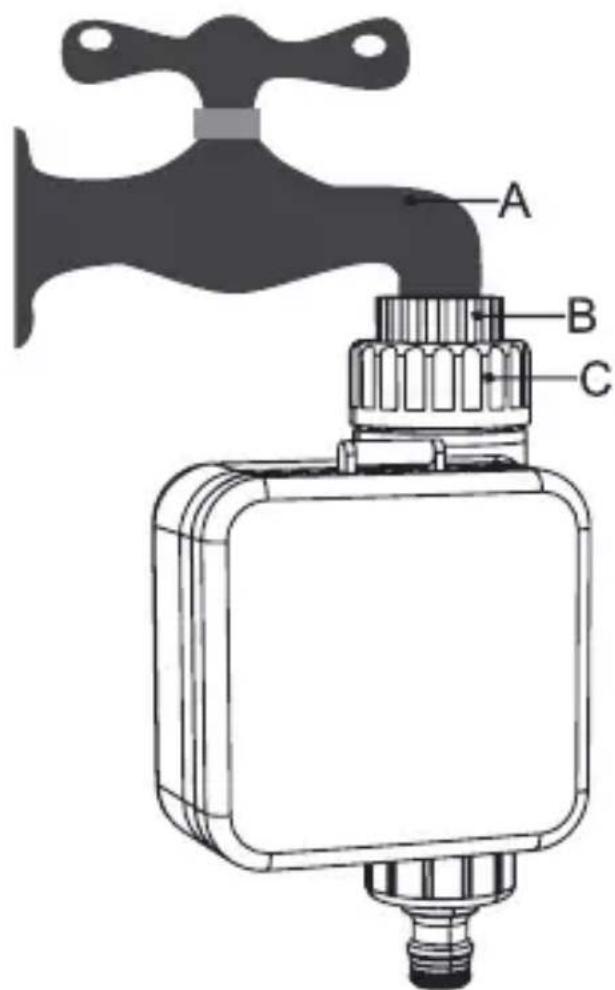
STEP1.
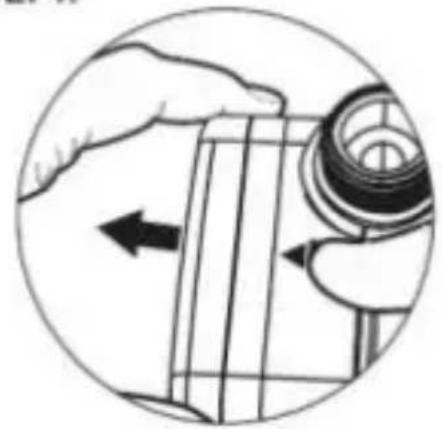
natural_image
Illustration of a hand holding a mechanical component with an arrow indicating direction (no text or symbols present)
STEP2.
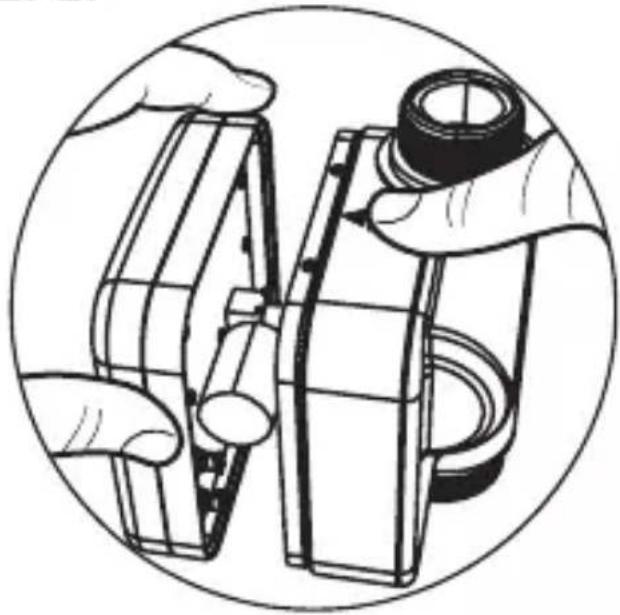
natural_image
Illustration of hands assembling or adjusting a mechanical component, enclosed in a circular frame (no text or symbols)STEP3.
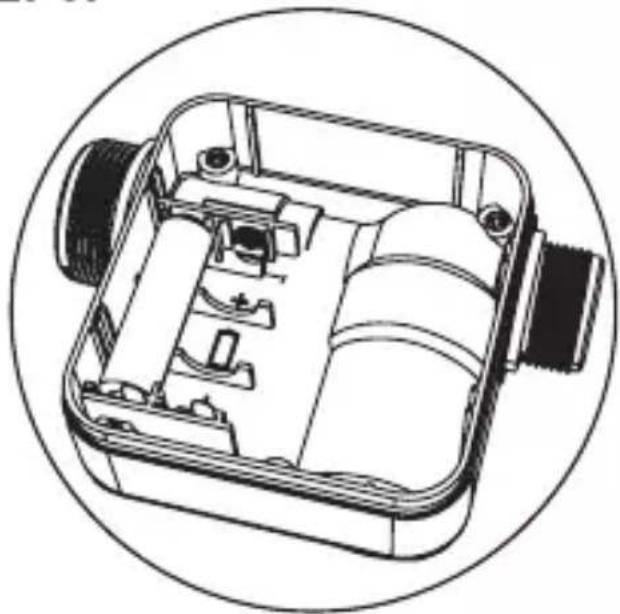
natural_image
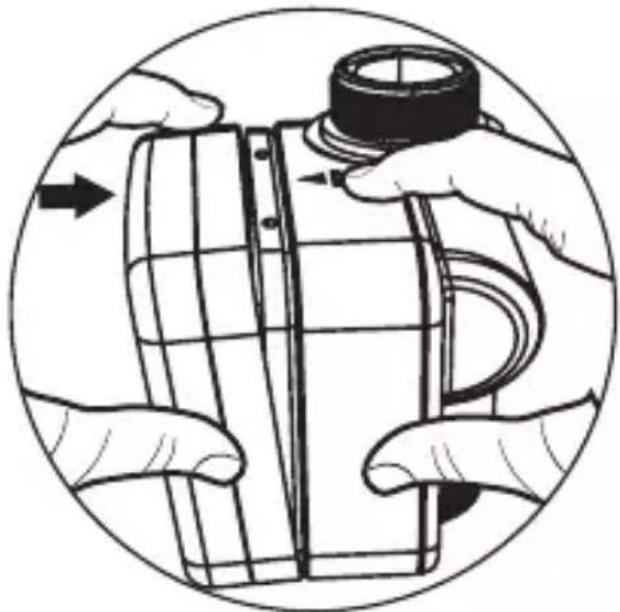
Technical line drawing of a mechanical device with internal components, enclosed in a circular frame (no text or symbols)STEP4.
natural_image
Illustration of hands assembling a cylindrical object with a cap, enclosed in a circular frame (no text or symbols)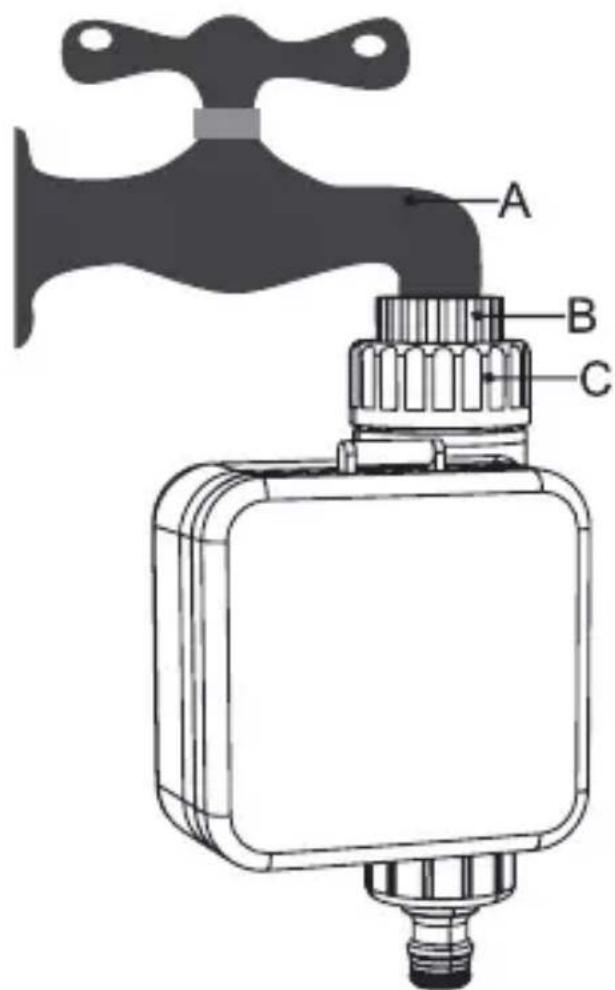
STEP1.
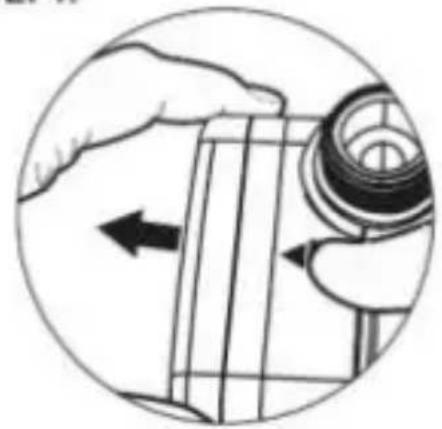
natural_image
Illustration of a hand holding a mechanical component with an arrow indicating direction (no text or symbols present)
STEP2.
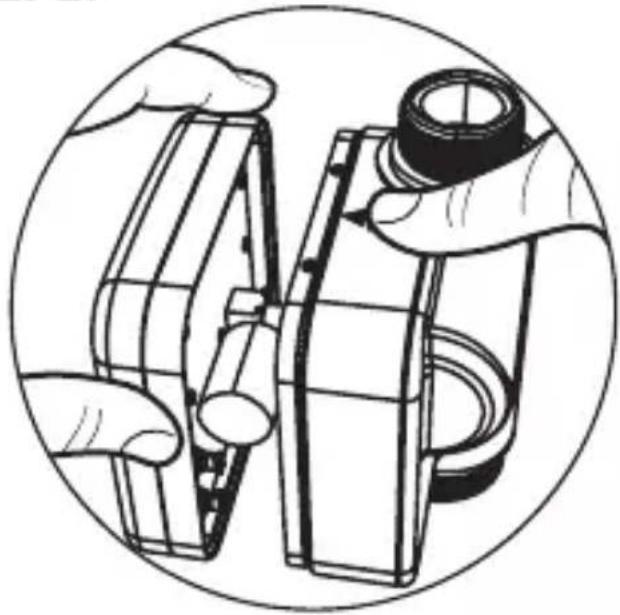
natural_image
Illustration of hands assembling or adjusting a mechanical component, enclosed in a circular frame (no text or symbols)STEP3.
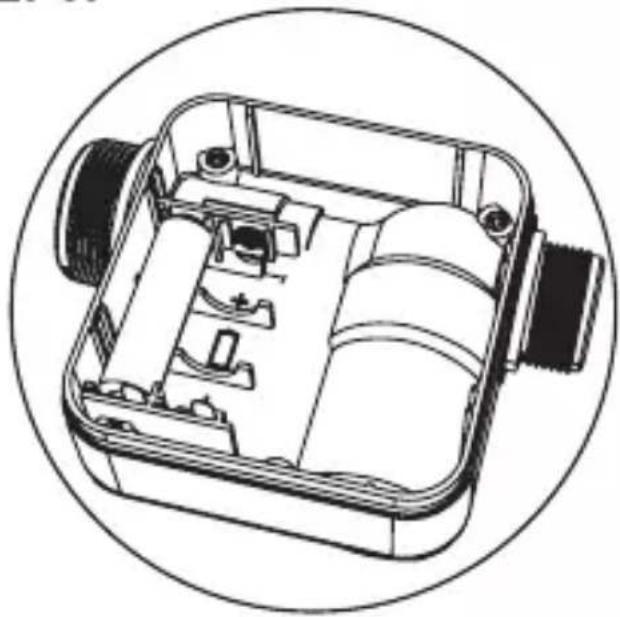
natural_image
Technical line drawing of a mechanical device with internal components, enclosed in a circular frame (no text or symbols)STEP4.
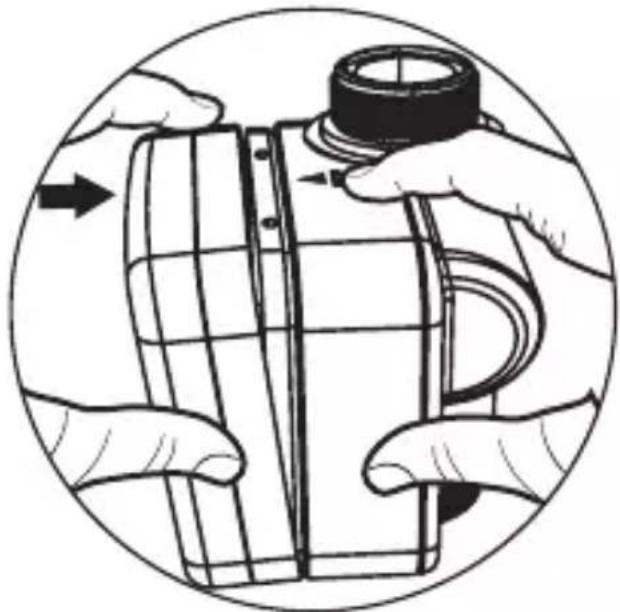
natural_image
Illustration of hands assembling a cylindrical object with a cap, enclosed in a circular frame (no text or symbols)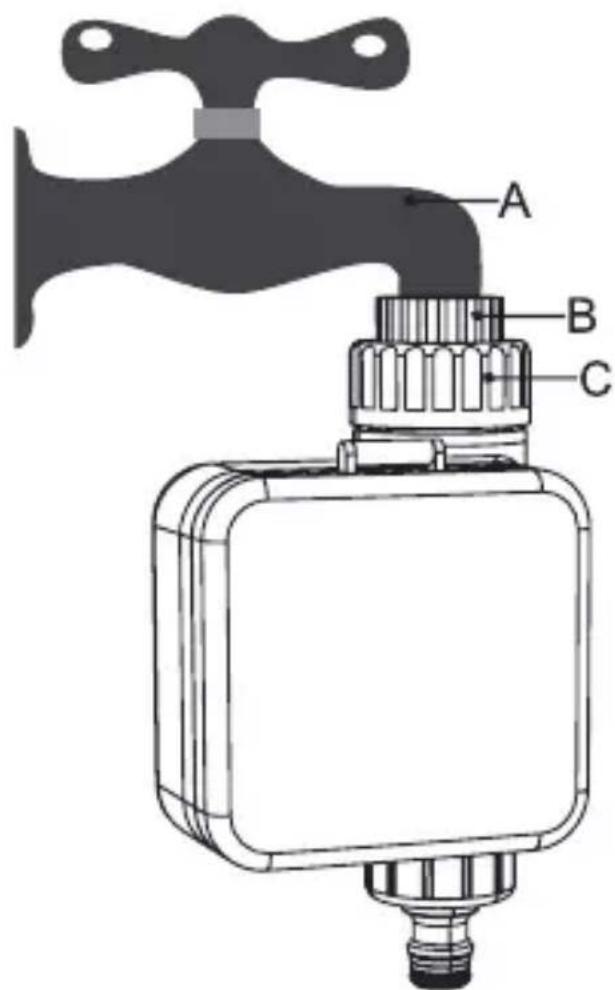
STEP1.
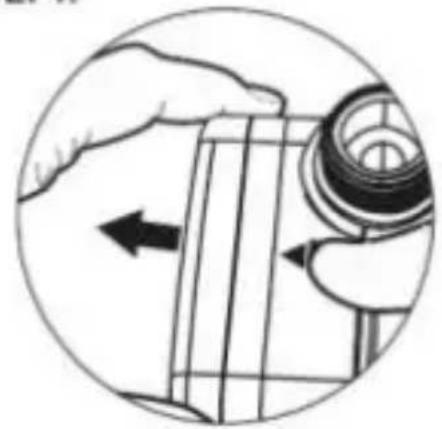
natural_image
Illustration of a hand holding a mechanical component with an arrow indicating direction (no text or symbols present)
STEP2.
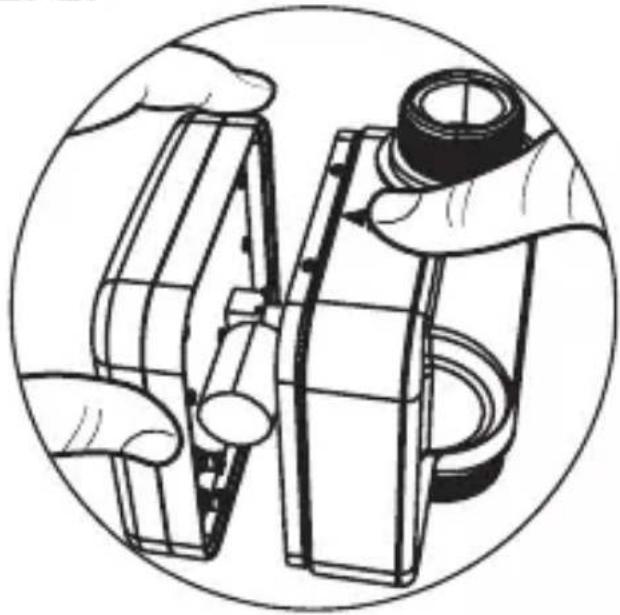
natural_image
Illustration of hands assembling or adjusting a mechanical component, enclosed in a circular frame (no text or symbols)STEP3.
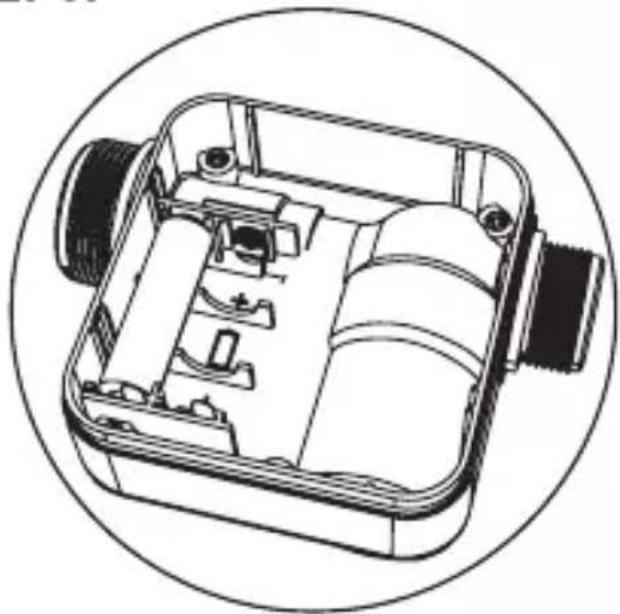
natural_image
Technical line drawing of a mechanical device with internal components, enclosed in a circular frame (no text or symbols)STEP4.
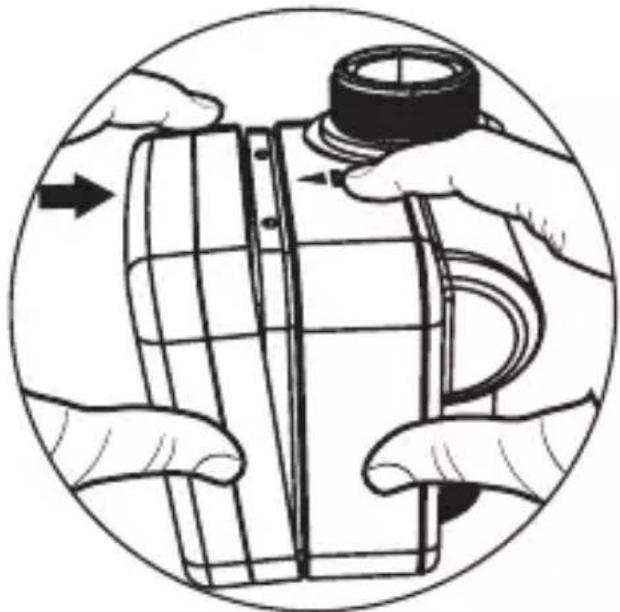
natural_image
Illustration of hands assembling a cylindrical object with a cap, enclosed in a circular frame (no text or symbols)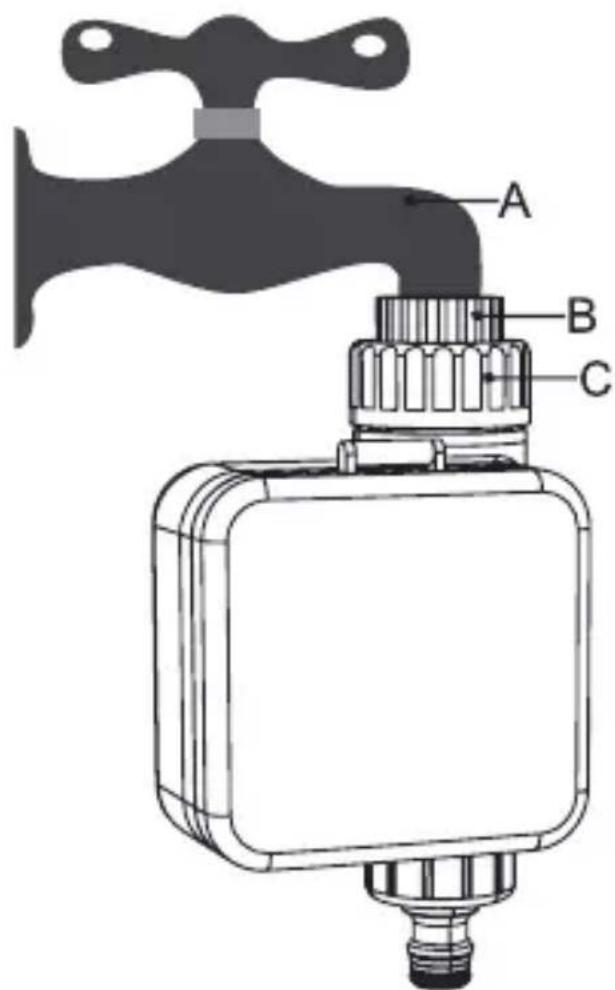
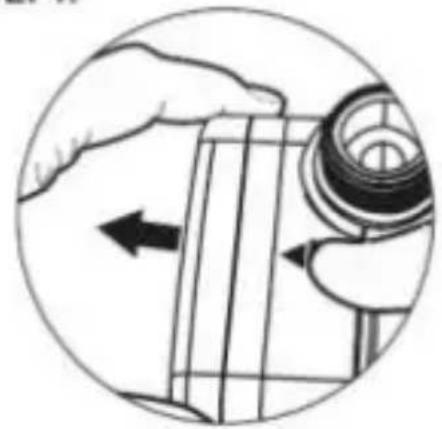
STEP1.
natural_image
Illustration of a hand holding a mechanical component with an arrow indicating direction (no text or symbols present)
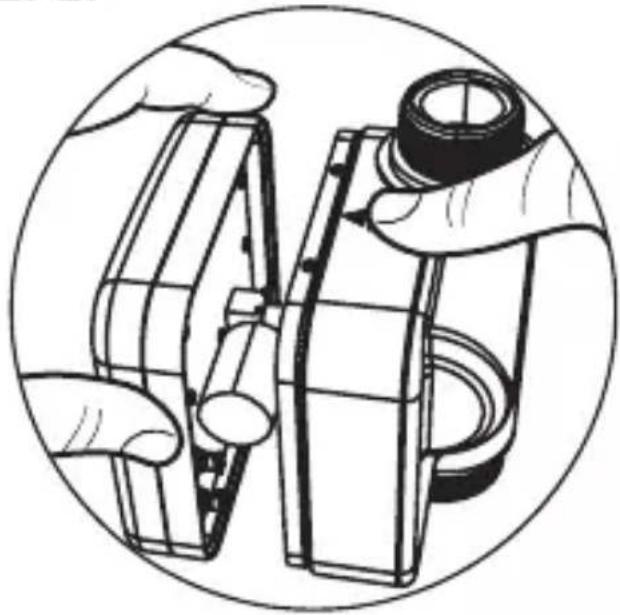
STEP2.
natural_image
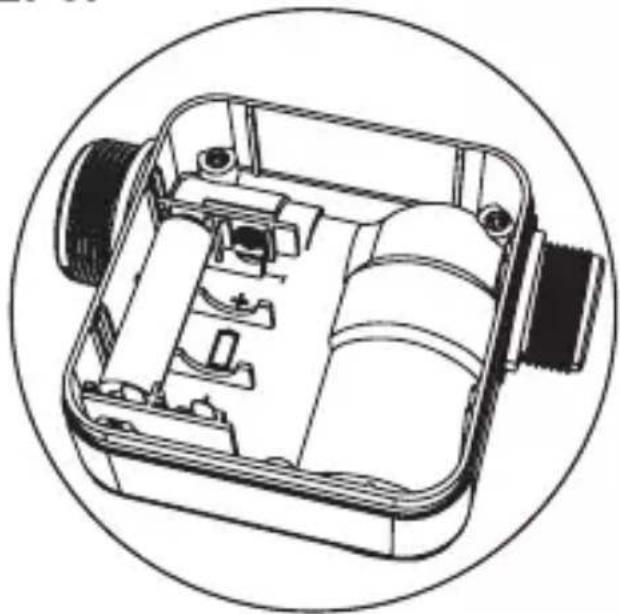
Illustration of hands assembling or adjusting a mechanical component, enclosed in a circular frame (no text or symbols)STEP3.
natural_image
Technical line drawing of a mechanical device with internal components, enclosed in a circular frame (no text or symbols)STEP4.
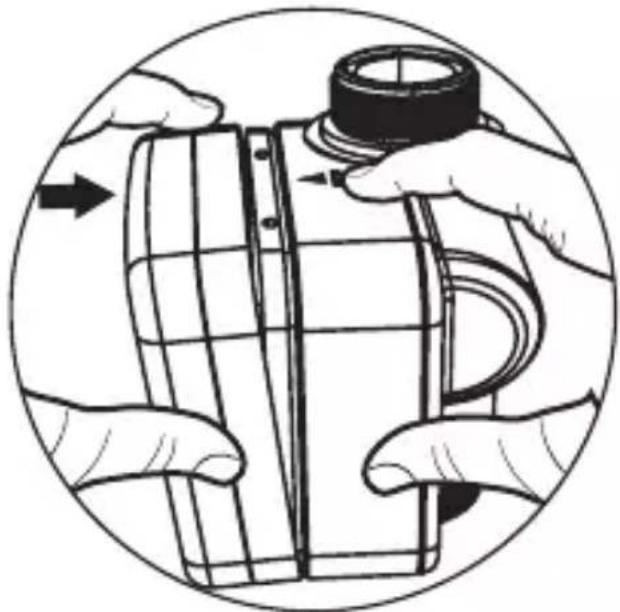
natural_image
Illustration of hands assembling a cylindrical object with a cap, enclosed in a circular frame (no text or symbols)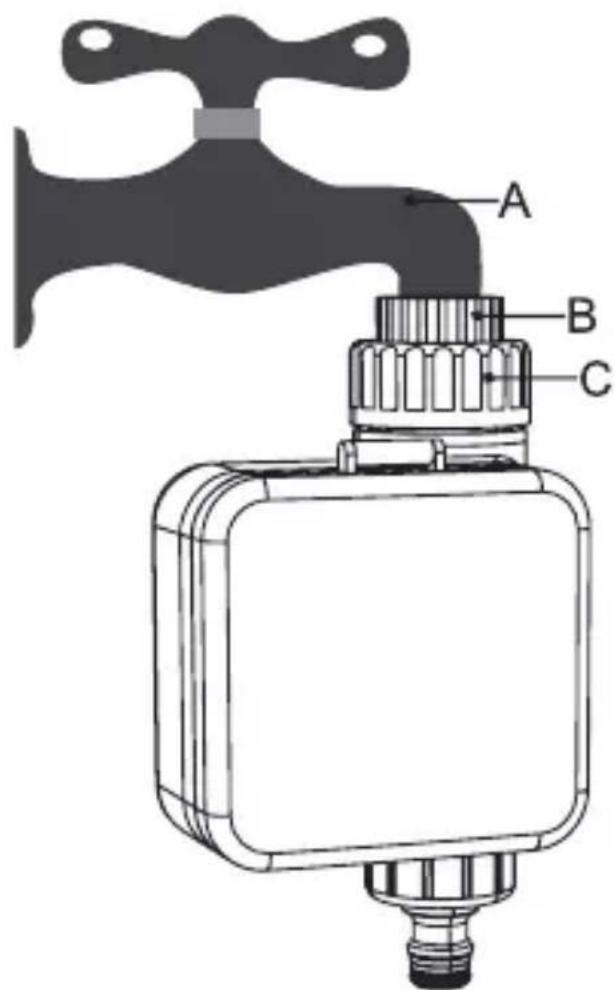
STEP1.
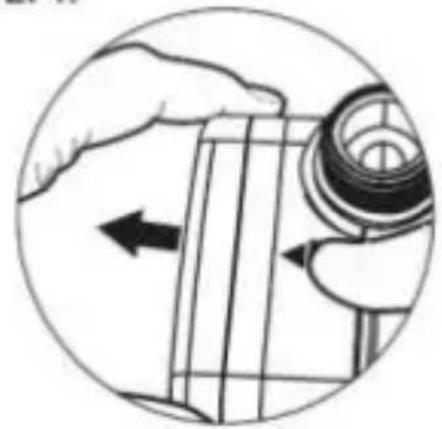
natural_image
Illustration of a hand holding a mechanical component with an arrow indicating direction (no text or symbols present)
STEP2.
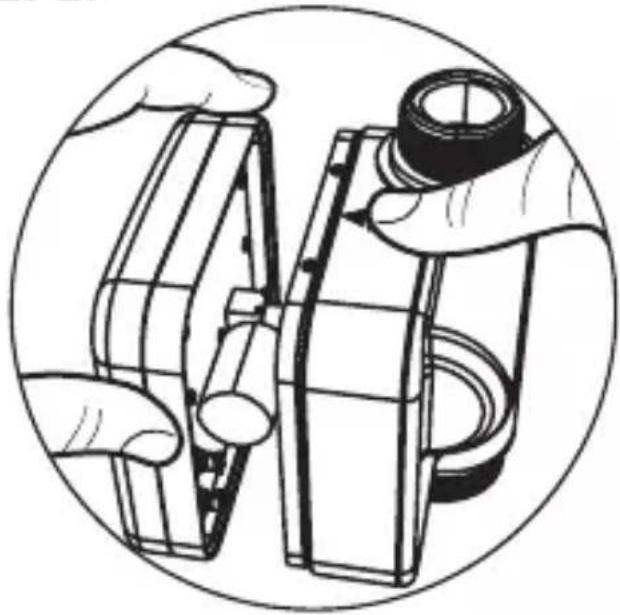
natural_image
Illustration of hands assembling or adjusting a mechanical component, no text or symbols presentSTEP3.
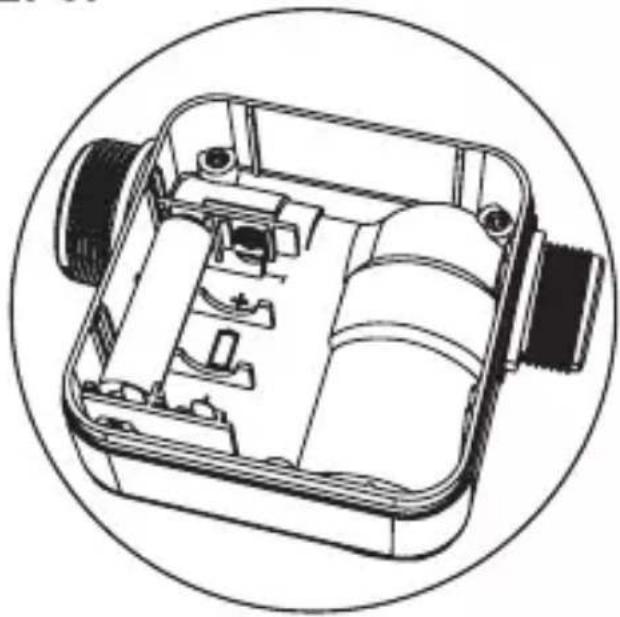
natural_image
Technical line drawing of a mechanical device with internal components, enclosed in a circular frame (no text or symbols)STEP4.
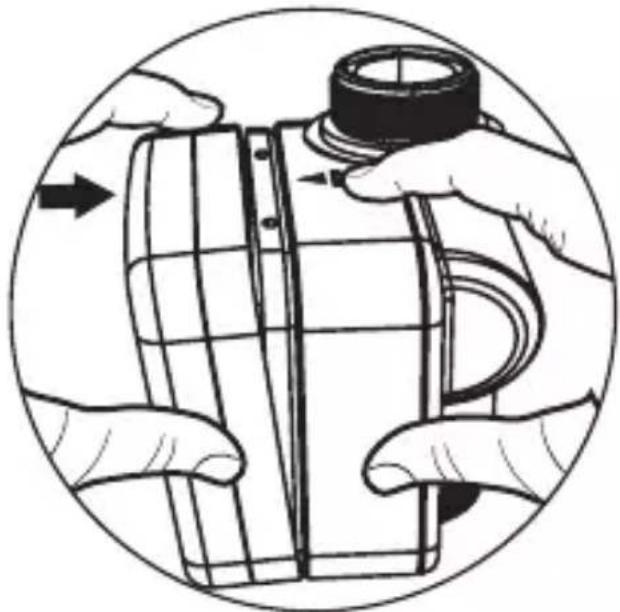
natural_image
Illustration of hands assembling a cylindrical object with a cap, enclosed in a circular frame (no text or symbols)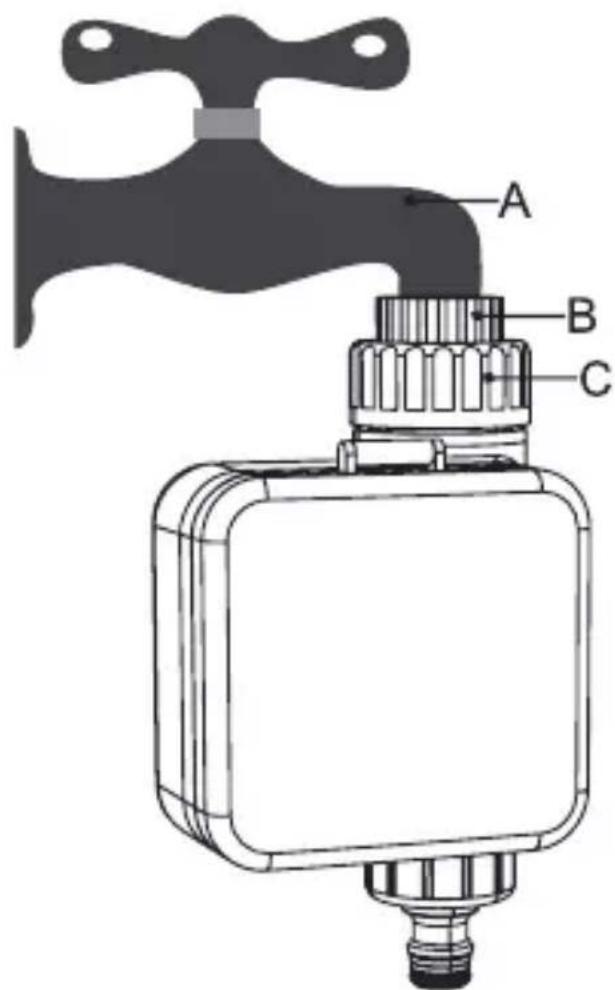
STEP1.
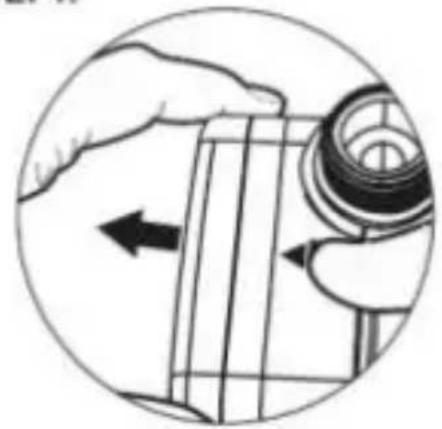
natural_image
Illustration of a hand holding a mechanical component with an arrow indicating direction (no text or symbols present)
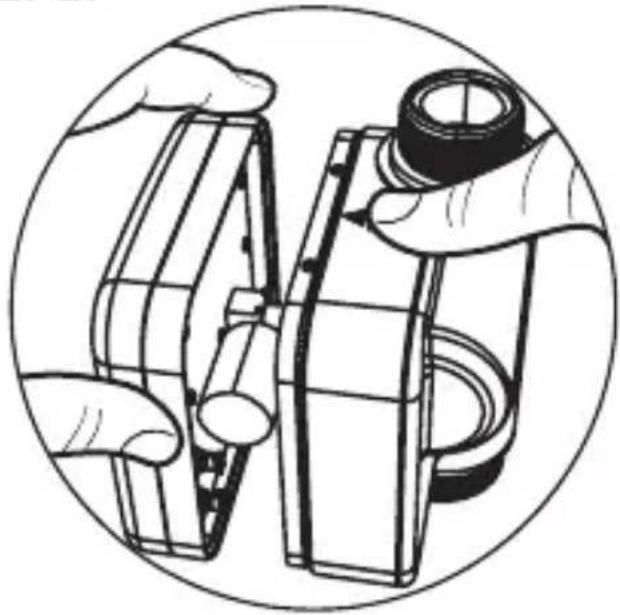
STEP2.
natural_image
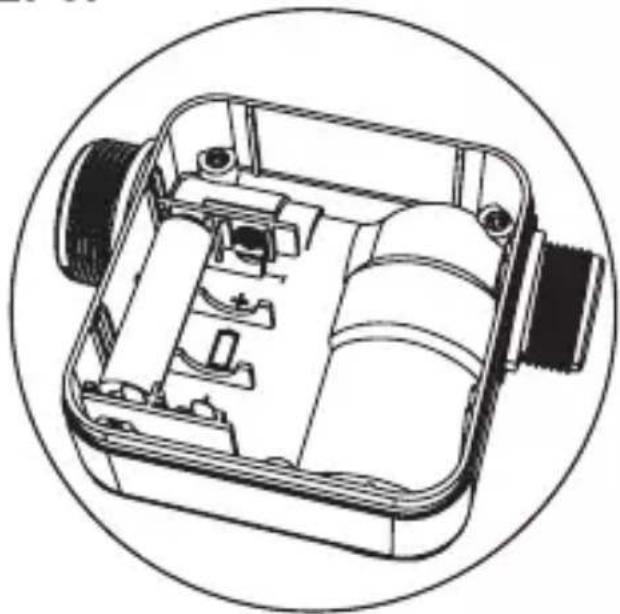
Illustration of hands assembling or adjusting a mechanical component, enclosed in a circular frame (no text or symbols)STEP3.
natural_image
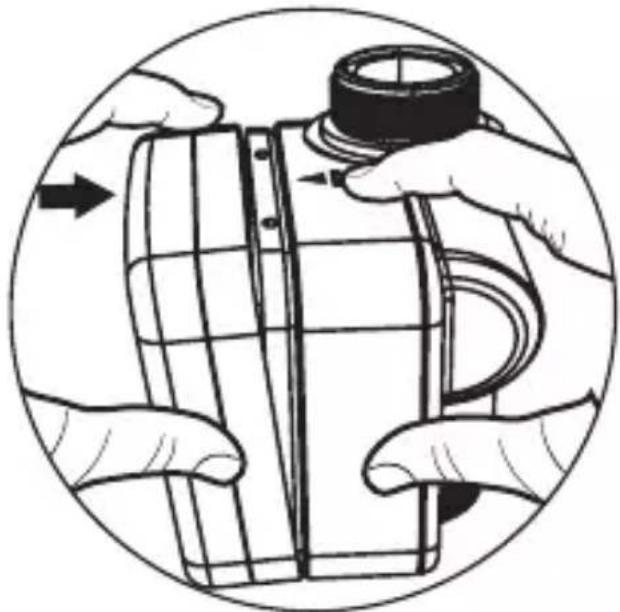
Technical line drawing of a mechanical device with internal components, enclosed in a circular frame (no text or symbols)STEP4.
natural_image
Illustration of hands assembling a cylindrical object with a cap, enclosed in a circular frame (no text or symbols)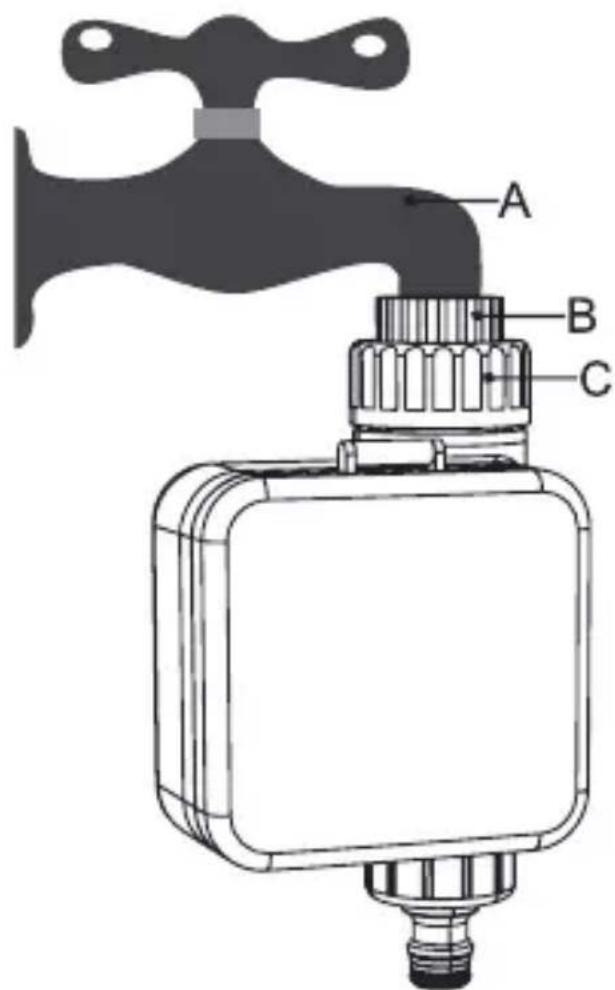
STEP1.
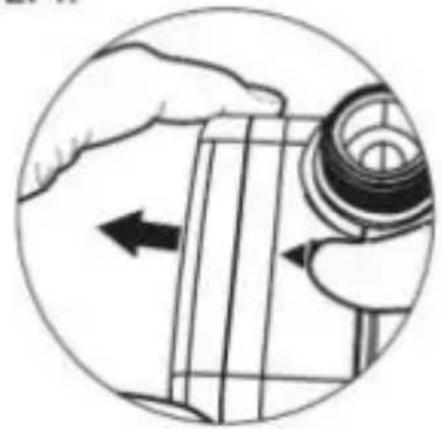
natural_image
Illustration of a hand holding a mechanical component with an arrow indicating direction (no text or symbols present)
STEP2.
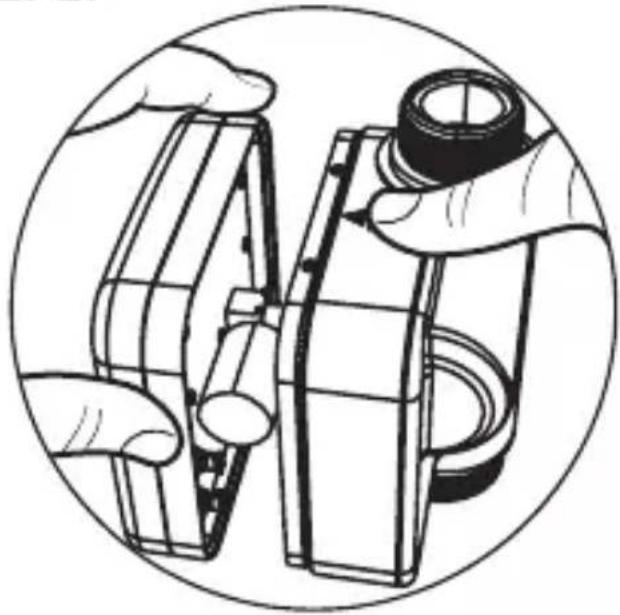
natural_image
Illustration of hands assembling or adjusting a mechanical component, enclosed in a circular frame (no text or symbols)STEP3.
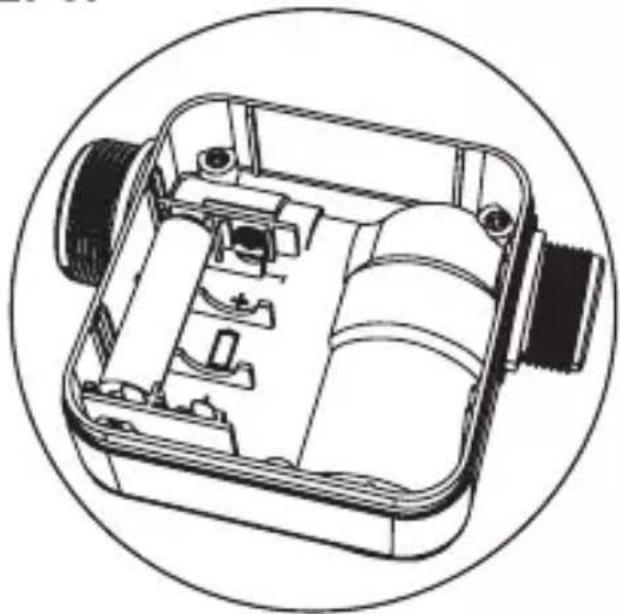
natural_image
Technical line drawing of a mechanical device with internal components, enclosed in a circular frame (no text or symbols)STEP4.
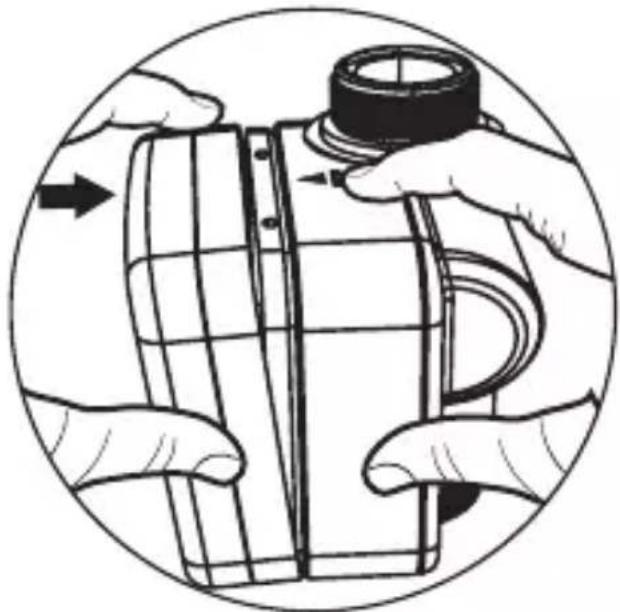
natural_image
Illustration of hands assembling a cylindrical object with a cap, enclosed in a circular frame (no text or symbols)