R4152 - Smart Home WOOX - Free user manual and instructions
Find the device manual for free R4152 WOOX in PDF.


| Product Type | Smart Home Device |
| Brand | WOOX |
| Model | R4152 |
| Connectivity | WiFi 2.4 GHz |
| Required App | WOOX Home (iOS/Android) |
| Main Functions | Remote control via app, compatible with Amazon Alexa and Google Home |
| Indicator Light | Flashing LED indicator for pairing |
| Control Button | Pairing button (hold for 5 seconds to reset) |
| Care and Cleaning | Clean the exterior with a soft, damp cloth; do not use solvents |
| Safety | Do not open, unplug if problem occurs, indoor use only, do not expose to water |
| General Information | Manual available in multiple languages at wooxhome.com |
Frequently Asked Questions - R4152 WOOX
User questions about R4152 WOOX
0 question about this device. Answer the ones you know or ask your own.
Ask a new question about this device
Download the instructions for your Smart Home in PDF format for free! Find your manual R4152 - WOOX and take your electronic device back in hand. On this page are published all the documents necessary for the use of your device. R4152 by WOOX.
USER MANUAL R4152 WOOX
natural_image
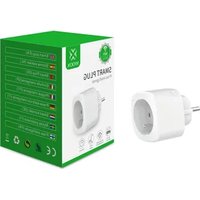
Abstract geometric symbol resembling a four-leaf clover or flower, with 'WOOX' text below (no additional text or symbols)Smart Plug
Quick Start Guide (EN)
natural_image
White WOXX plastic plug with two metal pins (no text or symbols visible)Version: 20200725
English
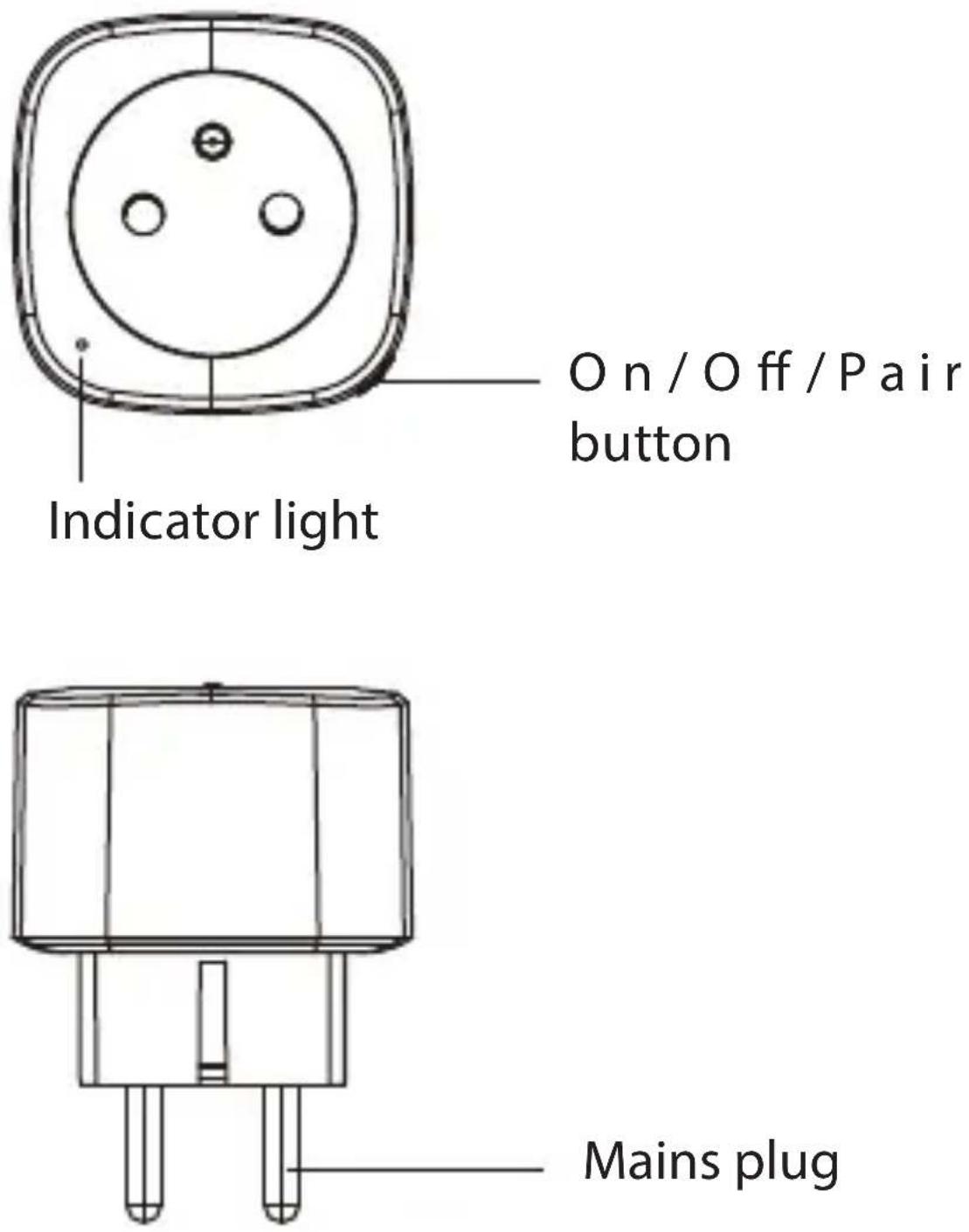
On / Off / Pair button
Mains plug
English
Specification
Rated voltage: 230V\~50Hz
Rated current: 16A Max.
Rated power: 3680W Max.
Weight: 90g
Dimensions: 55x55x74.3mm
Operating temperature: 0°C \~ 35°C
Operating humidity: ≤95%RH
Wireless connection: 802.11 b/g/n Wi-Fi 2.4GHz
Frequency: 2.412\~2.484GHzGHz
Requirement to use
-
Woox home app
-
WLAN-enabled router: 2.4GHz (Separate Band)
Use
-
Download and install the app "WOOX Home" from Apple App Store or Google Play Store on your mobile device.
-
Launch the app "WOOX Home".
English
-
Create a new account or log in to your existing account.
-
Tap "+" to add the device.
-
Select the applicable product type from the list of products.
-
Ensure the indicator light is quick flashing (flashing 2 times per second). If the indicator light isn't flashing: press and hold the pair button for 5 seconds until the indicator light starts to quick flashing.
-
Confirm the Wi-Fi network and password. Note: only 2.4GHz WiFi is supported.
-
The app will now search for the device and register is to your account.
-
Enter the device name. Note: The device name will also be used by Amazon Alexa and Google Home.
Safety

English
• To reduce risk of electric shock, this product should only be opened by an authorized technician when service is required.
- Disconnect the product from the mains and other equipment if a problem should occur.
- Read the manual carefully before use. Keep the manual for future reference.
- Only use the device for its intended purposes. Do not use the device for other purposes than described in the manual.
- Do not use the device if any part is damaged or defective. If the device is damaged or defective, replace the device immediately.
- The device is suitable for indoor use only. Do not use the device outdoors.
- Do not expose the product to water or moisture.
- Do not touch the device with wet hands.
Cleaning and maintenance Warning!
- Do not use cleaning solvents or abrasives.
English
- Do not clean the inside of the device.
- Do not attempt to repair the device. If the device does not operate correctly, replace it with a new device.
- Clean the outside of the device using a soft, damp cloth.
Support
If you need further help or have comments or suggestions please visit www.wooxhome.com
Nederlands
- Woox home app
- WiFi router: 2.4GHz channel