R4238 - Irrigation timer WOOX - Free user manual and instructions
Find the device manual for free R4238 WOOX in PDF.


| Product type | Smart watering timer |
| Brand | WOOX |
| Model | R4238 |
| Power supply | 4 AA batteries (alkaline recommended) |
| Battery life | Approximately 4.5 months with 2 to 3 waterings per day |
| Connectivity | WiFi 2.4 GHz (separate channel) |
| App | WOOX Home (iOS and Android) |
| Voice control | Compatible with Amazon Alexa |
| Mounting | On faucet (direct connection) |
| Material | ABS plastic |
| Dimensions (approx.) | 10 x 7 x 5 cm |
| Weight (approx., without batteries) | 200 g |
| Low battery indicator | Alert in the app when battery is below 20% |
| Maintenance | Remove batteries if not used for an extended period to avoid oxidation |
| Safety | Use only alkaline batteries |
| Warranty | 2 years (according to applicable legislation) |
Frequently Asked Questions - R4238 WOOX
User questions about R4238 WOOX
0 question about this device. Answer the ones you know or ask your own.
Ask a new question about this device
Download the instructions for your Irrigation timer in PDF format for free! Find your manual R4238 - WOOX and take your electronic device back in hand. On this page are published all the documents necessary for the use of your device. R4238 by WOOX.
USER MANUAL R4238 WOOX
Quick Start Guide (EN)
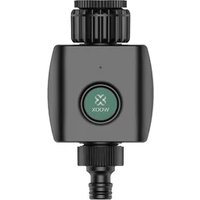
natural_image
Close-up of a black industrial sensor or pressure relief device with a green circular logo and threaded ports (no readable text or symbols)Compliance

Take As Global, SL hereby confirms that the R4238 Smart Garden Irrigation Control complies with Directive 2014/53 / EU. The full text of the EU Declaration of Conformity is below internet address available: www.wooxhome.com
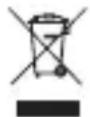
Compliance with the WEEE Directive and waste disposal. This product has been manufactured from parts and materials of high quality that can be reused and can be recycled. Therefore, do not throw this product away with waste normal household appliances at the end of their useful life. Take him away at a collection point for recycling equipment electric and electronic. This is indicated by this symbol on the product, in the user manual and on the packaging. Please consult the local authorities to find out where the point of nearest collection. Help protect the environment by recycling used products.

The packaging materials of the product are made in accordance with our national environmental regulations made from recyclable materials made. Packing materials not together with dispose of with household waste or other waste. Bring them to the collection points prescribed by the local authorities for packing material.
Tech support
If you need further help or have comments or suggestions please visit: www.wooxhome.com or FAQ & Feedback page in the App.
Tech support contact:
European: support@wooxhome.eu, +31-(0)76-7114805
Non-EU: support@wooxhome.com
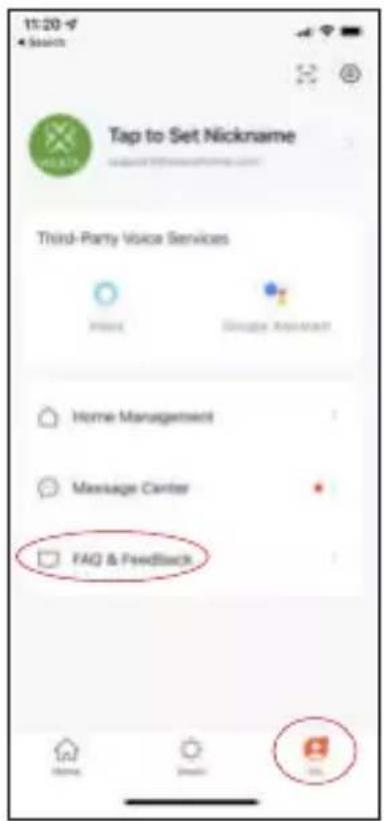
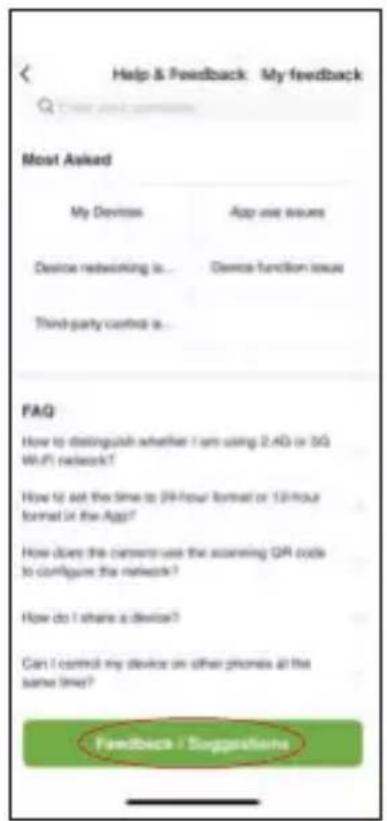
How to use FAQ & Feedback in the App:
Step 1: Navigate to "Me" > "FAQ & Feedback".
Step 2: If "Most Asked" and FAQ not help, you could submit your question via "Feedback/Suggestions", we will reply you in 24 hours.
WOOX Home Youtube Channel
You could also find WOOX product videos in Youtube by searching "woox home" or "WOOX + model number".

Facebook group support
We also create a facebook group for technical support. Searching "WOOX HOME users" to join the group and leave your question.

WOOX Home app QR code

Product Appearance
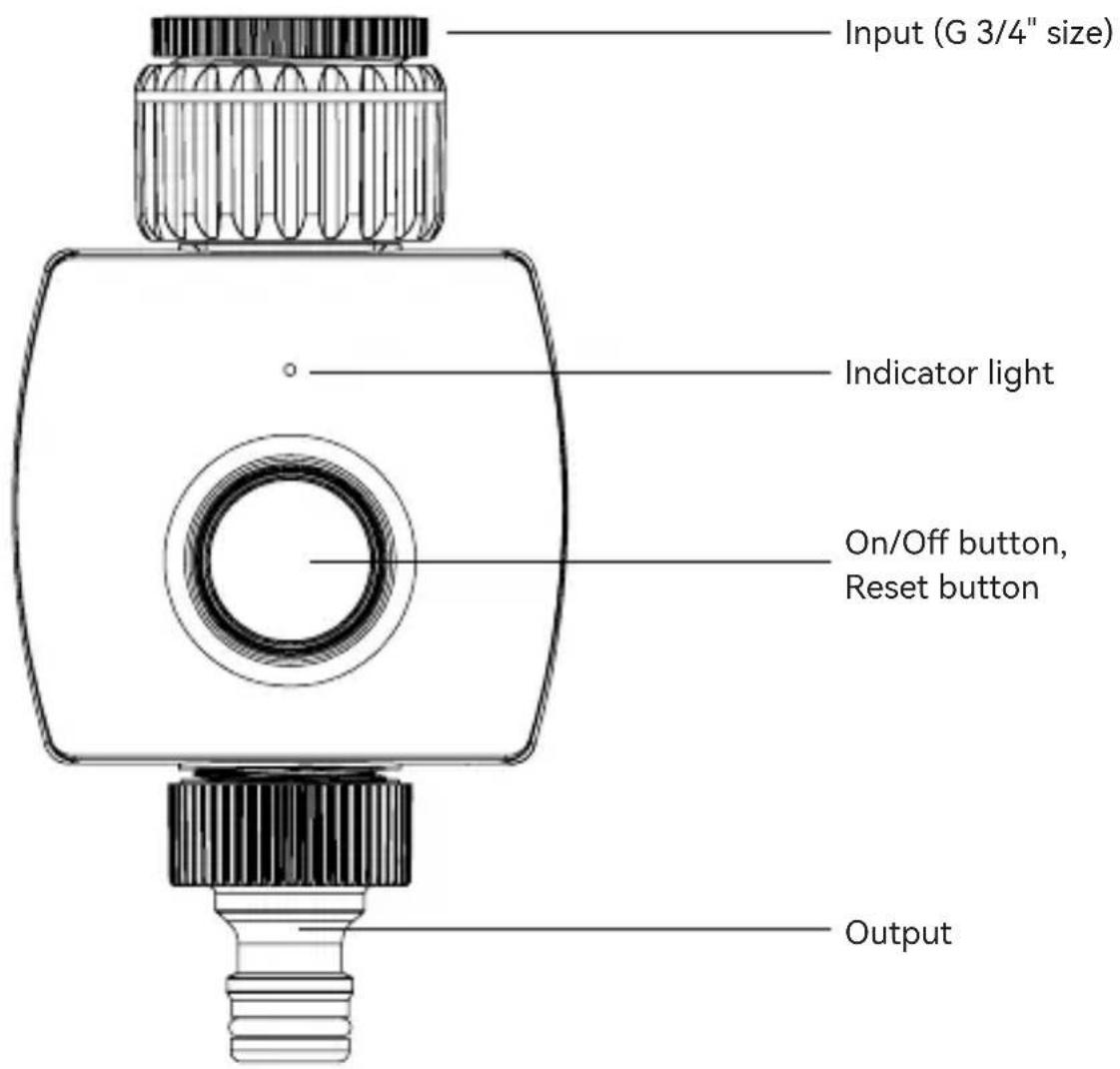
Reset device:
Hold and press the reset button above 5 seconds.
Indicator light status:
Wi-Fi pairing mode: flash in red.
Irrigation On/Off: flash 1 time in blue.
Low battery: flash 3 times in blue when press button.
Turn On/Off watering valve:
- The default manually watering time is 10 minutes by On/Off button on device or APP; The manually watering time can be set from 1 minute to 24 hours in the APP.
- The countdown timer refesh in every 1 minute in the APP until watering stopped.
- Device will response in 0-30 seconds when set On/Off command from APP, because the device is in sleep mode and will wake up in every 30 seconds.
*There might be few seconds deviation as the cloud timer.
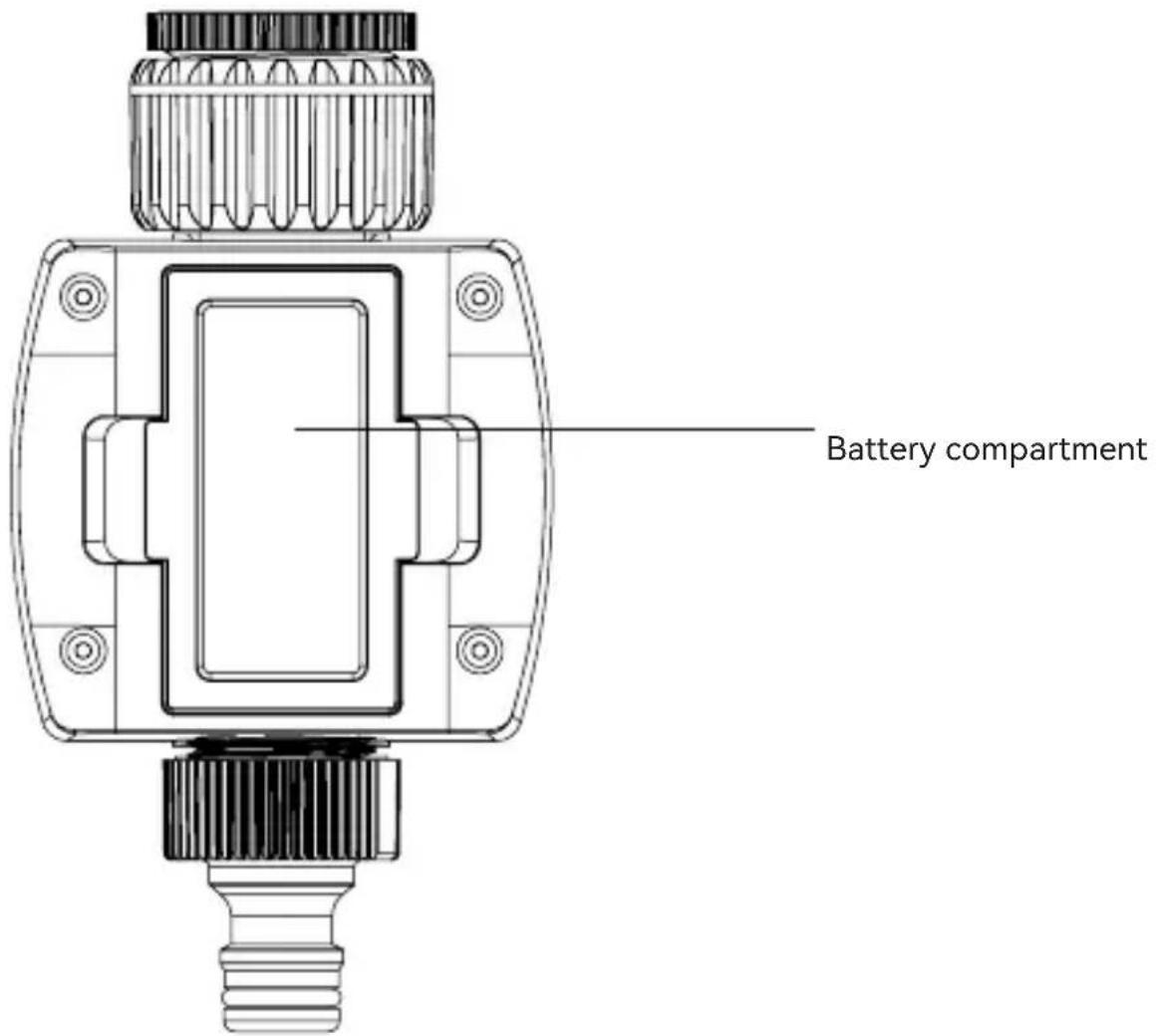
Notes:
• Regularly wash the filter to prevent clogging.
- Remove from faucet when temperature reaches below 5°C, drain all water and remove batteries to avoid oxidization.
- Do not use with operating pressure higher than 8.27 bar, and with watertemperature exceeding 40^ .
- Do not install into any type of valve box or under the soil level.
• Do not submerge in water or other liquids.
• Use with tap water only.
Technical Data
Batteries: DC 1.5V AA x 4 (included)
Battery lifetime: approximate 4.5 months
Waterproof: IPX4
Water pressure range: 0.34-8.27 bar
Wireless connection: 2.4GHz Wi-Fi
Connection distance: 10-30m depends on obstacle between device and Wi-Fi router.
Working temperature: 5°C - 40°C
Working humidity: 0-95%RH, no condensation
Dimension: 141x75x99mm
Frequently Asked Questions
- Can I share with family and friends?
Yes, you can share your Garden Irrigation Controls with family and friends who will have access to control your Garden Irrigation Control. In the app, click the Family name at the top and click on the “Home Management” button, and you will be able to give or revoke sharing permissions. In order to share, the other user should already have downloaded the app and registered a new account.
- What's the Wireless Range?
The range of your home Wi-Fi is heavily dependent on your home router and the conditions of the room. Check with your router specifications for exact range data. The distance is 50 meters in open area, if there is obstacle between device and Wi-Fi router, the distance would be less, normally it's 10–30 meters.
- How many Smart Garden Irrigation Control can I control?
WOOX Home app can control an unlimited amount of devices in an unlimited amount of locations. Your router may have a limit of how many devices can be connected to one router, regularly it's 15 devices around.
- My device can't be connected to network with App
• Make sure the device is under the config status (indicator light is flashing).
• Make sure the Wi-Fi is avaliable and the device is not far away from the router.
• Make sure the Wi-Fi password you input is correct.
• Make sure the Wi-Fi is separate 2.4GHz band.
- My device shows offline in my App
• Make sure the device is powered on.
- Make sure the network is stable and the Wi-Fi name and password not modified. If not, add device again.
- If the network is normal, but its still offline. Check if there are too many Wi-Fi connections. You can restart your router to check the status of the device.
Package includes
- Smart garden irrigation control x 1
- AA battery x 4
- User manual x 1
English
Installation
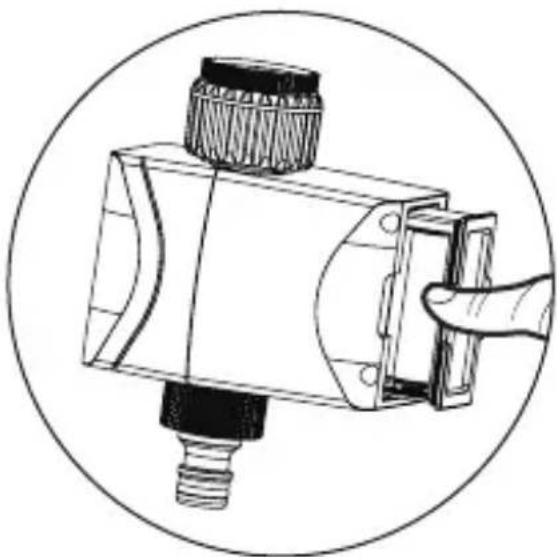
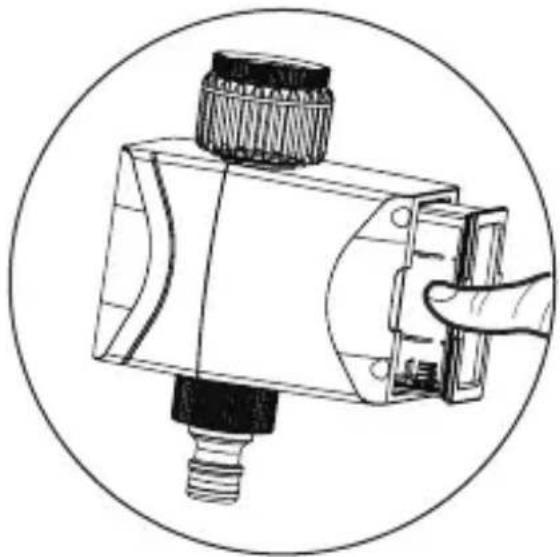
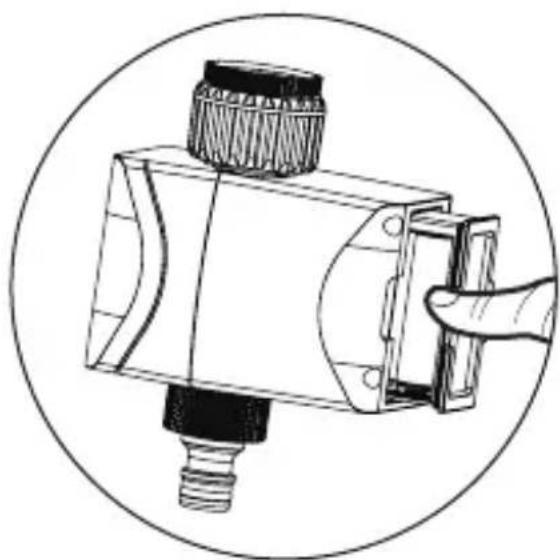
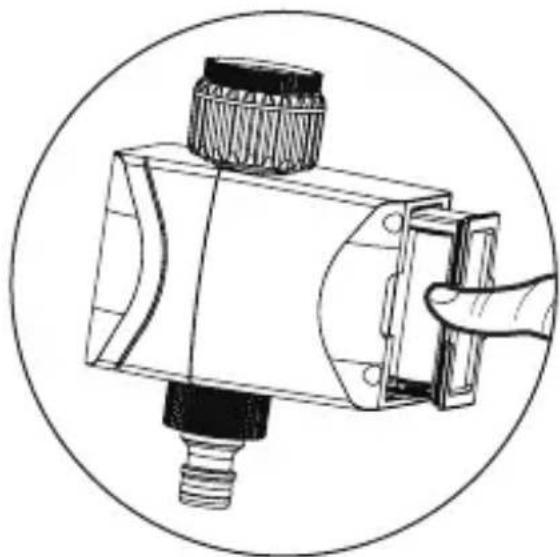
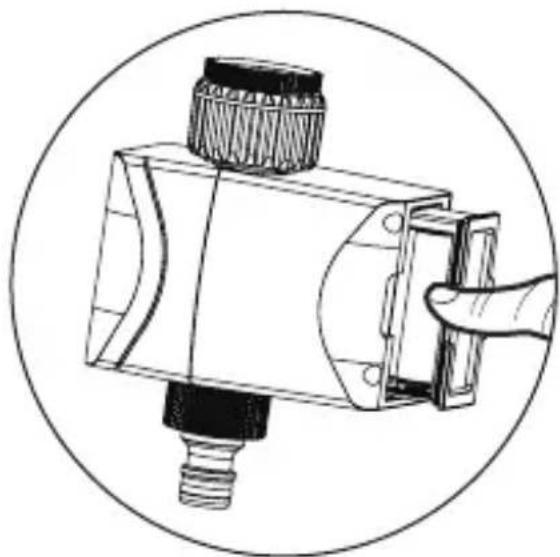
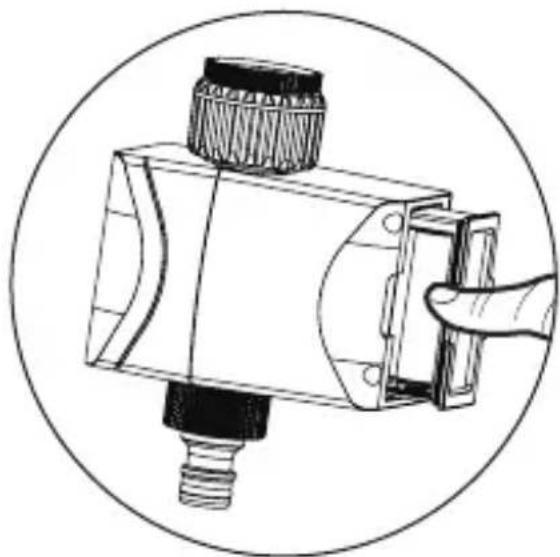
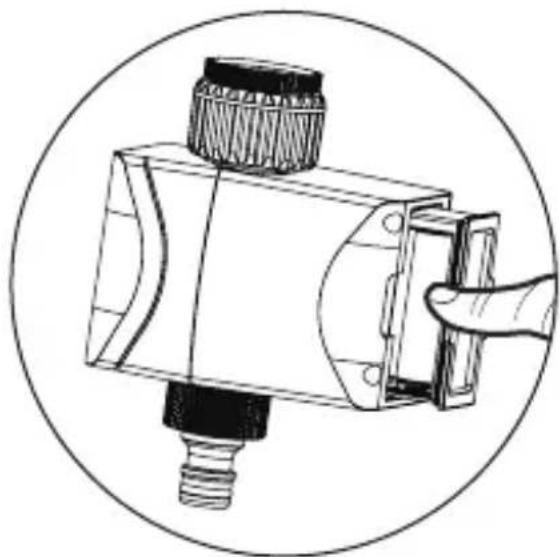
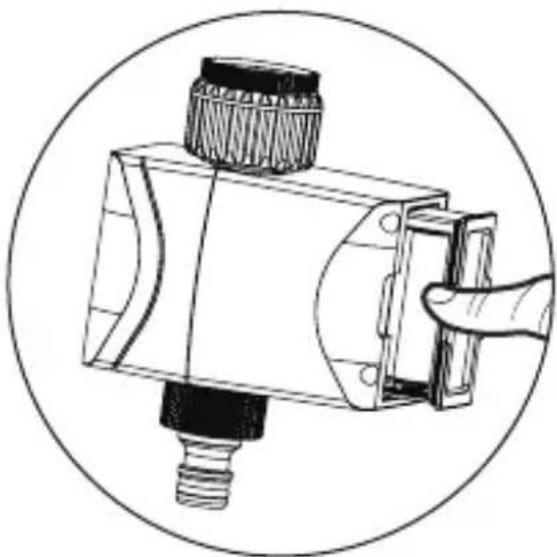
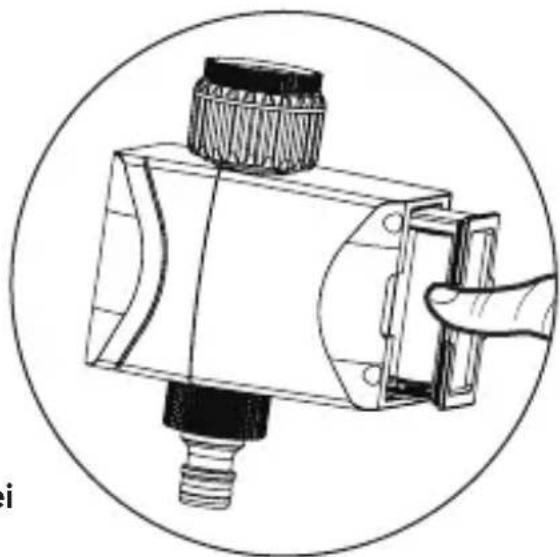
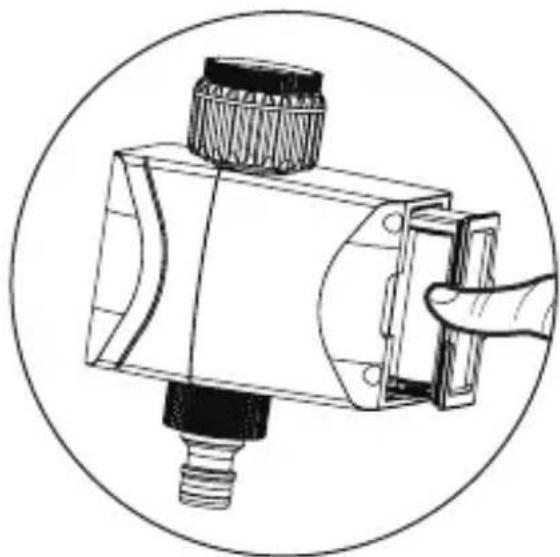
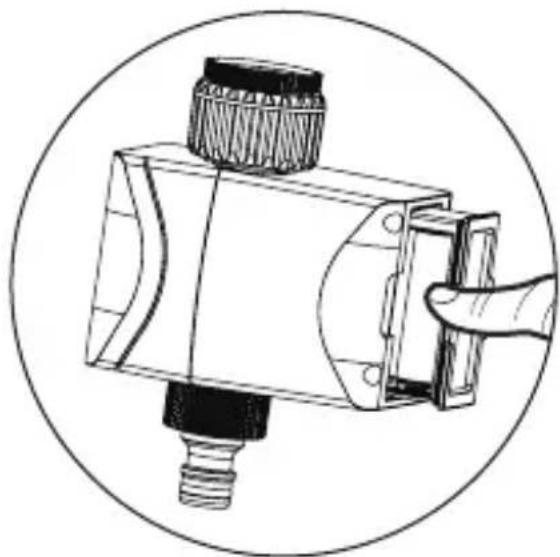
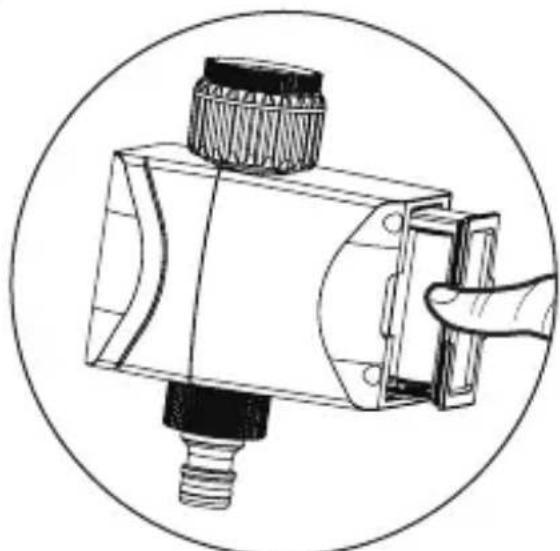
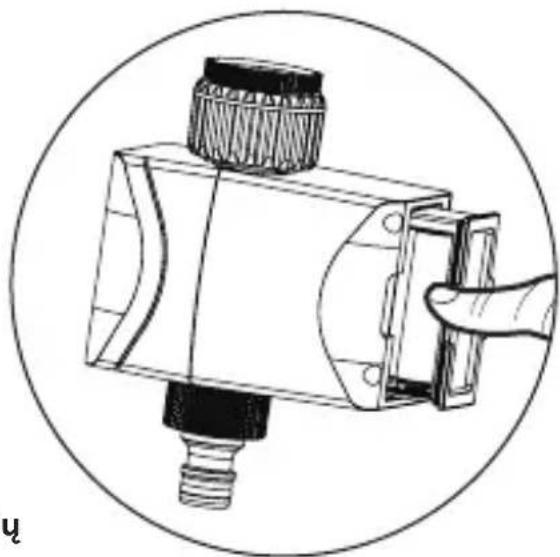
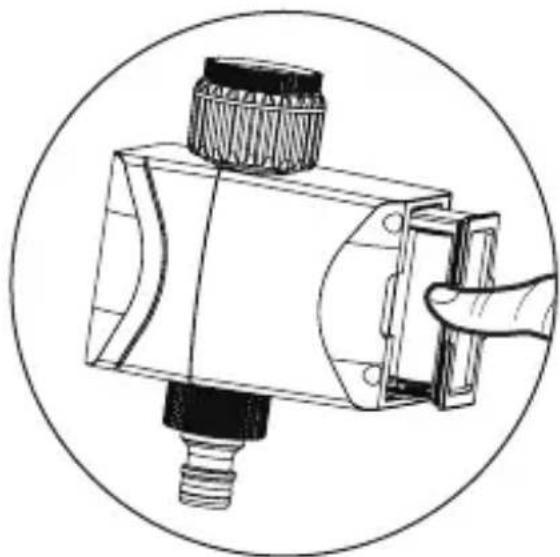
- Install battery
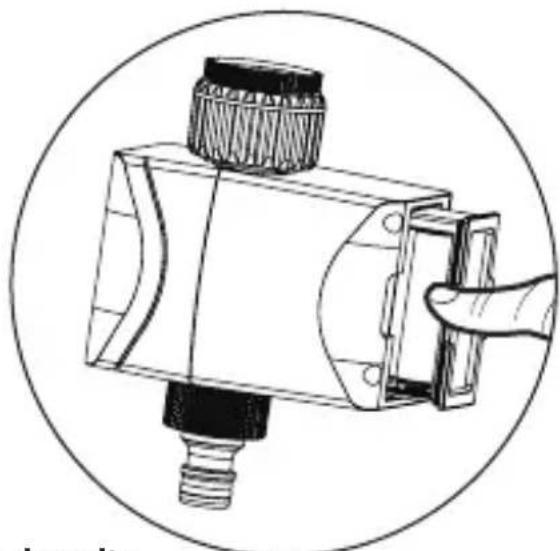
Step 1: pull out the battery compartment
natural_image
Technical illustration of a mechanical device with a hand interacting with it (no text or symbols visible)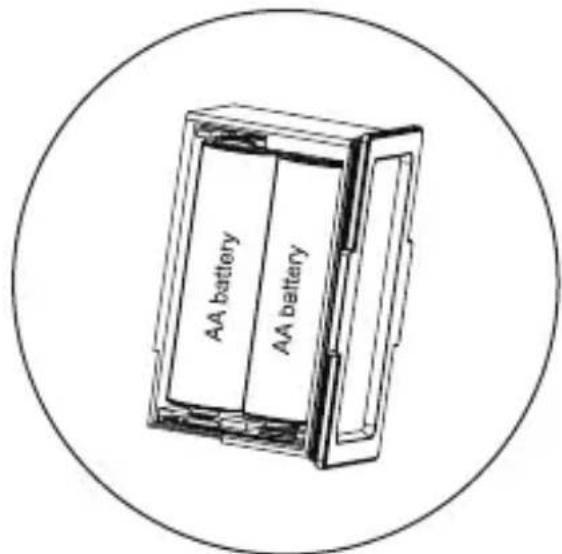
Step 2: install 4 pcs AA battery
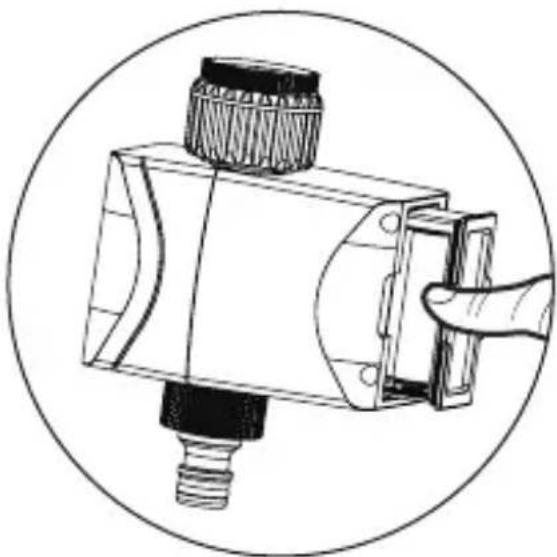
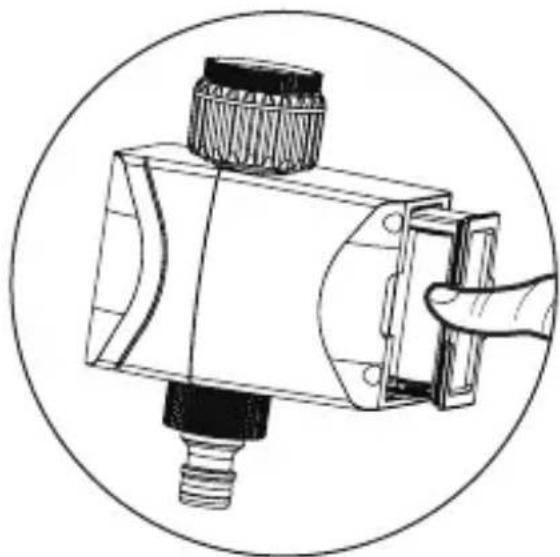
Step 3: put the battery compartment back
natural_image
Technical line drawing of a mechanical device with a hand pointing to its component (no text or symbols present)English
Notes:
• Only use Alkaline battery.
- Battery life is around 4.5 months if watering 2–3 times per day.
- Low battery notification will be sent to APP when battery is lower than 20%. When battery lower to 16%, the device will work abnormal, please change battery in time.
- Replace the battery at the beginning of the watering season.
- When garden irrigation control is not in use for an extended period of time, remove the battery to avoid oxidization.
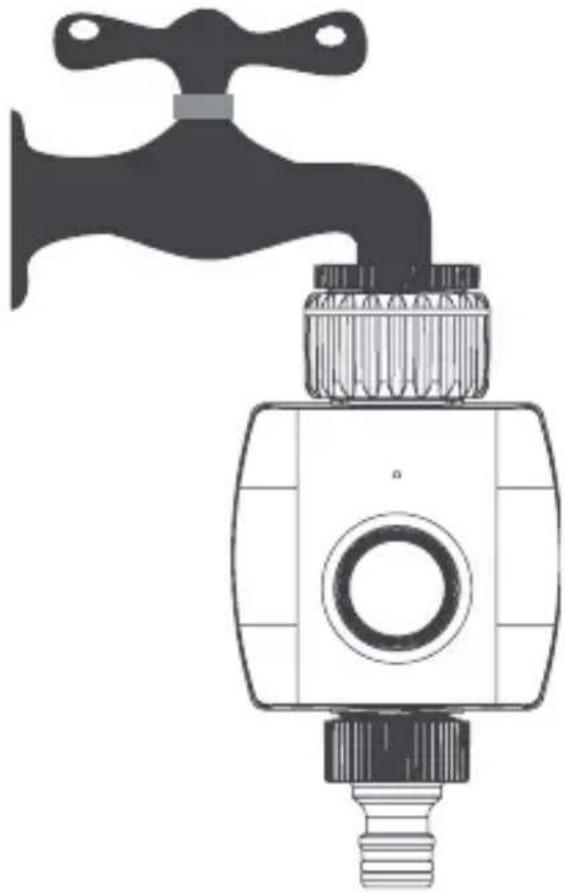
2. Install the device to faucet
natural_image
Illustration of a faucet with a handle and valve (no text or symbols)Introduction
The smart garden irrigation control can be controlled remotely from anywhere via Woox home app, it can also work with other WOOX smart products.
Requirement to use
- WOOX Home app
- WLAN-enabled router: 2.4GHz (Separate band)
English
Set up Smart Garden Irrigation Control to WOOX Home app
- Download and install the app "WOOX Home" from Apple App Store or Google Play Store on your smartphone.
- Open bluetooth on smartphone.
- Enable bluetooth and location permission for WOOX Home app, so that the app can find Smart Garden Irrigation Control via bluetooth.
- Launch the app "WOOX Home".
- Create a new account or log in to your existing account.
- Ensure the indicator light is flashing in red. If the indicator light isn't flashing: hold and press the reset button above 5 seconds until the indicator light starts flash in red.
- Tap "+" to add the device.
- The Smart Garden Irrigation Control will appear on the app. If Smart Garden Irrigation Control does not appear, please check if the bluetooth and location permission of WOOX Home app are enabled in smartphone settings.
- Select the Smart Garden Irrigation Control and continue.
- Confirm the Wi-Fi network and password.
Note: only 2.4GHz Wi-Fi is supported.
- The app will now search for the device and register it to your account.
- Enter the device name.
Note: The device name will also be used by Amazon Alexa and Google Home.
Voice control command
"Alexa, open
"Alexa, close
"OK Google, turn on
"OK Google, turn off
Nederlands
Installatie
- Installeer de batterij
natural_image
Technical line drawing of a mechanical component with a hand interacting with it (no text or symbols present)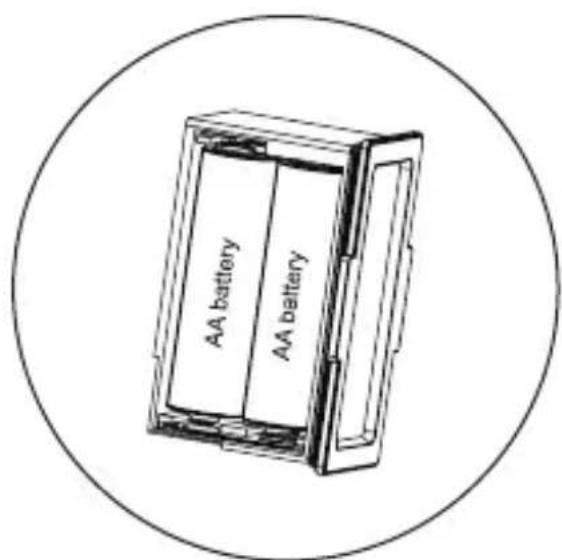
natural_image
Technical line drawing of a mechanical component with a hand pointing to it (no text or symbols)Nederlands
Opmerkingen:
natural_image
Illustration of a faucet with a handle and valve (no text or symbols)Introductie
natural_image
Technical illustration of a mechanical device with a hand interacting with it (no text or symbols visible)natural_image
Technical line drawing of a mechanical device with a hand interacting with it (no text or symbols)natural_image
Illustration of a faucet with a handle and screw base (no text or symbols)Einführung
natural_image
Technical illustration of a mechanical device with a hand interacting with it (no text or symbols visible)Paso 2: instale 4 pilas AA
natural_image
Technical line drawing of a mechanical component with a hand pointing to it (no text or symbols)natural_image
Illustration of a faucet with a circular valve and bulb (no text or symbols)Introducción
natural_image
Technical illustration of a mechanical device with a hand interacting with it (no text or symbols visible)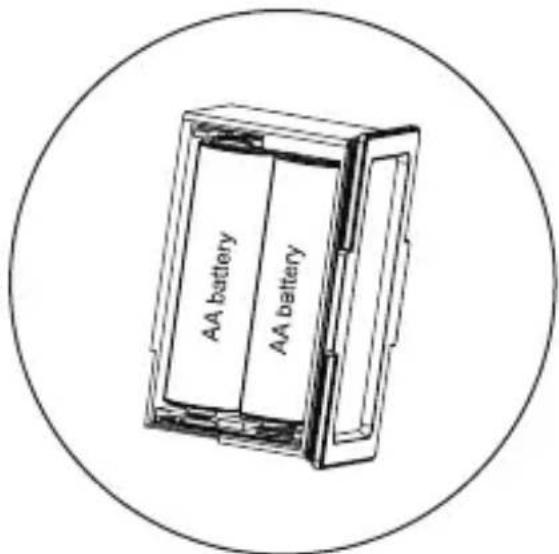
natural_image
Technical line drawing of a mechanical device with a handle and threaded component, enclosed in a circular frame (no text or symbols)Français
Remarques:
natural_image
Illustration of a faucet with a circular valve and bulb (no text or symbols)Introduction
"OK Google, allumez
"OK Google, éteignez
Italiano
Installazione
natural_image
Technical illustration of a mechanical device with a hand interacting with it (no text or symbols visible)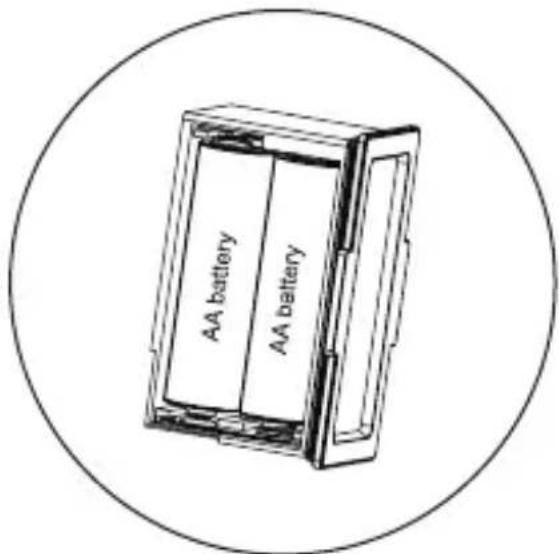
natural_image
Technical line drawing of a mechanical device with a hand pointing to its component (no text or symbols present)Italiano
Appunti:
natural_image
Illustration of a faucet with a circular valve and bulb, no text or symbols presentintroduzione
natural_image
Technical illustration of a mechanical device with a handle and threaded base, enclosed in a circular frame (no text or symbols)Etapa 2: instale 4 pilhas AA
natural_image
Technical line drawing of a mechanical component with a hand pointing to it (no text or symbols)natural_image
Illustration of a faucet with a handle and screw base (no text or symbols)Introdução
"OK Google, desligue
Dansk
Installation
- Installer batteriet
natural_image
Technical illustration of a mechanical device with a hand interacting with it (no text or symbols visible)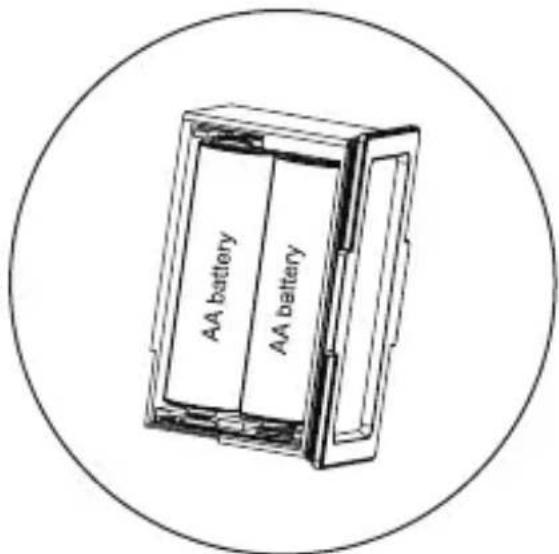
natural_image
Technical line drawing of a mechanical component with a hand pointing to it (no text or symbols)Dansk
Bemærkninger:
natural_image
Illustration of a faucet with a handle and valve (no text or symbols)Introduktion
natural_image
Technical illustration of a mechanical device with a hand interacting with it (no text or symbols visible)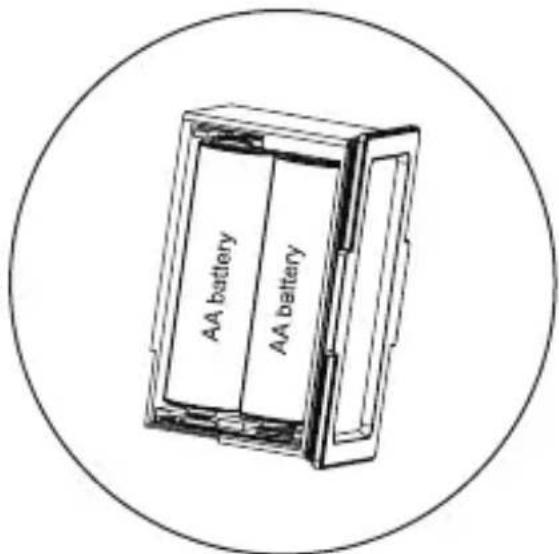
natural_image
Technical line drawing of a mechanical device with a handle and threaded top, enclosed in a circular frame (no text or symbols)Svenska
Anmärkningar:
natural_image
Illustration of a faucet with a handle and valve (no text or symbols)Introduktion
natural_image
Technical illustration of a mechanical device with a hand interacting with it (no text or symbols visible)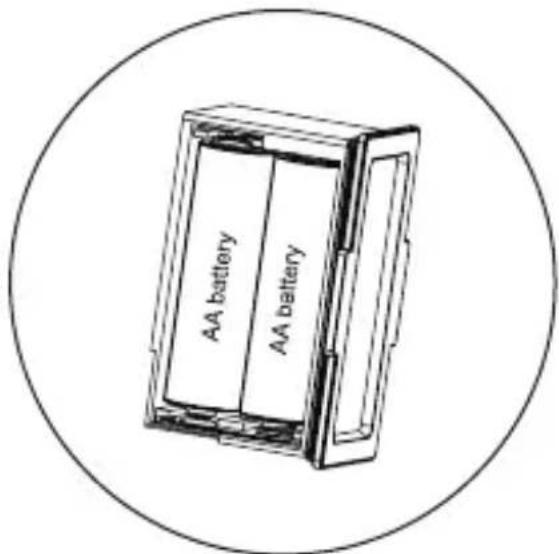
natural_image
Technical illustration of a mechanical device with a hand interacting with it (no text or symbols visible)Suomi
Huomioi:
natural_image
Illustration of a faucet with a handle and valve (no text or symbols)Esittely
"OK Google, turn on
"OK Google, turn off
Polski
Instalacja
- Zainstaluj baterię
natural_image
Technical illustration of a mechanical device with a hand interacting with it (no text or symbols visible)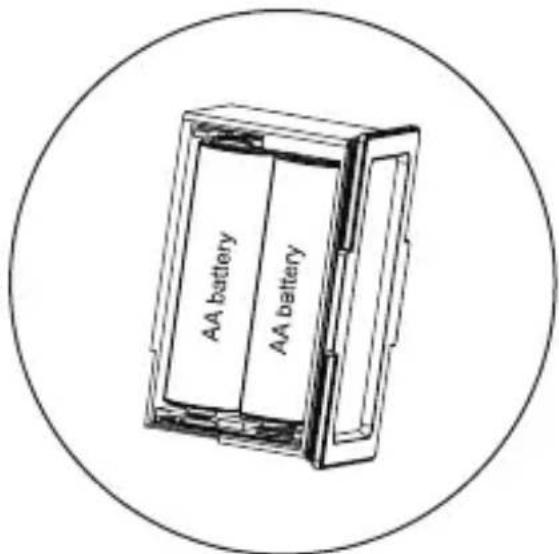
natural_image
Technical line drawing of a mechanical component with a hand interacting with it (no text or symbols present)Polski
Uwagi:
natural_image
Illustration of a faucet with a circular valve and handle (no text or symbols)Wstep
natural_image
Technical illustration of a mechanical device with a hand interacting with it (no text or symbols visible)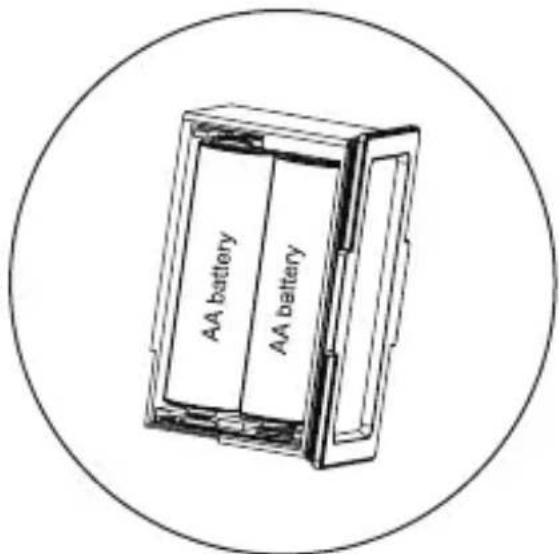
Krok 2: Vložte 4 ks AA baterie
natural_image
Technical line drawing of a mechanical device with a hand pointing to its component (no text or symbols present)Česky
Poznámky:
natural_image
Illustration of a faucet with a circular valve and threaded handle (no text or symbols)Úvod
natural_image
Technical illustration of a mechanical device with a hand interacting with it (no text or symbols visible)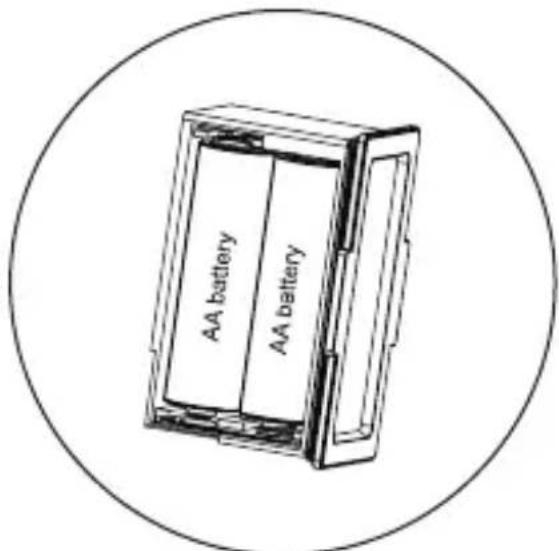
Krok 2: Nainštalujte 4 ks AA batérie
Krok 3: vložte spät priehradku na batérie
natural_image
Technical line drawing of a mechanical device with a handle and threaded top, enclosed in a circular frame (no text or symbols)slovenský
Poznámky:
natural_image
Illustration of a faucet with a handle and screw base (no text or symbols)Úvod
natural_image
Technical illustration of a mechanical device with a hand interacting with it (no text or symbols present)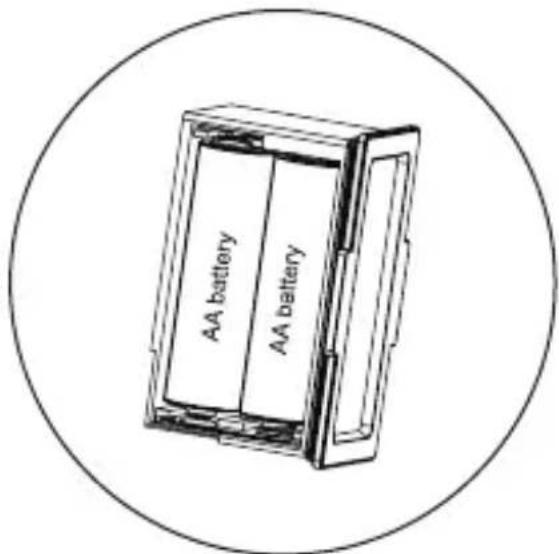
natural_image
Technical line drawing of a mechanical component with a hand pointing to it (no text or symbols present)magyar
Megjegyzések:
natural_image
Illustration of a faucet with a circular valve and threaded handle (no text or symbols)Bevezetés
"OK Google, turn on
"OK Google, turn off
Română
Instalare
- Instalati bateria
natural_image
Technical illustration of a mechanical device with a handle and threaded component, enclosed in a circular frame (no text or symbols)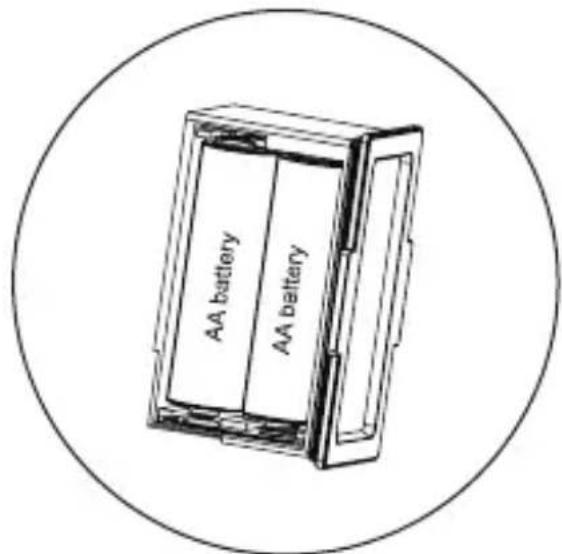
Pasul 2: instalati 4 baterii AA
natural_image
Technical line drawing of a mechanical device with a handle and threaded component, enclosed in a circular frame (no text or symbols)natural_image
Illustration of a faucet with a handle and screw base (no text or symbols)Introducere
natural_image
Technical illustration of a mechanical device with a hand interacting with it (no text or symbols visible)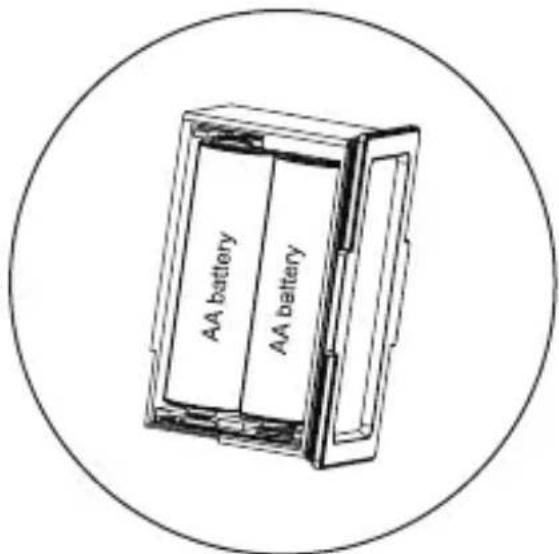
natural_image
Technical line drawing of a mechanical component with a hand pointing to it (no text or symbols)Српски
Напомене:
natural_image
Illustration of a faucet with a handle and screw base (no text or symbols)увод
natural_image
Technical illustration of a mechanical device with a hand interacting with it (no text or symbols visible)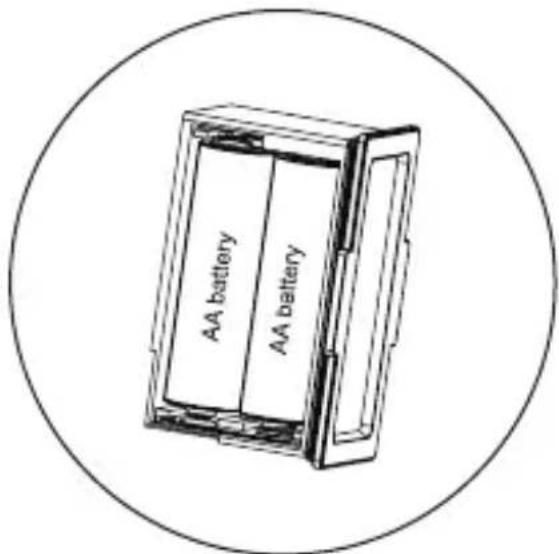
natural_image
Technical line drawing of a mechanical device with a handle and threaded component, enclosed in a circular frame (no text or symbols)Slovenščina
Opombe:
natural_image
Illustration of a faucet with a circular valve and threaded base (no text or symbols)Uvod
natural_image
Technical line drawing of a mechanical device with a handle and threaded base, enclosed in a circular frame (no text or symbols)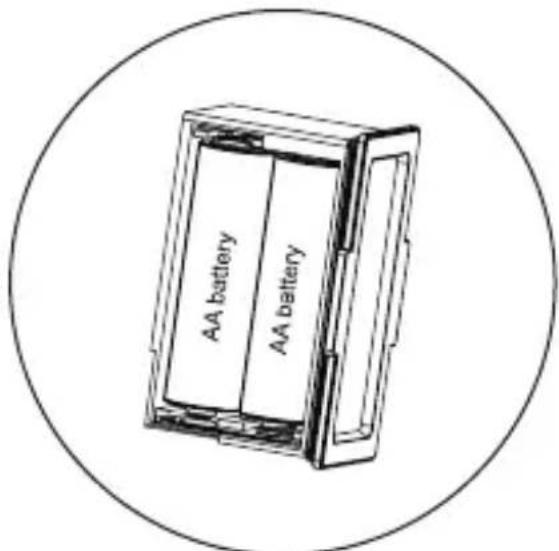
natural_image
Technical line drawing of a mechanical component with a hand pointing to its end (no text or symbols present)natural_image
Illustration of a faucet with a black handle and blue fittings, no text or symbols present.levads
"OK Google, turn on
lietuvių
Montavimas
natural_image
Technical illustration of a mechanical device with a hand interacting with it (no text or symbols visible)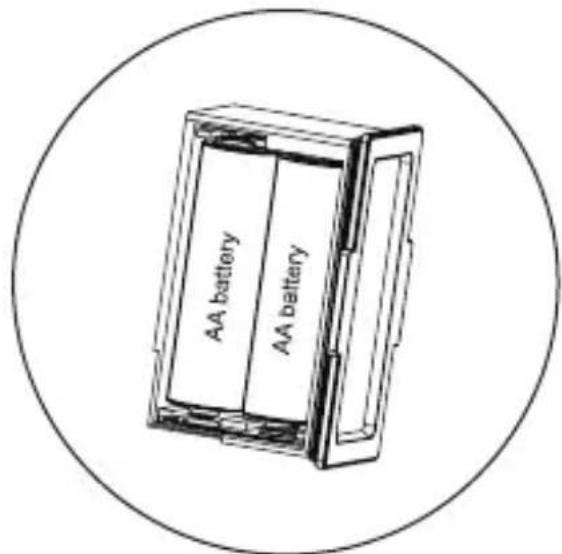
natural_image
Technical line drawing of a mechanical device with a handle and threaded top, enclosed in a circular frame (no text or symbols)lietuvių
Pastabos:
natural_image
Illustration of a faucet with a handle and valve (no text or symbols)Ivadas
natural_image
Technical illustration of a mechanical device with a hand interacting with it (no text or symbols present)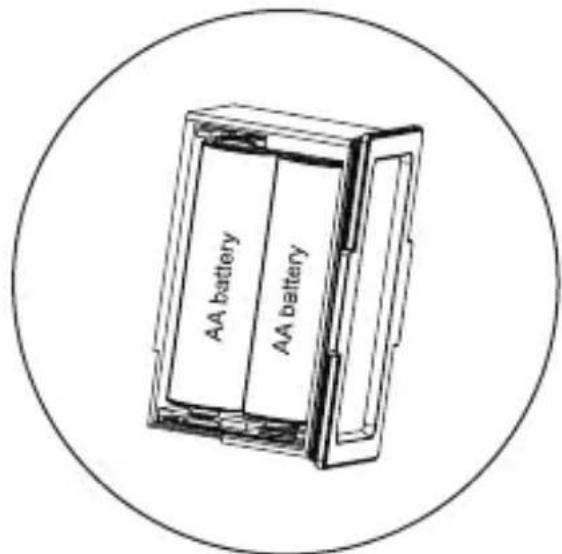
natural_image
Technical line drawing of a mechanical device with a handle and threaded top, enclosed in a circular frame (no text or symbols)eesti keel
Märkused:
natural_image
Illustration of a faucet with a handle and valve (no text or symbols)Sissejuhatus
natural_image
Technical illustration of a mechanical device with a hand interacting with it (no text or symbols visible)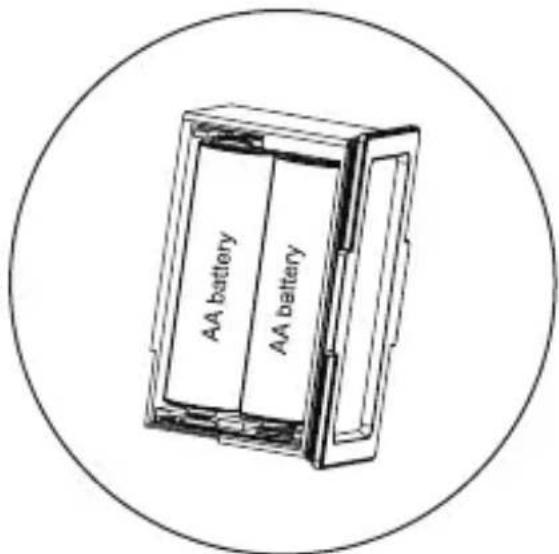
Korak 2: instalirajte 4 baterije AA
Korak 3: vratite odjeljak za baterije natrag