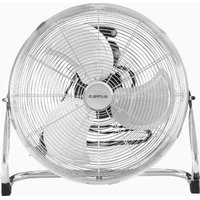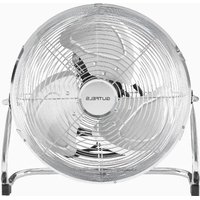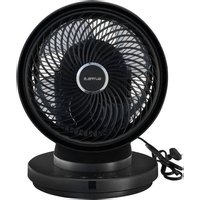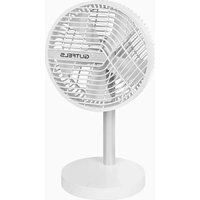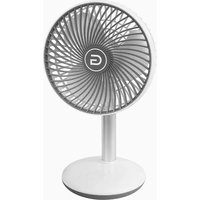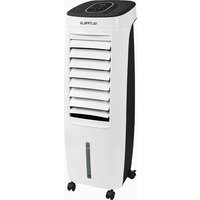
COOL 3010 W - Fan GUTFELS - Free user manual and instructions
Find the device manual for free COOL 3010 W GUTFELS in PDF.


| Brand | GUTFELS |
| Model | COOL 3010 W |
| Product type | Air cooler fan |
| Power supply | 220-240 V ~ 50 Hz |
| Power | Not specified |
| Number of speeds | 3 (Speed 1, 2, 3) |
| Operating modes | Normal (constant ventilation), Nature, Sleep, Cool (cooling with water) |
| Additional functions | Adjustable timer from 1 to 8 hours, Horizontal and vertical oscillation (L.R/U.D), Remote control (max range 5 m) |
| Water tank | Yes, for Cool mode |
| Filter | Washable, cleaning recommended every 2 weeks |
| Display | Digital display (ambient temperature and settings) |
| Remote control type | Infrared, batteries not included (type not specified) |
| Cleaning and maintenance | Wipe with a soft cloth, do not immerse, clean ventilation openings and filter regularly |
| Safety | Electric shock protection (class II?), overheat cut-off, instructions to avoid fire and asphyxiation hazards |
| Warranty | 2 years (domestic use) from date of purchase |
| Country of manufacture | Not specified |
Frequently Asked Questions - COOL 3010 W GUTFELS
User questions about COOL 3010 W GUTFELS
0 question about this device. Answer the ones you know or ask your own.
Ask a new question about this device
Download the instructions for your Fan in PDF format for free! Find your manual COOL 3010 W - GUTFELS and take your electronic device back in hand. On this page are published all the documents necessary for the use of your device. COOL 3010 W by GUTFELS.
USER MANUAL COOL 3010 W GUTFELS
At the time of its introduction on the market the product fulfills the requirements, which were specified in the directive for the standardization of the laws of the Member States concerning the electromagnetic compatibility (2014/30/EU) of electrical equipment within certain voltage limits (2014/35/EU). This product is identified by the CE marking and delivered with a declaration of conformity for inspection by the market monitoring authority.
Marquage CE
We thank you for purchasing one of our appliances.
You have made a good choice. Your Gutfels appliance was built for use in private households and is a quality product that combines the highest technical sophistication with practical ease of use, just like other Gutfels appliances that are in operation throughout Europe to the complete satisfaction of their owners.
Read this instruction manual carefully before putting the appliance into operation.
It contains important safety instructions and information regarding the operation and installation of the appliance. Proper handling contributes to efficient use.
Improper use could result in hazardous situations, particularly for children.
Keep this instruction manual in a safe place for future reference. Pass it on to any future owner of this product. For further questions or topics not described in detail in these instructions, go to our homepage www.ggv-service.de.
The manufacturer is working constantly on the further development of all types and models. With all types and models, modifications in design, properties and configuration are possible without prior notice.
8. Your safety
Explanation of the safety instructions

DANGER
Indicates a hazardous situation which, if not avoided, will lead to very serious injuries or even death!

WARNING
Indicates a hazardous situation which, if not avoided, can lead to very serious injuries or even death!

CAUTION
Indicates a hazardous situation which, if not avoided, can lead to minor or moderate injuries!
ATTENTION
Indicates a situation which, if not avoided, will lead to material damage.

ELECTRIC SHOCK HAZARD!

RISK OF SCALDING!

FIRE HAZARD!

➢ Information and instructions to be observed.
- Indicates a list
√ Indicates inspection steps in sequence
- Indicates work steps in sequence → Describes the response of the appliance to the work step
8.1. Intended use
The appliance is designed exclusively for air conditioning, humidifying and purifying the air in closed rooms.
- It is intended exclusively for use in private households and is not suitable for commercial use.
- Do not operate the appliance other than as described in this instruction manual otherwise as this would lead to the voiding of warranty claims in the event of faults.
- The intended use also implies compliance with the operating and maintenance conditions prescribed by the manufacturer.
- For safety reasons, modifications or alterations to the appliance are not permitted.
Any use outside these areas of application is not in accordance with the intended use and is therefore considered improper use.
8.2. Improper use
- Do not connect the appliance if it has visible damage or if the mains power cable or mains plug is defective.
- Immediately disconnect the mains plug from the socket if the appliance emits strange noises, smells or smoke.
- Do not set up the appliance outdoors.
- Do not connect the appliance to the mains power supply using multiple socket strips.
- Do not use an extension cable.
- Do not route the mains power cable under voltage.
- Do not kink the mains power cable.
- Set up the appliance so that the mains plug is accessible at all times.
- Pull the mains power cable out of the socket at the mains plug.
- Do not spray pesticide or detergent to the fan to avoid any damage to the rubber finish.
- When fan not in use for a long time, please turn off all the switch and unplug the fan.
ATTENTION
APPLIANCE DAMAGE!
Improper use of the appliance can result in damage to the appliance.
8.3. Safety for certain groups of people
The appliance may be operated by children over 8 years of age and persons whose physical, sensory or mental aptitude are impaired or who lack experience and/or knowledge.
However, they must be supervised or instructed in the safe use of the appliance and understand the possible risks.
Children may only clean and service the appliance under adult supervision.
Supervise children to ensure that they do not play with the appliance.

DANGER
RISK OF STRANGULATION DUE TO MAINS POWER CABLE!
Keep children under 8 years of age away from the mains power cable of the appliance.

DANGER
RISK OF SUFFOCATION DUE TO PACKAGING MATERIAL!
Keep children away from the packaging materials.
8.4. Residual risks

DANGER

ELECTRIC SHOCK HAZARD!
- Never touch the mains plug with wet or damp hands.
• Install and connect the appliance only in accordance with the description in the instruction manual. - In an emergency, pull the mains plug out of the plug socket immediately.
- Remove the mains plug from the plug socket before starting cleaning or service work.
- A damaged mains power cable must be replaced by our After Sales Service without delay.
- If the mains power cable or mains plug is damaged, do not use the appliance anymore.
- Do not carry out any work on the appliance other than the cleaning and service work described in this instruction manual.

WARNING

FIRE HAZARD!
An inadequate circulation of air can cause a build-up of heat that can lead to a fire.
- It is essential to observe the prescribed clearances for the rear, side and top of the appliance (see chapter "Unpacking and setting up the appliance").
- Keep the air outlet and air inlet grille free of dust and objects.
9. Unpacking and setting up the appliance
Preparing the appliance
√ The packaging materials must be undamaged.
√ Inspect the appliance for transport damage.
√ On no account should a damaged appliance be put into operation.
√ In case of damage, contact After Sales Service
www.ggv-service.de
ATTENTION
RISK OF DAMAGE!
Do not use sharp knives or other pointed objects when opening to avoid damaging the appliance.
Note
- Set up the appliance in an easily accessible location.
- Set up the appliance on a level, dry and sufficiently stable surface.
- Do not place the appliance at the edge of a surface.
- Do not place any objects on the appliance.
- Never expose the appliance to high temperatures (heaters, etc.) or adverse weather conditions (rain, etc.).
- Only replace damaged components with suitable original spare parts.
• Always transport, operate and store the appliance in an upright position.
Remote control
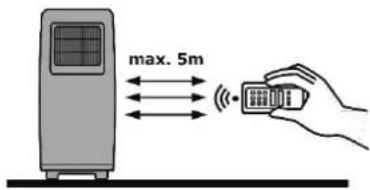
The distance between the appliance and the remote control must not exceed 5m.
Inserting the batteries
- Remove the battery compartment cover on the back of the remote control.
- Replace the battery compartment cover.
ATTENTION
HARMFUL TO THE ENVIRONMENT!
Batteries and rechargeable batteries must not be disposed of with residual waste. Therefore, consumers are legally obliged to return used batteries and rechargeable batteries. Used batteries may contain harmful substances that can harm the environment or health if not disposed of properly.

Do not drop the remote control.
Keep the remote control away from direct sunlight.
Do not put it near heat sources.
10. Putting into operation
Before using the appliance for the first time, clean the appliance and all individual parts as described in the chapter "Cleaning and maintenance" to remove any packaging dust residues.
Electrical connection

WARNING
ELECTRIC SHOCK HAZARD!
A faulty electrical installation or excessively high mains voltages can result in electric shocks!
Only connect the appliance to a properly installed socket.
10.1. Operating the appliance
Improper handling can cause damage to the appliance.
Switching on the appliance
- Press the "ON/OFF" button (h) to start the fan (constant ventilation).
→ The appliance starts automatically and a signal sounds.
Select the "SPEED" power level
- Press the "SPEED" key (e).
→ The speed 01 > 02 > 03 is shown on the display.
→ After 3 seconds, the ambient temperature is shown on the display.
Switching off the appliance
- Press the "ON/OFF" button (h) again.
→ The appliance is off.

➢ Never close the ventilation flap during operation.
➢ Never cover the ventilation openings on the top and back of the appliance.
Do not use the appliance anymore if the plastic components of the appliance are cracked, split or deformed.
10.2. Operating modes
MODE
Use the "MODE" button (f) to select the operating mode:
Natural, Sleep. The respective operating light lights up.
MODE
Press the MODE key to set the wind mode.
- Press the MODE key to set the wind mode
Nature Alternating ventilation intensity

SLEEP" Alternating ventilation intensity with low power
- Press the MODE key once to switch the unit Nature mode.
→ The "NUTURE" indicator lamp lights up.
- Press the MODE key twice to switch the unit to SLEEP.
→ The "NUTURE" indicator lamp lights up. - Press the MODE key again to switch the unit to normal (fan).
10.3. Additional Functions
Timer
The timer function allows you to set the desired operating time of the appliance (in hours).
Set timer
- Press the "TIMER" button (b) while the appliance is in operation.
- Set the desired time between 1 - 8 hours by pressing the "TIMER" button (b) again.
→ The set time appears on the display.
As soon as the set time has elapsed, the appliance switches off automatically. Or you can switch it off manually.
COOL
The appliance works as an air conditioner in this operating mode.
- When the fan is rotating, press the "COOL" button (c).
→ The "COOL" control light lights up. - If the appliance does not detect any water in the water tank within 10 seconds, a signal sounds and the pump switches off. The 'COOL' control light flashes for 20 seconds.
- Press the "COOL" button (c).
→ The appliance stops operating and the control light goes out.
OSC (LR/UD)
Adjust the rotation function for more pleasant and better air circulation.
- Press the "OSC (LR/UD) button to activate the function.
→ The appliance starts rotating. (LR = from left to right) (UD = up and down) - Press the "OSC (LR/UD) button again to deactivate rotation.
SPEED
- Press the "SPEED" button (e).
→ The speed 01 > 02 > 03 is shown on the display.
→ After 3 seconds, the ambient temperature appears on the display.
Filling the water tank
- Switch off the appliance.
- Remove the mains plug from the plug socket.
- Unscrew the water tank cap (10) on the back of the appliance (bottom).
- Pull out the water tank (5).
- Fill the water tank (5) with clean tap water.
√ Make sure to fill the water tank (5) only up to the marking.
6. Optionally, you can place a cooling pack in the water tank (5) to improve the "COOL" function.
7. Push the water tank (5) back into the appliance.
8. Close the water tank cap (10) again.

Make sure that the water in the tank is not lower than the lowest mark, otherwise the cooling function cannot be operated
11. Cleaning and maintenance
Regular cleaning and maintenance of the appliance not only protects the environment and saves energy, but also increases its service life. The following description provides valuable tips.
Always allow the appliance to cool down completely before cleaning.

WARNING
ELECTRIC SHOCK HAZARD!
- Disconnect the appliance from the mains power supply.
- Never immerse the appliance or the remote control in water for cleaning.
- Do not use a steam cleaner for cleaning.
ATTENTION
MATERIAL DAMAGE
Improper cleaning of the appliance may cause damage.
Do not use
- Aggressive cleaning agents
• Brushes with metal or nylon bristles - Sharp, metallic objects such as knives, hard spatulas and the like. These can damage the surfaces.
Cleaning the appliance
√ To avoid loss of performance, clean the ventilation openings and filters regularly (approx. every 2 weeks).
√ Wipe the outside of the appliance with a dry or slightly damp cloth.
√ Then rub the appliance completely dry
√ Use a suitable soft brush to remove dust and dirt from the ventilation openings.
Cleaning the filter
- Remove the air inlet grille (5).
- Clean the grille with a brush or vacuum cleaner.
- Allow the filter to dry.
- Place the filter on the air inlet grille and insert it in the appliance.
12. Troubleshooting
| FAULT | POSSIBLE CAUSES | MEASURES |
| Appliance does not start | Plug is not plugged in to the plug socket. | Pull out the mains plug and insert it correctly into the socket. |
| Device does not work | Filter not inserted correctly. | Check filter and insert correctly. |
| 3x acoustic signal / Cool flashes | No water in the water tank. | Fill the water tank and restart the function. |
13. Warranty terms
The following terms describing the preconditions for and scope of our warranty, do not infringe the warranty rights of the ultimate buyer.
Our warranty for this appliance is granted under the following terms:
As a buyer of a Gutfels appliance you have a manufacturer's warranty
(2 years from date of purchase).
During this warranty period, you can make your warranty claims directly on the manufacturer's Service platform at www.ggv-service.de.
If an additional warranty is concluded between you and your dealer, all claims against the manufacturer will become void after the end of the 24-month manufacturer's warranty. In this case, please contact your dealer directly.
Warranty period
The warranty period is 24 months from the date of purchase (proof of purchase must be presented). During the first 6 months, After Sales Service will fix defects in the appliance free of charge, on condition that the appliance is accessible for repairs without any great effort. During the following 18 months, the buyer is obliged to prove that the defect already existed at the time of delivery.
In the case of commercial use (e.g. in hotels, canteens) or joint use by several households, the warranty period is 12 months from the date of purchase (proof of purchase must be presented). During the first 6 months, After Sales Service will fix defects in the appliance free of charge, on condition that the appliance is accessible for repairs without any great effort. During the following 6 months, the buyer is obliged to prove that the defect already existed at the time of delivery.
The claim under warranty does not prolong the warranty period for either the appliance or for newly installed parts.
Scope of the defect remedy
Within the periods indicated, we will remedy all defects in the appliance that are demonstrably attributable to poor workmanship or material flaws. Replaced parts become our property.
The warranty does not cover:
Normal wear and tear, intentional or negligent damage, damage caused by non-compliance with the operating instructions, improper set-up or installation or by connection to incorrect mains voltage, damage due to chemical or electrothermal effects or due to other abnormal environmental conditions, glass, paint or enamel damage and possible colour differences as well as defective bulbs.
Defects in the appliance resulting from transport damage are also not covered. We also do not provide any services if - without our special written approval - work has been carried out on the appliance by unauthorised persons or parts of third-party origin have been used.
This limitation shall not apply to faultless work carried out by a qualified person using our original parts to adapt the appliance to the technical safety regulations of another EU member state.
Scope
Our warranty applies to appliances purchased and in operation in the Federal Republic of Germany or Austria.
In the case of complaints about defective appliances, the sender's and recipient's addresses must be in the Federal Republic of Germany or Austria.
For appliances purchased and operated in other European countries, the warranty conditions of the seller apply.
For repairs outside the warranty period:
- If an appliance is repaired, the repair invoices are payable immediately without deduction.
14. Disposal
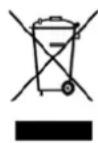
This product is labelled in accordance with the European Waste Framework Directive 2012/19/EU. This directive lays down the regulations for proper disposal of the product. Environmentally friendly disposal prevents possible negative impacts on health that could be caused by improper disposal.
The symbol on the product or packaging indicates that this product must not
be disposed of with the normal domestic waste. The user must return the product to a collection point for the recycling of electrical and electronic waste.
The prevailing local regulations must be observed for disposal. For further information, please contact your specialist dealer or your local or municipal authority.
FR
Cher Client,