TKG OT 2032 CRL RD - Oven KALORIK - Free user manual and instructions
Find the device manual for free TKG OT 2032 CRL RD KALORIK in PDF.



| Product Type | Countertop Oven |
| Brand | Kalorik |
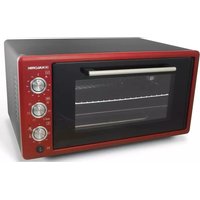
| Model | TKG OT 2032 CRL RD |
| Color | Red |
| Capacity | 20 L |
| Power | 1500 W |
| Voltage | 220-240 V, 50/60 Hz |
| Dimensions (W x D x H) | 45 x 35 x 30 cm |
| Weight | 7.5 kg |
| Temperature Range | 40 °C to 230 °C |
| Timer | Up to 90 minutes |
| Cooking Functions | Convection, grill, top heat, bottom heat, combined, yogurt, steam cleaning |
| Rotisserie | Yes, with rotisserie kit included |
| Included Accessories | Rectangular tray, metal rack, rotisserie kit |
| Cleaning Type | Integrated steam cleaning |
| Exterior Cleaning | Damp cloth, no abrasive products |
| Interior Cleaning | Wipe with cooking oil or mild detergent, steam function |
| Door Material | Tempered glass |
| Usage | Household use only |
| Safety | Automatic shut-off after cooking, hot surfaces indicated by pictogram |
| Power Cord | With plug, do not wrap around the appliance |
| Warranty | 2 years |
Frequently Asked Questions - TKG OT 2032 CRL RD KALORIK
User questions about TKG OT 2032 CRL RD KALORIK
0 question about this device. Answer the ones you know or ask your own.
Ask a new question about this device
Download the instructions for your Oven in PDF format for free! Find your manual TKG OT 2032 CRL RD - KALORIK and take your electronic device back in hand. On this page are published all the documents necessary for the use of your device. TKG OT 2032 CRL RD by KALORIK.
USER MANUAL TKG OT 2032 CRL RD KALORIK
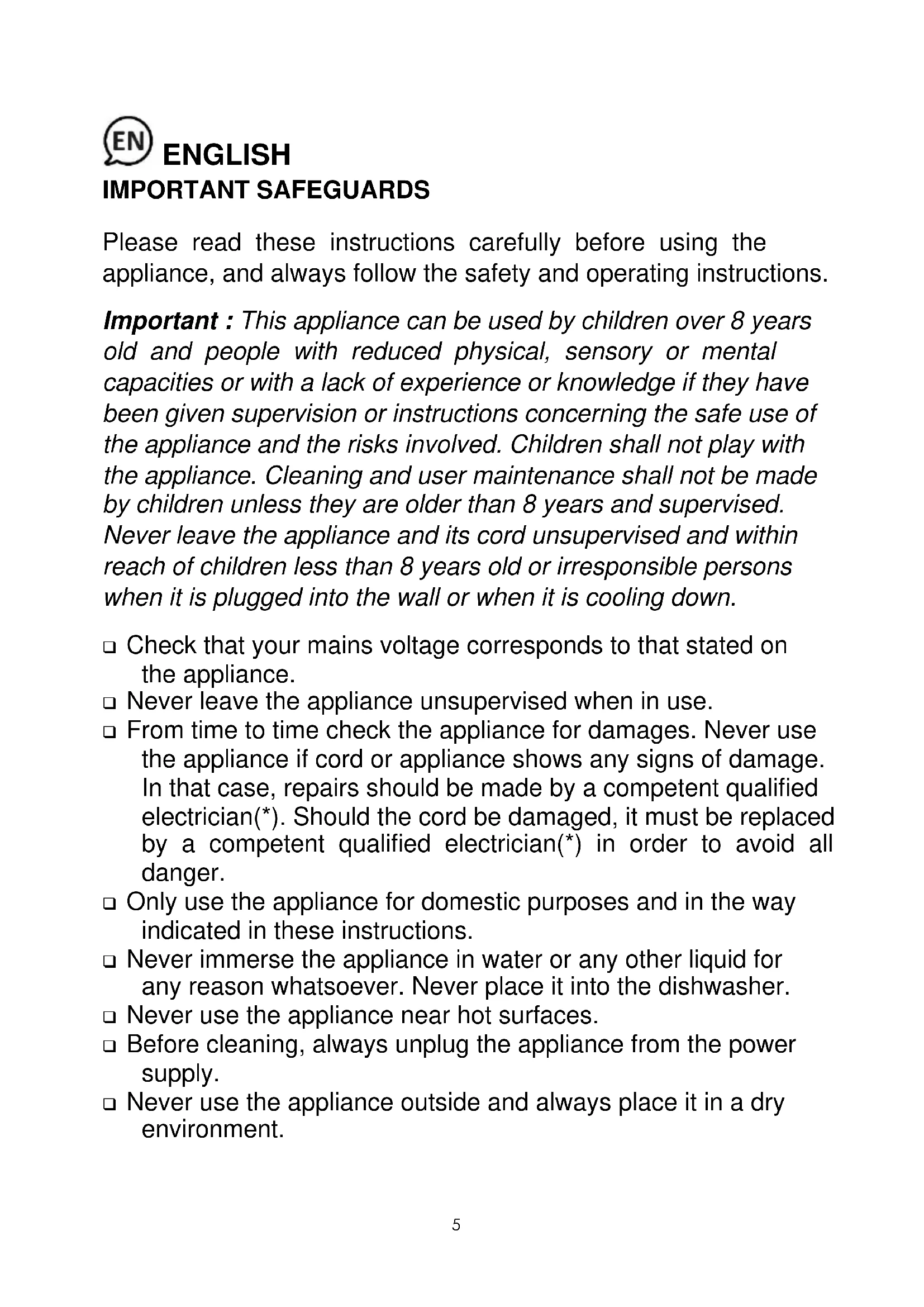
Please read these instructions carefully before using the appliance, and always follow the safety and operating instructions.
Important : This appliance can be used by children over 8 years old and people with reduced physical, sensory or mental capacities or with a lack of experience or knowledge if they have been given supervision or instructions concerning the safe use of the appliance and the risks involved. Children shall not play with the appliance. Cleaning and user maintenance shall not be made by children unless they are older than 8 years and supervised. Never leave the appliance and its cord unsupervised and within reach of children less than 8 years old or irresponsible persons when it is plugged into the wall or when it is cooling down.
- Check that your mains voltage corresponds to that stated on the appliance.
- Never leave the appliance unsupervised when in use.
- From time to time check the appliance for damages. Never use the appliance if cord or appliance shows any signs of damage. In that case, repairs should be made by a competent qualified electrician ^() . Should the cord be damaged, it must be replaced by a competent qualified electrician ^() in order to avoid all danger.
- Only use the appliance for domestic purposes and in the way indicated in these instructions.
- Never immerse the appliance in water or any other liquid for any reason whatsoever. Never place it into the dishwasher.
- Never use the appliance near hot surfaces.
Before cleaning, always unplug the appliance from the power supply. -
Never use the appliance outside and always place it in a dry environment.
-
Never use accessories that are not recommended by the producer. They could constitute a danger to the user and risk to damage the appliance.
- Never move the appliance by pulling the cord. Make sure the cord cannot get caught in any way. Do not wind the cord around the appliance and do not bend it.
In order to avoid any possible damage due to the normal temperatures of the appliance in use, please respect the following installation instructions: - place the back side as close to the wall as possible
- leave at least 10cm of free space on each side and above the appliance.
As a general rule, make sure there is enough ventilation in the room around this appliance during operation. Stand the appliance on a stable heat-resistant surface (not a varnished table or a table cloth). - Make sure the appliance has cooled down before cleaning and storing it.
□ Only cook consumable food. Do not place large pieces of food or metallic utensils in the oven in order to avoid all risk of fire or electrocution. Also never place the following materials in the oven: paper, cardboard or plastic...
In order to heat or toast bread, please do not use your oven for longer than 10 minutes, as otherwise your bread will be burned. This remark is important as the maximum time is 90 minutes but this period of time should be used for other things than (re-) heating your bread.
□ It is absolutely necessary to keep this appliance clean at all times as it comes into contact with food. -
Make sure the cord never comes into contact with the hot parts of the appliance.
The temperature of the accessible surfaces, such as the door of the oven, may be very high when the appliance is in use. Never touch those surfaces during use nor before the appliance has totally cooled down, and only handle the knobs. -
Make sure the hot parts of the appliance never come into contact with inflammable materials, such as curtains, cloth, etc. when it is in use, as a fire might occur. Also make sure not to cover the appliance and do not put anything on top of it. Make sure nothing comes into contact with the heating element of the appliance.
- Be extremely cautious as oil and fat preparations might catch fire if overheated.
□ If you use the appliance under a cooking hob, make sure to respect the minimum distance advised by the manufacturer. - Unplug the appliance immediately if you notice a crack in the oven door and have it repaired by a competent qualified electrician ^(*) .
□ Your appliance must never be switched on through an external timer or any kind of separate remote control system. - Please note: Should the symbol be indicated on a certain surface, you need to be careful when handling the product. This symbol means: CAUTION, this surface may get very hot during use.
The symbol is always put on the surface with the highest temperature, however the other metallic or non-metallic surfaces can also become very hot during use and it is therefore advisable to always handle them with care and if possible with the help of isothermal gloves or other thermal protection. In case of doubt concerning the temperature of a certain surface it is always preferable to protect oneself.
(*) Competent qualified electrician: after-sales department of the producer or importer or any person who is qualified, approved and competent to perform this kind of repairs in order to avoid all danger. In case of need you should return the appliance to this electrician.
BEFORE USE
- Unpack the appliance and accessories, then wash and wipe these accessories.
- It is normal if some smoke or smell emanates from the appliance when using it for the first time. Therefore, we advise you to use your appliance empty once before the first use. Set the timer to 15 minutes and the function selector switch on the "heat from above and below" position.
CONTROL PANEL

Timer

Programmer

Thermostat

Top heat

Bottom heat

Top and bottom heat

Bottom heat and convection

Convection

Top and bottom heat and convection

Top heat and convection

Grill
OVENUSE
- Turn the thermostat dial clockwise to the desired temperature.
- Turn the Programmer selector dial to the desired position.
- Turn the timer dial clockwise to the desired cooking time.
- When the cooking time is over, the timer will auto shut off and the bell will ring. Set the timer, program and thermostat buttons to "0" to turn off your appliance.
When the timer is set to manual, it shall operate indefinitely.
- If the cooking is finished earlier than the set cooking time, please turn back the timer to OFF to turn off the oven.
- In the first use of this oven, there might be some light smoke coming out from the oven, this is normal. After 5-10 minutes the smoke will disappear.
- In order to get better cooking performance, it is recommended to pre-heat the oven about 10-15 minutes.
THERMOSTAT AND TIMER
- You can adjust the temperature between 40^ and 230^ .
- You can choose the desired cooking time up to 90 minutes. If you wish to set the timer to less than 10 minutes, turn it to a position higher than 10 minutes first and then set it back to the desired time.
OVEN FUNCTIONS
Yogurt
- Turn the thermostat to Yogurt mode and set the programmer to Bottom heating.
- Preheat for 10 minutes.
- Boil raw milk at 90^ C then let it cool down to 43 - 45^ C .
- Add appropriate amount of yeast according to recipe and stir it in.
- Pour the mixture in an oven safe dish and place it on the first shelf of the oven.
- Set the timer to manual and let it cure for 5 hours.
Steam cleaning
- This function allows thorough cleaning inside the oven without using chemicals.
- Remove all accessories from the oven.
- Put 2 glasses of water inside an oven safe tray and place it on the bottom shelf.
- Turn the thermostat to steam cleaning mode, set the timer for 30 minutes and turn the programmer selector to Bottom heating.
- When the timer rings, let the oven cool for a few minutes then wipe the inner surface with a damp cloth.
Chicken roast
- Switch On/Off the Turnspit button to start/stop the turnspit rotation.
DIGITAL CLOCK USE (ONLY ON MODEL TKG OT 2033 CRL SL)
Time setting
- Press the M button and set the hours using the + and - buttons, then press the M button and set the minutes.
- When you do not press the + or - keys for 20 seconds, the time setting mode ends automatically.
Automatic cooking program
- Press the M button to set the cooking time using the + and - keys.
- If you press again the M button or if no button is pressed for 20 seconds, the timer starts counting.
- A ringtone will notify you when the time is over. Press the M button again to switch it off.
AFTER USE
- Turn back all selectors to the Off position.
- Unplug the appliance from the outlet.
- Wait until the oven is completely cool before any cleaning or maintenance.
MAINTENANCE AND CLEANING
Before cleaning, unplug the appliance from outlet and allow to cool.
Inside cleaning
- Wipe the tray and rack with absorbent paper towelling or a soft cloth. To remove baked on food, pour a little cooking oil on the food and allow to stand for five to ten minutes. This should soften the food and allow it to be removed with absorbent paper towelling or a soft cloth.
- If the above method fails to remove the food, we suggest wiping the trays with a damp cloth and a little detergent.
- Never use abrasive products. Never immerse the appliance in water and make sure no water or damp penetrates into the appliance.
- Make sure no water comes on the oven door when the latter is still hot.
Outside cleaning
- Wipe clean with a soft dry cloth or paper towelling.
- Do not use steel wool, scouring pads or abrasive cleaners.
Do not immerse in water or any other liquid.
PROTECTION OF THE ENVIRONMENT - DIRECTIVE 2012/19/EU
In order to preserve our environment and protect human health, the waste electrical and electronic equipment should be disposed of in accordance with specific rules with the
implication of both suppliers and users. For this reason, as indicated by the symbol
the rating label or on the packaging, your appliance should not be disposed of as unsorted municipal waste. The user has the right to bring it to a municipal collection point performing waste recovery by means of reuse, recycling or use for other applications in accordance with the directive.

ERP DECLARATION - REGULATION 1275/2008/EC
We, TKG SRL, hereby confirm that our product meets the requirements of regulation 1275/2008/EC. Our product does not dispose of a standby mode as this product switches off completely immediately after the operation is finished and as a consequence does not consume electricity!
The user manual is by simple request also available in electronic format from the after-sales service (see warranty card).
Das Symbol wouldn't ever be so much better. Das Symbol wouldn't ever be so much better. Das Symbol wouldn't ever be so much better. Das Symbol wouldn't ever be so much better. Das Symbol wouldn't ever be so much better. Das Symbol wouldn't ever be so much better. Das Symbol wouldn't ever be so much better. Das Symbol wouldn't ever be so much better. Das Symbol wouldn't ever be so much better. Das Symbol wouldn't ever be so much better. Das Symbol would never be so much better. Das Symbol would never be so much better. Das Symbol would never be so much better. Das Symbol would never be so much better. Das Symbol would never be so much better. Das Symbol would never be so much better. Das Symbol would never be so much better. Das Symbol would never be so much better. Das Symbol would never be so much better. Das Symbol would never be so much better. Das Symbol would never be so much better. Das Symbol would neverbe so much better. Das Symbol would never be so much better. Das Symbol would never be so much better. Das Symbol would never be so much better. Das Symbol would never be so much better. Das Symbol would never be so much better. Das Symbol would never be so much better. Das Symbol would never be so much better. Das Symbol would never be so much better. Das Symbol would never be so much better. Das Symbol would never be so much better. Das Symbol would never be such a good symbol as the one you're about to give him.