EasyManual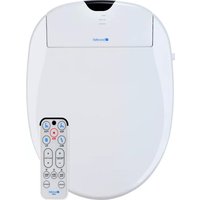
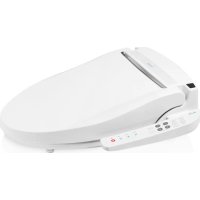
Swash 1000 - Toilet Brondell - Free user manual and instructions
Find the device manual for free Swash 1000 Brondell in PDF.


User questions about Swash 1000 Brondell
0 question about this device. Answer the ones you know or ask your own.
Ask a new question about this device
Download the instructions for your Toilet in PDF format for free! Find your manual Swash 1000 - Brondell and take your electronic device back in hand. On this page are published all the documents necessary for the use of your device. Swash 1000 by Brondell.
USER MANUAL Swash 1000 Brondell
Section 1 Product Features page 1
Section 2 Safety Precautions page
Section 4 Installation page
Section 5 Operation page
Section 7 Maintenance page
Section 8 Troubleshooting page
Section 9 Warranty Information page
SAVE THESE INSTRUCTIONS
SAVE THESE INSTRUCTIONS
If it is necessary to use an extension cord, use only a three wire extension cord with a threeblade grounding plug, and a three-slot receptacle that will accept the plug of the product. Replace or repair a damaged cord immediately. Extension cord ReceptacleGround GFI Outlet Bidet Seat Cordwith Grounding PinGrounding Pintestreset
GROUNDING & GFI OUTLET INSTRUCTIONS
DANGER- Improper use of the grounding plug can result in a risk of electric shock.
The S900 and the S1000 have the following dimensions: The S900 and 1000: Round Size The S900 and 1000: Elongated Size89 S900 S10001010
The T-Valve connects to the ll valve directly under your toilet tank - it does Only connect cold (from your toilet water supply line). not connect at the wall.12 opening in the mounting plate and insert mounting bolts through adjustable brackets and mounting holes. Be sure that the square mounting bolt head is even with sides of adjustable bracket.131414
This button engages the oscillation function on the front or rear nozzles moves the wash wand back and forth to during a wash cycle. Nozzle oscillation moves the wash wand back and forth to clean a wider area. S1000 models only Use this button to engage 3 levels of the warm air dryer. S1000 models only S1000 models only S1000 models only16 This button engages the oscillation function on the front or rear nozzles moves the wash wand back and forth to during a wash cycle. Nozzle oscillation moves the wash wand back and forth to clean a wider area. S1000 models only Use this button to engage 3 levels of the warm air dryer. S1000 models only S1000 models only S1000 models only
Move (Nozzle Oscillation) Function – S1000 Only Warm Air Dryer – S1000 Only18 Move (Nozzle Oscillation) Function – S1000 Only Warm Air Dryer – S1000 Only
Warm Air Dryer Temperature – S1000 Only Deodorization – S1000 Only Nozzle Sterilization – S1000 Only To activate the deodorizer, press the Deodorize button on the remote control. The deodorizing function will run on high for approximately 1 minute. To stop the function prior to 1 minute, press STOP button at any time.20 been cancelled. The body sensor in the seat is now bypassed and the wash & air dry functions will work without anyone physically on the seat. Use caution!20 been cancelled. The body sensor in the seat is now bypassed and the wash & air dry functions will work without anyone physically on the seat. Use caution!
2. Make sure that the bidet hose is correctly
connected and tight. Check any rubber washers and do not over tighten