
RE 600 - Welding machine RIDGID - Free user manual and instructions
Find the device manual for free RE 600 RIDGID in PDF.

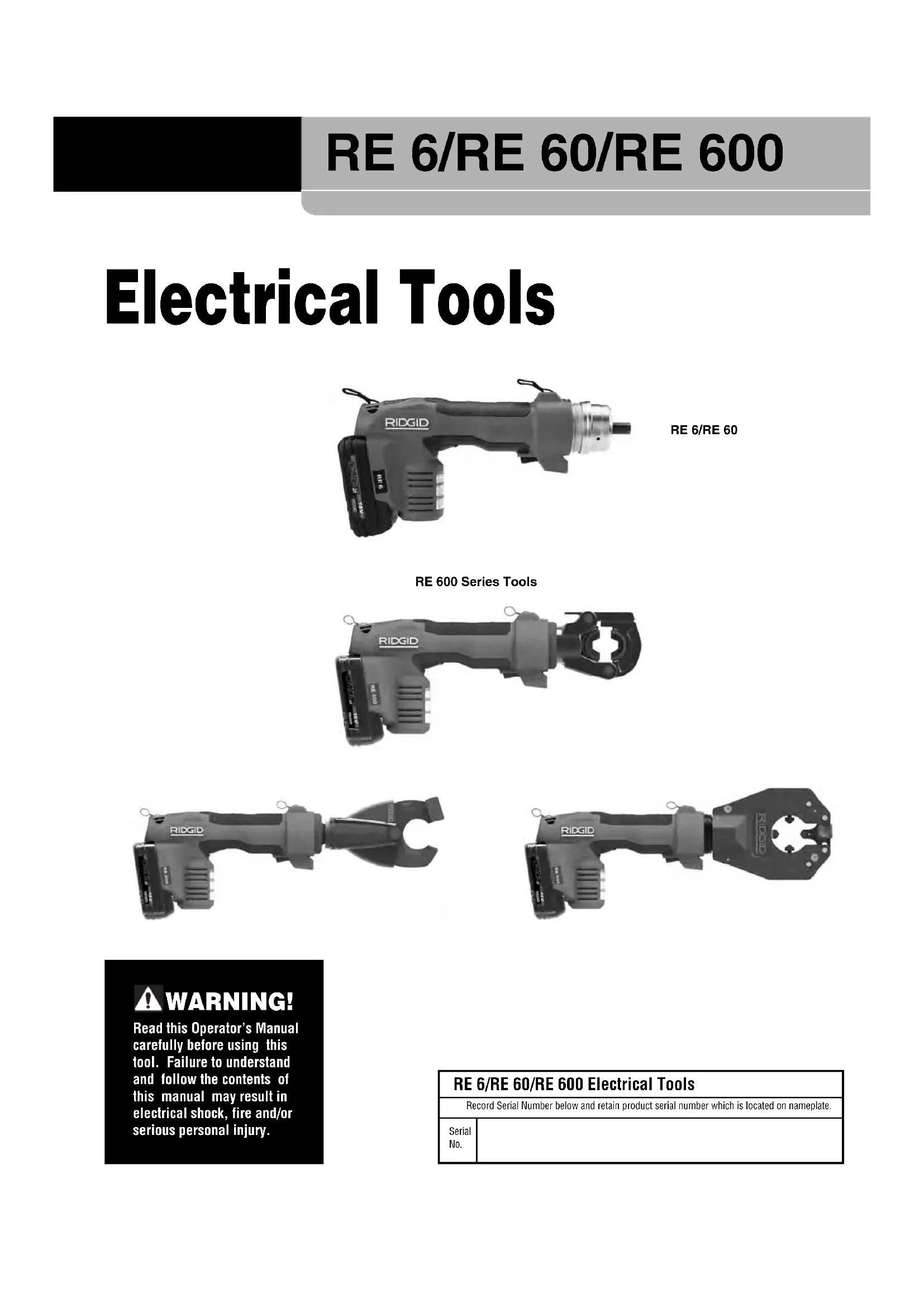


| Product Type | Electric crimping / cutting / punching pliers |
| Brand | RIDGID |
| Model | RE 600 |
| Dimensions (L x H x W) | 395 x 165 x 73 mm (RDH version) |
| Weight | 4.3 kg (with 2 Ah battery pack) |
| Power Supply | 18 V lithium-ion battery pack (2.0 Ah or 4.0 Ah) |
| Piston Force | 60 kN (6 tons) |
| Piston Stroke | 17 mm (RDH version) |
| Service Cycles | 10,000 cycles (RDH version) |
| Main Functions | Crimping electrical connectors, cutting cables, punching (depending on head) |
| Head Rotation | 360° |
| Indicator Lights | Green (ready), red (temperature), yellow (upcoming or mandatory service) |
| LED Lighting | Yes, turns on when trigger is pressed |
| Auto Shut-off | After 600 seconds of inactivity |
| Operating Temperature | -10 °C to 50 °C |
| Storage Temperature | 0 °C to 45 °C |
| Daily Maintenance | Wipe with a clean, dry cloth |
| QCS Coupling Cleaning | Shake downwards, use a cotton swab if necessary - do not lubricate |
| Periodic Service | Mandatory by an authorized RIDGID service center (indicated by yellow light) |
| Spare Parts | Exclusively genuine RIDGID |
| Safety | Do not use on live lines; wear PPE (goggles, gloves); keep fingers away |
| Warranty | Lifetime warranty |
| Compliance | CE, EMC (IEC 61000-6-5) |
| Included Accessories | 2 Ah battery pack, charger, carrying case (depending on version) |
Frequently Asked Questions - RE 600 RIDGID
User questions about RE 600 RIDGID
0 question about this device. Answer the ones you know or ask your own.
Ask a new question about this device
Download the instructions for your Welding machine in PDF format for free! Find your manual RE 600 - RIDGID and take your electronic device back in hand. On this page are published all the documents necessary for the use of your device. RE 600 by RIDGID.
USER MANUAL RE 600 RIDGID
Recording Form For Machine Serial Number ....1
Safety Symbols....2
General Power Tool Safety Warnings
Work Area Safety....2
Electrical Safety 2
Personal Safety ....3
Power Tool Use And Care ....3
Battery Tool Use And Care ....3
Service 4
Specific Safety Information
Electrical Tool Safety 4
RIDGID Contact Information 4
Description
Tool Status Lights 6
Specifications
Standard Equipment 6
Pre-Operation Inspection 7
Set-Up And Operating Instructions 7
Changing Heads With QCS Coupling (RE 6/RE 60 only) ....8
Operation 8
Storage 8
Maintenance Instructions
Cleaning Tool....9
Cleaning QCS Coupling....9
Troubleshooting....9
Required Maintenance By RIDGID Independent Service Center 9
Service And Repair 9
Optional Equipment 10
Disposal 10
EC Declaration of Conformity ....10
Electromagnetic Compatibility (EMC) 10
Lifetime Warranty ....Back Cover
*Original Instructions - English
Electrical Tools
natural_image
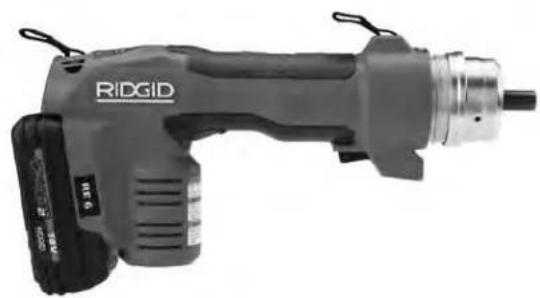
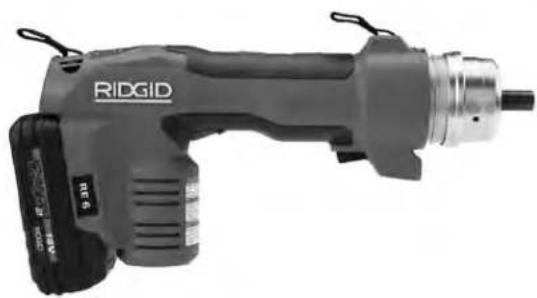
Ridgid electric drill put tool with visible branding and external components (no text or symbols on body)RE 6/RE 60
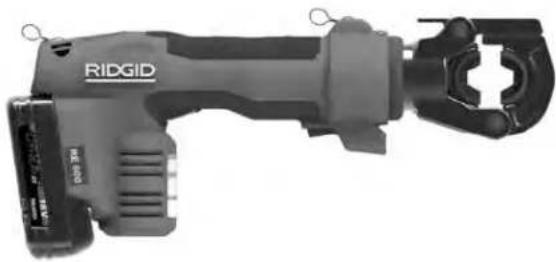
RE 600 Series Tools
natural_image
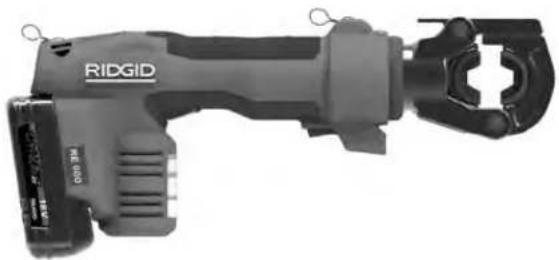
Rigid tool with attached clamp and connector (no visible text or symbols)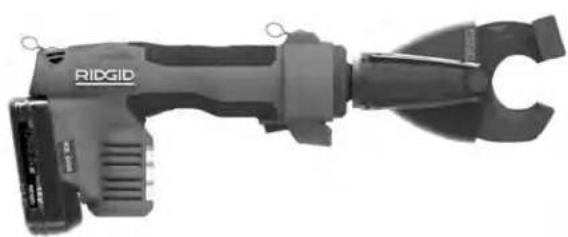
natural_image
Ridgid handheld device with attached clamp and connector (no visible text or symbols)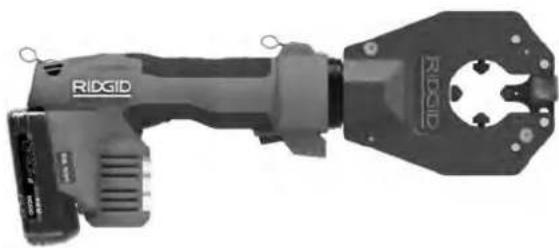
natural_image
Ridgid electrical tool with handle and mounting bracket (no visible text or symbols)
WARNING!
Read this Operator's Manual carefully before using this tool. Failure to understand and follow the contents of this manual may result in electrical shock, fire and/or serious personal injury.
RE 6/RE 60/RE 600 Electrical Tools
| Record Serial Number below and retain product serial number which is located on nameplate. | |
| Serial No. | |
Safety Symbols
In this operator's manual and on the product, safety symbols and signal words are used to communicate important safety information. This section is provided to improve understanding of these signal words and symbols.

This is the safety alert symbol. It is used to alert you to potential personal injury hazards. Obey all safety messages that follow this symbol to avoid possible injury or death.

DANGER
DANGER indicates a hazardous situation which, if not avoided, will result in death or serious injury.

WARNING
WARNING indicates a hazardous situation which, if not avoided, could result in death or serious injury.

CAUTION
CAUTION indicates a hazardous situation which, if not avoided, could result in minor or moderate injury.
NOTICE
NOTICE indicates information that relates to the protection of property.

This symbol means read the operator's manual carefully before using the equipment. The operator's manual contains important information on the safe and proper operation of the equipment.

This symbol means always wear safety glasses with side shields or goggles when handling or using this equipment to reduce the risk of eye injury.

This symbol indicates the risk of hands, fingers or other body parts being crushed.

This symbol indicates the risk of electrical shock.
General Power Tool Safety Warnings\*
WARNING
Read all safety warnings, instructions, illustrations and specifications provided with this power tool. Failure to follow all instructions listed below may result in electric shock, fire, and/or serious injury.
SAVE ALL WARNINGS AND INSTRUCTIONS FOR FUTURE REFERENCE!
The term "power tool" in the warnings refers to your mains-operated (corded) power tool or battery-operated (cordless) power tool.
Work Area Safety
- Keep your work area clean and well lit. Cluttered or dark areas invite accidents.
- Do not operate power tools in explosive atmospheres, such as in the presence of flam mable liquids, gases, or dust. Power tools create sparks which may ignite the dust or fumes.
- Keep children and by-standers away while operating a power tool. Distractions can cause you to lose control.
Electrical Safety
- Power tool plugs must match the outlet. Never modify the plug in any way. Do not use any adapter plugs with earthed (grounded) power tools. Un modified plugs and matching outlets will reduce risk of electric shock.
- Avoid body contact with earthed or grounded surfaces such as pipes, radiators, ranges and refrigerators. There is an increased risk of electrical shock if your body is earthed or grounded.
- Do not expose power tools to rain or wet conditions. Water entering a power tool will increase the risk of electrical shock.
- Do not abuse the cord. Never use the cord for carrying, pulling or unplugging the power tool. Keep cord away from heat, oil, sharp edges or moving parts. Damaged or entangled cords increase the risk of electric shock.
- When operating a power tool outdoors, use an extension cord suitable for outdoor use. Use of a cord suitable for outdoor use reduces the risk of electric shock.
- If operating a power tool in a damp location is unavoidable, use a ground fault circuit interrupter
(GFCI) protected supply. Use of a GFCI reduces the risk of electric shock.
Personal Safety
- Stay alert, watch what you are doing and use common sense when operating a power tool. Do not use a power tool while you are tired or under the influence of drugs, alcohol, or medication. A moment of inattention while operating power tools may result in serious personal injury.
- Use personal protective equipment. Always wear eye protection. Protective equipment such as dust mask, non-skid safety shoes, hard hat, or hearing protection used for appropriate conditions will reduce personal injuries.
- Prevent unintentional starting. Ensure the switch is in the OFF-position before connecting to power source and/or battery pack, picking up or carrying the tool. Carrying power tools with your finger on the switch or energizing power tools that have the switch ON invites accidents.
- Remove any adjusting key or wrench before turning the power tool ON. A wrench or a key left attached to a rotating part of the power tool may result in personal injury.
- Do not overreach. Keep proper footing and balance at all times. This enables better control of the power tool in unexpected situations.
- Dress properly. Do not wear loose clothing or jewel ry. Keep your hair, clothing, and gloves away from moving parts. Loose clothes, jewelry, or long hair can be caught in moving parts.
- If devices are provided for the connection of dust extraction and collection facilities, ensure these are connected and properly used. Use of dust collection can reduce dust-related hazards.
- Do not let familiarity gained from frequent use of tools allow you to become complacent and ignore tool safety principles. A careless action can cause severe injury within a fraction of a second.
Power Tool Use And Care
- Do not force power tool. Use the correct power tool for your application. The correct power tool will do the job better and safer at the rate for which it was designed.
-
Do not use power tool if the switch does not turn it ON and OFF. Any power tool that cannot be controlled with the switch is dangerous and must be repaired.
-
Disconnect the plug from the power source and/or remove the battery pack, if detachable, from the power tool before making any adjustments, changing accessories, or storing power tools. Such preventive safety measures reduce the risk of starting the power tool accidentally.
- Store idle power tools out of the reach of children and do not allow persons unfamiliar with the power tool or these instructions to operate the power tool. Power tools are dangerous in the hands of untrained users.
- Maintain power tools and accessories. Check for misalignment or binding of moving parts, breakage of parts and any other condition that may affect the power tool's operation. If damaged, have the power tool repaired before use. Many accidents are caused by poorly maintained power tools.
- Keep cutting tools sharp and clean. Properly maintained cutting tools with sharp cutting edges are less likely to bind and are easier to control.
- Use the power tool, accessories and tool bits etc. in accordance with these instructions, taking into account the working conditions and the work to be performed. Use of the power tool for operations different from those intended could result in a hazardous situation.
- Keep handles and grasping surfaces dry, clean and free from oil and grease. Slippery handles and grasping surfaces do not allow for safe handling and control of the tool in unexpected situations.
Battery Tool Use And Care
- Recharge only with the charger specified by the manufacturer. A charger that is suitable for one type of battery pack may create a risk of fire when used with another battery pack.
- Use power tools only with specifically designated battery packs. Use of any other battery packs may create a risk of injury and fire.
- When battery pack is not in use, keep it away from other metal objects, like paper clips, coins, keys, nails, screws or other small metal objects that can make a connection from one terminal to another. Shorting the battery terminals together may cause burns or a fire.
-
Under abusive conditions, liquid may be ejected from the battery; avoid contact. If contact accidentally occurs, flush with water. If liquid contacts eyes, additionally seek medical help. Liquid ejected from the battery may cause irritation or burns.
-
Do not use a battery pack or tool that is damaged or modified. Damaged or modified batteries may exhibit unpredictable behavior resulting in fire, explosion or risk of injury.
- Do not expose a battery pack or tool to fire or excessive temperature. Exposure to fire or temperature above 265 °F (130 °C) may cause explosion.
- Follow all charging instructions and do not charge the battery pack or tool outside the temperature range specified in the instructions. Charging im - properly or at temperatures outside the specified range may damage the battery and increase the risk of fire.
Service
- Have your power tool serviced by a qualified repair person using only identical replacement parts.
This will ensure that the safety of the power tool is maintained. - Never service damaged battery packs. Service of battery packs should only be performed by the manufacturer or authorized service providers.
Specific Safety Information
WARNING
This section contains important safety information that is specific to this tool.
Read these precautions carefully before using the electrical tool to reduce the risk of electrical shock or serious personal injury.
SAVE THESE INSTRUCTIONS!
A compartment in the tool carrying case is included to keep this manual with the machine for use by the operator.
Electrical Tool Safety
- Keep your fingers and hands away from the tool head during the operating cycle. Your fingers or hands can be crushed, fractured or amputated if they become caught in the head or between the head and other objects.
- Do not use on energized electrical lines to reduce the risk of electrical shock, severe injury and death. Tool is not insulated. Use appropriate work procedures and personal protective equipment when working near energized electrical lines.
- Large forces are generated during use that can break or throw parts and cause injury. Keep all unnecessary personnel away from work area. Stand
clear during use and wear appropriate protective equipment, including eye protection
- Do not modify tool. Modifying the tool in any manner may result in personal injury.
- Never repair a damaged head. A head that has been welded, ground, drilled or modified in any manner can break during use. Never replace individual components. Discard damaged heads to reduce the risk of injury.
- Use proper tool, head, die, connector and cable combinations. Improper combinations can result in an incomplete or improper crimp which increases the risk of fire, severe injury or death.
- One person must control work process and machine operation. Only the operator should be in the area when the tool is running. This helps reduce the risk of injury.
- Before operating a RIDGID Electrical Tool, read and understand:
- This operator's manual,
– The specific head instructions,
– The battery/charger manual,
- The connector and die/insert manufacturer's installation instructions,
- The instructions for any other equipment used with this tool.
Failure to follow all instructions and warnings may result in property damage and/or serious injury.
RIDGID Contact Information
If you have any question concerning this RIDGProduct:
- Contact your local RIDGID distributor.
- Visit RIDGID.com to find your local RIDGID contact point.
- Contact Ridge Tool Technical Service De part ment at rttechservices@emer son.com, or in the U.S. and Canada call (800) 519-3456.
Description
The RIDGID ^® Models RE 6/RE 60/RE 600 family of Electrical Tools are used to perform a variety of functions, such as crimping electrical compression connections, cutting electrical cables and hole punching operations, depending on the head used with the tool.
The RE 6 and RE 60 Electrical Tools are equipped with
the RIDGID® QuickChange System™ (QCS™) Coupling that allows the installation and use of a variety of interchangeable heads.
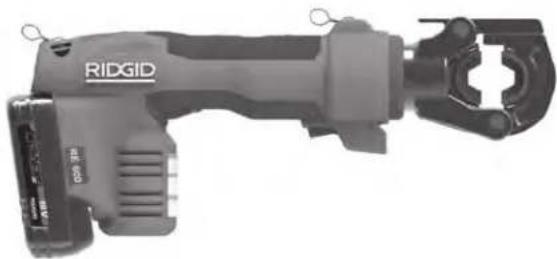
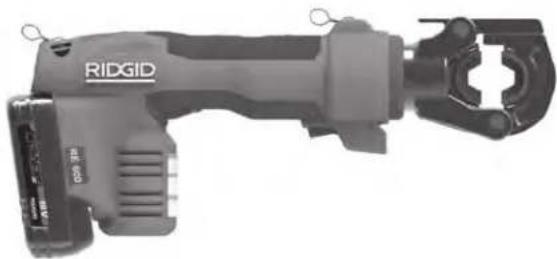
The RE 600 series of Electrical Tools have dedicated (non-interchangeable) heads.
All heads (both interchangeable and dedicated) can be rotated 360 degrees for better access in tight spaces.
When operated, an internal electric motor powers a hydraulic pump which supplies fluid to the cylinder of the tool, moving the ram forward and applying force to specially designed tool heads.
The tools come with two (2) fabric loops that can be used with appropriate attachments such as shoulder straps or tie off lanyards.
The tools are equipped with a bright work light that turns on when the run switch is depressed. This allows the user to easily illuminate the work area.
The tool status lights indicate the tool's status (tool ON/OFF, temperature out of range, service required, etc.).
See specific head instructions for specifications and other information.
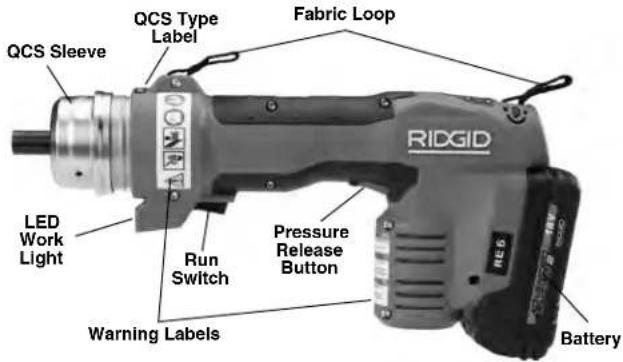
Figure 1 - RE 6/RE 60 - Use QCS Coupling for head attachment
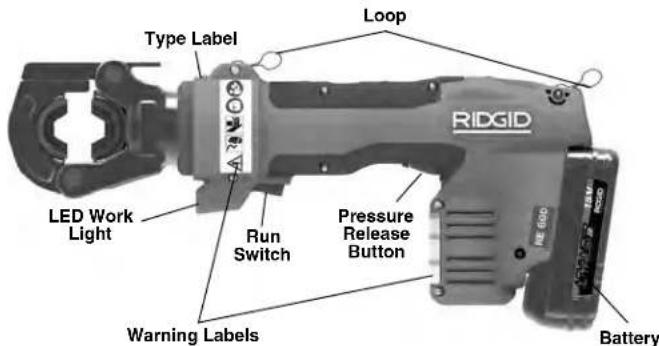
Figure 2 – RE 600 Series Dedicated Head Tools
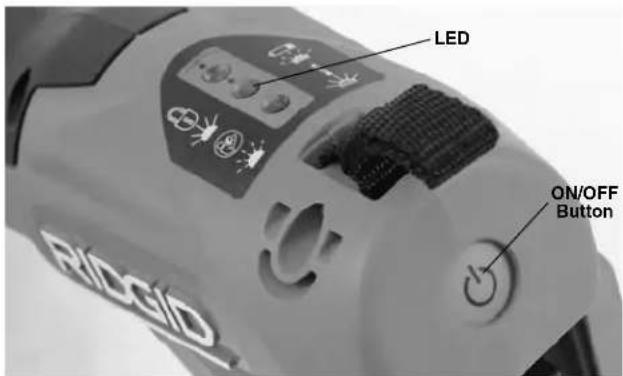
Figure 3 – Tool Status Lights
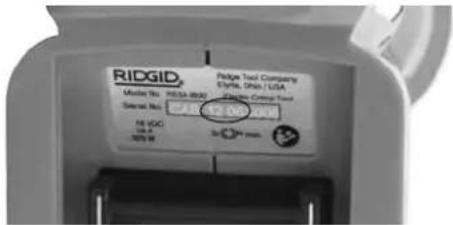
Figure 4 – Machine Serial Number - The first 4 digits (circled) indicate the year and month of manufacture. (12 = year, 06 = month).
| Control Marking Description | ||
| On/Off Button | I/O Main | tool power switch (I = On, O = Off). |
| Run Switch — Depress to advance tool ram. In most cases, hold until ram automatically retracts. | ||
| Pressure Release Button used with a crimp | — | Allows tool ram retracted prior to automatic retraction. Primarily used with Punch Heads. If head, crimp is NOT complete and must be repeated. |
| QCS Sleeve — Used to retract QCS balls and change heads. | ||
Figure 5 – Controls Chart
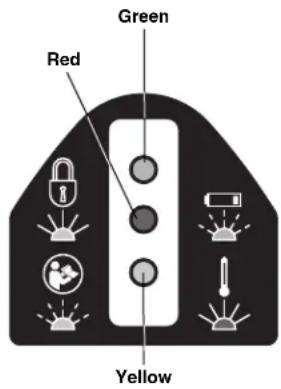
| Icon | Solid Light Blinking Light |  | Meaning |
| Green Tool | ON, ready to use. | ||
 | Green | Battery low. Tool will not operate. Recharge battery/Insert fully charged battery. | |
 | Red | Tool out of Specification temperature range. Bring tool and battery to correct operating temperature range. | |
 | Yellow | Indicates service interval approaching. Starts 2,000 cycles prior to service interval (see Figure 7). Tool is usable, but tool will lock after service interval. | |
 | Yellow | Tool is locked. Tool has completed service interval (see Figure 7) and requires service. | |
| Tool has malfunctioned. Have serviced. |
Figure 6 – Tool Status Lights
Specifications
| Model | Description | Weight* | DimensionsL x H x W (mm)L x H x W (inch) | Piston Travel | Service Interval Cycles | ||||
| g | Ibs | mm | inch | ||||||
 | RE 6 | 6T Tool For Use w/Interchangeable Heads | 3000 | 6.6 | 318 x 154 x 7312.5 x 6.1 x 2.9 | 32 | 1.3 | 32,000 | |
 | RE 60 | 60 kN Tool For Use w/Interchangeable Heads | 3000 | 6.6 | 318 x 154 x 7312.5 x 6.1 x 2.9 | 32 | 1.3 | 32,000 | |
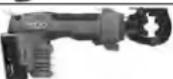 | RE 600 RDH | Latching Round Die Head | 4300*1 | 9.5 | 395 x 165 x 7315.6 x 6.5 x 2.9 | 17 | 0.7 10,000 | ||
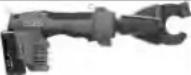 | RE 600 SC | Scissor Cut Head*2 | 4800 | 10.5 | 473 x 174 x 7318.6 x 6.9 x 2.9 | 24 | 0.9 | 10,000 | |
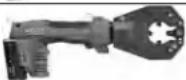 | RE 600 4PI | 4 PIN Indenter Head | 4800 | 10.5 | 474 x 192 x 7318.7 x 7.6 x 2.9 | 32 | 1.3 | 10,000 | |
*With 2 Ah Battery
^1 Includes dies
^2 Versions for Cu/Al wire and ACSR available - See blade markings.
Figure 7 – Specification Chart
Piston Force ....60 kN (6-ton) (13,500 lbs.)
QCS Coupling Type ...RE 6 6T QCS
RE 60 60 kN QCS
RE 600 Series – N/A
Duty Cycle......③ Cycles per minute
Motor
Voltage .....18V DC
Amperage .....18 Amp
Power 324 Watts
Battery....18V Li-Ion, Rechargeable Batter y (see Optional Equipment)
Ingress Protection .....IP44
Protection Class...../□
Allowable Humidity.....0-80%
Operating Temperature
Range ....15° F to 122° F (-10° C to 50° C)
Storage Temperature
Range ....32° F to 113° F (0° C to 45° C)
Go to RIDGID.com/CrimpDies for the RIDGID Crimp Die/Electrical Connector Compatibility Charts for these tools with various heads.
Standard Equipment
Refer to the RIDGID catalog for details on equipment supplied with specific tool catalog numbers.
NOTICE Selection of appropriate materials and joining methods is the responsibility of the system designer and/or installer. Before any installation is attempted, careful eval-
uation of the specific service environment requirements should be completed. Consult connector manufacturer for selection information.
Pre-Operation Inspection
WARNING


Daily before use, inspect your electrical tool and correct any problems to reduce the risk of serious in jury from electric shock, crushing injures, equipment failure and other causes, and prevent tool damage.
- Remove battery from tool.
- Clean any oil, grease or dirt from the tool and head, including handles and controls. This aids inspection and helps prevent the tool or control from slipping from your grip.
-
Inspect the electrical tool for:
-
Proper assembly, maintenance and completeness (See Figures 1-3).
- Any broken, worn, missing, misaligned or binding parts.
- Presence and readability of the tool and battery warning labels.
- Any other condition which may prevent safe and normal operation.
If equipped with the QCS Coupling, inspect for:
- Foreign material in the QCS coupling (see Main - tenance section).
- Confirm that the twelve (12) retaining balls are present in all openings and that there is no damage.
Figure 8 shows the inside of a complete and clean QCS coupling.
- When inspecting the mating QCS coupling on interchangeable heads, dimples in the grooves of the QCS coupling are normal with use and are not considered damage (Figure 9).
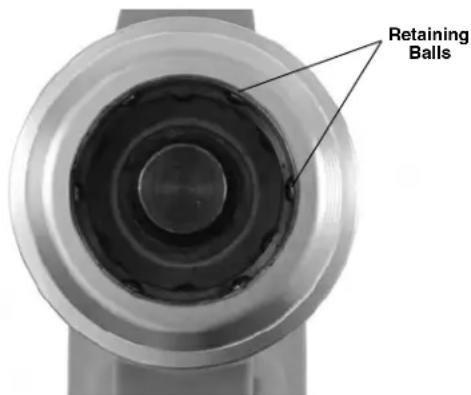
Figure 8 – Inside of QCS Coupling
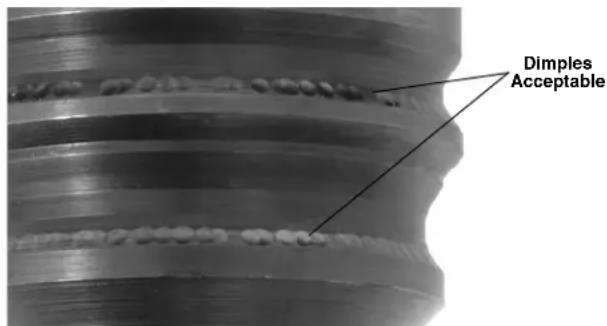
Figure 9 – Dimples in QCS Coupling Grooves
If any problems are found, do not use the tool until the problems have been repaired.
- Inspect and maintain any other equipment being used per its instructions to make sure it is functioning properly. Inspect the heads for wear, deformation or other issues.
Set-Up And Operating Instructions
WARNING



Keep your fingers and hands away from the tool head during the operating cycle. Your fingers or hands can be crushed fractured or amputated in the head or tool or be tween the tool head, work piece and other objects.
Do not use on energized electrical lines to reduce the risk of electrical shock, severe injury and death. Tool is not insulated. Use appropriate work procedures and personal protective equipment when working near energized electrical lines.
Large forces are generated during use that can break or throw parts and cause injury. Keep all unnecessary personnel away from work area. Stand clear during use and wear appropriate protective equipment, including eye protection.
Do not operate the electrical tool without inserts in the tool head. This can damage the electrical tool and/or cause serious personal injury.
Follow set up and operating instructions to reduce the risk of injury from crushing, electrical shock and other causes and to prevent tool damage.
- Confirm have appropriate work area (See General Safety Rules). Operate in clear, level, stable, dry location. Do not use tool while standing in water.
- Inspect the work to be done and determine the correct RIDGID tool for the application. Using an incorrect tool for an application can cause injury, damage the tool and make incomplete connections.
- Confirm that the electrical tool and head have been inspected and set up as directed in their instructions. If needed, confirm that proper dies have been installed in the head.
Changing Heads With QCS Coupling (RE 6/RE 60 only)
Remove the battery from the tool. Retract QCS sleeve and remove/insert the appropriate interchangeable head. Release QCS sleeve to retain the head (Figure 10). Confirm that the head is fully inserted and locked into the tool. Do not operate without an interchangeable head or head inserts installed - this can damage the electrical tool. If interchangeable head will not lock into QCS coupling, ensure ram is fully retracted by pressing the pressure release button.
There are different QCS coupling types. Make sure that the tool and interchangeable head QCS coupling types are compatible (as marked).
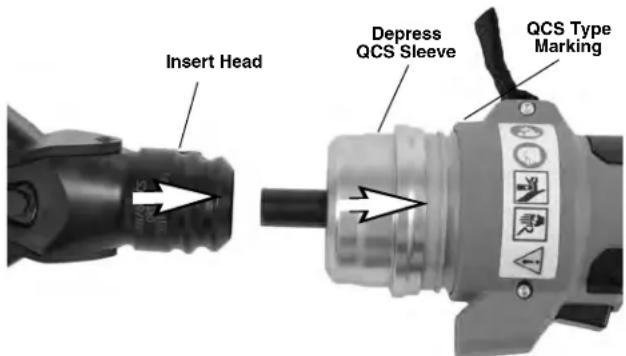
Figure 10 – Installing Interchangeable Head in the QCS Coupling
Operation
- With dry hands, install a fully charged battery into the electrical tool. Press the ON/OFF button (Figure 3) to power on the electrical tool. All three tool status will blink once. Then, the green light should solidly illuminate indicating the tool is ready to operate (See Figure 6 for Tool Status Lights). The electrical tool will automatically turn OFF if left unused for 600 seconds.
natural_image
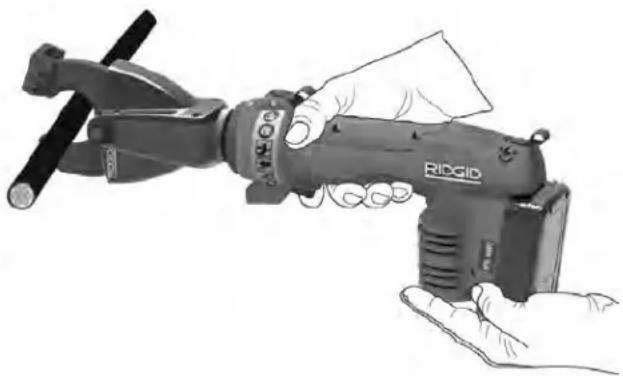
Illustration of a hand holding a RIDGID robotic device (no text or symbols visible)Figure 11 – Tool in operation
- Refer to the instructions for the head in use for specific operating instructions. With hands clear of the head and other moving parts, depress the Run Switch to advance the tool ram and activate the head. The advancement of the ram can be stopped at any point by releasing the Run Switch. This allows final positioning of the head for cutting, punching or gripping and positioning of connectors.
Unless otherwise stated in the specific head instructions, continue to press the Run Switch until the ram automatically retracts. Automatic ram retraction indicates that the electrical tool has reached the appropriate force and the cycle is complete. This is required to ensure the complete crimping of electrical connections.
If the ram does not fully retract, press the pressure release button. If the pressure release button is pressed while crimping an electrical connection, the crimp is NOT complete and needs to be repeated.
- When operation is complete, press the ON/OFF button to turn OFF and remove the battery.
Storage
Remove battery from tool. Store electrical tool and battery in case. Avoid storing in extreme heat or cold. The electrical tool will not turn ON if the tool or battery temperature is outside of the specification range. This will be indicated by a tool status light. (See Figure 6)
⚠ WARNING Store in a dry, secured area that is out of reach of children and people unfamiliar with the Electric Tool. The electrical tool is dangerous in the hands of untrained users.
Maintenance Instructions
WARNING
Remove battery from tool before performing maintenance or making any adjustment.
Cleaning Tool
Wipe exterior of the electrical tool clean daily with a clean, dry cloth.
Cleaning QCS Coupling
Point the QCS opening down and gently shake any debris out. Visually inspect the QCS opening for any debris. Cotton swabs can be used to wipe out debris. Do not let material build up into the retaining ball pockets (Figure 8). The QCS coupling is lubricated for life at the factory. Do not add any lubricant to the QCS coupling,
Required Maintenance By RIDGID Independent Service Center
The Electrical tool must be serviced at set intervals by a RIDGID Independent Service Center to ensure proper operation. This will be indicated by a tool status light (See Figure 6). See Specifications for service interval.
Service And Repair
WARNING
Improper service or repair can make machine unsafe to operate.
Service and repair on these Electrical Tools must be performed by an RIDGID Independent Crimp Tool Service Center. Use only RIDGID service parts.
For information on your nearest RIDGID Independent Service Center or any service or repair questions see Contact Information section in this manual.
Troubleshooting
| SYMPTOM POSSIBLE REASONS SOLUTION | ||
| Tool will not turn ON when ON/OFF button is pressed. | Battery is completely discharged or battery has failed. | Insert fully charged battery/recharge battery. |
| Battery not properly inserted into handle of tool. | Check to assure battery is fully inserted. | |
| The connections produced are not complete. | Used wrong tool/insert for the cable size or material. | Install the correct tool/insert. |
| The tool was not square to the connector. | Make sure that the tool is square to the connector. | |
| Tool is in need of repair. | See Contact Information for nearest RIDGID Independent Service center. | |
| Oil leaks from tool. | Seal or mechanical problems. | |
| Motor runs but tool will not complete a cycle. | Oil level low. | See Contact Information for nearest RIDGID Independent Service center. |
| Dies stop during operation. | Oil level low. | |
| Cutting tool stops during operation. | Oil Level low. | See Contact Information for nearest RIDGID Independent Service center. |
| Cutting edges are dull or broken. | Replace dull or broken blades with appropriate replacements. | |
| Material not within blade specification. | Change to blade specified for material to be cut. | |
See Figure 6 – Tool Status Lights
Optional Equipment
WARNING
To reduce the risk of serious injury, only use equipment specifically designed and recommended for use with the RIDGID Electrical Tools, such as listed below.
RE 6/RE 60/RE 600 Series
| Catalog No. | Description |
| 44693 18V 2.0Ah Battery (North & Latin America, Australia) | |
| 44698 18V 4.0Ah Battery (North & Latin America, Australia) | |
| 43458 120V Advanced Lithium Battery Charger | |
| 43333 230V Advanced Lithium Battery Charger | |
| 43323 18V 2.0Ah Battery (Europe & China) | |
| 43328 18V 4.0Ah Battery (Europe & China) | |
RE 6/RE 60 Series
| CatalogNo. Description |
| 52283 4P-6 4PINTM Dieless Crimp Head |
| 52078 Swiv-L-Punch Knockout Punch Head |
| 47918 SC-60C Cutter Head for Copper/Aluminum Wire |
| 49408 SC-60C Cutter Head for ACSR |
| 52083 RE 6 Carrying Case (Plastic) |
| 47773 RE 60 Carrying Case (Plastic) |
| 47753 LR-60B Latching Round Head |
For a complete listing of RIDGID equipment available for these tools, see the Ridge Tool Catalog online at RIDGID.com or see Contact Information.
Disposal
Parts of the Electrical Tool contain valuable materials and can be recycled. There are companies that specialize in recycling that may be found locally. Dispose of the components in compliance with all applicable regulations. Contact your local waste management authority for more information.
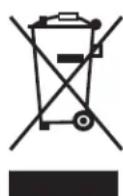
For EC Countries: Do not dispose of electrical equipment with household waste!
According to the European Guideline 2012/ - 19/ EU for Waste Electrical and Electronic Equipment and its implementation into national legislation, electrical equipment that is no
longer usable must be collected separately and disposed of in an environmentally correct manner.
EC Declaration of Conformity
The EC Declaration of Conformity (890-011-320.10) will accompany this manual as a separate booklet when required.
Electromagnetic Compatibility (EMC)
The term electromagnetic compatibility is taken to mean the capability of the product to function smoothly in an environment where electromagnetic radiation and electrostatic discharges are present and without causing electromagnet interference to other equipment.
The RIDGID RE 6/RE 60/RE 600 Family of Electrical Tools conform to IEC61000-6-5 (Ed. 1.0) Electromagnetic Compatibility (EMC) Part 6-5: Generic Standards – Im - munity for Equipment Used in Power Station and Sub - station Environment.
NOTICE These tools conform to all applicable EMC standards. However, the possibility of them causing interference in other devices cannot be precluded. All EMC related standards that have been tested are called out in the tool's technical document.
RE 6/RE 60/RE 600
Pinces électriques
natural_image
Ridgid electric drill putter with visible model and control buttons (no text or symbols on body)RE 6, RE 60
Pinces série RE 600
natural_image
Ridgid handheld tool with attached grip and connector (no visible text or symbols)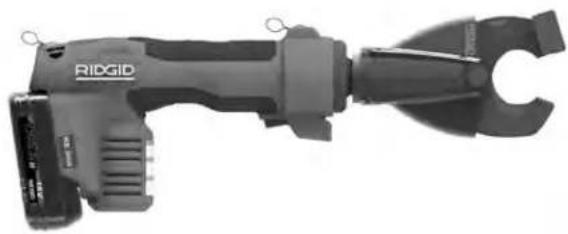
natural_image
Ridgid handheld tool with attached clamp and connector (no visible text or symbols)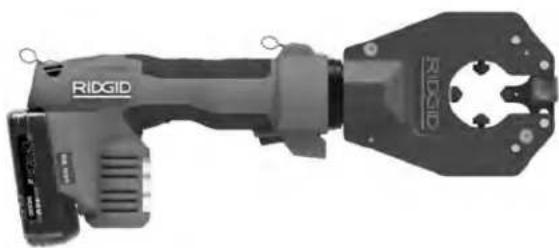
natural_image
Ridgid handheld industrial tool with handle and mounting bracket (no visible text or symbols)
AVERTISSEMENT !
Cycles 3 cycles/minute
Moteur
Tension....18 V (cc)
Ampérage .....18 A
Puissance ....324 Watts
Bloc-piles......Bloc-piles Li-ion 18 V
(voir Accessoires)
Etanchéité .....IP44
Classe de protection .. [7]
natural_image
Hand holding a RIGID handheld tool, no visible text or symbols on the device itselfnatural_image
Ridgid electric drill putter with visible branding and external plunger (no text or symbols on body)RE 6/RE 60
natural_image
Ridgid handheld tool with attached clamp and connector (no visible text or symbols)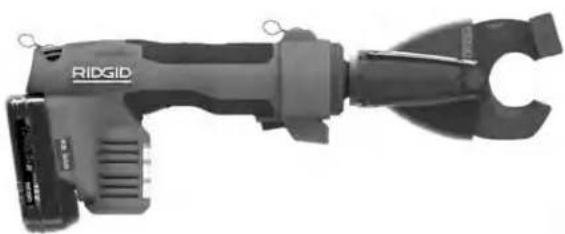
natural_image
Ridgid handheld device with attached clamp and connector (no visible text or symbols)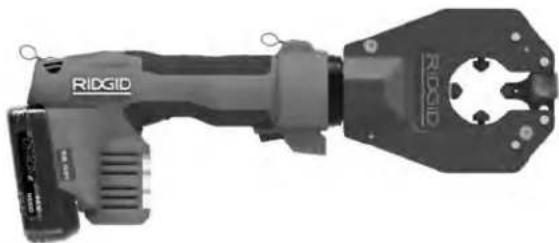
natural_image
Ridgid handheld electrical tool with handle and mounting bracket (no visible text or symbols)
ADVERTENCIA
natural_image
Hand holding a RIGSID handheld device, no visible text or symbols on the device itselfnatural_image
Ridgid electric drill putter with visible model and branding (no text or symbols on the tool itself)RE 6/RE 60
RE 600 Serisi Aletler
natural_image
Ridgid handheld tool with handle and clasp (no visible text or symbols)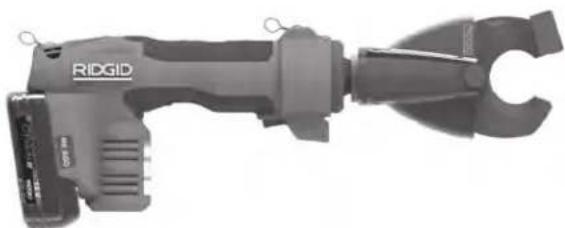
natural_image
Ridgid handheld device with handle and clamped grip (no visible text or symbols)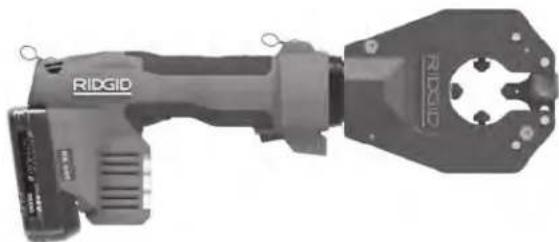
natural_image
Ridgid handheld electrical tool with handle and mounting bracket (no visible text or symbols)
UYARI
natural_image
Hand holding a RIDGID robotic tool, no visible text or symbols on the device itselfnatural_image
Ridgid electric drill with visible buttons and model number (no text or symbols on the device itself)RE 6/RE 60
natural_image
Ridgid handheld tool with handle and clasp (no visible text or symbols)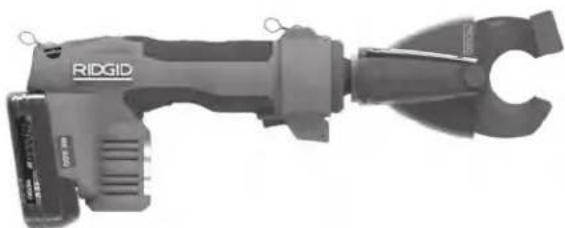
natural_image
Ridgid handheld device with handle and clamped grip (no visible text or symbols)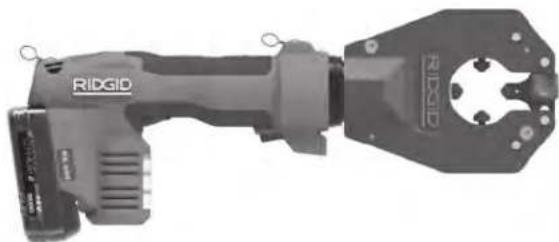
natural_image
Ridgid handheld electrical tool with handle and mounting bracket (no visible text or symbols)
ВНИМАНИЕ!
natural_image
Hand holding a Rivod RIOGID utility tool, no visible text or symbols on the device itselfnatural_image
Ridgid electric drill with visible buttons and model number (no text or symbols on the device itself)RE 6/RE 60
Ferramentas da Série RE 600
natural_image
Ridgid handheld tool with adjustable handle and clamping mechanism (no visible text or symbols)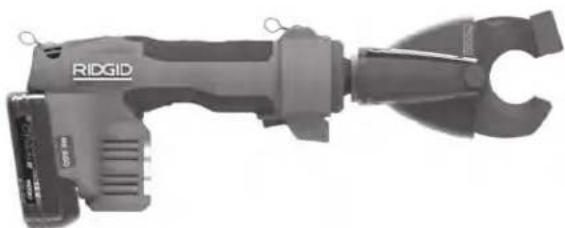
natural_image
Ridgid handheld device with handle and clamped grip (no visible text or symbols)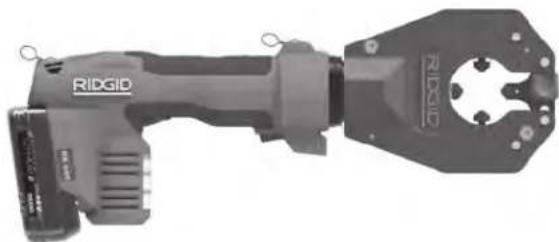
natural_image
Ridgid handheld electrical tool with handle and mounting bracket (no visible text or symbols)
AVISO!
natural_image
Hand holding a Rivodig RIOG device, no visible text or symbols on the device itselfnatural_image
Ridgid electric drill with visible buttons and model number (no text or symbols on the device itself)RE 6/RE 60
natural_image
Ridgid handheld tool with handle and clasp (no visible text or symbols)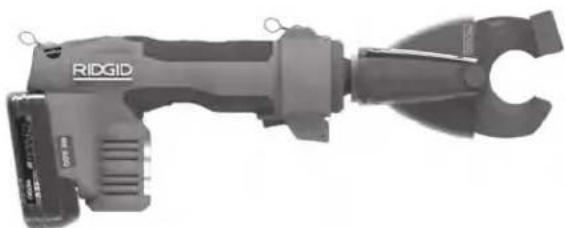
natural_image
Ridgid handheld device with handle and clamped grip (no visible text or symbols)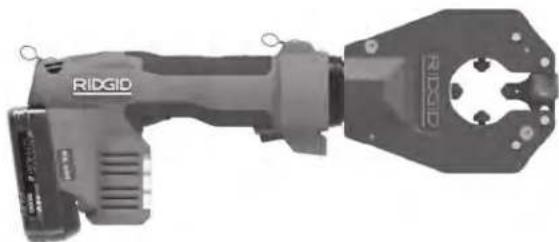
natural_image
Ridgid handheld electrical tool with handle and mounting bracket (no visible text or symbols)
WARNUNG!
natural_image
Hand holding a RIGID toy with a clamped tool, no visible text or symbols on the device itselfElyria, Ohio 44035-6001
U.S.A.
Authorized Representative:
RIDGE TOOL EUROPE
IZ Schurhovenveld 4820
3800 Sint-Truiden
Belgium
CE Conformity
This instrument complies with the European Council Electromagnetic Compatibility
Directive 2004/108/EC using the following standards:
EN 61326-1:2006, EN 61326-2-1:2006.
Conformité CE
© 2014, 2017 RIDGID, Inc.
Printed 3/17 999-999-463.08 The Emerson logo and RIDGID logo are registered trademarks of Emerson Electric Co. or RIDGID, Inc. in the U.S. and other countries. EC42593 REV. G All other trademarks belong to their respective holders.


- General Power Tool Safety Warnings
- Specific Safety Information
- Description
- Specifications
- Maintenance Instructions
- Electrical Tools
- WARNING!
- Safety Symbols
- DANGER
- WARNING
- CAUTION
- NOTICE
- General Power Tool Safety Warnings\*
- SAVE ALL WARNINGS AND INSTRUCTIONS FOR FUTURE REFERENCE!
- Work Area Safety
- Electrical Safety
- Personal Safety
- Power Tool Use And Care
- Battery Tool Use And Care
- Service
- SAVE THESE INSTRUCTIONS!
- Electrical Tool Safety
- RIDGID Contact Information
- Standard Equipment
- Pre-Operation Inspection
- Set-Up And Operating Instructions
- Changing Heads With QCS Coupling (RE 6/RE 60 only)
- Operation
- Storage
- Cleaning Tool
- Cleaning QCS Coupling
- Required Maintenance By RIDGID Independent Service Center
- Service And Repair
- Optional Equipment
- Disposal
- EC Declaration of Conformity
- Electromagnetic Compatibility (EMC)
- RE 6/RE 60/RE 600
- Pinces électriques
- AVERTISSEMENT !
- ADVERTENCIA
- UYARI
- ВНИМАНИЕ!
- AVISO!
- WARNUNG!
- Authorized Representative:
- CE Conformity
- Conformité CE
Brand : RIDGID
Model : RE 600
Category : Welding machine