EasyManual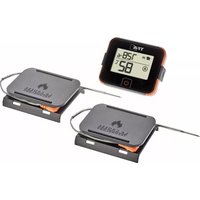
BBQ VIEW 14.1514.10 - Weather Station TFA - Free user manual and instructions
Find the device manual for free BBQ VIEW 14.1514.10 TFA in PDF.



User questions about BBQ VIEW 14.1514.10 TFA
0 question about this device. Answer the ones you know or ask your own.
Ask a new question about this device
Download the instructions for your Weather Station in PDF format for free! Find your manual BBQ VIEW 14.1514.10 - TFA and take your electronic device back in hand. On this page are published all the documents necessary for the use of your device. BBQ VIEW 14.1514.10 by TFA.
USER MANUAL BBQ VIEW 14.1514.10 TFA
02/23VIEW BBQ Thermometer Transmitter Cat.-no. 14.1514.10 Delivery contents: y Wireless BBQ thermometer transmitter y 2 x insertion probes with approx. 150 cm cable (cat.-no. 30.3536) y 2 x probe supports y Instruction manual Range of application and all the benets of your new instrument at a glance: y Wireless BBQ thermometer transmitter for operation with TFA VIEW WLAN weather stations and the VIEW App: e.g. 35.8000.01, 35.8001.01, 35.8002.01, 35.8003.01 y For wireless transmission of the temperature of up to 2 insertion probes (868 MHz), range approx. 100 m (open eld). y For simultaneous monitoring of the core temperature of two BBQ cooking items y For the optimal preparation of meat, sh and poultry y Reading measurements values and alarm setting on mobile device via VIEW APP y Can be used for the oven or grill, also ideal for cooking at low temperatures y Backlight y With cable wraps and supports Safety notices y This product is exclusively intended for the range of applica- tion described above. WARNING y Keep this device and the batteries out of reach of children. y Small parts can be swallowed by children (under three years old). y Batteries contain harmful acids and may be hazardous if swallowed. If a battery is swallowed, this can lead to serious internal burns and death within two hours. If you suspect a battery could have been swallowed or otherwise caught in the body, seek medical help immediately. y Batteries must not be thrown into a re, short-circuited, taken apart or recharged. Risk of explosion! y Low batteries should be changed as soon as possible to prevent damage caused by leaking. Make sure the polarities are correct. Never use a combination of old and new batteries together, nor batteries of different types. Avoid contact with skin, eyes and mucous membranes when handling leaking batteries. In case of contact, immediately rinse the affected areas with water and consult a doctor! CAUTION y Unauthorised repairs, alterations or changes to the device are prohibited. y Do not expose the display unit to extreme temperatures, vibrations or shocks. Only the probe and the cable are heat-resistant up to 246 °C. y Wear heat-resistant protective gloves when touching the probe during or after cooking. y Do not use the instrument in the microwave. y Be careful when handling the pointed probes. y Do not use the cable wrap and the support in the grill or oven!Elements BBQ transmitter (Fig.1) Housing Fig.1-A Display Fig.1-B ON/OFF sensor button Fig.1-C Opening for the probe connector with rubber protection Fig.1-D SET button Fig.1-E + button Fig.1-F Battery compartment cover with table stand (fold out) Fig.1-G Battery compartment Fig.1-H Insertion probe Fig.1-J Probe connector Fig.1-K Cable (ca. 150cm) Display Fig.1-A1 Transmission icon Fig.1-A2 Time AM/PM or temperature display probe B/A Fig.1-A3 Temperature display probe A/B Fig.1-A4 Battery symbol Probe support (Fig.2) Housing Fig.2-A Probe support Fig.2-B Cable wrap Getting started Insert the batteries and set the time y Remove the protective lm from the display. y Open the battery compartment on the back by pulling down the battery compartment lid and insert two new batteries 1.5 V AAA, polarity as illustrated. y Close the battery compartment. y All LCD segments will be displayed and the backlight will turn on for a short moment. y The display will show the time. y Press and hold the SET button to enter the setting mode. y The hour digits ash. Press the + button to adjust the hours. When setting the time, note the AM and PM indications. Conrm the setting with the SET button. y The minute digits ash. Press the + button to set the minutes. Conrm the setting with the SET button. y The °C indication ashes. Press the + button to select the temperature display in °C (Celsius) or °F (Fahrenheit) as the temperature unit. Conrm the setting with the SET button. y The device is ready for use. Operation Connect the probes and measure the core temperature y Hold and press the ON/OFF sensor button to switch the device on and off. y Pull off the rubber protection cover from the opening of the connecting plug (A). Insert the connector into the opening. y Plunge the probe at least 2.5 cm into the middle of the thickest part of the meat, for poultry between the torso and the thigh; it should not touch bones or cartilage and it should not protrude from the meat. The probe should remain in the meat throughout the cooking process. y With the grill hood closed or in the oven, simply route the cables to the outside. Be careful with sharp-edged frames and hinges. y If you want to measure the cooking chamber temperature, place the probe in the grill or oven. y We recommend the clip for BBQ meat thermometers (Cat. No. 30.3525.60) to attach the temperature probe to the grill. y When using both insertion probes, insert the second connec- tor into the opposite opening. y After you have plugged in a probe, it takes a few seconds for the temperature to be displayed. y The displays differ depending on how many probes are connected.y If two probes are connected, you can use the + button to choose between displaying both probes and displaying the time in combination with the currently highest temperature.
y If none of the probes are connected, only the time is displayed. Automatic switch-off and backlight y Press any button to activate the backlight for 10 seconds. y If no probe is plugged in, the device switches off automatically after 10 minutes. y If one or two probes are plugged in, but the temperature on both probes is below 37.7°C (100°F), the device will switch off automatically after 60 minutes. Installation Probe support with cable wrap y The probes can be attached to the probe holder for storage. y The cable can be safely stowed away with the cable wrap. y The sensor holder can be placed on the device and also serves as a display protection, as shown in the illustration (Fig. 2). y The probe holders themselves can be stacked on top of each other for storage. Connection with TFA VIEW Wi weather station and VIEW APP y If you own a TFA VIEW WiFi weather station, you can connect the BBQ thermometer transmitter to the VIEW App to read the measured values and set alarms on your mobile device. De- pending on the model, there is also the option of displaying the measured values of the transmitter directly on the base station. y Take the base station into operation according to the instruc- tion manual of the base station or proceed according to “Add additional transmitters” in the Quick set-up guide.
y The transmission icon is displayed when the probe is plugged in and the transmitter is connected to the VIEW app. It ashes twice with each transmission. y Note: The BBQ thermometer works without being connect- ed to the VIEW app. Care and maintenance y Clean the instrument and the probes with a soft damp cloth. Do not use solvents or scouring agents. Protect it from moisture! y Should water or steam enter the device’s jack, it could affect the contact with the probe. Dry the probe connector before connecting it to your ther- mometer. y Remove the batteries if the device will not be used for an extended period of time. Place the rubber protective caps on the openings. Battery replacement y As soon as the battery symbol appears in the display, the corresponding battery symbol in the display of the weather station or in the device information of the VIEW App, please change the batteries of the BBQ sensor.Troubleshooting Problem Solution No display on the BBQ thermometer Ensure the batteries’ polarities are correct Change the batteries No display of the BBQ thermometer on the base station or VIEW App Reduce the distance between the trans- mitter and the VIEW base station (range up to 100 m) For more information, see the instruction manual for the base station Display “ERR” on the display Probe not connected correctly or defec- tive. Check the contact between plug and socket If your device fails to work despite these measures, please contact the retailer where you purchased the product from for advice. Specications BBQ-thermometer-transmitter Temperature range: 0°C…+246°C (32°F…+475°F) Power supply: 2 x AAA 1,5V (not included). We recommend Alkaline batteries Battery life: ca. 2 years (with Alkaline batteries) Transmission interval transmitter: every 3 minutes, immediate with 1ºC temperature change Transmission frequency: 868 MHz Maximum radio-frequency power: < 25mW Range: max. 100 m (open eld) Dimensions: 85 x 24 (65) x 70 mm Weight: 78 g (device only) Waste disposal This product and its packaging have been manufactured using high-grade materials and components which can be recycled and reused. This reduces waste and protects the environment. Dispose of the packaging in an environmentally friendly manner using the collection systems that have been set up. Disposal of the electrical device Remove non-permanently installed batteries and rechargeable batteries from the device and dispose of them separately. This product is labelled in accordance with the EU Waste Electrical and Electronic Equipment Directive (WEEE). This product must not be disposed of in ordinary household waste. As a consumer, you are required to take end-of-life devices to a designated collection point for the disposal of electrical and electronic equipment, in order to ensure environmentally-compatible disposal. The return service is free of charge. Observe the current regulations in place! Disposal of the batteries Never dispose of empty batteries and rechargeable batteries with ordinary household waste. They contain pollutants which, if improperly disposed of, can harm the environment and human health. As a consumer, you are required by law to take them to your retail store or to an appropriate collection site depending on national or local regulations in order to protect the environment. The return service is free of charge. The symbols for the contained heavy metals are: Cd = cadmium, Hg = mercury, Pb = lead No part of this manual may be reproduced without written consent of TFA Dostmann. The technical data are correct at the time of going to print and may change without prior notice. The latest technical data and information about this product can be found in our home- page by simply entering the product number in the search box. EU Declaration of conformity Hereby, TFA Dostmann declares that the radio equipment type 14.1514.10 is in compliance with Directive 2014/53/EU. The full text of the EU declaration of conformity is available at the following internet address: www.tfa-dostmann.de/service/downloads/ce www.tfa-dostmann.de | E-Mail: info@tfa-dostmann.de TFA Dostmann GmbH & Co.KG Zum Ottersberg 12 97877 Wertheim - Germany 02/23VIEW Émetteur du thermomètre BBQ Réf. 14.1514.10 Contenu de la livraison : y Émetteur du thermomètre BBQ y 2 x Sondes avec câble d’env. 150 cm (réf. 30.3536) y 2 x Supports pour les sondes y Mode d’emploi Aperçu du domaine d’utilisation et de tous les avantages de votre nouvel appareil : y Émetteur du thermomètre BBQ pour les stations météo radio-pilotées VIEW avec Wi-Fi et l’application VIEW : par exemple 35.8000.01, 35.8001.01, 35.8002.01,