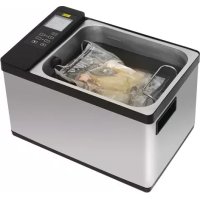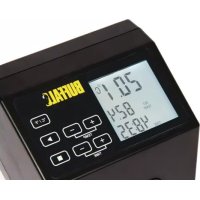
DM868 - Other kitchen appliances BUFFALO - Free user manual and instructions
Find the device manual for free DM868 BUFFALO in PDF.



| Product Type | Portable Sous Vide Circulator |
| Brand | Buffalo |
| Model | DM868 |
| Dimensions (L x W x H) | 320 x 145 x 130 mm |
| Weight | 2.35 kg |
| Supply Voltage | 230 V ~ 50 Hz |
| Power | 1500 W |
| Current | 6.5 A |
| Maximum Temperature | 100 °C |
| Minimum Container Depth | 200 mm |
| Display | Digital LCD Screen |
| Functions | Heating and water circulation, temperature and time setting, timer with audible alarm |
| Safety | Thermal protection with reset button, automatic shut-off if water level is insufficient |
| Settings | Temperature (°C or °F) and time (up to 99h59?) |
| Mounting | Adjustable clamp with thickness knob and height adjustment button |
| Maintenance | Clean with a damp cloth, regular descaling with food-grade descaler |
| Supplied Accessories | Hex key to remove the metal guard |
| Water Level Marks | MIN and MAX limits on the device |
| Electrical Wiring | Cable with grounding (terminals L, N, E) |
| Compliance | CE Marking, WEEE compliance |
Frequently Asked Questions - DM868 BUFFALO
User questions about DM868 BUFFALO
0 question about this device. Answer the ones you know or ask your own.
Ask a new question about this device
Download the instructions for your Other kitchen appliances in PDF format for free! Find your manual DM868 - BUFFALO and take your electronic device back in hand. On this page are published all the documents necessary for the use of your device. DM868 by BUFFALO.
USER MANUAL DM868 BUFFALO
natural_image
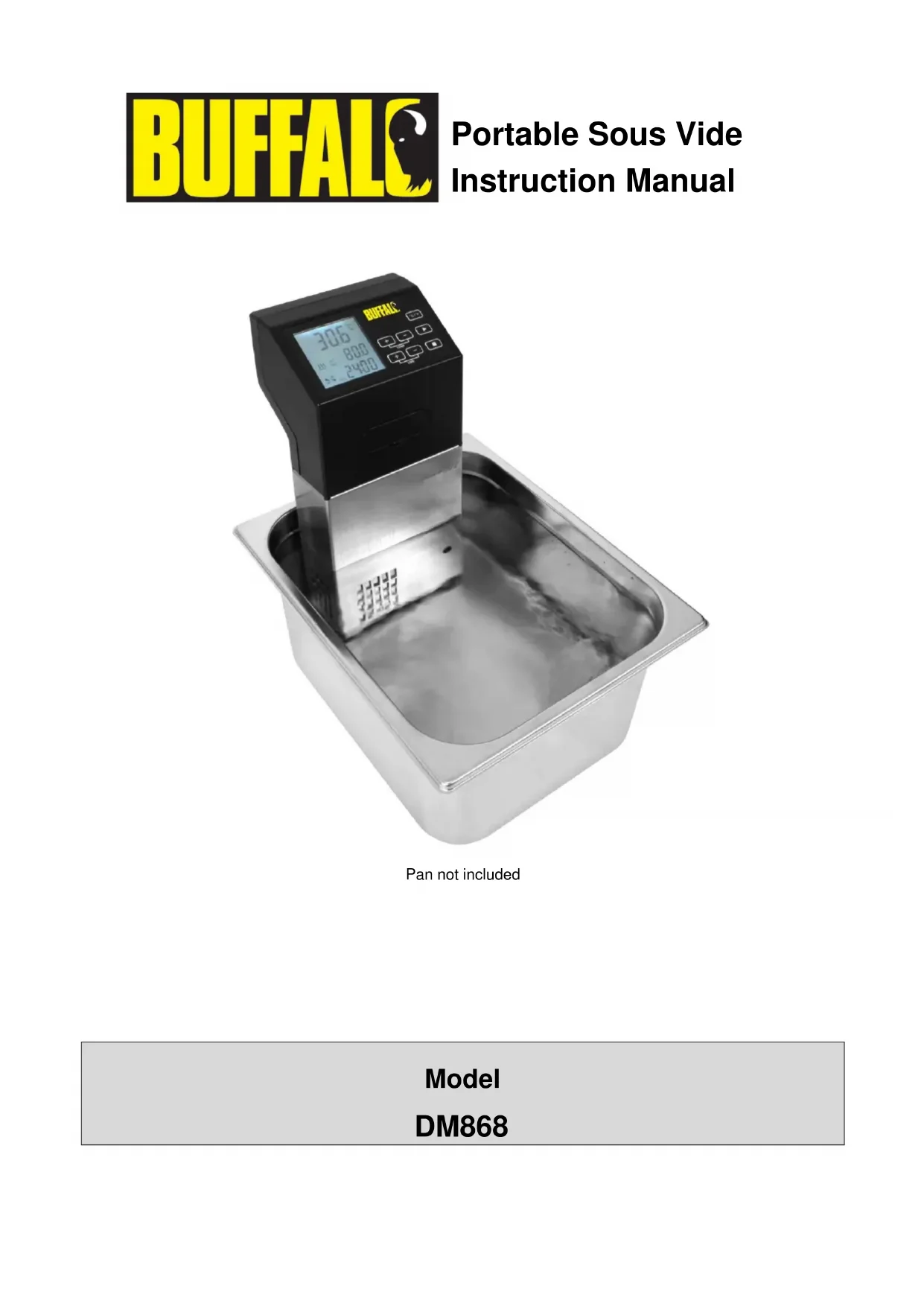
Digital BHFAL digital measuring instrument placed in a stainless steel square container (no visible text or symbols on the device itself)Pan not included
Model
DM868
Safety Tips
- Position on a flat, stable surface.
- A service agent/qualified technician should carry out installation and any repairs if required. Do not remove any components on this product.
- Consult Local and National Standards to comply with the following:
o Health and Safety at Work Legislation
o BS EN Codes of Practice
- Fire Precautions
○ IEE Wiring Regulations
○ Building Regulations
- DO NOT immerse the appliance in water above the Max Fill line, or use jet/pressure washers to clean the appliance
- Do not immerse the appliance below the Max Fill line
- Do not use the appliance for anything other than its intended use.
- Always switch off and disconnect the power supply to the appliance when not in use.
- Not suitable for outdoor use.
- Keep all packaging away from children. Dispose of the packaging in accordance to the regulations of local authorities.
- If the power cord is damaged, it must be replaced by a BUFFALO agent or a recommended qualified technician in order to avoid a hazard.
- This appliance is not intended for use by persons (including children) with reduced physical, sensory or mental capabilities, or lack of experience and knowledge, unless they have been given supervision or instruction concerning the use of the appliance by a person responsible for their safety.
• DO NOT use if damaged
Introduction
Please take a few moments to carefully read through this manual. Correct maintenance and operation of this machine will provide the best possible performance from your BUFFALO product.
Pack Contents
The following is included:
• BUFFALO Portable Sous Vide Water Circulator
- Instruction Manual
BUFFALO prides itself on quality and service, ensuring that at the time of packaging the contents are supplied fully functional and free of damage.
Should you find any damage as a result of transit, please contact your BUFFALO dealer immediately
Function
LCD Display
text_image
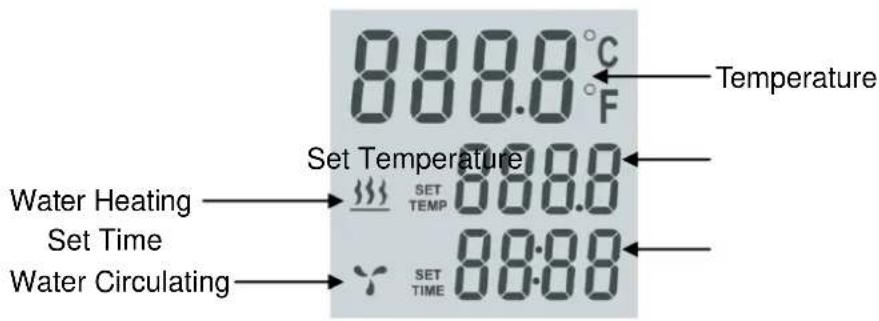
888.0 °C F Temperature Set Temperature Water Heating → SET TEMP Set Time → SET TIME Water Circulating → 888.0 89.00Water Heating: When displayed water is being heated.
Water Circulating: When displayed water is being stirred.
Temperature: Displays actual temperature of water.
Set Temperature: Temperature set point.
Set Time: Under setting mode displays the time set point. In working mode display shows the time left.
Operation
-
Choose a suitable water container. Container should be suitable for food use, resistant to temperatures of 100^ C and have a depth of at least 200mm.
-
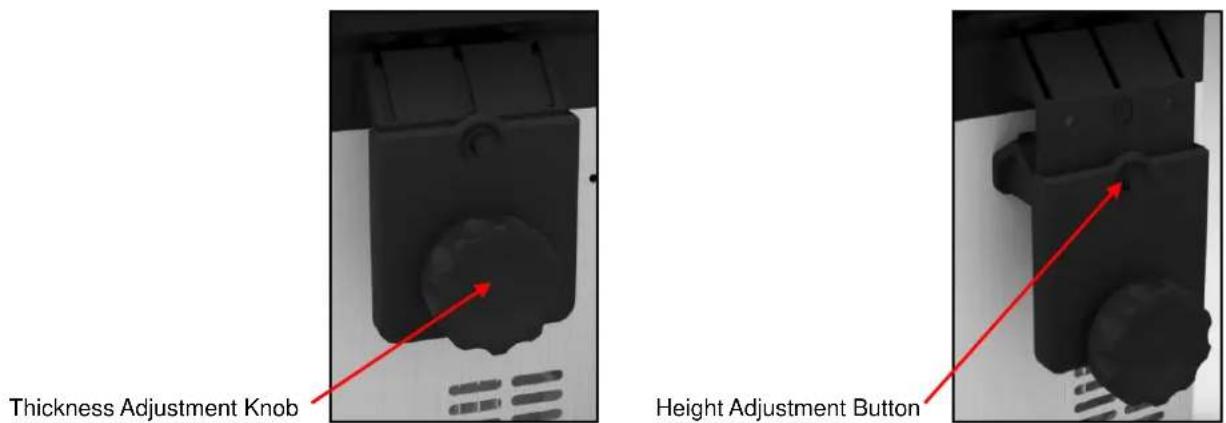
Fit the circulator securely to your water container using the adjustable fixing clamp. The clamp is adjustable for varying thicknesses of container using the thickness adjusting knob. The height of the circulator can also be adjusted for different container depths by pressing the height adjustment button.
text_image
Thickness Adjustment Knob Height Adjustment Button- Add water to the water bath.
Note: the water level (after the food is put in) should be higher than the MIN but lower than the MAX marked on the machine.
- Turn the circulator on by pressing the On/Off button at the back of the machine.
- Press the Temperature Display button to set the unit to display °C or °F
Note: Default setting is °C. After choosing °C or °F, the unit will remember your setting for future use.

and

to set working time and temperature.
-
Press
-
After setting time and temperature, press stop the unit heating.

to start the unit heating. Pressing

will
- When the water reaches the desired temperature place the food to be cooked into the water bath.
Note: before Sous Vide cooking, the food should be vacuum packed first.
- When set time has expired the circulator will beep.
Press

to stop the machine heating.
Note: the machine will go on beeping for 20 seconds. If there is no action by the operator the water temperature will be held at the preset temperature.
Thermal Protection Reset Button
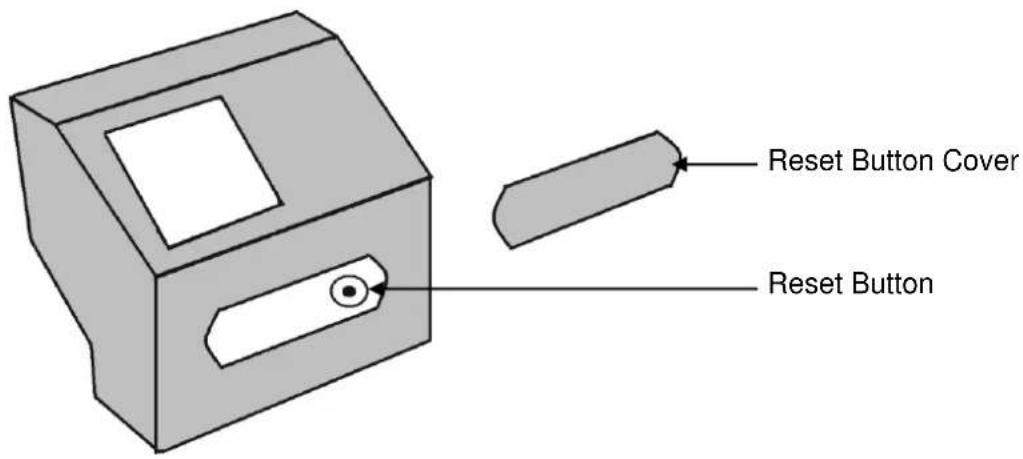
The Buffalo Sous Vide is fitted with thermal protection device to protect the unit from damage due to overheating, low water etc. The button is located on the front of the unit under the plastic cover. If unit overheats, allow to cool then reset by removing the cover and pressing the button.
text_image
Reset Button Cover Reset ButtonCleaning, Care & Maintenance
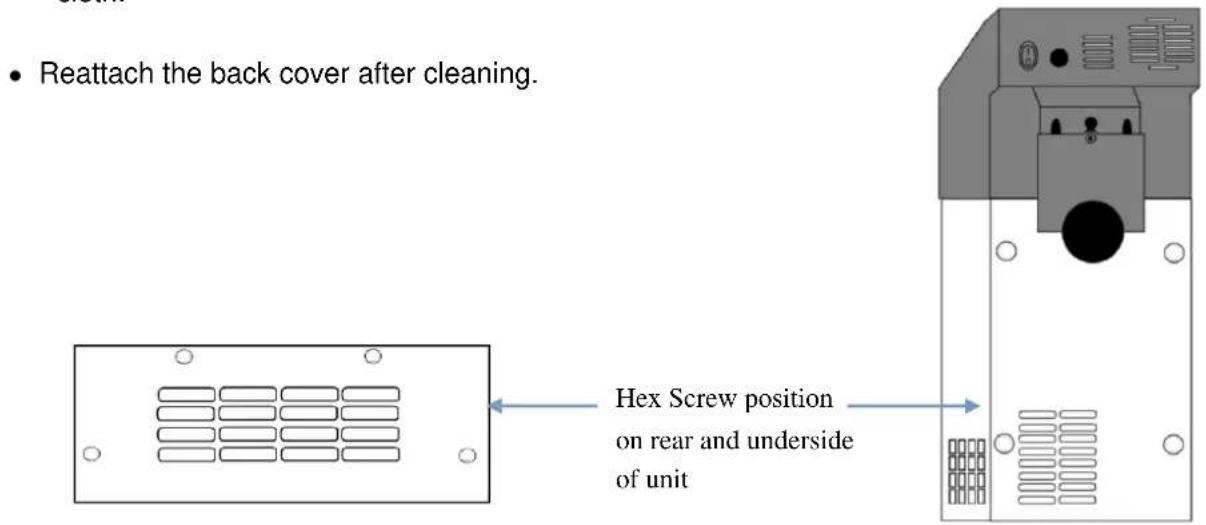
- Disconnect from power by removing the plug, allow to cool before wiping exterior surfaces and removing any loose debris. - The metal cover protecting the heating element and the water circulating device can be removed for cleaning using the Hex key supplied. Remove the 4 Hex headed screws positioned on the back of the unit and the 4 hex headed screws underneath the bottom of the unit. Clean using a wet cloth.
text_image
• Reattach the back cover after cleaning. Hex Screw position on rear and underside of unitNote: DO NOT use the Sous Vide without the back cover in place
- Unit should be regularly descaled using a food safe descaler
Trouble Shooting
| Fault | Probable Cause | Action |
| Does not heat | No power | Make sure the machine is plugged in correctly |
| Power switch is set to OFF | Set the power switch to ON | |
| Thermal Protector has activated | Reset Thermal Protector | |
| Slow to Heat | Unit needs Descaling | Descale unit |
| Error message E01 is displayed | Unit is not sitting in the water | Make sure the unit is sitting in the water and that the water level is between the MIN and MAX line. |
| Water level is too low. | Add water, make sure the water level is between the MIN and MAX line. | |
| LCD Display does not switch on | Power switch is set to OFF | Set the power switch to ON |
| Thermal Protector has activated | Reset Thermal Protector |
Technical Specification
| Model | Voltage | Power | Current | Dimensionsh x w x d mm | Weight(kg) |
| DM868 | 230v 50hz | 1500w | 6.5A | 320 x 145 x 130 | 2.35kg |
Electrical Wiring
This appliance is supplied with a 3 pin, moulded, BS1363 plug and lead, with a 13 amp fuse as standard.
The plug is to be connected to a suitable mains socket.
This appliance is wired as follows:
• Live wire (coloured brown) to terminal marked L
• Neutral wire (coloured blue) to terminal marked N
• Earth wire (coloured green/yellow) to terminal marked E
This appliance must be earthed, using a dedicated earthing circuit.
If in doubt consult a qualified electrician.
Electrical isolation points must be kept clear of any obstructions. In the event of any emergency disconnection being required they must be readily accessible.
Compliance
The WEEE logo on this product or its documentation indicates that the product must not be disposed of as household waste. To help prevent possible harm to human health and/or the environment, the product must be disposed of in an approved and environmentally safe recycling process. For further information on how to dispose of this product correctly, contact the product supplier, or the local authority responsible for waste disposal in your area.
BUFFALO parts have undergone strict product testing in order to comply with regulatory standards and specifications set by international, independent, and federal authorities.
BUFFALO products have been approved to carry the following symbol:

All rights reserved. No part of these instructions may be produced or transmitted in any form or by any means, electronic, mechanical, photocopying, recording or otherwise, without the prior written permission of BUFFALO. Every effort is made to ensure all details are correct at the time of going to press, however, BUFFALO reserve the right to change specifications without notice
Veiligheidstips
natural_image
Close-up of a black mechanical component with a red arrow pointing to a small feature (no text or symbols visible)IT
natural_image
Close-up of a black mechanical component with red arrows pointing to features, no visible text or symbolsnatural_image
Pure electrical panel layout diagram with no text, numbers, or symbolsnatural_image
Front view of a mechanical device with a black circular component and control panel (no visible text or symbols)DECLARATION OF CONFORMITY
- Conformiteitsverklaring • Déclaration de conformité • Konformitätserklärung • Dichiarazione di conformità • - Declaración de conformidad • Declaração de conformidade •
| Equipment Type • Uitrustingstype • Type d'équipement • Gerätetyp• Tipo di apparecchiatura • Tipo de equipo • Tipo de equipamento | Sous Vide |
| Model • Modèle • Modell • Modello • Modelo • Malli | DM868 |
| Application of Council Directives(s) • Toepassing van Europese Richtlijn(en) • Application de la/des directive(s) du Conseil • Anwendbare EU-Richtlinie(n) • Applicazione delle Direttive • Aplicación de la(s) directiva(s) del consejo • Aplicação de directiva(s) do Conselho | LVD 2006/95/CEEMC 2004/108/CERoHS 2011/65/EU |
| Standards • Standaarden • Normes • Normen • Standard • Estándares • Normas | EN 60335-2-15:2002EN 62233:2008, EN 55014-1:2006EN 55014-2:1997,EN 61000-3-2:2006EN 61000-3-3:2008, EN 62321:2009 |
| Producer Name • Naam fabrikant • Nom du producteur • Name des Herstellers • Nome del produttore • Nombre del fabricante • Nome do fabricante | Buffalo |
| Producer Address • Adres fabrikant • Adresse du producteur • Anschrift des Herstellers • Indirizzo del produttore • Dirección del fabricante • Endereço do fabricante | Fourth Way,Avonmouth,Bristol,BS11 8TBUK |
I, the undersigned, hereby declare that the equipment specified above conforms to the above Directive(s) and Standard(s).