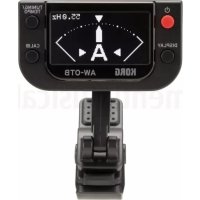
AWOTB - Guitar amp KORG - Free user manual and instructions
Find the device manual for free AWOTB KORG in PDF.



User questions about AWOTB KORG
0 question about this device. Answer the ones you know or ask your own.
Ask a new question about this device
Download the instructions for your Guitar amp in PDF format for free! Find your manual AWOTB - KORG and take your electronic device back in hand. On this page are published all the documents necessary for the use of your device. AWOTB by KORG.
USER MANUAL AWOTB KORG
Thank you for purchasing the Korg AW-OTG/ AW-OTB CLIP-ON TUNER. To help you get the most out of your new instrument, please read this manual carefully.
Installing the battery
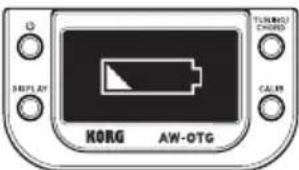
When the battery is running low, a battery symbol will appear in the display for a few seconds. Immediately replace the battery with a new one.
-
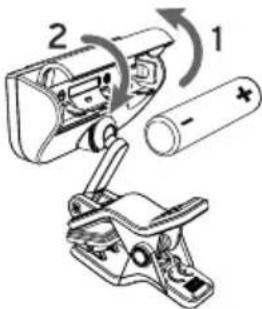
Open the battery compartment cover on the rear of the tuner in the direction of the arrow.
-
Insert the battery, making sure to observe the correct polarity, and then close the cover.
Attaching to the instrument and range of motion
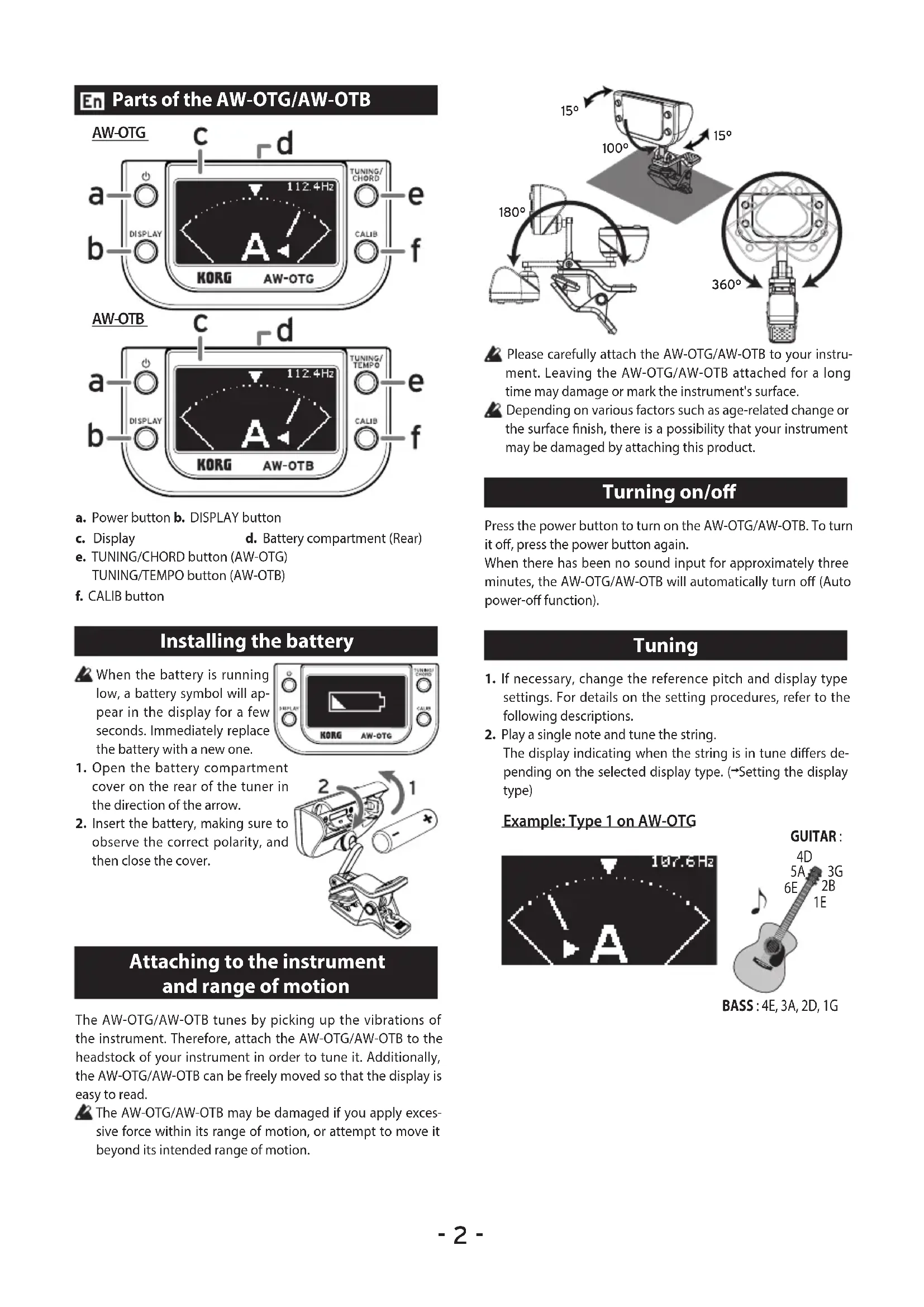
The AW-OTG/AW-OTB tunes by picking up the vibrations of the instrument. Therefore, attach the AW-OTG/AW-OTB to the headstock of your instrument in order to tune it. Additionally, the AW-OTG/AW-OTB can be freely moved so that the display is easy to read.
The AW-OTG/AW-OTB may be damaged if you apply excessive force within its range of motion, or attempt to move it beyond its intended range of motion.
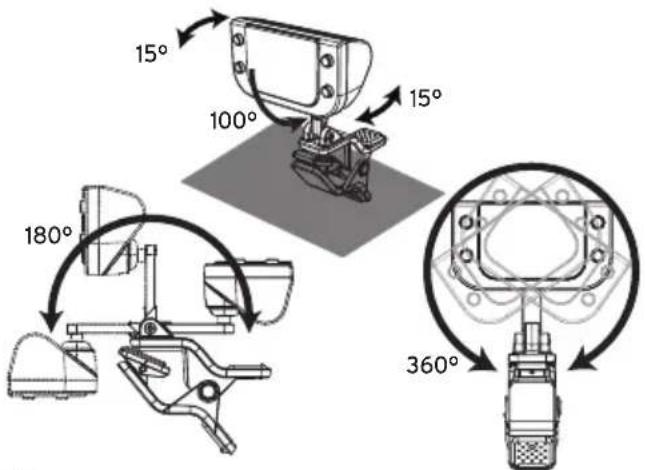
Please carefully attach the AW-OTG/AW-OTB to your instrument. Leaving the AW-OTG/AW-OTB attached for a long time may damage or mark the instrument's surface.
Depending on various factors such as age-related change or the surface finish, there is a possibility that your instrument may be damaged by attaching this product.
Turning on/off
Press the power button to turn on the AW-OTG/AW-OTB. To turn it off, press the power button again.
When there has been no sound input for approximately three minutes, the AW-OTG/AW-OTB will automatically turn off (Auto power-off function).
Tuning
- If necessary, change the reference pitch and display type settings. For details on the setting procedures, refer to the following descriptions.
- Play a single note and tune the string. The display indicating when the string is in tune differs depending on the selected display type. (→Setting the display type)
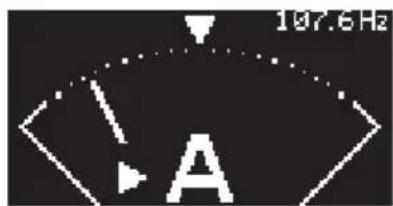
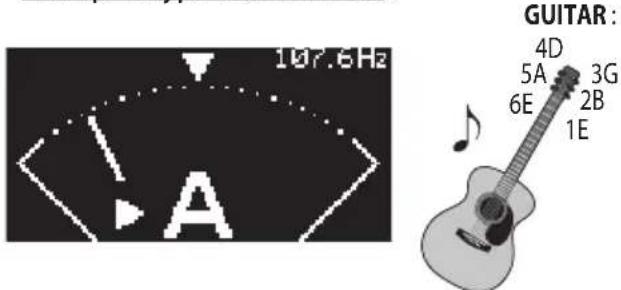
Example: Type 1 on AW-OTG
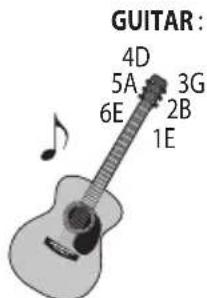
BASS:4E,3A,2D,1G
Reference pitch settings (^*M)
The default setting for the reference pitch is 440Hz . The reference pitch can be changed.
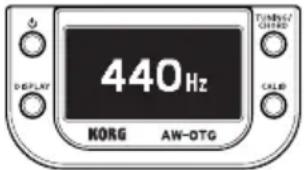
- Press the CALIB button, after which the reference pitch appears in the display.
- While the current setting appears in the display, press the CALIB button to change the ref
- If the button is not pressed for approximately 2 seconds, the setting is applied, and the tuner returns to tuning mode.
Identifying chords (AW-OTG only)
The chord that is played can be identified.
- Press the TUNING/CHORD button to enter chord-identifying mode. Each press of the TUNING/ CHORD button switches to tuner mode or chord-identifying mode.
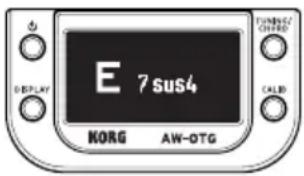
- Play a chord on your instrument. The chord appears in the display.
Identifying a tempo (AW-OTB only)
The tempo is identified from the baseline that is played.
- Press the TUNING/TEMPO button to enter tempo-identifying mode.
Each press of the TUNING/TEMPO button switches to tune mode or tempo-identifying mode.
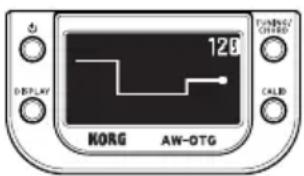
- Play your instrument at a steady rhythm in, for example, double time or half time. The tempo appears in the display.
Setting the display type (*M)
Each press of the DISPLAY button switches the setting for the display type.
Type 1
Tune the string until the needle in the meter moves to the center () . The needle in the meter moves to the left of the center if the pitch is flat or moves to the right of the center if the pitch is sharp.
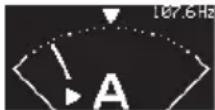
input frequency
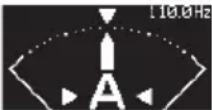
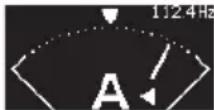
The pitch is flat. In tune. The pitch is sharp.
In tune (reference pitch: 440Hz)
| Guitar | 6E : 82.4Hz | 5A : 110.0Hz | 4D : 146.8Hz |
| 3G : 196.0Hz | 2B : 246.9Hz | 1E : 329.6Hz | |
| Bass 4E: 41.2Hz 3A: 55.0Hz 2D: 73.4Hz 1G: 98.0Hz | |||
Type 2
Tune the string until the line is straight. The line bends downward if the pitch is flat or bends upward if the pitch is sharp.

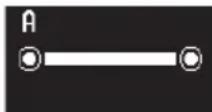
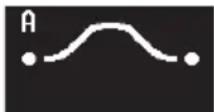
The pitch is flat. In tune. The pitch is sharp.
Type 3
Tune the string until the note name closest to the detected pitch appears in the display. Tune until the note appears correctly. The bottom half of the note name runs right to left if the pitch is flat or left to right if the pitch is sharp.



The pitch is flat. In tune. The pitch is sharp.
Type 4
Tune the string until the note name is surrounded by a full circle. The line to surround the note name comes from the left if the pitch is flat or comes from the right if the pitch is sharp.



The pitch is flat. In tune. The pitch is sharp.
Type 5
Tune the string until the note name appears at in the center of the display. The note name moves to the right if the pitch is flat or to the left if the pitch is sharp.

The pitch is flat. In tune. The pitch is sharp.
Type 6 (strobe mode)
Tune the string until the ellipse stops changing. The ellipse is continuously changing if the string is out of tune. The larger the pitch deviation, the faster the shape changes; the changing stops when the string is in tune.

The pitch is flat. In tune. The pitch is sharp.
Type 7 (strobe mode)
Tune the string until the wave stops running. The wave runs from right to left if the pitch is flat or from left to right if the pitch is sharp.

The pitch is flat. In tune. The pitch is sharp.
Type 8
Tune the string until the cat catches the cattail. The cattail bends downward if the pitch is flat or upward if the pitch is sharp.

The pitch is flat. In tune. The pitch is sharp.
Type 9
Tune the string until the train stops at The train does not reach if the pitch is flat or goes past the pitch is sharp.

The pitch is flat. In tune. The pitch is sharp.
Type 10
Tune the string until the person is transported onto the UFO. The person is on the left side if the pitch is flat or on the right side if the pitch is sharp.

The pitch is flat. In tune. The pitch is sharp.
Type 11
Tune the string until the water reaches the line in the basin. The water does not reach the line if the pitch is flat or goes past the line if the pitch is sharp.

The pitch is flat. In tune. The pitch is sharp.
Specifications
Scale: 12-note equal temperament
Range (sine wave):
A0 (27.5Hz)-C8 (4186Hz)
Precision: + / - 0.1 cent (display type 6 only)
Reference pitch:
A4=436-445 Hz (1Hz steps)
Display type: 11 types
Tempo identification range (AW-OTB only):
80-160 beats per minute (bpm)
Dimensions (W× D× H)
51 mm x 64 mm x 71 mm / 2.01" x 2.52" x 2.80"
Weight: 35g / 1.23oz (including battery)
Power supply: One AAA Battery (alkaline or nickel-metal hydride battery)
Battery life: approximately 18 hours (tuner continuously operating, A4 continuous input, when using alkaline battery)
Included items: Quick Start Guide, One AAA battery
*M Settings are remembered even when the power is off.
- The AW-OTG/AW-OTB may be unable to detect the pitch or the chord if the sound contains numerous overtones or if the instrument has a rapid decay.
- Specifications and appearance are subject to change without notice for improvement.
Parties du AW-OTG/AW-OTB
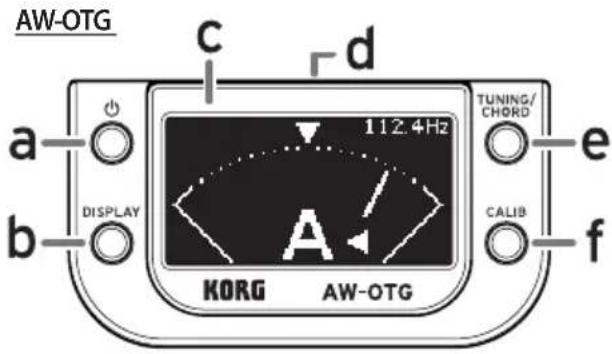
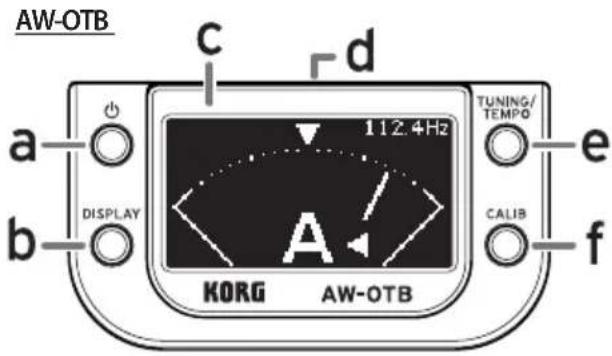
a. Bouton d'alimentation b. Bouton DISPLAY
c. Affichage d. Compartiment de la pile (Arriere)
e. Bouton TUNING/CHORD (AW-OTG) Bouton TUNING/TEMPO (AW-OTB)
f. Bouton CALIB
Exampie:Type1surl'AW-OTG
BASS:4E,3A,2D,1G