54420 - Weather Station CHACON - Free user manual and instructions
Find the device manual for free 54420 CHACON in PDF.


User questions about 54420 CHACON
0 question about this device. Answer the ones you know or ask your own.
Ask a new question about this device
Download the instructions for your Weather Station in PDF format for free! Find your manual 54420 - CHACON and take your electronic device back in hand. On this page are published all the documents necessary for the use of your device. 54420 by CHACON.
USER MANUAL 54420 CHACON
Registering your warranty
To register your warranty, fill in the online form at www.chacon.com/warranty
0. Introduction
Thank you for using this product
- Please read the instructions carefully before using the device.
- Do not attempt to dismantle or repair the product yourself as it will invalidate the warranty.
- Please keep original product documents for the entire duration of the product's life
1. Use
a. Controls and Displays
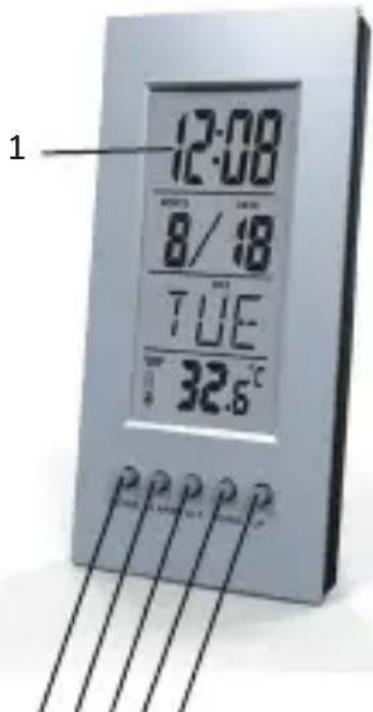
23456
1 Display
2 MODE = switches display
3 ALARM = display alarm mode
4 SET = settings/confirms the setting/switches between ^ C and
5 DOWN = reduces the current set value/plays melody
6 UP = increase the current set value /activate/deactivate snooze function
b. Main functions
- Built-in calendar and clock (12 or 24 H)
- Built-in alarm and alarm reminder
- Indoor temperatures (^ / ^)
- Timer
c. Getting started
Open the battery compartment and remove the contact breaker. Close the battery compartment cover.
d. Setting the date/time/time format
- Press the MODE button (2) to switch between the 12 and 24-hour formats. In the 12-Hour format, PM is displayed before the time from noon to one minute before midnight.
- Use the UP button (6) or DOWN button (5) to select the desired format.
- Then press the SET button (4) to make the following settings in order: Hours, Minutes, Year, Month, Day.
- To select individual values, press the UP button (6) or the DOWN button (5) and confirm each selection by pressing the SET button (4).
- Press the SET button (4) to adopt the set value displayed and to skip.
e. Setting and using the alarm function
- In normal mode, press the MODE button (2) twice or the ALARM button (3) once to set the alarm function. The display shows ALARM.
- Then press the SET button (4) to make the following settings in order: Hours, Minutes, Alarm melody.
- To select individual values, press the Up button (6) or the DOWN button (5) and confirm each selection by pressing the SET button (4).
- Press the SET button (4) to adopt the set value displayed and to skip.
- Press the MODE button (2) repeatedly to switch between the various modes.
-
The alarm function is activated and ALARM is displayed in normal mode.
-
If the alarm is triggered, the selected alarm melody sounds.
- Press any button to stop the alarm. Otherwise, it will stop automatically after 1 minute.
Note
- When the alarm function is activated, the alarm melody sounds daily at the selected time.
- To completely deactivate the alarm function, enter alarm mode (ALARM) and press the SET button (4) repeatedly until the display does not show an alarm time ( - - )
Now the display does not show ALARM any more.
Note-Snoopze function:
- In normal mode, press the UP button (5) to activate or deactivate the snooze function. When the snooze function is activated, is shown in the display.
- The snooze function can only be activated when the alarm function is active.
- With the snooze mode enabled, press any button while the alarm is sounding to interrupt the alarm for a limited time. The alarm melody sounds multiple times for one minute each.
f. Timer function
- Press the MODE button (2) four times in normal time mode to go to the timer function settings.
- Press the SET button (4).The hours display begins to flash.
- Press the DOWN button (5) or the UP button(6) to select the hour and confirm your selection by pressing the SET button(4).The minutes display begins to flash.
- Repeat the process to set the minutes.
- After the selection has been made and confirmed by pressing the SET button (4), the count-down timer is activated.
- Once the count-down finishes, the alarm signal goes off for one minute.
You can press the ALARM button (3) to turn off the alarm signal.
g. Temperature function
- The display shows the current ambient temperature.
- In normal time mode, press the SET button (4) to set Celsius or Fahrenheit as the unit of measurement.
h. Music function
- In normal time mode, press the DOWN button (5) to activate the music function.
- The activated music function is indicated by a symbol in the display.7 popular melodies automatically play on repeat.
- Once they are playing, you can press the DOWN button (5) to deactivate the music function.
2. TECHNICAL SPECIFICATIONS
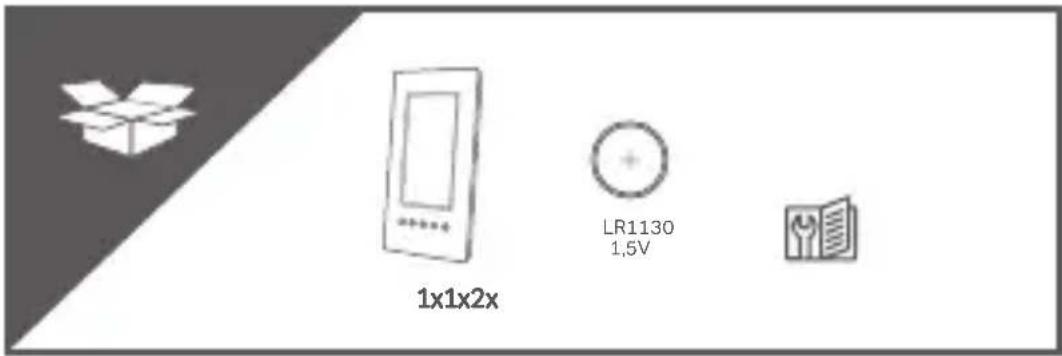
- 2x LR1130 button cell batteries (already inserted)
- Measuring range (indoors): 0^ to +50^
3. SAFETY INSTRUCTIONS
- Make sure you use the product only as described in the instructions. Improper use can cause damage to the product or its environment.
- Do not drop the unit or expose it to shocks, this could damage it.
- Do not use the device if it is damaged.
- For interior use only.
- Dismantling or modifying the product can make it unsafe. Warning, risk of injury!
- Never open the device. Never attempt to repair the device yourself!
- Handle the device with care. It could be damaged if it is dropped, banged or bumped.
- Do not expose the device to humidity or extremes of temperature.
- Never immerse the device in water or other liquids.
- Keep the product out of the reach of children!
- The manufacturer accepts no liability for material faults or damage (physical or psychological) caused by improper use and/or failure to follow the safety instructions.
4. WARRANTY
Failure to use the device in accordance with the instructions will invalidate the warranty. The warranty excludes any damage caused by factors not related to the device (e.g. being dropped, improper use, weather damage, exposure to heat sources). Faults caused by improper use, damage or attempts to repair the device are excluded from the warranty.
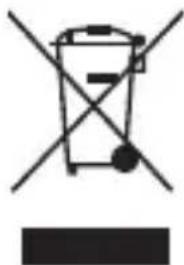
Don't throw batteries or out of order products with the household waste (garbage). The dangerous substances that they are likely to include may harm health or the environment. Make your retailer take back these products or use the selective collect of garbage proposed by your city.
For indoor use only
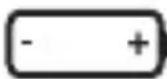
Positioning of cell

Mode d'emploi