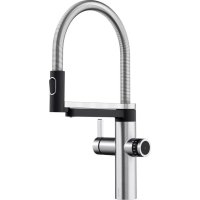
EvolS Pro - Faucet BLANCO - Free user manual and instructions
Find the device manual for free EvolS Pro BLANCO in PDF.



| Product type | Kitchen faucet with integrated water filtration system |
| Brand | BLANCO |
| Model | EvolS Pro |
| Power supply | 230 V / 50 Hz, protection by residual-current circuit breaker of at least 16 A |
| Required water pressure | 1 to 10 bars, drinking water compliant with local standards |
| Admissible water temperature | 5 °C to 30 °C |
| Operating ambient temperature | 10 °C to 30 °C |
| Water outlets | Two separate outlets: tap water (cold/hot) and filtered water |
| Filtered water control | Side sensor with operation LED, rotary knob for flow rate |
| Display | 4-digit LED screen on control unit, filter change indicator (flashing blue/red) |
| Filter cartridge | Replaceable, adjustable capacity, maximum 12 months |
| Faucet materials | Metal (likely stainless steel) and plastic |
| Safety | Usable by children from 8 years under supervision; do not open the power supply unit; protect from frost |
| Cleaning | Non-abrasive and non-chlorinated products; recommended BLANCO DailyClean (ref. 526305) |
| Spare parts | Filter cartridge, filter head, rotary control, sensor |
| Intended use | Domestic (kitchen); possible in office or medical practice with enhanced maintenance |
| Customer service (France) | Phone: 04 13 57 15 15; contact form at www.blanco.com/fr |
Frequently Asked Questions - EvolS Pro BLANCO
User questions about EvolS Pro BLANCO
0 question about this device. Answer the ones you know or ask your own.
Ask a new question about this device
Download the instructions for your Faucet in PDF format for free! Find your manual EvolS Pro - BLANCO and take your electronic device back in hand. On this page are published all the documents necessary for the use of your device. EvolS Pro by BLANCO.
USER MANUAL EvolS Pro BLANCO
BLANCO drink.filter EVOL-S Pro
Bedienungsanleitung
User manual · Mode d'emploi · Gebruiksaanwijzing · Istruzione d'uso · Instrukcja obstugi PkyoBocTBo no 3KcnIyatauMn · Manual de instrucciones · 操作说明 caozuo shuoming
blanco.com
English User manual 23
Chinese 操作说明caozuo shuoming 163
BLANCO GmbH + Co KG
Flehinger Str. 59
75038 Oberderdingen
Germany
Inhalt
Kundenservice 4
Einführung 5
Safety instructions 26
BLANCO drink.filter EVOL-S Pro 28
Overview 28
Filter unit 29
Filter kitchen mixer tap 30
Filter control unit 31
Operation 32
Cold & warm tap water 32
Filtered water 33
Changing the filter cartridge 34
Changing the filter head 36
Setting the filter capacity 37
Malfunctions 38
Cleaning 39
Replacement parts 40
Disposal/Environment 41
Compliance 41
Customer service
We hope that you enjoy using our system.
Our user manual is set out in such a way that you should not have any problems using the BLANCO Filter system. If you do happen to have any questions, then just get in touch with our BLANCO Customer Service team.
Telephone: +49 (0)800 4481 002
You can also write to us. Please use the contact form on our website: www.blanco.com
Introduction
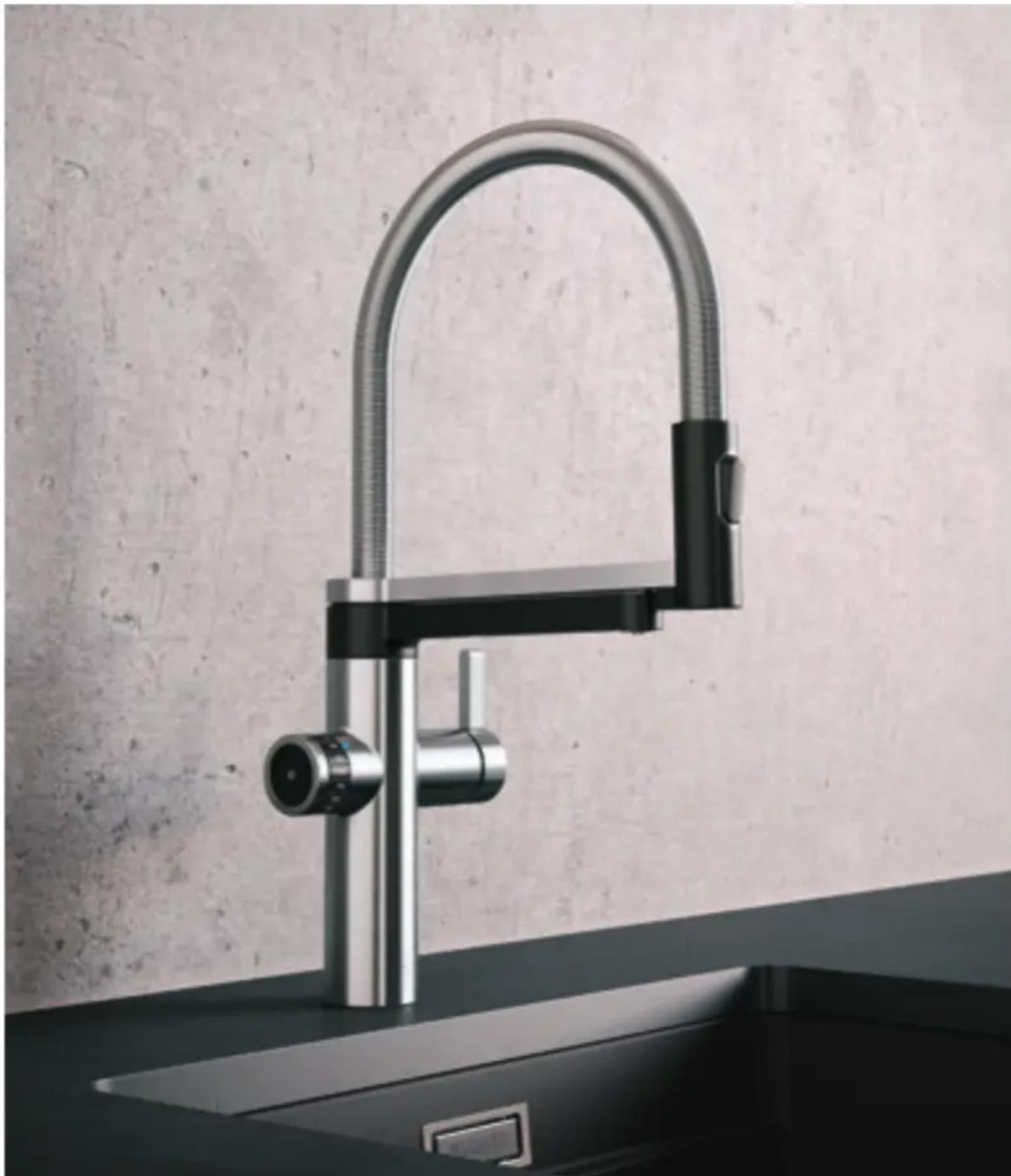
Your BLANCO Filter system filters tap water. The result: drinking water that tastes great. Regular tap water and filtered tap water are dispensed via two separate outlets on the attached mixer tap.
The system was designed for private use, usually within a kitchen space. However, it can also be used in public areas like an office or medical practice. Such use would entail extra requirements when it comes to cleaning and maintenance, for which the user is responsible. Any use beyond what is intended, or use for other purposes, is considered to be misuse. BLANCO accepts no liability for damage resulting from misuse.
This user manual introduces you to the system and explains all of its functions. Please read the user manual carefully, in particular the safety warnings, and keep them with your appliance. Diagrams and descriptions are provided to aid understanding. Certain details of your appliance may differ from the illustrations.
Installation information and requirements can be found in the separate installation instructions. If you want to set up your appliance in a different place or no longer have a copy of the installation instructions, please contact the BLANCO Customer Service team.
Safety instructions

This appliance can be used by children aged 8 and over, and by people with physical, sensory or mental disabilities. No prior experience or special knowledge is required if they have been shown, under supervision, or instructed on how to use the appliance safely, and if they understand
the associated risks. Children may not play with the appliance. Cleaning and maintenance should not be carried out by children without supervision.
The appliance is designed to be used at a sink in a closed space (normally the kitchen). It must only be connected to a water supply with constant drinking water quality in line with local requirements, constant flow pressure between 1 and 10 bar, and water temperature between 5 and 30^ .
The ambient temperature must be between 10^ and 30^ . Avoid direct sunlight. Changes within or to the appliance may only be made by BLANCO or by BLANCO-trained, specially qualified technicians. The appliance may only be opened by trained and qualified technicians!
The power cord must be laid out in such a way that it cannot be damaged. If the cable or plug are damaged, they must be replaced by a specialist. The appliance may only be connected to a differential current-protected mains connection with at least a 16A fuse and with a permanent 230V / 50Hz power supply.
Safety instructions

Make sure that the system is installed in a frost-proof location.
The components may be damaged if they become frozen. If necessary, contact the BLANCO Customer Service team. When using a filter with an ion exchanger to reduce limescale, the water in the filter is enriched
with sodium and can thus cause issues for babies or people sensitive to sodium. If necessary, consult a doctor or the BLANCO Customer Service team.
Be aware of any installation or operating requirements that apply to your country.
WARNING Damage
Opening system components is not permitted.
WARNING Electric shock
Opening the power supply unit is not permitted.
WARNING Electric shock
Maintenance work may only be carried out by trained technicians in compliance with the safety regulations.
BLANCO drink-fi Iter EVOL-S Pro
Overview
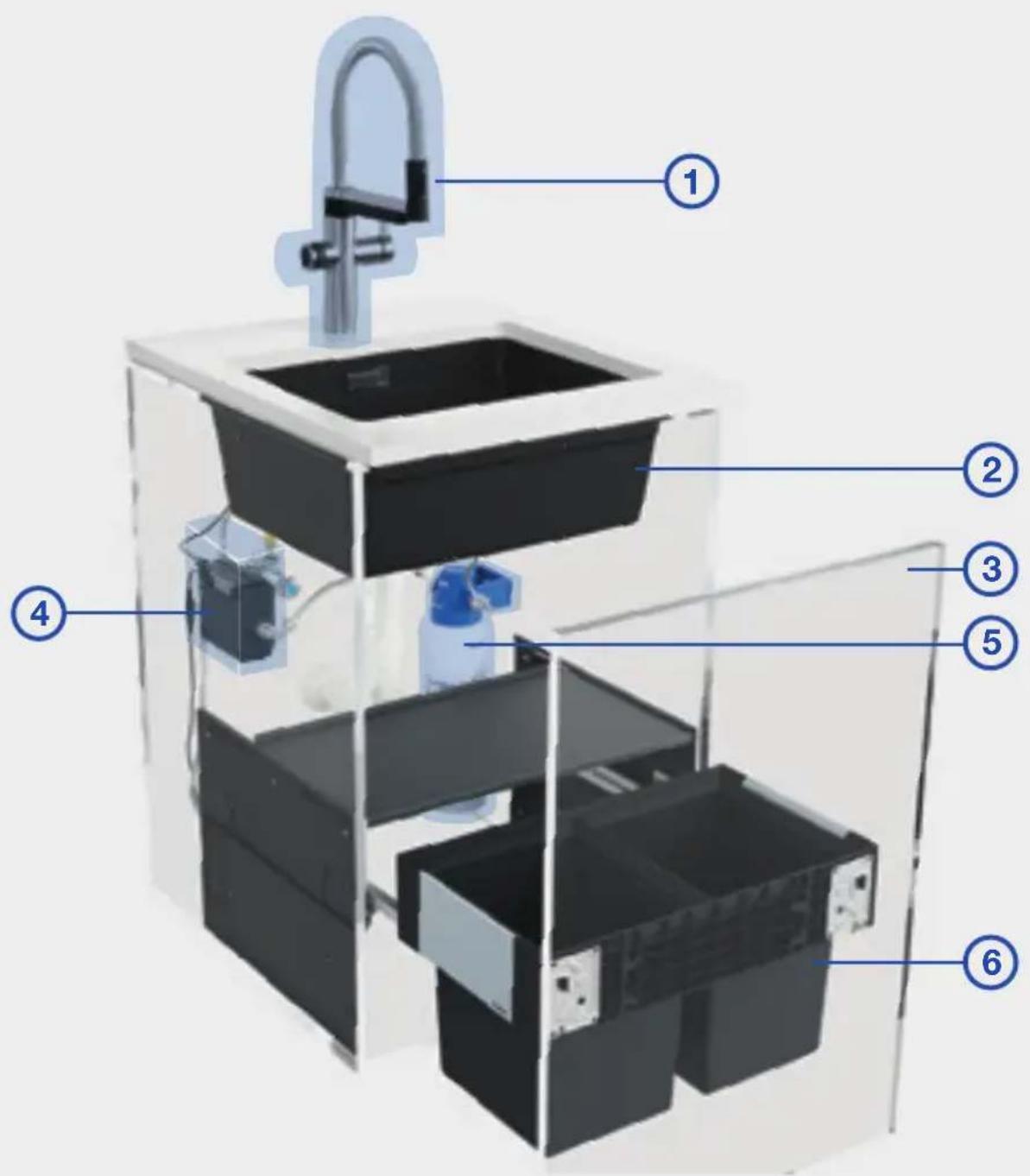
1 Mixer tap
2 Sink
3Drawer
4 Control box with integrated display
5 Filter system
6 Waste management system
*2/3/6 not part of the filter system
BLANCO drink-fi Iter EVOL-S Pro
Filter unit
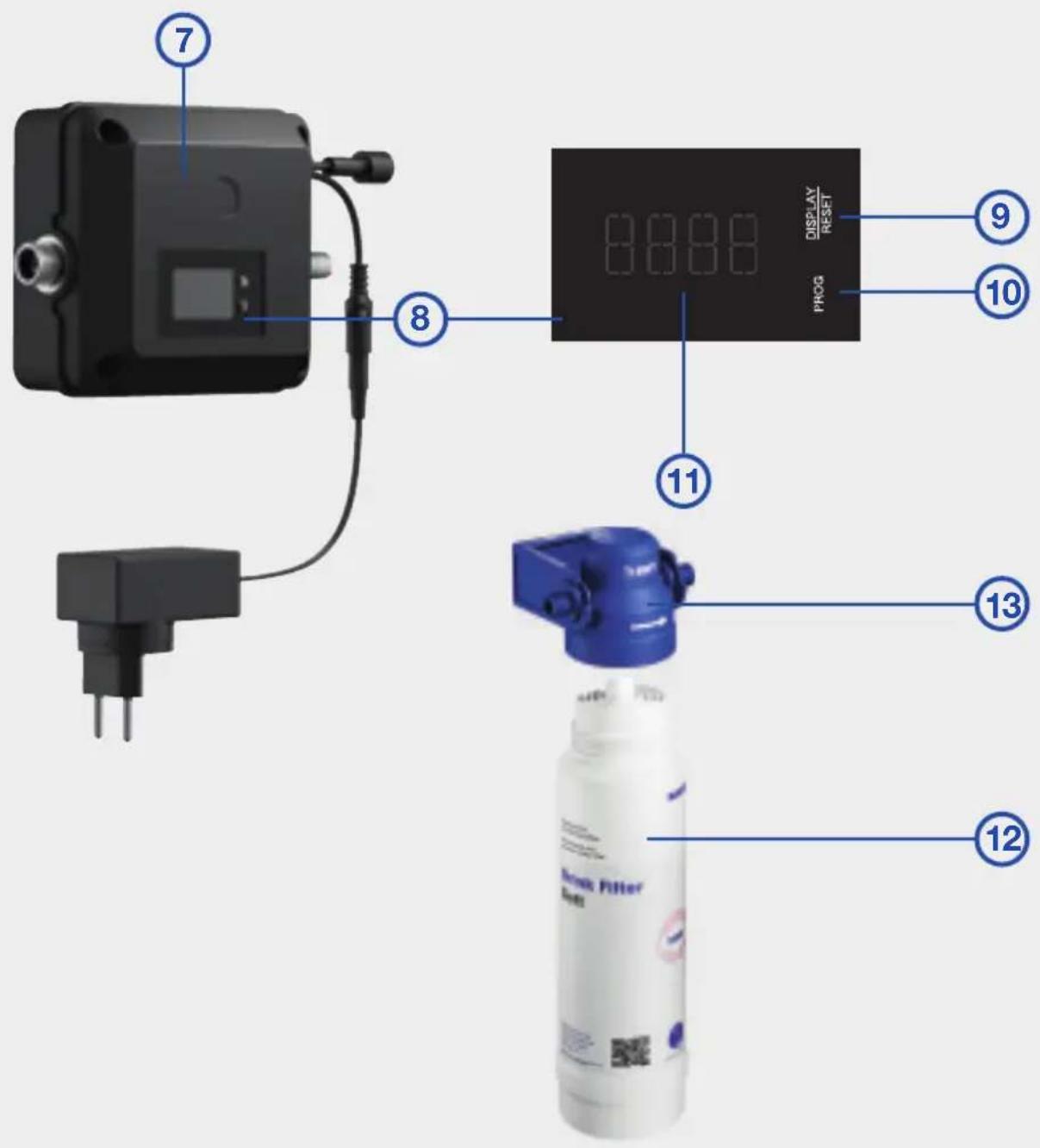
7 Control box
8 Display
9 DISPLAY/RESET button
10PROGbutton
114-pointdisplay
12Filtercartridge
13Filterhead
BLANCO drink-fi Iter EVOL-S Pro
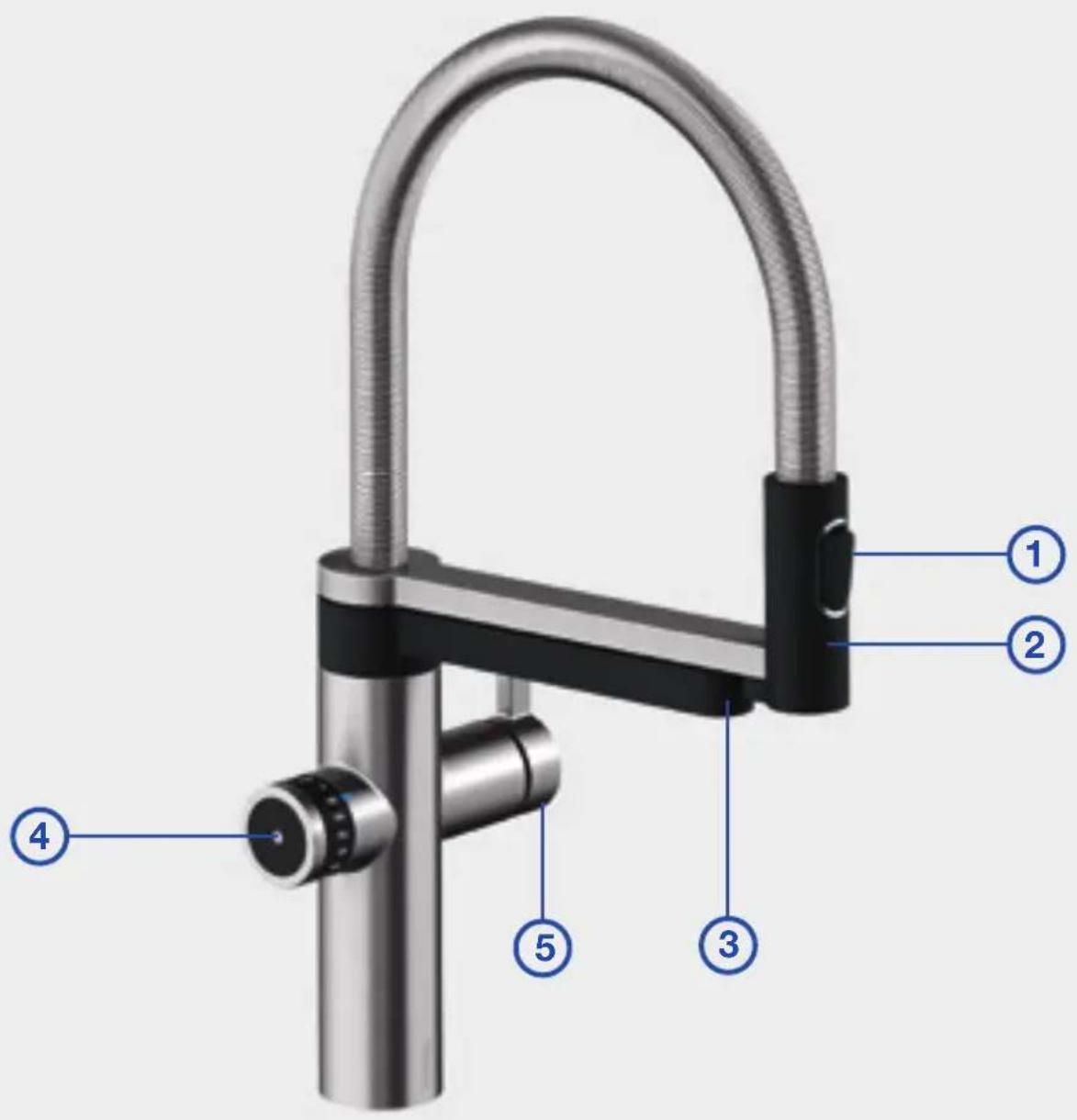
Filter system mixer tap
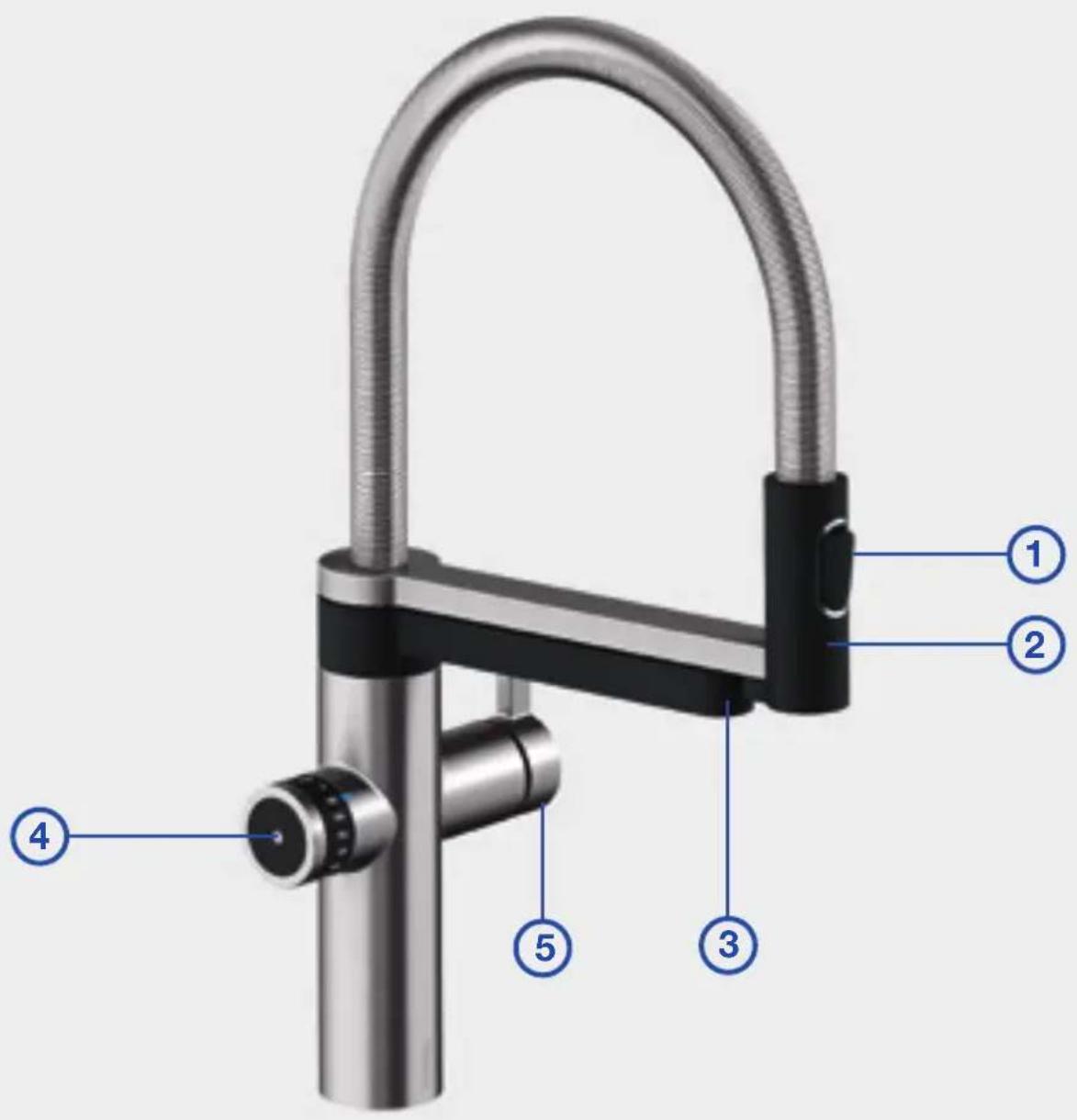
1 Switch button to change the type of spray (tap water)
2 Moveable spray head with tap water outlet
3 Filtered water mixer tap
4 Filtered water control unit
5 Control lever for cold and warm tap water
BLANCO drink-fi Iter EVOL-S Pro
Filtered water control unit
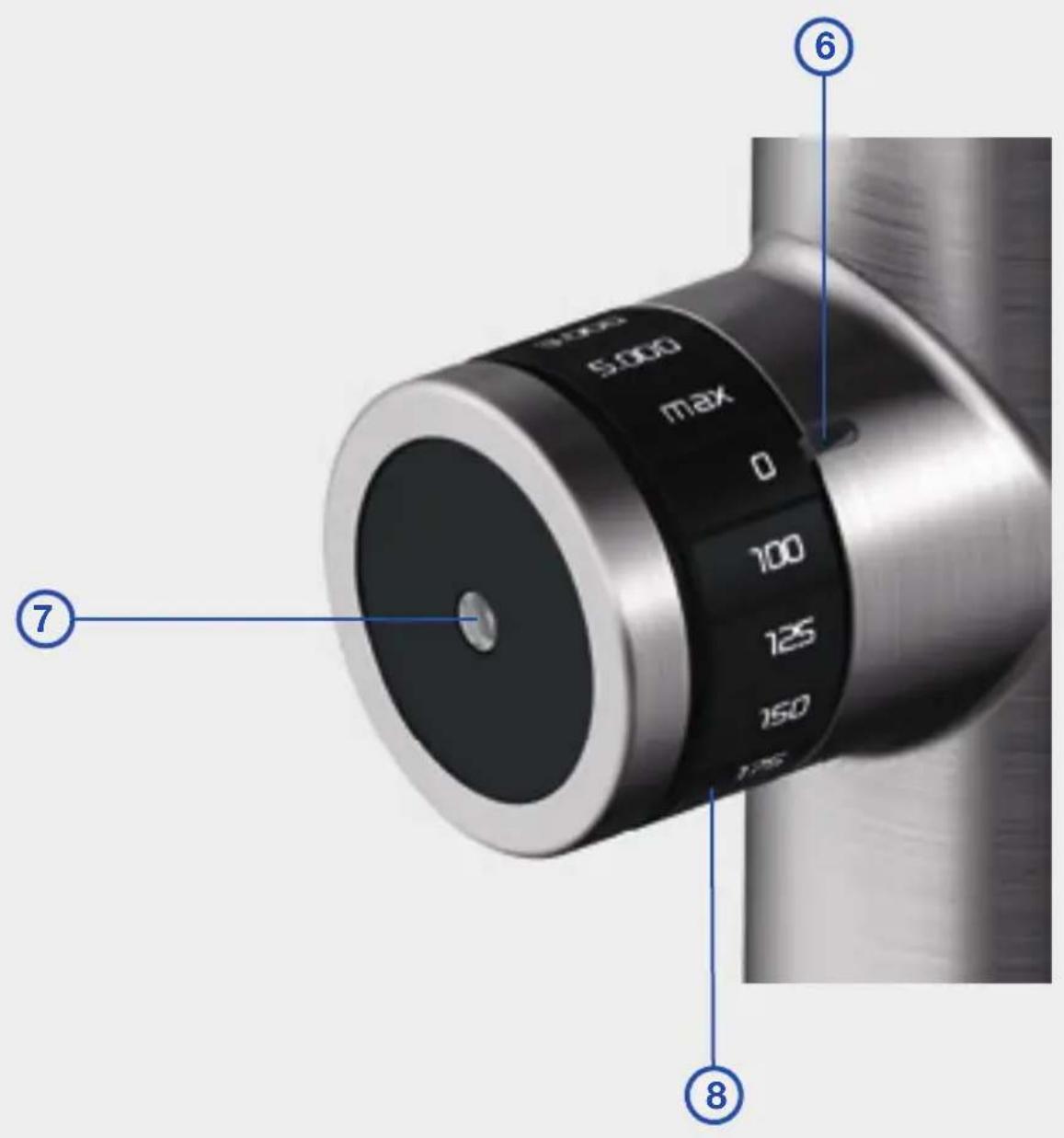
6 LED operating mode display
7 Trigger touch control (sensor)
8 Volume wheel
Operation
Cold & warm tap water
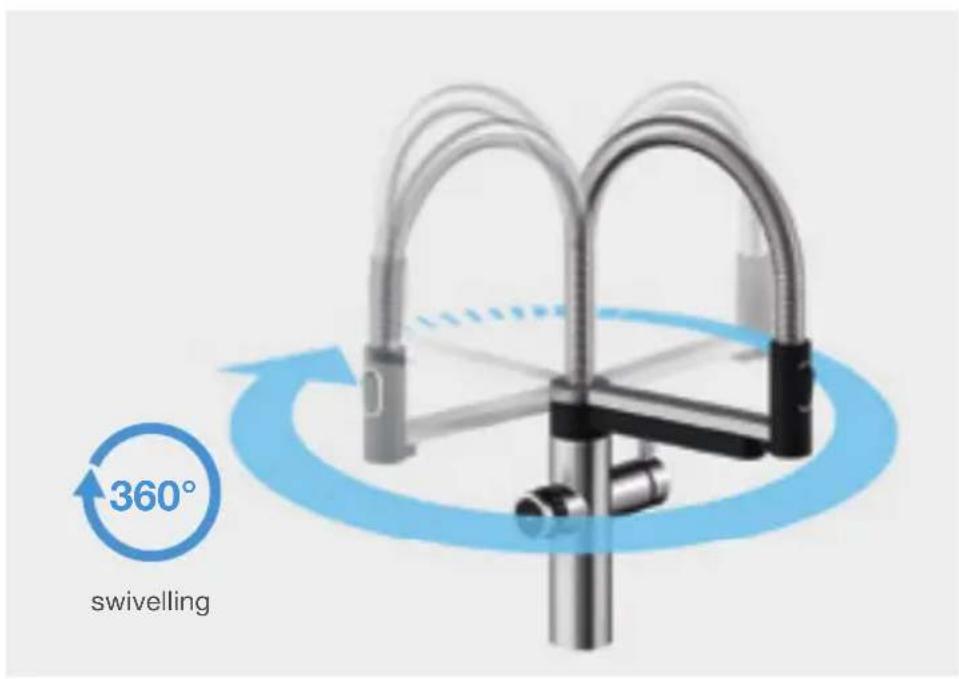
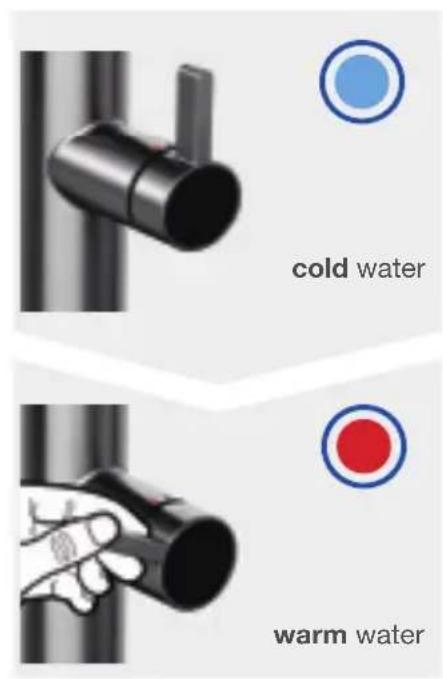
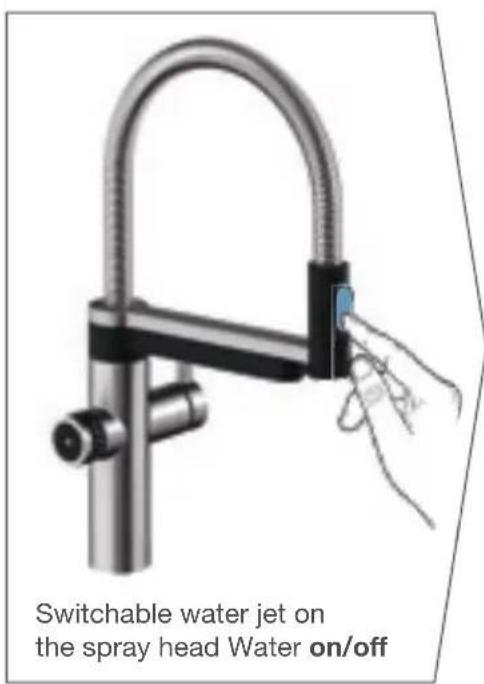
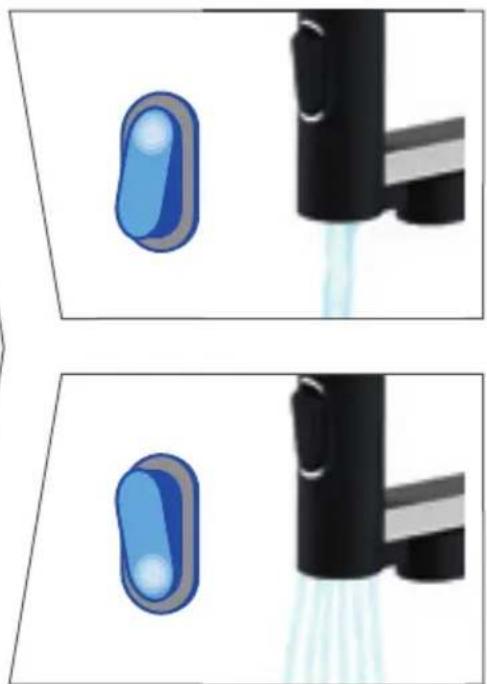

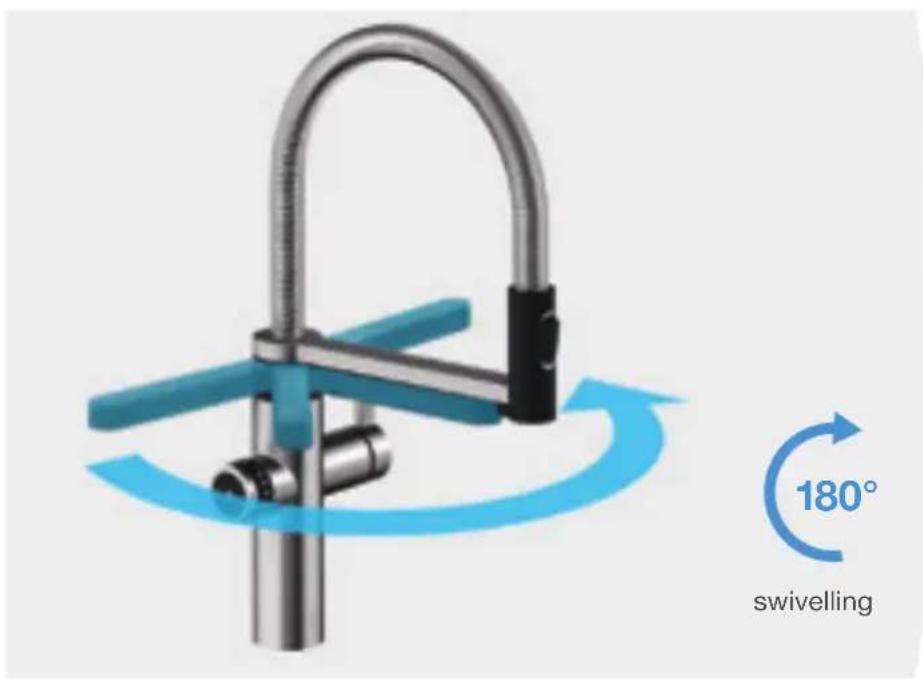
Operation
Filtered water
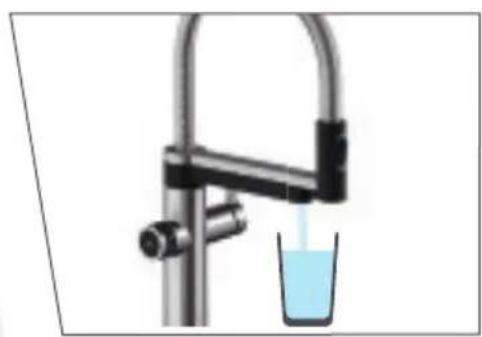
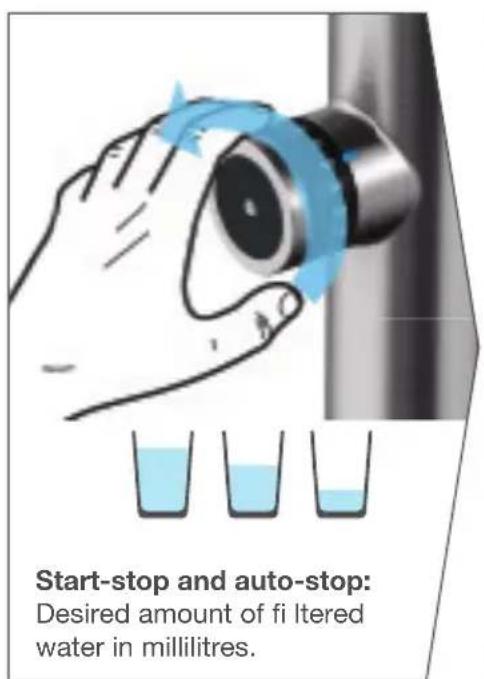
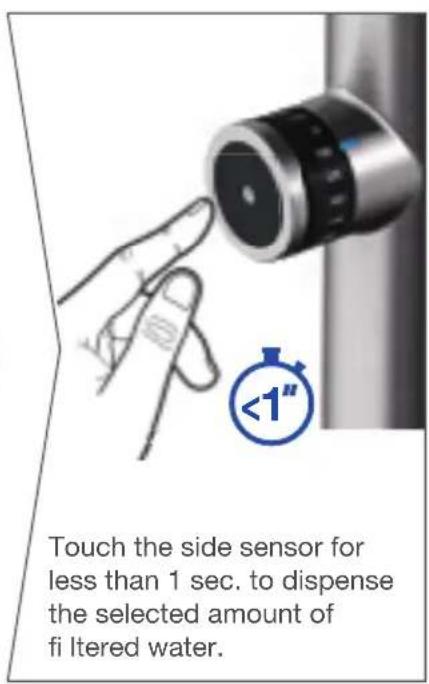
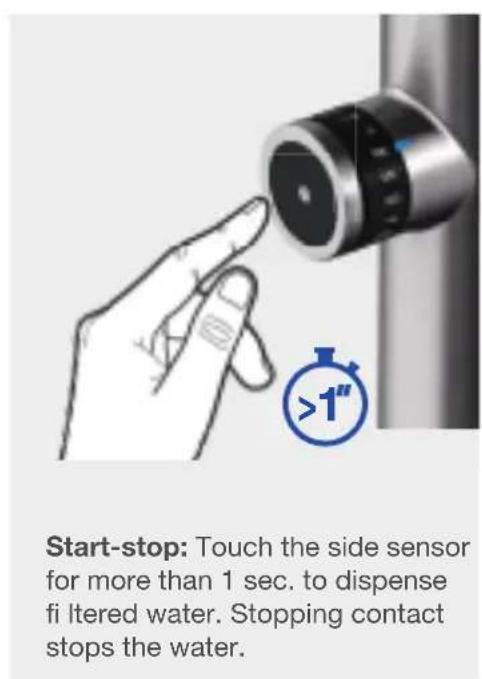
The automatic flow of water can be stopped at any time by touching the side sensor.
Changing the fi I ter cartridge
LED control unit
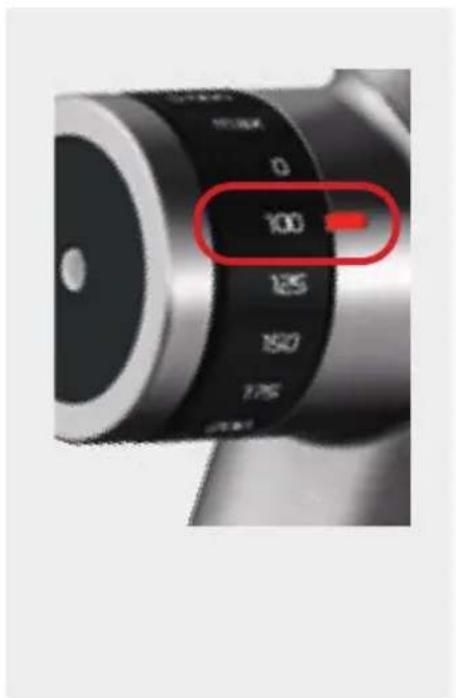

If you run fi filtered water and the LED display fl ashes blue and red at the same time, a change of fi lter is necessary.
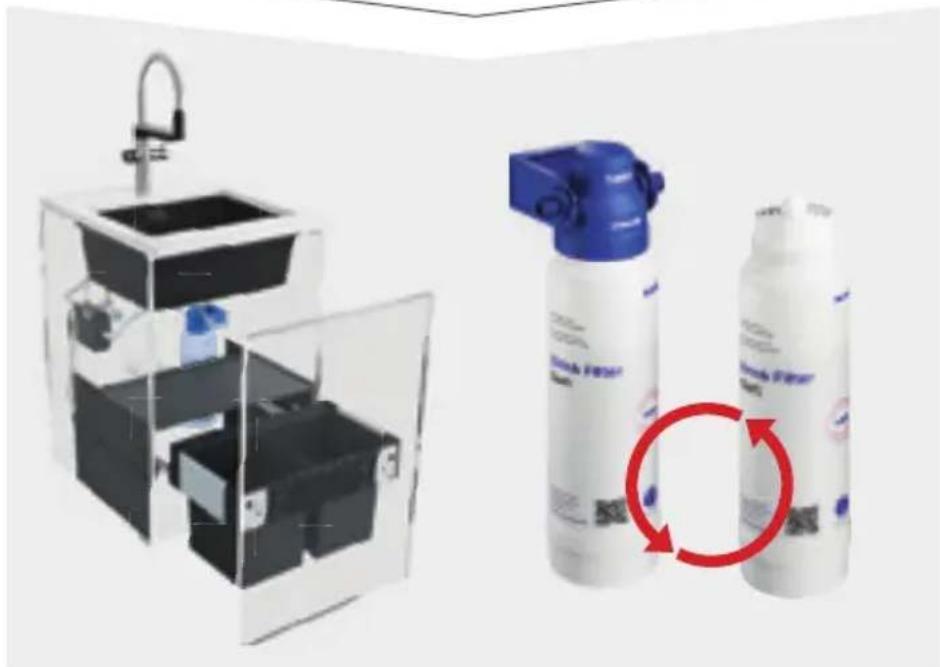
Changing the fi I ter cartridge
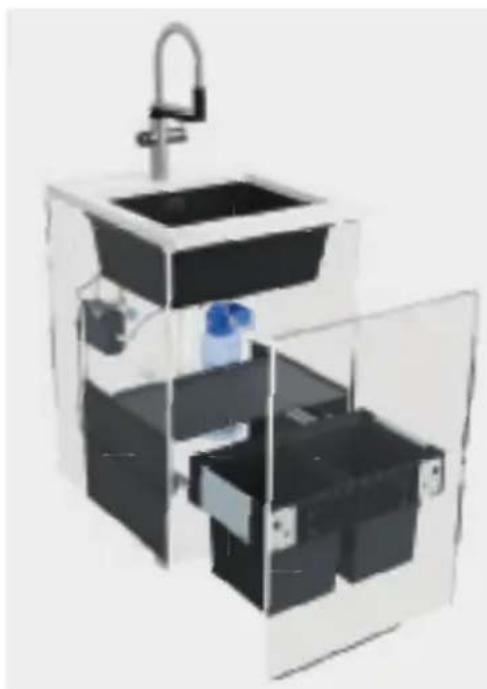

The filter needs to be changed when it has exhausted its capacity, but after 12 months at the latest.

Unscrew the old filter cartridge and take it to a recycling point.
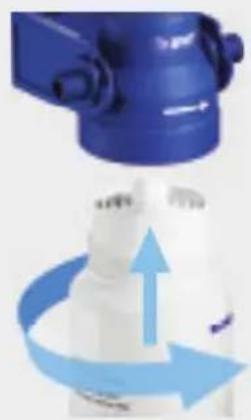
Screw in the new filter cartridge and let at least 10 litres of filtered water run unused into the drain.
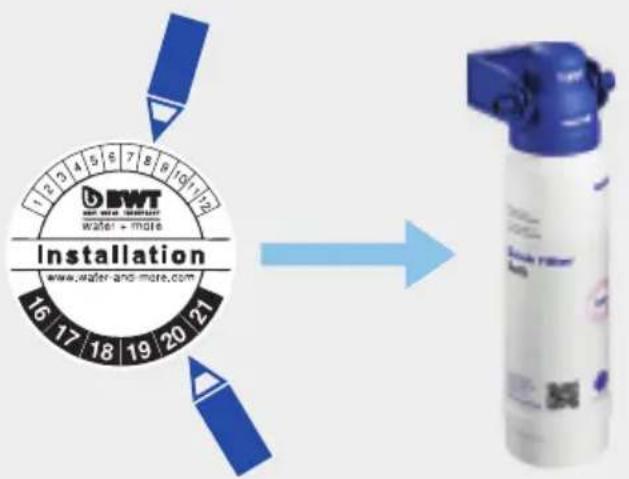
Mark the year and month on the cartridge.
Note: Reset the control unit (press and hold down DISPLAY/RESET for 3 seconds)
Changing the fi lter head
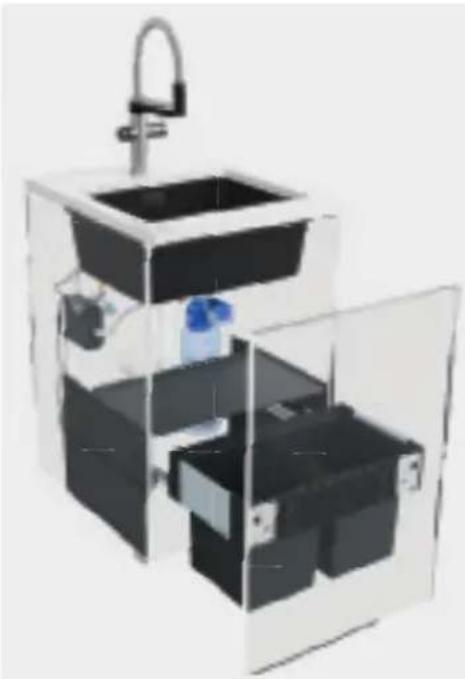

The fi Iter head must be changed after max.60 months.

Flip up the old filter, pull it out diagonally upwards and take it to a recycling point.


Insert the new fi lter head at the
same angle from above until it
engages and tilts downward. Mark the year and month on the fi lter head.
Setting the fi I ter capacity
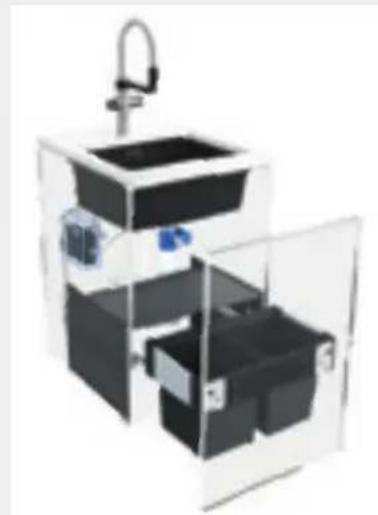
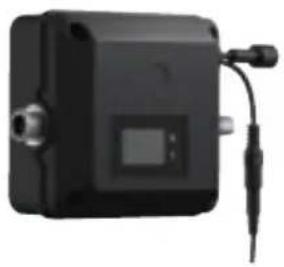
The filter capacity must be reset after changing the filter cartridge.
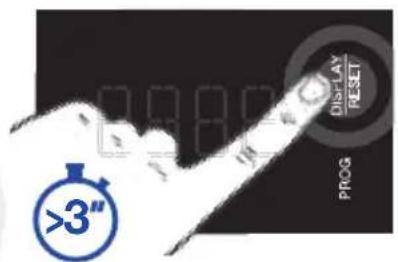
Press DISPLAY/RESET for more than 3 seconds until the first digit on the display is flashing.
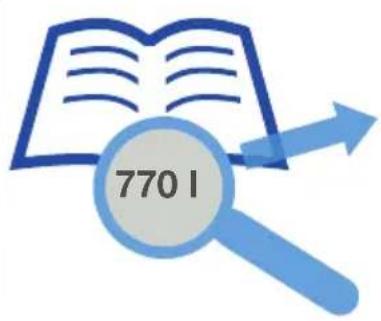
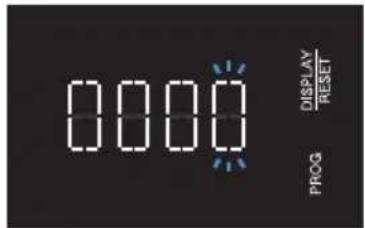
Find out the fi lter capacity from the Filter capacity section in the fi lter documents. Enter the fi gure manually.

For fi Iters with ion exchange technology, it is necessary
to know the local water hardness in order to be able to ascertain the right filter capacity. Note that centralised water softening changes the value for your household, which then no longer corresponds to the value given by your water company.
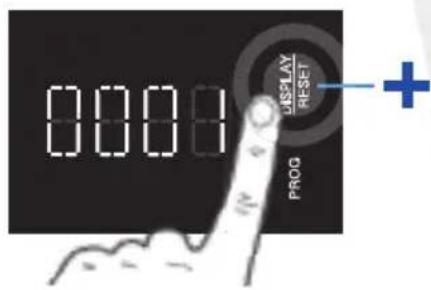
Press DISPLAY/RESET to increase the number.
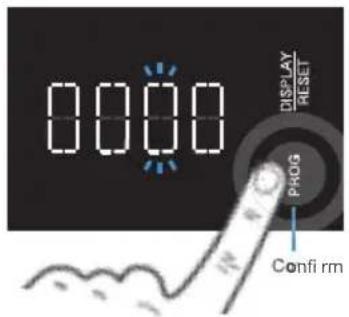
Press PROG to confirm the number and change to the next digit.
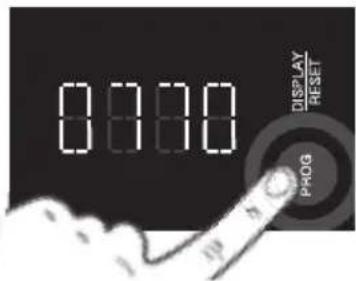
After entering the fi nal number, press PROG. The setting is confirmed and complete.
Malfunctions
| Malfunctions Possible causes | Error correction | |
| Blue LED on the mixer tap is not lighting up | - Mixer tap is not receiving electricity | - Connect the power supply unit for the control box to the mains - Check the connections on the control box |
| - The volume wheel is at “0” | - Turn the volume wheel and set an amount > “0” | |
| Water does not run when the sensor is activated | - Connecting hoses are kinked - Connecting hoses are wrongly attached - The volume wheel is at “0” - Filter head is connected against the flow direction - Electronic devices are in front of the sensor | - Connect hoses without kinks - Connect the hoses according to the assembly instructions - Turn the volume wheel and set an amount > “0” - Check whether the filter head has been connected against the flow direction, and change the flow direction - Remove electronic devices |
| Cold and/or warm water is not running | - Connecting hoses are kinked - Connecting hoses are wrongly attached | - Connect hoses without kinks - Connect the hoses according to the assembly instructions |
| The set water quantity for filter or hot water is significantly different | - Malfunctions in the control box | - Unplug the power supply to the control box, wait for 1 minute, then plug it in again |
Cleaning
Do not use abrasive or chlorinated cleaning products to clean the surfaces.
We recommend using BLANCO DailyClean (item no. 526305) to clean the mixer tap. This is easy to order from the BLANCO online shop.
Replacement parts
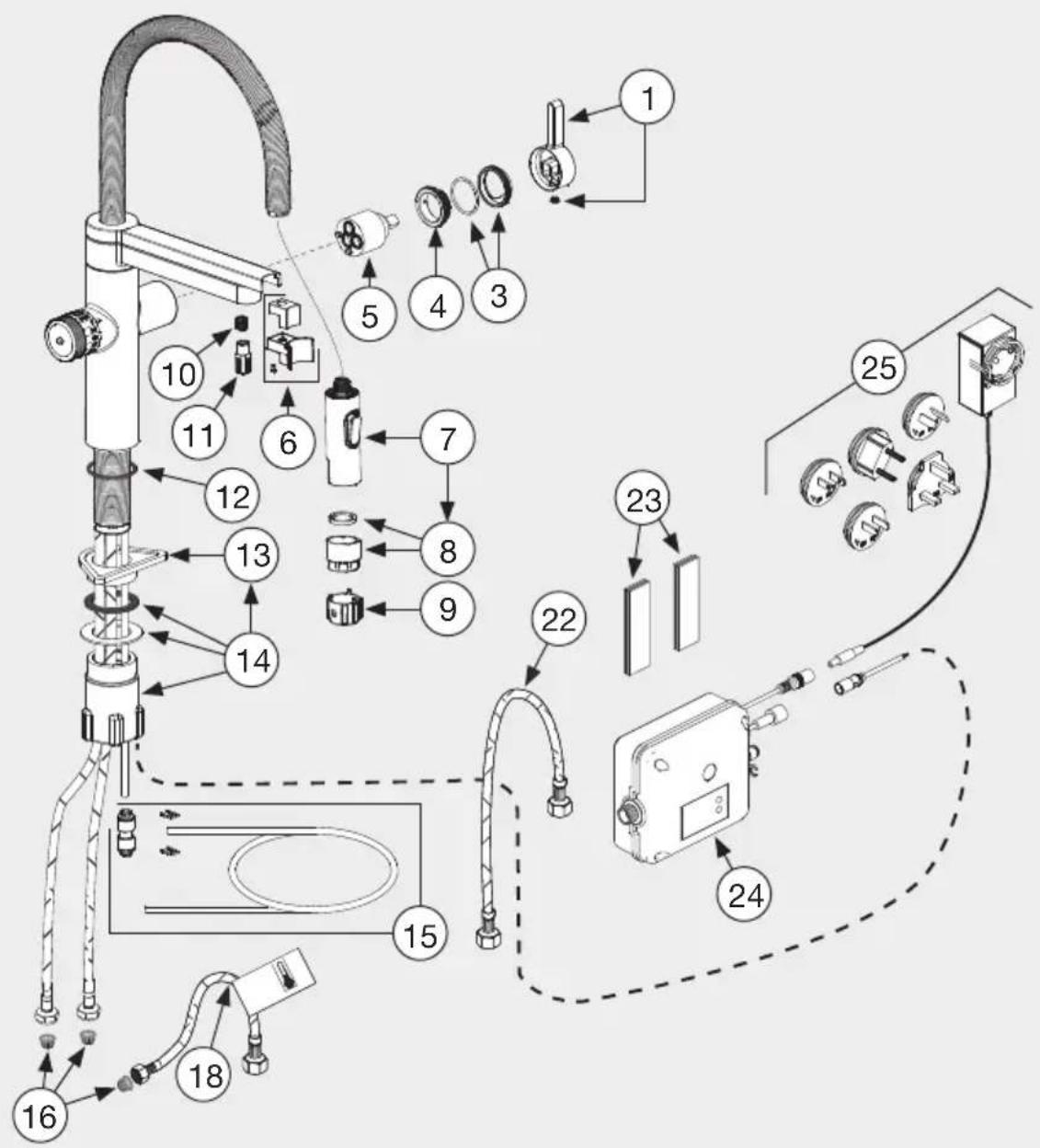
Disposal/Environment

Correct disposal of old appliances (electronic waste) (in countries of the EU and other European countries with a separate collection system): The labelling on the product, accessory parts and the documentation that comes with them indicate that the product and the accessory parts should not be disposed of along with normal household waste after the end of their service life. Please dispose of this appliance and its accessory parts separately from other waste to prevent any harm to the environment or human health from uncontrolled waste disposal. By disposing of old appliances and their accessory parts in the correct way, you are contributing
towards the sustainable recycling of resources. Private users should contact the dealer from whom they purchased the product or the relevant authorities to find out where they can drop off the old appliance and accessory parts for environmentally friendly disposal. Commercial users should contact their suppliers and proceed according to the terms of their sales contract. This product and the electronic accessory components must not be disposed of together with other commercial waste.
Compliance

The system meets the requirements of the relevant directives. A declaration of compliance can be requested from BLANCO.
Contenu
Service client 44
Introduction 45
9 DISPLAY/RESET-knop
BLANCO drink-fi Iter EVOL-S Pro
Mengkraan fi I tersysteme
9KHonkaDISPLAY/RESET
(DIICPNJIEN/CBPOC)
10KhonkaPROG
(ПОГРAMMA)
114-x3HaHbI ducnnei
12KaptpnckФиьтра
13TolonBkaqunbItpa
BLANCO drink-fi Iter EVOL-S Pro
Kyxohhbi CmeCnteIb C CnCTeMoN fNbTpaun
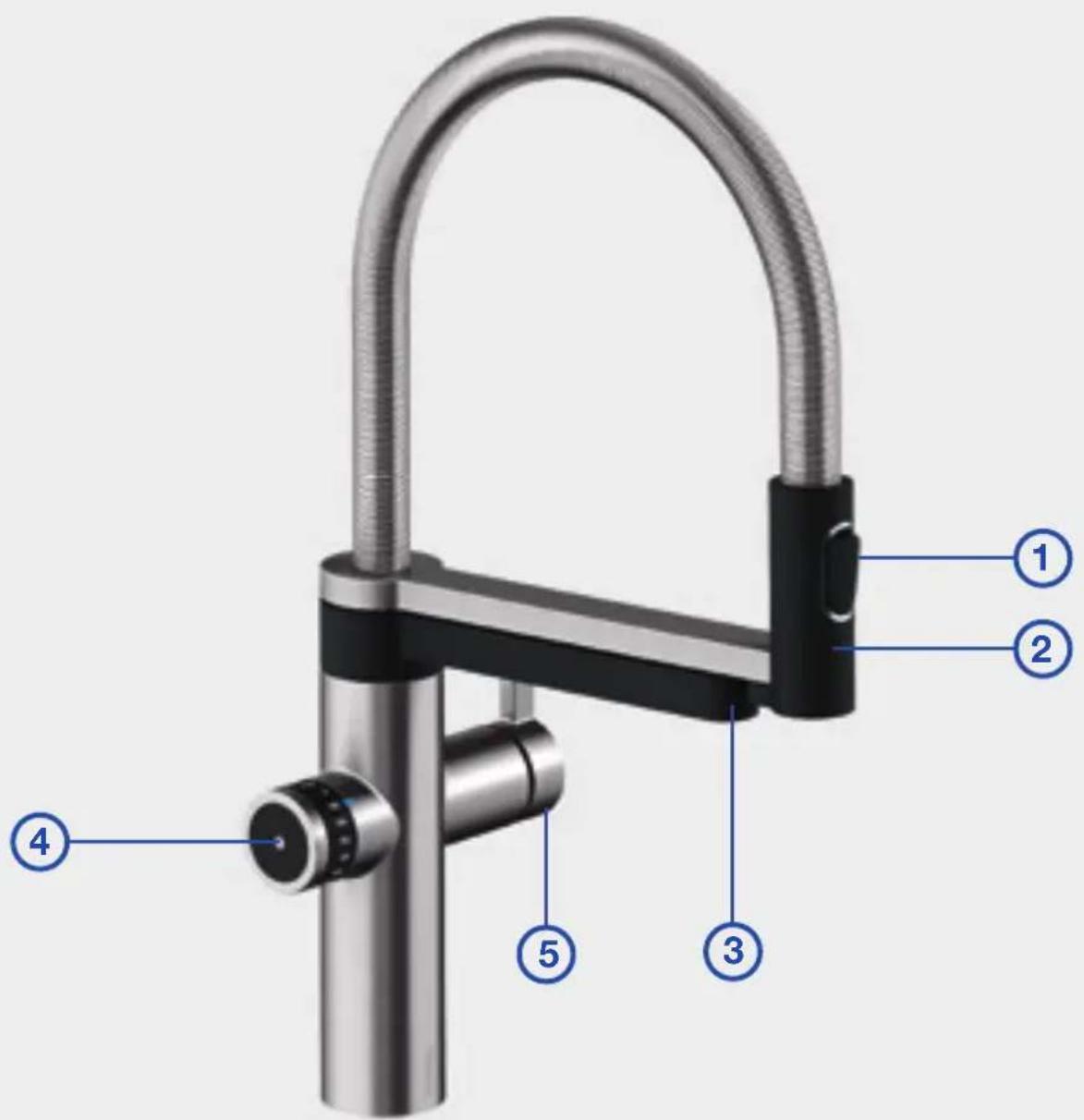
1 KhoNka nepeKIOUeHnI dIy I3MeHnI Tnpa cTpyu (BOOOnpoBODHa B0a)
2CbeMHbIM3JIINB
ДЯ BOДОПРОВОДΗΝΙ BODBi
3 KyxohhblcmeCHTeBc fyHKnnei cnbTpaun BObl
4БLOK ynpablenH qINbTpoBaHHoBdoH
5 Pyuar ynpaBneHnXoNoHOn nTeNoB ODoPpOBdHO BDO
BLANCO drink.fi Iter EVOL-S Pro
- BLANCO drink.filter EVOL-S Pro
- Bedienungsanleitung
- Inhalt
- Customer service
- Introduction
- Safety instructions
- BLANCO drink-fi Iter EVOL-S Pro
- Overview
- Filter unit
- Filter system mixer tap
- Operation
- Cold & warm tap water
- Filtered water
- Changing the fi I ter cartridge
- LED control unit
- Changing the fi lter head
- Setting the fi I ter capacity
- Malfunctions
- Cleaning
- Replacement parts
- Disposal/Environment
- Compliance
- Contenu
- Mengkraan fi I tersysteme
- BLANCO drink.fi Iter EVOL-S Pro
Brand : BLANCO
Model : EvolS Pro
Category : Faucet